 Скачать презентацию Technology Presented By Sapar Zhanbolat TABLE
wi-fi 2.ppt
- Количество слайдов: 20



Technology
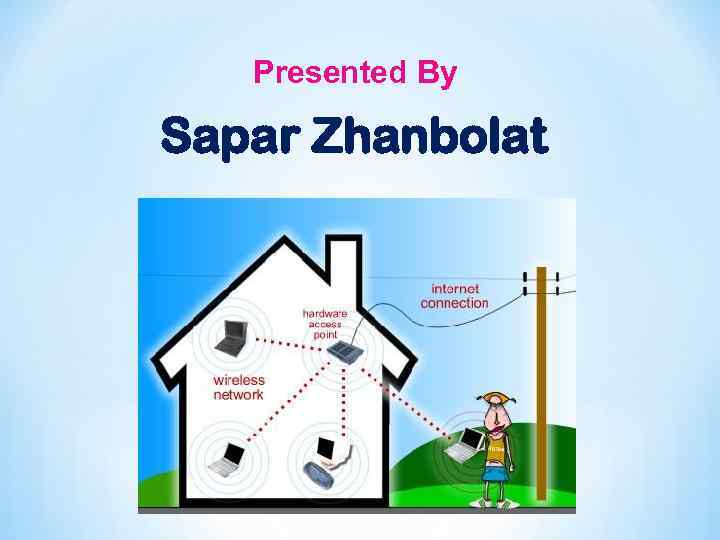
Presented By Sapar Zhanbolat
TABLE OF CONTENTS q q q q q Introduction Wi-Fi Technologies Wi-Fi Architecture Wi-Fi Network Elements How a Wi-Fi Network Works Wi-Fi Network Topologies Wi-Fi Configurations Applications of Wi-Fi Advantages/ Disadvantages of Wi-Fi
INTRODUCTION Ø Wireless Technology is an alternative to Wired Technology, which is commonly used, for connecting devices in wireless mode. Ø Wi-Fi (Wireless Fidelity) is a generic term that refers to the IEEE 802. 11 communications standard for Wireless Local Area Networks (WLANs). Ø Wi-Fi Network connect computers to each other, to the internet and to the wired network.
THE Wi-Fi TECHNOLOGY Ø Wi-Fi Networks use Radio Technologies to transmit & receive data at high speed : § IEEE 802. 11 b § IEEE 802. 11 a § IEEE 802. 11 g
IEEE 802. 11 b Ø Appear in late 1999 Ø Operates at 2. 4 GHz radio spectrum Ø 11 Mbps (theoretical speed) - within 30 m Range Ø 4 -6 Mbps (actual speed) Ø 100 -150 feet range Ø Most popular, Least Expensive Ø Interference from mobile phones and Bluetooth devices which can reduce the transmission speed.
IEEE 802. 11 a Ø Introduced in 2001 Ø Operates at 5 GHz (less popular) Ø 54 Mbps (theoretical speed) Ø 15 -20 Mbps (Actual speed) Ø 50 -75 feet range Ø More expensive Ø Not compatible with 802. 11 b
IEEE 802. 11 g Ø Introduced in 2003 Ø Combine the feature of both standards (a, b) Ø 100 -150 feet range Ø 54 Mbps Speed Ø 2. 4 GHz radio frequencies Ø Compatible with ‘b’
ELEMENT OF A Wi-Fi NETWORK Ø Access Point (AP) - The AP is a wireless LAN transceiver or “base station” that can connect one or many wireless devices simultaneously to the Internet. Ø Wi-Fi cards - They accept the wireless signal and relay information. They can be internal and external. (e. g PCMCIA Card for Laptop and PCI Card for Desktop PC. ) Ø Safeguards - Firewalls and anti-virus software protect networks from uninvited users and keep information secure.
v HOW A Wi-Fi NETWORKS? Ø Basic concept is same as Walkie talkies. Ø A Wi-Fi hotspot is created by installing an access point to an internet connection. Ø An access point acts as a base station. Ø When Wi-Fi enabled device encounters a hotspot the device can then connect to that network wirelessly. Ø A single access point can support up to 30 users and can function within a range of 100 – 150 feet indoors and up to 300 feet outdoors. Ø Many access points can be connected to each other via Ethernet cables to create a single large network.
Wi-Fi NETWORK TOPOLOGIES Ø AP-based topology (Infrastructure Mode) Ø Peer-to-peer topology (Ad-hoc Mode) Ø Point-to-multipoint bridge topology
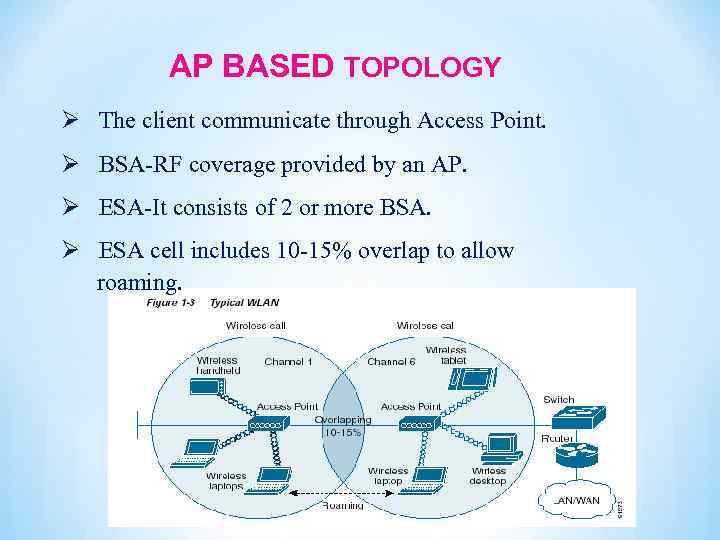
AP BASED TOPOLOGY Ø The client communicate through Access Point. Ø BSA-RF coverage provided by an AP. Ø ESA-It consists of 2 or more BSA. Ø ESA cell includes 10 -15% overlap to allow roaming.
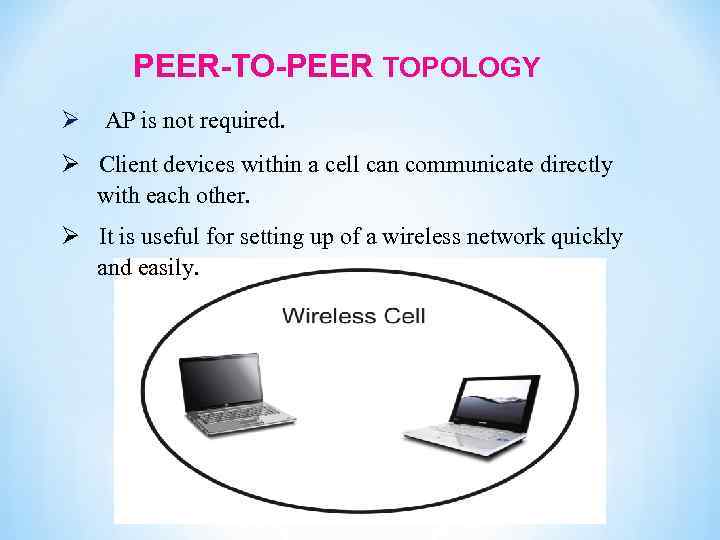
PEER-TO-PEER TOPOLOGY Ø AP is not required. Ø Client devices within a cell can communicate directly with each other. Ø It is useful for setting up of a wireless network quickly and easily.
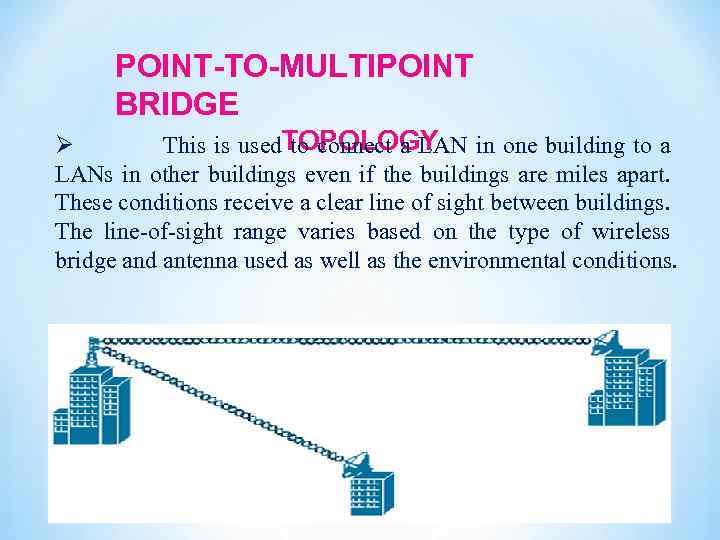
POINT-TO-MULTIPOINT BRIDGE Ø This is used. TOPOLOGY to connect a LAN in one building to a LANs in other buildings even if the buildings are miles apart. These conditions receive a clear line of sight between buildings. The line-of-sight range varies based on the type of wireless bridge and antenna used as well as the environmental conditions.
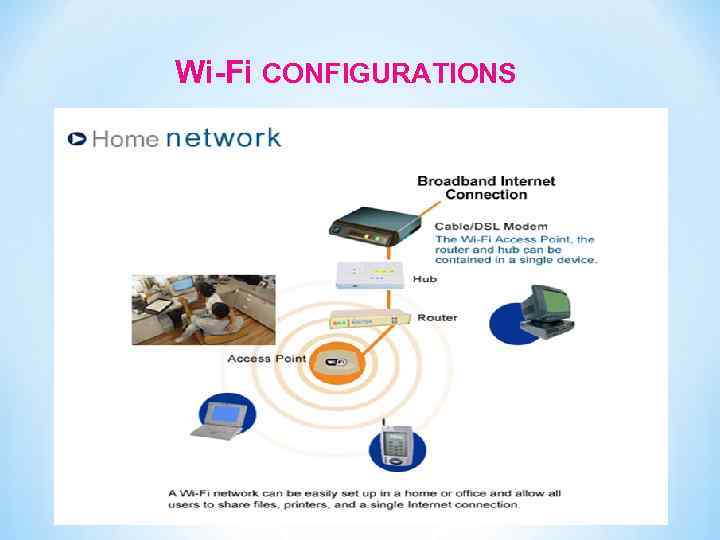
Wi-Fi CONFIGURATIONS
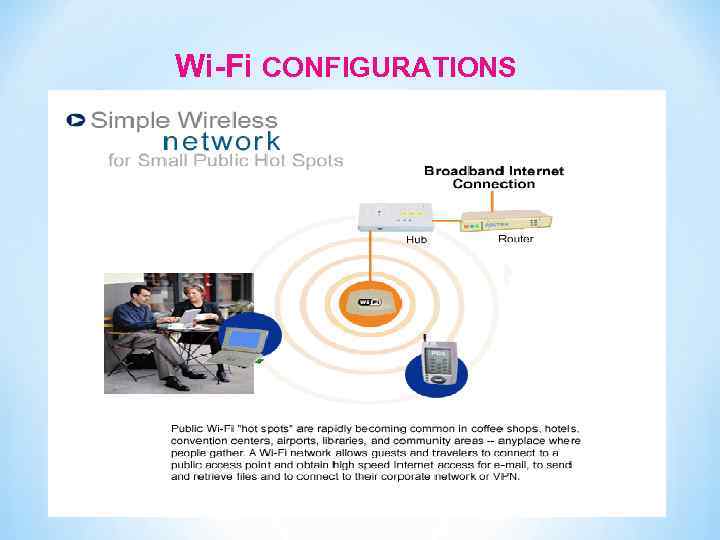
Wi-Fi CONFIGURATIONS
Wi-Fi APPLICATIONS Ø Home Ø Small Businesses or SOHO Ø Large Corporations & Campuses Ø Health Care Ø Wireless ISP (WISP) Ø Travellers
ADVANTAGES Ø Mobility Ø Easy of Installation Ø Good Flexibility Ø Cost Ø Reliability Ø Security Ø Use unlicensed part of the radio spectrum Ø Roaming Ø Speed is high.
LIMITATIONS Ø Interference Ø Degradation in performance Ø High power consumption Ø Limited range
 Скачать презентацию Technology Presented By Sapar Zhanbolat TABLE
wi-fi 2.ppt