 Скачать презентацию Technologies of the Networked Organization XML Web
f856c8059936f977cc67bbfd90883f78.ppt
- Количество слайдов: 37



Technologies of the Networked Organization: XML & Web Services Prof. Jonathan Wareham j. wareham@esade. edu
Structuring Web Documents: Cascading Style Sheets & XML • • Structured Formatting Introduction to CCS Structured Web Document Introduction to XML
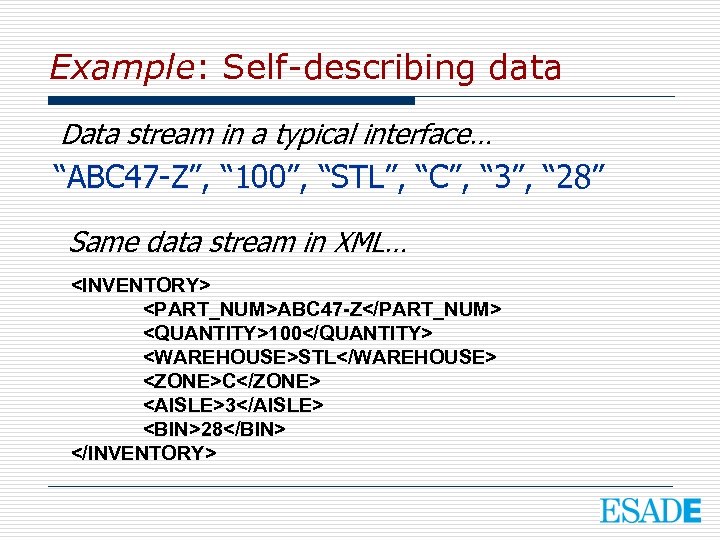
Example: Self-describing data Data stream in a typical interface… “ABC 47 -Z”, “ 100”, “STL”, “C”, “ 3”, “ 28” Same data stream in XML… <INVENTORY> <PART_NUM>ABC 47 -Z</PART_NUM> <QUANTITY>100</QUANTITY> <WAREHOUSE>STL</WAREHOUSE> <ZONE>C</ZONE> <AISLE>3</AISLE> <BIN>28</BIN> </INVENTORY>
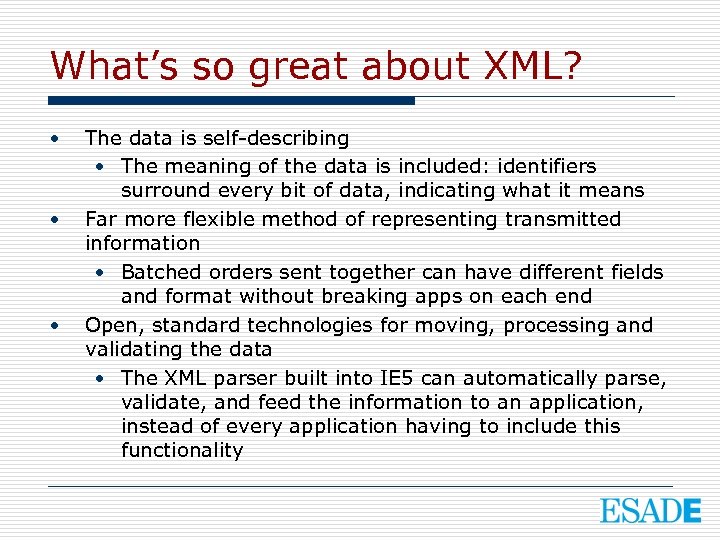
What’s so great about XML? • • • The data is self-describing • The meaning of the data is included: identifiers surround every bit of data, indicating what it means Far more flexible method of representing transmitted information • Batched orders sent together can have different fields and format without breaking apps on each end Open, standard technologies for moving, processing and validating the data • The XML parser built into IE 5 can automatically parse, validate, and feed the information to an application, instead of every application having to include this functionality
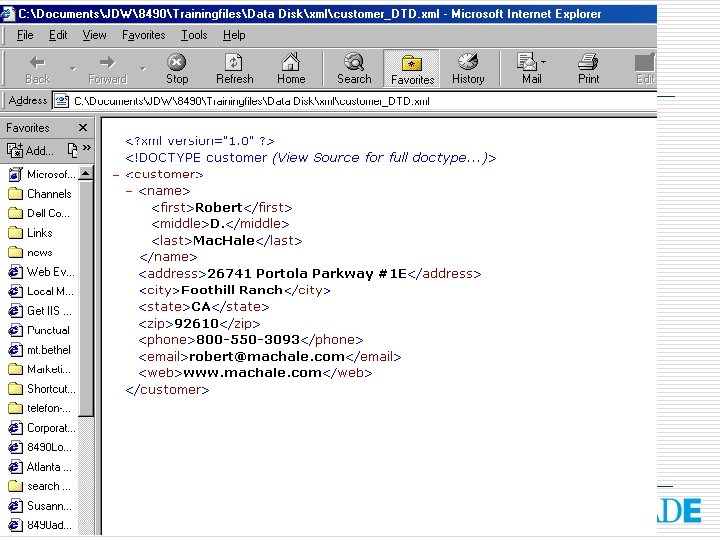
XML • • • e. Xtensible Markup Language Defines data Improved “CSV” format Recordset (Rows & Columns) Data can be hierarchical Each file can contain multiple record sets • See customer. xml
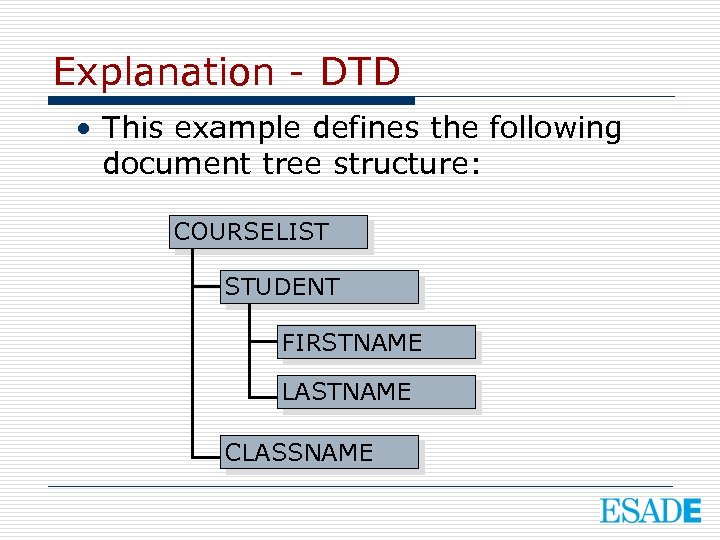
Explanation - DTD • This example defines the following document tree structure: COURSELIST STUDENT FIRSTNAME LASTNAME CLASSNAME
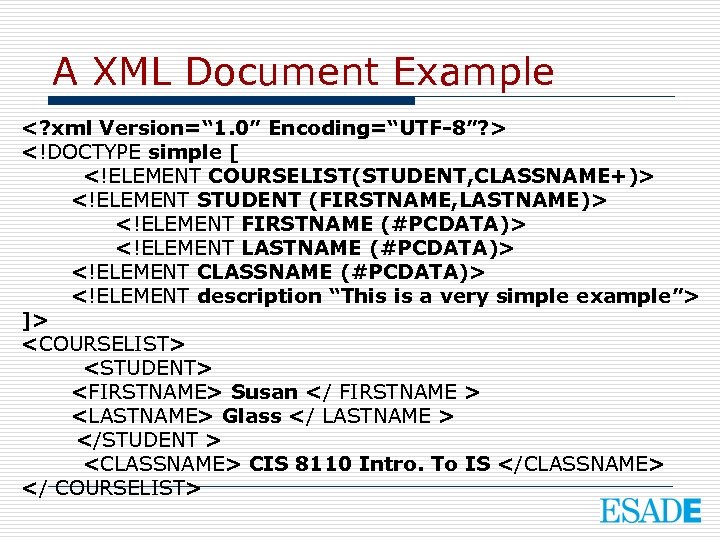
A XML Document Example <? xml Version=“ 1. 0” Encoding=“UTF-8”? > <!DOCTYPE simple [ <!ELEMENT COURSELIST(STUDENT, CLASSNAME+)> <!ELEMENT STUDENT (FIRSTNAME, LASTNAME)> <!ELEMENT FIRSTNAME (#PCDATA)> <!ELEMENT LASTNAME (#PCDATA)> <!ELEMENT CLASSNAME (#PCDATA)> <!ELEMENT description “This is a very simple example”> ]> <COURSELIST> <STUDENT> <FIRSTNAME> Susan </ FIRSTNAME > <LASTNAME> Glass </ LASTNAME > </STUDENT > <CLASSNAME> CIS 8110 Intro. To IS </CLASSNAME> </ COURSELIST>
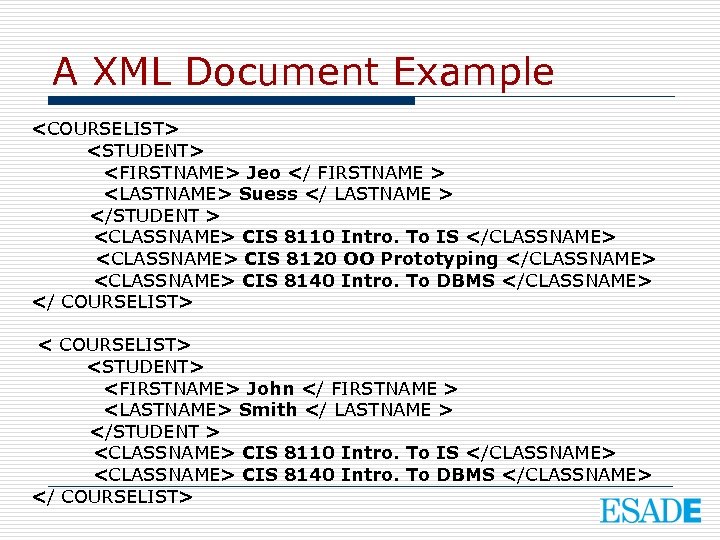
A XML Document Example <COURSELIST> <STUDENT> <FIRSTNAME> Jeo </ FIRSTNAME > <LASTNAME> Suess </ LASTNAME > </STUDENT > <CLASSNAME> CIS 8110 Intro. To IS </CLASSNAME> <CLASSNAME> CIS 8120 OO Prototyping </CLASSNAME> <CLASSNAME> CIS 8140 Intro. To DBMS </CLASSNAME> </ COURSELIST> <STUDENT> <FIRSTNAME> John </ FIRSTNAME > <LASTNAME> Smith </ LASTNAME > </STUDENT > <CLASSNAME> CIS 8110 Intro. To IS </CLASSNAME> <CLASSNAME> CIS 8140 Intro. To DBMS </CLASSNAME> </ COURSELIST>
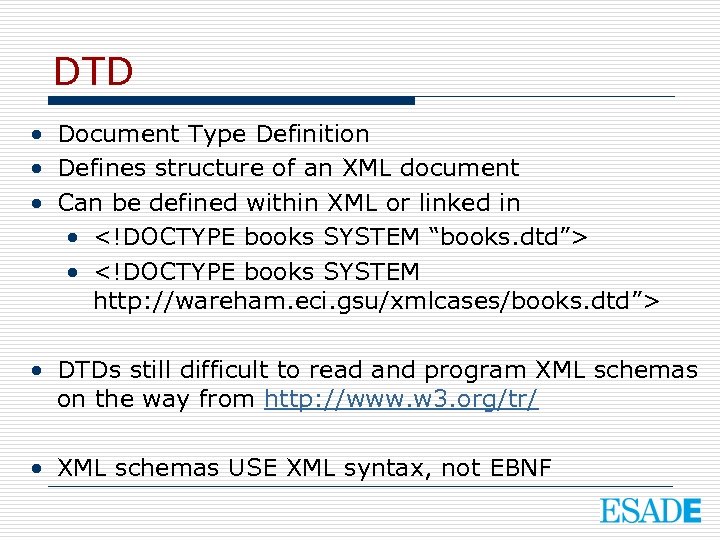
DTD • Document Type Definition • Defines structure of an XML document • Can be defined within XML or linked in • <!DOCTYPE books SYSTEM “books. dtd”> • <!DOCTYPE books SYSTEM http: //wareham. eci. gsu/xmlcases/books. dtd”> • DTDs still difficult to read and program XML schemas on the way from http: //www. w 3. org/tr/ • XML schemas USE XML syntax, not EBNF
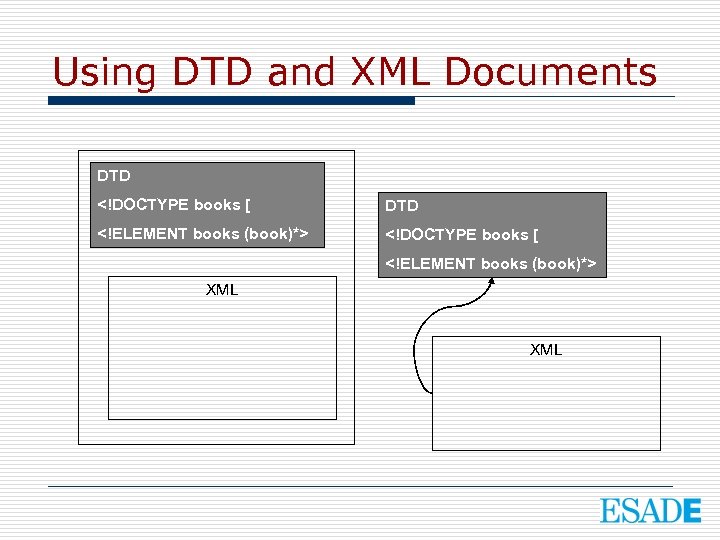
Using DTD and XML Documents DTD <!DOCTYPE books [ DTD <!ELEMENT books (book)*> <!DOCTYPE books [ <!ELEMENT books (book)*> XML
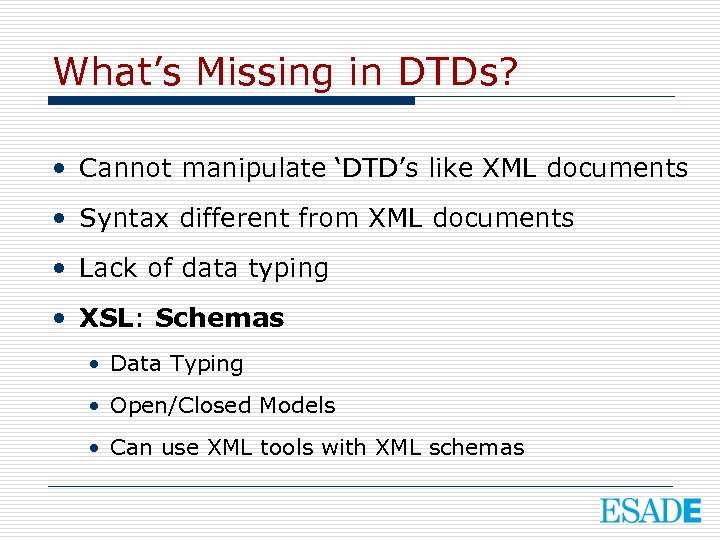
What’s Missing in DTDs? • Cannot manipulate ‘DTD’s like XML documents • Syntax different from XML documents • Lack of data typing • XSL: Schemas • Data Typing • Open/Closed Models • Can use XML tools with XML schemas
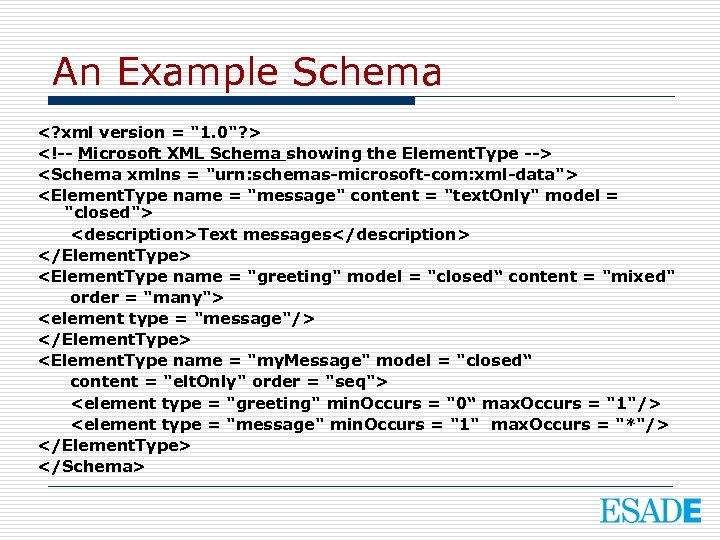
An Example Schema <? xml version = "1. 0"? > <!-- Microsoft XML Schema showing the Element. Type --> <Schema xmlns = "urn: schemas-microsoft-com: xml-data"> <Element. Type name = "message" content = "text. Only" model = "closed"> <description>Text messages</description> </Element. Type> <Element. Type name = "greeting" model = "closed“ content = "mixed" order = "many"> <element type = "message"/> </Element. Type> <Element. Type name = "my. Message" model = "closed“ content = "elt. Only" order = "seq"> <element type = "greeting" min. Occurs = "0“ max. Occurs = "1"/> <element type = "message" min. Occurs = "1" max. Occurs = "*"/> </Element. Type> </Schema>
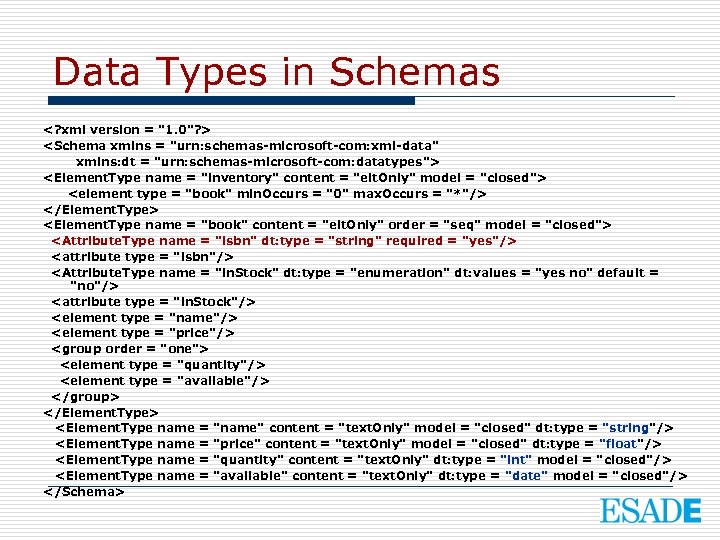
Data Types in Schemas <? xml version = "1. 0"? > <Schema xmlns = "urn: schemas-microsoft-com: xml-data" xmlns: dt = "urn: schemas-microsoft-com: datatypes"> <Element. Type name = "inventory" content = "elt. Only" model = "closed"> <element type = "book" min. Occurs = "0" max. Occurs = "*"/> </Element. Type> <Element. Type name = "book" content = "elt. Only" order = "seq" model = "closed"> <Attribute. Type name = "isbn" dt: type = "string" required = "yes"/> <attribute type = "isbn"/> <Attribute. Type name = "in. Stock" dt: type = "enumeration" dt: values = "yes no" default = "no"/> <attribute type = "in. Stock"/> <element type = "name"/> <element type = "price"/> <group order = "one"> <element type = "quantity"/> <element type = "available"/> </group> </Element. Type> <Element. Type name = "name" content = "text. Only" model = "closed" dt: type = "string"/> <Element. Type name = "price" content = "text. Only" model = "closed" dt: type = "float"/> <Element. Type name = "quantity" content = "text. Only" dt: type = "int" model = "closed"/> <Element. Type name = "available" content = "text. Only" dt: type = "date" model = "closed"/> </Schema>
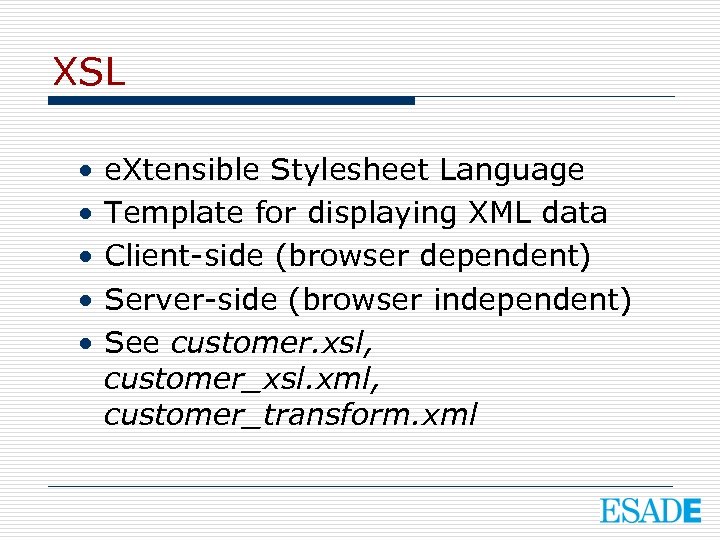
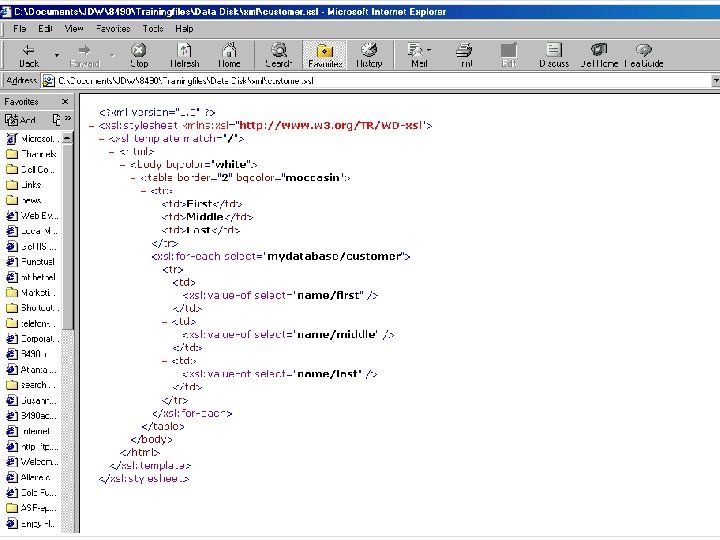
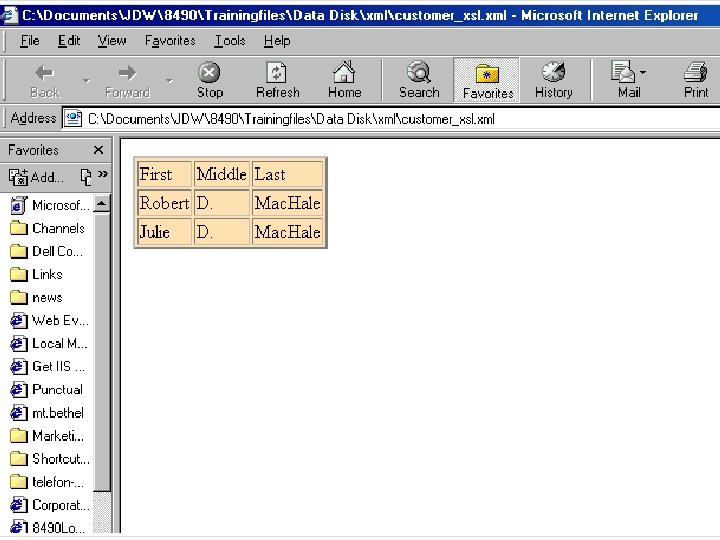
XSL • • • e. Xtensible Stylesheet Language Template for displaying XML data Client-side (browser dependent) Server-side (browser independent) See customer. xsl, customer_xsl. xml, customer_transform. xml
XML Auction Demo
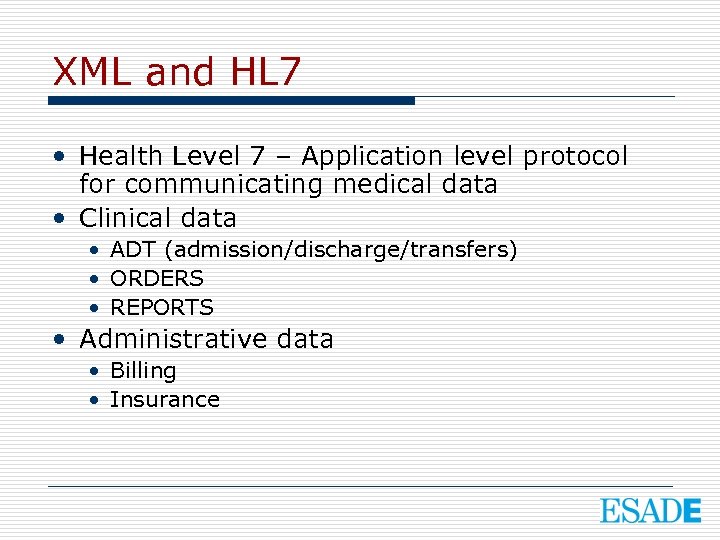
XML and HL 7 • Health Level 7 – Application level protocol for communicating medical data • Clinical data • ADT (admission/discharge/transfers) • ORDERS • REPORTS • Administrative data • Billing • Insurance
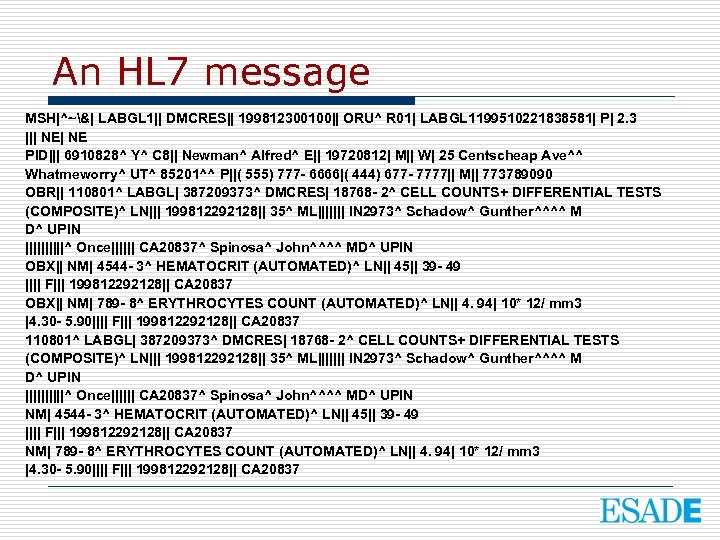
An HL 7 message MSH|^~&| LABGL 1|| DMCRES|| 199812300100|| ORU^ R 01| LABGL 1199510221838581| P| 2. 3 ||| NE PID||| 6910828^ Y^ C 8|| Newman^ Alfred^ E|| 19720812| M|| W| 25 Centscheap Ave^^ Whatmeworry^ UT^ 85201^^ P||( 555) 777 - 6666|( 444) 677 - 7777|| M|| 773789090 OBR|| 110801^ LABGL| 387209373^ DMCRES| 18768 - 2^ CELL COUNTS+ DIFFERENTIAL TESTS (COMPOSITE)^ LN||| 199812292128|| 35^ ML||||||| IN 2973^ Schadow^ Gunther^^^^ M D^ UPIN |||||^ Once|||||| CA 20837^ Spinosa^ John^^^^ MD^ UPIN OBX|| NM| 4544 - 3^ HEMATOCRIT (AUTOMATED)^ LN|| 45|| 39 - 49 |||| F||| 199812292128|| CA 20837 OBX|| NM| 789 - 8^ ERYTHROCYTES COUNT (AUTOMATED)^ LN|| 4. 94| 10* 12/ mm 3 |4. 30 - 5. 90|||| F||| 199812292128|| CA 20837 110801^ LABGL| 387209373^ DMCRES| 18768 - 2^ CELL COUNTS+ DIFFERENTIAL TESTS (COMPOSITE)^ LN||| 199812292128|| 35^ ML||||||| IN 2973^ Schadow^ Gunther^^^^ M D^ UPIN |||||^ Once|||||| CA 20837^ Spinosa^ John^^^^ MD^ UPIN NM| 4544 - 3^ HEMATOCRIT (AUTOMATED)^ LN|| 45|| 39 - 49 |||| F||| 199812292128|| CA 20837 NM| 789 - 8^ ERYTHROCYTES COUNT (AUTOMATED)^ LN|| 4. 94| 10* 12/ mm 3 |4. 30 - 5. 90|||| F||| 199812292128|| CA 20837
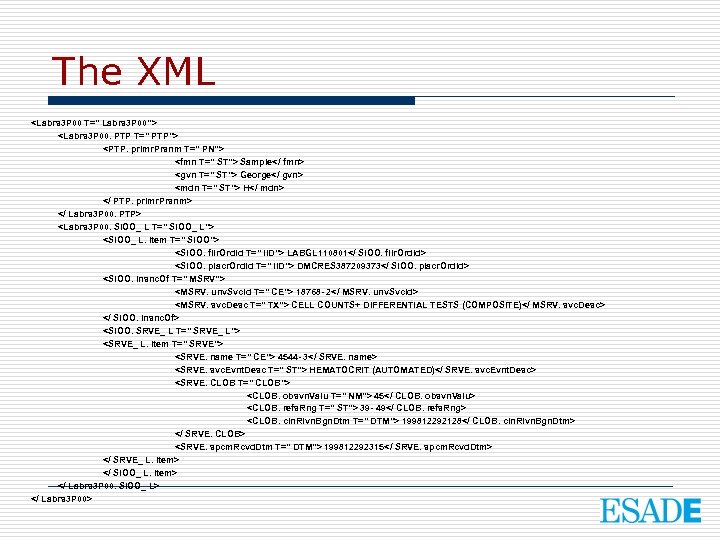
The XML <Labrs 3 P 00 T=" Labrs 3 P 00"> <Labrs 3 P 00. PTP T=" PTP"> <PTP. primr. Prsnm T=" PN"> <fmn T=" ST"> Sample</ fmn> <gvn T=" ST"> George</ gvn> <mdn T=" ST"> H</ mdn> </ PTP. primr. Prsnm> </ Labrs 3 P 00. PTP> <Labrs 3 P 00. SIOO_ L T=" SIOO_ L"> <SIOO_ L. item T=" SIOO"> <SIOO. filr. Ord. Id T=" IID"> LABGL 110801</ SIOO. filr. Ord. Id> <SIOO. placr. Ord. Id T=" IID"> DMCRES 387209373</ SIOO. placr. Ord. Id> <SIOO. Insnc. Of T=" MSRV"> <MSRV. unv. Svc. Id T=" CE"> 18768 - 2</ MSRV. unv. Svc. Id> <MSRV. svc. Desc T=" TX"> CELL COUNTS+ DIFFERENTIAL TESTS (COMPOSITE)</ MSRV. svc. Desc> </ SIOO. Insnc. Of> <SIOO. SRVE_ L T=" SRVE_ L"> <SRVE_ L. item T=" SRVE"> <SRVE. name T=" CE"> 4544 - 3</ SRVE. name> <SRVE. svc. Evnt. Desc T=" ST"> HEMATOCRIT (AUTOMATED)</ SRVE. svc. Evnt. Desc> <SRVE. CLOB T=" CLOB"> <CLOB. obsvn. Valu T=" NM"> 45</ CLOB. obsvn. Valu> <CLOB. refs. Rng T=" ST"> 39 - 49</ CLOB. refs. Rng> <CLOB. cln. Rlvn. Bgn. Dtm T=" DTM"> 199812292128</ CLOB. cln. Rlvn. Bgn. Dtm> </ SRVE. CLOB> <SRVE. spcm. Rcvd. Dtm T=" DTM"> 199812292315</ SRVE. spcm. Rcvd. Dtm> </ SRVE_ L. item> </ SIOO_ L. item> </ Labrs 3 P 00. SIOO_ L> </ Labrs 3 P 00>
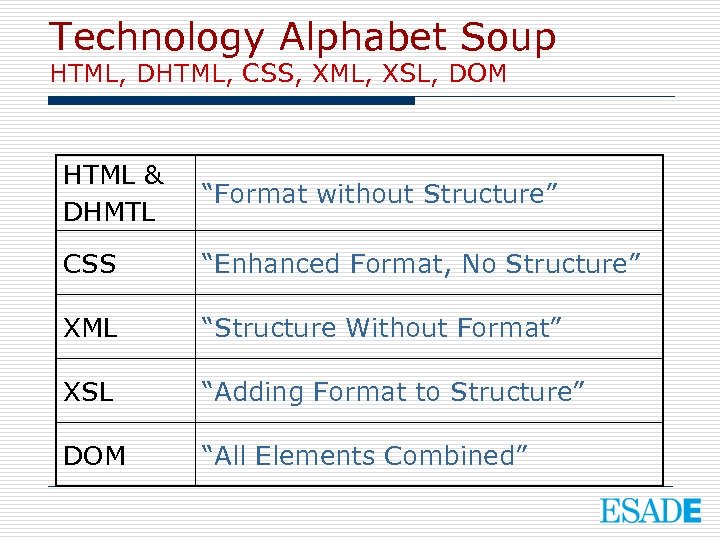
Technology Alphabet Soup HTML, DHTML, CSS, XML, XSL, DOM HTML & DHMTL “Format without Structure” CSS “Enhanced Format, No Structure” XML “Structure Without Format” XSL “Adding Format to Structure” DOM “All Elements Combined”
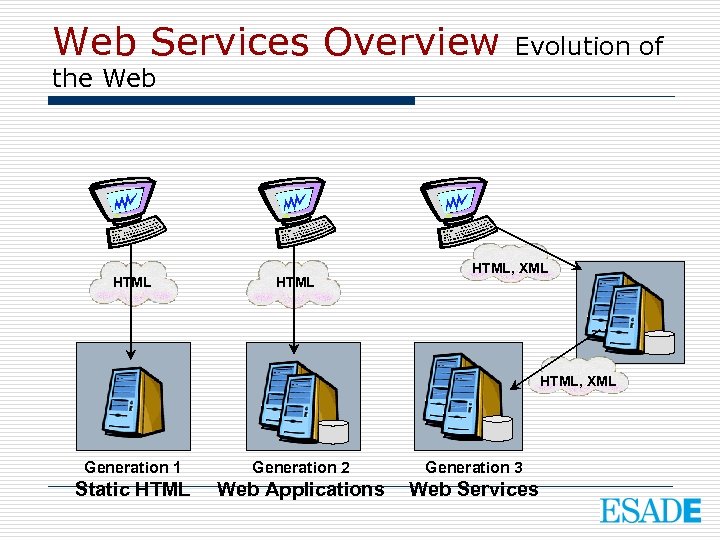
Web Services Overview Evolution of the Web HTML, XML Generation 1 Generation 2 Generation 3 Static HTML Web Applications Web Services
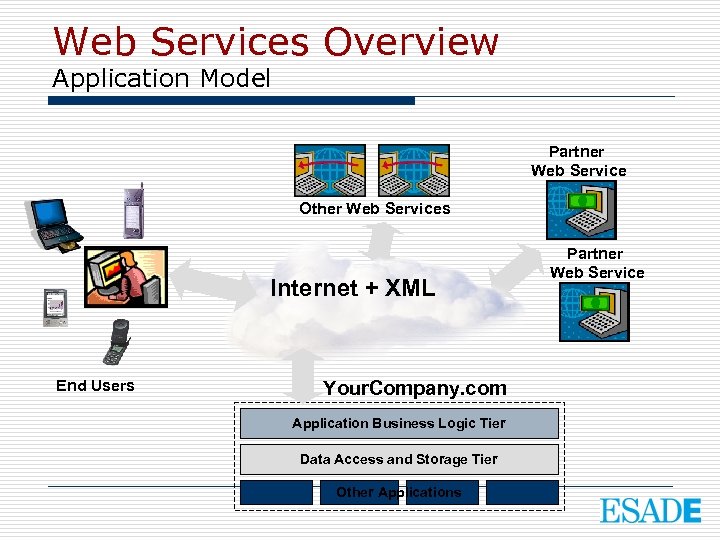
Web Services Overview Application Model Partner Web Service Other Web Services Internet + XML End Users Your. Company. com Application Business Logic Tier Data Access and Storage Tier Other Applications Partner Web Service
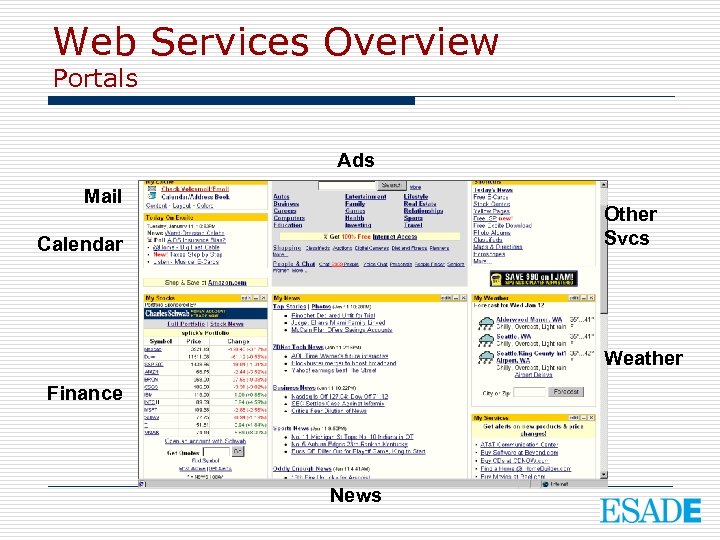
Web Services Overview Portals Ads Mail Other Svcs Calendar Weather Finance News
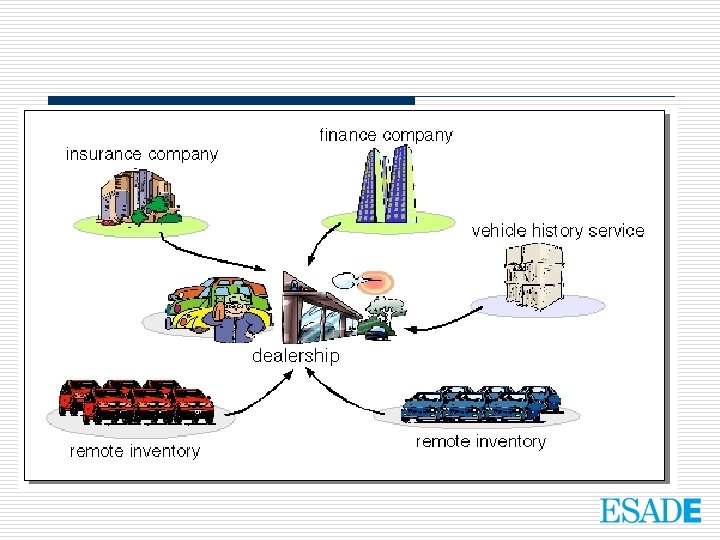
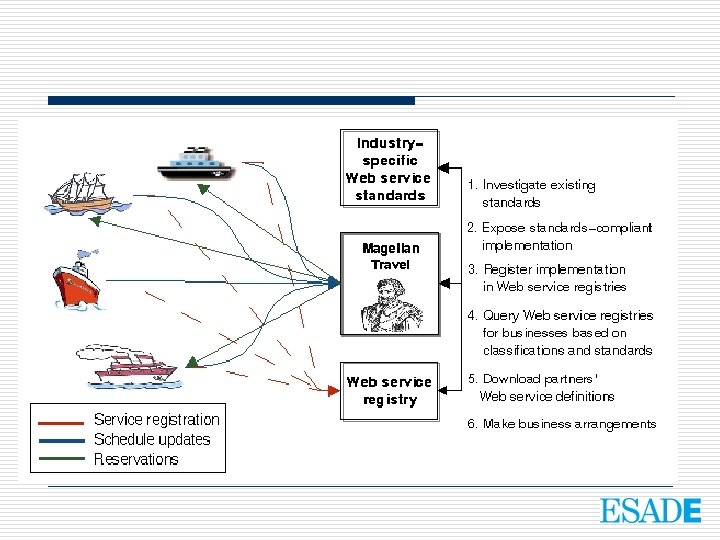
Web Services Overview Sample Web Services • E-commerce: order books, office supplies, other products • Track packages: UPS, Fed. Ex • Weather • Maps • Telephone redirection, customizable rules and messages
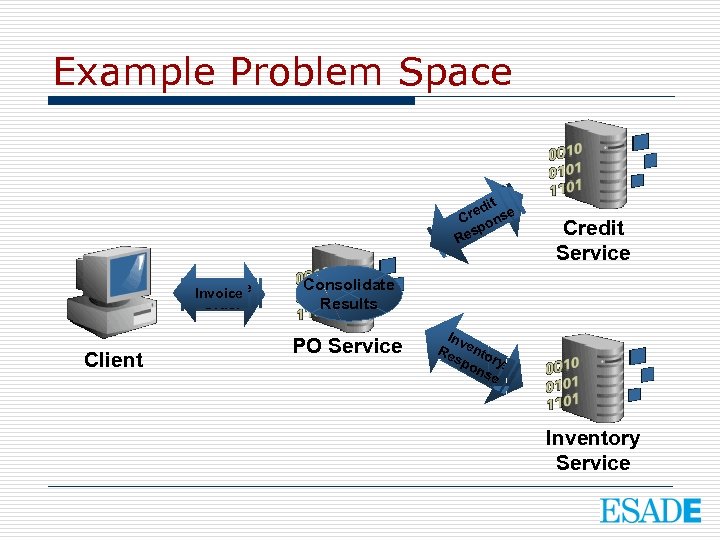
Example Problem Space itt edi red nse C c Cr eo k p h Cs Re Purchase Invoice Order Client Credit Service Consolidate Results PO Service In. R ve RIn ento es serry ve po ve nto ns ey r Inventory Service
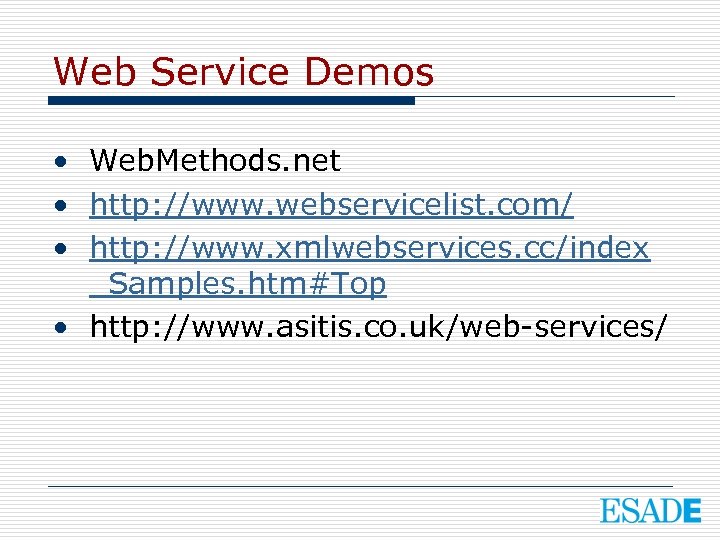
Web Service Demos • Web. Methods. net • http: //www. webservicelist. com/ • http: //www. xmlwebservices. cc/index _Samples. htm#Top • http: //www. asitis. co. uk/web-services/
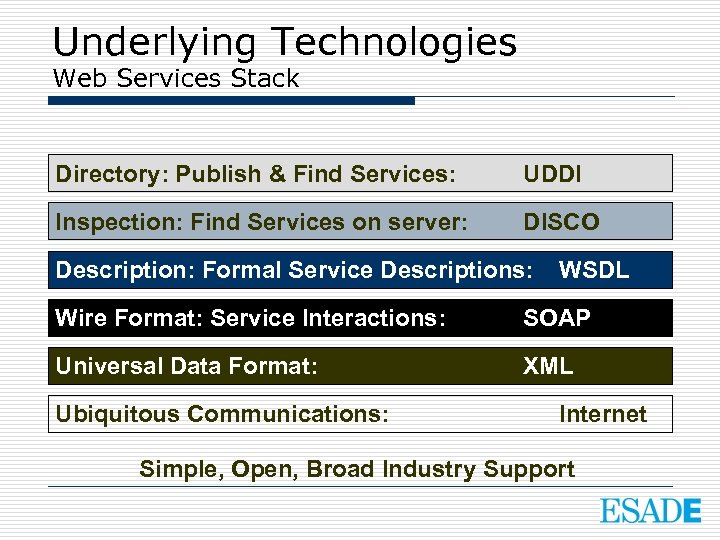
Underlying Technologies Web Services Stack Directory: Publish & Find Services: UDDI Inspection: Find Services on server: DISCO Description: Formal Service Descriptions: WSDL Wire Format: Service Interactions: SOAP Universal Data Format: XML Ubiquitous Communications: Internet Simple, Open, Broad Industry Support
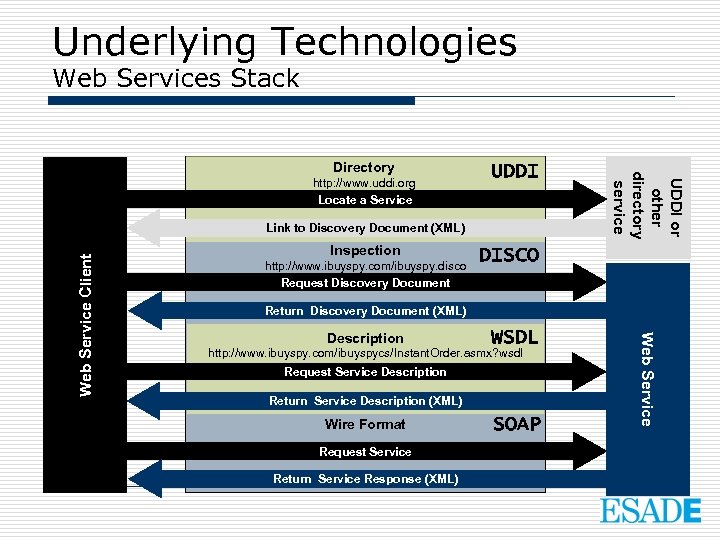
Underlying Technologies Web Services Stack UDDI Inspection http: //www. ibuyspy. com/ibuyspy. disco Request Discovery Document DISCO Return Discovery Document (XML) Description WSDL http: //www. ibuyspy. com/ibuyspycs/Instant. Order. asmx? wsdl Request Service Description Return Service Description (XML) Wire Format Request Service Return Service Response (XML) SOAP Web Service Client Link to Discovery Document (XML) UDDI or other directory service Directory http: //www. uddi. org Locate a Service
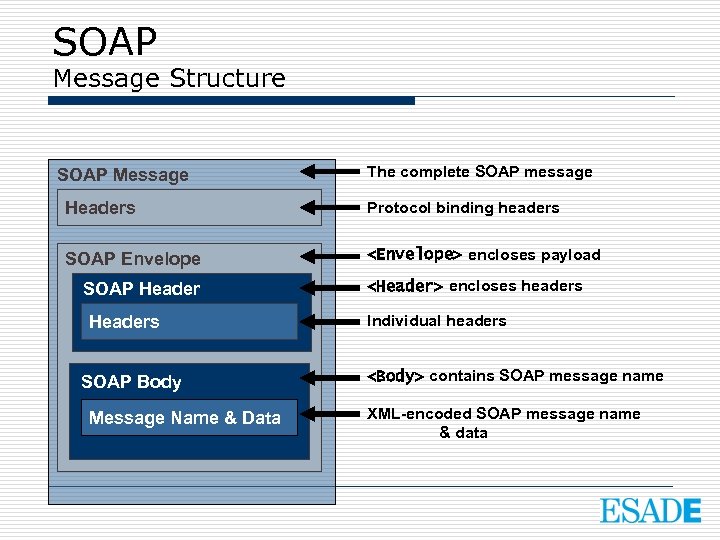
SOAP Message Structure SOAP Message The complete SOAP message Headers Protocol binding headers SOAP Envelope <Envelope> encloses payload SOAP Headers SOAP Body Message Name & Data <Header> encloses headers Individual headers <Body> contains SOAP message name XML-encoded SOAP message name & data
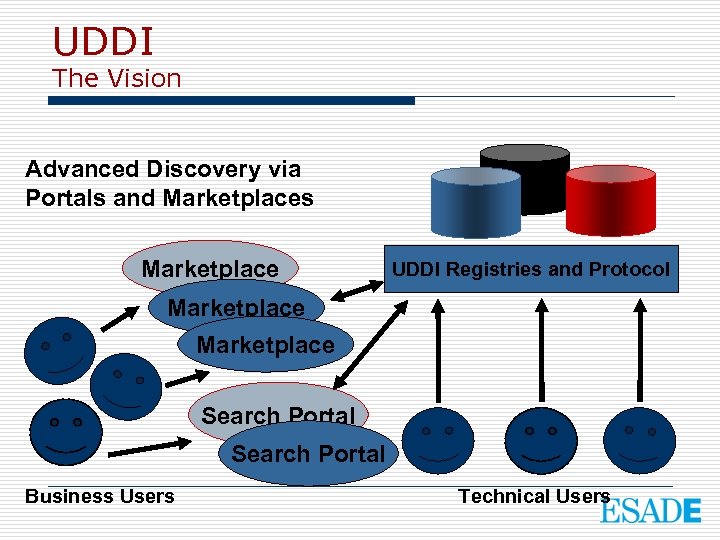
UDDI The Vision Advanced Discovery via Portals and Marketplaces Marketplace UDDI Registries and Protocol Marketplace Search Portal Business Users Technical Users
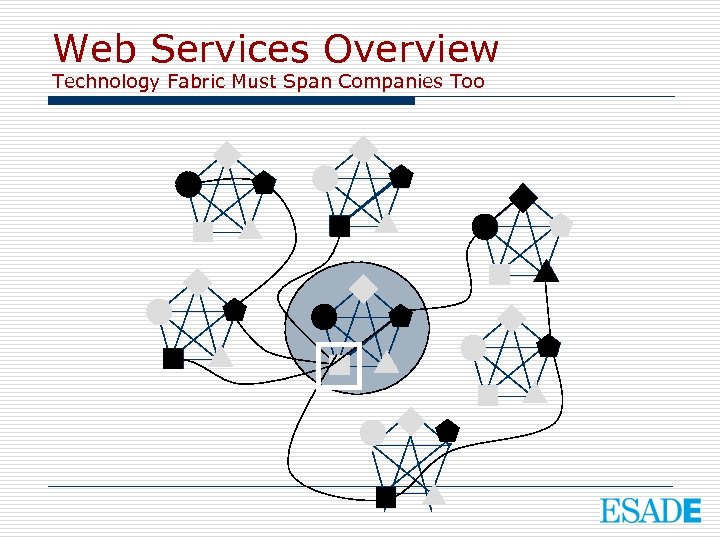
Web Services Overview Technology Fabric Must Span Companies Too
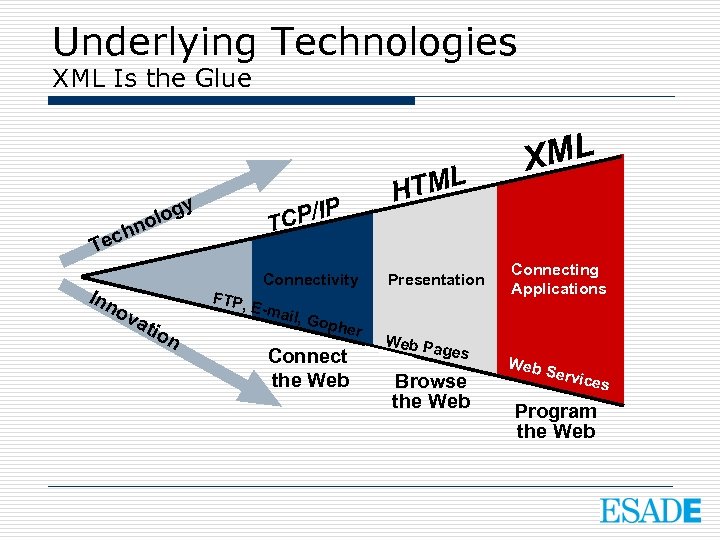
Underlying Technologies XML Is the Glue y /IP g olo n T CP ech T Inn ov Connectivity ati FTP, on E-ma il, Go pher Connect the Web TML H Presentation Web Pa ges Browse the Web XML Connecting Applications Web Se rvice s Program the Web
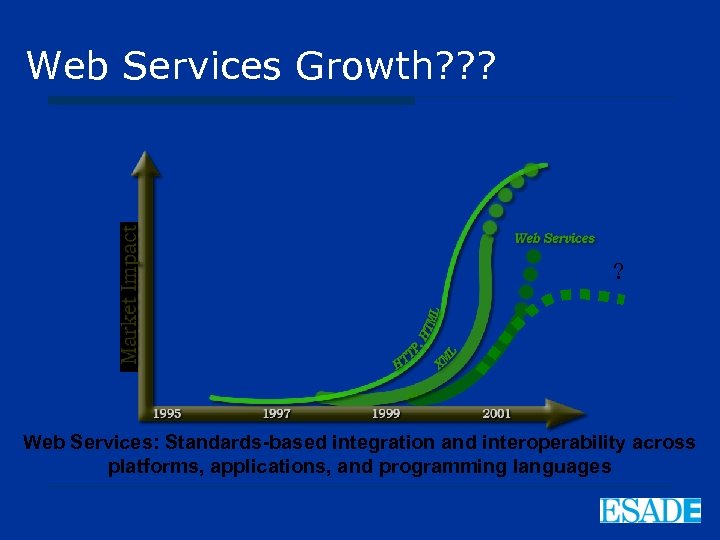
Web Services Growth? ? ? ? Web Services: Standards-based integration and interoperability across platforms, applications, and programming languages
Скачать презентацию Technologies of the Networked Organization XML Web
f856c8059936f977cc67bbfd90883f78.ppt