 Скачать презентацию TCP IP Vulnerabilities Internet design goals 1 Interconnection
a212769adadbc141e3dd35a5db8acd39.ppt
- Количество слайдов: 31



TCP/IP Vulnerabilities
Internet design goals 1. Interconnection 2. Failure resilience 3. Multiple types of service 4. Variety of networks 5. Management of resources 6. Cost-effective 7. Low entry-cost 8. Accountability for resources Where is security issues?
Why did they leave it out? Designed for simple connectivity Network designed with implicit trust No “bad” guys Security may be provided at the edge Encryption Authentication
Security Vulnerabilities Unfortunately at every layer in the protocol stack! Network-layer attacks IP-level vulnerabilities Routing attacks Transport-layer attacks TCP vulnerabilities Application-layer attacks
Where do the problems come from? Protocol-level vulnerabilities Implicit trust assumptions in design Implementation vulnerabilities Both on routers and end-hosts Incomplete specifications Often left to the imagination of programmers
IP-level vulnerabilities IP addresses are provided by the source Spoofing attacks Use of IP address for authentication Remote command (rsh, rlogin) allows remote login without explicit password authentication Some known exploited IP Fragmentation Traffic amplification
Routing attacks Divert traffic to malicious nodes Black-hole attack Eavesdropping Routing attacks No authentications Announce lower cost route in Distance-Vector BGP vulnerabilities Prefix hijacking
TCP-level attacks SYN-Flooding Flood with incomplete connection to hold service resources Session hijack Sequence number guessing Pretend to be a trusted host Session Termination Forge packet to close a legitimate connection
Application Vulnerabilities Application Protocol Attack SPAM Phishing etc.
Outline Security Vulnerabilities Denial of Service Worms Countermeasures: Firewalls/IDS
Denial of Service Make a service unusable by overloading the server or network Disrupt service by taking down hosts e. g. , ping-of-death Consume host-level resources e. g. , SYN-floods Consume network resources e. g. , UDP/ICMP floods
Outline Security Vulnerabilities Denial of Service Worms Countermeasures: Firewalls/IDS
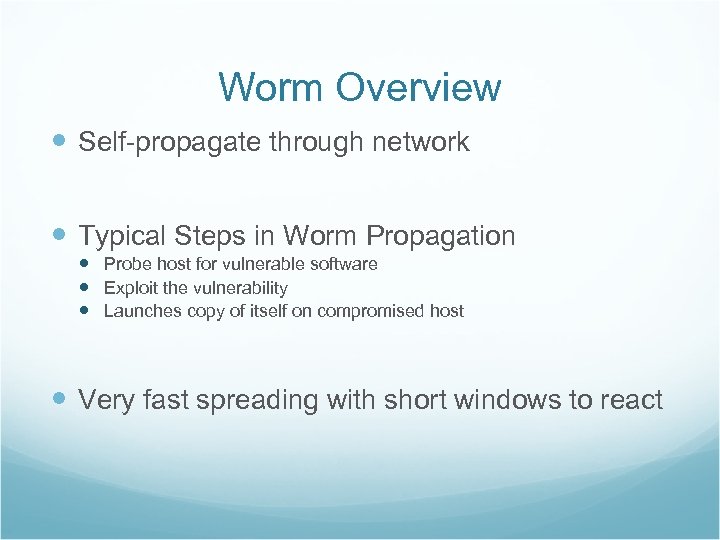
Worm Overview Self-propagate through network Typical Steps in Worm Propagation Probe host for vulnerable software Exploit the vulnerability Launches copy of itself on compromised host Very fast spreading with short windows to react
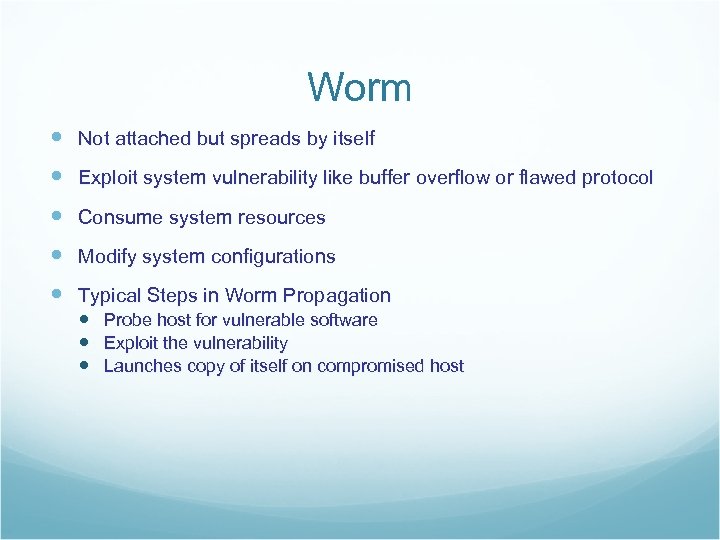
Worm Not attached but spreads by itself Exploit system vulnerability like buffer overflow or flawed protocol Consume system resources Modify system configurations Typical Steps in Worm Propagation Probe host for vulnerable software Exploit the vulnerability Launches copy of itself on compromised host
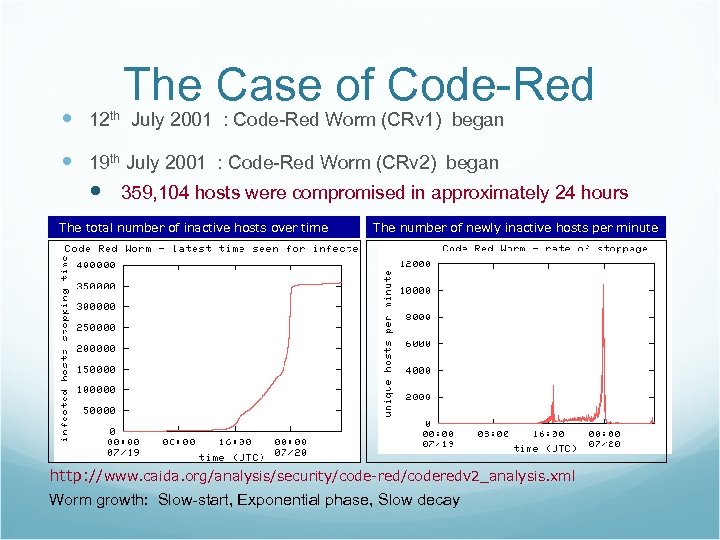
The Case of Code-Red 12 th July 2001 : Code-Red Worm (CRv 1) began 19 th July 2001 : Code-Red Worm (CRv 2) began 359, 104 hosts were compromised in approximately 24 hours The total number of inactive hosts over time The number of newly inactive hosts per minute http: //www. caida. org/analysis/security/code-red/coderedv 2_analysis. xml Worm growth: Slow-start, Exponential phase, Slow decay
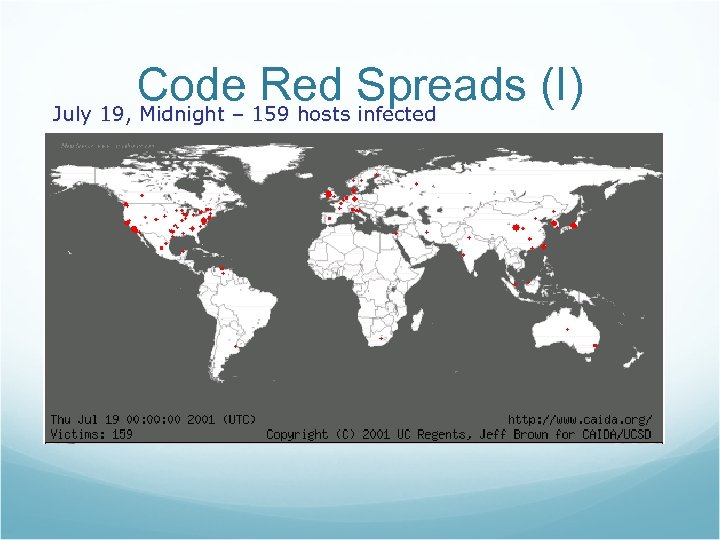
Code 159 hosts Spreads (I) Red infected July 19, Midnight –
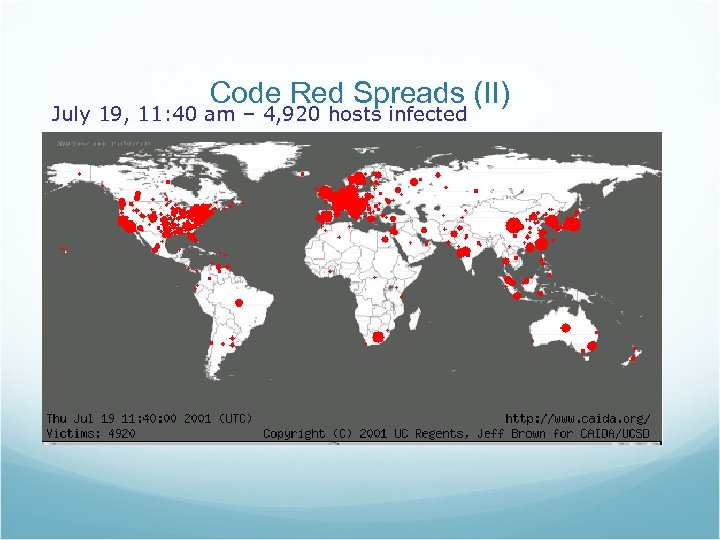
Code Red Spreads (II) July 19, 11: 40 am – 4, 920 hosts infected
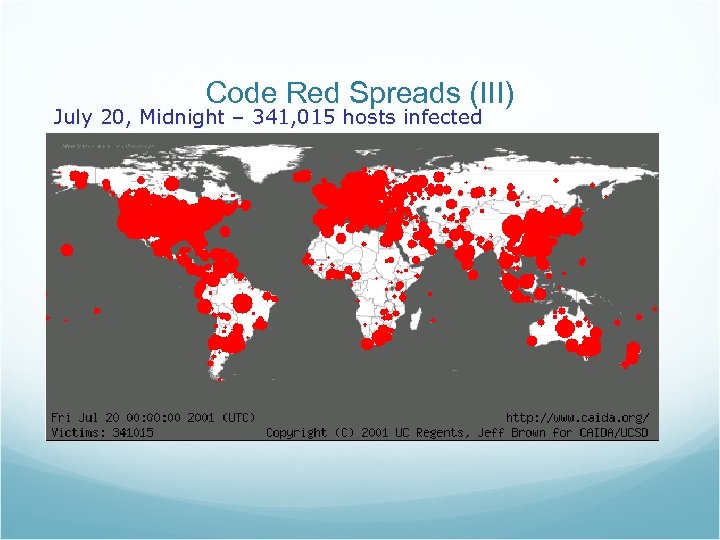
Code Red Spreads (III) July 20, Midnight – 341, 015 hosts infected
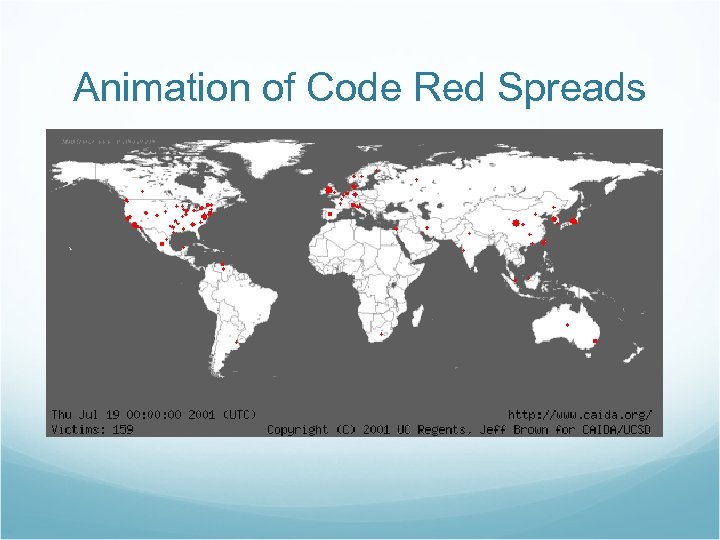
Animation of Code Red Spreads
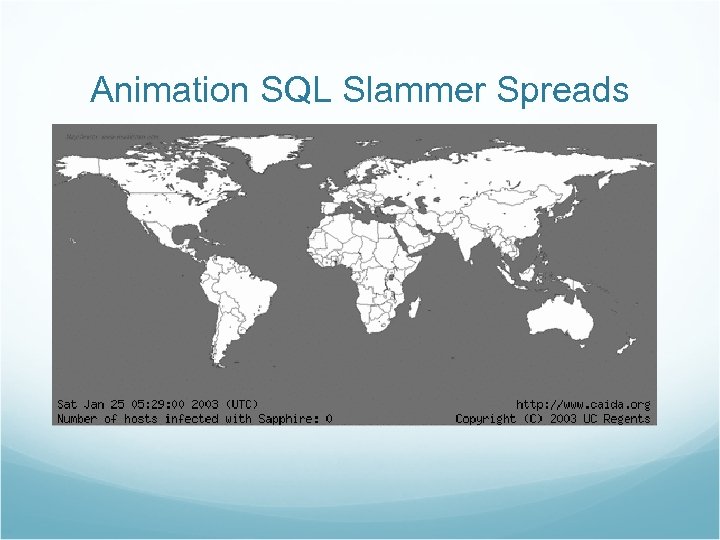
Animation SQL Slammer Spreads
Outline Security, Vulnerabilities Denial of Service Worms Countermeasures: Firewalls/IDS
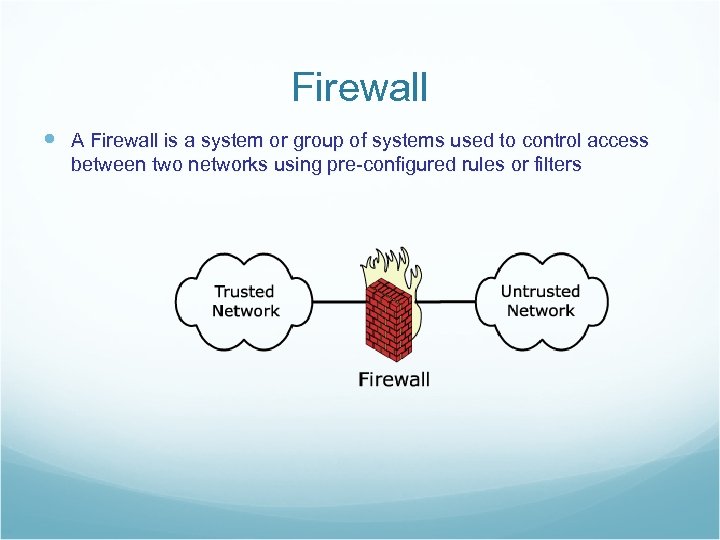
Firewall A Firewall is a system or group of systems used to control access between two networks using pre-configured rules or filters
How to filter? What to filter based on? Packet Header Fields IP source and destination addresses Application port numbers ICMP message types/ Protocol options etc. Packet contents (payloads)
Some examples Block all packets from outside except for SMTP servers Block all traffic to/from a list of domains Ingress filtering Drop all packets from outside with addresses inside the network Egress filtering Drop all packets from inside with addresses outside the network
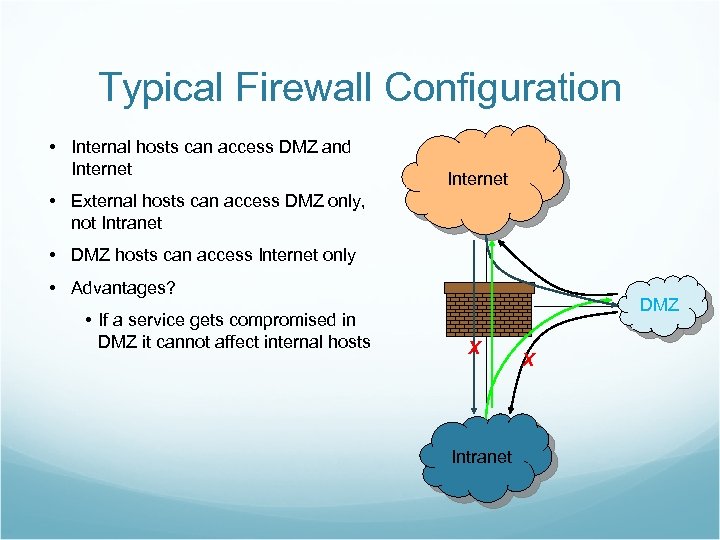
Typical Firewall Configuration • Internal hosts can access DMZ and Internet • External hosts can access DMZ only, not Intranet • DMZ hosts can access Internet only • Advantages? • If a service gets compromised in DMZ it cannot affect internal hosts DMZ X Intranet X
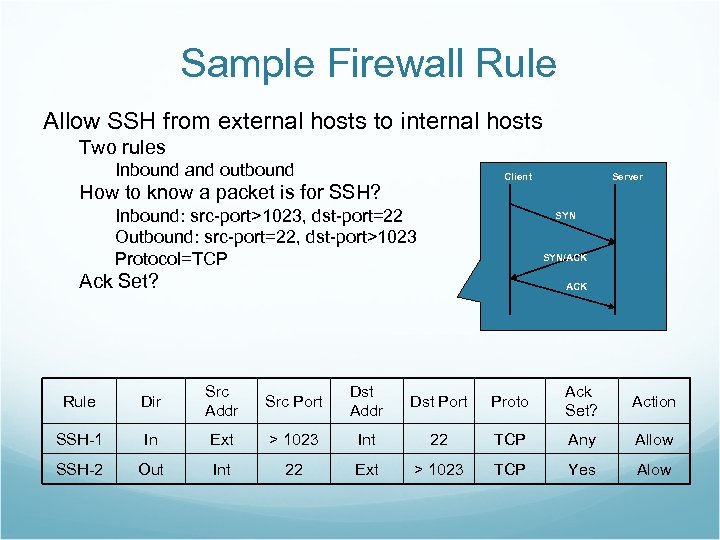
Sample Firewall Rule Allow SSH from external hosts to internal hosts Two rules Inbound and outbound Client How to know a packet is for SSH? Inbound: src-port>1023, dst-port=22 Outbound: src-port=22, dst-port>1023 Protocol=TCP Server SYN/ACK Ack Set? ACK Rule Dir Src Addr Src Port Dst Addr Dst Port Proto Ack Set? Action SSH-1 In Ext > 1023 Int 22 TCP Any Allow SSH-2 Out Int 22 Ext > 1023 TCP Yes Alow
Intrusion Detection IDS is an automated system intended to detect computer intrusions To identify, preferably in real-time, unauthorized use, misuse, and abuse of computer system
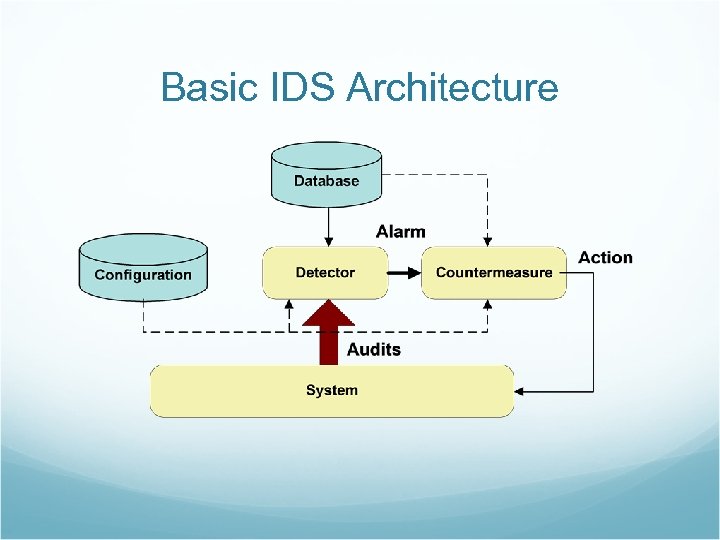
Basic IDS Architecture
Detection Method Misuse Detection Looking for the attempts to exploit known vulnerabilities or attack patterns Typically low false alarms Difficult to gather all attack signatures Anomaly Detection Observing a deviation of normal behavior of system or user to detect intrusions Can detect a new or unseen vulnerabilities or attack patterns Typically a lot of false alarms
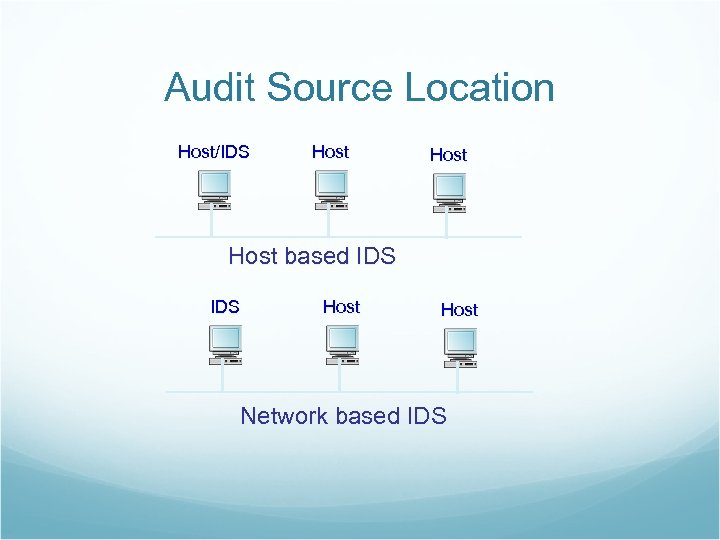
Audit Source Location Host/IDS Host based IDS Host Network based IDS
Summary Security vulnerabilities are real! Protocol or implementation or bad specs Poor programming practices At all layers in protocol stack Do. S/DDo. S Resource utilization Worm Exponential spread Scanning strategies Firewall/IDS Counter-measures to protect hosts Fail-open vs. Fail-close?
Скачать презентацию TCP IP Vulnerabilities Internet design goals 1 Interconnection
a212769adadbc141e3dd35a5db8acd39.ppt