 Скачать презентацию Taxonomies and Meta Data for Business Impact
ff71e3e5f47cf90d4a5aa9df47a05718.ppt
- Количество слайдов: 91



Taxonomies and Meta Data for Business Impact • April 13, 2005 Theresa Regli, Molecular, Inc. Ron Daniel, Jr. , Taxonomy Strategies LLC
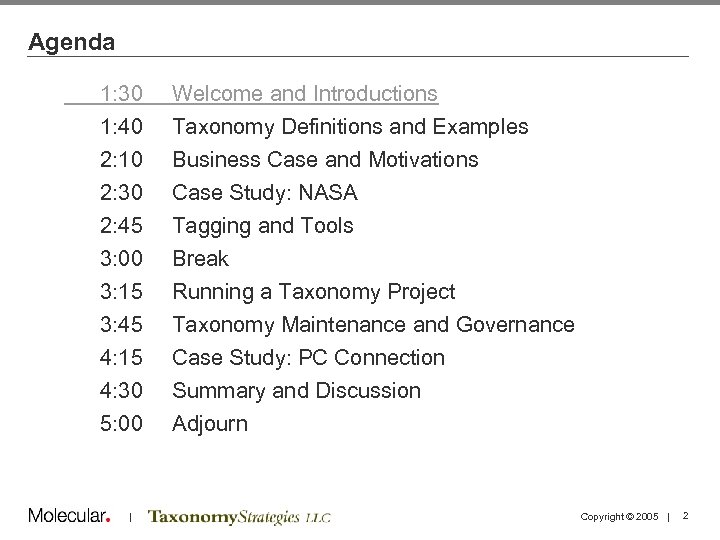
Agenda 1: 30 1: 40 2: 10 2: 30 Welcome and Introductions Taxonomy Definitions and Examples Business Case and Motivations Case Study: NASA 2: 45 3: 00 3: 15 3: 45 4: 15 4: 30 5: 00 Tagging and Tools Break Running a Taxonomy Project Taxonomy Maintenance and Governance Case Study: PC Connection Summary and Discussion Adjourn | Copyright © 2005 | 2
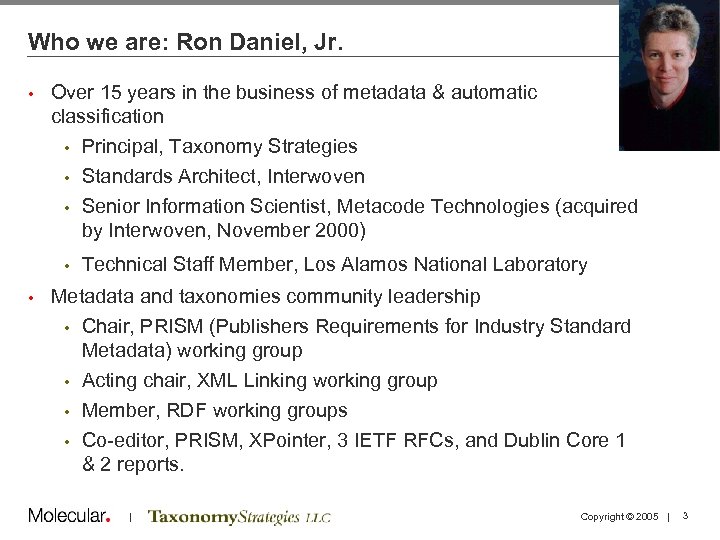
Who we are: Ron Daniel, Jr. • Over 15 years in the business of metadata & automatic classification Principal, Taxonomy Strategies • Standards Architect, Interwoven • Senior Information Scientist, Metacode Technologies (acquired by Interwoven, November 2000) • • • Technical Staff Member, Los Alamos National Laboratory Metadata and taxonomies community leadership • Chair, PRISM (Publishers Requirements for Industry Standard Metadata) working group • Acting chair, XML Linking working group • Member, RDF working groups • Co-editor, PRISM, XPointer, 3 IETF RFCs, and Dublin Core 1 & 2 reports. | Copyright © 2005 | 3
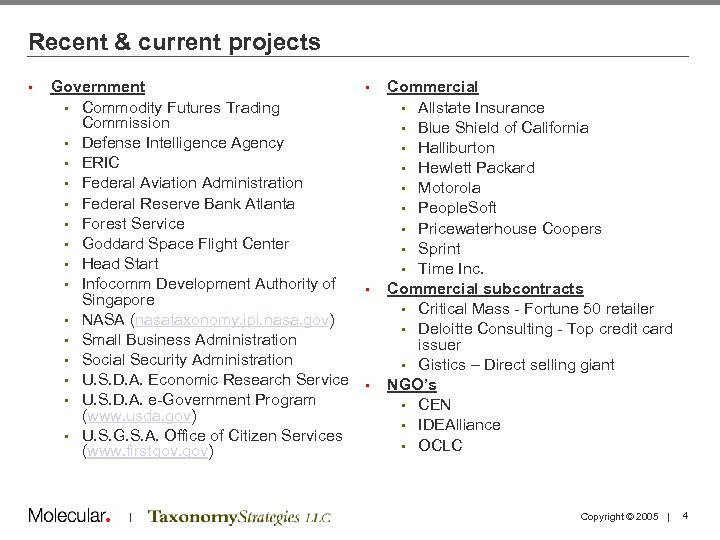
Recent & current projects • Government • • Commodity Futures Trading Commission • Defense Intelligence Agency • ERIC • Federal Aviation Administration • Federal Reserve Bank Atlanta • Forest Service • Goddard Space Flight Center • Head Start • Infocomm Development Authority of • Singapore • NASA (nasataxonomy. jpl. nasa. gov) • Small Business Administration • Social Security Administration • U. S. D. A. Economic Research Service • • U. S. D. A. e-Government Program (www. usda. gov) • U. S. G. S. A. Office of Citizen Services (www. firstgov. gov) | Commercial • Allstate Insurance • Blue Shield of California • Halliburton • Hewlett Packard • Motorola • People. Soft • Pricewaterhouse Coopers • Sprint • Time Inc. Commercial subcontracts • Critical Mass - Fortune 50 retailer • Deloitte Consulting - Top credit card issuer • Gistics – Direct selling giant NGO’s • CEN • IDEAlliance • OCLC Copyright © 2005 | 4
Who we are: Theresa Regli • Over a decade of experience in cross-media publishing and content management 7 years of consulting • 4 years in “traditional” media: newspapers, publishing • • Brought many New England newspapers online in the mid-90 s Principal Consultant, CM and User Experience, Molecular • Focus on users / customers and how they interact with and use information, industry education and conferences • • Background in linguistics • Named as “one to watch” in 2005 by CMS Watch • Passion for how people, cultures – and businesses – use words and language | Copyright © 2005 | 5
About Molecular • Offerings designed to help organizations leverage technology to increase revenues and decrease costs • 10+ years of Internet professional services expertise • 120+ consultant professionals • Integrated service offerings - Digital strategy - User experience design/redesign - Development & implementation - Multi-site integration - Multi-channel integration | Copyright © 2005 | 6
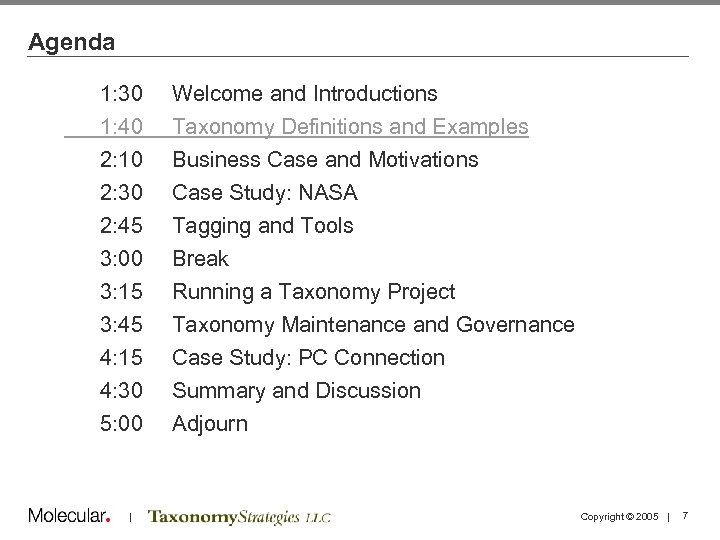
Agenda 1: 30 1: 40 2: 10 2: 30 Welcome and Introductions Taxonomy Definitions and Examples Business Case and Motivations Case Study: NASA 2: 45 3: 00 3: 15 3: 45 4: 15 4: 30 5: 00 Tagging and Tools Break Running a Taxonomy Project Taxonomy Maintenance and Governance Case Study: PC Connection Summary and Discussion Adjourn | Copyright © 2005 | 7
Setting the stage: some definitions… What is Knowledge Management? The process through which firms generate value from their intellectual assets • The efficient sharing of knowledge across the enterprise: not focused on presentation • Often incorrectly used synonymously with CM • What is Document Management? The effective storage and retrieval of documents • Traditionally not about the creation aspect of new content/documents • Often incorrectly used synonymously with CM – some of the tools have evolved towards CM • | Copyright © 2005 | 8
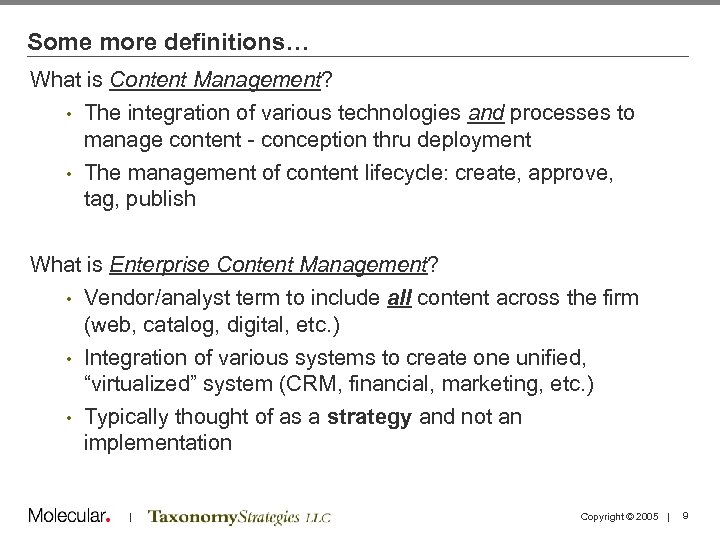
Some more definitions… What is Content Management? • The integration of various technologies and processes to manage content - conception thru deployment • The management of content lifecycle: create, approve, tag, publish What is Enterprise Content Management? • Vendor/analyst term to include all content across the firm (web, catalog, digital, etc. ) • Integration of various systems to create one unified, “virtualized” system (CRM, financial, marketing, etc. ) • Typically thought of as a strategy and not an implementation | Copyright © 2005 | 9
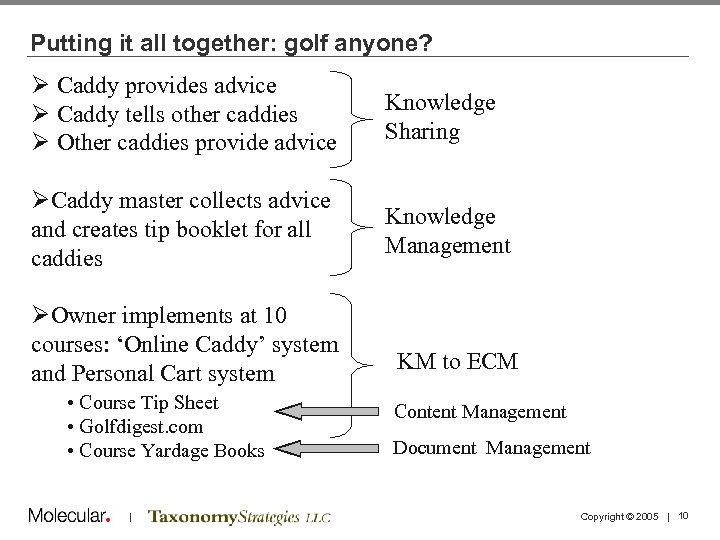
Putting it all together: golf anyone? Ø Caddy provides advice Ø Caddy tells other caddies Ø Other caddies provide advice Knowledge Sharing ØCaddy master collects advice and creates tip booklet for all caddies Knowledge Management ØOwner implements at 10 courses: ‘Online Caddy’ system and Personal Cart system • Course Tip Sheet • Golfdigest. com • Course Yardage Books | KM to ECM Content Management Document Management Copyright © 2005 | 10
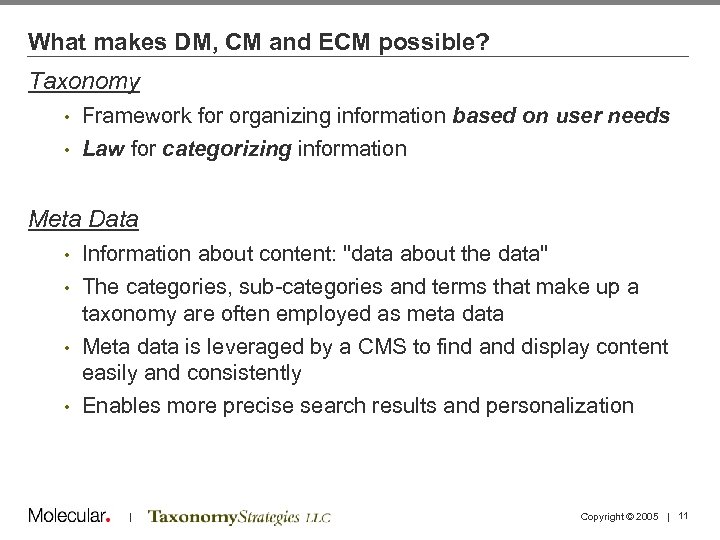
What makes DM, CM and ECM possible? Taxonomy • Framework for organizing information based on user needs • Law for categorizing information Meta Data Information about content: "data about the data" • The categories, sub-categories and terms that make up a taxonomy are often employed as meta data • Meta data is leveraged by a CMS to find and display content easily and consistently • Enables more precise search results and personalization • | Copyright © 2005 | 11
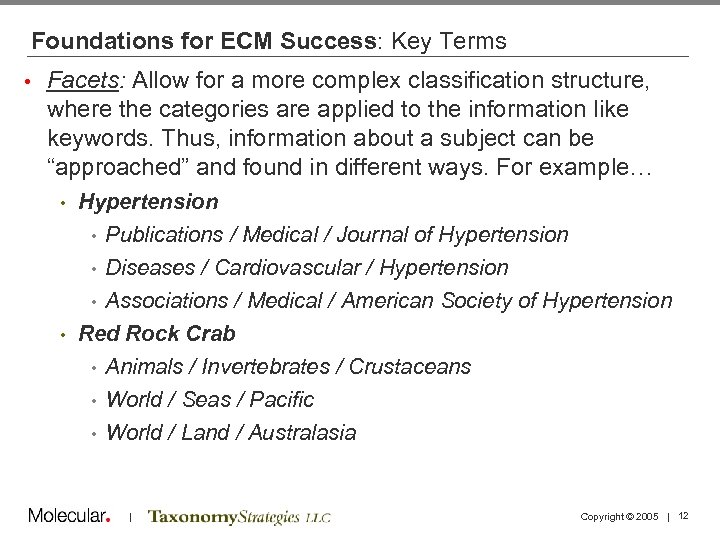
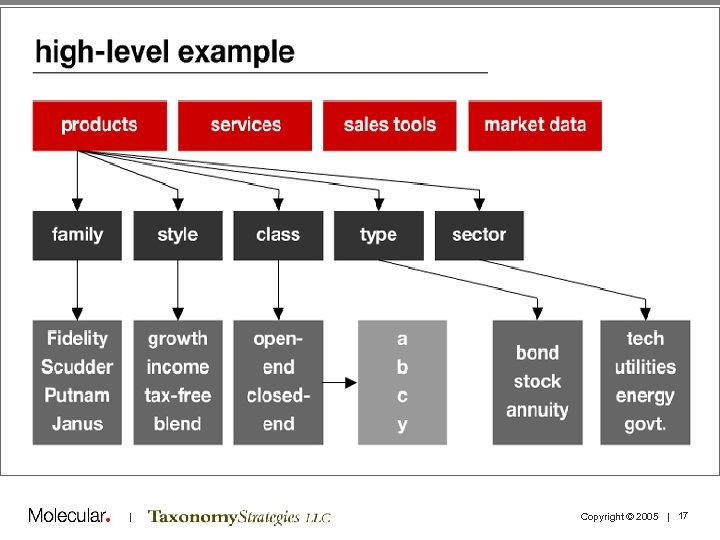
Foundations for ECM Success: Key Terms • Facets: Allow for a more complex classification structure, where the categories are applied to the information like keywords. Thus, information about a subject can be “approached” and found in different ways. For example… Hypertension • Publications / Medical / Journal of Hypertension • Diseases / Cardiovascular / Hypertension • Associations / Medical / American Society of Hypertension • Red Rock Crab • Animals / Invertebrates / Crustaceans • World / Seas / Pacific • World / Land / Australasia • | Copyright © 2005 | 12
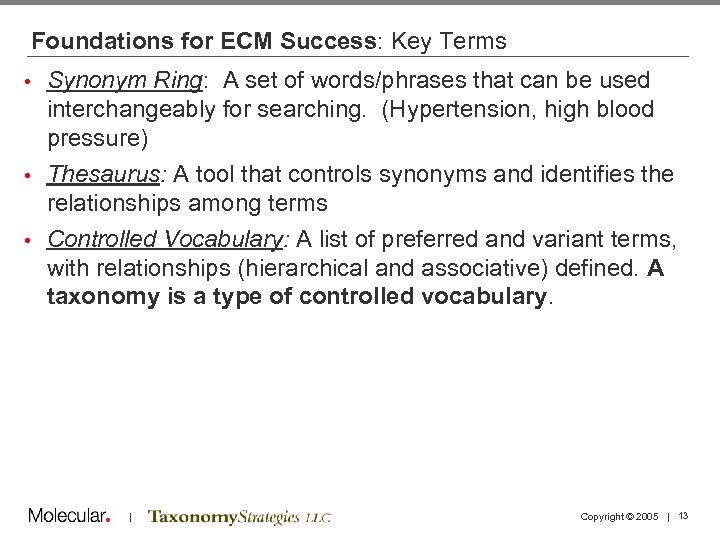
Foundations for ECM Success: Key Terms Synonym Ring: A set of words/phrases that can be used interchangeably for searching. (Hypertension, high blood pressure) • Thesaurus: A tool that controls synonyms and identifies the relationships among terms • Controlled Vocabulary: A list of preferred and variant terms, with relationships (hierarchical and associative) defined. A taxonomy is a type of controlled vocabulary. • | Copyright © 2005 | 13
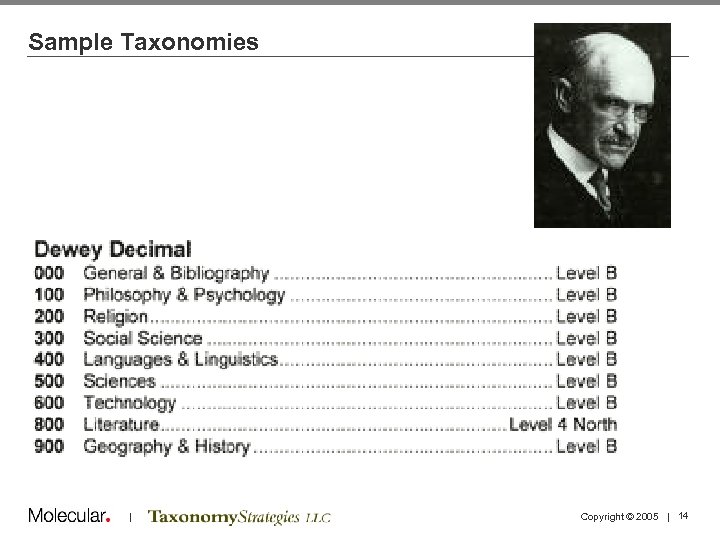
Sample Taxonomies | Copyright © 2005 | 14
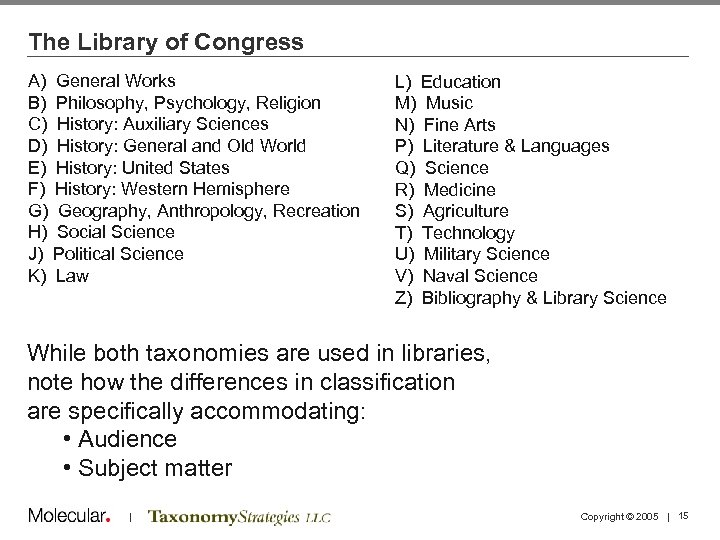
The Library of Congress A) General Works B) Philosophy, Psychology, Religion C) History: Auxiliary Sciences D) History: General and Old World E) History: United States F) History: Western Hemisphere G) Geography, Anthropology, Recreation H) Social Science J) Political Science K) Law L) Education M) Music N) Fine Arts P) Literature & Languages Q) Science R) Medicine S) Agriculture T) Technology U) Military Science V) Naval Science Z) Bibliography & Library Science While both taxonomies are used in libraries, note how the differences in classification are specifically accommodating: • Audience • Subject matter | Copyright © 2005 | 15
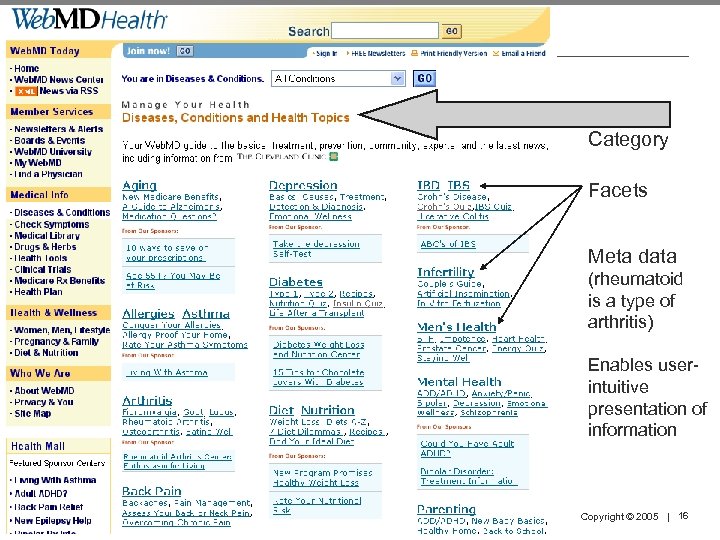
Category Facets Meta data (rheumatoid is a type of arthritis) Enables userintuitive presentation of information | Copyright © 2005 | 16
| Copyright © 2005 | 17
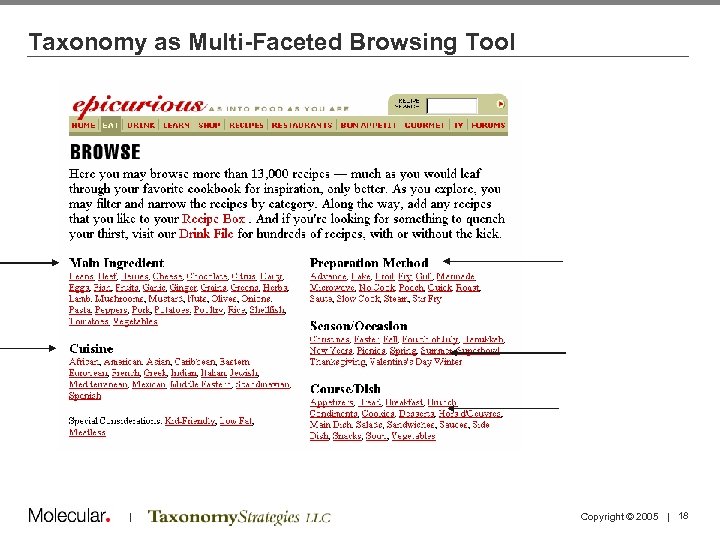
Taxonomy as Multi-Faceted Browsing Tool | Copyright © 2005 | 18
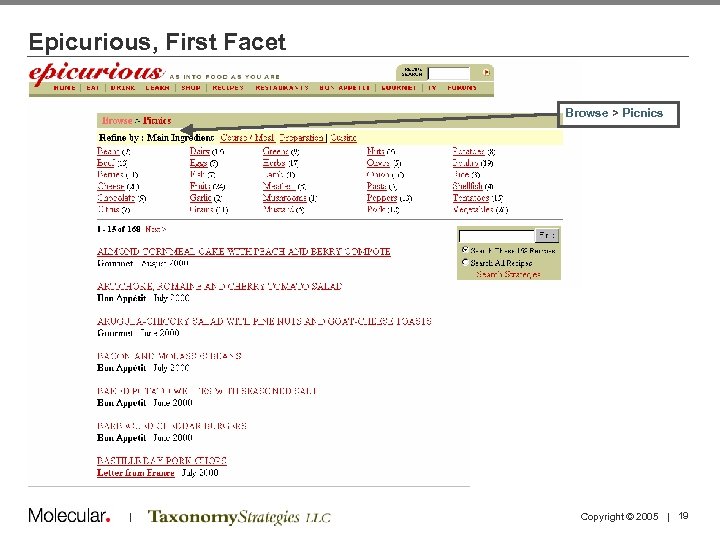
Epicurious, First Facet Browse > Picnics | Copyright © 2005 | 19
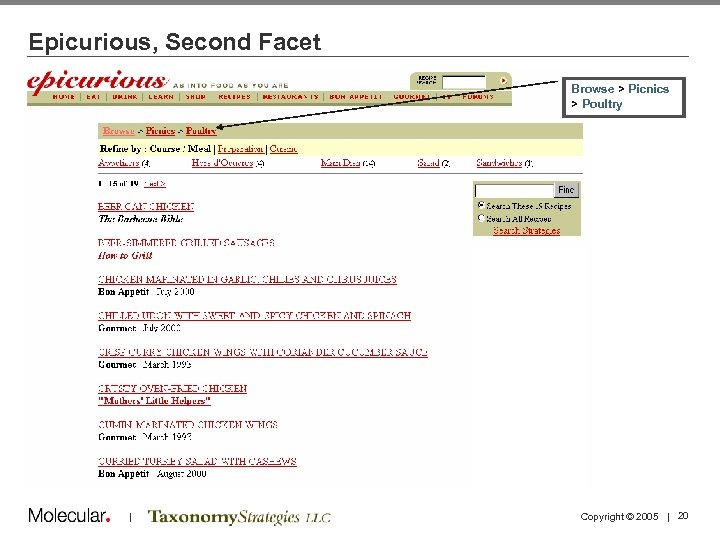
Epicurious, Second Facet Browse > Picnics > Poultry | Copyright © 2005 | 20
Agenda 1: 30 1: 40 2: 10 2: 30 Welcome and Introductions Taxonomy Definitions and Examples Business Case and Motivations Case Study: NASA 2: 45 3: 00 3: 15 3: 45 4: 15 4: 30 5: 00 Tagging and Tools Break Running a Taxonomy Project Taxonomy Maintenance and Governance Case Study: PC Connection Summary and Discussion Adjourn | Copyright © 2005 | 21
Business Case and Motivations for Taxonomies • We divide taxonomy projects into three problems: the ROI Problem, the Tagging Problem, and the Taxonomy Problem • The ROI Problem: How are we going to use content, metadata, and taxonomies in applications to obtain business benefits? | Copyright © 2005 | 22
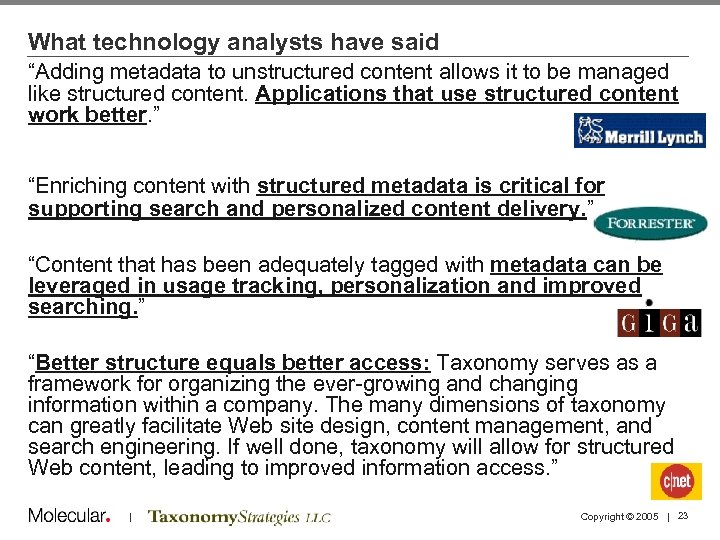
What technology analysts have said “Adding metadata to unstructured content allows it to be managed like structured content. Applications that use structured content work better. ” “Enriching content with structured metadata is critical for supporting search and personalized content delivery. ” “Content that has been adequately tagged with metadata can be leveraged in usage tracking, personalization and improved searching. ” “Better structure equals better access: Taxonomy serves as a framework for organizing the ever-growing and changing information within a company. The many dimensions of taxonomy can greatly facilitate Web site design, content management, and search engineering. If well done, taxonomy will allow for structured Web content, leading to improved information access. ” | Copyright © 2005 | 23
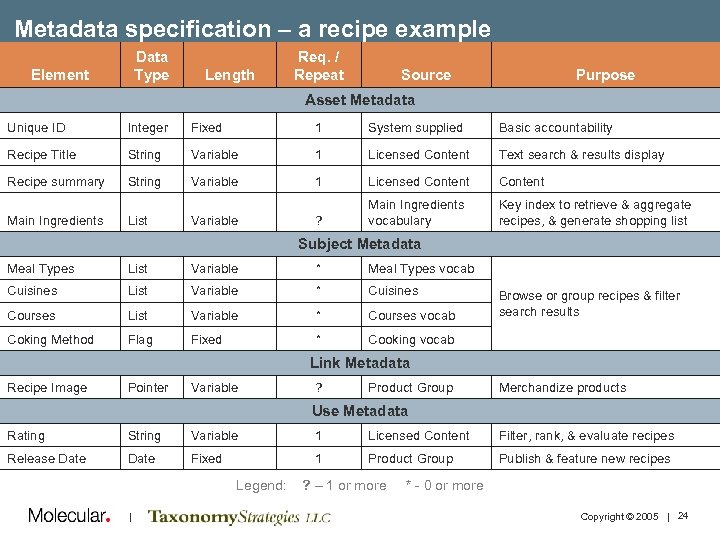
Metadata specification – a recipe example Data Type Element Length Req. / Repeat Source Purpose Asset Metadata Unique ID Integer Fixed 1 System supplied Basic accountability Recipe Title String Variable 1 Licensed Content Text search & results display Recipe summary String Variable 1 Licensed Content ? Main Ingredients vocabulary Key index to retrieve & aggregate recipes, & generate shopping list Main Ingredients List Variable Subject Metadata Meal Types List Variable * Meal Types vocab Cuisines List Variable * Cuisines Courses List Variable * Courses vocab Coking Method Flag Fixed * Cooking vocab Browse or group recipes & filter search results Link Metadata Recipe Image Pointer Variable ? Product Group Merchandize products Use Metadata Rating String Variable 1 Licensed Content Filter, rank, & evaluate recipes Release Date Fixed 1 Product Group Publish & feature new recipes Legend: | ? – 1 or more * - 0 or more Copyright © 2005 | 24
Fundamentals of taxonomy ROI • • • Building and maintaining a taxonomy, and tagging content with it, are costs. They are not benefits There is no benefit without exposing the tagged content to users in some way that cuts costs or improves revenues Putting a new taxonomy into operation requires UI changes and/or backend system changes, as well as data changes Every metadata field costs money, time, and goodwill You need to determine those changes, and their costs, as part of the taxonomy ROI | Copyright © 2005 | 25
Common taxonomy ROI scenarios • Catalog site - ROI based on increased sales through improved: Product findability • Product cross-sells and up-sells • Customer loyalty • • Call center - ROI based on cutting costs through: Fewer customer calls due to improved website self-service • Faster, more accurate CSR responses through better information access • • Compliance – ROI based on: Avoiding penalties for breaching regulations • Following required procedures (e. g. Medical claims) • • Knowledge worker productivity - ROI based on cutting costs through: Less time searching for things • Less time recreating existing materials, with knock-on benefits of less confusion and reduced storage and backup costs • • Executive mandate • No ROI at the start, just someone with a vision and the budget to make it happen | Copyright © 2005 | 26
Taxonomy Justification | Knowledge Worker Productivity Huge cost to the user & organization • Finding information (time, frustration, precision) • “ 15%-30% of an employee’s time is spent looking for information, and they find it only 50% of the time” • IDC Research, on the business drivers for building a taxonomy • Sun’s usability experts calculated that 21, 000 employees were wasting an average of six minutes per day due to inconsistent intranet navigation structures. When lost time was multiplied by staff salaries, the estimated productivity loss exceeded $10 M per year • Web Design and Development, Jakob Nielsen • Managers spend 17% of their time (6 weeks a year) searching for information • Information Ecology, Thomas Davenport & Lawrence Prusack Lost Learning Value • Related products, services, projects, people | Copyright © 2005 | 27
Challenges of organizing content on enterprise portals (1) • Multiple subject domains across the enterprise Vocabularies vary • Granularity varies • Unstructured information represents about 80% • • Information is stored in complex ways Multiple physical locations • Many different formats • Tagging is time-consuming and requires SME involvement • Portal doesn’t solve content access problem • Knowledge is power syndrome • Incentives to share knowledge don’t exist • Free flow of information TO the portal might be inhibited • • Content silo mentality changes slowly What content has changed? • What exists? • What has been discontinued? • Lack of awareness of other initiatives • | Copyright © 2005 | 28
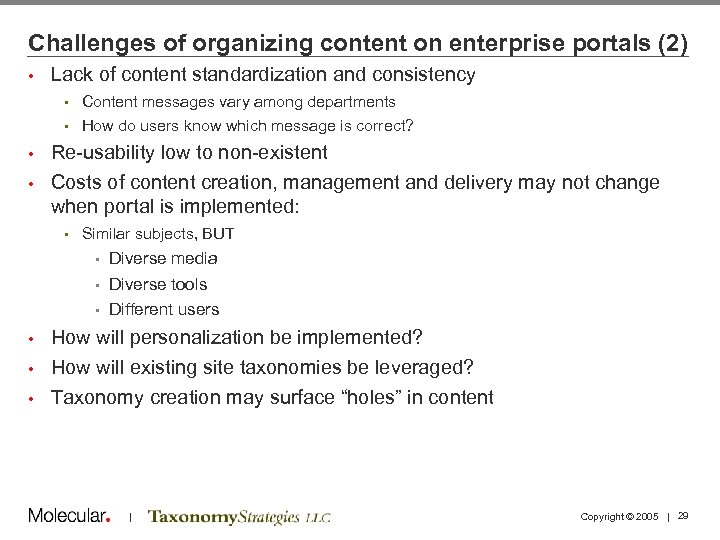
Challenges of organizing content on enterprise portals (2) • Lack of content standardization and consistency • Content messages vary among departments • How do users know which message is correct? Re-usability low to non-existent • Costs of content creation, management and delivery may not change when portal is implemented: • • Similar subjects, BUT • Diverse media Diverse tools • Different users • How will personalization be implemented? • How will existing site taxonomies be leveraged? • Taxonomy creation may surface “holes” in content • | Copyright © 2005 | 29
FAQ – How do you sell it? • Don’t sell the taxonomy, sell the vision of what you want to be able to do • Clearly understanding what the problem is and what the opportunities are • Do the calculus (costs and benefits) • Design the taxonomy (in terms of LOE) in relation to the value at hand | Copyright © 2005 | 30
Agenda 1: 30 1: 40 2: 10 2: 30 Welcome and Introductions Taxonomy Definitions and Examples Business Case and Motivations Case Study: NASA 2: 45 3: 00 3: 15 3: 45 4: 15 4: 30 5: 00 Tagging and Tools Break Running a Taxonomy Project Taxonomy Maintenance and Governance Case Study: PC Connection Summary and Discussion Adjourn | Copyright © 2005 | 31
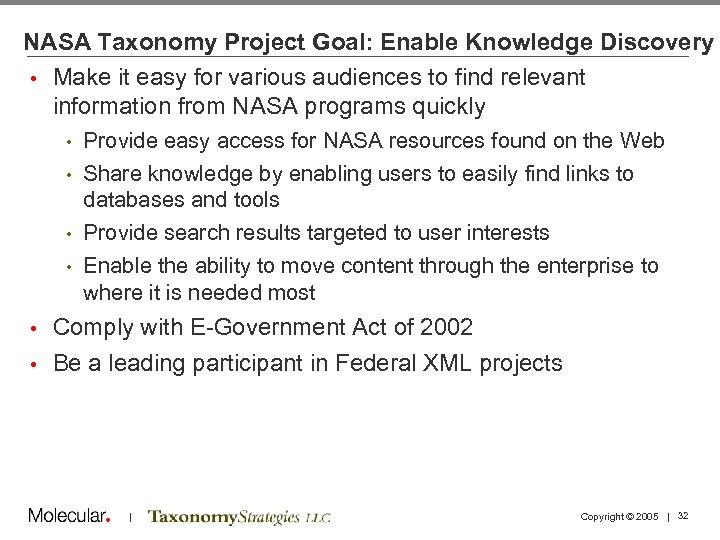
NASA Taxonomy Project Goal: Enable Knowledge Discovery • Make it easy for various audiences to find relevant information from NASA programs quickly Provide easy access for NASA resources found on the Web • Share knowledge by enabling users to easily find links to databases and tools • Provide search results targeted to user interests • Enable the ability to move content through the enterprise to where it is needed most • • Comply with E-Government Act of 2002 • Be a leading participant in Federal XML projects | Copyright © 2005 | 32
NASA Taxonomy Project Goal: Develop Best Practices • Design process that: • Incorporates existing federal and industry terminology standards like NASA AFS, NASA CMS, FEA BRM, NAICS, and IEEE LOM Provides a product for the NASA XML namespace registry • Complies with metadata standards like Z 39. 19, ISO 2709, and Dublin Core • • Practices believed to increase interoperability and extensibility | Copyright © 2005 | 33
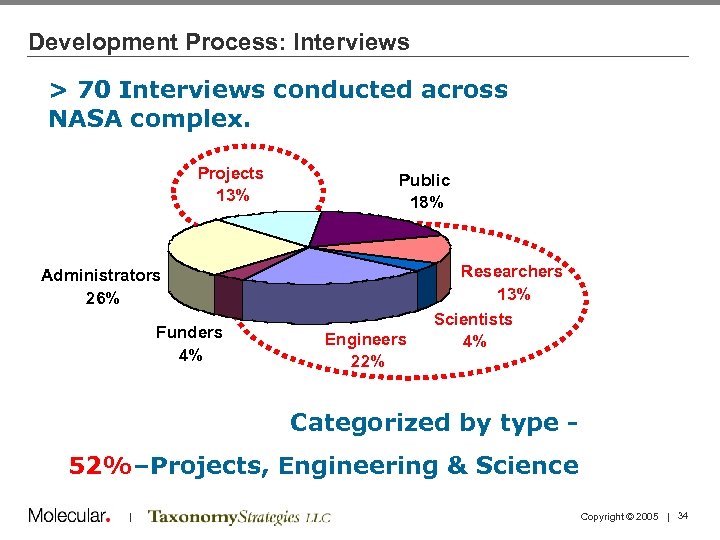
Development Process: Interviews > 70 Interviews conducted across NASA complex. Projects 13% Public 18% Administrators 26% Funders 4% Engineers 22% Researchers 13% Scientists 4% Categorized by type 52%–Projects, Engineering & Science | Copyright © 2005 | 34
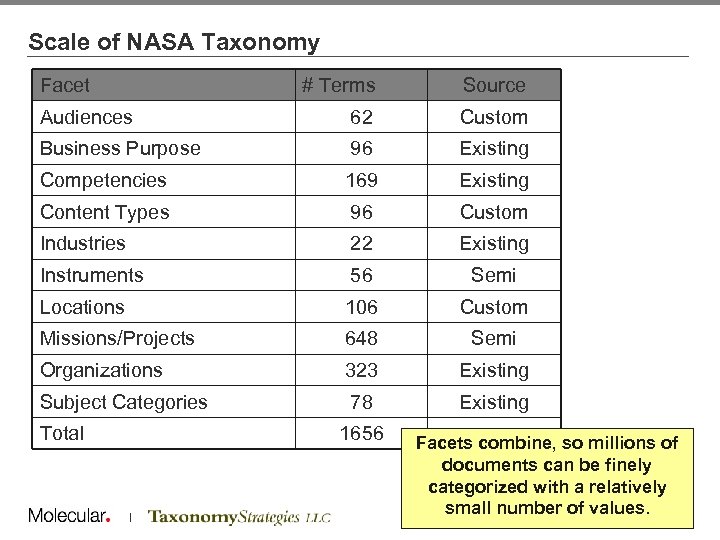
Scale of NASA Taxonomy Facet # Terms Source Audiences 62 Custom Business Purpose 96 Existing Competencies 169 Existing Content Types 96 Custom Industries 22 Existing Instruments 56 Semi Locations 106 Custom Missions/Projects 648 Semi Organizations 323 Existing Subject Categories 78 Existing Total 1656 | Facets combine, so millions of documents can be finely categorized with a relatively small number of. Copyright © 2005 | 35 values.
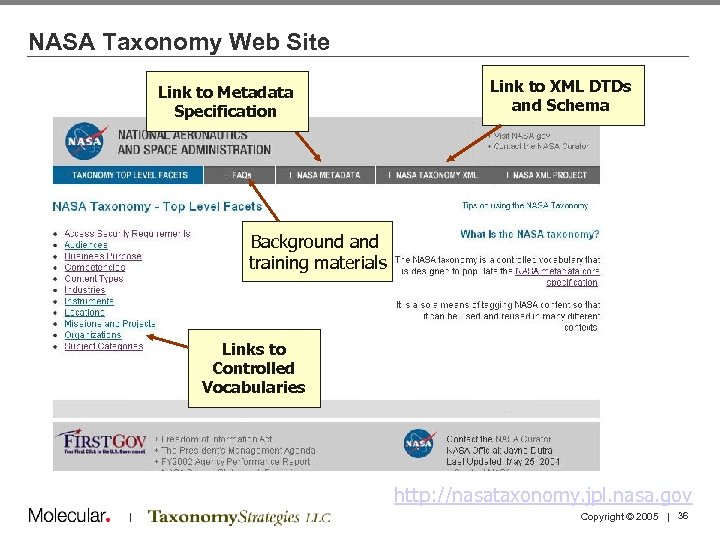
NASA Taxonomy Web Site Link to Metadata Specification Link to XML DTDs and Schema Background and training materials Links to Controlled Vocabularies http: //nasataxonomy. jpl. nasa. gov | Copyright © 2005 | 36
Benefits of Approach • Facets and Use of Standards made it possible to respond to three unexpected needs during and after the project: Search demo • Semantic search demo • • Integration with detailed vocabularies | Copyright © 2005 | 37
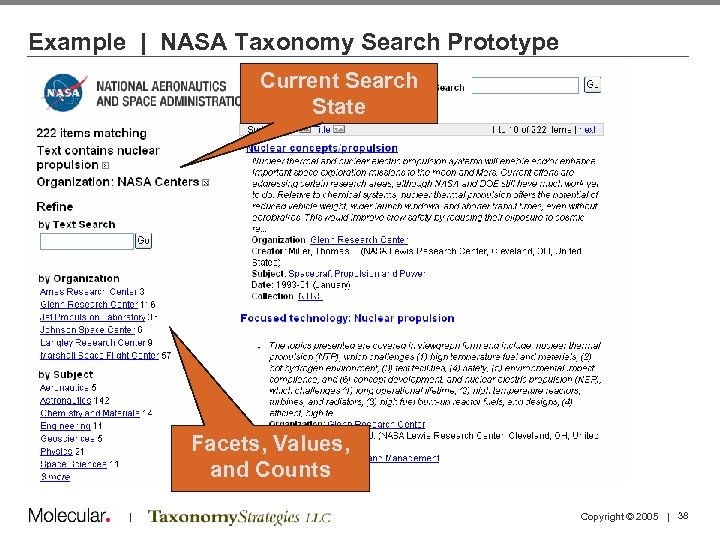
Example | NASA Taxonomy Search Prototype Current Search State Facets, Values, and Counts | Copyright © 2005 | 38
Example 1 | NASA Taxonomy Search Prototype • ¾ of the way through the project, request was made to see a demo of the taxonomy in action • Taxonomy was represented in RDF • Metadata was scraped from a few repositories around NASA (~220 k records), converted to RDF • Some metadata automatically created with simple keyword matches • RDF loaded into Seamark search tool Time: approx 2 man-weeks • Additional cost: $0 • Result: Useful demo that illustrated new facts • | Copyright © 2005 | 39
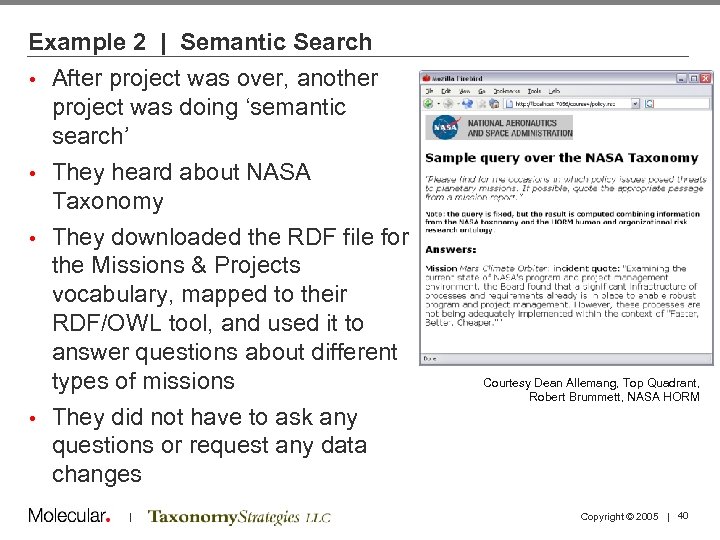
Example 2 | Semantic Search • After project was over, another project was doing ‘semantic search’ • They heard about NASA Taxonomy • They downloaded the RDF file for the Missions & Projects vocabulary, mapped to their RDF/OWL tool, and used it to answer questions about different types of missions • They did not have to ask any questions or request any data changes | Courtesy Dean Allemang, Top Quadrant, Robert Brummett, NASA HORM Copyright © 2005 | 40
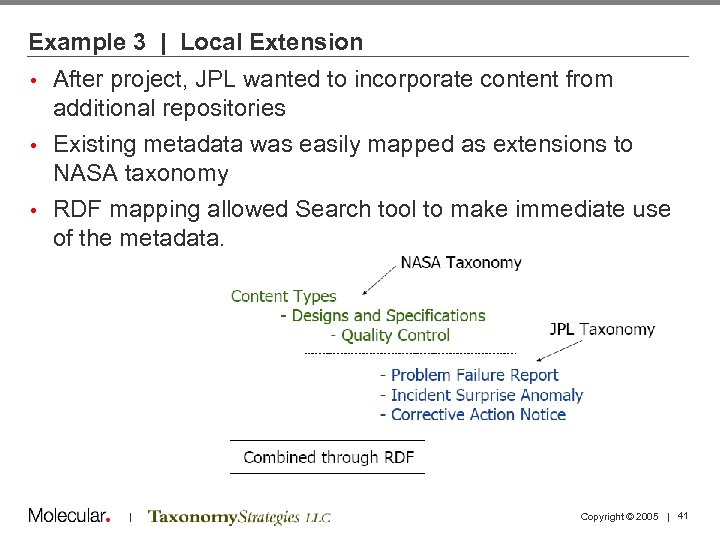
Example 3 | Local Extension After project, JPL wanted to incorporate content from additional repositories • Existing metadata was easily mapped as extensions to NASA taxonomy • RDF mapping allowed Search tool to make immediate use of the metadata. • | Copyright © 2005 | 41
Agenda 1: 30 1: 40 2: 10 2: 30 Welcome and Introductions Taxonomy Definitions and Examples Business Case and Motivations Case Study: NASA 2: 45 3: 00 3: 15 3: 45 4: 15 4: 30 5: 00 Tagging and Tools Break Running a Taxonomy Project Taxonomy Maintenance and Governance Case Study: PC Connection Summary and Discussion Adjourn | Copyright © 2005 | 42
The Tagging Problem • How are we going to populate metadata elements with complete and consistent values? • What can we expect to get from automatic classifiers? | Copyright © 2005 | 43
Tagging • Province of authors (SMEs) or editors? • Taxonomy often highly granular to meet task and re-use needs • Vocabulary dependent on originating department • The more tags there are (and the more values for each tag), the more hooks to the content • If there are too many, authors will resist and use “general” tags (if available). • Automatic classification tools exist, and are valuable, but results are not as good as humans can do. • “Semi-automated” is best • Degree of human involvement is a cost/benefit tradeoff | Copyright © 2005 | 44
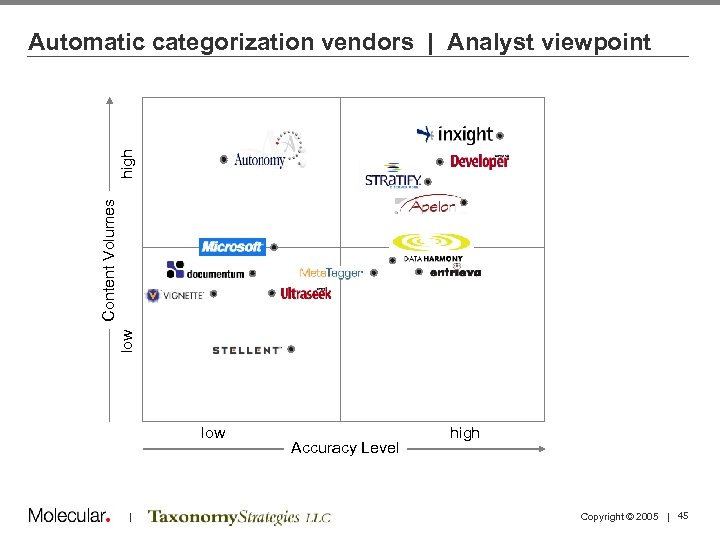
low Content Volumes high Automatic categorization vendors | Analyst viewpoint low | Accuracy Level high Copyright © 2005 | 45
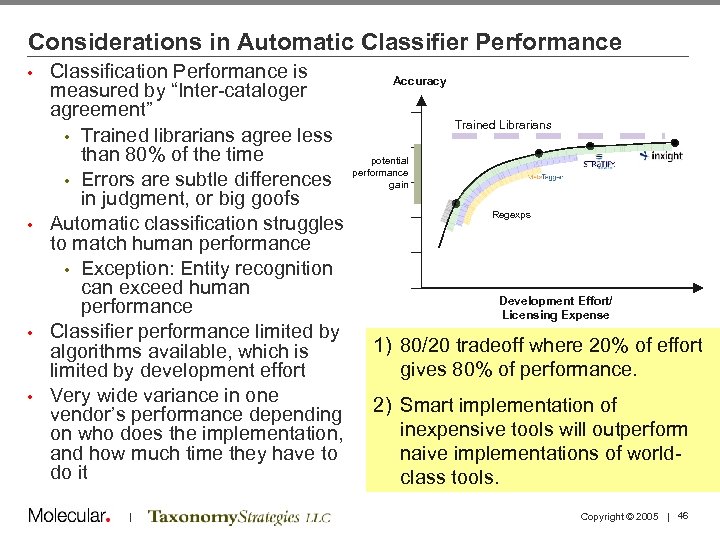
Considerations in Automatic Classifier Performance Classification Performance is measured by “Inter-cataloger agreement” • Trained librarians agree less than 80% of the time • Errors are subtle differences in judgment, or big goofs • Automatic classification struggles to match human performance • Exception: Entity recognition can exceed human performance • Classifier performance limited by algorithms available, which is limited by development effort • Very wide variance in one vendor’s performance depending on who does the implementation, and how much time they have to do it • | Accuracy Trained Librarians potential performance gain Regexps Development Effort/ Licensing Expense 1) 80/20 tradeoff where 20% of effort gives 80% of performance. 2) Smart implementation of inexpensive tools will outperform naive implementations of worldclass tools. Copyright © 2005 | 46
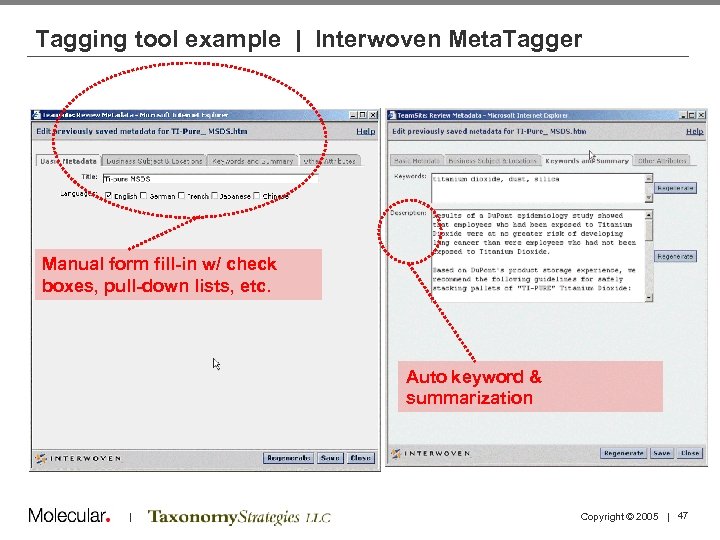
Tagging tool example | Interwoven Meta. Tagger Manual form fill-in w/ check boxes, pull-down lists, etc. Auto keyword & summarization | Copyright © 2005 | 47
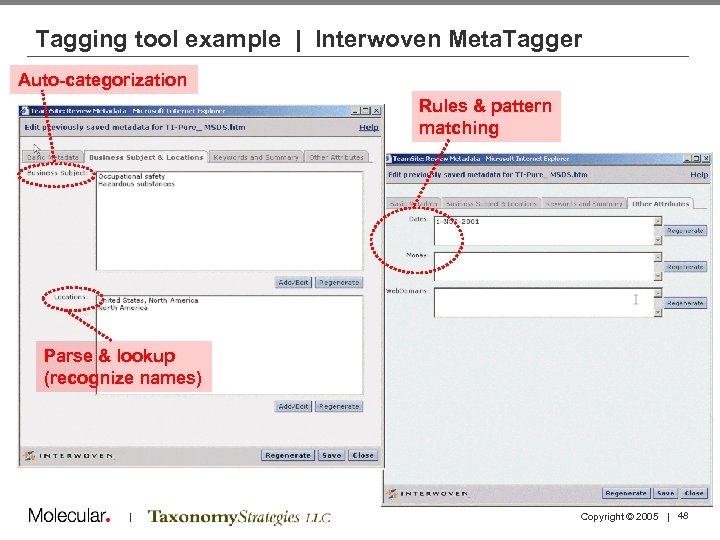
Tagging tool example | Interwoven Meta. Tagger Auto-categorization Rules & pattern matching Parse & lookup (recognize names) | Copyright © 2005 | 48
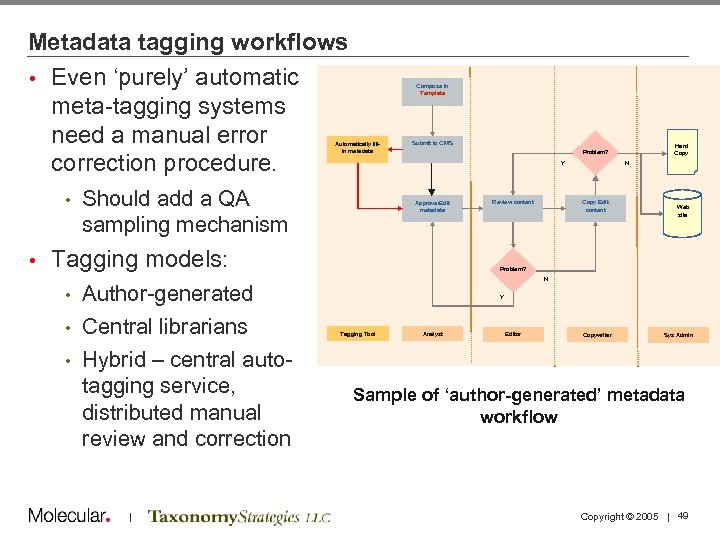
Metadata tagging workflows • Even ‘purely’ automatic meta-tagging systems need a manual error correction procedure. Compose in Template Automatically fillin metadata • • Submit to CMS Y Should add a QA sampling mechanism Approve/Edit metadata Tagging models: Author-generated • Central librarians • Hybrid – central autotagging service, distributed manual review and correction Review content N Copy Edit content Web site Problem? N • | Hard Copy Problem? Y Tagging Tool Analyst Editor Copywriter Sys Admin Sample of ‘author-generated’ metadata workflow Copyright © 2005 | 49
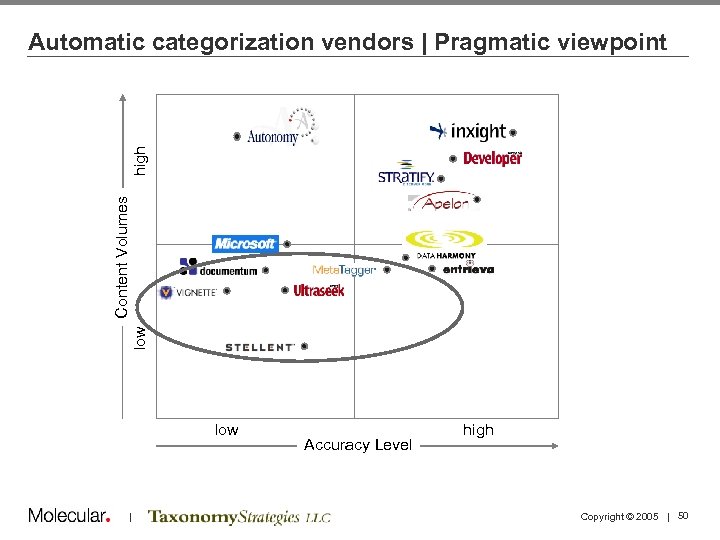
low Content Volumes high Automatic categorization vendors | Pragmatic viewpoint low | Accuracy Level high Copyright © 2005 | 50
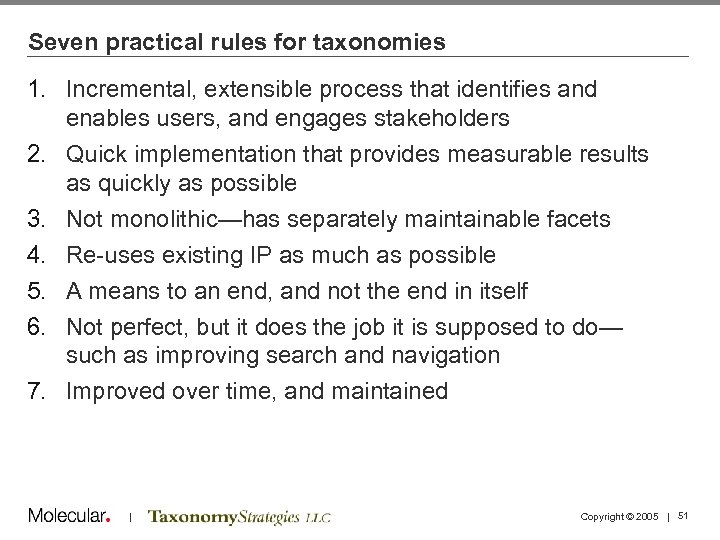
Seven practical rules for taxonomies 1. Incremental, extensible process that identifies and enables users, and engages stakeholders 2. Quick implementation that provides measurable results as quickly as possible 3. Not monolithic—has separately maintainable facets 4. Re-uses existing IP as much as possible 5. A means to an end, and not the end in itself 6. Not perfect, but it does the job it is supposed to do— such as improving search and navigation 7. Improved over time, and maintained | Copyright © 2005 | 51
Agenda 1: 30 1: 40 2: 10 2: 30 Welcome and Introductions Taxonomy Definitions and Examples Business Case and Motivations Case Study: NASA 2: 45 3: 00 3: 15 3: 45 4: 15 4: 30 5: 00 Tagging and Tools Break Running a Taxonomy Project Taxonomy Maintenance and Governance Case Study: PC Connection Summary and Discussion Adjourn | Copyright © 2005 | 52
Agenda 1: 30 1: 40 2: 10 2: 30 Welcome and Introductions Taxonomy Definitions and Examples Business Case and Motivations Case Study: NASA 2: 45 3: 00 3: 15 3: 45 4: 15 4: 30 5: 00 Tagging and Tools Break Running a Taxonomy Project Taxonomy Maintenance and Governance Case Study: PC Connection Summary and Discussion Adjourn | Copyright © 2005 | 53
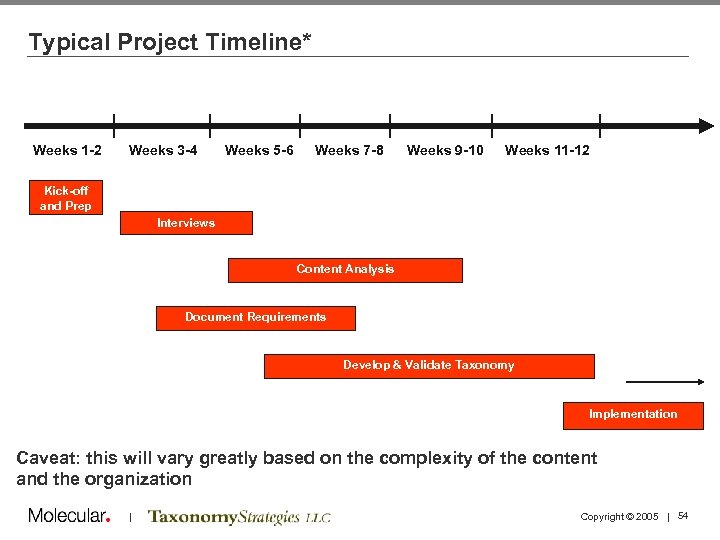
Typical Project Timeline* Weeks 1 -2 Weeks 3 -4 Weeks 5 -6 Weeks 7 -8 Weeks 9 -10 Weeks 11 -12 Kick-off and Prep Interviews Content Analysis Document Requirements Develop & Validate Taxonomy Implementation Caveat: this will vary greatly based on the complexity of the content and the organization | Copyright © 2005 | 54
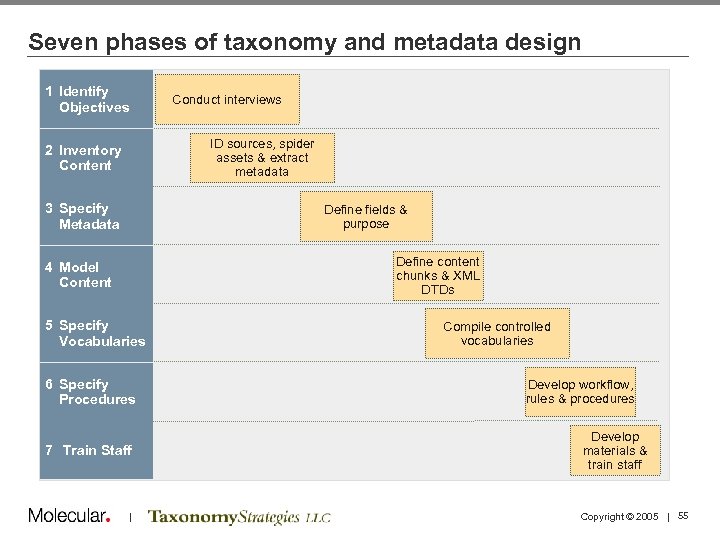
Seven phases of taxonomy and metadata design 1 Identify Objectives Conduct interviews ID sources, spider assets & extract metadata 2 Inventory Content 3 Specify Metadata Define fields & purpose Define content chunks & XML DTDs 4 Model Content 5 Specify Vocabularies 6 Specify Procedures 7 Train Staff | Compile controlled vocabularies Develop workflow, rules & procedures Develop materials & train staff Copyright © 2005 | 55
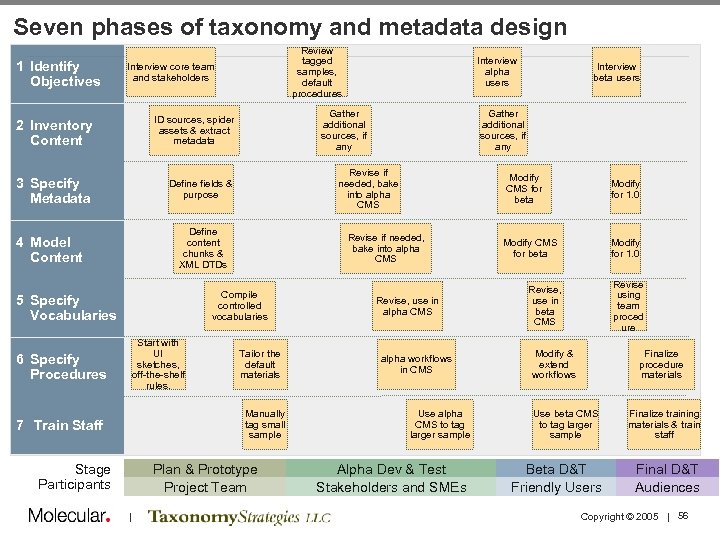
Seven phases of taxonomy and metadata design 1 Identify Objectives Review tagged samples, default procedures Interview core team and stakeholders 2 Inventory Content Gather additional sources, if any ID sources, spider assets & extract metadata 3 Specify Metadata Define fields & purpose 5 Specify Vocabularies Start with UI sketches, off-the-shelf rules. 6 Specify Procedures Tailor the default materials Manually tag small sample 7 Train Staff Stage Participants Plan & Prototype Project Team | Modify CMS for beta Revise if needed, bake into alpha CMS Compile controlled vocabularies Interview beta users Gather additional sources, if any Revise if needed, bake into alpha CMS Define content chunks & XML DTDs 4 Model Content Interview alpha users Revise, use in alpha CMS alpha workflows in CMS Use alpha CMS to tag larger sample Alpha Dev & Test Stakeholders and SMEs Modify for 1. 0 Modify CMS for beta Modify for 1. 0 Revise using team proced ure Revise, use in beta CMS Modify & extend workflows Finalize procedure materials Use beta CMS to tag larger sample Beta D&T Friendly Users Finalize training materials & train staff Final D&T Audiences Copyright © 2005 | 56
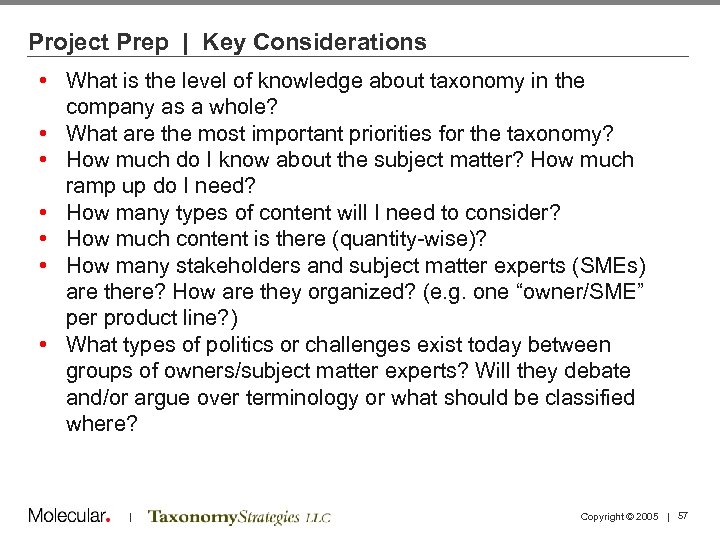
Project Prep | Key Considerations • What is the level of knowledge about taxonomy in the company as a whole? • What are the most important priorities for the taxonomy? • How much do I know about the subject matter? How much ramp up do I need? • How many types of content will I need to consider? • How much content is there (quantity-wise)? • How many stakeholders and subject matter experts (SMEs) are there? How are they organized? (e. g. one “owner/SME” per product line? ) • What types of politics or challenges exist today between groups of owners/subject matter experts? Will they debate and/or argue over terminology or what should be classified where? | Copyright © 2005 | 57
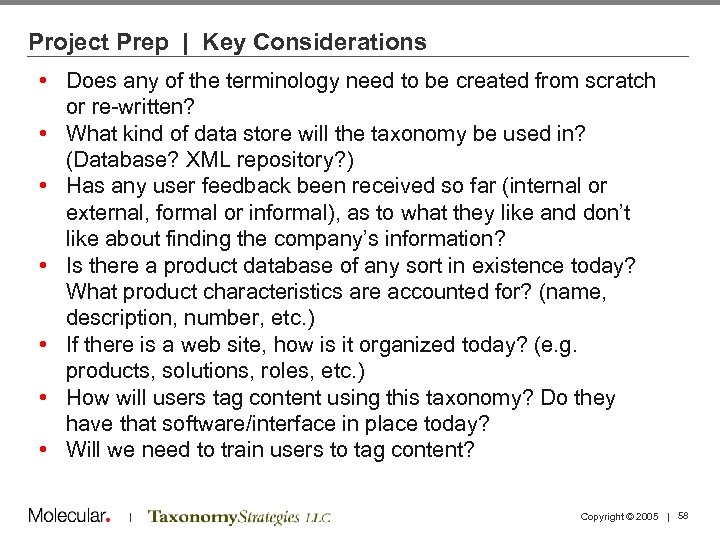
Project Prep | Key Considerations • Does any of the terminology need to be created from scratch or re-written? • What kind of data store will the taxonomy be used in? (Database? XML repository? ) • Has any user feedback been received so far (internal or external, formal or informal), as to what they like and don’t like about finding the company’s information? • Is there a product database of any sort in existence today? What product characteristics are accounted for? (name, description, number, etc. ) • If there is a web site, how is it organized today? (e. g. products, solutions, roles, etc. ) • How will users tag content using this taxonomy? Do they have that software/interface in place today? • Will we need to train users to tag content? | Copyright © 2005 | 58
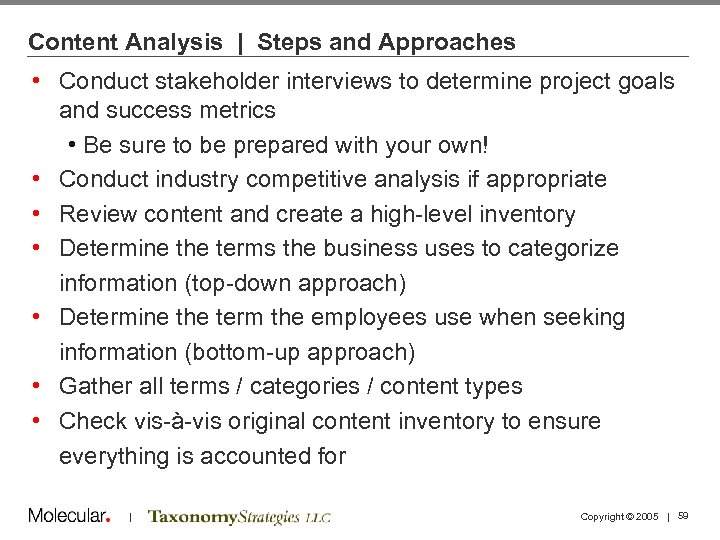
Content Analysis | Steps and Approaches • Conduct stakeholder interviews to determine project goals and success metrics • Be sure to be prepared with your own! • Conduct industry competitive analysis if appropriate • Review content and create a high-level inventory • Determine the terms the business uses to categorize information (top-down approach) • Determine the term the employees use when seeking information (bottom-up approach) • Gather all terms / categories / content types • Check vis-à-vis original content inventory to ensure everything is accounted for | Copyright © 2005 | 59
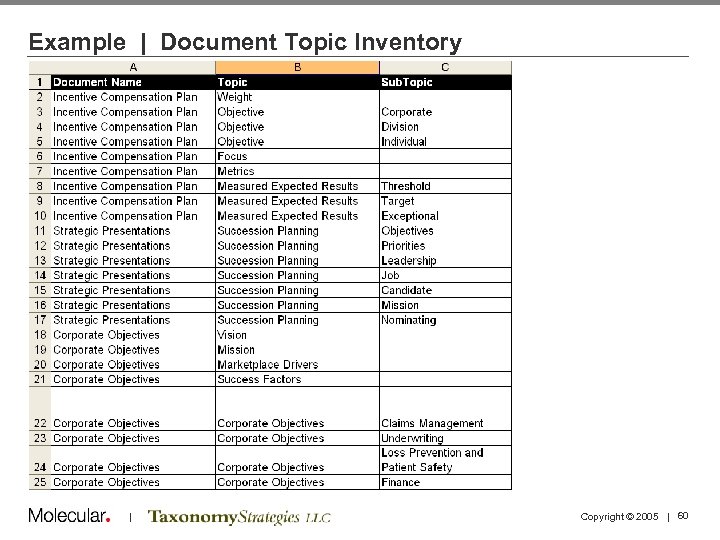
Example | Document Topic Inventory | Copyright © 2005 | 60
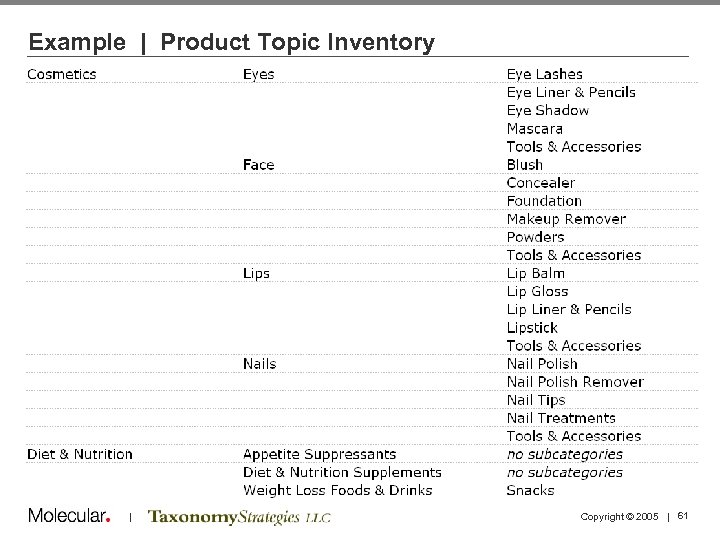
Example | Product Topic Inventory | Copyright © 2005 | 61
Taxonomy creation process | Steps and Approaches • SME analysis of content to determine categories and/or tags • Workshops with SME and stakeholders to gain additional understanding of content • Card sorting exercises with business users or end customers to determine intuitive clustering and category names • Auto-generation of “rough” taxonomy via software tool • Refine with SMEs and taxonomy experts • Iterative taxonomy creation over a period of several weeks depending on size and scope of the effort • Validate taxonomy via user testing | Copyright © 2005 | 62
Taxonomy creation process | Best practices • Be aware of the competition: how they name and categorize products • Involve engineers early: ensure that the taxonomy you’re creating can be used with the technology • Be aware of key parties’ viewpoints • After determining the high-level categories, have a midpoint check in with stakeholders to ensure you’re on the right track and build ongoing consensus • For the purposes of web design, leverage sample page layouts to show categorization and tagging will affect page layout and content • Remember taxonomies must evolve and progress as your business changes | Copyright © 2005 | 63
Agenda 1: 30 1: 40 2: 10 2: 30 Welcome and Introductions Taxonomy Definitions and Examples Business Case and Motivations Case Study: NASA 2: 45 3: 00 3: 15 3: 45 4: 15 4: 30 5: 00 Tagging and Tools Break Running a Taxonomy Project Taxonomy Maintenance and Governance Case Study: PC Connection Summary and Discussion Adjourn | Copyright © 2005 | 64
Taxonomy Business Processes Taxonomies must change, gradually, over time if they are to remain relevant • Maintenance processes need to be specified so that the changes are based on rational cost/benefit decisions • A team will need to maintain the taxonomy on a part-time basis • Taxonomy team reports into CM governance or steering committee • | Copyright © 2005 | 65
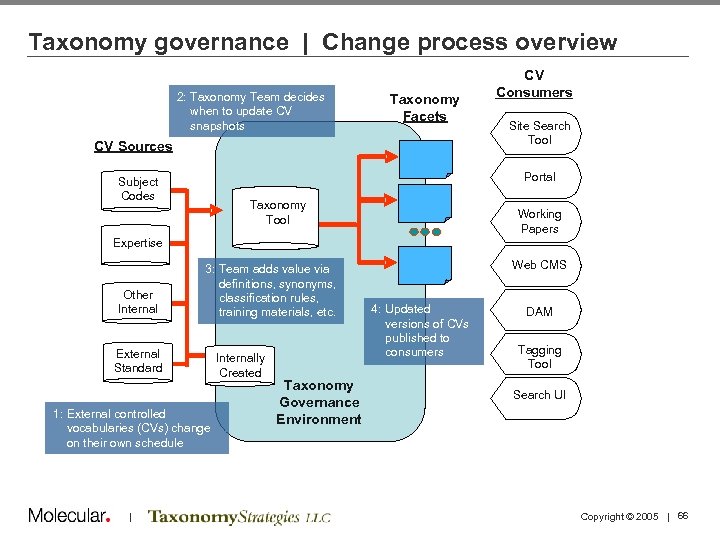
Taxonomy governance | Change process overview 2: Taxonomy Team decides when to update CV 2: NASA snapshots Taxonomy Team Taxonomy Facets Site Search Tool decides when to update snapshots of external CVs CV Sources CV Consumers Portal Subject Codes Taxonomy Working Copies of CVs, maintain in Tool Taxonomy Tool Working Papers Project Archives NASA Expertise Competencies CVs. Other from other NASA Sources Internal 3: 3: Team adds value to Team adds value via definitions, synonyms, snapshots through definitions, synonyms, classification rules, training materials, etc. External Standard Vocabularies Standard Internally Created CVs 1: External controlled vocabularies (CVs) change on their own schedule | Created ’ Web CMS 4: Updated versions of CVspublished to to Consumers consumers Taxonomy NASA Taxonomy Governance Environment DMS’ ’ DAM Tagging Metatagging Tool Search UI Environment Copyright © 2005 | 66
Taxonomy governance | Generic team charter • Taxonomy Team is responsible for maintaining: The Taxonomy, a multi-faceted classification scheme • Associated taxonomy materials, such as: • Editorial Style Guide • Taxonomy Training Materials • Metadata Standard • • Team rules and procedures (subject to CIO review) Committee will consider costs and benefits of suggested change • Taxonomy Team will: • Manage relationship between providers of source vocabularies and consumers of the Taxonomy • Identify new opportunities for use of the Taxonomy across the Enterprise to improve information management practices • Promote awareness and use of the Taxonomy • | Copyright © 2005 | 67
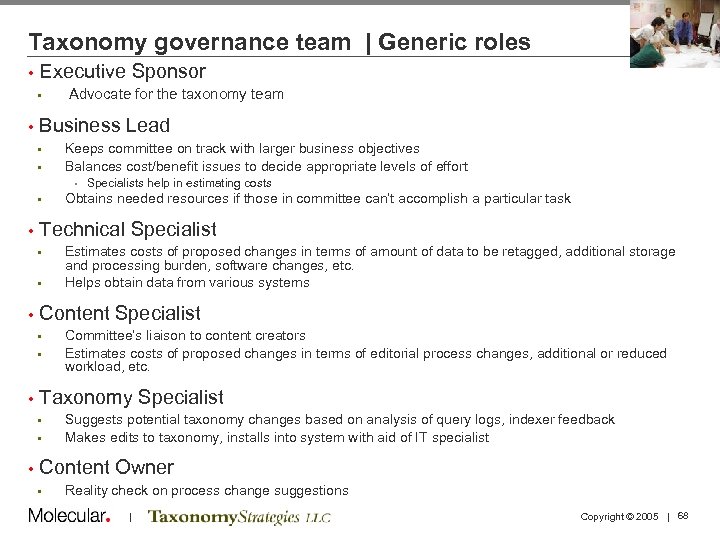
Taxonomy governance team | Generic roles • Executive Sponsor • • Advocate for the taxonomy team Business Lead • • Keeps committee on track with larger business objectives Balances cost/benefit issues to decide appropriate levels of effort • Specialists help in estimating costs • • Technical Specialist • • Committee’s liaison to content creators Estimates costs of proposed changes in terms of editorial process changes, additional or reduced workload, etc. Taxonomy Specialist • • • Estimates costs of proposed changes in terms of amount of data to be retagged, additional storage and processing burden, software changes, etc. Helps obtain data from various systems Content Specialist • • Obtains needed resources if those in committee can’t accomplish a particular task Suggests potential taxonomy changes based on analysis of query logs, indexer feedback Makes edits to taxonomy, installs into system with aid of IT specialist Content Owner • Reality check on process change suggestions | Copyright © 2005 | 68
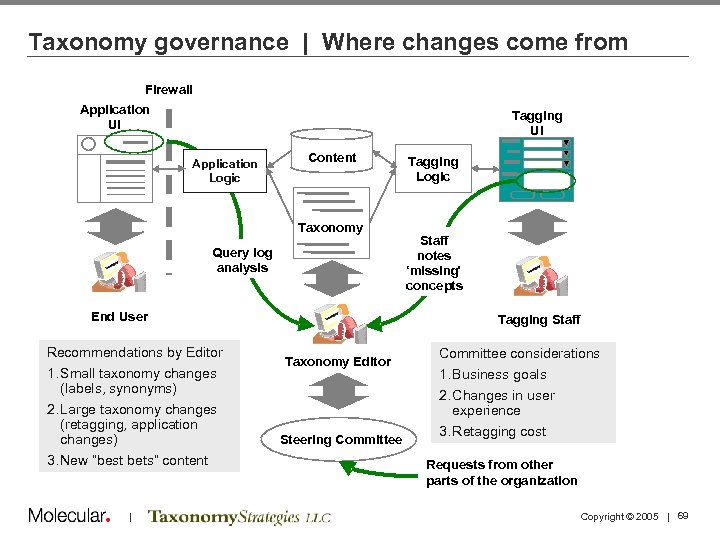
Taxonomy governance | Where changes come from Firewall Application UI Tagging UI Application Logic Content Taxonomy Query log analysis End User Recommendations by Editor 1. Small taxonomy changes (labels, synonyms) 2. Large taxonomy changes (retagging, application changes) 3. New “best bets” content | Tagging Logic Staff notes ‘missing’ concepts Tagging Staff Taxonomy Editor Steering Committee considerations 1. Business goals experience 2. Changes in user experience 3. Retagging cost Requests from other Requestsof NASA parts from other parts of the organization Copyright © 2005 | 69
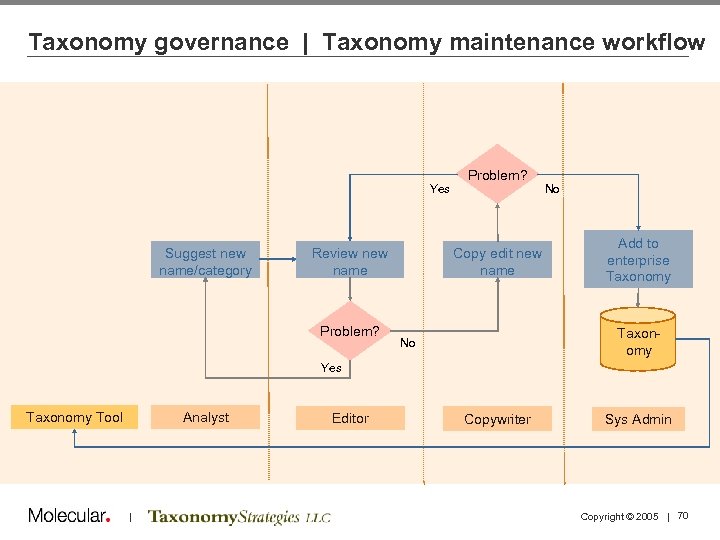
Taxonomy governance | Taxonomy maintenance workflow Yes Suggest new name/category Review name Problem? Copy edit new name No Add to enterprise Taxonomy No Yes Analyst Taxonomy Tool | Editor Copywriter Sys Admin Copyright © 2005 | 70
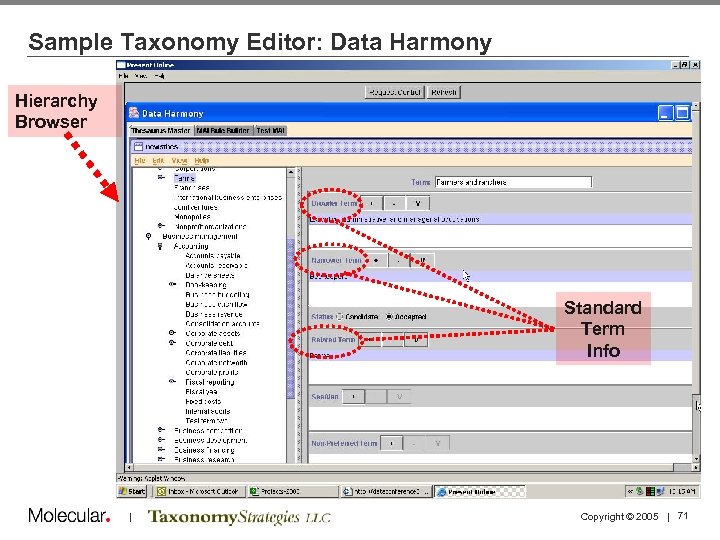
Sample Taxonomy Editor: Data Harmony Hierarchy Browser Standard Term Info | Copyright © 2005 | 71
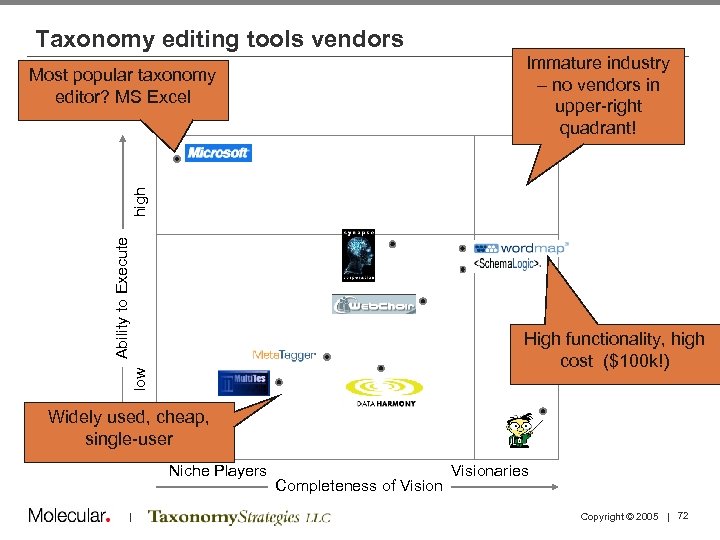
Taxonomy editing tools vendors Immature industry – no vendors in upper-right quadrant! Ability to Execute high Most popular taxonomy editor? MS Excel low High functionality, high cost ($100 k!) Widely used, cheap, single-user Niche Players | Completeness of Visionaries Copyright © 2005 | 72
Measuring Metadata and Taxonomy Quality • Taxonomy development is an iterative process • Elicit feedback via walk-throughs, tagging samples, and card sorting exercises • Use both qualitative and quantitative methods, and remain flexible throughout | Copyright © 2005 | 73
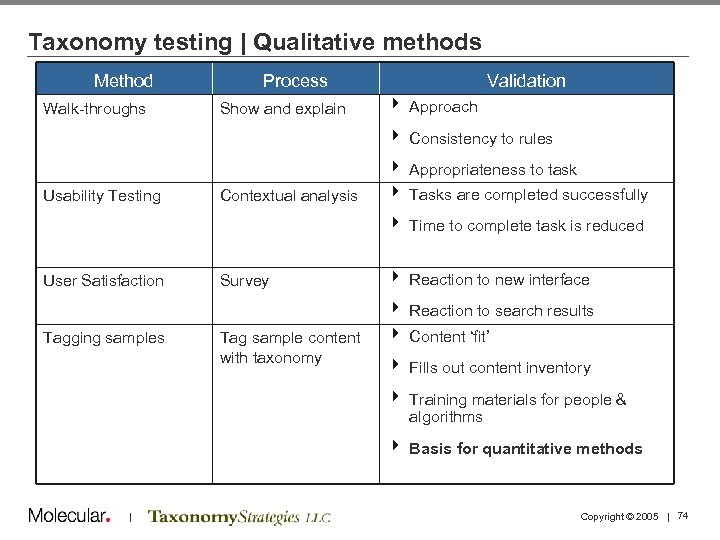
Taxonomy testing | Qualitative methods Method Walk-throughs Process Show and explain Validation 4 Approach 4 Consistency to rules Usability Testing Contextual analysis 4 Appropriateness to task 4 Tasks are completed successfully 4 Time to complete task is reduced User Satisfaction Survey 4 Reaction to new interface 4 Reaction to search results Tagging samples Tag sample content with taxonomy 4 Content ‘fit’ 4 Fills out content inventory 4 Training materials for people & algorithms 4 Basis for quantitative methods | Copyright © 2005 | 74
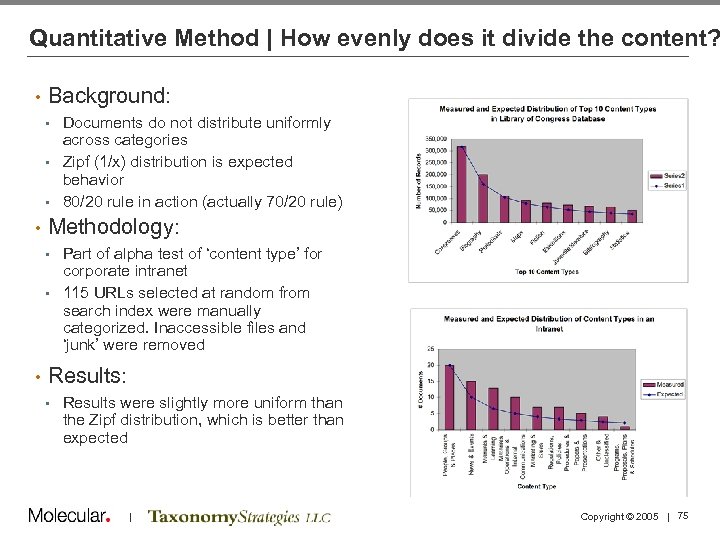
Quantitative Method | How evenly does it divide the content? • Background: Documents do not distribute uniformly across categories • Zipf (1/x) distribution is expected behavior • 80/20 rule in action (actually 70/20 rule) • • Methodology: Part of alpha test of ‘content type’ for corporate intranet • 115 URLs selected at random from search index were manually categorized. Inaccessible files and ‘junk’ were removed • • Results: • Results were slightly more uniform than the Zipf distribution, which is better than expected | Copyright © 2005 | 75
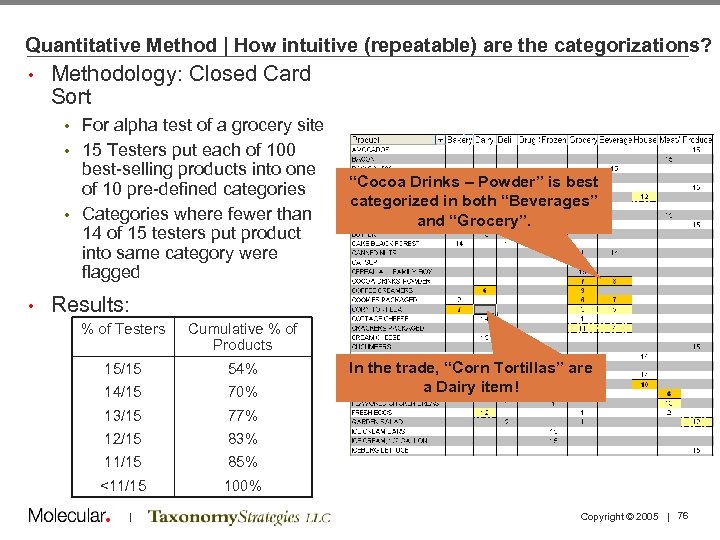
Quantitative Method | How intuitive (repeatable) are the categorizations? • Methodology: Closed Card Sort For alpha test of a grocery site • 15 Testers put each of 100 best-selling products into one of 10 pre-defined categories • Categories where fewer than 14 of 15 testers put product into same category were flagged • • “Cocoa Drinks – Powder” is best categorized in both “Beverages” and “Grocery”. Results: % of Testers Cumulative % of Products 15/15 54% 14/15 70% 13/15 77% 12/15 83% 11/15 85% <11/15 100% | In the trade, “Corn Tortillas” are a Dairy item! Copyright © 2005 | 76
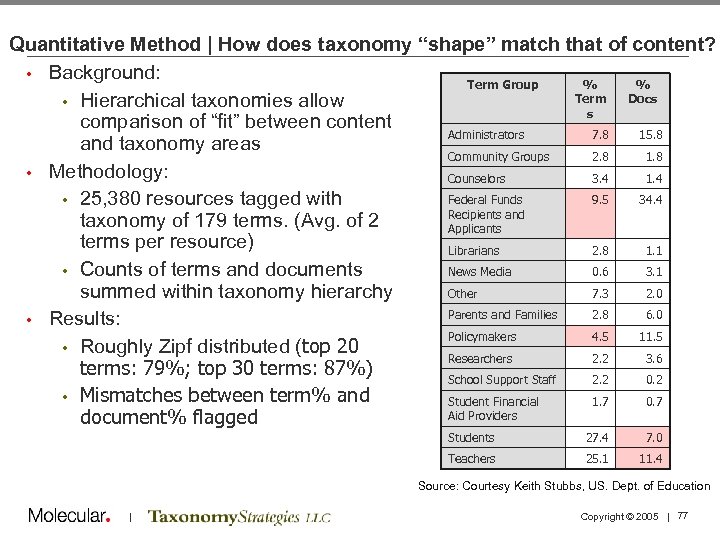
Quantitative Method | How does taxonomy “shape” match that of content? • Background: Term Group % % Term Docs • Hierarchical taxonomies allow s comparison of “fit” between content Administrators 7. 8 15. 8 and taxonomy areas Community Groups 2. 8 1. 8 • Methodology: Counselors 3. 4 1. 4 Federal Funds 9. 5 34. 4 • 25, 380 resources tagged with Recipients and taxonomy of 179 terms. (Avg. of 2 Applicants terms per resource) Librarians 2. 8 1. 1 • Counts of terms and documents News Media 0. 6 3. 1 summed within taxonomy hierarchy Other 7. 3 2. 0 Parents and Families 2. 8 6. 0 • Results: Policymakers 4. 5 11. 5 • Roughly Zipf distributed (top 20 Researchers 2. 2 3. 6 terms: 79%; top 30 terms: 87%) School Support Staff 2. 2 0. 2 • Mismatches between term% and Student Financial 1. 7 0. 7 Aid Providers document% flagged Students 27. 4 7. 0 Teachers 25. 1 11. 4 Source: Courtesy Keith Stubbs, US. Dept. of Education | Copyright © 2005 | 77
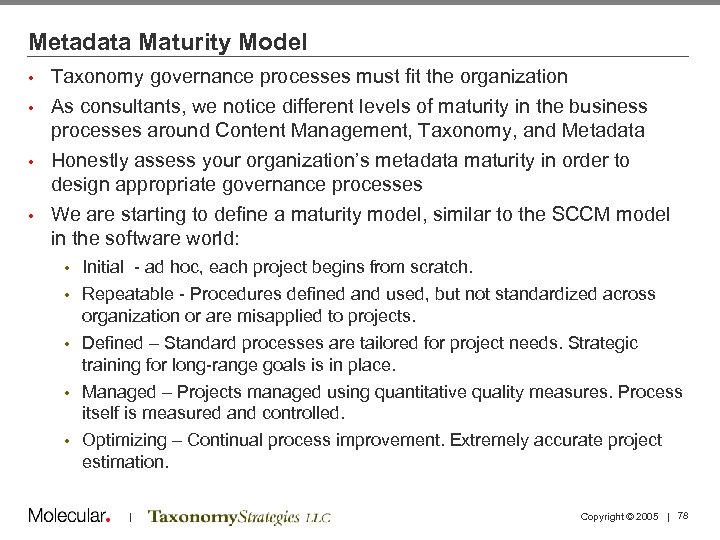
Metadata Maturity Model Taxonomy governance processes must fit the organization • As consultants, we notice different levels of maturity in the business processes around Content Management, Taxonomy, and Metadata • Honestly assess your organization’s metadata maturity in order to design appropriate governance processes • We are starting to define a maturity model, similar to the SCCM model in the software world: • • • Initial - ad hoc, each project begins from scratch. Repeatable - Procedures defined and used, but not standardized across organization or are misapplied to projects. Defined – Standard processes are tailored for project needs. Strategic training for long-range goals is in place. Managed – Projects managed using quantitative quality measures. Process itself is measured and controlled. Optimizing – Continual process improvement. Extremely accurate project estimation. | Copyright © 2005 | 78
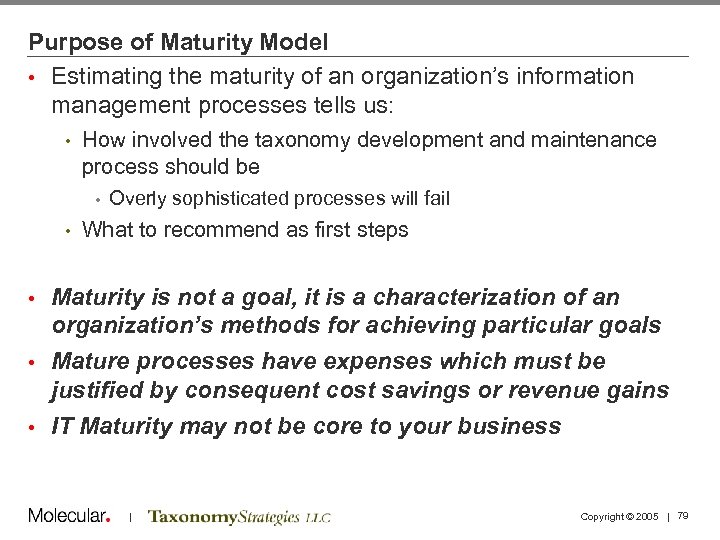
Purpose of Maturity Model • Estimating the maturity of an organization’s information management processes tells us: • How involved the taxonomy development and maintenance process should be • • Overly sophisticated processes will fail What to recommend as first steps • Maturity is not a goal, it is a characterization of an organization’s methods for achieving particular goals • Mature processes have expenses which must be justified by consequent cost savings or revenue gains • IT Maturity may not be core to your business | Copyright © 2005 | 79
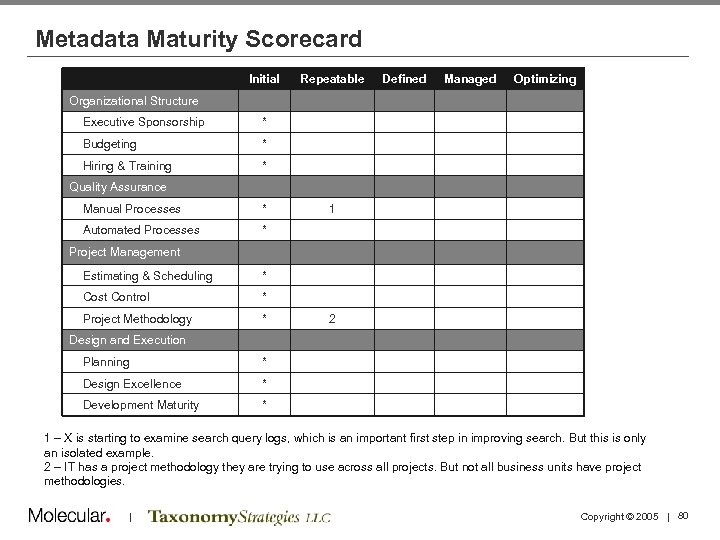
Metadata Maturity Scorecard Initial Repeatable Defined Managed Optimizing Organizational Structure Executive Sponsorship * Budgeting * Hiring & Training * Quality Assurance Manual Processes * Automated Processes 1 * Project Management Estimating & Scheduling * Cost Control * Project Methodology * 2 Design and Execution Planning * Design Excellence * Development Maturity * 1 – X is starting to examine search query logs, which is an important first step in improving search. But this is only an isolated example. 2 – IT has a project methodology they are trying to use across all projects. But not all business units have project methodologies. | Copyright © 2005 | 80
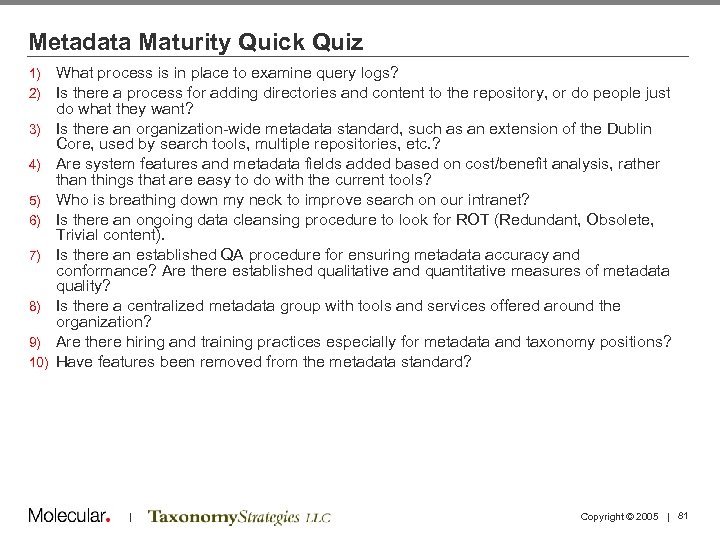
Metadata Maturity Quick Quiz 1) 2) 3) 4) 5) 6) 7) 8) 9) 10) What process is in place to examine query logs? Is there a process for adding directories and content to the repository, or do people just do what they want? Is there an organization-wide metadata standard, such as an extension of the Dublin Core, used by search tools, multiple repositories, etc. ? Are system features and metadata fields added based on cost/benefit analysis, rather than things that are easy to do with the current tools? Who is breathing down my neck to improve search on our intranet? Is there an ongoing data cleansing procedure to look for ROT (Redundant, Obsolete, Trivial content). Is there an established QA procedure for ensuring metadata accuracy and conformance? Are there established qualitative and quantitative measures of metadata quality? Is there a centralized metadata group with tools and services offered around the organization? Are there hiring and training practices especially for metadata and taxonomy positions? Have features been removed from the metadata standard? | Copyright © 2005 | 81
Agenda 1: 30 1: 40 2: 10 2: 30 Welcome and Introductions Taxonomy Definitions and Examples Business Case and Motivations Case Study: NASA 2: 45 3: 00 3: 15 3: 45 4: 15 4: 30 5: 00 Tagging and Tools Break Running a Taxonomy Project Taxonomy Maintenance and Governance Case Study: PC Connection Summary and Discussion Adjourn | Copyright © 2005 | 82
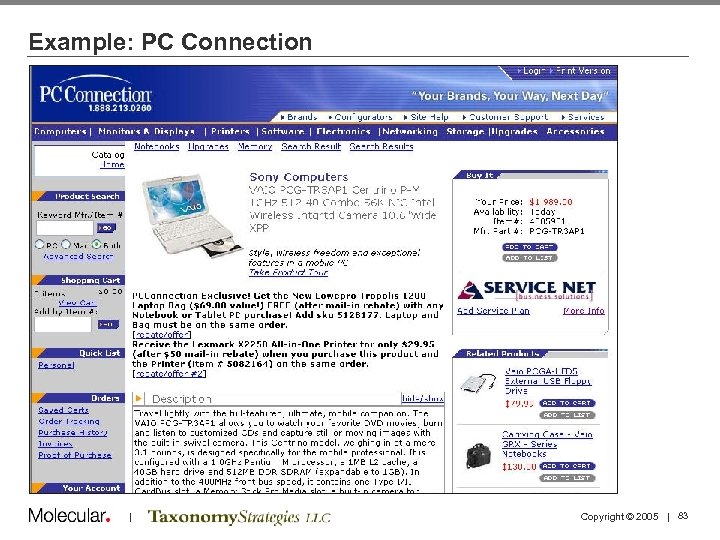
Example: PC Connection | Copyright © 2005 | 83
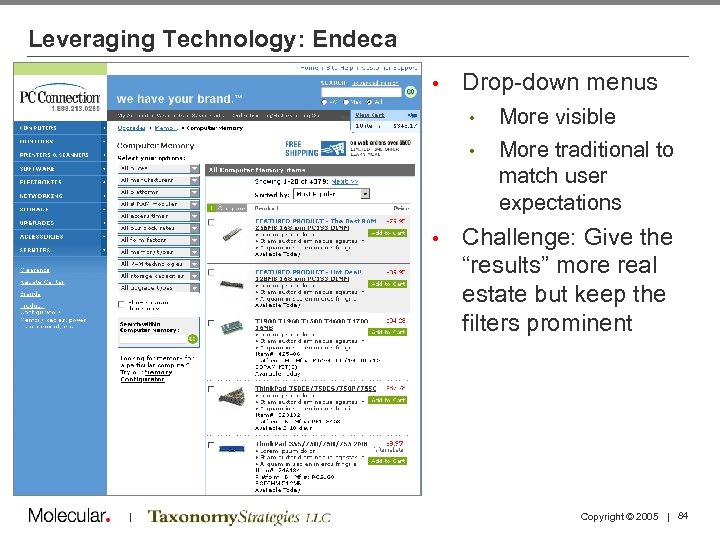
Leveraging Technology: Endeca • Drop-down menus • • • | More visible More traditional to match user expectations Challenge: Give the “results” more real estate but keep the filters prominent Copyright © 2005 | 84
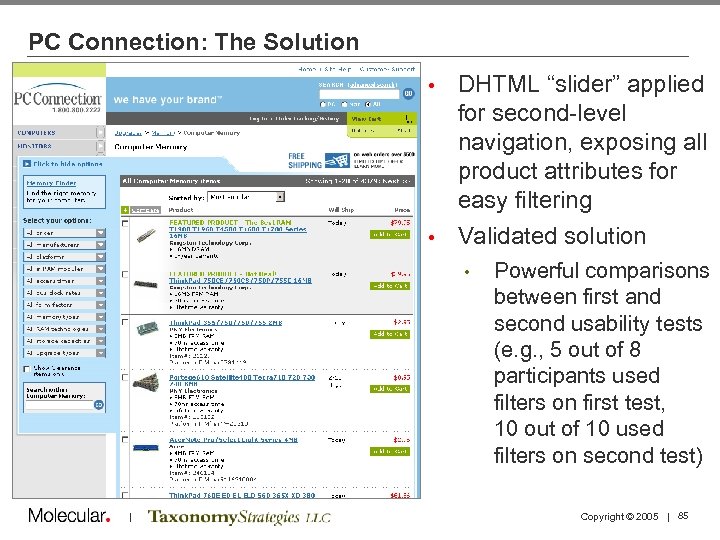
PC Connection: The Solution DHTML “slider” applied for second-level navigation, exposing all product attributes for easy filtering • Validated solution • • | Powerful comparisons between first and second usability tests (e. g. , 5 out of 8 participants used filters on first test, 10 out of 10 used filters on second test) Copyright © 2005 | 85
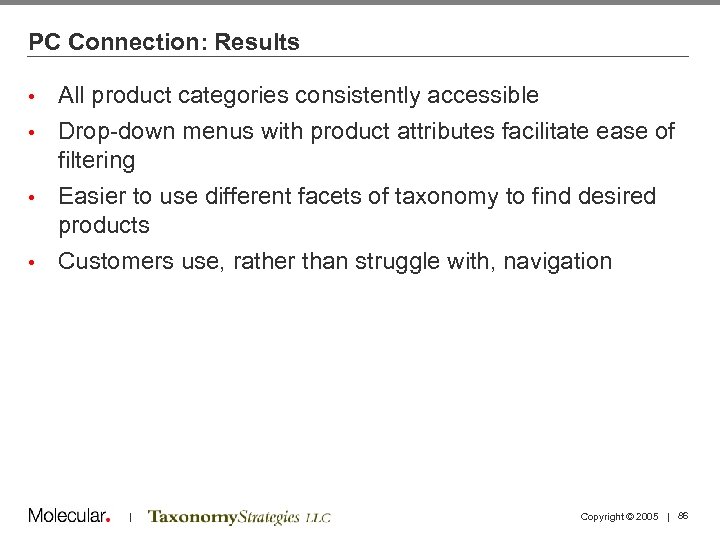
PC Connection: Results All product categories consistently accessible • Drop-down menus with product attributes facilitate ease of filtering • Easier to use different facets of taxonomy to find desired products • Customers use, rather than struggle with, navigation • | Copyright © 2005 | 86
Agenda 1: 30 1: 40 2: 10 2: 30 Welcome and Introductions Taxonomy Definitions and Examples Business Case and Motivations Case Study 2: 45 3: 00 3: 15 3: 45 4: 15 4: 30 5: 00 Tagging and Tools Break Running a Taxonomy Project Taxonomy Maintenance and Governance Case Study Summary and Discussion Adjourn | Copyright © 2005 | 87
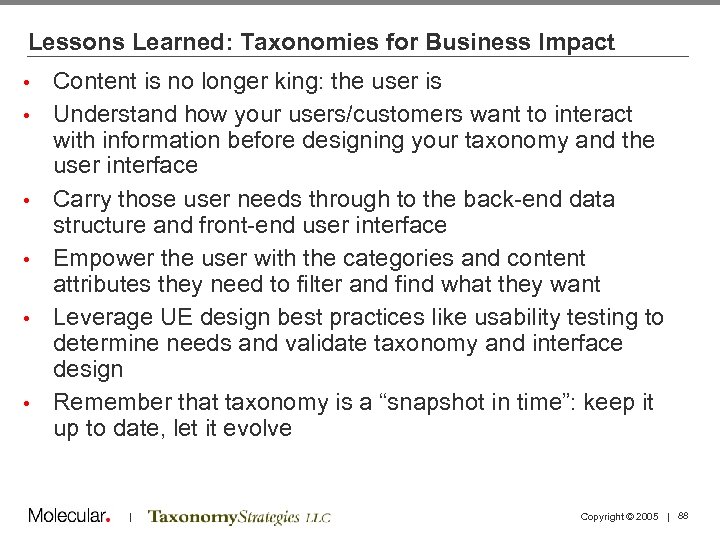
Lessons Learned: Taxonomies for Business Impact • • • Content is no longer king: the user is Understand how your users/customers want to interact with information before designing your taxonomy and the user interface Carry those user needs through to the back-end data structure and front-end user interface Empower the user with the categories and content attributes they need to filter and find what they want Leverage UE design best practices like usability testing to determine needs and validate taxonomy and interface design Remember that taxonomy is a “snapshot in time”: keep it up to date, let it evolve | Copyright © 2005 | 88
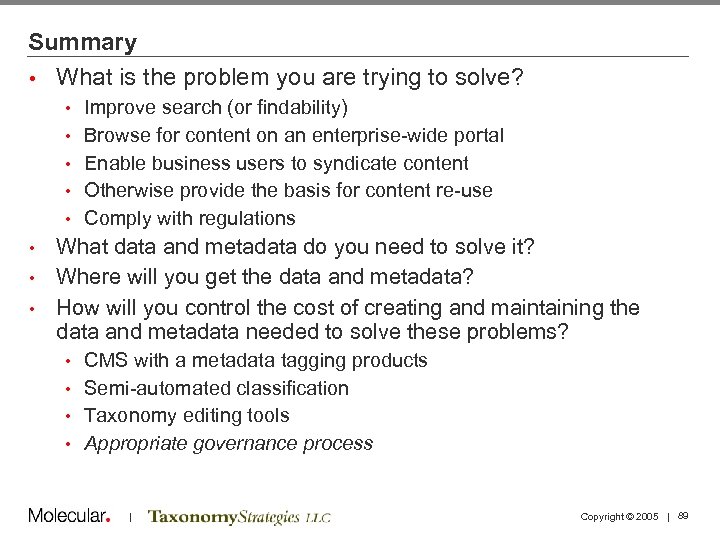
Summary • What is the problem you are trying to solve? • • • Improve search (or findability) Browse for content on an enterprise-wide portal Enable business users to syndicate content Otherwise provide the basis for content re-use Comply with regulations What data and metadata do you need to solve it? • Where will you get the data and metadata? • How will you control the cost of creating and maintaining the data and metadata needed to solve these problems? • CMS with a metadata tagging products • Semi-automated classification • Taxonomy editing tools • Appropriate governance process • | Copyright © 2005 | 89
Agenda 1: 30 1: 40 2: 10 2: 30 Welcome and Introductions Taxonomy Definitions and Examples Business Case and Motivations Case Study 2: 45 3: 00 3: 15 3: 45 4: 15 4: 30 5: 00 Tagging and Tools Break Running a Taxonomy Project Taxonomy Maintenance and Governance Case Study Summary and Discussion Adjourn | Copyright © 2005 | 90
Thank you! Theresa Regli Ron Daniel tregli@molecular. com rdaniel@taxonomystrategies. com | Copyright © 2005 | 91
Скачать презентацию Taxonomies and Meta Data for Business Impact
ff71e3e5f47cf90d4a5aa9df47a05718.ppt