


 Скачать презентацию Task Scenarios and Sketches IS 485 Professor Matt
64dcb06478c7a36b1af95ae072fbc31d.ppt
- Количество слайдов: 45
 Task Scenarios and Sketches IS 485, Professor Matt Thatcher
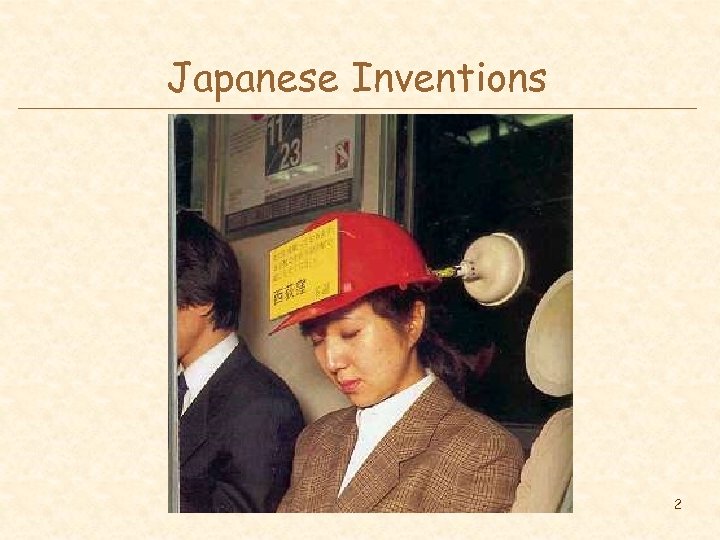 Japanese Inventions 2
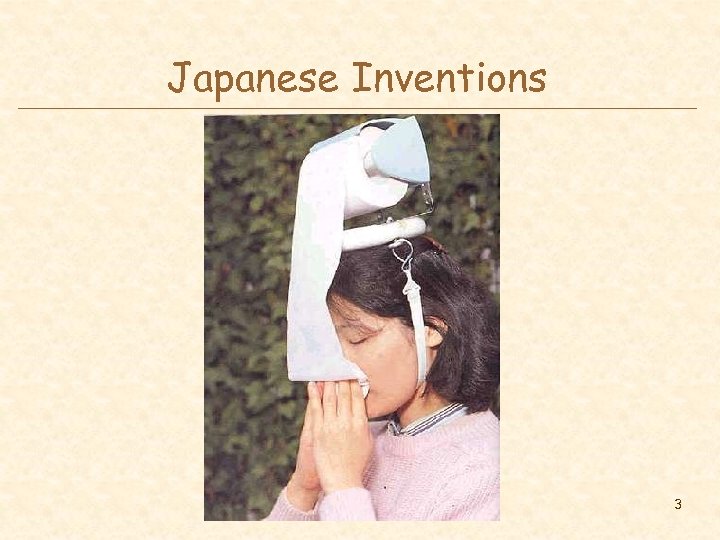 Japanese Inventions 3
 Agenda l l l Administrivia Review Creating a task inventory list Selecting tasks for prototyping Creating scenarios of actual system use Sketching design ideas 4
 Task Analysis Questions l l l l l Who is going to use system? What tasks do they perform? What new tasks are desired? How critical are the tasks? How often do the users perform the tasks? What are the time constraints on the tasks? How are the tasks learn? Where are the tasks performed? How do users communicate with each other What happens when things go wrong? 5
 Contextual Inquiry l l Way of understanding users’ needs & work practices Master – apprentice model allows user to teach us what they do! – master does the work & talks about it while working – we interrupt to ask questions as they go l The Where, How, and What expose the Why “Think aloud” and “probing questions” 6
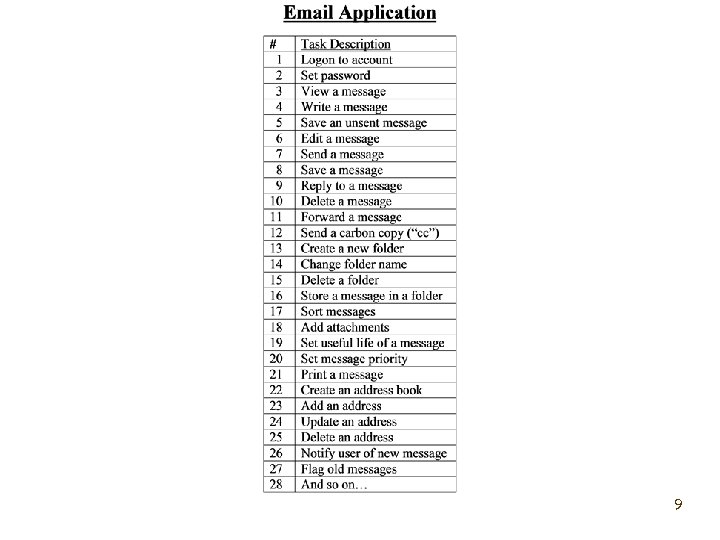
 Task Inventory List l l A task list tells you what tasks users need to accomplish with the software application Tasks are independent of design – does not specify metaphors, navigation, appearance, etc. l A task inventory list does not tell you: – how the existing system now accomplishes the tasks – how the new software application will accomplish the task l How is the design problem that we will address a little later in the process – we’ll develop and evaluate designs in the prototyping stage l Task list is about specifying units of work (functions) 7
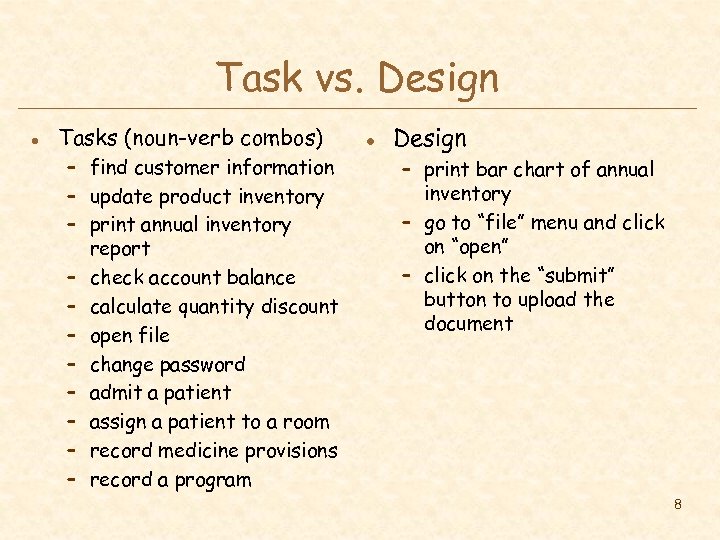 Task vs. Design l Tasks (noun-verb combos) – find customer information – update product inventory – print annual inventory report – check account balance – calculate quantity discount – open file – change password – admit a patient – assign a patient to a room – record medicine provisions – record a program l Design – print bar chart of annual inventory – go to “file” menu and click on “open” – click on the “submit” button to upload the document 8
 9
9
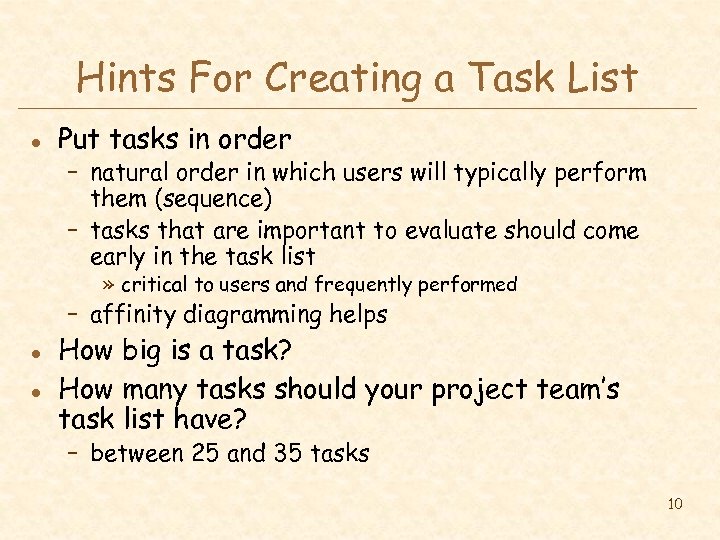 Hints For Creating a Task List l Put tasks in order – natural order in which users will typically perform them (sequence) – tasks that are important to evaluate should come early in the task list » critical to users and frequently performed – affinity diagramming helps l l How big is a task? How many tasks should your project team’s task list have? – between 25 and 35 tasks 10
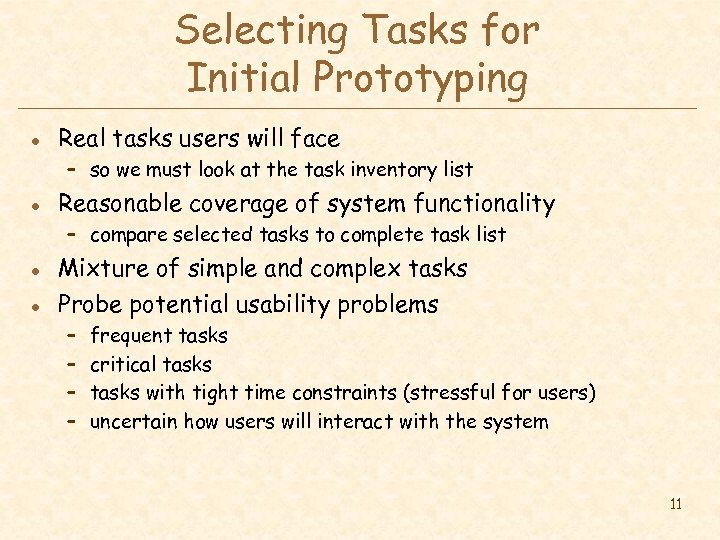 Selecting Tasks for Initial Prototyping l Real tasks users will face – so we must look at the task inventory list l Reasonable coverage of system functionality – compare selected tasks to complete task list l l Mixture of simple and complex tasks Probe potential usability problems – – frequent tasks critical tasks with tight time constraints (stressful for users) uncertain how users will interact with the system 11
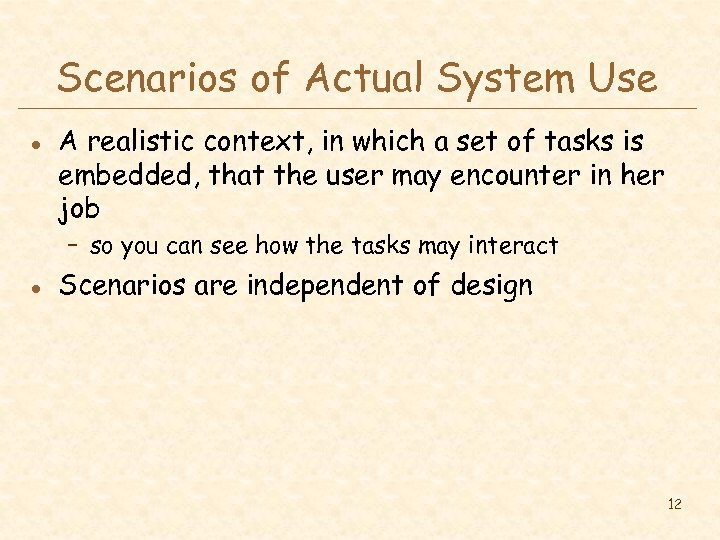 Scenarios of Actual System Use l A realistic context, in which a set of tasks is embedded, that the user may encounter in her job – so you can see how the tasks may interact l Scenarios are independent of design 12
 What Should Scenarios Look Like? l Say what the user wants to do (the goal), but not how the user would do it – allows comparison of different design alternatives l Scenarios should say who the users are – names (John Berry) – characteristics of the users (e. g. , job title) l Should be specific, short, and in the user’s words – forces us to fill out description with other details that become important – provides enough information to complete the goal (e. g. , John wants to purchase a blue polo shirt - size medium - for less than $50. 00. Please help him find a product that matches this description and purchase it. ) l Should describe a complete job 13
 Using Scenarios in Design l Write up a description of tasks – formally or informally – run by users and rest of the design team – get more information where needed l Example scenario for a cell phone Manny is in the city at a club and would like to call his girlfriend, Sherry, to see when she will be arriving at the club. She called from a friends house while he was on the subway, so he couldn’t answer the phone. He would like to check his missed calls and find the number so that he can call her back. 14
 Examples of Scenarios l Scenarios (examples) – http: //faculty. unlv. edu/thatcher/is 485/readings/scenarios. doc 15
 Using Scenarios in Design l Rough out an interface design – discard features that don’t support your scenarios » or add a real task that exercises that feature – – l major screens & functions (not too detailed) hand sketched show what user has to do & what they would see step-by-step performance of scenario This is the first time that we actually design and consider specific design elements – metaphors, organizations, and navigation 16
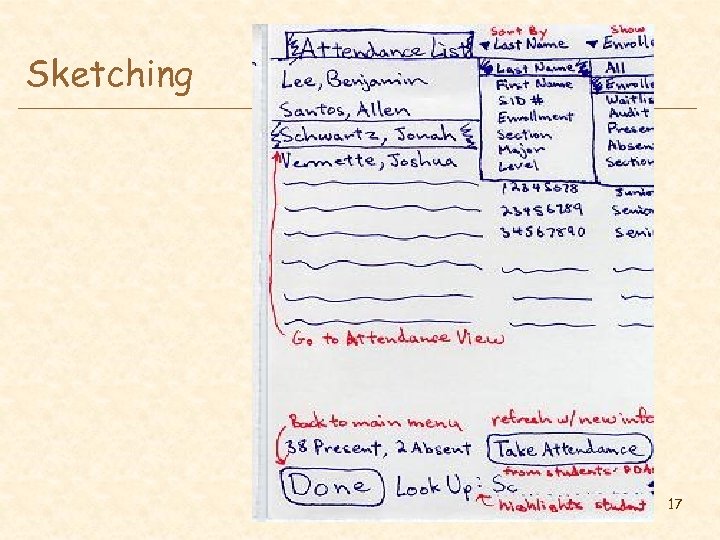 Sketching 17
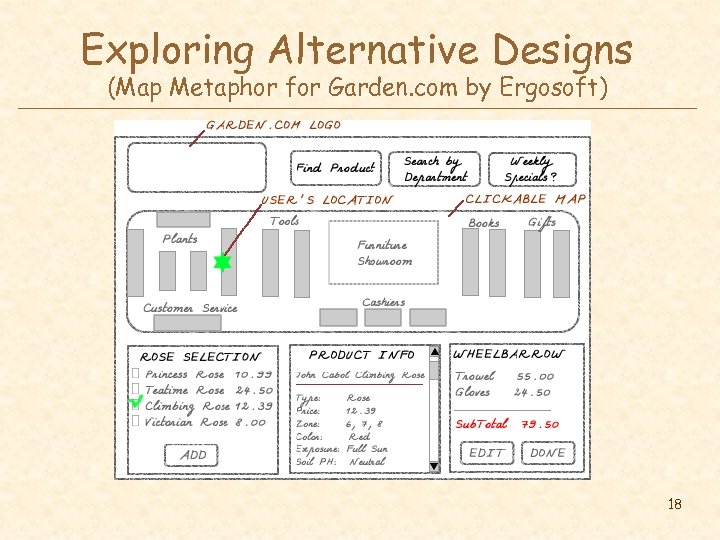 Exploring Alternative Designs (Map Metaphor for Garden. com by Ergosoft) 18
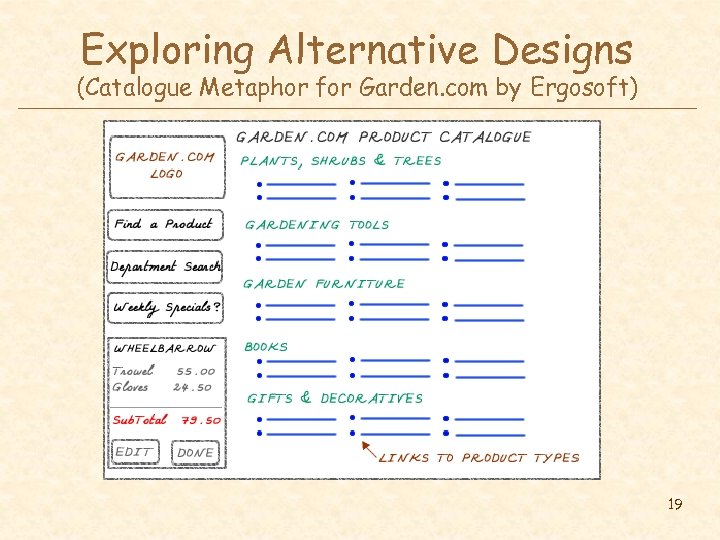 Exploring Alternative Designs (Catalogue Metaphor for Garden. com by Ergosoft) 19
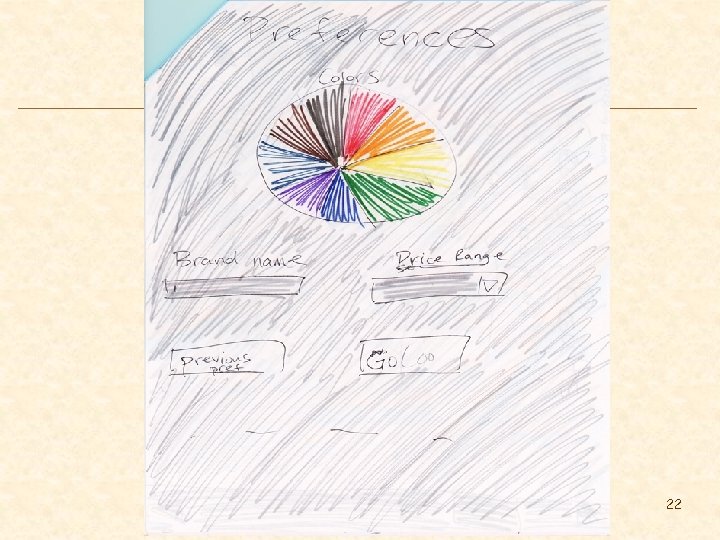
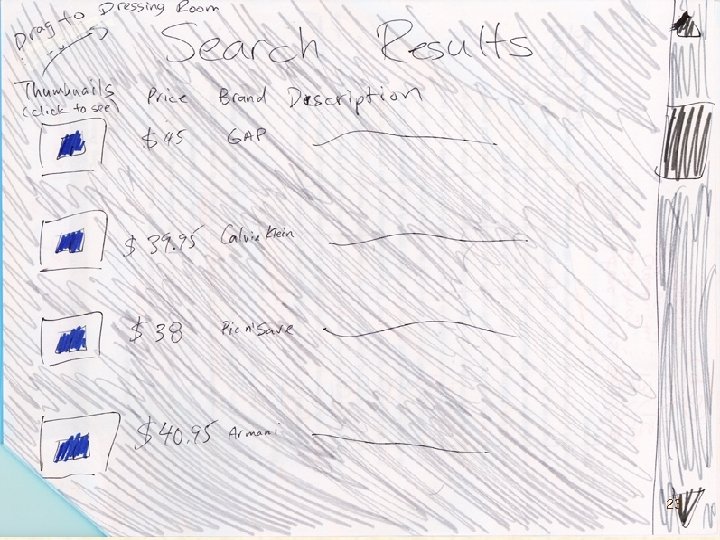
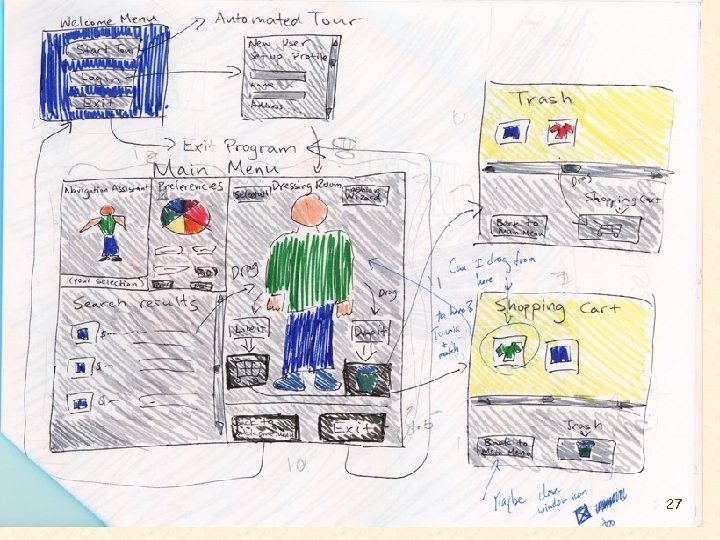
 The Clothes-Shopper Example l Problem – contemporary approach to shopping is often slow and painful – people often have problems shopping for clothing through catalogs (on-line or otherwise) because they are unable to visualize how they will look in the clothing l Design solution – design a UI that allow shoppers to quickly and easily visualize how various combinations of clothing will look on them l Method – use low-fi prototyping to develop a good, general understanding of the strengths / weaknesses of the initial UI design w/o spending a large amount of time on developing software 20
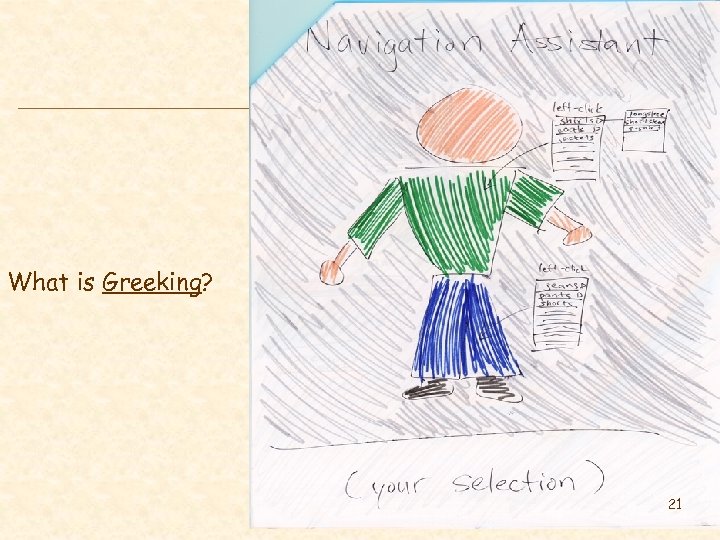 What is Greeking? 21
 22
22
 23
23
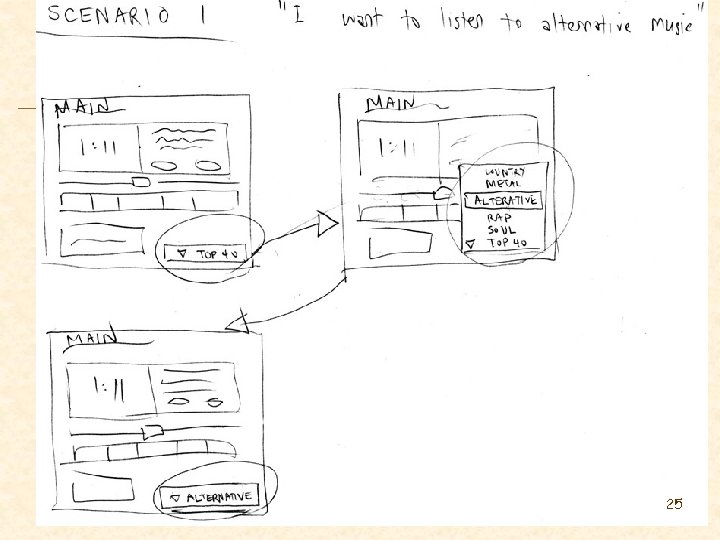
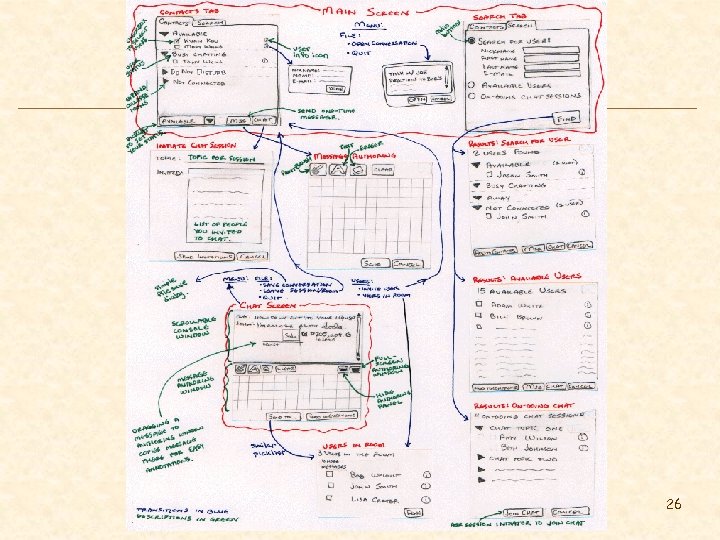
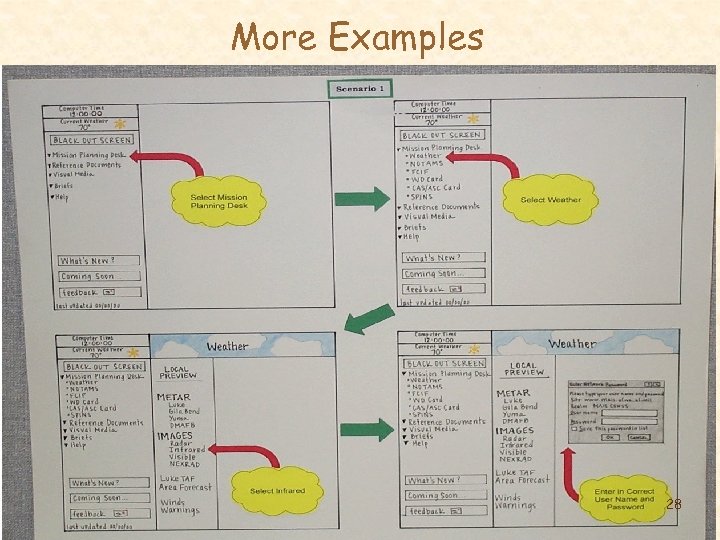
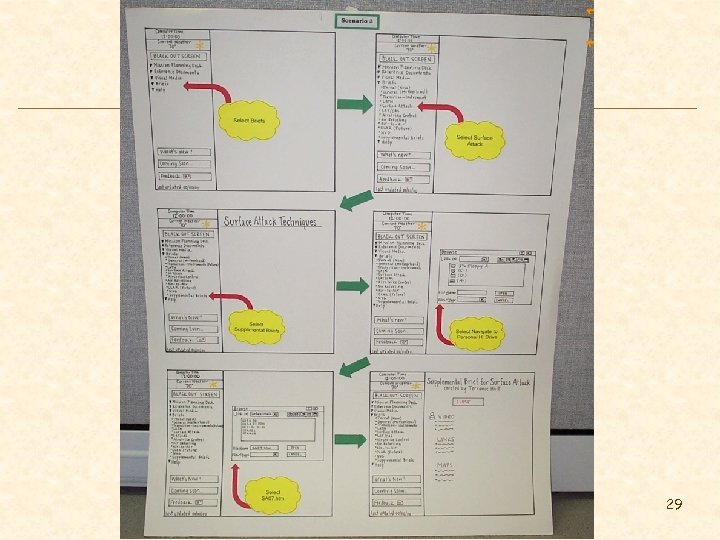
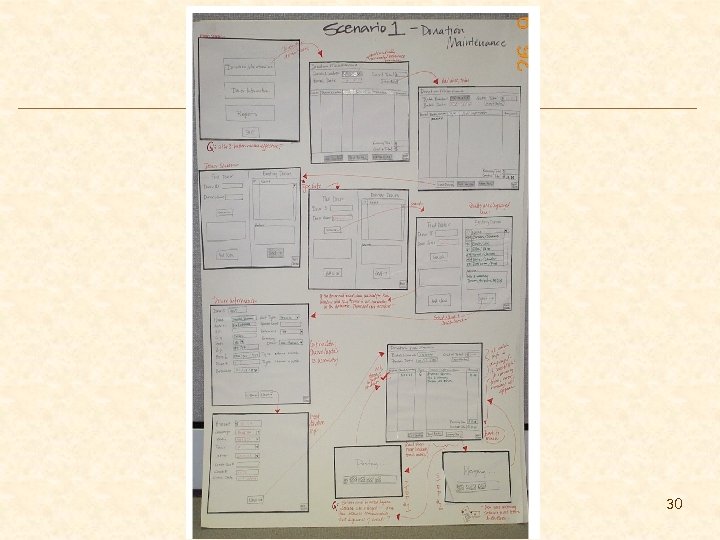
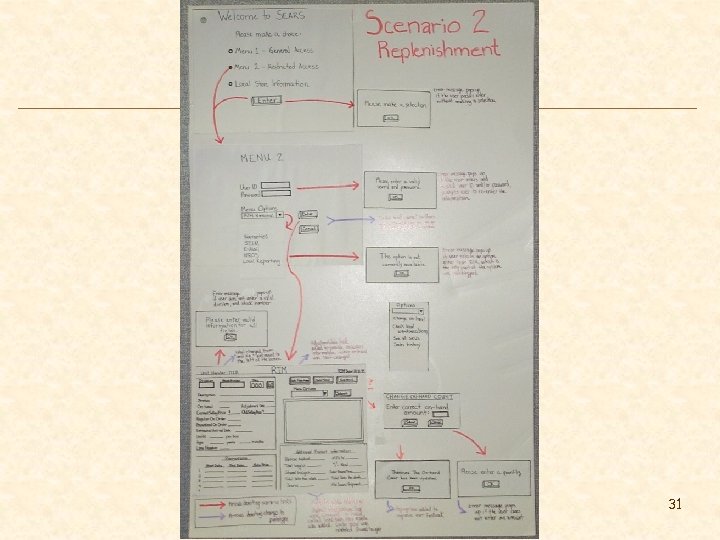
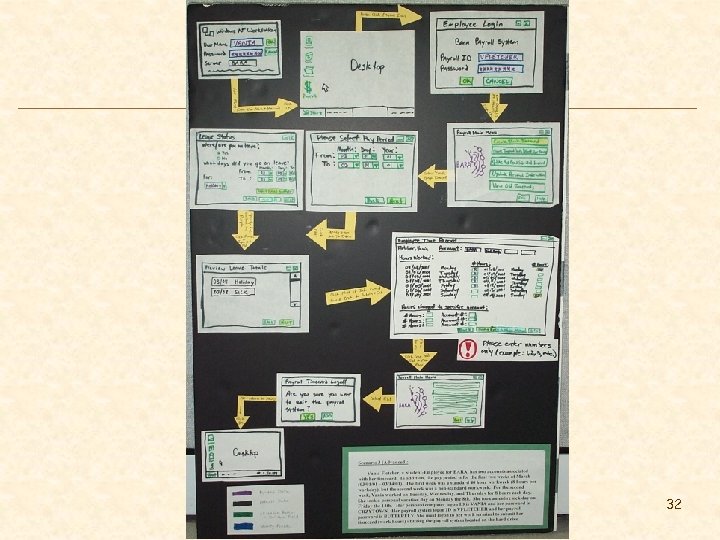
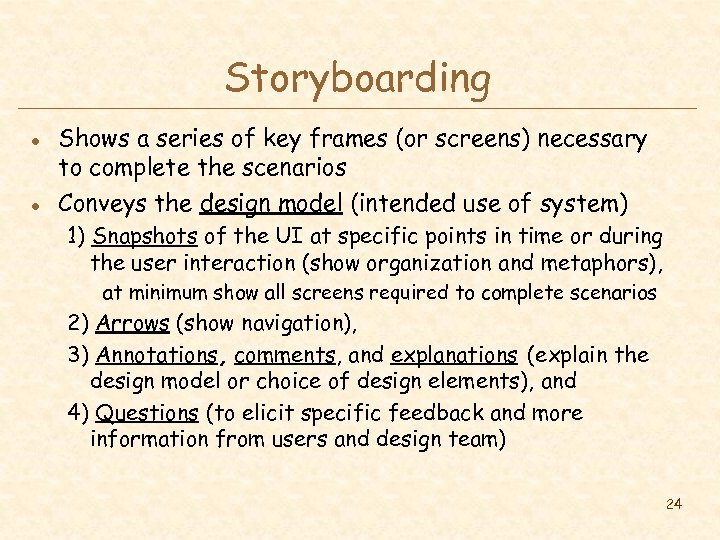 Storyboarding l l Shows a series of key frames (or screens) necessary to complete the scenarios Conveys the design model (intended use of system) 1) Snapshots of the UI at specific points in time or during the user interaction (show organization and metaphors), at minimum show all screens required to complete scenarios 2) Arrows (show navigation), 3) Annotations, comments, and explanations (explain the design model or choice of design elements), and 4) Questions (to elicit specific feedback and more information from users and design team) 24
 25
25
 26
26
 27
27
 More Examples 28
 29
29
 30
30
 31
31
 32
32
 Sketching Tools l l l Pen and paper Visio and Smartdraw Drawing tools – Microsoft Access – Microsoft Paint – Microsoft Word, Power. Point, Excel, etc. » “Tools” menu option “Customize…” “Control Toolbox”, “Drawing”, “Formatting”, and “Tables and Borders” 33
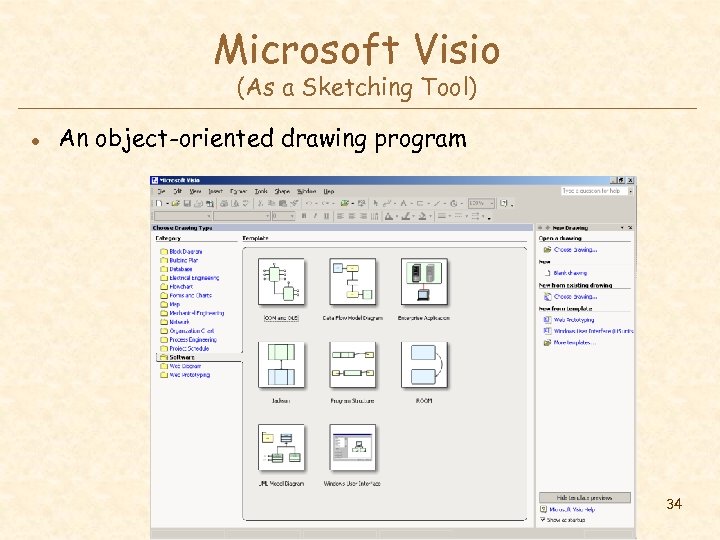 Microsoft Visio (As a Sketching Tool) l An object-oriented drawing program 34
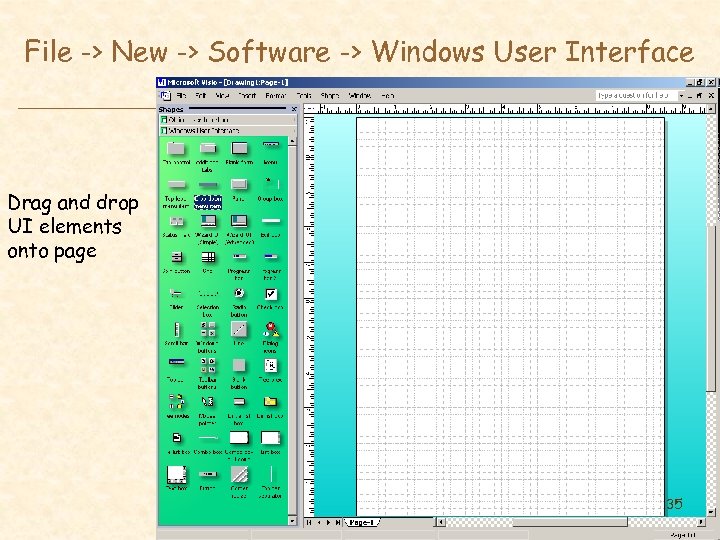 File -> New -> Software -> Windows User Interface Drag and drop UI elements onto page 35
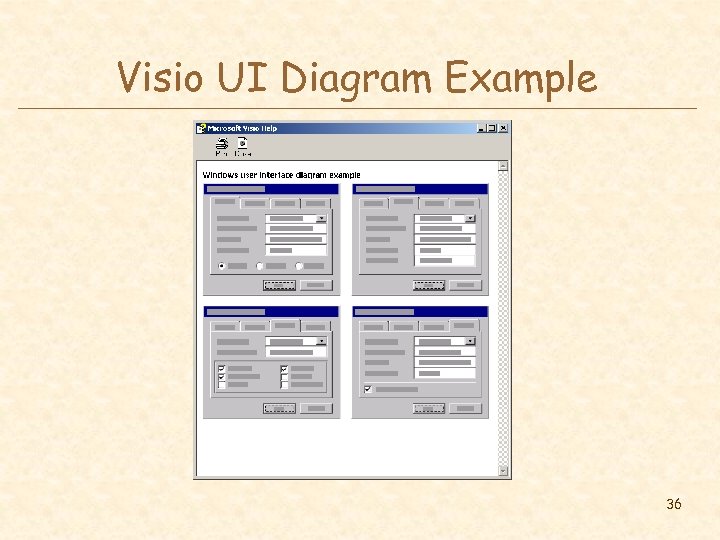 Visio UI Diagram Example 36
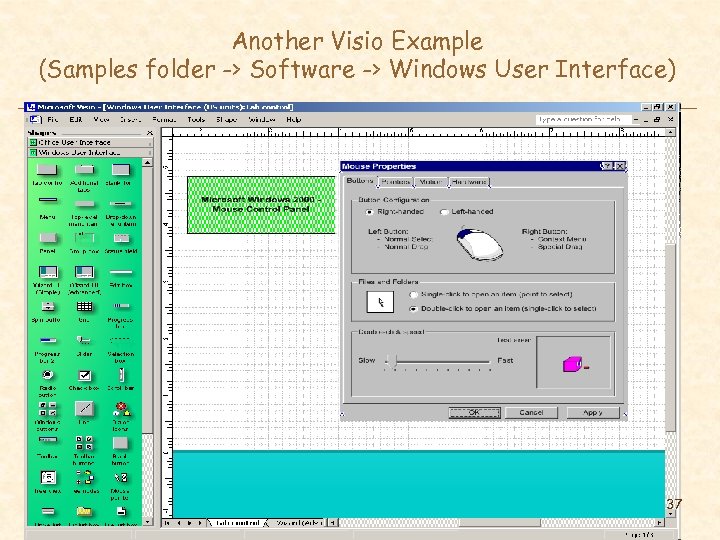 Another Visio Example (Samples folder -> Software -> Windows User Interface) 37
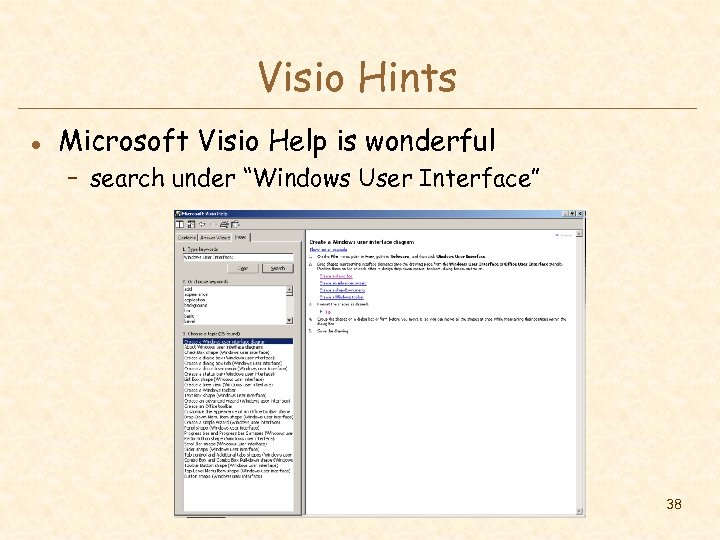 Visio Hints l Microsoft Visio Help is wonderful – search under “Windows User Interface” 38
 More Visio Hints (Setting Properties to UI Elements) l l Right-click on the object (i. e. UI element) to get options Tabs example – creating a tab control (with multiple tabs) and setting a tab as the active tab l Menu example – highlight menu items, disable item, set menu item properties (cascading, checked, etc. ) l List box example – enable, disable, hide, unhide scroll bar, etc. 39
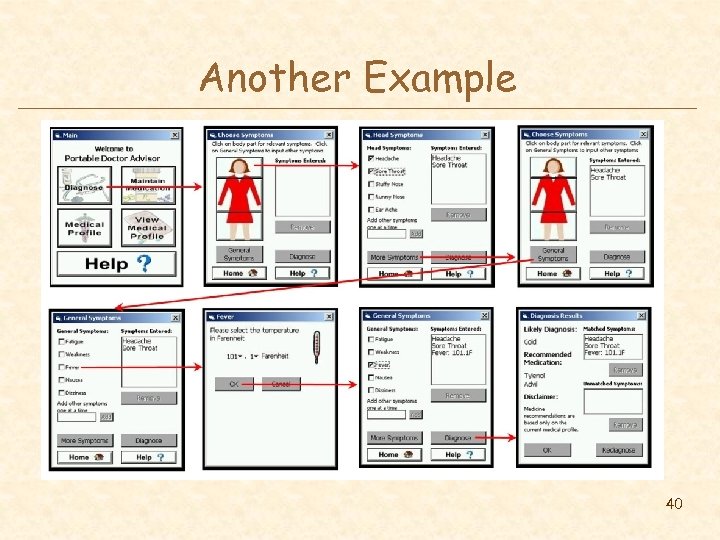 Another Example 40
 Microsoft Access 41
 What Can You Learn about the UI with Sketches? l Organization and navigation – – – are the various screens appropriate? does the layout of each screen make sense? does the sequencing of the screens make sense? is the navigation style (menu, icons, etc. ) effective? are important tasks missing? l Metaphors l Appearance and interaction – are the metaphors and mappings appropriate? – is the wording/terminology user-centered – less important at this early stage – not concerned with choice of fonts, font size, text justification, etc. 42
 Caveats of User-Centered Design Techniques l Politics – “agents of change” can cause controversy – get a sense of the organization & bond w/ interviewee – important to get buy-in from all those involved l Users are not always right – cannot anticipate new technology accurately – job is to build system users will want » not system users say they want » be very careful about this (you are outsider) u l if you can’t get users interested in your hot idea, you’re probably missing something Design forever without prototyping – rapid prototyping, evaluation, & iteration is key 43
 Summary l Answer questions before designing – who, what, where, when, how often? – other tools? when things go wrong? l Answer questions by performing a contextual inquiry – interview & observe real users – use master-apprentice model to get them to teach you l Create – task inventory list – scenarios of goals users want to accomplish l Sketch design ideas 44
 Next Time l Interface metaphors and conceptual models – reading 45