 Скачать презентацию Tables Tables provide a means of organising
189817129e9bbb681213155e686652f2.ppt
- Количество слайдов: 27



Tables • Tables provide a means of organising the layout of data • A table is divided into rows and columns: these specify the cells of the table • Cells can contain text, images, links, other tables. . . • Tables can also be used for organising the layout of the web page itself. BSc CM 0133 Internet Computing
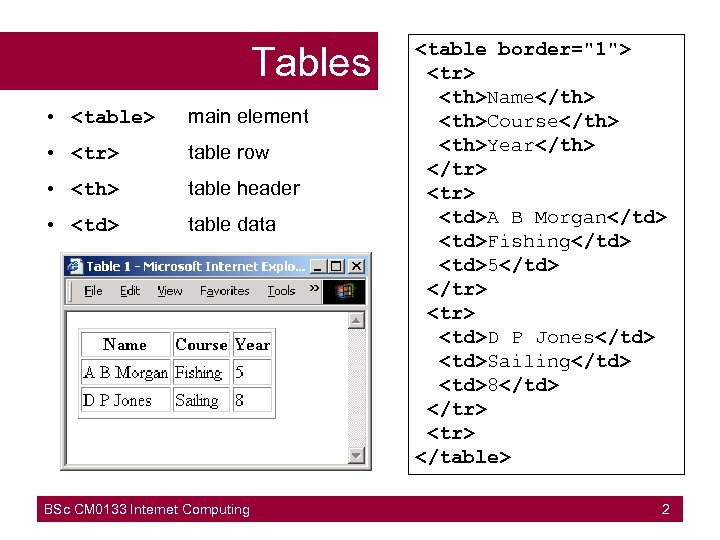
Tables • <table> main element • <tr> table row • <th> table header • <td> table data BSc CM 0133 Internet Computing <table border="1"> <tr> <th>Name</th> <th>Course</th> <th>Year</th> </tr> <td>A B Morgan</td> <td>Fishing</td> <td>5</td> </tr> <td>D P Jones</td> <td>Sailing</td> <td>8</td> </tr> </table> 2
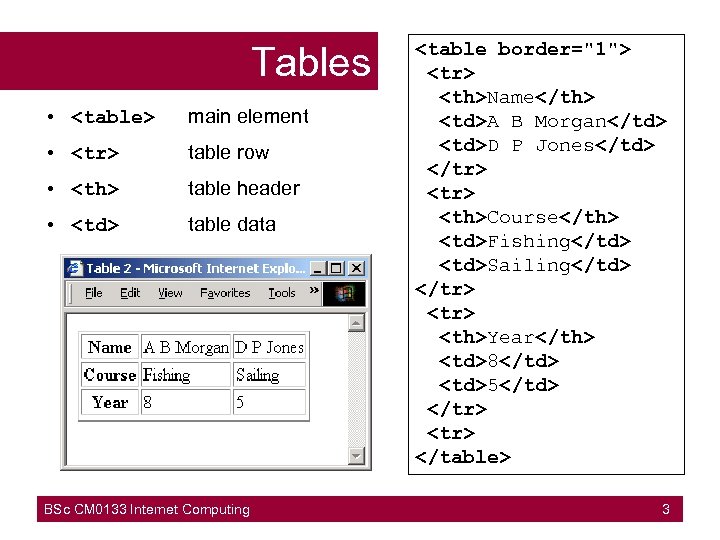
Tables • <table> main element • <tr> table row • <th> table header • <td> table data BSc CM 0133 Internet Computing <table border="1"> <tr> <th>Name</th> <td>A B Morgan</td> <td>D P Jones</td> </tr> <th>Course</th> <td>Fishing</td> <td>Sailing</td> </tr> <th>Year</th> <td>8</td> <td>5</td> </tr> </table> 3
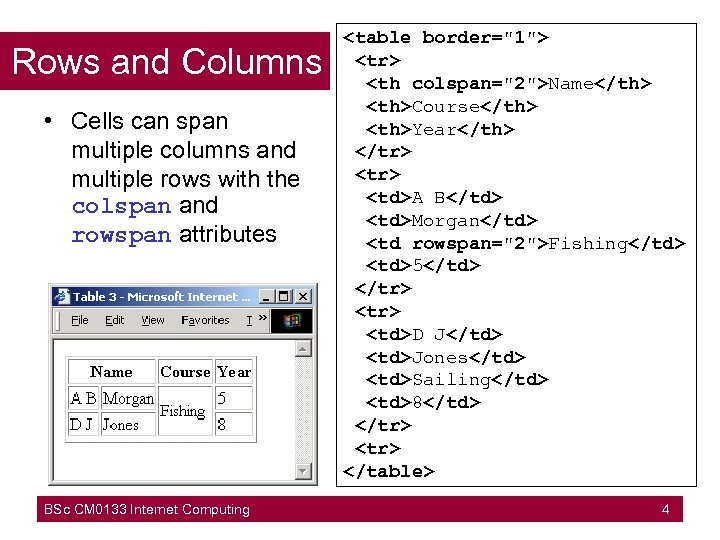
Rows and Columns • Cells can span multiple columns and multiple rows with the colspan and rowspan attributes BSc CM 0133 Internet Computing <table border="1"> <tr> <th colspan="2">Name</th> <th>Course</th> <th>Year</th> </tr> <td>A B</td> <td>Morgan</td> <td rowspan="2">Fishing</td> <td>5</td> </tr> <td>D J</td> <td>Jones</td> <td>Sailing</td> <td>8</td> </tr> </table> 4
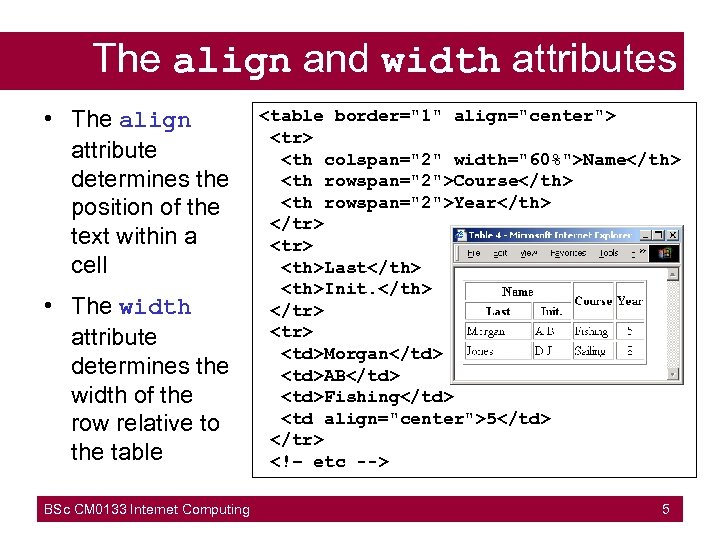
The align and width attributes • The align attribute determines the position of the text within a cell • The width attribute determines the width of the row relative to the table BSc CM 0133 Internet Computing <table border="1" align="center"> <tr> <th colspan="2" width="60%">Name</th> <th rowspan="2">Course</th> <th rowspan="2">Year</th> </tr> <th>Last</th> <th>Init. </th> </tr> <td>Morgan</td> <td>AB</td> <td>Fishing</td> <td align="center">5</td> </tr> <!– etc --> 5
Table attributes • • • alignment relative to the page width in pixels or percentage of page width border - width of border (pixels) cellspacing separation between cells (pixels) cellpadding - space around data inside cell (pixels) bgcolor - background colour (inside cells) Furthermore • The <caption> element puts a title above the table BSc CM 0133 Internet Computing
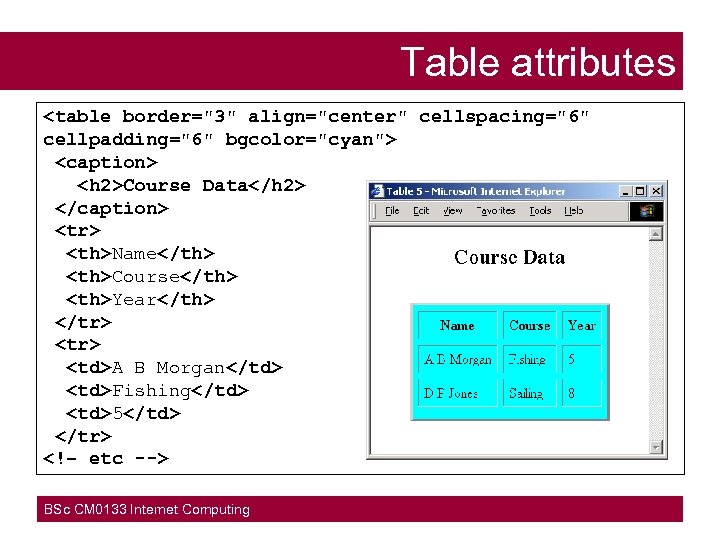
Table attributes <table border="3" align="center" cellspacing="6" cellpadding="6" bgcolor="cyan"> <caption> <h 2>Course Data</h 2> </caption> <tr> <th>Name</th> <th>Course</th> <th>Year</th> </tr> <td>A B Morgan</td> <td>Fishing</td> <td>5</td> </tr> <!– etc --> BSc CM 0133 Internet Computing
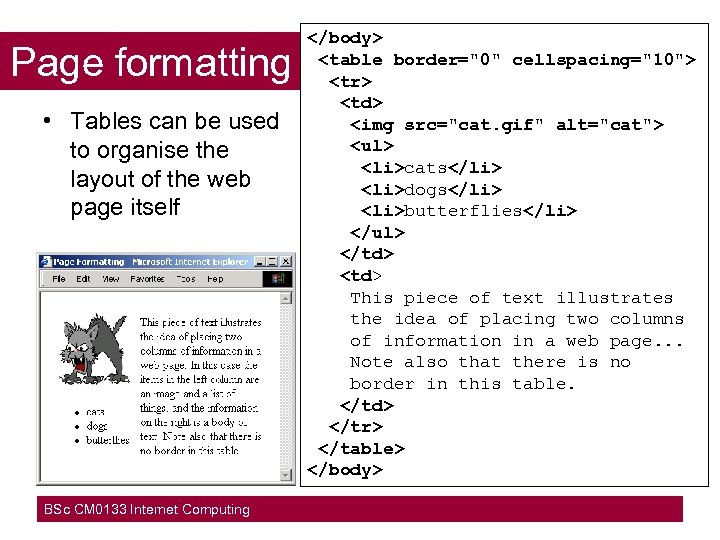
Page formatting • Tables can be used to organise the layout of the web page itself BSc CM 0133 Internet Computing </body> <table border="0" cellspacing="10"> <tr> <td> <img src="cat. gif" alt="cat"> <ul> <li>cats</li> <li>dogs</li> <li>butterflies</li> </ul> </td> <td> This piece of text illustrates the idea of placing two columns of information in a web page. . . Note also that there is no border in this table. </td> </tr> </table> </body>
Frames and Framesets • A frameset partitions a web browser window so that multiple web documents can be displayed simultaneously. • Example application: To maintain a permanently visible directory of links within your site, while also displaying one or more selected documents from the site. – otherwise the directory of links must appear on every page, and this scrolls up with the page • Note: framesets can cause problems for bookmarking and for "screen readers" (for visually-impaired users) BSc CM 0133 Internet Computing
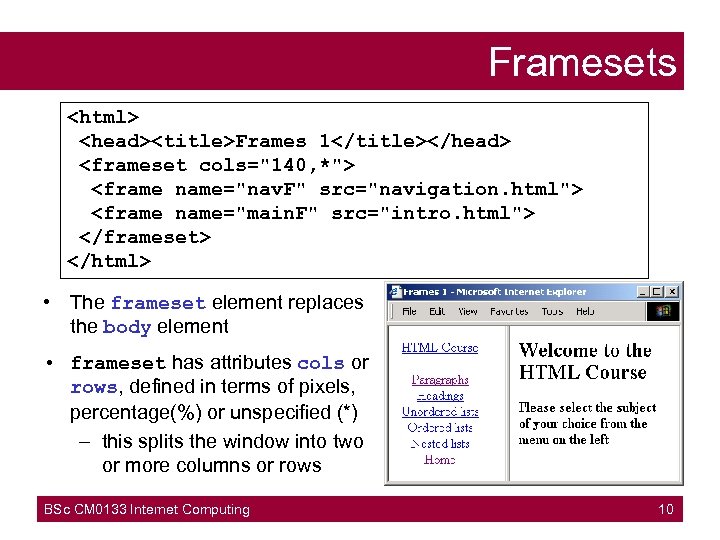
Framesets <html> <head><title>Frames 1</title></head> <frameset cols="140, *"> <frame name="nav. F" src="navigation. html"> <frame name="main. F" src="intro. html"> </frameset> </html> • The frameset element replaces the body element • frameset has attributes cols or rows, defined in terms of pixels, percentage(%) or unspecified (*) – this splits the window into two or more columns or rows BSc CM 0133 Internet Computing 10
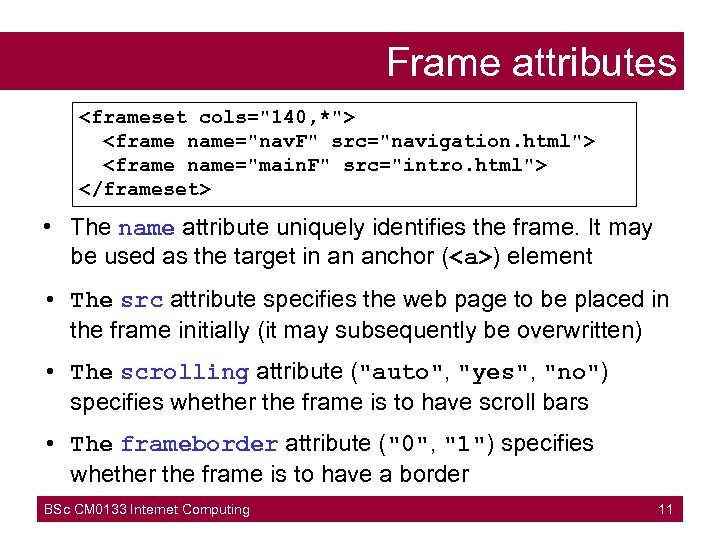
Frame attributes <frameset cols="140, *"> <frame name="nav. F" src="navigation. html"> <frame name="main. F" src="intro. html"> </frameset> • The name attribute uniquely identifies the frame. It may be used as the target in an anchor (<a>) element • The src attribute specifies the web page to be placed in the frame initially (it may subsequently be overwritten) • The scrolling attribute ("auto", "yes", "no") specifies whether the frame is to have scroll bars • The frameborder attribute ("0", "1") specifies whether the frame is to have a border BSc CM 0133 Internet Computing 11
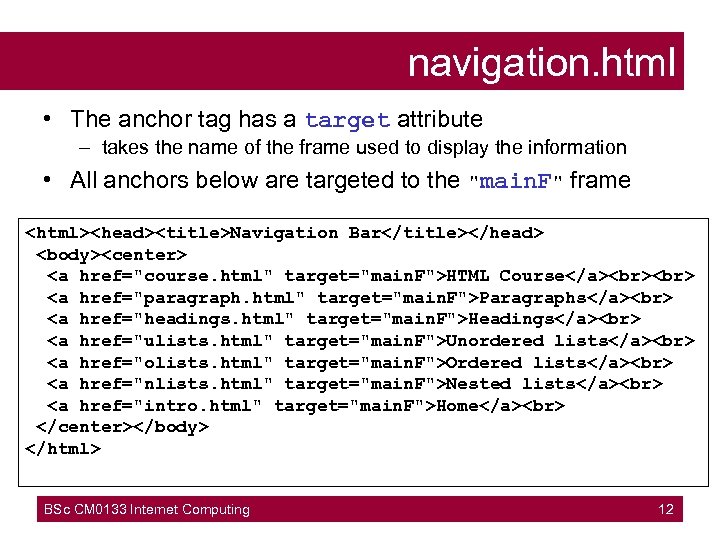
navigation. html • The anchor tag has a target attribute – takes the name of the frame used to display the information • All anchors below are targeted to the "main. F" frame <html><head><title>Navigation Bar</title></head> <body><center> <a href="course. html" target="main. F">HTML Course</a> <a href="paragraph. html" target="main. F">Paragraphs</a> <a href="headings. html" target="main. F">Headings</a> <a href="ulists. html" target="main. F">Unordered lists</a> <a href="olists. html" target="main. F">Ordered lists</a> <a href="nlists. html" target="main. F">Nested lists</a> <a href="intro. html" target="main. F">Home</a> </center></body> </html> BSc CM 0133 Internet Computing 12
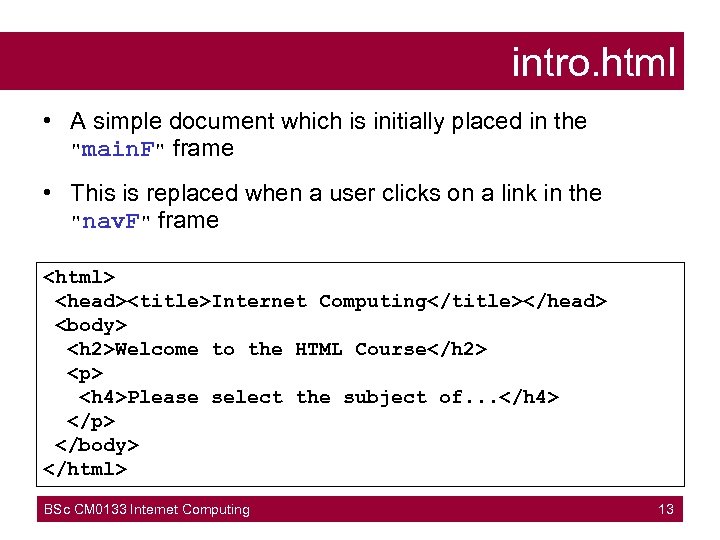
intro. html • A simple document which is initially placed in the "main. F" frame • This is replaced when a user clicks on a link in the "nav. F" frame <html> <head><title>Internet Computing</title></head> <body> <h 2>Welcome to the HTML Course</h 2> <p> <h 4>Please select the subject of. . . </h 4> </p> </body> </html> BSc CM 0133 Internet Computing 13
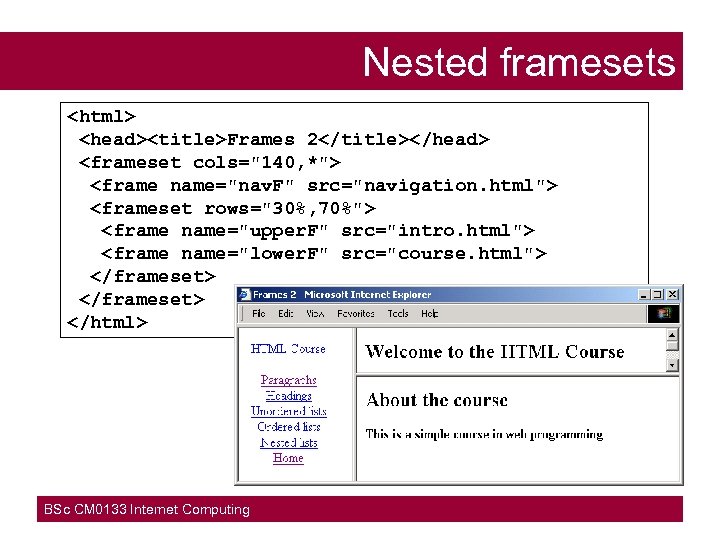
Nested framesets <html> <head><title>Frames 2</title></head> <frameset cols="140, *"> <frame name="nav. F" src="navigation. html"> <frameset rows="30%, 70%"> <frame name="upper. F" src="intro. html"> <frame name="lower. F" src="course. html"> </frameset> </html> BSc CM 0133 Internet Computing
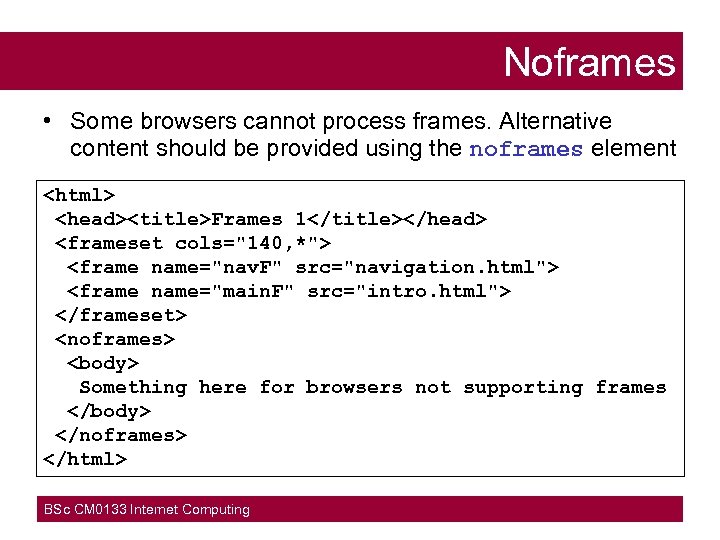
Noframes • Some browsers cannot process frames. Alternative content should be provided using the noframes element <html> <head><title>Frames 1</title></head> <frameset cols="140, *"> <frame name="nav. F" src="navigation. html"> <frame name="main. F" src="intro. html"> </frameset> <noframes> <body> Something here for browsers not supporting frames </body> </noframes> </html> BSc CM 0133 Internet Computing
Forms • Forms are user interfaces for data input • Main application: to provide user input for – programs and databases located on a web server – local (client-side) scripts associated with the form • Server-based programs may return data to the client as a web page • Client-side scripts can read input data – To validate the data, prior to sending to server – To use in local processing which may output web page content that is displayed on the client BSc CM 0133 Internet Computing
Example applications • Questionnaires to provide feedback on a web site • e-commerce, to enter name, address, details of purchase and credit-card number – – request brochures from a company make a booking for holiday, cinema etc. buy a book, cd, etc obtain a map giving directions to a shop • Run a database query and receive results (an important part of e-commerce) BSc CM 0133 Internet Computing
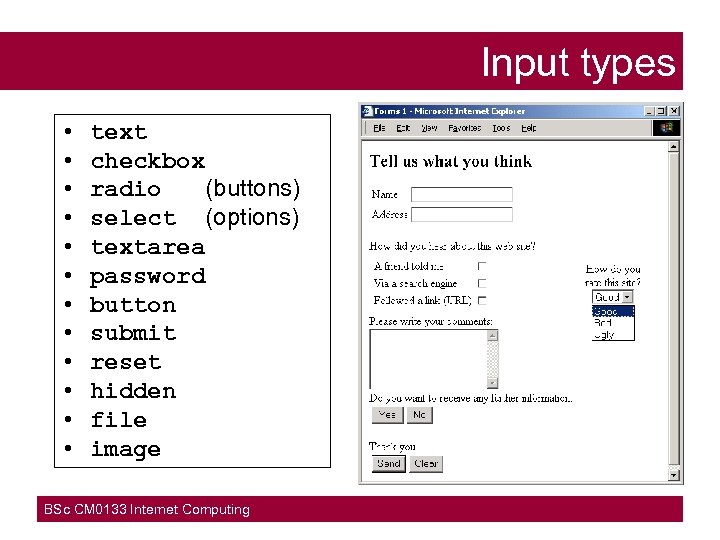
Input types • • • text checkbox radio (buttons) select (options) textarea password button submit reset hidden file image BSc CM 0133 Internet Computing
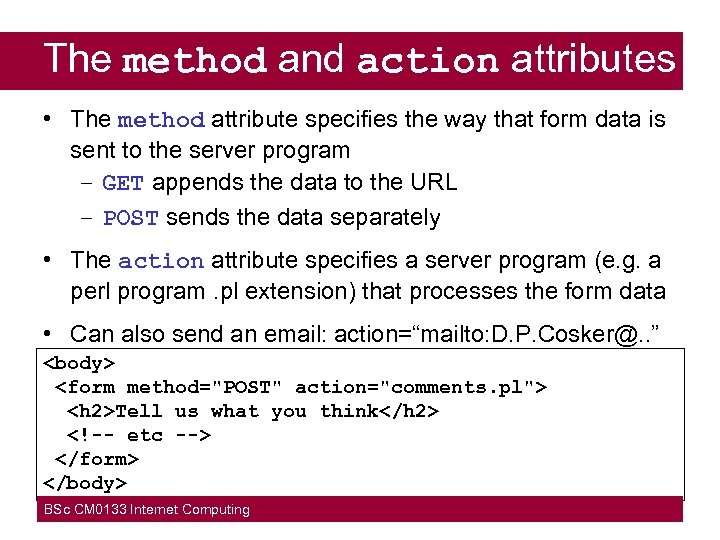
The method and action attributes • The method attribute specifies the way that form data is sent to the server program – GET appends the data to the URL – POST sends the data separately • The action attribute specifies a server program (e. g. a perl program. pl extension) that processes the form data • Can also send an email: action=“mailto: D. P. Cosker@. . ” <body> <form method="POST" action="comments. pl"> <h 2>Tell us what you think</h 2> <!-- etc --> </form> </body> BSc CM 0133 Internet Computing
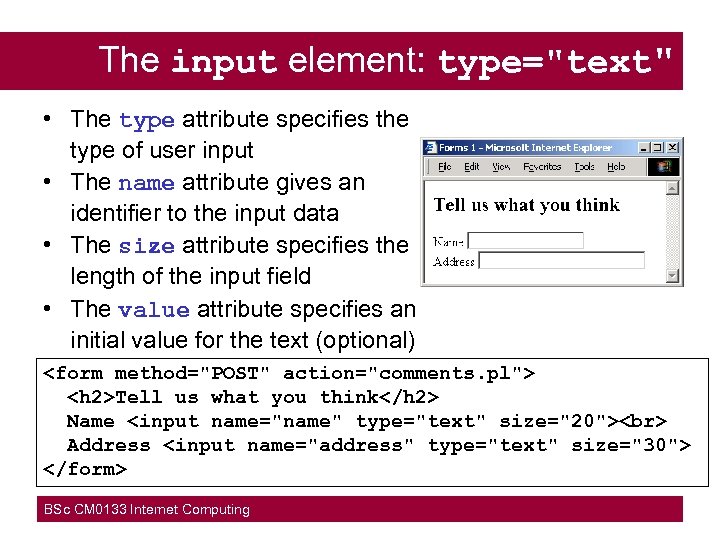
The input element: type="text" • The type attribute specifies the type of user input • The name attribute gives an identifier to the input data • The size attribute specifies the length of the input field • The value attribute specifies an initial value for the text (optional) <form method="POST" action="comments. pl"> <h 2>Tell us what you think</h 2> Name <input name="name" type="text" size="20"> Address <input name="address" type="text" size="30"> </form> BSc CM 0133 Internet Computing
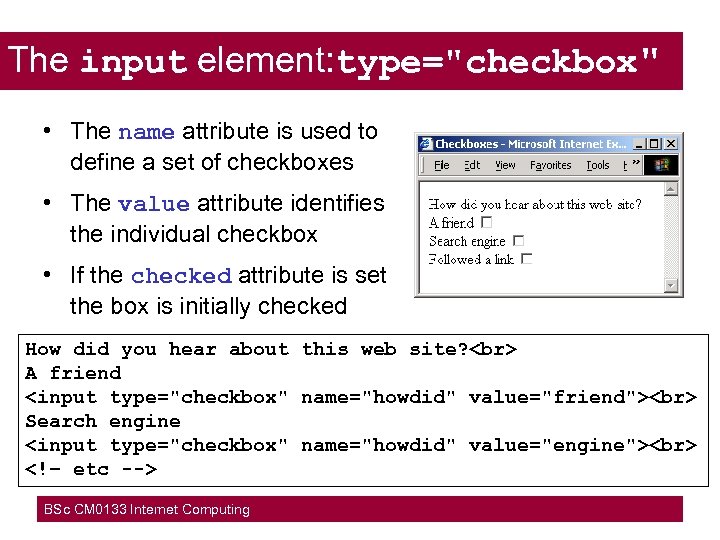
The input element: type="checkbox" • The name attribute is used to define a set of checkboxes • The value attribute identifies the individual checkbox • If the checked attribute is set the box is initially checked How did you hear about this web site? A friend <input type="checkbox" name="howdid" value="friend"> Search engine <input type="checkbox" name="howdid" value="engine"> <!– etc --> BSc CM 0133 Internet Computing
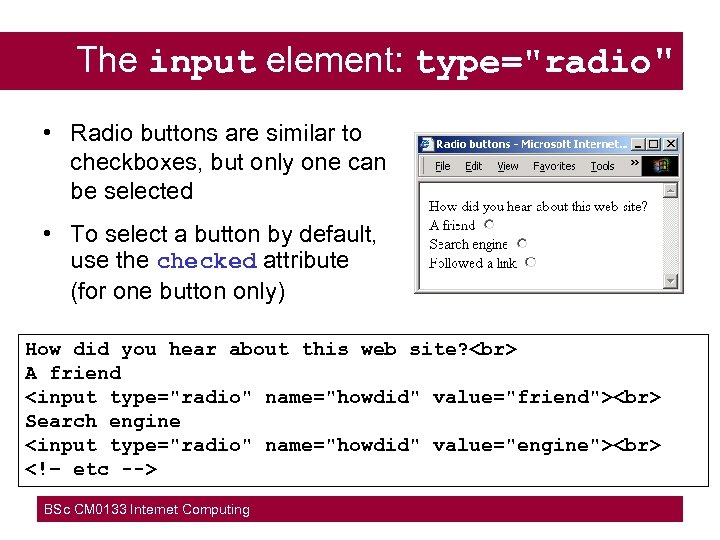
The input element: type="radio" • Radio buttons are similar to checkboxes, but only one can be selected • To select a button by default, use the checked attribute (for one button only) How did you hear about this web site? A friend <input type="radio" name="howdid" value="friend"> Search engine <input type="radio" name="howdid" value="engine"> <!– etc --> BSc CM 0133 Internet Computing
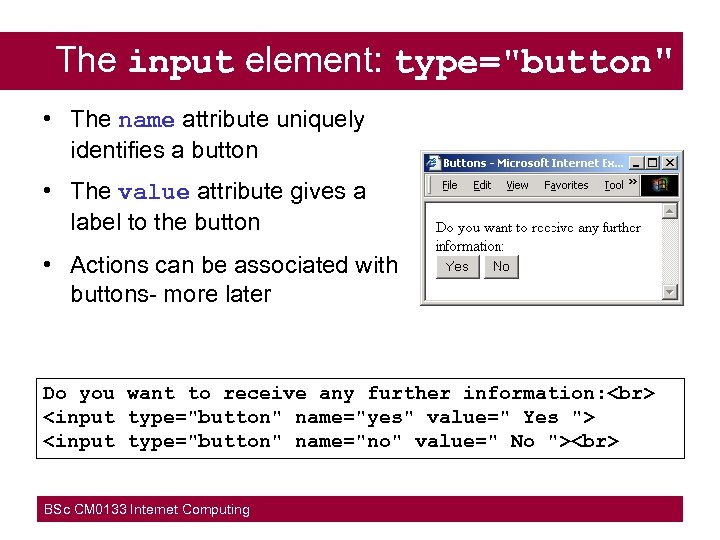
The input element: type="button" • The name attribute uniquely identifies a button • The value attribute gives a label to the button • Actions can be associated with buttons- more later Do you want to receive any further information: <input type="button" name="yes" value=" Yes "> <input type="button" name="no" value=" No "> BSc CM 0133 Internet Computing
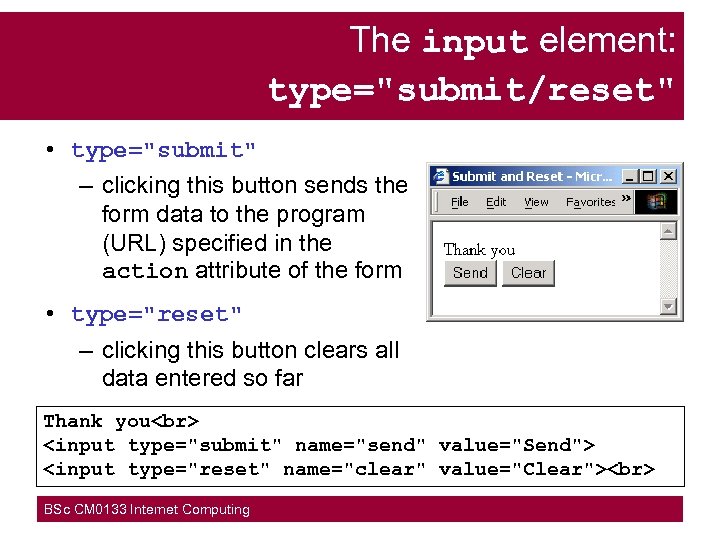
The input element: type="submit/reset" • type="submit" – clicking this button sends the form data to the program (URL) specified in the action attribute of the form • type="reset" – clicking this button clears all data entered so far Thank you <input type="submit" name="send" value="Send"> <input type="reset" name="clear" value="Clear"> BSc CM 0133 Internet Computing
The input element: type="password/file/hidden" • type="password" – similar to type="text" except that the input is echoed with asterisks (so not visible) • type="file" – provides a file dialogue box to specify a file that is sent to the server • type="hidden" – similar to text input, but the value attribute is used to specify data that is to be sent to the server. Nothing appears on the screen. – The data might be set by a server program to keep track of the details of a particular transaction. BSc CM 0133 Internet Computing
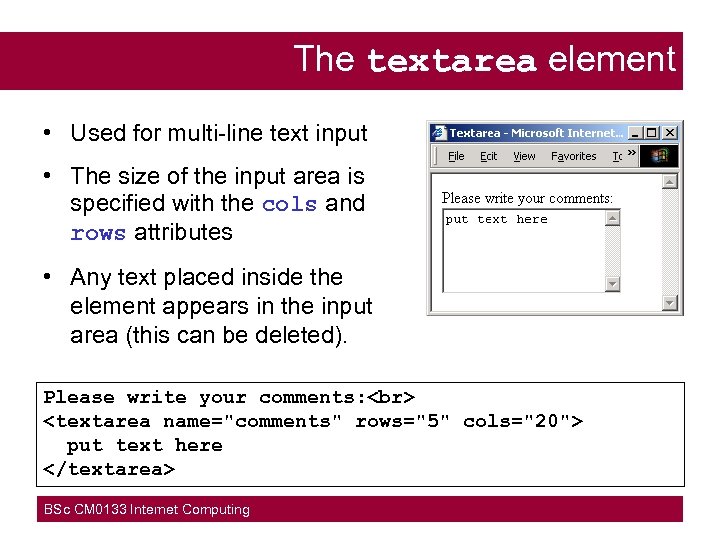
The textarea element • Used for multi-line text input • The size of the input area is specified with the cols and rows attributes • Any text placed inside the element appears in the input area (this can be deleted). Please write your comments: <textarea name="comments" rows="5" cols="20"> put text here </textarea> BSc CM 0133 Internet Computing
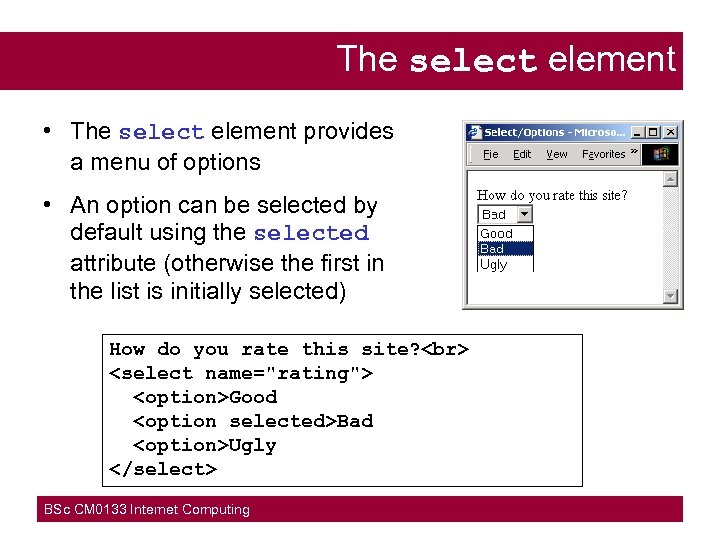
The select element • The select element provides a menu of options • An option can be selected by default using the selected attribute (otherwise the first in the list is initially selected) How do you rate this site? <select name="rating"> <option>Good <option selected>Bad <option>Ugly </select> BSc CM 0133 Internet Computing
Скачать презентацию Tables Tables provide a means of organising
189817129e9bbb681213155e686652f2.ppt