


Tables
![• HTML tables – present information in rows and columns [data cells] –](https://present5.com/presentation/5442587_132558843/image-2.jpg "• HTML tables – present information in rows and columns [data cells] –")
• HTML tables – present information in rows and columns [data cells] – often used for positioning and aligning elements within a page – Table tags include: • <table> - main container for the entire table • <caption> - a heading above the actual table • <tr> - table row - each row is divided into data cells using <td> • <th> - table header. -All major browsers display the text in the <th> element as bold and centered. • <td> - table data (cell) » [Column] - can contain text, links, images, lists, forms, other tables, etc.
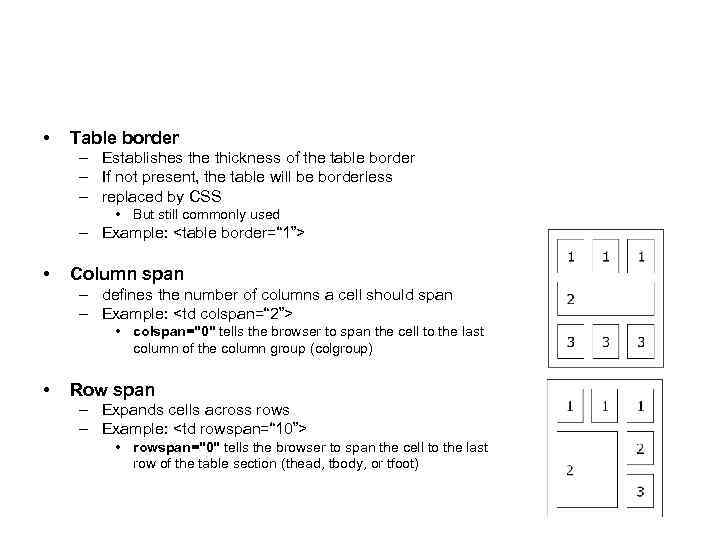
• Table border – Establishes the thickness of the table border – If not present, the table will be borderless – replaced by CSS • But still commonly used – Example: <table border=“ 1”> • Column span – defines the number of columns a cell should span – Example: <td colspan=“ 2”> • colspan="0" tells the browser to span the cell to the last column of the column group (colgroup) • Row span – Expands cells across rows – Example: <td rowspan=“ 10”> • rowspan="0" tells the browser to span the cell to the last row of the table section (thead, tbody, or tfoot)
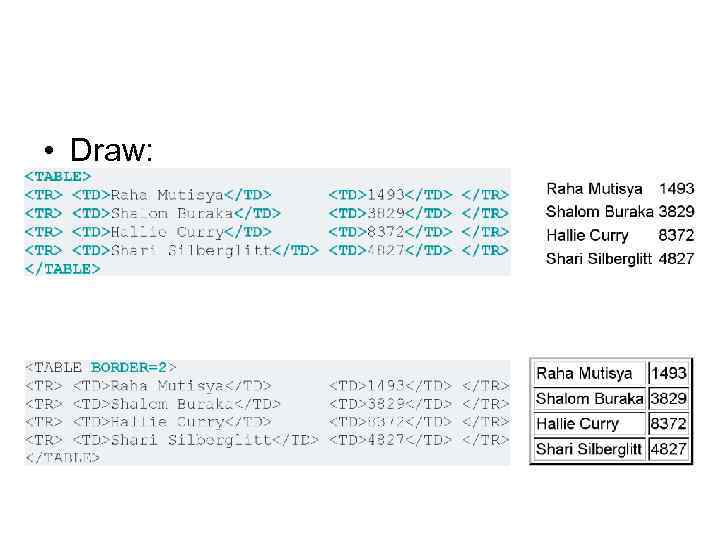
• Draw:
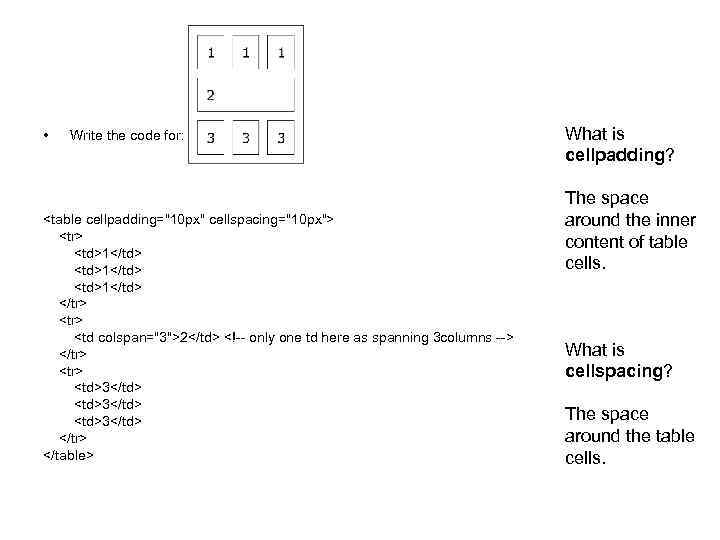
• Write the code for: <table cellpadding="10 px" cellspacing="10 px"> <tr> <td>1</td> </tr> <td colspan="3">2</td> <!-- only one td here as spanning 3 columns --> </tr> <td>3</td> </tr> </table> What is cellpadding? The space around the inner content of table cells. What is cellspacing? The space around the table cells.
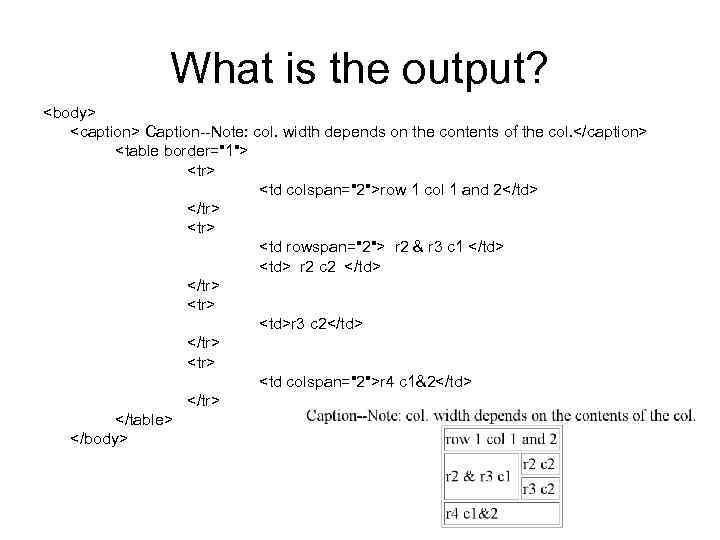
What is the output? <body> <caption> Caption--Note: col. width depends on the contents of the col. </caption> <table border="1"> <tr> <td colspan="2">row 1 col 1 and 2</td> </tr> <td rowspan="2"> r 2 & r 3 c 1 </td> <td> r 2 c 2 </td> </tr> <td>r 3 c 2</td> </tr> <td colspan="2">r 4 c 1&2</td> </tr> </table> </body>
