


 Скачать презентацию T eaching L C ondon omputing CAS London
13_14_Assembly language.pptx
- Количество слайдов: 37
 T eaching L C ondon omputing CAS London CPD Day 2016 Little Man Computer William Marsh School of Electronic Engineering and Computer Science Queen Mary University of London
 Overview and Aims • LMC is a computer simulator • … understanding how a computer work • To program the LMC, must understand: • Memory addresses • Instructions • Fetch-execute cycle • Practical exercises • What we can learn from LMC
 What is in a Computer? • Memory • CPU • I/O
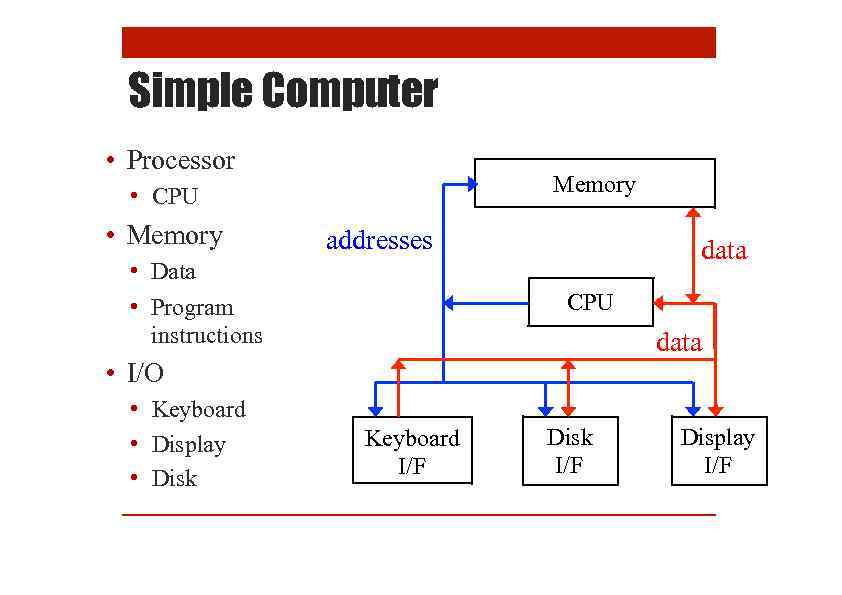 Simple Computer • Processor Memory • CPU • Memory addresses • Data • Program instructions data CPU data • I/O • Keyboard • Display • Disk Keyboard I/F Disk I/F Display I/F
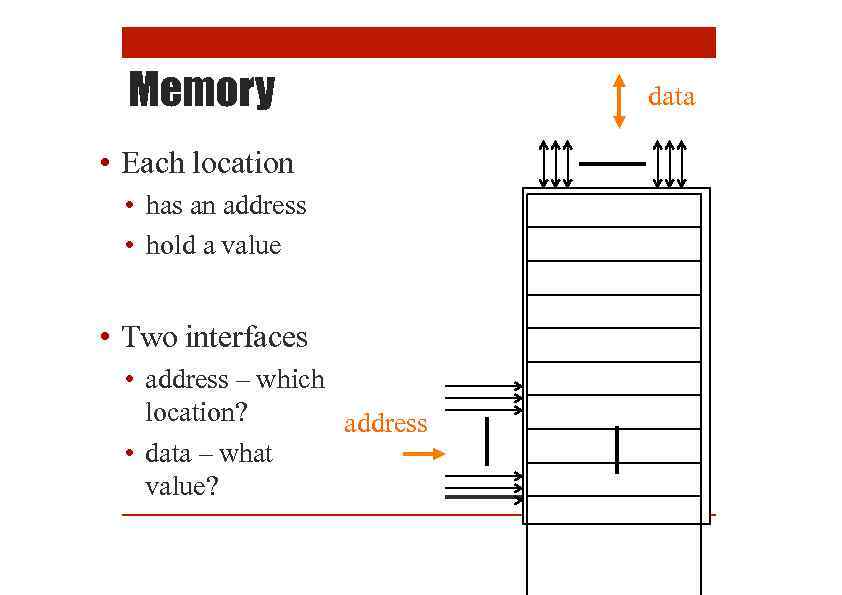 Memory • Each location • has an address • hold a value • Two interfaces • address – which location? address • data – what value? data
 Quiz – What is the Memory?
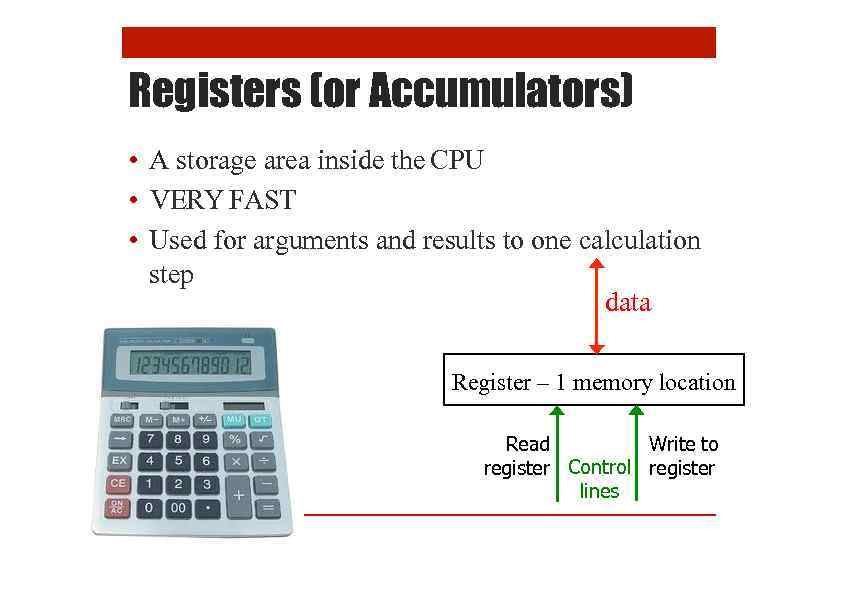 Registers (or Accumulators) • A storage area inside the CPU • VERY FAST • Used for arguments and results to one calculation step data Register – 1 memory location Read Write to register Control register lines
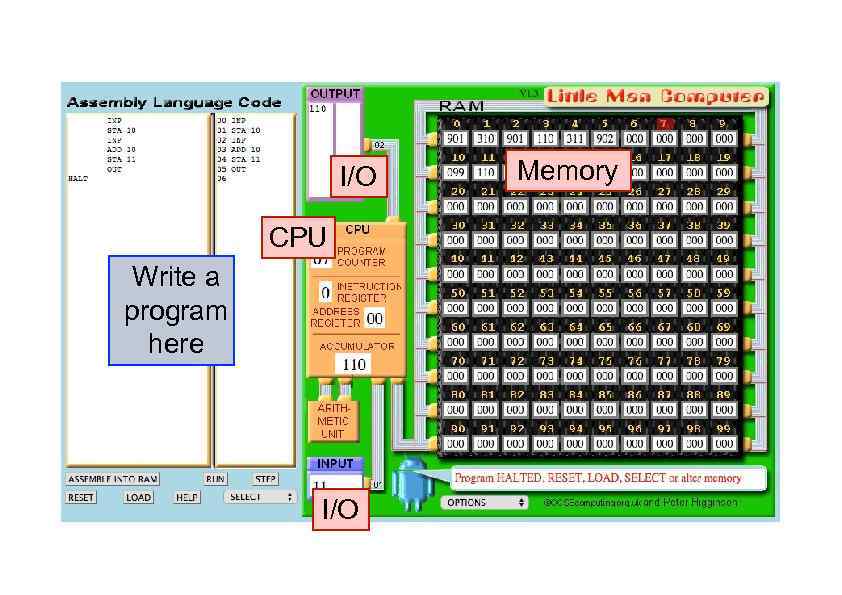 I/O CPU Write a program here I/O Memory
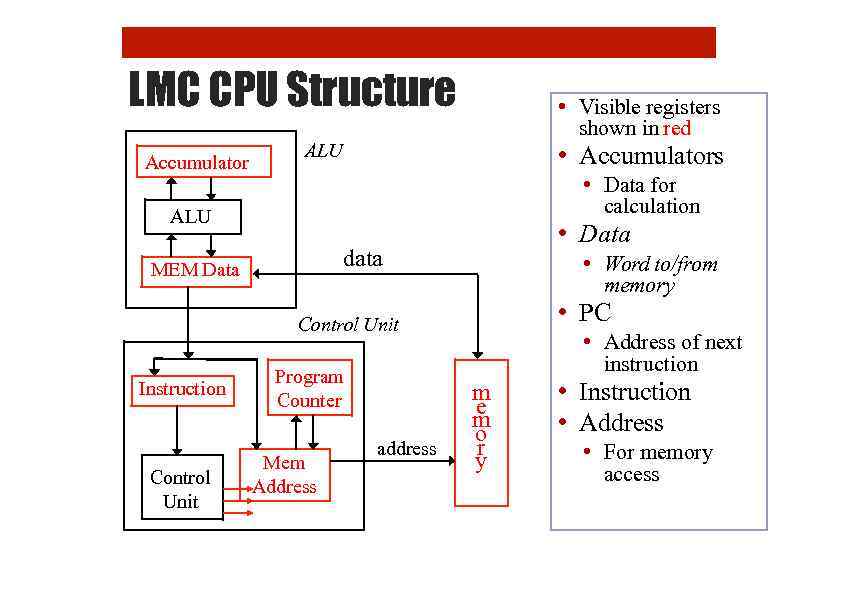 LMC CPU Structure Accumulator • Visible registers shown in red ALU • Accumulators • Data for calculation ALU • Data data MEM Data • Word to/from memory • PC Control Unit Instruction Control Unit Program Counter Mem Address address • Address of next instruction m e m o r y • Instruction • Address • For memory access
 Instructions The primitive language of a computer
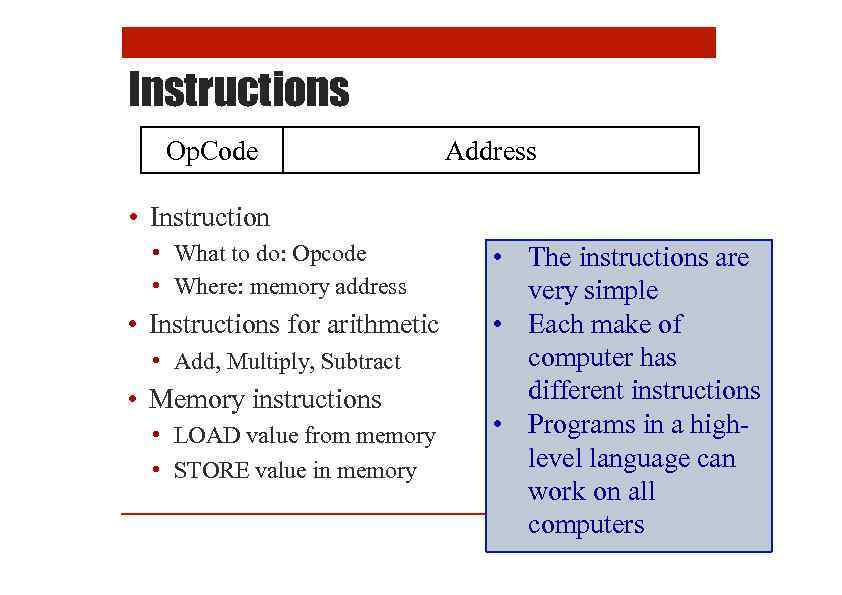 Instructions Op. Code Address • Instruction • What to do: Opcode • Where: memory address • Instructions for arithmetic • Add, Multiply, Subtract • Memory instructions • LOAD value from memory • STORE value in memory • The instructions are very simple • Each make of computer has different instructions • Programs in a highlevel language can work on all computers
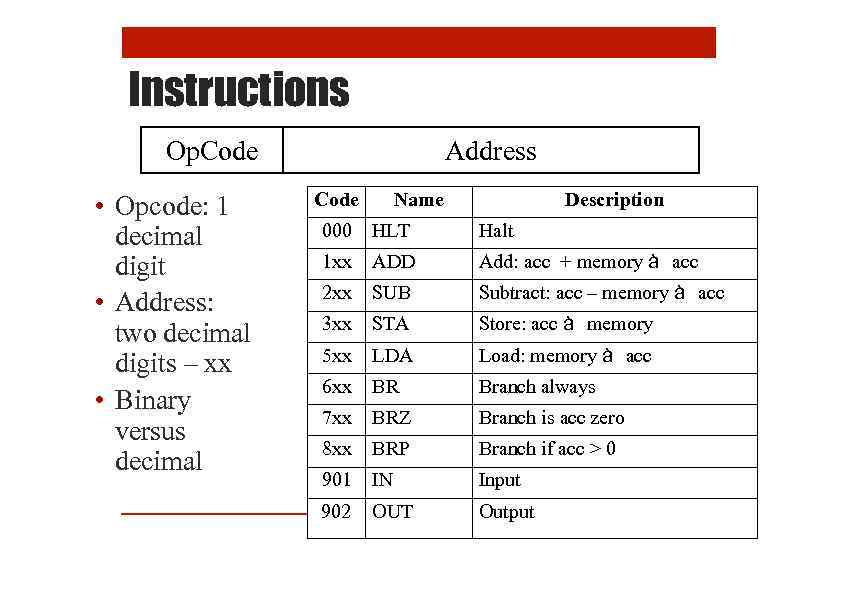 Instructions Op. Code • Opcode: 1 decimal digit • Address: two decimal digits – xx • Binary versus decimal Address Code Name Description 000 HLT Halt 1 xx ADD Add: acc + memory à acc 2 xx SUB Subtract: acc – memory à acc 3 xx STA Store: acc à memory 5 xx LDA Load: memory à acc 6 xx BR Branch always 7 xx BRZ Branch is acc zero 8 xx BRP Branch if acc > 0 901 IN Input 902 OUT Output
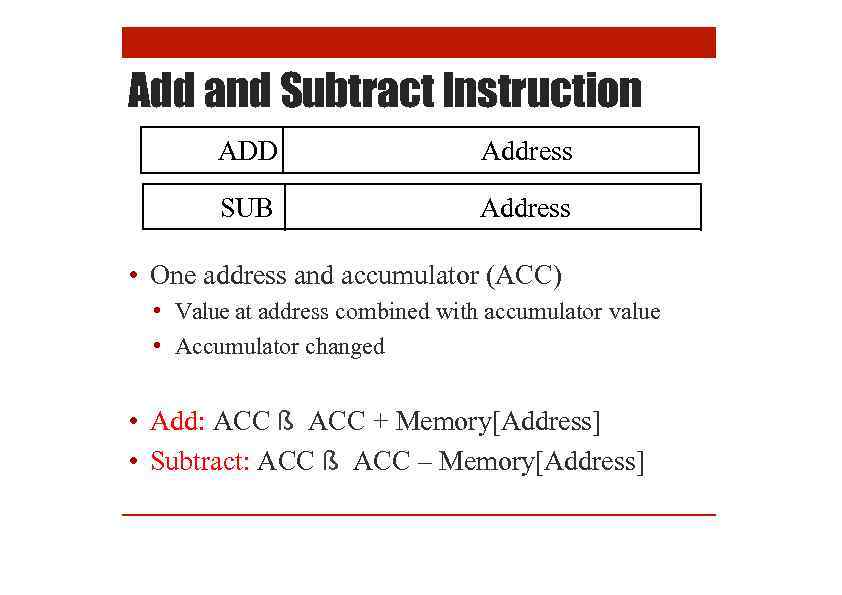 Add and Subtract Instruction ADD Address SUB Address • One address and accumulator (ACC) • Value at address combined with accumulator value • Accumulator changed • Add: ACC ß ACC + Memory[Address] • Subtract: ACC ß ACC – Memory[Address]
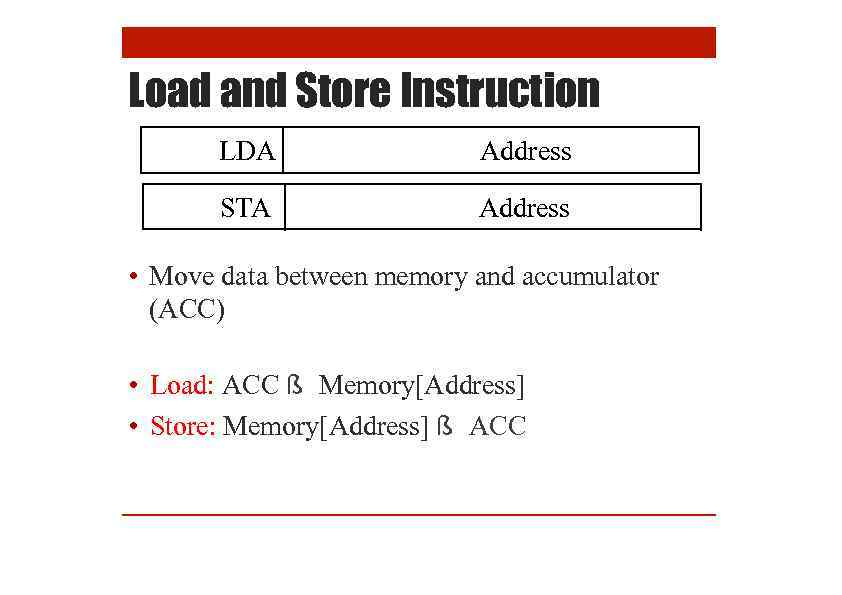 Load and Store Instruction LDA Address STA Address • Move data between memory and accumulator (ACC) • Load: ACC ß Memory[Address] • Store: Memory[Address] ß ACC
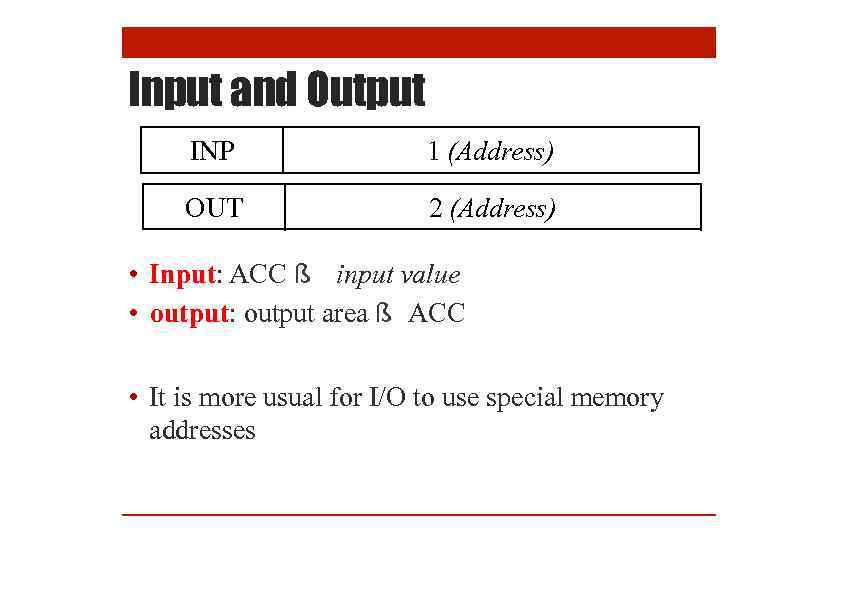 Input and Output INP 1 (Address) OUT 2 (Address) • Input: ACC ß input value • output: output area ß ACC • It is more usual for I/O to use special memory addresses
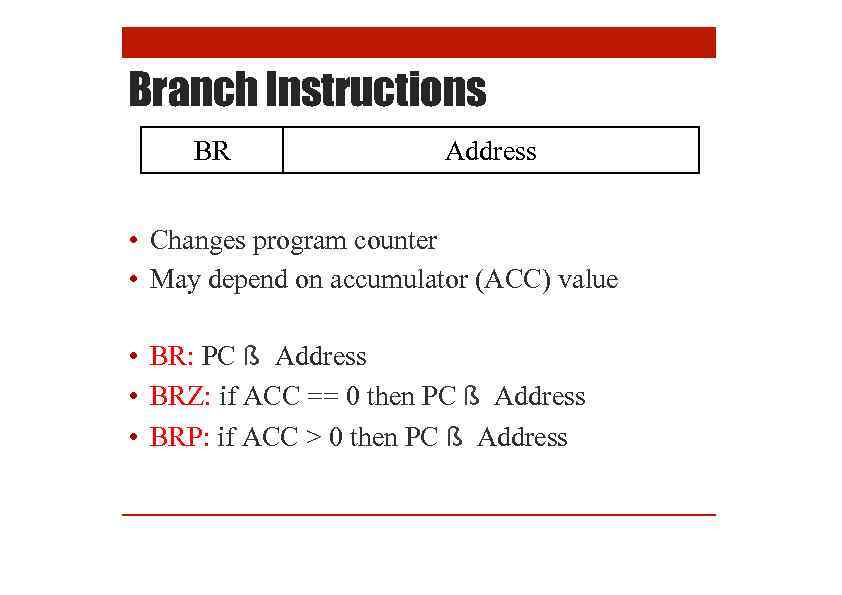 Branch Instructions BR Address • Changes program counter • May depend on accumulator (ACC) value • BR: PC ß Address • BRZ: if ACC == 0 then PC ß Address • BRP: if ACC > 0 then PC ß Address
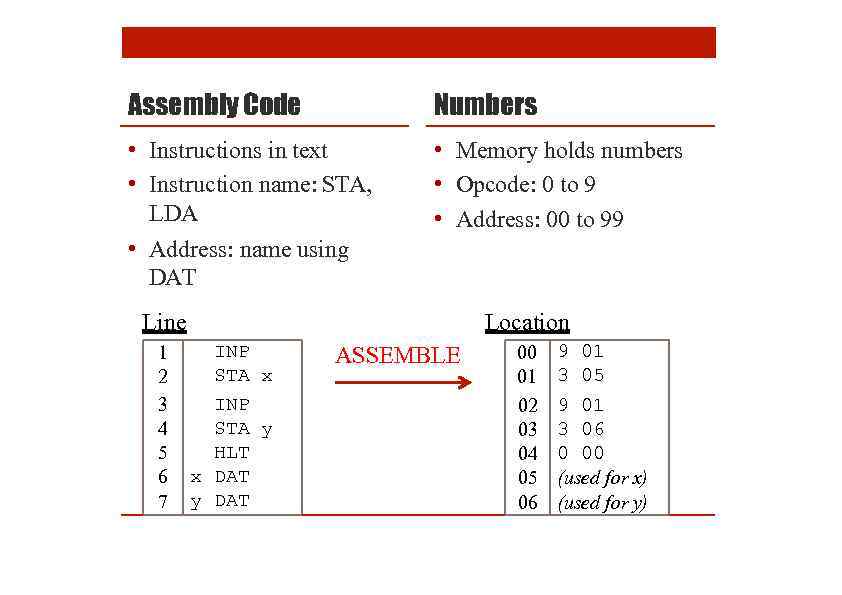 Assembly Code Numbers • Instructions in text • Instruction name: STA, LDA • Address: name using DAT • Memory holds numbers • Opcode: 0 to 9 • Address: 00 to 99 Line 1 2 3 4 5 6 7 Location INP STA x INP STA y HLT x DAT y DAT ASSEMBLE 00 01 02 03 04 05 06 9 01 3 05 9 01 3 06 0 00 (used for x) (used for y)
 LMC Example
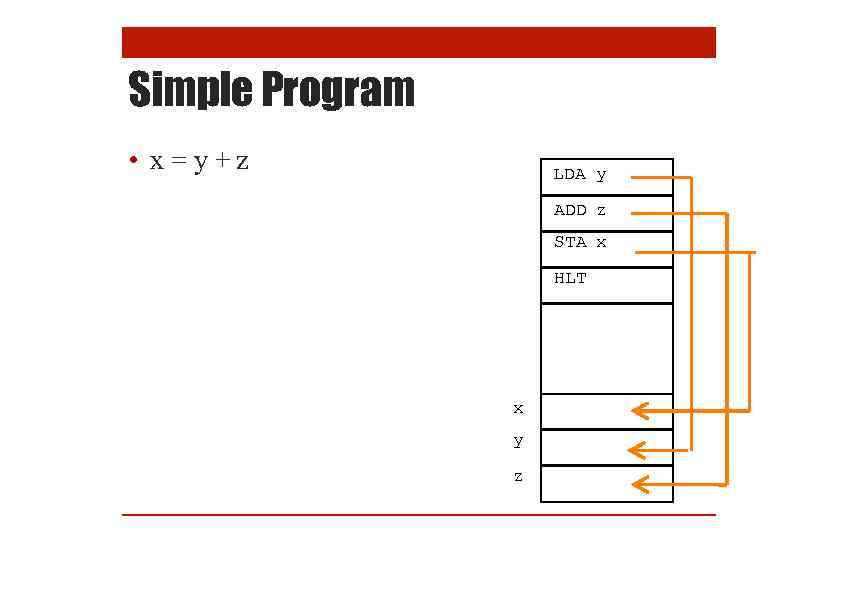 Simple Program • x=y+z LDA y ADD z STA x HLT x y z
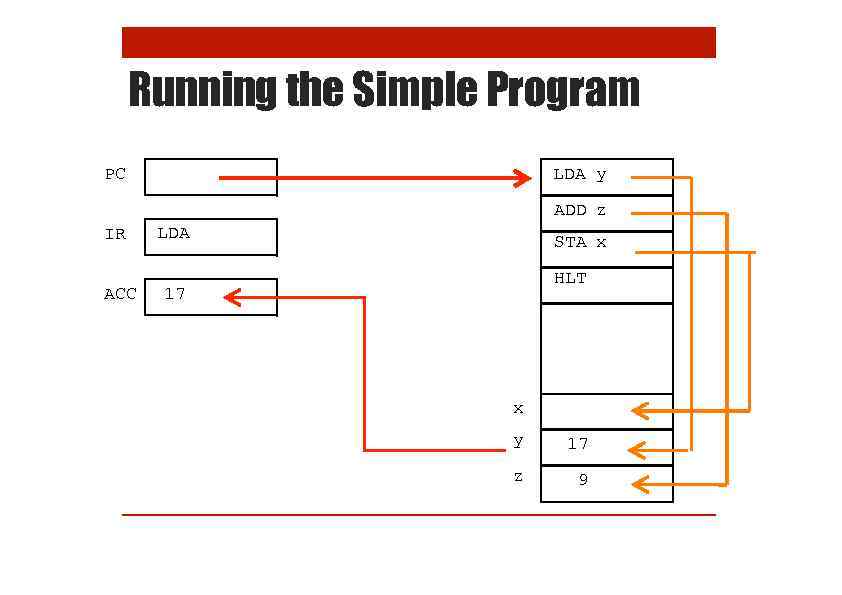 Running the Simple Program LDA y PC ADD z IR ACC LDA STA x HLT 17 x y 17 z 9
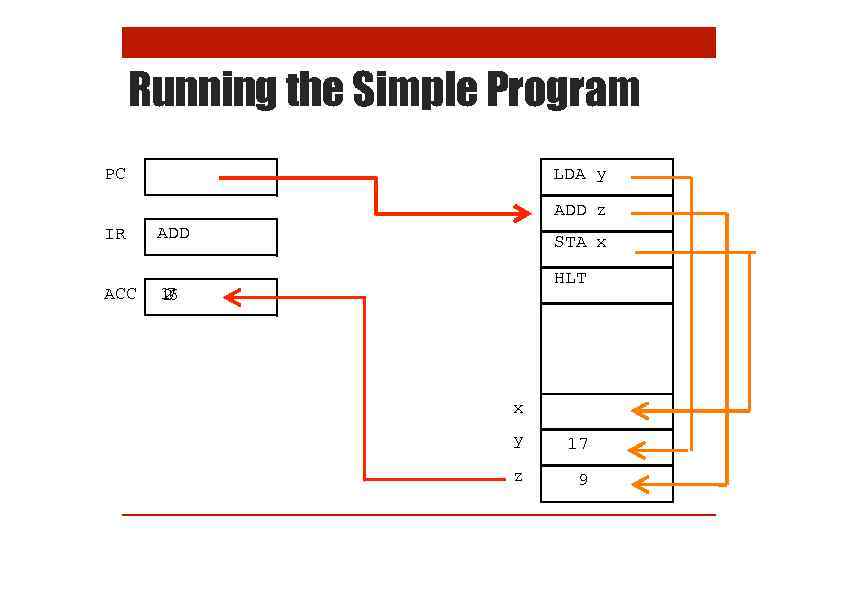 Running the Simple Program LDA y PC ADD z IR ACC ADD STA x HLT 16 7 2 x y 17 z 9
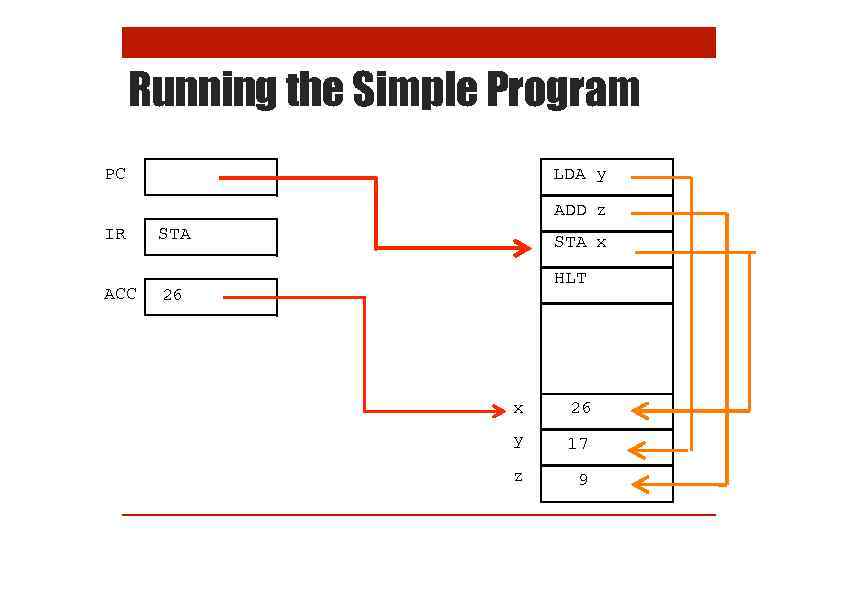 Running the Simple Program LDA y PC ADD z IR ACC STA x HLT 26 x 26 y 17 z 9
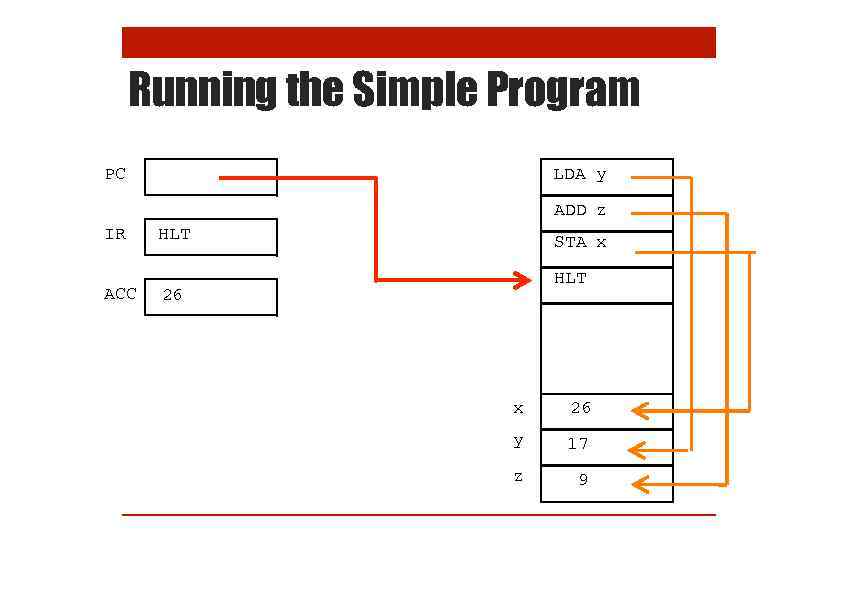 Running the Simple Program LDA y PC ADD z IR ACC HLT STA x HLT 26 x 26 y 17 z 9
 Practice Exercises • Try the first three exercises on the practical sheet
 Fetch-Execute Cycle How the Computer Processes Instructions
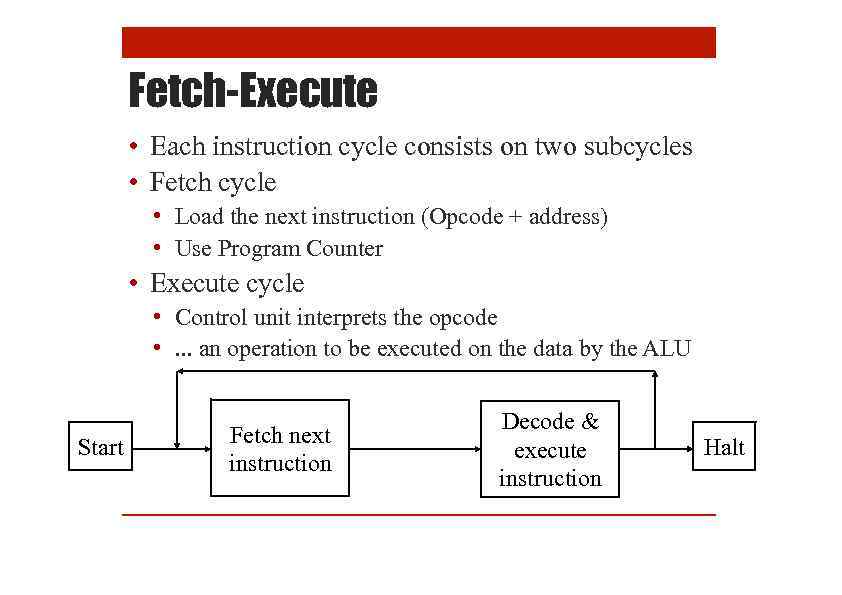 Fetch-Execute • Each instruction cycle consists on two subcycles • Fetch cycle • Load the next instruction (Opcode + address) • Use Program Counter • Execute cycle • Control unit interprets the opcode • . . . an operation to be executed on the data by the ALU Start Fetch next instruction Decode & execute instruction Halt
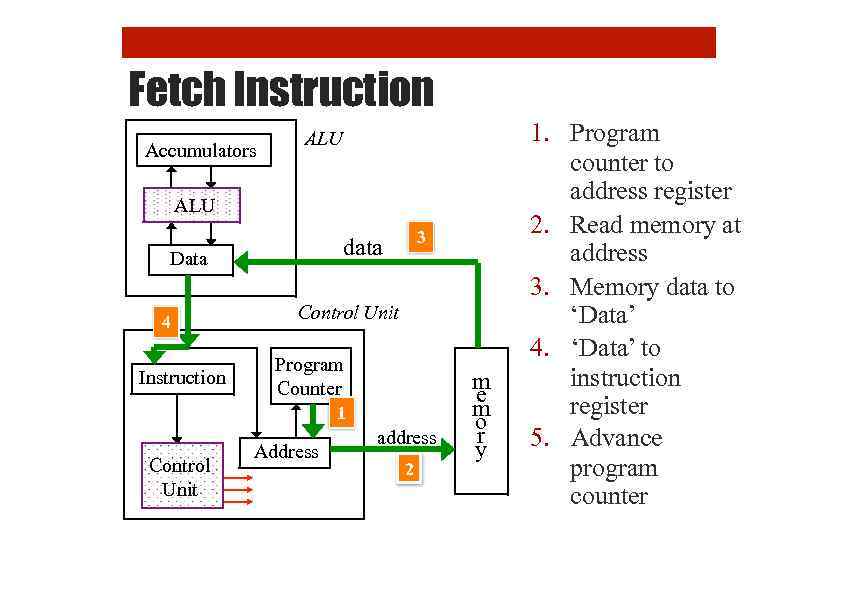 Fetch Instruction Accumulators ALU Data 4 Instruction 3 data Control Unit Program Counter 1 Control Unit Address address 2 m e m o r y 1. Program counter to address register 2. Read memory at address 3. Memory data to ‘Data’ 4. ‘Data’ to instruction register 5. Advance program counter
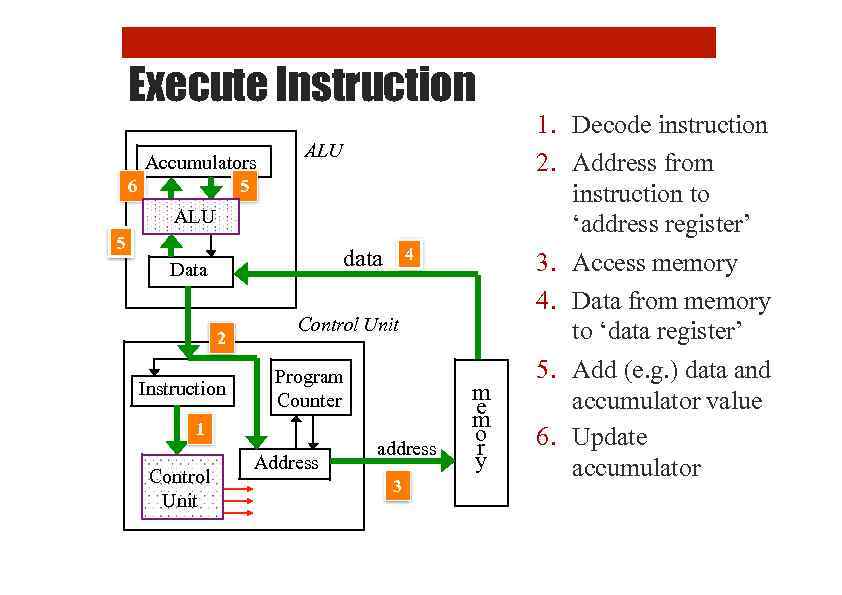 Execute Instruction Accumulators 6 ALU 5 Data 2 Instruction Control Unit Program Counter 1 Control Unit 4 data Address address 3 m e m o r y 1. Decode instruction 2. Address from instruction to ‘address register’ 3. Access memory 4. Data from memory to ‘data register’ 5. Add (e. g. ) data and accumulator value 6. Update accumulator
 What We Can Learn from LMC 1. How programming language work 2. What a compiler does 3. Why we need an OS
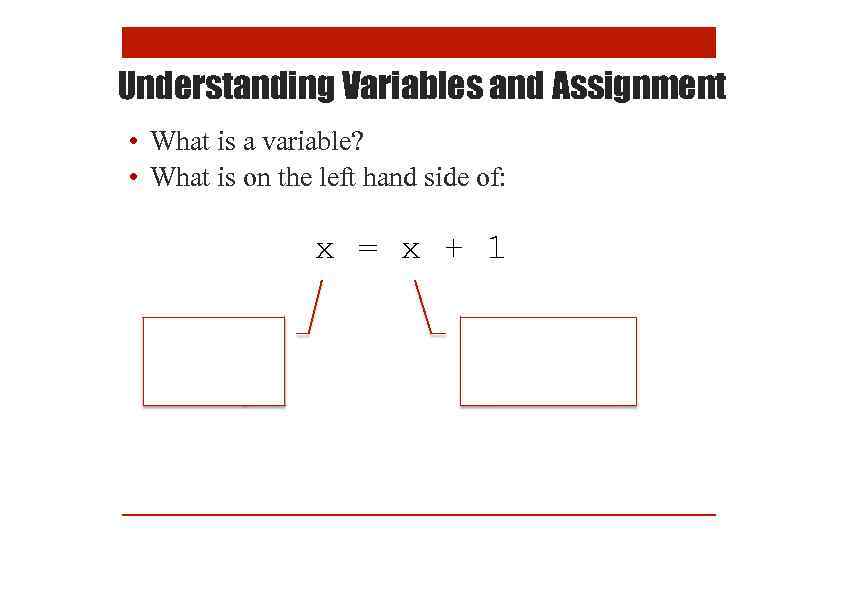 Understanding Variables and Assignment • What is a variable? • What is on the left hand side of: x = x + 1
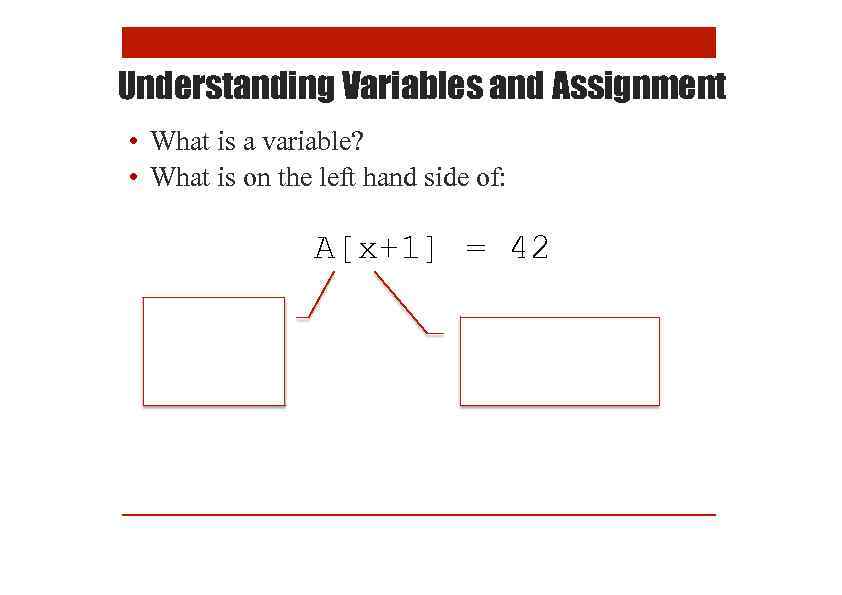 Understanding Variables and Assignment • What is a variable? • What is on the left hand side of: A[x+1] = 42
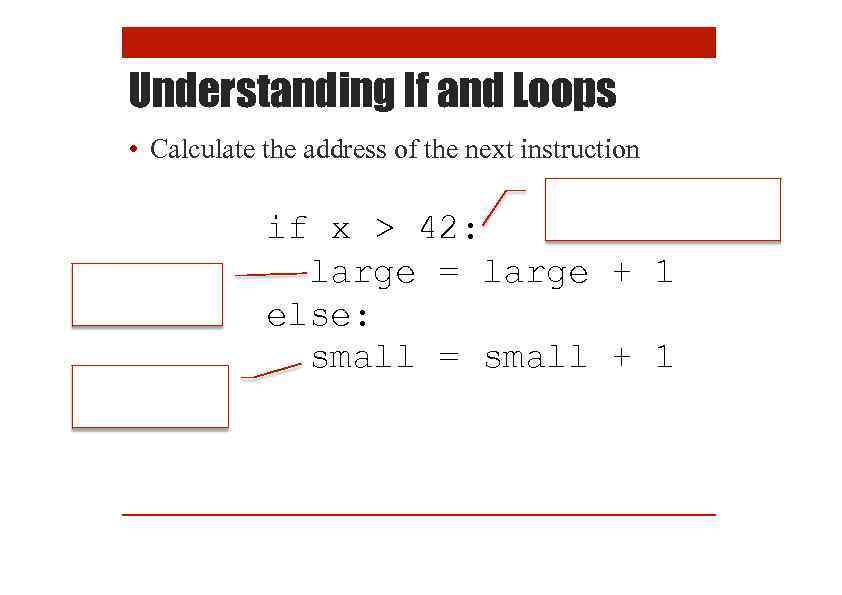 Understanding If and Loops • Calculate the address of the next instruction if x > 42: large = large + 1 else: small = small + 1
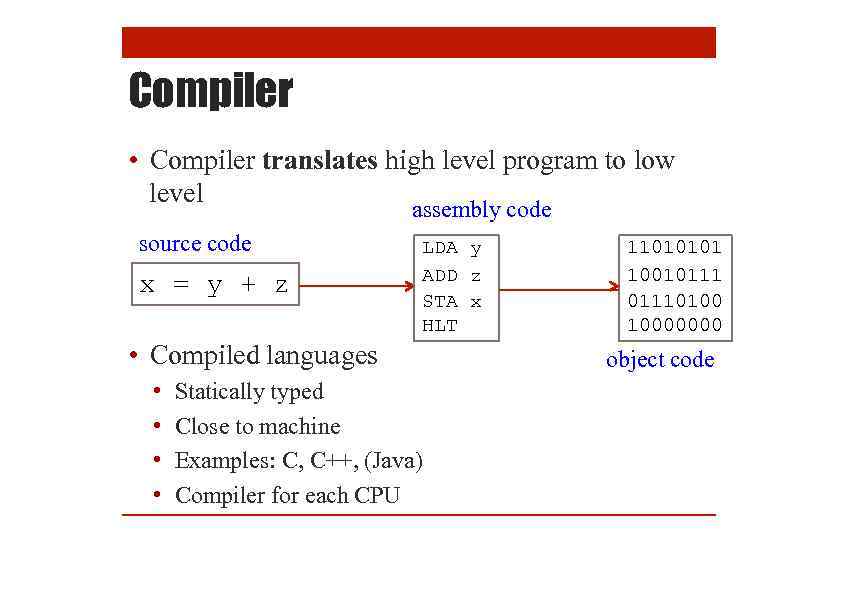 Compiler • Compiler translates high level program to low level assembly code source code x = y + z LDA y ADD z STA x HLT • Compiled languages • • Statically typed Close to machine Examples: C, C++, (Java) Compiler for each CPU 11010101 100101110100 10000000 object code
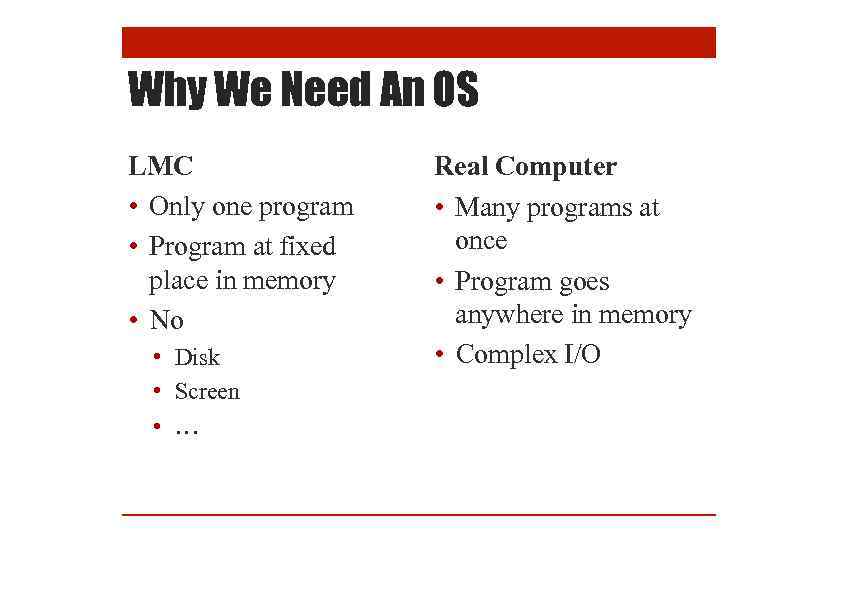 Why We Need An OS LMC • Only one program • Program at fixed place in memory • No • Disk • Screen • … Real Computer • Many programs at once • Program goes anywhere in memory • Complex I/O
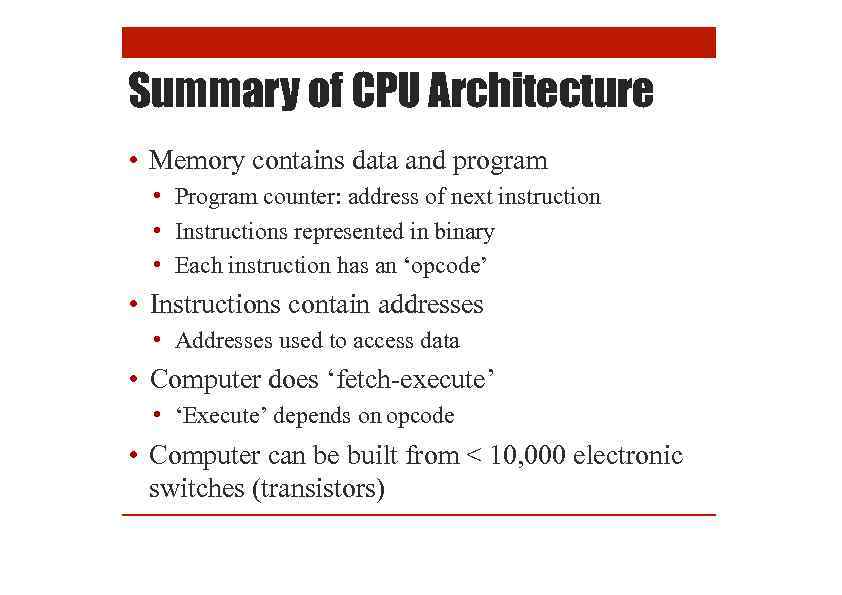 Summary of CPU Architecture • Memory contains data and program • Program counter: address of next instruction • Instructions represented in binary • Each instruction has an ‘opcode’ • Instructions contain addresses • Addresses used to access data • Computer does ‘fetch-execute’ • ‘Execute’ depends on opcode • Computer can be built from < 10, 000 electronic switches (transistors)
 Project: Writing an LMC Interpreter
![Write a Simple LMC Emulator def read. Mem(memory): global mdr = memory[mar] def execute(memory,](https://present5.com/presentation/234856606_452179154/image-37.jpg "Write a Simple LMC Emulator def read. Mem(memory): global mdr = memory[mar] def execute(memory,") Write a Simple LMC Emulator def read. Mem(memory): global mdr = memory[mar] def execute(memory, opcode, arg): global acc, mar, mdr, pc if opcode == ADD: mar = arg read. Mem(memory) acc = acc + mdr elif opcode == SUB: mar = arg read. Mem(memory) acc = acc – mdr. . . acc = 0 mdr = 0 mar = 0 pc = 0 memory = [504, 105, 306, 0, 11, 17, . . . ] deffetch(memory): global pc, mar = pc pc = pc + 1 read. Mem(memory)
Write a Simple LMC Emulator def read. Mem(memory): global mdr = memory[mar] def execute(memory, opcode, arg): global acc, mar, mdr, pc if opcode == ADD: mar = arg read. Mem(memory) acc = acc + mdr elif opcode == SUB: mar = arg read. Mem(memory) acc = acc – mdr. . . acc = 0 mdr = 0 mar = 0 pc = 0 memory = [504, 105, 306, 0, 11, 17, . . . ] deffetch(memory): global pc, mar = pc pc = pc + 1 read. Mem(memory)