


 Скачать презентацию System Development Holmes Miller 1999 Why
7296a155e213fa9cddd4e1cec1429b36.ppt
- Количество слайдов: 43
 System Development © Holmes Miller 1999
 Why Learn About Systems Development? ü Important to learn how to: Ø Initiate systems development process Ø Analyze your needs with help of IS personnel ü Learn how a project can be: Ø Planned Ø Aligned with corporate goals Ø Rapidly developed
 An Overview of Systems Development ü Managers and employees in all functional areas work together in a business information system ü Users help and often lead the way with development process ü Participants in systems development: Ø Determine when a project fails Ø Are critical to systems development success
 Participants in Systems Development ü Development team consists of the following: Project managers: coordinate system development effort Stakeholders: directly or indirectly benefit from the project Users: interact with the system regularly Systems analysts: analyze and design business systems Programmers: modify or develop programs to satisfy user requirements Ø Various support personnel: specialists, vendors Ø Ø Ø
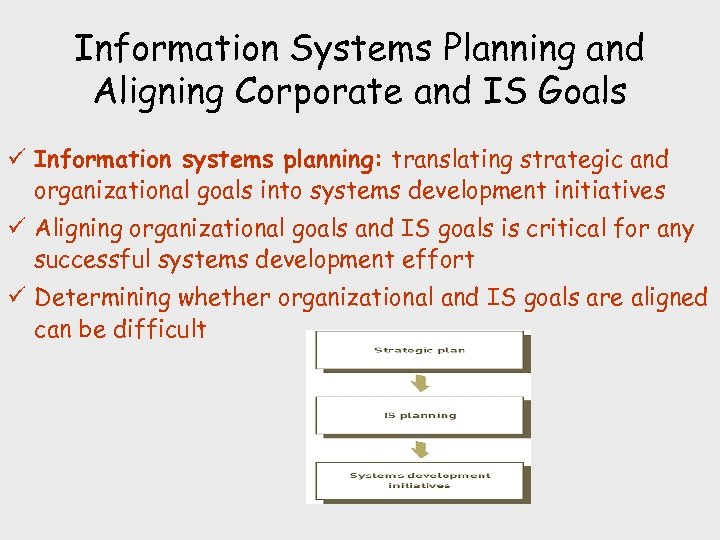 Information Systems Planning and Aligning Corporate and IS Goals ü Information systems planning: translating strategic and organizational goals into systems development initiatives ü Aligning organizational goals and IS goals is critical for any successful systems development effort ü Determining whether organizational and IS goals are aligned can be difficult
 Systems Development Life Cycles ü The systems development process is also called a systems development life cycle (SDLC) ü Common SDLCs Ø Traditional systems development life cycle Ø Prototyping Ø Rapid application development (RAD) Ø End-user development
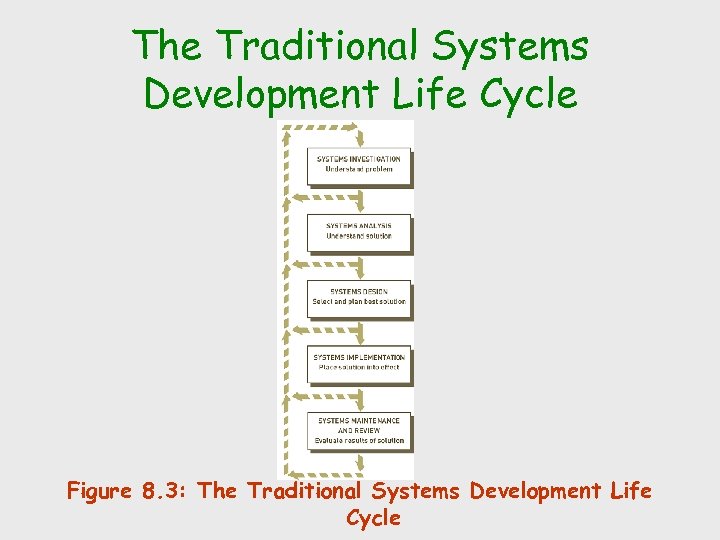 The Traditional Systems Development Life Cycle Figure 8. 3: The Traditional Systems Development Life Cycle
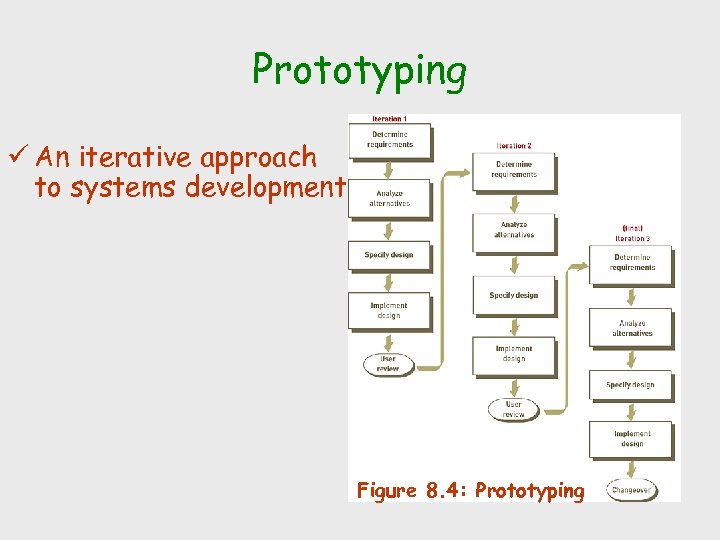 Prototyping ü An iterative approach to systems development Figure 8. 4: Prototyping
 Rapid Application Development, Agile Development, Joint Application Development, and Other Systems Development Approaches ü Rapid application development (RAD) Ø Systems development approach that employs tools, techniques, and methodologies designed to speed application development ü Some iterative development approaches allow the system to change as it is being developed Ø Agile development: frequent face-to-face meetings between systems developers and users Ø XP programming: pairs of programmers work together to develop robust systems quickly ü Joint application development (JAD) Ø Process for data collection and requirements analysis in which users, stakeholders, and IS professionals work together to analyze existing systems, propose possible solutions, and define the requirements of a new or modified system Ø Used extensively by RAD Ø Often utilizes group support systems (GSS) software to foster positive group interactions
 The End-User Systems Development Life Cycle ü End-user systems development: any systems development project in which the primary effort is undertaken by a combination of business managers and users ü End-user-developed systems can be structured as complementary to, rather than in conflict with, existing and emerging information systems
 Outsourcing and On Demand Computing ü An outside consulting firm or computer company that specializes in systems development can take over some or all of the development and operations activities ü Reasons for using outsourcing and on demand computing Ø Reducing costs, obtaining state-of-the-art technology, eliminating staffing and personnel problems, and increasing technological flexibility
 Use of Computer-Aided Software Engineering (CASE) Tools ü Computer-aided software engineering (CASE): tools that automate many of the tasks required in a systems development effort and encourage adherence to the SDLC Ø Instill a high degree of rigor and standardization to the entire systems development process Ø Upper-CASE tools focus on investigation, analysis, and design Ø Lower-CASE tools focus on implementation
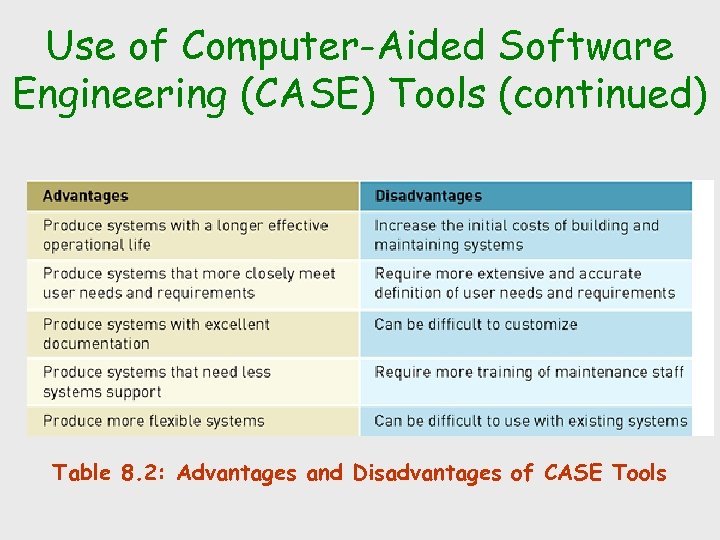 Use of Computer-Aided Software Engineering (CASE) Tools (continued) Table 8. 2: Advantages and Disadvantages of CASE Tools
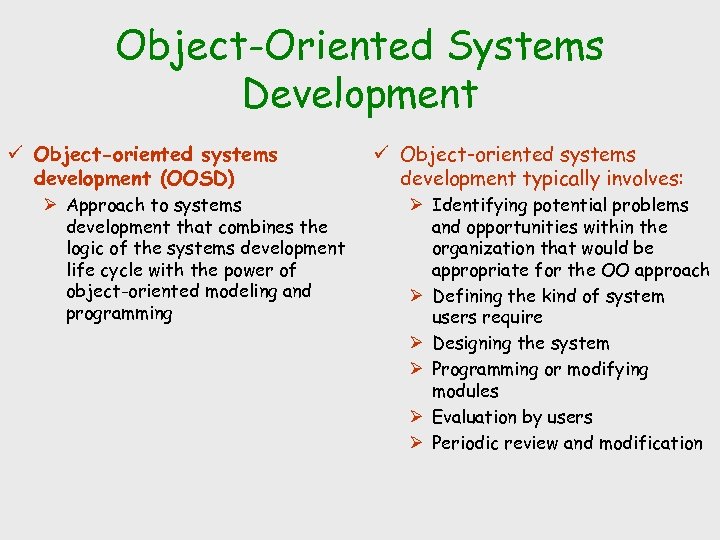 Object-Oriented Systems Development ü Object-oriented systems development (OOSD) Ø Approach to systems development that combines the logic of the systems development life cycle with the power of object-oriented modeling and programming ü Object-oriented systems development typically involves: Ø Identifying potential problems and opportunities within the organization that would be appropriate for the OO approach Ø Defining the kind of system users require Ø Designing the system Ø Programming or modifying modules Ø Evaluation by users Ø Periodic review and modification
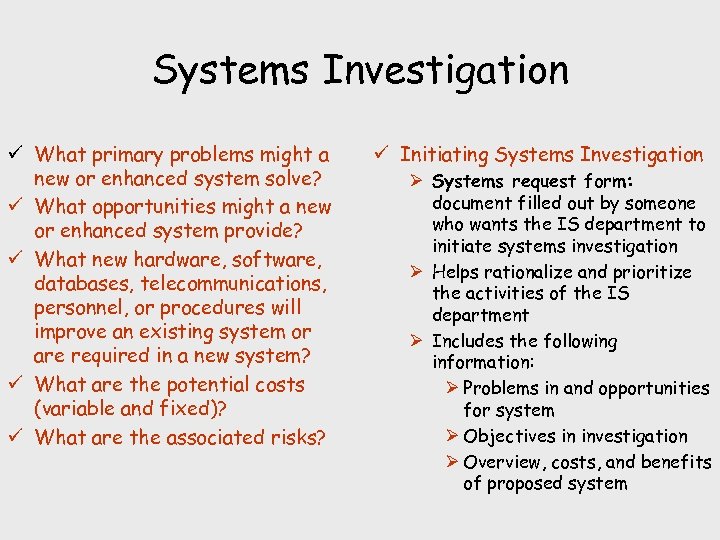 Systems Investigation ü What primary problems might a new or enhanced system solve? ü What opportunities might a new or enhanced system provide? ü What new hardware, software, databases, telecommunications, personnel, or procedures will improve an existing system or are required in a new system? ü What are the potential costs (variable and fixed)? ü What are the associated risks? ü Initiating Systems Investigation Ø Systems request form: document filled out by someone who wants the IS department to initiate systems investigation Ø Helps rationalize and prioritize the activities of the IS department Ø Includes the following information: Ø Problems in and opportunities for system Ø Objectives in investigation Ø Overview, costs, and benefits of proposed system
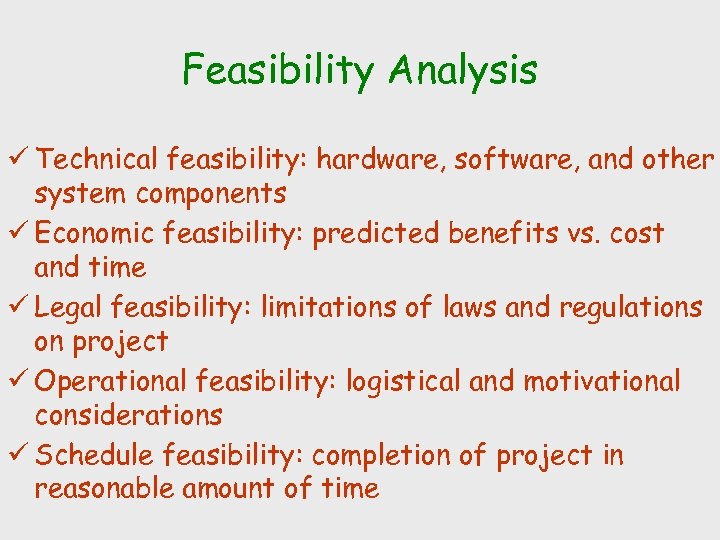 Feasibility Analysis ü Technical feasibility: hardware, software, and other system components ü Economic feasibility: predicted benefits vs. cost and time ü Legal feasibility: limitations of laws and regulations on project ü Operational feasibility: logistical and motivational considerations ü Schedule feasibility: completion of project in reasonable amount of time
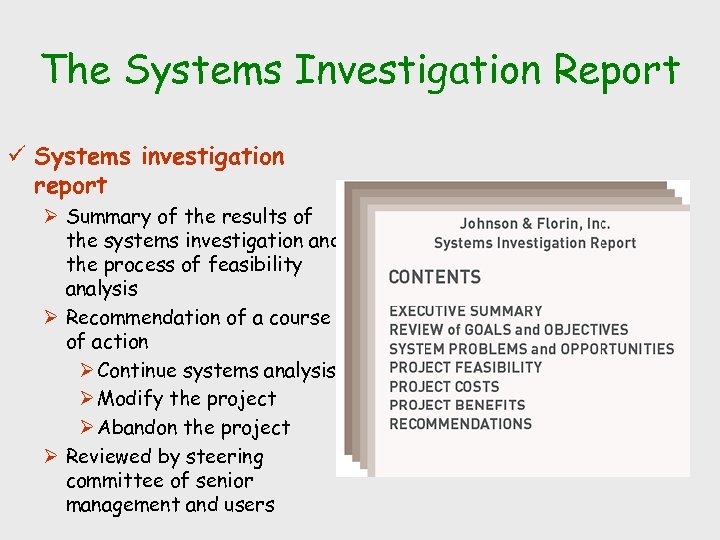 The Systems Investigation Report ü Systems investigation report Ø Summary of the results of the systems investigation and the process of feasibility analysis Ø Recommendation of a course of action Ø Continue systems analysis Ø Modify the project Ø Abandon the project Ø Reviewed by steering committee of senior management and users
 Systems Analysis ü Answers the question “What must the information system do to solve the problem? ” ü Overall emphasis of systems analysis is: Ø Gathering data on the existing system Ø Determining the requirements for the new system Ø Considering alternatives within these constraints Ø Investigating the feasibility of the solutions ü Primary outcome: prioritized list of systems requirements
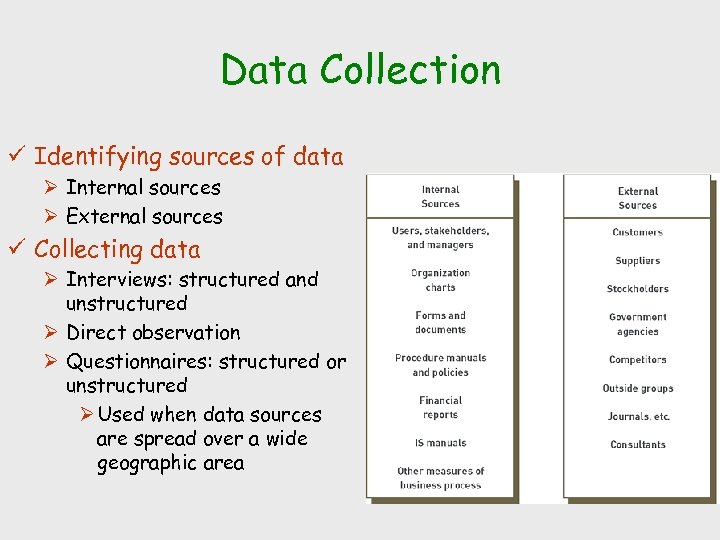 Data Collection ü Identifying sources of data Ø Internal sources Ø External sources ü Collecting data Ø Interviews: structured and unstructured Ø Direct observation Ø Questionnaires: structured or unstructured Ø Used when data sources are spread over a wide geographic area
 Data Analysis ü Data analysis Ø Manipulation of collected data so that systems development team can use the data ü Data modeling Ø Entity-relationship (ER) diagrams: objects, attributes, and associations ü Activity modeling Ø Data-flow diagrams (DFDs): objects, associations, and activities
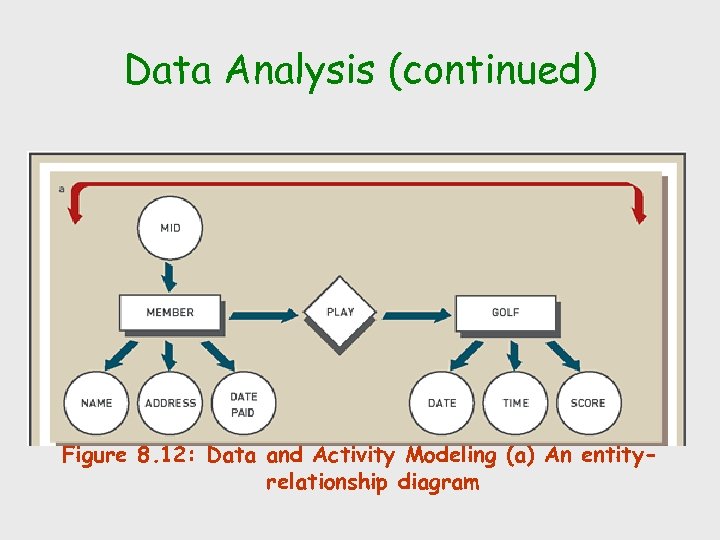 Data Analysis (continued) Figure 8. 12: Data and Activity Modeling (a) An entityrelationship diagram
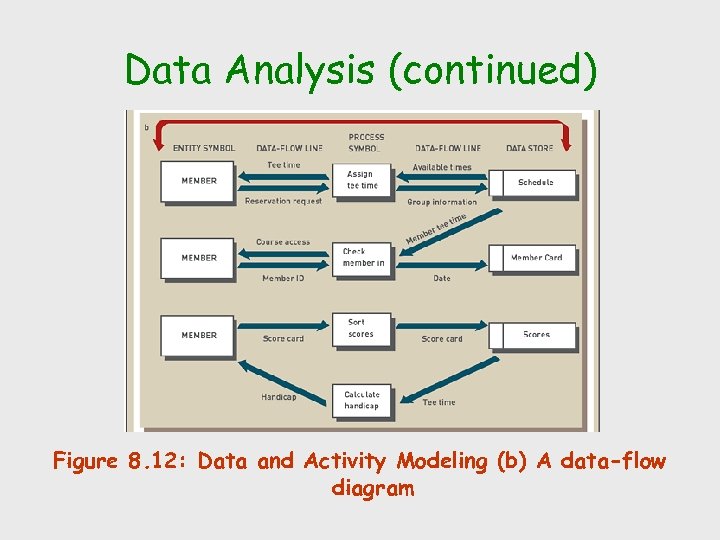 Data Analysis (continued) Figure 8. 12: Data and Activity Modeling (b) A data-flow diagram
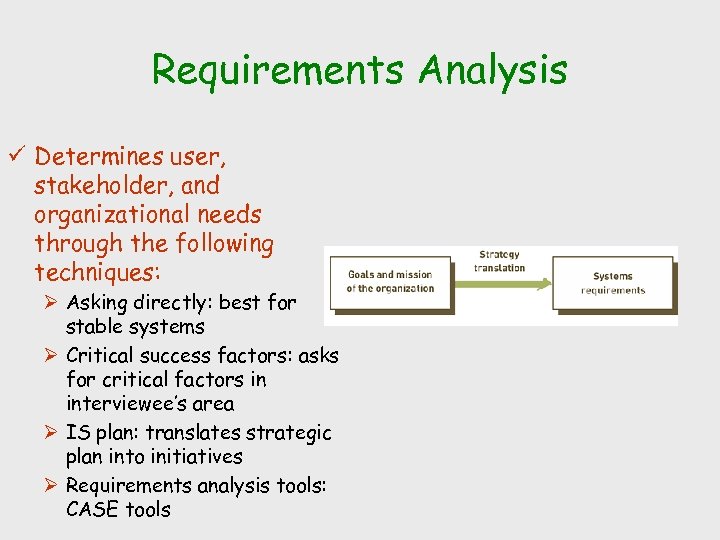 Requirements Analysis ü Determines user, stakeholder, and organizational needs through the following techniques: Ø Asking directly: best for stable systems Ø Critical success factors: asks for critical factors in interviewee’s area Ø IS plan: translates strategic plan into initiatives Ø Requirements analysis tools: CASE tools
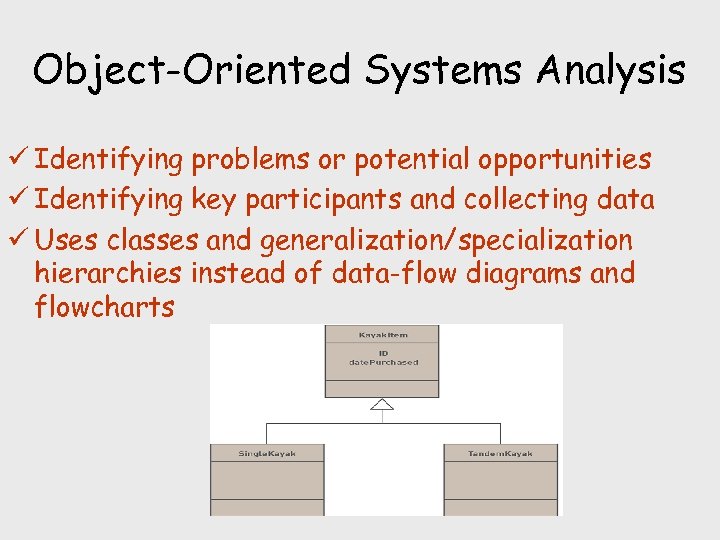 Object-Oriented Systems Analysis ü Identifying problems or potential opportunities ü Identifying key participants and collecting data ü Uses classes and generalization/specialization hierarchies instead of data-flow diagrams and flowcharts
 The Systems Analysis Report ü Systems analysis report should cover: Ø Strengths and weaknesses of the existing system from a stakeholder’s perspective Ø User/stakeholder requirements for the new system (also called the functional requirements) Ø Organizational requirements for the new system Ø Description of what the new information system should do to solve the problem
 Systems Design ü Answers the question “How will the information system solve a problem? ” ü Has two dimensions: logical and physical ü Logical design: description of the functional requirements of a system ü Physical design: specification of the characteristics of the system components necessary to put the logical design into action
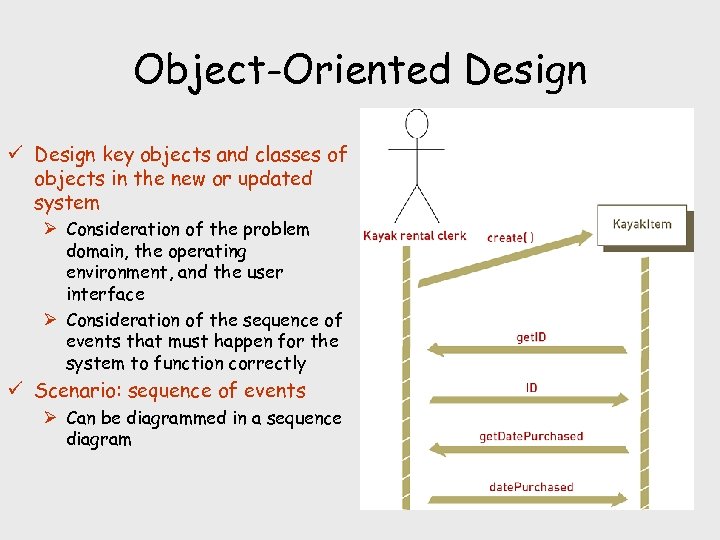 Object-Oriented Design ü Design key objects and classes of objects in the new or updated system Ø Consideration of the problem domain, the operating environment, and the user interface Ø Consideration of the sequence of events that must happen for the system to function correctly ü Scenario: sequence of events Ø Can be diagrammed in a sequence diagram
 Generating Systems Design Alternatives ü Request for proposal (RFP): document that specifies in detail required resources such as hardware and software ü Financial options Ø Purchasing Ø Leasing Ø Renting ü Evaluating and Selecting a Systems Design Ø Preliminary evaluation Ø To dismiss unwanted proposals Ø Begins after all proposals have been submitted Ø Final evaluation Ø Detailed investigation of the proposals offered by the vendors remaining after the preliminary evaluation
 The Design Report ü Design report: primary result of systems design, reflecting the decisions made and preparing the way for systems implementation ü System specifications include technical description of the following: Ø System outputs, inputs, and user interfaces Ø Hardware, software, databases, telecommunications, personnel, and procedure components and the way these components are related
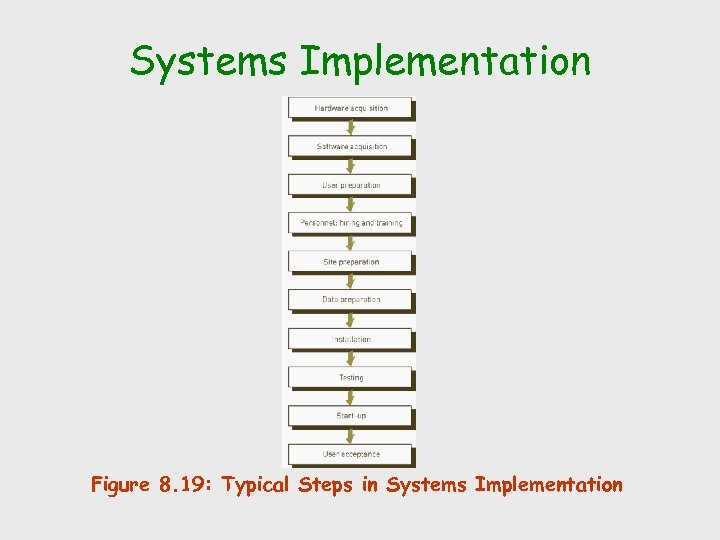 Systems Implementation Figure 8. 19: Typical Steps in Systems Implementation
 Acquiring Hardware from an IS Vendor ü IS vendor: company that offers hardware, software, telecommunications systems, databases, IS personnel, and/or other computer-related resources ü Buying computer hardware ü Leasing computer hardware ü Renting computer hardware ü “Pay-as-you-go, ” “on-demand, ” or “utility” computing
 Acquiring Software: Make or Buy? ü Make-or-buy decision: decision regarding whether to obtain software from external or internal sources ü Choices include: Ø Purchase software externally Ø Develop software in-house Ø Used a blend of external and internal software development Ø Rent software
 Acquiring Database and Telecommunications Systems ü Databases and telecommunications systems require a blend of hardware and software ü New hardware is acquired from an IS vendor ü New or upgraded software might be purchased or developed in-house
 User Preparation ü Process of readying managers, decision makers, employees, other users, and stakeholders for new systems ü Provide users with proper training
 IS Personnel: Hiring and Training ü Personnel that might be needed for the new system Ø IS manager Ø Systems analysts Ø Computer programmers Ø Data-entry operators ü Training programs should be conducted for the IS personnel who will be using the computer system
 Site Preparation ü Preparation of the location of a new system ü Making room for equipment ü Special wiring and air conditioning ü Special floor ü Security system ü Additional power circuits
 Data Preparation ü Also called data conversion ü Ensures all files and databases are ready to be used with new computer software and systems
 Installation ü Physically placing the computer equipment on the site and making it operational ü Normally the manufacturer is responsible for installing computer equipment ü Someone from the organization (usually the IS manager) should oversee the process
 Testing ü Unit testing: testing of individual programs ü System testing: testing the entire system of programs ü Volume testing: testing the application with a large amount of data ü Integration testing: testing all related systems together ü Acceptance testing: conducting any tests required by the user
 Start-Up ü Process of making the final tested information system fully operational ü Approaches Ø Direct conversion (plunge, direct cutover): stopping the old system and starting the new one on a given date Ø Phase-in approach (piecemeal): slowly replacing old system components with new system components Ø Pilot start-up: run new system with one group of users Ø Parallel start-up: running old and new systems together for a period of time
 User Acceptance ü User acceptance document: formal agreement signed by the user that states that a phase of the installation or the complete system is approved Ø Legal document that removes or reduces IS vendor’s liability
 Systems Operation and Maintenance ü Systems operation: use of a new or modified system Ø Help desk provides support ü Systems maintenance: checking, changing, and enhancing the system to make it more useful in achieving user and organizational goals Ø Difficult and costly for legacy systems
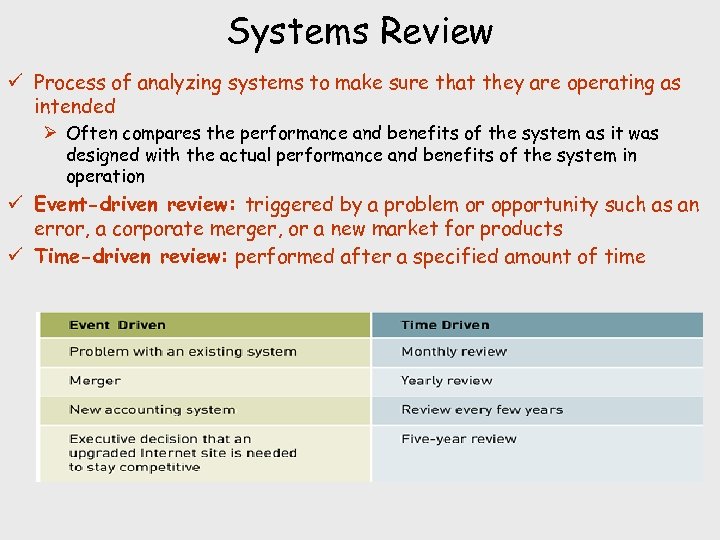 Systems Review ü Process of analyzing systems to make sure that they are operating as intended Ø Often compares the performance and benefits of the system as it was designed with the actual performance and benefits of the system in operation ü Event-driven review: triggered by a problem or opportunity such as an error, a corporate merger, or a new market for products ü Time-driven review: performed after a specified amount of time