


 Скачать презентацию SYSTEM ADMINISTRATION ECS Release 5 Training Rev 11 2 98
2752d4a663d3c1aa31d17156d4f425cc.ppt
- Количество слайдов: 90
 SYSTEM ADMINISTRATION ECS Release 5 Training Rev 11/2/98 1
 System Administration Topics • System Startup and Shutdown – ECS Assist & HP Openview • • • Tape Operations: Labeling and Indexing System Backup and Restore (full, incremental) System Logs User Administration New Workstation Installation Contractor Off-the-Shelf Software (COTS) Distributed Computing Environment (DCE) Security Earth Science Online Directory Rev 11/2/98 2
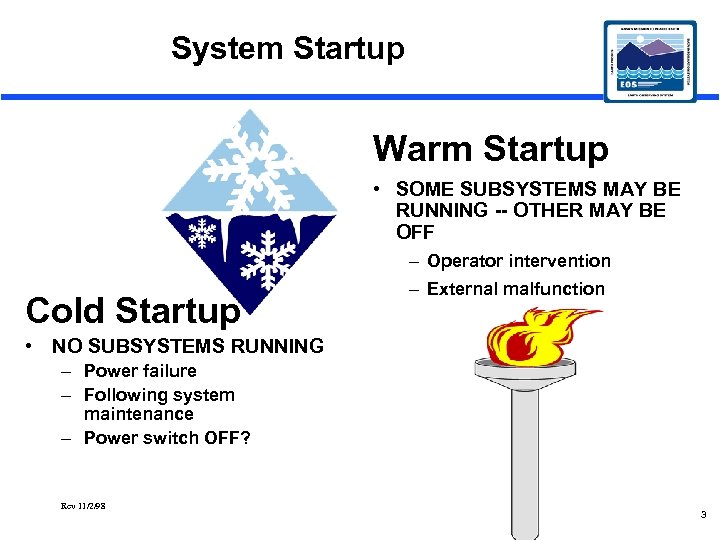 System Startup Warm Startup • SOME SUBSYSTEMS MAY BE RUNNING -- OTHER MAY BE OFF – Operator intervention Cold Startup – External malfunction • NO SUBSYSTEMS RUNNING – Power failure – Following system maintenance – Power switch OFF? Rev 11/2/98 3
 Cold Startup Procedure • Determine existence of following systems: – DNS Master – NIS Master – Automount Server – DCE License Server – Clear. Case Server – CSS -- Other License Servers -- Mail Hub Servers -- MSS -- CIDM Subsystem -- Sybase SQL Servers -- DSS • Turn on power for each one IN ORDER! • HP Open. View icons turn GREEN when each is properly booted. Rev 11/2/98 4
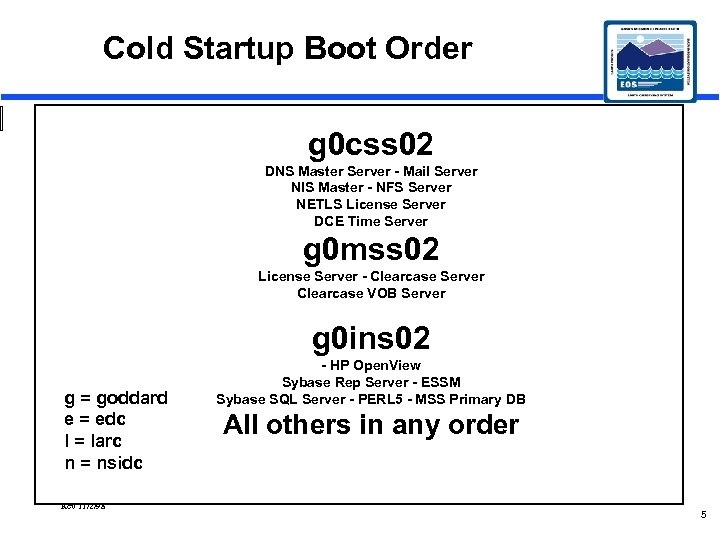 Cold Startup Boot Order g 0 css 02 DNS Master Server - Mail Server NIS Master - NFS Server NETLS License Server DCE Time Server g 0 mss 02 License Server - Clearcase Server Clearcase VOB Server g 0 ins 02 g = goddard e = edc l = larc n = nsidc Rev 11/2/98 - HP Open. View Sybase Rep Server - ESSM Sybase SQL Server - PERL 5 - MSS Primary DB All others in any order 5
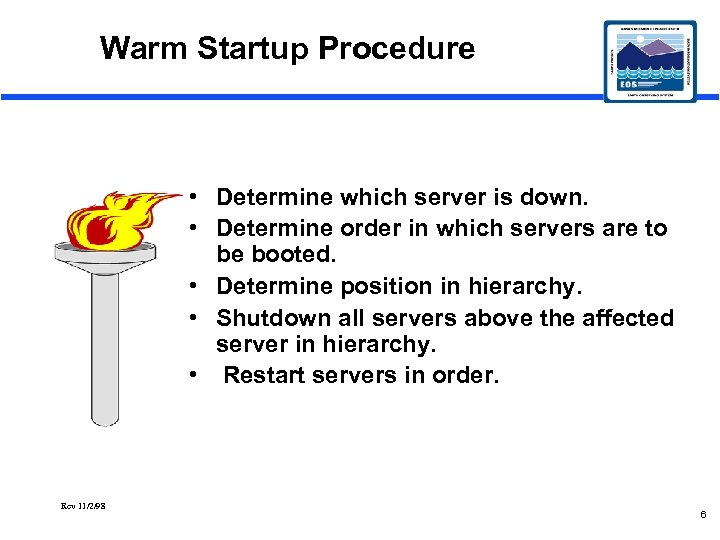 Warm Startup Procedure • Determine which server is down. • Determine order in which servers are to be booted. • Determine position in hierarchy. • Shutdown all servers above the affected server in hierarchy. • Restart servers in order. Rev 11/2/98 6
 Normal Shutdown • • • Turn off power to FULL system Turn off power to a component subsystem Scheduled by Resource Manager Approved by DAAC Manager Minimal disruption to system users NO loss of data Rev 11/2/98 7
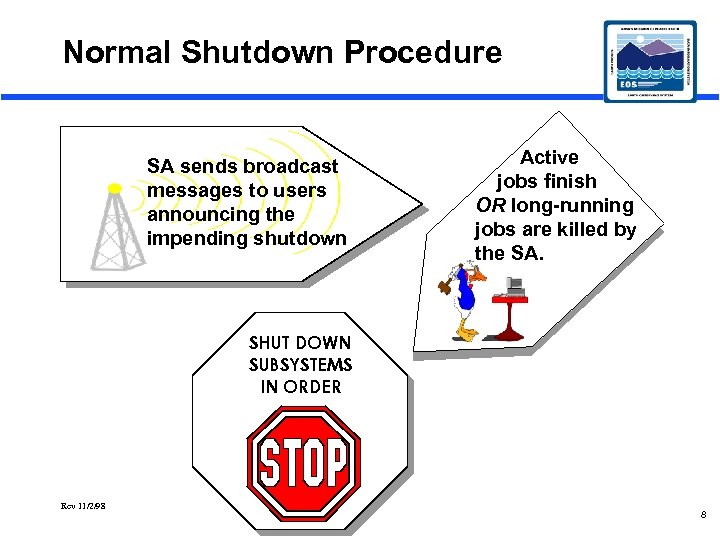 Normal Shutdown Procedure SA sends broadcast messages to users announcing the impending shutdown Active jobs finish OR long-running jobs are killed by the SA. SHUT DOWN SUBSYSTEMS IN ORDER Rev 11/2/98 8
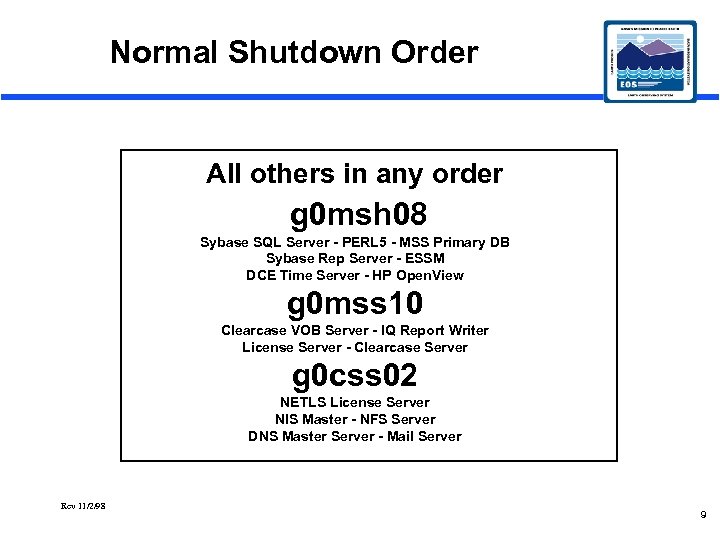 Normal Shutdown Order All others in any order g 0 msh 08 Sybase SQL Server - PERL 5 - MSS Primary DB Sybase Rep Server - ESSM DCE Time Server - HP Open. View g 0 mss 10 Clearcase VOB Server - IQ Report Writer License Server - Clearcase Server g 0 css 02 NETLS License Server NIS Master - NFS Server DNS Master Server - Mail Server Rev 11/2/98 9
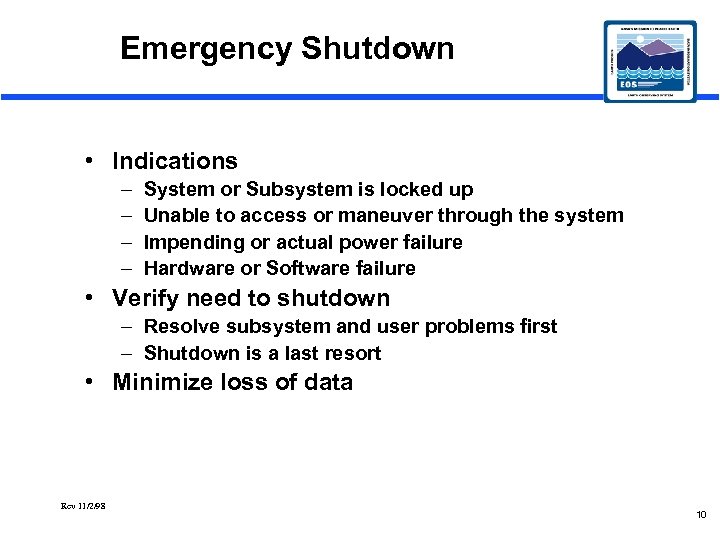 Emergency Shutdown • Indications – – System or Subsystem is locked up Unable to access or maneuver through the system Impending or actual power failure Hardware or Software failure • Verify need to shutdown – Resolve subsystem and user problems first – Shutdown is a last resort • Minimize loss of data Rev 11/2/98 10
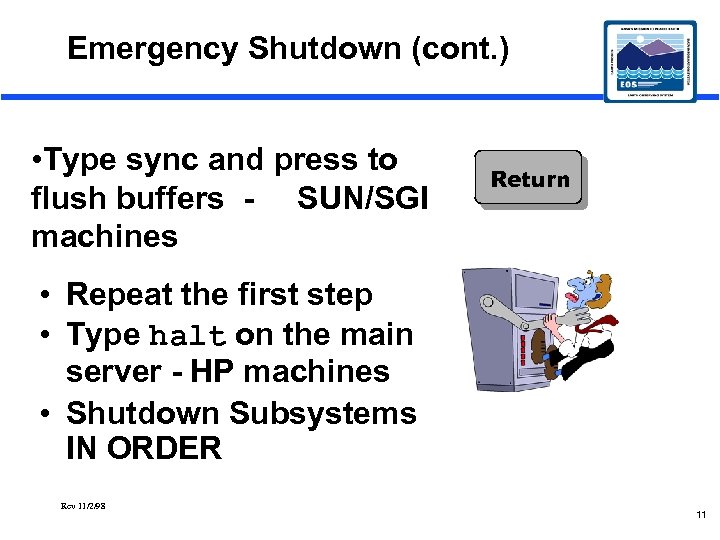 Emergency Shutdown (cont. ) • Type sync and press to flush buffers - SUN/SGI machines Return • Repeat the first step • Type halt on the main server - HP machines • Shutdown Subsystems IN ORDER Rev 11/2/98 11
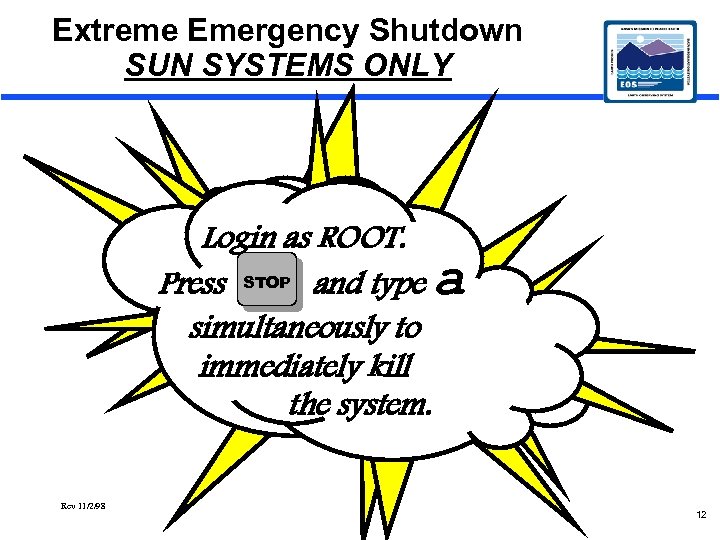 Extreme Emergency Shutdown SUN SYSTEMS ONLY Login as ROOT. Press STOP and type a simultaneously to immediately kill the system. Rev 11/2/98 12
 ECS Assistant is a GUI tool developed to faciliate management activities ECS is comprised of three major components Ec. Co. Assist - To start up and shutdown subsystem servers Ec. Co. Modemgr - mode management Ec. Co. Esdtmgr - database review ECS Assistant must be run on each server where a subsystem resides some of the files that comprise ECS Assistant are architecture specific. ECS Assistant also has a debugger to help ascertain where a problem may have occured. Rev 11/2/98 13
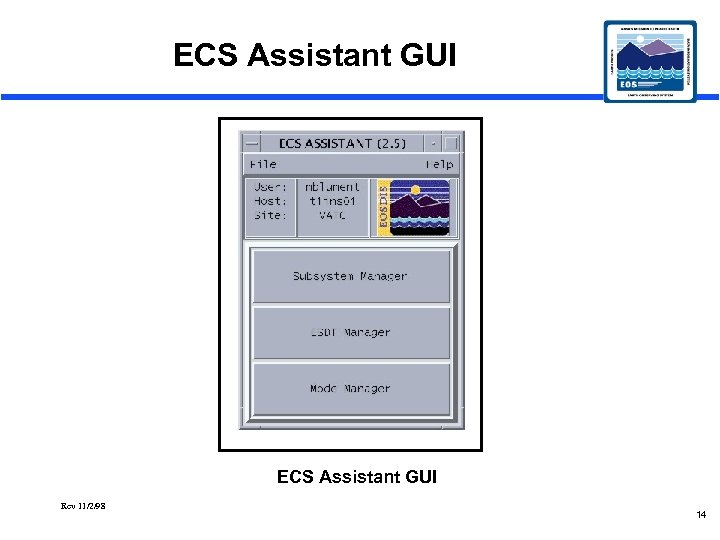 ECS Assistant GUI Rev 11/2/98 14
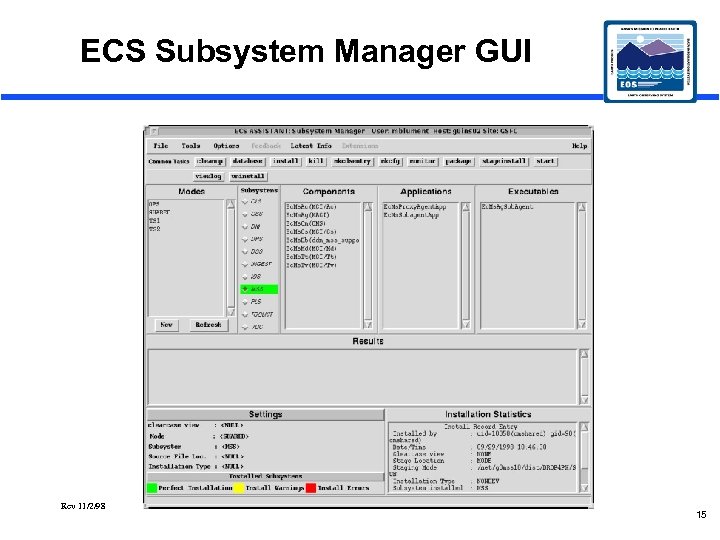 ECS Subsystem Manager GUI Rev 11/2/98 15
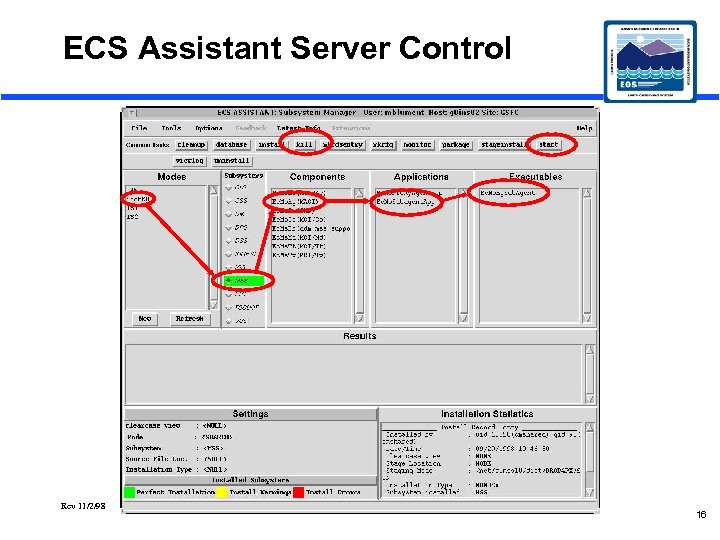 ECS Assistant Server Control Rev 11/2/98 16
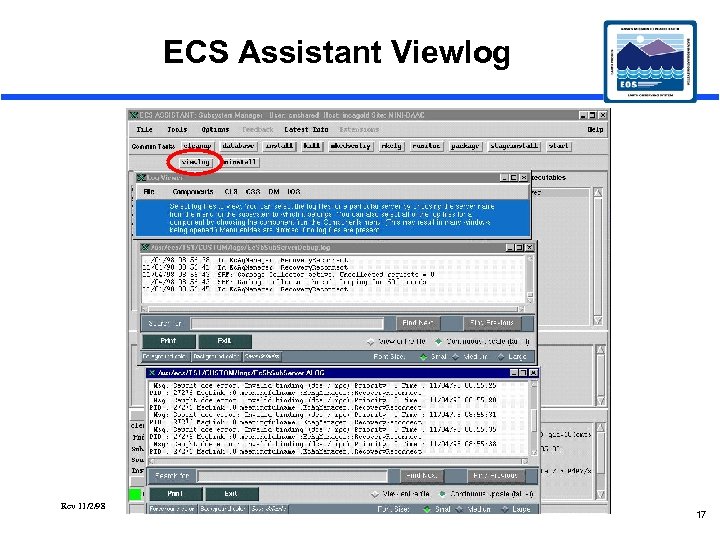 ECS Assistant Viewlog Rev 11/2/98 17
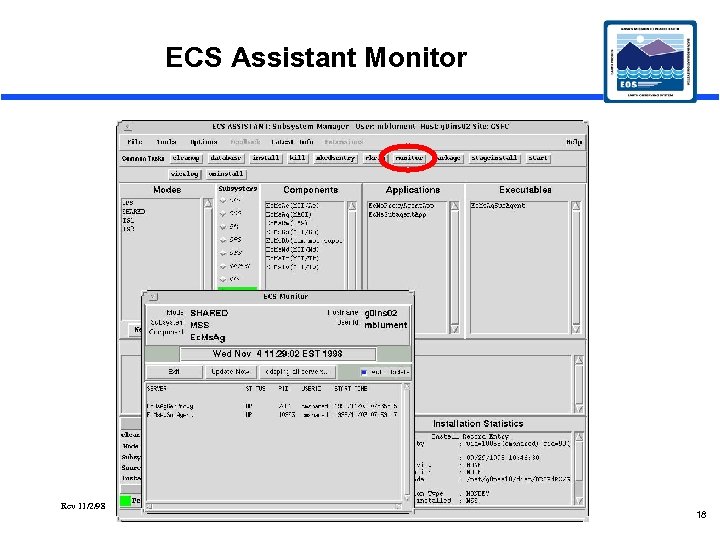 ECS Assistant Monitor Rev 11/2/98 18
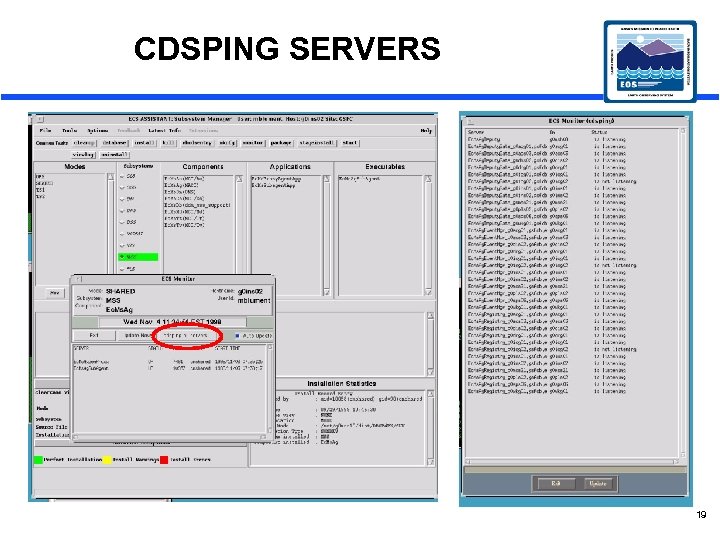 CDSPING SERVERS 19
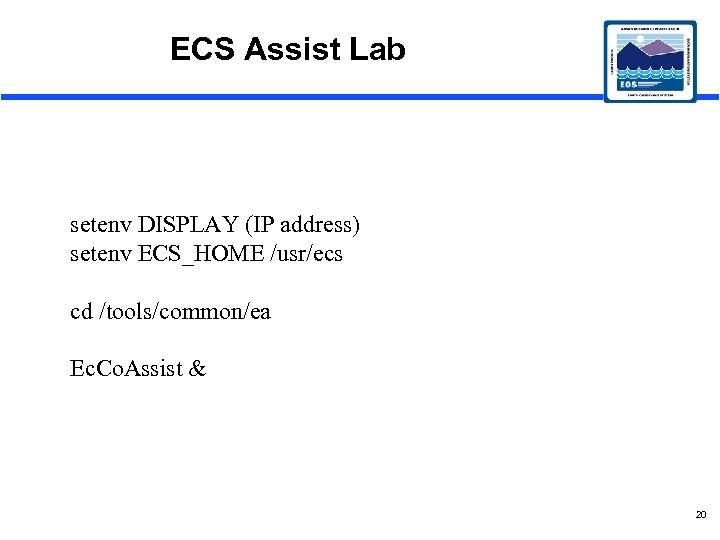 ECS Assist Lab setenv DISPLAY (IP address) setenv ECS_HOME /usr/ecs cd /tools/common/ea Ec. Co. Assist & 20
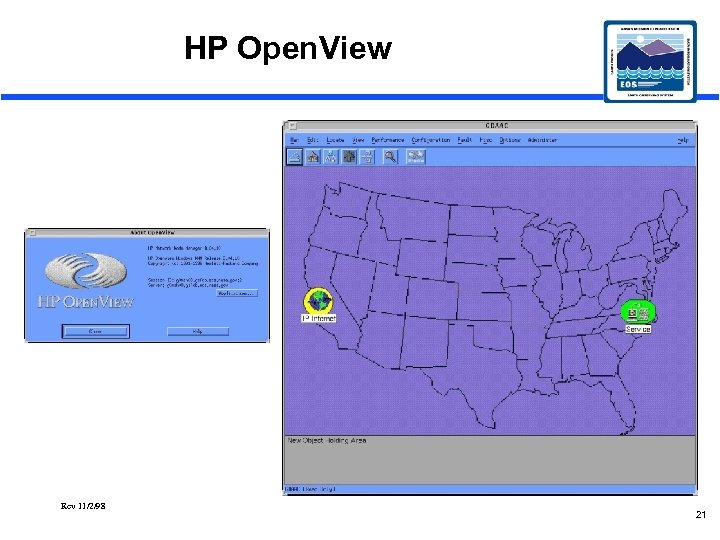 HP Open. View Rev 11/2/98 21
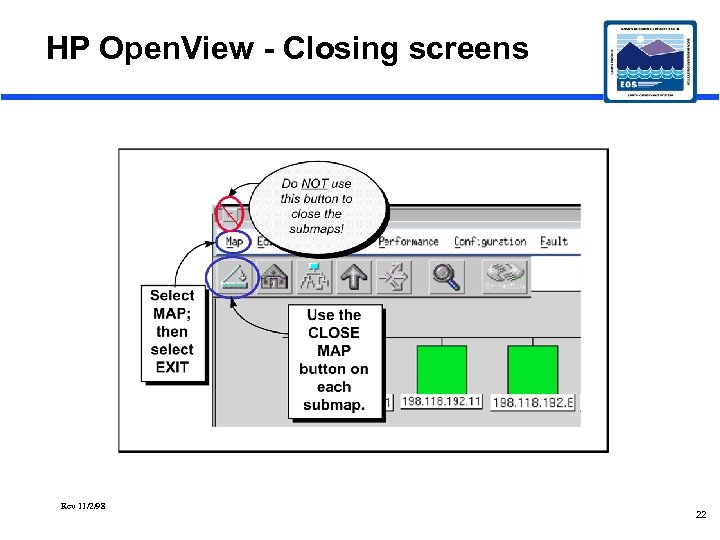 HP Open. View - Closing screens Rev 11/2/98 22
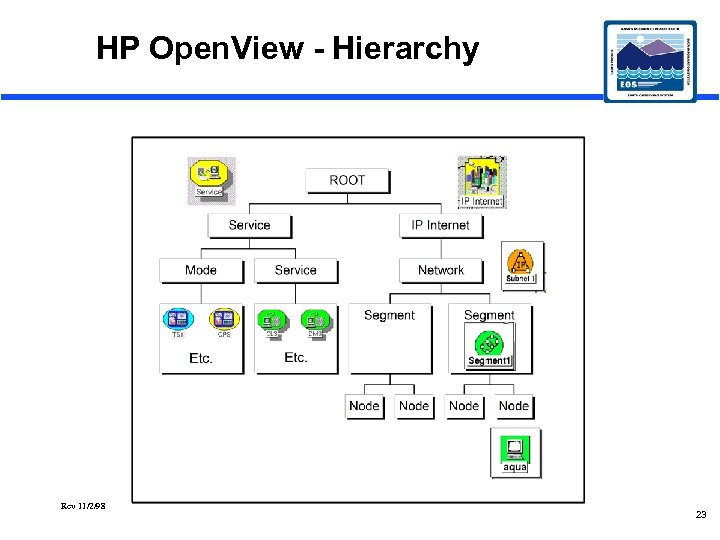 HP Open. View - Hierarchy Rev 11/2/98 23
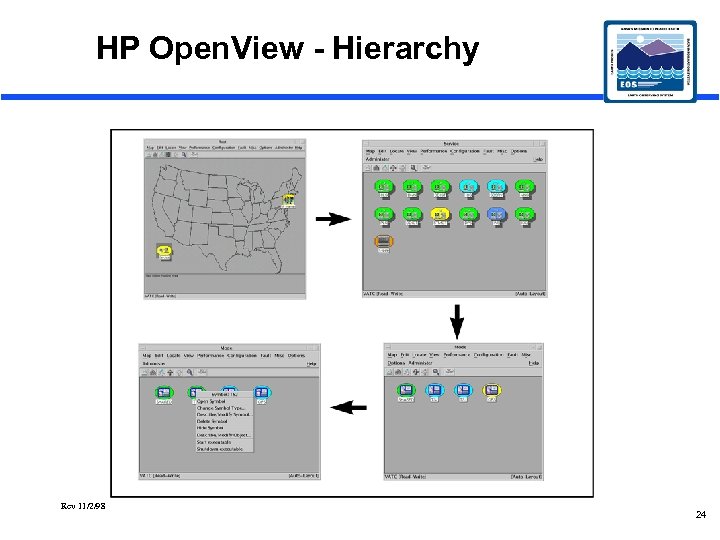 HP Open. View - Hierarchy Rev 11/2/98 24
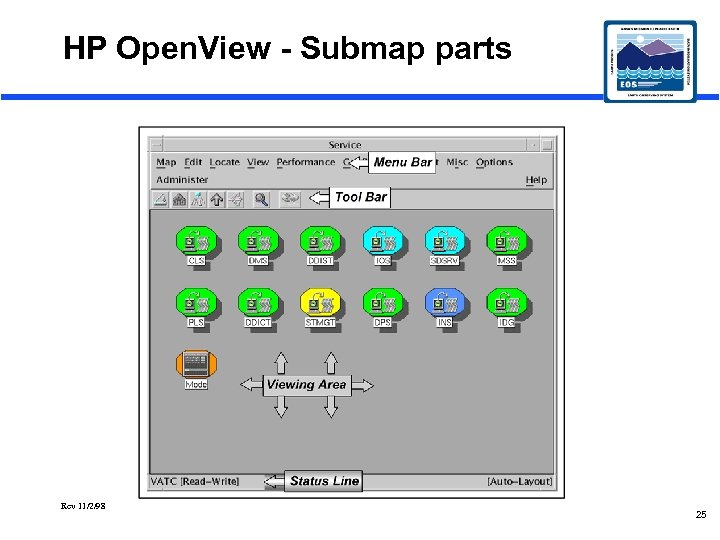 HP Open. View - Submap parts Rev 11/2/98 25
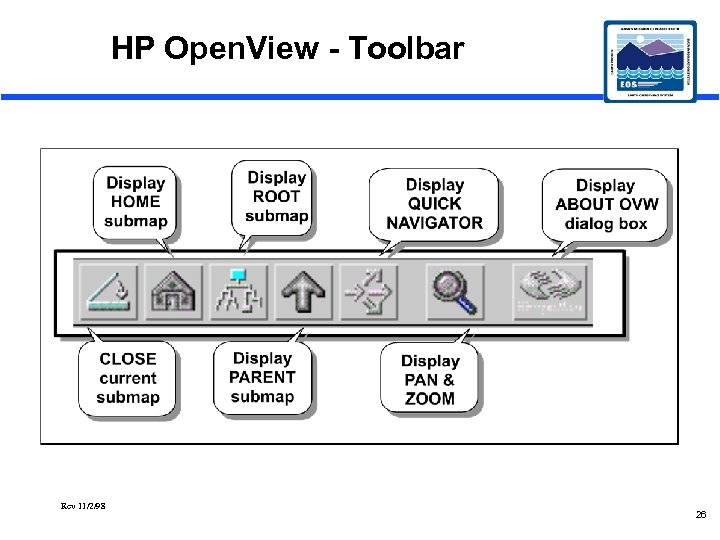 HP Open. View - Toolbar Rev 11/2/98 26
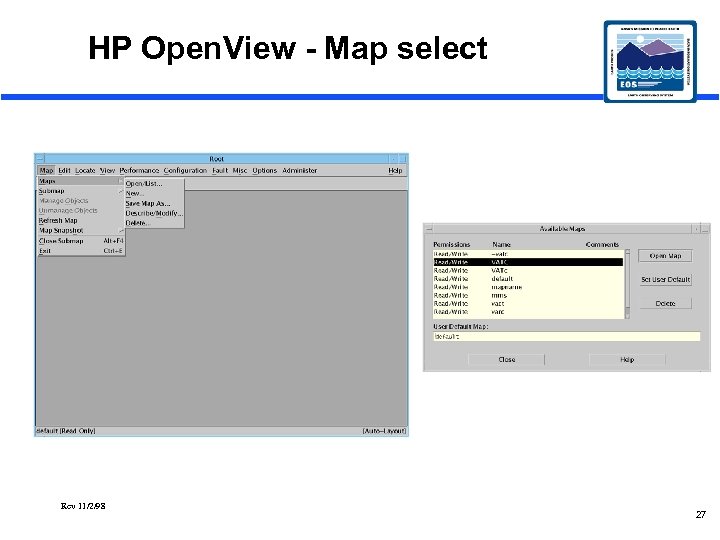 HP Open. View - Map select Rev 11/2/98 27
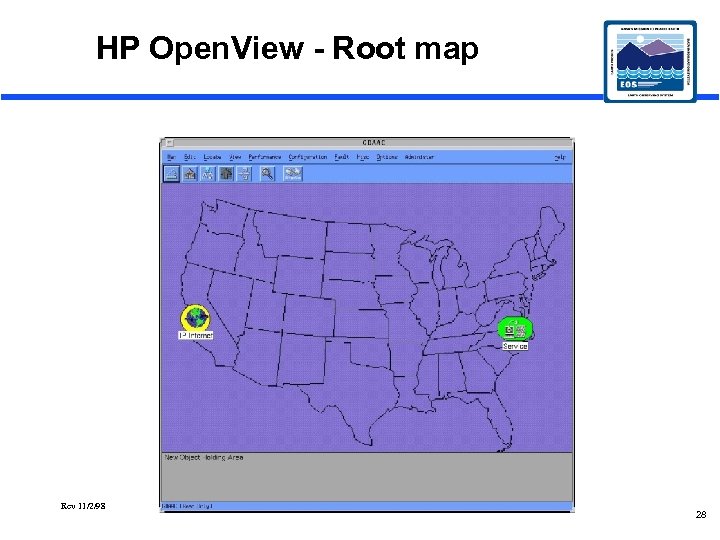 HP Open. View - Root map Rev 11/2/98 28
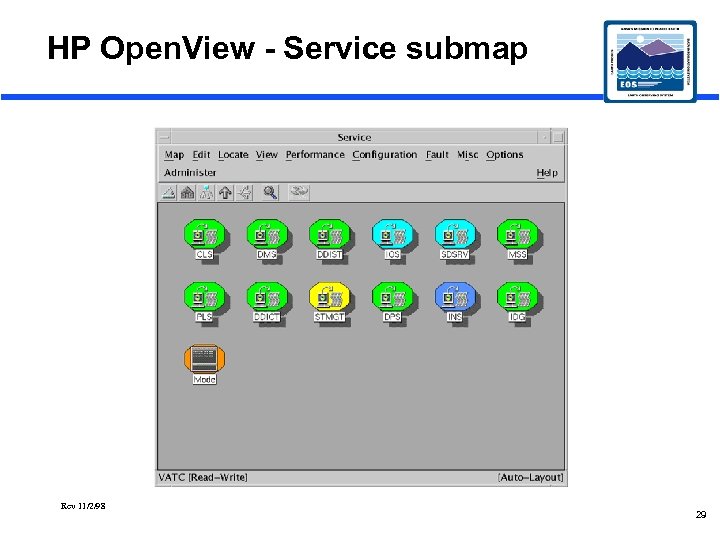 HP Open. View - Service submap Rev 11/2/98 29
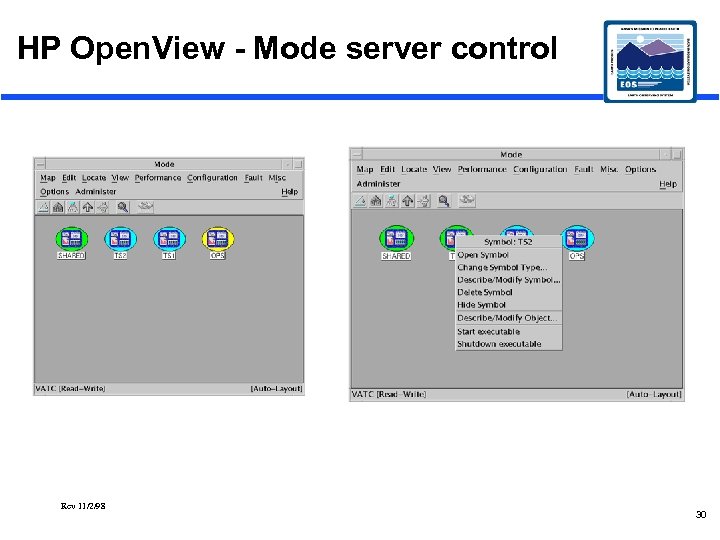 HP Open. View - Mode server control Rev 11/2/98 30
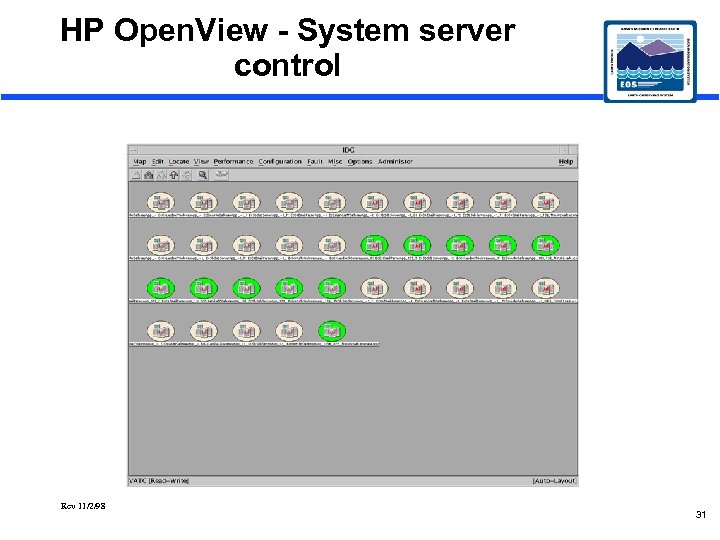 HP Open. View - System server control Rev 11/2/98 31
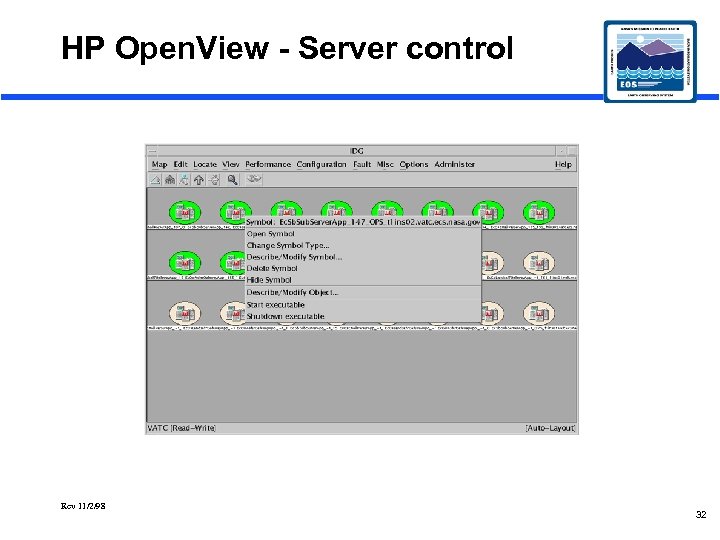 HP Open. View - Server control Rev 11/2/98 32
 HP Openview Lab setenv DISPLAY (IP address) setenv ECS_HOME /usr/ecs cd /usr/ecs/OPS/COTS/OV/bin ovw -map xxxx & 33
 Secure Shell (ssh) • Improves Network Security • Passwords not sent in the clear • Encrypts entire session • sshsetup • Local Host Setup • sshremote • Remote Host Setup • sshchpass • Change Password 34
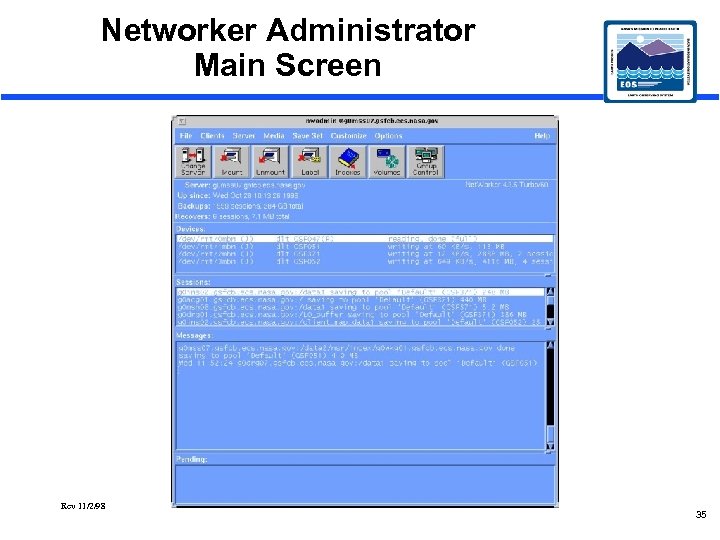 Networker Administrator Main Screen Rev 11/2/98 35
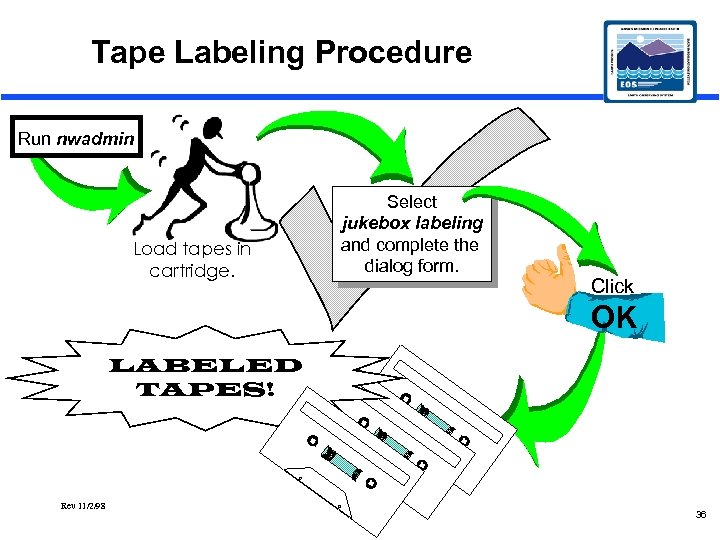 Tape Labeling Procedure Run nwadmin Load tapes in cartridge. Select jukebox labeling and complete the dialog form. Click OK LABELED TAPES! Rev 11/2/98 36
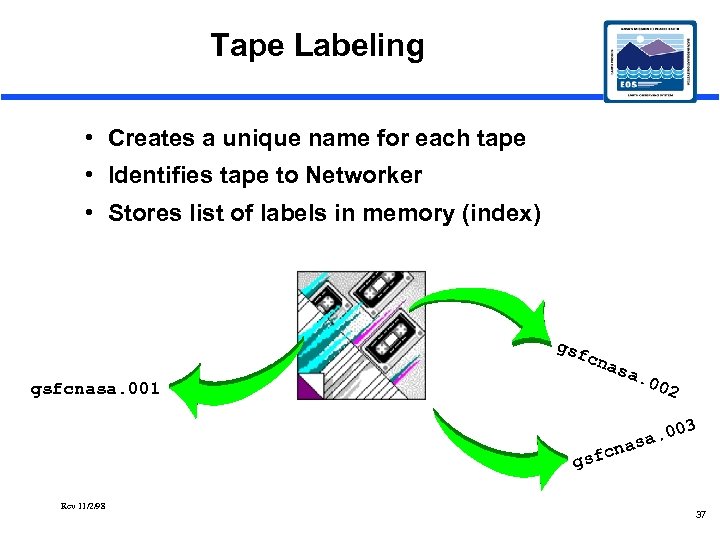 Tape Labeling • Creates a unique name for each tape • Identifies tape to Networker • Stores list of labels in memory (index) gsf c gsfcnasa. 001 nas a Rev 11/2/98 3 0 a. 0 s a n sfc g . 00 2 37
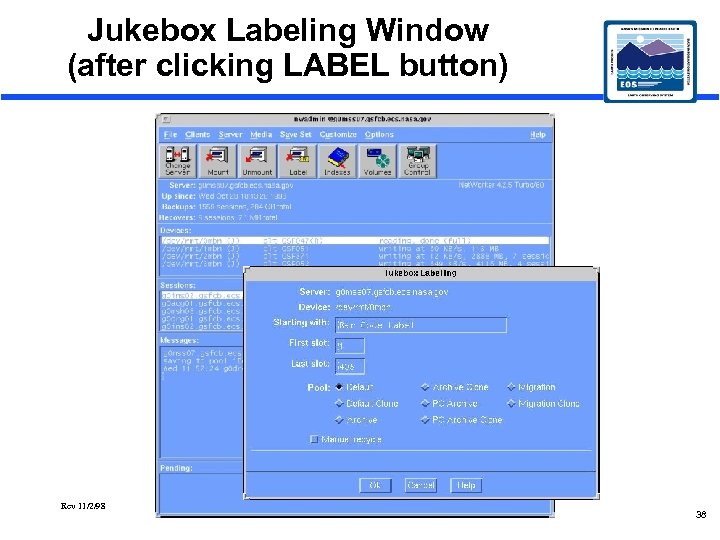 Jukebox Labeling Window (after clicking LABEL button) Rev 11/2/98 38
 Tape Indexing • Networker’s way of identifying each tape’s location in the jukebox • Reads each tape’s label and matches it to the jukebox slot • Can be time consuming (2 -3 minutes per tape) • Must be performed after tapes are added, removed, or changed Rev 11/2/98 39
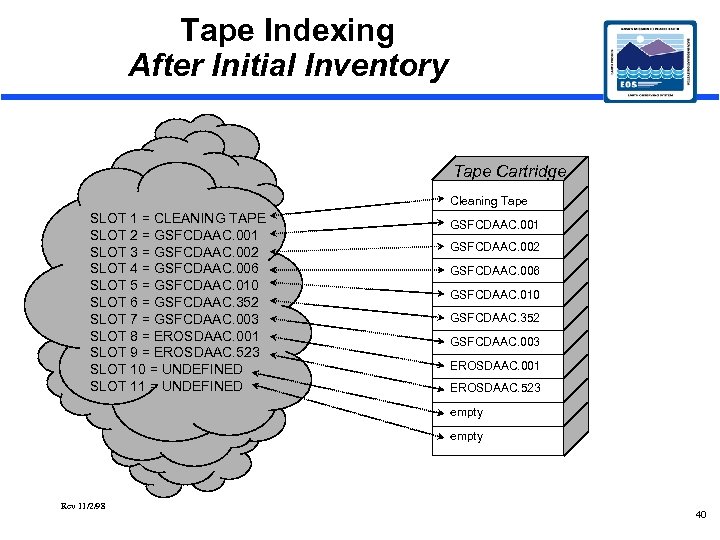 Tape Indexing After Initial Inventory Tape Cartridge Cleaning Tape SLOT 1 = CLEANING TAPE SLOT 2 = GSFCDAAC. 001 SLOT 3 = GSFCDAAC. 002 SLOT 4 = GSFCDAAC. 006 SLOT 5 = GSFCDAAC. 010 SLOT 6 = GSFCDAAC. 352 SLOT 7 = GSFCDAAC. 003 SLOT 8 = EROSDAAC. 001 SLOT 9 = EROSDAAC. 523 SLOT 10 = UNDEFINED SLOT 11 = UNDEFINED GSFCDAAC. 001 GSFCDAAC. 002 GSFCDAAC. 006 GSFCDAAC. 010 GSFCDAAC. 352 GSFCDAAC. 003 EROSDAAC. 001 EROSDAAC. 523 empty Rev 11/2/98 40
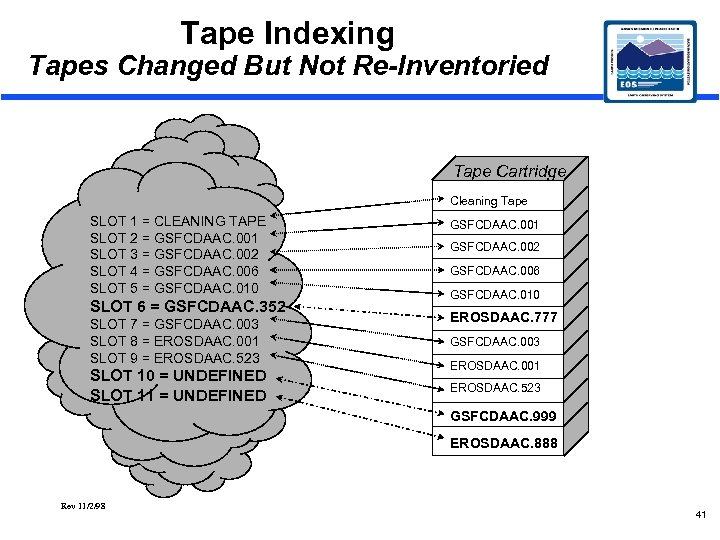 Tape Indexing Tapes Changed But Not Re-Inventoried Tape Cartridge Cleaning Tape SLOT 1 = CLEANING TAPE SLOT 2 = GSFCDAAC. 001 SLOT 3 = GSFCDAAC. 002 SLOT 4 = GSFCDAAC. 006 SLOT 5 = GSFCDAAC. 010 SLOT 6 = GSFCDAAC. 352 GSFCDAAC. 001 GSFCDAAC. 002 GSFCDAAC. 006 GSFCDAAC. 010 EROSDAAC. 777 SLOT 7 = GSFCDAAC. 003 SLOT 8 = EROSDAAC. 001 SLOT 9 = EROSDAAC. 523 GSFCDAAC. 003 SLOT 10 = UNDEFINED SLOT 11 = UNDEFINED EROSDAAC. 523 EROSDAAC. 001 GSFCDAAC. 999 EROSDAAC. 888 Rev 11/2/98 41
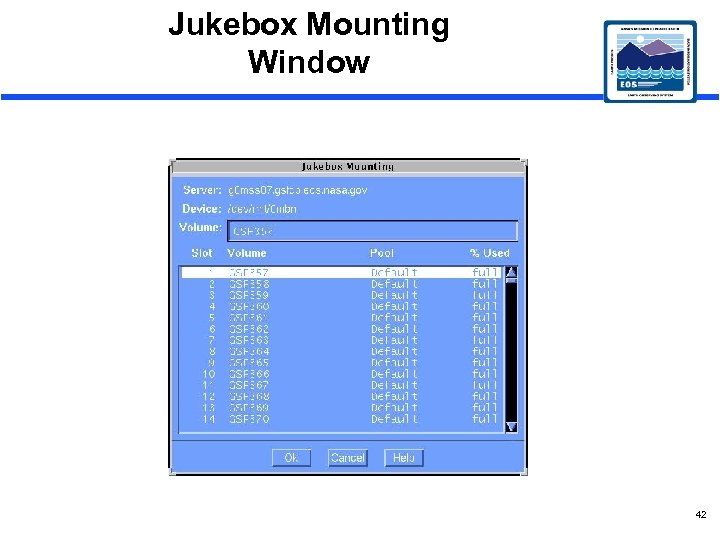 Jukebox Mounting Window 42
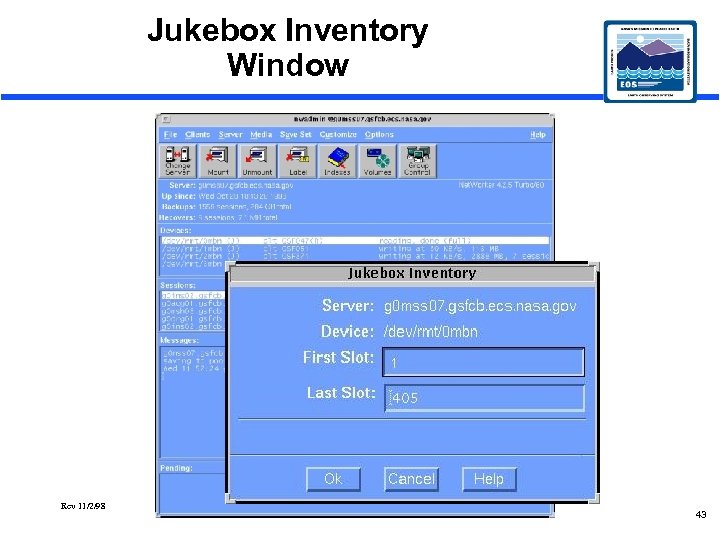 Jukebox Inventory Window Rev 11/2/98 43
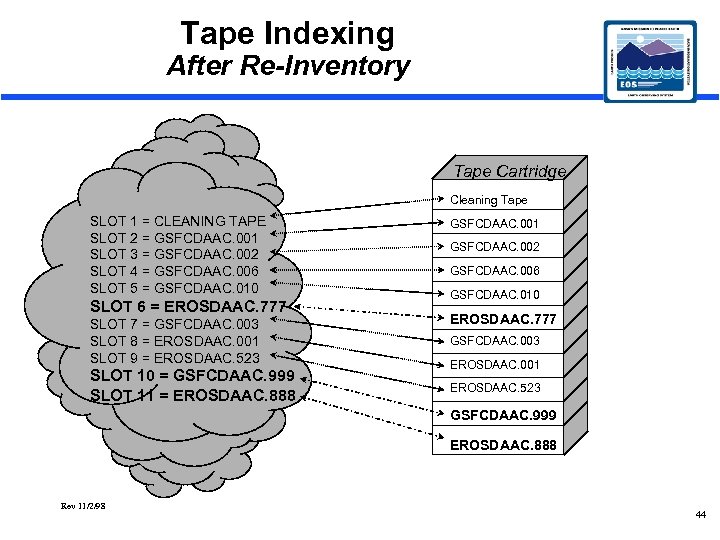 Tape Indexing After Re-Inventory Tape Cartridge Cleaning Tape SLOT 1 = CLEANING TAPE SLOT 2 = GSFCDAAC. 001 SLOT 3 = GSFCDAAC. 002 SLOT 4 = GSFCDAAC. 006 SLOT 5 = GSFCDAAC. 010 SLOT 6 = EROSDAAC. 777 SLOT 7 = GSFCDAAC. 003 SLOT 8 = EROSDAAC. 001 SLOT 9 = EROSDAAC. 523 SLOT 10 = GSFCDAAC. 999 SLOT 11 = EROSDAAC. 888 GSFCDAAC. 001 GSFCDAAC. 002 GSFCDAAC. 006 GSFCDAAC. 010 EROSDAAC. 777 GSFCDAAC. 003 EROSDAAC. 001 EROSDAAC. 523 GSFCDAAC. 999 EROSDAAC. 888 Rev 11/2/98 44
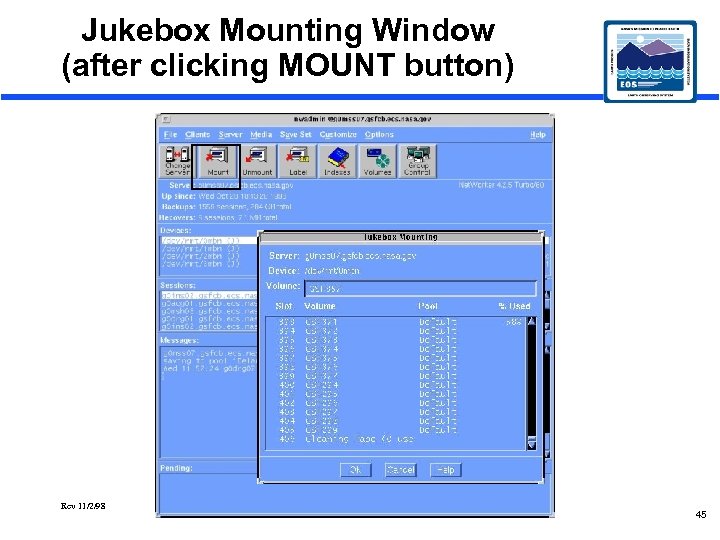 Jukebox Mounting Window (after clicking MOUNT button) Rev 11/2/98 45
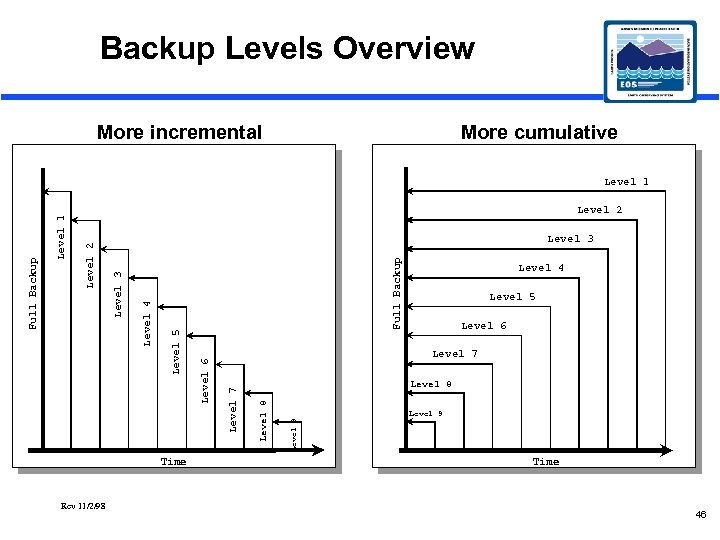 Backup Levels Overview More incremental More cumulative Level 2 Time Rev 11/2/98 Full Backup Level 4 Level 5 Level 6 Level 7 Level 9 Level 8 Level 7 Level 6 Level 5 Level 4 Level 3 Level 2 Level 1 Full Backup Level 1 Level 9 Time 46
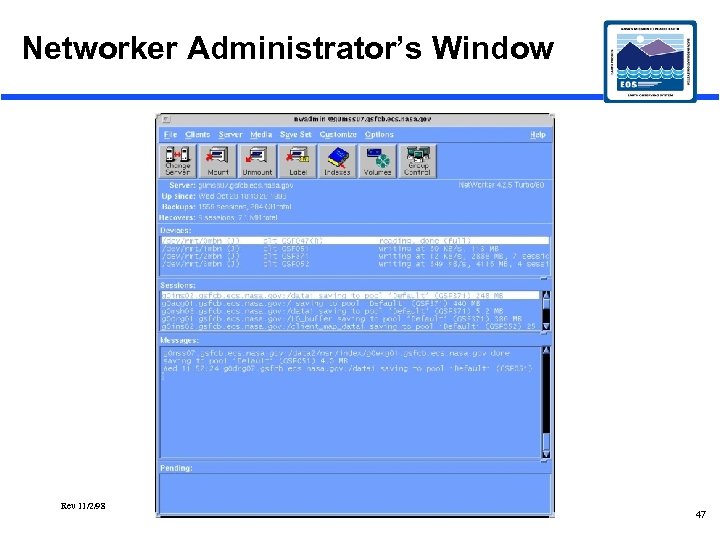 Networker Administrator’s Window Rev 11/2/98 47
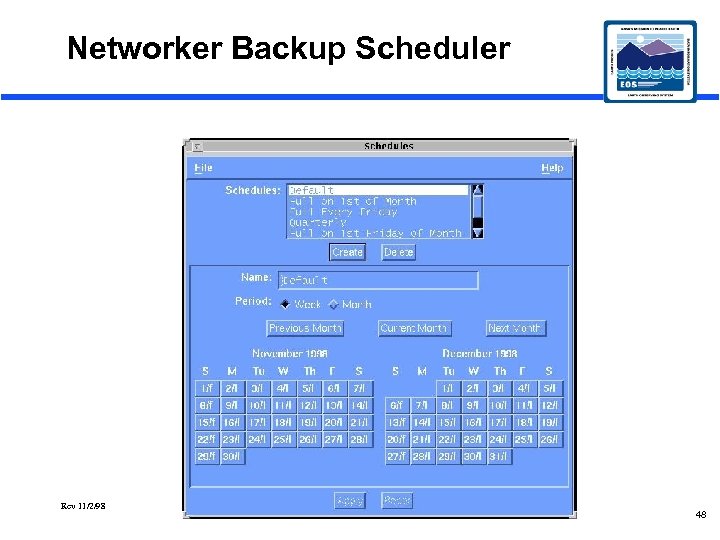 Networker Backup Scheduler Rev 11/2/98 48
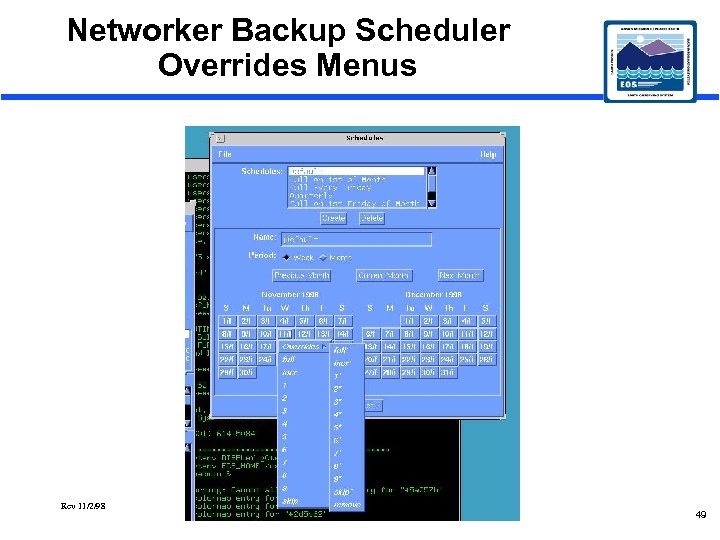 Networker Backup Scheduler Overrides Menus Rev 11/2/98 49
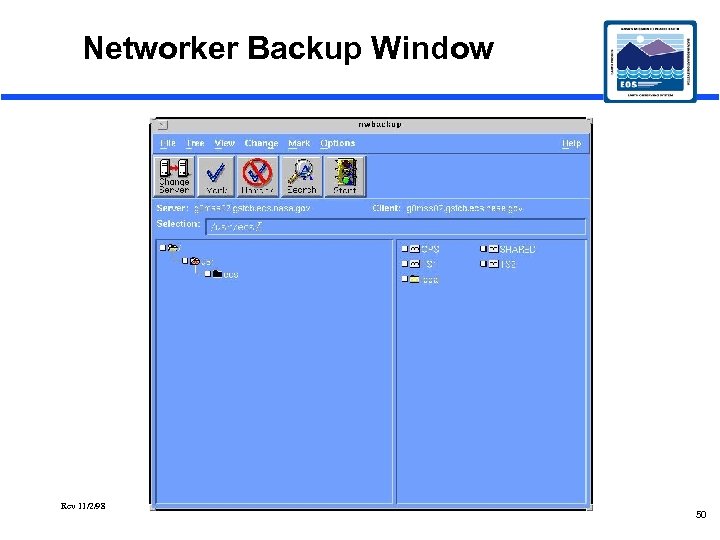 Networker Backup Window Rev 11/2/98 50
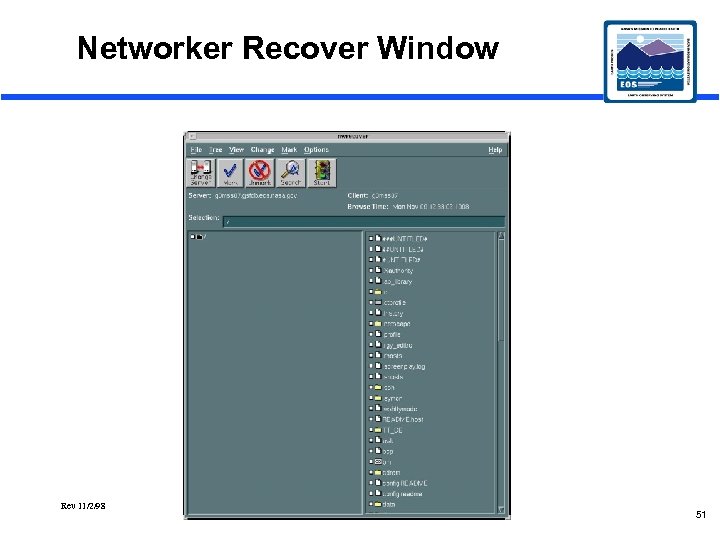 Networker Recover Window Rev 11/2/98 51
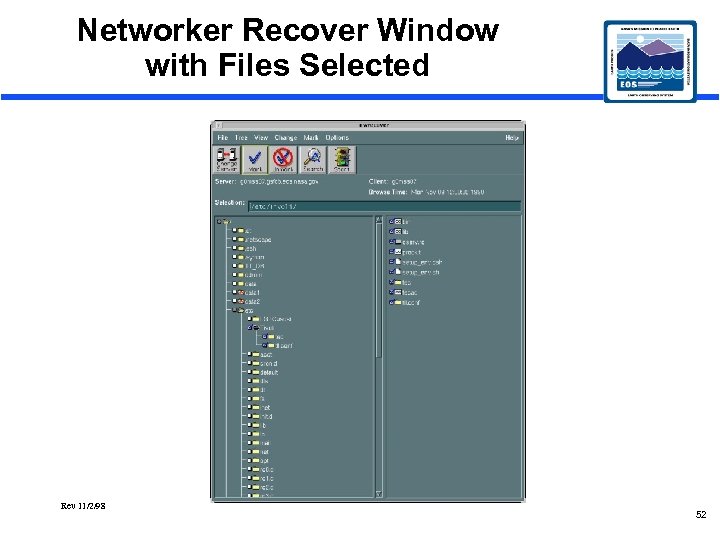 Networker Recover Window with Files Selected Rev 11/2/98 52
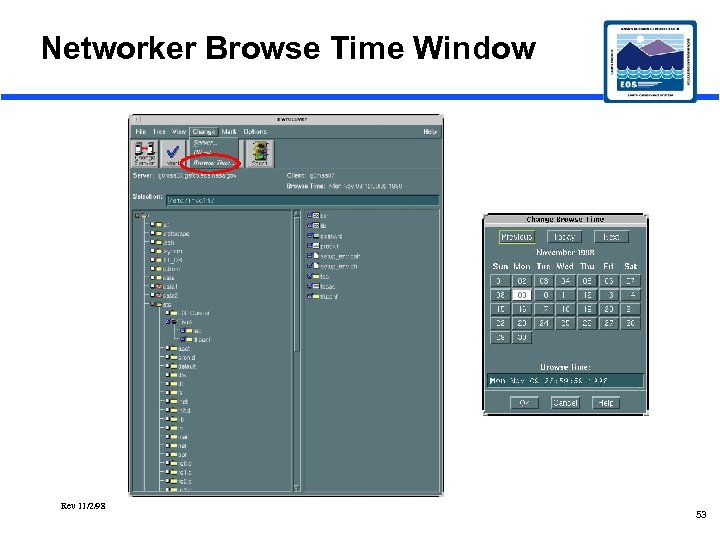 Networker Browse Time Window Rev 11/2/98 53
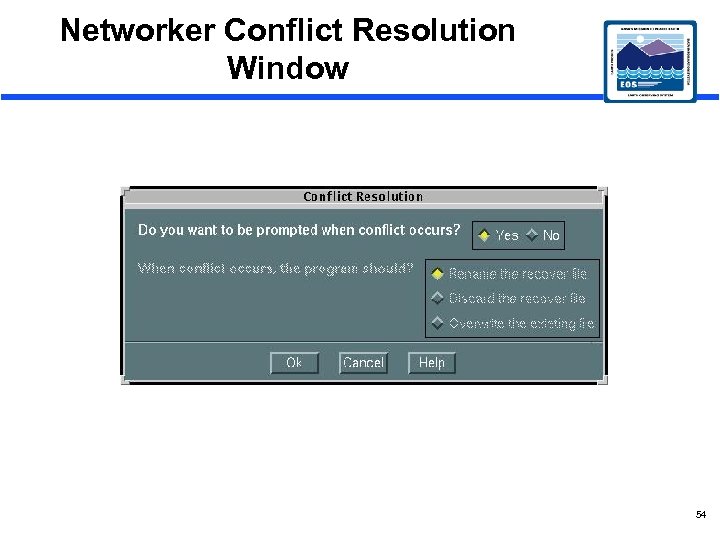 Networker Conflict Resolution Window 54
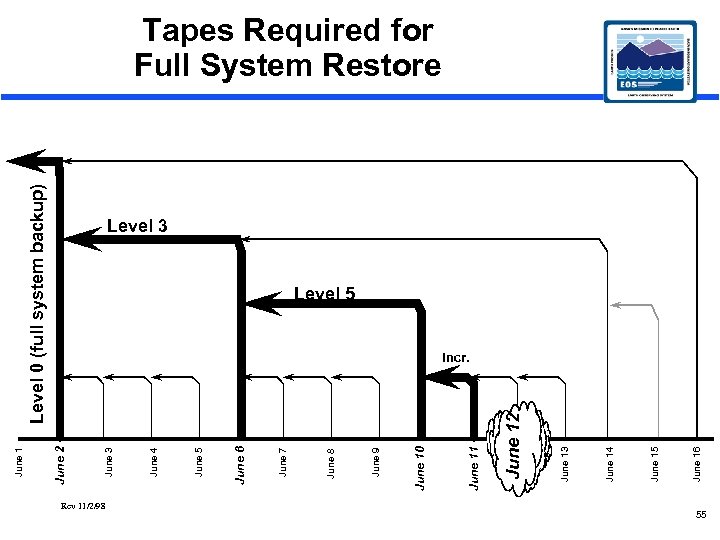 Rev 11/2/98 Level 0 (full system backup) June 16 June 15 June 14 June 13 June 12 June 11 June 10 June 9 June 8 June 7 June 6 June 5 June 4 June 3 June 2 June 1 Tapes Required for Full System Restore Level 3 Level 5 Incr. 55
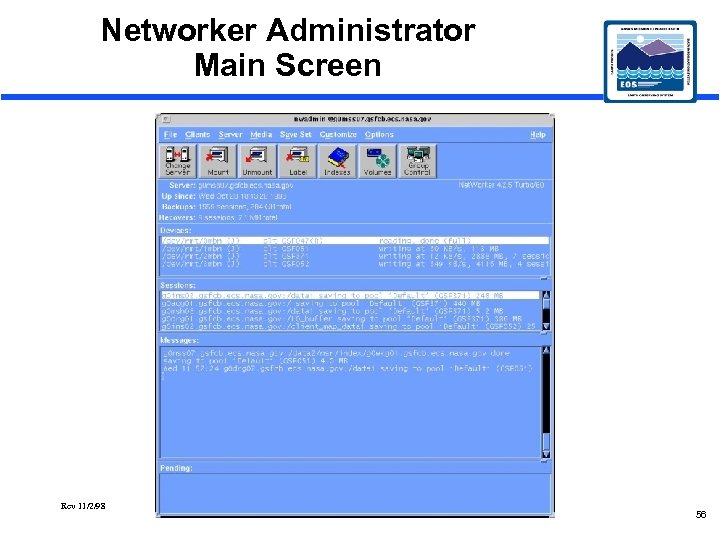 Networker Administrator Main Screen Rev 11/2/98 56
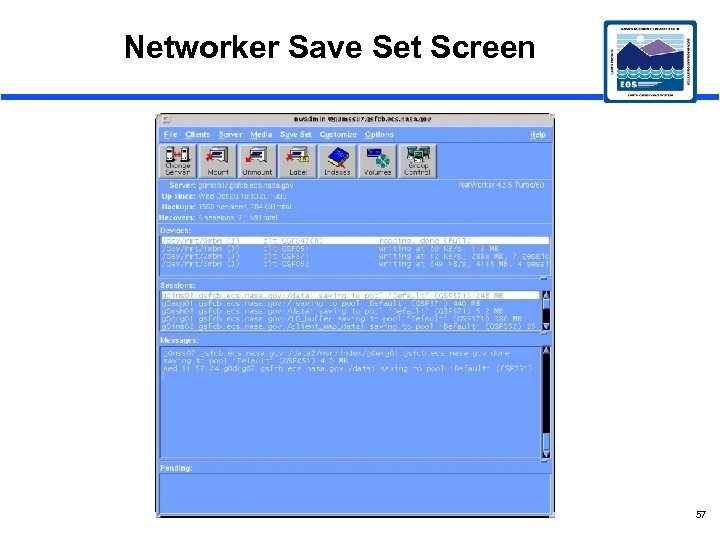 Networker Save Set Screen 57
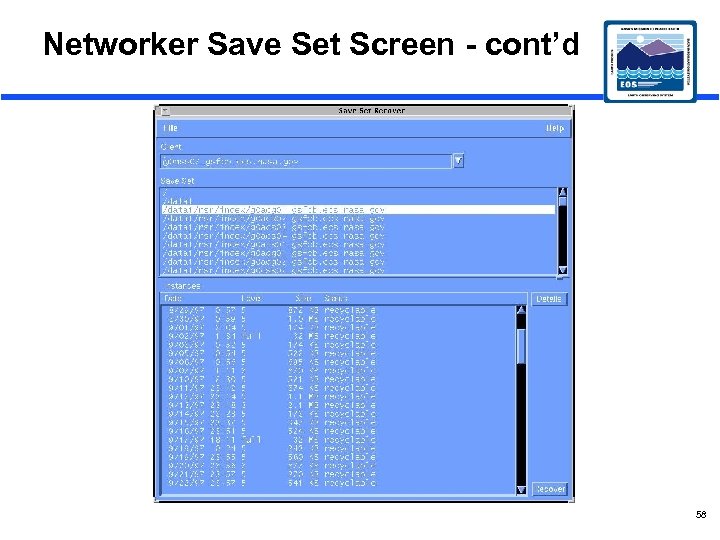 Networker Save Set Screen - cont’d 58
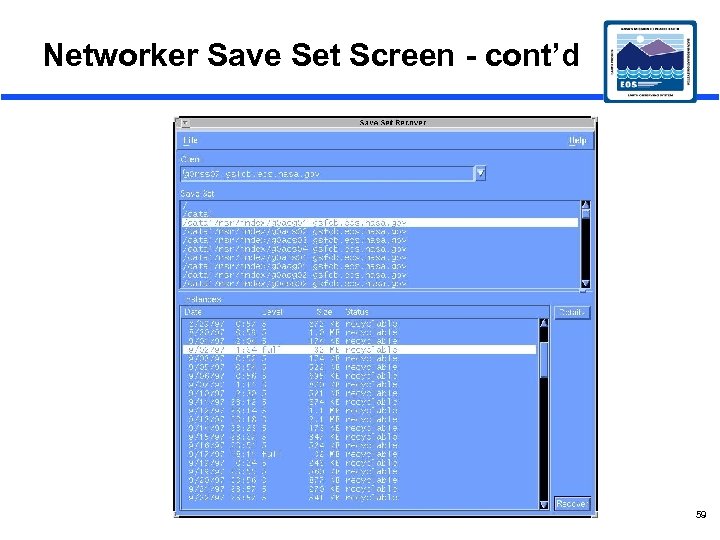 Networker Save Set Screen - cont’d 59
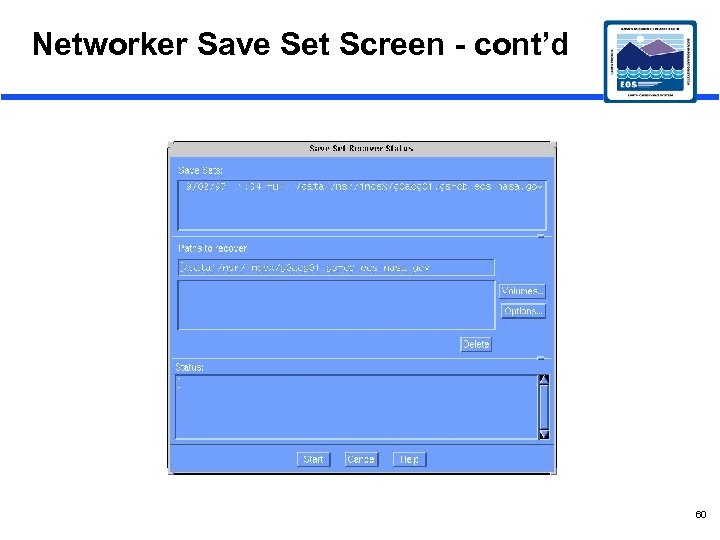 Networker Save Set Screen - cont’d 60
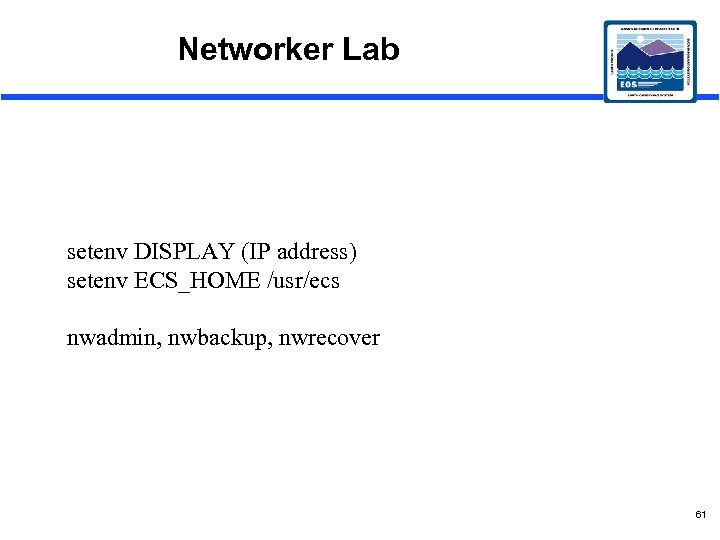 Networker Lab setenv DISPLAY (IP address) setenv ECS_HOME /usr/ecs nwadmin, nwbackup, nwrecover 61
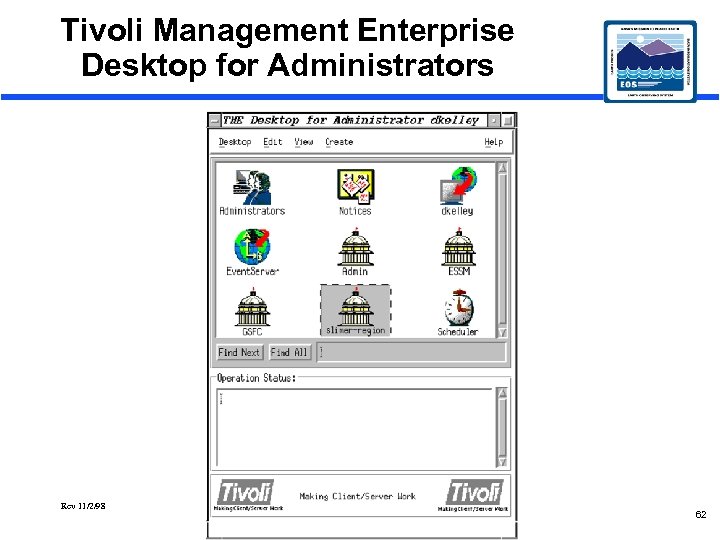 Tivoli Management Enterprise Desktop for Administrators Rev 11/2/98 62
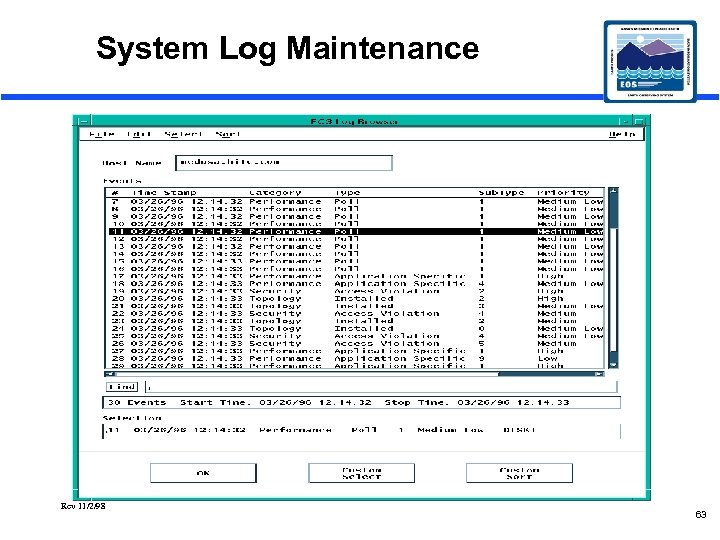 System Log Maintenance Rev 11/2/98 63
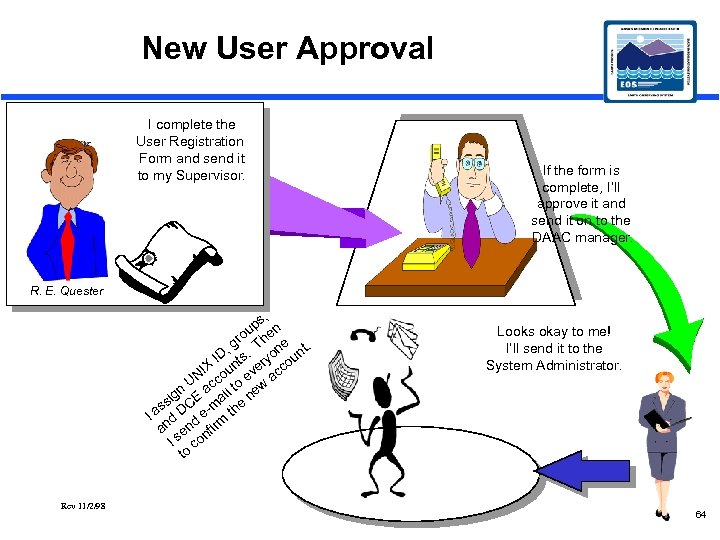 New User Approval I complete the User Registration Form and send it to my Supervisor. If the form is complete, I’ll approve it and send it on to the DAAC manager. R. E. Quester s, up en ro h , g. T one nt. u ID ts ry IX oun ve cco e a UN c n ac il to new ig E a ss DC -m the Ia d de m an en nfir I s co to Rev 11/2/98 Looks okay to me! I’ll send it to the System Administrator. 64
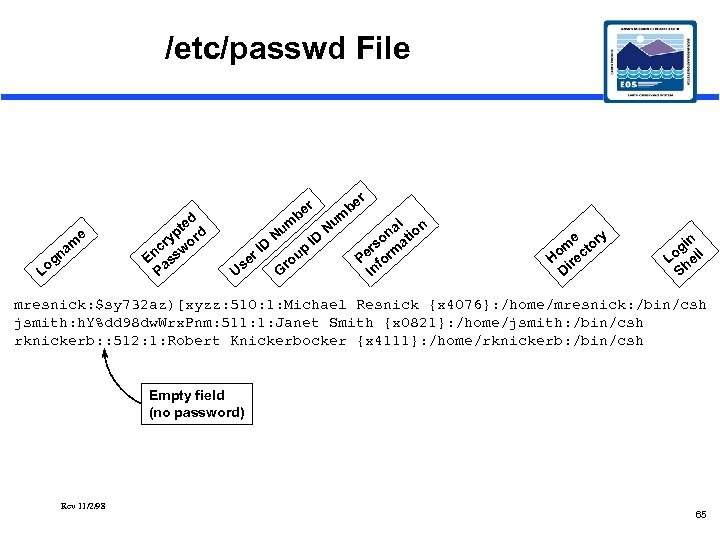 /etc/passwd File e Lo m na g ed pt rd y cr wo En ass P r be e Us D r. I m Nu ro G up ID r Nu m be l n na tio o rs rma Pe fo In e ry m cto Ho ire D in og ell L h S mresnick: $sy 732 az)[xyzz: 510: 1: Michael Resnick {x 4076}: /home/mresnick: /bin/csh jsmith: h. Y%dd 98 dw. Wrx. Pnm: 511: 1: Janet Smith {x 0821}: /home/jsmith: /bin/csh rknickerb: : 512: 1: Robert Knickerbocker {x 4111}: /home/rknickerb: /bin/csh Empty field (no password) Rev 11/2/98 65
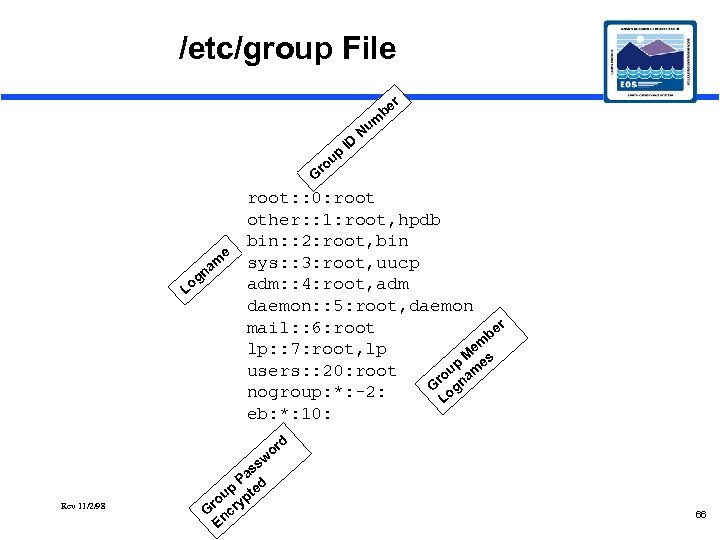 /etc/group File ro up ID Nu r be m G e g m na Lo root: : 0: root other: : 1: root, hpdb bin: : 2: root, bin sys: : 3: root, uucp adm: : 4: root, adm daemon: : 5: root, daemon r mail: : 6: root be em lp: : 7: root, lp M es p users: : 20: root ou nam r G og nogroup: *: -2: L eb: *: 10: d or w s Rev 11/2/98 s Pa d p te ou ryp r G nc E 66
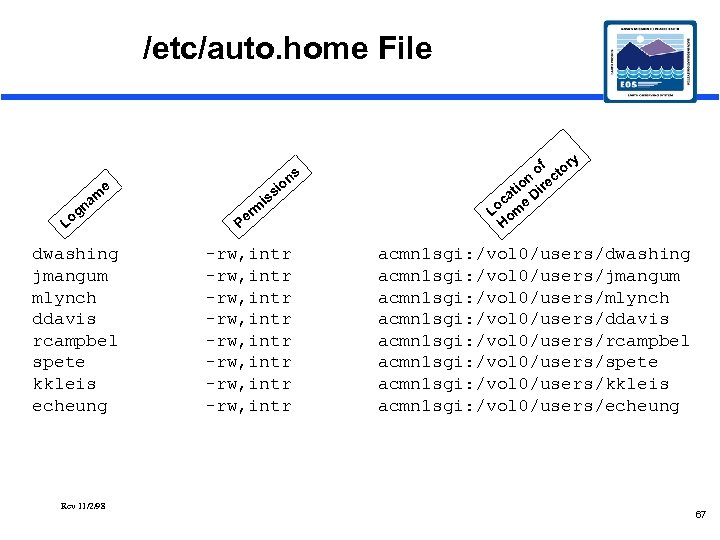 /etc/auto. home File g Lo m na ns io ss i e dwashing jmangum mlynch ddavis rcampbel spete kkleis echeung Rev 11/2/98 m r Pe -rw, intr -rw, intr y of tor n ec tio Dir a oc me L o H acmn 1 sgi: /vol 0/users/dwashing acmn 1 sgi: /vol 0/users/jmangum acmn 1 sgi: /vol 0/users/mlynch acmn 1 sgi: /vol 0/users/ddavis acmn 1 sgi: /vol 0/users/rcampbel acmn 1 sgi: /vol 0/users/spete acmn 1 sgi: /vol 0/users/kkleis acmn 1 sgi: /vol 0/users/echeung 67
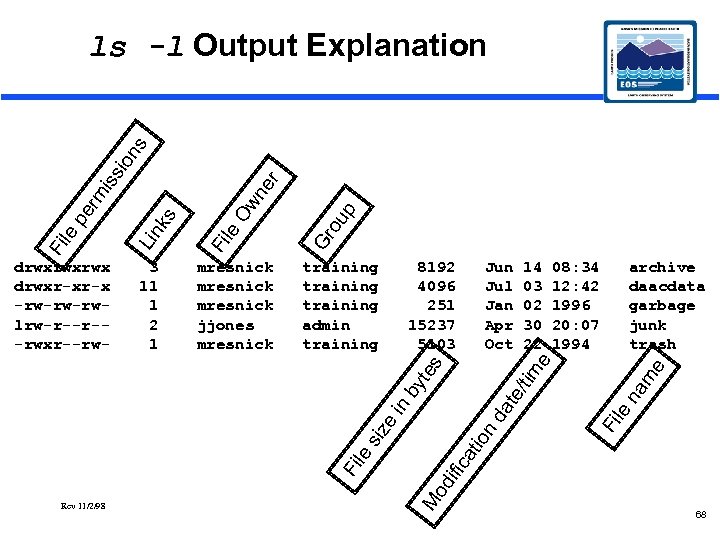 ou p Gr da te archive daacdata garbage junk trash Rev 11/2/98 M od Fi le ific at ion 08: 34 12: 42 1996 20: 07 1994 e te by in siz e 14 03 02 30 22 m Jun Jul Jan Apr Oct na 8192 4096 251 15237 5103 le training admin training Fi Ow n le Fi mresnick jjones mresnick /tim e 3 11 1 2 1 s drwxrwxrwx drwxr-xr-x -rw-rw-rwlrw-r--r--rwxr--rw- Lin ks Fi le pe rm er iss ion s ls -l Output Explanation 68
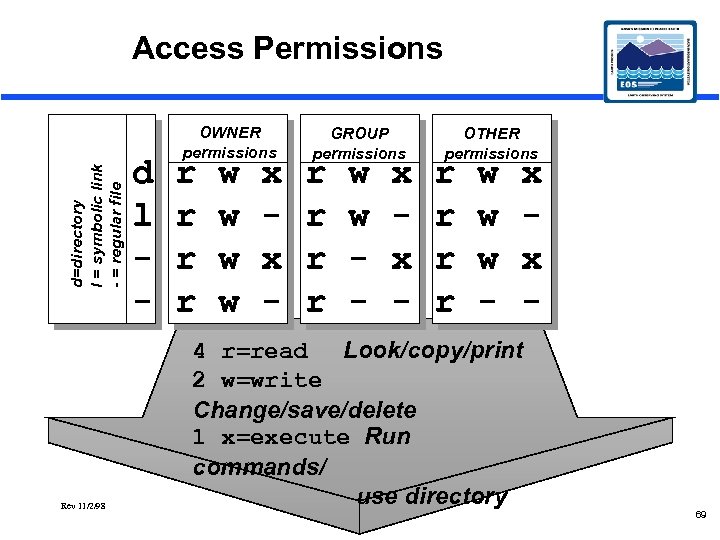 d=directory l = symbolic link - = regular file Access Permissions Rev 11/2/98 d l - OWNER permissions r r w w x x - GROUP permissions r r w w - x x - OTHER permissions r r w w w - x x - 4 r=read Look/copy/print 2 w=write Change/save/delete 1 x=execute Run commands/ use directory 69
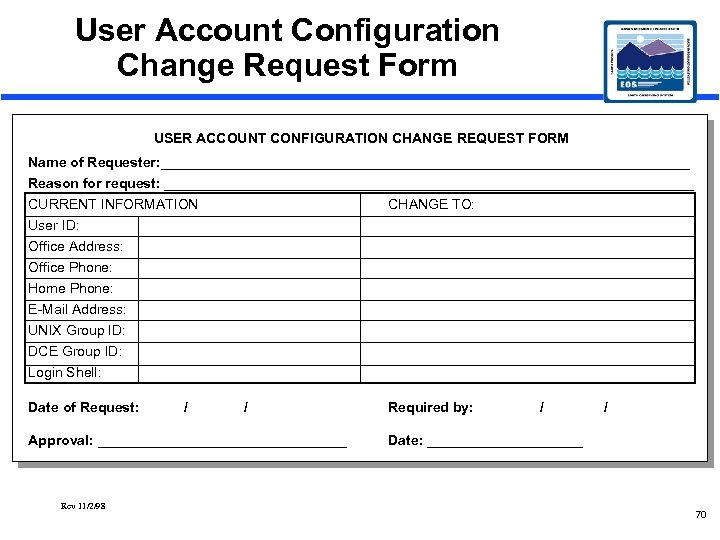 User Account Configuration Change Request Form USER ACCOUNT CONFIGURATION CHANGE REQUEST FORM Name of Requester: __________________________________ Reason for request: __________________________________ CURRENT INFORMATION CHANGE TO: User ID: Office Address: Office Phone: Home Phone: E-Mail Address: UNIX Group ID: DCE Group ID: Login Shell: Date of Request: / / Approval: ________________ Rev 11/2/98 Required by: / / Date: __________ 70
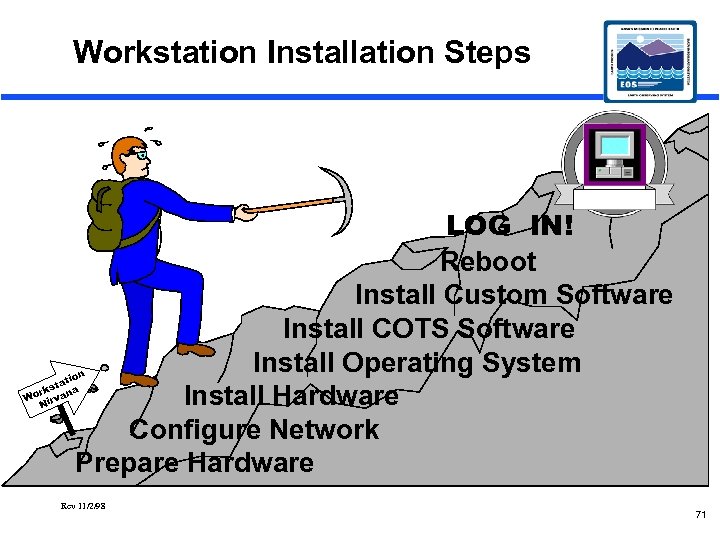 Workstation Installation Steps LOG IN! Reboot Install Custom Software Install COTS Software Install Operating System Install Hardware Configure Network Prepare Hardware n tio sta a rk n Wo irva N Rev 11/2/98 71
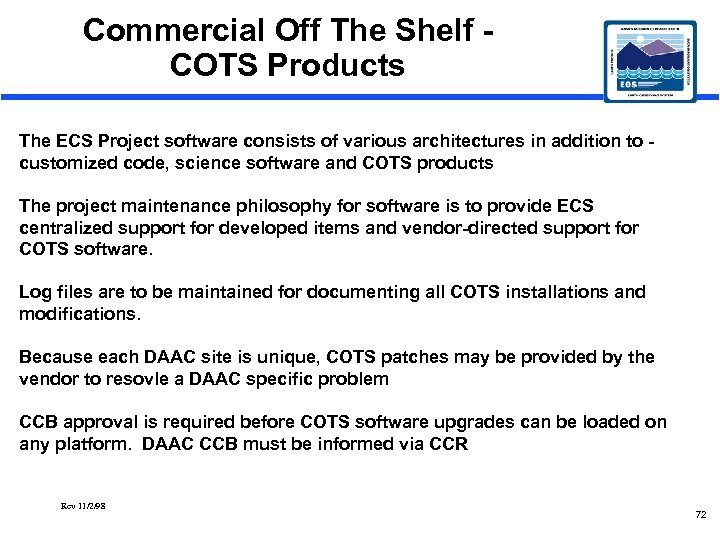 Commercial Off The Shelf COTS Products The ECS Project software consists of various architectures in addition to customized code, science software and COTS products The project maintenance philosophy for software is to provide ECS centralized support for developed items and vendor-directed support for COTS software. Log files are to be maintained for documenting all COTS installations and modifications. Because each DAAC site is unique, COTS patches may be provided by the vendor to resovle a DAAC specific problem CCB approval is required before COTS software upgrades can be loaded on any platform. DAAC CCB must be informed via CCR Rev 11/2/98 72
 What is DCE? • Distributed Computing Environment • Provides a basis for building applications that are – – – Scalable Secure Distributed Interoperable with other resources Portable across heterogeneous platforms • Offers tools for – Application developers (APIs) – Administrators (administrative commands) – Users (user commands) Rev 11/2/98 73
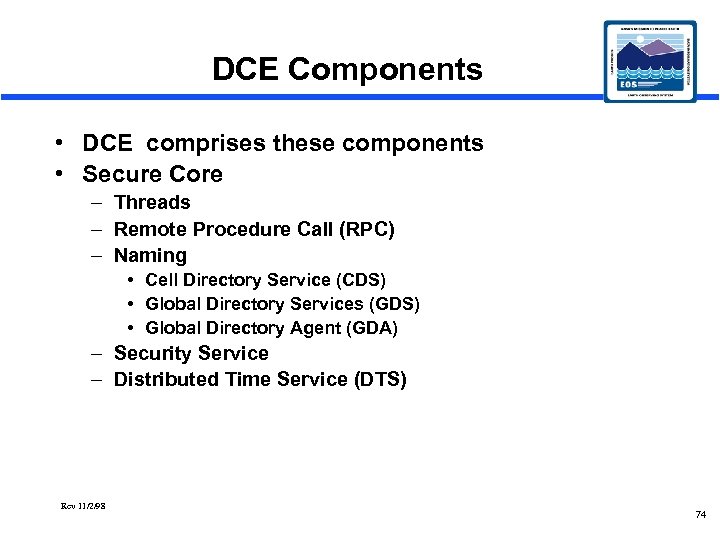 DCE Components • DCE comprises these components • Secure Core – Threads – Remote Procedure Call (RPC) – Naming • Cell Directory Service (CDS) • Global Directory Services (GDS) • Global Directory Agent (GDA) – Security Service – Distributed Time Service (DTS) Rev 11/2/98 74
 Additonal DCE Components • Extended Services – Global Directory Services (GDS) – Distributed File Service (DFS) Rev 11/2/98 75
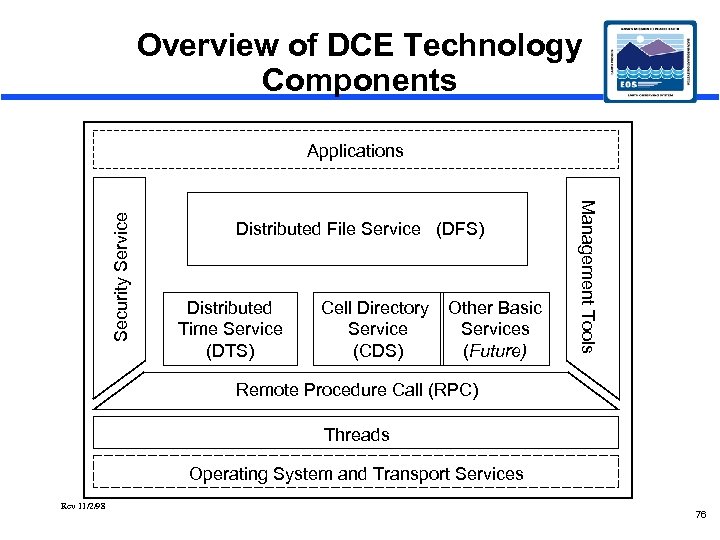 Overview of DCE Technology Components Distributed File Service (DFS) Distributed Time Service (DTS) Cell Directory Service (CDS) Other Basic Services (Future) Management Tools Security Service Applications Remote Procedure Call (RPC) Threads Operating System and Transport Services Rev 11/2/98 76
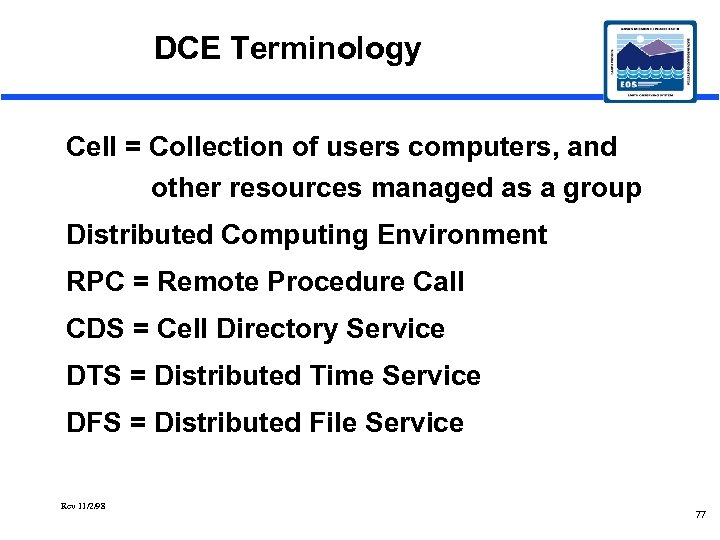 DCE Terminology Cell = Collection of users computers, and other resources managed as a group Distributed Computing Environment RPC = Remote Procedure Call CDS = Cell Directory Service DTS = Distributed Time Service DFS = Distributed File Service Rev 11/2/98 77
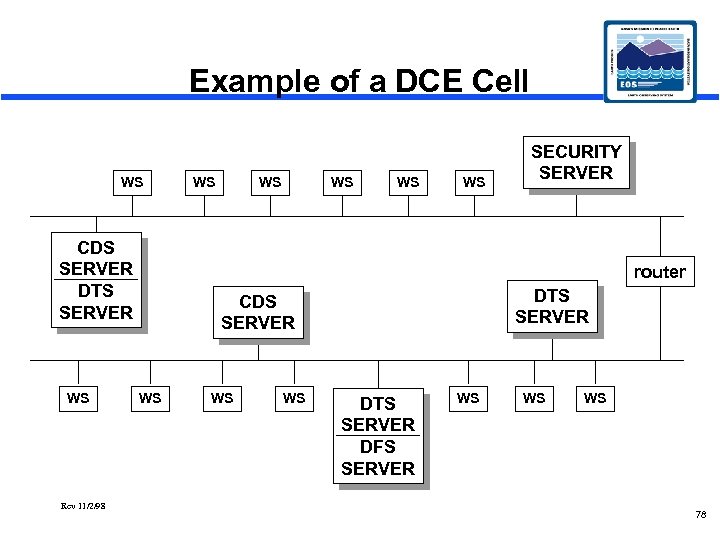 Example of a DCE Cell WS CDS SERVER DTS SERVER WS Rev 11/2/98 WS WS WS SECURITY SERVER router DTS SERVER CDS SERVER WS WS WS DTS SERVER DFS SERVER WS WS WS 78
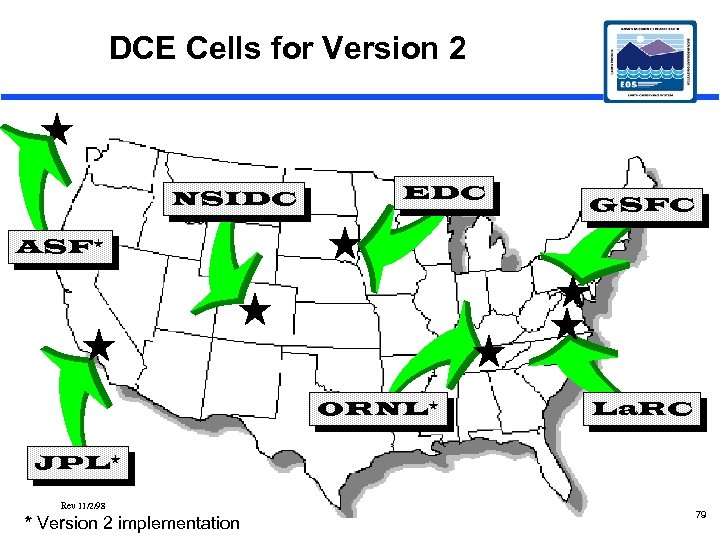 DCE Cells for Version 2 NSIDC EDC GSFC ASF* ORNL* La. RC JPL* Rev 11/2/98 * Version 2 implementation 79
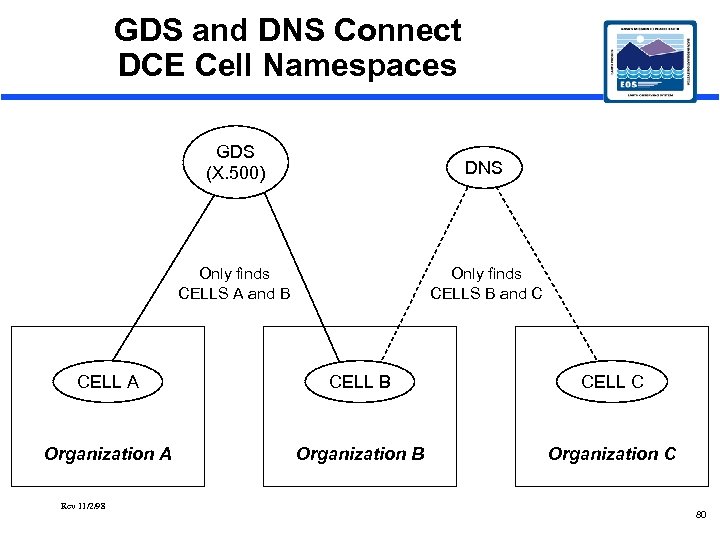 GDS and DNS Connect DCE Cell Namespaces GDS (X. 500) DNS Only finds CELLS A and B Only finds CELLS B and C CELL A CELL B CELL C Organization A Organization B Organization C Rev 11/2/98 80
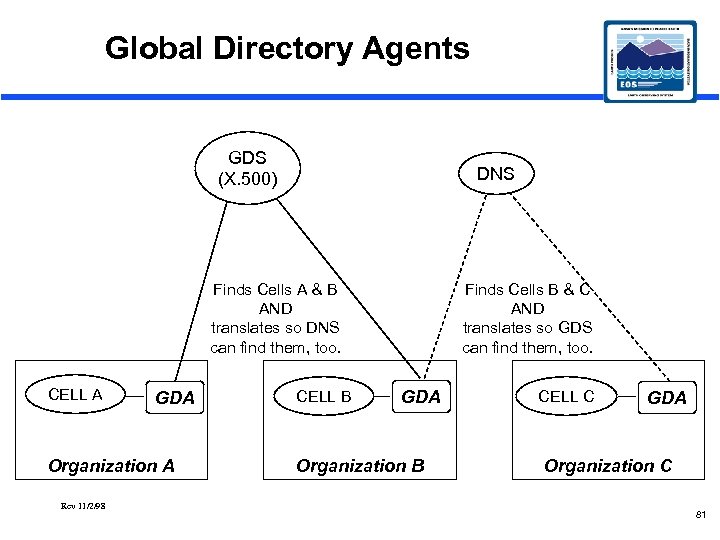 Global Directory Agents GDS (X. 500) DNS Finds Cells A & B AND translates so DNS can find them, too. CELL A GDA Organization A Rev 11/2/98 CELL B Finds Cells B & C AND translates so GDS can find them, too. GDA Organization B CELL C GDA Organization C 81
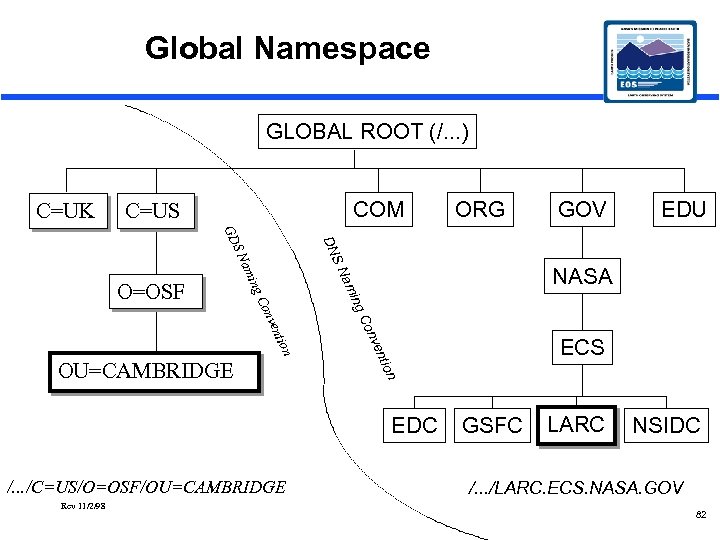 Global Namespace GLOBAL ROOT (/. . . ) C=UK COM C=US SN EDU NASA n ntio nve Co tion ven Con ing am SN OU=CAMBRIDGE EDC /. . . /C=US/O=OSF/OU=CAMBRIDGE Rev 11/2/98 GOV DN GD O=OSF ORG ECS GSFC LARC NSIDC /. . . /LARC. ECS. NASA. GOV 82
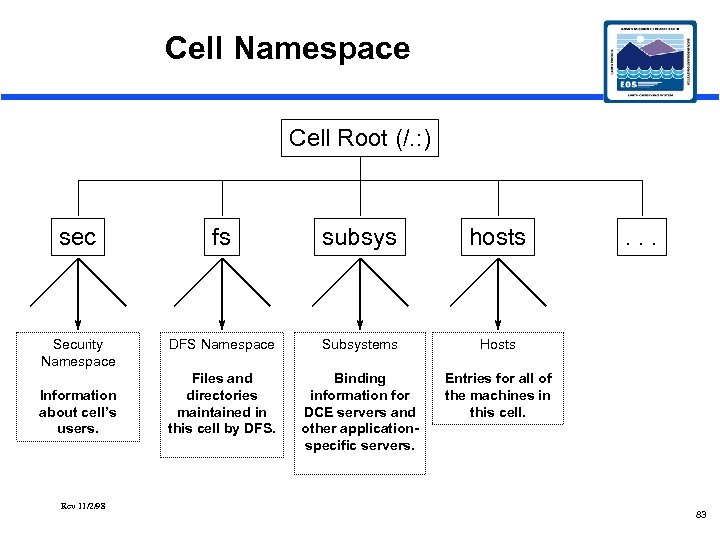 Cell Namespace Cell Root (/. : ) sec fs subsys hosts Security Namespace DFS Namespace Subsystems Hosts Files and directories maintained in this cell by DFS. Binding information for DCE servers and other applicationspecific servers. Entries for all of the machines in this cell. Information about cell’s users. Rev 11/2/98 . . . 83
 Distributed Time Service · Provides precise, fault-tolerant synchronization of system clocks. · Closely matches synchronized time to Coordinated Universal Time (UTC). · Well integrated with the rest of DCE · DTS can acquire high-quality time from the Internet Network Time Protocol Rev 11/2/98 84
 Distributed Time Service (cont. ) • A system is either a DTS SERVER or a DTS CLERK (client), but not both. • When clock inaccuracy on each system exceeds a configured amount, resynchronization occurs. – DTS clerks resync with DTS servers. – DTS servers resync with other DTS servers. Rev 11/2/98 85
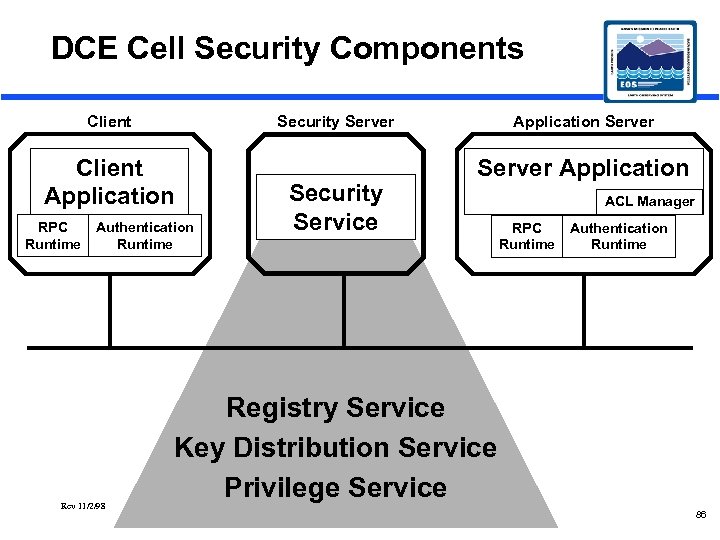 DCE Cell Security Components Client Security Server Client Application RPC Runtime Authentication Runtime Rev 11/2/98 Security Service Application Server Application ACL Manager RPC Runtime Authentication Runtime Registry Service Key Distribution Service Privilege Service 86
 DCE Security Principles • Every user and server is a PRINCIPAL. • Every principal has a PRIVATE KEY. – Users = password provided at login. – Servers = password contained in a file. • Every prinicpal has a UNIVERSAL UNIQUE IDENTIFIER (UUID). • Each principal can belong to one or more groups. • Each group is assigned a UUID. Rev 11/2/98 87
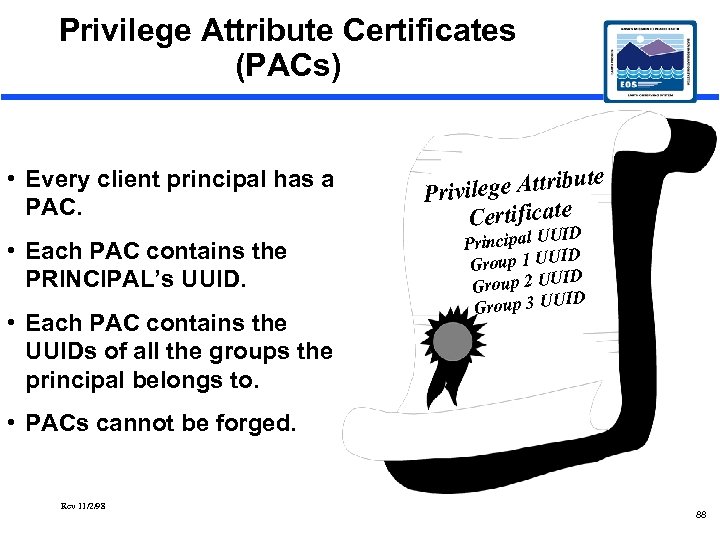 Privilege Attribute Certificates (PACs) • Every client principal has a PAC. • Each PAC contains the PRINCIPAL’s UUID. • Each PAC contains the UUIDs of all the groups the principal belongs to. bute ivilege Attri Pr Certificate UID Principal U ID Group 1 UU ID Group 2 UU ID Group 3 UU • PACs cannot be forged. Rev 11/2/98 88
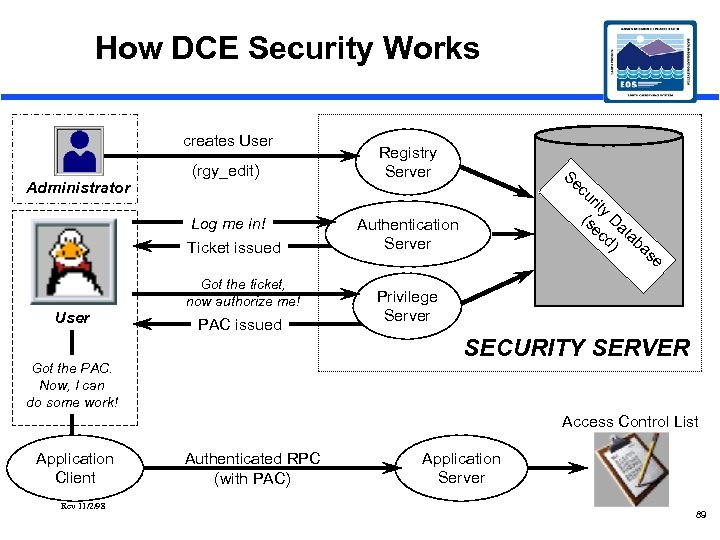 How DCE Security Works creates User Administrator (rgy_edit) Log me in! Ticket issued User Got the ticket, now authorize me! PAC issued Registry Server Se cu rit y (s Da ec ta d) b a Authentication Server se Privilege Server SECURITY SERVER Got the PAC. Now, I can do some work! Access Control List Application Client Rev 11/2/98 Authenticated RPC (with PAC) Application Server 89
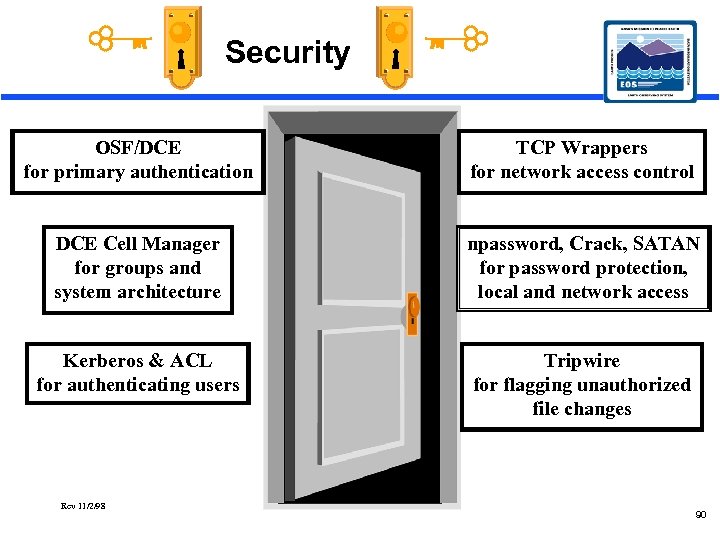 Security OSF/DCE for primary authentication TCP Wrappers for network access control DCE Cell Manager for groups and system architecture npassword, Crack, SATAN for password protection, local and network access Kerberos & ACL for authenticating users Tripwire for flagging unauthorized file changes Rev 11/2/98 90