


 Скачать презентацию Supercomputing and Science An Introduction to High Performance
f5de9254961c3e7780bbc5335893f821.ppt
- Количество слайдов: 62
 Supercomputing and Science An Introduction to High Performance Computing Part II: The Tyranny of the Storage Hierarchy: From Registers to the Internet Henry Neeman, Director OU Supercomputing Center for Education & Research
 Outline n n n n n What is the storage hierarchy? Registers Cache Main Memory (RAM) The Relationship Between RAM and Cache The Importance of Being Local Hard Disk Virtual Memory The Net OU Supercomputing Center for Education & Research 2
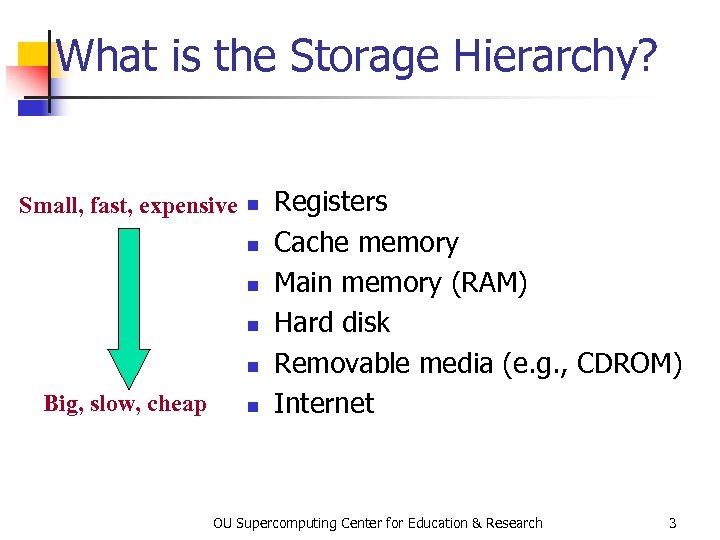 What is the Storage Hierarchy? Small, fast, expensive n n n Big, slow, cheap n Registers Cache memory Main memory (RAM) Hard disk Removable media (e. g. , CDROM) Internet OU Supercomputing Center for Education & Research 3
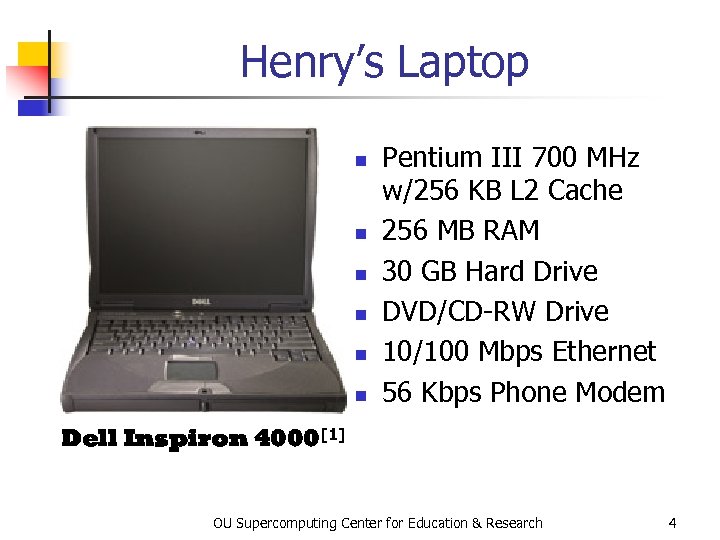 Henry’s Laptop n n n Pentium III 700 MHz w/256 KB L 2 Cache 256 MB RAM 30 GB Hard Drive DVD/CD-RW Drive 10/100 Mbps Ethernet 56 Kbps Phone Modem Dell Inspiron 4000[1] OU Supercomputing Center for Education & Research 4
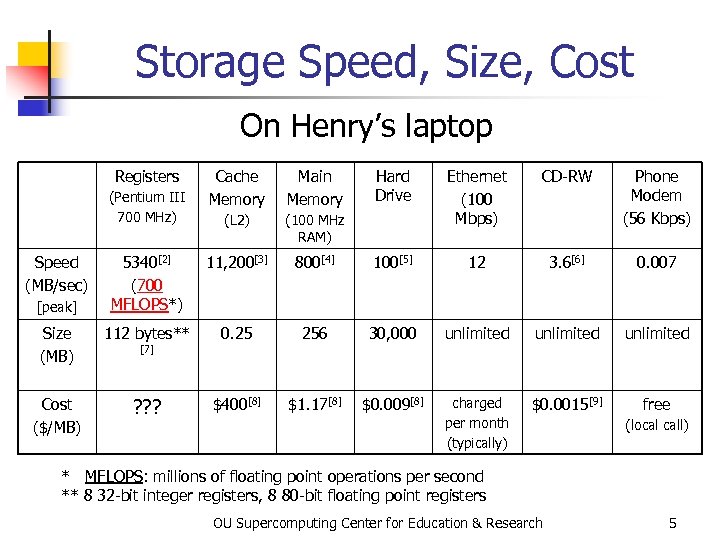 Storage Speed, Size, Cost On Henry’s laptop Registers Cache Memory Main Memory (L 2) (100 MHz RAM) 5340[2] (700 MFLOPS*) 11, 200[3] Size (MB) 112 bytes** Cost ($/MB) ? ? ? (Pentium III 700 MHz) Speed (MB/sec) [peak] [7] Hard Drive Ethernet (100 Mbps) CD-RW Phone Modem (56 Kbps) 800[4] 100[5] 12 3. 6[6] 0. 007 0. 25 256 30, 000 unlimited $400[8] $1. 17[8] $0. 009[8] charged per month (typically) $0. 0015[9] free (local call) * MFLOPS: millions of floating point operations per second ** 8 32 -bit integer registers, 8 80 -bit floating point registers OU Supercomputing Center for Education & Research 5
 Registers OU Supercomputing Center for Education & Research
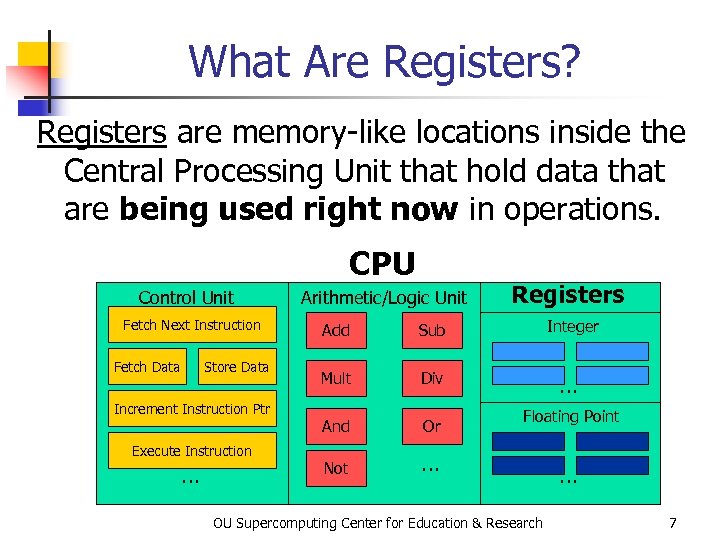 What Are Registers? Registers are memory-like locations inside the Central Processing Unit that hold data that are being used right now in operations. CPU Control Unit Fetch Next Instruction Fetch Data Store Data Increment Instruction Ptr Execute Instruction … Arithmetic/Logic Unit Registers Add Sub Integer Mult Div … And Or Not … Floating Point OU Supercomputing Center for Education & Research … 7
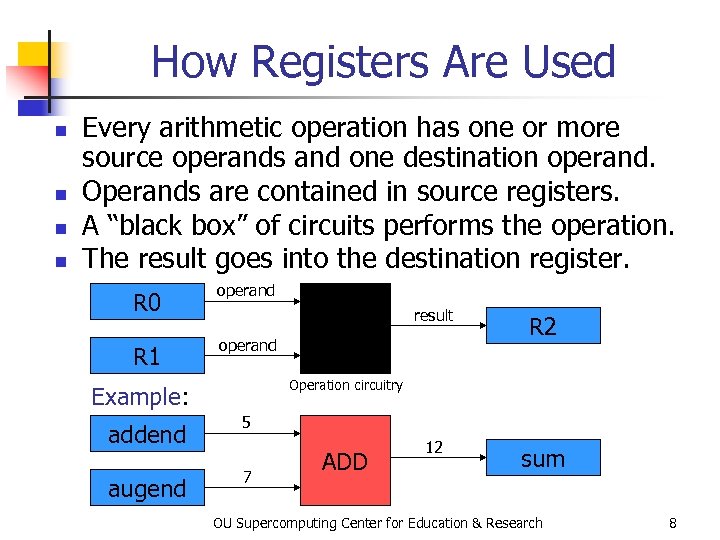 How Registers Are Used n n Every arithmetic operation has one or more source operands and one destination operand. Operands are contained in source registers. A “black box” of circuits performs the operation. The result goes into the destination register. R 0 operand R 1 operand result R 2 12 sum Operation circuitry Example: addend 5 augend 7 ADD OU Supercomputing Center for Education & Research 8
 How Many Registers? n n Typically, a CPU has less than 1 KB (1024 bytes) of registers, usually split into registers for holding integer values and registers for holding floating point (real) values. For example, the Motorola Power. PC 3 (found in IBM SP supercomputers) has 16 integer and 24 floating point registers (160 bytes). [10] OU Supercomputing Center for Education & Research 9
 Cache OU Supercomputing Center for Education & Research
 What is Cache? n n A very special kind of memory where data reside that are about to be used or have just been used Very fast, very expensive => very small (typically 100 -1000 times more expensive per byte than RAM) Data in cache can be loaded into registers at speeds comparable to the speed of performing computations. Data that is not in cache (but is in Main Memory) takes much longer to load. OU Supercomputing Center for Education & Research 11
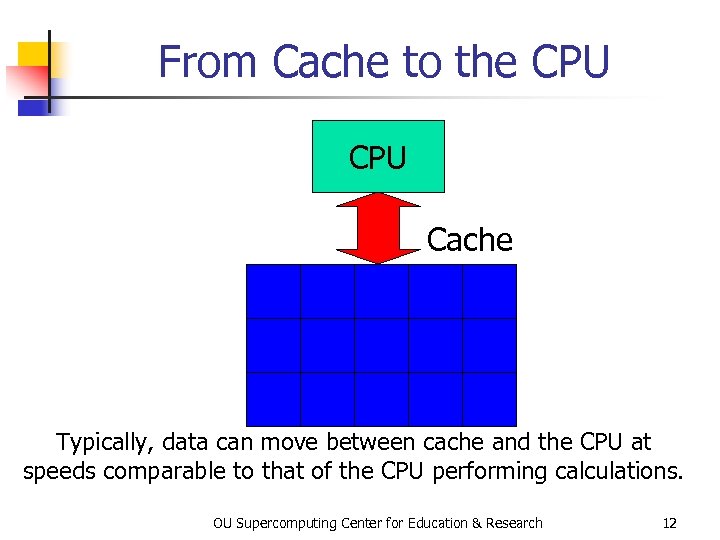 From Cache to the CPU Cache Typically, data can move between cache and the CPU at speeds comparable to that of the CPU performing calculations. OU Supercomputing Center for Education & Research 12
 Main Memory OU Supercomputing Center for Education & Research
 What is Main Memory? n n Where data reside for a program that is currently running Sometimes called RAM (Random Access Memory): you can load from or store into any main memory location at any time Sometimes called core (from magnetic “cores” that some memories used, many years ago) Much slower and much cheaper than cache => much bigger OU Supercomputing Center for Education & Research 14
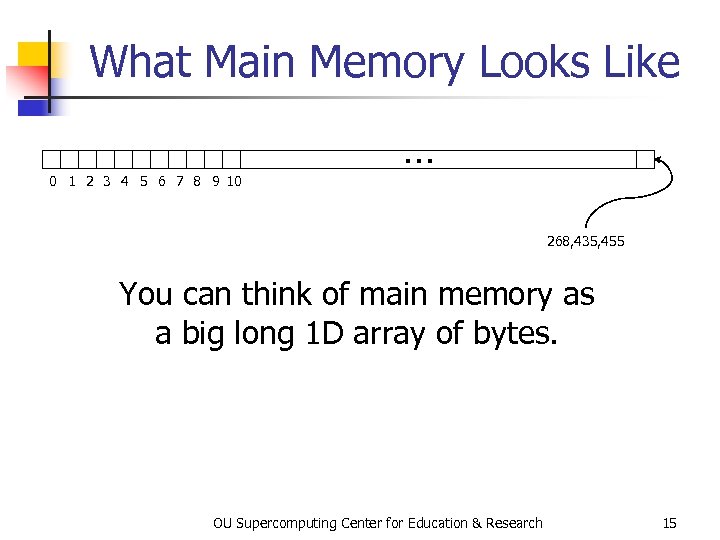 What Main Memory Looks Like 0 1 2 3 4 5 6 7 8 9 10 … 268, 435, 455 You can think of main memory as a big long 1 D array of bytes. OU Supercomputing Center for Education & Research 15
 The Relationship Between Main Memory and Cache OU Supercomputing Center for Education & Research
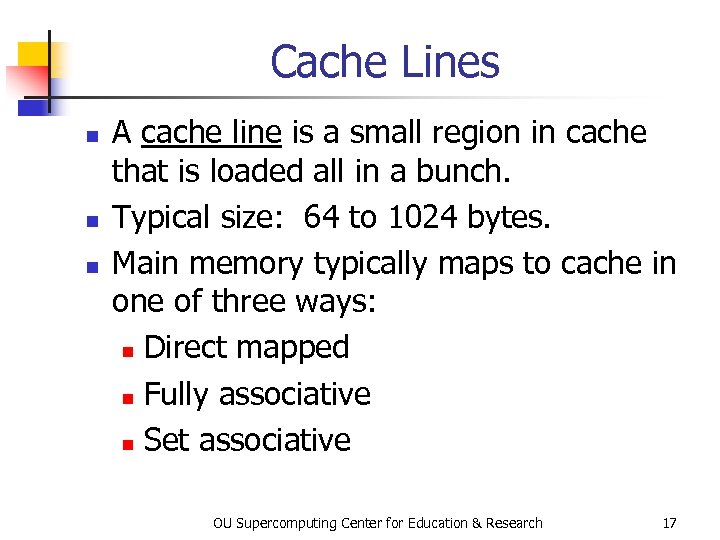 Cache Lines n n n A cache line is a small region in cache that is loaded all in a bunch. Typical size: 64 to 1024 bytes. Main memory typically maps to cache in one of three ways: n Direct mapped n Fully associative n Set associative OU Supercomputing Center for Education & Research 17
 DON’T PANIC! OU Supercomputing Center for Education & Research
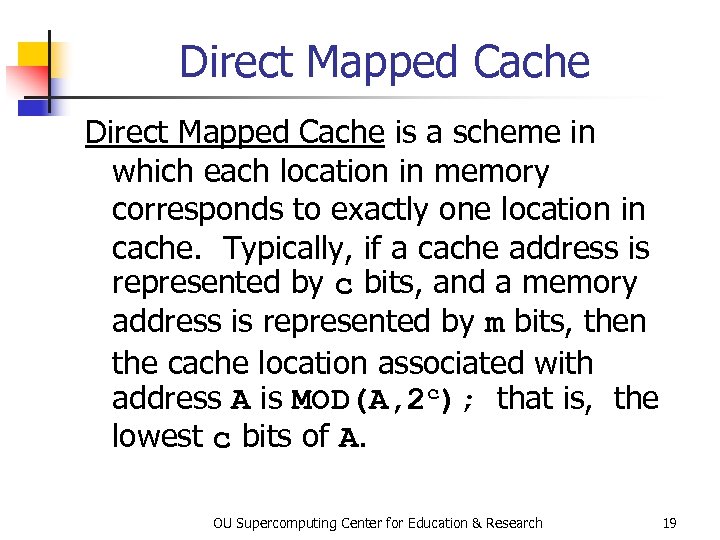 Direct Mapped Cache is a scheme in which each location in memory corresponds to exactly one location in cache. Typically, if a cache address is represented by c bits, and a memory address is represented by m bits, then the cache location associated with address A is MOD(A, 2 c); that is, the lowest c bits of A. OU Supercomputing Center for Education & Research 19
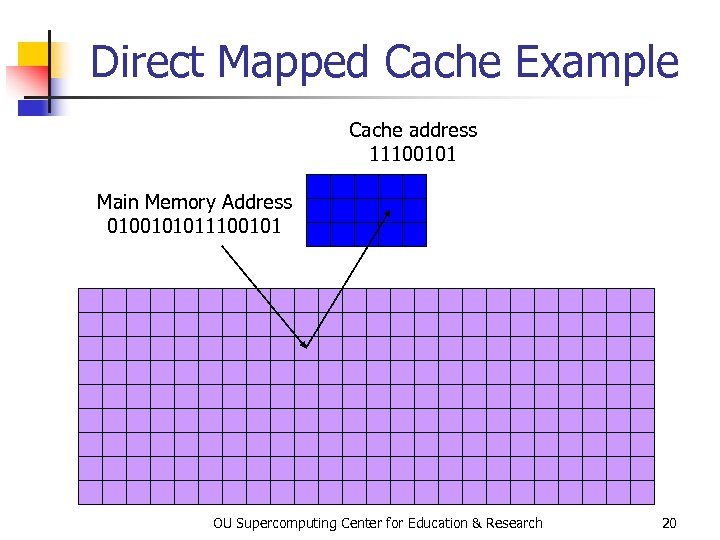 Direct Mapped Cache Example Cache address 11100101 Main Memory Address 0100101011100101 OU Supercomputing Center for Education & Research 20
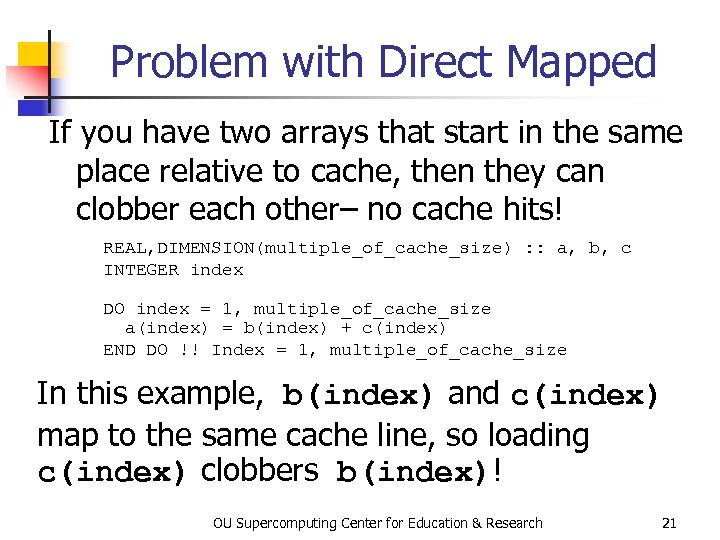 Problem with Direct Mapped If you have two arrays that start in the same place relative to cache, then they can clobber each other– no cache hits! REAL, DIMENSION(multiple_of_cache_size) : : a, b, c INTEGER index DO index = 1, multiple_of_cache_size a(index) = b(index) + c(index) END DO !! Index = 1, multiple_of_cache_size In this example, b(index) and c(index) map to the same cache line, so loading c(index) clobbers b(index)! OU Supercomputing Center for Education & Research 21
 Fully Associative Cache can put any line of main memory into any cache line. Typically, the cache management system will put the newly loaded data into the Least Recently Used cache line, though other strategies are possible. Fully associative cache tends to be expensive, so it isn’t common. OU Supercomputing Center for Education & Research 22
 Set Associative Cache is a compromise between direct mapped and fully associative. A line in memory can map to any of a fixed number of cache lines. For example, 2 -way Set Associative Cache maps each memory line to either of 2 cache lines (typically the least recently used), 3 -way maps to any of 3 cache lines, 4 -way to 4 lines, and so on. Set Associative cache is cheaper than fully associative but more robust than direct mapped. OU Supercomputing Center for Education & Research 23
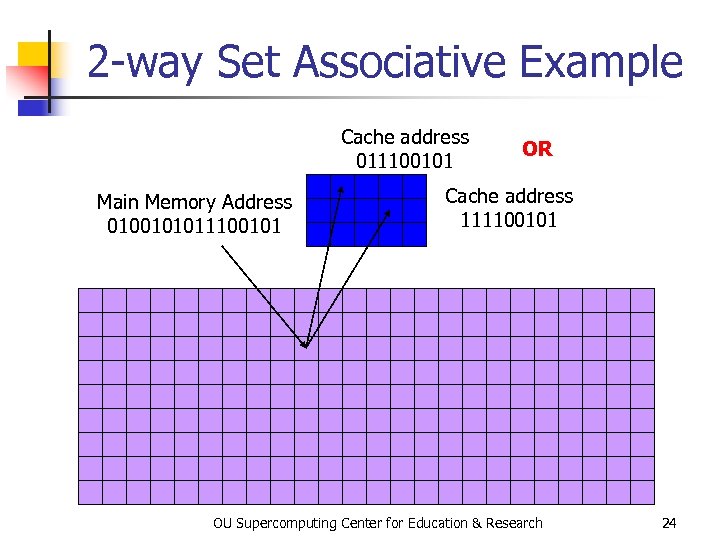 2 -way Set Associative Example Cache address 011100101 Main Memory Address 0100101011100101 OR Cache address 111100101 OU Supercomputing Center for Education & Research 24
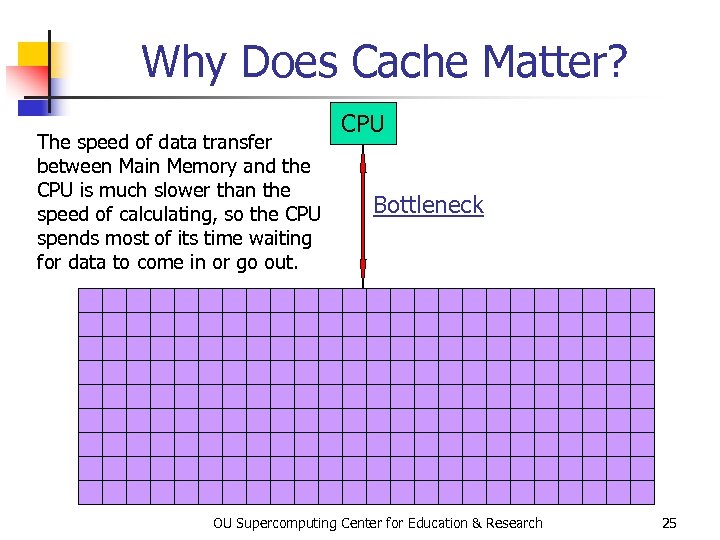 Why Does Cache Matter? The speed of data transfer between Main Memory and the CPU is much slower than the speed of calculating, so the CPU spends most of its time waiting for data to come in or go out. CPU Bottleneck OU Supercomputing Center for Education & Research 25
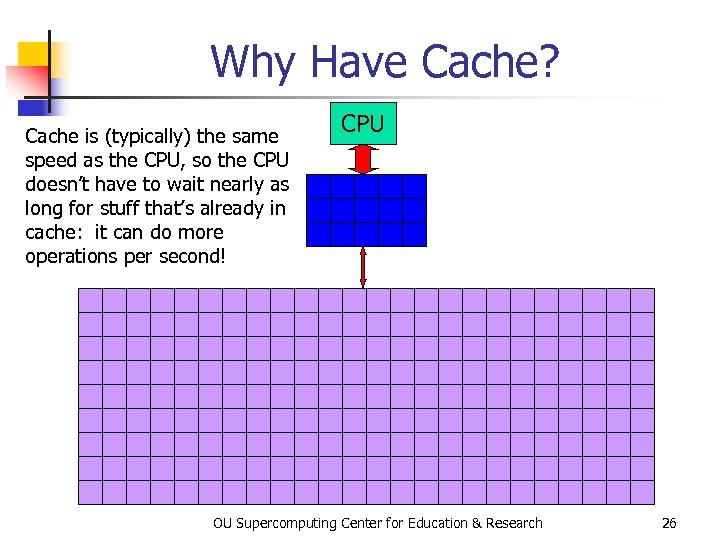 Why Have Cache? Cache is (typically) the same speed as the CPU, so the CPU doesn’t have to wait nearly as long for stuff that’s already in cache: it can do more operations per second! CPU OU Supercomputing Center for Education & Research 26
 The Importance of Being Local OU Supercomputing Center for Education & Research
 More Data Than Cache Let’s say that you have 1000 times more data than cache. Then won’t most of your data be outside the cache? YES! Okay, so how does cache help? OU Supercomputing Center for Education & Research 28
 Cache Use Jargon n Cache Hit: the data that the CPU needs right now is already in cache. Cache Miss: the data the CPU needs right now is not yet in cache. If all of your data is small enough to fit in cache, then when you run your program, you’ll get almost all cache hits (except at the very beginning), which means that your performance might be excellent! OU Supercomputing Center for Education & Research 29
 Improving Your Hit Rate Many scientific codes use a lot more data than can fit in cache all at once. So, how can you improve your cache hit rate? Use the same solution as in Real Estate: Location, Location! OU Supercomputing Center for Education & Research 30
 Data Locality n n n Data locality is the principle that, if you use data in a particular memory address, then very soon you’ll use either the same address or a nearby address. Temporal locality: if you’re using address A now, then you’ll probably use address A again very soon. Spatial locality: if you’re using address A now, then you’ll probably next use addresses between A-k and A+k, where k is small. OU Supercomputing Center for Education & Research 31
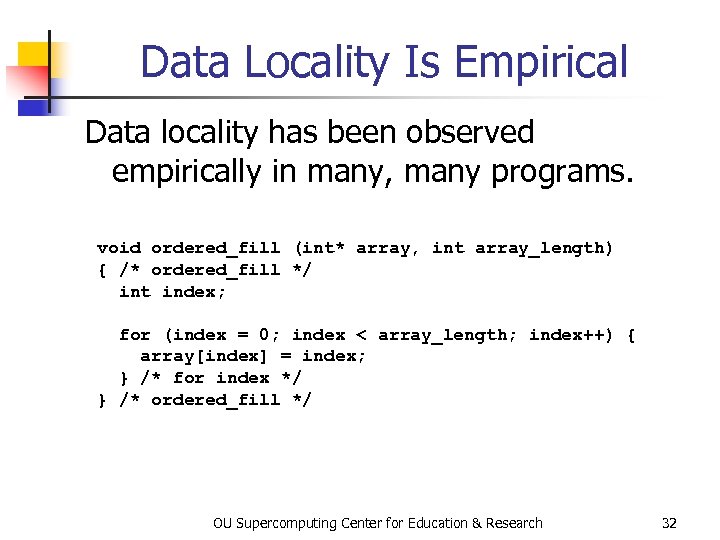 Data Locality Is Empirical Data locality has been observed empirically in many, many programs. void ordered_fill (int* array, int array_length) { /* ordered_fill */ int index; for (index = 0; index < array_length; index++) { array[index] = index; } /* for index */ } /* ordered_fill */ OU Supercomputing Center for Education & Research 32
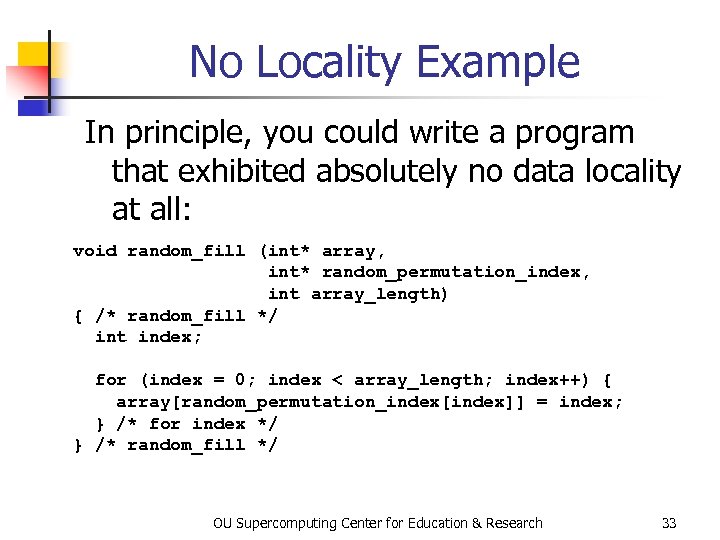 No Locality Example In principle, you could write a program that exhibited absolutely no data locality at all: void random_fill (int* array, int* random_permutation_index, int array_length) { /* random_fill */ int index; for (index = 0; index < array_length; index++) { array[random_permutation_index[index]] = index; } /* for index */ } /* random_fill */ OU Supercomputing Center for Education & Research 33
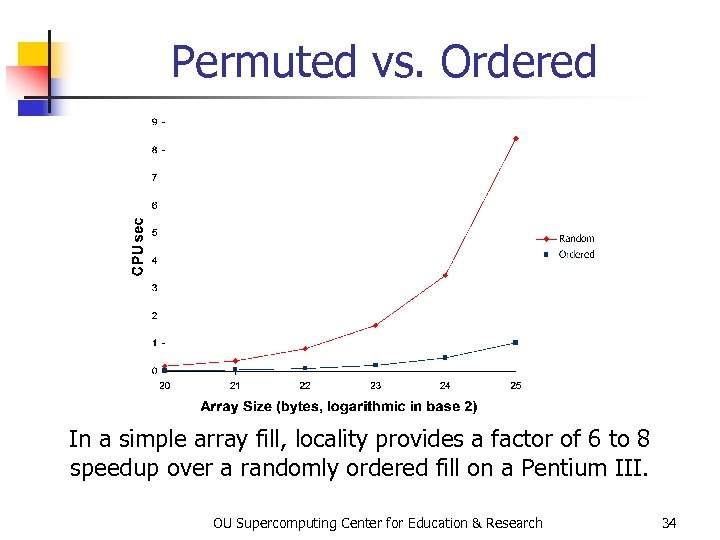 Permuted vs. Ordered In a simple array fill, locality provides a factor of 6 to 8 speedup over a randomly ordered fill on a Pentium III. OU Supercomputing Center for Education & Research 34
 Exploiting Data Locality If you know that your code is going to exhibit a decent amount of data locality, then you can get speedup by focusing your energy on improving the locality of the code’s behavior. OU Supercomputing Center for Education & Research 35
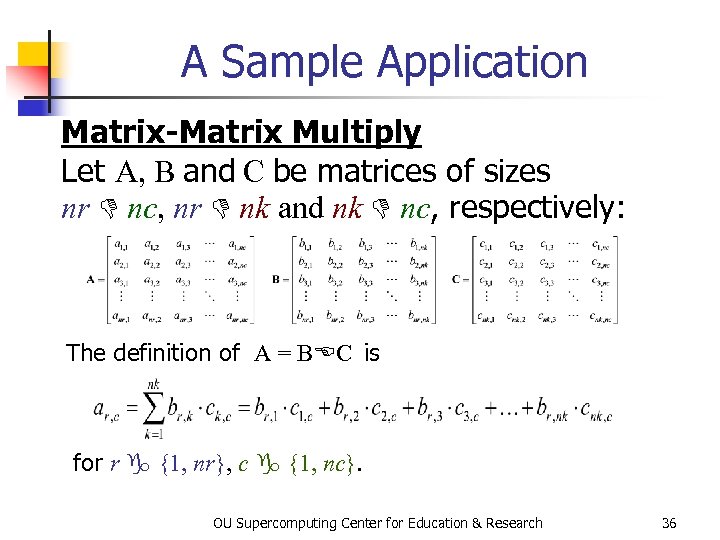 A Sample Application Matrix-Matrix Multiply Let A, B and C be matrices of sizes nr nc, nr nk and nk nc, respectively: The definition of A = B C is for r {1, nr}, c {1, nc}. OU Supercomputing Center for Education & Research 36
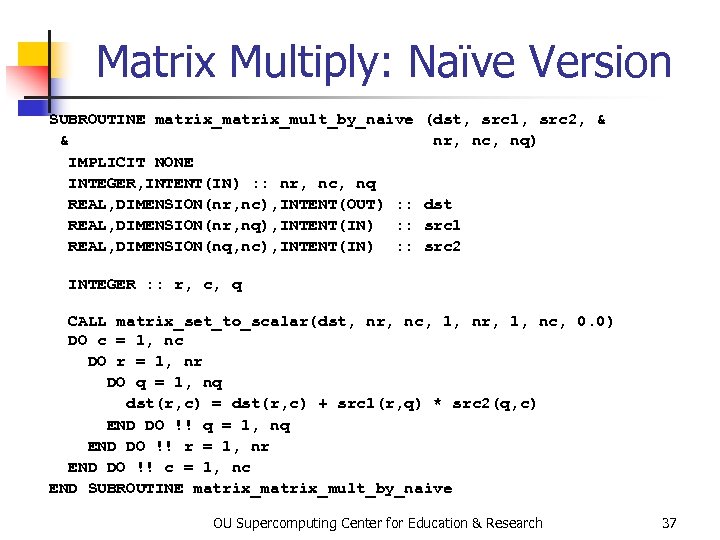 Matrix Multiply: Naïve Version SUBROUTINE matrix_mult_by_naive & IMPLICIT NONE INTEGER, INTENT(IN) : : nr, nc, nq REAL, DIMENSION(nr, nc), INTENT(OUT) : : REAL, DIMENSION(nr, nq), INTENT(IN) : : REAL, DIMENSION(nq, nc), INTENT(IN) : : (dst, src 1, src 2, & nr, nc, nq) dst src 1 src 2 INTEGER : : r, c, q CALL matrix_set_to_scalar(dst, nr, nc, 1, nr, 1, nc, 0. 0) DO c = 1, nc DO r = 1, nr DO q = 1, nq dst(r, c) = dst(r, c) + src 1(r, q) * src 2(q, c) END DO !! q = 1, nq END DO !! r = 1, nr END DO !! c = 1, nc END SUBROUTINE matrix_mult_by_naive OU Supercomputing Center for Education & Research 37
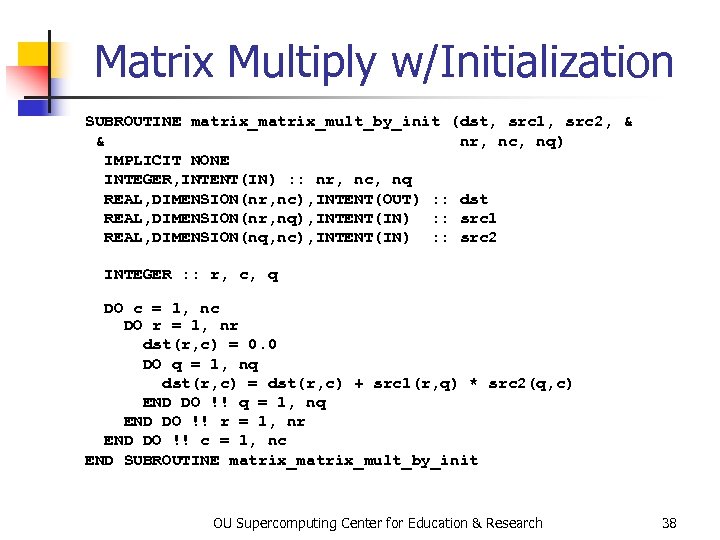 Matrix Multiply w/Initialization SUBROUTINE matrix_mult_by_init (dst, src 1, src 2, & & nr, nc, nq) IMPLICIT NONE INTEGER, INTENT(IN) : : nr, nc, nq REAL, DIMENSION(nr, nc), INTENT(OUT) : : dst REAL, DIMENSION(nr, nq), INTENT(IN) : : src 1 REAL, DIMENSION(nq, nc), INTENT(IN) : : src 2 INTEGER : : r, c, q DO c = 1, nc DO r = 1, nr dst(r, c) = 0. 0 DO q = 1, nq dst(r, c) = dst(r, c) + src 1(r, q) * src 2(q, c) END DO !! q = 1, nq END DO !! r = 1, nr END DO !! c = 1, nc END SUBROUTINE matrix_mult_by_init OU Supercomputing Center for Education & Research 38
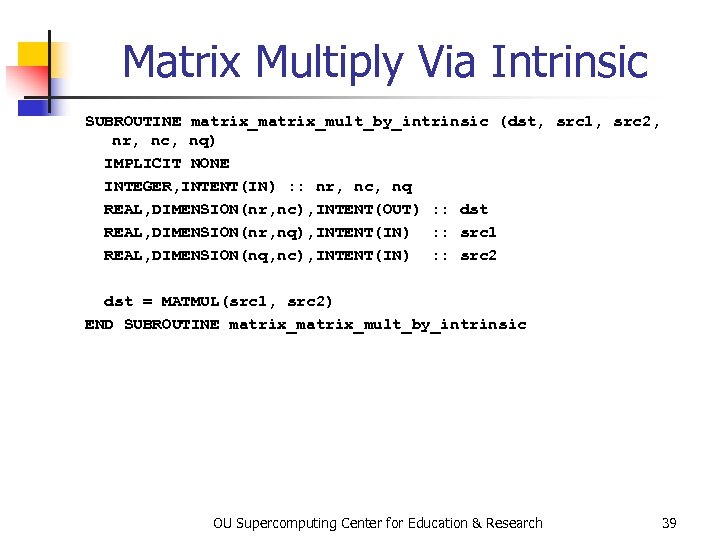 Matrix Multiply Via Intrinsic SUBROUTINE matrix_mult_by_intrinsic (dst, src 1, src 2, nr, nc, nq) IMPLICIT NONE INTEGER, INTENT(IN) : : nr, nc, nq REAL, DIMENSION(nr, nc), INTENT(OUT) : : dst REAL, DIMENSION(nr, nq), INTENT(IN) : : src 1 REAL, DIMENSION(nq, nc), INTENT(IN) : : src 2 dst = MATMUL(src 1, src 2) END SUBROUTINE matrix_mult_by_intrinsic OU Supercomputing Center for Education & Research 39
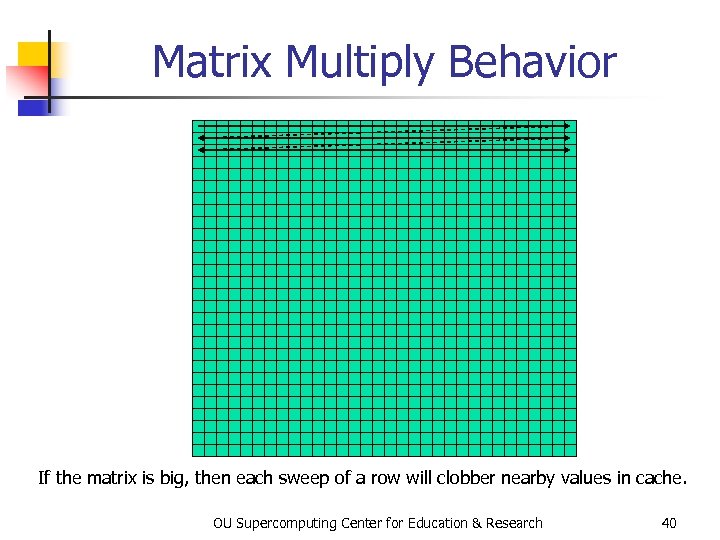 Matrix Multiply Behavior If the matrix is big, then each sweep of a row will clobber nearby values in cache. OU Supercomputing Center for Education & Research 40
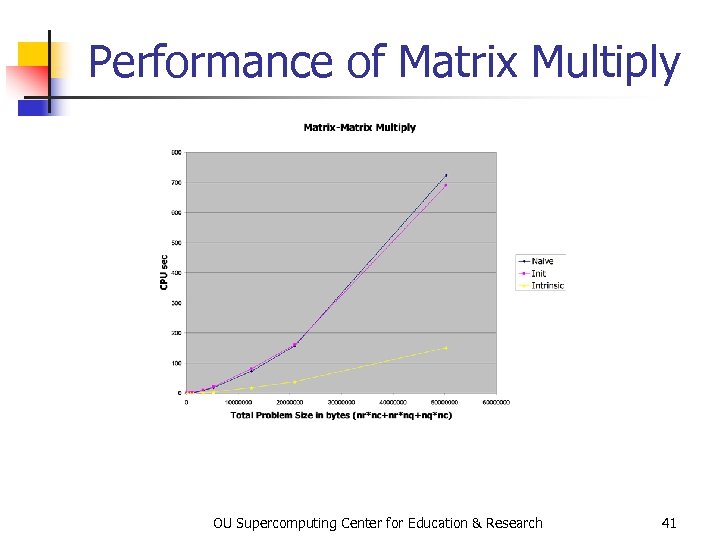 Performance of Matrix Multiply OU Supercomputing Center for Education & Research 41
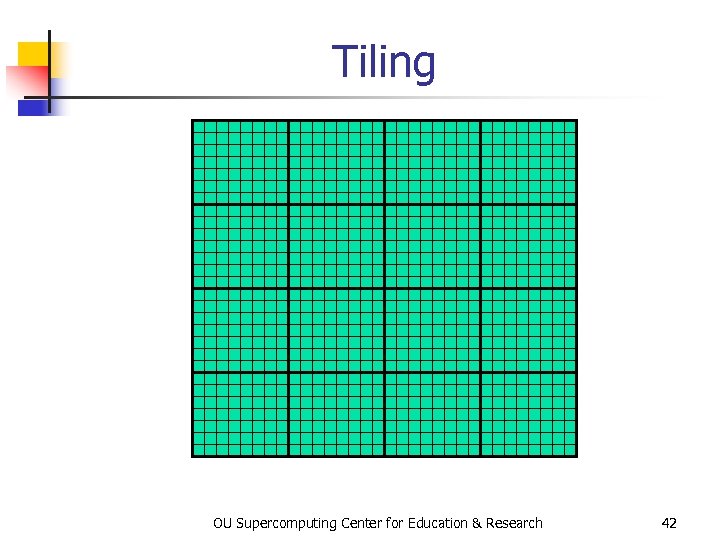 Tiling OU Supercomputing Center for Education & Research 42
 Tiling n n Tile: a small rectangular subdomain (chunk) of a problem domain. Sometimes called a block. Tiling: breaking the domain into tiles. Operate on each block to completion, then move to the next block. Tile size can be set at runtime, according to what’s best for the machine that you’re running on. OU Supercomputing Center for Education & Research 43
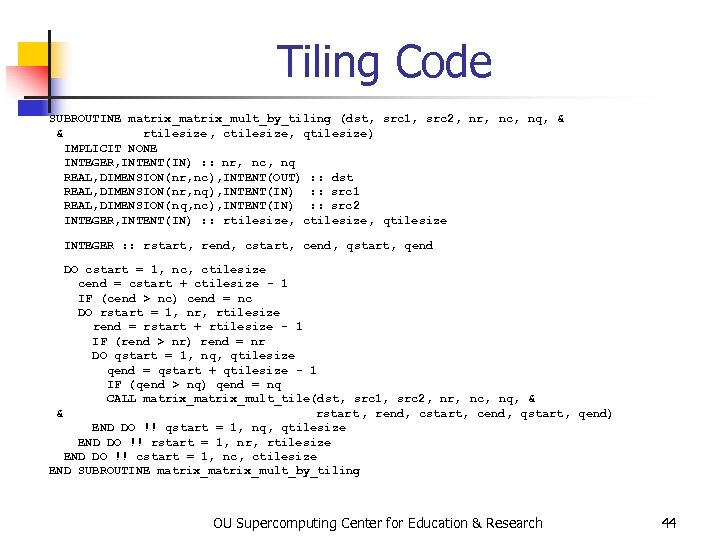 Tiling Code SUBROUTINE matrix_ mult_by_tiling (dst, src 1, src 2, nr, nc, nq, & & rtilesize, ctilesize, qtilesize) IMPLICIT NONE INTEGER, INTENT(IN) : : nr, nc, nq REAL, DIMENSION(nr, nc), INTENT(OUT) : : dst REAL, DIMENSION(nr, nq), INTENT(IN) : : src 1 REAL, DIMENSION(nq, nc), INTENT(IN) : : src 2 INTEGER, INTENT(IN) : : rtilesize, ctilesize, qtilesize INTEGER : : rstart, rend, cstart, cend, qstart, qend DO cstart = 1, nc, ctilesize cend = cstart + ctilesize - 1 IF (cend > nc) cend = nc DO rstart = 1, nr, rtilesize rend = rstart + rtilesize - 1 IF (rend > nr) rend = nr DO qstart = 1, nq, qtilesize qend = qstart + qtilesize - 1 IF (qend > nq) qend = nq CALL matrix_mult_tile(dst, src 1, src 2, nr, nc, nq, & & rstart , rend, cstart, cend, qstart, qend) END DO !! qstart = 1, nq, qtilesize END DO !! rstart = 1, nr, rtilesize END DO !! cstart = 1, nc, ctilesize END SUBROUTINE matrix_ mult_by_tiling OU Supercomputing Center for Education & Research 44
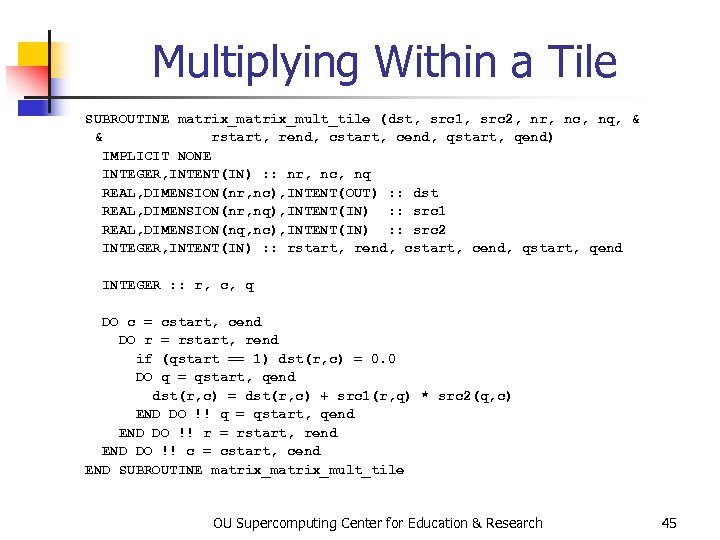 Multiplying Within a Tile SUBROUTINE matrix_mult_tile (dst, src 1, src 2, nr, nc, nq, & & rstart, rend, cstart, cend, qstart, qend) IMPLICIT NONE INTEGER, INTENT(IN) : : nr, nc, nq REAL, DIMENSION(nr, nc), INTENT(OUT) : : dst REAL, DIMENSION(nr, nq), INTENT(IN) : : src 1 REAL, DIMENSION(nq, nc), INTENT(IN) : : src 2 INTEGER, INTENT(IN) : : rstart, rend, cstart, cend, qstart, qend INTEGER : : r, c, q DO c = cstart, cend DO r = rstart, rend if (qstart == 1) dst(r, c) = 0. 0 DO q = qstart, qend dst(r, c) = dst(r, c) + src 1(r, q) * src 2(q, c) END DO !! q = qstart, qend END DO !! r = rstart, rend END DO !! c = cstart, cend END SUBROUTINE matrix_mult_tile OU Supercomputing Center for Education & Research 45
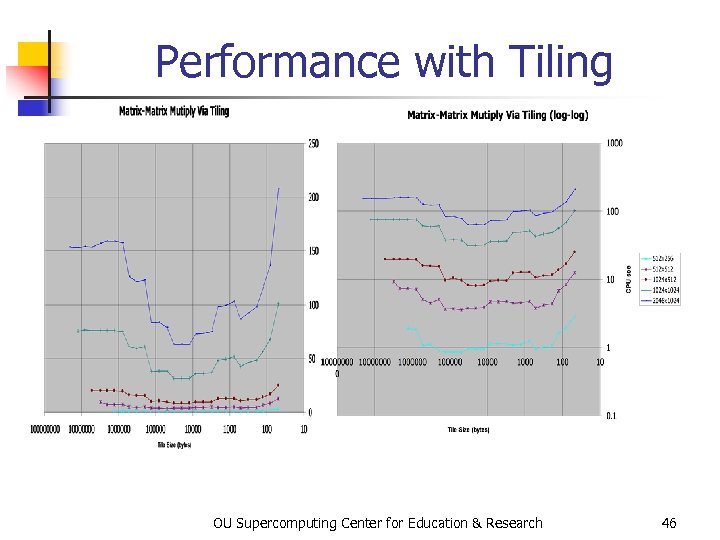 Performance with Tiling OU Supercomputing Center for Education & Research 46
 The Advantages of Tiling n n n It lets your code to use more data locality. It’s a relatively modest amount of extra coding (typically a few wrapper functions and some changes to loop bounds). If you don’t need tiling – because of the hardware, the compiler or the problem size – then you can turn it off by simply setting the tile size equal to the problem size. OU Supercomputing Center for Education & Research 47
 Hard Disk OU Supercomputing Center for Education & Research
 Why Is Hard Disk Slow? Your hard disk is much slower than main memory (factor of 10 -1000). Why? Well, accessing data on the hard disk involves physically moving: n the disk platter n the read/write head In other words, hard disk is slow because objects move much slower than electrons. OU Supercomputing Center for Education & Research 49
 I/O Strategies n Read and write the absolute minimum amount. n n n Don’t reread the same data if you can keep it in memory. Write binary instead of characters. Use optimized I/O libraries like Net. CDF and HDF. OU Supercomputing Center for Education & Research 50
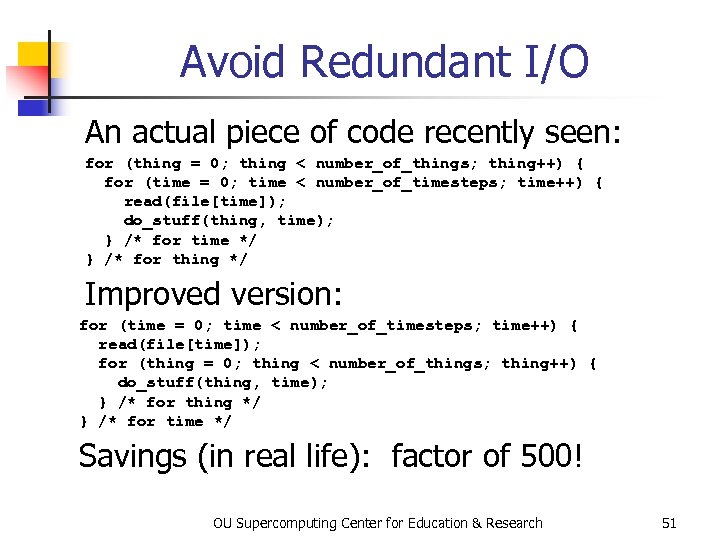 Avoid Redundant I/O An actual piece of code recently seen: for (thing = 0; thing < number_of_things; thing++) { for (time = 0; time < number_of_timesteps; time++) { read(file[time]); do_stuff(thing, time); } /* for time */ } /* for thing */ Improved version: for (time = 0; time < number_of_timesteps; time++) { read(file[time]); for (thing = 0; thing < number_of_things; thing++) { do_stuff(thing, time); } /* for thing */ } /* for time */ Savings (in real life): factor of 500! OU Supercomputing Center for Education & Research 51
 Write Binary, Not ASCII When you write binary data to a file, you’re writing (typically) 4 bytes per value. When you write ASCII (character) data, you’re writing (typically) 8 -16 bytes per value. So binary saves a factor of 2 to 4 (typically). OU Supercomputing Center for Education & Research 52
 Problem with Binary I/O There are many ways to represent data inside a computer, especially floating point data. Often, the way that one kind of computer (e. g. , a Pentium) saves binary data is different from another kind of computer (e. g. , a Cray). So, a file written on a Pentium machine may not be readable on a Cray. OU Supercomputing Center for Education & Research 53
 Portable I/O Libraries Net. CDF and HDF are the two most commonly used I/O libraries for scientific computing. Each has its own internal way of representing numerical data. When you write a file using, say, HDF, it can be read by a HDF on any kind of computer. Plus, these libraries are optimized to make the I/O very fast. OU Supercomputing Center for Education & Research 54
 Virtual Memory OU Supercomputing Center for Education & Research
 Virtual Memory n n Typically, the amount of memory that a CPU can address is larger than the amount of data physically present in the computer. For example, Henry’s laptop can address over a GB of memory (roughly a billion bytes), but only contains 256 MB (roughly 256 million bytes). OU Supercomputing Center for Education & Research 56
 Virtual Memory (cont’d) n n Locality: most programs don’t jump all over the memory that they use; instead, they work in a particular area of memory for a while, then move to another area. So, you can offload onto hard disk much of the memory image of a program that’s running. OU Supercomputing Center for Education & Research 57
 Virtual Memory (cont’d) n n n Memory is chopped up into many pages of modest size (e. g. , 1 KB – 32 KB). Only pages that have been recently used actually reside in memory; the rest are stored on hard disk. Hard disk is 10 to 1000 times slower than main memory, so you get better performance if you rarely get a page fault, which forces a read from (and maybe a write to) hard disk: exploit data locality! OU Supercomputing Center for Education & Research 58
 The Net OU Supercomputing Center for Education & Research
 The Net Is Very Slow The Internet is very slow, much slower than your local hard disk. Why? n The net is very busy. n Typically data has to take several “hops” to get from one place to another. n Sometimes parts of the net go down. Therefore: avoid the net! OU Supercomputing Center for Education & Research 60
 Storage Use Strategies n n n Register reuse: do a lot of work on the same data before working on new data. Cache reuse: the program is much more efficient if all of the data and instructions fit in cache; if not, try to use what’s in cache a lot before using anything that isn’t in cache. Data locality: try to access data that are near each other in memory before data that are far. I/O efficiency: do a bunch of I/O all at once rather than a little bit at a time; don’t mix calculations and I/O. The Net: avoid it! OU Supercomputing Center for Education & Research 61
![References [1] http: //www. dell. com/us/en/dhs/products/ model_inspn_2_inspn_4000. htm [2] http: //www. ac 3. com.](https://present5.com/presentation/f5de9254961c3e7780bbc5335893f821/image-62.jpg "References [1] http: //www. dell. com/us/en/dhs/products/ model_inspn_2_inspn_4000. htm [2] http: //www. ac 3. com.") References [1] http: //www. dell. com/us/en/dhs/products/ model_inspn_2_inspn_4000. htm [2] http: //www. ac 3. com. au/edu/hpc-intro/node 6. html [3] http: //www. anandtech. com/showdoc. html? i=1460&p=2 [4] http: //developer. intel. com/design/chipsets/820/ [5] http: //www. toshiba. com/taecdpd/products/features/ MK 2018 gas-Over. shtml [6] http: //www. toshiba. com/taecdpd/techdocs/sdr 2002/2002 spec. shtml [7] ftp: //download. intel. com/design/Pentium 4/manuals/24547003. pdf [8] http: //configure. us. dell. com/dellstore/config. asp? customer_id=19&keycode=6 V 944&view=1&order_code=40 WX [9] http: //www. us. buy. com/retail/computers/category. asp? loc=484 [10] M. Papermaster et al. , “POWER 3: Next Generation 64 -bit Power. PC Processor Design” (internal IBM report), 1998, page 2. OU Supercomputing Center for Education & Research 62
References [1] http: //www. dell. com/us/en/dhs/products/ model_inspn_2_inspn_4000. htm [2] http: //www. ac 3. com. au/edu/hpc-intro/node 6. html [3] http: //www. anandtech. com/showdoc. html? i=1460&p=2 [4] http: //developer. intel. com/design/chipsets/820/ [5] http: //www. toshiba. com/taecdpd/products/features/ MK 2018 gas-Over. shtml [6] http: //www. toshiba. com/taecdpd/techdocs/sdr 2002/2002 spec. shtml [7] ftp: //download. intel. com/design/Pentium 4/manuals/24547003. pdf [8] http: //configure. us. dell. com/dellstore/config. asp? customer_id=19&keycode=6 V 944&view=1&order_code=40 WX [9] http: //www. us. buy. com/retail/computers/category. asp? loc=484 [10] M. Papermaster et al. , “POWER 3: Next Generation 64 -bit Power. PC Processor Design” (internal IBM report), 1998, page 2. OU Supercomputing Center for Education & Research 62