 Скачать презентацию Structure and Function IA for Web Applications
75d324e5dad781cc11bb8ecaebcfb954.ppt
- Количество слайдов: 36



Structure and Function: IA for Web Applications
Structure - IA with content • In a content-only site, the user interface is easy, • the information architecture is hard Lots of things topics with different sub-structures grows, hard to know how it’s going to expand • but it’s understood Innovate - For What’s Next™ © 1999 Scient, Proprietary and Confidential Page 2
Function - UI for applications • For desktop applications, the information architecture is easy • the user interface is hard lot’s of different actions a user can take they interfere with each other effect of actions needs to be clear to the user • but it’s understood Innovate - For What’s Next™ © 1999 Scient, Proprietary and Confidential Page 3
How is UI different on the web? • Supports more tasks at once lots of domain-specific tools, not one general purpose tool • Supports different tasks shopping, communication, decision-making • Combines traditional tasks with more things Innovate - For What’s Next™ © 1999 Scient, Proprietary and Confidential Page 4
Typical Web applications • Shopping, for simple and complex products • Decision-making • Auctions and marketplaces • Verticals - applications embedded in portals • Process tracking, workflow, negotiations • Status tracking Innovate - For What’s Next™ © 1999 Scient, Proprietary and Confidential Page 5
Structure of this talk • Team structure for these projects • How users and their intentions are different • Common IA challenges in a Web application Object structure Navigation Other • Basic Advice Innovate - For What’s Next™ © 1999 Scient, Proprietary and Confidential Page 6
Teams and Collaboration
User Interface Designers • Design the task flow, and thus the page flow • Design page-level interaction • Bring a lot of knowledge about human-computer interaction Collaborate on: • information display • page layout • navigation Innovate - For What’s Next™ © 1999 Scient, Proprietary and Confidential Page 8
Are you being a UI Designer? Are you: • choosing where to put info and buttons on a page • deciding when to show users info and when not • designing task flow • If so, learn the user interface domain as well Innovate - For What’s Next™ © 1999 Scient, Proprietary and Confidential Page 9
Building a team • Typical design team: UI Designer, Information Architect, Visual Designer • Useful people: Ethnographer, technical writer, usability tester • Be flexible in ownership of tasks • Be collaborative in the design process • Be clear about inputs and outputs Innovate - For What’s Next™ © 1999 Scient, Proprietary and Confidential Page 10
Different Audiences, Different Goals
Who are the users? • People at work • Trying to make money • Trying to save money • Users often aren’t the people who buy the system • People at home doing something important Innovate - For What’s Next™ © 1999 Scient, Proprietary and Confidential Page 12
Same questions, different answers • Frequency of use all day, every day • Level of domain expertise often deep • Language jargon is extensive and important • How optional is it, what happens if it fails not very - either it’s important or they are forced Innovate - For What’s Next™ © 1999 Scient, Proprietary and Confidential Page 13
Common Challenges
Information limits task Structure of things and their attributes sets what is possible • IA needs to see how the info interacts, flexes • Know what users should change, when, why • Guess what tasks the information allows that haven’t been thought of • Overlaps with a DBA role Innovate - For What’s Next™ © 1999 Scient, Proprietary and Confidential Page 15
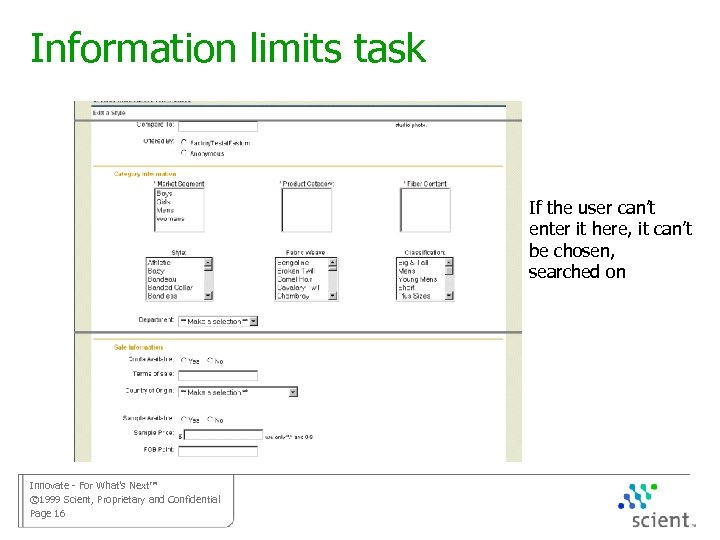
Information limits task If the user can’t enter it here, it can’t be chosen, searched on Innovate - For What’s Next™ © 1999 Scient, Proprietary and Confidential Page 16
Information affects understanding The user’s mental model is made of things, their attributes, and what can be done to them • Make relationships between attributes sensible, obvious • Know what attributes will be compared in trade-off decisions • Have the UI surface interaction between attributes, the effects of actions Innovate - For What’s Next™ © 1999 Scient, Proprietary and Confidential Page 17
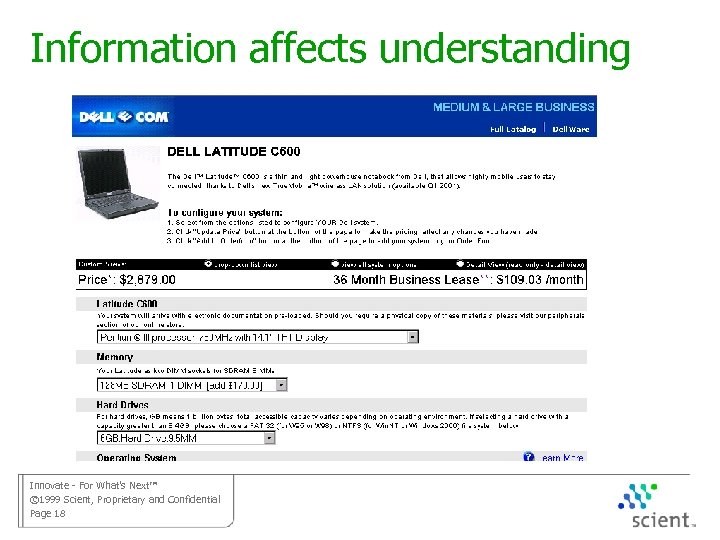
Information affects understanding Innovate - For What’s Next™ © 1999 Scient, Proprietary and Confidential Page 18
Keeping users in a task Ubiquitous navigation increases the chance for mistaken moves • Collapse general navigation • use sequence nav • Avoid related links on the pages for a task • Use pop-ups for honest side tasks • Try to make tasks short On a web app, users WANT to stay on task Innovate - For What’s Next™ © 1999 Scient, Proprietary and Confidential Page 19
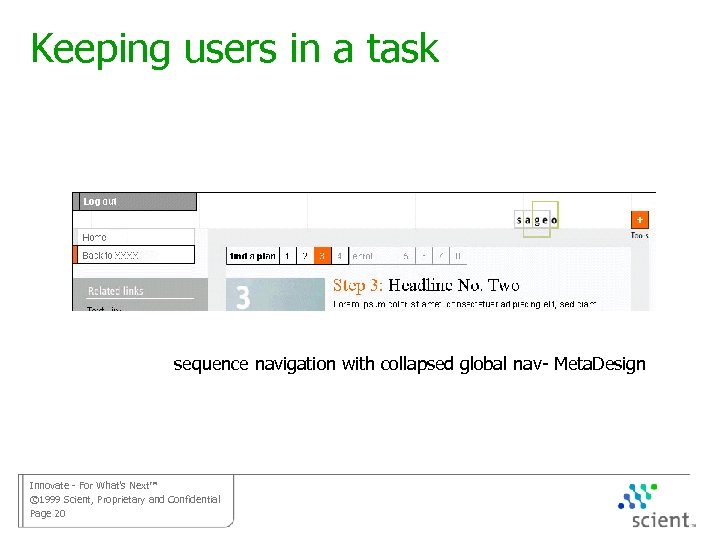
Keeping users in a task sequence navigation with collapsed global nav- Meta. Design Innovate - For What’s Next™ © 1999 Scient, Proprietary and Confidential Page 20
Navigating between tasks • Some tasks need instant access at all times need to understand the user’s day and mix of responsibilities • Some tasks are related and grouped need to know the user’s more general intention to decide connections between tasks • Tasks are less likely to expand than lists of things horizontal navigation often works Innovate - For What’s Next™ © 1999 Scient, Proprietary and Confidential Page 21
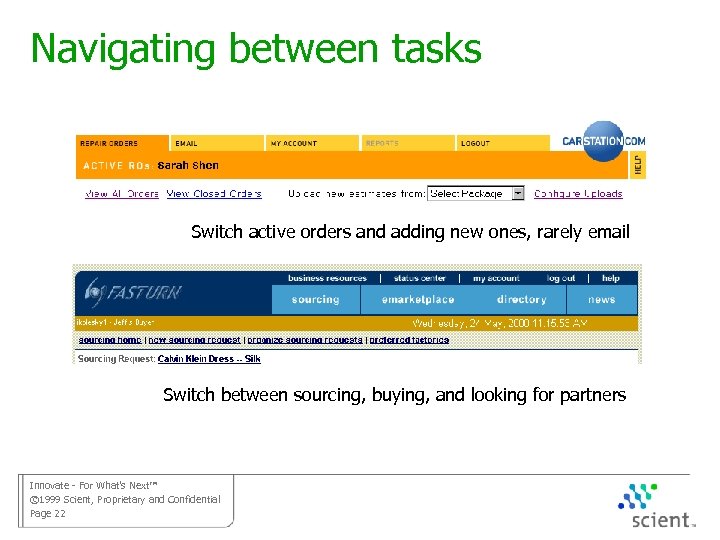
Navigating between tasks Switch active orders and adding new ones, rarely email Switch between sourcing, buying, and looking for partners Innovate - For What’s Next™ © 1999 Scient, Proprietary and Confidential Page 22
Flexible navigation Different situations demand different navigation • Looking for a task vs. completing a task • finding a thing vs. finding a task • different users, with different roles and permissions • Some of this is in the “global nav”, some is an issue of links that appear or don’t appear Innovate - For What’s Next™ © 1999 Scient, Proprietary and Confidential Page 23
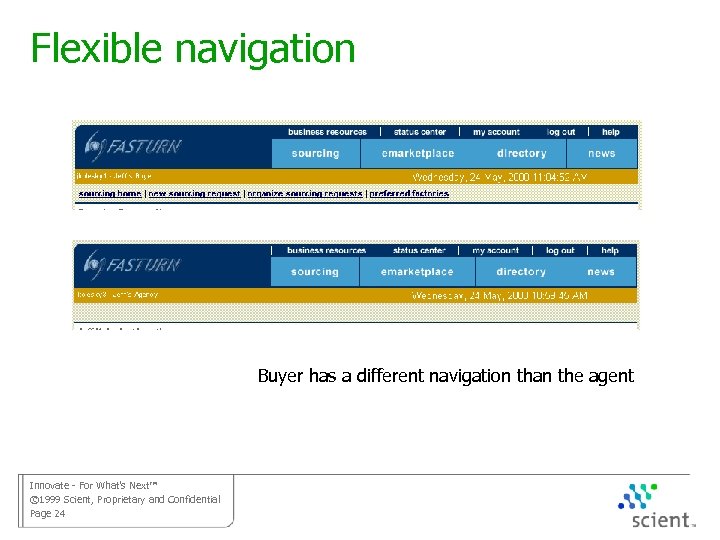
Flexible navigation Buyer has a different navigation than the agent Innovate - For What’s Next™ © 1999 Scient, Proprietary and Confidential Page 24
Navigating tasks and sub-tasks • Use pop-ups judiciously • If the sub-tasks are optional, highlight the typical next step • Design a good multi-level sequence navigation • This is tied to the UI area of task flow, but determines pages and structure Innovate - For What’s Next™ © 1999 Scient, Proprietary and Confidential Page 25
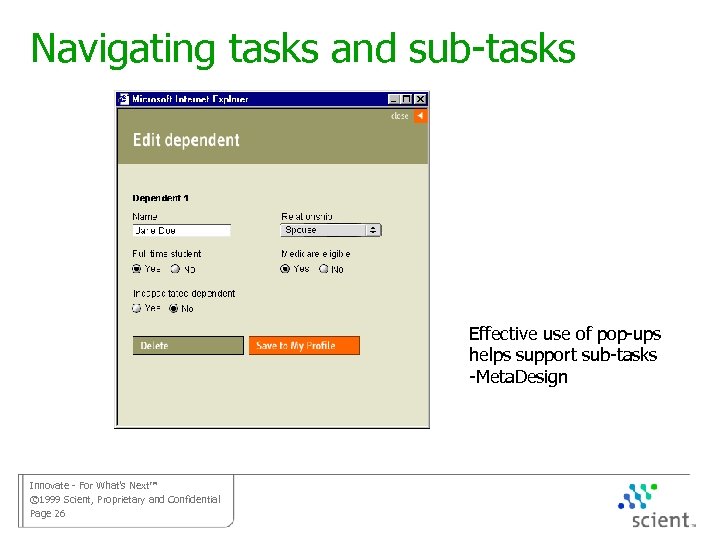
Navigating tasks and sub-tasks Effective use of pop-ups helps support sub-tasks -Meta. Design Innovate - For What’s Next™ © 1999 Scient, Proprietary and Confidential Page 26
Look for a thing, then choose a task • The e-tail model, but often have more tasks • Have the right tasks available at the right level in the object hierarchy • What can I do to a class of objects? • What can I do to one object? • At what point do you have matrix navigation Innovate - For What’s Next™ © 1999 Scient, Proprietary and Confidential Page 27
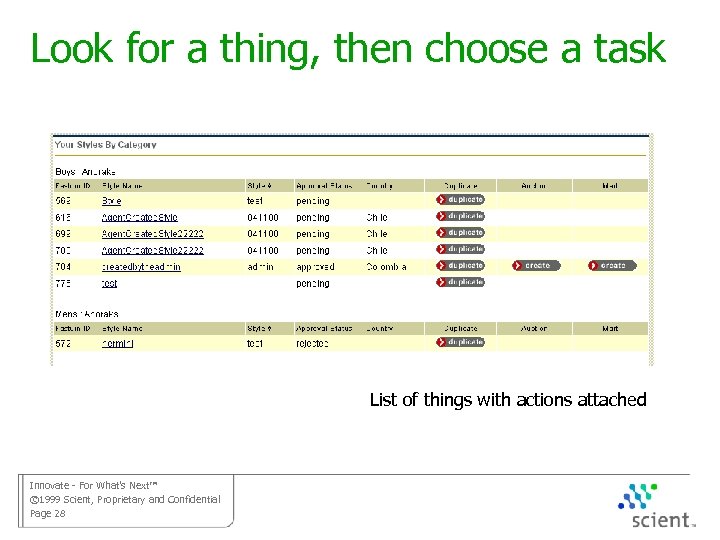
Look for a thing, then choose a task List of things with actions attached Innovate - For What’s Next™ © 1999 Scient, Proprietary and Confidential Page 28
Maintaining tasks over time Many tasks extend over days and weeks • Have workbench for user’s tasks, what they are responsible for • Display status and provide access, due dates • Notification of events, with email or on that workbench Innovate - For What’s Next™ © 1999 Scient, Proprietary and Confidential Page 29
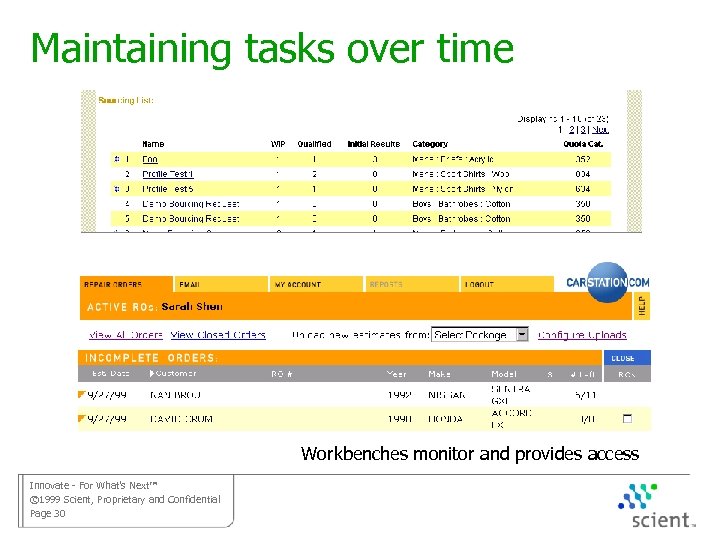
Maintaining tasks over time Workbenches monitor and provides access Innovate - For What’s Next™ © 1999 Scient, Proprietary and Confidential Page 30
Searching an application • Users are looking for how to do a task, not for a piece of info • Many pages should not be searched at all • Heavy use of meta-tags rather than full text search • Search is often part of a task, not just navigation Innovate - For What’s Next™ © 1999 Scient, Proprietary and Confidential Page 31
Basic Advice
Task-focused research • Can’t rely on card-sorts • Listening in context is often the only way to find jargon • Different groups of users are different Collision repair shops differ in how they order parts, who does it, what they call the tasks Innovate - For What’s Next™ © 1999 Scient, Proprietary and Confidential Page 33
Wallow in the information • Things, attributes, and relationships have a huge impact • Things define tasks • Tasks determine things Innovate - For What’s Next™ © 1999 Scient, Proprietary and Confidential Page 34
Start IA and UI at the same time • UI (page flow) controls IA below the top level • Both need to learn the same stuff, work on the same design problems • Knowing the things requires knowing the tasks Innovate - For What’s Next™ © 1999 Scient, Proprietary and Confidential Page 35
Is this information architecture? Innovate - For What’s Next™ © 1999 Scient, Proprietary and Confidential Page 36
Скачать презентацию Structure and Function IA for Web Applications
75d324e5dad781cc11bb8ecaebcfb954.ppt