


 Скачать презентацию Striped Lands and Dotted Seas Editing Tactile Graphics
f5d434b4b05faeb3807106011988e2ed.ppt
- Количество слайдов: 19
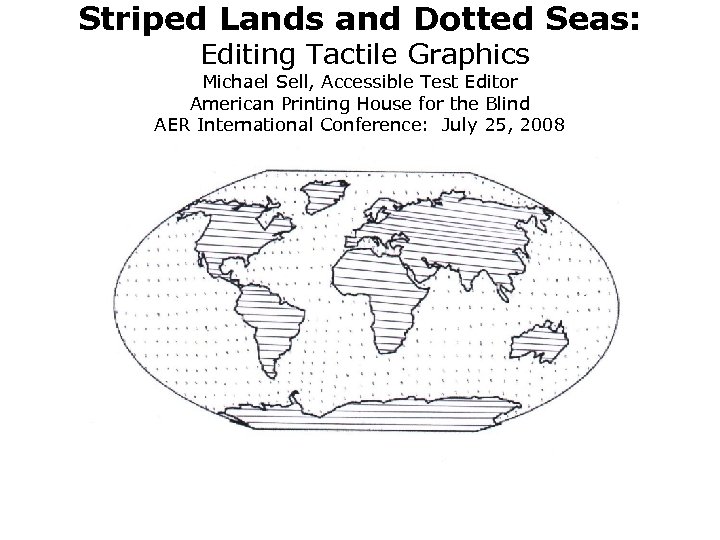 Striped Lands and Dotted Seas: Editing Tactile Graphics Michael Sell, Accessible Test Editor American Printing House for the Blind AER International Conference: July 25, 2008
 Why is it important to know how tactile graphics (tg) are edited for high-stakes tests? • Universal Design considerations mean the braille format is more likely to be equivalent to print. • Is the validity of the item kept? • Expectation is for tactile readability, not necessarily an embossed clone of the print version. • Science is now tested under NCLB, so more tg’s are needed than before.
 Terminology • “Lines: paths for boundary lines, grid lines, etc. e. g. solid, dotted, dashed, etc. • Point symbols: typically used to represent significant landmarks. e. g. circle outline, solid large dot, square, etc. • Areal / texture patterns: textured patterns used to represent…water on a map, layers of soil, bars on a graph, etc. e. g. dotted, striped, etc. • Lead lines: lines that connect a feature on the graphic with a braille label…use as a last resort. • Labels: identify all important features on the graphic. ” *from Tactile Graphic Terminology by Karen Poppe
 Further Background • • Adaptations and terminology Test Layout: 1. Braille pages are numbered consecutively in the bottom right hand corner. 2. Print pages are numbered in the top right hand corner. 1, a 1, b 1, c 1, etc. , if one print page takes up multiple braille pages. 3. Multiple print pages may fit on one braille page.
 Theory & Perspective 1) Jerome Bruner’s 3 modes of information processing: • Enactive—direct, real objects • Iconic—model, relief renderings • Symbolic—coding, higher level of abstraction
 2) Christina Hvitfeldt’s work: Does it correlate to blind or visually impaired (BVI) children progressing through modes? • “Adults from traditional preliterate societies often perceive and interpret drawings, pictures, and symbols differently from individuals socialized into modern literate societies. ” • “Learning to interpret symbolic pictures is…analogous to interpreting written language and, in some cases, involves as high a degree of abstraction. ” • “pictures can depict relational concepts such as “above, ” “below, ” “inside, ” and “outside, ” but cues of depth, including overlap, perspective, and relative size, must often be provided. ” *from Picture Perception and Interpretation among Preliterate Adults, “Passage” magazine, Vol. 1, Num. 1, Winter/Spring 1985
 3) John M. Kennedy’s work: What does drawing by BVI children tell us? • Drawing by congenitally blind children may indicate how they would generally read and discern tactile graphics. • “Pictures are simply conventions, no more related to what they represent than alphabetic writing. ” • “Pictures are simply similar to what they represent. ” *from A Psychology of Picture Perception
 Means of tactile / haptic learning: • Follow Bruner’s 3 modes. • Let child choose object, make a model, and then make an embossed picture. • Products: Setting the Stage for Tactile Instruction, Talking Tactile Tablet (provides tg background for child who doesn’t know braille), Squid magazine, Stack-Ups (3 -d cubes), etc.
 Considerations & Caveats Test Editor • Grade level / Alternate-Assessment? / Background • Output type • Less may be more / reduce “clutter” • Role is not to reconstruct test • Keep essential / relevant attributes • Requests / substitution if problematic
 More Test Editor • • • Changed spatial language Typical art concepts may be meaningless Consideration of braille page size Location of tg in relation to stem / q&a Merely pictorial pictures Work with test publisher in order to maintain validity
 Test Publisher & Dept. of Education • Almost anything can be brailled, but will it have value? • Titles for graphs, tables, figures, etc. • Back-to-back graphics and fatigue • Rigorous content does not necessarily require rigorously constructed test • Components per item • Orientation / contextual devices
 More Test Publisher & Dept. of Education • Graphic-related cues in stem / question • Item bank for substitutions, etc. Problem graphics for braille • 3 -d • Cross-sections • Rotations / flips
 Editing Techniques & Strategies • • • Additional key only if necessary Avoid occlusion (overlap) Item content ideally on one braille page Braille boxes /arrows / etc. may be options Description / labels rather than tg or just retain labels • Crop unessential portion for space
 A few more techniques & strategies • • • Enlarge / simplify picture Omit / don’t use lead lines, if possible Provide labels for clarification Use different line textures Changed directions
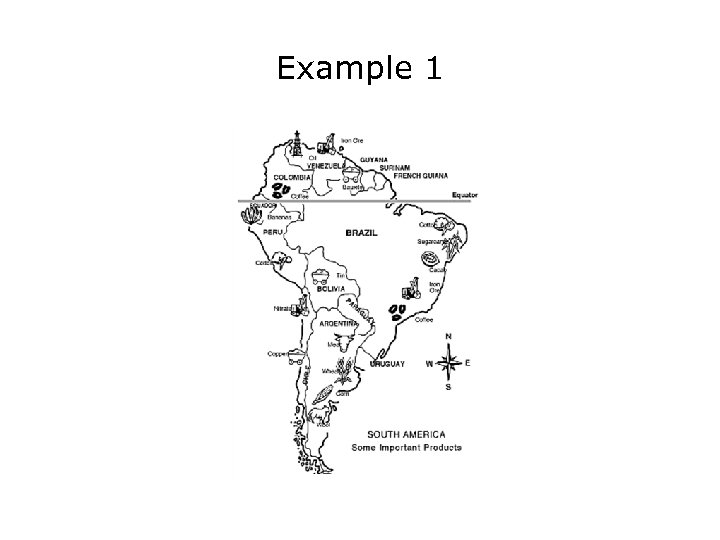 Example 1
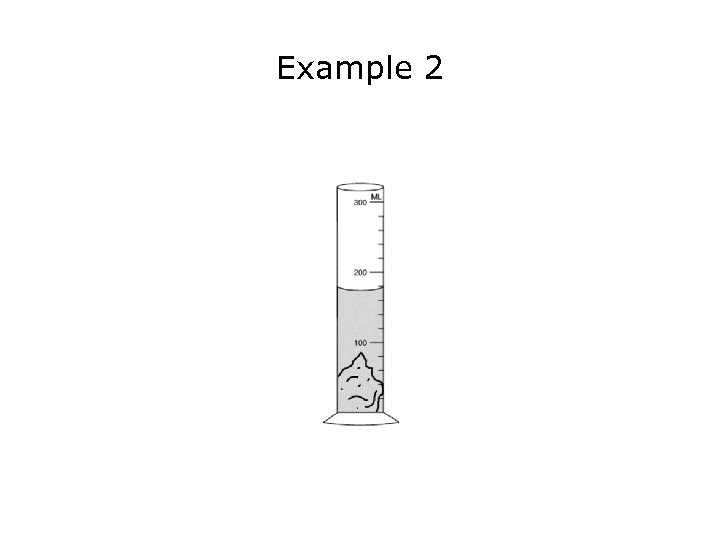 Example 2
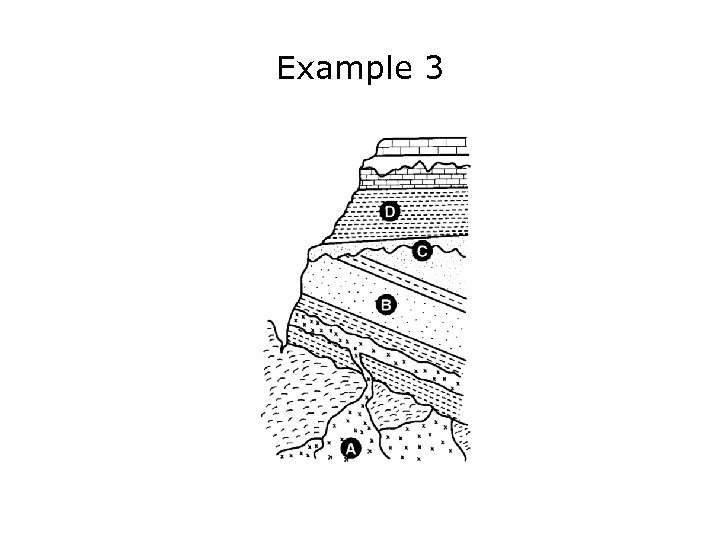 Example 3
 Resources • http: //www. tactilegraphics. org/ • Accessible images mailing list (join through tactilegraphics. org resource page) • John M. Kennedy’s website: www. scar. utoronto. ca/~kennedy/ • APH website (Tactile Graphic Image Library & tg tutorials by Karen Poppe/Fred Otto): http: //www. aph. org/ • Tactile Graphics by Polly Edman
 Please direct further observations and comments to: msell@aph. org