 Скачать презентацию Storyboarding the User Interface Blueprint for an Application
6605ca8424f4b0d9e76eac0a7f5eb101.ppt
- Количество слайдов: 46



Storyboarding the User Interface: Blueprint for an Application Shanaz Kanga | Michele Sarko Sr. UI Design Engineer | Manager, User Experience Group Remedy, a BMC Software company
Agenda § What is Storyboarding? § Driving Storyboarding in Your Organization § Some Examples and Success Stories § “How To” Tips § Conclusions
What is a Storyboard? A user interface storyboard is a visual script or a blueprint of everything that will be contained in an application or website.
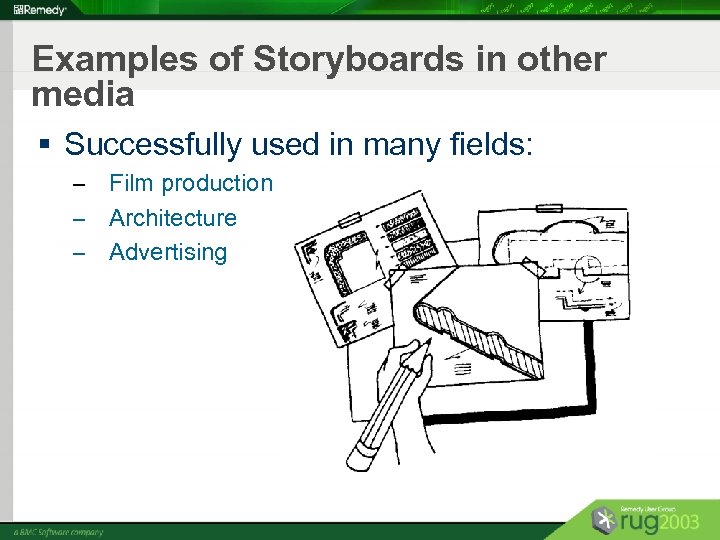
Examples of Storyboards in other media § Successfully used in many fields: Film production – Architecture – Advertising –
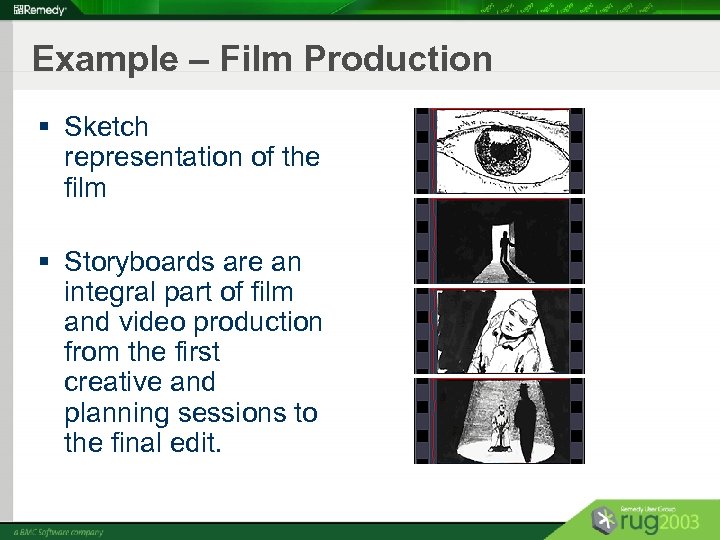
Example – Film Production § Sketch representation of the film § Storyboards are an integral part of film and video production from the first creative and planning sessions to the final edit.
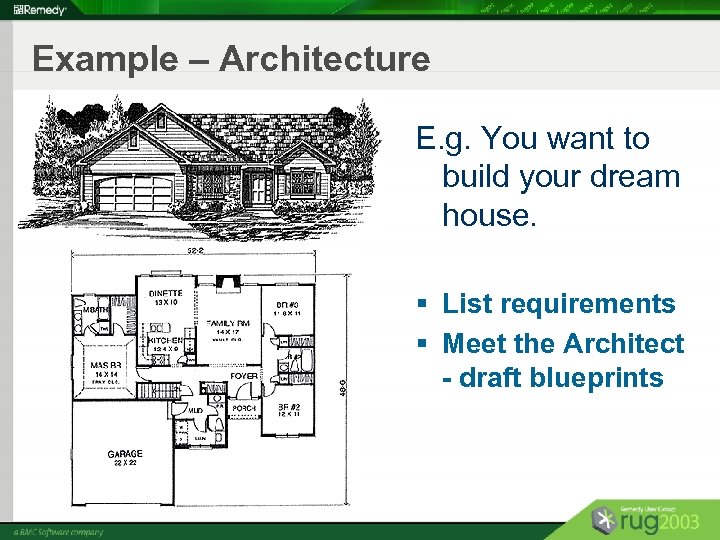
Example – Architecture E. g. You want to build your dream house. § List requirements § Meet the Architect - draft blueprints
Example – Architecture (cont. ) § Structural, Electrical, Plumbing Consultants, etc. . . § See the look of the house before it is built § Catch potential problems § Proceed with construction § You have saved time and money ! § Common point of reference to verify structural and content elements
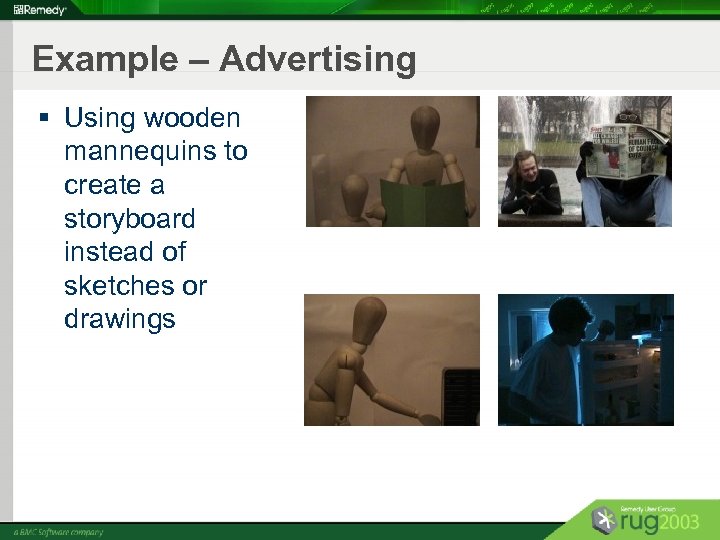
Example – Advertising § Using wooden mannequins to create a storyboard instead of sketches or drawings
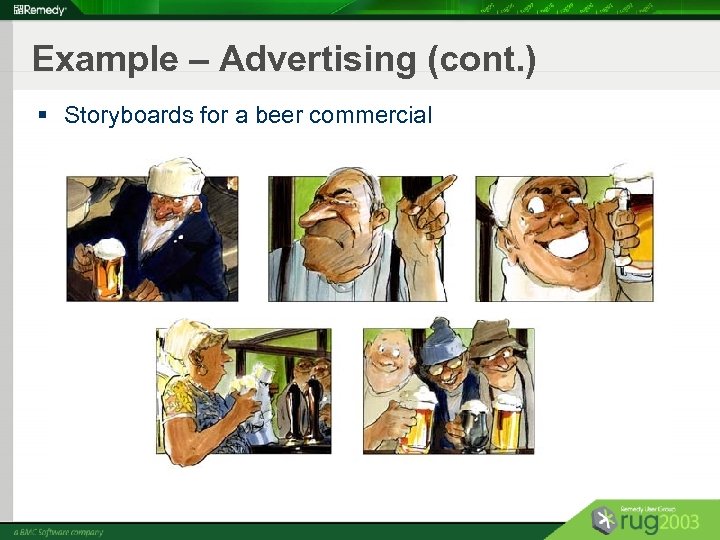
Example – Advertising (cont. ) § Storyboards for a beer commercial
Quote by Architect, Le Corbusier “I prefer drawing to talking. Drawing is faster, and leaves less room for lies. ” - Le Corbusier
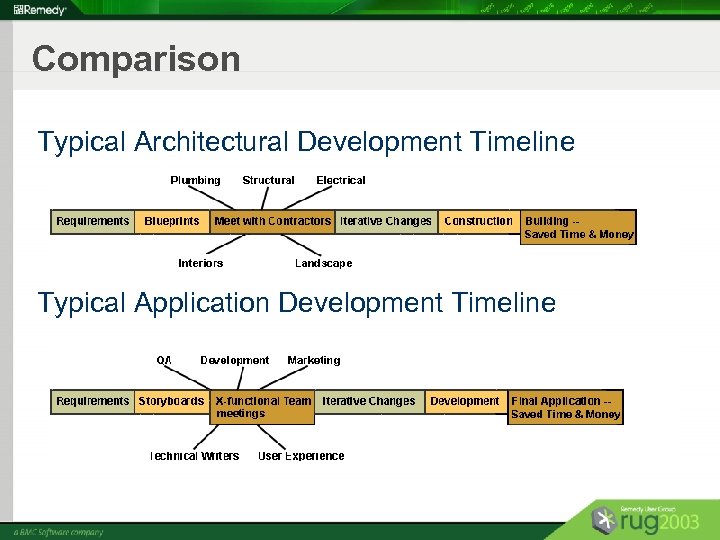
Comparison Typical Architectural Development Timeline Typical Application Development Timeline
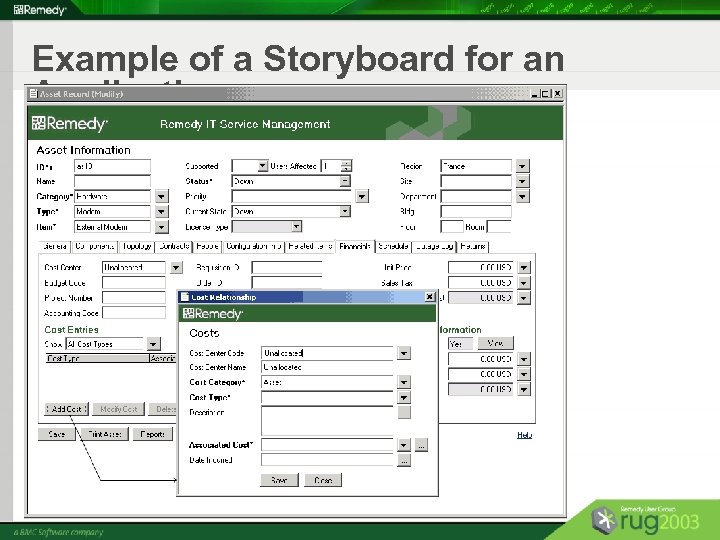
Example of a Storyboard for an Application
What Storyboarding IS § Means of visual communication § A working image of the product in its preliminary stage § Storyboards can be tested with users to verify the usability § Example
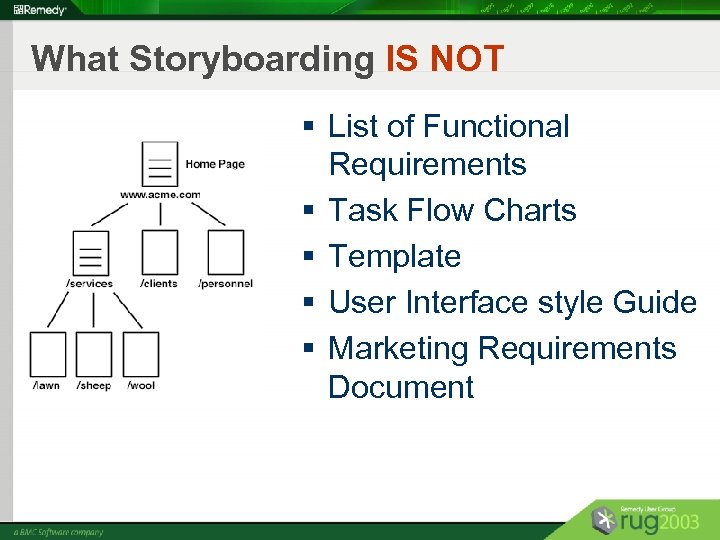
What Storyboarding IS NOT § List of Functional Requirements § Task Flow Charts § Template § User Interface style Guide § Marketing Requirements Document
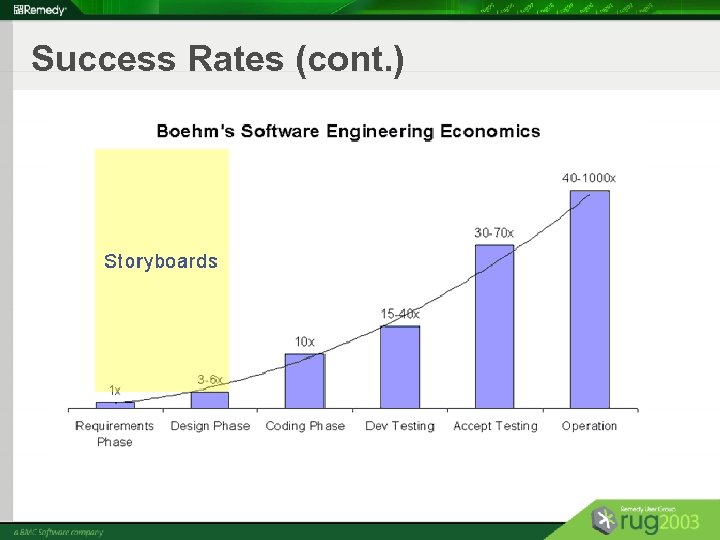
Need for Storyboarding § Short development time - careful planning § Provides common point of reference for multidisciplinary teams § People have difficulty visualizing an end product § Focus on total content of the program § Reduces bugs
Need for Storyboarding (cont. ) § Cuts development time and costs § Ensures the user interface meets the requirements § Allows for usability test of the storyboards § Saves time for QA and Technical Writers § Helps new developers get up to speed § Helps build an elegant and concise solution § Ensures a common vision!
Perfect Fit into the Dev. Cycle Provide common vision to cross-functional groups § Development § Quality Assurance § Technical Writers § User Experience Group § Product Marketing
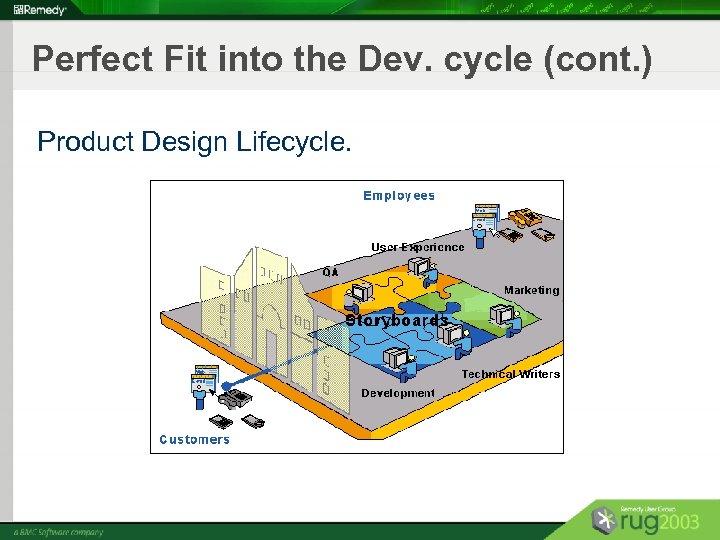
Perfect Fit into the Dev. cycle (cont. ) Product Design Lifecycle.
Agenda (cont. ) § What is Storyboarding? § Driving Storyboarding in Your Organization § Some Examples and Success Stories § “How To” Tips § Conclusions
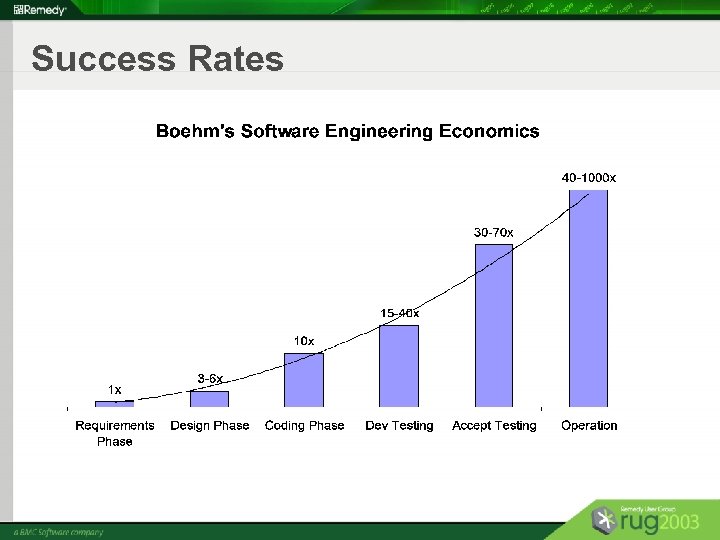
Common Barriers to Storyboarding § Product Management and Development teams view storyboarding as additional work § Don’t understand the value of storyboarding § Concern about impacting product release schedules § Resist change - we’ve never done this before!
How to Get Buy-in From All Teams § Focus on the benefits of storyboarding to developers and management § Understand current problems during development § After first few storyboard sessions, Development and Product Management teams are fully on-board! § Focus on the results – money & time saved
Success Rates
Success Rates (cont. )
Agenda (cont. ) § What is Storyboarding? § Driving Storyboarding in Your Organization § Some Examples and Success Stories § “How To” Tips § Conclusions
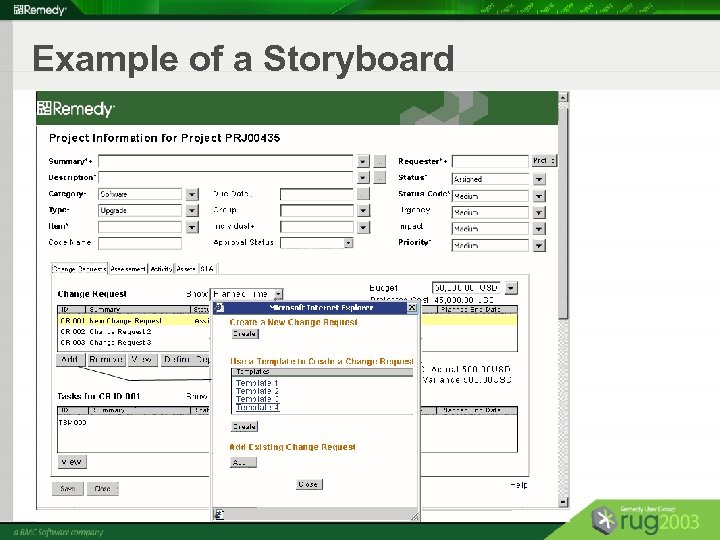
Example of a Storyboard
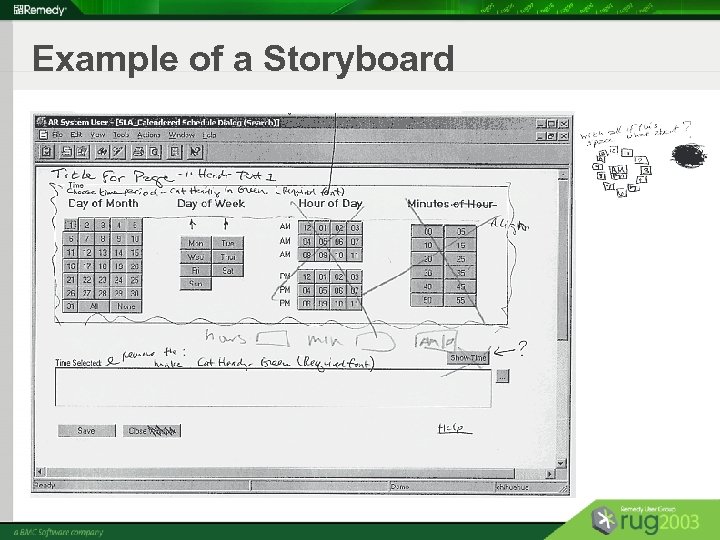
Example of a Storyboard
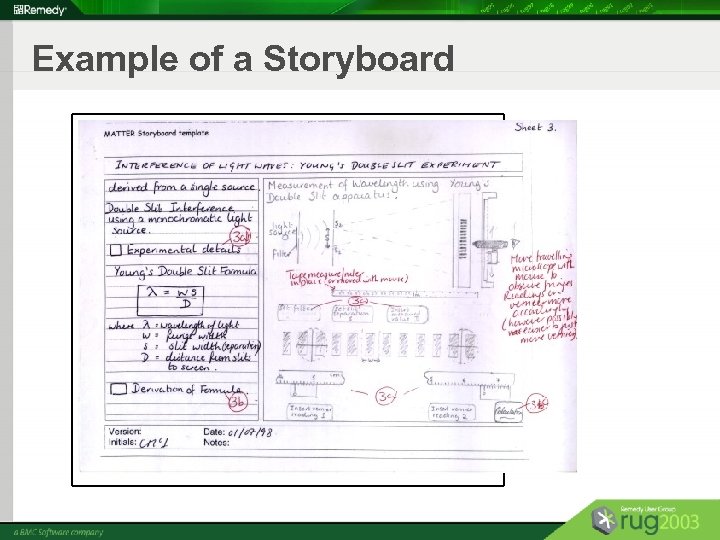
Example of a Storyboard
Remedy Success Story: The Process § § § § Started at the beginning of development cycle Product Management gave the requirements Storyboards were developed Got all cross-functional teams on board Increased the bandwidth for discussions Went through iterations to resolve concerns Final storyboard packet Sign off
Remedy Success Story: The Results § § § § Tech writers could start documenting QA could start their test plans Developers had a common vision to start Everyone on same page Fewer bugs filed Easier to use Product Management shows screens to customers
Ex. 1 - Scenario for a Storyboard § Storyboard for Project – Moving Company XYZ § Company XYZ has been expanding in the last few years. The hiring rate has gone up. They have grown from 50+ to 150+ employees in 2 years. They need more office space to solve the current space issue for future expansion. The top executive decided it is time for the company to move to a new location. § Roles – Requester – Support – Management
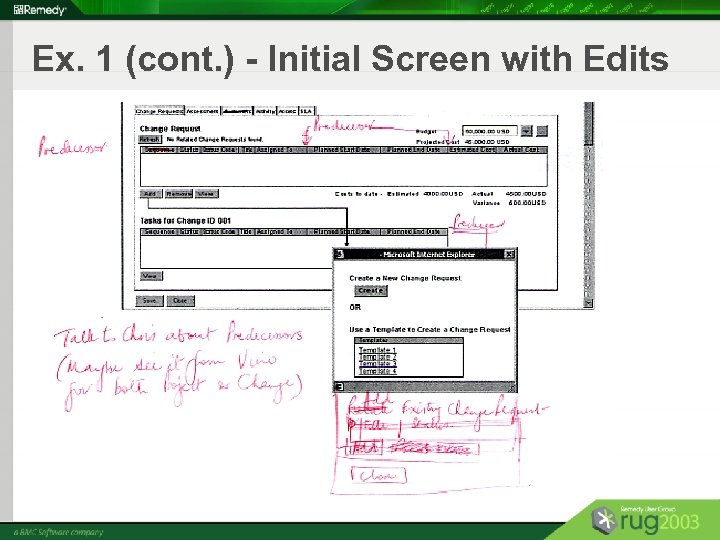
Ex. 1 (cont. ) - Initial Screen with Edits
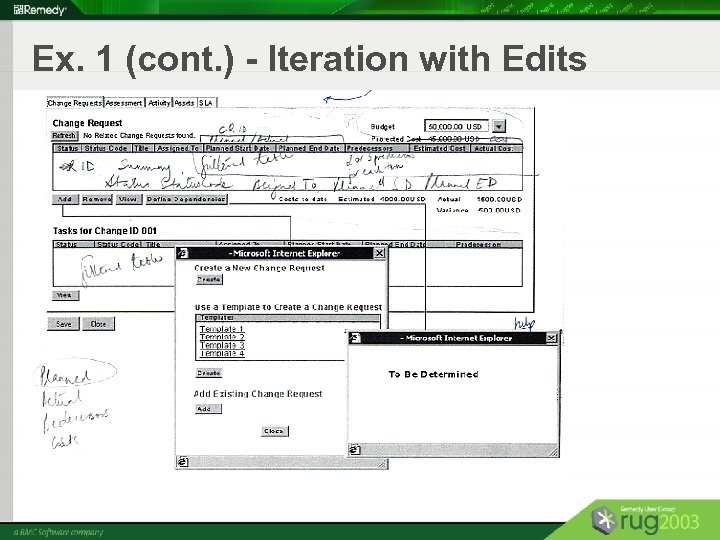
Ex. 1 (cont. ) - Iteration with Edits
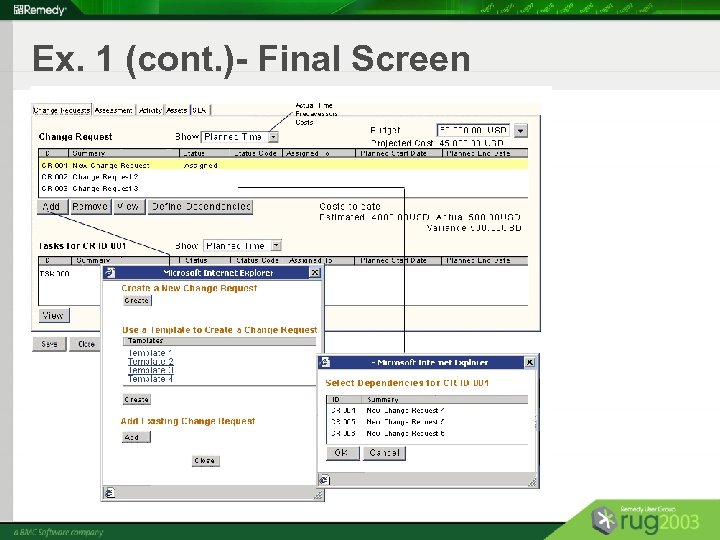
Ex. 1 (cont. )- Final Screen
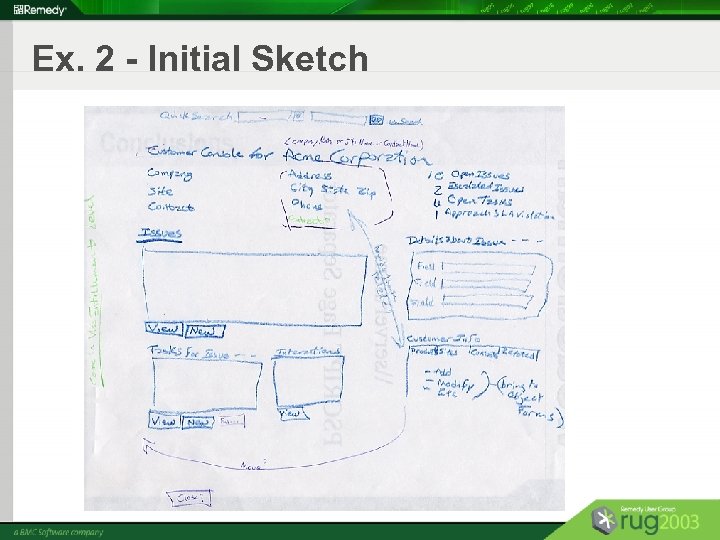
Ex. 2 - Initial Sketch
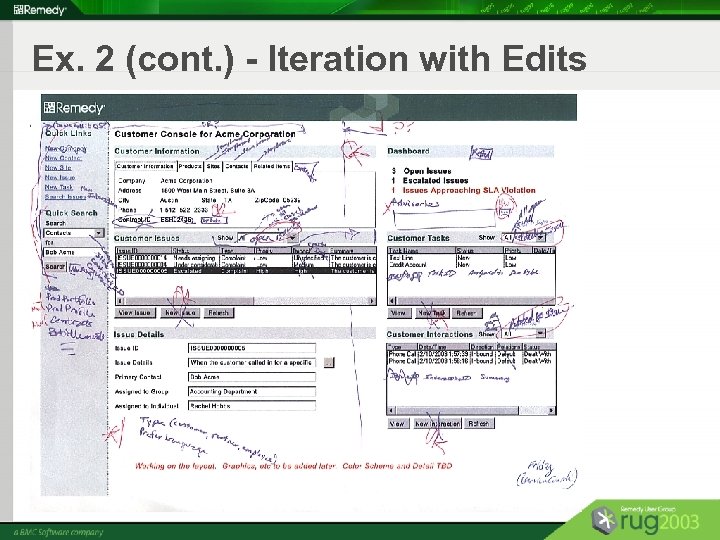
Ex. 2 (cont. ) - Iteration with Edits
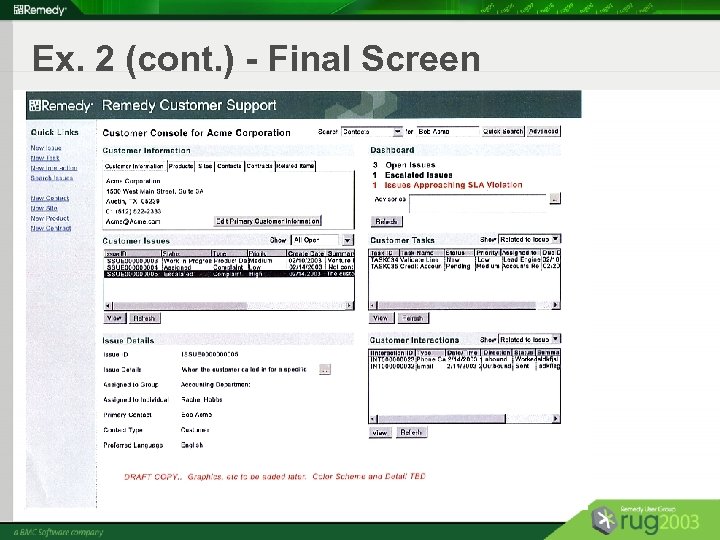
Ex. 2 (cont. ) - Final Screen
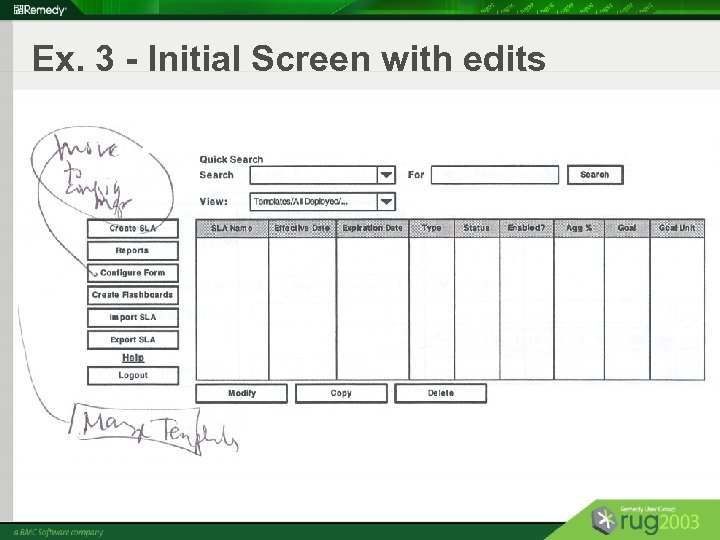
Ex. 3 - Initial Screen with edits
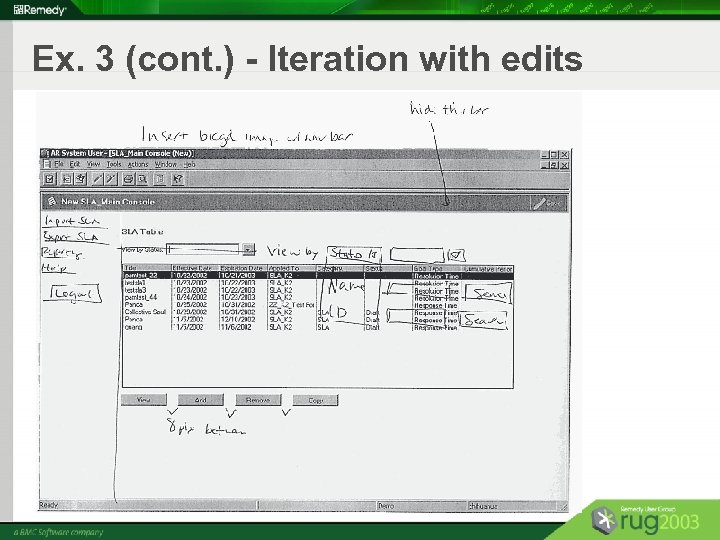
Ex. 3 (cont. ) - Iteration with edits
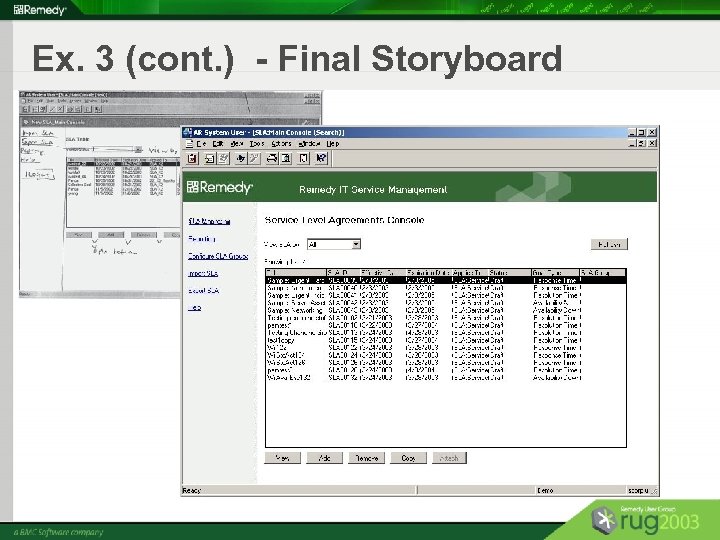
Ex. 3 (cont. ) - Final Storyboard
Agenda (cont. ) § What is Storyboarding? § Driving Storyboarding in Your Organization § Some Examples and Success Stories § “How To” Tips § Conclusions
Storyboarding : “How To” Tips To create a prototype of how the finished product will look : § Create a scenario with different user roles based on which the storyboard will be developed § Identify elements to go on a page § Organize elements on the page § Group areas that go together § Create a consecutive flow of the interaction sequence
Storyboarding : “How To” Tips (cont. ) § Include text, questions or comments if necessary § Get feedback § Iterations of the storyboard to include changes, if any § Sign-off
Storyboarding: “How To” Tips (cont. ) § Create Visio flows for management teams § Work with developers to make iterations § Human Factors group can uncover problems that the Product Management might have § To begin with, give more help than they expect or need – it will pay back in dividends § Ownership – any team can “own” the storyboard once it is signed off by design and usability teams and is good to go
Agenda (cont. ) § What is Storyboarding? § Driving Storyboarding in Your Organization § Some Examples and Success Stories § “How To” Tips § Conclusions
Conclusion § § § Ensures a common vision Allows for careful planning Helps teams to make a better design decision Makes existing ideas more concrete Cuts development time and costs Allows for an elegantly designed solution
Storyboarding Questions?
Скачать презентацию Storyboarding the User Interface Blueprint for an Application
6605ca8424f4b0d9e76eac0a7f5eb101.ppt