


 Скачать презентацию Stormwater Grant and Loan Administration Recipient Training June
079321445369b53f3e1b38f1f55d15ba.ppt
- Количество слайдов: 70
 Stormwater Grant and Loan Administration Recipient Training June 11 & 12, 2017 Sea. Tac Airport Conference Center Big Bend Community College – Moses Lake Layne Slone Frances Carver
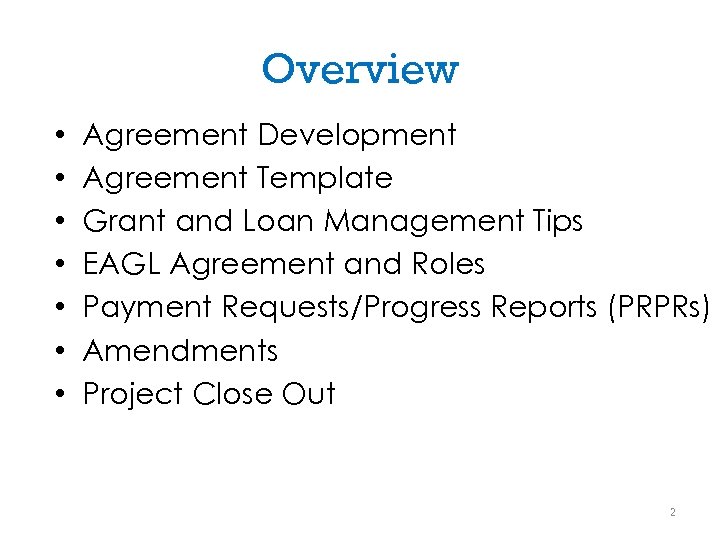 Overview • • Agreement Development Agreement Template Grant and Loan Management Tips EAGL Agreement and Roles Payment Requests/Progress Reports (PRPRs) Amendments Project Close Out 2
 Agreement Development 3
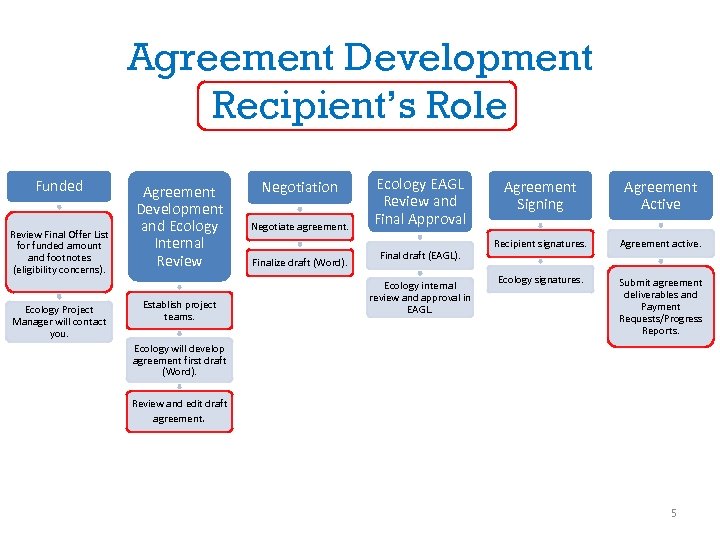 Agreement Development Recipient’s Role Funded Review Final Offer List for funded amount and footnotes (eligibility concerns). Ecology Project Manager will contact you. Agreement Development and Ecology Internal Review Establish project teams. Negotiation Negotiate agreement. Finalize draft (Word). Ecology EAGL Review and Final Approval Final draft (EAGL). Ecology internal review and approval in EAGL. Agreement Signing Agreement Active Recipient signatures. Agreement active. Ecology signatures. Submit agreement deliverables and Payment Requests/Progress Reports. Ecology will develop agreement first draft (Word). Review and edit draft agreement. 4 5
 Funded • FY 2018 Final Offer List published. • Check the Final Offer List for funding amount and eligibility concerns (footnotes). • Ecology Project Manager will contact you to start agreement development. 5
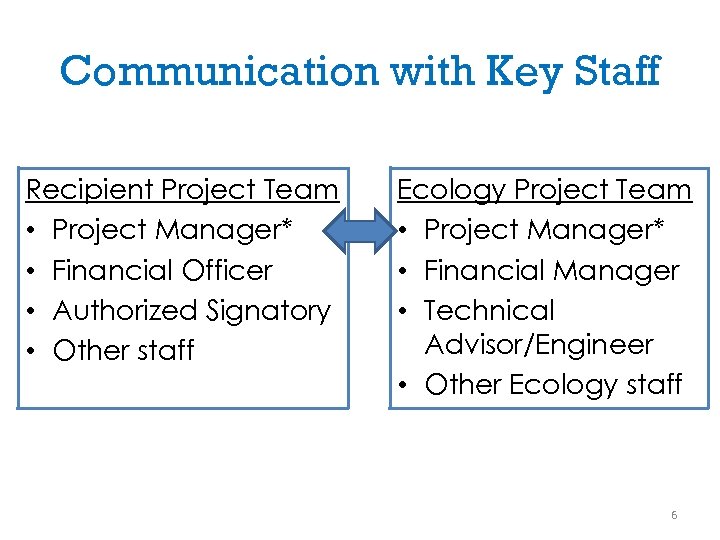 Communication with Key Staff Recipient Project Team • Project Manager* • Financial Officer • Authorized Signatory • Other staff Ecology Project Team • Project Manager* • Financial Manager • Technical Advisor/Engineer • Other Ecology staff 6
 Agreement Development • Ecology develops first draft of agreement. • Ecology Project Manager sends draft to Recipient Project Manager. • Recipient Project Manager responds to questions and comments. 7
 Negotiation • In-person meeting or conference call. • Discuss the agreement components (ex. scope of work, deliverables, project schedule, project start/end dates, budget). • Finalize draft agreement in Word. 8
 Ecology Review in EAGL • Ecology supervisors review agreement. • Formatting and final checks for budget, scope of work, and eligibility. • Recipient Project Team is notified if modifications are suggested during Ecology internal review. 9
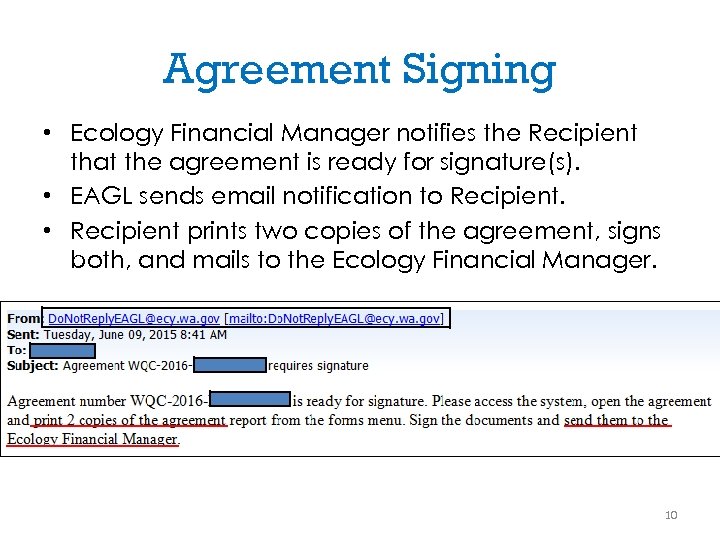 Agreement Signing • Ecology Financial Manager notifies the Recipient that the agreement is ready for signature(s). • EAGL sends email notification to Recipient. • Recipient prints two copies of the agreement, signs both, and mails to the Ecology Financial Manager. 10
 Agreement Signing • Ecology Financial Manager routes the agreement for Water Quality Program Manager’s signature. • Ecology Financial Manager sends one fully -signed original agreement back to the Recipient. 11
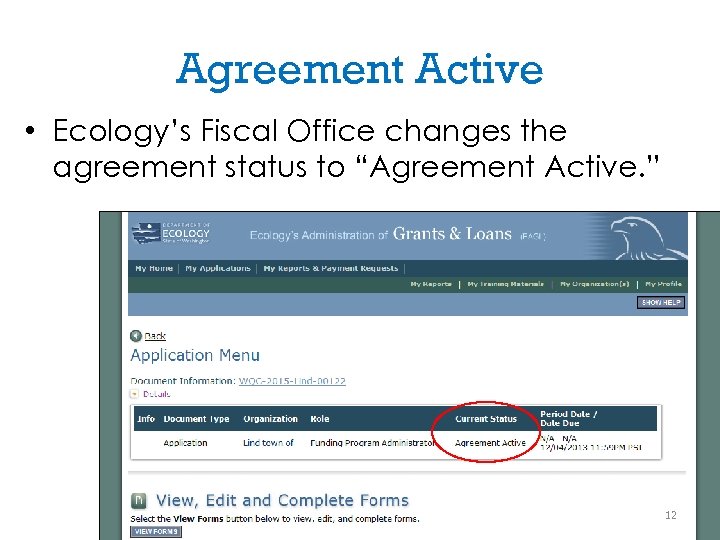 Agreement Active • Ecology’s Fiscal Office changes the agreement status to “Agreement Active. ” 12
 Agreement Template 13
 Agreement Template Scope of Work • Agreement Templates – Boilerplate scope of work for stormwater facility projects. – No boilerplate scope of work for stormwater activity projects, such as: • • Sweepers Private stormwater facility inspections Pollutant source tracing Stormwater planning 14
 Scope of Work Template for Stormwater Facility • Task 1: Project Administration/Management • Task 2: Design Plans and Specs, Environmental Review • Task 3: Construction Management • Task 4: Construction 15
 Task 1: Project Administration/Management • Meetings with Ecology only for the agreement itself (ex. , negotiation). • Payment requests/progress reports. • Closeout Report/Project Outcome Summary Report. • Any work not specific to other tasks. • Overall grant/loan administration. 16
 Task 2: Design Plans and Specs, Environmental Review • SEPA determination. • List of permits and environmental review documents. • Cultural Resources: – Ecology 05 -05/106 Form, or professional survey. – Inadvertent Discovery Plan. – Ecology determination letter. 17
 Task 2: Design Plans and Specs, Environmental Review • Design report. • Design guidance: http: //www. ecy. wa. gov/programs/wq/fund ing/Res/Forms/SWDesign. Deliv 090116. pdf • 90% Design, Plans, and Specs. • Final Bid Package. • Responses to Ecology comments. • Ecology acceptance letters. 18
 Task 3: Construction Management • • Construction quality assurance plan. Pre-construction meeting. Project schedule. Change orders. O & M plan. Stormwater construction completion form. Shape, GIS files. 19
 Task 4: Construction • Contract documents (contract, bid announcement, bid award, and bid tabulations). • Progress reports, photos. • Equivalent new/ redevelopment area determination, if different. 20
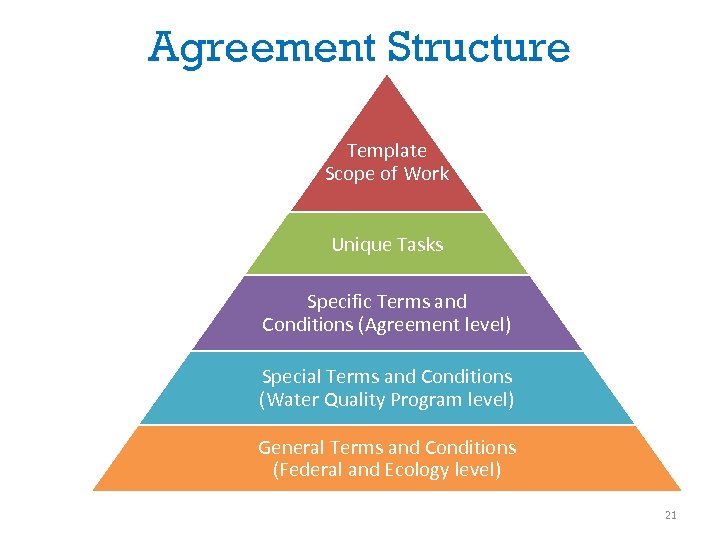 Agreement Structure Template Scope of Work Unique Tasks Specific Terms and Conditions (Agreement level) Special Terms and Conditions (Water Quality Program level) General Terms and Conditions (Federal and Ecology level) 21
 Grant and Loan Management Tips 22
 Grant and Loan Management Tips • Funding guidelines. • Agreement start and expiration dates. • Funding source – Federal requirements if federal funding. • Site visits. 23
 Grant and Loan Management Tips • Review EAGL videos. • Upload deliverables to EAGL, and notify Ecology. • Emails. Include: – Agreement number – Project name – Ecology Project Mgr. , Financial Mgr. , and Engineer) • Contact Ecology Project Manager for questions. 24
 EAGL Agreement and Roles 25
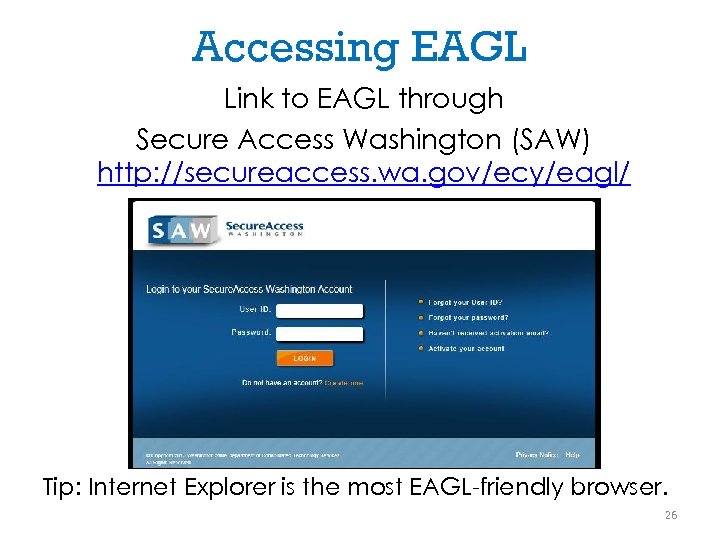 Accessing EAGL Link to EAGL through Secure Access Washington (SAW) http: //secureaccess. wa. gov/ecy/eagl/ Tip: Internet Explorer is the most EAGL-friendly browser. 26
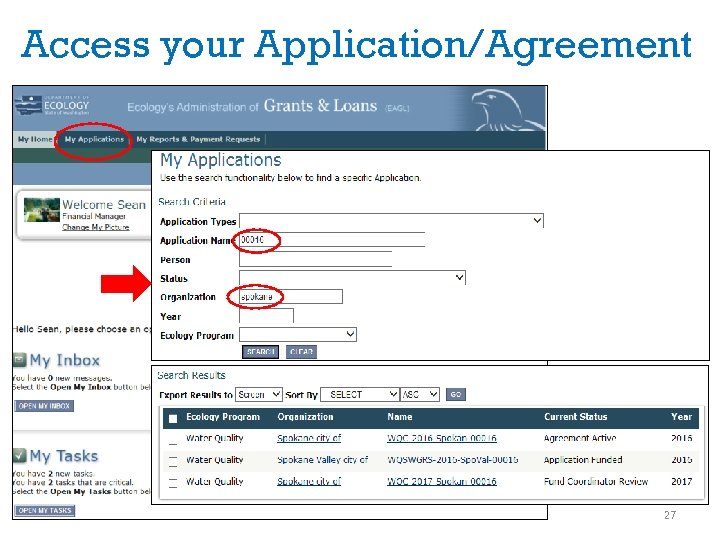 Access your Application/Agreement 27
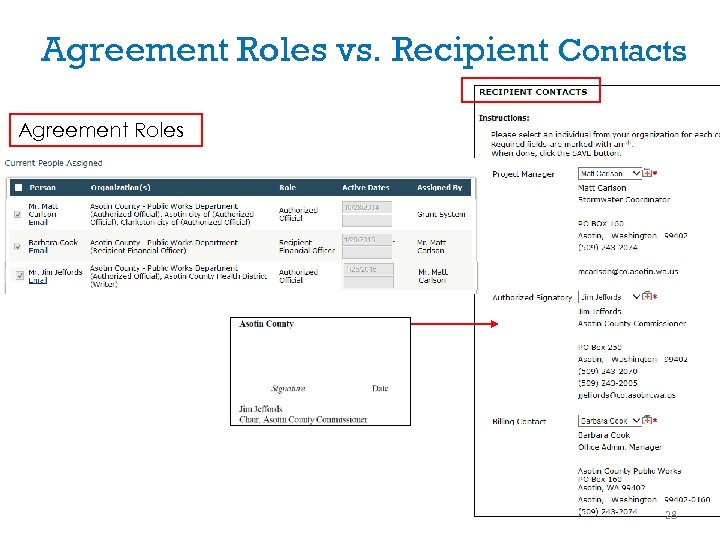 Agreement Roles vs. Recipient Contacts Agreement Roles 28
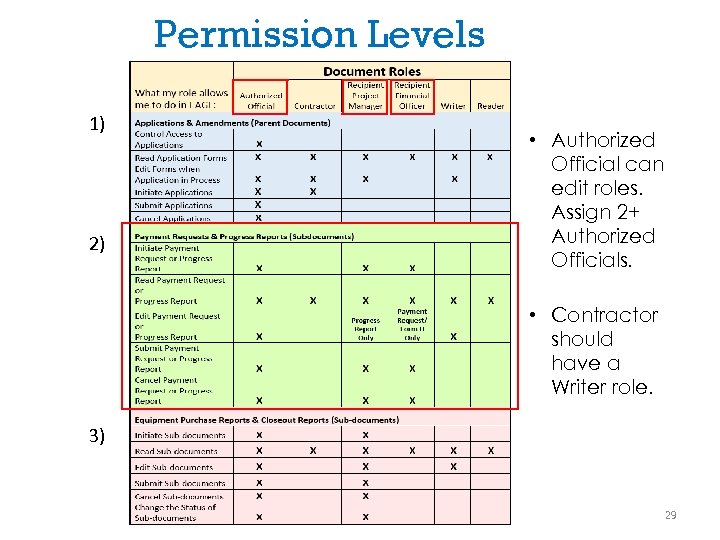 Permission Levels 1) 2) • Authorized Official can edit roles. Assign 2+ Authorized Officials. • Contractor should have a Writer role. 3) 29
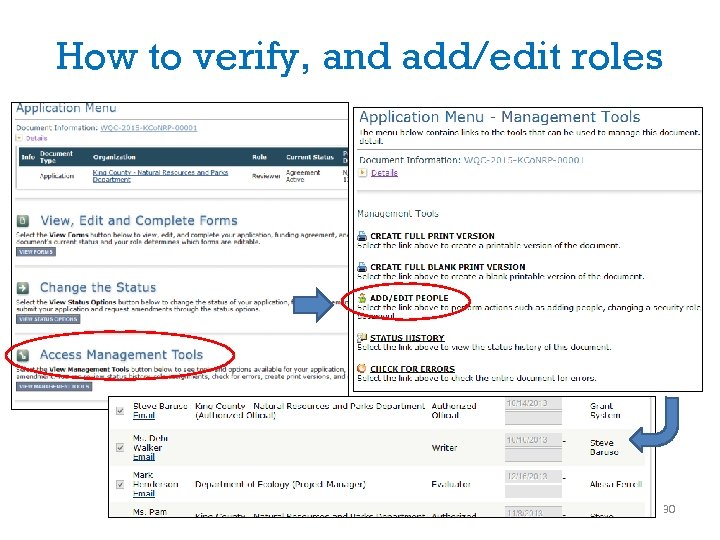 How to verify, and add/edit roles 30
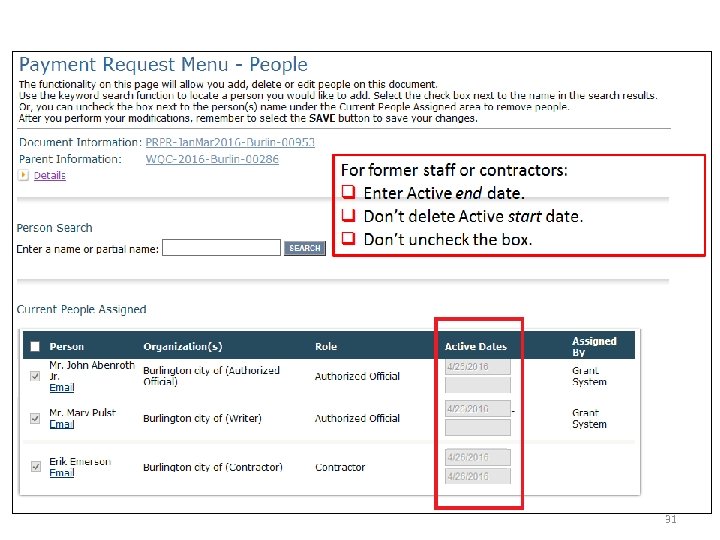 31
31
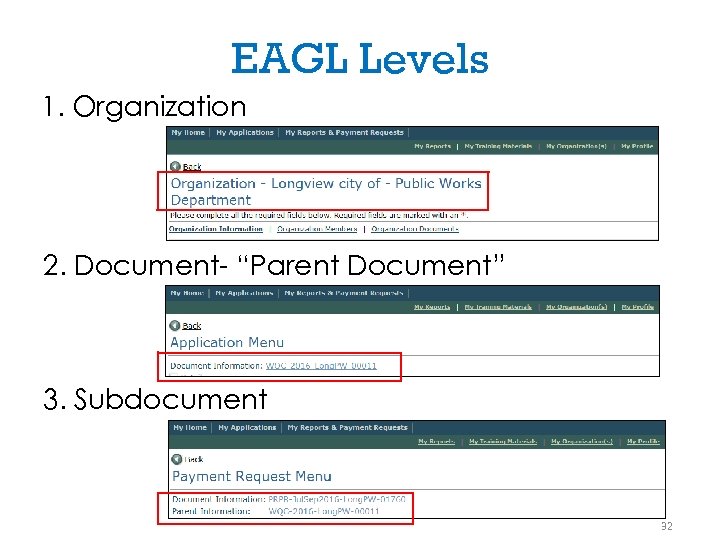 EAGL Levels 1. Organization 2. Document- “Parent Document” 3. Subdocument 32
 Payment Requests/ Progress Reports (PRPRs) 33
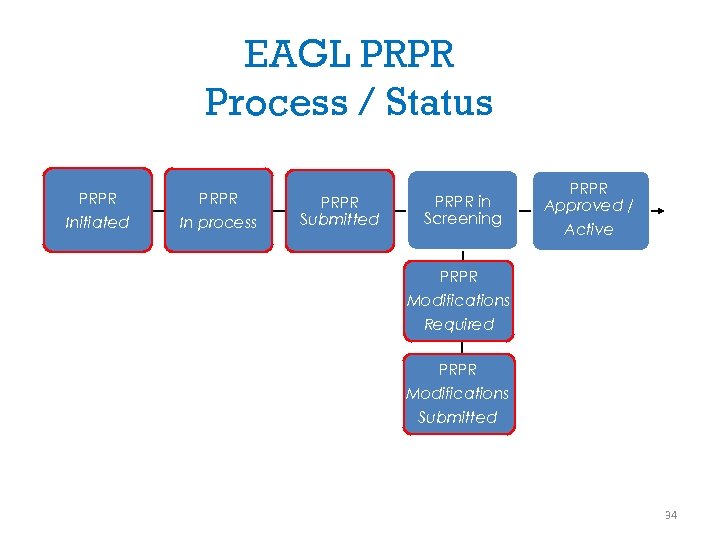 EAGL PRPR Process / Status PRPR Initiated PRPR In process PRPR Submitted PRPR in Screening PRPR Approved / Active PRPR Modifications Required PRPR Modifications Submitted 34
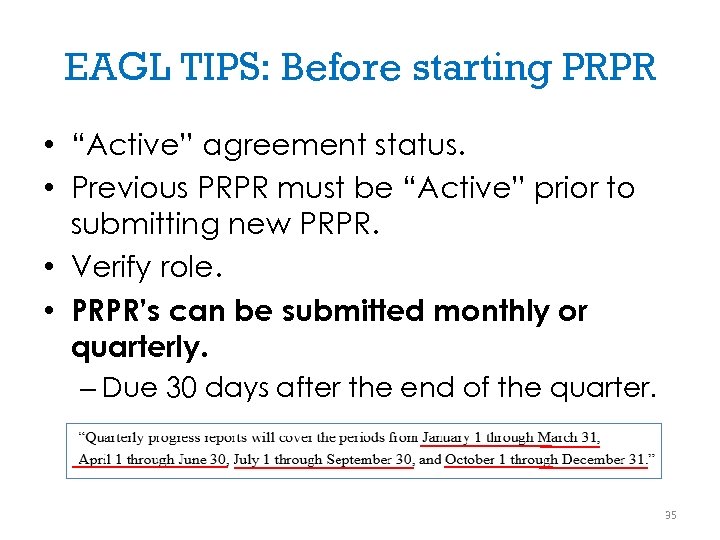 EAGL TIPS: Before starting PRPR • “Active” agreement status. • Previous PRPR must be “Active” prior to submitting new PRPR. • Verify role. • PRPR’s can be submitted monthly or quarterly. – Due 30 days after the end of the quarter. 35
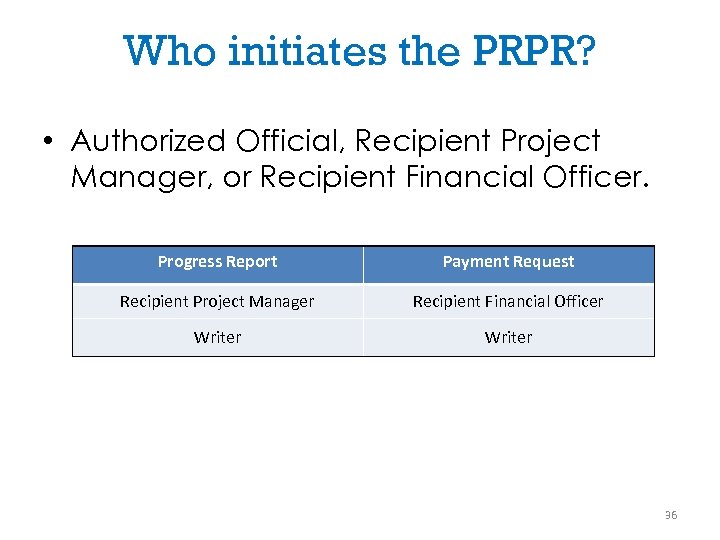 Who initiates the PRPR? • Authorized Official, Recipient Project Manager, or Recipient Financial Officer. Progress Report Payment Request Recipient Project Manager Recipient Financial Officer Writer 36
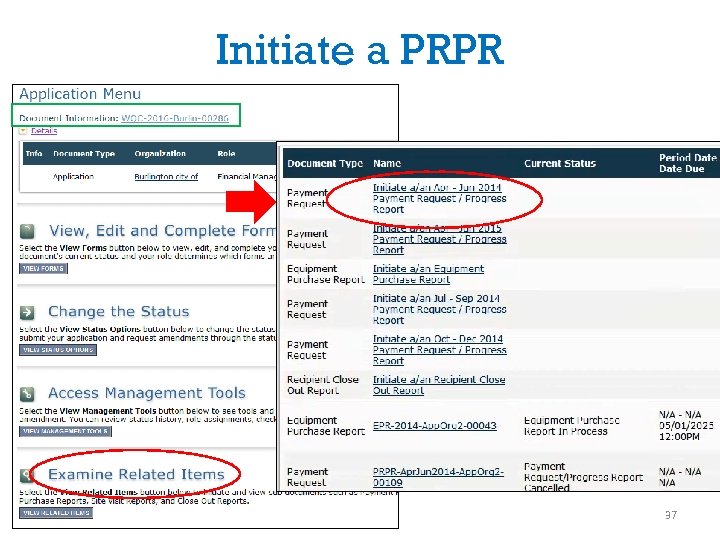 Initiate a PRPR 37
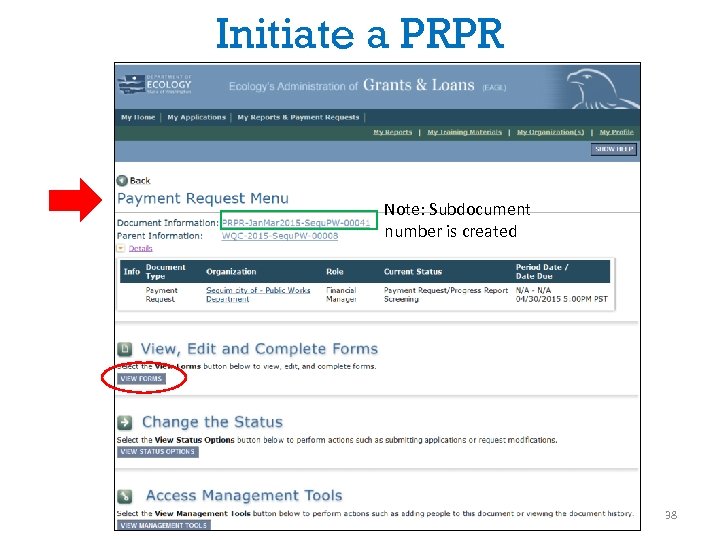 Initiate a PRPR Note: Subdocument number is created 38
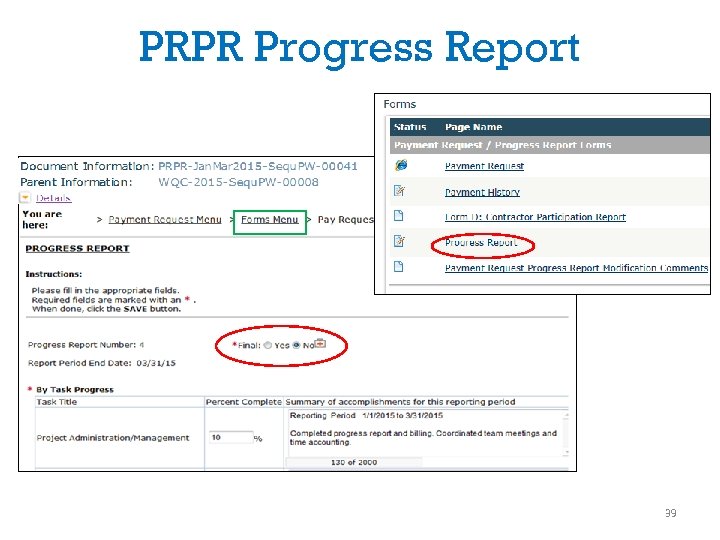 PRPR Progress Report 39
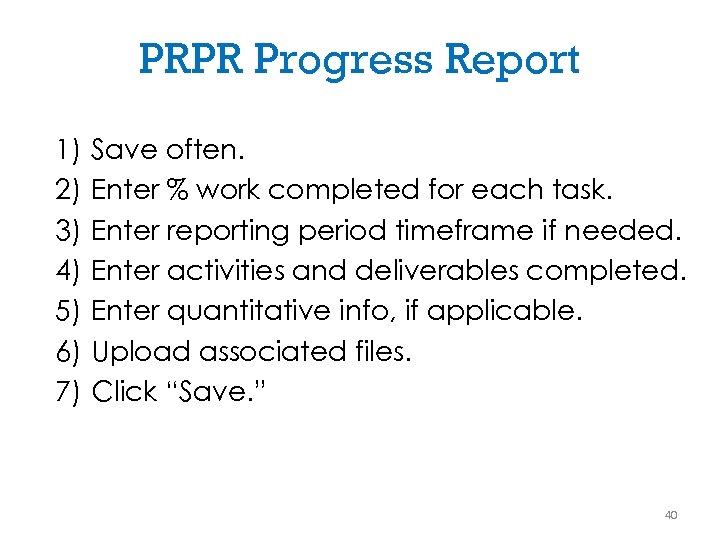 PRPR Progress Report 1) 2) 3) 4) 5) 6) 7) Save often. Enter % work completed for each task. Enter reporting period timeframe if needed. Enter activities and deliverables completed. Enter quantitative info, if applicable. Upload associated files. Click “Save. ” 40
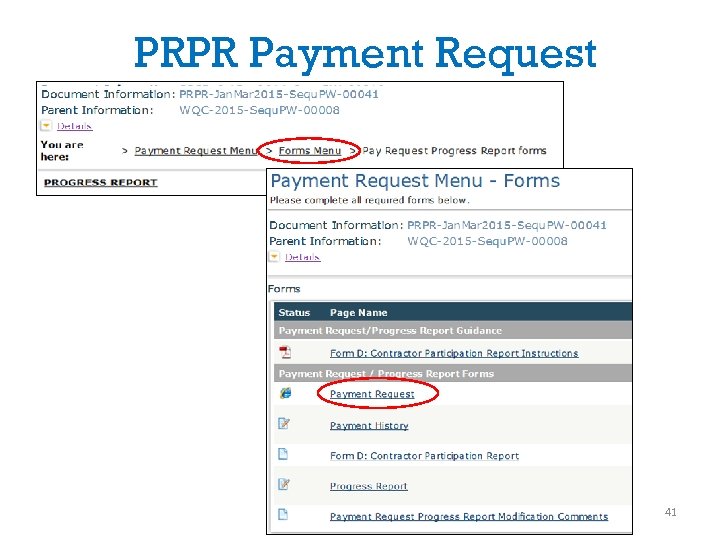 PRPR Payment Request 41
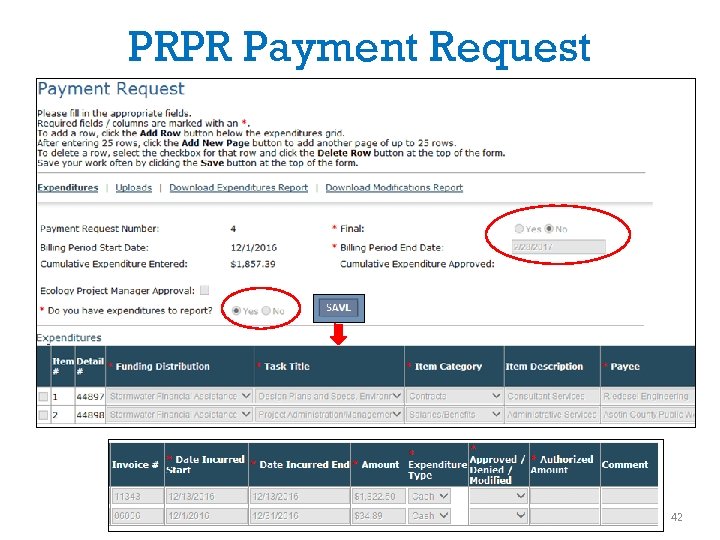 PRPR Payment Request 42
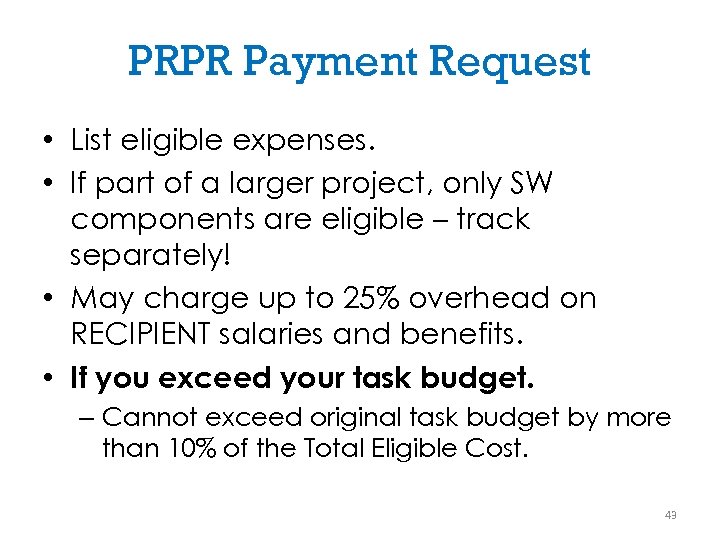 PRPR Payment Request • List eligible expenses. • If part of a larger project, only SW components are eligible – track separately! • May charge up to 25% overhead on RECIPIENT salaries and benefits. • If you exceed your task budget. – Cannot exceed original task budget by more than 10% of the Total Eligible Cost. 43
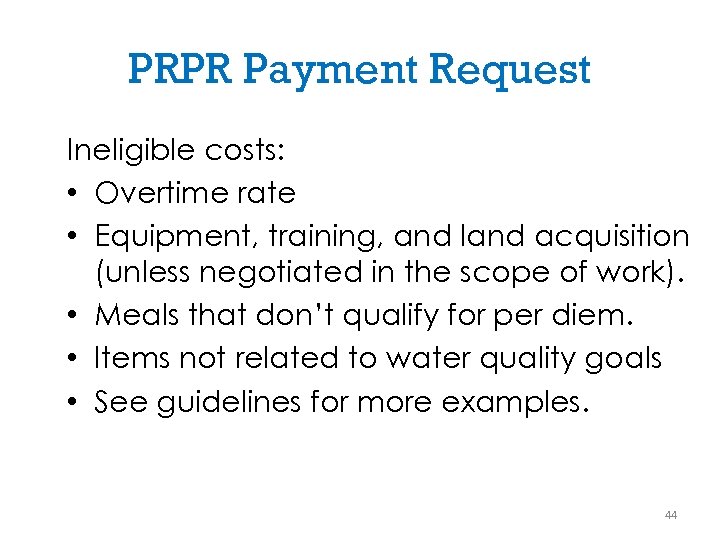 PRPR Payment Request Ineligible costs: • Overtime rate • Equipment, training, and land acquisition (unless negotiated in the scope of work). • Meals that don’t qualify for per diem. • Items not related to water quality goals • See guidelines for more examples. 44
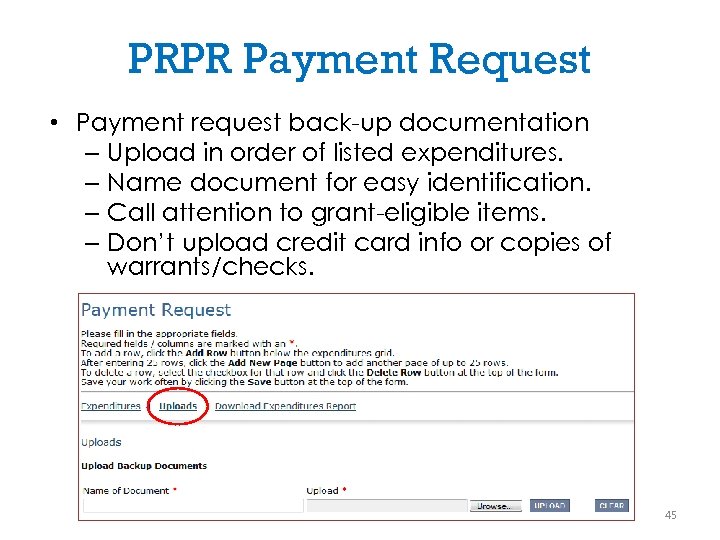 PRPR Payment Request • Payment request back-up documentation – Upload in order of listed expenditures. – Name document for easy identification. – Call attention to grant-eligible items. – Don’t upload credit card info or copies of warrants/checks. 45
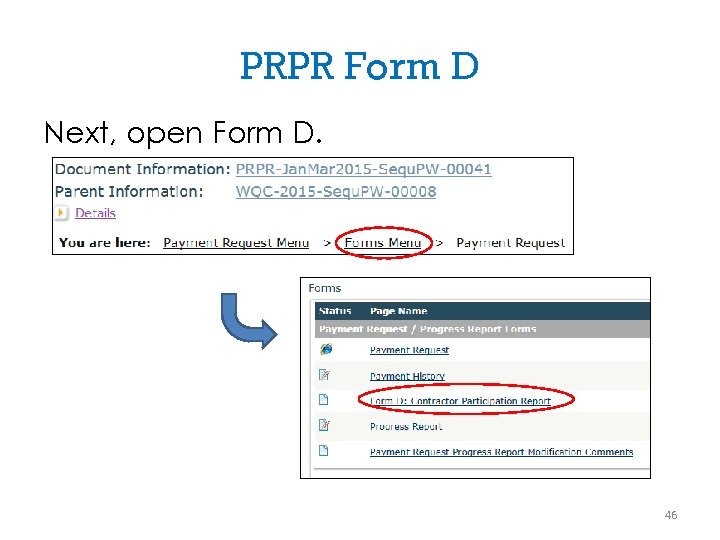 PRPR Form D Next, open Form D. 46
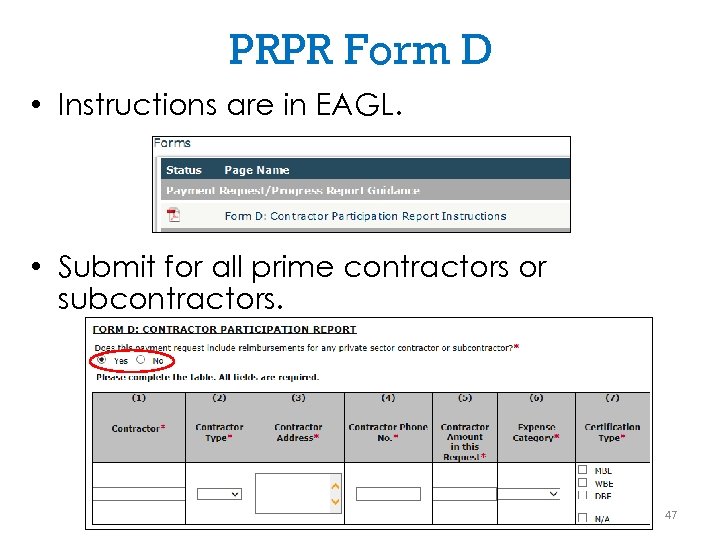 PRPR Form D • Instructions are in EAGL. • Submit for all prime contractors or subcontractors. 47
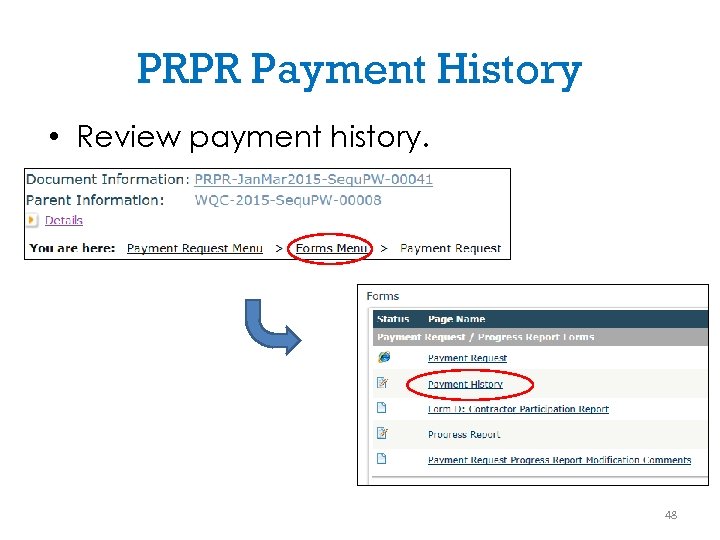 PRPR Payment History • Review payment history. 48
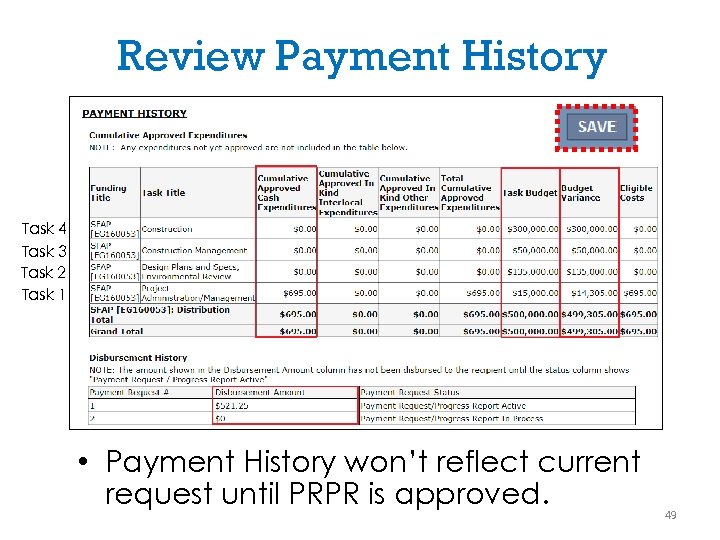 Review Payment History Task 4 Task 3 Task 2 Task 1 • Payment History won’t reflect current request until PRPR is approved. 49
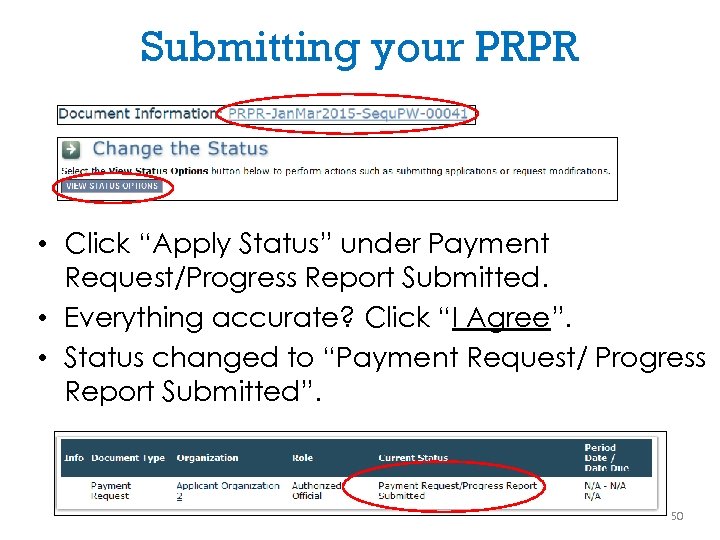 Submitting your PRPR • Click “Apply Status” under Payment Request/Progress Report Submitted. • Everything accurate? Click “I Agree”. • Status changed to “Payment Request/ Progress Report Submitted”. 50
 Amendments 51
 Amendments Needed for: • Change in scope of work. • Time extension. • Reduce/increase funds (i. e. , change orders, bid overruns). • Moving more than 10% of the Total Eligible Cost between tasks. 52
 Who can initiate an amendment? • Authorized Official • Or, Ecology. 53
 Amendment Discussion • Discuss the need of an amendment with your Ecology Project Manager: – Why is an amendment needed? – Budget spend-down projection – Proposed project schedule 54
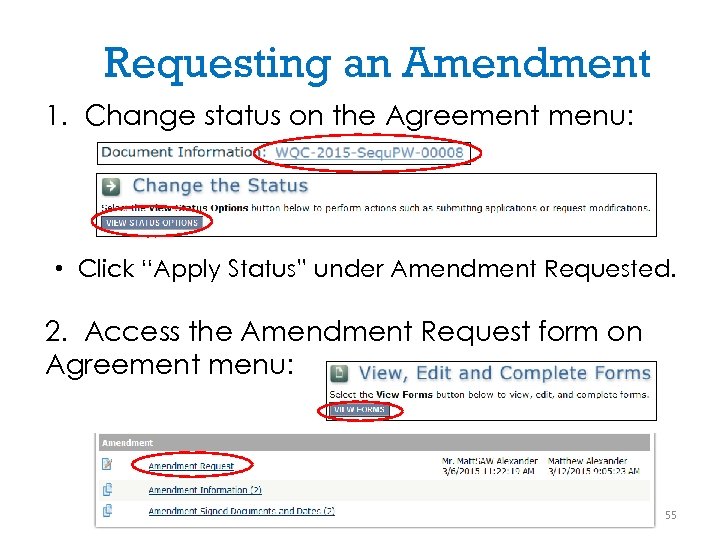 Requesting an Amendment 1. Change status on the Agreement menu: • Click “Apply Status” under Amendment Requested. 2. Access the Amendment Request form on Agreement menu: 55
![Amendment Request [Amendment Request: #] [Date of Request: ] [Type of amendment and reason](https://present5.com/presentation/079321445369b53f3e1b38f1f55d15ba/image-56.jpg "Amendment Request [Amendment Request: #] [Date of Request: ] [Type of amendment and reason") Amendment Request [Amendment Request: #] [Date of Request: ] [Type of amendment and reason why] 56
Amendment Request [Amendment Request: #] [Date of Request: ] [Type of amendment and reason why] 56
 Amendment Tips • Make sure you don’t have any PRPRs in process. This will stop you from completing the amendment steps. • Amendment approval determination: – Talk to your Ecology Project Manager. – Case by case basis. 57
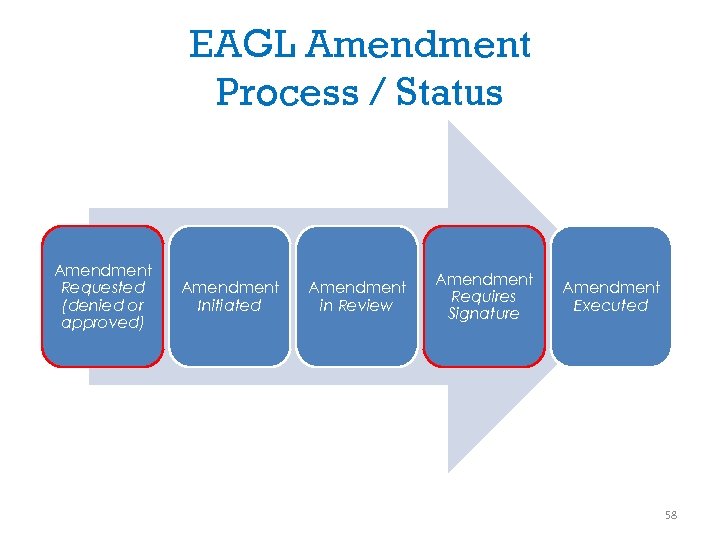 EAGL Amendment Process / Status Amendment Requested (denied or approved) Amendment Initiated Amendment in Review Amendment Requires Signature Amendment Executed 58
 Project Close Out 59
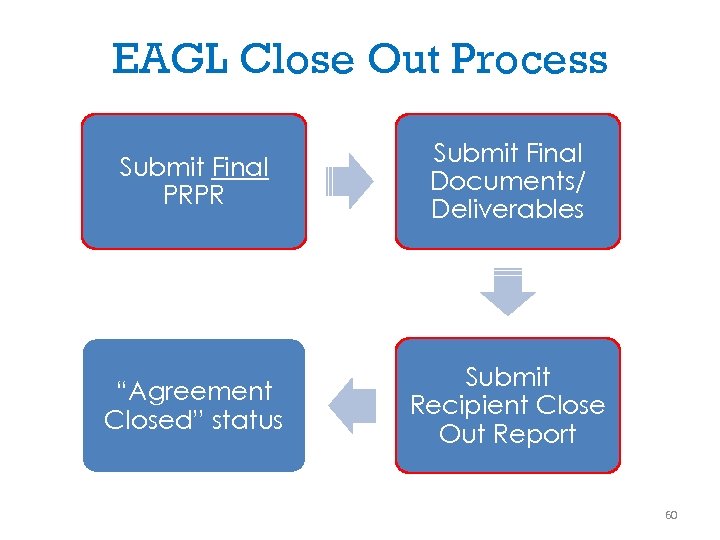 EAGL Close Out Process Submit Final PRPR Submit Final Documents/ Deliverables “Agreement Closed” status Submit Recipient Close Out Report 60
 When to Close Out the Project • Water Quality portions of the project are complete. • Final PRPR is submitted. • Final deliverables are submitted, including: – Construction completion form – O&M plan – Recipient Close Out Report (EAGL form) – Project Outcome Summary Report (two -page summary) 61
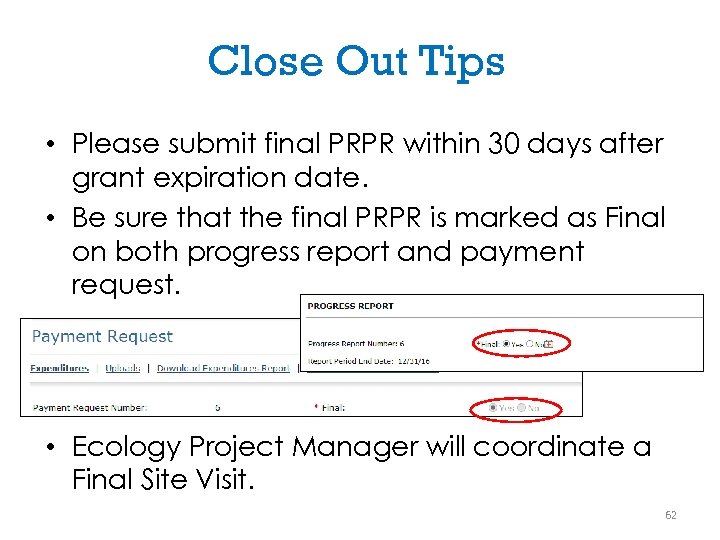 Close Out Tips • Please submit final PRPR within 30 days after grant expiration date. • Be sure that the final PRPR is marked as Final on both progress report and payment request. • Ecology Project Manager will coordinate a Final Site Visit. 62
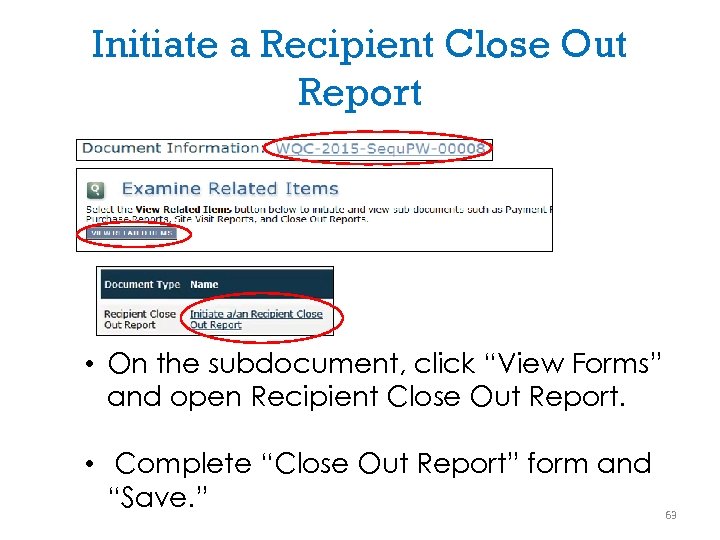 Initiate a Recipient Close Out Report • On the subdocument, click “View Forms” and open Recipient Close Out Report. • Complete “Close Out Report” form and “Save. ” 63
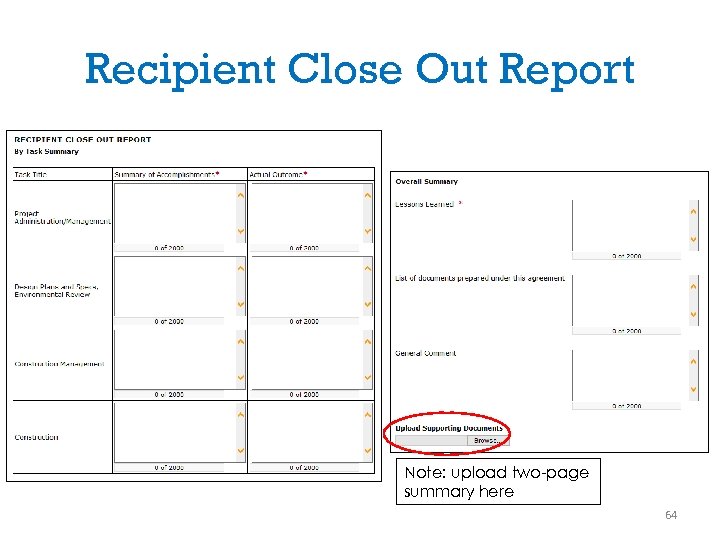 Recipient Close Out Report Note: upload two-page summary here 64
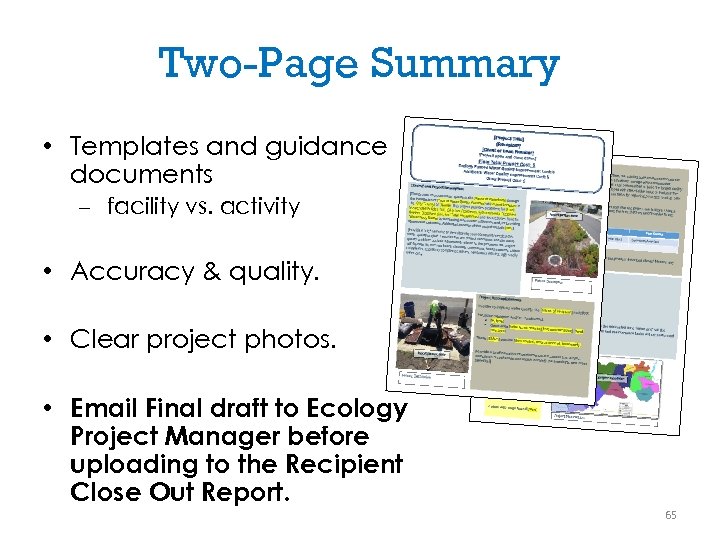 Two-Page Summary • Templates and guidance documents – facility vs. activity • Accuracy & quality. • Clear project photos. • Email Final draft to Ecology Project Manager before uploading to the Recipient Close Out Report. 65
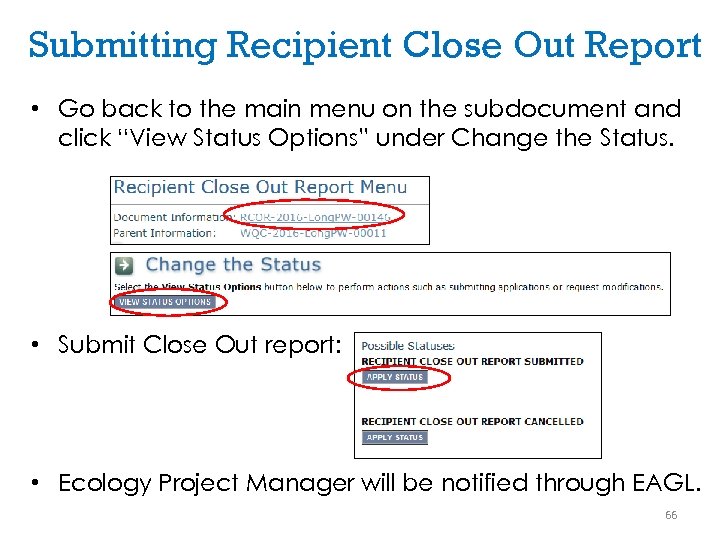 Submitting Recipient Close Out Report • Go back to the main menu on the subdocument and click “View Status Options” under Change the Status. • Submit Close Out report: • Ecology Project Manager will be notified through EAGL. 66
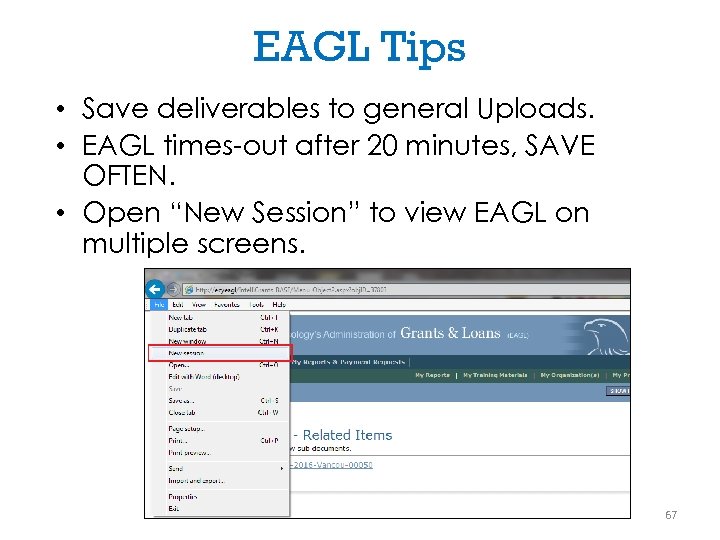 EAGL Tips • Save deliverables to general Uploads. • EAGL times-out after 20 minutes, SAVE OFTEN. • Open “New Session” to view EAGL on multiple screens. 67
 Ecology Resources • EAGL http: //www. ecy. wa. gov/funding/managefunding. html – EAGL User Manual • WQ Grant and Loan Resources http: //www. ecy. wa. gov/programs/wq/fun ding/Resources. html – Including: • Funding Guidelines • Administrative Requirements (Yellow Book) • Trainings to Manage your Grant or Loan in EAGL 68
 “EAGL – Use it. It’s the American Way. ” -Rob Buchert, City of Pullman 69
 THANK YOU! QUESTIONS OR COMMENTS? Layne Slone Frances Carver layne. slone@ecy. wa. gov frances. carver@ecy. wa. gov (360) 407 -6225 (360) 407 -6564 70