


 Скачать презентацию Storage Overview And Architecture Arvind Shrivastava Enterprise
9cf96f70ff93485b4b96911cf65edf9d.ppt
- Количество слайдов: 57
 Storage Overview And Architecture Arvind Shrivastava
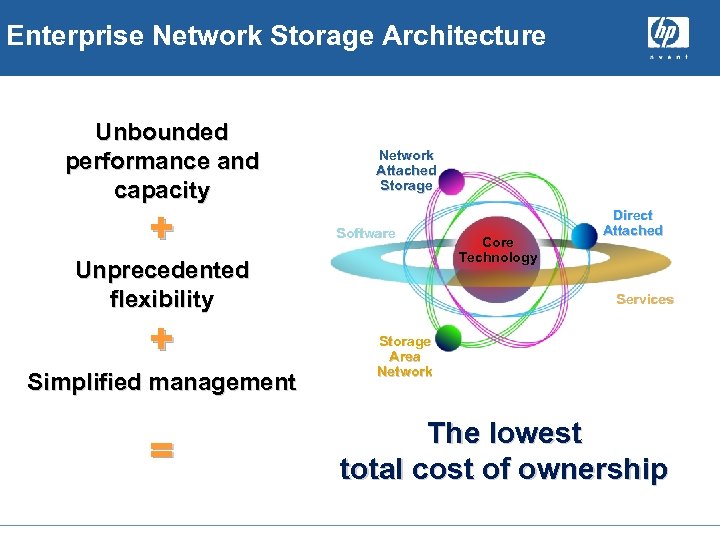 Enterprise Network Storage Architecture Unbounded performance and capacity + Network Attached Storage Software Unprecedented flexibility + Simplified management = Core Technology Direct Attached Services Storage Area Network The lowest total cost of ownership
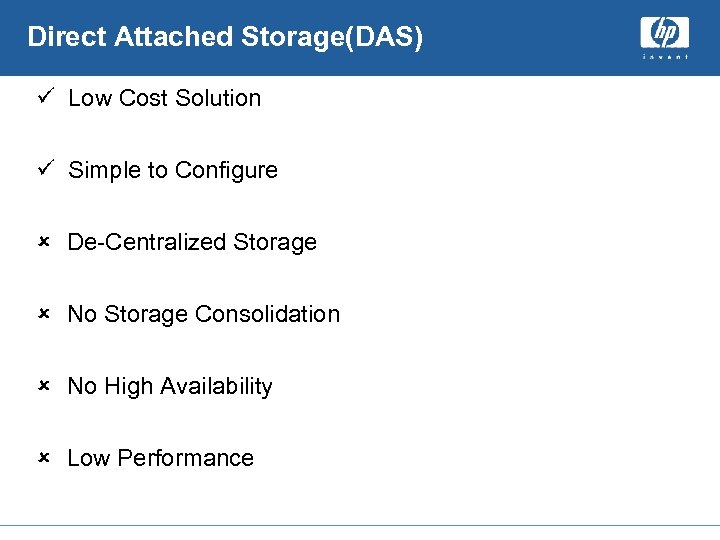 Direct Attached Storage(DAS) ü Low Cost Solution ü Simple to Configure û De-Centralized Storage û No Storage Consolidation û No High Availability û Low Performance
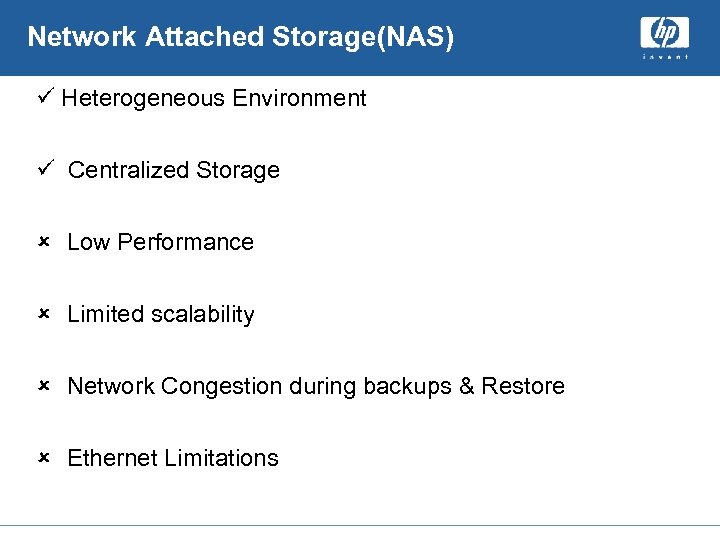 Network Attached Storage(NAS) ü Heterogeneous Environment ü Centralized Storage û Low Performance û Limited scalability û Network Congestion during backups & Restore û Ethernet Limitations
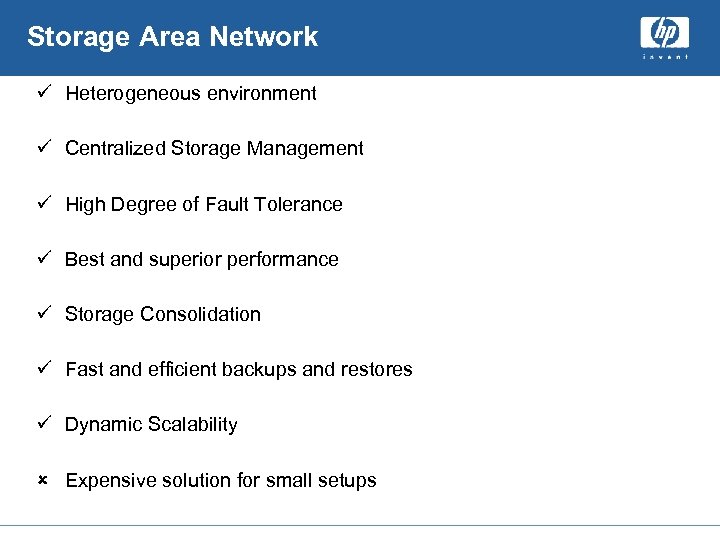 Storage Area Network ü Heterogeneous environment ü Centralized Storage Management ü High Degree of Fault Tolerance ü Best and superior performance ü Storage Consolidation ü Fast and efficient backups and restores ü Dynamic Scalability û Expensive solution for small setups
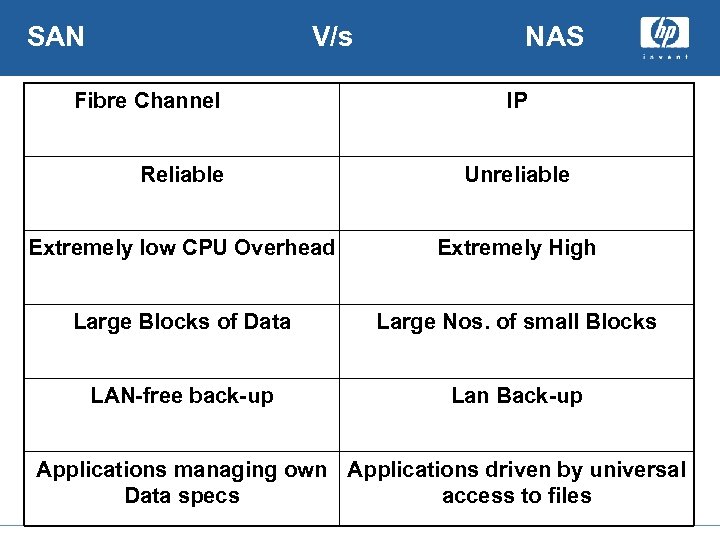 SAN V/s Fibre Channel NAS IP Reliable Unreliable Extremely low CPU Overhead Extremely High Large Blocks of Data Large Nos. of small Blocks LAN-free back-up Lan Back-up Applications managing own Applications driven by universal Data specs access to files
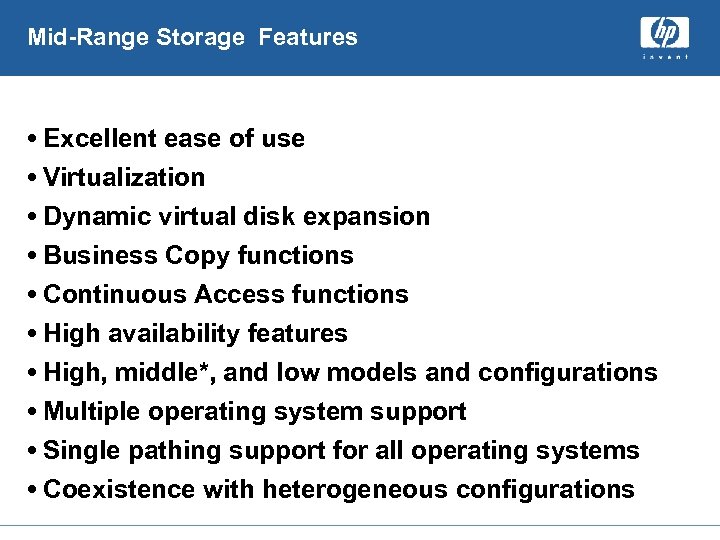 Mid-Range Storage Features • Excellent ease of use • Virtualization • Dynamic virtual disk expansion • Business Copy functions • Continuous Access functions • High availability features • High, middle*, and low models and configurations • Multiple operating system support • Single pathing support for all operating systems • Coexistence with heterogeneous configurations
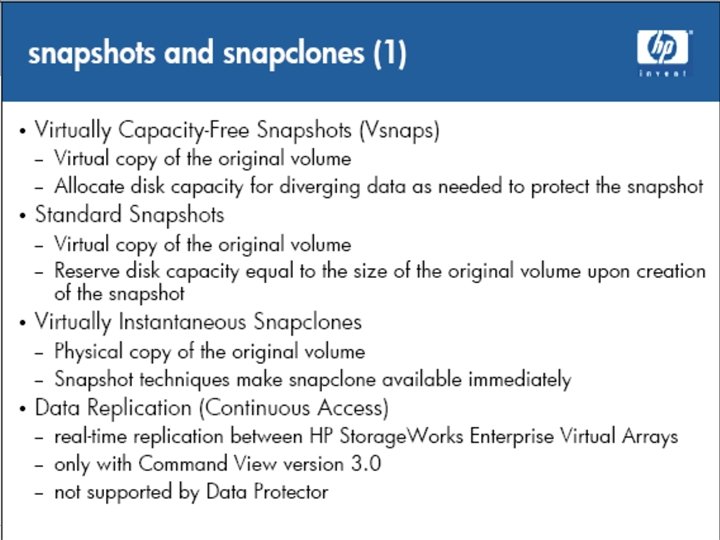
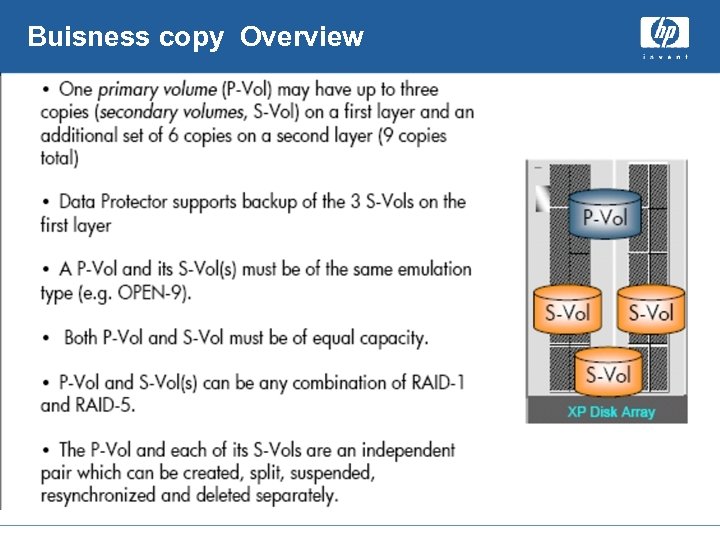 Buisness copy Overview
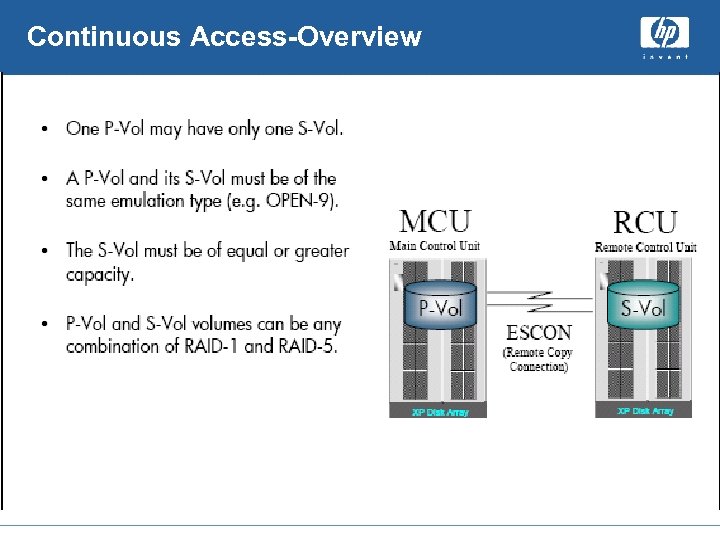 Continuous Access-Overview
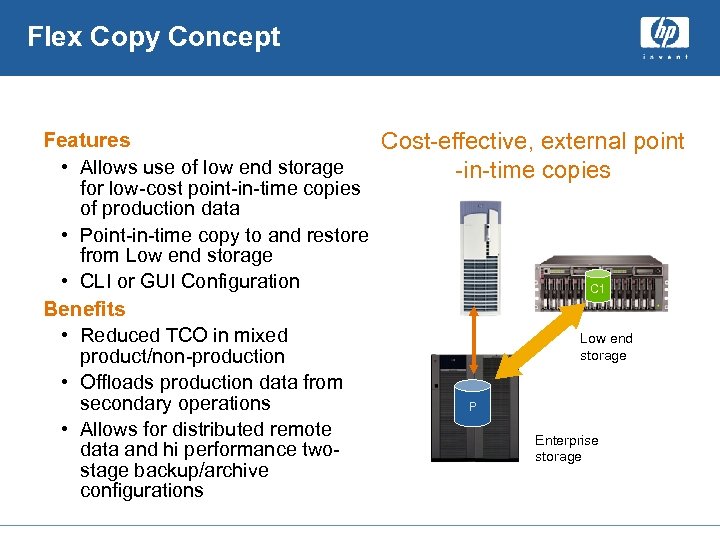 Flex Copy Concept Features Cost-effective, external point • Allows use of low end storage -in-time copies for low-cost point-in-time copies of production data • Point-in-time copy to and restore from Low end storage • CLI or GUI Configuration C 1 Benefits • Reduced TCO in mixed Low end storage product/non-production • Offloads production data from secondary operations P • Allows for distributed remote Enterprise data and hi performance twostorage stage backup/archive configurations
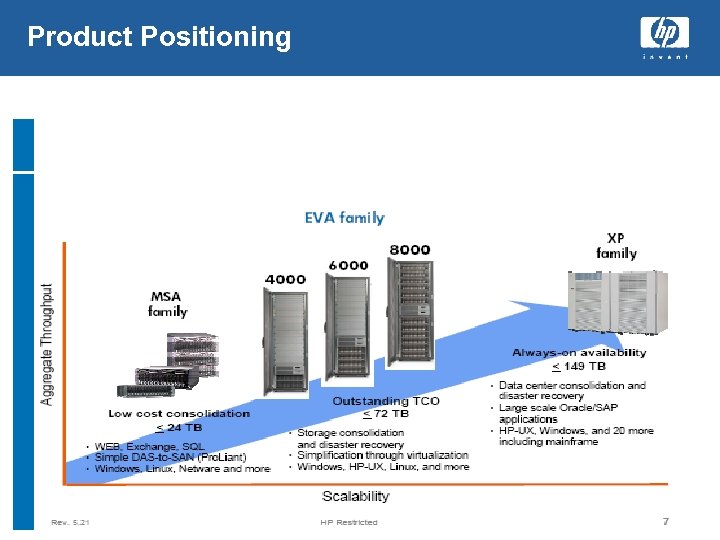 Product Positioning
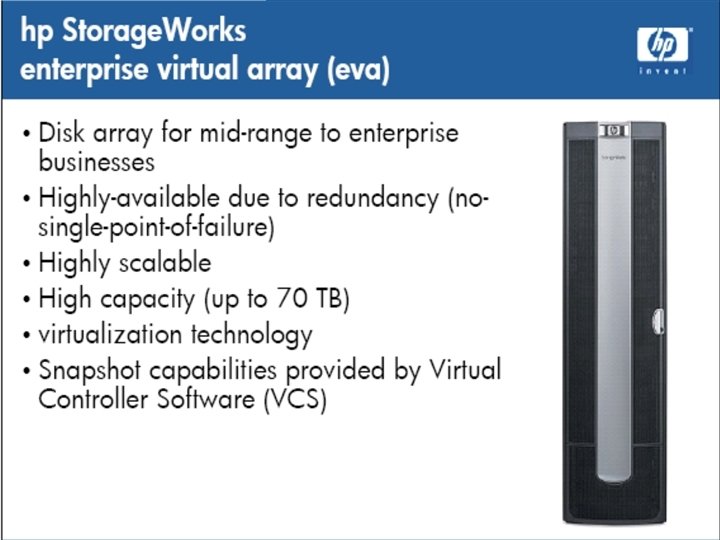
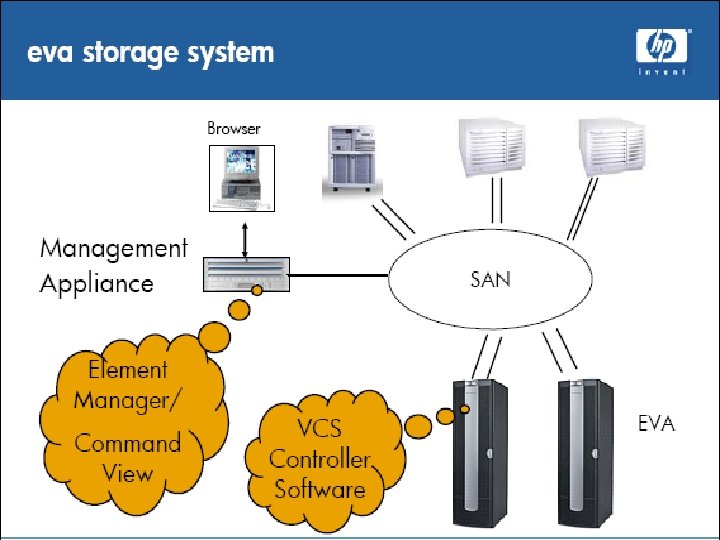
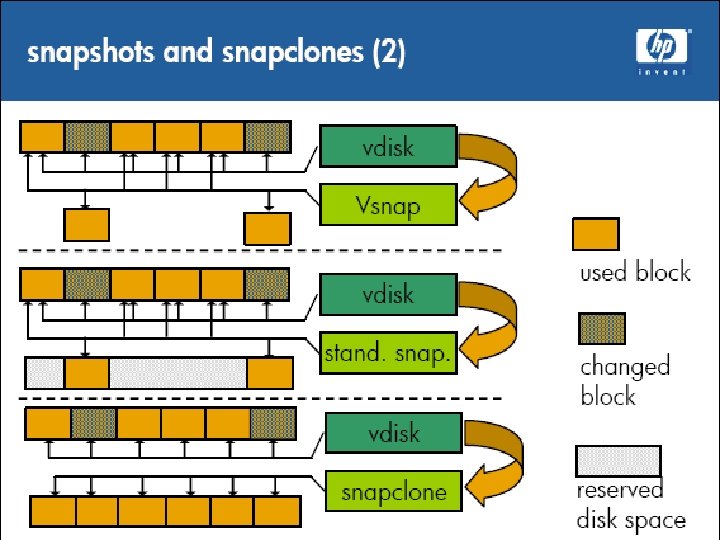
 Additional Features EVA 4000/6000/8000 Additional features unique to the second generation EVA • New controllers with improved performance, higher capacity support, larger cache, more FC ports • Up to 200 TB of presented capacity (versus 35 TB for the first generation EVA) • Support for 1024 LUNs (first generation EVA was 512) • Support for active-active failover using multipath software for all operating systems • Increased support for boot from SAN (AIX, Solaris) • Direct Connect support for Windows • Additional CA functionality • Support for native HBAs and HBA drivers • Additional snapshot and snapclone functionality
 Useful Links Information sources : – HP Enterprise Virtual Array • http: //h 18006. www 1. hp. com/storage/arraysystems. ht ml – HP Command View EVA • http: //h 18006. www 1. hp. com/products/storage/softwar e/cmdvieweva/index. htm – Whitepapers • http: //h 18006. www 1. hp. com/storage/arraywhitepapers. html
 Storage backup Overview And Architecture Arvind Shrivastava
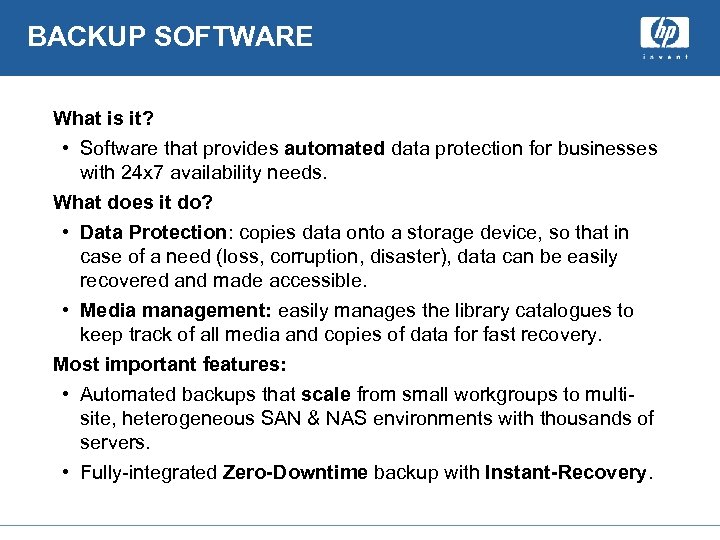 BACKUP SOFTWARE What is it? • Software that provides automated data protection for businesses with 24 x 7 availability needs. What does it do? • Data Protection: copies data onto a storage device, so that in case of a need (loss, corruption, disaster), data can be easily recovered and made accessible. • Media management: easily manages the library catalogues to keep track of all media and copies of data for fast recovery. Most important features: • Automated backups that scale from small workgroups to multisite, heterogeneous SAN & NAS environments with thousands of servers. • Fully-integrated Zero-Downtime backup with Instant-Recovery.
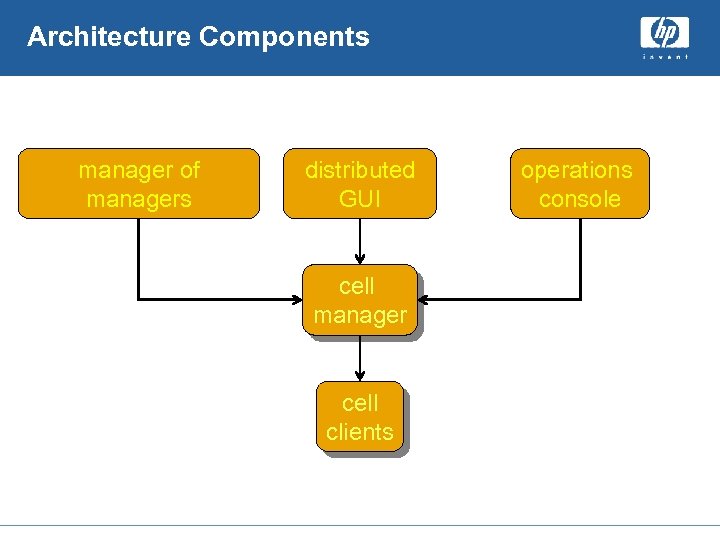 Architecture Components manager of managers distributed GUI cell manager cell clients operations console
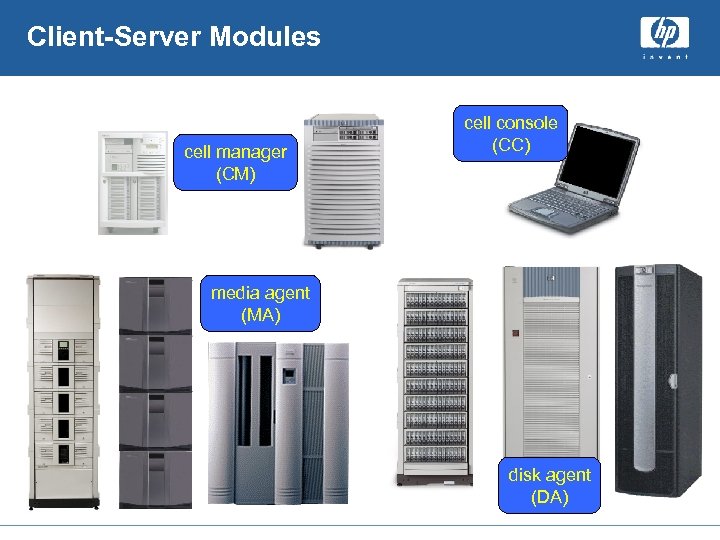 Client-Server Modules cell manager (CM) cell console (CC) media agent (MA) disk agent (DA)
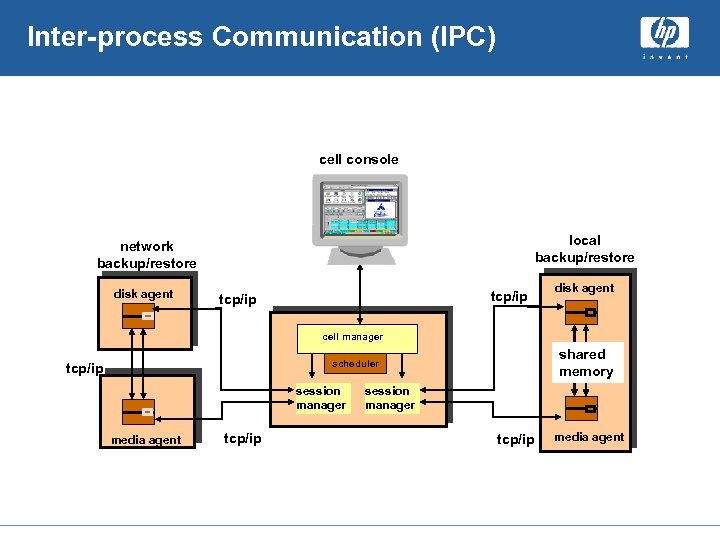 Inter-process Communication (IPC) cell console local backup/restore network backup/restore disk agent tcp/ip disk agent cell manager shared memory scheduler tcp/ip session manager media agent tcp/ip session manager tcp/ip media agent
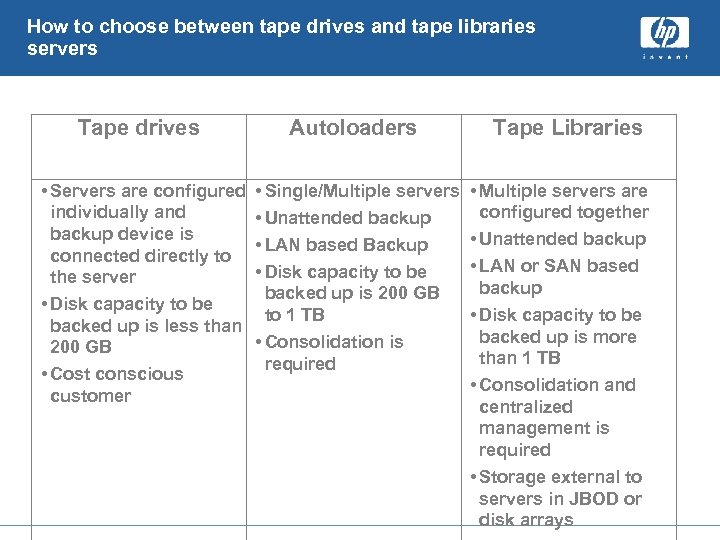 How to choose between tape drives and tape libraries servers Tape drives Autoloaders • Servers are configured individually and backup device is connected directly to the server • Disk capacity to be backed up is less than 200 GB • Cost conscious customer • Single/Multiple servers • Unattended backup • LAN based Backup • Disk capacity to be backed up is 200 GB to 1 TB • Consolidation is required Tape Libraries • Multiple servers are configured together • Unattended backup • LAN or SAN based backup • Disk capacity to be backed up is more than 1 TB • Consolidation and centralized management is required • Storage external to servers in JBOD or disk arrays
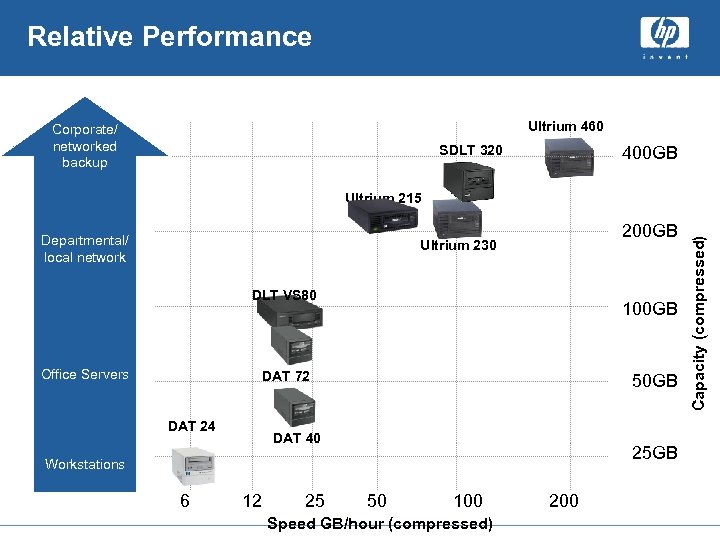 Relative Performance Ultrium 460 Corporate/ networked backup SDLT 320 400 GB Departmental/ local network 200 GB Ultrium 230 DLT VS 80 Office Servers 100 GB DAT 72 DAT 24 50 GB DAT 40 25 GB Workstations 6 12 25 50 100 Speed GB/hour (compressed) 200 Capacity (compressed) Ultrium 215
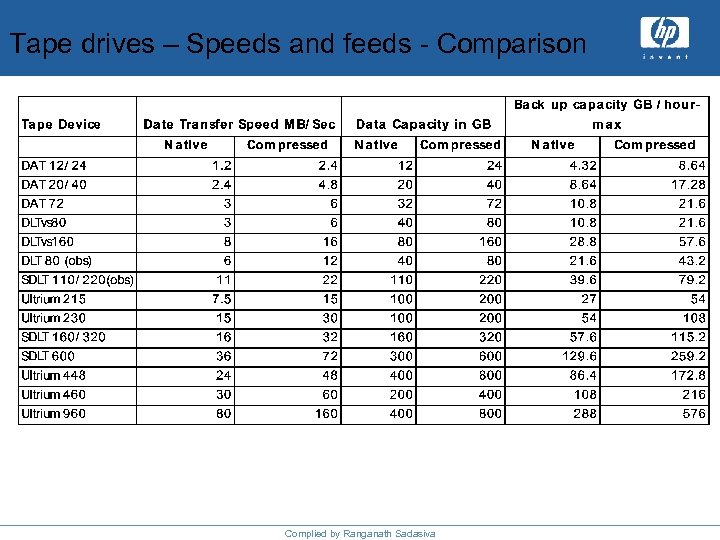 Tape drives – Speeds and feeds - Comparison Complied by Ranganath Sadasiva
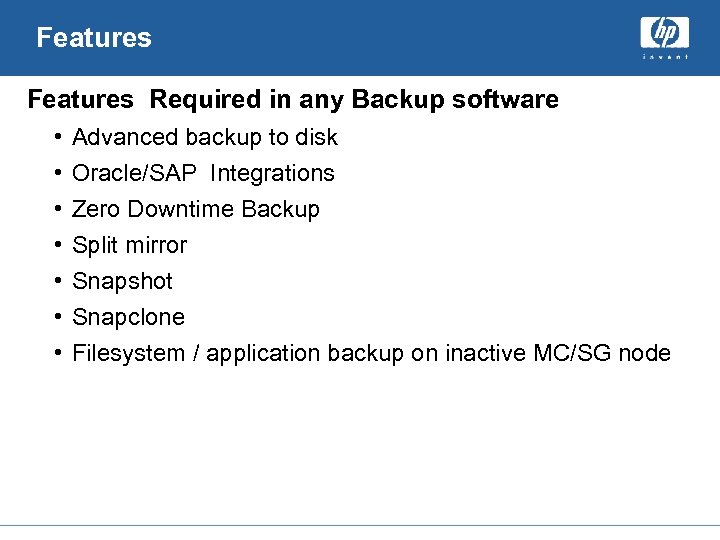 Features Required in any Backup software • • Advanced backup to disk Oracle/SAP Integrations Zero Downtime Backup Split mirror Snapshot Snapclone Filesystem / application backup on inactive MC/SG node
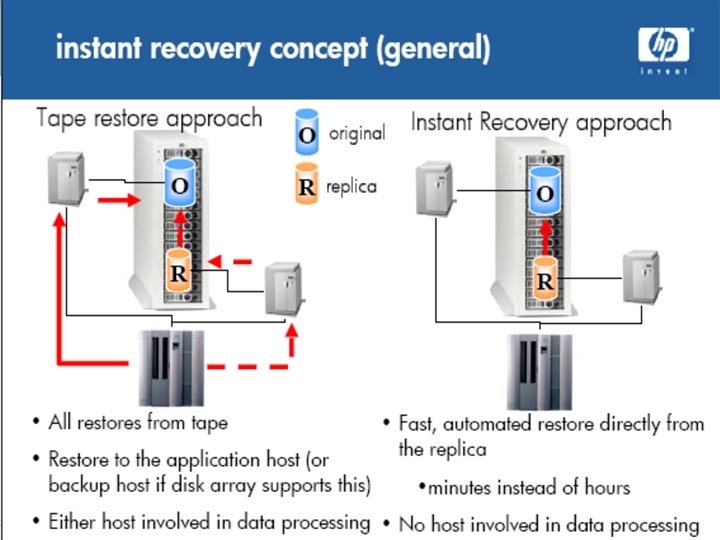
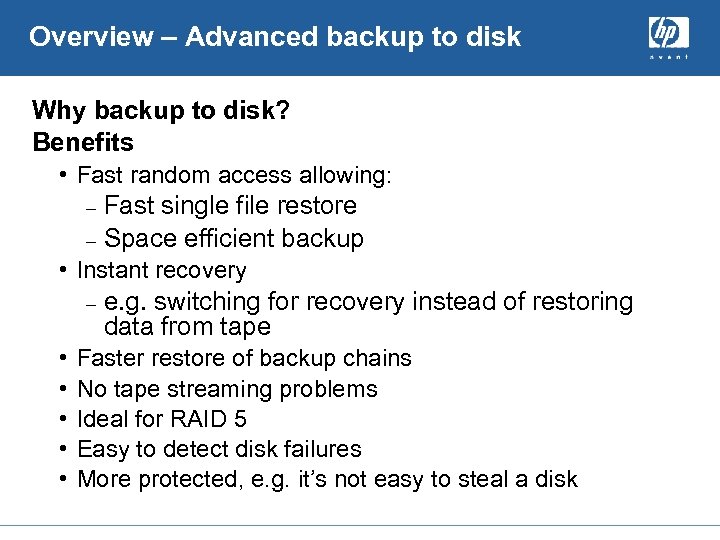 Overview – Advanced backup to disk Why backup to disk? Benefits • Fast random access allowing: Fast single file restore – Space efficient backup – • Instant recovery – • • • e. g. switching for recovery instead of restoring data from tape Faster restore of backup chains No tape streaming problems Ideal for RAID 5 Easy to detect disk failures More protected, e. g. it’s not easy to steal a disk
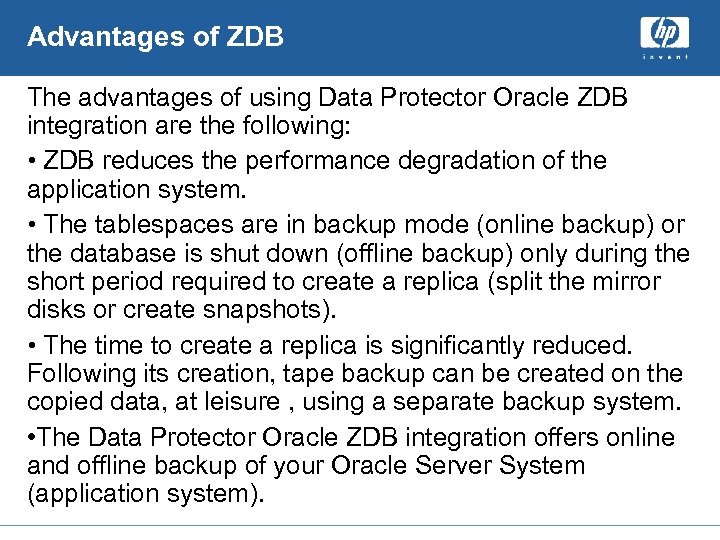 Advantages of ZDB The advantages of using Data Protector Oracle ZDB integration are the following: • ZDB reduces the performance degradation of the application system. • The tablespaces are in backup mode (online backup) or the database is shut down (offline backup) only during the short period required to create a replica (split the mirror disks or create snapshots). • The time to create a replica is significantly reduced. Following its creation, tape backup can be created on the copied data, at leisure , using a separate backup system. • The Data Protector Oracle ZDB integration offers online and offline backup of your Oracle Server System (application system).
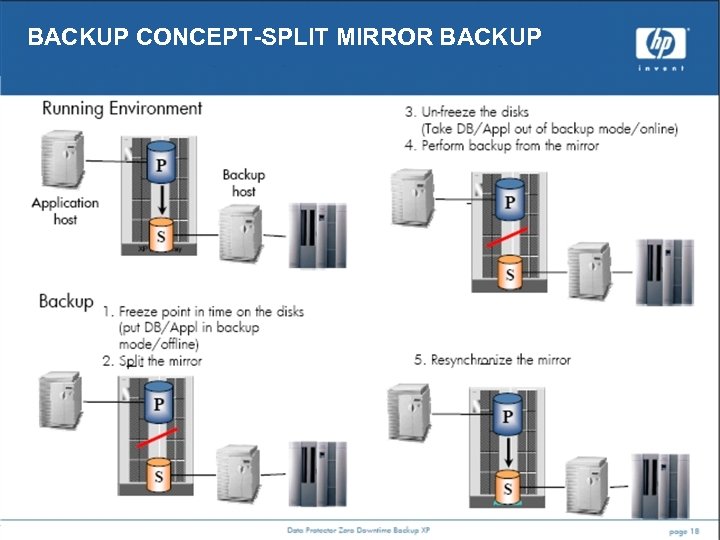 BACKUP CONCEPT-SPLIT MIRROR BACKUP
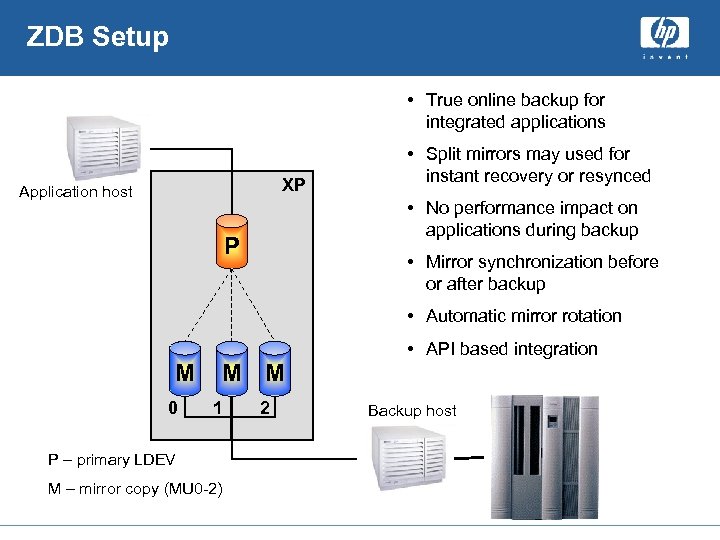 ZDB Setup • True online backup for integrated applications XP Application host • Split mirrors may used for instant recovery or resynced • No performance impact on applications during backup P • Mirror synchronization before or after backup • Automatic mirror rotation • API based integration M 0 M M 1 P – primary LDEV M – mirror copy (MU 0 -2) 2 Backup host
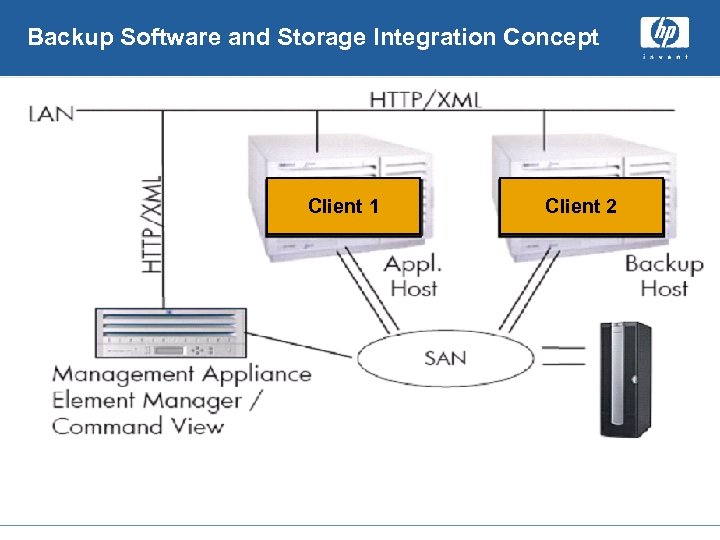 Backup Software and Storage Integration Concept Client 1 Client 2
 Questions?
 New HP Storage Products Arvind Shrivastava
 RISS Introducing… HP Storage. Works Reference Information Storage System What is RISS is and who wants it?
 The HP Storage. Works Reference Information Storage System (RISS) A cornerstone of HP ILM (Information Lifecycle Management ) A fully integrated and uniquely scalable system for access to …reduces Total cost of Ownership, mitigates risk and turns d
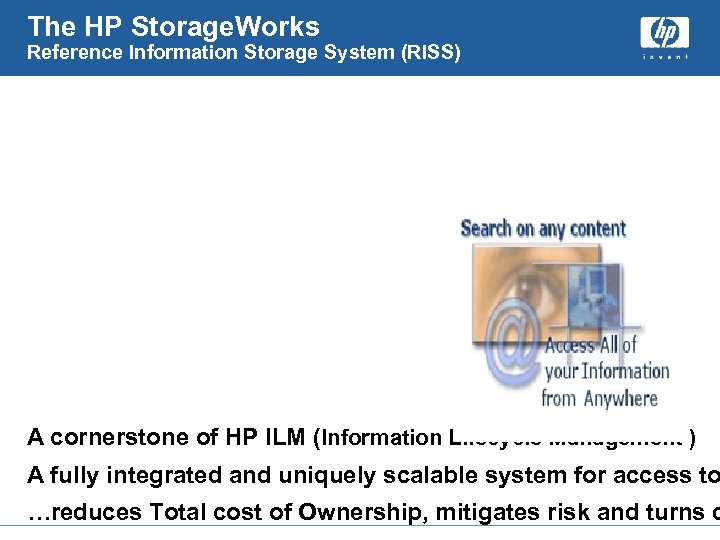
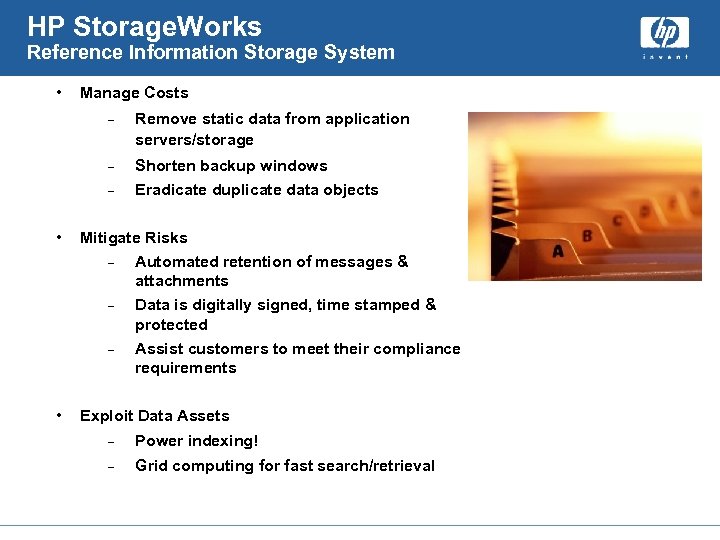 HP Storage. Works Reference Information Storage System • Manage Costs – Remove static data from application servers/storage – Shorten backup windows – Eradicate duplicate data objects • Mitigate Risks – Automated retention of messages & attachments – Data is digitally signed, time stamped & protected – Assist customers to meet their compliance requirements • Exploit Data Assets – Power indexing! – Grid computing for fast search/retrieval
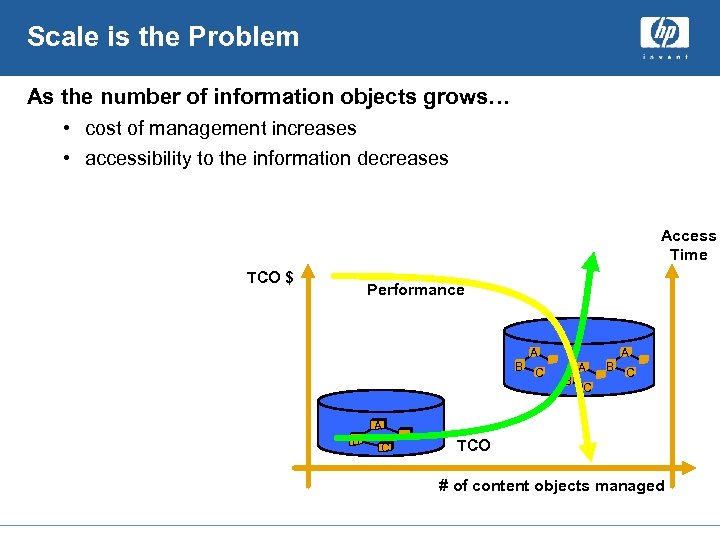 Scale is the Problem As the number of information objects grows… • cost of management increases • accessibility to the information decreases Access Time TCO $ Performance A B C A A B B C C A B C TCO # of content objects managed
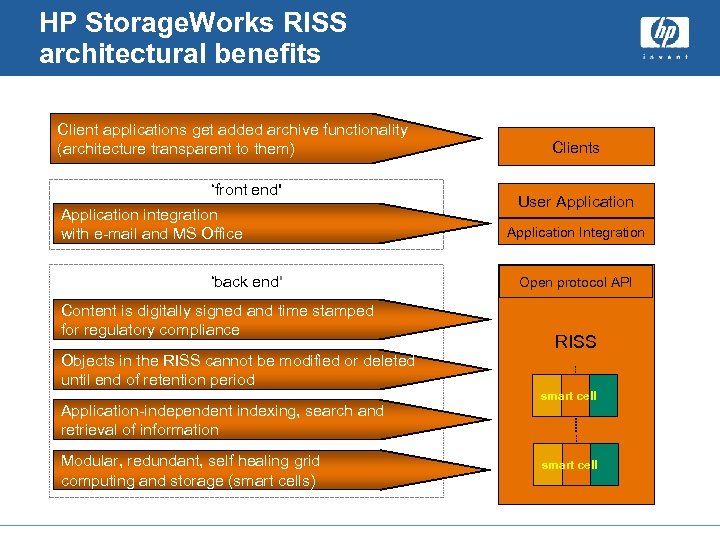 HP Storage. Works RISS architectural benefits Client applications get added archive functionality (architecture transparent to them) ‘front end' Application integration with e-mail and MS Office ‘back end' Content is digitally signed and time stamped for regulatory compliance Objects in the RISS cannot be modified or deleted until end of retention period Application-independent indexing, search and retrieval of information Modular, redundant, self healing grid computing and storage (smart cells) Clients User Application Integration Open protocol API RISS smart cell
 hp Storage. Works File System Extender (FSE) A General Overview Arvind Shrivastava
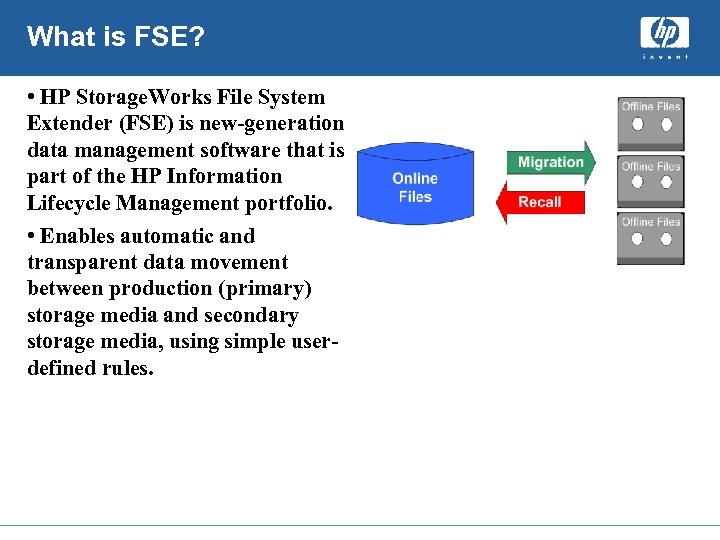 What is FSE? • HP Storage. Works File System Extender (FSE) is new-generation data management software that is part of the HP Information Lifecycle Management portfolio. • Enables automatic and transparent data movement between production (primary) storage media and secondary storage media, using simple userdefined rules.
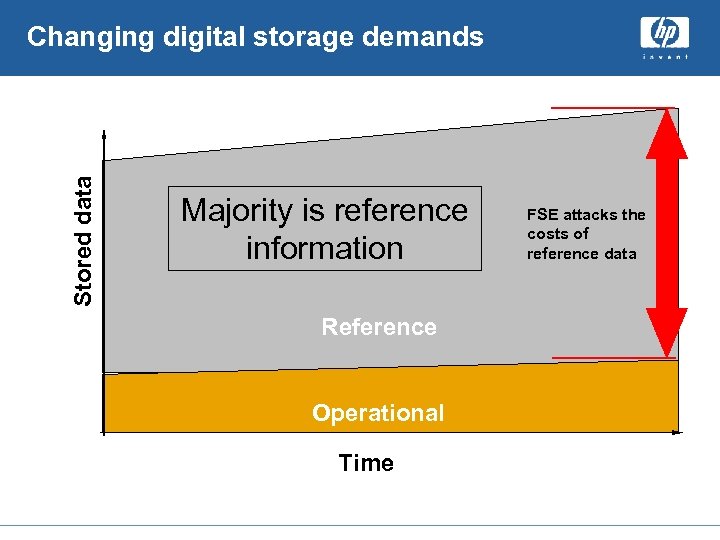 Stored data Changing digital storage demands Majority is reference information Reference Operational Time FSE attacks the costs of reference data
 FSE Basics • Based on Client/Server architecture. • Infinite File System • FSE software supports LTO drive technologies for – LTO Ultrium 1 and LTO Ultrium 2 media. • WORM Support. • Automatic error detection • FSE automatically detects drive and media hardware errors. • NFS & CIFS support
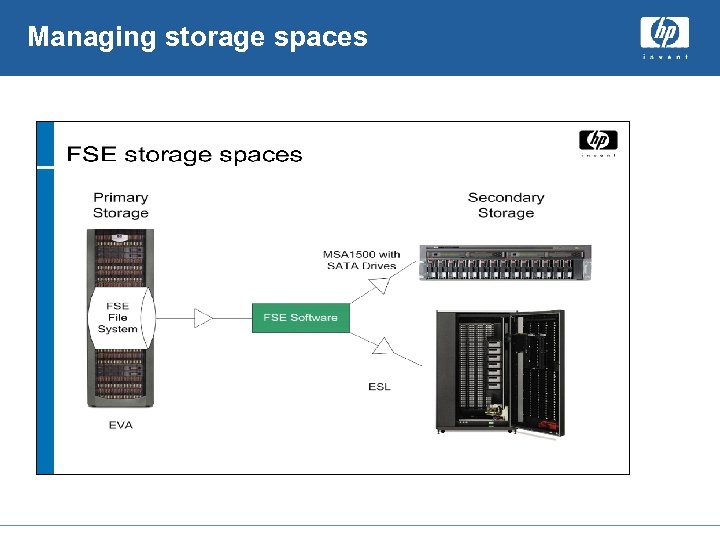 Managing storage spaces
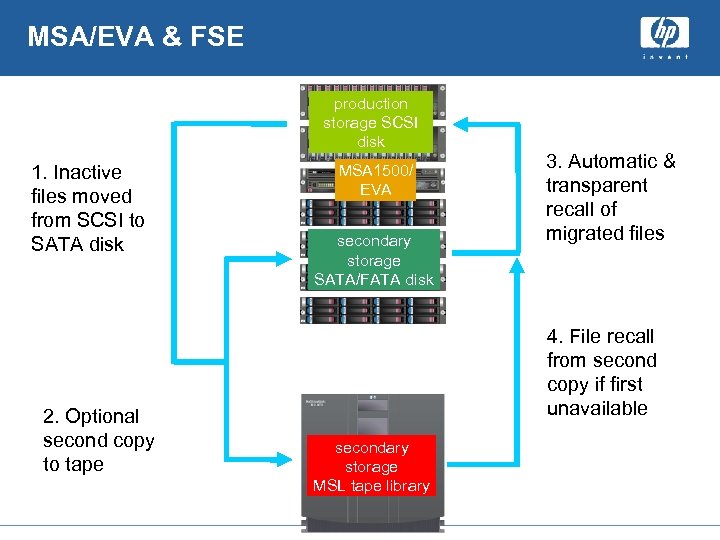 MSA/EVA & FSE production storage SCSI disk 1. Inactive files moved from SCSI to SATA disk 2. Optional second copy to tape MSA 1500/ EVA secondary storage SATA/FATA disk 3. Automatic & transparent recall of migrated files 4. File recall from second copy if first unavailable secondary storage MSL tape library
 Contents What is the EFS WAN Accelerator?
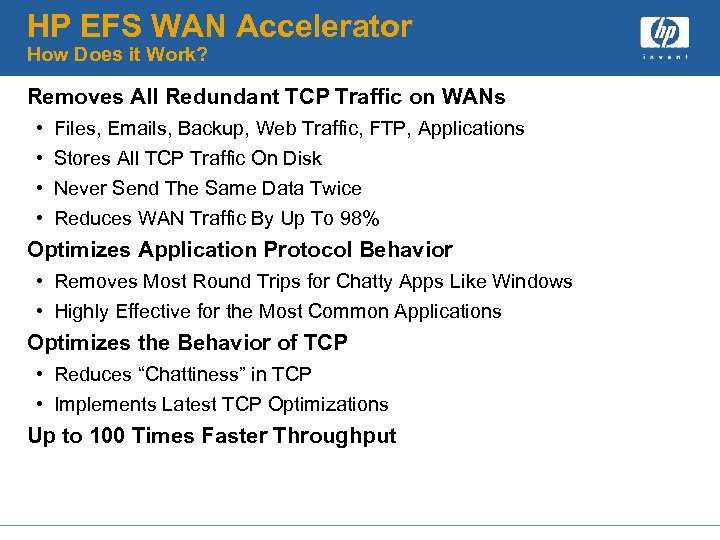 HP EFS WAN Accelerator How Does it Work? Removes All Redundant TCP Traffic on WANs • • Files, Emails, Backup, Web Traffic, FTP, Applications Stores All TCP Traffic On Disk Never Send The Same Data Twice Reduces WAN Traffic By Up To 98% Optimizes Application Protocol Behavior • Removes Most Round Trips for Chatty Apps Like Windows • Highly Effective for the Most Common Applications Optimizes the Behavior of TCP • Reduces “Chattiness” in TCP • Implements Latest TCP Optimizations Up to 100 Times Faster Throughput
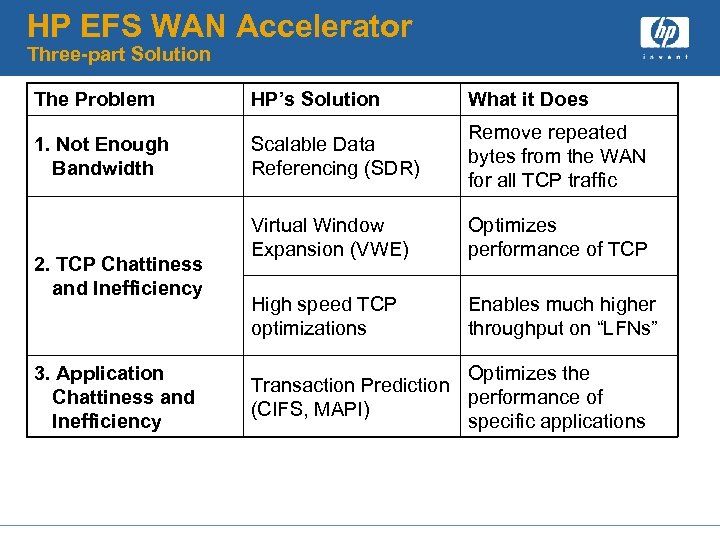 HP EFS WAN Accelerator Three-part Solution The Problem HP’s Solution What it Does 1. Not Enough Bandwidth Scalable Data Referencing (SDR) Remove repeated bytes from the WAN for all TCP traffic Virtual Window Expansion (VWE) Optimizes performance of TCP High speed TCP optimizations Enables much higher throughput on “LFNs” 2. TCP Chattiness and Inefficiency 3. Application Chattiness and Inefficiency Optimizes the Transaction Prediction performance of (CIFS, MAPI) specific applications
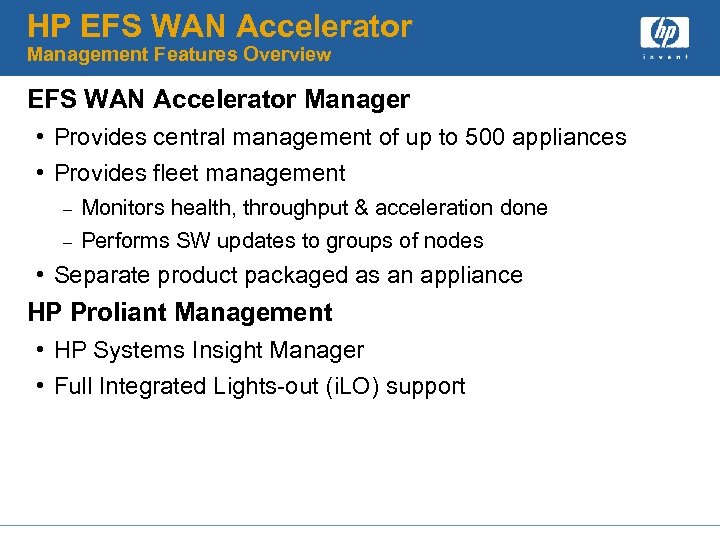 HP EFS WAN Accelerator Management Features Overview EFS WAN Accelerator Manager • Provides central management of up to 500 appliances • Provides fleet management – – Monitors health, throughput & acceleration done Performs SW updates to groups of nodes • Separate product packaged as an appliance HP Proliant Management • HP Systems Insight Manager • Full Integrated Lights-out (i. LO) support
 HP Storage Essentials Suite Storage Software Division Hewlett-Packard
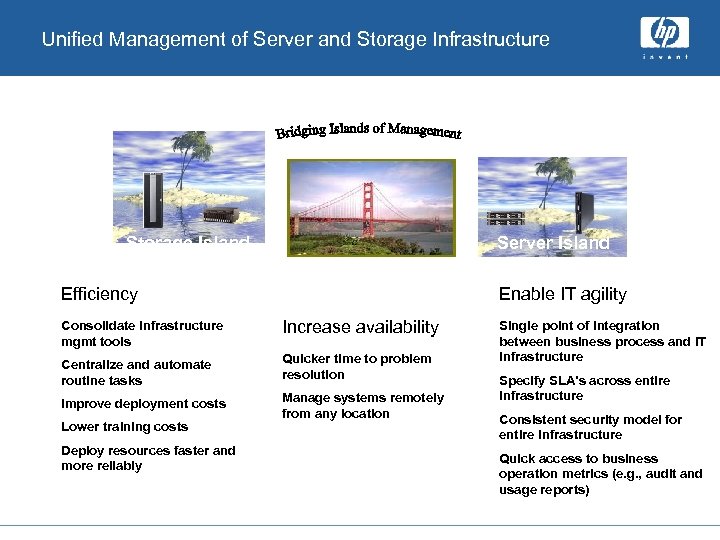 Unified Management of Server and Storage Infrastructure Storage Island Server Island Efficiency Enable IT agility Consolidate infrastructure mgmt tools Increase availability Centralize and automate routine tasks Quicker time to problem resolution Improve deployment costs Manage systems remotely from any location Lower training costs Deploy resources faster and more reliably Single point of integration between business process and IT infrastructure Specify SLA’s across entire infrastructure Consistent security model for entire infrastructure Quick access to business operation metrics (e. g. , audit and usage reports)
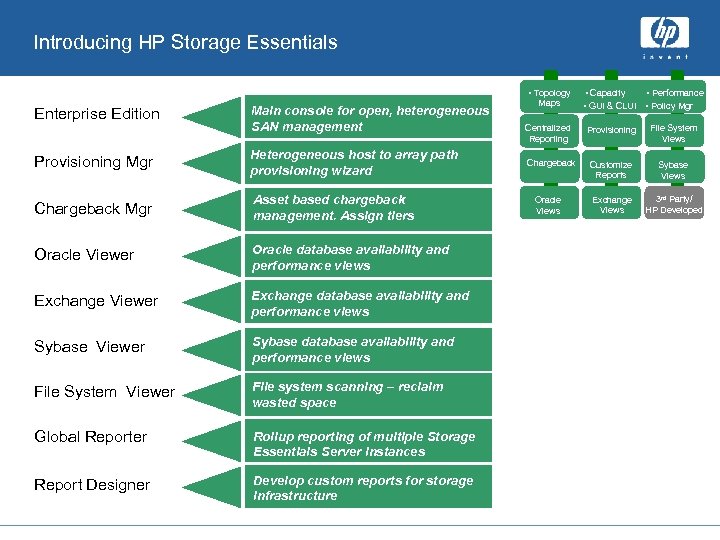 Introducing HP Storage Essentials • Topology Enterprise Edition Main console for open, heterogeneous SAN management Provisioning Mgr Heterogeneous host to array path provisioning wizard Chargeback Mgr Asset based chargeback management. Assign tiers Oracle Viewer Oracle database availability and performance views Exchange Viewer Exchange database availability and performance views Sybase Viewer Sybase database availability and performance views File System Viewer File system scanning – reclaim wasted space Global Reporter Rollup reporting of multiple Storage Main console for open, Essentials Server instances heterogeneous Report Designer SAN management Develop custom reports for storage infrastructure Maps • Capacity • Performance • GUI & CLUI • Policy Mgr Centralized Reporting Provisioning File System Views Chargeback Customize Reports Sybase Views Exchange Views 3 rd Party/ HP Developed Oracle Views
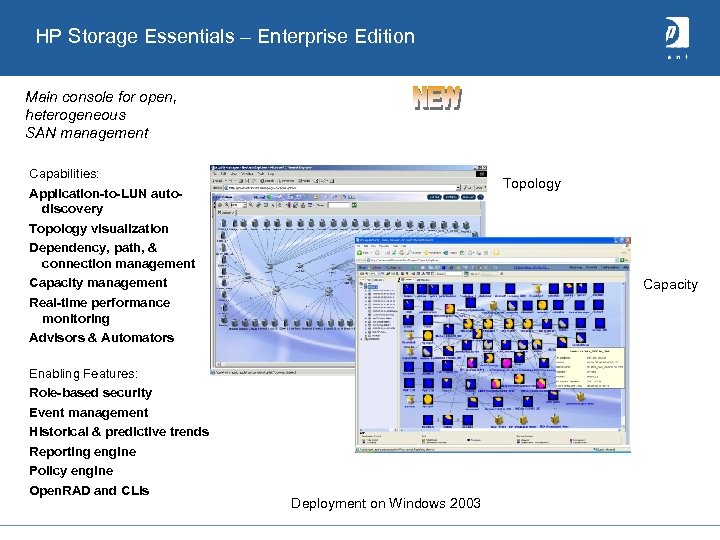 HP Storage Essentials – Enterprise Edition Main console for open, heterogeneous SAN management Capabilities: Topology Application-to-LUN autodiscovery Topology visualization Dependency, path, & connection management Capacity management Real-time performance monitoring Advisors & Automators Capacity Enabling Features: Role-based security Event management Historical & predictive trends Reporting engine Policy engine Open. RAD and CLIs Deployment on Windows 2003
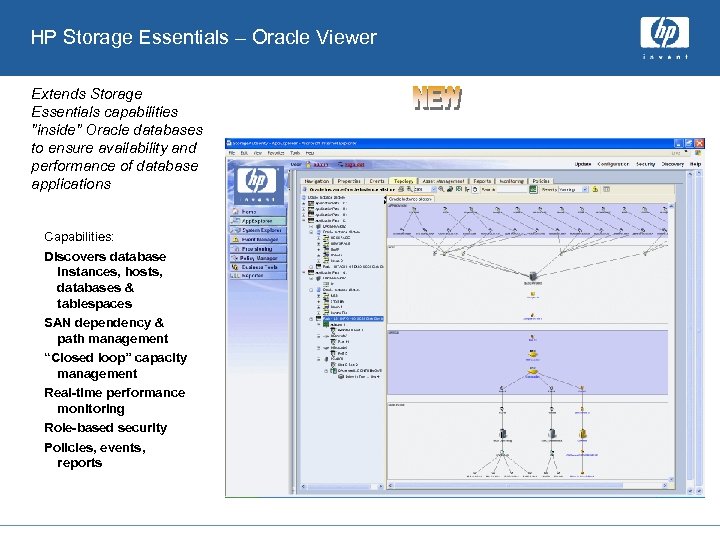 HP Storage Essentials – Oracle Viewer Extends Storage Essentials capabilities "inside" Oracle databases to ensure availability and performance of database applications Capabilities: Discovers database instances, hosts, databases & tablespaces SAN dependency & path management “Closed loop” capacity management Real-time performance monitoring Role-based security Policies, events, reports
 Where is the Pain ? Under-utilized assets • Storage infrastructure • IT staff Cost of heterogeneous management is expensive and inefficient Application down time issues angers the customer • Troubleshooting is time consuming • Help desks are flooded Server consolidation/data center moves drives the budget On-going justification of the budget • What happened to all the storage? • Why do we need more now? When again?
 Key Qualification Questions Identifying the Pain Points How do you manage increasing storage capacity with flat or shrinking IT headcount? Do you have a SAN? Can you tell what the impact of a lost SAN element will be on your applications and users? How do you keep your staff trained on a wide range of device-specific element managers and tactical SRM tools that, right now, only add complexity? Do you want to replace the whiteboards and spreadsheets you’re currently using for SAN management with something that is more scalable and reliable? How do you avoid vendor lock-in and heavy, proprietary agents that come with other solutions? Can you provision storage in real time to support new applications and projects? How do you comply with SAN change control and internal audits?
 Questions ?