Скачать презентацию Storage Management Directions Jeff Goldner Architect WDEG Storage
a8c1f2140e7d44c44697f8eec231aa35.ppt
- Количество слайдов: 27
 Storage Management Directions Jeff Goldner Architect WDEG Storage Microsoft Corporation
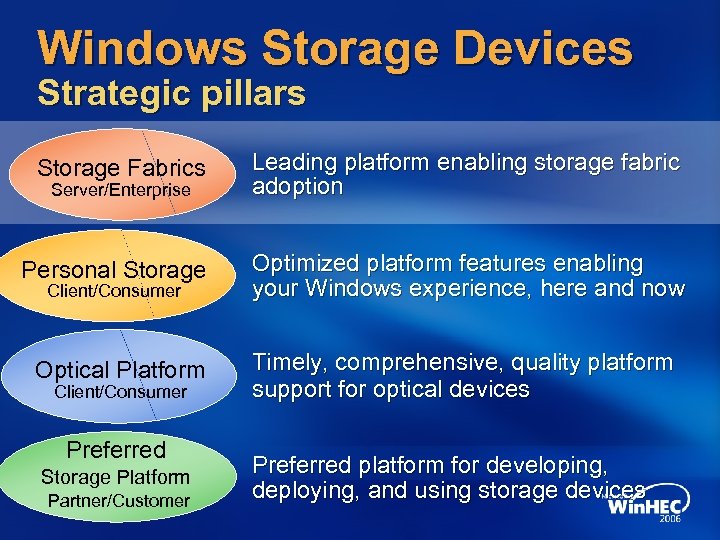 Windows Storage Devices Strategic pillars Storage Fabrics Leading platform enabling storage fabric adoption Personal Storage Optimized platform features enabling your Windows experience, here and now Optical Platform Timely, comprehensive, quality platform support for optical devices Server/Enterprise Client/Consumer Preferred Storage Platform Partner/Customer Preferred platform for developing, deploying, and using storage devices
 Agenda Goals Windows Storage Management today Where we want to be tomorrow Roadmap with interim steps Call to action
 Goals For This Session The audience should walk away with An understanding of enterprise storage management capabilities in Windows today An overview of the storage management tools in Windows Server codenamed “Longhorn”. How Windows Storage Management will evolve to Better align Storage and Systems Management Align with the Storage Industry
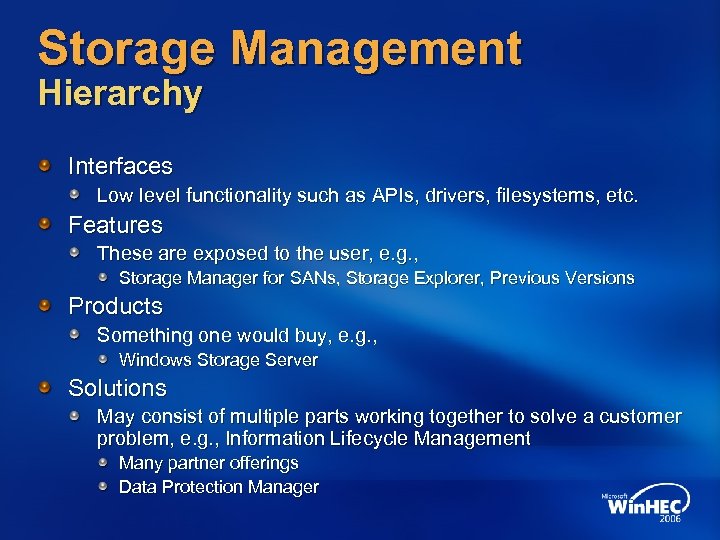 Storage Management Hierarchy Interfaces Low level functionality such as APIs, drivers, filesystems, etc. Features These are exposed to the user, e. g. , Storage Manager for SANs, Storage Explorer, Previous Versions Products Something one would buy, e. g. , Windows Storage Server Solutions May consist of multiple parts working together to solve a customer problem, e. g. , Information Lifecycle Management Many partner offerings Data Protection Manager
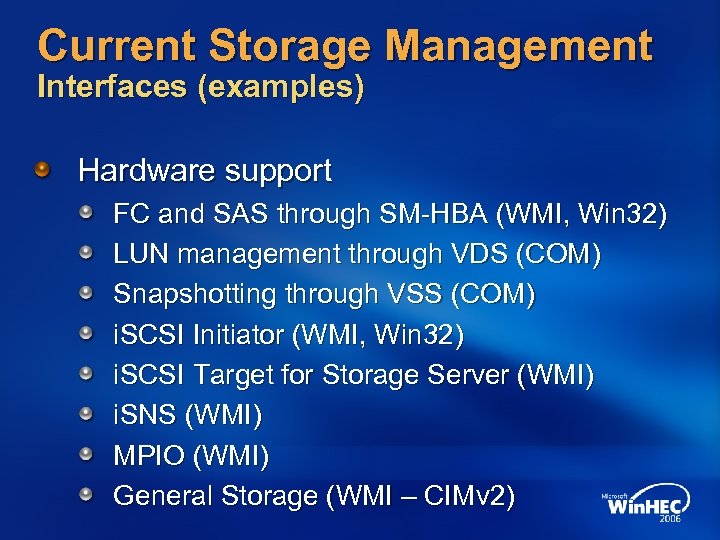 Current Storage Management Interfaces (examples) Hardware support FC and SAS through SM-HBA (WMI, Win 32) LUN management through VDS (COM) Snapshotting through VSS (COM) i. SCSI Initiator (WMI, Win 32) i. SCSI Target for Storage Server (WMI) i. SNS (WMI) MPIO (WMI) General Storage (WMI – CIMv 2)
 Current Storage Management Features Storage Manager for SANs (new in Windows Server 2003 R 2) File Server Resource Manager (new in R 2) Storage Explorer (new in Windows Server Longhorn) Snapshot solutions enabled by the Volume Shadowcopy Service
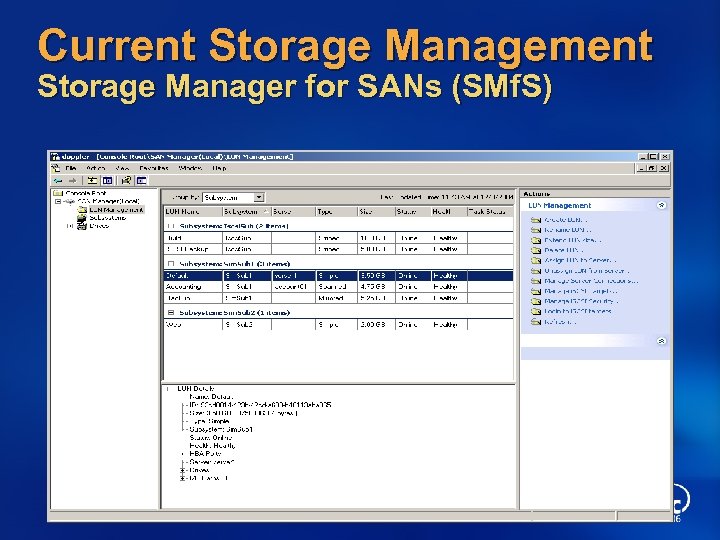 Current Storage Management Storage Manager for SANs (SMf. S)
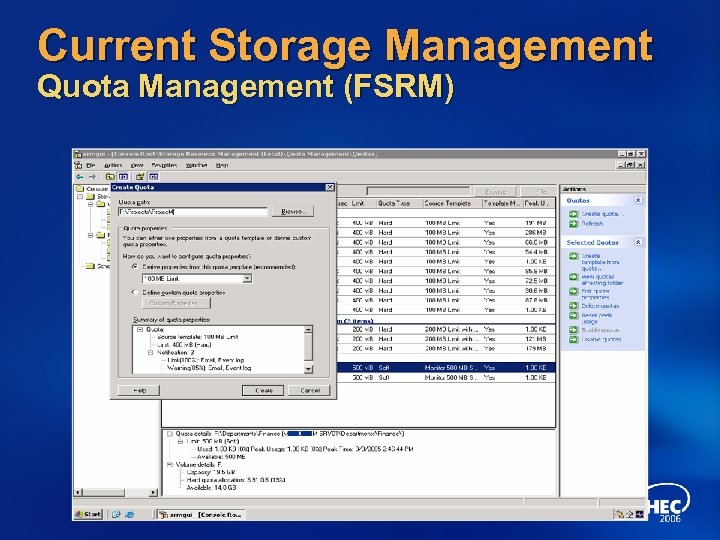 Current Storage Management Quota Management (FSRM)
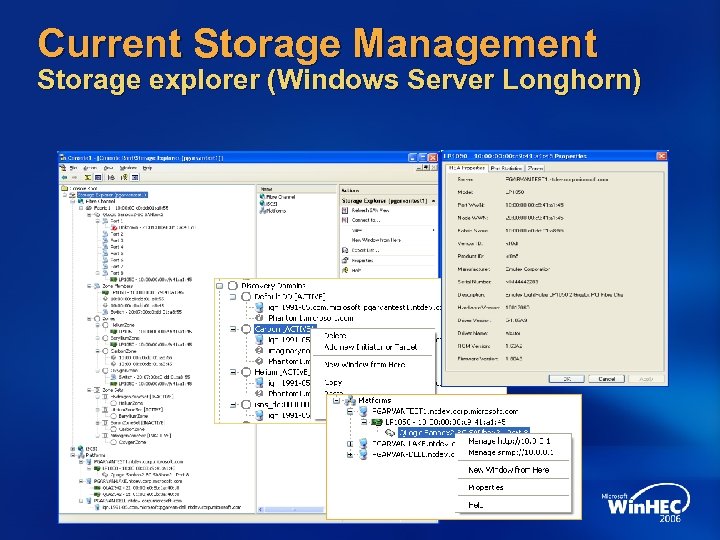 Current Storage Management Storage explorer (Windows Server Longhorn)
 Volume Shadow Copy Service Features First introduced in Windows XP Hardware based snapshots in Windows Server 2003 Shadow Copies for Shared Folders Ubiquitous in Windows Vista and Windows Server Longhorn Previous versions System restore Safe Docs Windows Server Longhorn Backup
 Storage Products Windows Storage Server 2003 R 2 i. SCSI Feature Pack New higher-end Network Attached Storage offerings coming soon Data Protection Manager Backup of multiple fileservers Builds on VSS snapshots
 Current Storage Management Summary High-end Storage Management capabilities being delivered in Windows Server Great progress since Windows 2000 Storage Area Networks can now be deployed by small and medium businesses Fibre Channel and i. SCSI Including advanced features like snapshots
 Storage Management Futures The following material will present a vision for driving consistency among management paradigms in the Windows platform This is forward thinking and does not represent a commitment to deliver a particular product or feature
 Problem Statement Storage management interfaces have evolved using many different models and protocols, often to solve point solutions Each of these has a unique provider model Focused on small parts of the overall storage management puzzle Difficult to update to include new capabilities Not aligned with the storage industry Difficult for customers to locate all the pieces Many interfaces are not remotable, scriptable or can’t traverse firewalls CIM schema implementations are out-of-date and insufficient Too many different tools
 Long-Term Objective Align server and storage management Microsoft has adopted WS-Management as the paradigm for managing systems Align server and storage management while preserving the investments partners have made Native Windows hardware providers will still work Shims will be developed to support SMI-S providers Promotion of WS-Management as the protocol of choice for all things management (not just for Windows!) Migration of Windows storage management applications to WS-Management over time Provide a great management (and development) platform Exploit the capabilities of other WS-Management protocols
 Storage Management Roadmap Expose and consume storage management information using WS-Management protocols Update schemas to latest DMTF versions for storage functions Migrate older schemas from CIMv 2. 0 to CIM 2. 11 Expose host resources through compliant WMI providers Promote WS-Management protocol adapters Support third party CIMOMs for proxy providers Minimize work for IHVs to support WS-Management Shim VDS to SMI-S (using WS-Management) Most appropriate for larger enterprises Gives vendors an option to support native VDS providers or take advantage of SMI-S investments No plan to deprecate VDS Hardware Provider API Migrate Windows storage apps to WS-Management protocols
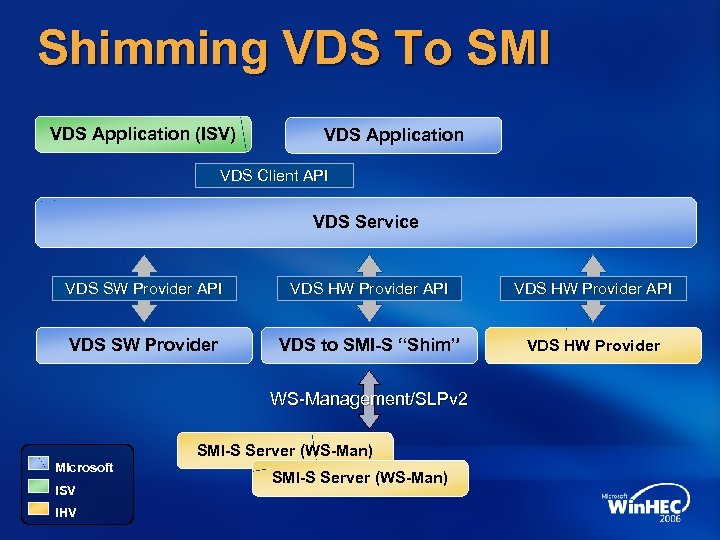 Shimming VDS To SMI VDS Application (ISV) VDS Application VDS Client API VDS Service VDS SW Provider API VDS HW Provider API VDS SW Provider VDS to SMI-S “Shim” VDS HW Provider WS-Management/SLPv 2 SMI-S Server (WS-Man) Microsoft ISV IHV SMI-S Server (WS-Man)
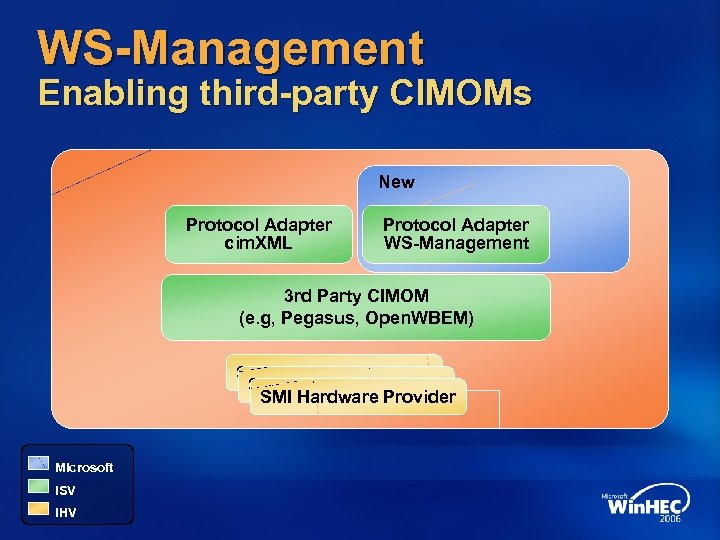 WS-Management Enabling third-party CIMOMs New Protocol Adapter cim. XML Protocol Adapter WS-Management 3 rd Party CIMOM (e. g, Pegasus, Open. WBEM) SMI Hardware Provider Microsoft ISV IHV
 CIM Schema Updates Host resources These are resources that are directly attached to a Windows System Devices – disk, tape, changer Interfaces – Fibre Channel, i. SCSI, SAS Windows i. SCSI target Much of the necessary data is already available, but in different schemas or not in WMI It’s simpler to implement WMI providers for these than to install an entire stack (with a different CIMOM) Benefit from a standardized schema Third parties can extend
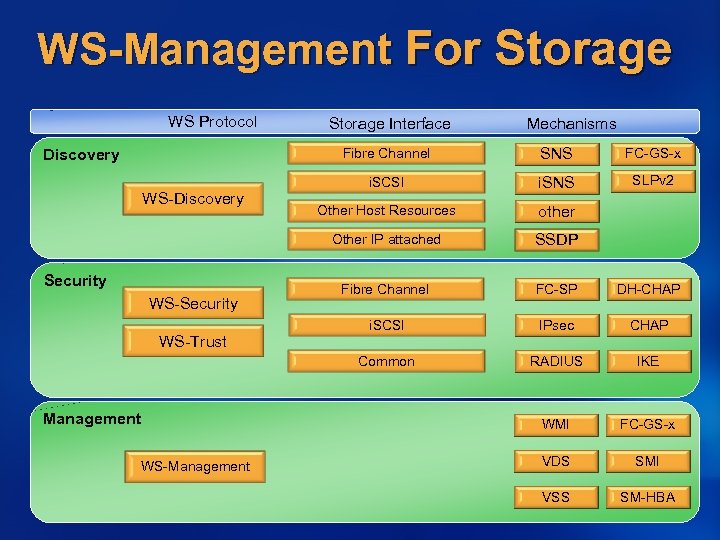 WS-Management For Storage WS Protocol Storage Interface Mechanisms Fibre Channel WS-Security WS-Trust Management WS-Management i. SCSI i. SNS SLPv 2 Other Host Resources other SSDP Fibre Channel FC-SP DH-CHAP i. SCSI IPsec CHAP RADIUS IKE WMI Security FC-GS-x Common WS-Discovery SNS Other IP attached Discovery FC-GS-x VDS SMI VSS SM-HBA
 Storage Management Status WS-Management shipped in Windows Server R 2 releases DMTF approved as a preliminary standard More spec work required to support discovery and security Work described in this presentation will begin post-Windows Vista Schema updates being planned VDS Shim work scoped Impact on SMI-S No changes to schemas, profiles, recipes Updates likely for security SOAP interfaces introduced as alternative protocols
 Simplify The right tools for each customer Reduce the number of different storage management tools Merge into fewer consoles Support configurations of any size Use remoting for centralized management Current tools require too much work for the simplest configurations Home or Small Office Plug and Play i. SCSI SAN should require just a few clicks (and a password!)
 Call To Action Stay informed about Microsoft Storage directions Learn about the value of WS-Management Start using this – WMI classes are exposed now and more are coming If you have a VDS provider, customers can still use it VDS APIs and provider models continue to be supported This is important for environments that do not have SMI-S support If you have an SMI-S provider Get it CTP certified by SNIA Test your provider with the VDS HCT and VDS applications when the shim is available If you are using a 3 rd party CIMOM, work with your supplier to implement a WS-Management protocol connector
 Additional Resources Web Resources DMTF Specs: http: //www. dmtf. org WS-Management: http: //msdn. microsoft. com/library/default. asp? url=/library/enus/dnglobspec/html/wsmgmtspecindex. asp SMI-S: http: //www. snia. org/smi/tech_activities/smi_spec_pr/spec Look for the 1. 2 specification when it’s released Windows Server 2003 R 2 Storage Features http: //www. microsoft. com/windowsserver 2003/R 2/storage/default. mspx Related Sessions Windows SAN: Resolving Technical Barriers to Adoption and Deployment Windows Enterprise Storage Directions Windows Server Manageability Directions and Updates E-mail for information: ws-store @ microsoft. com
 © 2006 Microsoft Corporation. All rights reserved. Microsoft, Windows Vista and other product names are or may be registered trademarks and/or trademarks in the U. S. and/or other countries. The information herein is for informational purposes only and represents the current view of Microsoft Corporation as of the date of this presentation. Because Microsoft must respond to changing market conditions, it should not be interpreted to be a commitment on the part of Microsoft, and Microsoft cannot guarantee the accuracy of any information provided after the date of this presentation. MICROSOFT MAKES NO WARRANTIES, EXPRESS, IMPLIED OR STATUTORY, AS TO THE INFORMATION IN THIS PRESENTATION.