


 Скачать презентацию SSL TLS and DTLS Intro_to_IPSec 2009 Cisco
9393b4498622b45b40c63cc0670f8080.ppt
- Количество слайдов: 147
 SSL, TLS and DTLS Intro_to_IPSec © 2009 Cisco Systems, Inc. All rights reserved. Cisco Confidential Dina Odeh dodeh@cisco. com Cisco TAC Engineer 1
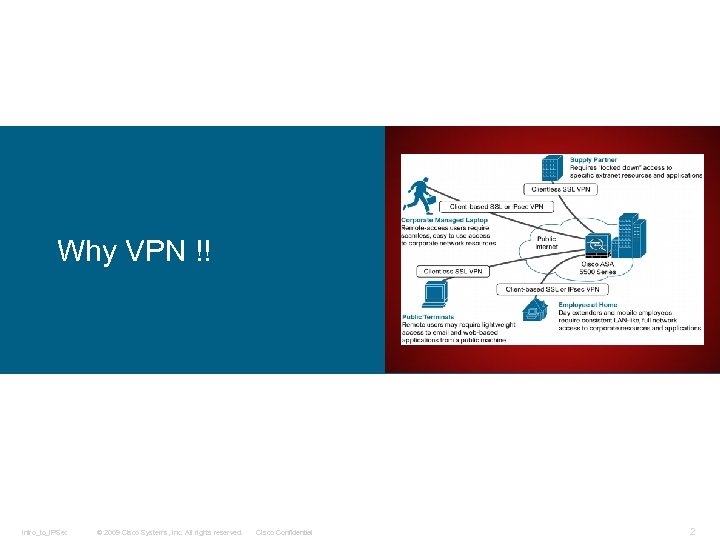 Why VPN !! Intro_to_IPSec © 2009 Cisco Systems, Inc. All rights reserved. Cisco Confidential 2
 We all use VPN to achieve both : • Privacy • Security The security provided for VPN is achieved by the implementation of cryptographic protocols such as: • IPsec • SSL • TLS • DTLS So now we know what are these protocols, these are the one used to provide a secure tunnel and means of data transmission for the purposes of providing remote users and sites access to your internal resources. Before these protocols can establish a secure communications tunnel (VPN) between two endpoints, they generate, exchange, and use keys as a means to authenticate/encrypt the information used to create a secure tunnel that is sent between both parties. Each protocol goes through specific stages when establishing a secure tunnel. Depending on the stage they are at in their negotiations, either a symmetric or asymmetric encryption keys is used. In these slides we will focus on the last three protocols, but first we will have a quick recap about these keys. Intro_to_IPSec © 2009 Cisco Systems, Inc. All rights reserved. Cisco Confidential 3
 So, what are symmetric and asymmetric key algorithms? Symmetric and Asymmetric Keys Intro_to_IPSec © 2009 Cisco Systems, Inc. All rights reserved. Cisco Confidential Well, without noticing, you’ve probably come across them, heard of them, and no doubt have used them without even knowing (when shopping online, for example). 4
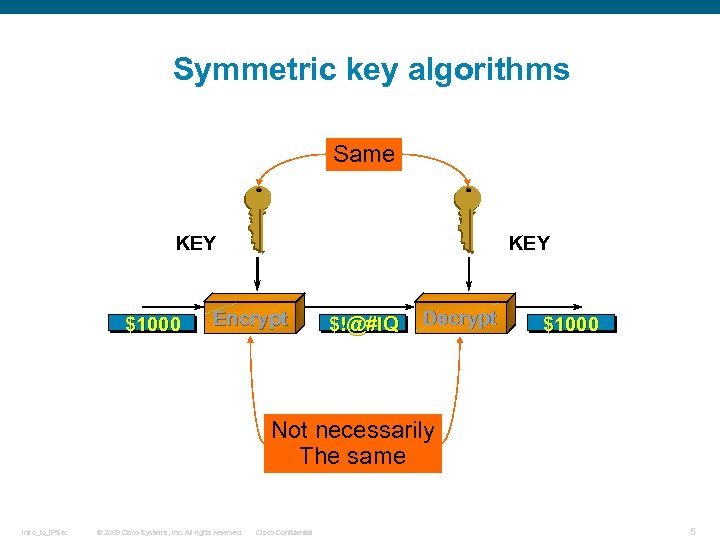 Symmetric key algorithms Same KEY $1000 KEY Encrypt $!@#l. Q Decrypt $1000 Not necessarily The same Intro_to_IPSec © 2009 Cisco Systems, Inc. All rights reserved. Cisco Confidential 5
 During their operation, symmetric key algorithms generate and use a single key for the purposes of encrypting and decrypting data. Examples of symmetric key algorithms include Digital Encryption Standard (DES) , Triple DES (3 DES) , and Advanced Encryption Standard (AES). The downside with using a single key for both encryption and decryption is just that: If attackers gain access to the key used for encrypting sensitive data, they are automatically able to decrypt and read it. Some argue that symmetric key algorithms are subject to bruteforce attacks (given enough computing power), whereby attackers attempt to “guess” the key by literally trying number after number against an encrypted piece of data. However, efforts have been made to overcome this problem, mainly by the introduction of a larger key size. Examples of symmetric algorithms and their key sizes include the following: q DES uses a key size of 56 bits. q 3 DES uses a key size of 168 bits. q AES offers 128, 192, 256 key sizes. Intro_to_IPSec © 2009 Cisco Systems, Inc. All rights reserved. Cisco Confidential 6
 Symmetric encryption algorithms are prone to a specific problem: the process of key exchange. As mentioned earlier, for two parties to be able to encrypt and decrypt data they must both be in possession of the same key. However, this means the encryption/decryption key must be exchanged somehow, which leaves it open to potential attackers if, for example, the key is exchanged in an email. Therefore, asymmetric encryption protocols are commonly used to set up a secure communications path for the purpose of exchanging the symmetric key. Intro_to_IPSec © 2009 Cisco Systems, Inc. All rights reserved. Cisco Confidential 7
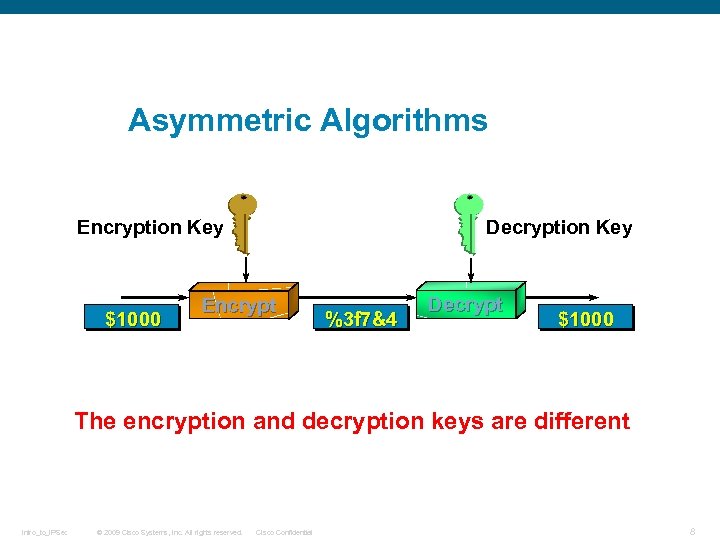 Asymmetric Algorithms Decryption Key Encryption Key $1000 Encrypt %3 f 7&4 Decrypt $1000 The encryption and decryption keys are different Intro_to_IPSec © 2009 Cisco Systems, Inc. All rights reserved. Cisco Confidential 8
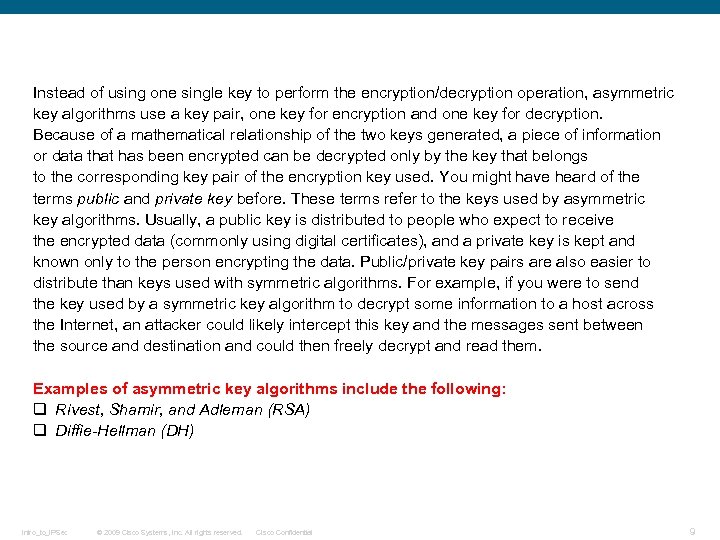 Instead of using one single key to perform the encryption/decryption operation, asymmetric key algorithms use a key pair, one key for encryption and one key for decryption. Because of a mathematical relationship of the two keys generated, a piece of information or data that has been encrypted can be decrypted only by the key that belongs to the corresponding key pair of the encryption key used. You might have heard of the terms public and private key before. These terms refer to the keys used by asymmetric key algorithms. Usually, a public key is distributed to people who expect to receive the encrypted data (commonly using digital certificates), and a private key is kept and known only to the person encrypting the data. Public/private key pairs are also easier to distribute than keys used with symmetric algorithms. For example, if you were to send the key used by a symmetric key algorithm to decrypt some information to a host across the Internet, an attacker could likely intercept this key and the messages sent between the source and destination and could then freely decrypt and read them. Examples of asymmetric key algorithms include the following: q Rivest, Shamir, and Adleman (RSA) q Diffie-Hellman (DH) Intro_to_IPSec © 2009 Cisco Systems, Inc. All rights reserved. Cisco Confidential 9
 When working with VPNs, you will often see asymmetric key algorithms used (for example, DH used to encrypt and securely exchange symmetric keys). The sending and receiving hosts at either end of the VPN exchange symmetric keys to encrypt and decrypt any data sent. Their use is popular because of the simplicity of symmetric encryption protocols in terms of mathematics and the ability to run them within hardware at a very fast rate. However, asymmetric encryption algorithms often use larger key sizes and more-sophisticated and processor-intensive mathematical functions such as discrete logarithms or factoring large prime numbers, so their use is limited mainly to key exchange or for authentication purposes (RSA tokens). Intro_to_IPSec © 2009 Cisco Systems, Inc. All rights reserved. Cisco Confidential 10
 SSL, TLS and DTLS Intro_to_IPSec © 2009 Cisco Systems, Inc. All rights reserved. Cisco Confidential 11
 Intro_to_IPSec © 2009 Cisco Systems, Inc. All rights reserved. Cisco Confidential 12
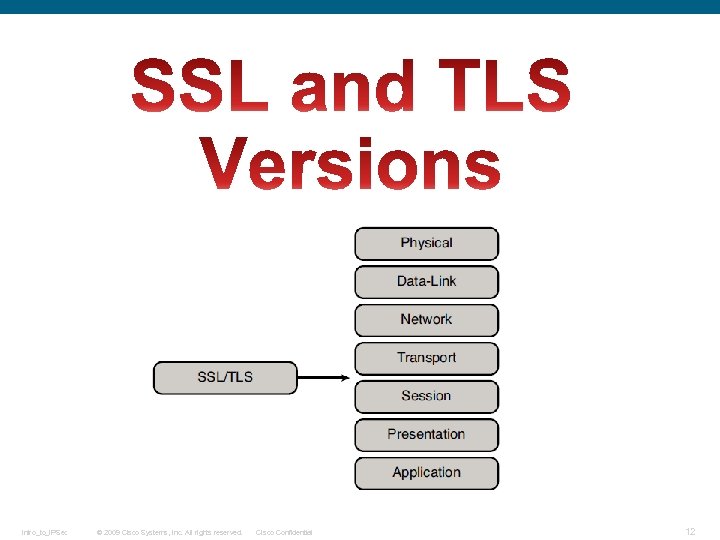
 Transport Layer Security (TLS) and its predecessor, Secure Sockets Layer (SSL), are cryptographic protocols designed to provide communications security over a computer network. [1] They use X. 509 certificates and hence asymmetric cryptography to authenticate the counterparty with whom they are communicating, [2] and to negotiate a symmetric session key. This session key is then used to encrypt data flowing between the parties. This allows for data/message confidentiality, and message authentication codes for message integrity and as a by-product, message authentication. [clarification needed] Several versions of the protocols are in widespread use in applications such as web browsing, email, Internet faxing, instant messaging, and voice-over. IP (Vo. IP). An important property in this context is forward secrecy, so the short-term session key cannot be derived from the long-term asymmetric secret key. [3] In the Internet Protocol Suite, TLS and SSL encrypt the data of network connections in the application layer. In OSI model equivalences, TLS/SSL is initialized at layer 5 (session layer) and works at layer 6 (the presentation layer). [citation needed] The session layer has a handshake using an asymmetric cipher in order to establish cipher settings and a shared key for that session; then the presentation layer encrypts the rest of the communication using a symmetric cipher and that session key. In both models, TLS and SSL work on behalf of the underlying transport layer, whose segments carry encrypted data. Intro_to_IPSec © 2009 Cisco Systems, Inc. All rights reserved. Cisco Confidential 13
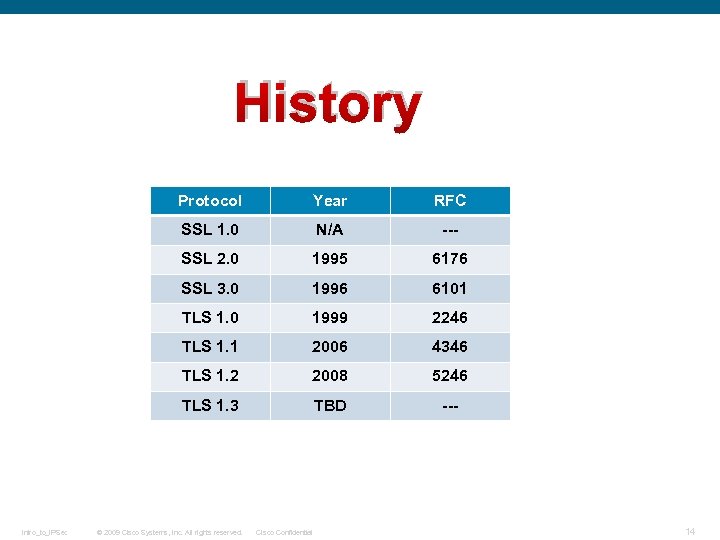 History Protocol RFC SSL 1. 0 N/A --- SSL 2. 0 1995 6176 SSL 3. 0 1996 6101 TLS 1. 0 1999 2246 TLS 1. 1 2006 4346 TLS 1. 2 2008 5246 TLS 1. 3 Intro_to_IPSec Year TBD --- © 2009 Cisco Systems, Inc. All rights reserved. Cisco Confidential 14
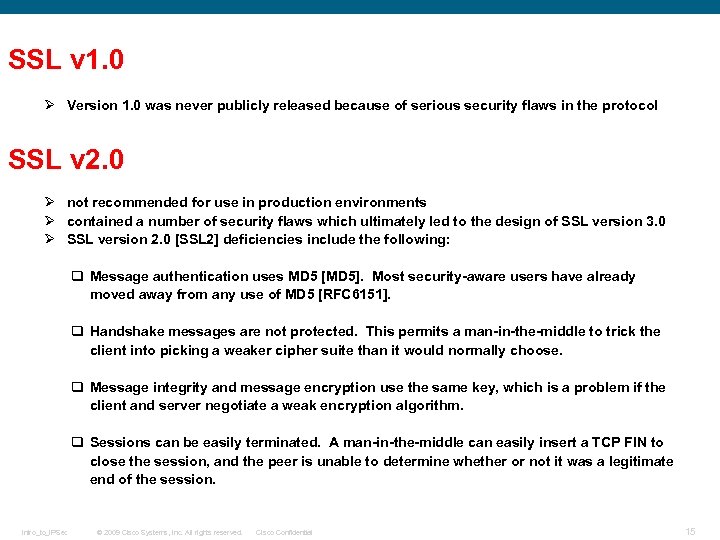 SSL v 1. 0 Ø Version 1. 0 was never publicly released because of serious security flaws in the protocol SSL v 2. 0 Ø not recommended for use in production environments Ø contained a number of security flaws which ultimately led to the design of SSL version 3. 0 Ø SSL version 2. 0 [SSL 2] deficiencies include the following: q Message authentication uses MD 5 [MD 5]. Most security-aware users have already moved away from any use of MD 5 [RFC 6151]. q Handshake messages are not protected. This permits a man-in-the-middle to trick the client into picking a weaker cipher suite than it would normally choose. q Message integrity and message encryption use the same key, which is a problem if the client and server negotiate a weak encryption algorithm. q Sessions can be easily terminated. A man-in-the-middle can easily insert a TCP FIN to close the session, and the peer is unable to determine whether or not it was a legitimate end of the session. Intro_to_IPSec © 2009 Cisco Systems, Inc. All rights reserved. Cisco Confidential 15
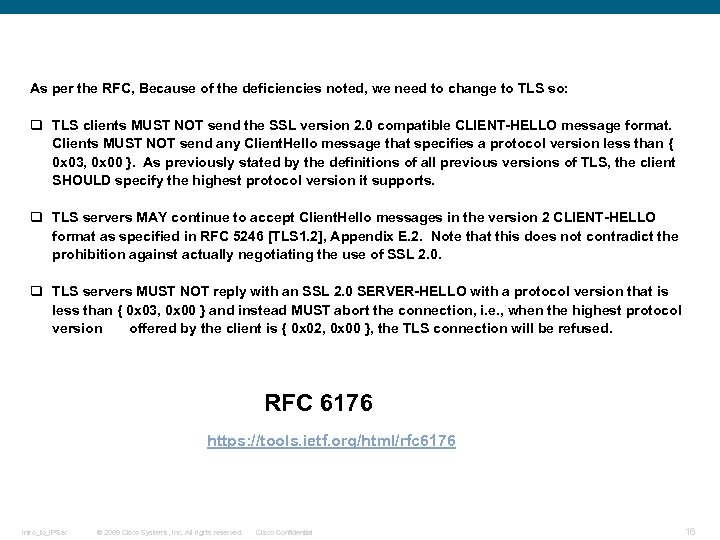 As per the RFC, Because of the deficiencies noted, we need to change to TLS so: q TLS clients MUST NOT send the SSL version 2. 0 compatible CLIENT-HELLO message format. Clients MUST NOT send any Client. Hello message that specifies a protocol version less than { 0 x 03, 0 x 00 }. As previously stated by the definitions of all previous versions of TLS, the client SHOULD specify the highest protocol version it supports. q TLS servers MAY continue to accept Client. Hello messages in the version 2 CLIENT-HELLO format as specified in RFC 5246 [TLS 1. 2], Appendix E. 2. Note that this does not contradict the prohibition against actually negotiating the use of SSL 2. 0. q TLS servers MUST NOT reply with an SSL 2. 0 SERVER-HELLO with a protocol version that is less than { 0 x 03, 0 x 00 } and instead MUST abort the connection, i. e. , when the highest protocol version offered by the client is { 0 x 02, 0 x 00 }, the TLS connection will be refused. RFC 6176 https: //tools. ietf. org/html/rfc 6176 Intro_to_IPSec © 2009 Cisco Systems, Inc. All rights reserved. Cisco Confidential 16
 SSL v 3. 0 Ø SSL version 3. 0, released in 1996, represented a complete redesign of the protocol. Ø As per RFC 7569, SSL v 3 is now deprecated. Ø The Secure Sockets Layer version 3. 0 (SSLv 3), as specified in RFC 6101, is not sufficiently secure. Ø It is now recommended as per the RFCs not to use SSL v 3 and to use TLS instead. The best is to use the TLS v 1. 2 Refer to the following RFCs to know more about SSL v 3 and to know why it is not secure now: RFC 7568 https: //tools. ietf. org/html/rfc 7568 RFC 6101 http: //tools. ietf. org/html/rfc 6101#section-1 Intro_to_IPSec © 2009 Cisco Systems, Inc. All rights reserved. Cisco Confidential 17
 TLS v 1. 0 q TLS 1. 0 was first defined in RFC 2246 in January 1999 as an upgrade of SSL Version 3. 0 q The differences between this protocol and SSL 3. 0 are not dramatic, but they are significant enough that TLS 1. 0 and SSL 3. 0 do not interoperate (although TLS 1. 0 does incorporate a mechanism by which a TLS implementation can back down to SSL 3. 0). q The TLS Record Protocol is used for encapsulation of various higher level protocols. One such encapsulated protocol, the TLS Handshake Protocol, allows the server and client to authenticate each other and to negotiate an encryption algorithm and cryptographic keys before the application protocol transmits or receives its first byte of data. The TLS Handshake Protocol provides connection security RFC 2246 https: //tools. ietf. org/html/rfc 2246 Intro_to_IPSec © 2009 Cisco Systems, Inc. All rights reserved. Cisco Confidential 18
 TLS v 1. 1 q TLS 1. 1 was defined in RFC 4346 in April 2006. q This document is a revision of the TLS 1. 0 [TLS 1. 0] protocol, and contains some small security improvements, clarifications, and editorial improvements. The major changes are: § The implicit Initialization Vector (IV) is replaced with an explicit IV to protect against CBC attacks [CBCATT]. § Handling of padding errors is changed to use the bad_record_mac alert rather than the decryption_failed alert to protect against CBC attacks. § IANA registries are defined for protocol parameters. § Premature closes no longer cause a session to be nonresumable. § Additional informational notes were added for various new attacks on TLS. RFC 4346 http: //tools. ietf. org/html/rfc 4346 Intro_to_IPSec © 2009 Cisco Systems, Inc. All rights reserved. Cisco Confidential 19
 TLS v 1. 2 q TLS 1. 2 was defined in RFC 5246 in August 2008. q The major changes between this version and the TLS v 1. 1 are: Ø The MD 5/SHA-1 combination in the pseudorandom function (PRF) has been replaced with cipher-suite-specified PRFs. All cipher suites in this document use P_SHA 256. Ø The MD 5/SHA-1 combination in the digitally-signed element has been replaced with a single hash. Signed elements now include a field that explicitly specifies the hash algorithm used. Ø Substantial cleanup to the client's and server's ability to specify which hash and signature algorithms they will accept. Note that this also relaxes some of the constraints on signature and hash algorithms from previous versions of TLS. Ø Addition of support for authenticated encryption with additional data modes. Ø TLS Extensions definition and AES Cipher Suites were merged in from external [TLSEXT] and [TLSAES]. Intro_to_IPSec © 2009 Cisco Systems, Inc. All rights reserved. Cisco Confidential 20
 Ø Tighter checking of Encrypted. Pre. Master. Secret version numbers. Ø Tightened up a number of requirements. Ø Verify_data length now depends on the cipher suite (default is still 12). Ø Cleaned up description of Bleichenbacher/Klima attack defenses. Ø Alerts MUST now be sent in many cases. Ø After a certificate_request, if no certificates are available, clients now MUST send an empty certificate list. Ø TLS_RSA_WITH_AES_128_CBC_SHA is now the mandatory to implement cipher suite. Ø Added HMAC-SHA 256 cipher suites. Ø Removed IDEA and DES cipher suites. They are now deprecated and will be documented in a separate document. Intro_to_IPSec © 2009 Cisco Systems, Inc. All rights reserved. Cisco Confidential 21
 Ø Support for the SSLv 2 backward-compatible hello is now a MAY, not a SHOULD, with sending it a SHOULD NOT. Support will probably become a SHOULD NOT in the future. Ø Added limited "fall-through" to the presentation language to allow multiple case arms to have the same encoding. Ø Added an Implementation Pitfalls sections Ø The usual clarifications and editorial work. RFC 5246 https: //tools. ietf. org/html/rfc 5246 Intro_to_IPSec © 2009 Cisco Systems, Inc. All rights reserved. Cisco Confidential 22
 TLS v 1. 3 As of July 2015, TLS 1. 3 is a working draft, and details are provisional and incomplete. It is based on the earlier TLS 1. 2 specification. Major differences from TLS 1. 2 include: Ø Ø Ø Ø Ø Intro_to_IPSec Integration of HKDF and the semi-ephemeral DH proposal Replacement of resumption with PSK and tickets Relegation of Client. Key. Share to an appendix Support for 1 -RTT handshakes and initial support for 0 -RTT Dropped support for many insecure or obsolete features including, compression, renegotiation, non-AEAD ciphers, static RSA and DH key exchange, custom DHE groups, point format negotiation, Change Cipher Spec protocol, Hello message UNIX time, and the length field AD input to AEAD ciphers Prohibition of SSL or RC 4 negotiation for backwards compatibility Integrated usage of session hash The record layer version number has been frozen and deprecated for improved backwards compatibility Movement of some security related algorithm details from an appendix to the specification © 2009 Cisco Systems, Inc. All rights reserved. Cisco Confidential 23
 Intro_to_IPSec © 2009 Cisco Systems, Inc. All rights reserved. Cisco Confidential 24
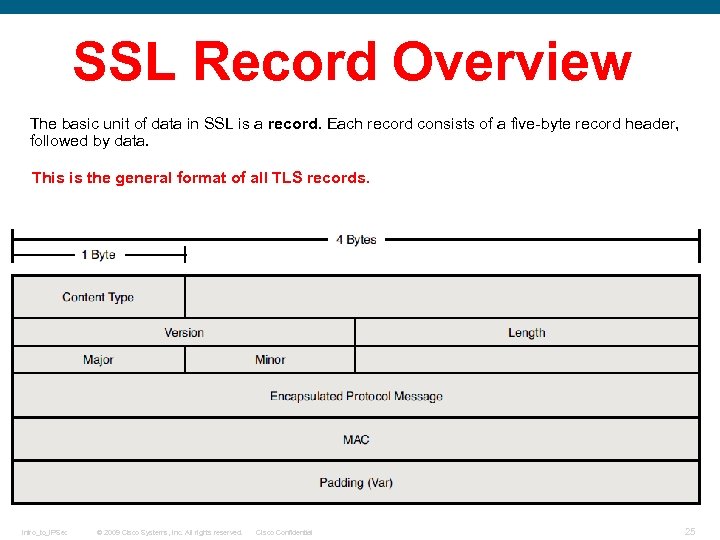 SSL Record Overview The basic unit of data in SSL is a record. Each record consists of a five-byte record header, followed by data. This is the general format of all TLS records. Intro_to_IPSec © 2009 Cisco Systems, Inc. All rights reserved. Cisco Confidential 25
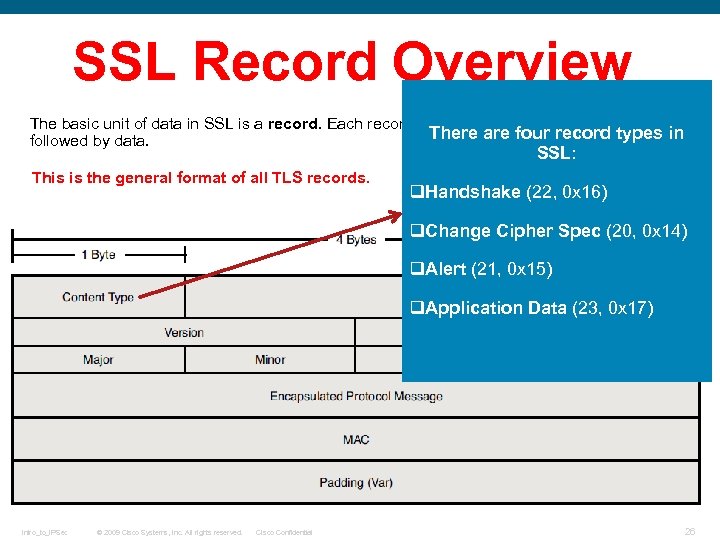 SSL Record Overview The basic unit of data in SSL is a record. Each record consists of a five-byte record header, There are four record types in followed by data. SSL: This is the general format of all TLS records. q. Handshake (22, 0 x 16) q. Change Cipher Spec (20, 0 x 14) q. Alert (21, 0 x 15) q. Application Data (23, 0 x 17) Intro_to_IPSec © 2009 Cisco Systems, Inc. All rights reserved. Cisco Confidential 26
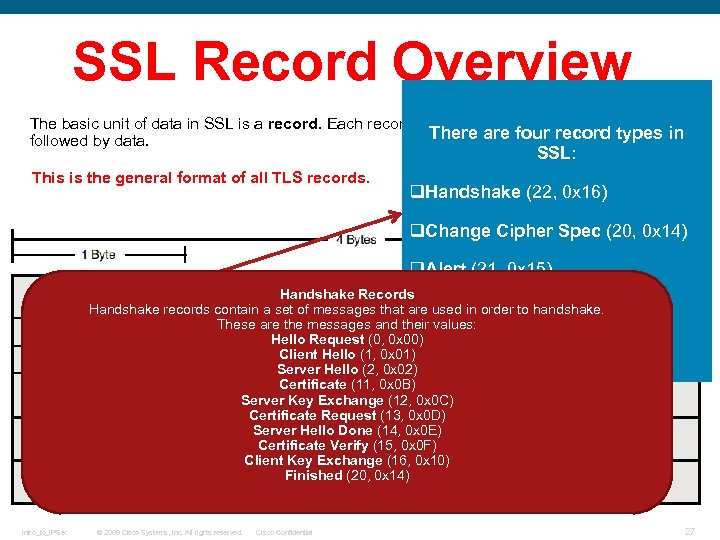 SSL Record Overview The basic unit of data in SSL is a record. Each record consists of a five-byte record header, There are four record types in followed by data. SSL: This is the general format of all TLS records. q. Handshake (22, 0 x 16) q. Change Cipher Spec (20, 0 x 14) q. Alert (21, 0 x 15) Handshake Records Handshake records contain a set of messages that are used in order to handshake. q. Application Data (23, 0 x 17) These are the messages and their values: Hello Request (0, 0 x 00) Client Hello (1, 0 x 01) Server Hello (2, 0 x 02) Certificate (11, 0 x 0 B) Server Key Exchange (12, 0 x 0 C) Certificate Request (13, 0 x 0 D) Server Hello Done (14, 0 x 0 E) Certificate Verify (15, 0 x 0 F) Client Key Exchange (16, 0 x 10) Finished (20, 0 x 14) Intro_to_IPSec © 2009 Cisco Systems, Inc. All rights reserved. Cisco Confidential 27
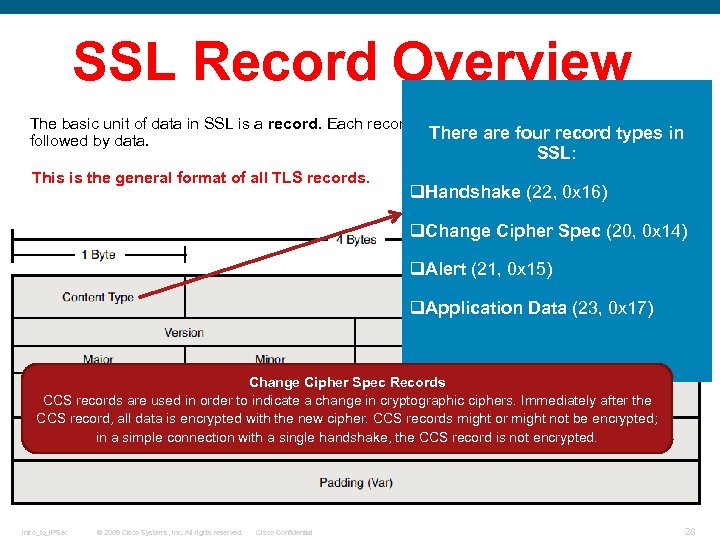 SSL Record Overview The basic unit of data in SSL is a record. Each record consists of a five-byte record header, There are four record types in followed by data. SSL: This is the general format of all TLS records. q. Handshake (22, 0 x 16) q. Change Cipher Spec (20, 0 x 14) q. Alert (21, 0 x 15) q. Application Data (23, 0 x 17) Change Cipher Spec Records CCS records are used in order to indicate a change in cryptographic ciphers. Immediately after the CCS record, all data is encrypted with the new cipher. CCS records might or might not be encrypted; in a simple connection with a single handshake, the CCS record is not encrypted. Intro_to_IPSec © 2009 Cisco Systems, Inc. All rights reserved. Cisco Confidential 28
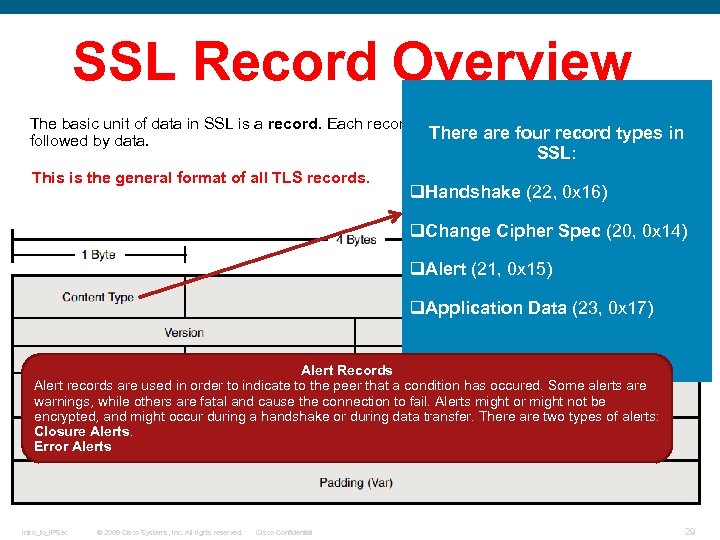 SSL Record Overview The basic unit of data in SSL is a record. Each record consists of a five-byte record header, There are four record types in followed by data. SSL: This is the general format of all TLS records. q. Handshake (22, 0 x 16) q. Change Cipher Spec (20, 0 x 14) q. Alert (21, 0 x 15) q. Application Data (23, 0 x 17) Alert Records Alert records are used in order to indicate to the peer that a condition has occured. Some alerts are warnings, while others are fatal and cause the connection to fail. Alerts might or might not be encrypted, and might occur during a handshake or during data transfer. There are two types of alerts: Closure Alerts. Error Alerts Intro_to_IPSec © 2009 Cisco Systems, Inc. All rights reserved. Cisco Confidential 29
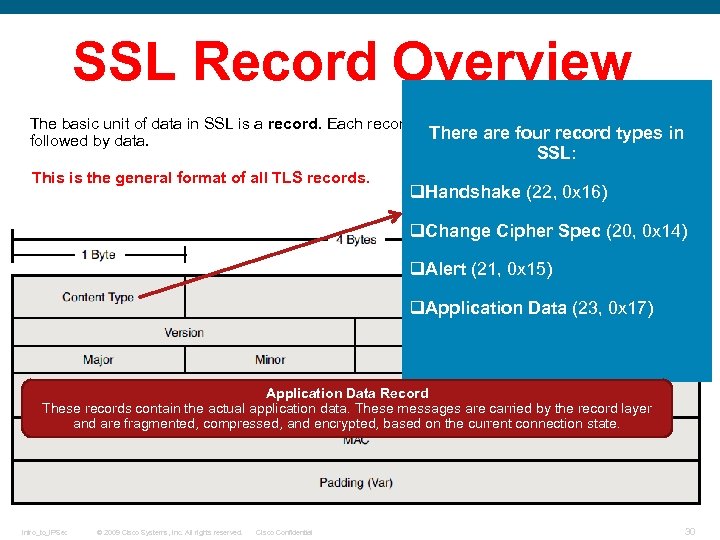 SSL Record Overview The basic unit of data in SSL is a record. Each record consists of a five-byte record header, There are four record types in followed by data. SSL: This is the general format of all TLS records. q. Handshake (22, 0 x 16) q. Change Cipher Spec (20, 0 x 14) q. Alert (21, 0 x 15) q. Application Data (23, 0 x 17) Application Data Record These records contain the actual application data. These messages are carried by the record layer and are fragmented, compressed, and encrypted, based on the current connection state. Intro_to_IPSec © 2009 Cisco Systems, Inc. All rights reserved. Cisco Confidential 30
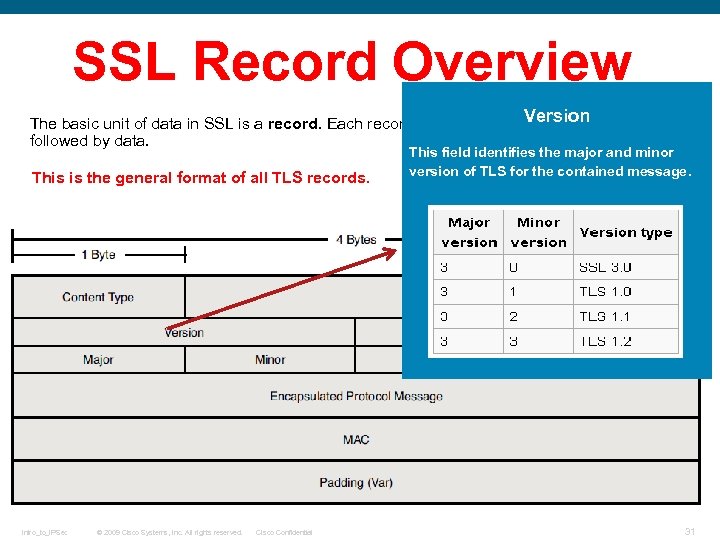 SSL Record Overview Version The basic unit of data in SSL is a record. Each record consists of a five-byte record header, followed by data. This is the general format of all TLS records. Intro_to_IPSec © 2009 Cisco Systems, Inc. All rights reserved. Cisco Confidential This field identifies the major and minor version of TLS for the contained message. 31
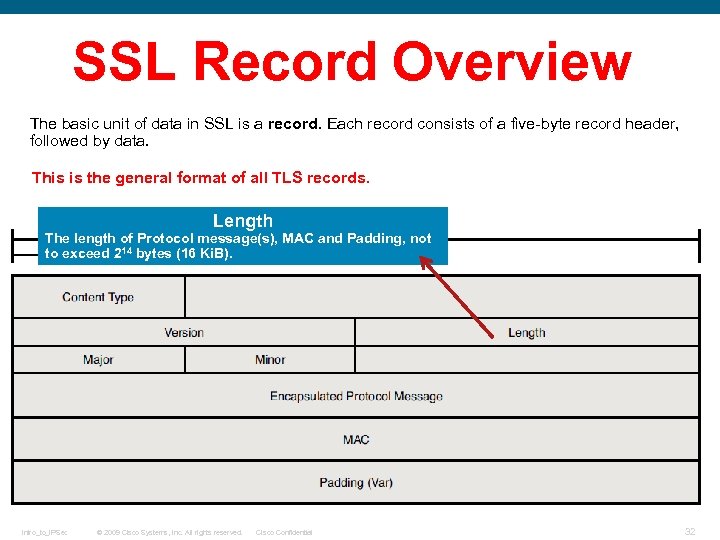 SSL Record Overview The basic unit of data in SSL is a record. Each record consists of a five-byte record header, followed by data. This is the general format of all TLS records. Length The length of Protocol message(s), MAC and Padding, not to exceed 214 bytes (16 Ki. B). Intro_to_IPSec © 2009 Cisco Systems, Inc. All rights reserved. Cisco Confidential 32
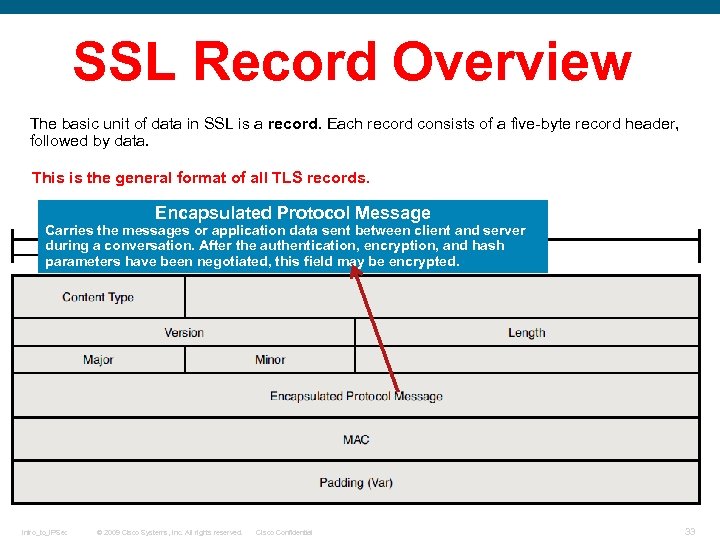 SSL Record Overview The basic unit of data in SSL is a record. Each record consists of a five-byte record header, followed by data. This is the general format of all TLS records. Encapsulated Protocol Message Carries the messages or application data sent between client and server during a conversation. After the authentication, encryption, and hash parameters have been negotiated, this field may be encrypted. Intro_to_IPSec © 2009 Cisco Systems, Inc. All rights reserved. Cisco Confidential 33
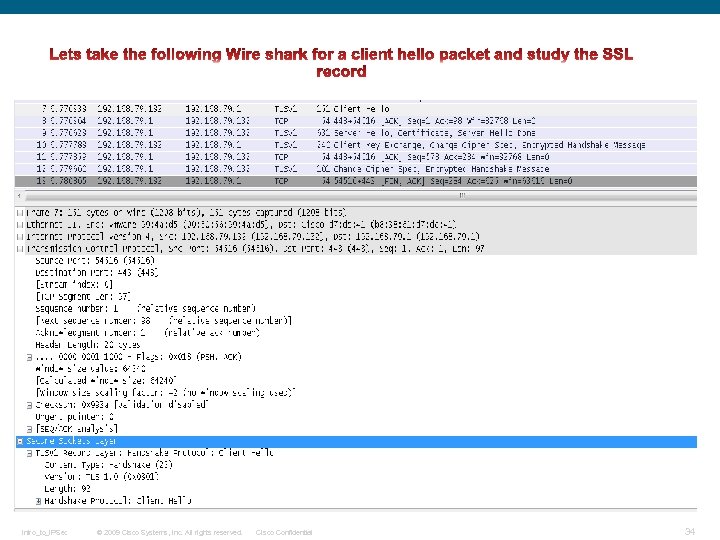 Intro_to_IPSec © 2009 Cisco Systems, Inc. All rights reserved. Cisco Confidential 34
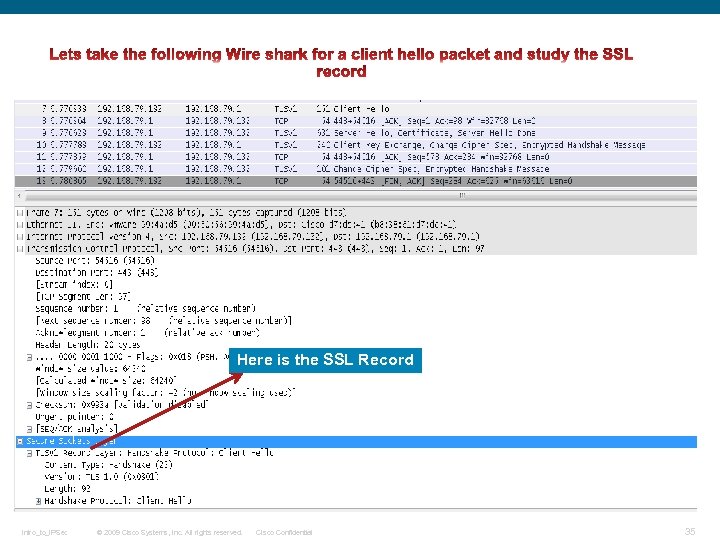 Here is the SSL Record Intro_to_IPSec © 2009 Cisco Systems, Inc. All rights reserved. Cisco Confidential 35
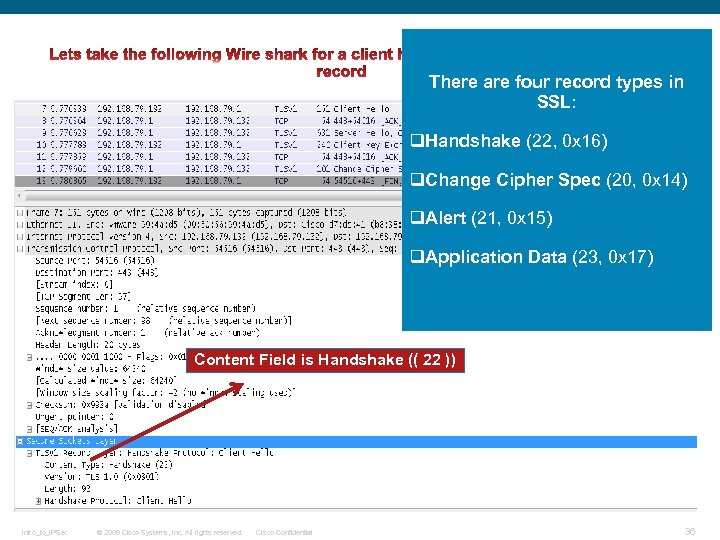 There are four record types in SSL: q. Handshake (22, 0 x 16) q. Change Cipher Spec (20, 0 x 14) q. Alert (21, 0 x 15) q. Application Data (23, 0 x 17) Content Field is Handshake (( 22 )) Intro_to_IPSec © 2009 Cisco Systems, Inc. All rights reserved. Cisco Confidential 36
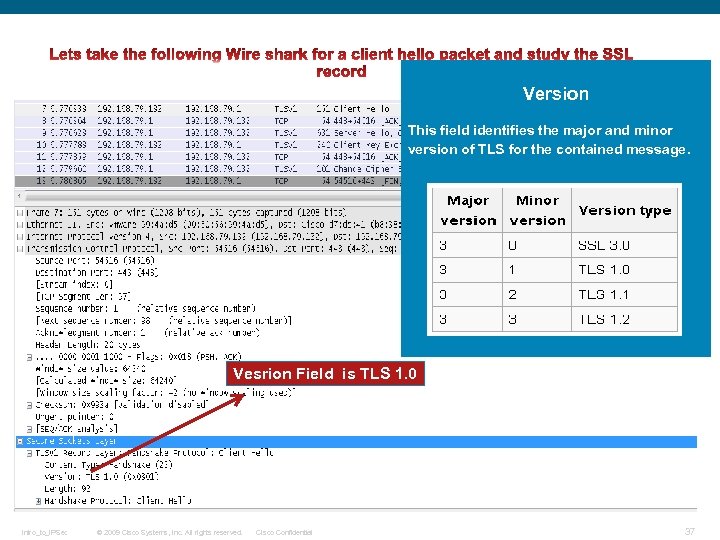 Version This field identifies the major and minor version of TLS for the contained message. Vesrion Field is TLS 1. 0 Intro_to_IPSec © 2009 Cisco Systems, Inc. All rights reserved. Cisco Confidential 37
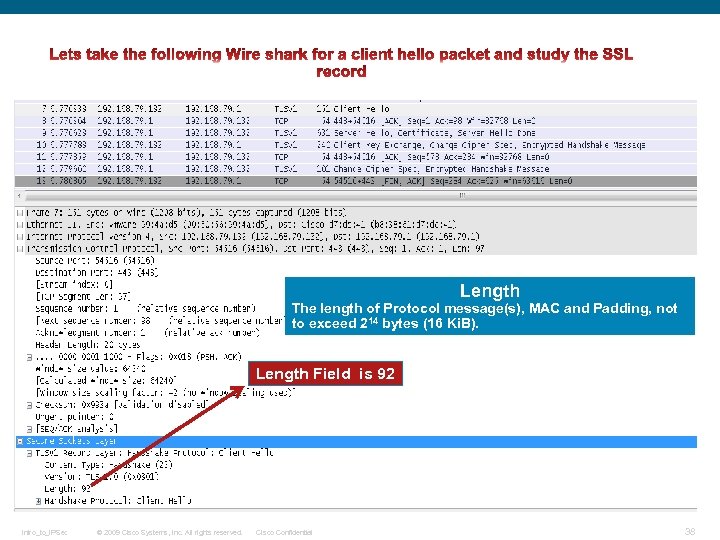 Length The length of Protocol message(s), MAC and Padding, not to exceed 214 bytes (16 Ki. B). Length Field is 92 Intro_to_IPSec © 2009 Cisco Systems, Inc. All rights reserved. Cisco Confidential 38
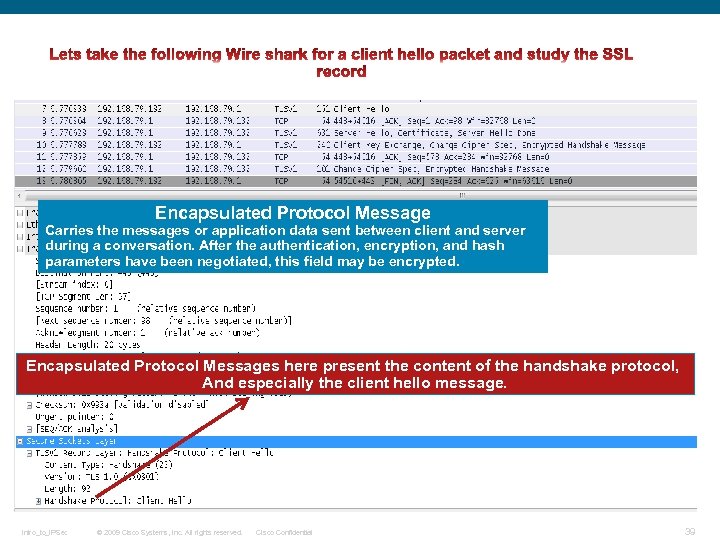 Encapsulated Protocol Message Carries the messages or application data sent between client and server during a conversation. After the authentication, encryption, and hash parameters have been negotiated, this field may be encrypted. Encapsulated Protocol Messages here present the content of the handshake protocol, And especially the client hello message. Intro_to_IPSec © 2009 Cisco Systems, Inc. All rights reserved. Cisco Confidential 39
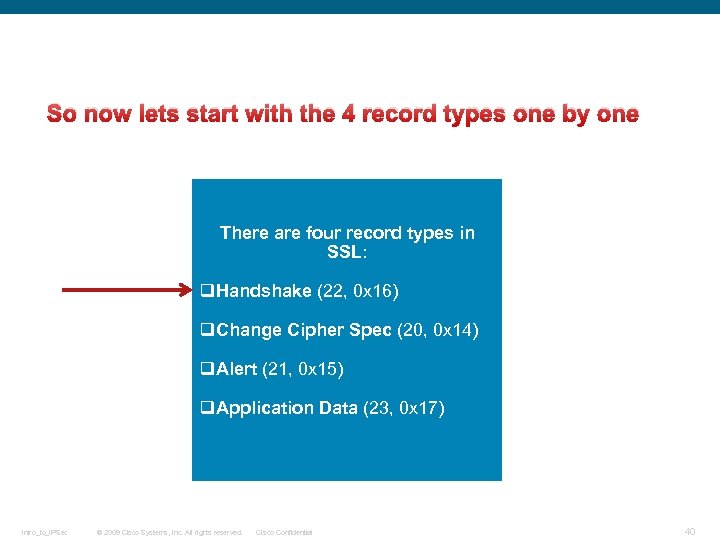 So now lets start with the 4 record types one by one There are four record types in SSL: q. Handshake (22, 0 x 16) q. Change Cipher Spec (20, 0 x 14) q. Alert (21, 0 x 15) q. Application Data (23, 0 x 17) Intro_to_IPSec © 2009 Cisco Systems, Inc. All rights reserved. Cisco Confidential 40
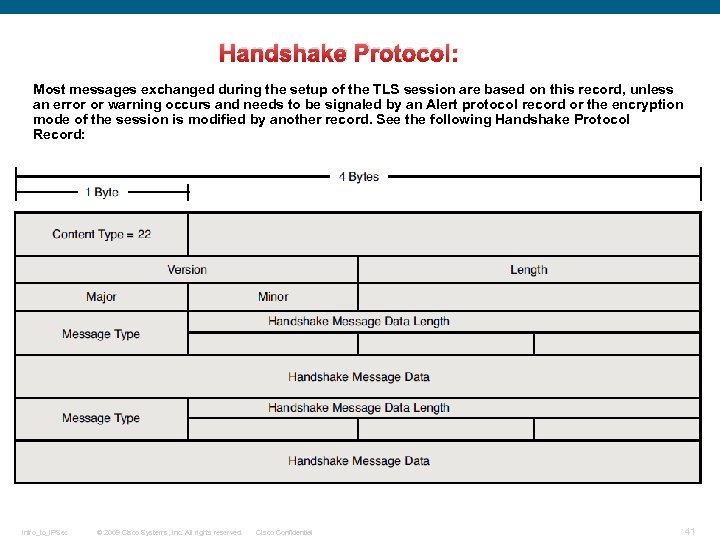 Handshake Protocol: Most messages exchanged during the setup of the TLS session are based on this record, unless an error or warning occurs and needs to be signaled by an Alert protocol record or the encryption mode of the session is modified by another record. See the following Handshake Protocol Record: Intro_to_IPSec © 2009 Cisco Systems, Inc. All rights reserved. Cisco Confidential 41
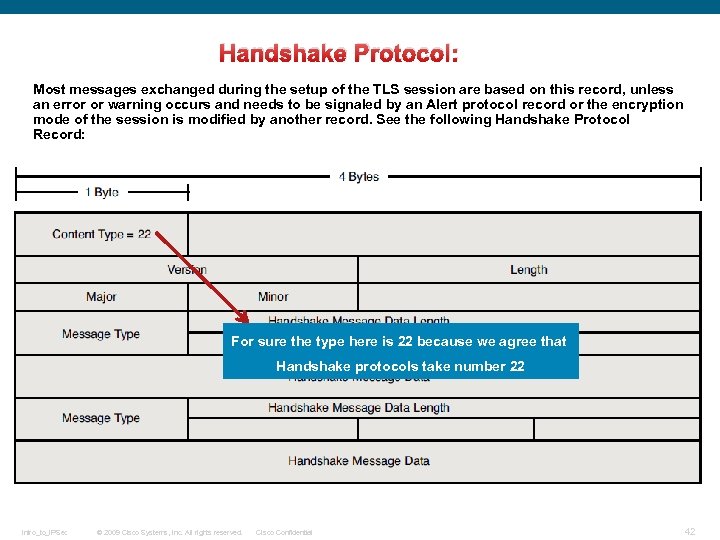 Handshake Protocol: Most messages exchanged during the setup of the TLS session are based on this record, unless an error or warning occurs and needs to be signaled by an Alert protocol record or the encryption mode of the session is modified by another record. See the following Handshake Protocol Record: For sure the type here is 22 because we agree that Handshake protocols take number 22 Intro_to_IPSec © 2009 Cisco Systems, Inc. All rights reserved. Cisco Confidential 42
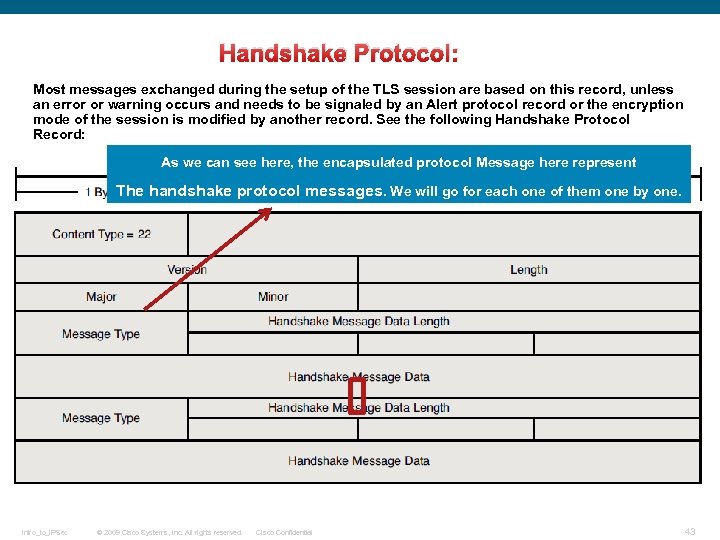 Handshake Protocol: Most messages exchanged during the setup of the TLS session are based on this record, unless an error or warning occurs and needs to be signaled by an Alert protocol record or the encryption mode of the session is modified by another record. See the following Handshake Protocol Record: As we can see here, the encapsulated protocol Message here represent The handshake protocol messages. We will go for each one of them one by one. Intro_to_IPSec © 2009 Cisco Systems, Inc. All rights reserved. Cisco Confidential 43
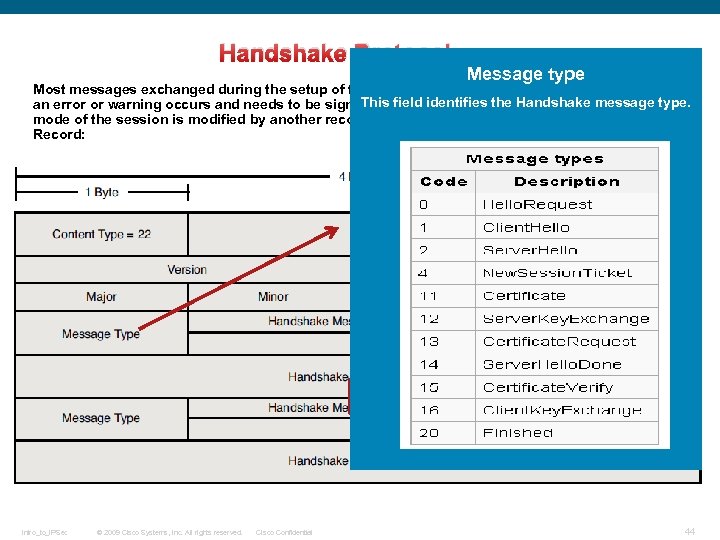 Handshake Protocol: Message type Most messages exchanged during the setup of the TLS session are based on this record, unless This field identifies the Handshake message type. an error or warning occurs and needs to be signaled by an Alert protocol record or the encryption mode of the session is modified by another record. See the following Handshake Protocol Record: Intro_to_IPSec © 2009 Cisco Systems, Inc. All rights reserved. Cisco Confidential 44
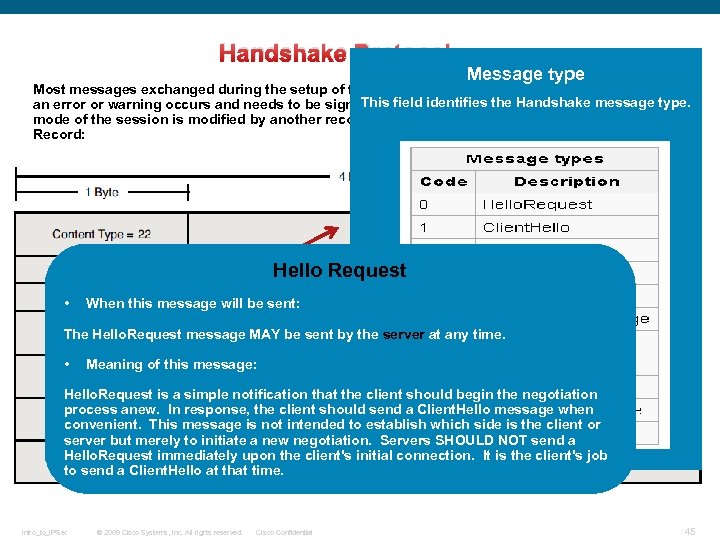 Handshake Protocol: Message type Most messages exchanged during the setup of the TLS session are based on this record, unless This field identifies the Handshake message type. an error or warning occurs and needs to be signaled by an Alert protocol record or the encryption mode of the session is modified by another record. See the following Handshake Protocol Record: Hello Request • When this message will be sent: The Hello. Request message MAY be sent by the server at any time. • Meaning of this message: Hello. Request is a simple notification that the client should begin the negotiation process anew. In response, the client should send a Client. Hello message when convenient. This message is not intended to establish which side is the client or server but merely to initiate a new negotiation. Servers SHOULD NOT send a Hello. Request immediately upon the client's initial connection. It is the client's job to send a Client. Hello at that time. Intro_to_IPSec © 2009 Cisco Systems, Inc. All rights reserved. Cisco Confidential 45
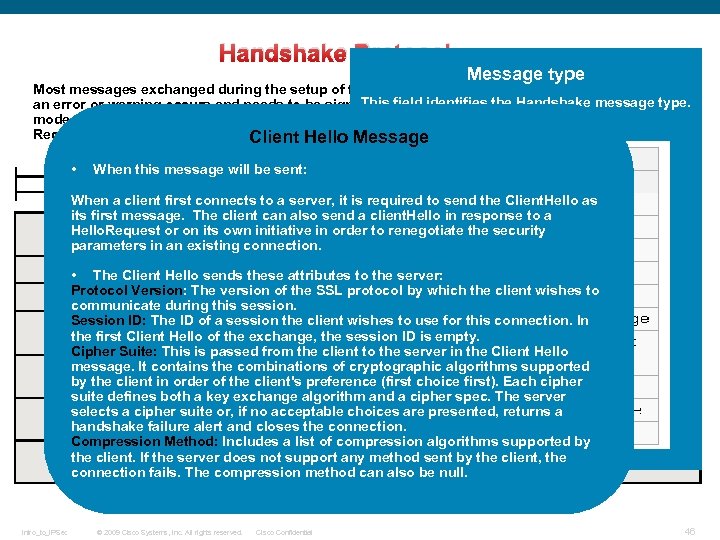 Handshake Protocol: Message type Most messages exchanged during the setup of the TLS session are based on this record, unless This field identifies the Handshake message type. an error or warning occurs and needs to be signaled by an Alert protocol record or the encryption mode of the session is modified by another record. See the following Handshake Protocol Record: Client Hello Message • When this message will be sent: When a client first connects to a server, it is required to send the Client. Hello as its first message. The client can also send a client. Hello in response to a Hello. Request or on its own initiative in order to renegotiate the security parameters in an existing connection. • The Client Hello sends these attributes to the server: Protocol Version: The version of the SSL protocol by which the client wishes to communicate during this session. Session ID: The ID of a session the client wishes to use for this connection. In the first Client Hello of the exchange, the session ID is empty. Cipher Suite: This is passed from the client to the server in the Client Hello message. It contains the combinations of cryptographic algorithms supported by the client in order of the client's preference (first choice first). Each cipher suite defines both a key exchange algorithm and a cipher spec. The server selects a cipher suite or, if no acceptable choices are presented, returns a handshake failure alert and closes the connection. Compression Method: Includes a list of compression algorithms supported by the client. If the server does not support any method sent by the client, the connection fails. The compression method can also be null. Intro_to_IPSec © 2009 Cisco Systems, Inc. All rights reserved. Cisco Confidential 46
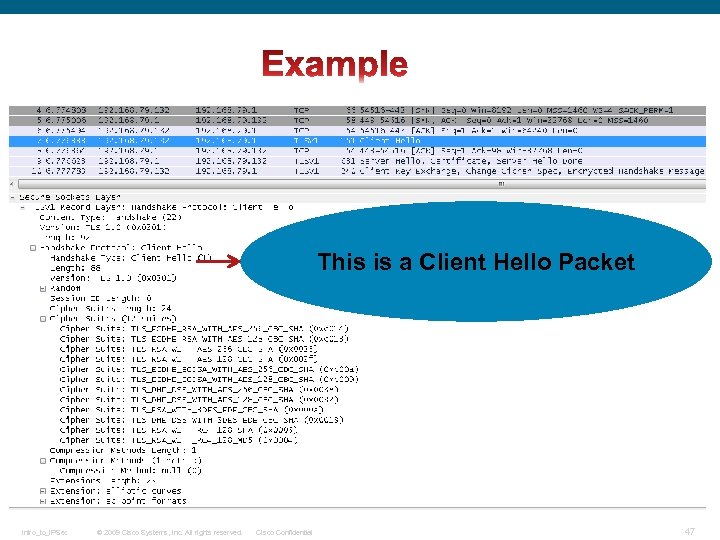 This is a Client Hello Packet Intro_to_IPSec © 2009 Cisco Systems, Inc. All rights reserved. Cisco Confidential 47
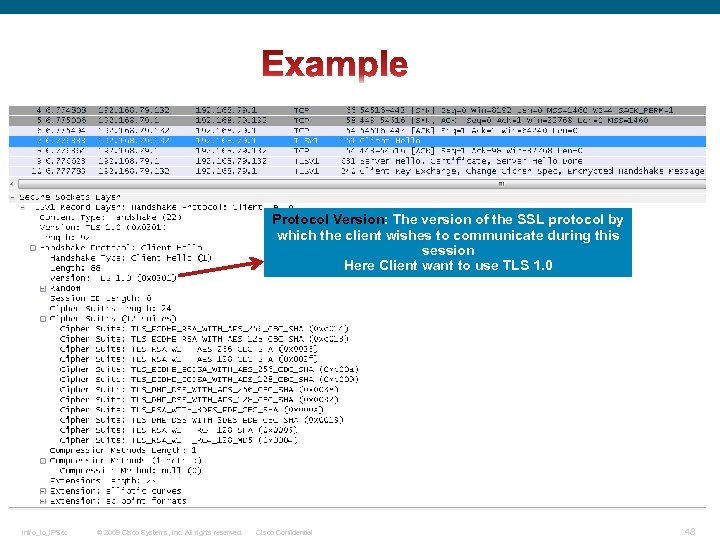 Protocol Version: The version of the SSL protocol by which the client wishes to communicate during this session Here Client want to use TLS 1. 0 Intro_to_IPSec © 2009 Cisco Systems, Inc. All rights reserved. Cisco Confidential 48
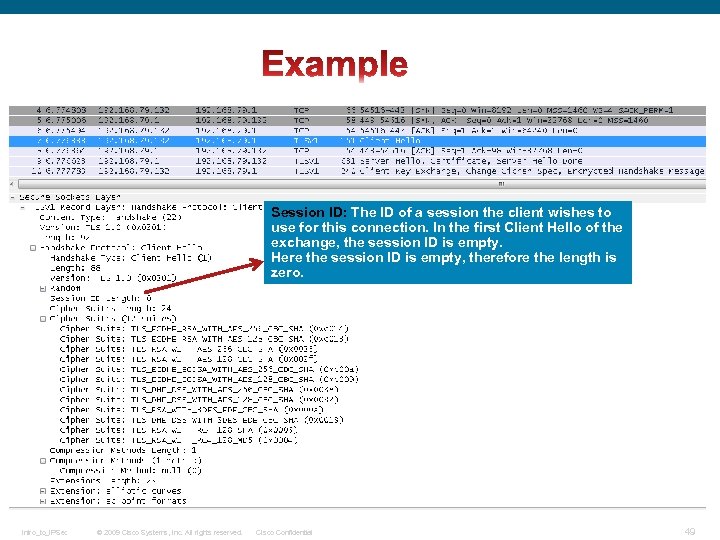 Session ID: The ID of a session the client wishes to use for this connection. In the first Client Hello of the exchange, the session ID is empty. Here the session ID is empty, therefore the length is zero. Intro_to_IPSec © 2009 Cisco Systems, Inc. All rights reserved. Cisco Confidential 49
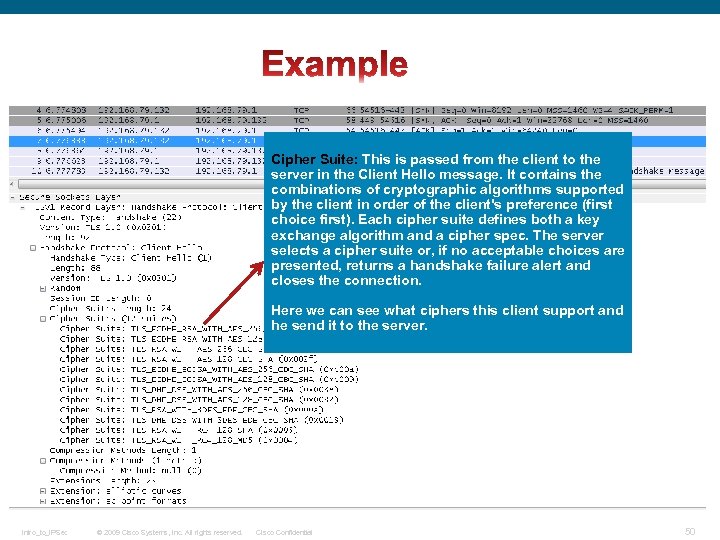 Cipher Suite: This is passed from the client to the server in the Client Hello message. It contains the combinations of cryptographic algorithms supported by the client in order of the client's preference (first choice first). Each cipher suite defines both a key exchange algorithm and a cipher spec. The server selects a cipher suite or, if no acceptable choices are presented, returns a handshake failure alert and closes the connection. Here we can see what ciphers this client support and he send it to the server. Intro_to_IPSec © 2009 Cisco Systems, Inc. All rights reserved. Cisco Confidential 50
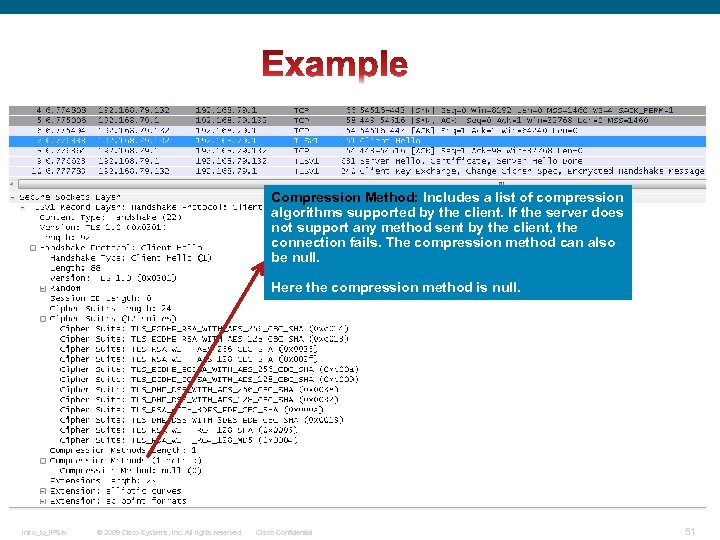 Compression Method: Includes a list of compression algorithms supported by the client. If the server does not support any method sent by the client, the connection fails. The compression method can also be null. Here the compression method is null. Intro_to_IPSec © 2009 Cisco Systems, Inc. All rights reserved. Cisco Confidential 51
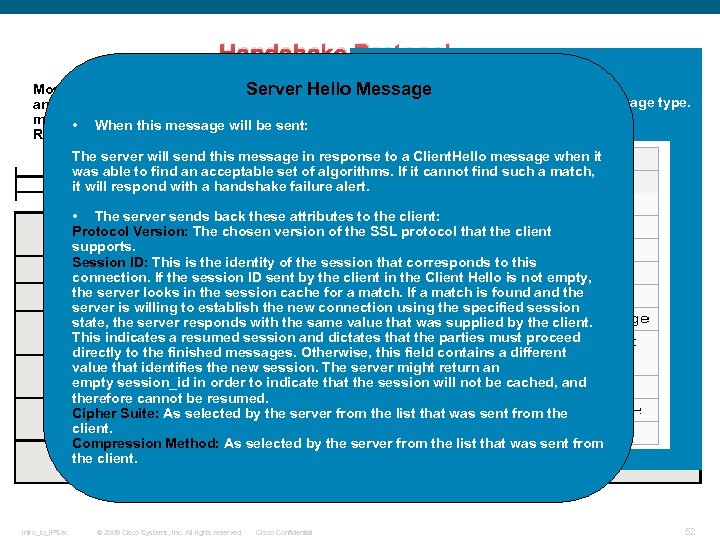 Handshake Protocol: Message type Most messages exchanged during the setup of the TLS session are based on this record, unless Server Hello Message This field identifies the Handshake message type. an error or warning occurs and needs to be signaled by an Alert protocol record or the encryption mode of the session is modified by another record. See the following Handshake Protocol • When this message will be sent: Record: The server will send this message in response to a Client. Hello message when it was able to find an acceptable set of algorithms. If it cannot find such a match, it will respond with a handshake failure alert. • The server sends back these attributes to the client: Protocol Version: The chosen version of the SSL protocol that the client supports. Session ID: This is the identity of the session that corresponds to this connection. If the session ID sent by the client in the Client Hello is not empty, the server looks in the session cache for a match. If a match is found and the server is willing to establish the new connection using the specified session state, the server responds with the same value that was supplied by the client. This indicates a resumed session and dictates that the parties must proceed directly to the finished messages. Otherwise, this field contains a different value that identifies the new session. The server might return an empty session_id in order to indicate that the session will not be cached, and therefore cannot be resumed. Cipher Suite: As selected by the server from the list that was sent from the client. Compression Method: As selected by the server from the list that was sent from the client. Intro_to_IPSec © 2009 Cisco Systems, Inc. All rights reserved. Cisco Confidential 52
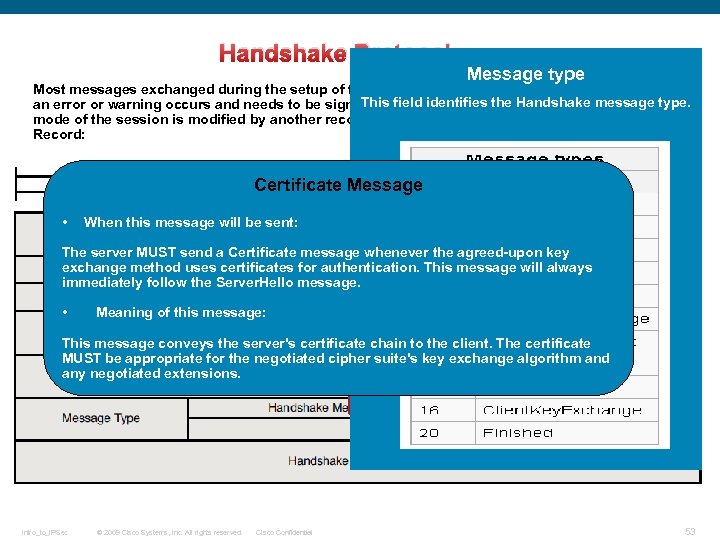 Handshake Protocol: Message type Most messages exchanged during the setup of the TLS session are based on this record, unless This field identifies the Handshake message type. an error or warning occurs and needs to be signaled by an Alert protocol record or the encryption mode of the session is modified by another record. See the following Handshake Protocol Record: Certificate Message • When this message will be sent: The server MUST send a Certificate message whenever the agreed-upon key exchange method uses certificates for authentication. This message will always immediately follow the Server. Hello message. • Meaning of this message: This message conveys the server's certificate chain to the client. The certificate MUST be appropriate for the negotiated cipher suite's key exchange algorithm and any negotiated extensions. Intro_to_IPSec © 2009 Cisco Systems, Inc. All rights reserved. Cisco Confidential 53
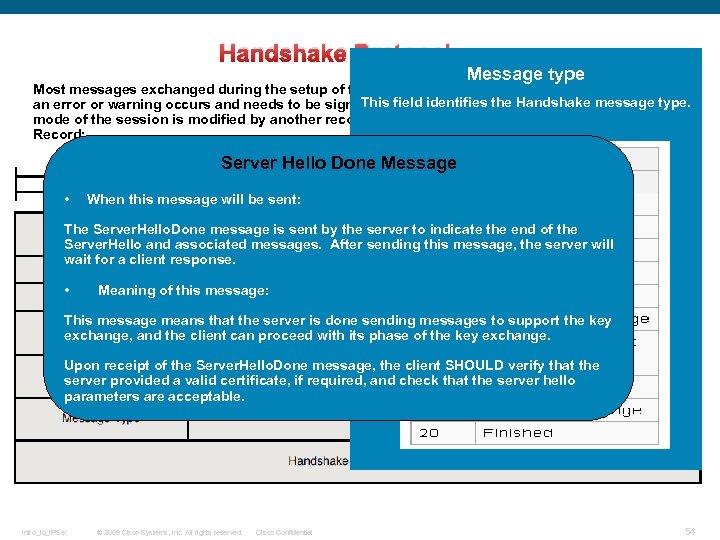 Handshake Protocol: Message type Most messages exchanged during the setup of the TLS session are based on this record, unless This field identifies the Handshake message type. an error or warning occurs and needs to be signaled by an Alert protocol record or the encryption mode of the session is modified by another record. See the following Handshake Protocol Record: Server Hello Done Message • When this message will be sent: The Server. Hello. Done message is sent by the server to indicate the end of the Server. Hello and associated messages. After sending this message, the server will wait for a client response. • Meaning of this message: This message means that the server is done sending messages to support the key exchange, and the client can proceed with its phase of the key exchange. Upon receipt of the Server. Hello. Done message, the client SHOULD verify that the server provided a valid certificate, if required, and check that the server hello parameters are acceptable. Intro_to_IPSec © 2009 Cisco Systems, Inc. All rights reserved. Cisco Confidential 54
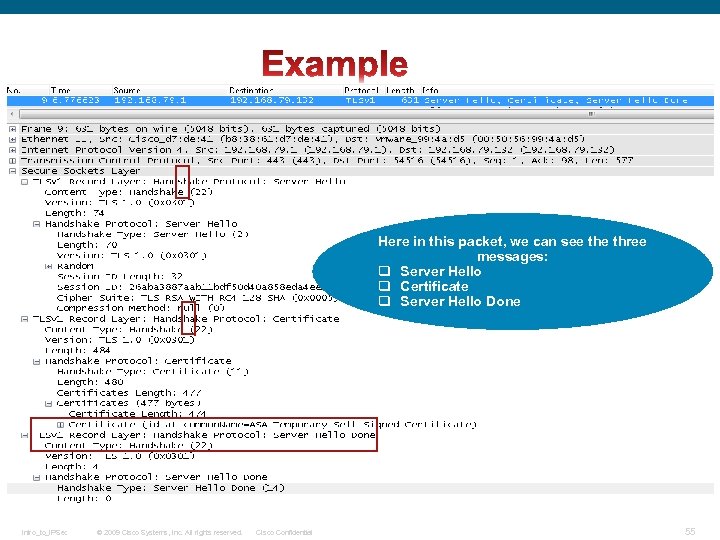 Here in this packet, we can see three messages: q Server Hello q Certificate q Server Hello Done Intro_to_IPSec © 2009 Cisco Systems, Inc. All rights reserved. Cisco Confidential 55
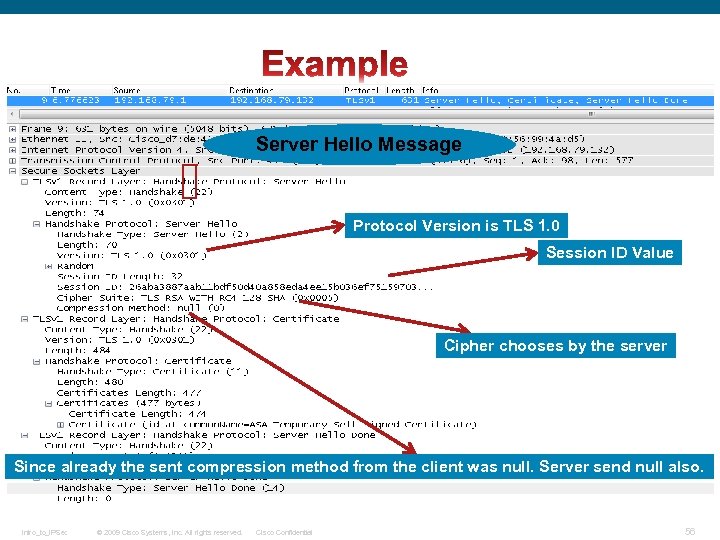 Server Hello Message Protocol Version is TLS 1. 0 Session ID Value Cipher chooses by the server Since already the sent compression method from the client was null. Server send null also. Intro_to_IPSec © 2009 Cisco Systems, Inc. All rights reserved. Cisco Confidential 56
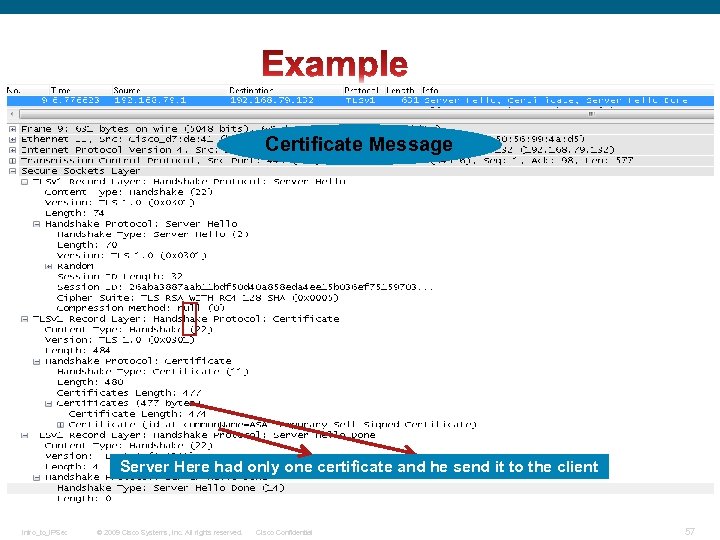 Certificate Message Server Here had only one certificate and he send it to the client Intro_to_IPSec © 2009 Cisco Systems, Inc. All rights reserved. Cisco Confidential 57
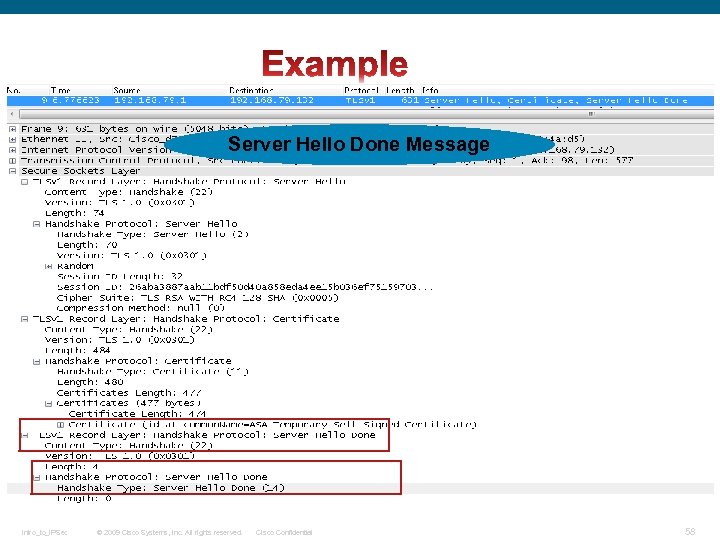 Server Hello Done Message Intro_to_IPSec © 2009 Cisco Systems, Inc. All rights reserved. Cisco Confidential 58
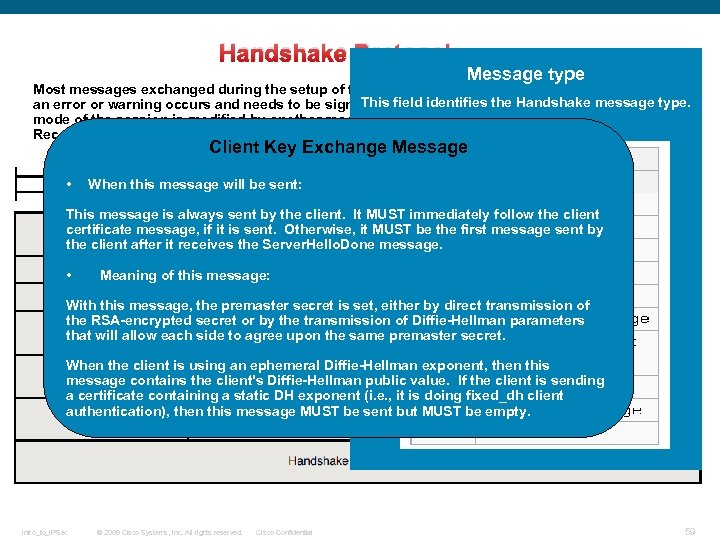 Handshake Protocol: Message type Most messages exchanged during the setup of the TLS session are based on this record, unless This field identifies the Handshake message type. an error or warning occurs and needs to be signaled by an Alert protocol record or the encryption mode of the session is modified by another record. See the following Handshake Protocol Record: Client Key Exchange Message • When this message will be sent: This message is always sent by the client. It MUST immediately follow the client certificate message, if it is sent. Otherwise, it MUST be the first message sent by the client after it receives the Server. Hello. Done message. • Meaning of this message: With this message, the premaster secret is set, either by direct transmission of the RSA-encrypted secret or by the transmission of Diffie-Hellman parameters that will allow each side to agree upon the same premaster secret. When the client is using an ephemeral Diffie-Hellman exponent, then this message contains the client's Diffie-Hellman public value. If the client is sending a certificate containing a static DH exponent (i. e. , it is doing fixed_dh client authentication), then this message MUST be sent but MUST be empty. Intro_to_IPSec © 2009 Cisco Systems, Inc. All rights reserved. Cisco Confidential 59
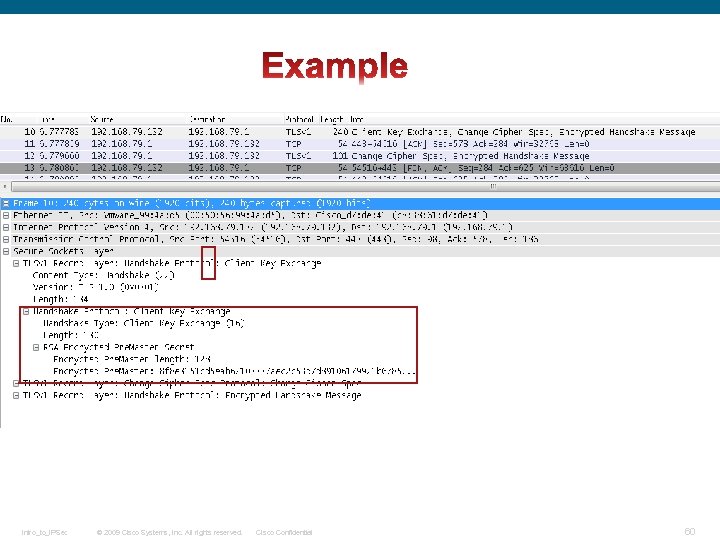 Intro_to_IPSec © 2009 Cisco Systems, Inc. All rights reserved. Cisco Confidential 60
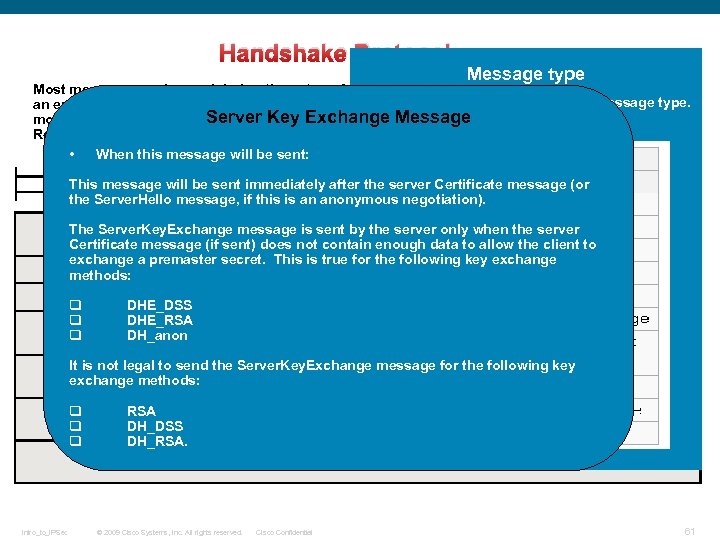 Handshake Protocol: Message type Most messages exchanged during the setup of the TLS session are based on this record, unless This field identifies the Handshake message type. an error or warning occurs and needs to be signaled by an Alert protocol record or the encryption Server Key Exchange Message mode of the session is modified by another record. See the following Handshake Protocol Record: • When this message will be sent: This message will be sent immediately after the server Certificate message (or the Server. Hello message, if this is an anonymous negotiation). The Server. Key. Exchange message is sent by the server only when the server Certificate message (if sent) does not contain enough data to allow the client to exchange a premaster secret. This is true for the following key exchange methods: q DHE_DSS q DHE_RSA q DH_anon It is not legal to send the Server. Key. Exchange message for the following key exchange methods: q RSA q DH_DSS q DH_RSA. Intro_to_IPSec © 2009 Cisco Systems, Inc. All rights reserved. Cisco Confidential 61
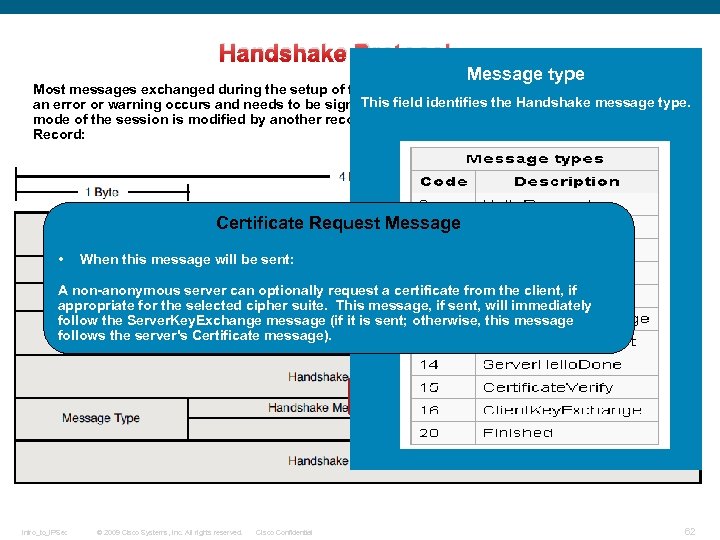 Handshake Protocol: Message type Most messages exchanged during the setup of the TLS session are based on this record, unless This field identifies the Handshake message type. an error or warning occurs and needs to be signaled by an Alert protocol record or the encryption mode of the session is modified by another record. See the following Handshake Protocol Record: Certificate Request Message • When this message will be sent: A non-anonymous server can optionally request a certificate from the client, if appropriate for the selected cipher suite. This message, if sent, will immediately follow the Server. Key. Exchange message (if it is sent; otherwise, this message follows the server's Certificate message). Intro_to_IPSec © 2009 Cisco Systems, Inc. All rights reserved. Cisco Confidential 62
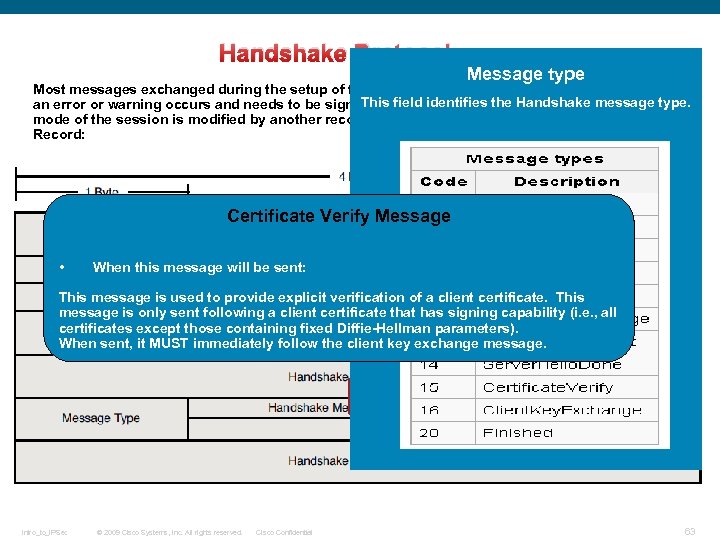 Handshake Protocol: Message type Most messages exchanged during the setup of the TLS session are based on this record, unless This field identifies the Handshake message type. an error or warning occurs and needs to be signaled by an Alert protocol record or the encryption mode of the session is modified by another record. See the following Handshake Protocol Record: Certificate Verify Message • When this message will be sent: This message is used to provide explicit verification of a client certificate. This message is only sent following a client certificate that has signing capability (i. e. , all certificates except those containing fixed Diffie-Hellman parameters). When sent, it MUST immediately follow the client key exchange message. Intro_to_IPSec © 2009 Cisco Systems, Inc. All rights reserved. Cisco Confidential 63
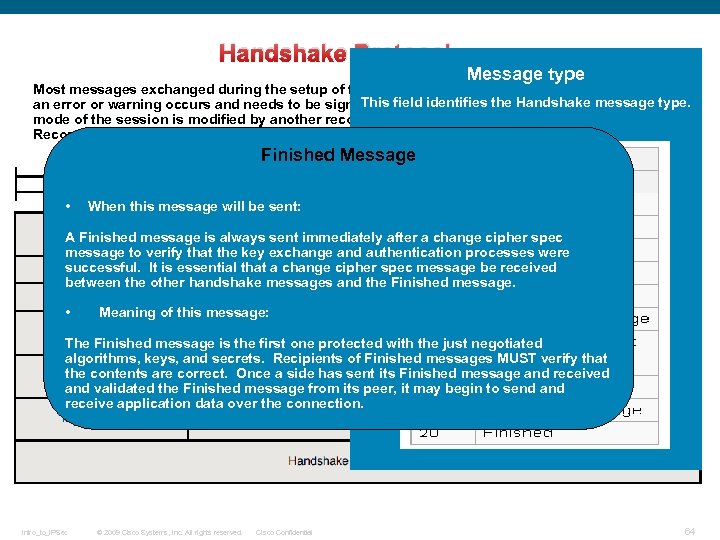 Handshake Protocol: Message type Most messages exchanged during the setup of the TLS session are based on this record, unless This field identifies the Handshake message type. an error or warning occurs and needs to be signaled by an Alert protocol record or the encryption mode of the session is modified by another record. See the following Handshake Protocol Record: Finished Message • When this message will be sent: A Finished message is always sent immediately after a change cipher spec message to verify that the key exchange and authentication processes were successful. It is essential that a change cipher spec message be received between the other handshake messages and the Finished message. • Meaning of this message: The Finished message is the first one protected with the just negotiated algorithms, keys, and secrets. Recipients of Finished messages MUST verify that the contents are correct. Once a side has sent its Finished message and received and validated the Finished message from its peer, it may begin to send and receive application data over the connection. Intro_to_IPSec © 2009 Cisco Systems, Inc. All rights reserved. Cisco Confidential 64
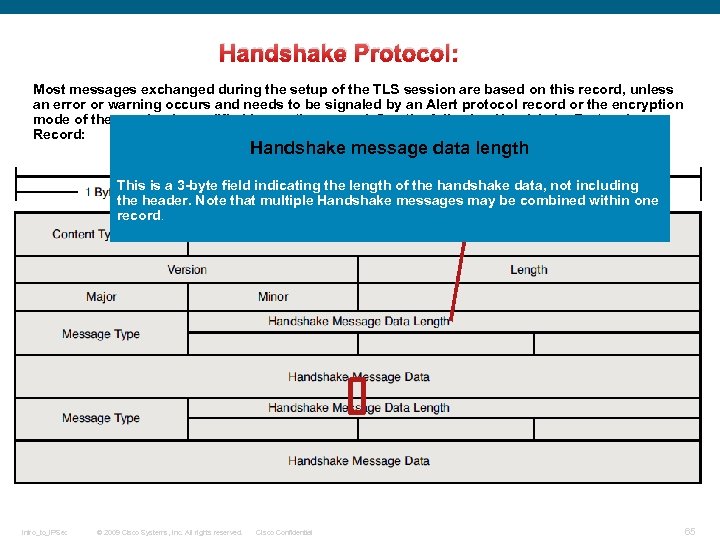 Handshake Protocol: Most messages exchanged during the setup of the TLS session are based on this record, unless an error or warning occurs and needs to be signaled by an Alert protocol record or the encryption mode of the session is modified by another record. See the following Handshake Protocol Record: Handshake message data length This is a 3 -byte field indicating the length of the handshake data, not including the header. Note that multiple Handshake messages may be combined within one record. Intro_to_IPSec © 2009 Cisco Systems, Inc. All rights reserved. Cisco Confidential 65
 Starting now with the Change Ciphers Spec Protocol There are four record types in SSL: q. Handshake (22, 0 x 16) q. Change Cipher Spec (20, 0 x 14) q. Alert (21, 0 x 15) q. Application Data (23, 0 x 17) Intro_to_IPSec © 2009 Cisco Systems, Inc. All rights reserved. Cisco Confidential 66
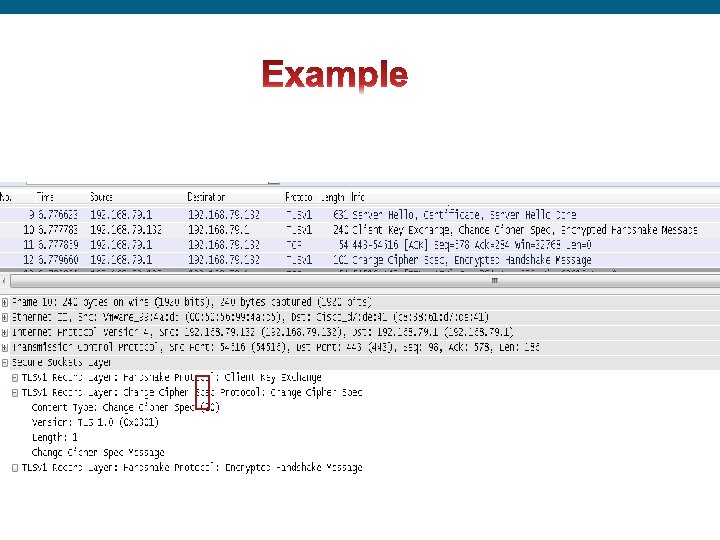
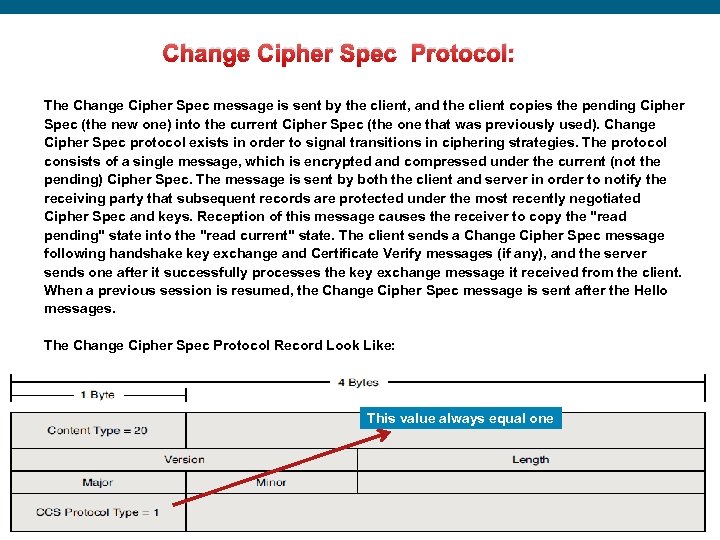 Change Cipher Spec Protocol: The Change Cipher Spec message is sent by the client, and the client copies the pending Cipher Spec (the new one) into the current Cipher Spec (the one that was previously used). Change Cipher Spec protocol exists in order to signal transitions in ciphering strategies. The protocol consists of a single message, which is encrypted and compressed under the current (not the pending) Cipher Spec. The message is sent by both the client and server in order to notify the receiving party that subsequent records are protected under the most recently negotiated Cipher Spec and keys. Reception of this message causes the receiver to copy the "read pending" state into the "read current" state. The client sends a Change Cipher Spec message following handshake key exchange and Certificate Verify messages (if any), and the server sends one after it successfully processes the key exchange message it received from the client. When a previous session is resumed, the Change Cipher Spec message is sent after the Hello messages. The Change Cipher Spec Protocol Record Look Like: This value always equal one Intro_to_IPSec © 2009 Cisco Systems, Inc. All rights reserved. Cisco Confidential 67
 Intro_to_IPSec © 2009 Cisco Systems, Inc. All rights reserved. Cisco Confidential 68
 Starting now with the Alert Protocol There are four record types in SSL: q. Handshake (22, 0 x 16) q. Change Cipher Spec (20, 0 x 14) q. Alert (21, 0 x 15) q. Application Data (23, 0 x 17) Intro_to_IPSec © 2009 Cisco Systems, Inc. All rights reserved. Cisco Confidential 69
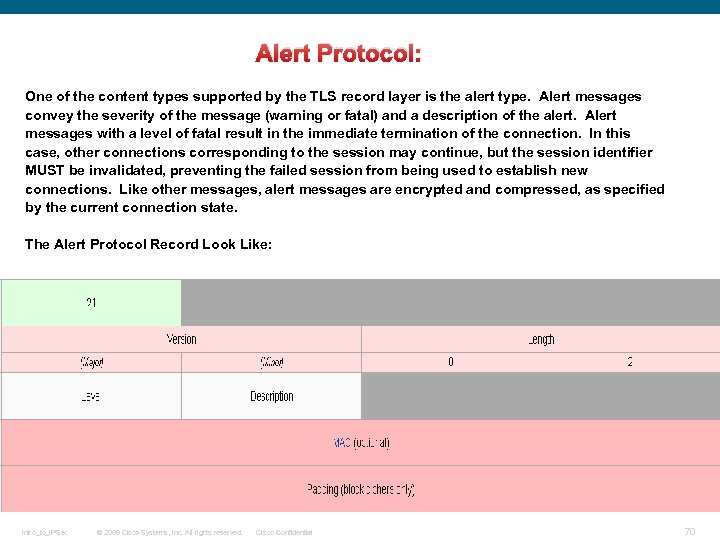 Alert Protocol: One of the content types supported by the TLS record layer is the alert type. Alert messages convey the severity of the message (warning or fatal) and a description of the alert. Alert messages with a level of fatal result in the immediate termination of the connection. In this case, other connections corresponding to the session may continue, but the session identifier MUST be invalidated, preventing the failed session from being used to establish new connections. Like other messages, alert messages are encrypted and compressed, as specified by the current connection state. The Alert Protocol Record Look Like: Intro_to_IPSec © 2009 Cisco Systems, Inc. All rights reserved. Cisco Confidential 70
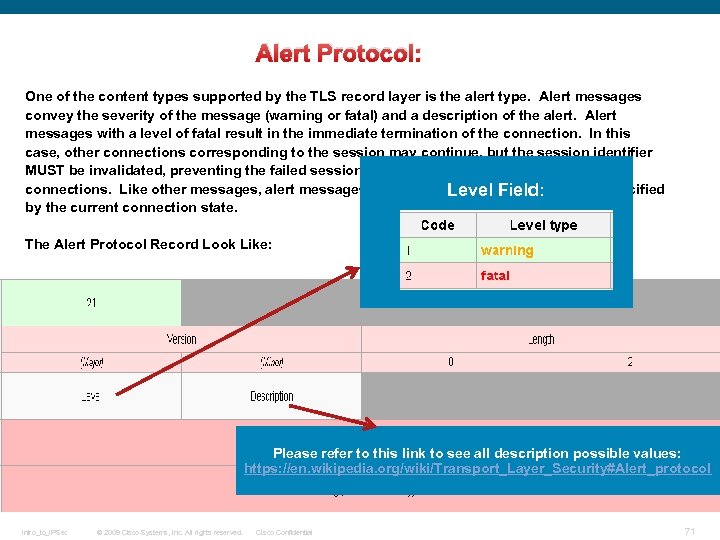 Alert Protocol: One of the content types supported by the TLS record layer is the alert type. Alert messages convey the severity of the message (warning or fatal) and a description of the alert. Alert messages with a level of fatal result in the immediate termination of the connection. In this case, other connections corresponding to the session may continue, but the session identifier MUST be invalidated, preventing the failed session from being used to establish new connections. Like other messages, alert messages are encrypted and compressed, as specified Level Field: by the current connection state. The Alert Protocol Record Look Like: Please refer to this link to see all description possible values: https: //en. wikipedia. org/wiki/Transport_Layer_Security#Alert_protocol Intro_to_IPSec © 2009 Cisco Systems, Inc. All rights reserved. Cisco Confidential 71
 Last one, the application data protocol There are four record types in SSL: q. Handshake (22, 0 x 16) q. Change Cipher Spec (20, 0 x 14) q. Alert (21, 0 x 15) q. Application Data (23, 0 x 17) Intro_to_IPSec © 2009 Cisco Systems, Inc. All rights reserved. Cisco Confidential 72
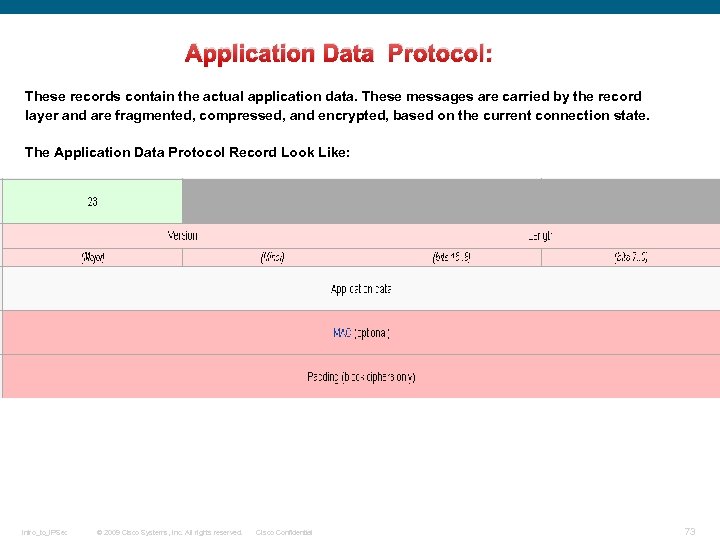 Application Data Protocol: These records contain the actual application data. These messages are carried by the record layer and are fragmented, compressed, and encrypted, based on the current connection state. The Application Data Protocol Record Look Like: Intro_to_IPSec © 2009 Cisco Systems, Inc. All rights reserved. Cisco Confidential 73
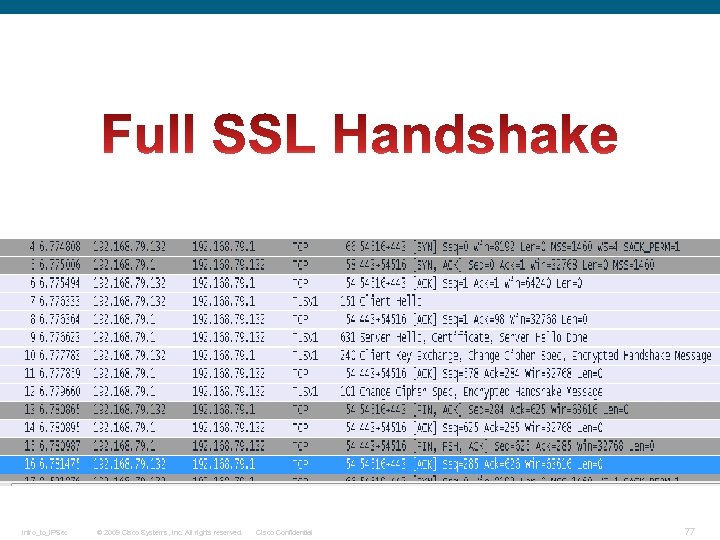
 SSL/TLS Handshake
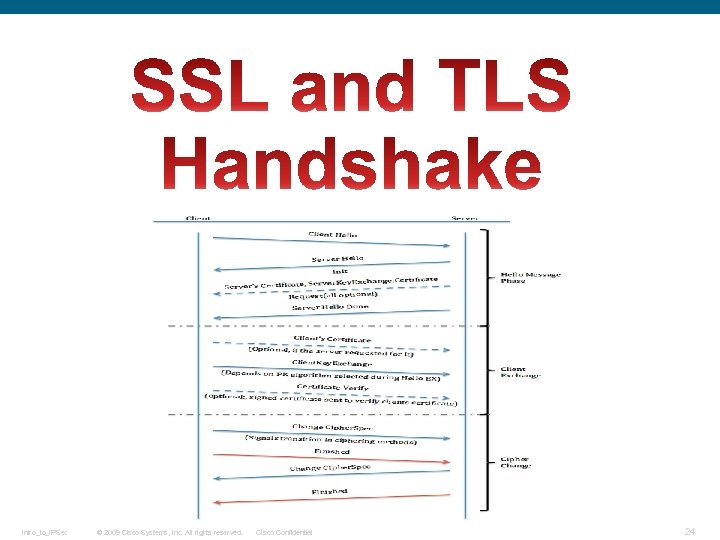
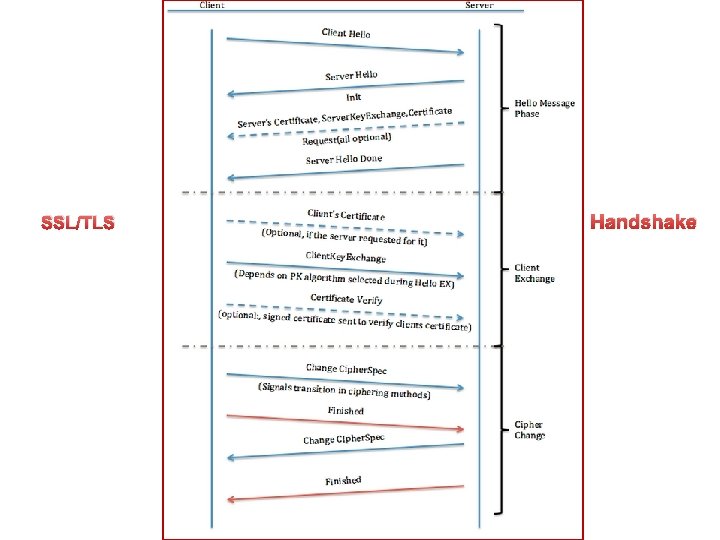
 A simple connection example follows, illustrating a handshake where the server (but not the client) is authenticated by its certificate: 1 - Negotiation phase: • • A client sends a Client. Hello message specifying the highest TLS protocol version it supports, a random number, a list of suggested cipher suites and suggested compression methods. If the client is attempting to perform a resumed handshake, it may send a session ID. The server responds with a Server. Hello message, containing the chosen protocol version, a random number, Cipher. Suite and compression method from the choices offered by the client. To confirm or allow resumed handshakes the server may send a session ID. The chosen protocol version should be the highest that both the client and server support. For example, if the client supports version 1. 1 and the server supports version 1. 2, version 1. 1 should be selected; 1. 0 should not be selected. The server sends its Certificate message (depending on the selected cipher suite, this may be omitted by the server). The server sends its Server. Key. Exchange message (depending on the selected cipher suite, this may be omitted by the server). This message is sent for all DHE and DH_anon ciphersuites. The server sends a Server. Hello. Done message, indicating it is done with handshake negotiation. The client responds with a Client. Key. Exchange message, which may contain a Pre. Master. Secret, public key, or nothing. (Again, this depends on the selected cipher. ) This Pre. Master. Secret is encrypted using the public key of the server certificate. The client and server then use the random numbers and Pre. Master. Secret to compute a common secret, called the "master secret". All other key data for this connection is derived from this master secret (and the client- and server-generated random values), which is passed through a carefully designed pseudorandom function. Intro_to_IPSec © 2009 Cisco Systems, Inc. All rights reserved. Cisco Confidential 75
 2 - The client now sends a Change. Cipher. Spec record, essentially telling the server, "Everything I tell you from now on will be authenticated (and encrypted if encryption parameters were present in the server certificate). " The Change. Cipher. Spec is itself a record-level protocol with content type of 20. • Finally, the client sends an authenticated and encrypted Finished message, containing a hash and MAC over the previous handshake messages. • The server will attempt to decrypt the client's Finished message and verify the hash and MAC. If the decryption or verification fails, the handshake is considered to have failed and the connection should be torn down. 3 - Finally, the server sends a Change. Cipher. Spec, telling the client, "Everything I tell you from now on will be authenticated (and encrypted, if encryption was negotiated). " • The server sends its authenticated and encrypted Finished message. • The client performs the same decryption and verification. 4 - Application phase: at this point, the "handshake" is complete and the application protocol is enabled, with content type of 23. Application messages exchanged between client and server will also be authenticated and optionally encrypted exactly like in their Finished message. Otherwise, the content type will return 25 and the client will not authenticate. You can refer to this link, It is very useful: https: //en. wikipedia. org/wiki/Transport_Layer_Security#TLS_handshake Intro_to_IPSec © 2009 Cisco Systems, Inc. All rights reserved. Cisco Confidential 76
 Intro_to_IPSec © 2009 Cisco Systems, Inc. All rights reserved. Cisco Confidential 77
 https: //en. wikipedia. org/wiki/Transport_Layer_Security#Web_browsers Intro_to_IPSec © 2009 Cisco Systems, Inc. All rights reserved. Cisco Confidential 78
 Intro_to_IPSec © 2009 Cisco Systems, Inc. All rights reserved. Cisco Confidential 79
![TLS [TLS] is the most widely deployed protocol for securing network traffic. It is](https://present5.com/presentation/9393b4498622b45b40c63cc0670f8080/image-80.jpg "TLS [TLS] is the most widely deployed protocol for securing network traffic. It is") TLS [TLS] is the most widely deployed protocol for securing network traffic. It is widely used for protecting Web traffic and for e-mail protocols such as IMAP [IMAP] and POP [POP]. The primary advantage of TLS is that it provides a transparent connection-oriented channel. Thus, it is easy to secure an application protocol by inserting TLS between the application layer and the transport layer. However, TLS must run over a reliable transport channel -- typically TCP [TCP]. It therefore cannot be used to secure unreliable datagram traffic. However, over the past few years an increasing number of application layer protocols have been designed that use UDP transport. In particular protocols such as the Session Initiation Protocol (SIP) [SIP] and electronic gaming protocols are increasingly popular. (Note that SIP can run over both TCP and UDP, but that there are situations in which UDP is preferable). Currently, designers of these applications are faced with a number of unsatisfactory choices. First, they can use IPsec [RFC 2401]. However, for a number of reasons detailed in [WHYIPSEC], this is only suitable for some applications. Second, they can design a custom application layer security protocol. SIP, for instance, uses a subset of S/MIME to secure its traffic. Unfortunately, although application layer security protocols generally provide superior security properties (e. g. , end-to-end security in the case of S/MIME), they typically requires a large amount of effort to design -- in contrast to the relatively small amount of effort required to run the protocol over TLS. In many cases, the most desirable way to secure client/server applications would be to use TLS; however, the requirement for datagram semantics automatically prohibits use of TLS. Thus, a datagram-compatible variant of TLS would be very desirable. This memo describes such a protocol: Datagram Transport Layer Security (DTLS). DTLS is deliberately designed to be as similar to TLS as possible, both to minimize new security invention and to maximize the amount of code and infrastructure reuse. Intro_to_IPSec © 2009 Cisco Systems, Inc. All rights reserved. Cisco Confidential 80
TLS [TLS] is the most widely deployed protocol for securing network traffic. It is widely used for protecting Web traffic and for e-mail protocols such as IMAP [IMAP] and POP [POP]. The primary advantage of TLS is that it provides a transparent connection-oriented channel. Thus, it is easy to secure an application protocol by inserting TLS between the application layer and the transport layer. However, TLS must run over a reliable transport channel -- typically TCP [TCP]. It therefore cannot be used to secure unreliable datagram traffic. However, over the past few years an increasing number of application layer protocols have been designed that use UDP transport. In particular protocols such as the Session Initiation Protocol (SIP) [SIP] and electronic gaming protocols are increasingly popular. (Note that SIP can run over both TCP and UDP, but that there are situations in which UDP is preferable). Currently, designers of these applications are faced with a number of unsatisfactory choices. First, they can use IPsec [RFC 2401]. However, for a number of reasons detailed in [WHYIPSEC], this is only suitable for some applications. Second, they can design a custom application layer security protocol. SIP, for instance, uses a subset of S/MIME to secure its traffic. Unfortunately, although application layer security protocols generally provide superior security properties (e. g. , end-to-end security in the case of S/MIME), they typically requires a large amount of effort to design -- in contrast to the relatively small amount of effort required to run the protocol over TLS. In many cases, the most desirable way to secure client/server applications would be to use TLS; however, the requirement for datagram semantics automatically prohibits use of TLS. Thus, a datagram-compatible variant of TLS would be very desirable. This memo describes such a protocol: Datagram Transport Layer Security (DTLS). DTLS is deliberately designed to be as similar to TLS as possible, both to minimize new security invention and to maximize the amount of code and infrastructure reuse. Intro_to_IPSec © 2009 Cisco Systems, Inc. All rights reserved. Cisco Confidential 80
 Differences from TLS DTLS is intentionally very similar to TLS. Therefore, instead of presenting DTLS as a new protocol, we present it as a series of deltas from TLS 1. 1. Where we do not explicitly call out differences, DTLS is the same as in. The DTLS Handshake Protocol DTLS uses all of the same handshake messages and flows as TLS, with three principal changes: 1. A stateless cookie exchange has been added to prevent denial of service attacks. 2. Modifications to the handshake header to handle message loss, reordering, and fragmentation. 3. Retransmission timers to handle message loss. With these exceptions, the DTLS message formats, flows, and logic are the same as those of TLS 1. 1. For more, please refer to: http: //tools. ietf. org/html/rfc 4347#section-4. 2 Intro_to_IPSec © 2009 Cisco Systems, Inc. All rights reserved. Cisco Confidential 81
 ASA and SSL/TLS Intro_to_IPSec © 2009 Cisco Systems, Inc. All rights reserved. Cisco Confidential 82
 Intro_to_IPSec © 2009 Cisco Systems, Inc. All rights reserved. Cisco Confidential 83
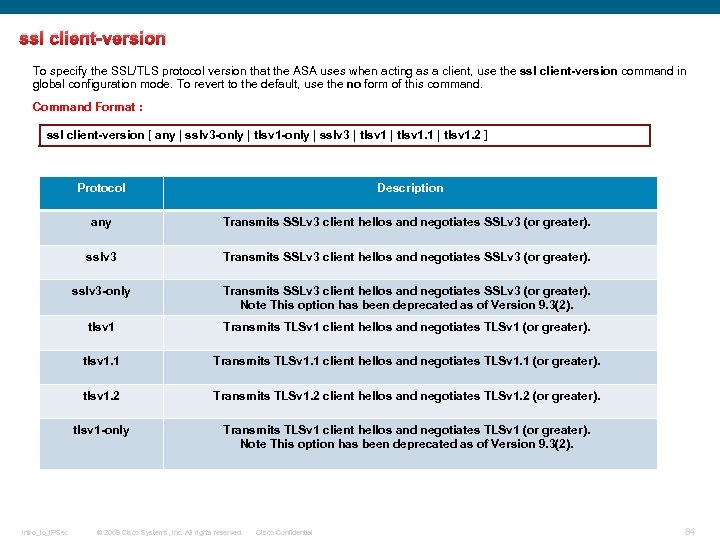 ssl client-version To specify the SSL/TLS protocol version that the ASA uses when acting as a client, use the ssl client-version command in global configuration mode. To revert to the default, use the no form of this command. Command Format : ssl client-version [ any | sslv 3 -only | tlsv 1 -only | sslv 3 | tlsv 1. 1 | tlsv 1. 2 ] Protocol any Transmits SSLv 3 client hellos and negotiates SSLv 3 (or greater). sslv 3 -only Transmits SSLv 3 client hellos and negotiates SSLv 3 (or greater). Note This option has been deprecated as of Version 9. 3(2). tlsv 1 Transmits TLSv 1 client hellos and negotiates TLSv 1 (or greater). tlsv 1. 1 Transmits TLSv 1. 1 client hellos and negotiates TLSv 1. 1 (or greater). tlsv 1. 2 Transmits TLSv 1. 2 client hellos and negotiates TLSv 1. 2 (or greater). tlsv 1 -only Intro_to_IPSec Description Transmits TLSv 1 client hellos and negotiates TLSv 1 (or greater). Note This option has been deprecated as of Version 9. 3(2). © 2009 Cisco Systems, Inc. All rights reserved. Cisco Confidential 84
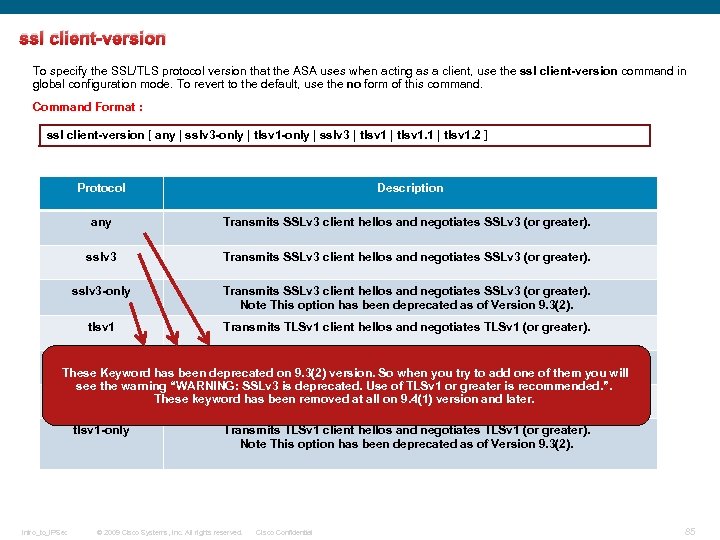 ssl client-version To specify the SSL/TLS protocol version that the ASA uses when acting as a client, use the ssl client-version command in global configuration mode. To revert to the default, use the no form of this command. Command Format : ssl client-version [ any | sslv 3 -only | tlsv 1 -only | sslv 3 | tlsv 1. 1 | tlsv 1. 2 ] Protocol Description any Transmits SSLv 3 client hellos and negotiates SSLv 3 (or greater). sslv 3 -only Transmits SSLv 3 client hellos and negotiates SSLv 3 (or greater). Note This option has been deprecated as of Version 9. 3(2). tlsv 1 Transmits TLSv 1 client hellos and negotiates TLSv 1 (or greater). tlsv 1. 1 Transmits TLSv 1. 1 client hellos and negotiates TLSv 1. 1 (or greater). These Keyword has been deprecated on 9. 3(2) version. So when you try to add one of them you will see the warning “WARNING: SSLv 3 is deprecated. Use of TLSv 1 or greater is recommended. ”. tlsv 1. 2 Transmits TLSv 1. 2 client hellos and negotiates TLSv 1. 2 (or greater). These keyword has been removed at all on 9. 4(1) version and later. tlsv 1 -only Intro_to_IPSec Transmits TLSv 1 client hellos and negotiates TLSv 1 (or greater). Note This option has been deprecated as of Version 9. 3(2). © 2009 Cisco Systems, Inc. All rights reserved. Cisco Confidential 85
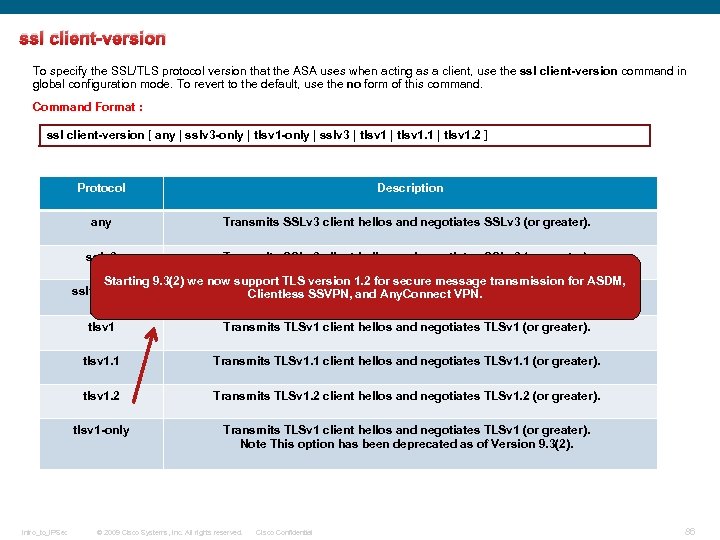 ssl client-version To specify the SSL/TLS protocol version that the ASA uses when acting as a client, use the ssl client-version command in global configuration mode. To revert to the default, use the no form of this command. Command Format : ssl client-version [ any | sslv 3 -only | tlsv 1 -only | sslv 3 | tlsv 1. 1 | tlsv 1. 2 ] Protocol Description any Transmits SSLv 3 client hellos and negotiates SSLv 3 (or greater). sslv 3 Transmits SSLv 3 client hellos and negotiates SSLv 3 (or greater). Starting 9. 3(2) we now support TLS version 1. 2 for secure message transmission for ASDM, sslv 3 -only Transmits SSLv 3 client hellos and negotiates SSLv 3 (or greater). Clientless SSVPN, and Any. Connect VPN. Note This option has been deprecated as of Version 9. 3(2). tlsv 1. 1 Transmits TLSv 1. 1 client hellos and negotiates TLSv 1. 1 (or greater). tlsv 1. 2 Transmits TLSv 1. 2 client hellos and negotiates TLSv 1. 2 (or greater). tlsv 1 -only Intro_to_IPSec Transmits TLSv 1 client hellos and negotiates TLSv 1 (or greater). Note This option has been deprecated as of Version 9. 3(2). © 2009 Cisco Systems, Inc. All rights reserved. Cisco Confidential 86
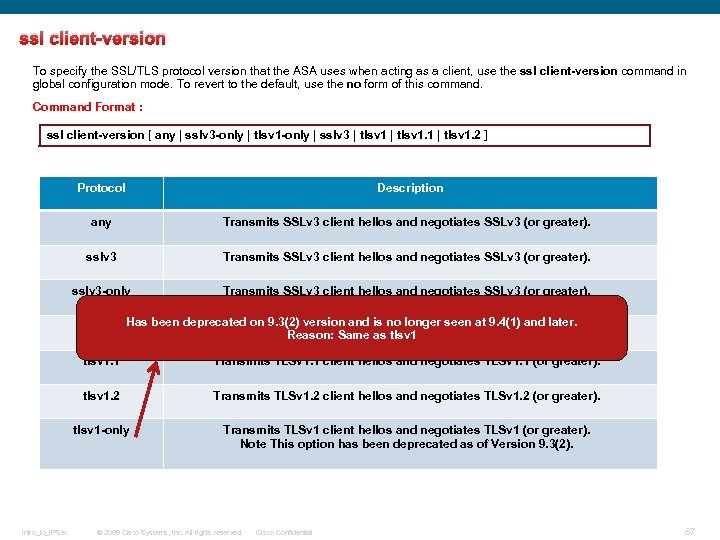 ssl client-version To specify the SSL/TLS protocol version that the ASA uses when acting as a client, use the ssl client-version command in global configuration mode. To revert to the default, use the no form of this command. Command Format : ssl client-version [ any | sslv 3 -only | tlsv 1 -only | sslv 3 | tlsv 1. 1 | tlsv 1. 2 ] Protocol Description any Transmits SSLv 3 client hellos and negotiates SSLv 3 (or greater). sslv 3 -only Transmits SSLv 3 client hellos and negotiates SSLv 3 (or greater). Note This option has been deprecated as of Version 9. 3(2). tlsv 1 Has been deprecated on 9. 3(2) version and is no longer seen at 9. 4(1) and later. Transmits TLSv 1 client hellos and negotiates TLSv 1 (or greater). Reason: Same as tlsv 1. 1 tlsv 1. 2 Transmits TLSv 1. 2 client hellos and negotiates TLSv 1. 2 (or greater). tlsv 1 -only Intro_to_IPSec Transmits TLSv 1. 1 client hellos and negotiates TLSv 1. 1 (or greater). Transmits TLSv 1 client hellos and negotiates TLSv 1 (or greater). Note This option has been deprecated as of Version 9. 3(2). © 2009 Cisco Systems, Inc. All rights reserved. Cisco Confidential 87
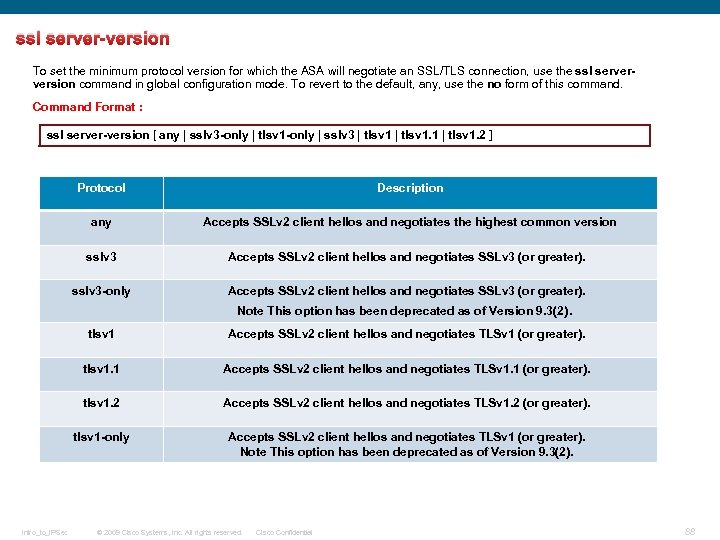 ssl server-version To set the minimum protocol version for which the ASA will negotiate an SSL/TLS connection, use the ssl serverversion command in global configuration mode. To revert to the default, any, use the no form of this command. Command Format : ssl server-version [ any | sslv 3 -only | tlsv 1 -only | sslv 3 | tlsv 1. 1 | tlsv 1. 2 ] Protocol Description any Accepts SSLv 2 client hellos and negotiates the highest common version sslv 3 Accepts SSLv 2 client hellos and negotiates SSLv 3 (or greater). sslv 3 -only Accepts SSLv 2 client hellos and negotiates SSLv 3 (or greater). Note This option has been deprecated as of Version 9. 3(2). tlsv 1. 1 Accepts SSLv 2 client hellos and negotiates TLSv 1. 1 (or greater). tlsv 1. 2 Accepts SSLv 2 client hellos and negotiates TLSv 1. 2 (or greater). tlsv 1 -only Intro_to_IPSec Accepts SSLv 2 client hellos and negotiates TLSv 1 (or greater). Note This option has been deprecated as of Version 9. 3(2). © 2009 Cisco Systems, Inc. All rights reserved. Cisco Confidential 88
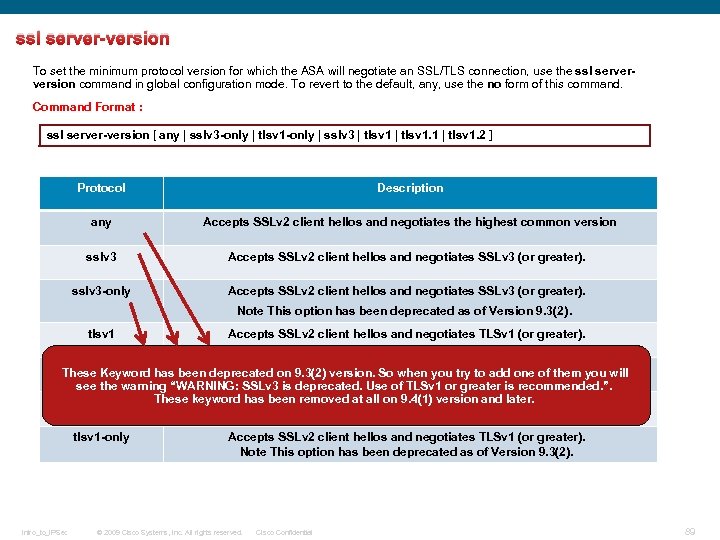 ssl server-version To set the minimum protocol version for which the ASA will negotiate an SSL/TLS connection, use the ssl serverversion command in global configuration mode. To revert to the default, any, use the no form of this command. Command Format : ssl server-version [ any | sslv 3 -only | tlsv 1 -only | sslv 3 | tlsv 1. 1 | tlsv 1. 2 ] Protocol Description any Accepts SSLv 2 client hellos and negotiates the highest common version sslv 3 Accepts SSLv 2 client hellos and negotiates SSLv 3 (or greater). sslv 3 -only Accepts SSLv 2 client hellos and negotiates SSLv 3 (or greater). Note This option has been deprecated as of Version 9. 3(2). tlsv 1 Accepts SSLv 2 client hellos and negotiates TLSv 1 (or greater). tlsv 1. 1 Accepts SSLv 2 client hellos and negotiates TLSv 1. 1 (or greater). These Keyword has been deprecated on 9. 3(2) version. So when you try to add one of them you will see the warning “WARNING: SSLv 3 is deprecated. Use of TLSv 1 or greater is recommended. ”. These keyword has been removed at all on 9. 4(1) version and later. tlsv 1. 2 Accepts SSLv 2 client hellos and negotiates TLSv 1. 2 (or greater). tlsv 1 -only Intro_to_IPSec Accepts SSLv 2 client hellos and negotiates TLSv 1 (or greater). Note This option has been deprecated as of Version 9. 3(2). © 2009 Cisco Systems, Inc. All rights reserved. Cisco Confidential 89
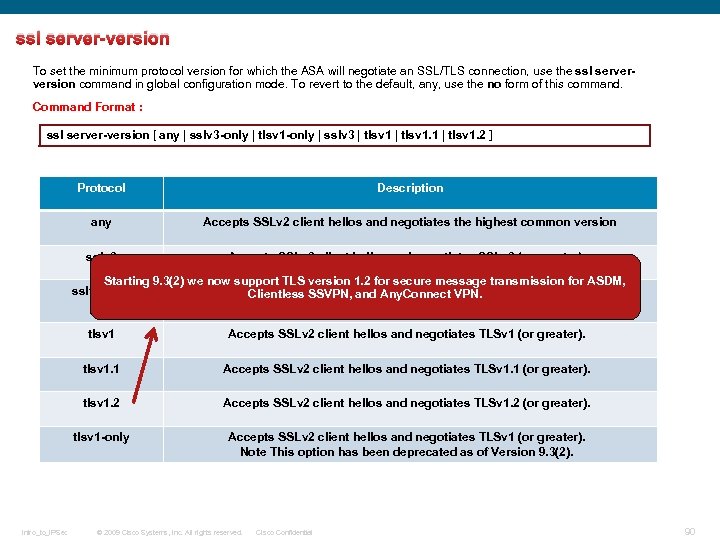 ssl server-version To set the minimum protocol version for which the ASA will negotiate an SSL/TLS connection, use the ssl serverversion command in global configuration mode. To revert to the default, any, use the no form of this command. Command Format : ssl server-version [ any | sslv 3 -only | tlsv 1 -only | sslv 3 | tlsv 1. 1 | tlsv 1. 2 ] Protocol Description any Accepts SSLv 2 client hellos and negotiates the highest common version sslv 3 Accepts SSLv 2 client hellos and negotiates SSLv 3 (or greater). Starting 9. 3(2) we now support TLS version 1. 2 for secure message transmission for ASDM, sslv 3 -only Accepts SSLv 2 client hellos and negotiates SSLv 3 (or greater). Clientless SSVPN, and Any. Connect VPN. Note This option has been deprecated as of Version 9. 3(2). tlsv 1. 1 Accepts SSLv 2 client hellos and negotiates TLSv 1. 1 (or greater). tlsv 1. 2 Accepts SSLv 2 client hellos and negotiates TLSv 1. 2 (or greater). tlsv 1 -only Intro_to_IPSec Accepts SSLv 2 client hellos and negotiates TLSv 1 (or greater). Note This option has been deprecated as of Version 9. 3(2). © 2009 Cisco Systems, Inc. All rights reserved. Cisco Confidential 90
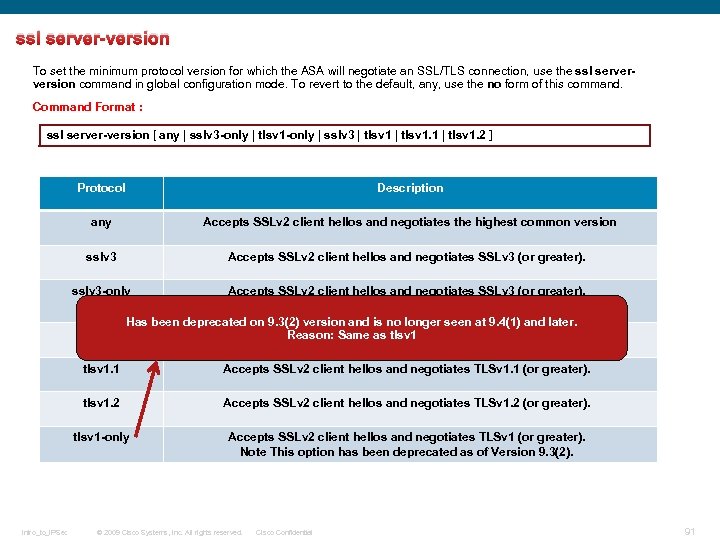 ssl server-version To set the minimum protocol version for which the ASA will negotiate an SSL/TLS connection, use the ssl serverversion command in global configuration mode. To revert to the default, any, use the no form of this command. Command Format : ssl server-version [ any | sslv 3 -only | tlsv 1 -only | sslv 3 | tlsv 1. 1 | tlsv 1. 2 ] Protocol Description any Accepts SSLv 2 client hellos and negotiates the highest common version sslv 3 Accepts SSLv 2 client hellos and negotiates SSLv 3 (or greater). sslv 3 -only Accepts SSLv 2 client hellos and negotiates SSLv 3 (or greater). Note This option has been deprecated as of Version 9. 3(2). Has been deprecated on 9. 3(2) version and is no longer seen at 9. 4(1) and later. tlsv 1 Accepts SSLv 2 client hellos and negotiates TLSv 1 (or greater). Reason: Same as tlsv 1. 1 tlsv 1. 2 Accepts SSLv 2 client hellos and negotiates TLSv 1. 2 (or greater). tlsv 1 -only Intro_to_IPSec Accepts SSLv 2 client hellos and negotiates TLSv 1. 1 (or greater). Accepts SSLv 2 client hellos and negotiates TLSv 1 (or greater). Note This option has been deprecated as of Version 9. 3(2). © 2009 Cisco Systems, Inc. All rights reserved. Cisco Confidential 91
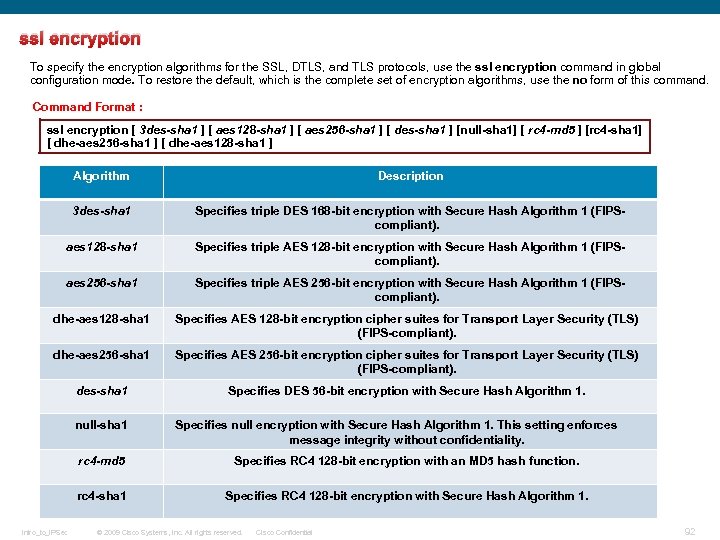 ssl encryption To specify the encryption algorithms for the SSL, DTLS, and TLS protocols, use the ssl encryption command in global configuration mode. To restore the default, which is the complete set of encryption algorithms, use the no form of this command. Command Format : ssl encryption [ 3 des-sha 1 ] [ aes 128 -sha 1 ] [ aes 256 -sha 1 ] [ des-sha 1 ] [null-sha 1] [ rc 4 -md 5 ] [rc 4 -sha 1] [ dhe-aes 256 -sha 1 ] [ dhe-aes 128 -sha 1 ] Algorithm Description 3 des-sha 1 Specifies triple DES 168 -bit encryption with Secure Hash Algorithm 1 (FIPScompliant). aes 128 -sha 1 Specifies triple AES 128 -bit encryption with Secure Hash Algorithm 1 (FIPScompliant). aes 256 -sha 1 Specifies triple AES 256 -bit encryption with Secure Hash Algorithm 1 (FIPScompliant). dhe-aes 128 -sha 1 Specifies AES 128 -bit encryption cipher suites for Transport Layer Security (TLS) (FIPS-compliant). dhe-aes 256 -sha 1 Specifies AES 256 -bit encryption cipher suites for Transport Layer Security (TLS) (FIPS-compliant). des-sha 1 Specifies DES 56 -bit encryption with Secure Hash Algorithm 1. null-sha 1 Specifies null encryption with Secure Hash Algorithm 1. This setting enforces message integrity without confidentiality. rc 4 -md 5 rc 4 -sha 1 Intro_to_IPSec Specifies RC 4 128 -bit encryption with an MD 5 hash function. Specifies RC 4 128 -bit encryption with Secure Hash Algorithm 1. © 2009 Cisco Systems, Inc. All rights reserved. Cisco Confidential 92
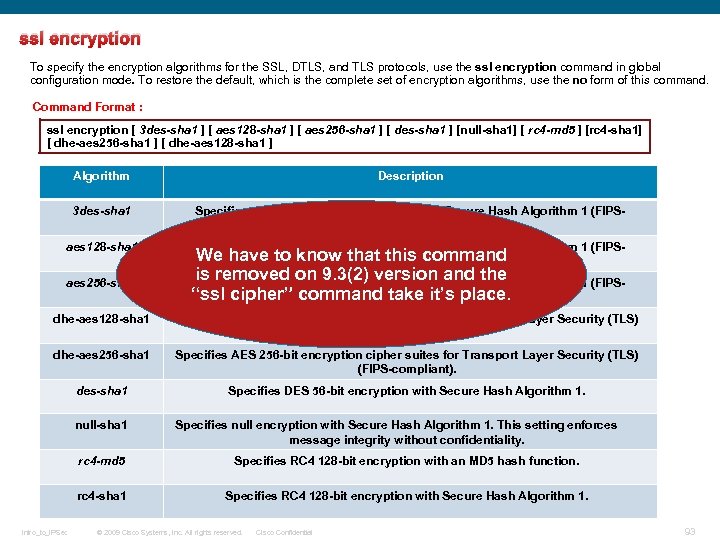 ssl encryption To specify the encryption algorithms for the SSL, DTLS, and TLS protocols, use the ssl encryption command in global configuration mode. To restore the default, which is the complete set of encryption algorithms, use the no form of this command. Command Format : ssl encryption [ 3 des-sha 1 ] [ aes 128 -sha 1 ] [ aes 256 -sha 1 ] [ des-sha 1 ] [null-sha 1] [ rc 4 -md 5 ] [rc 4 -sha 1] [ dhe-aes 256 -sha 1 ] [ dhe-aes 128 -sha 1 ] Algorithm Description 3 des-sha 1 Specifies triple DES 168 -bit encryption with Secure Hash Algorithm 1 (FIPScompliant). aes 128 -sha 1 Specifies triple AES 128 -bit encryption with Secure Hash Algorithm 1 (FIPSWe have to know that this command compliant). aes 256 -sha 1 Specifies triple AES 256 -bit encryption with Secure Hash Algorithm 1 (FIPS“ssl cipher” command take it’s place. compliant). dhe-aes 128 -sha 1 Specifies AES 128 -bit encryption cipher suites for Transport Layer Security (TLS) (FIPS-compliant). dhe-aes 256 -sha 1 Specifies AES 256 -bit encryption cipher suites for Transport Layer Security (TLS) (FIPS-compliant). des-sha 1 Specifies DES 56 -bit encryption with Secure Hash Algorithm 1. null-sha 1 is removed on 9. 3(2) version and the Specifies null encryption with Secure Hash Algorithm 1. This setting enforces message integrity without confidentiality. rc 4 -md 5 rc 4 -sha 1 Intro_to_IPSec Specifies RC 4 128 -bit encryption with an MD 5 hash function. Specifies RC 4 128 -bit encryption with Secure Hash Algorithm 1. © 2009 Cisco Systems, Inc. All rights reserved. Cisco Confidential 93
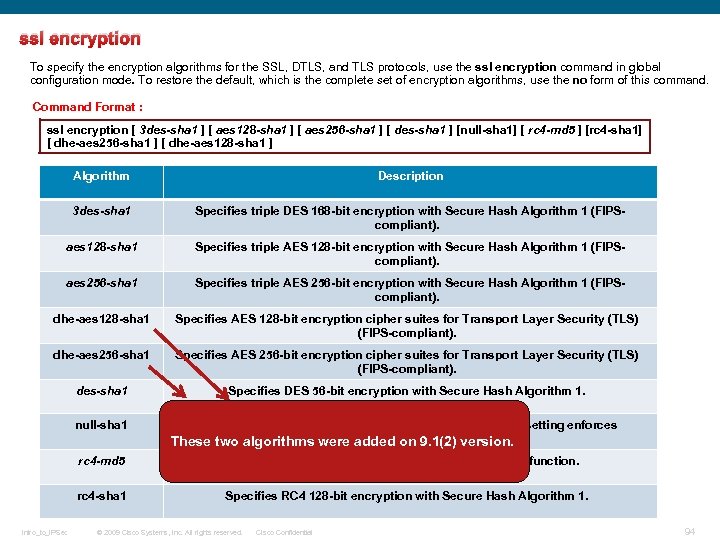 ssl encryption To specify the encryption algorithms for the SSL, DTLS, and TLS protocols, use the ssl encryption command in global configuration mode. To restore the default, which is the complete set of encryption algorithms, use the no form of this command. Command Format : ssl encryption [ 3 des-sha 1 ] [ aes 128 -sha 1 ] [ aes 256 -sha 1 ] [ des-sha 1 ] [null-sha 1] [ rc 4 -md 5 ] [rc 4 -sha 1] [ dhe-aes 256 -sha 1 ] [ dhe-aes 128 -sha 1 ] Algorithm Description 3 des-sha 1 Specifies triple DES 168 -bit encryption with Secure Hash Algorithm 1 (FIPScompliant). aes 128 -sha 1 Specifies triple AES 128 -bit encryption with Secure Hash Algorithm 1 (FIPScompliant). aes 256 -sha 1 Specifies triple AES 256 -bit encryption with Secure Hash Algorithm 1 (FIPScompliant). dhe-aes 128 -sha 1 Specifies AES 128 -bit encryption cipher suites for Transport Layer Security (TLS) (FIPS-compliant). dhe-aes 256 -sha 1 Specifies AES 256 -bit encryption cipher suites for Transport Layer Security (TLS) (FIPS-compliant). des-sha 1 Specifies DES 56 -bit encryption with Secure Hash Algorithm 1. null-sha 1 Specifies null encryption with Secure Hash Algorithm 1. This setting enforces message integrity without confidentiality. These two algorithms were added on 9. 1(2) version. rc 4 -md 5 rc 4 -sha 1 Intro_to_IPSec Specifies RC 4 128 -bit encryption with an MD 5 hash function. Specifies RC 4 128 -bit encryption with Secure Hash Algorithm 1. © 2009 Cisco Systems, Inc. All rights reserved. Cisco Confidential 94
 ssl encryption To specify the encryption algorithms for the SSL, DTLS, and TLS protocols, use the ssl encryption command in global configuration mode. To restore the default, which is the complete set of encryption algorithms, use the no form of this command. Command Format : ssl encryption [ 3 des-sha 1 ] [ aes 128 -sha 1 ] [ aes 256 -sha 1 ] [ des-sha 1 ] [null-sha 1] [ rc 4 -md 5 ] [rc 4 -sha 1] [ dhe-aes 256 -sha 1 ] [ dhe-aes 128 -sha 1 ] Algorithm Description 3 des-sha 1 Specifies triple DES 168 -bit encryption with Secure Hash Algorithm 1 (FIPScompliant). aes 128 -sha 1 Specifies triple AES 128 -bit encryption with Secure Hash Algorithm 1 (FIPScompliant). By default, the SSL encryption list on the ASA contains these algorithms in Specifies triple AES 256 -bit encryption with Secure Hash Algorithm 1 (FIPSthe following order: compliant). 1. RC 4 -SHA 1 Specifies AES 128 -bit encryption cipher suites for Transport Layer Security (TLS) 2. AES 128 -SHA 1 (FIPS-compliant). 3. AES 256 -SHA 1 (FIPS-compliant) 4. 3 DES-SHA 1 (FIPS-compliant) Specifies AES 256 -bit encryption cipher suites for Transport Layer Security (TLS) 5. DHE-AES 256 -SHA 1 (FIPS-compliant). 6. DHE-AES 128 -SHA 1 (FIPS-compliant) Specifies DES 56 -bit encryption with Secure Hash Algorithm 1. aes 256 -sha 1 dhe-aes 128 -sha 1 dhe-aes 256 -sha 1 des-sha 1 null-sha 1 Specifies null encryption with Secure Hash Algorithm 1. This setting enforces message integrity without confidentiality. rc 4 -md 5 rc 4 -sha 1 Intro_to_IPSec Specifies RC 4 128 -bit encryption with an MD 5 hash function. Specifies RC 4 128 -bit encryption with Secure Hash Algorithm 1. © 2009 Cisco Systems, Inc. All rights reserved. Cisco Confidential 95
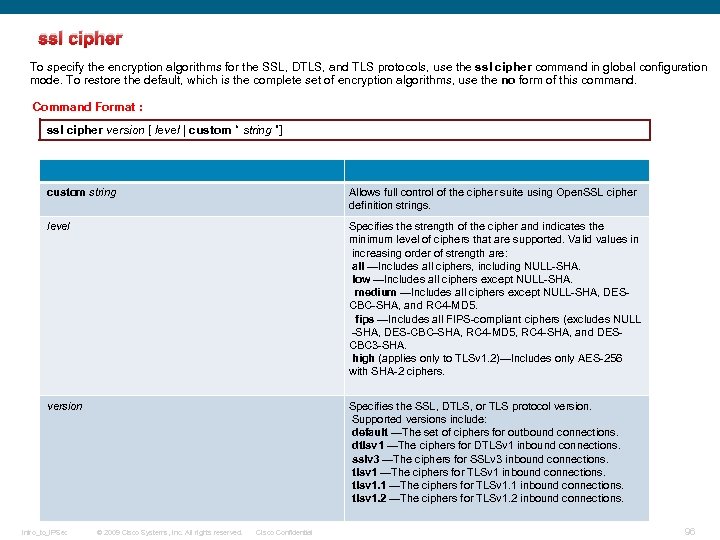 ssl cipher To specify the encryption algorithms for the SSL, DTLS, and TLS protocols, use the ssl cipher command in global configuration mode. To restore the default, which is the complete set of encryption algorithms, use the no form of this command. Command Format : ssl cipher version [ level | custom “ string ”] custom string Allows full control of the cipher suite using Open. SSL cipher definition strings. level Specifies the strength of the cipher and indicates the minimum level of ciphers that are supported. Valid values in increasing order of strength are: all —Includes all ciphers, including NULL-SHA. low —Includes all ciphers except NULL-SHA. medium —Includes all ciphers except NULL-SHA, DESCBC-SHA, and RC 4 -MD 5. fips —Includes all FIPS-compliant ciphers (excludes NULL -SHA, DES-CBC-SHA, RC 4 -MD 5, RC 4 -SHA, and DESCBC 3 -SHA. high (applies only to TLSv 1. 2)—Includes only AES-256 with SHA-2 ciphers. version Specifies the SSL, DTLS, or TLS protocol version. Supported versions include: default —The set of ciphers for outbound connections. dtlsv 1 —The ciphers for DTLSv 1 inbound connections. sslv 3 —The ciphers for SSLv 3 inbound connections. tlsv 1 —The ciphers for TLSv 1 inbound connections. tlsv 1. 1 —The ciphers for TLSv 1. 1 inbound connections. tlsv 1. 2 —The ciphers for TLSv 1. 2 inbound connections. Intro_to_IPSec © 2009 Cisco Systems, Inc. All rights reserved. Cisco Confidential 96
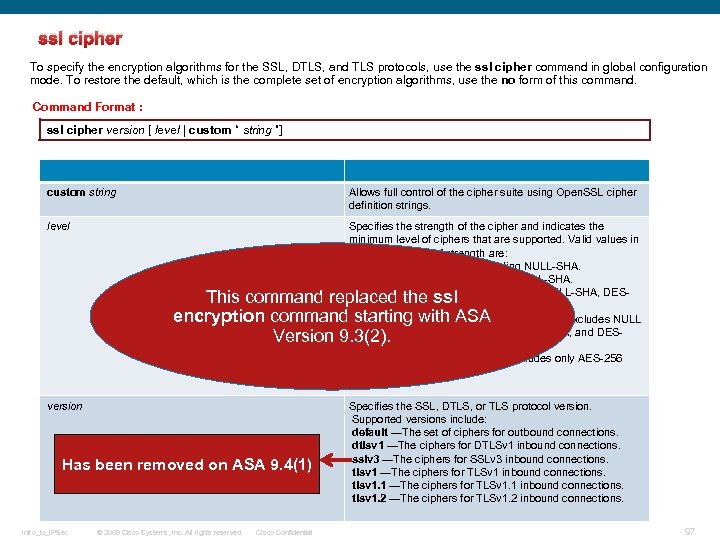 ssl cipher To specify the encryption algorithms for the SSL, DTLS, and TLS protocols, use the ssl cipher command in global configuration mode. To restore the default, which is the complete set of encryption algorithms, use the no form of this command. Command Format : ssl cipher version [ level | custom “ string ”] custom string Allows full control of the cipher suite using Open. SSL cipher definition strings. level Specifies the strength of the cipher and indicates the minimum level of ciphers that are supported. Valid values in increasing order of strength are: all —Includes all ciphers, including NULL-SHA. low —Includes all ciphers except NULL-SHA. medium —Includes all ciphers except NULL-SHA, DESCBC-SHA, and RC 4 -MD 5. fips —Includes all FIPS-compliant ciphers (excludes NULL -SHA, DES-CBC-SHA, RC 4 -MD 5, RC 4 -SHA, and DESCBC 3 -SHA. high (applies only to TLSv 1. 2)—Includes only AES-256 with SHA-2 ciphers. This command replaced the ssl encryption command starting with ASA Version 9. 3(2). version Has been removed on ASA 9. 4(1) Intro_to_IPSec © 2009 Cisco Systems, Inc. All rights reserved. Cisco Confidential Specifies the SSL, DTLS, or TLS protocol version. Supported versions include: default —The set of ciphers for outbound connections. dtlsv 1 —The ciphers for DTLSv 1 inbound connections. sslv 3 —The ciphers for SSLv 3 inbound connections. tlsv 1 —The ciphers for TLSv 1 inbound connections. tlsv 1. 1 —The ciphers for TLSv 1. 1 inbound connections. tlsv 1. 2 —The ciphers for TLSv 1. 2 inbound connections. 97
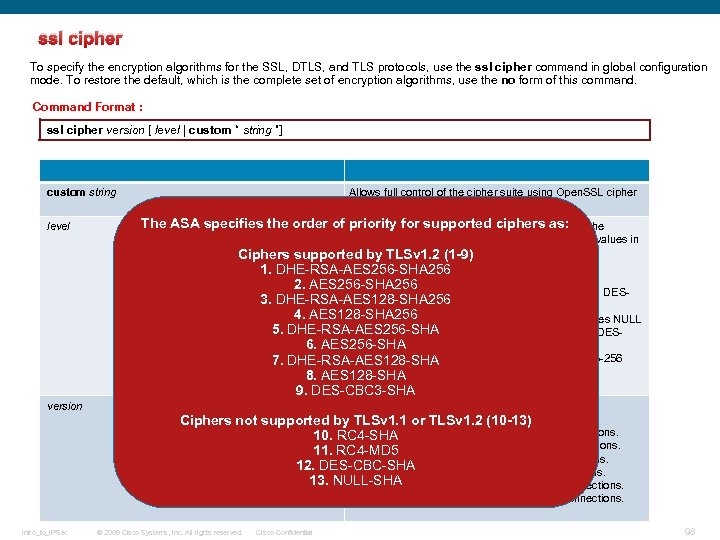 ssl cipher To specify the encryption algorithms for the SSL, DTLS, and TLS protocols, use the ssl cipher command in global configuration mode. To restore the default, which is the complete set of encryption algorithms, use the no form of this command. Command Format : ssl cipher version [ level | custom “ string ”] custom string level Allows full control of the cipher suite using Open. SSL cipher definition strings. The ASA specifies the order of priority for supported ciphers as: Specifies the strength of the cipher and indicates the minimum level of ciphers that are supported. Valid values in increasing order of strength are: Ciphers supported by TLSv 1. 2 (1 -9) all —Includes all ciphers, including NULL-SHA. 1. DHE-RSA-AES 256 -SHA 256 low —Includes all ciphers except NULL-SHA. 2. AES 256 -SHA 256 medium —Includes all ciphers except NULL-SHA, DES 3. DHE-RSA-AES 128 -SHA 256 CBC-SHA, and RC 4 -MD 5. 4. AES 128 -SHA 256 fips —Includes all FIPS-compliant ciphers (excludes NULL 5. DHE-RSA-AES 256 -SHA, DES-CBC-SHA, RC 4 -MD 5, RC 4 -SHA, and DESCBC 3 -SHA. 6. AES 256 -SHA high (applies only to TLSv 1. 2)—Includes only AES-256 7. DHE-RSA-AES 128 -SHA with SHA-2 ciphers. 8. AES 128 -SHA 9. DES-CBC 3 -SHA version Intro_to_IPSec Specifies the SSL, DTLS, or TLS protocol version. Supported versions include: Ciphers not supported by TLSv 1. 1 or TLSv 1. 2 (10 -13) default —The set of ciphers for outbound connections. 10. RC 4 -SHA dtlsv 1 —The ciphers for DTLSv 1 inbound connections. 11. RC 4 -MD 5 sslv 3 —The ciphers for SSLv 3 inbound connections. 12. DES-CBC-SHA tlsv 1 —The ciphers for TLSv 1 inbound connections. 13. NULL-SHA tlsv 1. 1 —The ciphers for TLSv 1. 1 inbound connections. tlsv 1. 2 —The ciphers for TLSv 1. 2 inbound connections. © 2009 Cisco Systems, Inc. All rights reserved. Cisco Confidential 98
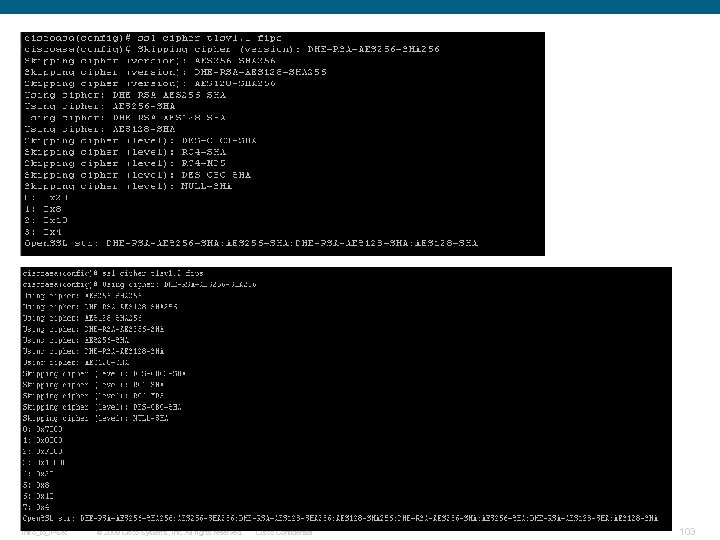
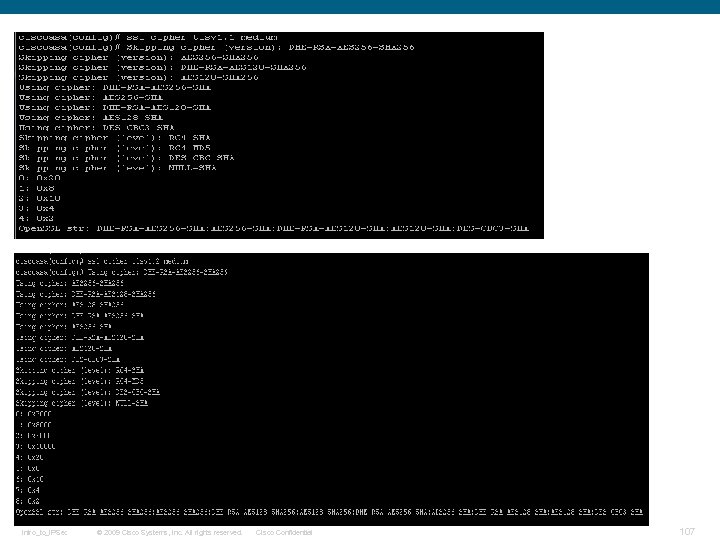
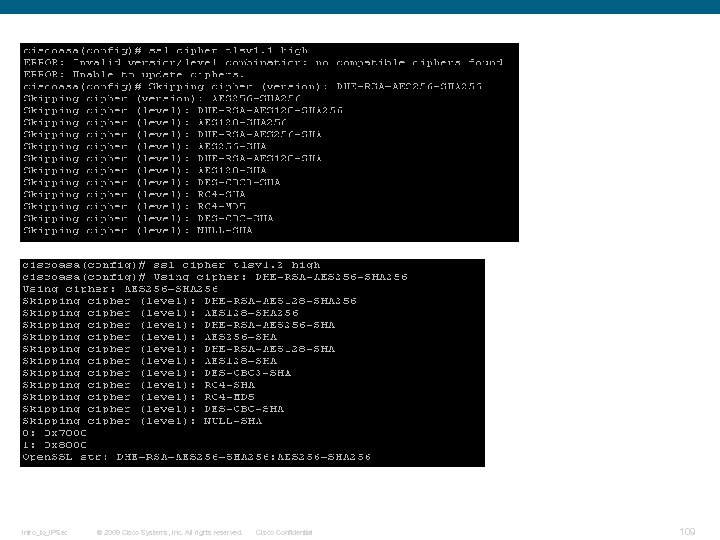
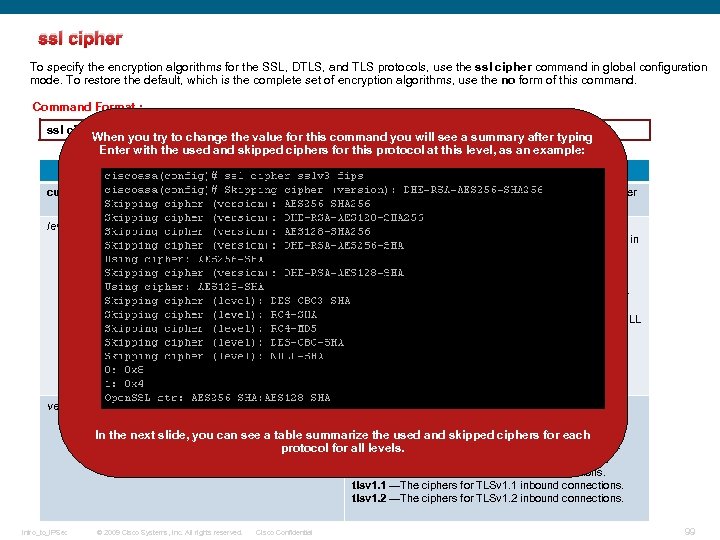 ssl cipher To specify the encryption algorithms for the SSL, DTLS, and TLS protocols, use the ssl cipher command in global configuration mode. To restore the default, which is the complete set of encryption algorithms, use the no form of this command. Command Format : ssl cipher version [ level | custom “ string ”] When you try to change the value for this command you will see a summary after typing Enter with the used and skipped ciphers for this protocol at this level, as an example: custom string Allows full control of the cipher suite using Open. SSL cipher definition strings. level Specifies the strength of the cipher and indicates the minimum level of ciphers that are supported. Valid values in increasing order of strength are: all —Includes all ciphers, including NULL-SHA. low —Includes all ciphers except NULL-SHA. medium —Includes all ciphers except NULL-SHA, DESCBC-SHA, and RC 4 -MD 5. fips —Includes all FIPS-compliant ciphers (excludes NULL -SHA, DES-CBC-SHA, RC 4 -MD 5, RC 4 -SHA, and DESCBC 3 -SHA. high (applies only to TLSv 1. 2)—Includes only AES-256 with SHA-2 ciphers. version Intro_to_IPSec Specifies the SSL, DTLS, or TLS protocol version. Supported versions include: default —The set of ciphers for outbound connections. In the next slide, you can see a table summarize the used and skipped ciphers for each dtlsv 1 —The ciphers for DTLSv 1 inbound connections. protocol for all levels. sslv 3 —The ciphers for SSLv 3 inbound connections. tlsv 1 —The ciphers for TLSv 1 inbound connections. tlsv 1. 1 —The ciphers for TLSv 1. 1 inbound connections. tlsv 1. 2 —The ciphers for TLSv 1. 2 inbound connections. © 2009 Cisco Systems, Inc. All rights reserved. Cisco Confidential 99
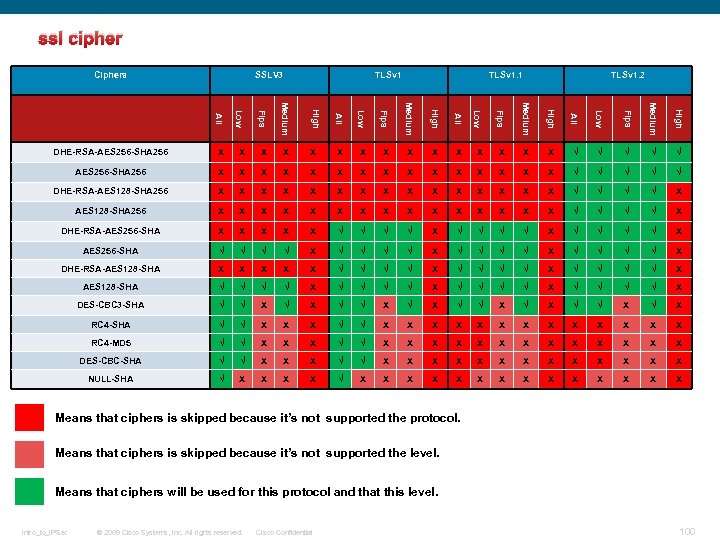 ssl cipher Ciphers SSLV 3 TLSv 1. 1 TLSv 1. 2 Low Fips Medium All Low Fips Medium High X X X X √ √ √ AES 256 -SHA 256 X X X X √ √ √ DHE-RSA-AES 128 -SHA 256 X X X X X X X X √ √ √ √ X DHE-RSA-AES 256 -SHA X X X √ √ √ √ X AES 256 -SHA √ √ √ √ X DHE-RSA-AES 128 -SHA X X X √ √ √ √ X AES 128 -SHA √ √ √ √ X DES-CBC 3 -SHA √ √ X √ X RC 4 -SHA √ √ X X X X RC 4 -MD 5 √ √ X X X X DES-CBC-SHA √ √ X X X X NULL-SHA √ X X X X X High All DHE-RSA-AES 256 -SHA 256 Means that ciphers is skipped because it’s not supported the protocol. Means that ciphers is skipped because it’s not supported the level. Means that ciphers will be used for this protocol and that this level. Intro_to_IPSec © 2009 Cisco Systems, Inc. All rights reserved. Cisco Confidential 100
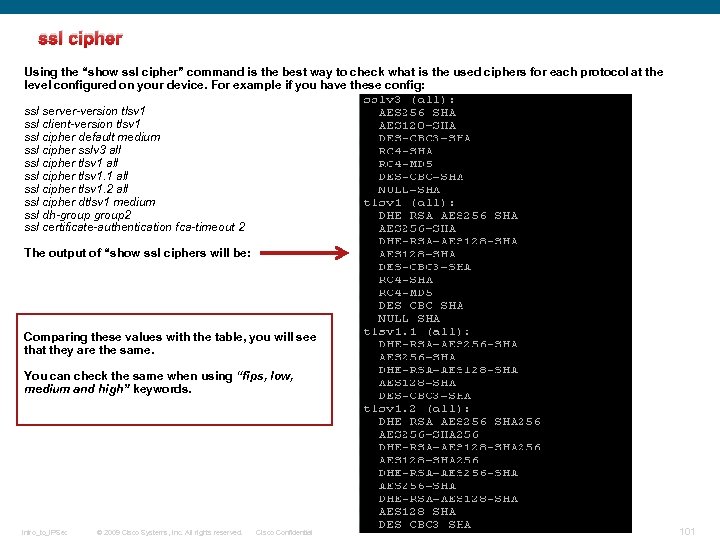 ssl cipher Using the “show ssl cipher” command is the best way to check what is the used ciphers for each protocol at the level configured on your device. For example if you have these config: ssl server-version tlsv 1 ssl client-version tlsv 1 ssl cipher default medium ssl cipher sslv 3 all ssl cipher tlsv 1. 1 all ssl cipher tlsv 1. 2 all ssl cipher dtlsv 1 medium ssl dh-group 2 ssl certificate-authentication fca-timeout 2 The output of “show ssl ciphers will be: Comparing these values with the table, you will see that they are the same. You can check the same when using “fips, low, medium and high” keywords. Intro_to_IPSec © 2009 Cisco Systems, Inc. All rights reserved. Cisco Confidential 101
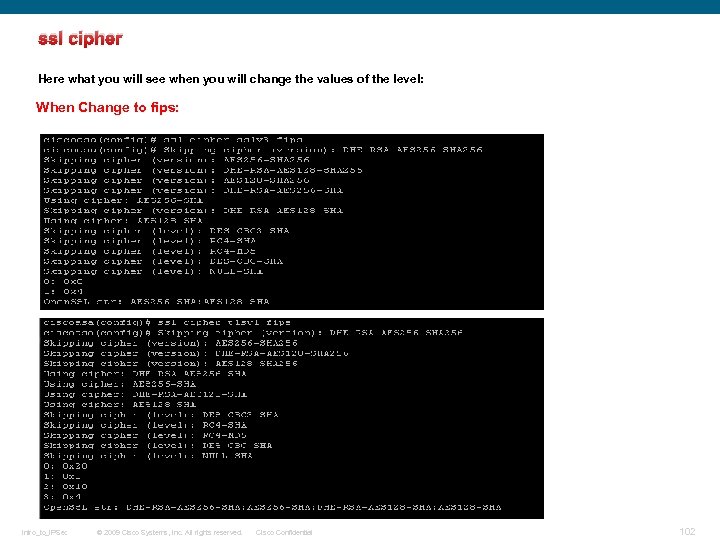 ssl cipher Here what you will see when you will change the values of the level: When Change to fips: Intro_to_IPSec © 2009 Cisco Systems, Inc. All rights reserved. Cisco Confidential 102
 Intro_to_IPSec © 2009 Cisco Systems, Inc. All rights reserved. Cisco Confidential 103
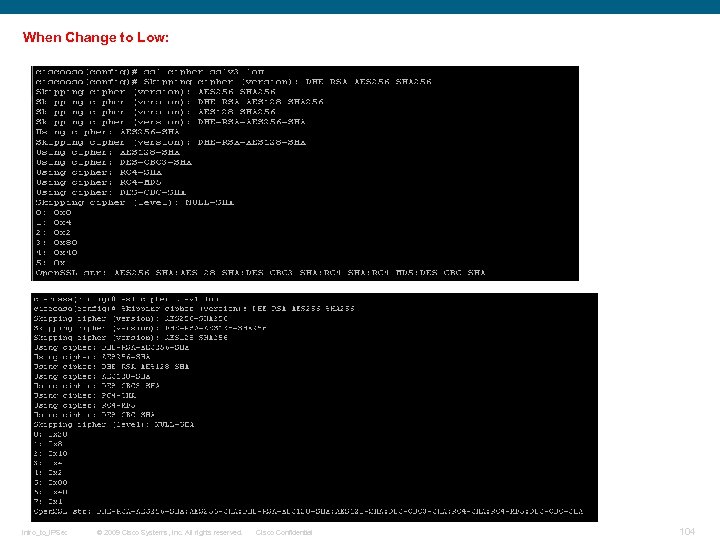 When Change to Low: Intro_to_IPSec © 2009 Cisco Systems, Inc. All rights reserved. Cisco Confidential 104
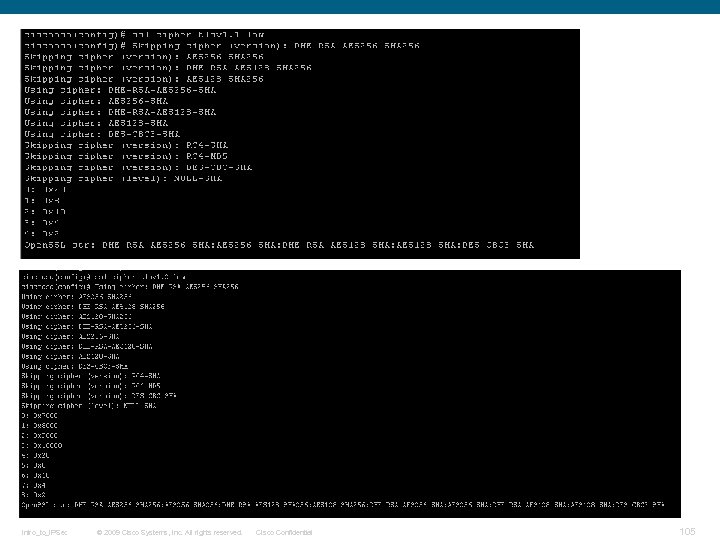 Intro_to_IPSec © 2009 Cisco Systems, Inc. All rights reserved. Cisco Confidential 105
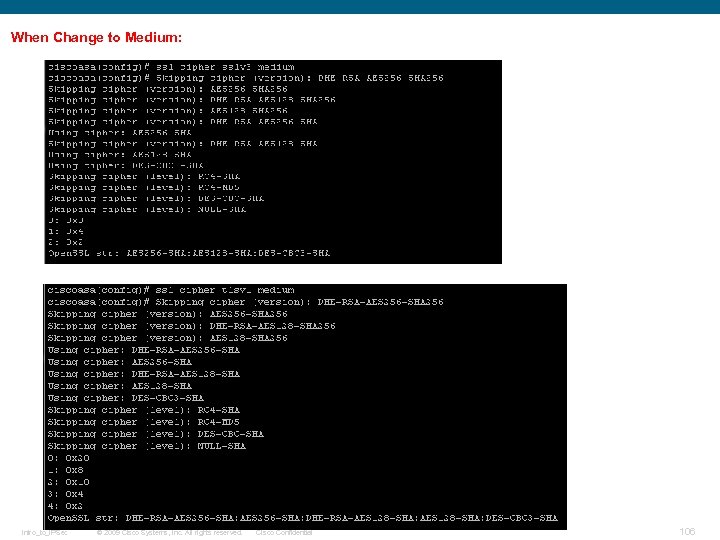 When Change to Medium: Intro_to_IPSec © 2009 Cisco Systems, Inc. All rights reserved. Cisco Confidential 106
 Intro_to_IPSec © 2009 Cisco Systems, Inc. All rights reserved. Cisco Confidential 107
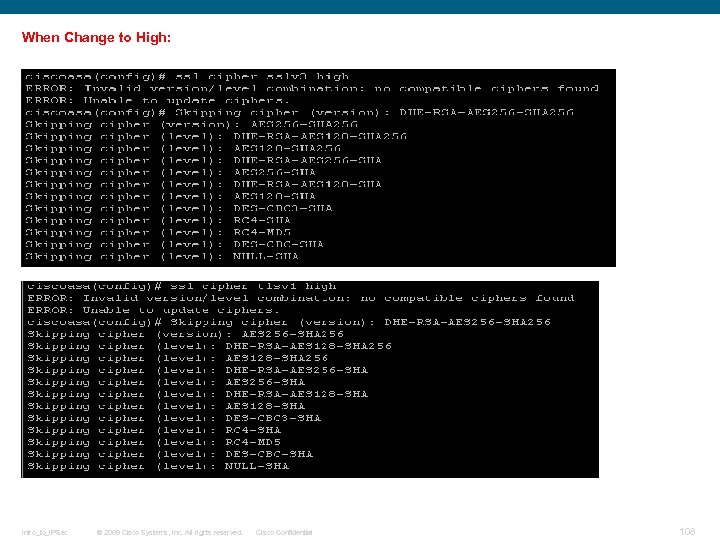 When Change to High: Intro_to_IPSec © 2009 Cisco Systems, Inc. All rights reserved. Cisco Confidential 108
 Intro_to_IPSec © 2009 Cisco Systems, Inc. All rights reserved. Cisco Confidential 109
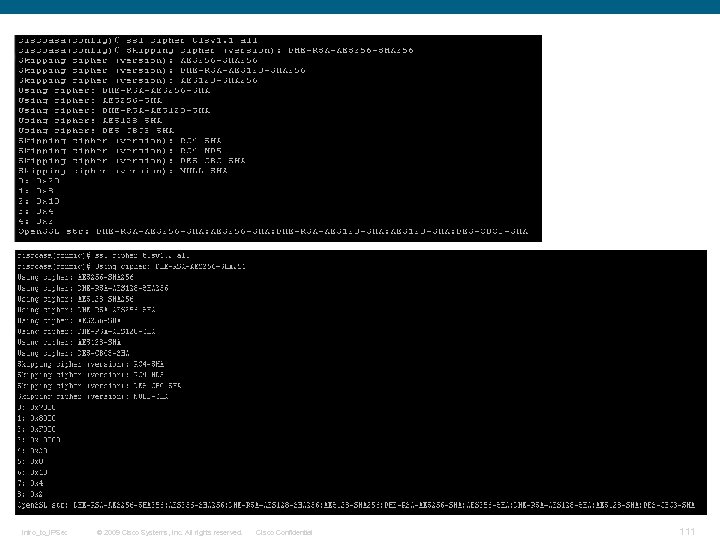
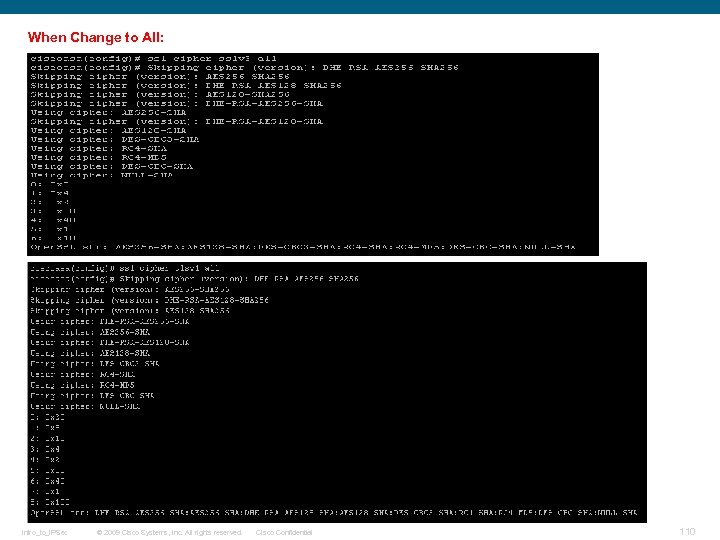 When Change to All: Intro_to_IPSec © 2009 Cisco Systems, Inc. All rights reserved. Cisco Confidential 110
 Intro_to_IPSec © 2009 Cisco Systems, Inc. All rights reserved. Cisco Confidential 111
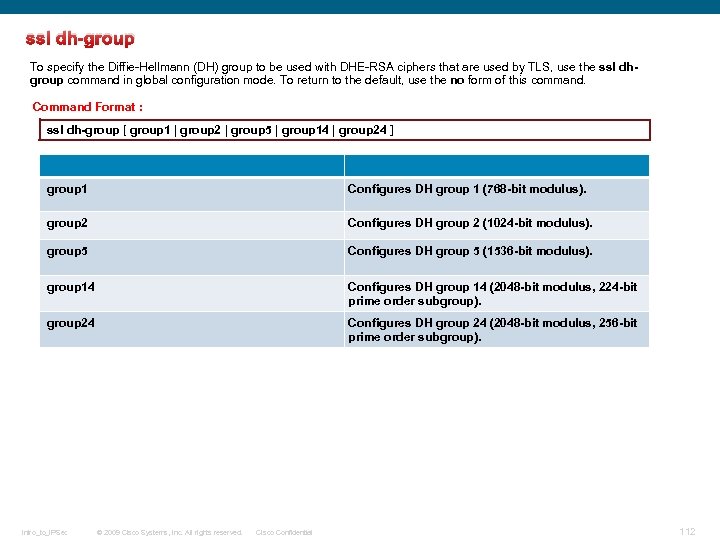 ssl dh-group To specify the Diffie-Hellmann (DH) group to be used with DHE-RSA ciphers that are used by TLS, use the ssl dhgroup command in global configuration mode. To return to the default, use the no form of this command. Command Format : ssl dh-group [ group 1 | group 2 | group 5 | group 14 | group 24 ] group 1 Configures DH group 1 (768 -bit modulus). group 2 Configures DH group 2 (1024 -bit modulus). group 5 Configures DH group 5 (1536 -bit modulus). group 14 Configures DH group 14 (2048 -bit modulus, 224 -bit prime order subgroup). group 24 Configures DH group 24 (2048 -bit modulus, 256 -bit prime order subgroup). Intro_to_IPSec © 2009 Cisco Systems, Inc. All rights reserved. Cisco Confidential 112
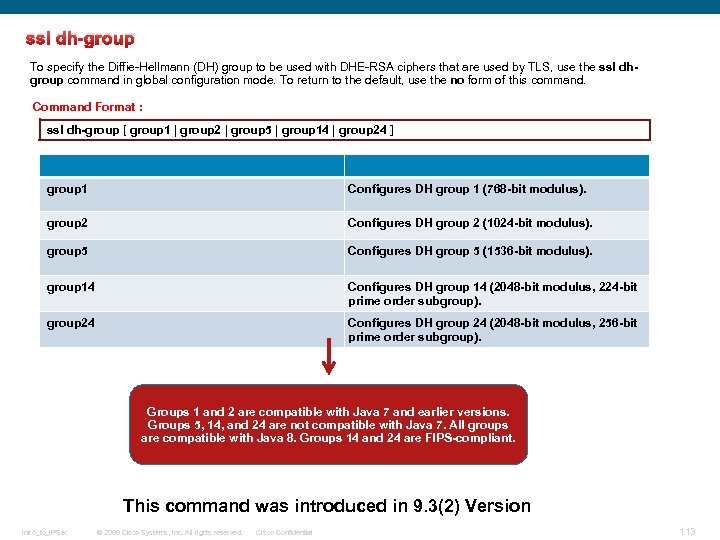 ssl dh-group To specify the Diffie-Hellmann (DH) group to be used with DHE-RSA ciphers that are used by TLS, use the ssl dhgroup command in global configuration mode. To return to the default, use the no form of this command. Command Format : ssl dh-group [ group 1 | group 2 | group 5 | group 14 | group 24 ] group 1 Configures DH group 1 (768 -bit modulus). group 2 Configures DH group 2 (1024 -bit modulus). group 5 Configures DH group 5 (1536 -bit modulus). group 14 Configures DH group 14 (2048 -bit modulus, 224 -bit prime order subgroup). group 24 Configures DH group 24 (2048 -bit modulus, 256 -bit prime order subgroup). Groups 1 and 2 are compatible with Java 7 and earlier versions. Groups 5, 14, and 24 are not compatible with Java 7. All groups are compatible with Java 8. Groups 14 and 24 are FIPS-compliant. This command was introduced in 9. 3(2) Version Intro_to_IPSec © 2009 Cisco Systems, Inc. All rights reserved. Cisco Confidential 113
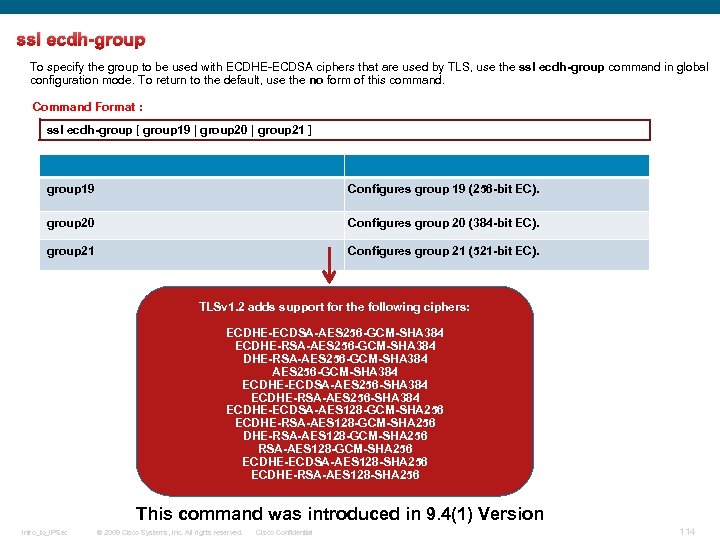 ssl ecdh-group To specify the group to be used with ECDHE-ECDSA ciphers that are used by TLS, use the ssl ecdh-group command in global configuration mode. To return to the default, use the no form of this command. Command Format : ssl ecdh-group [ group 19 | group 20 | group 21 ] group 19 Configures group 19 (256 -bit EC). group 20 Configures group 20 (384 -bit EC). group 21 Configures group 21 (521 -bit EC). TLSv 1. 2 adds support for the following ciphers: ECDHE-ECDSA-AES 256 -GCM-SHA 384 ECDHE-RSA-AES 256 -GCM-SHA 384 ECDHE-ECDSA-AES 256 -SHA 384 ECDHE-RSA-AES 256 -SHA 384 ECDHE-ECDSA-AES 128 -GCM-SHA 256 ECDHE-RSA-AES 128 -GCM-SHA 256 ECDHE-ECDSA-AES 128 -SHA 256 ECDHE-RSA-AES 128 -SHA 256 This command was introduced in 9. 4(1) Version Intro_to_IPSec © 2009 Cisco Systems, Inc. All rights reserved. Cisco Confidential 114
 Intro_to_IPSec © 2009 Cisco Systems, Inc. All rights reserved. Cisco Confidential 115
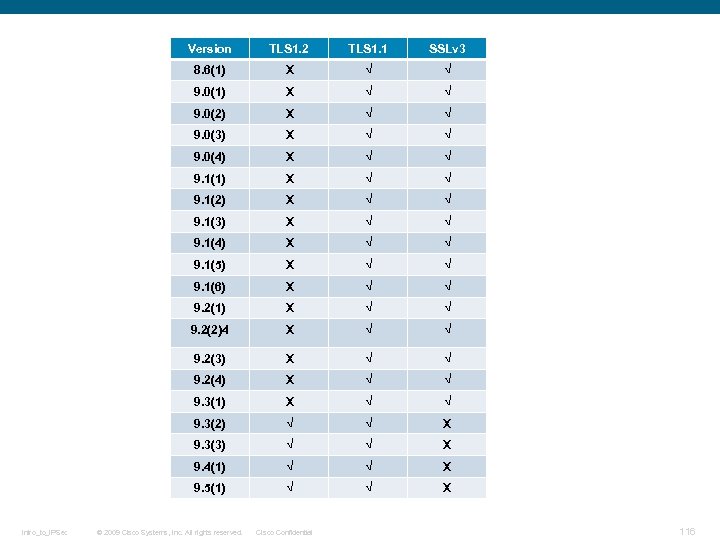 Version TLS 1. 1 SSLv 3 8. 6(1) X √ √ 9. 0(2) X √ √ 9. 0(3) X √ √ 9. 0(4) X √ √ 9. 1(1) X √ √ 9. 1(2) X √ √ 9. 1(3) X √ √ 9. 1(4) X √ √ 9. 1(5) X √ √ 9. 1(6) X √ √ 9. 2(1) X √ √ 9. 2(2)4 X √ √ 9. 2(3) X √ √ 9. 2(4) X √ √ 9. 3(1) X √ √ 9. 3(2) √ √ X 9. 3(3) √ √ X 9. 4(1) √ √ X 9. 5(1) Intro_to_IPSec TLS 1. 2 √ √ X © 2009 Cisco Systems, Inc. All rights reserved. Cisco Confidential 116
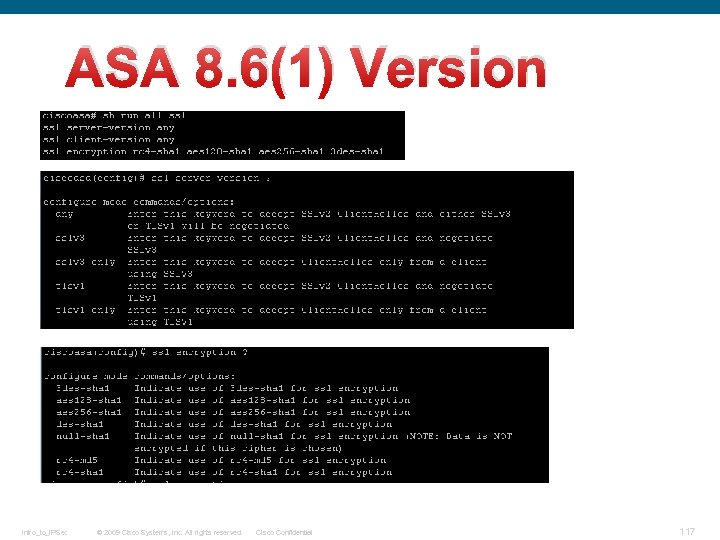 ASA 8. 6(1) Version Intro_to_IPSec © 2009 Cisco Systems, Inc. All rights reserved. Cisco Confidential 117
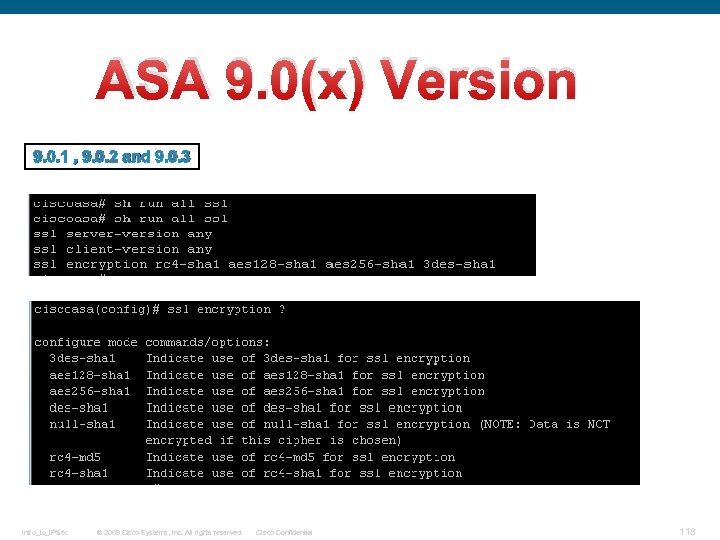 ASA 9. 0(x) Version 9. 0. 1 , 9. 0. 2 and 9. 0. 3 Intro_to_IPSec © 2009 Cisco Systems, Inc. All rights reserved. Cisco Confidential 118
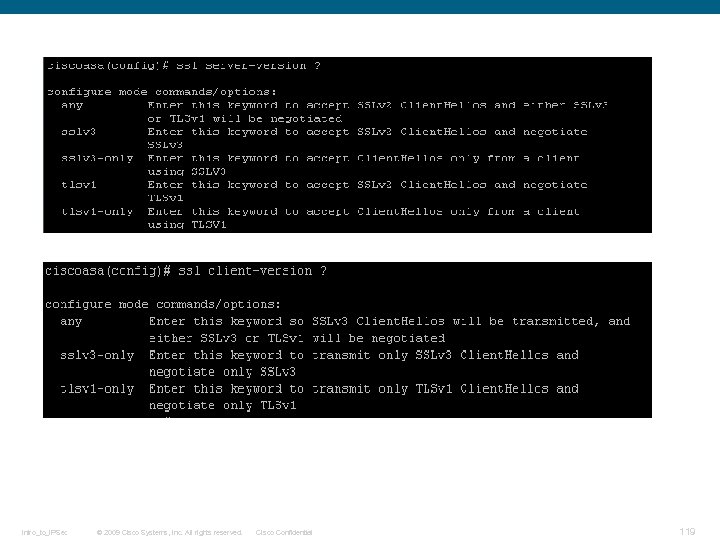 Intro_to_IPSec © 2009 Cisco Systems, Inc. All rights reserved. Cisco Confidential 119
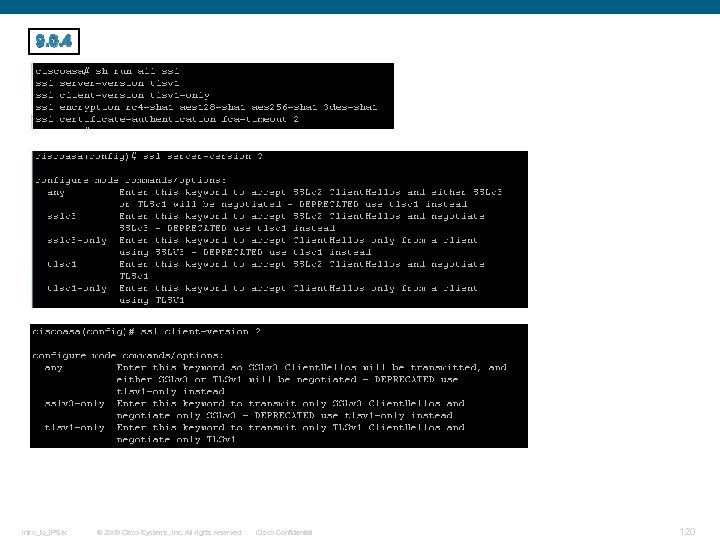 9. 0. 4 Intro_to_IPSec © 2009 Cisco Systems, Inc. All rights reserved. Cisco Confidential 120
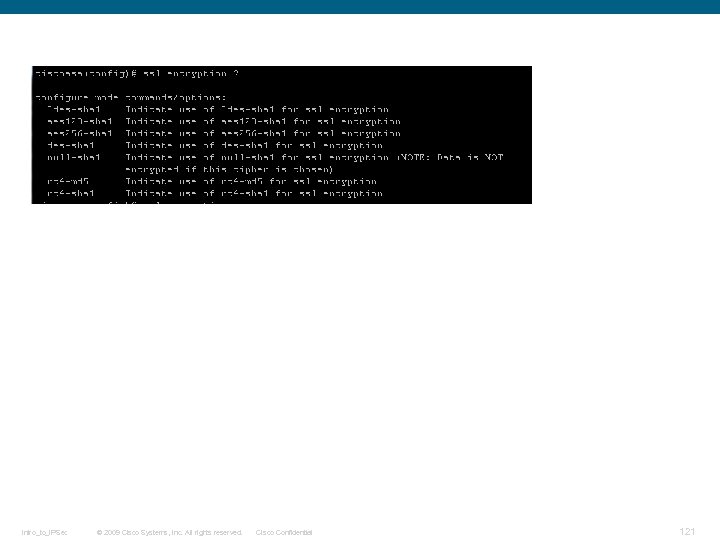 Intro_to_IPSec © 2009 Cisco Systems, Inc. All rights reserved. Cisco Confidential 121
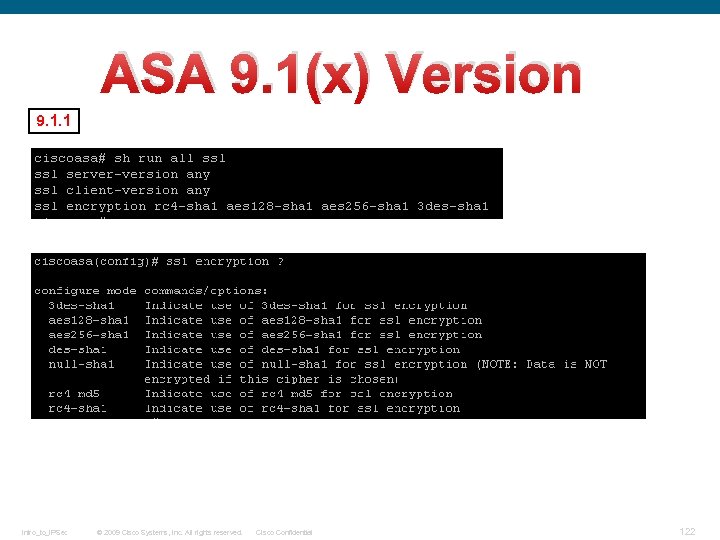 ASA 9. 1(x) Version 9. 1. 1 Intro_to_IPSec © 2009 Cisco Systems, Inc. All rights reserved. Cisco Confidential 122
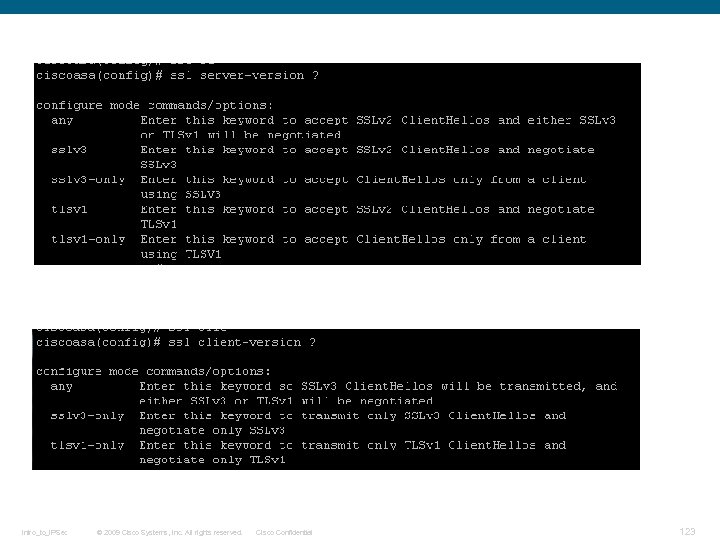 Intro_to_IPSec © 2009 Cisco Systems, Inc. All rights reserved. Cisco Confidential 123
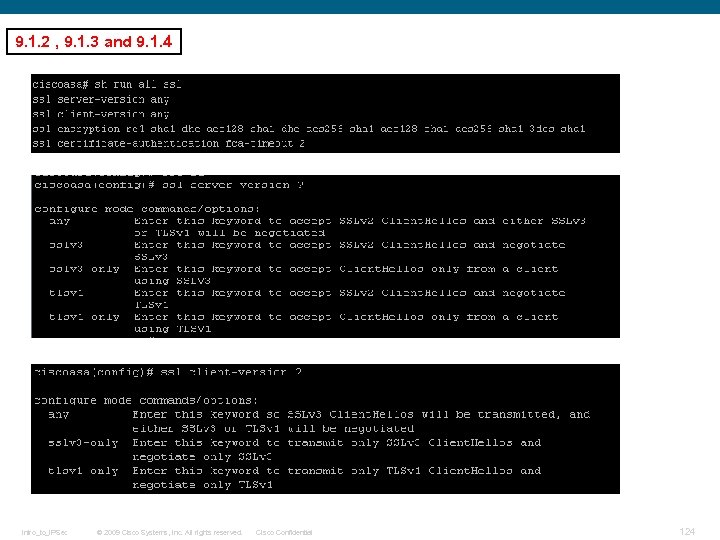 9. 1. 2 , 9. 1. 3 and 9. 1. 4 Intro_to_IPSec © 2009 Cisco Systems, Inc. All rights reserved. Cisco Confidential 124
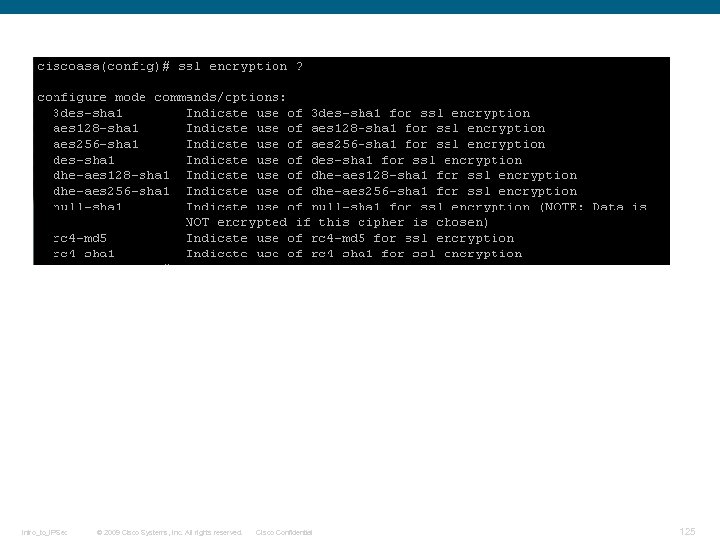 Intro_to_IPSec © 2009 Cisco Systems, Inc. All rights reserved. Cisco Confidential 125
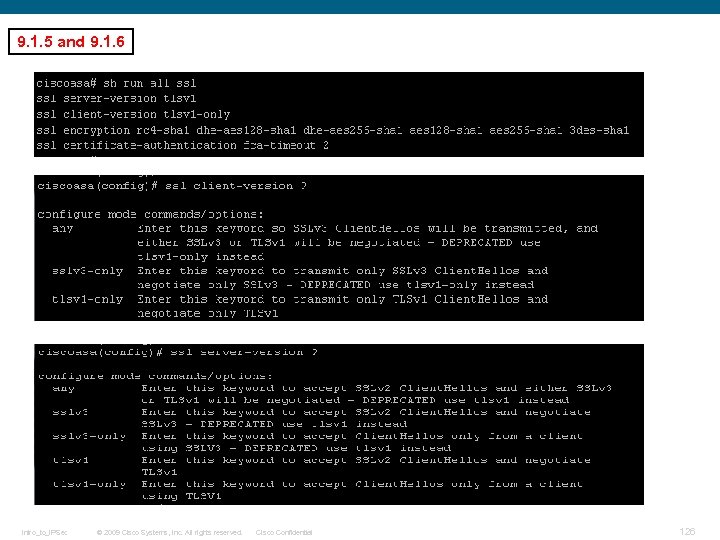 9. 1. 5 and 9. 1. 6 Intro_to_IPSec © 2009 Cisco Systems, Inc. All rights reserved. Cisco Confidential 126
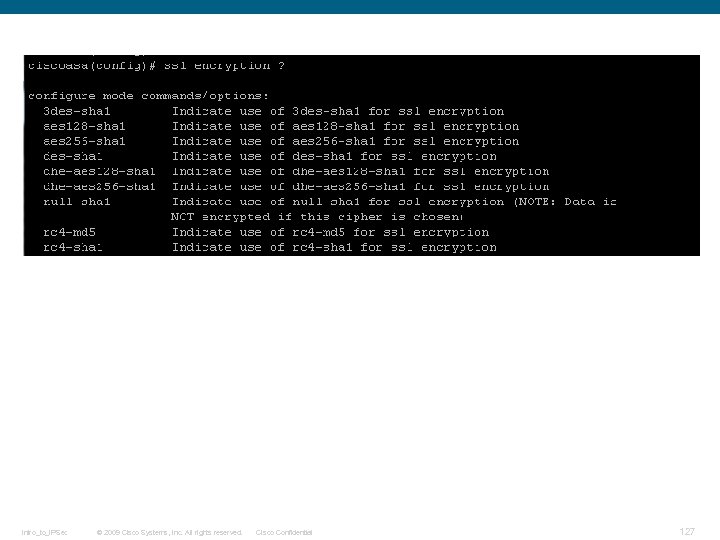 Intro_to_IPSec © 2009 Cisco Systems, Inc. All rights reserved. Cisco Confidential 127
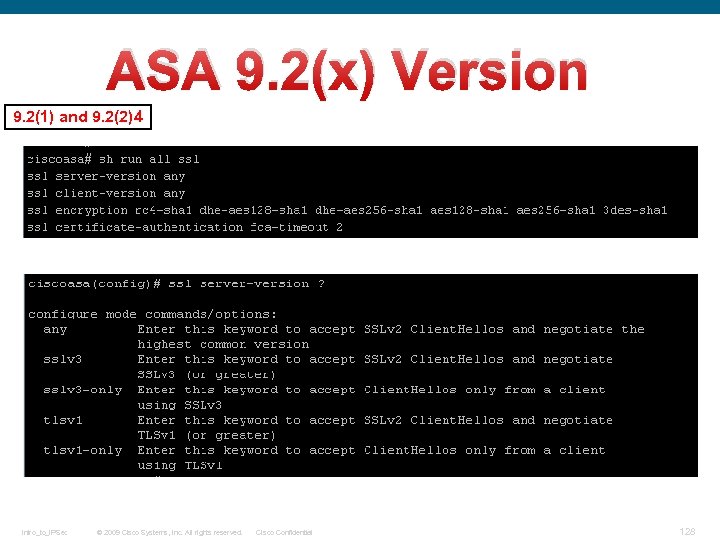 ASA 9. 2(x) Version 9. 2(1) and 9. 2(2)4 Intro_to_IPSec © 2009 Cisco Systems, Inc. All rights reserved. Cisco Confidential 128
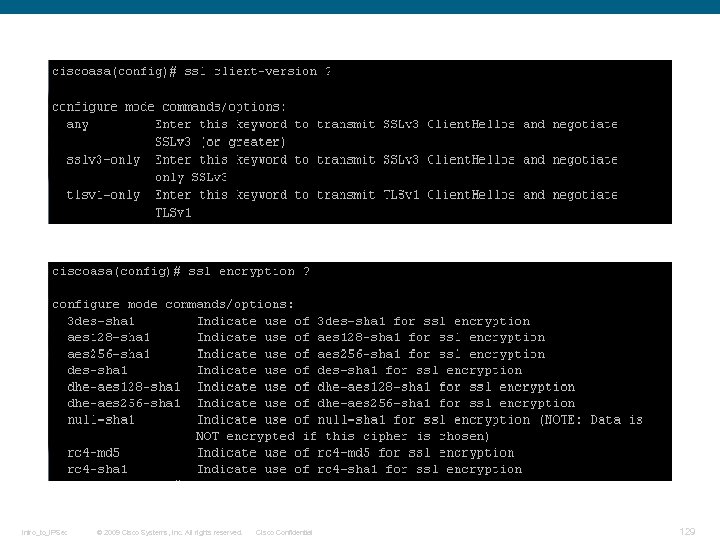 Intro_to_IPSec © 2009 Cisco Systems, Inc. All rights reserved. Cisco Confidential 129
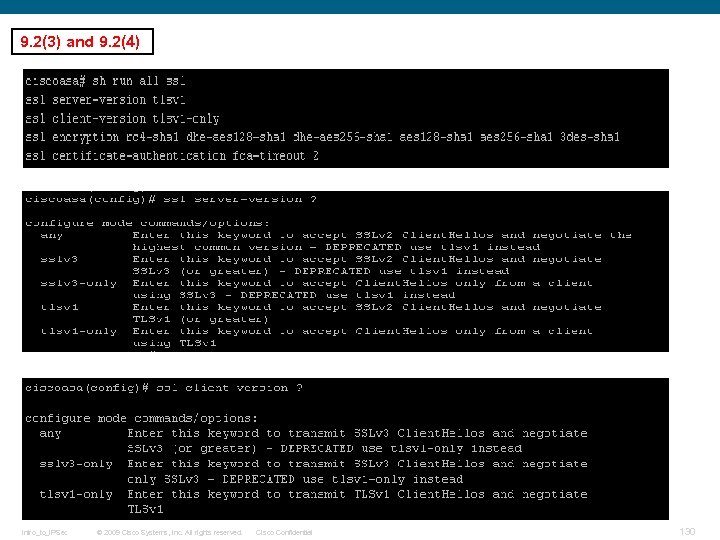 9. 2(3) and 9. 2(4) Intro_to_IPSec © 2009 Cisco Systems, Inc. All rights reserved. Cisco Confidential 130
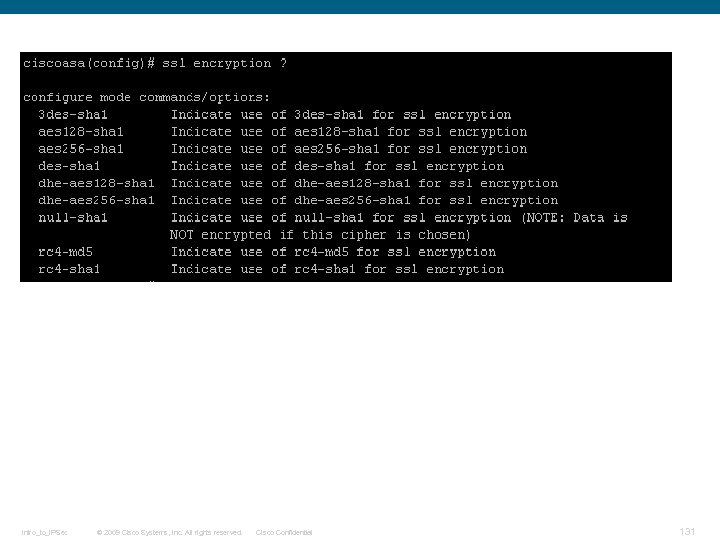 Intro_to_IPSec © 2009 Cisco Systems, Inc. All rights reserved. Cisco Confidential 131
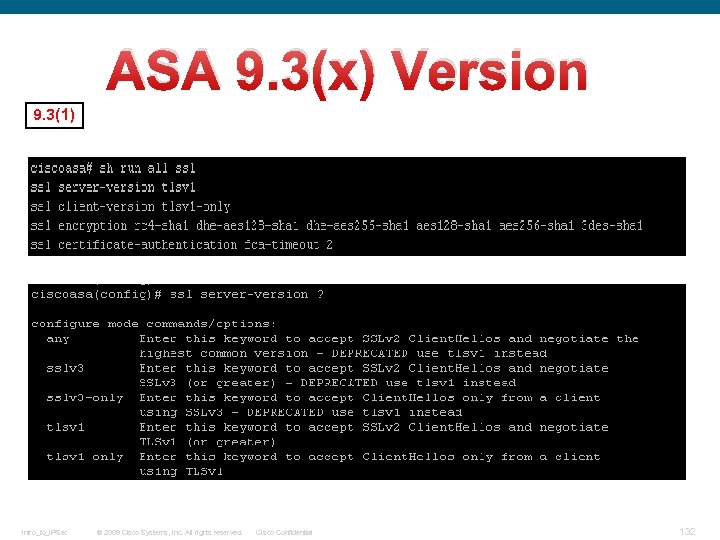 ASA 9. 3(x) Version 9. 3(1) Intro_to_IPSec © 2009 Cisco Systems, Inc. All rights reserved. Cisco Confidential 132
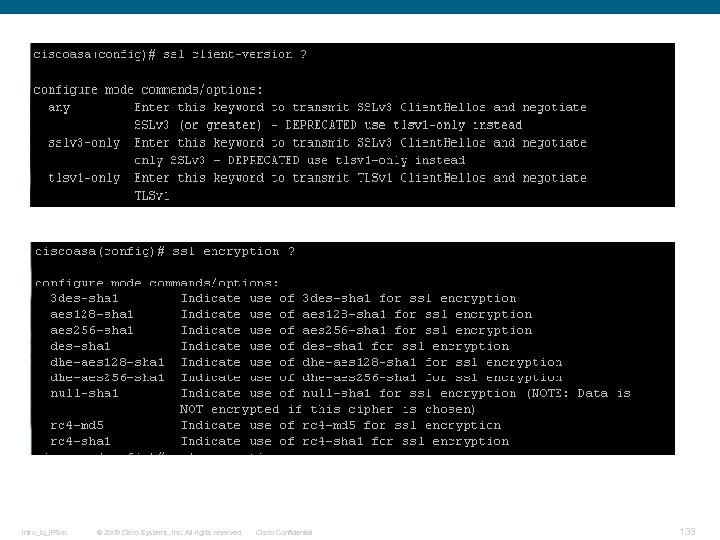 Intro_to_IPSec © 2009 Cisco Systems, Inc. All rights reserved. Cisco Confidential 133
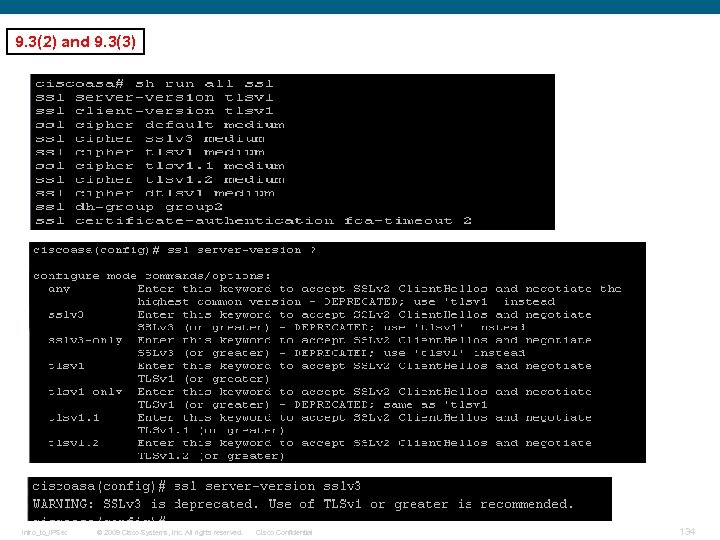 9. 3(2) and 9. 3(3) Intro_to_IPSec © 2009 Cisco Systems, Inc. All rights reserved. Cisco Confidential 134
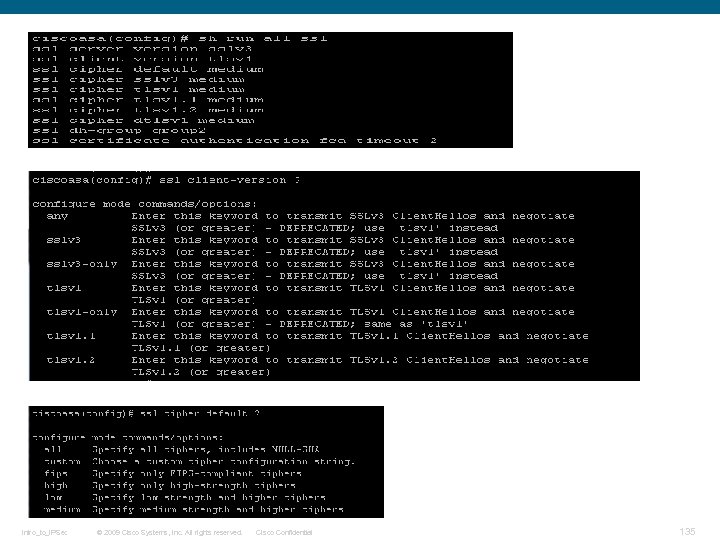 Intro_to_IPSec © 2009 Cisco Systems, Inc. All rights reserved. Cisco Confidential 135
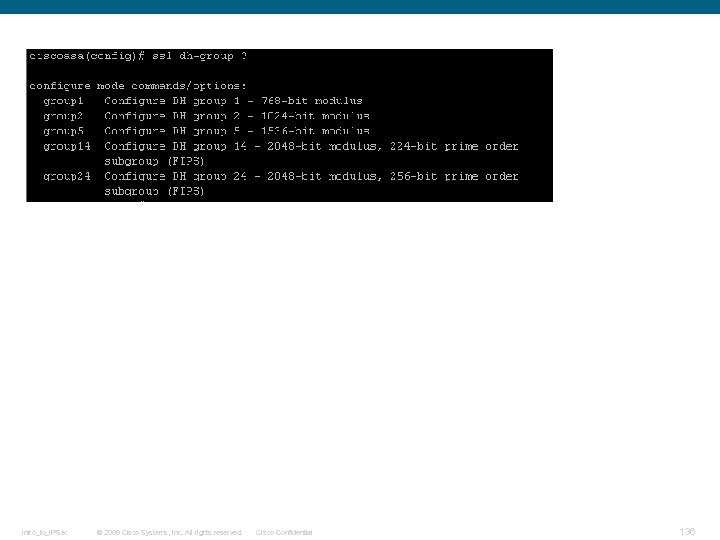 Intro_to_IPSec © 2009 Cisco Systems, Inc. All rights reserved. Cisco Confidential 136
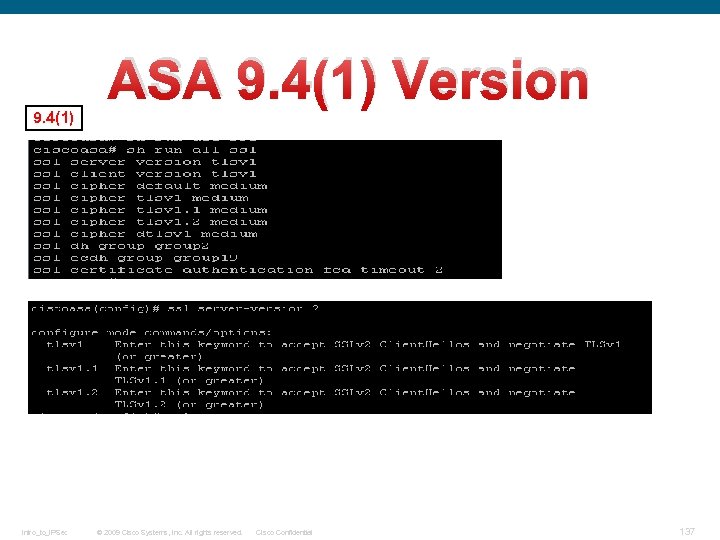 ASA 9. 4(1) Version 9. 4(1) Intro_to_IPSec © 2009 Cisco Systems, Inc. All rights reserved. Cisco Confidential 137
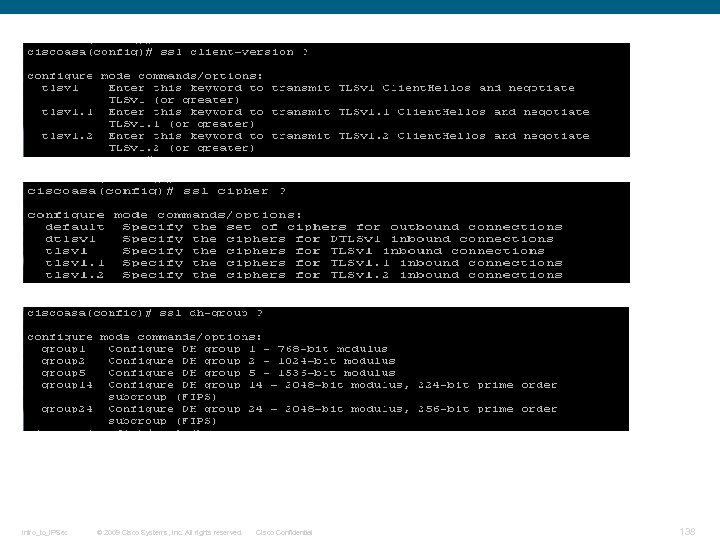 Intro_to_IPSec © 2009 Cisco Systems, Inc. All rights reserved. Cisco Confidential 138
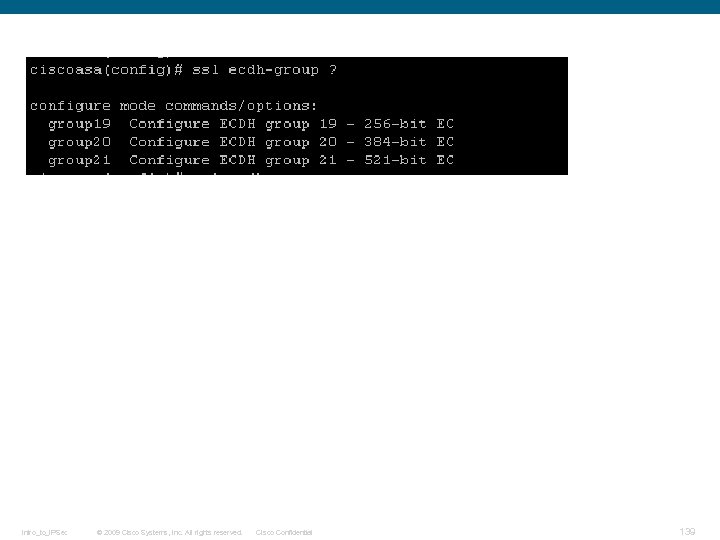 Intro_to_IPSec © 2009 Cisco Systems, Inc. All rights reserved. Cisco Confidential 139
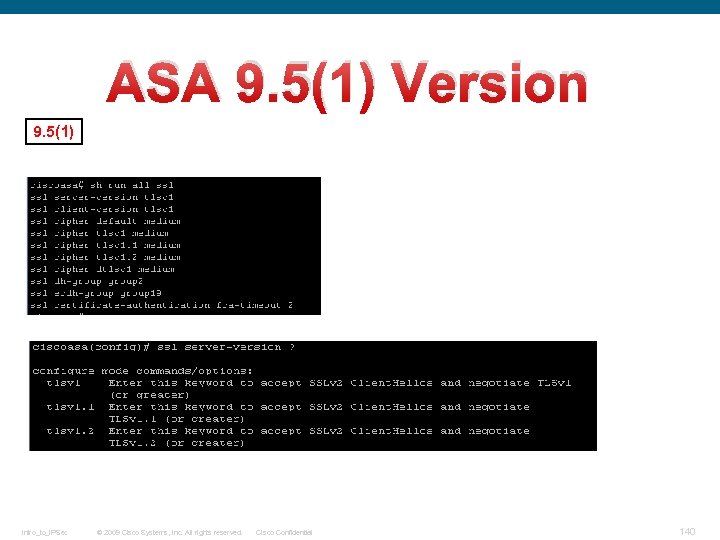 ASA 9. 5(1) Version 9. 5(1) Intro_to_IPSec © 2009 Cisco Systems, Inc. All rights reserved. Cisco Confidential 140
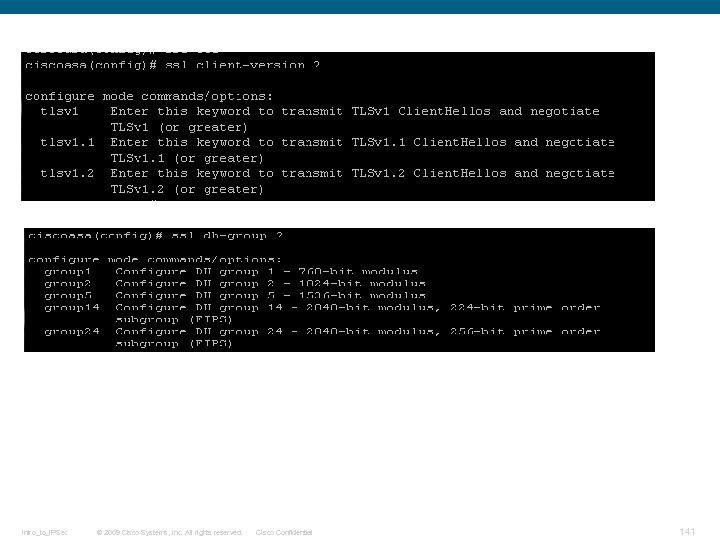 Intro_to_IPSec © 2009 Cisco Systems, Inc. All rights reserved. Cisco Confidential 141
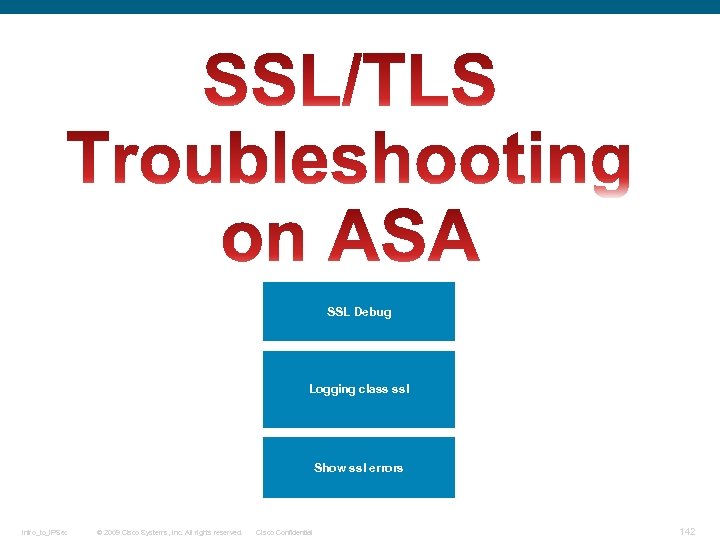 SSL Debug Logging class ssl Show ssl errors Intro_to_IPSec © 2009 Cisco Systems, Inc. All rights reserved. Cisco Confidential 142
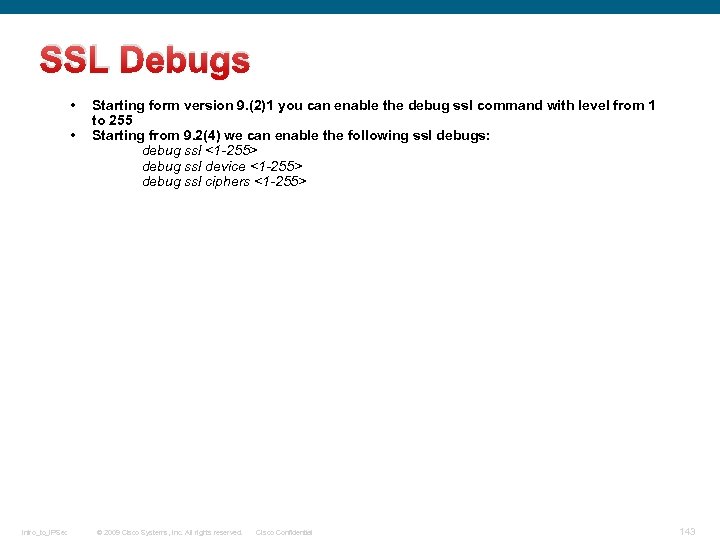 SSL Debugs • • Intro_to_IPSec Starting form version 9. (2)1 you can enable the debug ssl command with level from 1 to 255 Starting from 9. 2(4) we can enable the following ssl debugs: debug ssl <1 -255> debug ssl device <1 -255> debug ssl ciphers <1 -255> © 2009 Cisco Systems, Inc. All rights reserved. Cisco Confidential 143
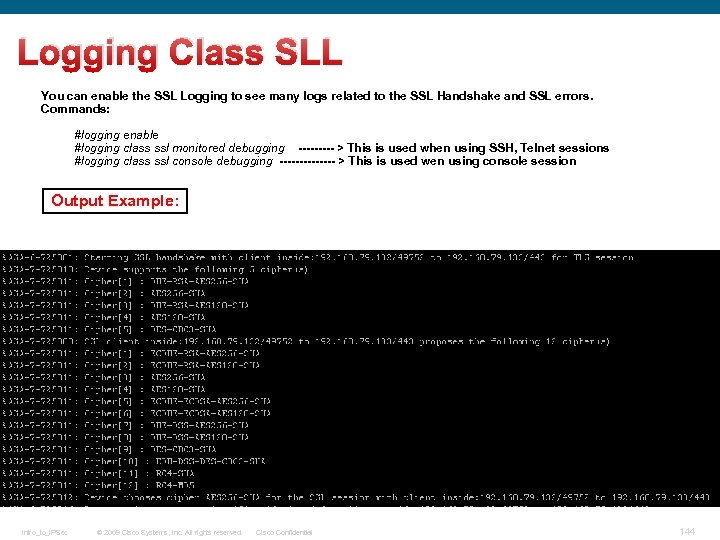 Logging Class SLL You can enable the SSL Logging to see many logs related to the SSL Handshake and SSL errors. Commands: #logging enable #logging class ssl monitored debugging ----- > This is used when using SSH, Telnet sessions #logging class ssl console debugging ------- > This is used wen using console session Output Example: Intro_to_IPSec © 2009 Cisco Systems, Inc. All rights reserved. Cisco Confidential 144
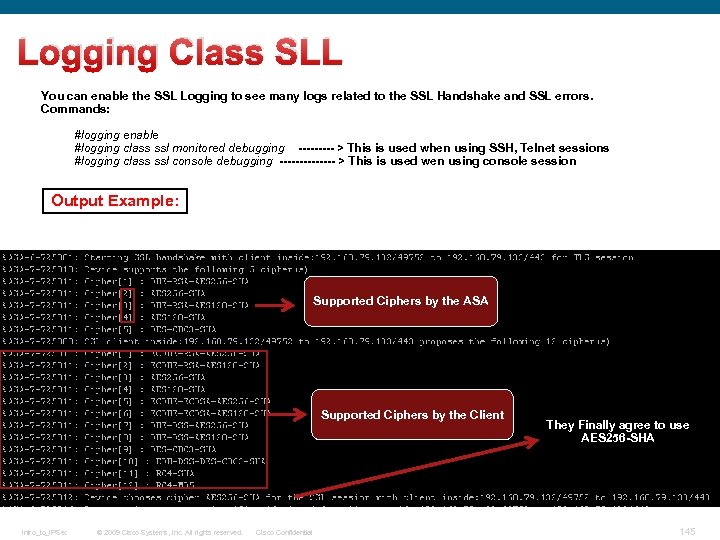 Logging Class SLL You can enable the SSL Logging to see many logs related to the SSL Handshake and SSL errors. Commands: #logging enable #logging class ssl monitored debugging ----- > This is used when using SSH, Telnet sessions #logging class ssl console debugging ------- > This is used wen using console session Output Example: Supported Ciphers by the ASA Supported Ciphers by the Client Intro_to_IPSec © 2009 Cisco Systems, Inc. All rights reserved. Cisco Confidential They Finally agree to use AES 256 -SHA 145
 References Intro_to_IPSec © 2009 Cisco Systems, Inc. All rights reserved. Cisco Confidential 146
 VPN. 642 -648. Official. Cert. Guide. 2 nd. Edition Book https: //en. wikipedia. org/wiki/Transport_Layer_Security http: //crypto. stanford. edu/~nagendra/papers/dtls. pdf http: //www. cisco. com/c/en/us/support/docs/security-vpn/secure-socket-layer-ssl/116181 technote-product-00. html http: //tools. ietf. org/html/rfc 4346 https: //tools. ietf. org/html/rfc 5246 http: //tools. ietf. org/html/rfc 6101#section-5. 5 https: //tools. ietf. org/html/rfc 2246 https: //tools. ietf. org/html/rfc 6176 https: //tools. ietf. org/html/rfc 7568 http: //tools. ietf. org/html/rfc 4347 https: //en. wikipedia. org/wiki/Datagram_Transport_Layer_Se curity http: //www. cisco. com/c/en/us/td/docs/security/asa-command-reference/S/cmdref 3/s 16. html#pgf. Id-1421230 Intro_to_IPSec © 2009 Cisco Systems, Inc. All rights reserved. Cisco Confidential 147