


 Скачать презентацию SSL Secure Socket Layer SSE USTC Qing Ding
e323290a1c7276252542437520fc03d2.ppt
- Количество слайдов: 48
 SSL (Secure Socket Layer) SSE USTC Qing Ding
 Agenda l l l What is SSL? What is Certificate? Browser and Certificates SSL support in Tomcat Steps of Installation/Configuration of SSL HTTPS Connector over Tomcat
 What is SSL?
 SSL (Secure Socket Layer)
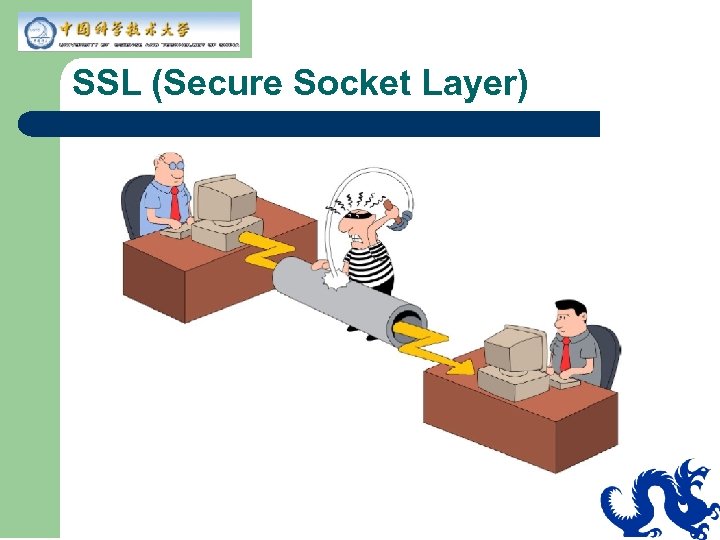
 Secure Socket Layer (SSL) l l By far, the dominant security technology on the web Transport layer security – l l HTTPS is HTTP over SSL Responsible for the emergence of ecommerce, other security sensitive services on the web Beneficiary of several years of public scrutiny
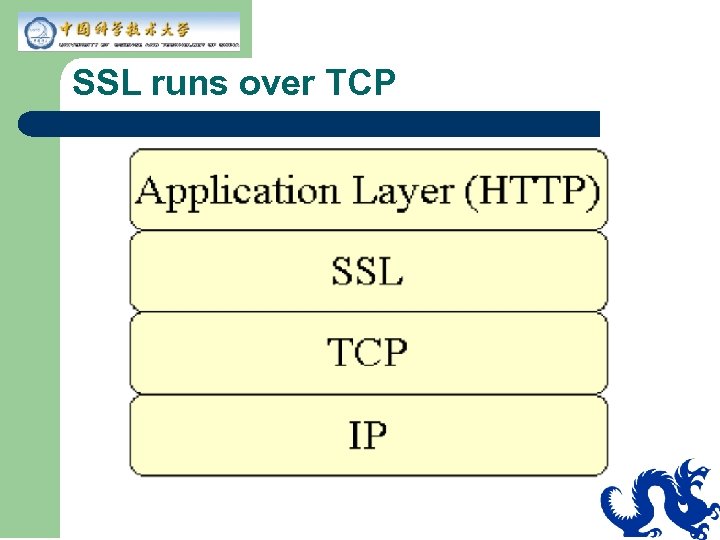 SSL runs over TCP
 Why SSL? SSL Provides. . . l l l Confidentiality (Privacy) Data integrity (Tamper-proofing) Server authentication (Proving a server is what it claims it is) – l Used in typical B 2 C transaction Optional client authentication – Would be required in B 2 B (or Web services environment in which program talks to program)
 SSL and Security Keys l l Uses public/private key (asymmetric) scheme to create secret key (symmetric) Secret key is then used for encryption of data – SSL operation is optimized for performance: Using symmetric key for encryption is a lot faster than using asymmetric keys
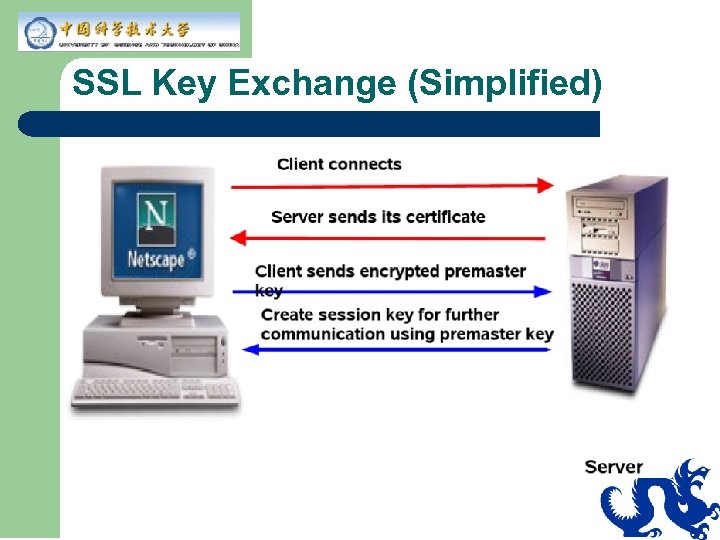 SSL Key Exchange (Simplified)
 SSL Key Exchange Steps 1. SSL client connects to an SSL server 2. Server then sends its own certificate that contains its public key 3. Client then creates a random key (premaster key) and uses server's public key to encrypt it 4. Client then sends encrypted premaster key to the server 5. Server then decrypts it (only the server that has the matching private key can decrypt it) and uses decrypted premaster key to create secret session key 6. Now both client and server uses secret session key for further communication
 Negotiable Encryption Algorithms l l Not all clients and servers use same encryption and authentication algorithms SSL client and server negotiates encryption and decryption algorithms (cipher suites) during their initial handshake – Connection will fail of they do not have common algorithms
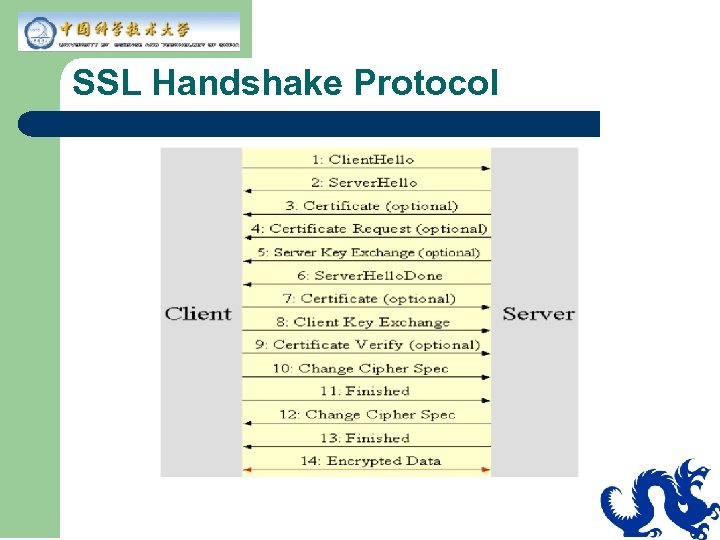 SSL Handshake Protocol
 SSL and Encryption l You need only server's certificate in order to have encrypted data transfer – This is the reason why you don't need to install client certificate on your browser in order to send your credit card number securely (with privacy and data integrity)
 SSL and Authentication l Server authentication – – l Client authentication – l Server needs to provide its own certificate to a client in order to authenticate itself to the client A Web server typically has a CA-signed certificate and it provides it to its clients Client needs to provide its own certificate to a server in order to authenticate itself to the server Mutual authentication
 SSL and Authentication l In a typical “browser talking to web server” communication, only server authentication is needed – l When you send your credit card to a server, you want to make sure the server is who it claims it is In the future of B 2 B environment, client certification would be also required – The server wants to make sure it is talking to a client whose identity is verified
 SSL and Web-tier Security l l l Encrypted password move from the browser to the web server Encrypted data move between the browser and the web server Server authentication – l Done before encrypted data transfer occurs Client Authentication – Not used in most cases
 Certificates & Keytool Utility
 What is a Certificate? l l A certificate is like digital driver license A certificate is cryptographically signed and is practically impossible for anyone else to forge A certificate can be purchased from (signed by) a well-known CA (Certificate Authority) like Verisign (for a fee) A certificate can be self-signed when authentication over the internet is not really a concern, that is only data privacy and integrity are important
 What is Server Certificate? l A certificate that contains information about the server – – l Server's public key Other misc. information Web server must have an associated certificate for each external interface, or IP address, that accepts secure connections – HTTP service of Tomcat will not run unless a server certificate has been installed
 Why Server Certificate is Needed? l Enables server authentication – – Verifies the server's identity to the client Client would need to have an access to the server certificate Server sends server certificate as part of SSL key handshake HTTPS service of Tomcat would not work unless a server certificate is installed
 keytool Utility of JDK l l l A key and certificate management utility Enables users to create and administer their own public/private key pairs and associated certificates Ships with JDK (Uses RSA-based JCE provider as default) Allows users to cache the public keys (in the form of certificates) of their communicating peers Stores the keys and certificates in a so-called keystore
 Browser & Certificates
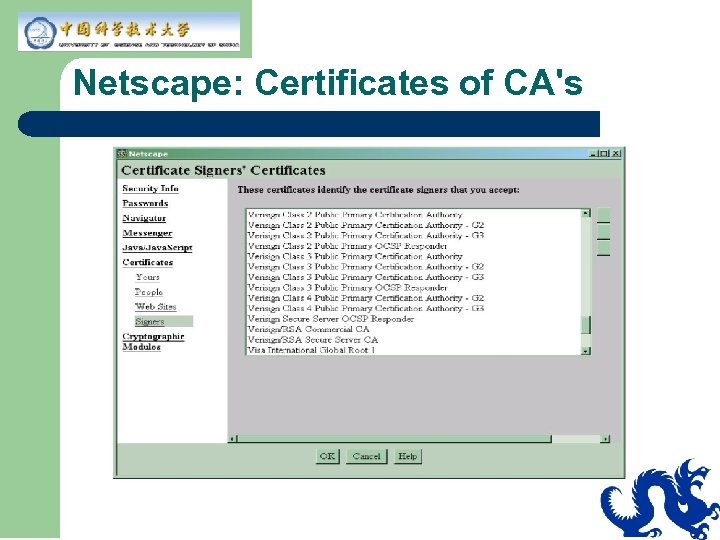 Netscape: Certificates of CA's
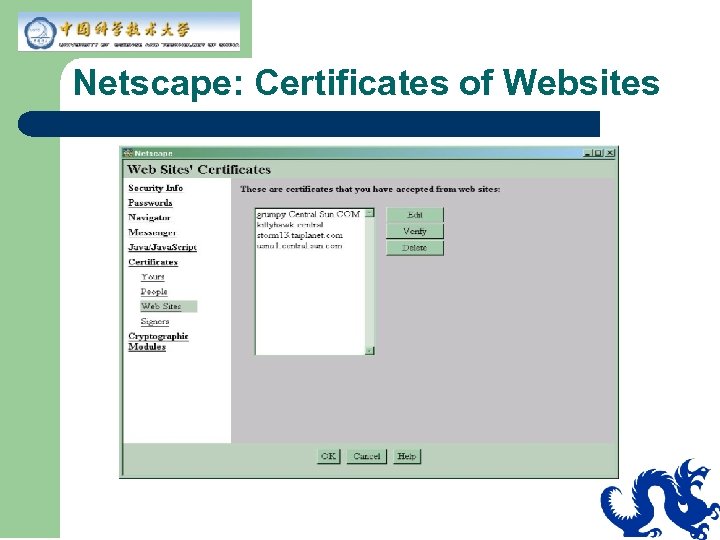 Netscape: Certificates of Websites
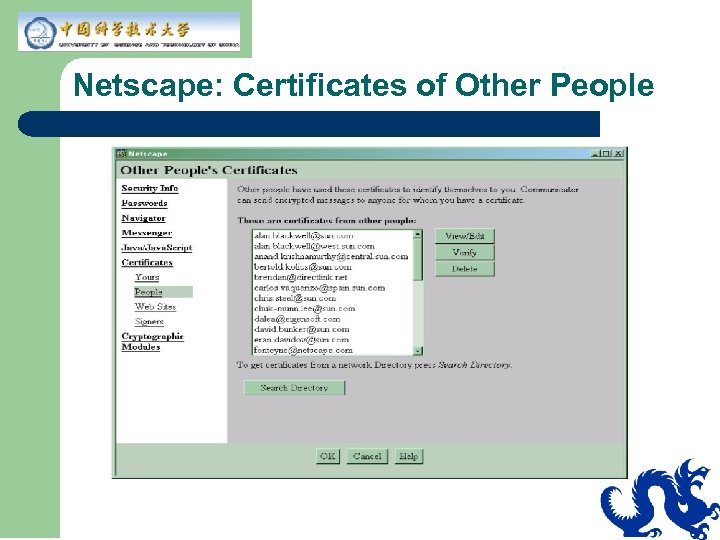 Netscape: Certificates of Other People
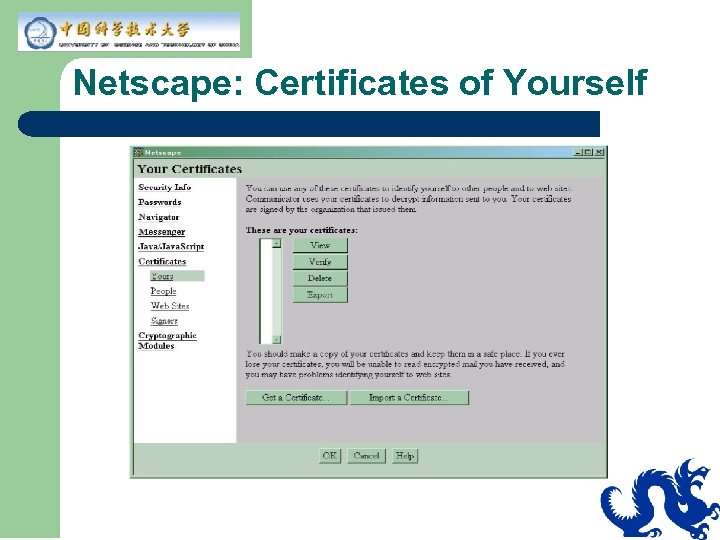 Netscape: Certificates of Yourself
 JSSE
JSSE
 What is JSSE? l l Java API for Secure Sockets Layer (SSL) Now standard part of J 2 SE 1. 4 – l SSL 3. 0 and TLS 1. 0 Supports – – Encryption Server authentication Optional client authentication Data integrity
 Why JSSE? l l 100% pure Java implementation Abstracts the complex underlying cryptographic algorithms and thus minimizes the risk of creating subtle and dangerous security vulnerabilities – l Uses algorithms, keys transparently Simple to use to create secure application
 JSSE Framework l l Supplements java. security and java. net packages Provides javax. net and javax. net. ssl packages – Extends networking socket classes, trust and key managers, and a socket factory framework for encapsulating socket creation behavior
 Sun. JSSE Provider l l l JSSE provider that comes with JDK 1. 4. 1 Installed and pre-registered with the Java Cryptography Architecture Supplies implementations of the SSL v 3. 0 and TLS v 1. 0 as well as most common SSL and TLS cipher suites – – – get. Supported. Cipher. Suites get. Enabled. Cipher. Suites set. Enabled. Cipher. Suites
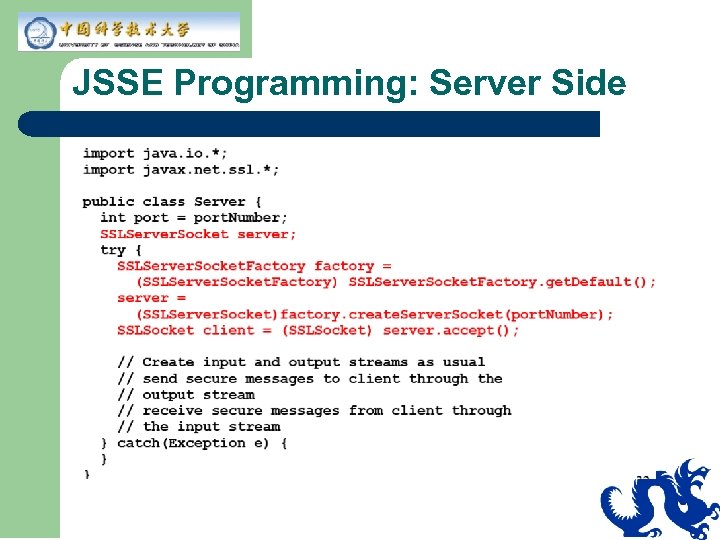 JSSE Programming: Server Side
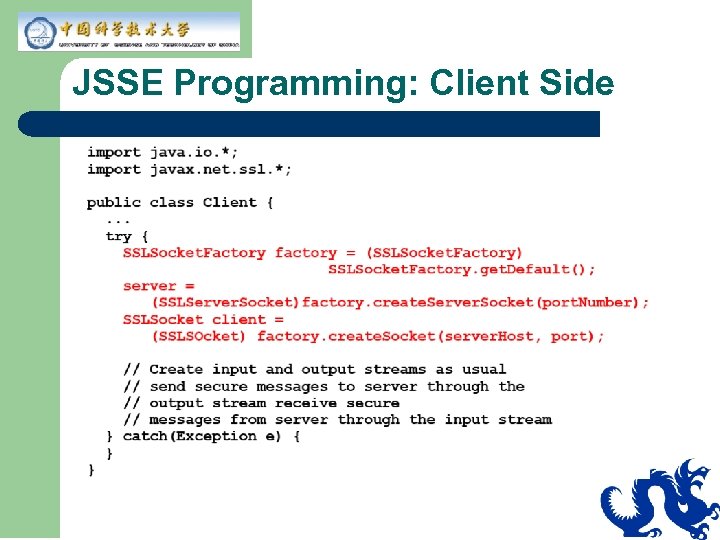 JSSE Programming: Client Side
 SSL Support in Tomcat
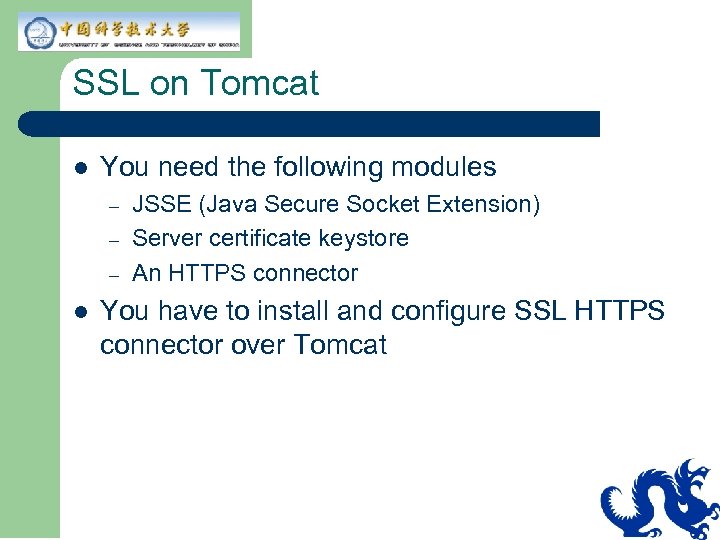 SSL on Tomcat l You need the following modules – – – l JSSE (Java Secure Socket Extension) Server certificate keystore An HTTPS connector You have to install and configure SSL HTTPS connector over Tomcat
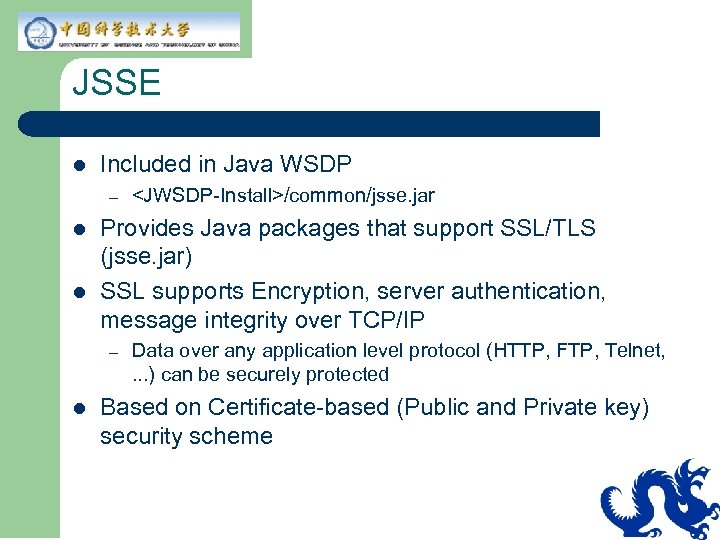 JSSE l Included in Java WSDP – l l Provides Java packages that support SSL/TLS (jsse. jar) SSL supports Encryption, server authentication, message integrity over TCP/IP – l
 Steps of Installing and Configuring SSL over Tomcat
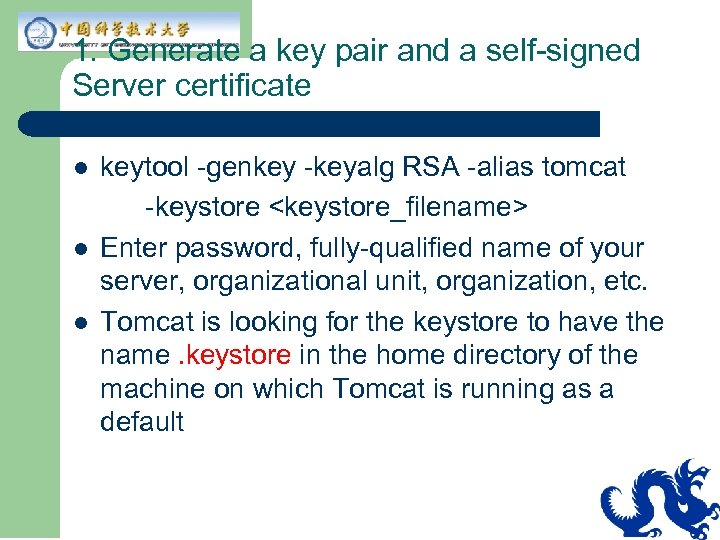 1. Generate a key pair and a self-signed Server certificate l l l keytool -genkey -keyalg RSA -alias tomcat -keystore
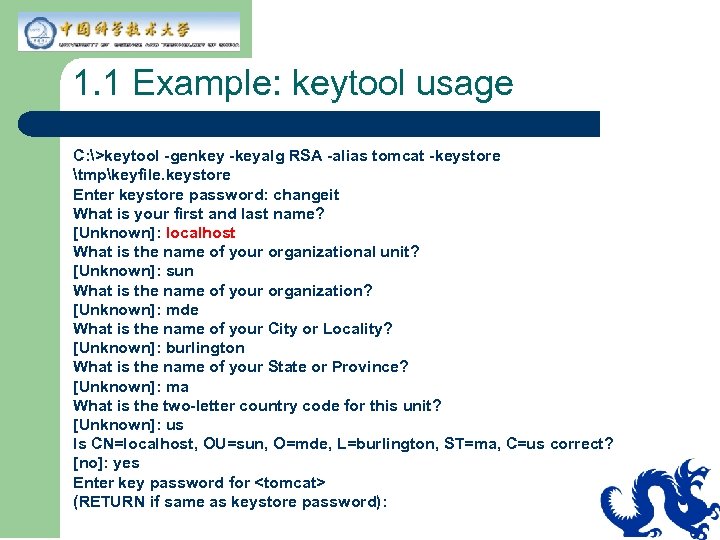 1. 1 Example: keytool usage C: >keytool -genkey -keyalg RSA -alias tomcat -keystore tmpkeyfile. keystore Enter keystore password: changeit What is your first and last name? [Unknown]: localhost What is the name of your organizational unit? [Unknown]: sun What is the name of your organization? [Unknown]: mde What is the name of your City or Locality? [Unknown]: burlington What is the name of your State or Province? [Unknown]: ma What is the two-letter country code for this unit? [Unknown]: us Is CN=localhost, OU=sun, O=mde, L=burlington, ST=ma, C=us correct? [no]: yes Enter key password for
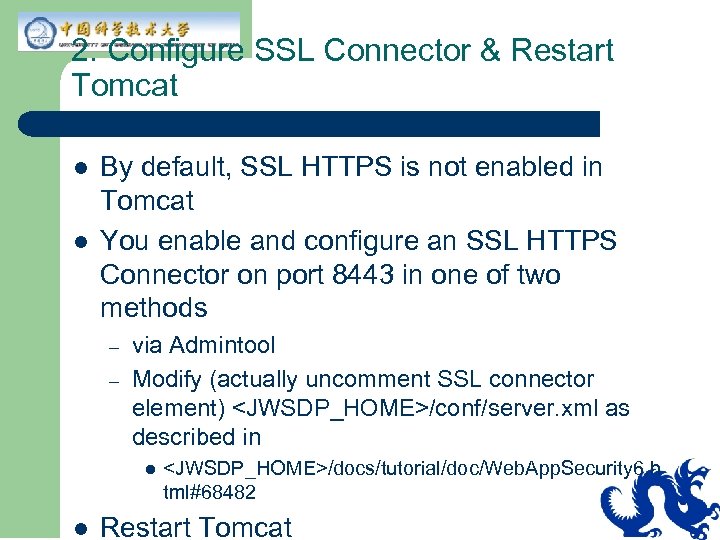 2. Configure SSL Connector & Restart Tomcat l l By default, SSL HTTPS is not enabled in Tomcat You enable and configure an SSL HTTPS Connector on port 8443 in one of two methods – – via Admintool Modify (actually uncomment SSL connector element)
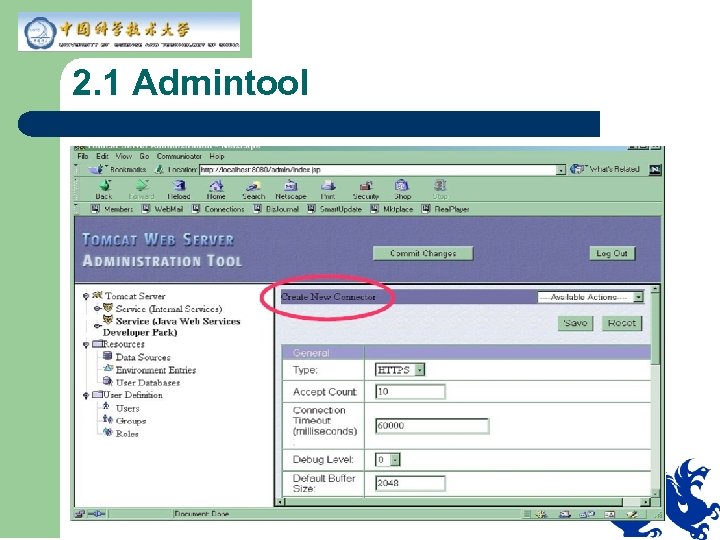 2. 1 Admintool
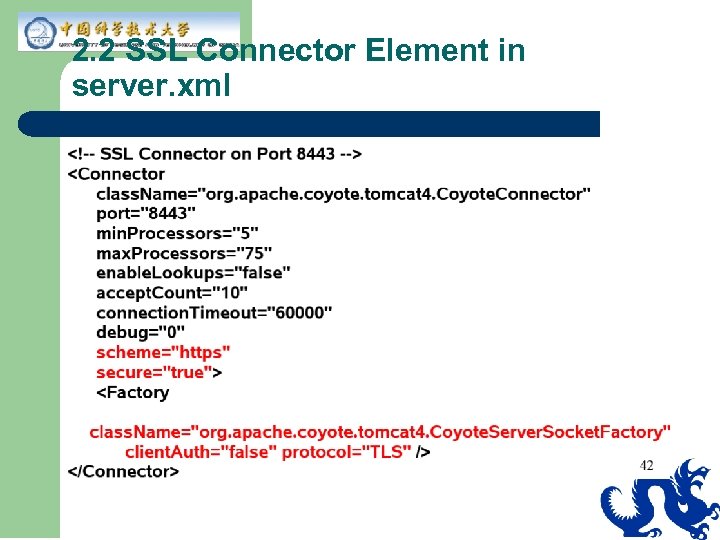 2. 2 SSL Connector Element in server. xml
 3. Verify SSL Support l From the browser, go to – l https: //localhost: 8443/ Port 8443 is where SSL connector is created
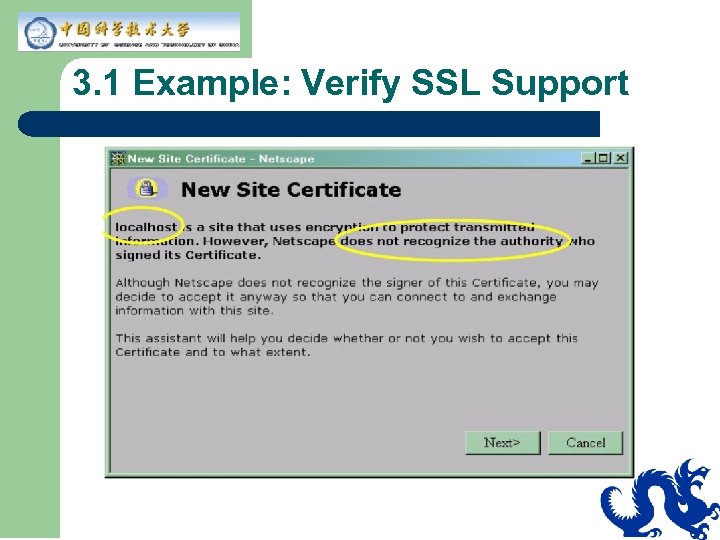 3. 1 Example: Verify SSL Support
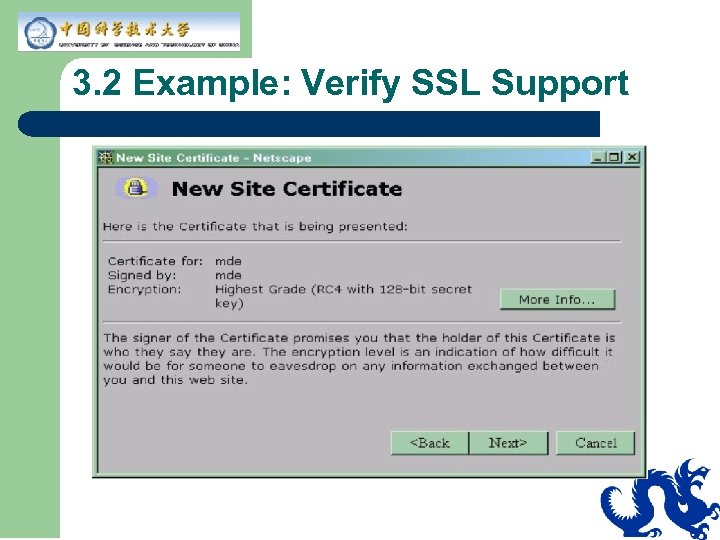 3. 2 Example: Verify SSL Support
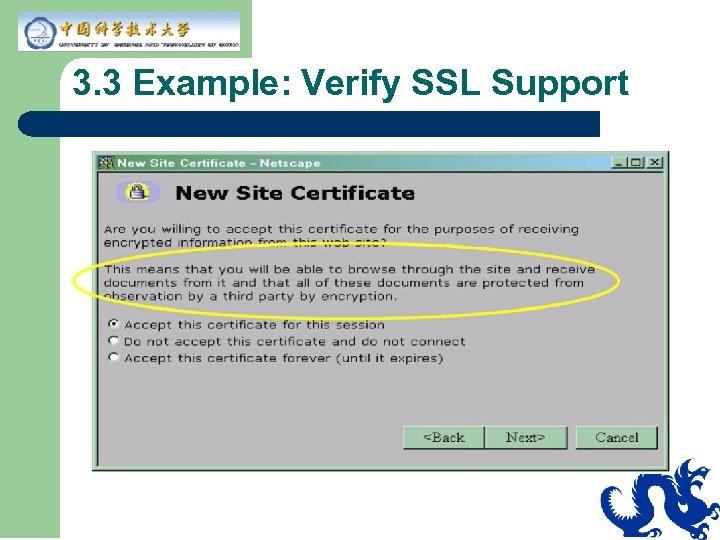 3. 3 Example: Verify SSL Support
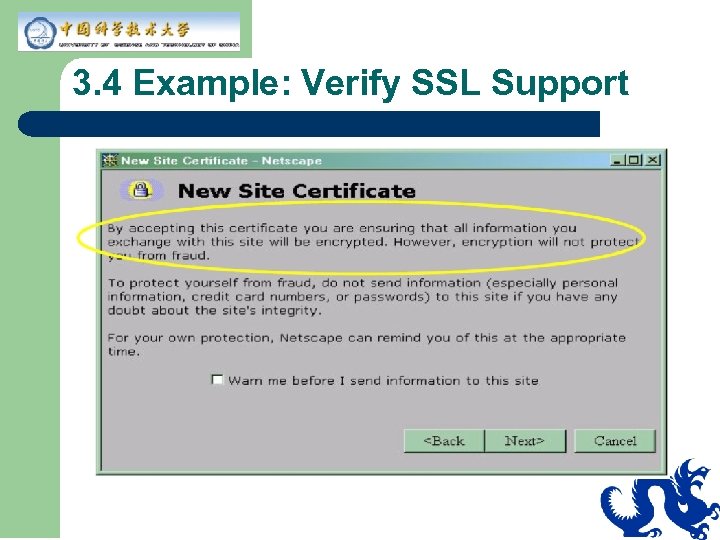 3. 4 Example: Verify SSL Support
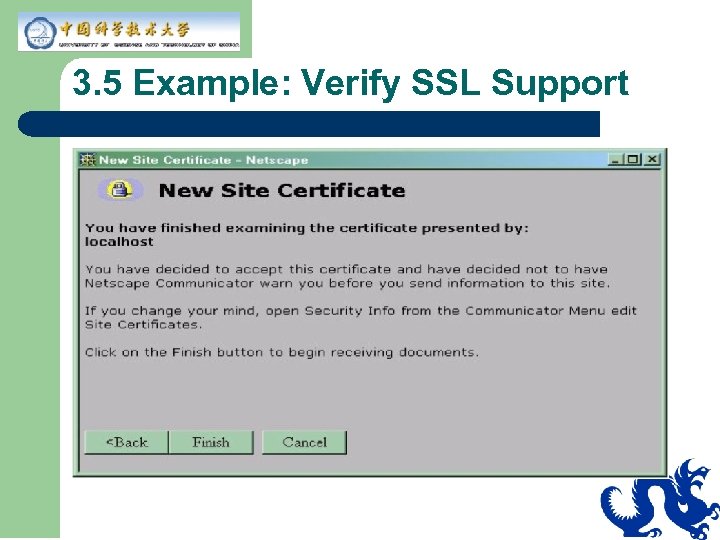 3. 5 Example: Verify SSL Support