


 Скачать презентацию SSD 2 Introduction to computer systems UNIT
Lecture_5.pptx
- Количество слайдов: 58
 SSD 2 : Introduction to computer systems UNIT 3: Operating System Software Khamitov Alim Nadimovich alikhamt@umail. iu. edu
 Operating System Software 3. 1 Structure 3. 1. 1 Layers of Software. 3. 1. 2 The BIOS: Life at the Bottom. 3. 1. 3 Process Control Lab 3. 2 Device Management and Configuration 3. 2. 1 Interrupt Handling 3. 2. 2 Hardware Attributes. 3. 2. 3 Configuration. 3. 2. 4 Lab: Device Management. 3. 3 Resource Sharing 3. 3. 1 Virtual Memory. 3. 3. 2 File and Printer Sharing. 3. 4 File Systems 3. 4. 1 File Organization. 3. 4. 2 File Allocation Table and NT File System
 Lecture 5. Operating System Software 3. 1 Structure 3. 1. 1 Layers of Software 3. 1. 2 The BIOS: Life at the Bottom 3. 1. 3 Process Control 3. 2 Device Management and Configuration 3. 2. 1 Interrupt Handling 3. 2. 2 Hardware Attributes 3. 2. 3 Configuration
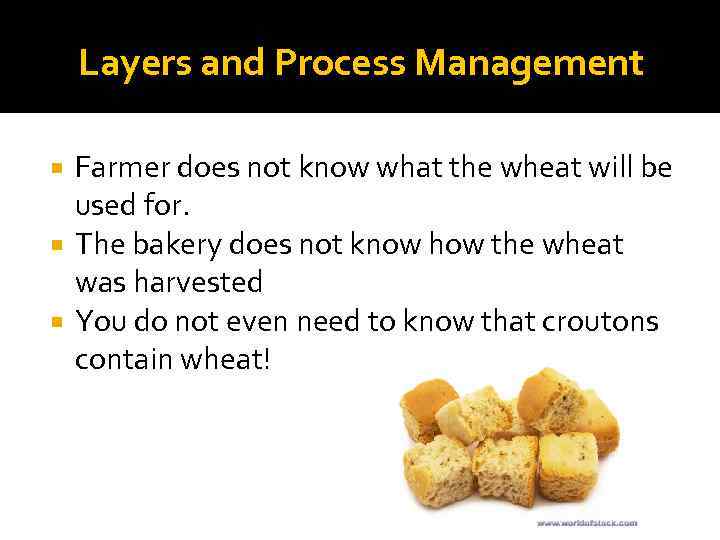 Layers and Process Management Farmer does not know what the wheat will be used for. The bakery does not know how the wheat was harvested You do not even need to know that croutons contain wheat!
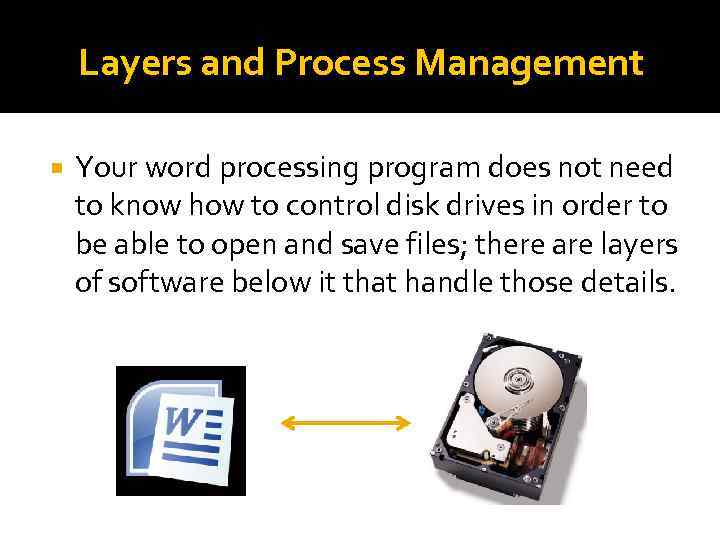 Layers and Process Management Your word processing program does not need to know how to control disk drives in order to be able to open and save files; there are layers of software below it that handle those details.
 Encapsulation and Abstraction Encapsulation means that each layer needs only a limited amount of knowledge to do its job Organizing software into layers that are relatively independent keep the entire system manageable, and afford greater efficiencies Abstraction means how the software layers communicate, beyond the view of the user
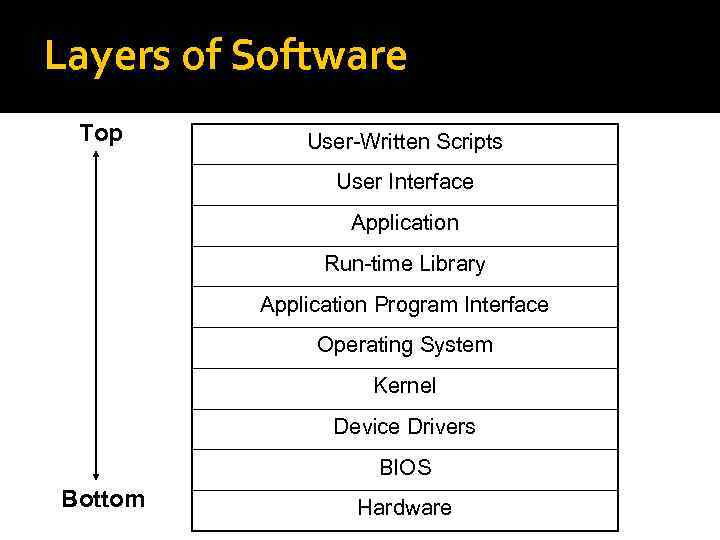 Layers of Software Top User-Written Scripts User Interface Application Run-time Library Application Program Interface Operating System Kernel Device Drivers BIOS Bottom Hardware
 Layers of Software (continued) Hardware: Lowest level of the computer The physical components from which the computer system is constructed BIOS or Basic Input/Output System: Most primitive level of software Deals directly with the signals that control each hardware component Most of its work is done when the system first boots up
 Layers of Software (continued) Device drivers: Helper programs used by Operating systems to control a device In order to add new hardware, the appropriate device driver must be present. Provided by the device manufacturer in floppies or other storage media Instructions are to be followed to install the device and its drivers. Windows OS may sometimes have such drivers stored.
 Layers of Software (continued) Kernel: Performs functions that are critical to maintaining the operating system The kernel is responsible for ▪ ▪ Memory management Process and task management Disk management. (File System) Interrupt Handling Resident in RAM at all times Because space is a factor, kernel is kept small
 Layers of Software: Operating System (OS): Implements all other functions the OS is to perform ▪ File system management ▪ Communicates with the kernel when basic actions such as data transfer operation to a peripheral Master controller of all the activities of the computer
 Layers of Software: Operating System (continued) Operating System (OS) (continued): Sets standards for all the application software used in a computer system Different operating systems have different user interfaces and run compatible applications ▪ Examples: Microsoft Windows, UNIX, LINUX, Mac OS
 Layers of Software: Operating System (continued) External Services of OS: Help users start programs Manage stored data Maintain security of the system Provides ways to select an application program, find, rename and delete documents and other data stored on disk
 Layers of Software: Operating System (continued) Internal services of OS: controls input and output Allocates system resources (e. g. memory, disk drive capacity, processor time) Manages storage for programs and data Detects equipment failures
 Layers of Software: Operating System (continued) Operating systems can be classified into two categories. A server operating system is designed for computers that provide centralized storage facilities and communications capabilities for networks and Web sites. A desktop operating system is designed for a singleuser microcomputer. Mac. OS, Microsoft – for personal computers Linux , UNIX, Solaris – for high-end workstations and servers
 Layers of Software (continued) Application Program Interface (API): A set of routines, protocols, and tools for building software applications Application communicates with OS through the API calls. Ex: Web browser application needs more memory for a large image file. The operating system is responsible for keeping track of which programs are using which chunks of memory The application does not know anything about how the information is organized. The operating system defines an abstraction for managing memory known as an API call.
 Layers of Software (continued) Run time Libraries: A library of routines that are bound to the program during execution Collection of Software routines which application programs rely on Functions that make appropriate API calls needed to enable the OS to perform accordingly Application: Layer where the routines perform tasks the application is designed to do.
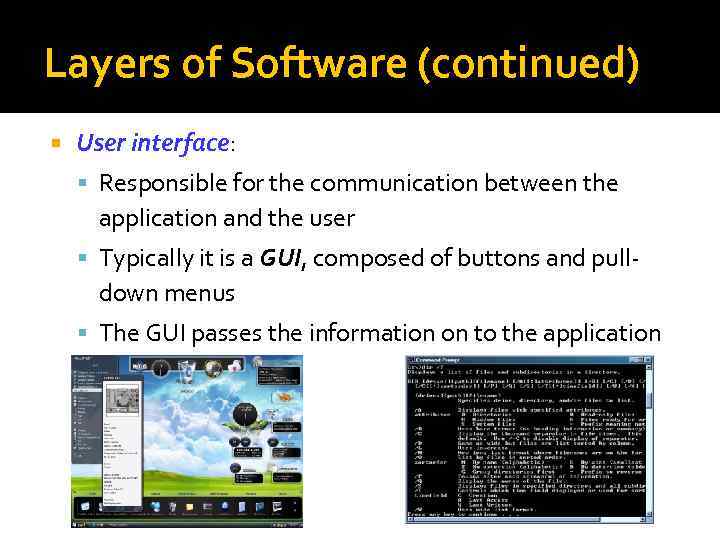 Layers of Software (continued) User interface: Responsible for the communication between the application and the user Typically it is a GUI, composed of buttons and pull- down menus The GUI passes the information on to the application
 Layers of Software (continued) Scripts or macros: Routines that many applications use to allow users to create documents using the application’s built-in commands. Allow users to automate sequences of actions they perform frequently Can perform any function that does not require additional user input
 Layers of Software (continued) The computer industry relies on specialists in each layer of software. Some people make their living writing BIOS software. Others concentrate on improving GUI technology. The greatest number of programmers are found at the application level.
 Windows OS Windows 95/98/NT/ME/2000/XP/Vista/7 Widely used in PCs Supports a vast array of applications and peripheral devices Provides icons, buttons, menus and various other graphical objects that can be manipulated by a mouse Provides a command-line interface Supports multitasking (running more than one program at a time)
 Windows OS (continued) Designed to run high-end and complicated tasks such as video editing, scientific visualization, and computer aided design Provide reliability, security, and support for software applications
 Mac OS X Introduced By APPLE computers (1984) Contains graphical user interface featuring menus and icons OS interface through keyboard or mouse Software applications that are compatible with Mac OS are called Mac software.
 Mac OS (continued) Fewer software compatible with Mac OS than Windows OS. Mac OS has good graphical application software support. Some hardware and software add-ons enable Windows software to run on Mac OS.
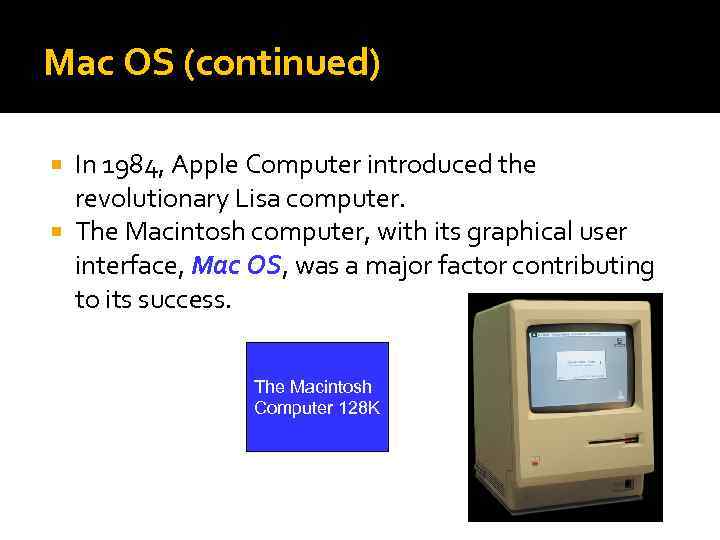 Mac OS (continued) In 1984, Apple Computer introduced the revolutionary Lisa computer. The Macintosh computer, with its graphical user interface, Mac OS, was a major factor contributing to its success. The Macintosh Computer 128 K
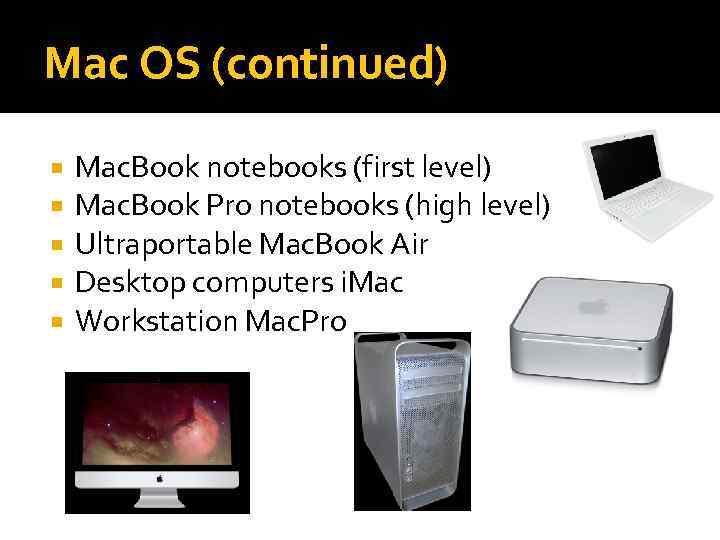 Mac OS (continued) Mac. Book notebooks (first level) Mac. Book Pro notebooks (high level) Ultraportable Mac. Book Air Desktop computers i. Mac Workstation Mac. Pro
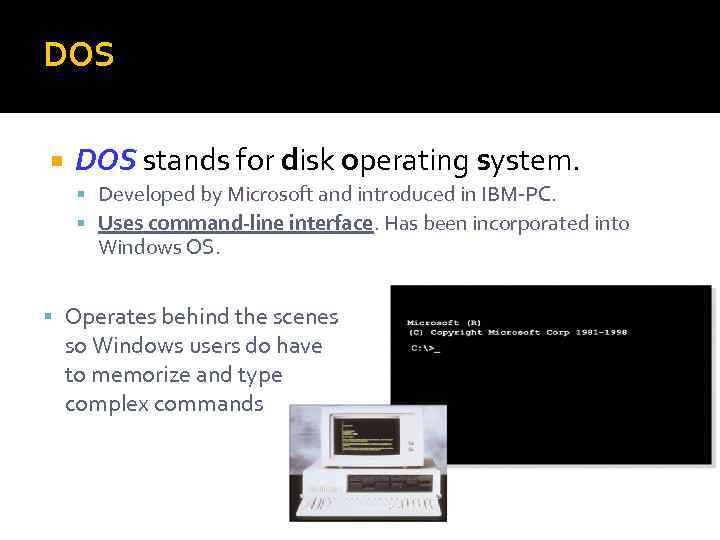 DOS stands for disk operating system. Developed by Microsoft and introduced in IBM-PC. Uses command-line interface. Has been incorporated into Windows OS. Operates behind the scenes so Windows users do have to memorize and type complex commands
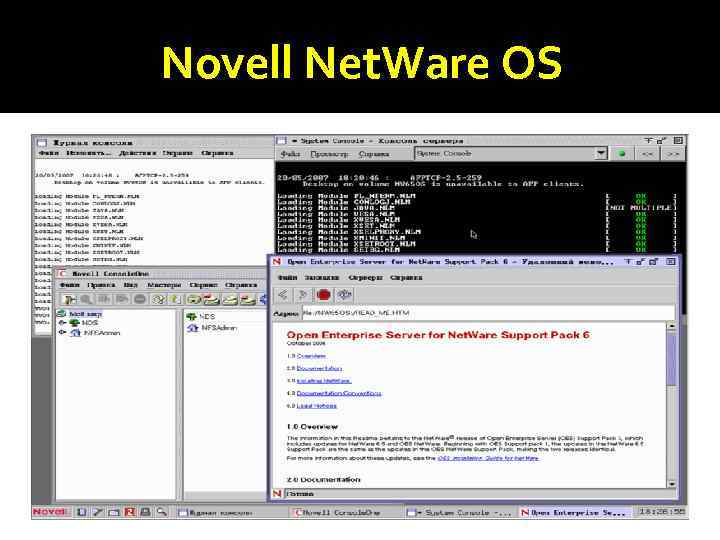
 Windows Server, Net. Ware, UNIX and LINUX Computer providing centralized storage and communications services requires Server OS Differs in managing large flow of data on large networks and web sites Novell Net. Ware: developed for micro computer network Used to access documents and data files in a centralized storage Handled by network managers rather than by average computer users
 Novell Net. Ware OS
 Windows Server, Net. Ware, UNIX and LINUX (continued) UNIX and LINUX: Developed for mini and micro computer networks and web servers of all sizes. Variation of UNIX (1971) is LINUX, which is has a stable and secure OS. UNIX and LINUX are suitable for servers and high-end workstations. A GUI environment
 Utilities A program that performs a very specific task, usually related to managing system resources. Operating systems contain a number of utilities for managing disk drives, printers, and other devices. Some Utilities comes with OS such as Мониторинг показателей датчиков и производительности оборудования — температур а процессора, видеоадаптера; тесты производительности. Управление параметрами оборудования — ограничение максимальной скорости вращения CD-привода; изменение скорости вращения кулеров. Контроль показателей — правильность записи данных.
 Utilities (continued) Norton Utilities: Retrieves data from damaged disk, encrypt it and helps troubleshoot the problem OS provides disk formatting utility to format disks. Formatting disk: Creating electronic storage shelves for data (address table) Norton Disk Doctor, Registry Cleaner, Disk Defragmenter, Restore Center, System Optimizer, Process Viewer и Performance Test.
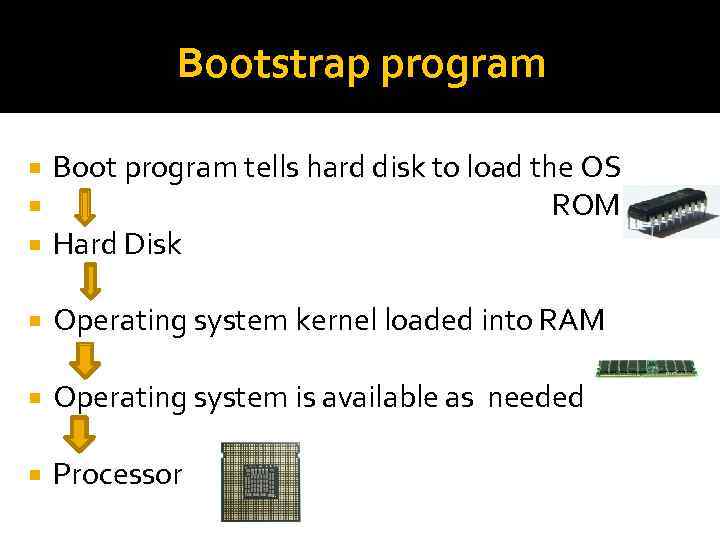 Bootstrap program Boot program tells hard disk to load the OS ROM Hard Disk Operating system kernel loaded into RAM Operating system is available as needed Processor
 The Roles of the BIOS The BIOS performs three major functions initializes the hardware when the computer is first turned on, loads the OS, provides basic support for devices such as the keyboard, mouse, and serial ports.
 The Roles of the BIOS (continued) The BIOS resides on a ROM chip Non-volatile Slower than DRAM Loads itself into DRAM Uses CMOS is powered by battery, therefore, it is volatile Contains BIOS parameter settings for hardware and memory speed
 BIOS (continued) The BIOS initiates the POST (Power-On Self Test) sequence Enables the video card Counts and tests memory Checks for expansion cards and adapters and initializes them Follows a search order to find the Master Boot Record ▪ A program is invoked to load the operating system once the MBR is found
 Bootable Floppy Boot disk is a floppy or CD/DVD containing bootable copy of OS. Used in the case of hard drive corruption when the system crashes. Computer that can be booted by a floppy is not fully secure. Anyone can boot their version of OS, which ignores the file protections and can access any file on the system. MBR( Master Boot Record) viruses affect the Boot disk.
 Questions Which of the following are programs containing software instructions to be executed by the CPU? BIOS Device driver Operating system (a) I and II only (b) I and III only (c) I, II, and III (d) II and III only Which of the following services are provided by the BIOS? Orchestration of the initial boot process Management of file creation and file deletion Basic support for devices such as the keyboard (a) II only (b) I only (c) I and III (d) I and II
 Questions Which of the layers of software that make up a computer system provides applications with direct access to the operating system? (a) The API (b) The BIOS (c) Device drivers (d) Scripts Device drivers facilitate communication between which layers of the system? (a) The operating system and hardware devices (b) Different hardware devices (c) The operating system and applications using hardware devices (d) Applications and hardware devices
 Process Control Keeps track of all the processes running Process is an instance of a running program Process can be in three states: Running Runnable Blocked Kernel maintains a queue of processes (run queue)
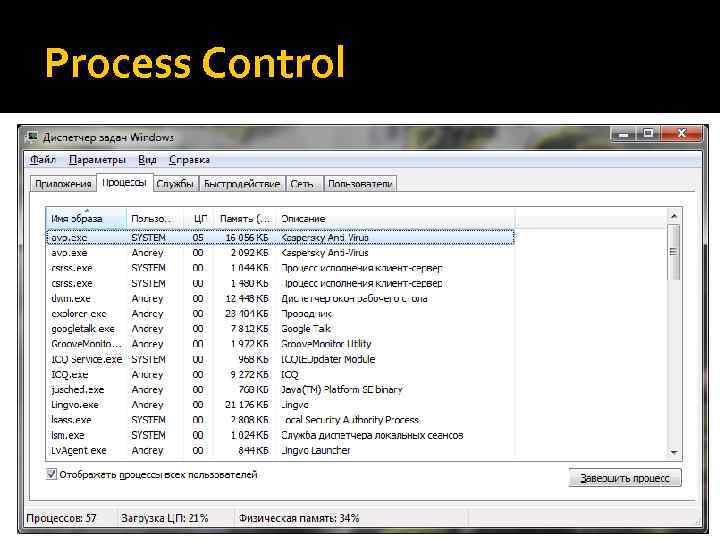 Process Control
 Preemptive Multitasking Preemptive multitasking is used to create an illusion that all processes are running at once. Uses a real-time clock that can generate interrupts at regular rate. At each interrupt, another process may be run. Kernel requires a context swap for switching processes. Context switching places some over head on the processor.
 Context Switching Current running process is demoted from running to runnable. The steps occurring in context swap are: Processor flushes the pipeline of executing instructions. Its execution process is noted. Register contents are saved. Kernel loads a new page table.
 Interrupts A signal informing a program that an event has occurred and needs attention or change in execution. Interrupt signals can come from a variety of sources. Hardware interrupts Software interrupts To avoid losing of data, interrupts are handled in less than a thousandth of a second. PCs support 256 types of software interrupts and 15 hardware interrupts.
 Interrupts (continued) Processor receives an IRQ(Interrupt Re. Quest) When the processor receives a interrupt, it Stops executing the current application Saves the address of the last instruction executed Jumps to a fixed memory location (e. g. address of keyboard interrupt handler) Starts executing the instructions it finds there in the new memory location Processor’s registers contain data the user program was manipulating at the time.
 Interrupt Priority and Nested Interrupts Processor assigns priorities to different types of interrupts. Low speed devices have low priority. High Speed devices have high priority. Interrupts cannot nest infinitely. Interrupt handler can only be interrupted by a higher priority interrupt.
 Trap Event similar to an interrupt Triggered by the execution of processor instructions Example: a division-by-zero operation Trap handler responds to an error either by printing a message, terminate the user program, or continuing with the program.
 Fault Occurs when: The hardware is asked to perform a task that is not possible for the hardware devices ▪ For example, non-existent memory location Program contains an illegal machine instruction
 Installing Drivers Each device must have a device driver in the OS. Device Driver manages the commands transfer of data error conditions that occur OS specifies an interface that a device driver must utilize Different versions of the same OS may use an interface requiring different drivers.
 Installing Drivers (continued) Drivers are supplied with operating system’s distribution files or from the manufacturer of the hardware device. In windows OS, new hardware devices are detected after a reboot by the Plug & Play (Pn. P) control mechanism. Use Add New Hardware utility if Windows does not recognize a newly added device.
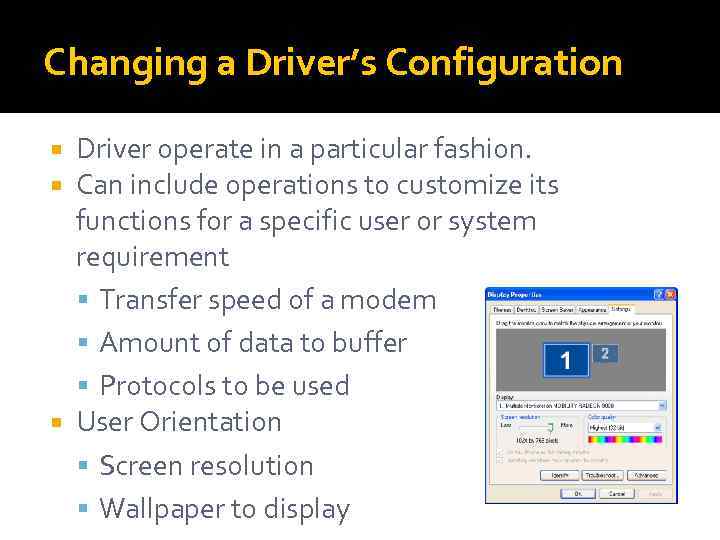 Changing a Driver’s Configuration Driver operate in a particular fashion. Can include operations to customize its functions for a specific user or system requirement Transfer speed of a modem Amount of data to buffer Protocols to be used User Orientation Screen resolution Wallpaper to display
 Changing a Driver’s Configuration (continued) OS like UNIX keeps all the configuration information in the form of text files. Present version of windows store configuration in binary files, (collectively known as Registry) Registry has its own editor (either REGEDIT or REG 32 EDIT) for viewing and modifying the information. As it is cryptic in nature, novice users employ the control panel to modify contents of registries.
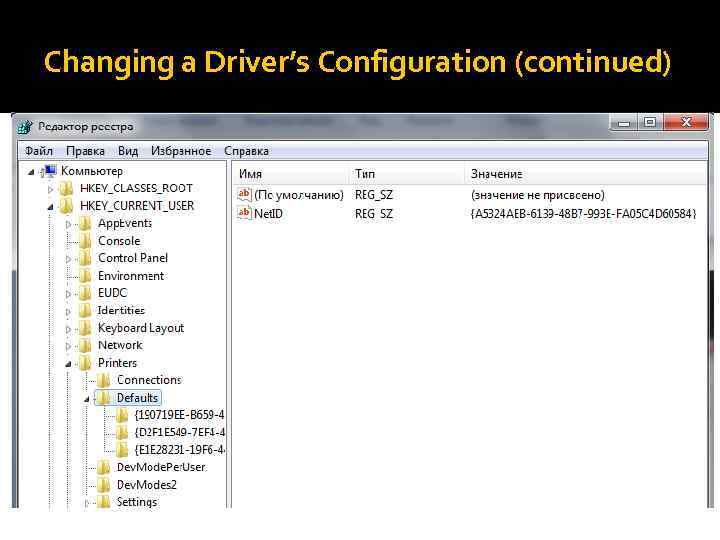 Changing a Driver’s Configuration (continued)
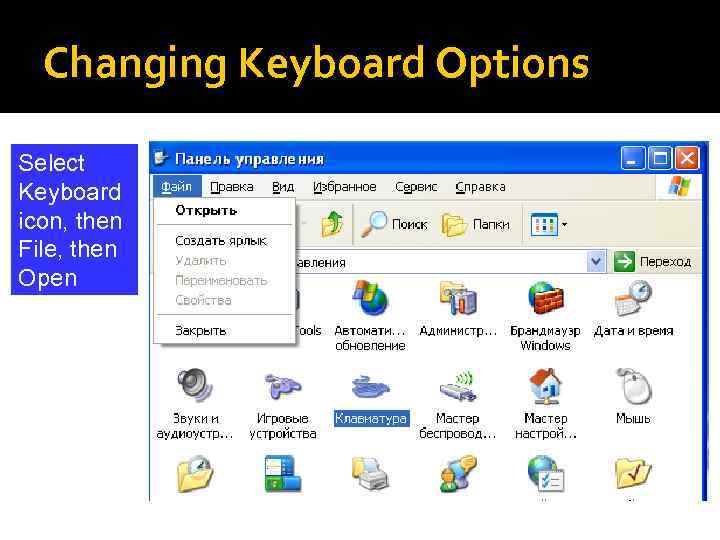 Changing Keyboard Options Select Keyboard icon, then File, then Open
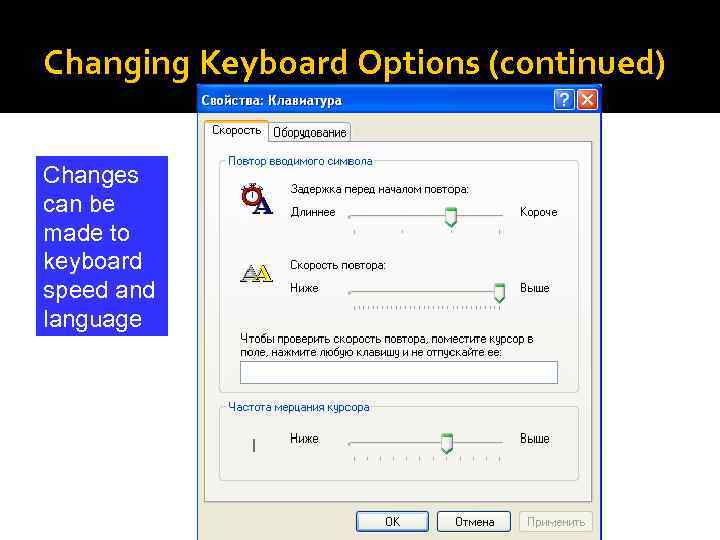 Changing Keyboard Options (continued) Changes can be made to keyboard speed and language
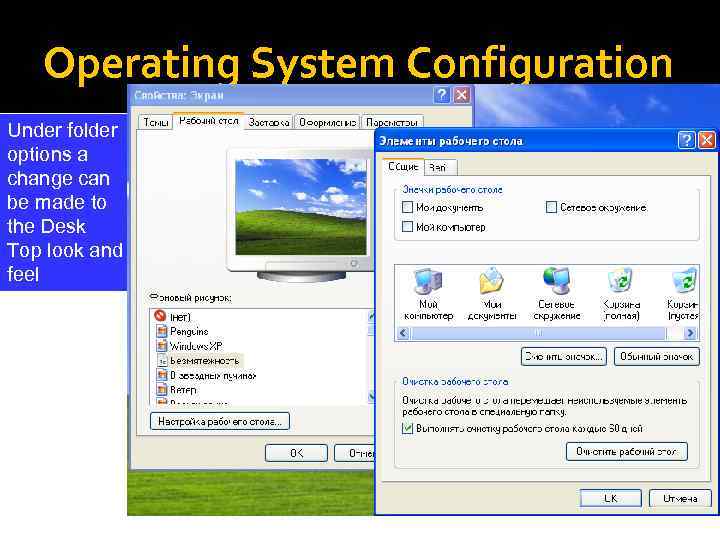 Operating System Configuration Under folder options a change can be made to the Desk Top look and feel
 Unit 3, 4 Review Materials: i 3 – BIOS and CMOS i. 4 – Boot Process i. 6 – Interrupts i. 7 – Layers i. 8 – Multitasking i. 13 – User Interfaces