


 Скачать презентацию South African Grid Training DPM Installation Administration and
bf314ca32e9728894c9103bcda0a5be5.ppt
- Количество слайдов: 61
 South African Grid Training DPM Installation, Administration and Troubleshooting Albert van Eck UFS ICTS Slides by: Rosanna Catania
 Outline • • • Overview Installation Administration Troubleshooting References South African Grid Training Cape Town 2 18 November 2009
 Outline • • • Overview Installation Administration Troubleshooting References South African Grid Training Cape Town 3 18 November 2009
 DPM Overview • “a file is considered to be a Grid file if it is both physically present in a SE and registered in the file catalogue. ” [ g. Lite 3. 1 User Guide p. 103] • The Storage Element is the service which allows a user or an application to store data for future retrieval. All data in a SE must be considered read-only and therefore can not be changed unless physically removed and replaced. Different VOs might enforce different policies for space quota management. • The Disk Pool Manager (DPM) is a lightweight solution for disk storage management, which offers the SRM (Storage Resource Manager) interfaces (2. 2 released in DPM version 1. 6. 3). South African Grid Training Cape Town 4 18 November 2009
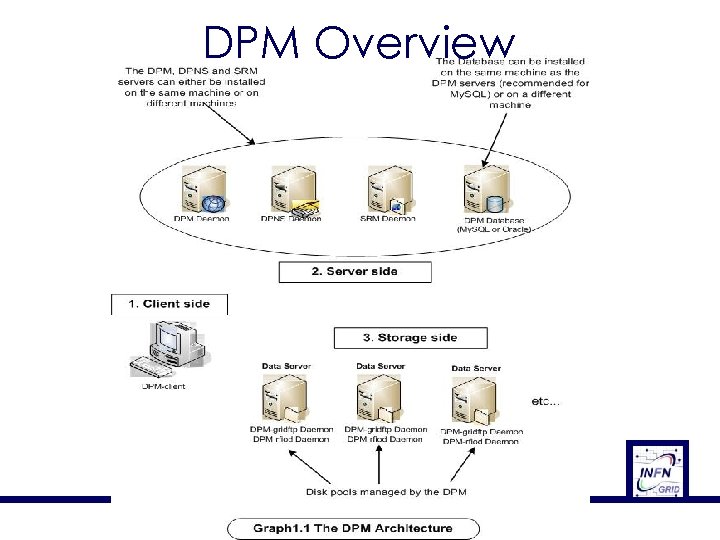
 DPM Overview • Each DPM–type Storage Element (SE), is composed by an head node and a disk server on the same machine. • The DPM head node has to have al least one filesystem in this pool, and then an arbitrary number of disk servers can be added by YAIM. • The DPM handles the storage on Disk Servers. It handles pools: a pool is a group of file systems, located on one or more disk servers. The DPM Disk Servers can have multiple filesystems in the pool.
 DPM Overview • The Storage Resource Manager (SRM) has been designed to be the single interface (through the corresponding SRM protocol) for the management of disk and tape storage resources. Any type of Storage Element in WLCG/EGEE offers an SRM interface except for the Classic SE, which is being phased out. SRM hides the complexity of the resources setup behind it and allows the user to request files, keep them on a disk buffer for a specified lifetime (SRM 2. 2 only), reserve space for new entries, and so on. SRM offers also a third party transfer protocol between different endpoints, not supported however by all SE implementations. It is important to notice that the SRM protocol is a storage management protocol and not a file access one. South African Grid Training Cape Town 18 November 2009
 DPM Overview • Usually the DPM head node hosts: – SRM server (srmv 1 and/or srmv 2) : receives the SRM requests and pass them to the DPM server; – DPM server : keeps track of all the requests; – DPM name server (DPNS) : handles the namespace for all the files under the DPM control; – DPM RFIO server : handles the transfers for the RFIO protocol; – DPM Gridftp server : handles the transfer for the Gridftp protocol.
 DPM Overview
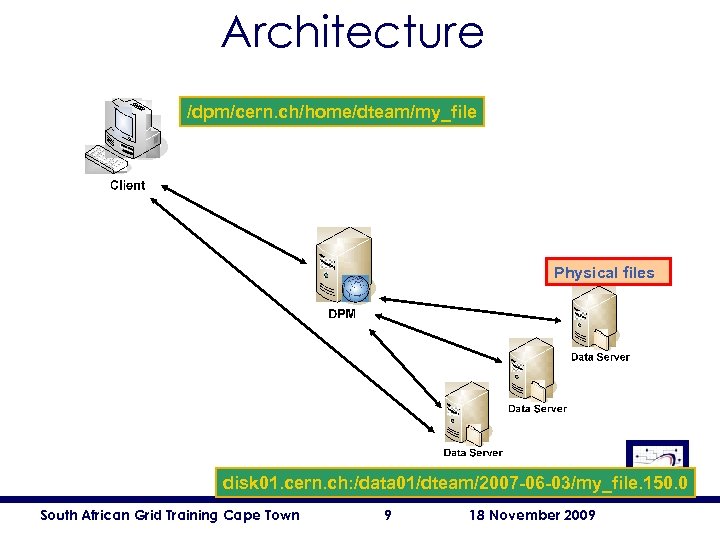 Architecture /dpm/cern. ch/home/dteam/my_file Physical files disk 01. cern. ch: /data 01/dteam/2007 -06 -03/my_file. 150. 0 South African Grid Training Cape Town 9 18 November 2009
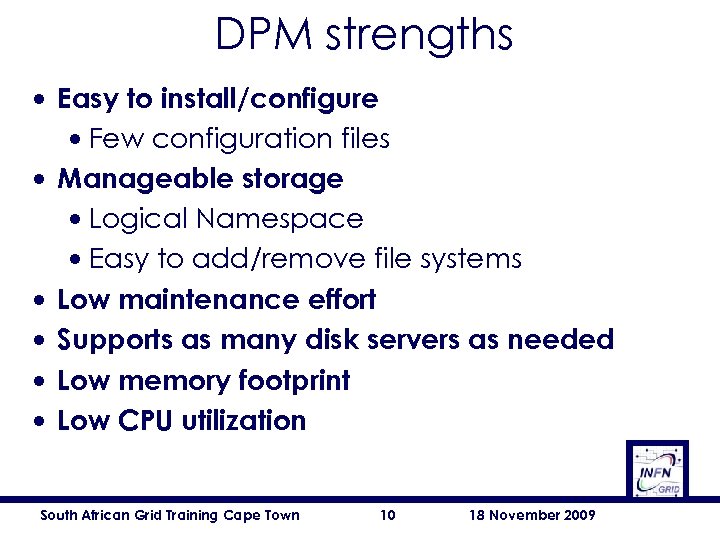 DPM strengths • Easy to install/configure • Few configuration files • Manageable storage • Logical Namespace • Easy to add/remove file systems • Low maintenance effort • Supports as many disk servers as needed • Low memory footprint • Low CPU utilization South African Grid Training Cape Town 10 18 November 2009
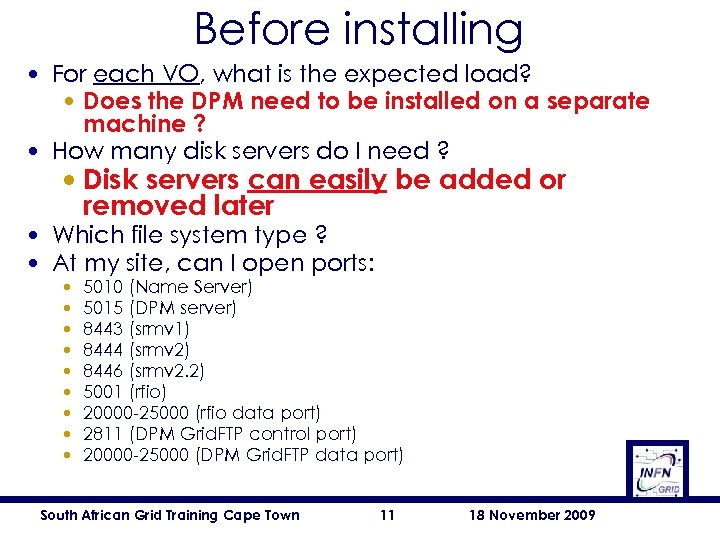 Before installing • For each VO, what is the expected load? • Does the DPM need to be installed on a separate machine ? • How many disk servers do I need ? • Disk servers can easily be added or removed later • Which file system type ? • At my site, can I open ports: • • • 5010 (Name Server) 5015 (DPM server) 8443 (srmv 1) 8444 (srmv 2) 8446 (srmv 2. 2) 5001 (rfio) 20000 -25000 (rfio data port) 2811 (DPM Grid. FTP control port) 20000 -25000 (DPM Grid. FTP data port) South African Grid Training Cape Town 11 18 November 2009
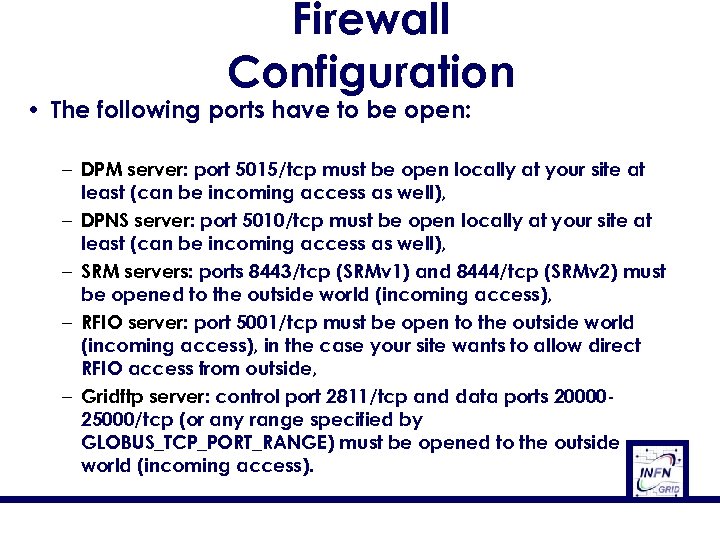 Firewall Configuration • The following ports have to be open: – DPM server: port 5015/tcp must be open locally at your site at least (can be incoming access as well), – DPNS server: port 5010/tcp must be open locally at your site at least (can be incoming access as well), – SRM servers: ports 8443/tcp (SRMv 1) and 8444/tcp (SRMv 2) must be opened to the outside world (incoming access), – RFIO server: port 5001/tcp must be open to the outside world (incoming access), in the case your site wants to allow direct RFIO access from outside, – Gridftp server: control port 2811/tcp and data ports 2000025000/tcp (or any range specified by GLOBUS_TCP_PORT_RANGE) must be opened to the outside world (incoming access).
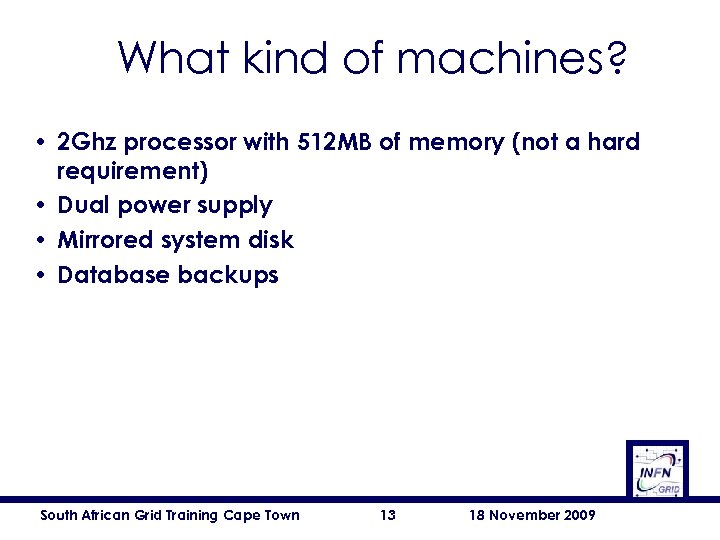 What kind of machines? • 2 Ghz processor with 512 MB of memory (not a hard requirement) • Dual power supply • Mirrored system disk • Database backups South African Grid Training Cape Town 13 18 November 2009
 Outline • • • Overview Installation Administration Troubleshooting References South African Grid Training Cape Town 14 18 November 2009
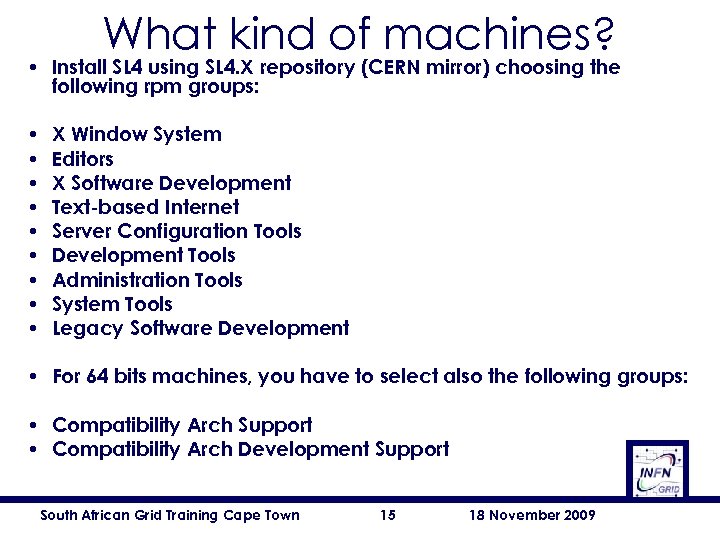 What kind of machines? • Install SL 4 using SL 4. X repository (CERN mirror) choosing the following rpm groups: • • • X Window System Editors X Software Development Text-based Internet Server Configuration Tools Development Tools Administration Tools System Tools Legacy Software Development • For 64 bits machines, you have to select also the following groups: • Compatibility Arch Support • Compatibility Arch Development Support South African Grid Training Cape Town 15 18 November 2009
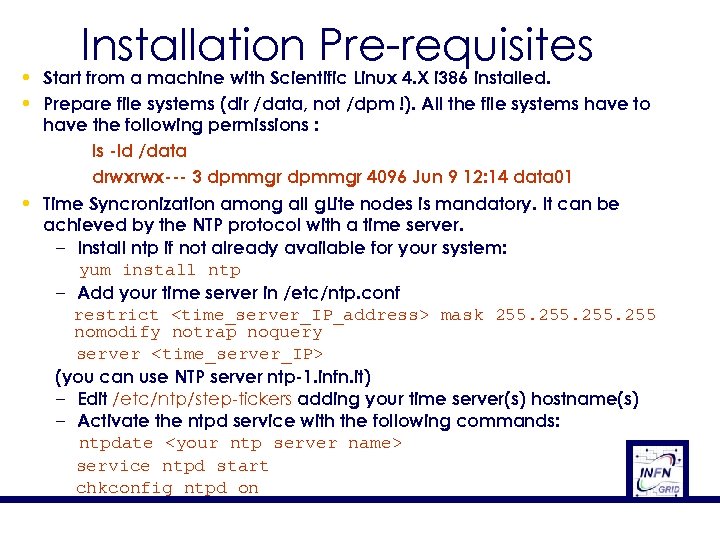 Installation Pre-requisites • Start from a machine with Scientific Linux 4. X i 386 installed. • Prepare file systems (dir /data, not /dpm !). All the file systems have to have the following permissions : ls -ld /data drwxrwx--- 3 dpmmgr 4096 Jun 9 12: 14 data 01 • Time Syncronization among all g. Lite nodes is mandatory. It can be achieved by the NTP protocol with a time server. – Install ntp if not already available for your system: yum install ntp – Add your time server in /etc/ntp. conf restrict
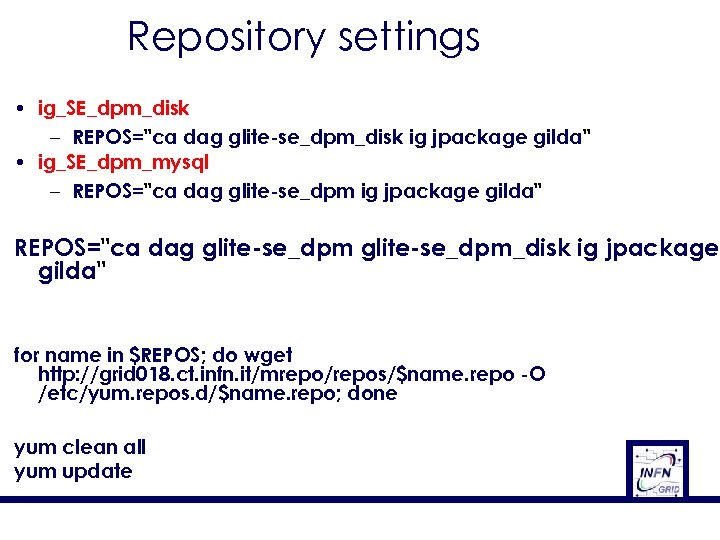 Repository settings • ig_SE_dpm_disk – REPOS="ca dag glite-se_dpm_disk ig jpackage gilda" • ig_SE_dpm_mysql – REPOS="ca dag glite-se_dpm ig jpackage gilda" REPOS="ca dag glite-se_dpm_disk ig jpackage gilda" for name in $REPOS; do wget http: //grid 018. ct. infn. it/mrepo/repos/$name. repo -O /etc/yum. repos. d/$name. repo; done yum clean all yum update
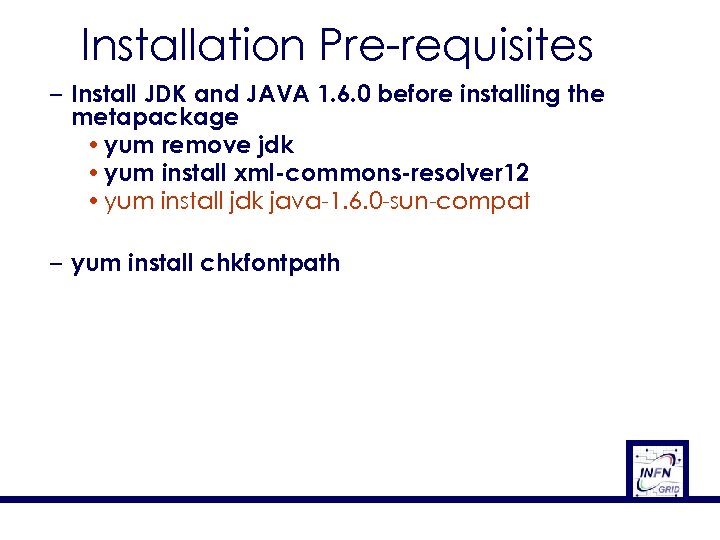 Installation Pre-requisites – Install JDK and JAVA 1. 6. 0 before installing the metapackage • yum remove jdk • yum install xml-commons-resolver 12 • yum install jdk java-1. 6. 0 -sun-compat – yum install chkfontpath
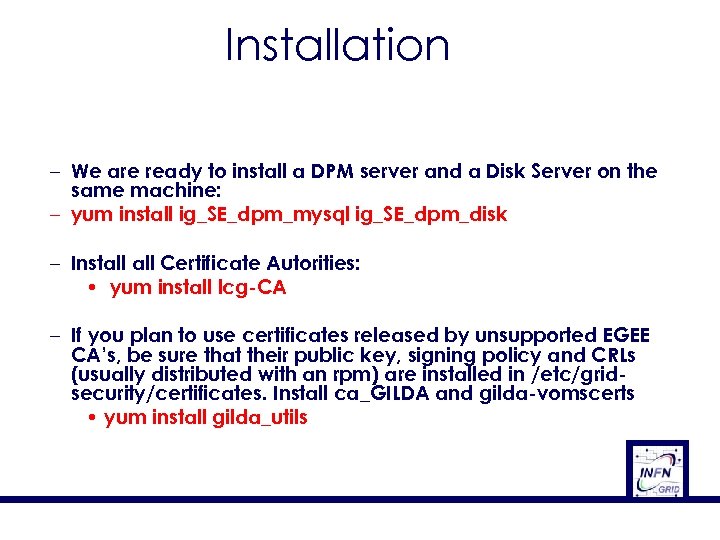 Installation – We are ready to install a DPM server and a Disk Server on the same machine: – yum install ig_SE_dpm_mysql ig_SE_dpm_disk – Install Certificate Autorities: • yum install lcg-CA – If you plan to use certificates released by unsupported EGEE CA’s, be sure that their public key, signing policy and CRLs (usually distributed with an rpm) are installed in /etc/gridsecurity/certificates. Install ca_GILDA and gilda-vomscerts • yum install gilda_utils
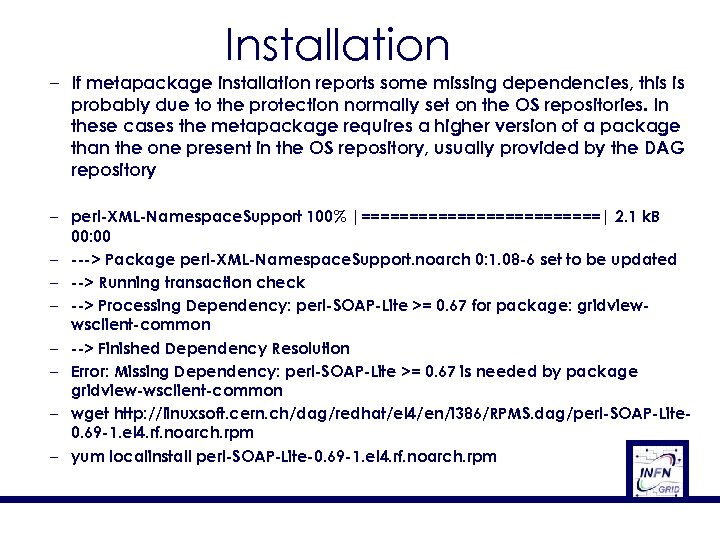 Installation – If metapackage installation reports some missing dependencies, this is probably due to the protection normally set on the OS repositories. In these cases the metapackage requires a higher version of a package than the one present in the OS repository, usually provided by the DAG repository – perl-XML-Namespace. Support 100% |=============| 2. 1 k. B 00: 00 – ---> Package perl-XML-Namespace. Support. noarch 0: 1. 08 -6 set to be updated – --> Running transaction check – --> Processing Dependency: perl-SOAP-Lite >= 0. 67 for package: gridviewwsclient-common – --> Finished Dependency Resolution – Error: Missing Dependency: perl-SOAP-Lite >= 0. 67 is needed by package gridview-wsclient-common – wget http: //linuxsoft. cern. ch/dag/redhat/el 4/en/i 386/RPMS. dag/perl-SOAP-Lite 0. 69 -1. el 4. rf. noarch. rpm – yum localinstall perl-SOAP-Lite-0. 69 -1. el 4. rf. noarch. rpm
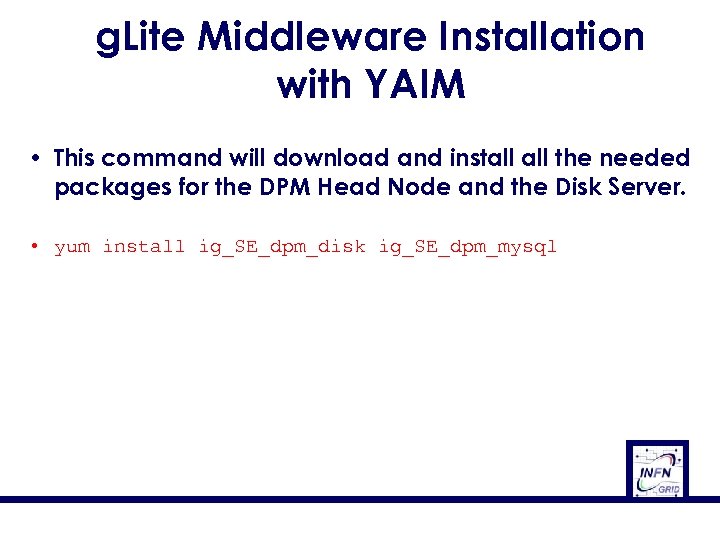 g. Lite Middleware Installation with YAIM • This command will download and install the needed packages for the DPM Head Node and the Disk Server. • yum install ig_SE_dpm_disk ig_SE_dpm_mysql
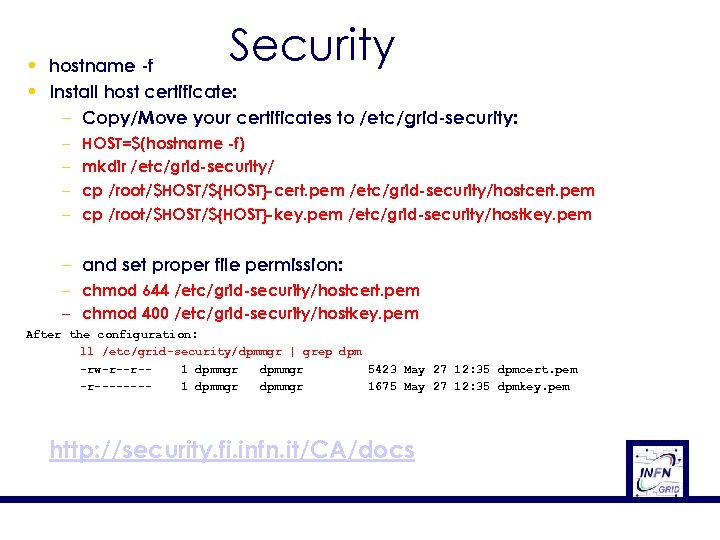 Security • hostname -f • Install host certificate: – Copy/Move your certificates to /etc/grid-security: – – HOST=$(hostname -f) mkdir /etc/grid-security/ cp /root/$HOST/${HOST}-cert. pem /etc/grid-security/hostcert. pem cp /root/$HOST/${HOST}-key. pem /etc/grid-security/hostkey. pem – and set proper file permission: – chmod 644 /etc/grid-security/hostcert. pem – chmod 400 /etc/grid-security/hostkey. pem After the configuration: ll /etc/grid-security/dpmmgr | grep dpm -rw-r--r-1 dpmmgr 5423 May 27 12: 35 dpmcert. pem -r-------1 dpmmgr 1675 May 27 12: 35 dpmkey. pem http: //security. fi. infn. it/CA/docs
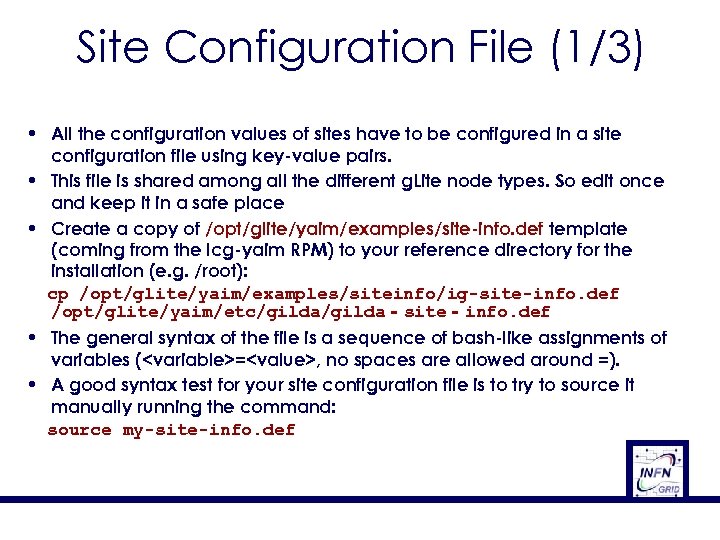 Site Configuration File (1/3) • All the configuration values of sites have to be configured in a site configuration file using key-value pairs. • This file is shared among all the different g. Lite node types. So edit once and keep it in a safe place • Create a copy of /opt/glite/yaim/examples/site-info. def template (coming from the lcg-yaim RPM) to your reference directory for the installation (e. g. /root): cp /opt/glite/yaim/examples/siteinfo/ig-site-info. def /opt/glite/yaim/etc/gilda‐site‐info. def • The general syntax of the file is a sequence of bash-like assignments of variables (
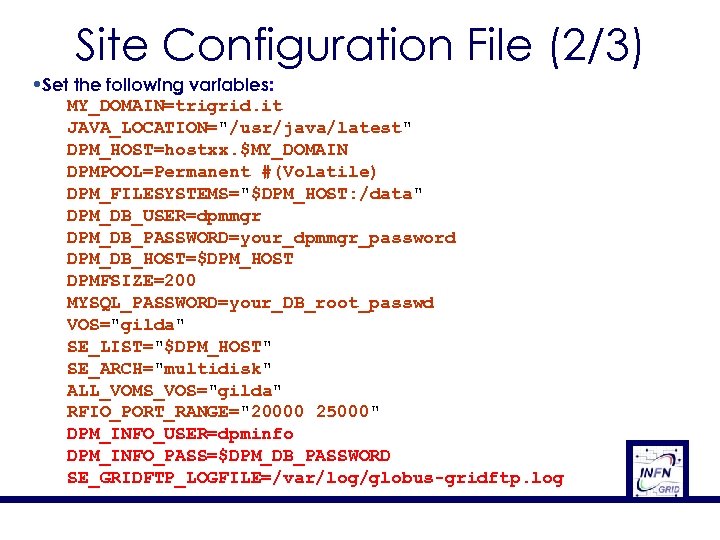 Site Configuration File (2/3) • Set the following variables: MY_DOMAIN=trigrid. it JAVA_LOCATION="/usr/java/latest" DPM_HOST=hostxx. $MY_DOMAIN DPMPOOL=Permanent #(Volatile) DPM_FILESYSTEMS="$DPM_HOST: /data" DPM_DB_USER=dpmmgr DPM_DB_PASSWORD=your_dpmmgr_password DPM_DB_HOST=$DPM_HOST DPMFSIZE=200 MYSQL_PASSWORD=your_DB_root_passwd VOS="gilda" SE_LIST="$DPM_HOST" SE_ARCH="multidisk" ALL_VOMS_VOS="gilda" RFIO_PORT_RANGE="20000 25000" DPM_INFO_USER=dpminfo DPM_INFO_PASS=$DPM_DB_PASSWORD SE_GRIDFTP_LOGFILE=/var/log/globus-gridftp. log
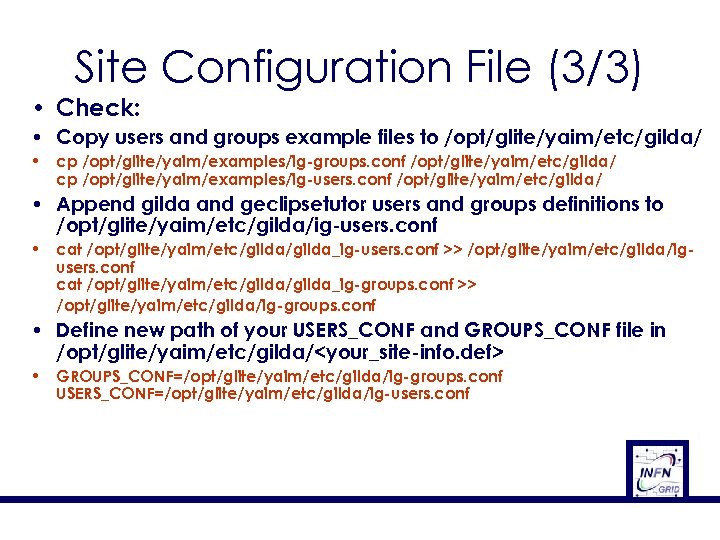 Site Configuration File (3/3) • Check: • Copy users and groups example files to /opt/glite/yaim/etc/gilda/ • cp /opt/glite/yaim/examples/ig-groups. conf /opt/glite/yaim/etc/gilda/ cp /opt/glite/yaim/examples/ig-users. conf /opt/glite/yaim/etc/gilda/ • Append gilda and geclipsetutor users and groups definitions to /opt/glite/yaim/etc/gilda/ig-users. conf • cat /opt/glite/yaim/etc/gilda_ig-users. conf >> /opt/glite/yaim/etc/gilda/igusers. conf cat /opt/glite/yaim/etc/gilda_ig-groups. conf >> /opt/glite/yaim/etc/gilda/ig-groups. conf • Define new path of your USERS_CONF and GROUPS_CONF file in /opt/glite/yaim/etc/gilda/
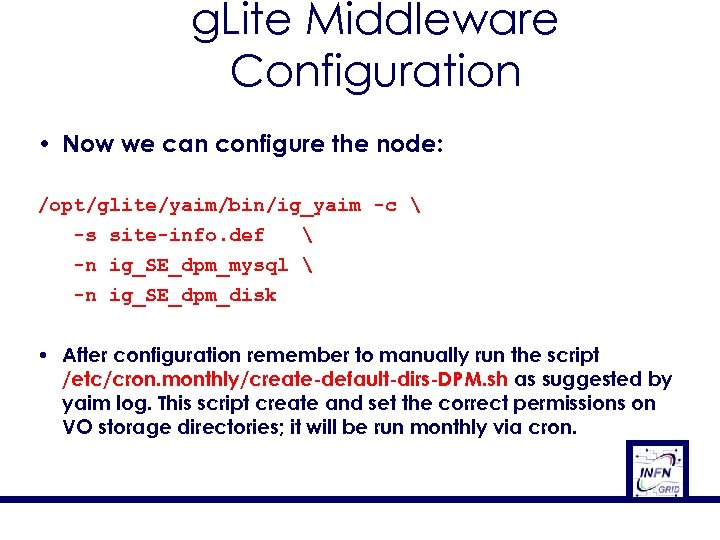 g. Lite Middleware Configuration • Now we can configure the node: /opt/glite/yaim/bin/ig_yaim -c -s site-info. def -n ig_SE_dpm_mysql -n ig_SE_dpm_disk • After configuration remember to manually run the script /etc/cron. monthly/create-default-dirs-DPM. sh as suggested by yaim log. This script create and set the correct permissions on VO storage directories; it will be run monthly via cron.
 Outline • • • Overview Installation Administration Troubleshooting References South African Grid Training Cape Town 27 18 November 2009
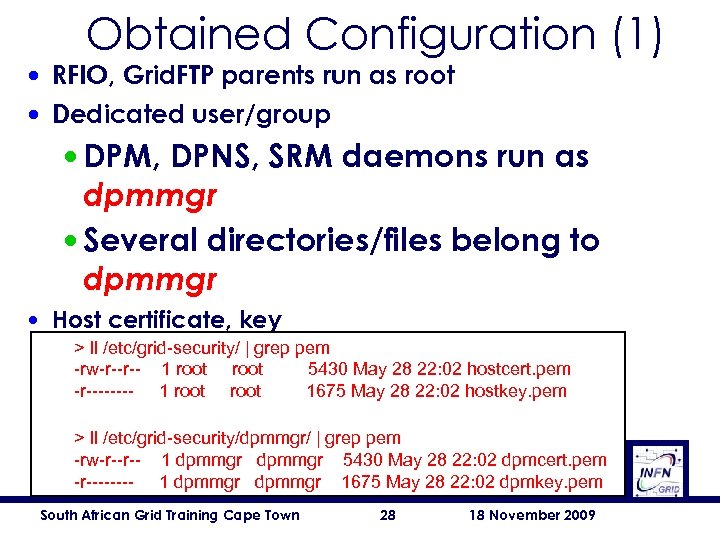 Obtained Configuration (1) • RFIO, Grid. FTP parents run as root • Dedicated user/group • DPM, DPNS, SRM daemons run as dpmmgr • Several directories/files belong to dpmmgr • Host certificate, key > ll /etc/grid-security/ | grep pem -rw-r--r-- 1 root 5430 May 28 22: 02 hostcert. pem -r---- 1 root 1675 May 28 22: 02 hostkey. pem > ll /etc/grid-security/dpmmgr/ | grep pem -rw-r--r-- 1 dpmmgr 5430 May 28 22: 02 dpmcert. pem -r---- 1 dpmmgr 1675 May 28 22: 02 dpmkey. pem South African Grid Training Cape Town 28 18 November 2009
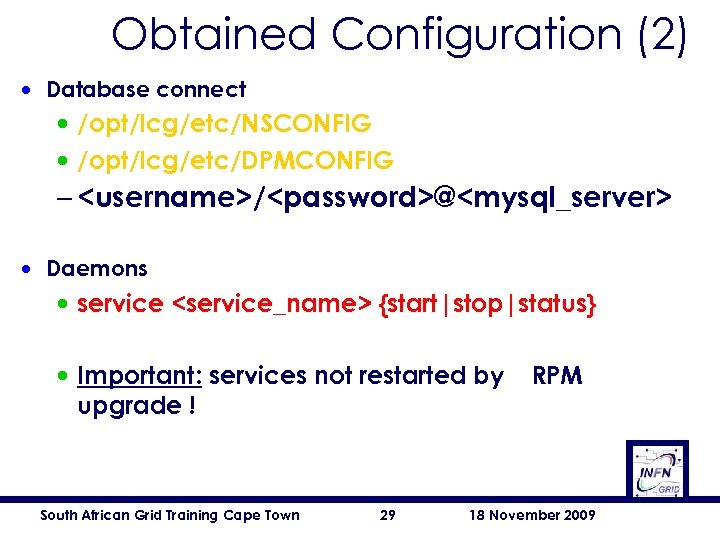 Obtained Configuration (2) • Database connect • /opt/lcg/etc/NSCONFIG • /opt/lcg/etc/DPMCONFIG –
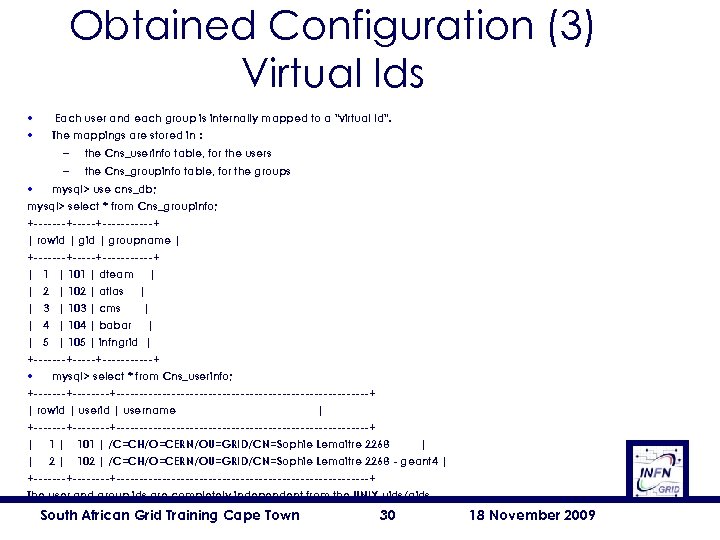 Obtained Configuration (3) Virtual Ids • • Each user and each group is internally mapped to a "virtual Id". The mappings are stored in : – the Cns_userinfo table, for the users – the Cns_groupinfo table, for the groups • mysql> use cns_db; mysql> select * from Cns_groupinfo; +-------+------+ | rowid | groupname | +-------+------+ | 101 | dteam | | 2 | 102 | atlas | | 3 | 103 | cms | | 4 | 104 | babar | | 5 | 105 | infngrid | +-------+------+ • mysql> select * from Cns_userinfo; +--------+----------------------------+ | rowid | username | +--------+----------------------------+ | 101 | /C=CH/O=CERN/OU=GRID/CN=Sophie Lemaitre 2268 | | 2 | 102 | /C=CH/O=CERN/OU=GRID/CN=Sophie Lemaitre 2268 - geant 4 | +--------+----------------------------+ The user and group ids are completely independent from the UNIX uids/gids. South African Grid Training Cape Town 30 18 November 2009
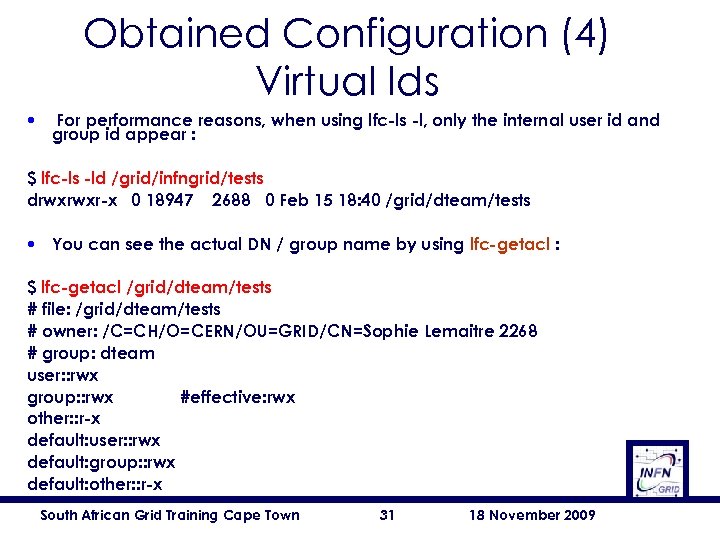 Obtained Configuration (4) Virtual Ids • For performance reasons, when using lfc-ls -l, only the internal user id and group id appear : $ lfc-ls -ld /grid/infngrid/tests drwxrwxr-x 0 18947 2688 0 Feb 15 18: 40 /grid/dteam/tests • You can see the actual DN / group name by using lfc-getacl : $ lfc-getacl /grid/dteam/tests # file: /grid/dteam/tests # owner: /C=CH/O=CERN/OU=GRID/CN=Sophie Lemaitre 2268 # group: dteam user: : rwx group: : rwx #effective: rwx other: : r-x default: user: : rwx default: group: : rwx default: other: : r-x South African Grid Training Cape Town 31 18 November 2009
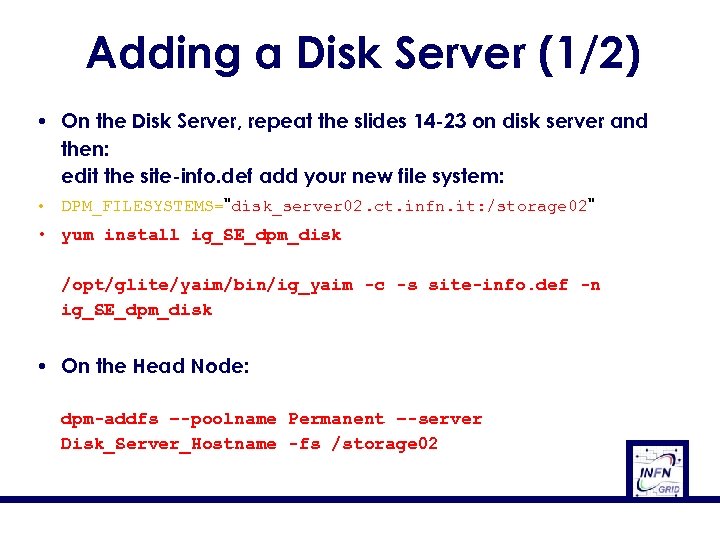 Adding a Disk Server (1/2) • On the Disk Server, repeat the slides 14 -23 on disk server and then: edit the site-info. def add your new file system: • DPM_FILESYSTEMS="disk_server 02. ct. infn. it: /storage 02" • yum install ig_SE_dpm_disk /opt/glite/yaim/bin/ig_yaim -c -s site-info. def -n ig_SE_dpm_disk • On the Head Node: dpm-addfs –-poolname Permanent –-server Disk_Server_Hostname -fs /storage 02
![Adding a Disk Server (2/2) [root@wm-user-25 root]# dpm-qryconf POOL testpool DEFSIZE 200. 00 M](https://present5.com/presentation/bf314ca32e9728894c9103bcda0a5be5/image-33.jpg "Adding a Disk Server (2/2) [root@wm-user-25 root]# dpm-qryconf POOL testpool DEFSIZE 200. 00 M") Adding a Disk Server (2/2) [root@wm-user-25 root]# dpm-qryconf POOL testpool DEFSIZE 200. 00 M GC_START_THRESH 0 GC_STOP_THRESH 0 DEF_LIFETIME 7. 0 d DEFPINTIME 2. 0 h MAX_LIFETIME 1. 0 m MAXPINTIME 12. 0 h FSS_POLICY maxfreespace GC_POLICY lru RS_POLICY fifo GIDS 0 S_TYPE - MIG_POLICY none RET_POLICY R CAPACITY 9. 82 G FREE 2. 59 G ( 26. 4%) wm-user-25. gs. ba. infn. it /data CAPACITY 4. 91 G FREE 1. 23 G ( 25. 0%) wm-user-24. gs. ba. infn. it /data 01 CAPACITY 4. 91 G FREE 1. 36 G ( 27. 7%) [root@wm-user-25 root]#
Adding a Disk Server (2/2) [root@wm-user-25 root]# dpm-qryconf POOL testpool DEFSIZE 200. 00 M GC_START_THRESH 0 GC_STOP_THRESH 0 DEF_LIFETIME 7. 0 d DEFPINTIME 2. 0 h MAX_LIFETIME 1. 0 m MAXPINTIME 12. 0 h FSS_POLICY maxfreespace GC_POLICY lru RS_POLICY fifo GIDS 0 S_TYPE - MIG_POLICY none RET_POLICY R CAPACITY 9. 82 G FREE 2. 59 G ( 26. 4%) wm-user-25. gs. ba. infn. it /data CAPACITY 4. 91 G FREE 1. 23 G ( 25. 0%) wm-user-24. gs. ba. infn. it /data 01 CAPACITY 4. 91 G FREE 1. 36 G ( 27. 7%) [root@wm-user-25 root]#
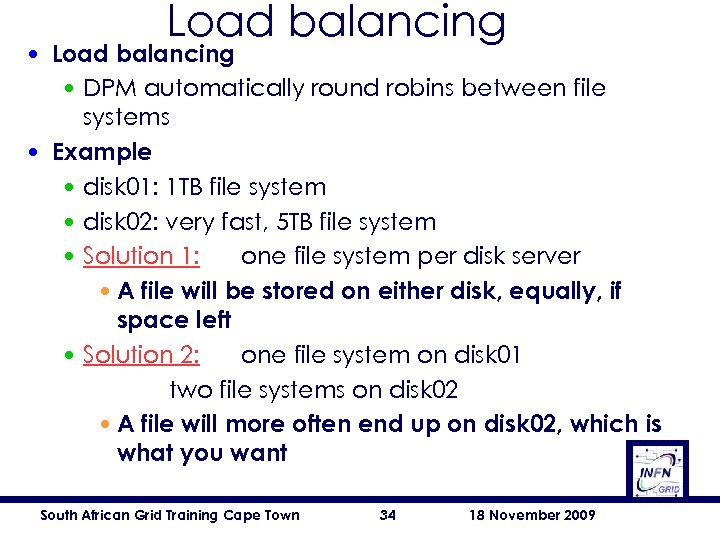 Load balancing • Load balancing • DPM automatically round robins between file systems • Example • disk 01: 1 TB file system • disk 02: very fast, 5 TB file system • Solution 1: one file system per disk server • A file will be stored on either disk, equally, if space left • Solution 2: one file system on disk 01 two file systems on disk 02 • A file will more often end up on disk 02, which is what you want South African Grid Training Cape Town 34 18 November 2009
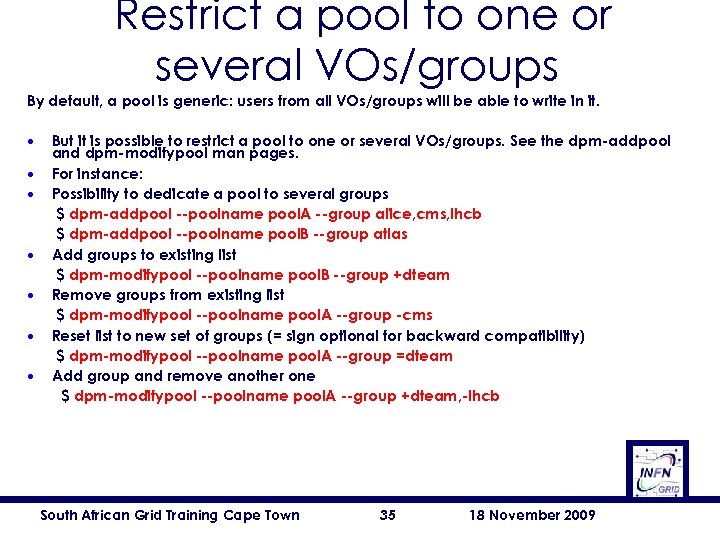 Restrict a pool to one or several VOs/groups By default, a pool is generic: users from all VOs/groups will be able to write in it. • • But it is possible to restrict a pool to one or several VOs/groups. See the dpm-addpool and dpm-modifypool man pages. For instance: Possibility to dedicate a pool to several groups $ dpm-addpool --poolname pool. A --group alice, cms, lhcb $ dpm-addpool --poolname pool. B --group atlas Add groups to existing list $ dpm-modifypool --poolname pool. B --group +dteam Remove groups from existing list $ dpm-modifypool --poolname pool. A --group -cms Reset list to new set of groups (= sign optional for backward compatibility) $ dpm-modifypool --poolname pool. A --group =dteam Add group and remove another one $ dpm-modifypool --poolname pool. A --group +dteam, -lhcb South African Grid Training Cape Town 35 18 November 2009
![Testing a DPM (1/7) • Try to query DPM: [root@infn-se-01 root]# dpm-qryconf POOL Permanent](https://present5.com/presentation/bf314ca32e9728894c9103bcda0a5be5/image-36.jpg "Testing a DPM (1/7) • Try to query DPM: [root@infn-se-01 root]# dpm-qryconf POOL Permanent") Testing a DPM (1/7) • Try to query DPM: [root@infn-se-01 root]# dpm-qryconf POOL Permanent DEFSIZE 200. 00 M GC_START_THRESH 0 GC_STOP_THRESH 0 DEF_LIFETIME 7. 0 d DEFPINTIME 2. 0 h MAX_LIFETIME 1. 0 m MAXPINTIME 12. 0 h FSS_POLICY maxfreespace G C_POLICY lru RS_POLICY fifo GID 0 S_TYPE - MIG_POLICY none RET_POLICY R CAPACITY 21. 81 T FREE 21. 81 T (100. 0%) infn-se-01. ct. pi 2 s 2. it /gpfs CAPACITY 21. 81 T FREE 21. 81 T (100. 0%) [root@infn-se-01 root]# South African Grid Training Cape Town 36 18 November 2009
Testing a DPM (1/7) • Try to query DPM: [root@infn-se-01 root]# dpm-qryconf POOL Permanent DEFSIZE 200. 00 M GC_START_THRESH 0 GC_STOP_THRESH 0 DEF_LIFETIME 7. 0 d DEFPINTIME 2. 0 h MAX_LIFETIME 1. 0 m MAXPINTIME 12. 0 h FSS_POLICY maxfreespace G C_POLICY lru RS_POLICY fifo GID 0 S_TYPE - MIG_POLICY none RET_POLICY R CAPACITY 21. 81 T FREE 21. 81 T (100. 0%) infn-se-01. ct. pi 2 s 2. it /gpfs CAPACITY 21. 81 T FREE 21. 81 T (100. 0%) [root@infn-se-01 root]# South African Grid Training Cape Town 36 18 November 2009
![Testing a DPM (2/7) • Browse the DPNS: [root@infn-se-01 root]# dpns-ls -l / drwxrwxr-x](https://present5.com/presentation/bf314ca32e9728894c9103bcda0a5be5/image-37.jpg "Testing a DPM (2/7) • Browse the DPNS: [root@infn-se-01 root]# dpns-ls -l / drwxrwxr-x") Testing a DPM (2/7) • Browse the DPNS: [root@infn-se-01 root]# dpns-ls -l / drwxrwxr-x 1 root 0 Jun 12 20: 17 dpm [root@infn-se-01 root]# dpns-ls -l /dpm drwxrwxr-x 1 root 0 Jun 12 20: 17 ct. pi 2 s 2. it [root@infn-se-01 root]# dpns-ls -l /dpm/ct. pi 2 s 2. it drwxrwxr-x 4 root 0 Jun 12 20: 17 home [root@infn-se-01 root]# dpns-ls -l /dpm/ct. pi 2 s 2. it/home drwxrwxr-x 0 root 104 0 Jun 12 20: 17 alice drwxrwxr-x 1 root 102 0 Jun 13 23: 11 cometa drwxrwxr-x 0 root 105 0 Jun 12 20: 17 infngrid [root@infn-se-01 root]# South African Grid Training Cape Town 37 18 November 2009
Testing a DPM (2/7) • Browse the DPNS: [root@infn-se-01 root]# dpns-ls -l / drwxrwxr-x 1 root 0 Jun 12 20: 17 dpm [root@infn-se-01 root]# dpns-ls -l /dpm drwxrwxr-x 1 root 0 Jun 12 20: 17 ct. pi 2 s 2. it [root@infn-se-01 root]# dpns-ls -l /dpm/ct. pi 2 s 2. it drwxrwxr-x 4 root 0 Jun 12 20: 17 home [root@infn-se-01 root]# dpns-ls -l /dpm/ct. pi 2 s 2. it/home drwxrwxr-x 0 root 104 0 Jun 12 20: 17 alice drwxrwxr-x 1 root 102 0 Jun 13 23: 11 cometa drwxrwxr-x 0 root 105 0 Jun 12 20: 17 infngrid [root@infn-se-01 root]# South African Grid Training Cape Town 37 18 November 2009
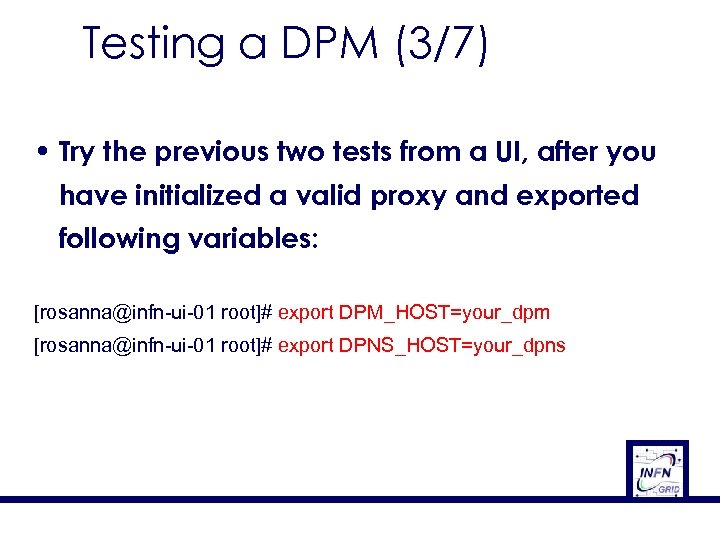 Testing a DPM (3/7) • Try the previous two tests from a UI, after you have initialized a valid proxy and exported following variables: [rosanna@infn-ui-01 root]# export DPM_HOST=your_dpm [rosanna@infn-ui-01 root]# export DPNS_HOST=your_dpns
![Testing a DPM (4/7) • Try a globus-url-copy: [rosanna@infn-ui-01 rosanna]$ globus-url-copy file: //$PWD/hostname. jdl](https://present5.com/presentation/bf314ca32e9728894c9103bcda0a5be5/image-39.jpg "Testing a DPM (4/7) • Try a globus-url-copy: [rosanna@infn-ui-01 rosanna]$ globus-url-copy file: //$PWD/hostname. jdl") Testing a DPM (4/7) • Try a globus-url-copy: [rosanna@infn-ui-01 rosanna]$ globus-url-copy file: //$PWD/hostname. jdl gsiftp: //grid-test-xx. trigrid. it/tmp/myfile [rosanna@infn-ui-01 rosanna]$ globus-url-copy gsiftp: //grid-testxx. trigrid. it/tmp/myfile: //$PWD/hostname_new. jdl [rosanna@infn-ui-01 rosanna]$ edg-gridftp-ls gsiftp: //infn-se-01. ct. pi 2 s 2. it/dpm [rosanna@infn-ui-01 rosanna]$ dpns-ls -l /dpm/ct. pi 2 s 2. it/home/cometa South African Grid Training Cape Town 39 18 November 2009
Testing a DPM (4/7) • Try a globus-url-copy: [rosanna@infn-ui-01 rosanna]$ globus-url-copy file: //$PWD/hostname. jdl gsiftp: //grid-test-xx. trigrid. it/tmp/myfile [rosanna@infn-ui-01 rosanna]$ globus-url-copy gsiftp: //grid-testxx. trigrid. it/tmp/myfile: //$PWD/hostname_new. jdl [rosanna@infn-ui-01 rosanna]$ edg-gridftp-ls gsiftp: //infn-se-01. ct. pi 2 s 2. it/dpm [rosanna@infn-ui-01 rosanna]$ dpns-ls -l /dpm/ct. pi 2 s 2. it/home/cometa South African Grid Training Cape Town 39 18 November 2009
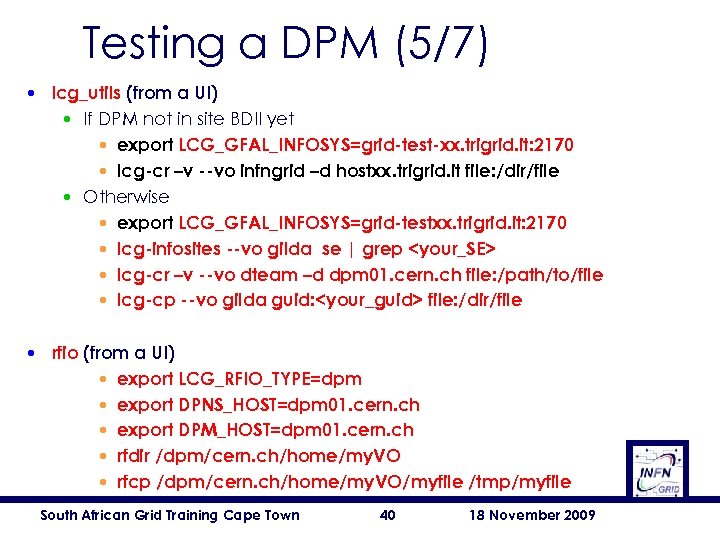 Testing a DPM (5/7) • lcg_utils (from a UI) • If DPM not in site BDII yet • export LCG_GFAL_INFOSYS=grid-test-xx. trigrid. it: 2170 • lcg-cr –v --vo infngrid –d hostxx. trigrid. it file: /dir/file • Otherwise • export LCG_GFAL_INFOSYS=grid-testxx. trigrid. it: 2170 • lcg-infosites --vo gilda se | grep
![Testing a DPM (6/7) • Try to create a replica: [rosanna@infn-ui-01 rosanna]$ lfc-mkdir /grid/gilda/test](https://present5.com/presentation/bf314ca32e9728894c9103bcda0a5be5/image-41.jpg "Testing a DPM (6/7) • Try to create a replica: [rosanna@infn-ui-01 rosanna]$ lfc-mkdir /grid/gilda/test") Testing a DPM (6/7) • Try to create a replica: [rosanna@infn-ui-01 rosanna]$ lfc-mkdir /grid/gilda/test [rosanna@infn-ui-01 rosanna]$ lfc-ls /grid/gilda/test [. . . ] [rosanna@infn-ui-01 rosanna]$ lcg-cr --vo gilda file: /home/rosanna/hostname. jd l -l lfn: /grid/gilda/test 05. txt -d infn-se-01. ct. pi 2 s 2. it guid: 99289 f 77 -6 d 3 b-4 ef 2 -8 e 18 -537 e 9 dc 7 cccf [rosanna@infn-ui-01 rosanna]$ lcg-cp --vo gilda lfn: /grid/gilda/test 05. txt file: $PWD/test 05. rep. txt [rosanna@infn-ui-01 rosanna]$ South African Grid Training Cape Town 41 18 November 2009
Testing a DPM (6/7) • Try to create a replica: [rosanna@infn-ui-01 rosanna]$ lfc-mkdir /grid/gilda/test [rosanna@infn-ui-01 rosanna]$ lfc-ls /grid/gilda/test [. . . ] [rosanna@infn-ui-01 rosanna]$ lcg-cr --vo gilda file: /home/rosanna/hostname. jd l -l lfn: /grid/gilda/test 05. txt -d infn-se-01. ct. pi 2 s 2. it guid: 99289 f 77 -6 d 3 b-4 ef 2 -8 e 18 -537 e 9 dc 7 cccf [rosanna@infn-ui-01 rosanna]$ lcg-cp --vo gilda lfn: /grid/gilda/test 05. txt file: $PWD/test 05. rep. txt [rosanna@infn-ui-01 rosanna]$ South African Grid Training Cape Town 41 18 November 2009
![Testing a DPM (7/7) • From an UI: [rosanna@infn-ui-01 rosanna]$ lcg-infosites --vo gilda se](https://present5.com/presentation/bf314ca32e9728894c9103bcda0a5be5/image-42.jpg "Testing a DPM (7/7) • From an UI: [rosanna@infn-ui-01 rosanna]$ lcg-infosites --vo gilda se") Testing a DPM (7/7) • From an UI: [rosanna@infn-ui-01 rosanna]$ lcg-infosites --vo gilda se Avail Space(Kb) Used Space(Kb) Type SEs -----------------------------7720000000 n. a inaf-se-01. ct. pi 2 s 2. it 21810000000 n. a infn-se-01. ct. pi 2 s 2. it 4090000000 n. a unime-se-01. me. pi 2 s 2. it 21810000000 n. a infn-se-01. ct. pi 2 s 2. it 14540000000 n. a unipa-se-01. pa. pi 2 s 2. it [rosanna@infn-ui-01 rosanna]$ ldapsearch -x -H ldap: //grid-test-xx. trigrid. it: 2170 -b mds-vo-name=resource, o=grid | grep Available. Space (Glue. SAState. Used. Space) Glue. SAState. Available. Space: 21810000000 South African Grid Training Cape Town 42 18 November 2009
Testing a DPM (7/7) • From an UI: [rosanna@infn-ui-01 rosanna]$ lcg-infosites --vo gilda se Avail Space(Kb) Used Space(Kb) Type SEs -----------------------------7720000000 n. a inaf-se-01. ct. pi 2 s 2. it 21810000000 n. a infn-se-01. ct. pi 2 s 2. it 4090000000 n. a unime-se-01. me. pi 2 s 2. it 21810000000 n. a infn-se-01. ct. pi 2 s 2. it 14540000000 n. a unipa-se-01. pa. pi 2 s 2. it [rosanna@infn-ui-01 rosanna]$ ldapsearch -x -H ldap: //grid-test-xx. trigrid. it: 2170 -b mds-vo-name=resource, o=grid | grep Available. Space (Glue. SAState. Used. Space) Glue. SAState. Available. Space: 21810000000 South African Grid Training Cape Town 42 18 November 2009
 Outline • • • Overview Installation Administration Troubleshooting References South African Grid Training Cape Town 43 18 November 2009
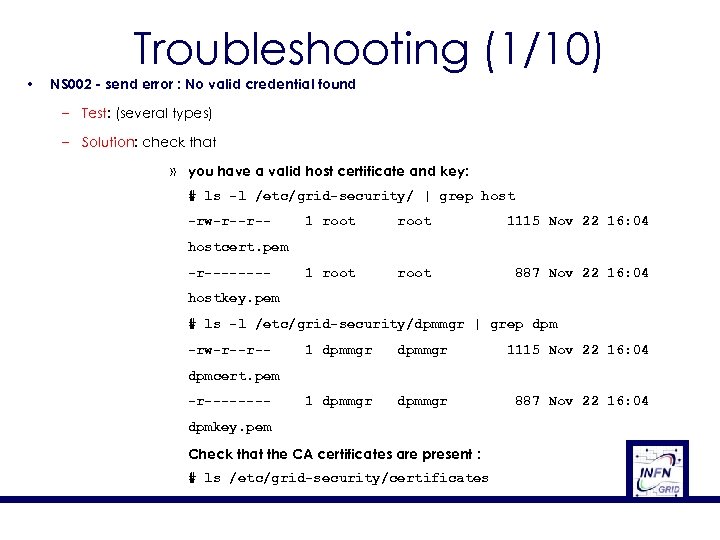 Troubleshooting (1/10) • NS 002 - send error : No valid credential found – Test: (several types) – Solution: check that » you have a valid host certificate and key: # ls -l /etc/grid-security/ | grep host -rw-r--r-- 1 root 1115 Nov 22 16: 04 1 root 887 Nov 22 16: 04 hostcert. pem -r-------hostkey. pem # ls -l /etc/grid-security/dpmmgr | grep dpm -rw-r--r-- 1 dpmmgr 1115 Nov 22 16: 04 1 dpmmgr 887 Nov 22 16: 04 dpmcert. pem -r-------dpmkey. pem Check that the CA certificates are present : # ls /etc/grid-security/certificates
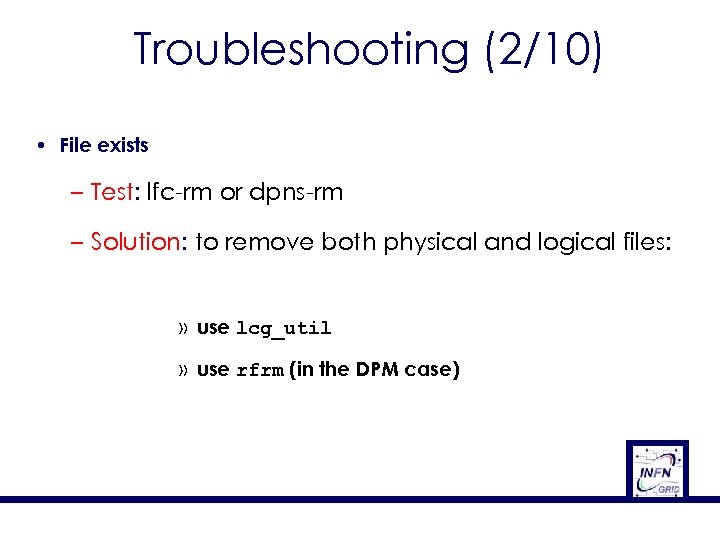 Troubleshooting (2/10) • File exists – Test: lfc-rm or dpns-rm – Solution: to remove both physical and logical files: » use lcg_util » use rfrm (in the DPM case)
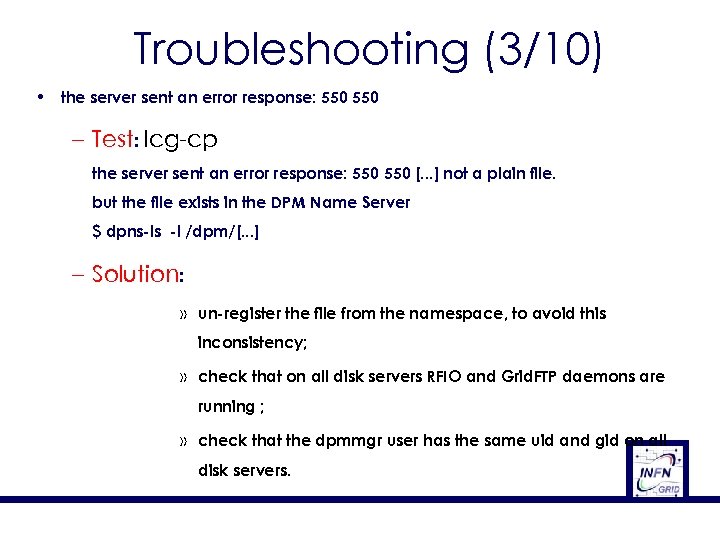 Troubleshooting (3/10) • the server sent an error response: 550 – Test: lcg-cp the server sent an error response: 550 [. . . ] not a plain file. but the file exists in the DPM Name Server $ dpns-ls -l /dpm/[. . . ] – Solution: » un-register the file from the namespace, to avoid this inconsistency; » check that on all disk servers RFIO and Grid. FTP daemons are running ; » check that the dpmmgr user has the same uid and gid on all disk servers.
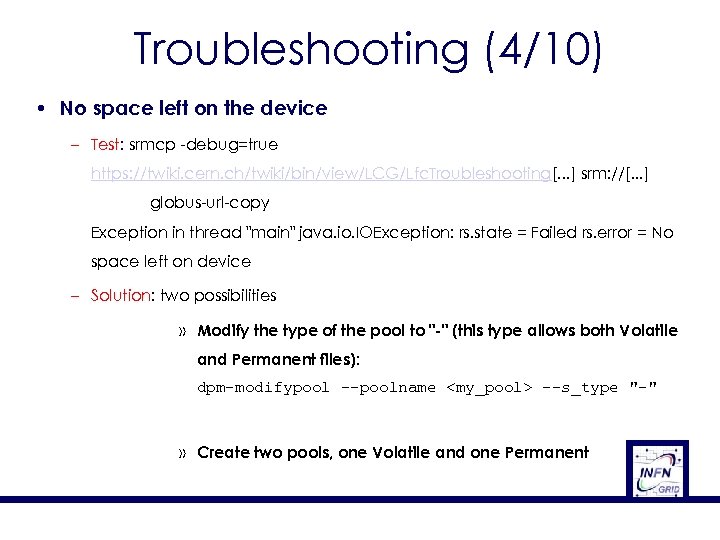 Troubleshooting (4/10) • No space left on the device – Test: srmcp -debug=true https: //twiki. cern. ch/twiki/bin/view/LCG/Lfc. Troubleshooting[. . . ] srm: //[. . . ] globus-url-copy Exception in thread "main" java. io. IOException: rs. state = Failed rs. error = No space left on device – Solution: two possibilities » Modify the type of the pool to "-" (this type allows both Volatile and Permanent files): dpm-modifypool --poolname
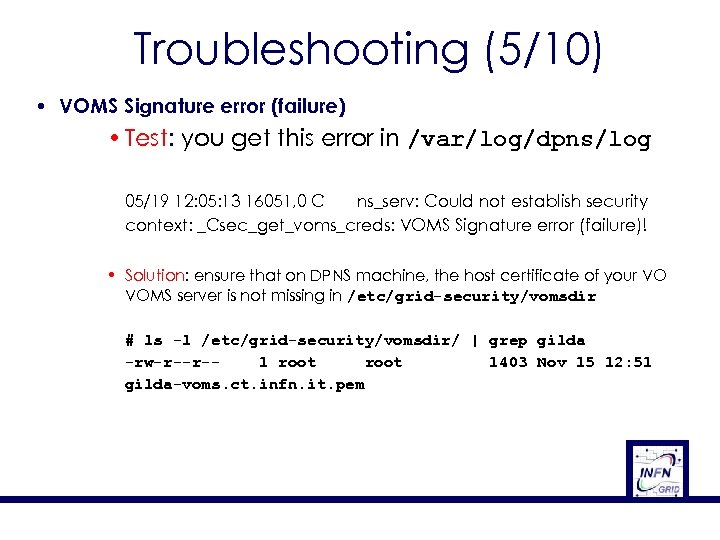 Troubleshooting (5/10) • VOMS Signature error (failure) • Test: you get this error in /var/log/dpns/log 05/19 12: 05: 13 16051, 0 C ns_serv: Could not establish security context: _Csec_get_voms_creds: VOMS Signature error (failure)! • Solution: ensure that on DPNS machine, the host certificate of your VO VOMS server is not missing in /etc/grid-security/vomsdir # ls -l /etc/grid-security/vomsdir/ | grep gilda -rw-r--r-1 root 1403 Nov 15 12: 51 gilda-voms. ct. infn. it. pem
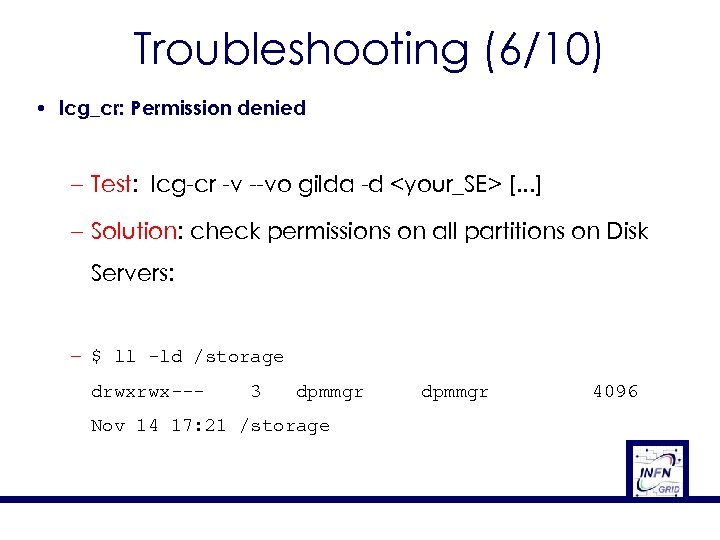 Troubleshooting (6/10) • lcg_cr: Permission denied – Test: lcg-cr -v --vo gilda -d
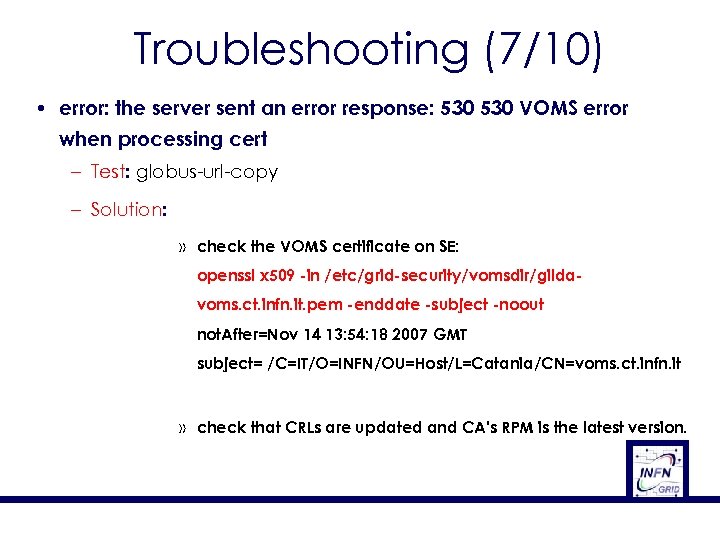 Troubleshooting (7/10) • error: the server sent an error response: 530 VOMS error when processing cert – Test: globus-url-copy – Solution: » check the VOMS certificate on SE: openssl x 509 -in /etc/grid-security/vomsdir/gildavoms. ct. infn. it. pem -enddate -subject -noout not. After=Nov 14 13: 54: 18 2007 GMT subject= /C=IT/O=INFN/OU=Host/L=Catania/CN=voms. ct. infn. it » check that CRLs are updated and CA's RPM is the latest version.
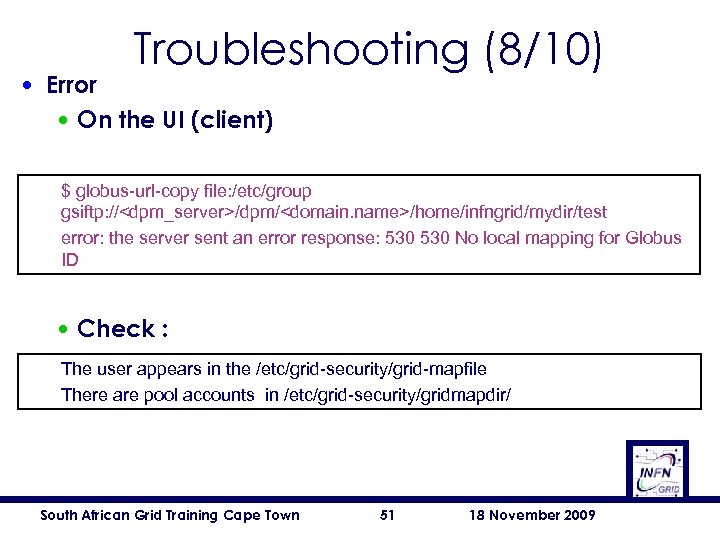 Troubleshooting (8/10) • Error • On the UI (client) $ globus-url-copy file: /etc/group gsiftp: //
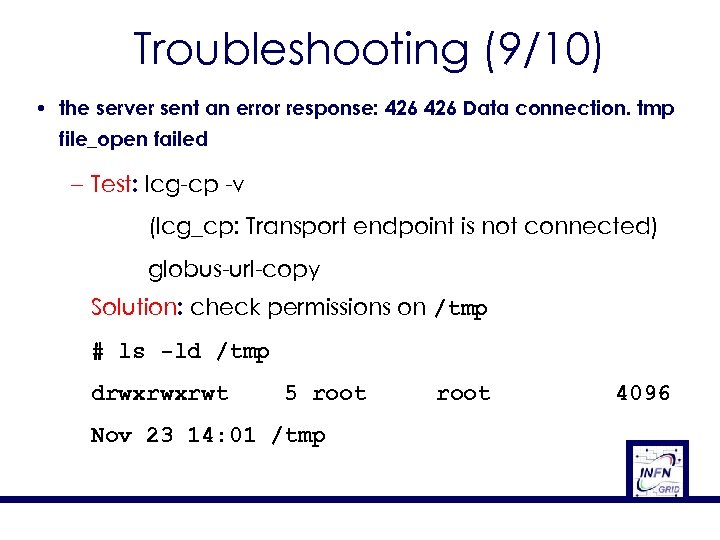 Troubleshooting (9/10) • the server sent an error response: 426 Data connection. tmp file_open failed – Test: lcg-cp -v (lcg_cp: Transport endpoint is not connected) globus-url-copy Solution: check permissions on /tmp # ls -ld /tmp drwxrwxrwt 5 root Nov 23 14: 01 /tmp root 4096
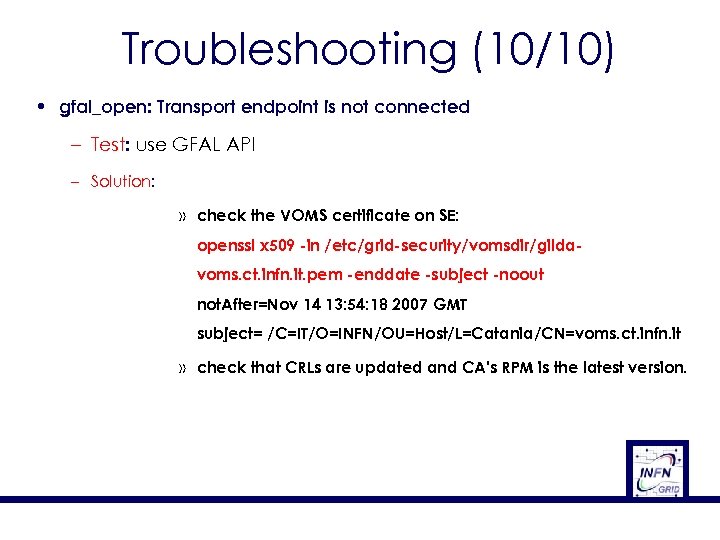 Troubleshooting (10/10) • gfal_open: Transport endpoint is not connected – Test: use GFAL API – Solution: » check the VOMS certificate on SE: openssl x 509 -in /etc/grid-security/vomsdir/gildavoms. ct. infn. it. pem -enddate -subject -noout not. After=Nov 14 13: 54: 18 2007 GMT subject= /C=IT/O=INFN/OU=Host/L=Catania/CN=voms. ct. infn. it » check that CRLs are updated and CA's RPM is the latest version.
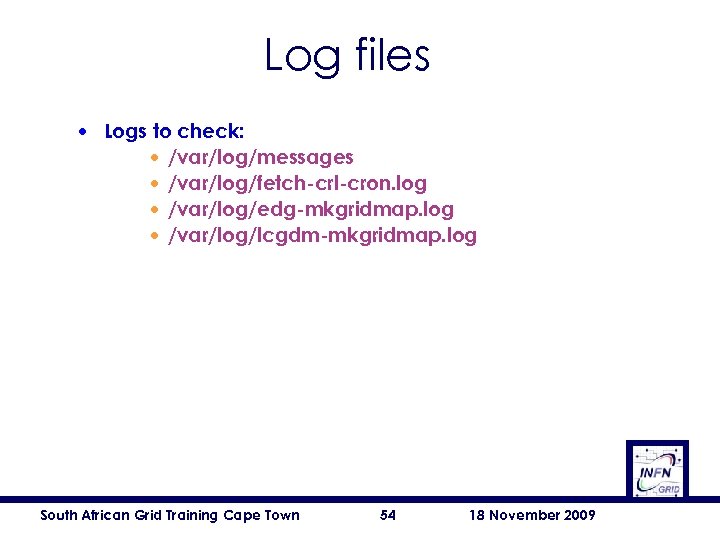 Log files • Logs to check: • /var/log/messages • /var/log/fetch-crl-cron. log • /var/log/edg-mkgridmap. log • /var/log/lcgdm-mkgridmap. log South African Grid Training Cape Town 54 18 November 2009
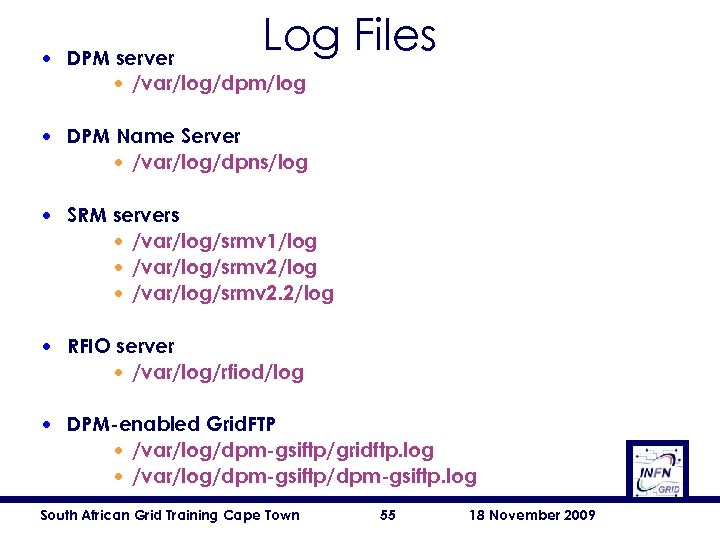 Log Files • DPM server • /var/log/dpm/log • DPM Name Server • /var/log/dpns/log • SRM servers • /var/log/srmv 1/log • /var/log/srmv 2. 2/log • RFIO server • /var/log/rfiod/log • DPM-enabled Grid. FTP • /var/log/dpm-gsiftp/gridftp. log • /var/log/dpm-gsiftp. log South African Grid Training Cape Town 55 18 November 2009
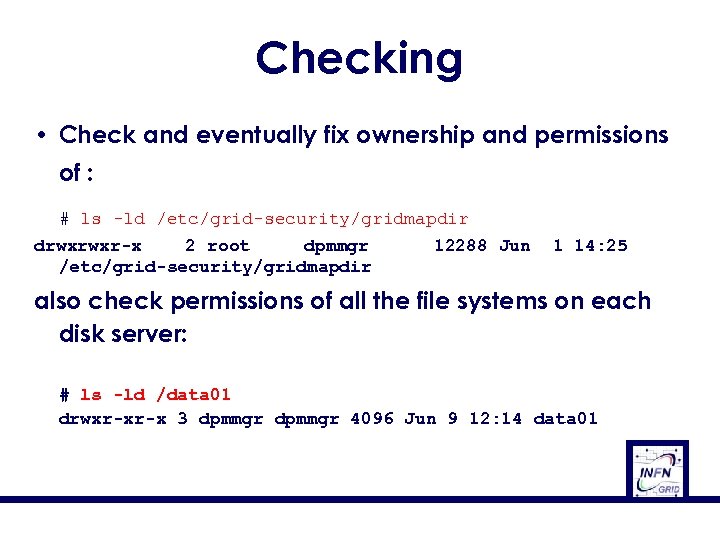 Checking • Check and eventually fix ownership and permissions of : # ls -ld /etc/grid-security/gridmapdir drwxrwxr-x 2 root dpmmgr /etc/grid-security/gridmapdir 12288 Jun 1 14: 25 also check permissions of all the file systems on each disk server: # ls -ld /data 01 drwxr-xr-x 3 dpmmgr 4096 Jun 9 12: 14 data 01
![Checking • On the disk server [root@aliserv 1 root]# df -Th Filesystem Type Size](https://present5.com/presentation/bf314ca32e9728894c9103bcda0a5be5/image-57.jpg "Checking • On the disk server [root@aliserv 1 root]# df -Th Filesystem Type Size") Checking • On the disk server [root@aliserv 1 root]# df -Th Filesystem Type Size Used Avail Use% Mounted on /dev/sda 1 ext 3 39 G 3. 2 G 34 G 9% / /dev/sda 3 ext 3 25 G 20 G 3. 8 G 84% /data none tmpfs 1. 8 G 0 1. 8 G 0% /dev/shm /dev/gpfs 0 gpfs 28 T 2. 3 T 26 T 9% /gpfsprod [root@aliserv 1 root]# South African Grid Training Cape Town 57 18 November 2009
Checking • On the disk server [root@aliserv 1 root]# df -Th Filesystem Type Size Used Avail Use% Mounted on /dev/sda 1 ext 3 39 G 3. 2 G 34 G 9% / /dev/sda 3 ext 3 25 G 20 G 3. 8 G 84% /data none tmpfs 1. 8 G 0 1. 8 G 0% /dev/shm /dev/gpfs 0 gpfs 28 T 2. 3 T 26 T 9% /gpfsprod [root@aliserv 1 root]# South African Grid Training Cape Town 57 18 November 2009
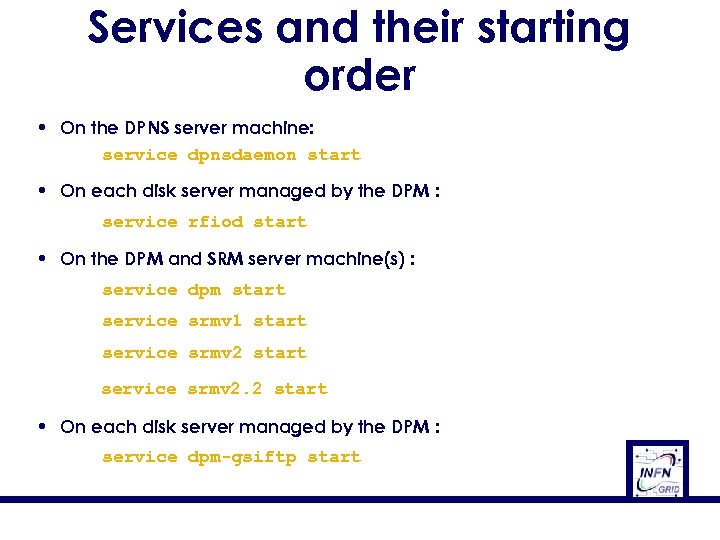 Services and their starting order • On the DPNS server machine: service dpnsdaemon start • On each disk server managed by the DPM : service rfiod start • On the DPM and SRM server machine(s) : service dpm start service srmv 1 start service srmv 2. 2 start • On each disk server managed by the DPM : service dpm-gsiftp start
 Outline • • • Overview Installation DPM service Troubleshooting References South African Grid Training Cape Town 59 18 November 2009
 Other problems ? • g. Lite 3. 1 User Guide • http: //igrelease. forge. cnaf. infn. it/doku. php? id=doc: guides: install-3_1 • GILDA g. Lite 3. 1 Wiki • https: //grid. ct. infn. it/twiki/bin/view/GILDA/Glite. Elements. Installation • Main DPM documentation page • https: //twiki. cern. ch/twiki/bin/view/LCG/Data. Management. Top • DPM Admin Guide • https: //twiki. cern. ch/twiki/bin/view/LCG/Dpm. Admin. Guide • LFC & DPM Troubleshooting ( https: //twiki. cern. ch/twiki/bin/view/LCG/Lfc. Troubleshooting ) South African Grid Training Cape Town 60 18 November 2009
 South African Grid Training Cape Town 18 November 2009