 Скачать презентацию Software Testing Debugging and JUnit Ananda Gunawardena Hao
88fde3b139f454ceacee4d3126020f98.ppt
- Количество слайдов: 30



Software Testing, Debugging and JUnit Ananda Gunawardena Hao Cen
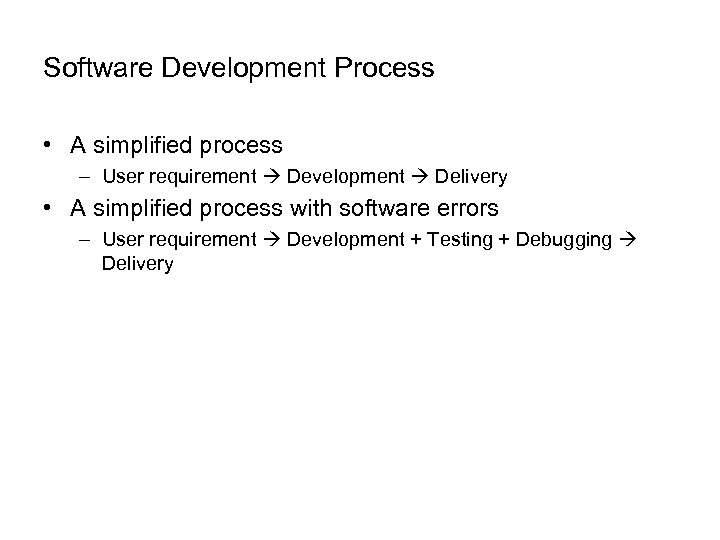
Software Development Process • A simplified process – User requirement Development Delivery • A simplified process with software errors – User requirement Development + Testing + Debugging Delivery
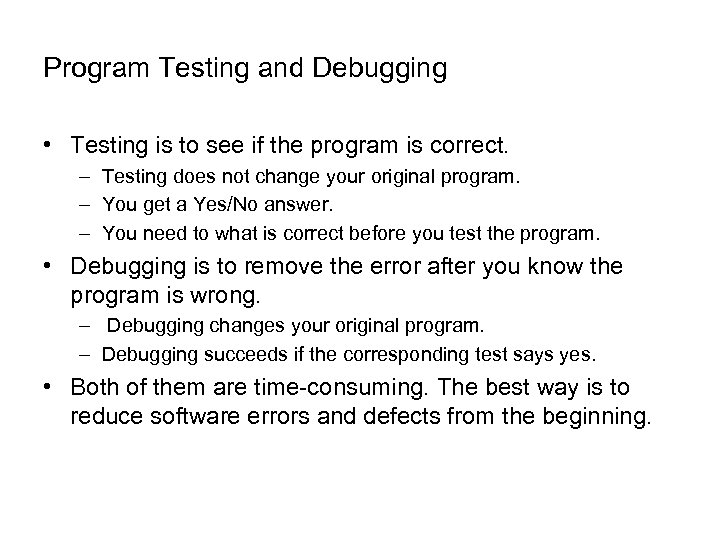
Program Testing and Debugging • Testing is to see if the program is correct. – Testing does not change your original program. – You get a Yes/No answer. – You need to what is correct before you test the program. • Debugging is to remove the error after you know the program is wrong. – Debugging changes your original program. – Debugging succeeds if the corresponding test says yes. • Both of them are time-consuming. The best way is to reduce software errors and defects from the beginning.
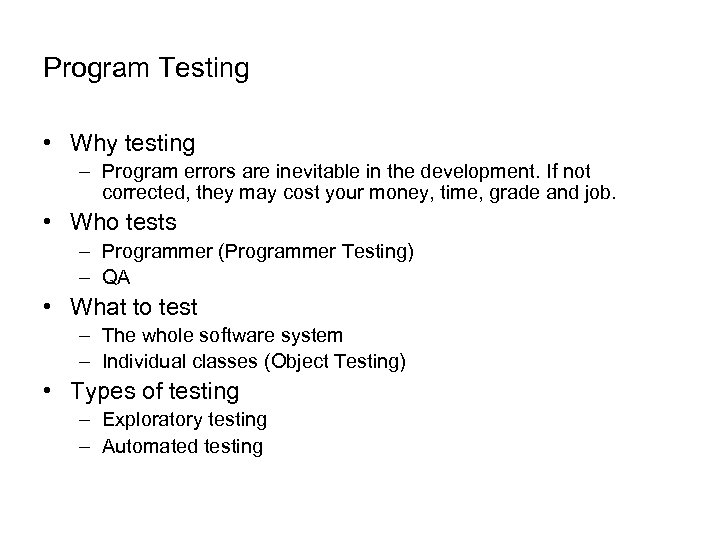
Program Testing • Why testing – Program errors are inevitable in the development. If not corrected, they may cost your money, time, grade and job. • Who tests – Programmer (Programmer Testing) – QA • What to test – The whole software system – Individual classes (Object Testing) • Types of testing – Exploratory testing – Automated testing
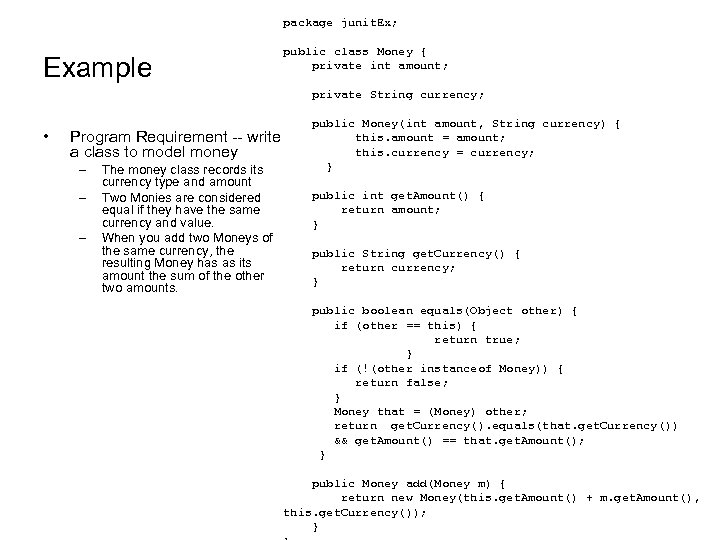
package junit. Ex; Example • private String currency; public Money(int amount, String currency) { Program Requirement -- write this. amount = amount; this. currency = currency; a class to model money – The money class records its } currency type and amount – Two Monies are considered public int get. Amount() { equal if they have the same return amount; currency and value. } – public class Money { private int amount; When you add two Moneys of the same currency, the public String get. Currency() { resulting Money has as its return currency; amount the sum of the other } two amounts. public boolean equals(Object other) { if (other == this) { return true; } if (!(other instanceof Money)) { return false; } Money that = (Money) other; return get. Currency(). equals(that. get. Currency()) && get. Amount() == that. get. Amount(); } public Money add(Money m) { return new Money(this. get. Amount() + m. get. Amount(), this. get. Currency()); }
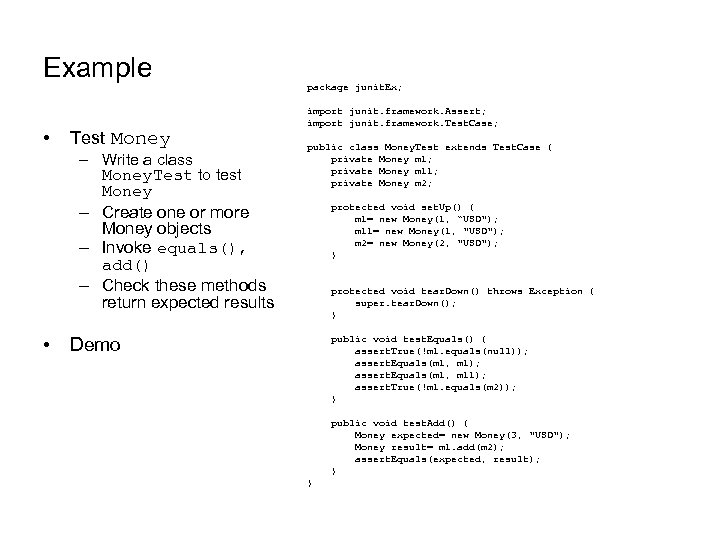
Example • Test Money – Write a class Money. Test to test Money – Create one or more Money objects – Invoke equals(), add() – Check these methods return expected results • Demo package junit. Ex; import junit. framework. Assert; import junit. framework. Test. Case; public class Money. Test extends Test. Case { private Money m 1; private Money m 11; private Money m 2; protected void set. Up() { m 1= new Money(1, “USD"); m 11= new Money(1, "USD"); m 2= new Money(2, "USD"); } protected void tear. Down() throws Exception { super. tear. Down(); } public void test. Equals() { assert. True(!m 1. equals(null)); assert. Equals(m 1, m 11); assert. True(!m 1. equals(m 2)); } public void test. Add() { Money expected= new Money(3, "USD"); Money result= m 1. add(m 2); assert. Equals(expected, result); } }
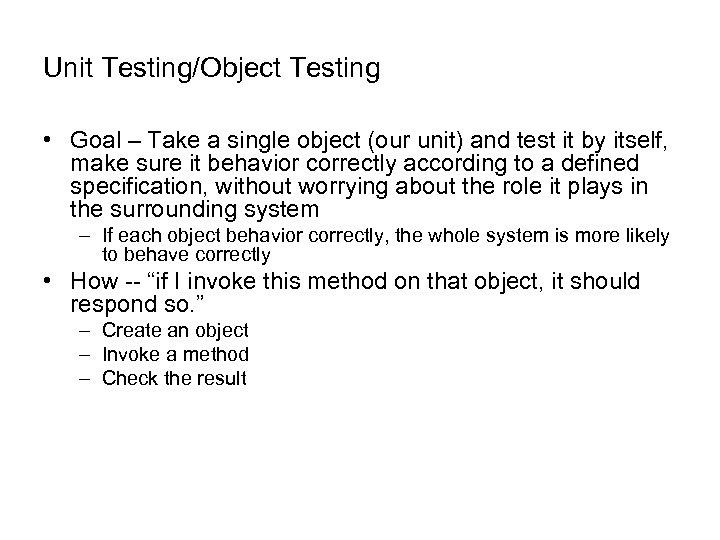
Unit Testing/Object Testing • Goal – Take a single object (our unit) and test it by itself, make sure it behavior correctly according to a defined specification, without worrying about the role it plays in the surrounding system – If each object behavior correctly, the whole system is more likely to behave correctly • How -- “if I invoke this method on that object, it should respond so. ” – Create an object – Invoke a method – Check the result
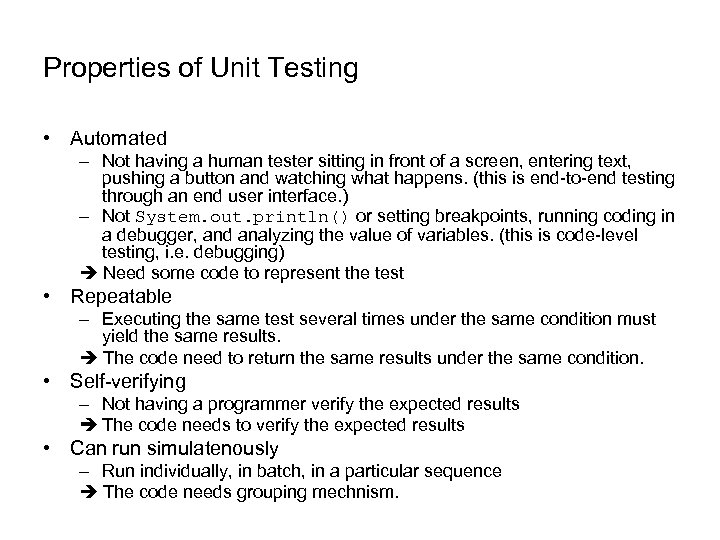
Properties of Unit Testing • Automated – Not having a human tester sitting in front of a screen, entering text, pushing a button and watching what happens. (this is end-to-end testing through an end user interface. ) – Not System. out. println() or setting breakpoints, running coding in a debugger, and analyzing the value of variables. (this is code-level testing, i. e. debugging) Need some code to represent the test • Repeatable – Executing the same test several times under the same condition must yield the same results. The code need to return the same results under the same condition. • Self-verifying – Not having a programmer verify the expected results The code needs to verify the expected results • Can run simulatenously – Run individually, in batch, in a particular sequence The code needs grouping mechnism.
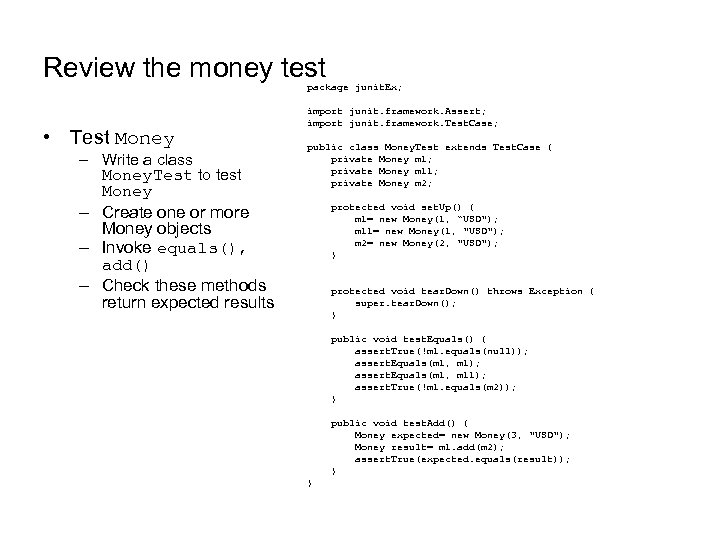
Review the money test package junit. Ex; • Test Money – Write a class Money. Test to test Money – Create one or more Money objects – Invoke equals(), add() – Check these methods return expected results import junit. framework. Assert; import junit. framework. Test. Case; public class Money. Test extends Test. Case { private Money m 1; private Money m 11; private Money m 2; protected void set. Up() { m 1= new Money(1, “USD"); m 11= new Money(1, "USD"); m 2= new Money(2, "USD"); } protected void tear. Down() throws Exception { super. tear. Down(); } public void test. Equals() { assert. True(!m 1. equals(null)); assert. Equals(m 1, m 11); assert. True(!m 1. equals(m 2)); } public void test. Add() { Money expected= new Money(3, "USD"); Money result= m 1. add(m 2); assert. True(expected. equals(result)); } }
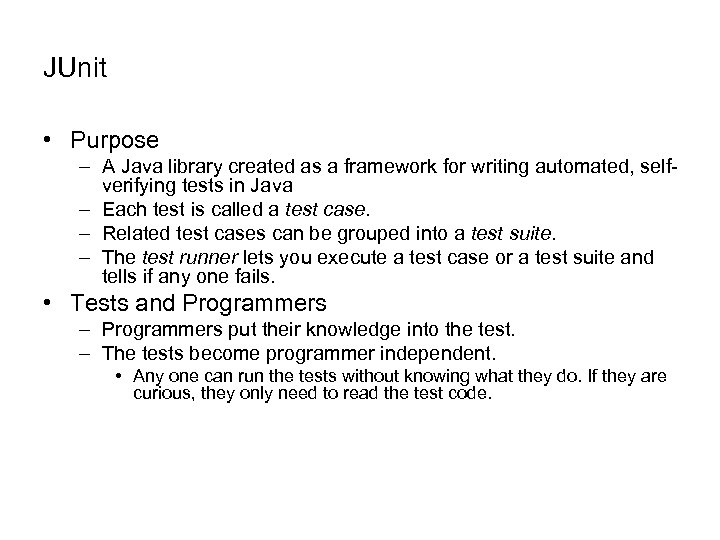
JUnit • Purpose – A Java library created as a framework for writing automated, selfverifying tests in Java – Each test is called a test case. – Related test cases can be grouped into a test suite. – The test runner lets you execute a test case or a test suite and tells if any one fails. • Tests and Programmers – Programmers put their knowledge into the test. – The tests become programmer independent. • Any one can run the tests without knowing what they do. If they are curious, they only need to read the test code.
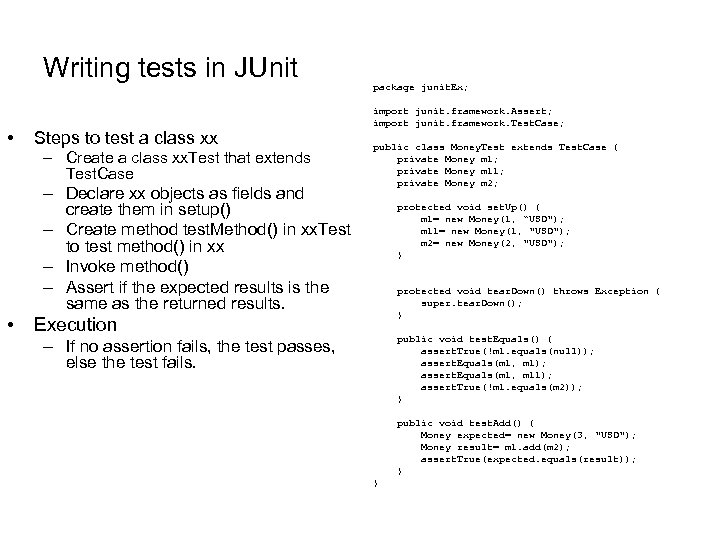
Writing tests in JUnit • Steps to test a class xx – Create a class xx. Test that extends Test. Case – Declare xx objects as fields and create them in setup() – Create method test. Method() in xx. Test to test method() in xx – Invoke method() – Assert if the expected results is the same as the returned results. • Execution – If no assertion fails, the test passes, else the test fails. package junit. Ex; import junit. framework. Assert; import junit. framework. Test. Case; public class Money. Test extends Test. Case { private Money m 1; private Money m 11; private Money m 2; protected void set. Up() { m 1= new Money(1, “USD"); m 11= new Money(1, "USD"); m 2= new Money(2, "USD"); } protected void tear. Down() throws Exception { super. tear. Down(); } public void test. Equals() { assert. True(!m 1. equals(null)); assert. Equals(m 1, m 11); assert. True(!m 1. equals(m 2)); } public void test. Add() { Money expected= new Money(3, "USD"); Money result= m 1. add(m 2); assert. True(expected. equals(result)); } }
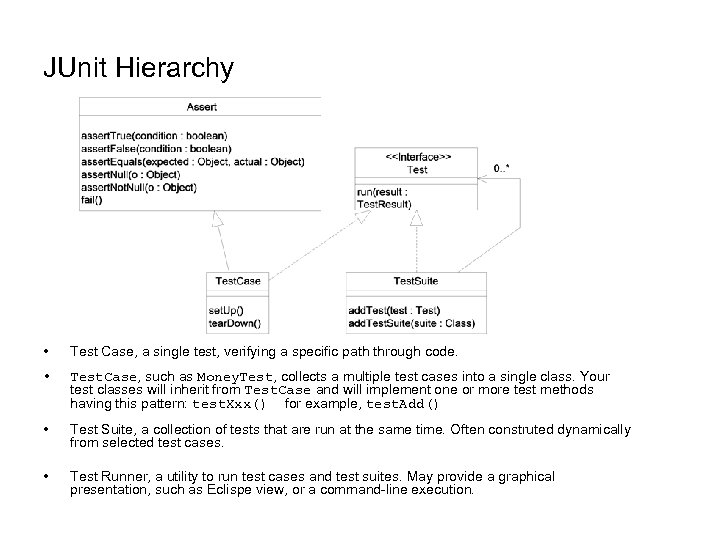
JUnit Hierarchy • Test Case, a single test, verifying a specific path through code. • Test. Case, such as Money. Test, collects a multiple test cases into a single class. Your test classes will inherit from Test. Case and will implement one or more test methods having this pattern: test. Xxx() for example, test. Add() • Test Suite, a collection of tests that are run at the same time. Often construted dynamically from selected test cases. • Test Runner, a utility to run test cases and test suites. May provide a graphical presentation, such as Eclispe view, or a command-line execution.
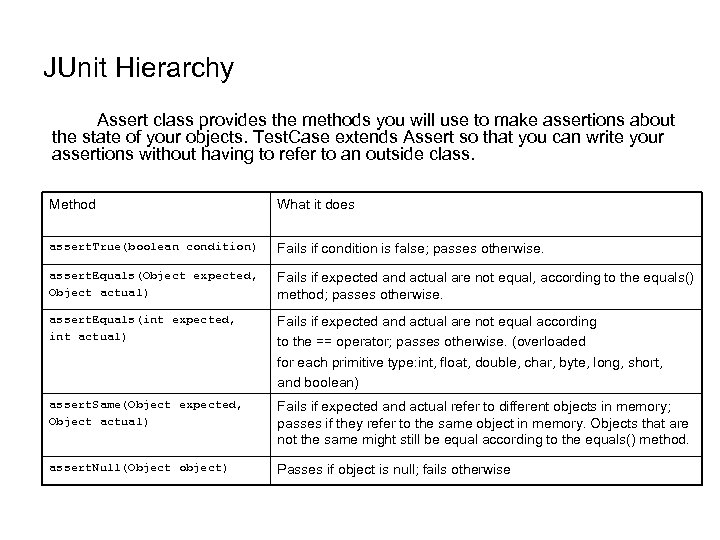
JUnit Hierarchy Assert class provides the methods you will use to make assertions about the state of your objects. Test. Case extends Assert so that you can write your assertions without having to refer to an outside class. Method What it does assert. True(boolean condition) Fails if condition is false; passes otherwise. assert. Equals(Object expected, Object actual) Fails if expected and actual are not equal, according to the equals() method; passes otherwise. assert. Equals(int expected, int actual) Fails if expected and actual are not equal according to the == operator; passes otherwise. (overloaded for each primitive type: int, float, double, char, byte, long, short, and boolean) assert. Same(Object expected, Object actual) Fails if expected and actual refer to different objects in memory; passes if they refer to the same object in memory. Objects that are not the same might still be equal according to the equals() method. assert. Null(Object object) Passes if object is null; fails otherwise
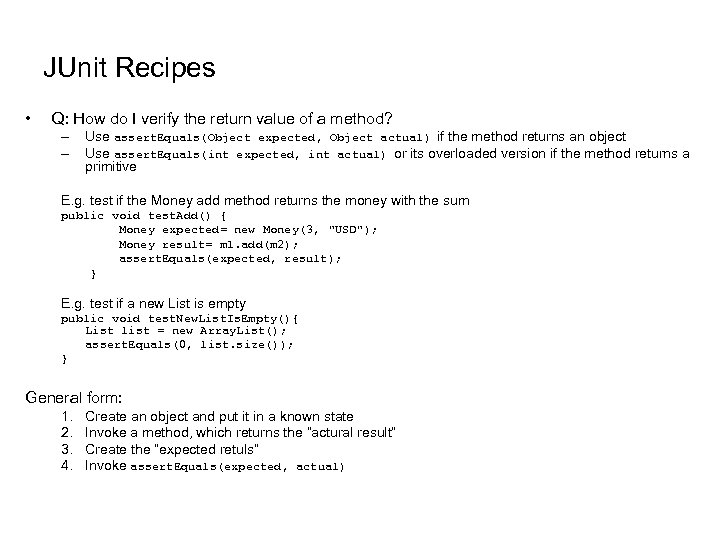
JUnit Recipes • Q: How do I verify the return value of a method? – – Use assert. Equals(Object expected, Object actual) if the method returns an object Use assert. Equals(int expected, int actual) or its overloaded version if the method returns a primitive E. g. test if the Money add method returns the money with the sum public void test. Add() { Money expected= new Money(3, "USD"); Money result= m 1. add(m 2); assert. Equals(expected, result); } E. g. test if a new List is empty public void test. New. List. Is. Empty(){ List list = new Array. List(); assert. Equals(0, list. size()); } General form: 1. 2. 3. 4. Create an object and put it in a known state Invoke a method, which returns the “actural result” Create the “expected retuls” Invoke assert. Equals(expected, actual)
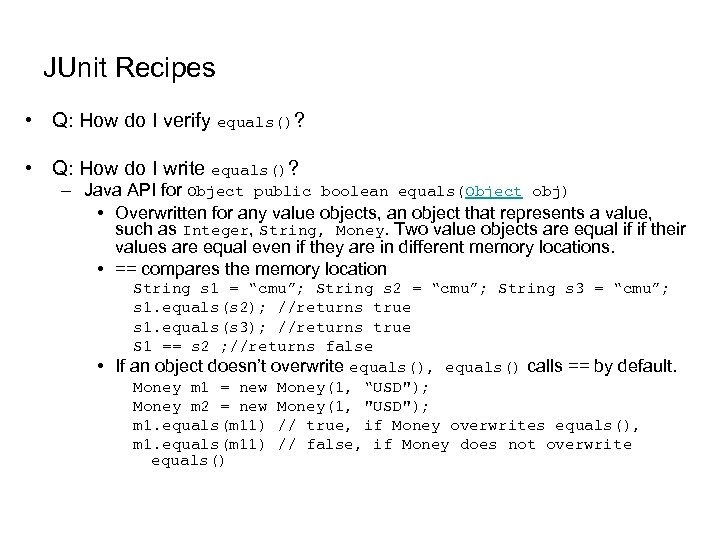
JUnit Recipes • Q: How do I verify equals()? • Q: How do I write equals()? – Java API for Object public boolean equals(Object obj) • Overwritten for any value objects, an object that represents a value, such as Integer, String, Money. Two value objects are equal if if their values are equal even if they are in different memory locations. • == compares the memory location String s 1 = “cmu”; String s 2 = “cmu”; String s 3 = “cmu”; s 1. equals(s 2); //returns true s 1. equals(s 3); //returns true S 1 == s 2 ; //returns false • If an object doesn’t overwrite equals(), equals() calls == by default. Money m 1 = new Money(1, “USD"); Money m 2 = new Money(1, "USD"); m 1. equals(m 11) // true, if Money overwrites equals(), m 1. equals(m 11) // false, if Money does not overwrite equals()
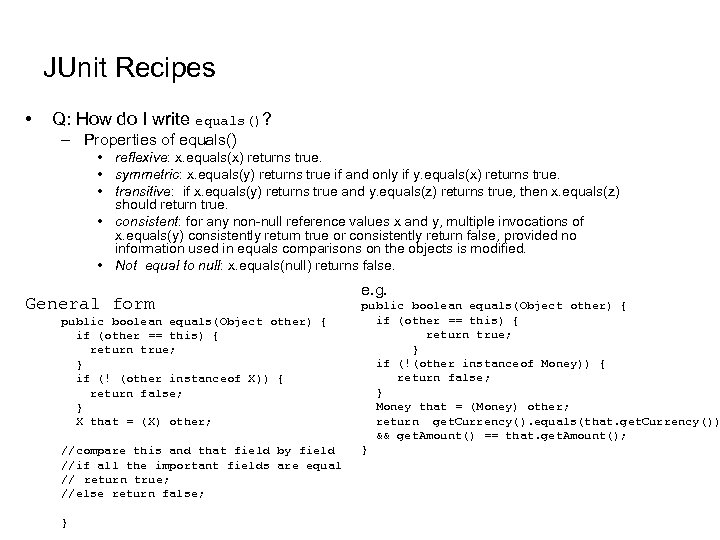
JUnit Recipes • Q: How do I write equals()? – Properties of equals() • reflexive: x. equals(x) returns true. • symmetric: x. equals(y) returns true if and only if y. equals(x) returns true. • transitive: if x. equals(y) returns true and y. equals(z) returns true, then x. equals(z) should return true. • consistent: for any non-null reference values x and y, multiple invocations of x. equals(y) consistently return true or consistently return false, provided no information used in equals comparisons on the objects is modified. • Not equal to null: x. equals(null) returns false. General form public boolean equals(Object other) { if (other == this) { return true; } if (! (other instanceof X)) { return false; } X that = (X) other; //compare this and that field by field //if all the important fields are equal // return true; //else return false; } e. g. public boolean equals(Object other) { if (other == this) { return true; } if (!(other instanceof Money)) { return false; } Money that = (Money) other; return get. Currency(). equals(that. get. Currency()) && get. Amount() == that. get. Amount(); }
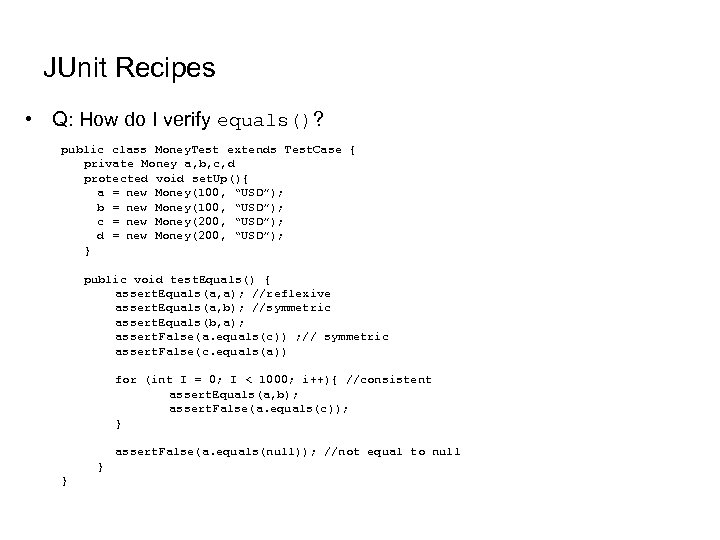
JUnit Recipes • Q: How do I verify equals()? public class Money. Test extends Test. Case { private Money a, b, c, d protected void set. Up(){ a = new Money(100, “USD”); b = new Money(100, “USD”); c = new Money(200, “USD”); d = new Money(200, “USD”); } public void test. Equals() { assert. Equals(a, a); //reflexive assert. Equals(a, b); //symmetric assert. Equals(b, a); assert. False(a. equals(c)) ; // symmetric assert. False(c. equals(a)) for (int I = 0; I < 1000; i++){ //consistent assert. Equals(a, b); assert. False(a. equals(c)); } assert. False(a. equals(null)); //not equal to null } }
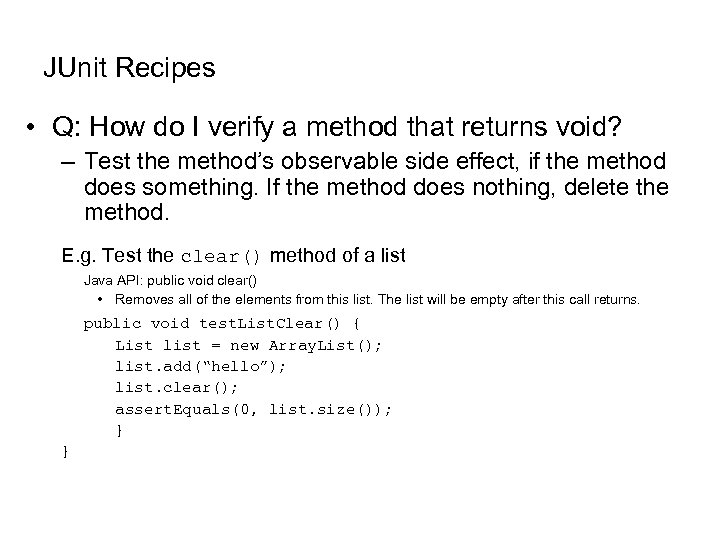
JUnit Recipes • Q: How do I verify a method that returns void? – Test the method’s observable side effect, if the method does something. If the method does nothing, delete the method. E. g. Test the clear() method of a list Java API: public void clear() • Removes all of the elements from this list. The list will be empty after this call returns. public void test. List. Clear() { List list = new Array. List(); list. add(“hello”); list. clear(); assert. Equals(0, list. size()); } }
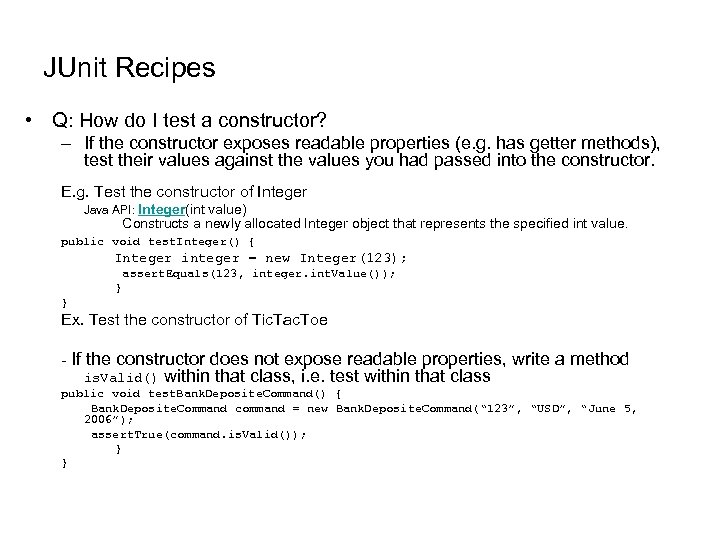
JUnit Recipes • Q: How do I test a constructor? – If the constructor exposes readable properties (e. g. has getter methods), test their values against the values you had passed into the constructor. E. g. Test the constructor of Integer Java API: Integer(int value) Constructs a newly allocated Integer object that represents the specified int value. public void test. Integer() { Integer integer = new Integer(123); assert. Equals(123, integer. int. Value()); } } Ex. Test the constructor of Tic. Tac. Toe - If the constructor does not expose readable properties, write a method is. Valid() within that class, i. e. test within that class public void test. Bank. Deposite. Command() { Bank. Deposite. Command command = new Bank. Deposite. Command(“ 123”, “USD”, “June 5, 2006”); assert. True(command. is. Valid()); } }
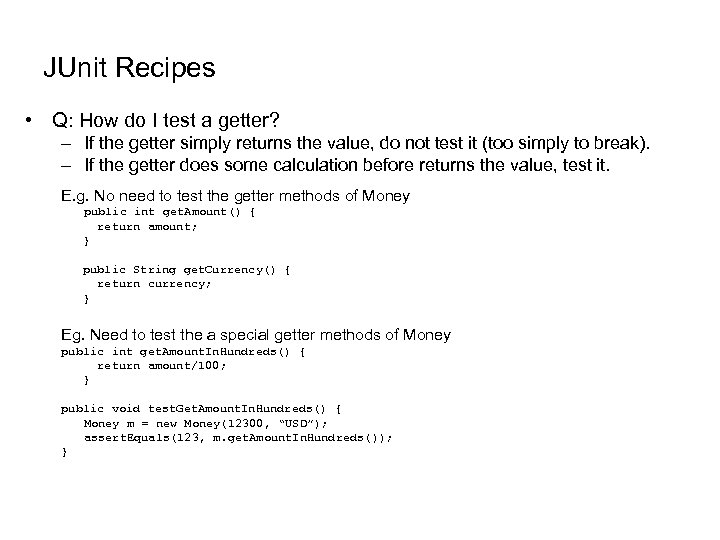
JUnit Recipes • Q: How do I test a getter? – If the getter simply returns the value, do not test it (too simply to break). – If the getter does some calculation before returns the value, test it. E. g. No need to test the getter methods of Money public int get. Amount() { return amount; } public String get. Currency() { return currency; } Eg. Need to test the a special getter methods of Money public int get. Amount. In. Hundreds() { return amount/100; } public void test. Get. Amount. In. Hundreds() { Money m = new Money(12300, “USD”); assert. Equals(123, m. get. Amount. In. Hundreds()); }
JUnit Recipes • Q: How do I test a setter? – If the setter simply sets a new value, do not test it (too simply to break). – If the setter does some calculation before sets the value, test it. E. g. No need to test the getter methods of Money public int set. Amount(double amount) { this. amount = amount; } public String set. Currency(String currency) { this. currency = currency; }
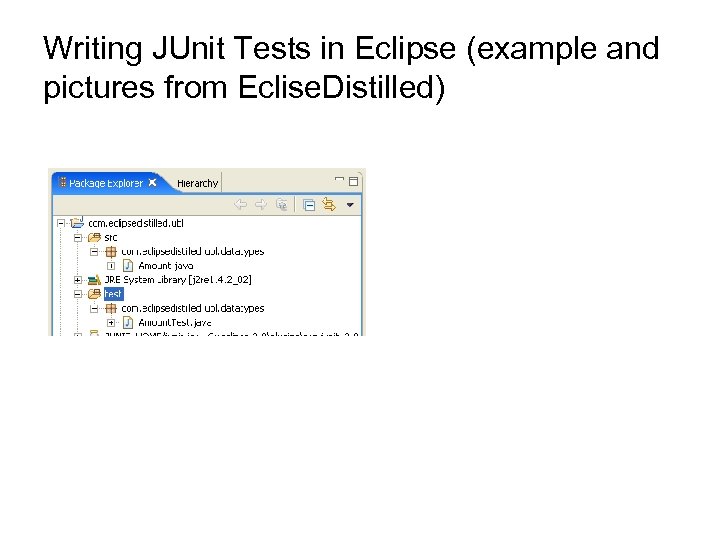
Writing JUnit Tests in Eclipse (example and pictures from Eclise. Distilled)
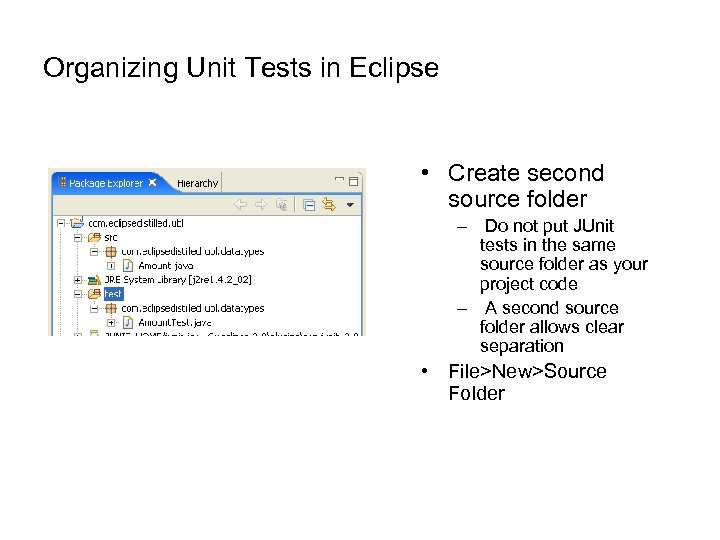
Organizing Unit Tests in Eclipse • Create second source folder – Do not put JUnit tests in the same source folder as your project code – A second source folder allows clear separation • File>New>Source Folder
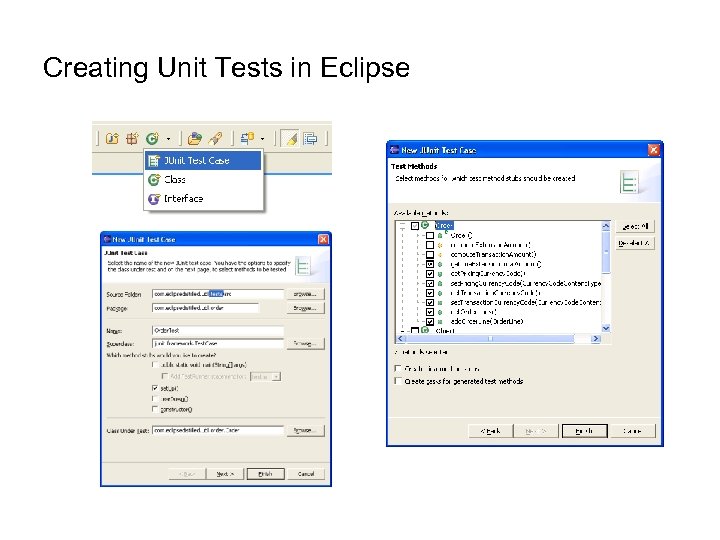
Creating Unit Tests in Eclipse • Second source folder – Do not put JUnit tests in the same source folder as your project code – A second source folder allows clear separation • File>New>Source Folder
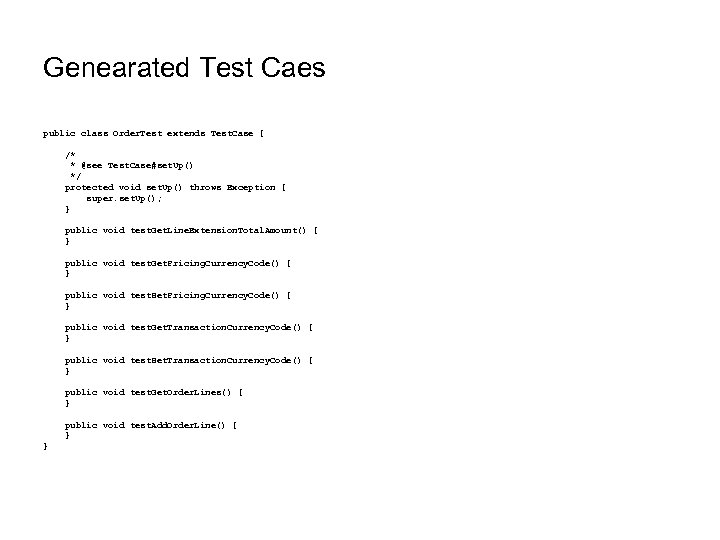
Genearated Test Caes public class Order. Test extends Test. Case { /* * @see Test. Case#set. Up() */ protected void set. Up() throws Exception { super. set. Up(); } public void test. Get. Line. Extension. Total. Amount() { } public void test. Get. Pricing. Currency. Code() { } public void test. Set. Pricing. Currency. Code() { } public void test. Get. Transaction. Currency. Code() { } public void test. Set. Transaction. Currency. Code() { } public void test. Get. Order. Lines() { } public void test. Add. Order. Line() { } }
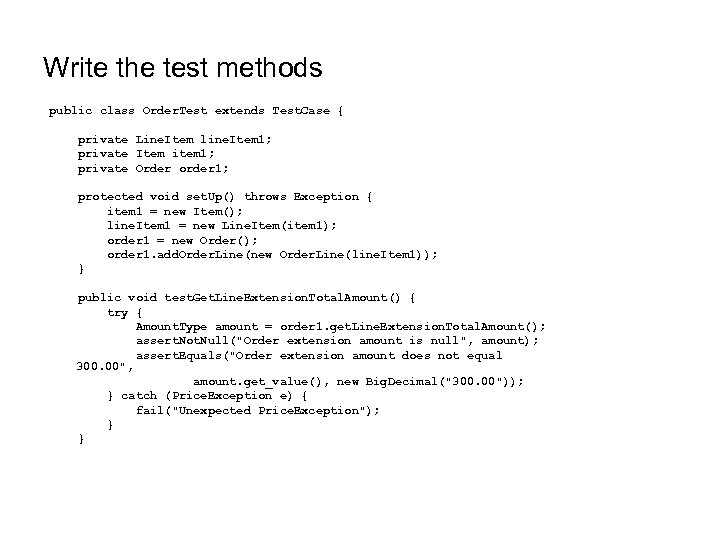
Write the test methods public class Order. Test extends Test. Case { private Line. Item line. Item 1; private Item item 1; private Order order 1; protected void set. Up() throws Exception { item 1 = new Item(); line. Item 1 = new Line. Item(item 1); order 1 = new Order(); order 1. add. Order. Line(new Order. Line(line. Item 1)); } public void test. Get. Line. Extension. Total. Amount() { try { Amount. Type amount = order 1. get. Line. Extension. Total. Amount(); assert. Not. Null("Order extension amount is null", amount); assert. Equals("Order extension amount does not equal 300. 00", amount. get_value(), new Big. Decimal("300. 00")); } catch (Price. Exception e) { fail("Unexpected Price. Exception"); } }
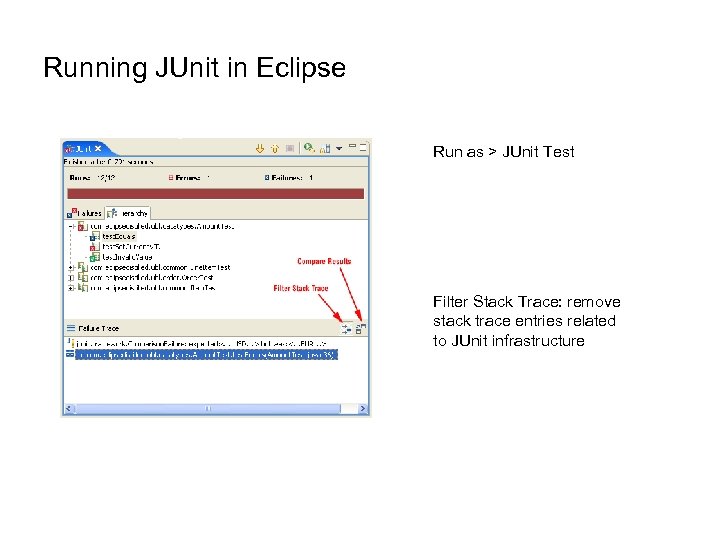
Running JUnit in Eclipse Run as > JUnit Test Filter Stack Trace: remove stack trace entries related to JUnit infrastructure
Good Practices in Testing • “Whenever you are tempted to type something into a print statement or a debugger expression, write it as a test instead” -- Martin Fowler • During Development- When you need to add new functionality to the system, write the tests first. Then, you will be done developing when the test runs. • During Debugging- When someone discovers a defect in your code, first write a test that will succeed if the code is working. Then debug until the test succeeds. • In the end your tests should cover your whole application. • Run all tests every time you change a method.
Debugging • After JUnits returns failures, you need to find out where the errors are • Two approaches in debugging – Add System. out. println() to print out suspected values – Use a debugger. • Demo
Useful Links and Books • Junit tutorial – http: //junit. sourceforge. net/doc/testinfected/testing. htm • Unit Testing in Eclipse Using JUnit http: //open. ncsu. edu/se/tutorials/junit/#section 7_0 • Eclispe Distilled • JUnit Recipes
Скачать презентацию Software Testing Debugging and JUnit Ananda Gunawardena Hao
88fde3b139f454ceacee4d3126020f98.ppt