


 Скачать презентацию Software Testing and Maintenance Designing for Change Jeff
78efda2d2b4bba946a2a6dac5a10e69d.ppt
- Количество слайдов: 43
 Software Testing and Maintenance Designing for Change Jeff Offutt SWE 437 George Mason University 2008 Based on Enterprise Integration Patterns, Hohpe and Woolf, Addison. Wesley, Introduction and Chapter 1 Thanks to Hyanghee Lim
 Designing for Maintainability 1. 2. 3. 4. 5. Integrating Software Components Sharing Data and Message Passing Advantages and Disadvantages of Message Passing Application Integration Using Design Patterns to Integrate SWE 437 - Software Testing and Maintenance © Jeff Offutt 2
 Modern Software is Connected • In 1980, we built single stand-alone systems • Now we build collections of integrated software systems • Modern programs rarely live in isolation – – They interact with other applications on the same computing device They use shared library modules They communicate with related applications on different computers Data is shared among multiple computing devices • Web applications communicate across a network • Web services make connections dynamically during execution • This increase in couplings among software systems has major impacts on the software is designed • Distributed computing has become the norm, not the exception SWE 437 - Software Testing and Maintenance © Jeff Offutt 3
 Fundamental Challenges of Integration • Networks are unreliable – Distributed software has to deal with more potential problems – Phone lines, LAN segments, routers, switches, satellites, … • Networks are slow – Multiple orders of magnitude slower than a function call • Applications on different computers are diverse – Different languages, operating systems, data formats, … – Connected through diverse hardware and software applications • Change is inevitable and continuous – Applications we connect with changes – Host hardware and software changes Distributed software must use extremely low coupling SWE 437 - Software Testing and Maintenance © Jeff Offutt 4
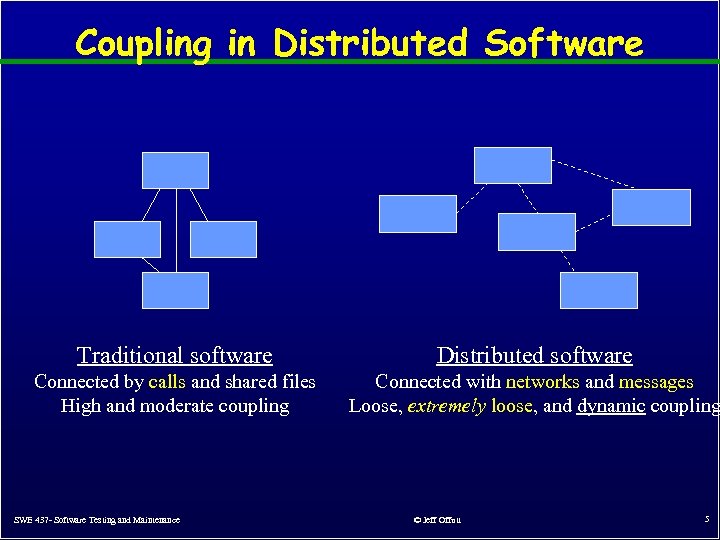 Coupling in Distributed Software Traditional software Distributed software Connected by calls and shared files High and moderate coupling Connected with networks and messages Loose, extremely loose, and dynamic coupling SWE 437 - Software Testing and Maintenance © Jeff Offutt 5
 Extremely Loose Coupling • Tight Coupling : Dependencies among the methods are encoded in their logic – Changes in A may require changing logic in B – This was common in the 1970 s – Often a characteristic of functional design of software • Loose Coupling : Dependencies among the methods are encoded in the structure and data flows – Changes in A may require changing data uses in B – Goal of data abstraction and object-oriented concepts • Extremely Loose Coupling (ELC): Dependencies are encoded only in the data contents – Changes in A only affects the contents of B’s data – Motivating goal for distributed software and web applications The issues come down to how we share data … SWE 437 - Software Testing and Maintenance © Jeff Offutt 6
 ELC Leads Directly to XML • Passing data from one software component to another has always been difficult • The two components must agree on format, types, and organization • Distributed applications have unique requirements for data passing: – Very loose coupling – Dynamic integration – Frequent change SWE 437 - Software Testing and Maintenance © Jeff Offutt 7
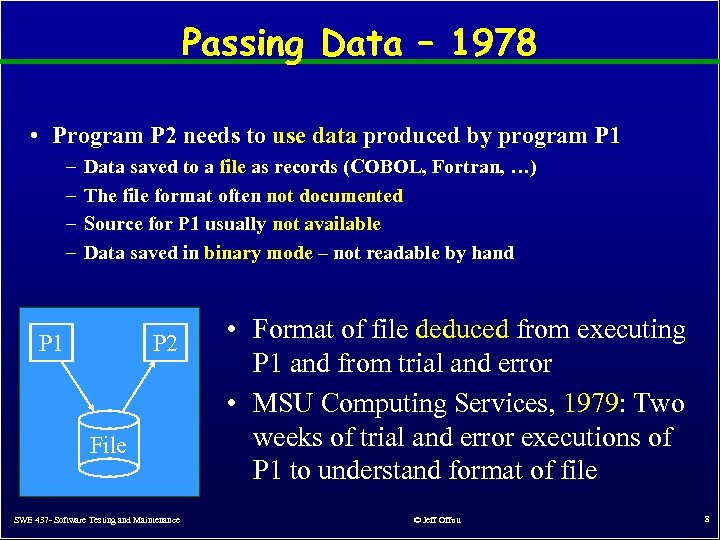 Passing Data – 1978 • Program P 2 needs to use data produced by program P 1 – – Data saved to a file as records (COBOL, Fortran, …) The file format often not documented Source for P 1 usually not available Data saved in binary mode – not readable by hand P 1 P 2 File SWE 437 - Software Testing and Maintenance • Format of file deduced from executing P 1 and from trial and error • MSU Computing Services, 1979: Two weeks of trial and error executions of P 1 to understand format of file © Jeff Offutt 8
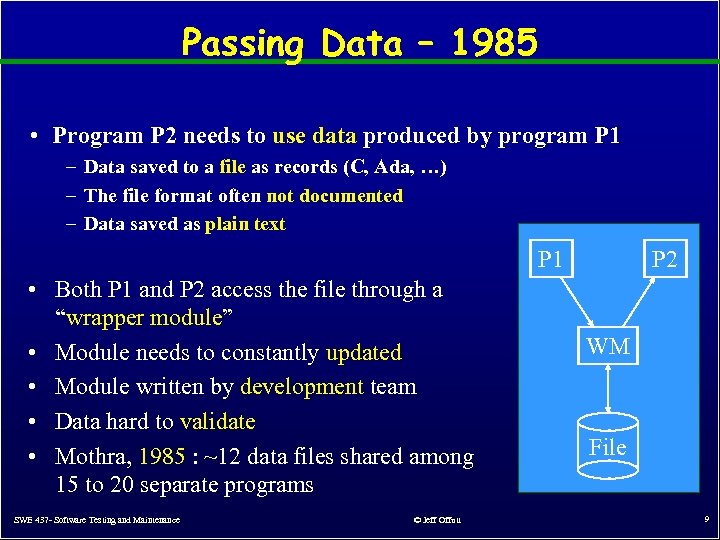 Passing Data – 1985 • Program P 2 needs to use data produced by program P 1 – Data saved to a file as records (C, Ada, …) – The file format often not documented – Data saved as plain text P 1 • Both P 1 and P 2 access the file through a “wrapper module” • Module needs to constantly updated • Module written by development team • Data hard to validate • Mothra, 1985 : ~12 data files shared among 15 to 20 separate programs SWE 437 - Software Testing and Maintenance © Jeff Offutt P 2 WM File 9
 Wrapper Method Problems • Slow – Everything is a file in plain text • Sharing – Developers of P 1 and P 2 must agree to share source of WM • Maintenance – Who has “control” of WM? • Solution – data sharing that is: – Independent of type – Self documenting – Easy to understand format – Especially important for distributed software – XML 3/19/2018 SWE 437 - Software Testing and Maintenance © Lee & Offutt © Jeff Offutt 10 10
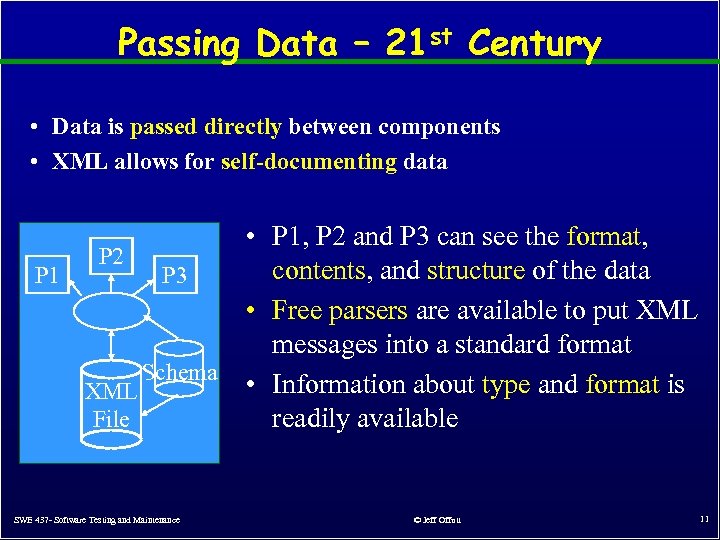 Passing Data – 21 st Century • Data is passed directly between components • XML allows for self-documenting data • P 1, P 2 and P 3 can see the format, P 2 contents, and structure of the data P 1 P 3 Parser • Free parsers are available to put XML messages into a standard format Schema • Information about type and format is XML readily available File SWE 437 - Software Testing and Maintenance © Jeff Offutt 11
 Designing for Maintainability 1. Integrating Software Components 2. Sharing Data and Message Passing 3. Advantages and Disadvantages of Message Passing 4. Application Integration 5. Using Design Patterns to Integrate SWE 437 - Software Testing and Maintenance © Jeff Offutt 12
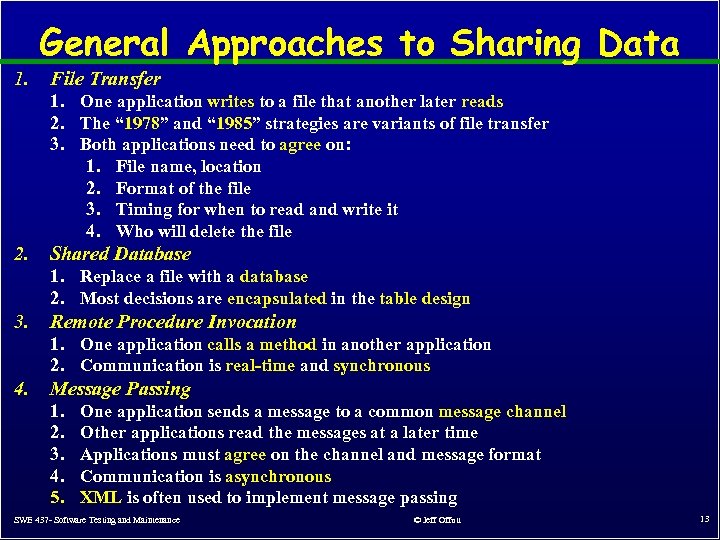 General Approaches to Sharing Data 1. File Transfer 1. One application writes to a file that another later reads 2. The “ 1978” and “ 1985” strategies are variants of file transfer 3. Both applications need to agree on: 1. File name, location 2. Format of the file 3. Timing for when to read and write it 4. Who will delete the file 2. Shared Database 1. Replace a file with a database 2. Most decisions are encapsulated in the table design 3. Remote Procedure Invocation 1. One application calls a method in another application 2. Communication is real-time and synchronous 4. Message Passing 1. 2. 3. 4. 5. One application sends a message to a common message channel Other applications read the messages at a later time Applications must agree on the channel and message format Communication is asynchronous XML is often used to implement message passing SWE 437 - Software Testing and Maintenance © Jeff Offutt 13
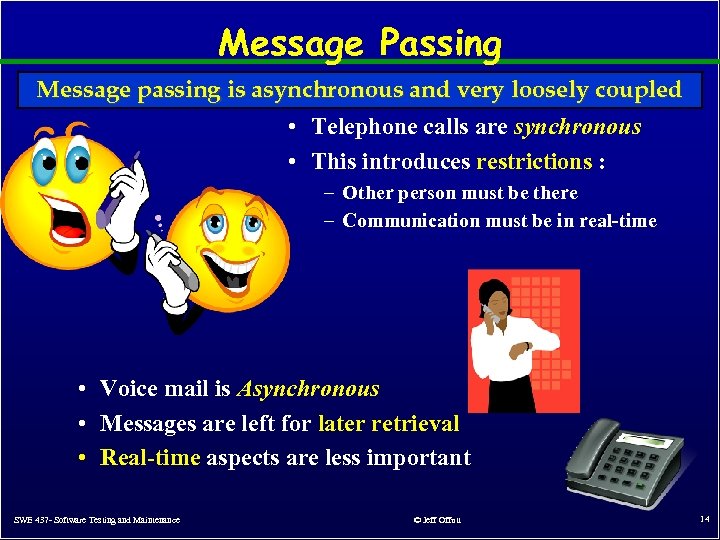 Message Passing Message passing is asynchronous and very loosely coupled • Telephone calls are synchronous • This introduces restrictions : – Other person must be there – Communication must be in real-time • Voice mail is Asynchronous • Messages are left for later retrieval • Real-time aspects are less important SWE 437 - Software Testing and Maintenance © Jeff Offutt 14
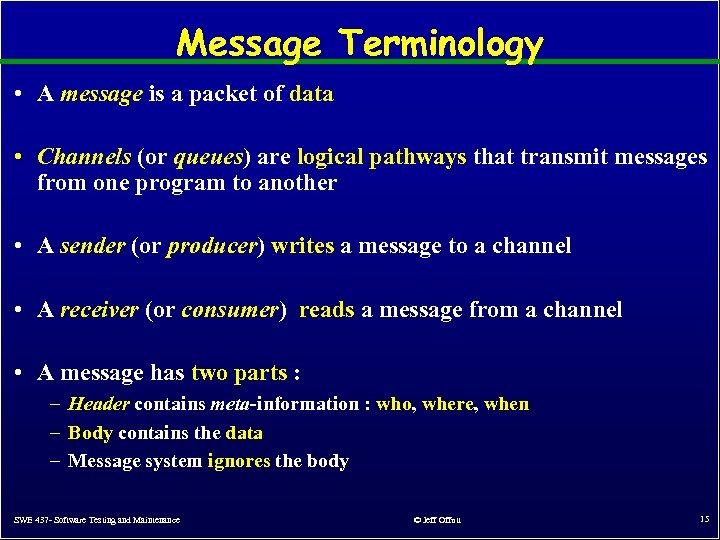 Message Terminology • A message is a packet of data • Channels (or queues) are logical pathways that transmit messages from one program to another • A sender (or producer) writes a message to a channel • A receiver (or consumer) reads a message from a channel • A message has two parts : – Header contains meta-information : who, where, when – Body contains the data – Message system ignores the body SWE 437 - Software Testing and Maintenance © Jeff Offutt 15
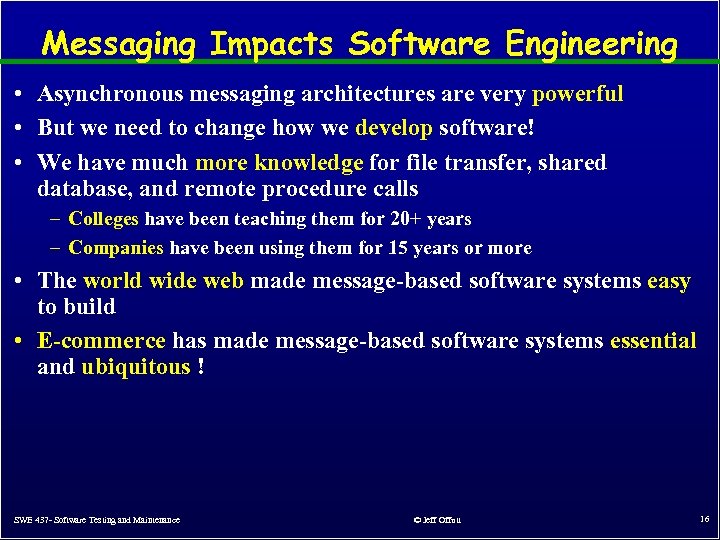 Messaging Impacts Software Engineering • Asynchronous messaging architectures are very powerful • But we need to change how we develop software! • We have much more knowledge for file transfer, shared database, and remote procedure calls – Colleges have been teaching them for 20+ years – Companies have been using them for 15 years or more • The world wide web made message-based software systems easy to build • E-commerce has made message-based software systems essential and ubiquitous ! SWE 437 - Software Testing and Maintenance © Jeff Offutt 16
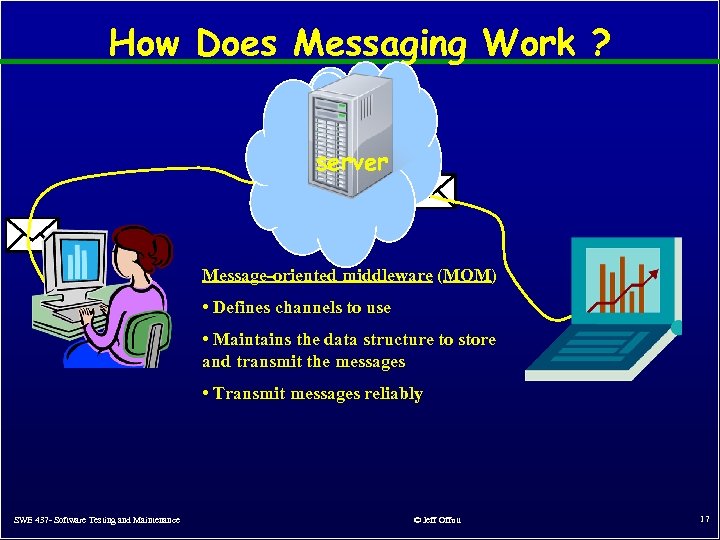 How Does Messaging Work ? server Message-oriented middleware (MOM) • Defines channels to use • Maintains the data structure to store and transmit the messages • Transmit messages reliably SWE 437 - Software Testing and Maintenance © Jeff Offutt 17
 Message-Oriented Middleware • • • Must move messages from the sender’s computer to the receiver’s computer in a reliable way Networks are inherently unreliable Either computer, or the network, or the middleware server may be unavailable Messaging systems repeat sending until successful Message transmission has 5 steps : 1. Create – Sender creates the message header and body 2. Send – Sender write the message to a channel 3. Deliver – Messaging system moves the message from the sender to the receiver 4. Receive – Receiver reads the message from the channel 5. Process – Receiver extracts data from the body of the message SWE 437 - Software Testing and Maintenance © Jeff Offutt 18
 Forgetting and Forwarding • Send and forget – In step 2, the sender writes the message to the channel, then forgets it – The sender can do something else while the message is being delivered • Store and forward – In step 2, the messaging system stores the message on the sender’s computer – In step 3, the messaging system forwards the message to the receiver – In step 3, the messaging system stores the message on the receiver • The “store and forward” process may be repeated along several computers between the sender and the receiver – Think about how many copies of your “private” email messages exist … SWE 437 - Software Testing and Maintenance © Jeff Offutt 19
 Designing for Maintainability 1. Integrating Software Components 2. Sharing Data and Message Passing Advantages and Disadvantages of Message Passing 3. Advantages and Disadvantages of Message Passing 4. Application Integration 5. Using Design Patterns to Integrate SWE 437 - Software Testing and Maintenance © Jeff Offutt 20
 Benefits of Messaging • Number one benefit : Message-based software is easier to change and reuse – Better encapsulated than shared database – More immediate than file transfer – More reliable than remote procedure invocation • Software components depend less on each other – Less coupling • Several engineering advantages: – – Reliability Maintainability / Changeability Security Scalability • The disadvantage of speed is offset by these advantages and ameliorated by good quality middleware SWE 437 - Software Testing and Maintenance © Jeff Offutt 21
 Specific Benefits 1. Remove Communication : Separate applications can share data – – – Programs on the same computer share memory Sending data to another computer is more complicated – objects must be serialized – converted into a byte stream Messaging handles this so that applications do not need to 2. Platform / Language Integration : Separate applications are in different languages and run on different operating systems – – Middleware makes the data independent of language The middleware serves as a universal translator 3. Asynchronous Communication : Allows send-and-forget – – Sender does not have to wait for receiver Once a message is sent, the sender can do other work while the message is transmitted in the background SWE 437 - Software Testing and Maintenance © Jeff Offutt 22
 Specific Benefits (2) 4. Variable Timing : Send and receiver can run at different speeds – – Synchronous communication means caller must wait for receiver Asynchronous communication means no waiting 5. Throttling : Receiver is not overwhelmed with messages – – Remote procedure calls can overload the receiver, degrading performance or crashing Messaging system holds messages until the receiver is ready 6. Reliable Communication : Undelivered messages can be re-sent – – – Data is packaged as atomic, independent messages Messaging system stores messages and can re-transmit if the transmission fails Network problems don’t create transmission failures SWE 437 - Software Testing and Maintenance © Jeff Offutt 23
 Specific Benefits (3) 7. Disconnected Operations : Application can run independent of the network – – PDAs and phones can run offline, and synchronize through messaging system when needed My calendar is duplicated on my home computer, my office computer, and my PDA 8. Mediation : Applications deal with middleware, not other apps – – Some applications interact with several other applications Instead of integrating directly with all other applications, an application can integrate with the messaging system, which keeps a directory of all applications 9. Thread Management : Blocking is not necessary – – – One application does not need to block while waiting for another to perform a task A callback can be used to tell the caller when a reply arrives Sender does not need threads for communication, so has more available SWE 437 - Software Testing and Maintenance © Jeff Offutt 24
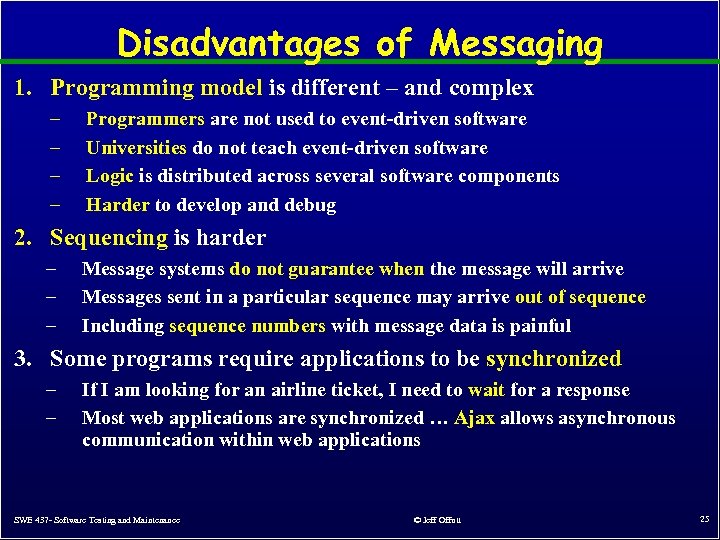 Disadvantages of Messaging 1. Programming model is different – and complex – – Programmers are not used to event-driven software Universities do not teach event-driven software Logic is distributed across several software components Harder to develop and debug 2. Sequencing is harder – – – Message systems do not guarantee when the message will arrive Messages sent in a particular sequence may arrive out of sequence Including sequence numbers with message data is painful 3. Some programs require applications to be synchronized – – If I am looking for an airline ticket, I need to wait for a response Most web applications are synchronized … Ajax allows asynchronous communication within web applications SWE 437 - Software Testing and Maintenance © Jeff Offutt 25
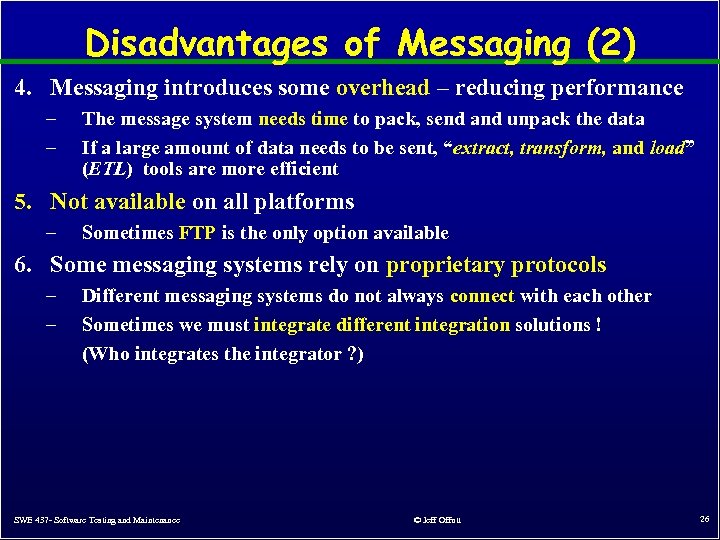 Disadvantages of Messaging (2) 4. Messaging introduces some overhead – reducing performance – – The message system needs time to pack, send and unpack the data If a large amount of data needs to be sent, “extract, transform, and load” (ETL) tools are more efficient 5. Not available on all platforms – Sometimes FTP is the only option available 6. Some messaging systems rely on proprietary protocols – – Different messaging systems do not always connect with each other Sometimes we must integrate different integration solutions ! (Who integrates the integrator ? ) SWE 437 - Software Testing and Maintenance © Jeff Offutt 26
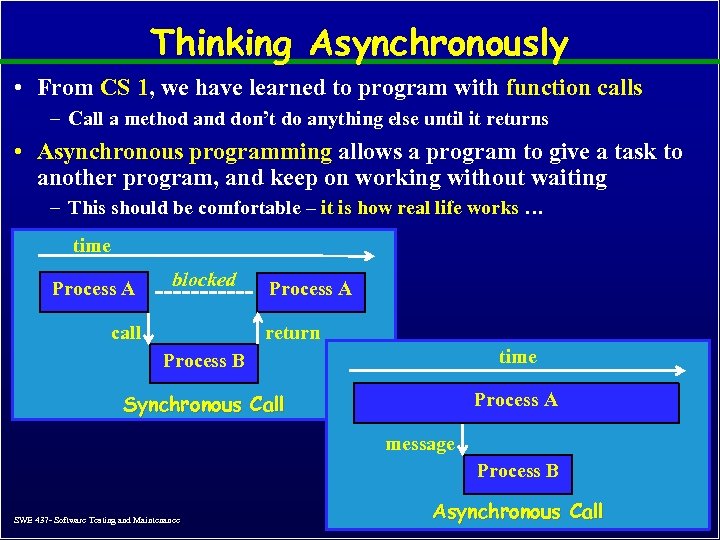 Thinking Asynchronously • From CS 1, we have learned to program with function calls – Call a method and don’t do anything else until it returns • Asynchronous programming allows a program to give a task to another program, and keep on working without waiting – This should be comfortable – it is how real life works … time Process A blocked call Process A return Process B time Synchronous Call Process A message Process B SWE 437 - Software Testing and Maintenance Asynchronous Call © Jeff Offutt 27
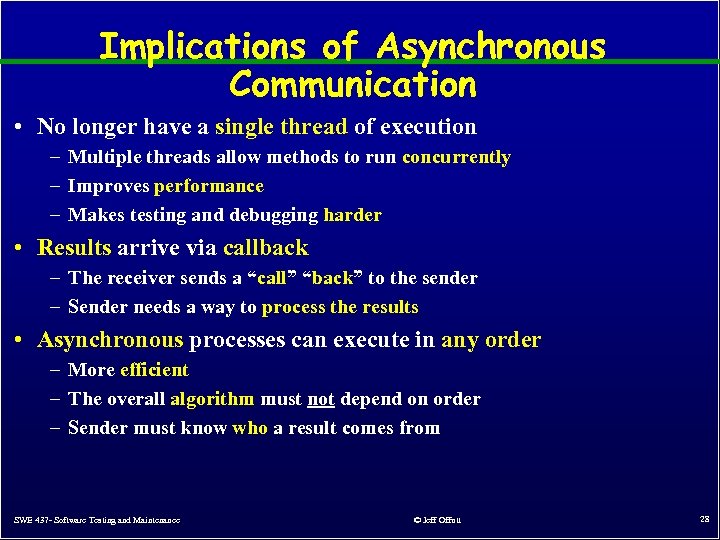 Implications of Asynchronous Communication • No longer have a single thread of execution – Multiple threads allow methods to run concurrently – Improves performance – Makes testing and debugging harder • Results arrive via callback – The receiver sends a “call” “back” to the sender – Sender needs a way to process the results • Asynchronous processes can execute in any order – More efficient – The overall algorithm must not depend on order – Sender must know who a result comes from SWE 437 - Software Testing and Maintenance © Jeff Offutt 28
 Designing for Maintainability 1. 2. 3. 4. 5. Integrating Software Components Sharing Data and Message Passing Advantages and Disadvantages of Message Passing Application Integration Using Design Patterns to Integrate SWE 437 - Software Testing and Maintenance © Jeff Offutt 29
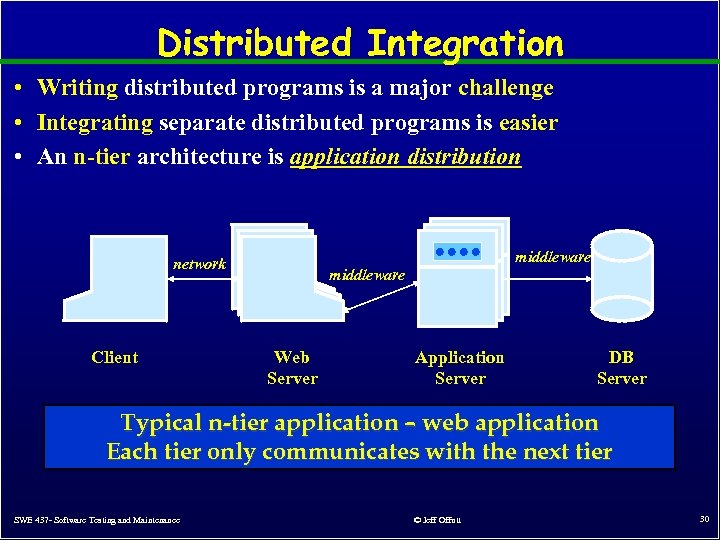 Distributed Integration • Writing distributed programs is a major challenge • Integrating separate distributed programs is easier • An n-tier architecture is application distribution middleware network Client middleware Web Server Application Server DB Server Typical n-tier application – web application Each tier only communicates with the next tier SWE 437 - Software Testing and Maintenance © Jeff Offutt 30
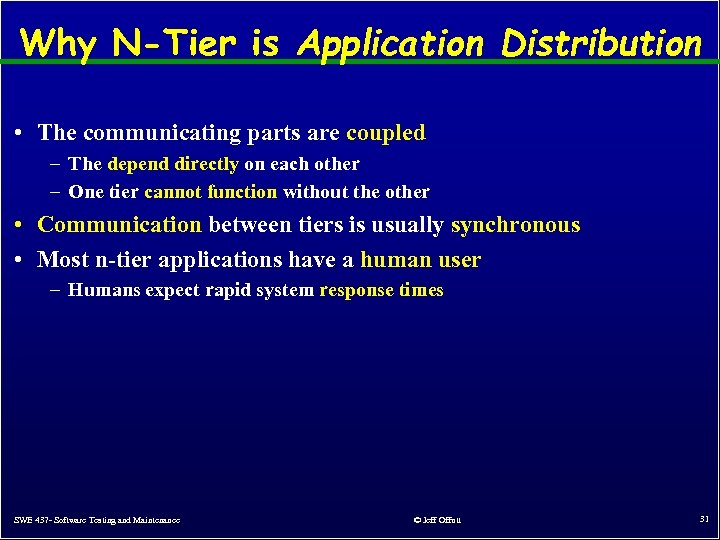 Why N-Tier is Application Distribution • The communicating parts are coupled – The depend directly on each other – One tier cannot function without the other • Communication between tiers is usually synchronous • Most n-tier applications have a human user – Humans expect rapid system response times SWE 437 - Software Testing and Maintenance © Jeff Offutt 31
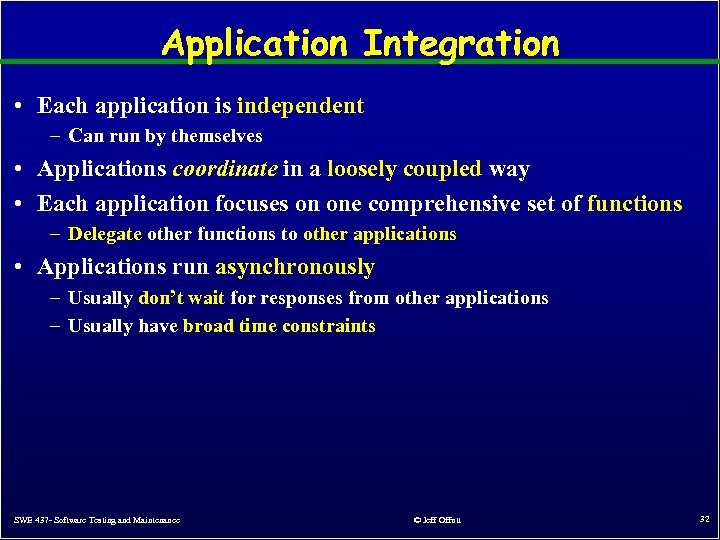 Application Integration • Each application is independent – Can run by themselves • Applications coordinate in a loosely coupled way • Each application focuses on one comprehensive set of functions – Delegate other functions to other applications • Applications run asynchronously – Usually don’t wait for responses from other applications – Usually have broad time constraints SWE 437 - Software Testing and Maintenance © Jeff Offutt 32
 Commercial Messaging Systems • Messaging middleware available from several software vendors • Operating systems – MS Windows includes Microsoft Message Queuing (MSMQ) software – Available through several APIs, COM components, System. Messaging, and. NET – Oracle offers Oracle AQ with its database platform • Application servers – Java Messaging Service (JMS) is specified in the J 2 EE platform – IBM Web. Sphere, BEA Web. Logic, J 2 EE JDK • EAI suites – Proprietary suites with lots of functionalities – messaging, business process automation, workflow, portals, etc – IBM Web. Sphere MQ, MS Biz. Talk, TIBCO, Web. Methods, … • Web service toolkits – Still in development but industry and researchers are very excited SWE 437 - Software Testing and Maintenance © Jeff Offutt 33
 Designing for Maintainability 1. 2. 3. 4. 5. Integrating Software Components Sharing Data and Message Passing Advantages and Disadvantages of Message Passing Application Integration Using Design Patterns to Integrate SWE 437 - Software Testing and Maintenance © Jeff Offutt 34
 Enterprise Applications • Enterprise systems contain hundreds, even thousands, of separate applications – Custom-built, third party vendors, legacy systems, … – Multiple tiers with different operating systems • Until recently, nobody built a single big application to run a complete business – Nobody yet does it particularly well • Enterprise systems have grown from multiple smaller pieces – Just like a town or city grows together and slowly integrates • Companies want to buy the best package for each task – Then integrate them ! Thus – integrating diverse applications into a coherent enterprise application will be an exciting task for years to come SWE 437 - Software Testing and Maintenance © Jeff Offutt 35
 Types of Application Integration 1. 2. 3. 4. 5. 6. Information portals Data replication Shared business functions Service-oriented architectures Distributed business processes Business-to-business integration This is not a complete list of all types of but represents some of the more common SWE 437 - Software Testing and Maintenance © Jeff Offutt integration, types 36
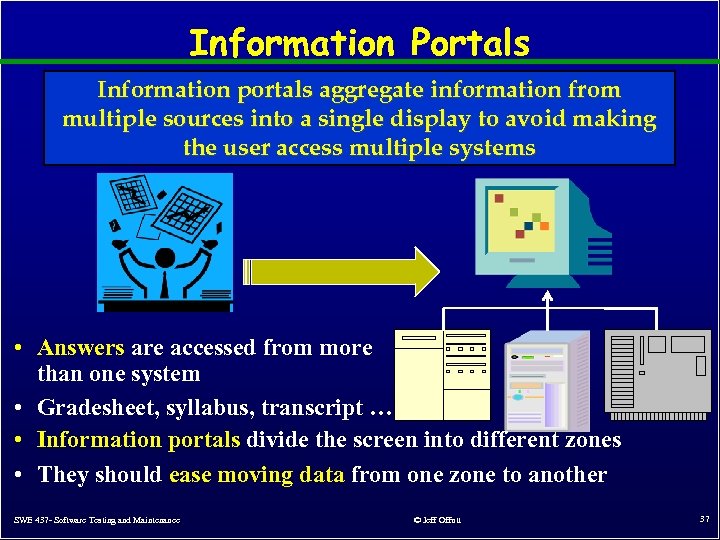 Information Portals Information portals aggregate information from multiple sources into a single display to avoid making the user access multiple systems • Answers are accessed from more than one system • Gradesheet, syllabus, transcript … • Information portals divide the screen into different zones • They should ease moving data from one zone to another SWE 437 - Software Testing and Maintenance © Jeff Offutt 37
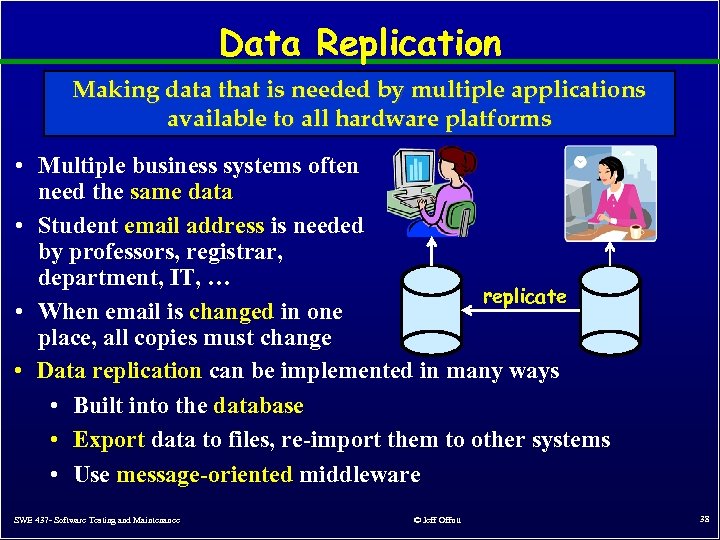 Data Replication Making data that is needed by multiple applications available to all hardware platforms • Multiple business systems often need the same data • Student email address is needed by professors, registrar, department, IT, … replicate • When email is changed in one place, all copies must change • Data replication can be implemented in many ways • Built into the database • Export data to files, re-import them to other systems • Use message-oriented middleware SWE 437 - Software Testing and Maintenance © Jeff Offutt 38
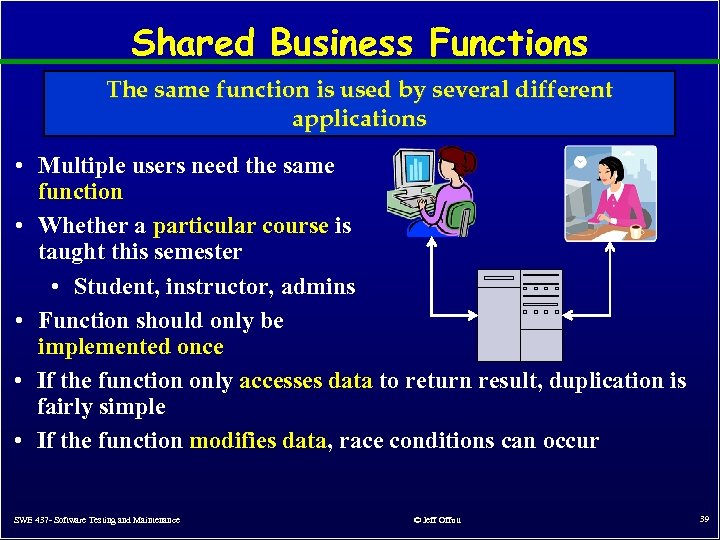 Shared Business Functions The same function is used by several different applications • Multiple users need the same function • Whether a particular course is taught this semester • Student, instructor, admins • Function should only be implemented once • If the function only accesses data to return result, duplication is fairly simple • If the function modifies data, race conditions can occur SWE 437 - Software Testing and Maintenance © Jeff Offutt 39
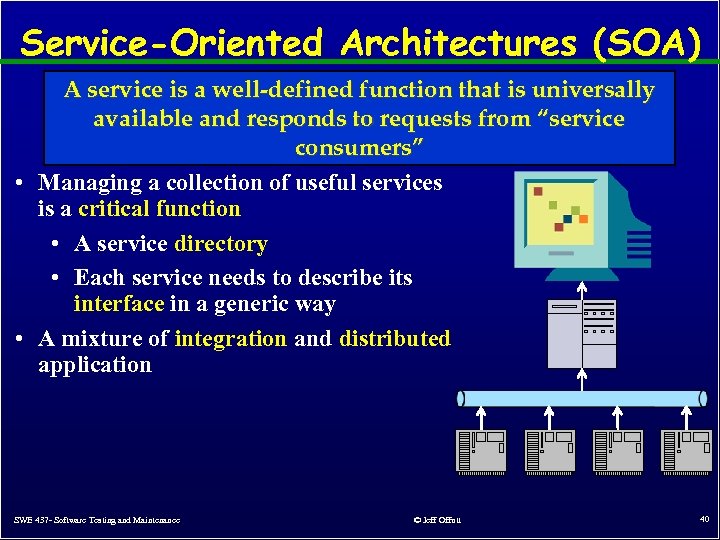 Service-Oriented Architectures (SOA) A service is a well-defined function that is universally available and responds to requests from “service consumers” • Managing a collection of useful services is a critical function • A service directory • Each service needs to describe its interface in a generic way • A mixture of integration and distributed application SWE 437 - Software Testing and Maintenance © Jeff Offutt 40
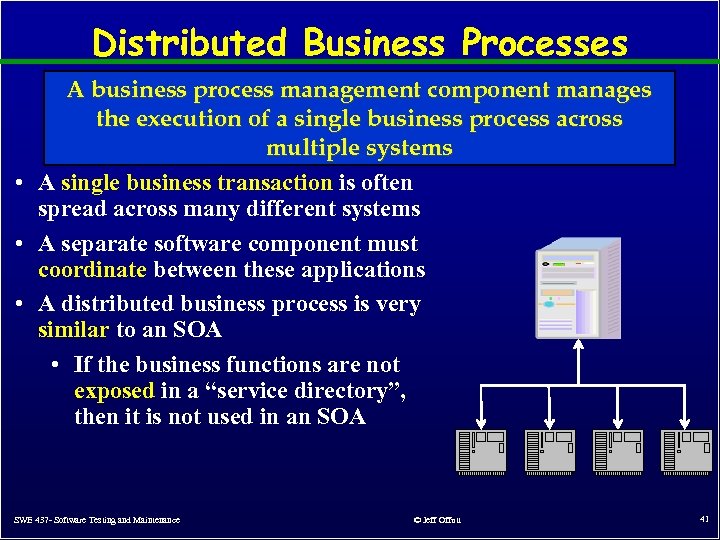 Distributed Business Processes A business process management component manages the execution of a single business process across multiple systems • A single business transaction is often spread across many different systems • A separate software component must coordinate between these applications • A distributed business process is very similar to an SOA • If the business functions are not exposed in a “service directory”, then it is not used in an SOA SWE 437 - Software Testing and Maintenance © Jeff Offutt 41
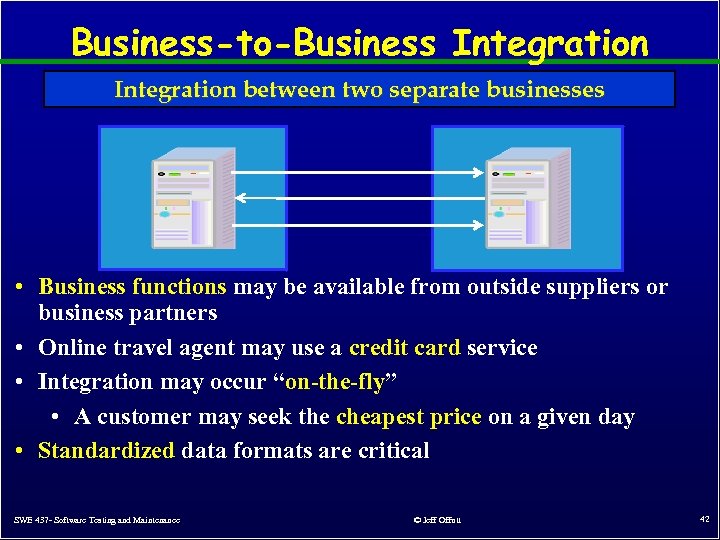 Business-to-Business Integration between two separate businesses • Business functions may be available from outside suppliers or business partners • Online travel agent may use a credit card service • Integration may occur “on-the-fly” • A customer may seek the cheapest price on a given day • Standardized data formats are critical SWE 437 - Software Testing and Maintenance © Jeff Offutt 42
 Summary : Coupling, Coupling • Coupling has been considered to be an important design element Message passing systems are since the 1960 s very easy to maintain • Goal of coupling is to reduce the assumptions that two components have to make when exchanging data – Loose coupling means fewer assumptions • A local method call is very tight coupling – Same language, same process, typed parameters checked, return value • Remote procedure call has tight coupling, but with the complexity of distributed processing – The worst of both worlds – Results in systems that are very hard to maintain • Message passing has extremely loose coupling SWE 437 - Software Testing and Maintenance © Jeff Offutt 43