


 Скачать презентацию Software of Information Systems Hun Myoung Park Ph
92f41ee24b806a4ee92dac66ecca5878.ppt
- Количество слайдов: 34
 Software of Information Systems Hun Myoung Park, Ph. D. , Public Management and Policy Analysis Program Graduate School of International Relations International University of Japan
 2 Outline ¡ Computer Software ¡ System Software ¡ Operating Systems ¡ Application Software ¡ Software License ¡ Open Source Software ¡ Software Selection
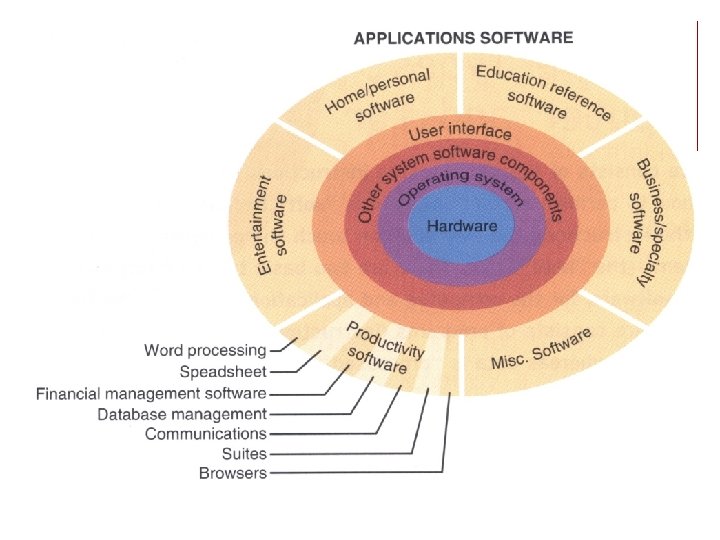
 3 Computer Software ¡ Tell computer hardware to do what you want. ¡ Computer programs that instruct computer hardware to perform designated tasks. ¡ A well organized set of instructions written in computer languages to achieve particular goals and then complied by a translator ¡ Systems software and application software
 5 System Software
 6 System Software ¡ To control computer systems ¡ Bridge between hardware and application software ¡ Not to perform specific tasks you want to do ¡ Consists of operating systems, utility programs, and language translators
 7 Operating Systems ¡ Kernel ¡ User interface
 8 Operating Systems 2 ¡ Server ¡ Parallel CPU, virtualization ¡ BIOS, bootstrap routine ¡ Diagnostic routine ¡ JCL (Job control language)
 9 Kernel 1 ¡ Kernel performs core functions ¡ Control hardware and access ¡ Manage memory ¡ Manage data (files) ¡ Manage network ¡ Manage I/O devices
 10 Kernel 2 ¡ Manage programs: ¡ Multitasking (single user system) ¡ Multithreading (multiple threads of a program) ¡ Multiprogrammings (multi-user system) ¡ Mutiprocessing: Use multiple processors ¡ Parallel processing: a process/task uses more than one processor
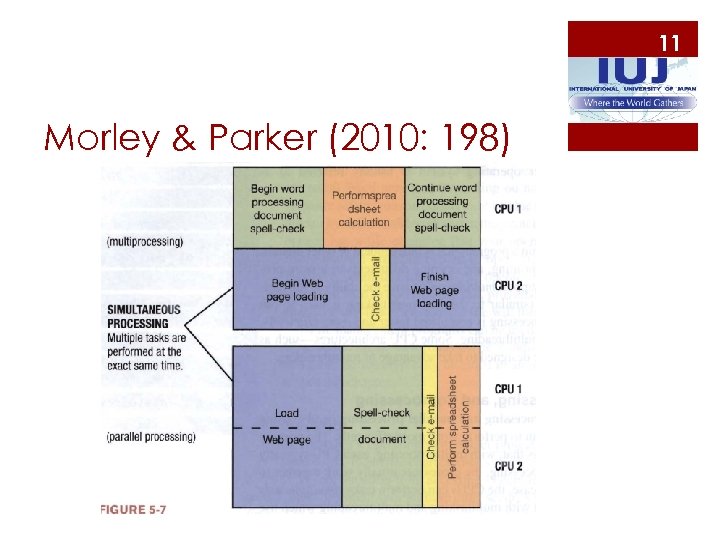 11 Morley & Parker (2010: 198)
 12 User Interface 1 ¡ Interacts between users and OS (kernel) ¡ Often integrated into OS ¡ Command line (text based) versus desktop environment ¡ Graphical user interface (GUI) ¡ Touch user interface (mobile devices)
 13 User Interface 2 ¡ Xerox PARC Alto (Xerox Star) ¡ Apple Lisa and Mac ¡ KDE (1996), desktop environment ¡ GNOME (1999), GNU (GNU’s Not Unix) Network object model environment ¡ Mac OS (1984) ¡ X Window System (1984) by MIT ¡ Microsoft Windows (1985), version 3. 1 in 1992
 14 Development of OS 1 ¡ UNIX (1969) by AT&T ¡ Apple DOS (1978) ¡ CP/M (1980) ¡ PC-DOS by IBM (1981), Microsoft DOS (1981) ¡ Netware (1983) by Novell ¡ Mac OS (1984) ¡ Microsoft Windows (1985) 3. x/95/98 ¡ OS/2 (Warp) by IBM since 1987
 15 Development of OS 2 ¡ NEXTSTEP (1989) ¡ Sun. OS/Solaris (1992) ¡ GNU/Linux (1992) ¡ Microsoft NT/2000/XP/Vista/7/8 ¡ Embedded and mobile editions (e. g. , Blackberry OS, i. OS, embedded Linux, or Window mobile or Window phone)
 16 Utilities ¡ Backup/recovery utilities ¡ Compression utilities ¡ Diagnostic program ¡ Security/Spam-filtering utilities ¡ Drivers
 17 Language Translators ¡ Assembler for assembly language ¡ Compiler (batch) ¡ Interpreter (interactive)
 18 Middleware ¡ Software layer between operating system and application software (Wiki) ¡ Connect software components and applications ¡ CGI (Common Gateway Interface) ¡ API (Application Program Interface)
 19 Application Software
 20 Application Software 1 ¡ Perform specific tasks ¡ Do actually what you want ¡ Match between operating systems and application software (e. g. , platform and word size matter) ¡ For example, a 32 bit application software does not work perfectly in a 64 bit operating system)
 21 Application Software 2 ¡ Wordprocessor: Word. Perfect, Microsoft Word, Libre. Office (Star. Office) ¡ Spreadsheet: Visi. Calc, Lotus 1 -2 -3, Microsoft Excel, Quattro Pro ¡ Database: d. Base III+, Fox. Base, Fox. Pro, Microsoft Access, DBII, Oracle, Microsoft SQL Server, My. Sql
 22 Application Software 3 ¡ Presentation: Powerpoint, Presentations, Impress, … ¡ Statistics and mathematics: SAS, Stata, SPSS ¡ Graphics: Adobe Photoshop, illustrator ¡ Desktop publishing: Corel Ventura, Adobe Pagemaker, Quak. Xpress, Adobe In. Design
 23 Application Software 4 ¡ Geographic information system (GIS) ¡ Video, audio, gaming, … ¡ Groupware: Lotus (IBM) Notes ¡ Project management ¡ Financial management ¡ Personal information manager
 24 Types of Software ¡ Off the shelf (ready made), in-house (house made), customized software (contractor) ¡ Proprietary versus open source software ¡ Web-based (Web suite), mobile software (software as a service)
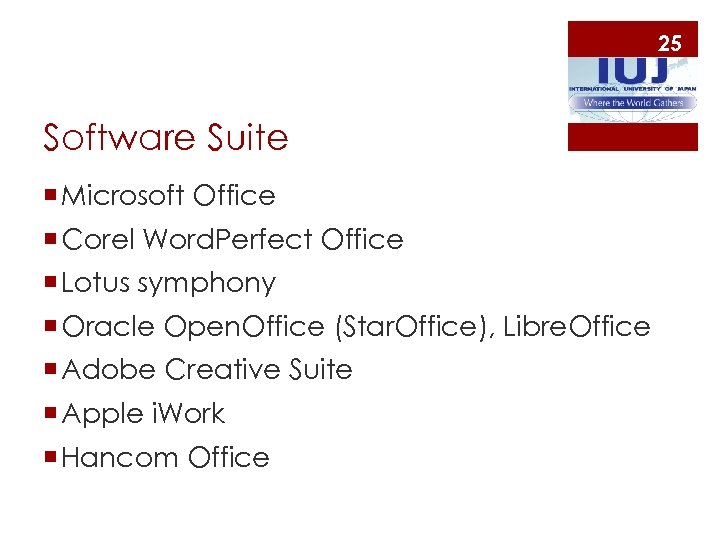 25 Software Suite ¡ Microsoft Office ¡ Corel Word. Perfect Office ¡ Lotus symphony ¡ Oracle Open. Office (Star. Office), Libre. Office ¡ Adobe Creative Suite ¡ Apple i. Work ¡ Hancom Office
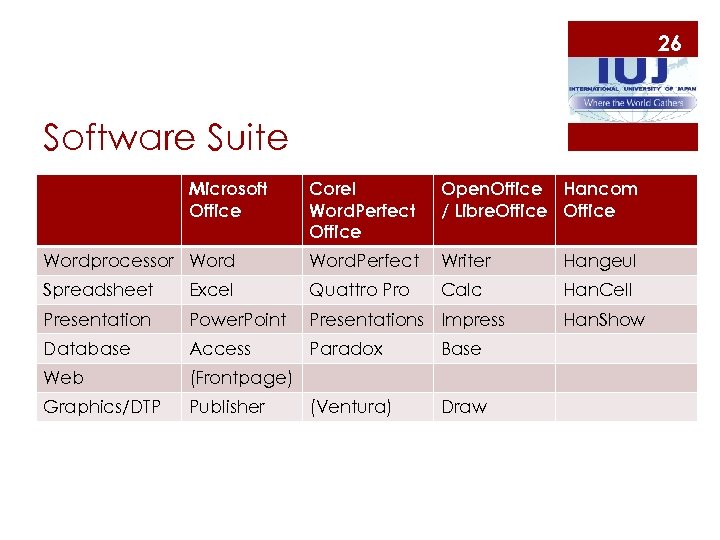 26 Software Suite Microsoft Office Corel Word. Perfect Office Open. Office Hancom / Libre. Office Wordprocessor Word. Perfect Writer Hangeul Spreadsheet Excel Quattro Pro Calc Han. Cell Presentation Power. Point Presentations Impress Database Access Paradox Base Web (Frontpage) Graphics/DTP Publisher (Ventura) Draw Han. Show
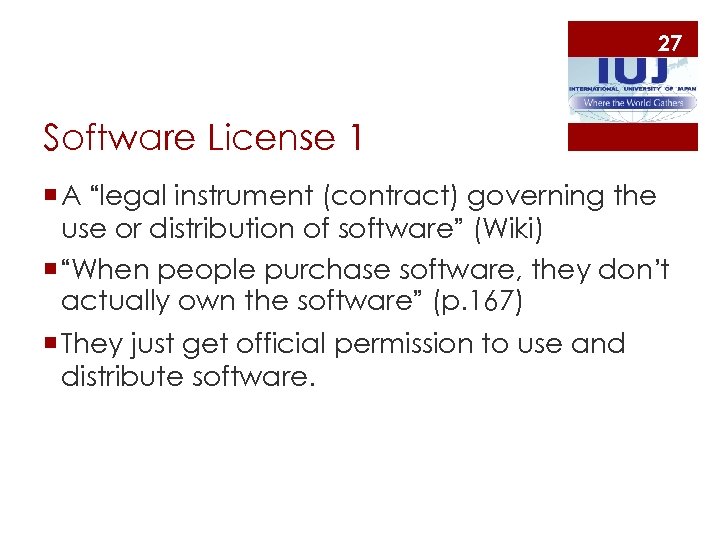 27 Software License 1 ¡ A “legal instrument (contract) governing the use or distribution of software” (Wiki) ¡ “When people purchase software, they don’t actually own the software” (p. 167) ¡ They just get official permission to use and distribute software.
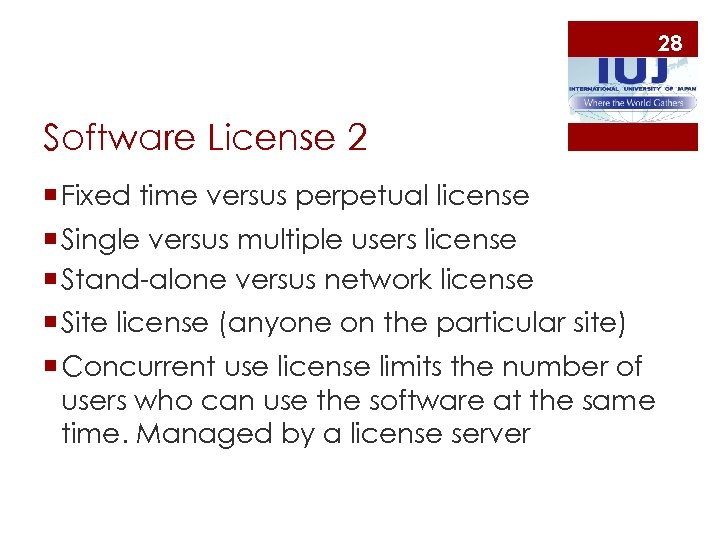 28 Software License 2 ¡ Fixed time versus perpetual license ¡ Single versus multiple users license ¡ Stand-alone versus network license ¡ Site license (anyone on the particular site) ¡ Concurrent use license limits the number of users who can use the software at the same time. Managed by a license server
 29 Software License 3 ¡ Proprietary (commercial) license ¡ Free license ¡ Shareware (fee to get better service), ¡ Public domain license (donated to public domain) ¡ Open source license (copyleft)
 30 Software License 4
 31 Open Source Software 1 ¡ Source codes are open to the public (users) ¡ Non-proprietary software, ¡ GNU general public license (GPL), BSD and MIT licenses ¡ Free software foundation in 1985 ¡ Open source initiative in 1998 by Eric S. Raymond
 32 Open Source Software 2 ¡ Source codes are open but copyrighted ¡ Thus, often called “Copyleft” ¡ Free copy, modification, distribution in general ¡ Oftentimes, not free to use commercially (e. g. , My. Sql) despite free download and installation. ¡ Linux, Apache, Firefox, Open. Office, etc.
 33 Lessons ¡ Software dominance ¡ System software for server ¡ Open source movement (Linux, Apache, Firefox, etc. ) and anti-monopoly ¡ Intellectual property right: good or bad Samaritans? ¡ Lock-in effect and education
 34 References ¡ Stair and Reynolds. 2016. Principles of information systems, 12 th ed. Cengage Learning. ¡ Stair and Reynolds. 2012. Information systems, 10 th ed. Cengage Learning. ¡ Morley and Parker. 2015. Understanding computers, 15 th ed. Cengage Learning. ¡ Hutchinson and Sawyer. 2000. Computers, Communications, and Information, 7 th ed. Irwin/Mc. Graw-Hill