 Скачать презентацию Software Laboratory UNIVERSAL REMOTE CONTROL Spring 2001 Lab
3851006b57e55e2ddc7f2a25cadf0e35.ppt
- Количество слайдов: 21



Software Laboratory UNIVERSAL REMOTE CONTROL Spring 2001 Lab Engineer: Dr. Ilana David Supervisor: Oleg Romanov Submitted by: Oleg Galter Elena Smirnov
Project Goals • • • Learning COM/DCOM object Learning WINDOWS CE for Pocket PC Learning Sockets (protocol TCP/IP) Using Multithreaded application Design and implementation of Universal Remote Control for Windows CE OS on Pocket PC computers
What is Universal Remote Control? • Universal Remote Control (RC) may work with all possible home devices, such as TV, video, air conditioner, stereo system, home cinema.
Project Units • Universal Remote Control on Pocket PC for Window CE • Distributed Devices on Pocket PC for Window CE • Relationship between the Units by Sockets
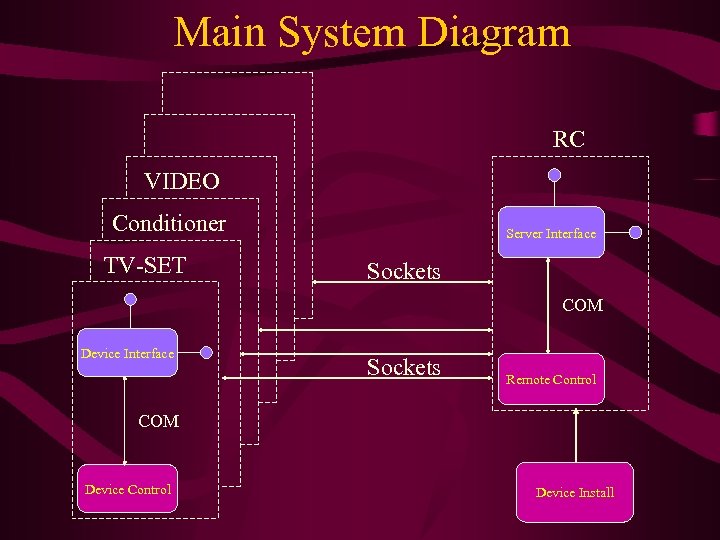
Main System Diagram RC VIDEO Conditioner TV-SET Server Interface Sockets COM Device Interface Sockets Remote Control COM Device Control Device Install
Project Development Steps: • Attempt to create the Project, as it was defined in the beginning of the project, by DCOM protocol • During the work it was proved as impossible to work with DCOM protocol for Pocket PC because of lack of local IP address implementation for Pocket PC
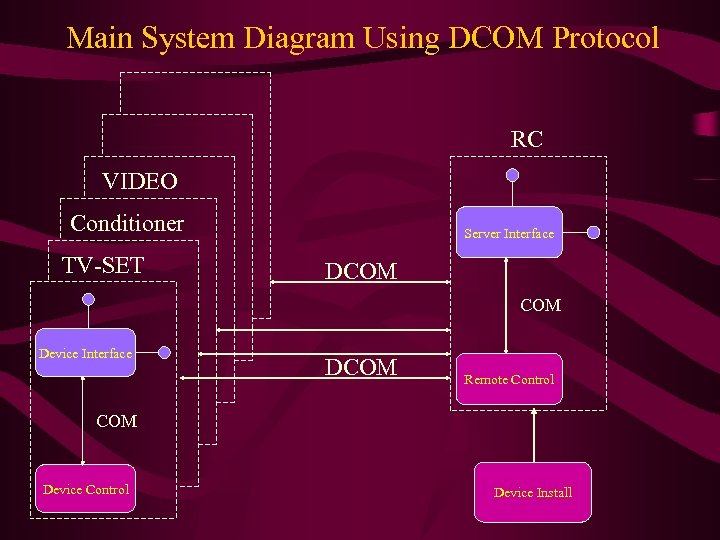
Main System Diagram Using DCOM Protocol RC VIDEO Conditioner TV-SET Server Interface DCOM Device Interface DCOM Remote Control COM Device Control Device Install
Advantages of DCOM vs. TCP/IP • No need to remember an IP address of Server for repeated connection • The Server may start devices by itself • Increased speed of reaction to command (connection between RC and Device Control) • Registered DCOM is available for each allowed users in the world
Project Development Steps: • Decision of this problem is in using TCP/IP protocol for distributing communication between Pocket PC units • It was created number of application: - Remote Control Unit -- Server Interface -- Remote Control Application - Device Unit -- Device Interface -- Device Control Application - Install Unit -- Device Install Application
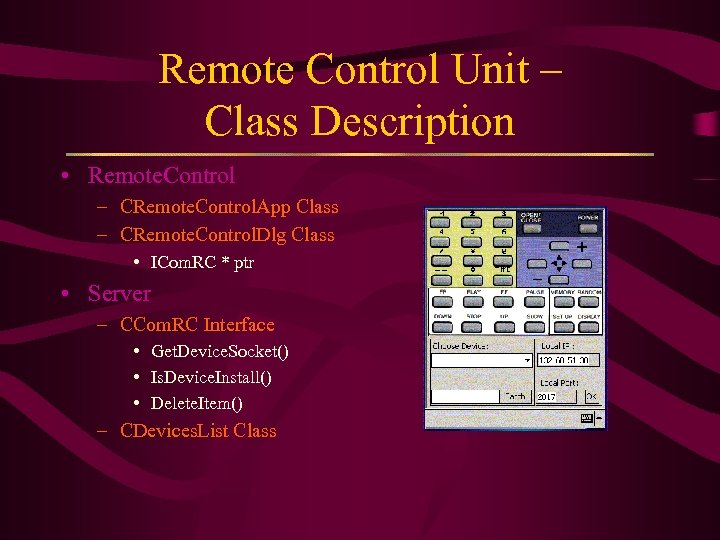
Remote Control Unit – Class Description • Remote. Control – CRemote. Control. App Class – CRemote. Control. Dlg Class • ICom. RC * ptr • Server – CCom. RC Interface • Get. Device. Socket() • Is. Device. Install() • Delete. Item() – CDevices. List Class
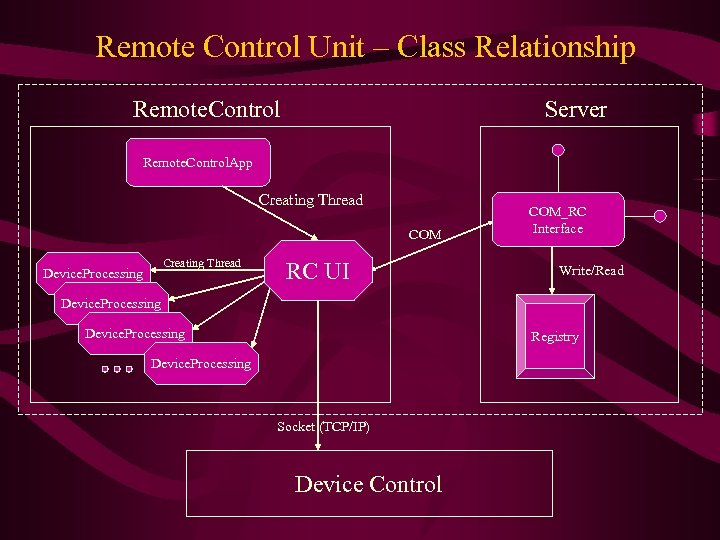
Remote Control Unit – Class Relationship Remote. Control Server Remote. Control. App Creating Thread COM Creating Thread Device. Processing RC UI COM_RC Interface Write/Read Device. Processing Registry Device. Processing Socket (TCP/IP) Device Control
Remote Control Unit • Server stores information about installed devices. • RC gets any information from the Server by sending requirements to the one. • Server gets information about new device by Device Installation that uses the device driver. • Number of Threads = Number of Devices + 2
Remote Control Unit • By pushing on an any button: -- requirements sent to the Server about the installed device -- sent a receive command from user to Device Interface • There is a possibility to run list of commands by RC from a file.
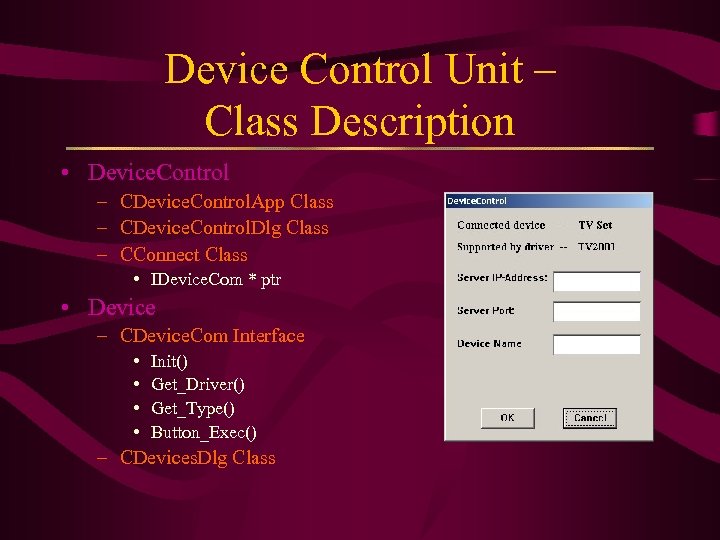
Device Control Unit – Class Description • Device. Control – CDevice. Control. App Class – CDevice. Control. Dlg Class – CConnect Class • IDevice. Com * ptr • Device – CDevice. Com Interface • • Init() Get_Driver() Get_Type() Button_Exec() – CDevices. Dlg Class
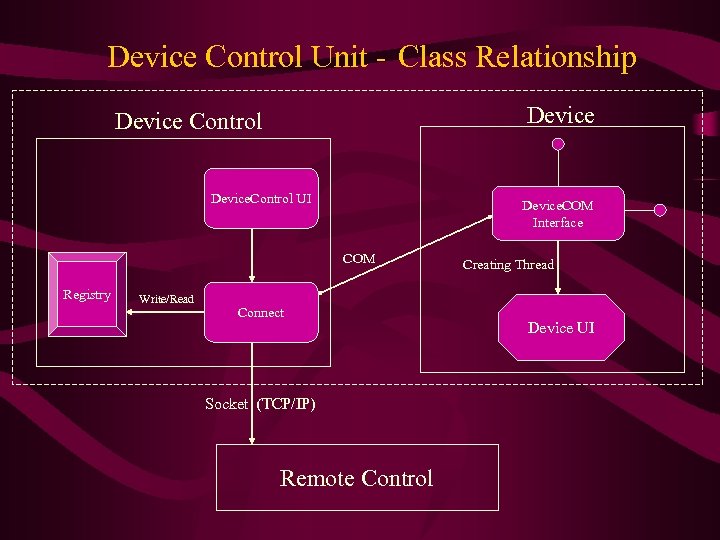
Device Control Unit - Class Relationship Device Control Device. Control UI Device. COM Interface COM Registry Write/Read Connect Socket (TCP/IP) Remote Control Creating Thread Device UI
Device Control Unit • Device Control connects by Socket to the RC. Device Control is Client, RC is Server in terms of TCP/IP protocol. • Device Control receives a command from RC and pass it into Device Interface • We refer to devices as fabric products that may react only to remote control
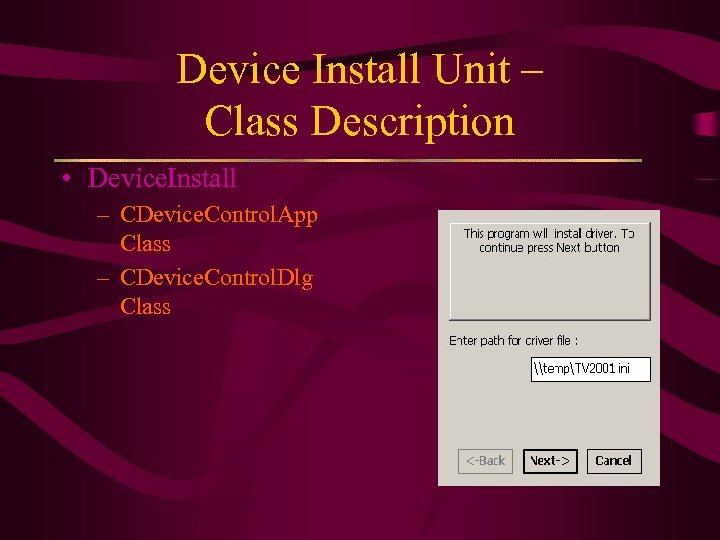
Device Install Unit – Class Description • Device. Install – CDevice. Control. App Class – CDevice. Control. Dlg Class
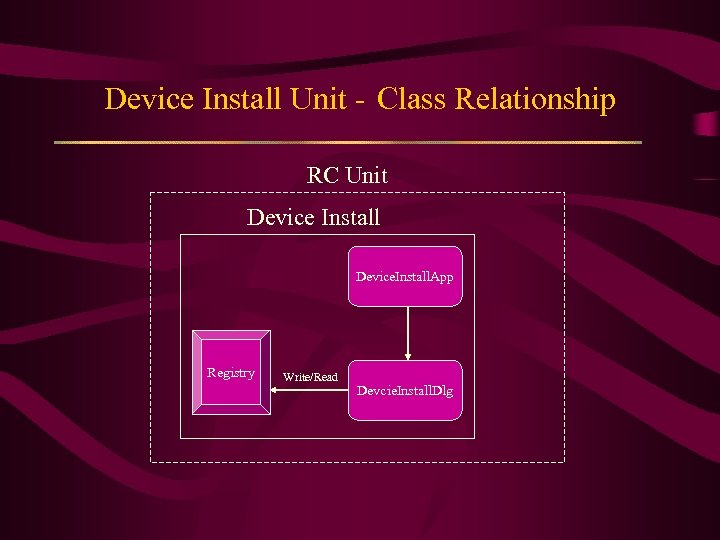
Device Install Unit - Class Relationship RC Unit Device Install Device. Install. App Registry Write/Read Devcie. Install. Dlg
Device Installation Unit • Device is installed to the RC Pocket PC. • For correct installation of the device it is required a proper driver file of relevant type. • There is no need for repeated installation in case if the device of the defined type was installed before.
Exit/Close Units Rules • In the event of exit/close of Remote Control Unit: - All working devices are closed - No need for repeated installation of devices on the Server • In the event of exit/close of Device Control Unit: - This Device is removed from the list of working devices in the RC - No need for repeated installation of this type of device on the Server
References • Books: – – • Dale Rogerson “Inside COM” Microsoft’s component Object Model Douglas Boling “Programming Microsoft Windows CE” Microsoft Course: “Component Development Using the Active Template Library 3. 0”. MSDN Help Links: – – http: //www. microsoft. com/ http: //www. codeguru. com/
Скачать презентацию Software Laboratory UNIVERSAL REMOTE CONTROL Spring 2001 Lab
3851006b57e55e2ddc7f2a25cadf0e35.ppt