


 Скачать презентацию Software Engineering and Game Development Patrick Mc Carthy
24b0d9f87cd8a729be379aecfe90e1f8.ppt
- Количество слайдов: 45
 Software Engineering and Game Development Patrick Mc. Carthy April 7, 2005
 Overview Reasons to Look at Game Development Reasons to Consider Software Engineering for Game Development Design and Implementation of an actual game using Software Engineering Demonstration of final product
 Why Games? Average gamer spends $700 a year on games (14 full-priced games) Average gamer spends 20 hours a week playing games 10% of gamers play games 40 or more hours a week That’s a full time job!
 Why Games? Renting is also a major market 50% of gamers rent 11 games a month 60% of renters eventually buy games they rent
 Why Games? Video Game industry was a $10 billion business in 2004 Some games cost $15 – 20 million to develop and rising Movies currently cost $80 – 100 million to film
 Why Games? Sales figures for top 2004 games Grand Theft Auto: San Andreas Halo 2 Madden 2005 Spider-man 2 $170, 000 $160, 000 $120, 000 $43, 000 Fable $40, 000
 Why Software Engineering? In 1980’s games were developed by 1 person In 1990’s games were developed by 7 -10 people In 2000’s medium sized games are developed by 35 people Some today need 100 or more people
 Why Software Engineering? Real-World example of team growth: Never. Soft 10 people developed Tony Hawk Pro Skater 1 50 people developed Tony Hawk Underground (Tony Hawk 5)
 Why Software Engineering? Games are getting much bigger Jak and Daxter has almost 1 million lines of code Doom 3 has 780, 000 lines which is quite small
 Why Software Engineering? Development times are quite long Doom 3 was in development for 4 years Duke Nukem Forever had an original release date of 1998, and it is still in development today!
 Why Software Engineering? Five reasons to use Game Development to teach Software Engineering : Breadth Depth Excitement Simulation Applications Career Preparation
 Bringing it Together John Flynt author of Software Engineering for Game Developers Best way to show use of SE in games is through example Gathered a team of developers in order to build a game strictly using SE principles from beginning to end Designed, Implemented, and Tested a turn -based Egyptian style strategy game
 Design Started by writing a Game Design Document (GDD) Lays down a foundation of how the game will be developed (37 pages) Describes the story, graphics, sound, characters, and camera the game will have
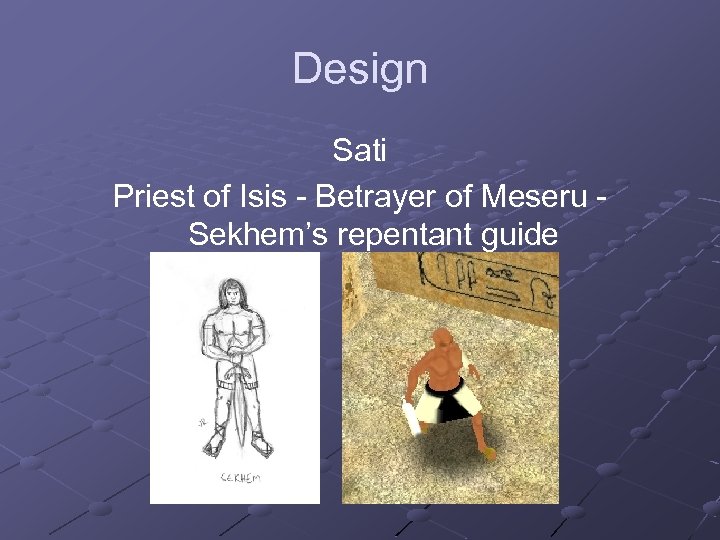 Design Sati Priest of Isis - Betrayer of Meseru Sekhem’s repentant guide
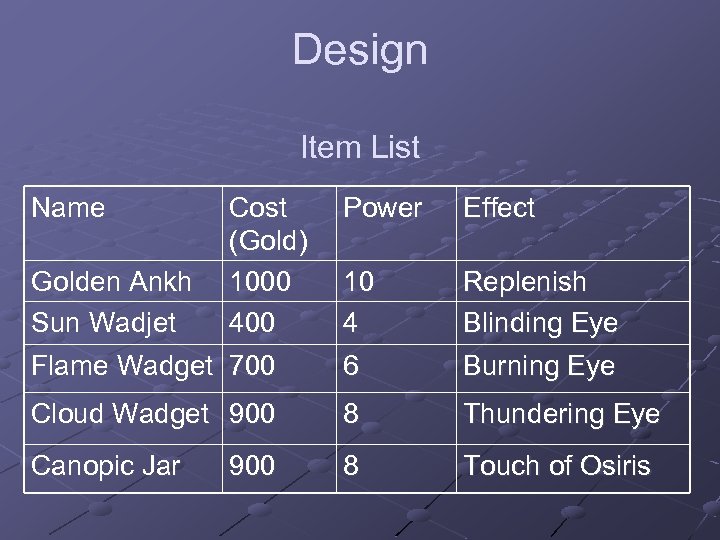 Design Item List Name Power Effect 10 4 Replenish Blinding Eye Flame Wadget 700 6 Burning Eye Cloud Wadget 900 8 Thundering Eye Canopic Jar 8 Touch of Osiris Golden Ankh Sun Wadjet Cost (Gold) 1000 400 900
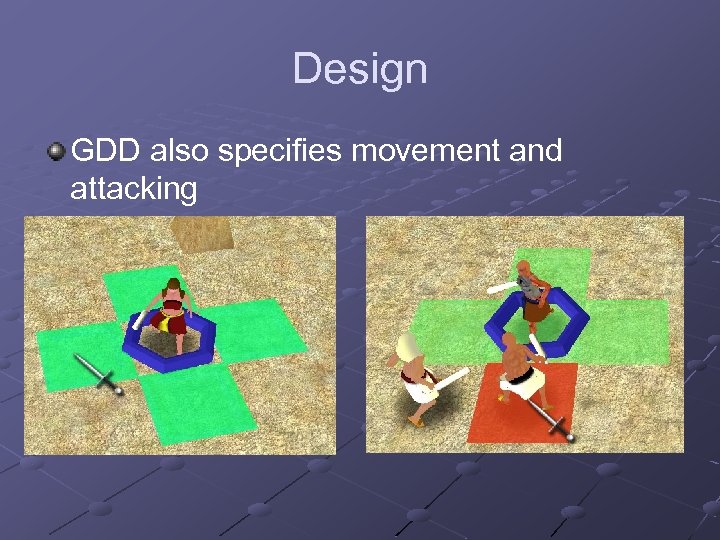 Design GDD also specifies movement and attacking
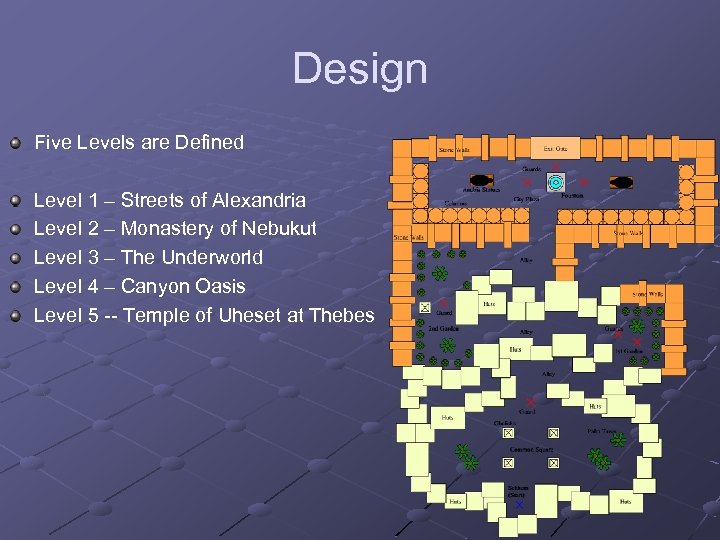 Design Five Levels are Defined Level 1 – Streets of Alexandria Level 2 – Monastery of Nebukut Level 3 – The Underworld Level 4 – Canyon Oasis Level 5 -- Temple of Uheset at Thebes
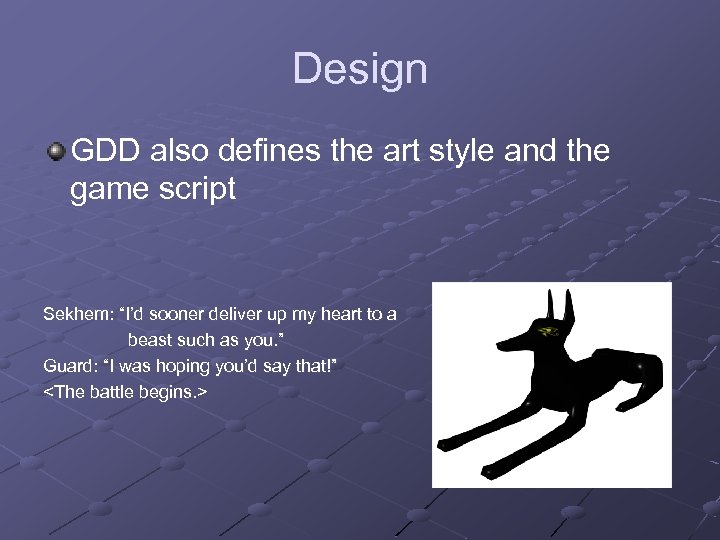 Design GDD also defines the art style and the game script Sekhem: “I’d sooner deliver up my heart to a beast such as you. ” Guard: “I was hoping you’d say that!”
 Design Requirements Gathering The GDD is looked over for high level requirements These requirements are placed into the Software Requirements Specification (SRS)
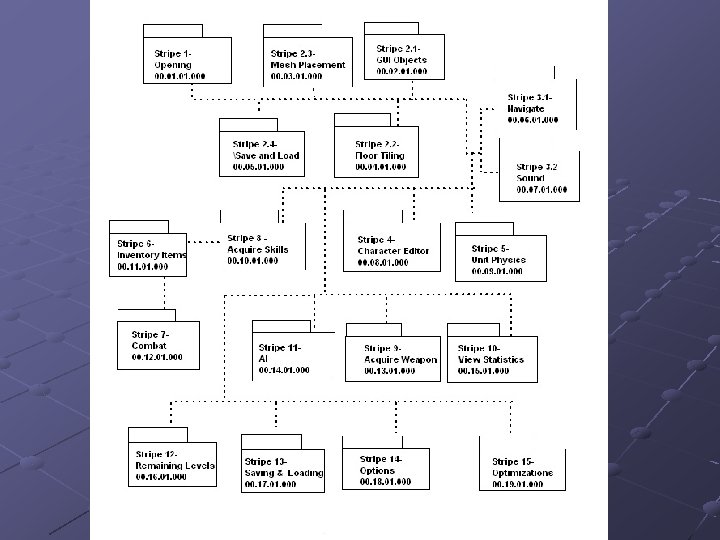
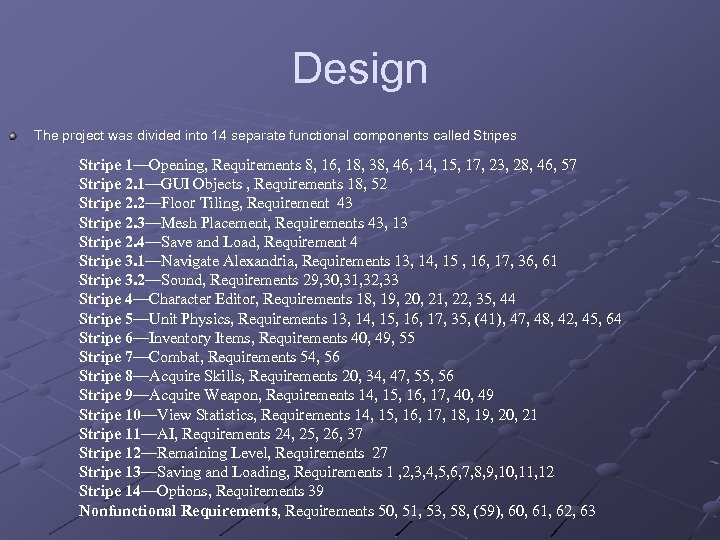 Design The project was divided into 14 separate functional components called Stripes Stripe 1—Opening, Requirements 8, 16, 18, 38, 46, 14, 15, 17, 23, 28, 46, 57 Stripe 2. 1—GUI Objects , Requirements 18, 52 Stripe 2. 2—Floor Tiling, Requirement 43 Stripe 2. 3—Mesh Placement, Requirements 43, 13 Stripe 2. 4—Save and Load, Requirement 4 Stripe 3. 1—Navigate Alexandria, Requirements 13, 14, 15 , 16, 17, 36, 61 Stripe 3. 2—Sound, Requirements 29, 30, 31, 32, 33 Stripe 4—Character Editor, Requirements 18, 19, 20, 21, 22, 35, 44 Stripe 5—Unit Physics, Requirements 13, 14, 15, 16, 17, 35, (41), 47, 48, 42, 45, 64 Stripe 6—Inventory Items, Requirements 40, 49, 55 Stripe 7—Combat, Requirements 54, 56 Stripe 8—Acquire Skills, Requirements 20, 34, 47, 55, 56 Stripe 9—Acquire Weapon, Requirements 14, 15, 16, 17, 40, 49 Stripe 10—View Statistics, Requirements 14, 15, 16, 17, 18, 19, 20, 21 Stripe 11—AI, Requirements 24, 25, 26, 37 Stripe 12—Remaining Level, Requirements 27 Stripe 13—Saving and Loading, Requirements 1 , 2, 3, 4, 5, 6, 7, 8, 9, 10, 11, 12 Stripe 14—Options, Requirements 39 Nonfunctional Requirements, Requirements 50, 51, 53, 58, (59), 60, 61, 62, 63
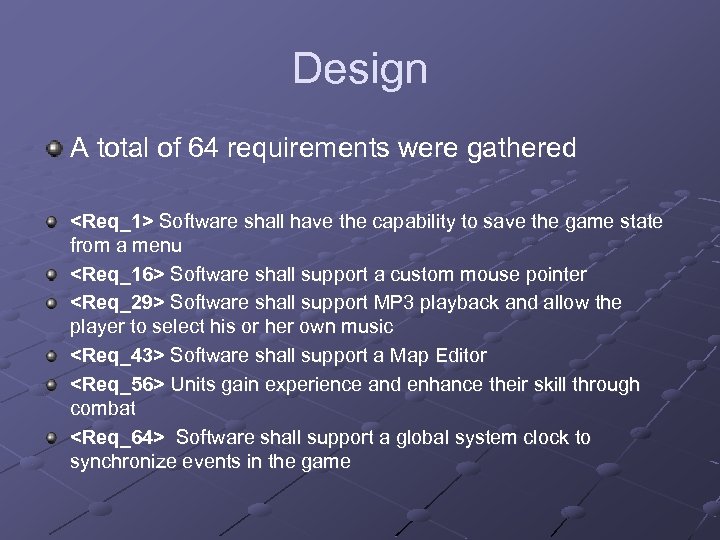 Design A total of 64 requirements were gathered
 Design Use Case Scenarios Use cases were created for each Stripe A total of 37 were made An example Use Case is shown next
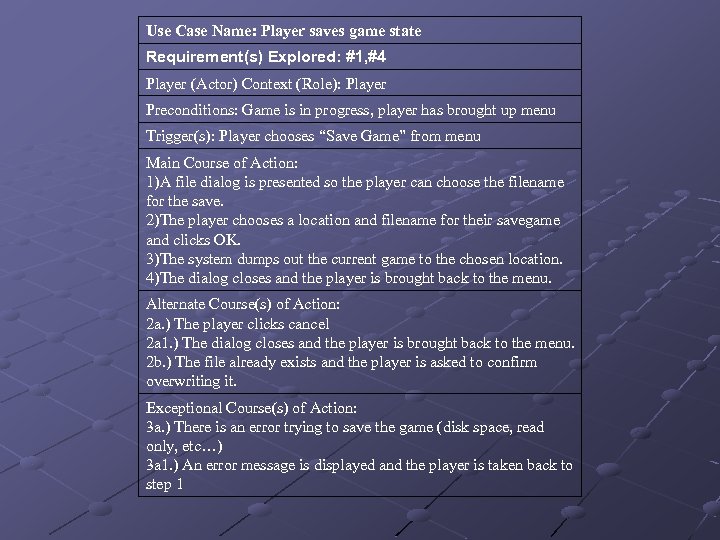 Use Case Name: Player saves game state Requirement(s) Explored: #1, #4 Player (Actor) Context (Role): Player Preconditions: Game is in progress, player has brought up menu Trigger(s): Player chooses “Save Game” from menu Main Course of Action: 1)A file dialog is presented so the player can choose the filename for the save. 2)The player chooses a location and filename for their savegame and clicks OK. 3)The system dumps out the current game to the chosen location. 4)The dialog closes and the player is brought back to the menu. Alternate Course(s) of Action: 2 a. ) The player clicks cancel 2 a 1. ) The dialog closes and the player is brought back to the menu. 2 b. ) The file already exists and the player is asked to confirm overwriting it. Exceptional Course(s) of Action: 3 a. ) There is an error trying to save the game (disk space, read only, etc…) 3 a 1. ) An error message is displayed and the player is taken back to step 1
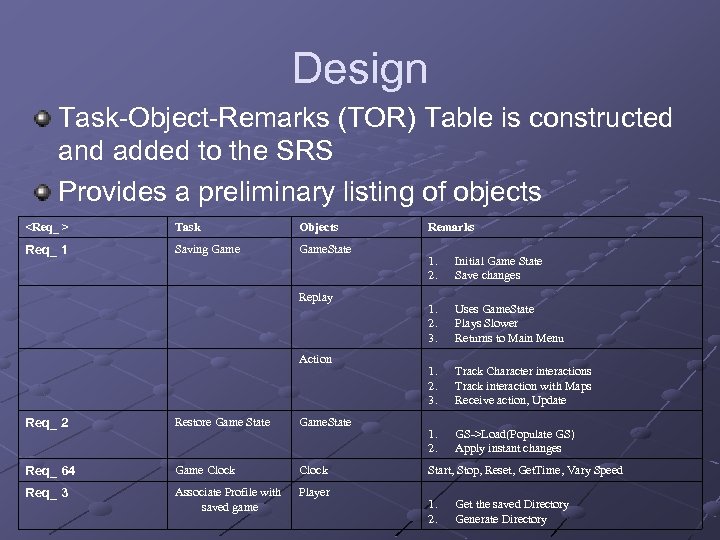 Design Task-Object-Remarks (TOR) Table is constructed and added to the SRS Provides a preliminary listing of objects
 Design Software Design Description document was written next This is the “meat and potatoes” It contains all of the major design pieces of each Stripe It contains CRC cards, sequence diagrams, collaboration diagrams, and class diagrams
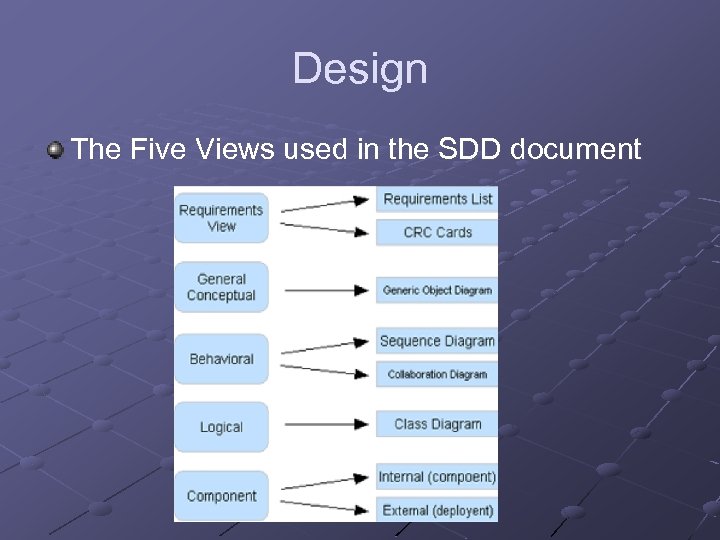 Design The Five Views used in the SDD document
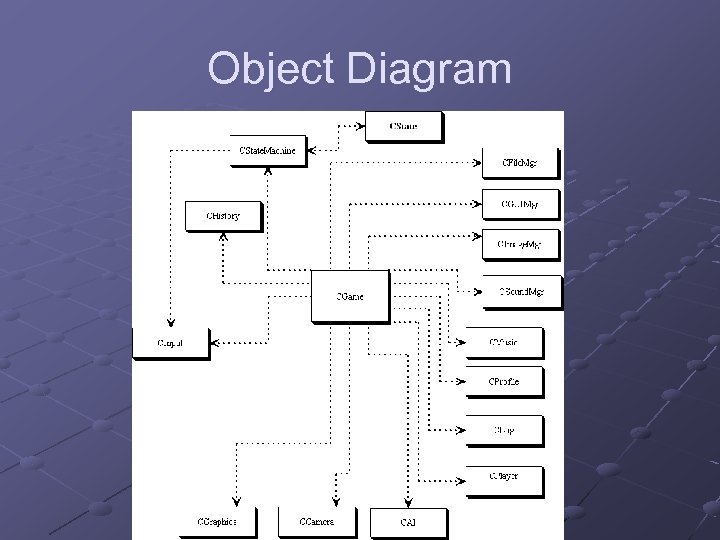 Object Diagram
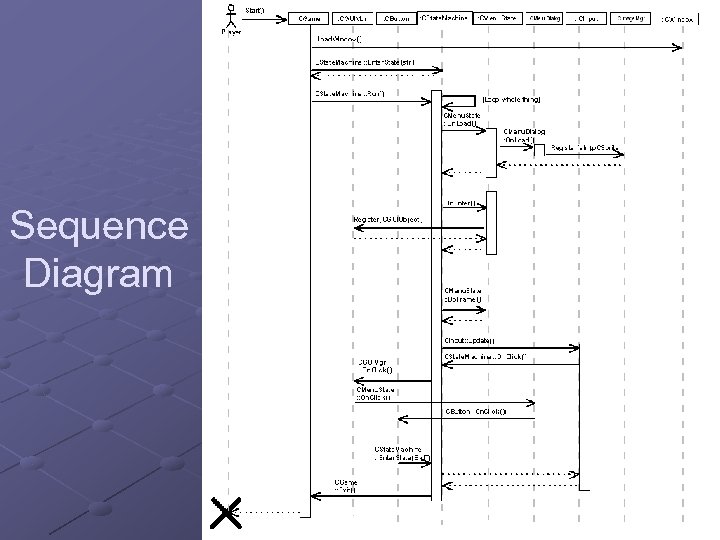 Sequence Diagram
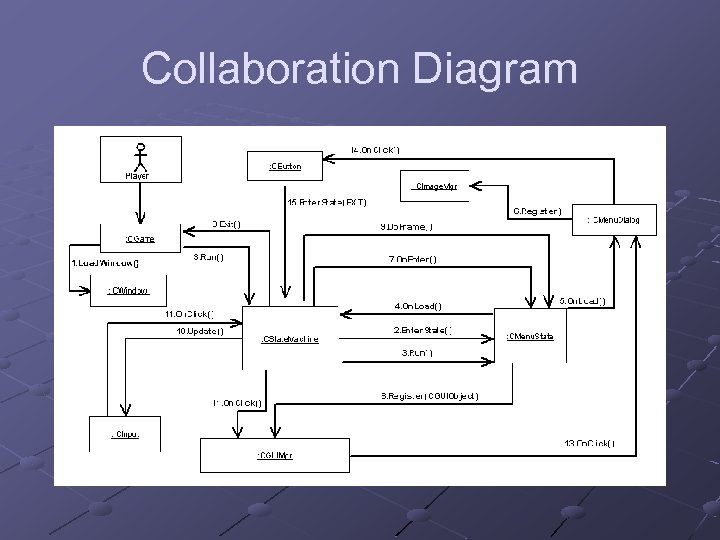 Collaboration Diagram
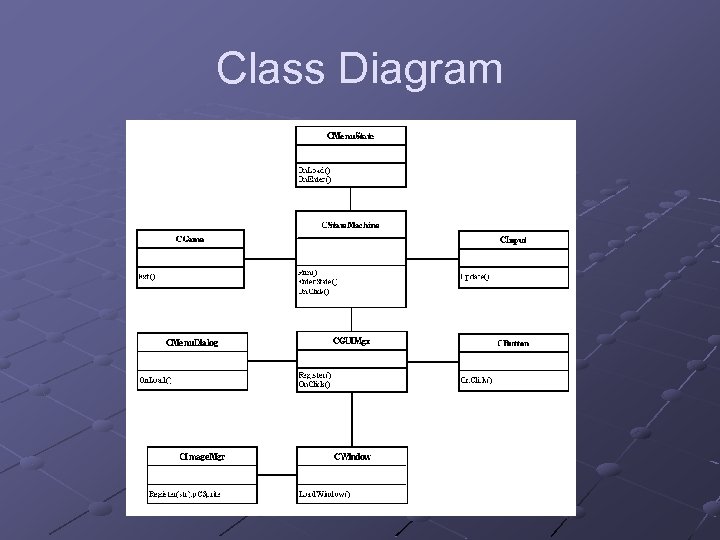 Class Diagram
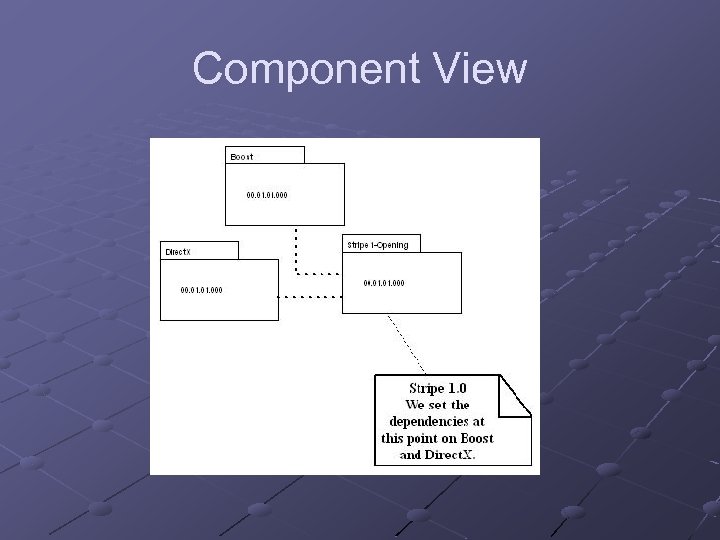 Component View
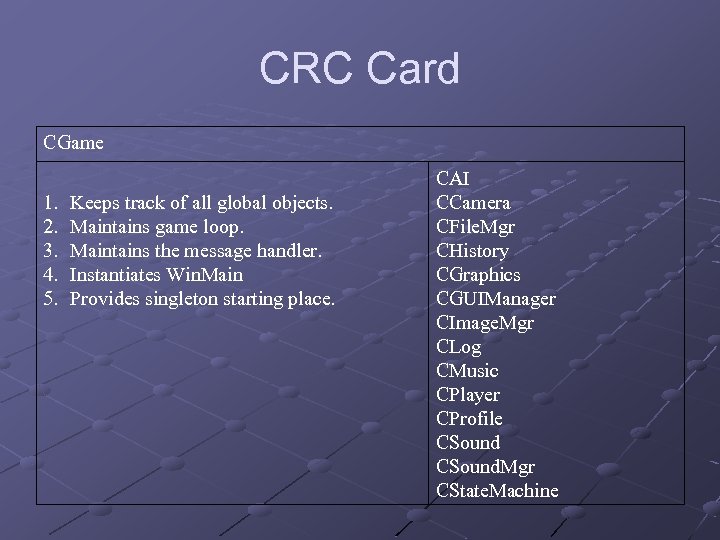 CRC Card CGame 1. 2. 3. 4. 5. Keeps track of all global objects. Maintains game loop. Maintains the message handler. Instantiates Win. Main Provides singleton starting place. CAI CCamera CFile. Mgr CHistory CGraphics CGUIManager CImage. Mgr CLog CMusic CPlayer CProfile CSound. Mgr CState. Machine
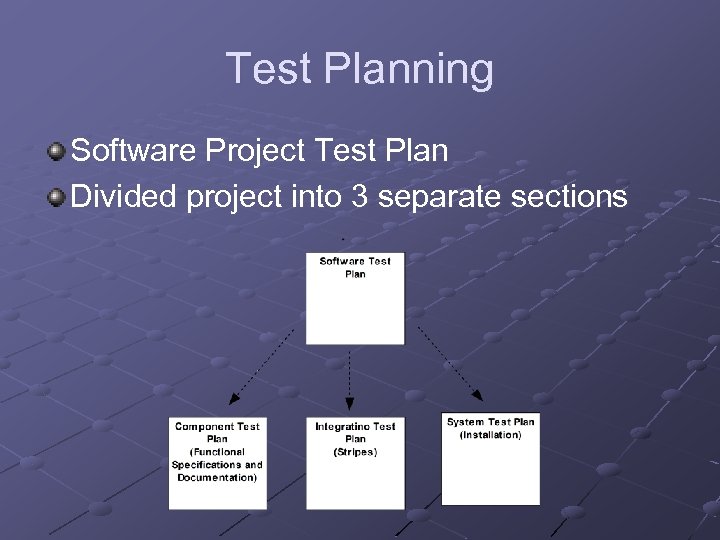 Test Planning Software Project Test Plan Divided project into 3 separate sections
 Test Planning Software System Test Plan Deals mainly with the Installation of the game Specifies the testing environment needed (Visual Studio) Contains 4 separate test cases
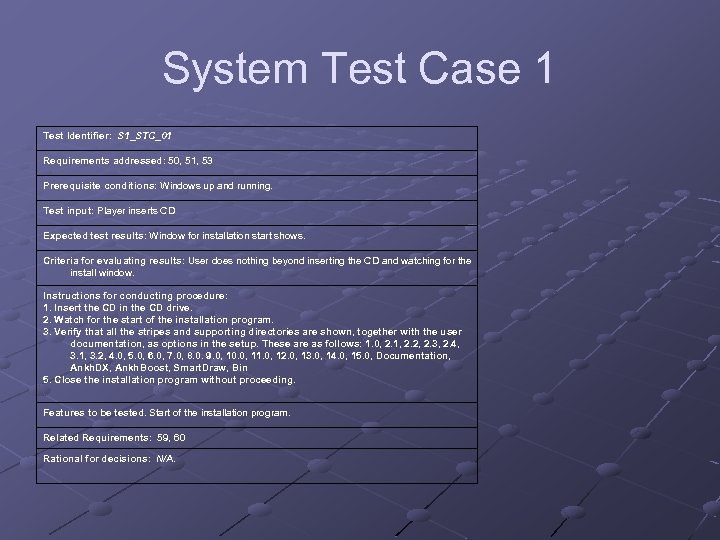 System Test Case 1 Test Identifier: S 1_STC_01 Requirements addressed: 50, 51, 53 Prerequisite conditions: Windows up and running. Test input: Player inserts CD Expected test results: Window for installation start shows. Criteria for evaluating results: User does nothing beyond inserting the CD and watching for the install window. Instructions for conducting procedure: 1. Insert the CD in the CD drive. 2. Watch for the start of the installation program. 3. Verify that all the stripes and supporting directories are shown, together with the user documentation, as options in the setup. These are as follows: 1. 0, 2. 1, 2. 2, 2. 3, 2. 4, 3. 1, 3. 2, 4. 0, 5. 0, 6. 0, 7. 0, 8. 0. 9. 0, 10. 0, 11. 0, 12. 0, 13. 0, 14. 0, 15. 0, Documentation, Ankh. DX, Ankh. Boost, Smart. Draw, Bin 5. Close the installation program without proceeding. Features to be tested. Start of the installation program. Related Requirements: 59, 60 Rational for decisions: N/A.
 Test Planning Software Component Test Plan Tests the “meat and potatoes” of the game Contains 58 separate test cases
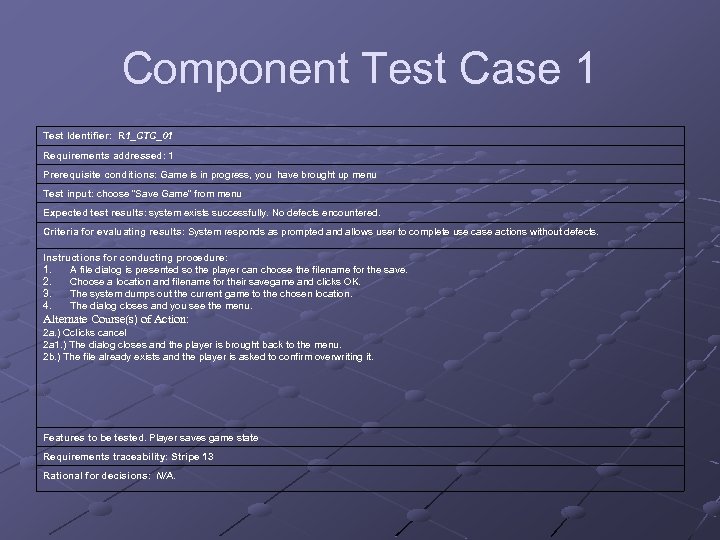 Component Test Case 1 Test Identifier: R 1_CTC_01 Requirements addressed: 1 Prerequisite conditions: Game is in progress, you have brought up menu Test input: choose “Save Game” from menu Expected test results: system exists successfully. No defects encountered. Criteria for evaluating results: System responds as prompted and allows user to complete use case actions without defects. Instructions for conducting procedure: 1. A file dialog is presented so the player can choose the filename for the save. 2. Choose a location and filename for their savegame and clicks OK. 3. The system dumps out the current game to the chosen location. 4. The dialog closes and you see the menu. Alternate Course(s) of Action: 2 a. ) Cclicks cancel 2 a 1. ) The dialog closes and the player is brought back to the menu. 2 b. ) The file already exists and the player is asked to confirm overwriting it. Features to be tested. Player saves game state Requirements traceability: Stripe 13 Rational for decisions: N/A.
 Test Planning Software Integration Test Plan Tests how each of the 14 Stripes come together to work as one game Consists of 14 separate test cases (obviously)
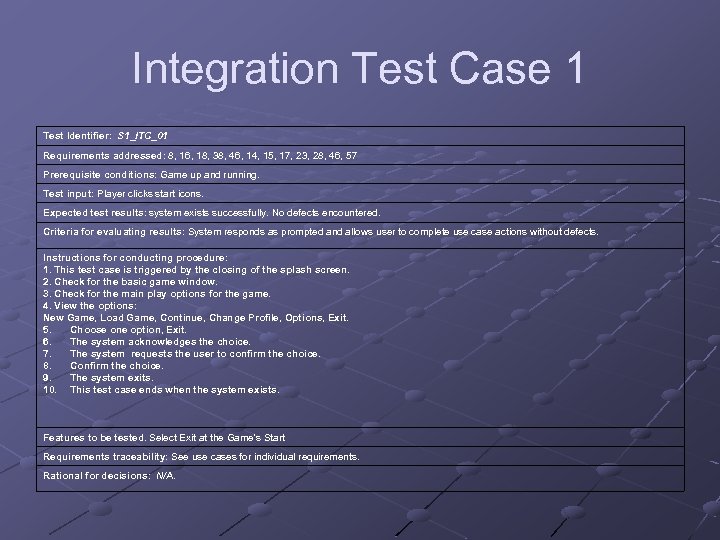 Integration Test Case 1 Test Identifier: S 1_ITC_01 Requirements addressed: 8, 16, 18, 38, 46, 14, 15, 17, 23, 28, 46, 57 Prerequisite conditions: Game up and running. Test input: Player clicks start icons. Expected test results: system exists successfully. No defects encountered. Criteria for evaluating results: System responds as prompted and allows user to complete use case actions without defects. Instructions for conducting procedure: 1. This test case is triggered by the closing of the splash screen. 2. Check for the basic game window. 3. Check for the main play options for the game. 4. View the options: New Game, Load Game, Continue, Change Profile, Options, Exit. 5. Choose one option, Exit. 6. The system acknowledges the choice. 7. The system requests the user to confirm the choice. 8. Confirm the choice. 9. The system exits. 10. This test case ends when the system exists. Features to be tested. Select Exit at the Game's Start Requirements traceability: See use cases for individual requirements. Rational for decisions: N/A.
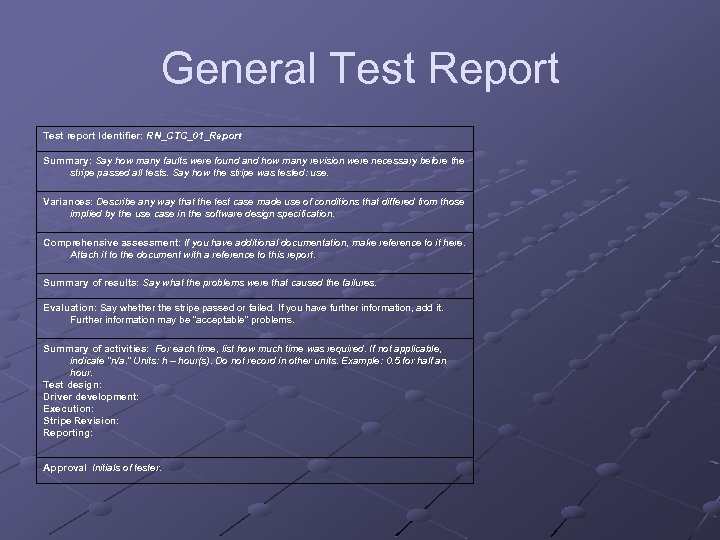 General Test Report Test report Identifier: RN_CTC_01_Report Summary: Say how many faults were found and how many revision were necessary before the stripe passed all tests. Say how the stripe was tested: use. Variances: Describe any way that the test case made use of conditions that differed from those implied by the use case in the software design specification. Comprehensive assessment: If you have additional documentation, make reference to it here. Attach it to the document with a reference to this report. Summary of results: Say what the problems were that caused the failures. Evaluation: Say whether the stripe passed or failed. If you have further information, add it. Further information may be “acceptable” problems. Summary of activities: For each time, list how much time was required. If not applicable, indicate “n/a. ” Units: h – hour(s). Do not record in other units. Example: 0. 5 for half an hour. Test design: Driver development: Execution: Stripe Revision: Reporting: Approval Initials of tester.
 Implementation Software Configuration Plan Defines the basics for implementation Describes how files and folders are to be named and organized Specifies the version control tool that is to be used (Tortoise. CVS) Explains default documentation
 Implementation Software Configuration Plan (continued) States policies to follow: 1. Code check in should be performed after each work session. 2. Additions of external library resources are to be approved by the team and formally added to the shared configuration before they are incorporated into local code. 3. Files are to be cleared of test code before being checked in. 4. Files are not to be renamed and checked in. 5. Development using the server configuration of the software is to be each developer’s responsibility. (Try not to develop for days on end without submitted code for mergers. ) 6. Conflicts are to be reconciled as soon as they are detected. 7. After a stripe has been baselined, development work on it is to be discontinued. Work should commence on baselined, the next version of the stripe or the next stripe in the development schedule. States the Revision numbering system States coding standards and naming convention for variable (Hungarian)
 Demonstration The game The level editor The character editor
 Conclusion SE and Game Development do work together well. However, use what works. Mick West of Never. Soft stated “Do what is appropriate…There is no silver bullet, you have to use a rich mixture of techniques that suit the problems at hand. And more importantly, that suit the people at hand. UML is fine, but practically nobody at Neversoft has even heard of it, let alone could be comfortable using it. UML does NOT communicate if you don't know UML. ”