


 Скачать презентацию Software Development Summary Notes Explanation of the
fcbfb4bd6cb151b5b7ba41a942589b81.ppt
- Количество слайдов: 50
 Software Development Summary Notes • Explanation of the iterative nature of the software development process During the process of producing a fully documented piece of software, many stages have to be repeated several times until a solution has been found. This is known as an iterative process. • Description of the purposes of the software specification, and its status as a legal document. The document eventually produced which states a company’s requirements and from which the design team and programmers will work from is called the software specification. This is a legal document between the clients and the software development team.
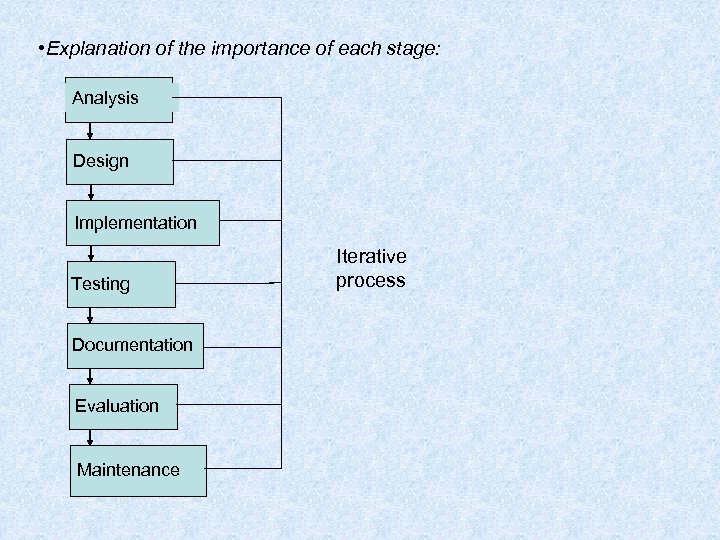 • Explanation of the importance of each stage: Analysis Design Implementation Testing Documentation Evaluation Maintenance Iterative process
 Analysis Involves understanding a problem and to generate a solution. A systems analyst would be used to determine the nature of the problem and the client’s requirements. Three stages • Collection of information (interviews, questionnaires, observation) • Analysis of this information • Production of the Software Specification
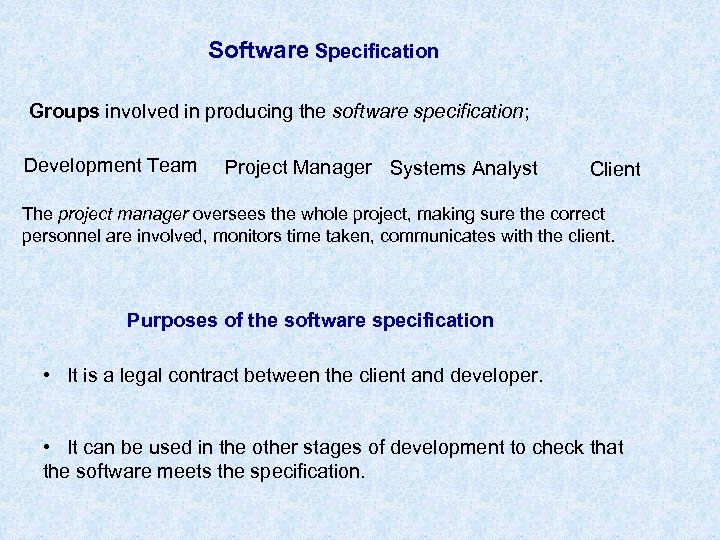 Software Specification Groups involved in producing the software specification; Development Team Project Manager Systems Analyst Client The project manager oversees the whole project, making sure the correct personnel are involved, monitors time taken, communicates with the client. Purposes of the software specification • It is a legal contract between the client and developer. • It can be used in the other stages of development to check that the software meets the specification.
 Design The software specification is used to design a solution to the problem. • Description and exemplification of top-down design and stepwise refinement Modular design can be used where a large program is organised into self contained sections called modules (subroutines in True Basic). Top-down design involves looking at the whole task and breaking it down into smaller, more manageable sub-problems which are easier to solve. These sub-problems can be divided even further into smaller steps. This is called stepwise refinement. When this is complete an algorithm is produced which is a sequence of instructions that can be used to solve the task. Bottom-up design means writing the modules first then put them together to form the larger program.
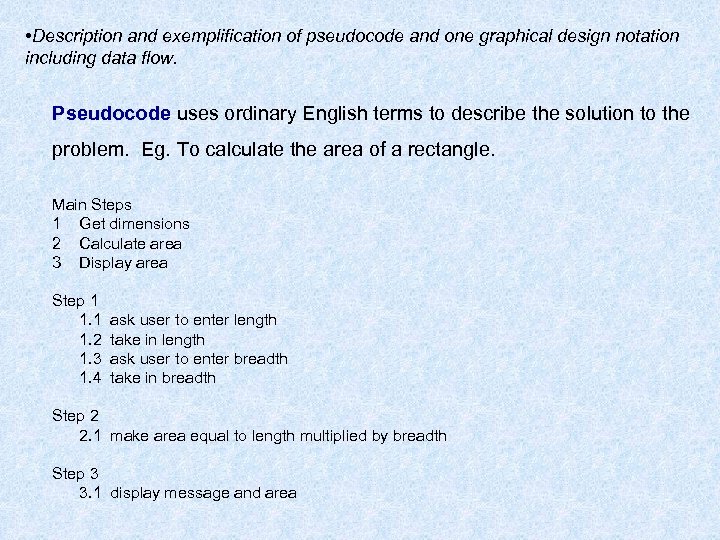 • Description and exemplification of pseudocode and one graphical design notation including data flow. Pseudocode uses ordinary English terms to describe the solution to the problem. Eg. To calculate the area of a rectangle. Main Steps 1 Get dimensions 2 Calculate area 3 Display area Step 1 1. 2 1. 3 1. 4 ask user to enter length take in length ask user to enter breadth take in breadth Step 2 2. 1 make area equal to length multiplied by breadth Step 3 3. 1 display message and area
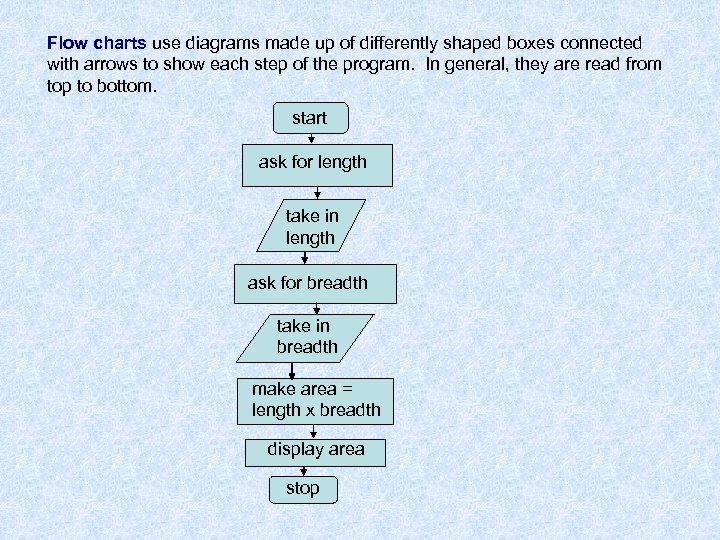 Flow charts use diagrams made up of differently shaped boxes connected with arrows to show each step of the program. In general, they are read from top to bottom. start ask for length take in length ask for breadth take in breadth make area = length x breadth display area stop
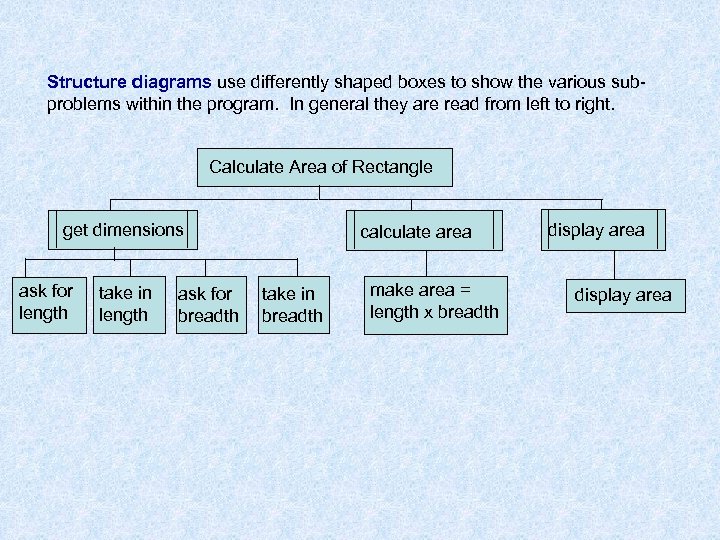 Structure diagrams use differently shaped boxes to show the various subproblems within the program. In general they are read from left to right. Calculate Area of Rectangle get dimensions ask for length take in length ask for breadth calculate area take in breadth make area = length x breadth display area
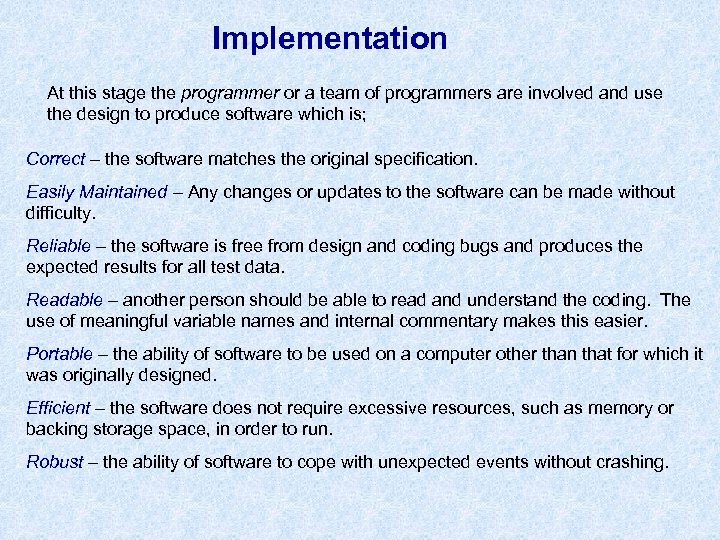 Implementation At this stage the programmer or a team of programmers are involved and use the design to produce software which is; Correct – the software matches the original specification. Easily Maintained – Any changes or updates to the software can be made without difficulty. Reliable – the software is free from design and coding bugs and produces the expected results for all test data. Readable – another person should be able to read and understand the coding. The use of meaningful variable names and internal commentary makes this easier. Portable – the ability of software to be used on a computer other than that for which it was originally designed. Efficient – the software does not require excessive resources, such as memory or backing storage space, in order to run. Robust – the ability of software to cope with unexpected events without crashing.
 • Software development languages and environments When implementing a design it is important to consider the different types of programming languages available. • • Procedural Declarative Event Driven Scripting
 • Description and comparison of procedural, declarative and event-driven languages Procedural Languages • HLLs that use commands and keywords to describe the instructions to the computer. • Usually a sequence of instructions with clearly defined start and end points • Examples are Pascal, True BASIC and C
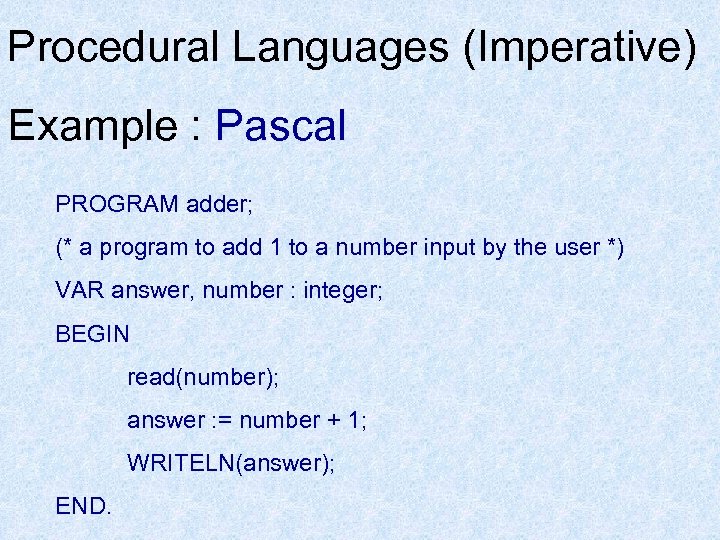 Procedural Languages (Imperative) Example : Pascal PROGRAM adder; (* a program to add 1 to a number input by the user *) VAR answer, number : integer; BEGIN read(number); answer : = number + 1; WRITELN(answer); END.
 Declarative Languages • • Very different from procedural Generally a collection of facts and rules which describe the problem. Often used in Expert systems and Artificial Intelligence Examples PROLOG and LISP
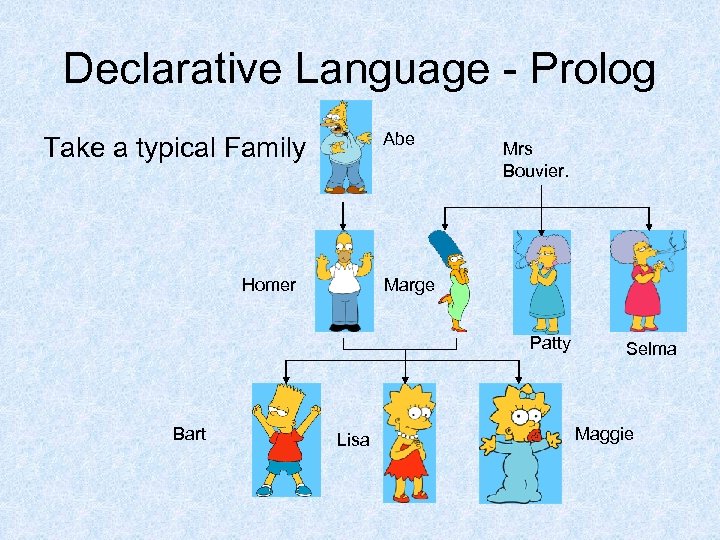 Declarative Language - Prolog Abe Take a typical Family Homer Mrs Bouvier. Marge Patty Bart Lisa Selma Maggie
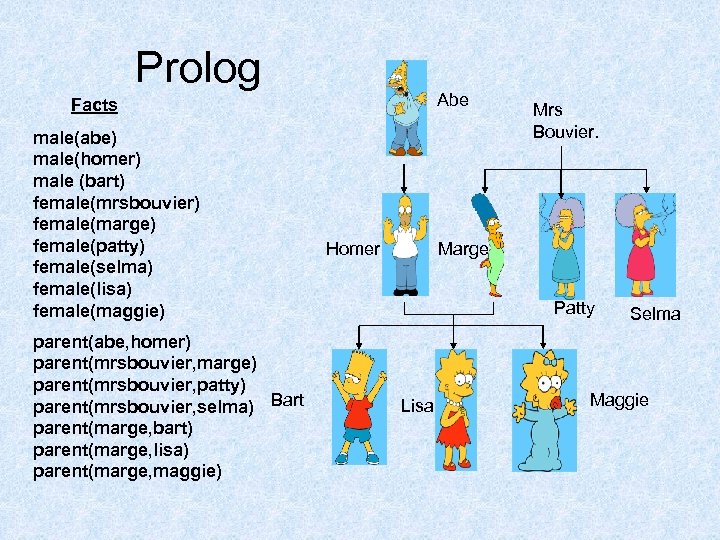 Prolog Abe Facts male(abe) male(homer) male (bart) female(mrsbouvier) female(marge) female(patty) female(selma) female(lisa) female(maggie) parent(abe, homer) parent(mrsbouvier, marge) parent(mrsbouvier, patty) parent(mrsbouvier, selma) Bart parent(marge, bart) parent(marge, lisa) parent(marge, maggie) Homer Mrs Bouvier. Marge Patty Lisa Selma Maggie
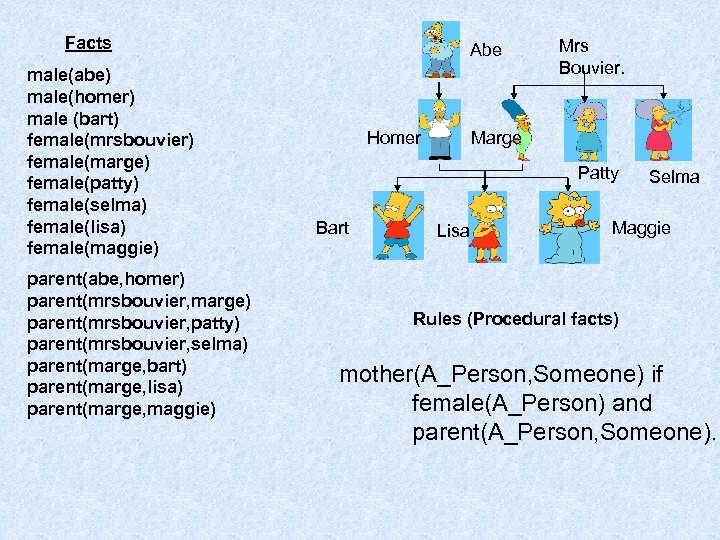 Facts male(abe) male(homer) male (bart) female(mrsbouvier) female(marge) female(patty) female(selma) female(lisa) female(maggie) parent(abe, homer) parent(mrsbouvier, marge) parent(mrsbouvier, patty) parent(mrsbouvier, selma) parent(marge, bart) parent(marge, lisa) parent(marge, maggie) Abe Homer Mrs Bouvier. Marge Patty Bart Lisa Selma Maggie Rules (Procedural facts) mother(A_Person, Someone) if female(A_Person) and parent(A_Person, Someone).
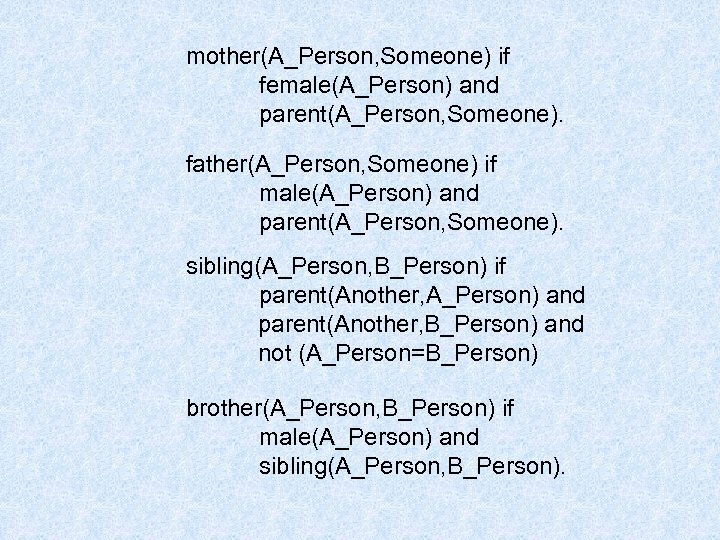 mother(A_Person, Someone) if female(A_Person) and parent(A_Person, Someone). father(A_Person, Someone) if male(A_Person) and parent(A_Person, Someone). sibling(A_Person, B_Person) if parent(Another, A_Person) and parent(Another, B_Person) and not (A_Person=B_Person) brother(A_Person, B_Person) if male(A_Person) and sibling(A_Person, B_Person).
 Event Driven Languages • • • Similar to procedural in the way the commands work Difference in the way the application is designed and run Modules are written and tied to buttons or other objects on a form. The code is run when the user performs an action like clicking a button or moving the mouse over an area. Example would be Visual Basic.
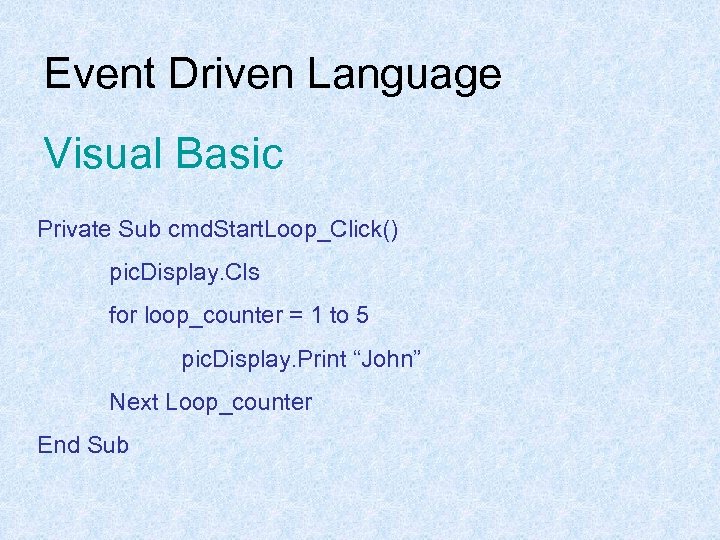 Event Driven Language Visual Basic Private Sub cmd. Start. Loop_Click() pic. Display. Cls for loop_counter = 1 to 5 pic. Display. Print “John” Next Loop_counter End Sub
 • Description of the features and uses of scripting language. Scripting Languages allow the user to tailor an application package to carry out additional operations other than those provided in the original menus. Scripting languages use commands from application packages in order to do this. Programs written using a scripting language are often called scripts. Examples of some scripting languages • Hypertalk • Java. Script Examples of Java. Script can be used for • Image or text rollovers • Creating a pop-up window • Validating the content of fields
 • Explanation of the need for and benefits of scripting languages. Scripting Languages Benefits of scripting languages • They require no compilation • They have a simple syntax, making them easy to learn and use. • They assume minimum programming knowledge or experience. • They all complex tasks to be performed in relatively few steps and allow simple creation and editing in text editors. • They allow the addition of dynamic and interactive activities to web pages.
 Scripting Languages The need for scripting languages • Becoming more popular due to the emergence of web-based applications • Allows user with little or no programming experience to develop interactive web pages
 • Description of the features and uses of scripting language (including creating and editing a macro). Macros A macro is a way to automate a task that you perform repeatedly on a regular basis. • It is a series of commands and actions that can be stored and run whenever you need to perform the task. • Many programs like Word and Excel can create macros easily. All you have to do is record a set of actions as you perform them. • If you look at the code of a macro then it is written in a scripting language.
 • Comparison of the functions, uses and efficiency of compilers and interpreters. Compilers and interpreters are translator programs which translate a high level language program (the source code) into machine code (object code) which can be understood by the computer. Interpreter Translates one line of the source code into object code and executes it before going on to translate the next instruction. Advantage • Development time is fast as syntax errors are reported and fixed as soon as they are encountered in a line. Disadvantages • Slow execution time as each line has to be translated every time the program is run. • The interpreter is required in memory to run the program.
 Compiler Translates the complete source code into object code, stores the machine code version and executes it. If errors are discovered, they have to be fixed and the program has to be recompiled and so on until it is working. Advantages • Fast execution time because the object code is being run. • When the program is complete, there is no need for the compiler to be stored in memory. Much more economic in memory usage than an interpreter. Disadvantage • Slow development time as errors are not discovered line by line
 • Description of the use of module libraries When implementing a program, time can be saved by using module libraries. These are sections of coding which have been pre-written and can be loaded into a program when required. Advantages • There is no need to design the coding. This has already been done when it was created in the first place. • Time is saved as there is no need to enter the coding. It can be loaded into the program. • Time is saved at the testing stage because the module libraries have already been tested and are free from errors. • There is no need to document the module libraries because each one is already fully documented.
 High level programming language constructs. (Implementation cont) • Description and exemplification of the following constructs in pseudocode and an appropriate high level language: string operations (concatenation and substrings), formatting of I/O, CASE (or equivalent multiple outcome selection) Basic control structures ; • Sequence • Selection • Repetition
 Sequence One instruction follows after the other. 1. 1 ask user to enter first number 1. 2 take in first number 1. 3 ask user to enter the second number 1. 4 take in second number 1. 5 make sum equal to first number + second number 1. 6 display message and sum of the numbers
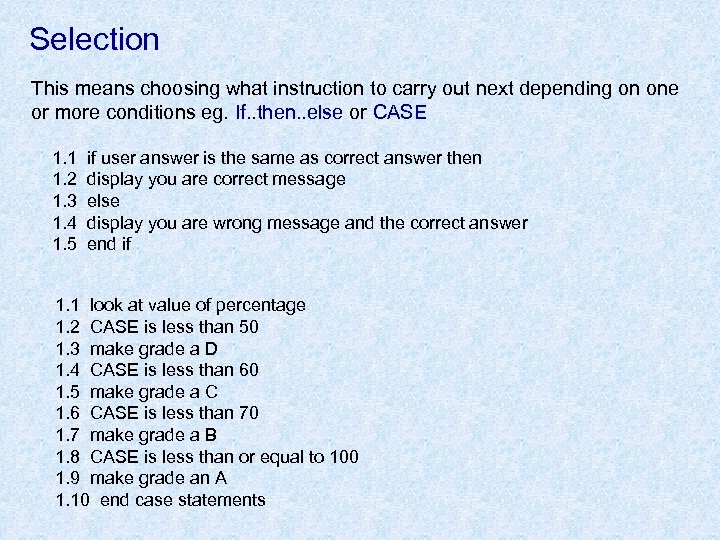 Selection This means choosing what instruction to carry out next depending on one or more conditions eg. If. . then. . else or CASE 1. 1 1. 2 1. 3 1. 4 1. 5 if user answer is the same as correct answer then display you are correct message else display you are wrong message and the correct answer end if 1. 1 look at value of percentage 1. 2 CASE is less than 50 1. 3 make grade a D 1. 4 CASE is less than 60 1. 5 make grade a C 1. 6 CASE is less than 70 1. 7 make grade a B 1. 8 CASE is less than or equal to 100 1. 9 make grade an A 1. 10 end case statements
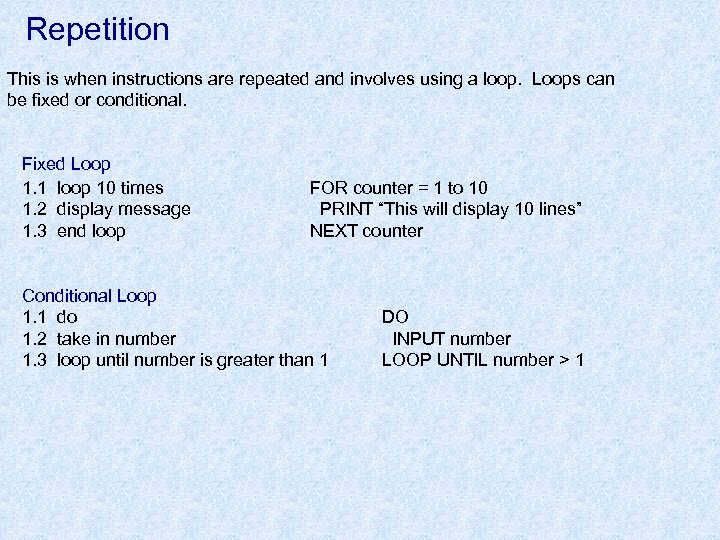 Repetition This is when instructions are repeated and involves using a loop. Loops can be fixed or conditional. Fixed Loop 1. 1 loop 10 times 1. 2 display message 1. 3 end loop FOR counter = 1 to 10 PRINT “This will display 10 lines” NEXT counter Conditional Loop 1. 1 do 1. 2 take in number 1. 3 loop until number is greater than 1 DO INPUT number LOOP UNTIL number > 1
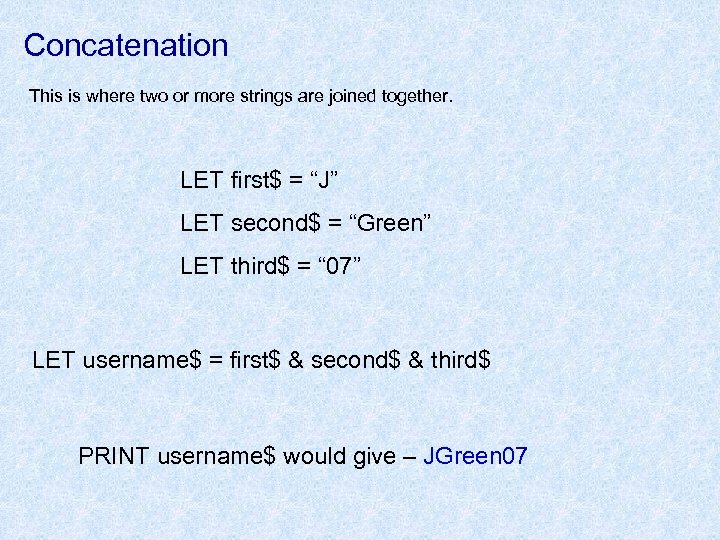 Concatenation This is where two or more strings are joined together. LET first$ = “J” LET second$ = “Green” LET third$ = “ 07” LET username$ = first$ & second$ & third$ PRINT username$ would give – JGreen 07
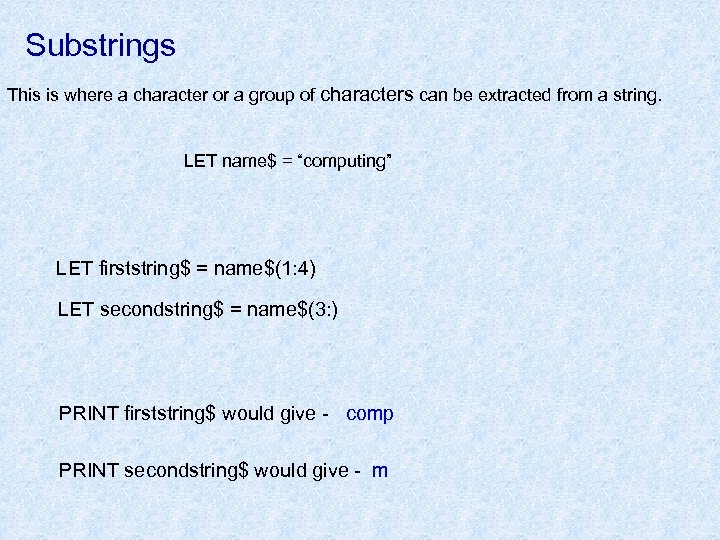 Substrings This is where a character or a group of characters can be extracted from a string. LET name$ = “computing” LET firststring$ = name$(1: 4) LET secondstring$ = name$(3: ) PRINT firststring$ would give - comp PRINT secondstring$ would give - m
 Formatting of I/O – arranging the appearance of the data on the screen when the program is expecting input or when displaying output. PRINT TAB(5); ”Name”; TAB(15); ”Class” CASE SELECT case percentage CASE is < 50 LET grade$ = “D” CASE is < 60 LET grade$ = “C” CASE is < 70 LET grade$ = “B” CASE is <= 100 LET grade$ = “A” END SELECT
 • Description and exemplification of real, integer and boolean variables and 1 D arrays. The data types stored by a computer can be a; • Real numbers – includes all numbers including whole numbers and fractions. • Integers – includes only negative or positive whole numbers. • Character – single letter or symbol. • String – a list of characters eg. a word or sentence. • Boolean – has only two values, true or false and is used in a program’s control structures eg. If. . then. . else. • Date – data is in a form representing a valid date. • Sample data – a sound sample or video clip. • Array – a set of data items of the same type are grouped together using a single variable name eg DIM name$(20) One of the factors influencing the choice of programming language is the type of data which can be handled by the language.
 • Description and exemplification of procedures/subroutines/subprograms, userdefined functions, modularity, parameter passing (in, out, in/out), call by reference/value, local and global variables, scope. Modularity means that when a piece of software is designed then written, it is divided into smaller sections called subprograms (also known as sub-routines). They may be called in any order and can be called more than once in the program. Two types of subprograms; 1 Procedures are said to produce an effect. The procedure is defined ie. giving it a name and also allows the programmer to state which data the procedure requires to have sent to it from the program. The procedure carries out an operation on the data and makes the result available to the program. 2 User-defined functions are similar to procedures and must also be defined and given a name before it can be used in the program but it can only return a single value to the program.
 Data Storage Data is stored in a computer’s memory in a storage location. A variable is the name used by a programmer to identify a storage location. Local variables are only used within a subroutine and are not used in any part of the program. This means that it is possible to use the same variable names for different data and the values cannot be accidently changed. Global variables can be used in one subroutine and the values passed out to be used in any other part of the program. The scope of a variable is the range of statements for which a variable is valid. Eg. The scope of a local variable is the subroutine that it is used in and it cannot be used or have any effect on the other parts of the program – this is outside their scope.
 Data Flow Data flow describes the movement of data between subroutines. When a subroutine is in use, the information about a data item being supplied is called a parameter. Data structures such as a local variable which can be passed into a subroutine but not passed back out is referred to as passing by value. Data structures such as a global variable which can be passed into a subroutine, updated and passed back out is referred to as passing by reference.
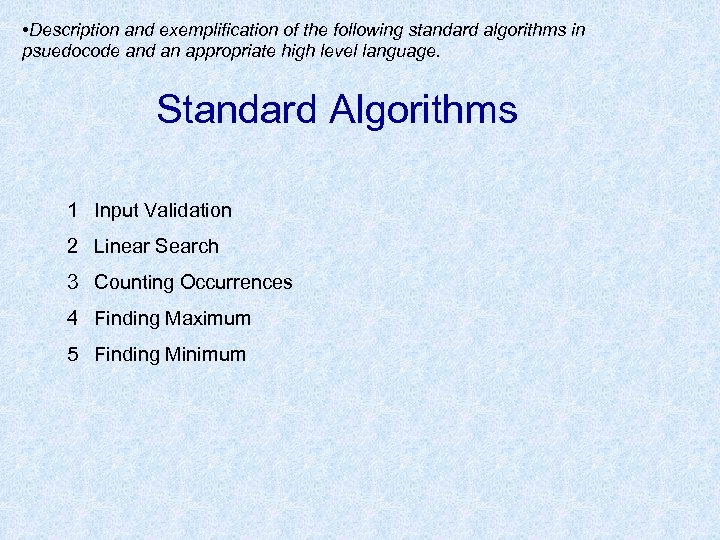 • Description and exemplification of the following standard algorithms in psuedocode and an appropriate high level language. Standard Algorithms 1 Input Validation 2 Linear Search 3 Counting Occurrences 4 Finding Maximum 5 Finding Minimum
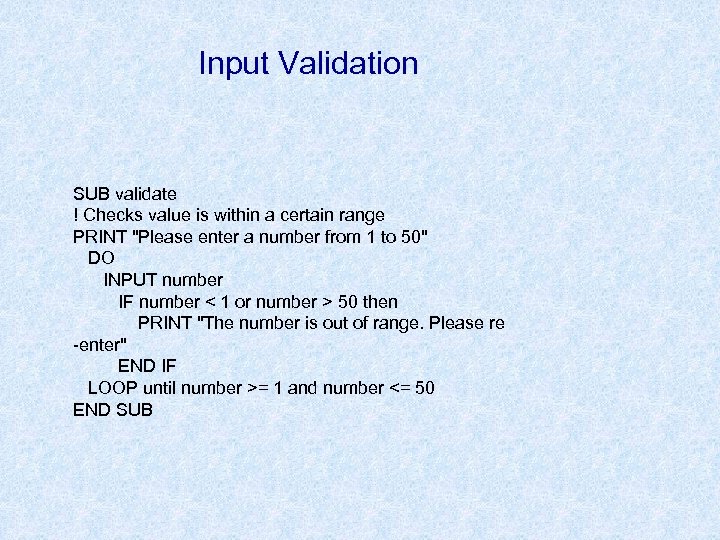 Input Validation SUB validate ! Checks value is within a certain range PRINT "Please enter a number from 1 to 50" DO INPUT number IF number < 1 or number > 50 then PRINT "The number is out of range. Please re -enter" END IF LOOP until number >= 1 and number <= 50 END SUB
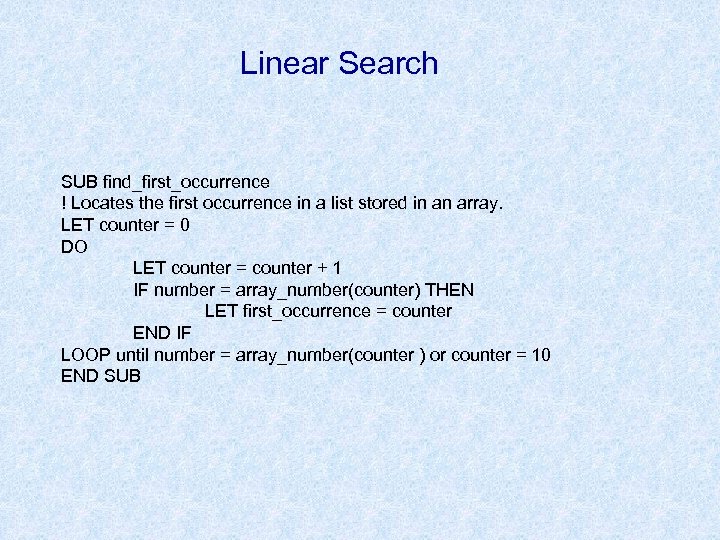 Linear Search SUB find_first_occurrence ! Locates the first occurrence in a list stored in an array. LET counter = 0 DO LET counter = counter + 1 IF number = array_number(counter) THEN LET first_occurrence = counter END IF LOOP until number = array_number(counter ) or counter = 10 END SUB
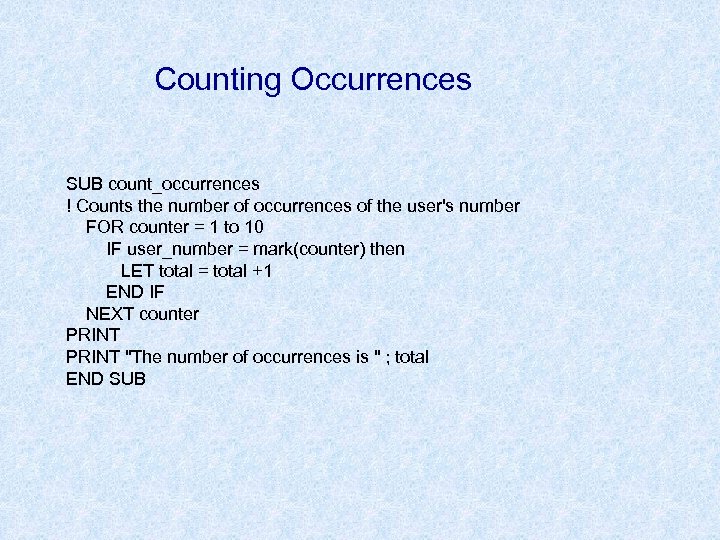 Counting Occurrences SUB count_occurrences ! Counts the number of occurrences of the user's number FOR counter = 1 to 10 IF user_number = mark(counter) then LET total = total +1 END IF NEXT counter PRINT "The number of occurrences is " ; total END SUB
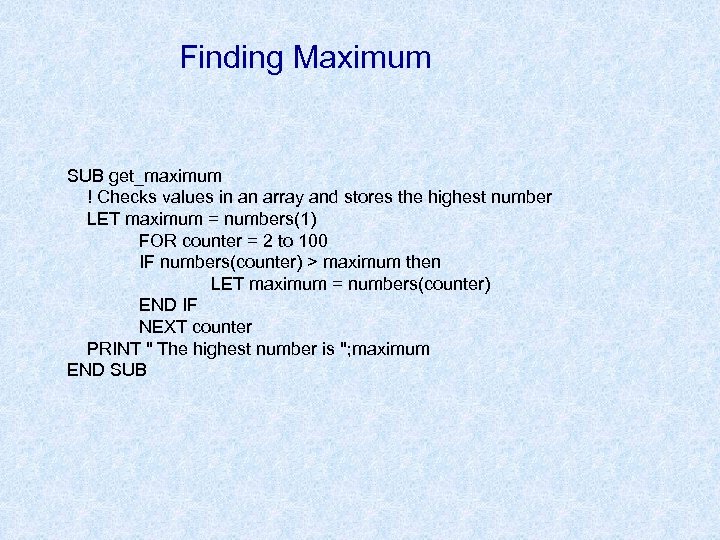 Finding Maximum SUB get_maximum ! Checks values in an array and stores the highest number LET maximum = numbers(1) FOR counter = 2 to 100 IF numbers(counter) > maximum then LET maximum = numbers(counter) END IF NEXT counter PRINT " The highest number is "; maximum END SUB
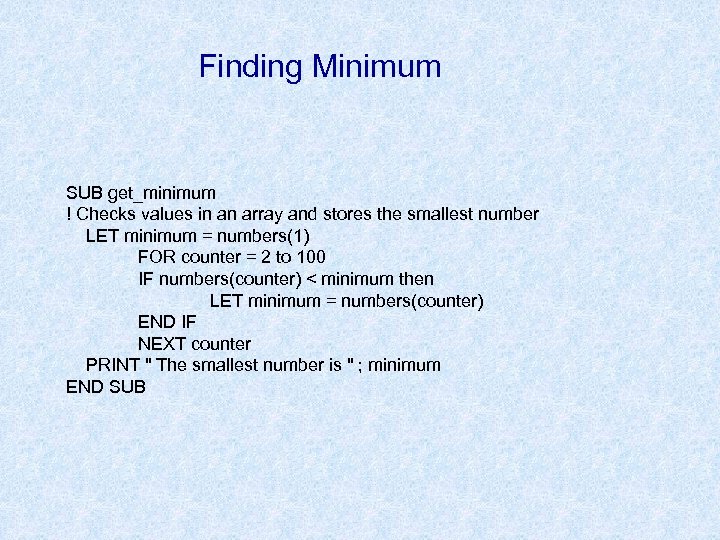 Finding Minimum SUB get_minimum ! Checks values in an array and stores the smallest number LET minimum = numbers(1) FOR counter = 2 to 100 IF numbers(counter) < minimum then LET minimum = numbers(counter) END IF NEXT counter PRINT " The smallest number is " ; minimum END SUB
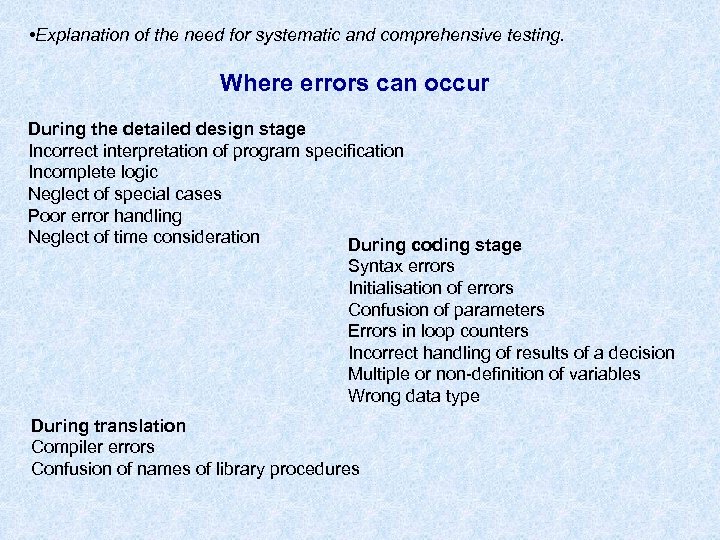 • Explanation of the need for systematic and comprehensive testing. Where errors can occur During the detailed design stage Incorrect interpretation of program specification Incomplete logic Neglect of special cases Poor error handling Neglect of time consideration During coding stage Syntax errors Initialisation of errors Confusion of parameters Errors in loop counters Incorrect handling of results of a decision Multiple or non-definition of variables Wrong data type During translation Compiler errors Confusion of names of library procedures
 Test Data Test data must cover all possible conditions. Expected results must be known in advance. • One set should test “normal” operation. • Second set should test the limits or extremes of the data. • Third set should test using exceptional data to show whether or not the software can react to unexpected inputs without crashing - adding to the robustness of the program.
 Techniques used to debug programs. 1. Add extra PRINT lines. 2. Dry Run. Working through a structured listing manually without using a computer. A structured listing is a printout of the program formatted to show indentations, in some languages, keywords may be in upper case, variables in lower case. This makes the coding easier to read and the programmer is more likely to spot errors. 3. Trace Facility. Displays instructions and values of variables as the program is running. 4. Break Points. Program is suspended so that results can be examined. 5. Single Stepping. Program stops after each line so that results can be examined.
 Acceptance Testing (Beta Testing) The software is tested at the location in which it will be used and is carried out in the presence of the developers and users (allowed unrestricted access to the system). Independent Test Group These groups are not associated with the software company of the programmers who wrote the program. They will thoroughly test the software and document their results to provide an unbiased opinion.
 • Explanation of the need for documentation at each stage. Documentation Two essential pieces of documentation provided with software are; User Guide Technical Guide User Guide - should describe the main features of the package and should contain tutorials on how to use it. Technical Guide - how to install the software, memory and processor requirements, version number and any associated help files or extensions. Guide should also contain a troubleshooting section. Documentation could be provided on paper or electronic. Other documentation provided would include - licence agreement, readme file, installation guide, tutorial guide.
 • Evaluation of software in terms of robustness, reliability, portability, efficiency and maintainability. Evaluation Fitness for purpose. Does the software meet the user requirements? Does it match the software specification? The original aims must be examined and judged against a set of criteria produced at each stage of the software development process. The structure, readability and tests will provide a measure of the software’s reliability, maintainability, portability, efficiency, readability and finally it’s robustness.
 • Description and exemplification of corrective, adaptive and perfective maintenance. Maintenance 1. Corrective - finding and correcting errors in the program which were previously undetected. 2. Adaptive - when the software is updated to take account of changes in the program’s environment eg new operating system, new peripheral devices. 3. Perfective - the software is updated in response to requests from the user eg. adding new features, changing existing functions.