 Скачать презентацию Soft Bank Enhancements Presented By Laurie Sapp Blood
74bedf1056b71b3c69328bcf1be1c33b.ppt
- Количество слайдов: 41



Soft. Bank Enhancements Presented By: Laurie Sapp Blood Services Product Analyst
Introduction Voyage through Soft. Bank enhancements • Enhancements that will be available in an upcoming release. • Enhancements that are available in current releases
Soft. Bank Enhancements in an upcoming release Enhancements available in an upcoming release: 1. Product Display code 2. Patient caution window 3. Worksheet changes 4. Comments 5. Temperature field Barcoded 6. Unit History Report 7. Hyperlink to Soft. Bank’s Issue/Transf History 8. Outreach Changes
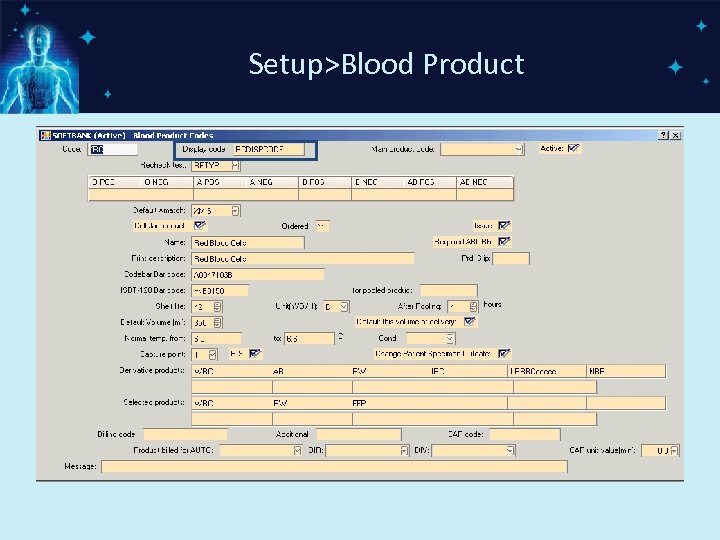
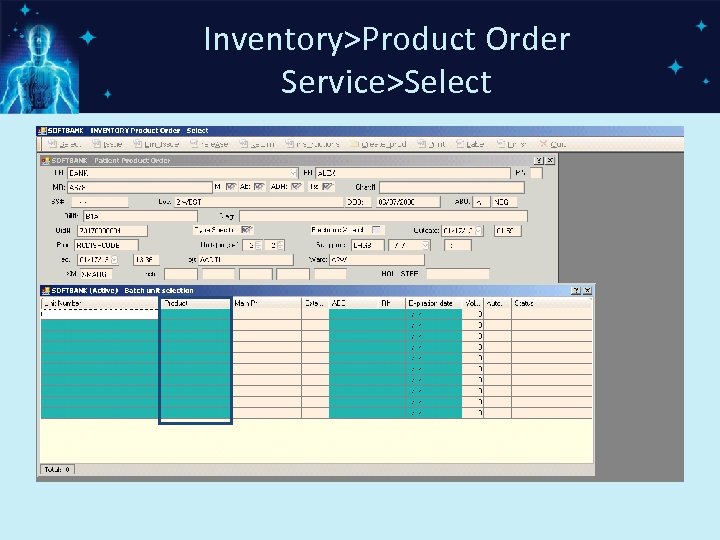
1. Product Display Code • Product Display Code field added in Blood Product Setup • The Product Display Code can accommodate up to 10 characters • The Product Display Code will be the field displayed through out the Soft. Bank system • The Product Code can be copied to the Product Display Code field during upgrade. • Product Code expanded to 5 characters
Setup>Blood Product
Inventory>Product Order Service>Select
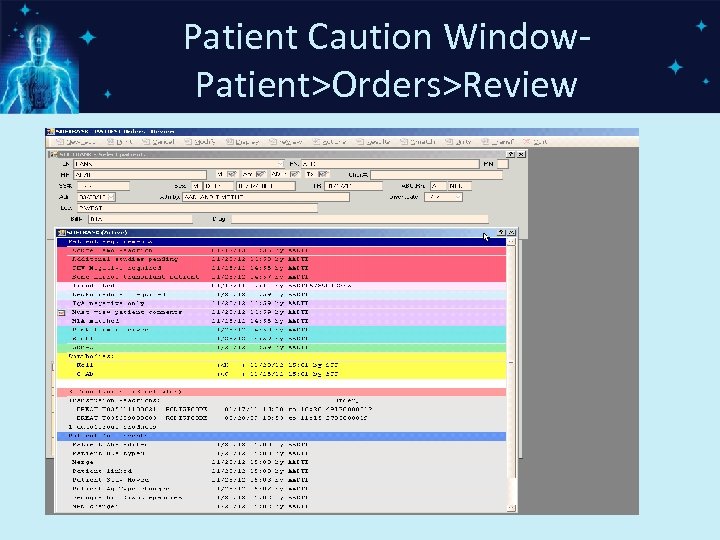
2. Patient Caution Window • Added the ability for special messages to be in an order defined by a facility • Special Messages can be colored • Sections of information are colored • Parameter driven
Patient Caution Window. Patient>Orders>Review
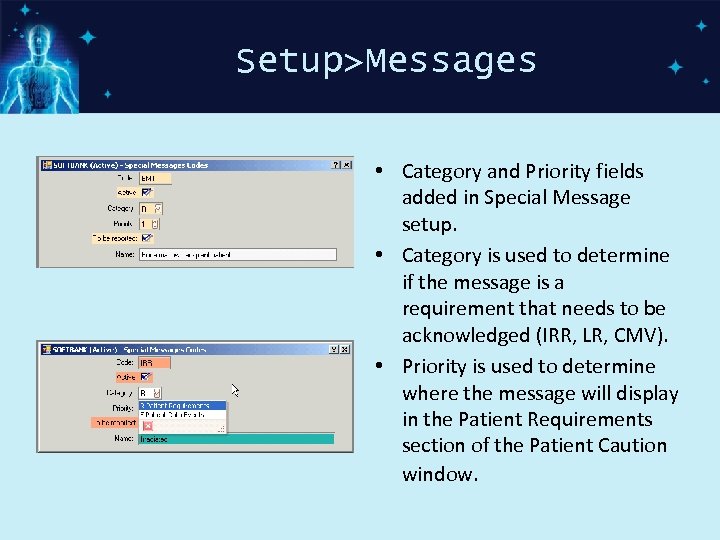
Setup>Messages • Category and Priority fields added in Special Message setup. • Category is used to determine if the message is a requirement that needs to be acknowledged (IRR, LR, CMV). • Priority is used to determine where the message will display in the Patient Requirements section of the Patient Caution window.
3. Worksheet Changes • Worksheets setup: Lines numbered flag and Batch auto-interpretation flag • Line numbers display on worksheets • New function key Ctrl+W-Batch autointerpretation on the navigation bar for tests sent from an instrument.
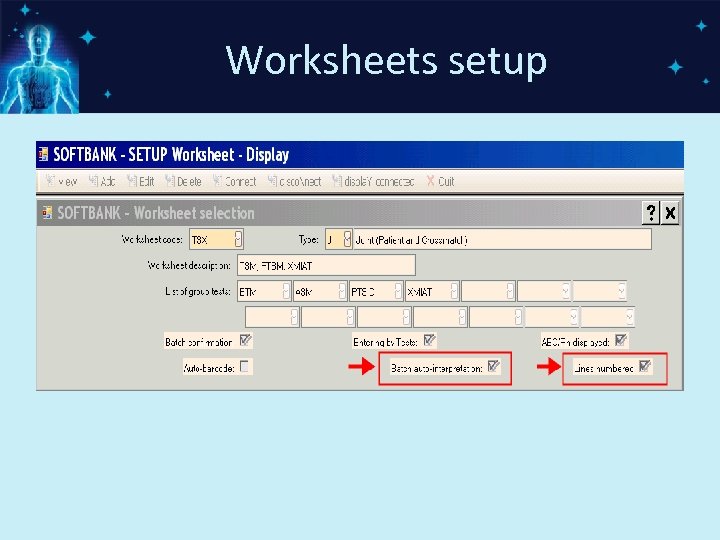
Worksheets setup
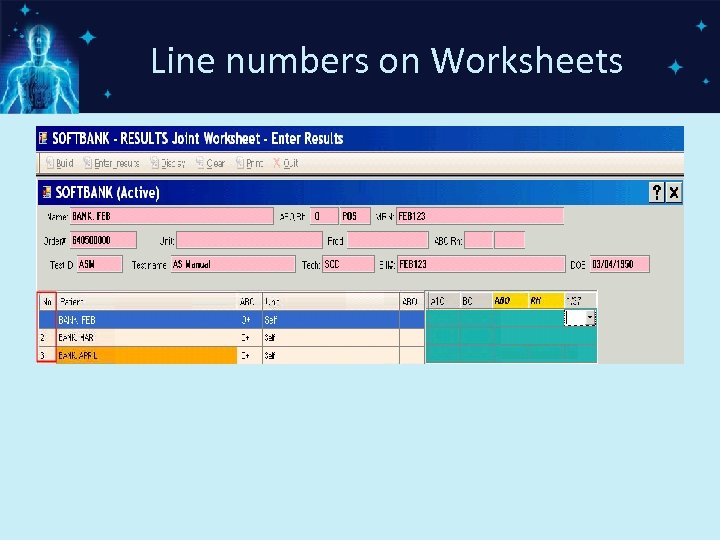
Line numbers on Worksheets
3. Worksheet Changes (cont. ) • The system can be configured to have the results from an instrument post to an automated worksheet instead of Test Verify option. • Results (Graded reactions) from instruments can be displayed on worksheets. • Control+W Batch-key can be used to have Soft. Bank enter the interpretation based on the defined logic table.
3. Worksheet Changes (cont. ) • After building tests to a worksheet, the system bridges to Enter_Results automatically.
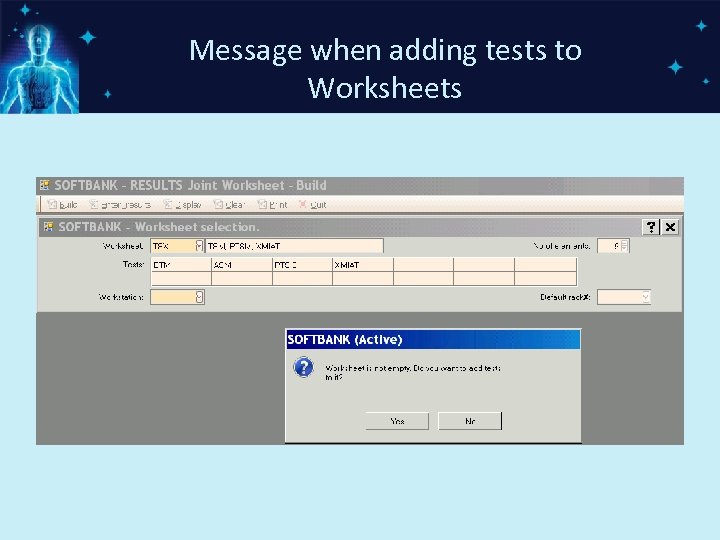
Message when adding tests to Worksheets
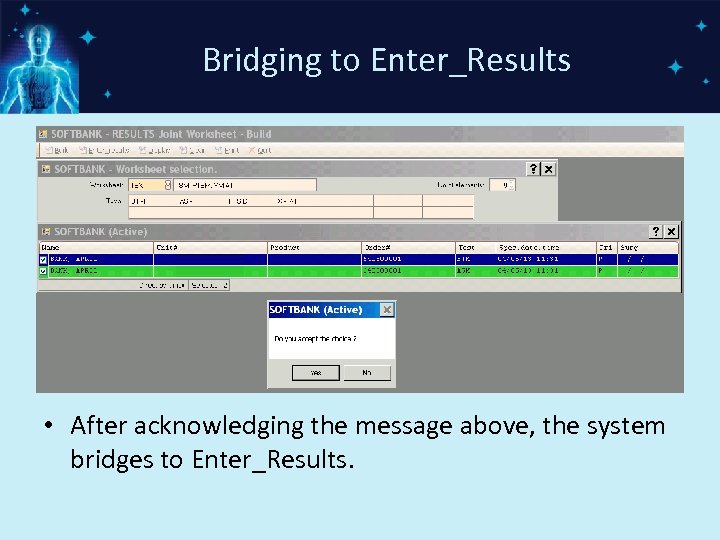
Bridging to Enter_Results • After acknowledging the message above, the system bridges to Enter_Results.
4. Comments • The system will append a number of empty lines when the comment text is edited. • New parameter hos_comm_inc: The number of lines that are possible to be added during a canned comment addition. Default: 20
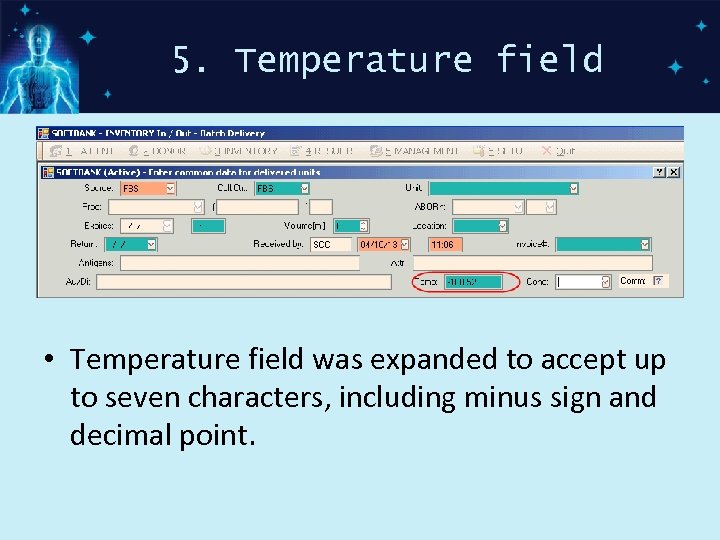
5. Temperature field • Temperature field was expanded to accept up to seven characters, including minus sign and decimal point.
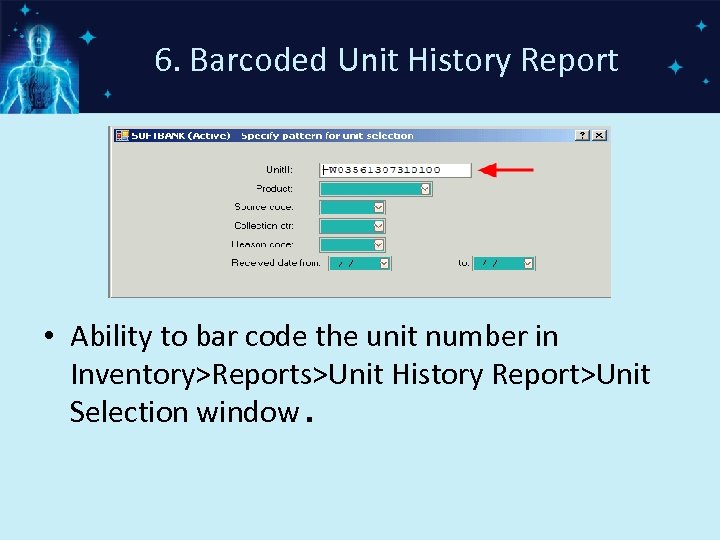
6. Barcoded Unit History Report • Ability to bar code the unit number in Inventory>Reports>Unit History Report>Unit Selection window.
7. Transfusion/Issue Hyperlink • There will be a hyperlink in Lab Resulting Worklist. • When hyperlink is selected, Lab queries BB for units issued/transfused to patient. • Soft. Bank produces a Soft. Reports sql report containing units issued/transfused to patient. • This will be available with 4. 5 Lab
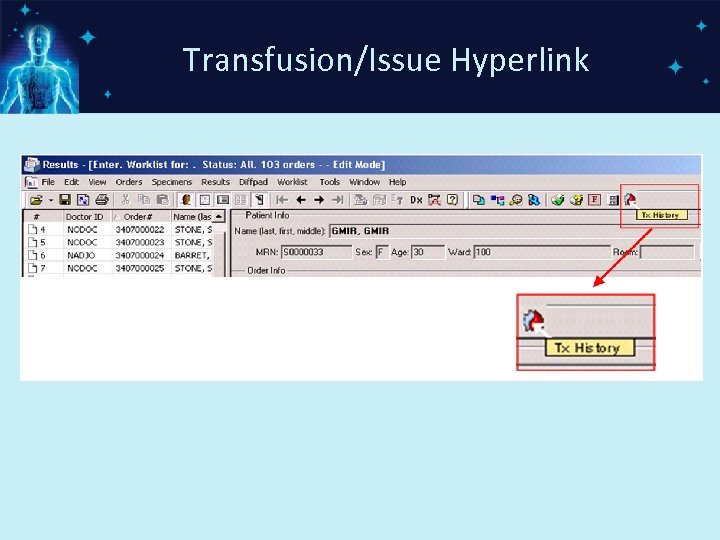
Transfusion/Issue Hyperlink
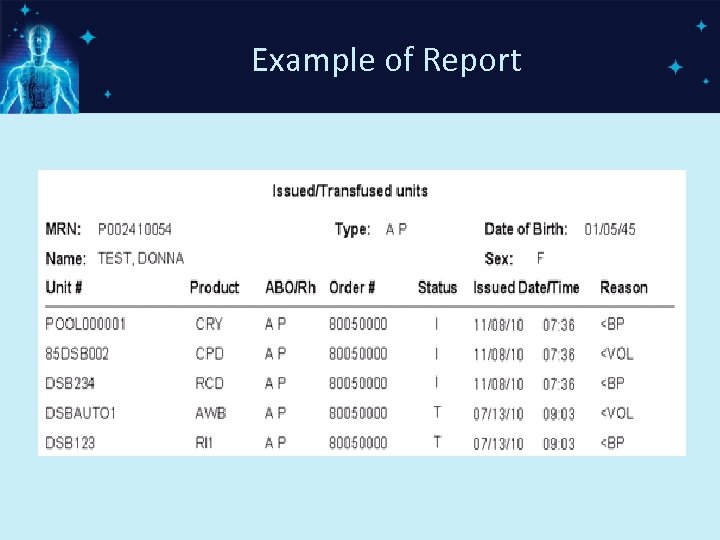
Example of Report
8. Outreach Changes Additional Patient Identifiers: • Chart Number • Client ID • External ID • These identifiers are available with 4. 5 Lab
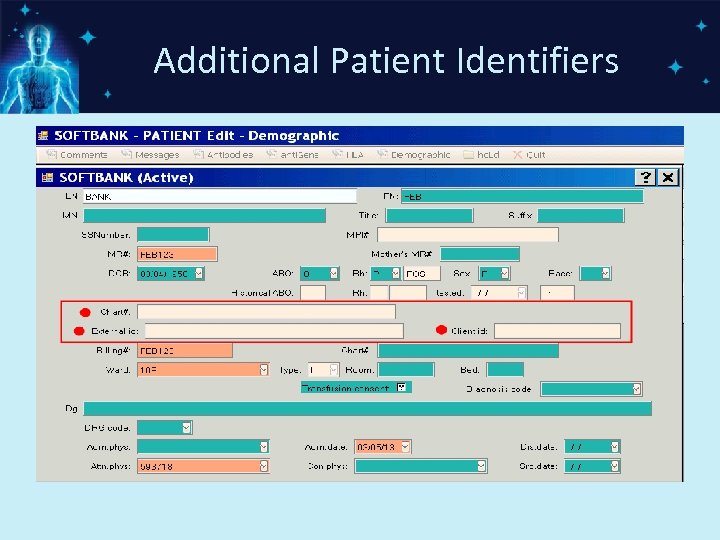
Additional Patient Identifiers
Soft. Bank Enhancements-available in current releases Enhancements in current releases: 1. 2. 3. 4. 5. Control-D to display patient ABO/Rh tests Doctor Per Test New Result Reporting Newshift Functionality Control R to add supplies
1. Ctrl+D-Display ABO/Rh • Ctrl+D-Display ABO/Rh function key added to the navigation bar • The key will display the ABO/Rh types completed on a patient. • The types are displayed in reverse chronological order • The function key is available in various options through out the system.
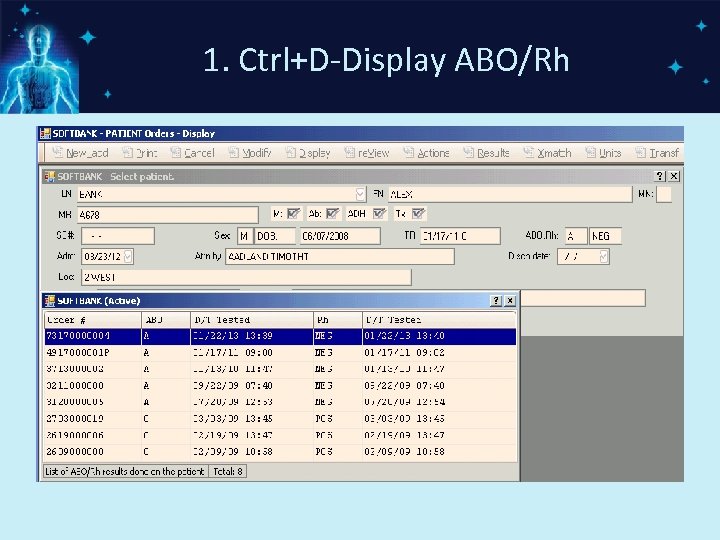
1. Ctrl+D-Display ABO/Rh
2. Doctor Per Test • Request information window – In PATIENT>Orders>New_add/Modify, user can add Procedure level Requesting information when F 7 -Request information function key is selected.
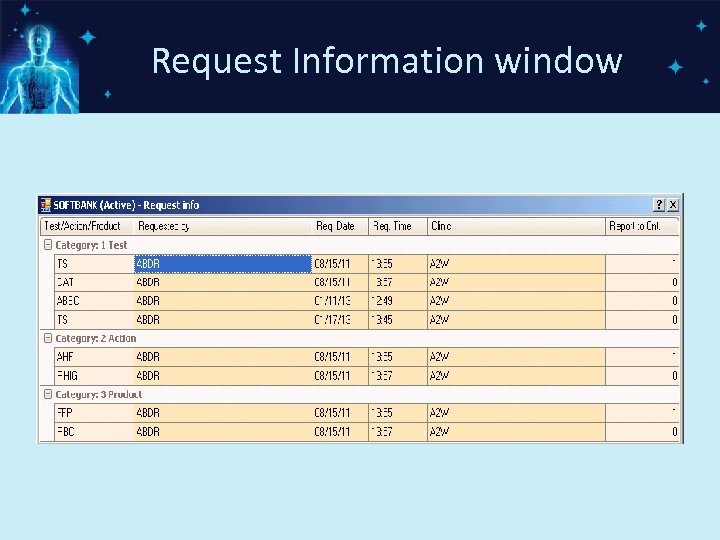
Request Information window
Report to information • Report to information window – In PATIENT>Orders>New_add/Modify, user can add Report to information when Ctrl+R-Report to function key is selected.
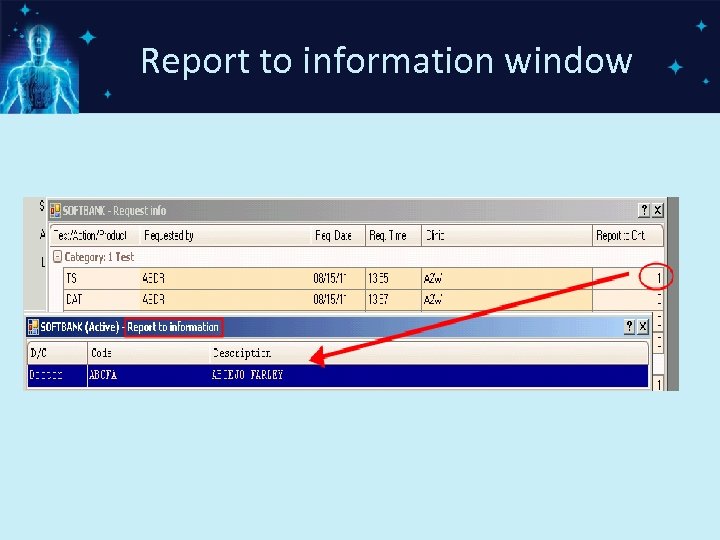
Report to information window
Aux Doctors • Definition: Doctors who are not on staff (or not found in the database) • Auxiliary doctors can be assigned as the procedure level requesting or report to doctors • Aux doc information is saved in Lab
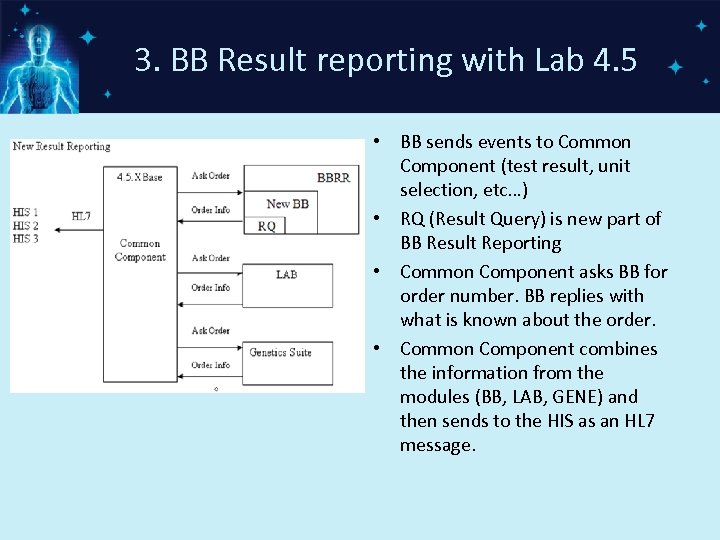
3. BB Result reporting with Lab 4. 5 • BB sends events to Common Component (test result, unit selection, etc…) • RQ (Result Query) is new part of BB Result Reporting • Common Component asks BB for order number. BB replies with what is known about the order. • Common Component combines the information from the modules (BB, LAB, GENE) and then sends to the HIS as an HL 7 message.
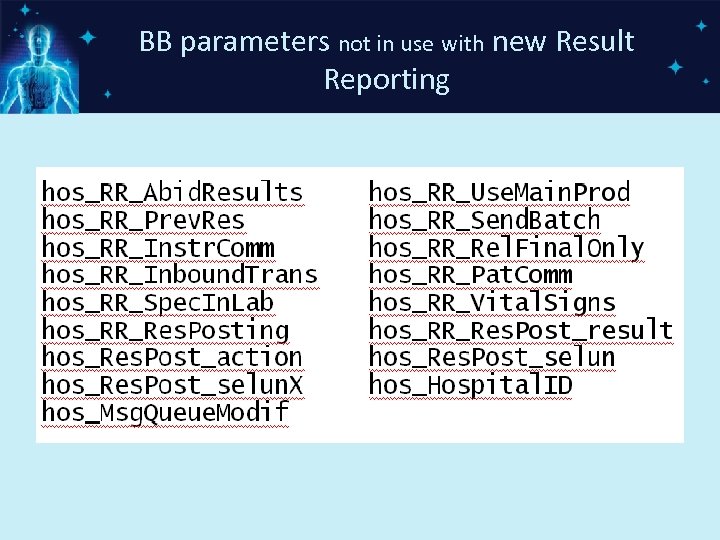
BB parameters not in use with new Result Reporting
Newshift Functionality • NEWSHIFT utility cancels uncollected/unreceived specimens in Soft. Lab and then sends a "cancel" message to Soft. Bank. • First, Lab utilizes Newshift functionality to verify with the Bank module, any qualifying cancellation for Bank specimens.
Newshift Functionality • Next, Soft. Bank checks if BB test ordered in LAB can be cancelled in lab. • Third, Lab sends notification to Bank upon cancellation of any Bank specimen. • Lastly, Bank performs cancellation in Soft. Bank when BB test is cancelled in LAB.
Control R to add supplies • Control R to add supplies during product modification • The system displays message “Final option to add supply. Add supply? ” • New hosparam hos_Supply. Msg – controls whether a message displays to alert the user to add supplies
Control R to add supplies • Possible Settings: C - message displays in INV>POS/Edit>Create. Product>Change options D – message displays in INV>POS/Edit>Create. Product>Divide options P – message displays in INV>POS/Edit>Create. Product>Pool options
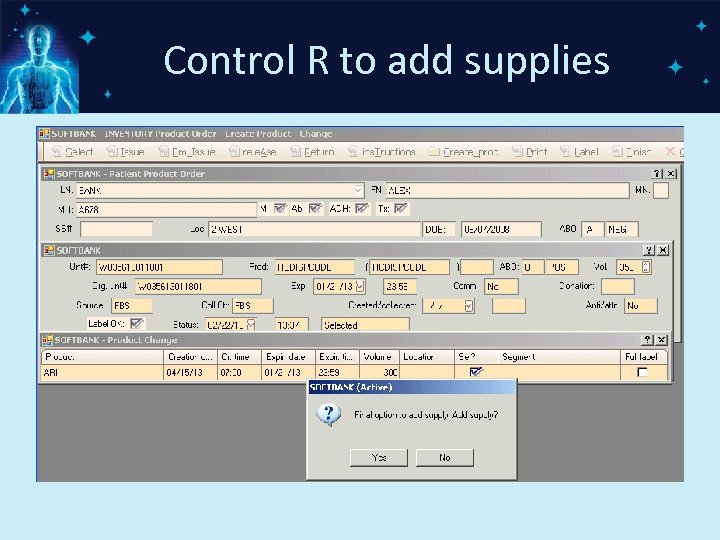
Control R to add supplies
Conclusion Taken a voyage through the Soft. Bank enhancements Functionality that will be available in an upcoming release Changes that are currently available Changes that coincide with 4. 5 Lab
Questions?
Скачать презентацию Soft Bank Enhancements Presented By Laurie Sapp Blood
74bedf1056b71b3c69328bcf1be1c33b.ppt