 Скачать презентацию Smart House Maison Intelligent Members Steven Bellows Matthew
de16480f0bcd857dabca42efefbfa9c3.ppt
- Количество слайдов: 52



Smart House Maison Intelligent Members: Steven Bellows, Matthew Marston, Kenneth Nolasco, Brian Sparrow March 26, 2008
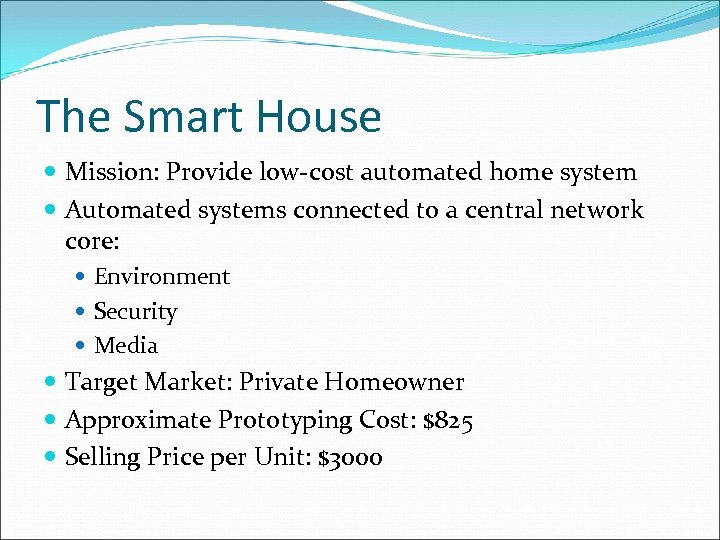
The Smart House Mission: Provide low-cost automated home system Automated systems connected to a central network core: Environment Security Media Target Market: Private Homeowner Approximate Prototyping Cost: $825 Selling Price per Unit: $3000
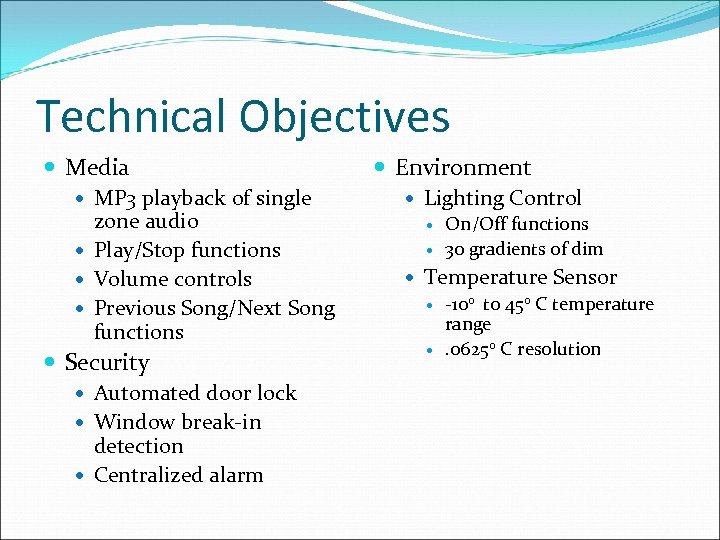
Technical Objectives Media MP 3 playback of single zone audio Play/Stop functions Volume controls Previous Song/Next Song functions Security Automated door lock Window break-in detection Centralized alarm Environment Lighting Control On/Off functions 30 gradients of dim Temperature Sensor -100 to 450 C temperature range . 06250 C resolution
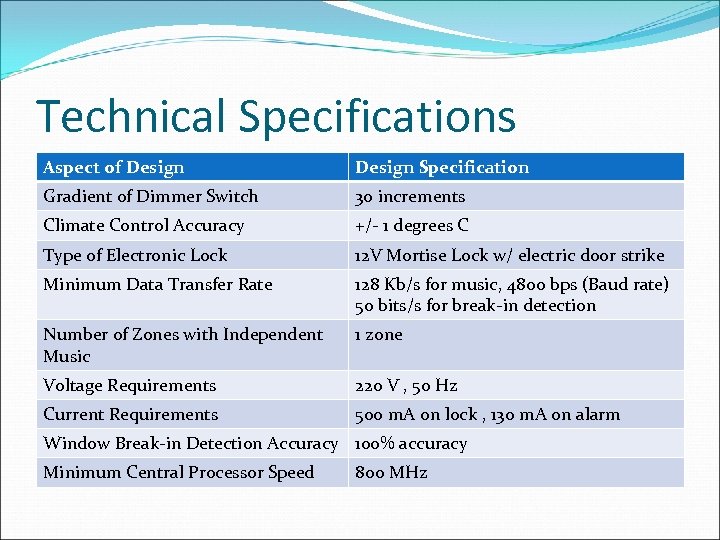
Technical Specifications Aspect of Design Specification Gradient of Dimmer Switch 30 increments Climate Control Accuracy +/- 1 degrees C Type of Electronic Lock 12 V Mortise Lock w/ electric door strike Minimum Data Transfer Rate 128 Kb/s for music, 4800 bps (Baud rate) 50 bits/s for break-in detection Number of Zones with Independent Music 1 zone Voltage Requirements 220 V , 50 Hz Current Requirements 500 m. A on lock , 130 m. A on alarm Window Break-in Detection Accuracy 100% accuracy Minimum Central Processor Speed 800 MHz
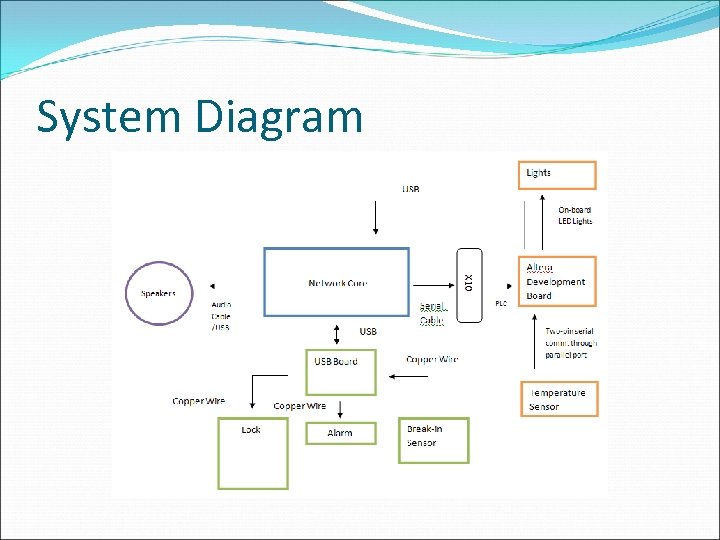
System Diagram
Sound Design
Specifications Single-Zone Audio Media System Single “Pleomax” USB-powered speaker Mp 3 Capabilities fmod sound engine Simple Playback capabilities Stop, Play, Previous Song, Next Song C++ and Windows Programming
Audio Program Outline Single Zone Audio 1. Opens an mp 3 stream for playing mp 3 files 2. Compiles a list of. mp 3 files in a given directory and stores the list in a string array 3. Outputs the contents of the string array 4. Prompts the user to select a title 5. Plays song using the mp 3 stream object
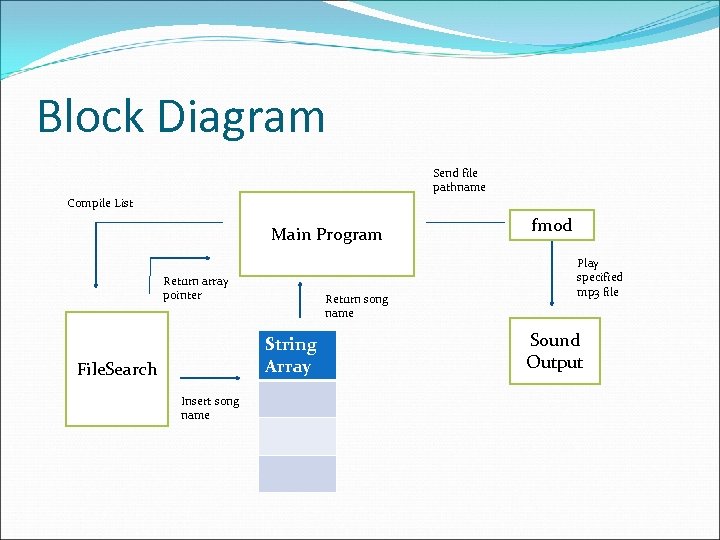
Block Diagram Send file pathname Compile List Main Program Return array pointer Return song name String Array File. Search Insert song name fmod Play specified mp 3 file Sound Output
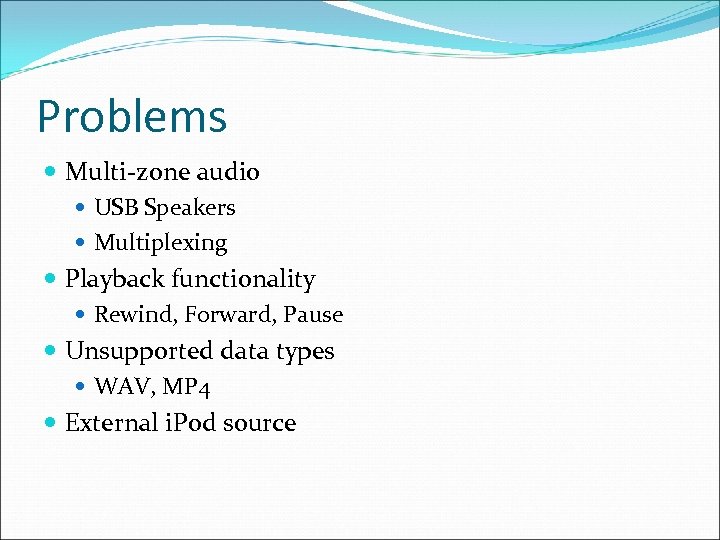
Problems Multi-zone audio USB Speakers Multiplexing Playback functionality Rewind, Forward, Pause Unsupported data types WAV, MP 4 External i. Pod source
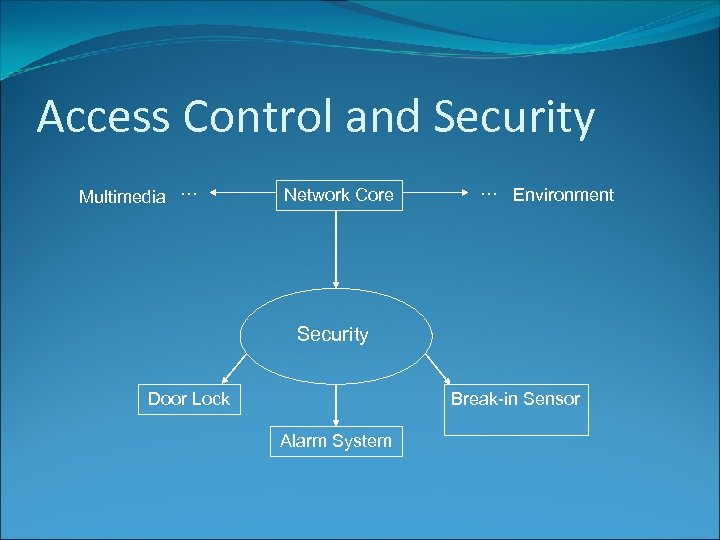
Access Control and Security Multimedia … Network Core … Environment Security Door Lock Break-in Sensor Alarm System
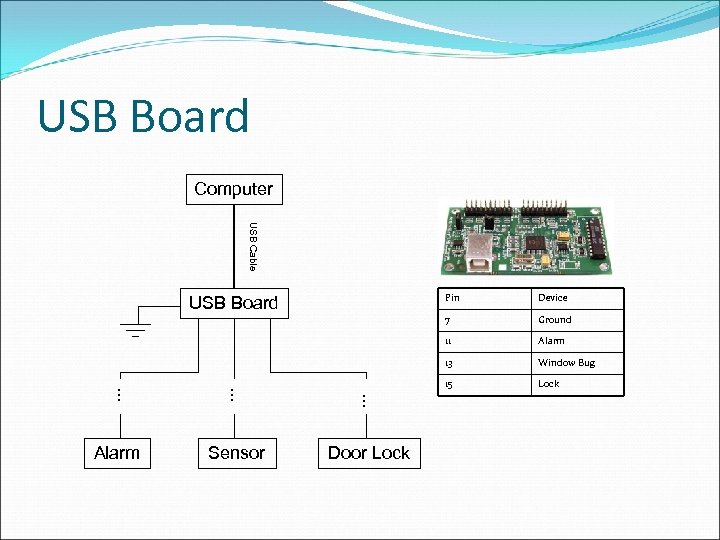
USB Board Computer USB Cable Pin … … … Window Bug 15 Door Lock Alarm 13 Sensor Ground 11 Alarm Device 7 USB Board Lock
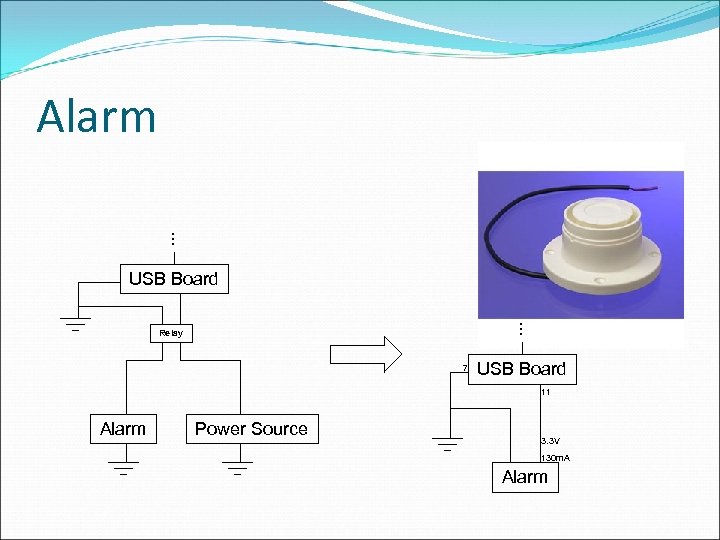
Alarm … USB Board … Relay 7 USB Board 11 Alarm Power Source 3. 3 V 130 m. A Alarm
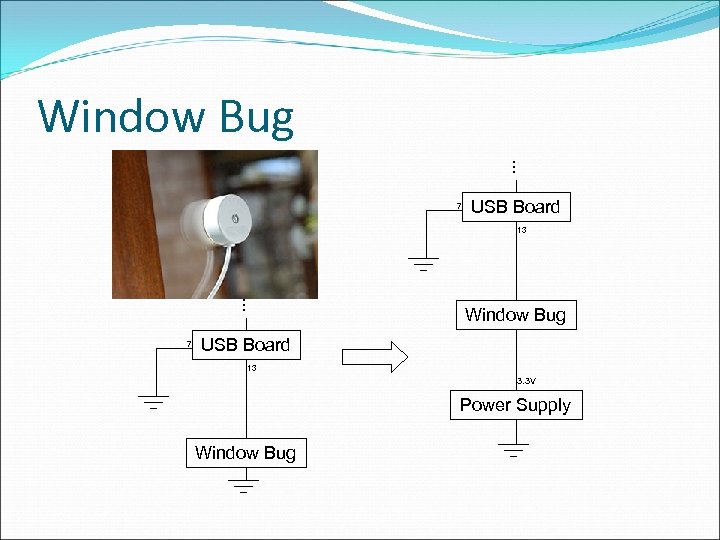
Window Bug … 7 USB Board 13 … 7 Window Bug USB Board 13 3. 3 V Power Supply Window Bug
Break-in Detection Alarm and window bug designed to work together The alarm is triggered when the Window Bug detects an intrusion The alarm and Window Bug can be manually reset after they are triggered Window Bug triggered at window breaks Window Bug can be tested without breaking a window Manufacturer provides for on the spot testing of the Window Bug
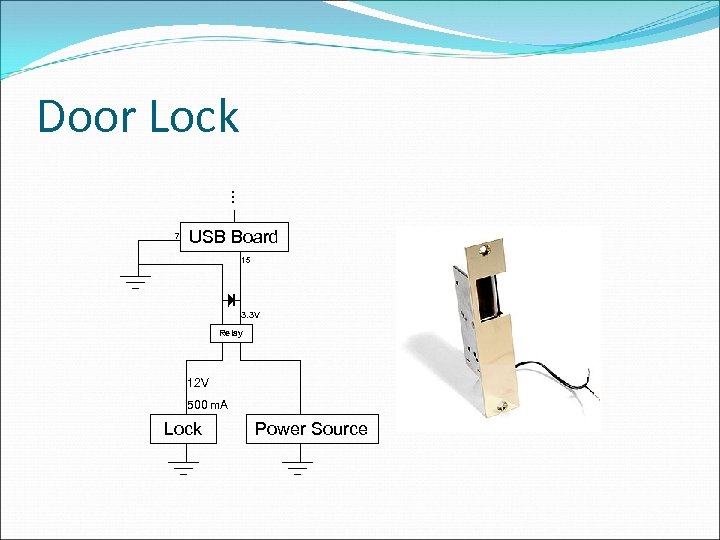
Door Lock … 7 USB Board 15 3. 3 V Relay 12 V 500 m. A Lock Power Source
Locking Mechanism Lock is locked when un-powered Lock unlocks when a 12 V power source is connected Lock mechanism is controlled by a relay Relay is controlled by the USB board User can unlock the door from the user interface 5 second timer is programmed to automatically relock the door
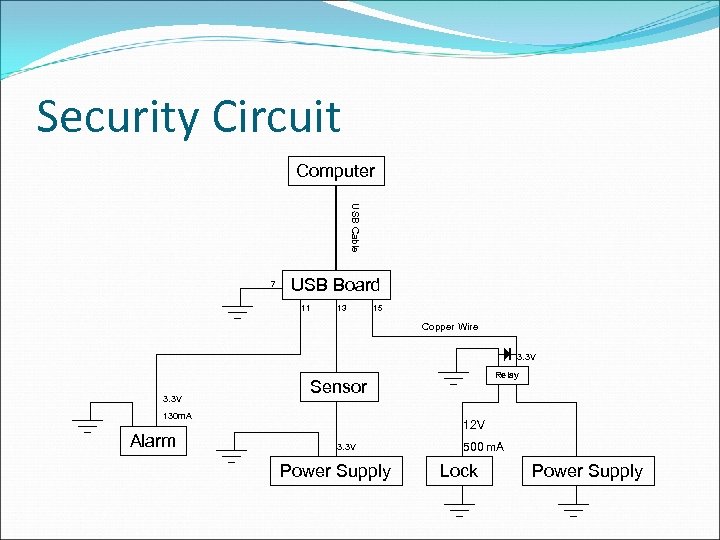
Security Circuit Computer USB Cable 7 USB Board 11 13 15 Copper Wire 3. 3 V Sensor 130 m. A Alarm Relay 12 V 3. 3 V Power Supply 500 m. A Lock Power Supply
Environmental System Temperature System Lighting System
Temperature System LM 76 Series Digital Temperature Sensor -10 o. C to 45 o. C, . 0625 o. C resolution I 2 C Bus slave Altera DE 2 Board Header I/O pins I 2 C Bus Network Core USB GUI
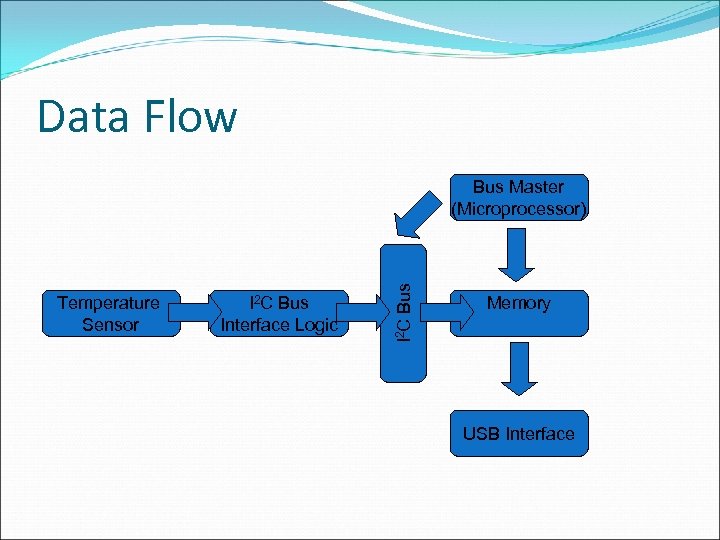
Data Flow Temperature Sensor I 2 C Bus Interface Logic I 2 C Bus Master (Microprocessor) Memory USB Interface
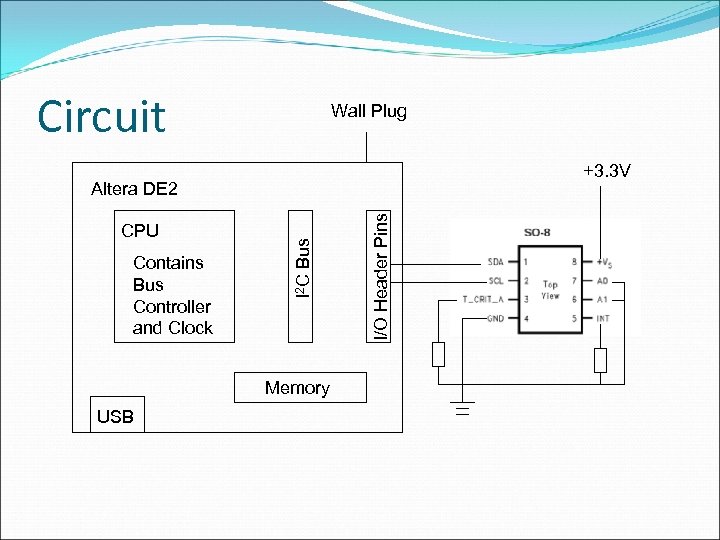
Circuit Wall Plug +3. 3 V Contains Bus Controller and Clock Memory USB I/O Header Pins CPU I 2 C Bus Altera DE 2
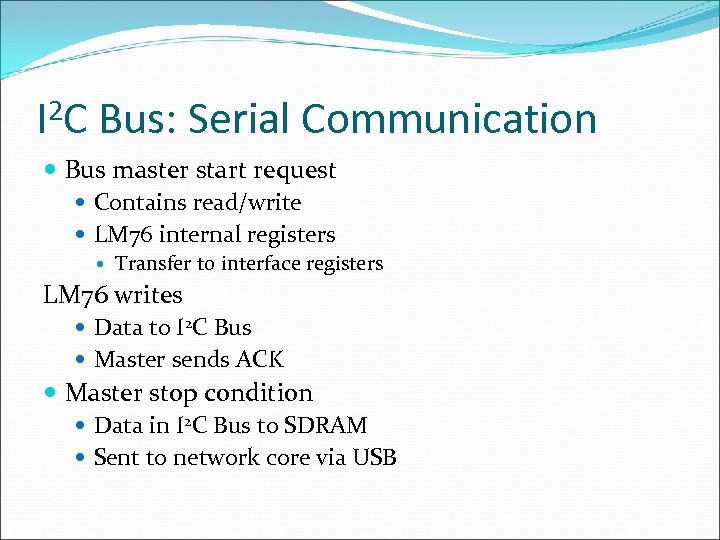
2 C I Bus: Serial Communication Bus master start request Contains read/write LM 76 internal registers Transfer to interface registers LM 76 writes Data to I 2 C Bus Master sends ACK Master stop condition Data in I 2 C Bus to SDRAM Sent to network core via USB
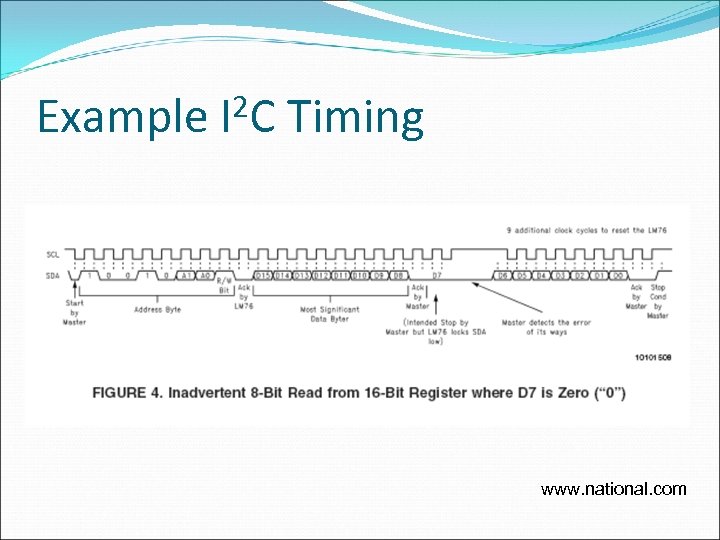
Example 2 C I Timing www. national. com
Lighting System Network Core Serial RS-232 X-10 CM 11 a Computer Interface Serial to X-10 PLC Bit error check Altera DE 2 Board ADC On-board LED’s
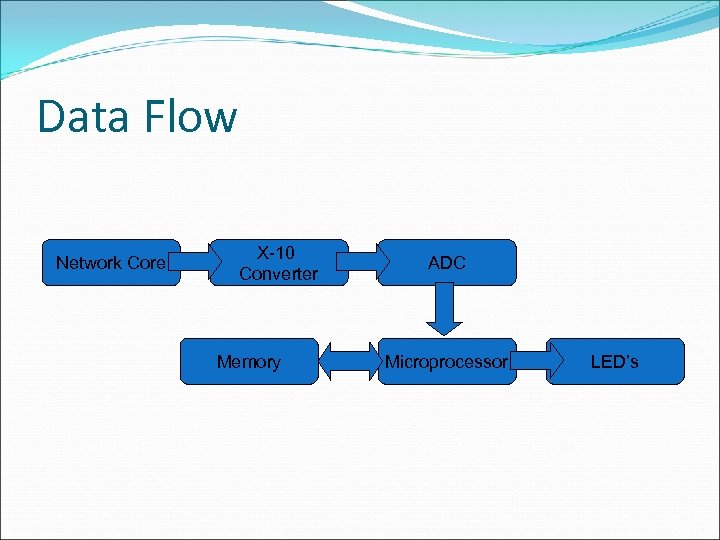
Data Flow Network Core X-10 Converter Memory ADC Microprocessor LED’s
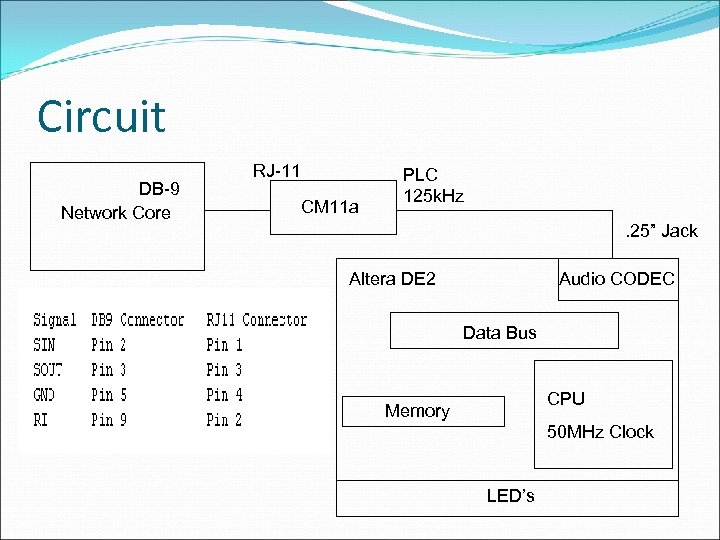
Circuit DB-9 Network Core RJ-11 CM 11 a PLC 125 k. Hz. 25” Jack Altera DE 2 Audio CODEC Data Bus CPU Memory 50 MHz Clock LED’s
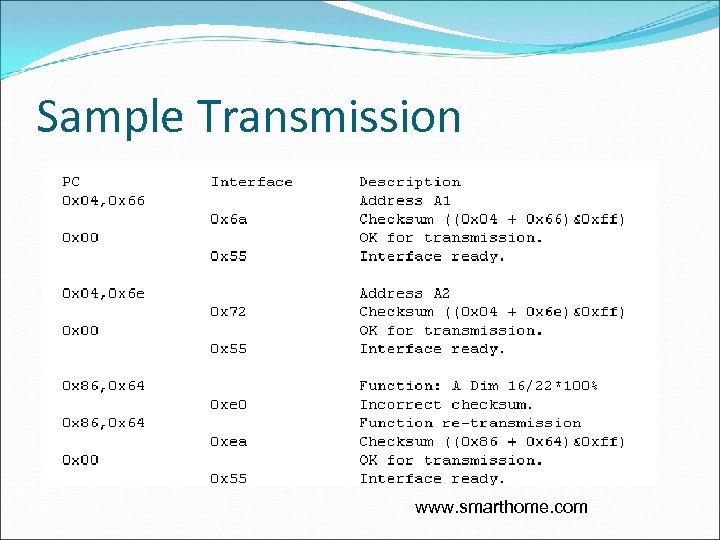
Transmission PC sends Header: Code 2 Bytes Contains house code, device code, and function code Interface stores in buffer Checksum PC ACK Interface transmission Interface ready Dimming
Sample Transmission www. smarthome. com
Problems Temperature I 2 C controller USB data output Testing 8 -SOIC Lighting Audio CODEC Connector 60 Hz timing Filter
Network Core Design
Specifications Connects computer core to systems Security Activewire USB board connections Audio/USB cable Environment Serially connected to Altera board via X 10 Temperature readings passed through USB
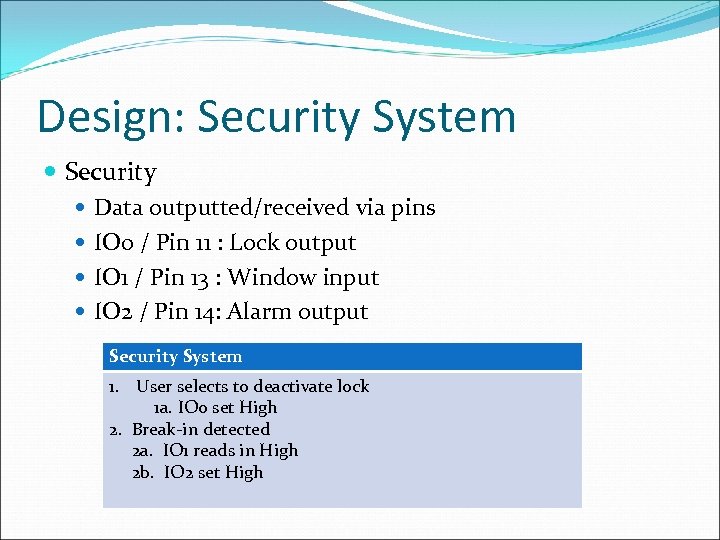
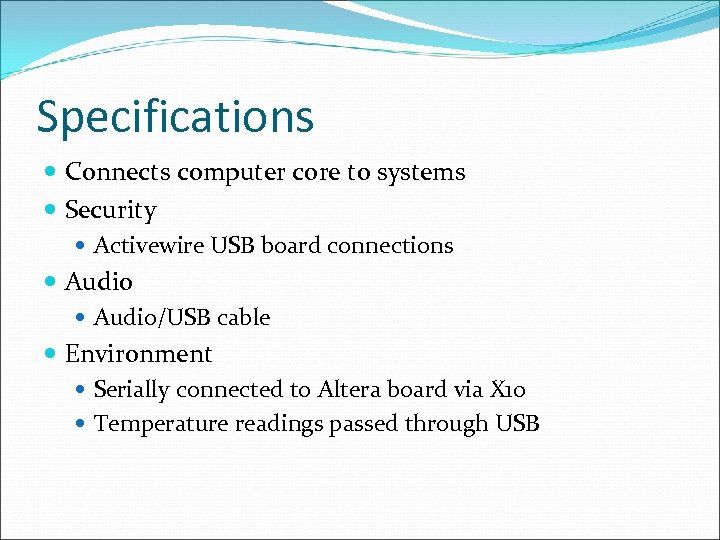
Design: Security System Security Data outputted/received via pins IO 0 / Pin 11 : Lock output IO 1 / Pin 13 : Window input IO 2 / Pin 14: Alarm output Security System 1. User selects to deactivate lock 1 a. IO 0 set High 2. Break-in detected 2 a. IO 1 reads in High 2 b. IO 2 set High
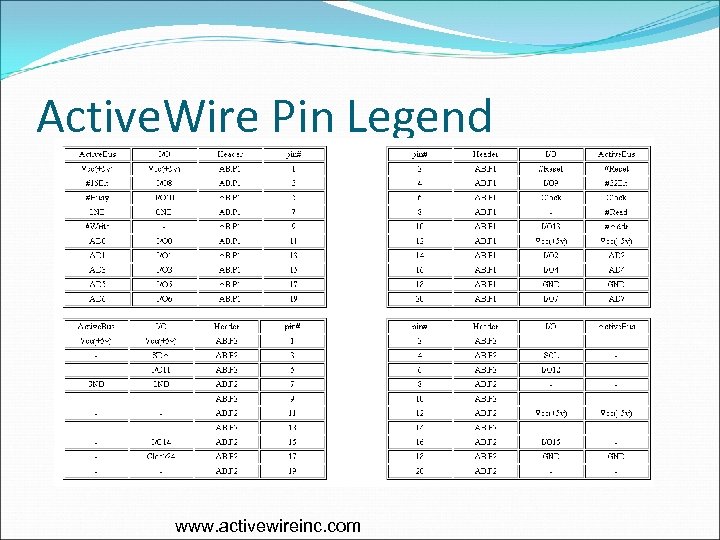
Active. Wire Pin Legend www. activewireinc. com
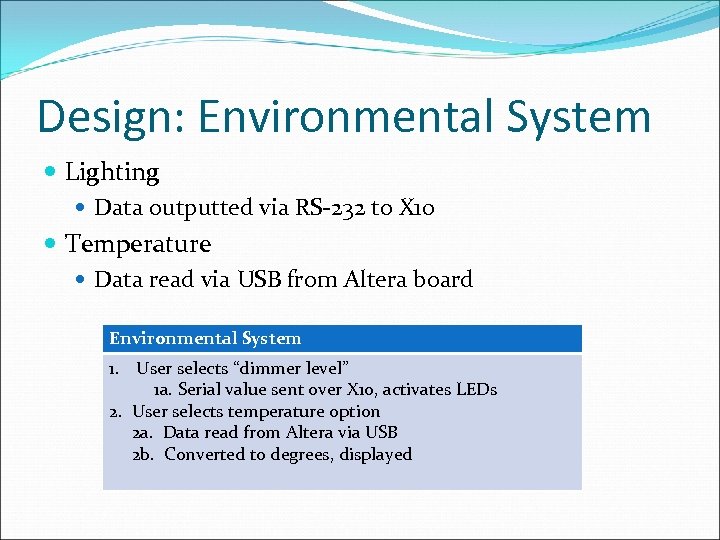
Design: Environmental System Lighting Data outputted via RS-232 to X 10 Temperature Data read via USB from Altera board Environmental System 1. User selects “dimmer level” 1 a. Serial value sent over X 10, activates LEDs 2. User selects temperature option 2 a. Data read from Altera via USB 2 b. Converted to degrees, displayed
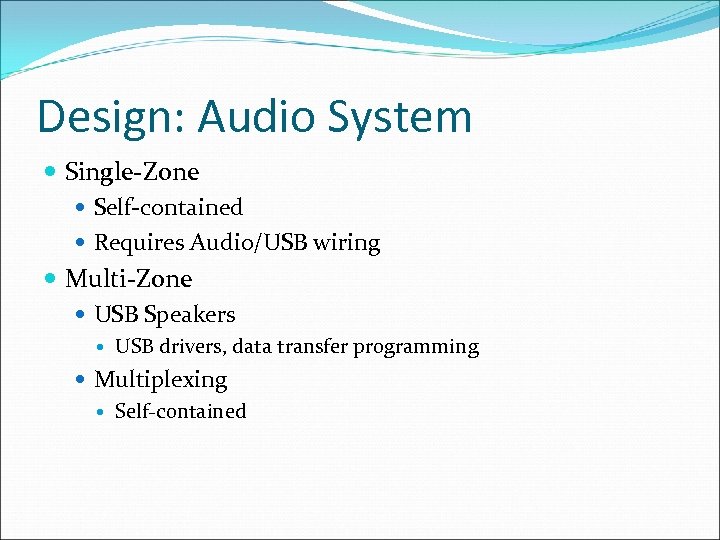
Design: Audio System Single-Zone Self-contained Requires Audio/USB wiring Multi-Zone USB Speakers USB drivers, data transfer programming Multiplexing Self-contained
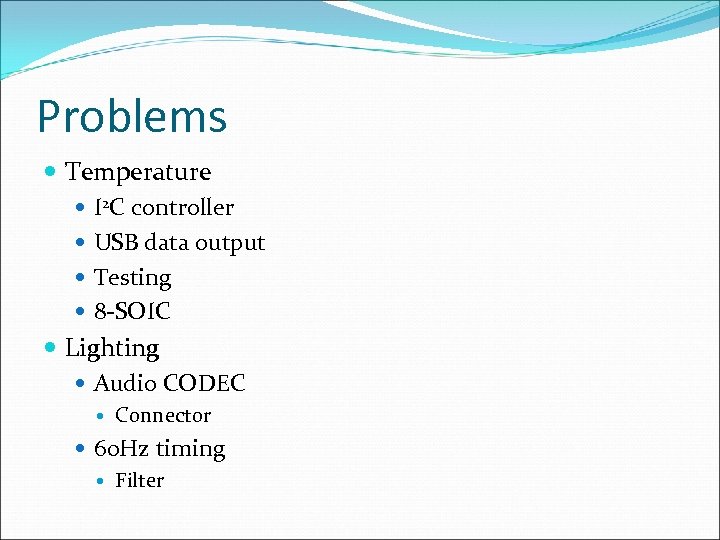
Problems Serial Communication Windows complexity X 10 encoding USB Communication Active. Wire Troubleshooting Input data latching Pin directions Polling/Interrupts GUI Interfacing
GUI Design
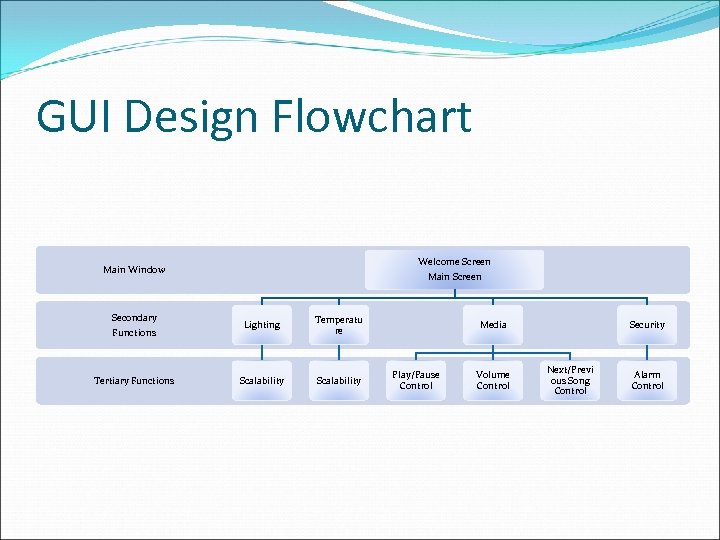
GUI Design Flowchart Welcome Screen Main Window Secondary Functions Tertiary Functions Main Screen Lighting Temperatu re Scalability Media Play/Pause Control Volume Control Security Next/Previ ous Song Control Alarm Control
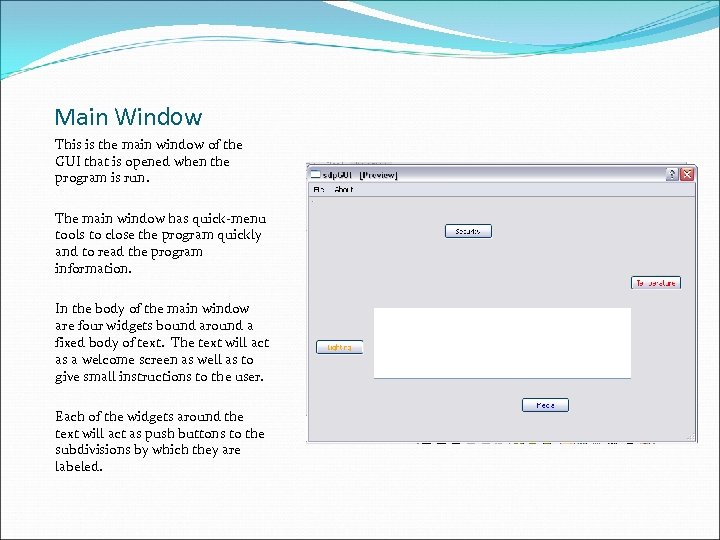
Main Window This is the main window of the GUI that is opened when the program is run. The main window has quick-menu tools to close the program quickly and to read the program information. In the body of the main window are four widgets bound around a fixed body of text. The text will act as a welcome screen as well as to give small instructions to the user. Each of the widgets around the text will act as push buttons to the subdivisions by which they are labeled.
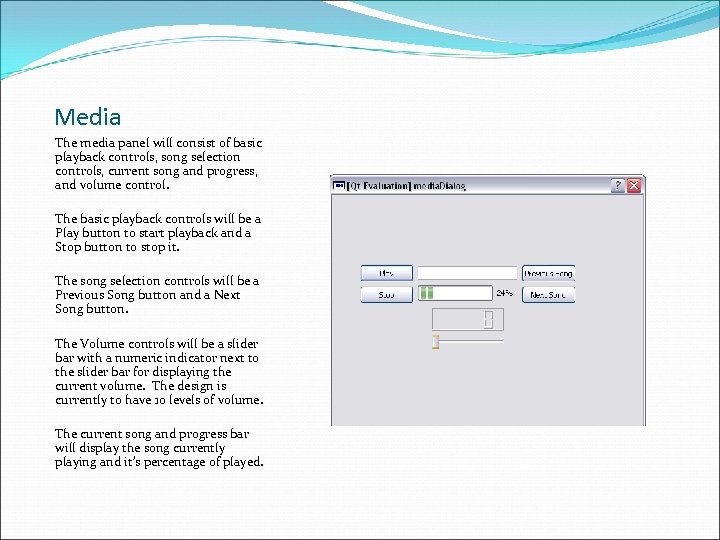
Media The media panel will consist of basic playback controls, song selection controls, current song and progress, and volume control. The basic playback controls will be a Play button to start playback and a Stop button to stop it. The song selection controls will be a Previous Song button and a Next Song button. The Volume controls will be a slider bar with a numeric indicator next to the slider bar for displaying the current volume. The design is currently to have 10 levels of volume. The current song and progress bar will display the song currently playing and it’s percentage of played.
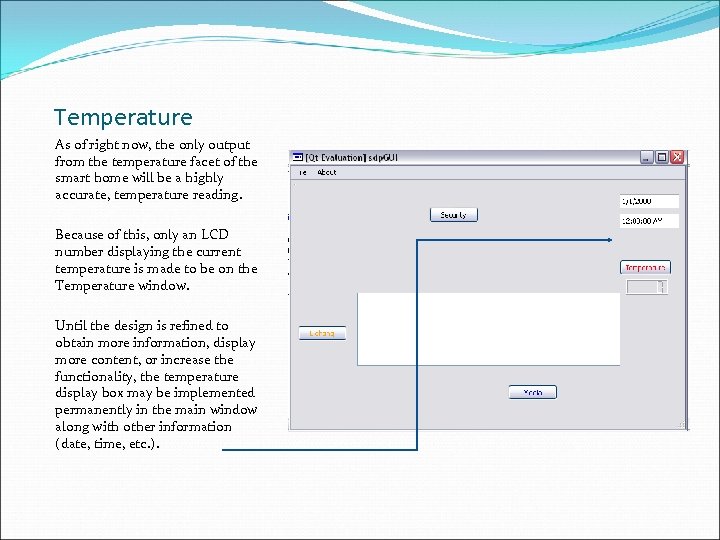
Temperature As of right now, the only output from the temperature facet of the smart home will be a highly accurate, temperature reading. Because of this, only an LCD number displaying the current temperature is made to be on the Temperature window. Until the design is refined to obtain more information, display more content, or increase the functionality, the temperature display box may be implemented permanently in the main window along with other information (date, time, etc. ).
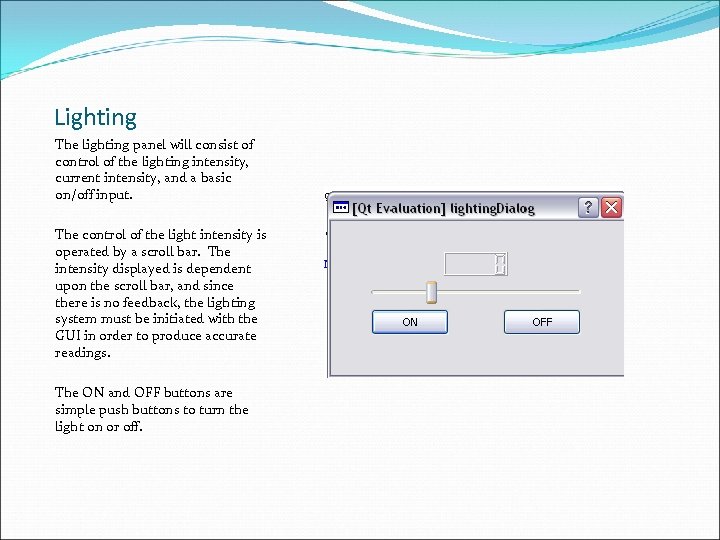
Lighting The lighting panel will consist of control of the lighting intensity, current intensity, and a basic on/off input. The control of the light intensity is operated by a scroll bar. The intensity displayed is dependent upon the scroll bar, and since there is no feedback, the lighting system must be initiated with the GUI in order to produce accurate readings. The ON and OFF buttons are simple push buttons to turn the light on or off.
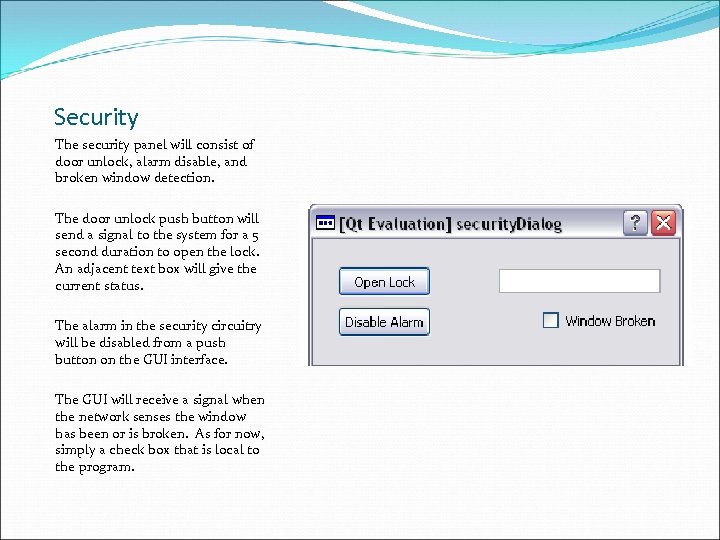
Security The security panel will consist of door unlock, alarm disable, and broken window detection. The door unlock push button will send a signal to the system for a 5 second duration to open the lock. An adjacent text box will give the current status. The alarm in the security circuitry will be disabled from a push button on the GUI interface. The GUI will receive a signal when the network senses the window has been or is broken. As for now, simply a check box that is local to the program.
Problems with Design Style-sheet formatting Coding rules, hierarchies, and order Widgets Development , integration Functionality Difficulties Graphics / Aesthetics Import sizes, formats
Demonstration Plan Environment Dimmer switch control through LEDs Temperature display Security Remote lock control Break-in detection / alarm activation
Demonstration Plan Cont. Audio Mp 3 playback and control Network Core Programming Successful computer control GUI Comprehensive interface
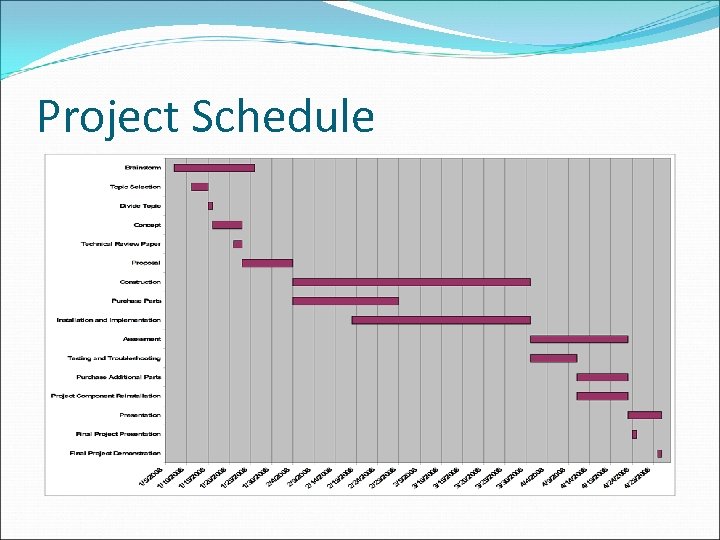
Project Schedule
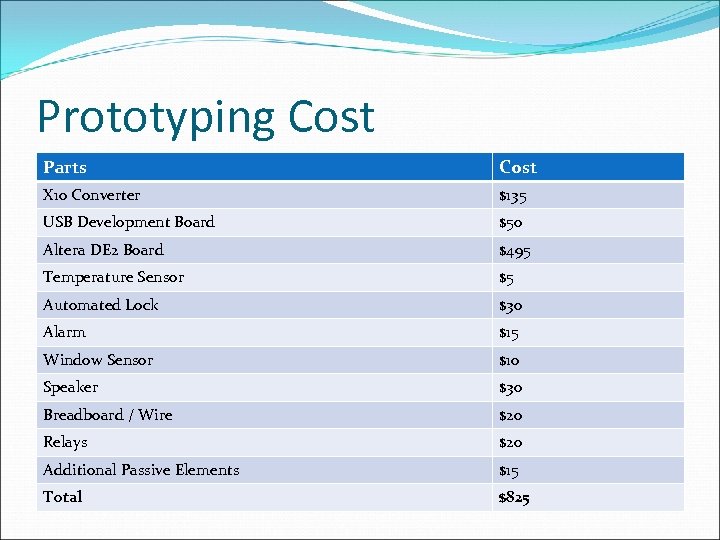
Prototyping Cost Parts Cost X 10 Converter $135 USB Development Board $50 Altera DE 2 Board $495 Temperature Sensor $5 Automated Lock $30 Alarm $15 Window Sensor $10 Speaker $30 Breadboard / Wire $20 Relays $20 Additional Passive Elements $15 Total $825

Selling Cost Itemized Costs Amount Parts Cost $1000 Assembly Labor $15 Testing Labor $15 Total Labor $30 Fringe Benefits, % of Labor $7. 50 Subtotal $1037. 50 Overhead, % of Matl. , Labor & Fringe $570. 63 Subtotal, Input Costs $1608. 13 Sales & Marketing Expenses $750 Warranty & Support Expenses $150 Amortized Development Costs 1. 62 Subtotal, all costs $2509. 74 Profit $490. 26 Selling Price $3000
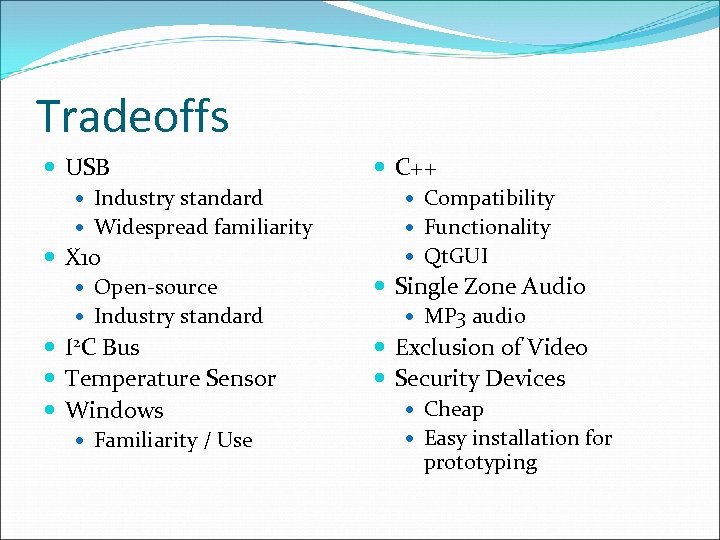
Tradeoffs USB C++ Industry standard Compatibility Widespread familiarity Functionality X 10 Open-source Industry standard I 2 C Bus Temperature Sensor Windows Familiarity / Use Qt. GUI Single Zone Audio MP 3 audio Exclusion of Video Security Devices Cheap Easy installation for prototyping
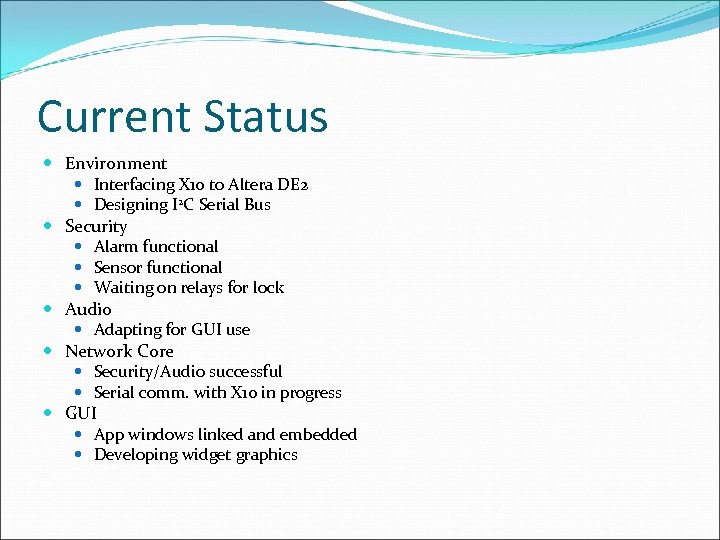
Current Status Environment Interfacing X 10 to Altera DE 2 Designing I 2 C Serial Bus Security Alarm functional Sensor functional Waiting on relays for lock Audio Adapting for GUI use Network Core Security/Audio successful Serial comm. with X 10 in progress GUI App windows linked and embedded Developing widget graphics
Скачать презентацию Smart House Maison Intelligent Members Steven Bellows Matthew
de16480f0bcd857dabca42efefbfa9c3.ppt