


 Скачать презентацию Small Ethernet LANs Chapter 7 Copyright 2001 Prentice
0e9af26e8606bbdd7e963b19941602ae.ppt
- Количество слайдов: 80
 Small Ethernet LANs Chapter 7 Copyright 2001 Prentice Hall Revision 2: July 2001
 Ethernet n The Most Popular LAN Technology – Carries perhaps 80% of all LAN traffic n Created at the Xerox Palo Alto Research Center (PARC) n Initially standardized by Digital Equipment Corporation, Intel, and Xerox – Ethernet Version 2 (Ethernet II) was the final standard of this partnership – Still used on some LANs 2
 LAN Standards n Now, most LAN Standards are Developed by the IEEE – Institute for Electrical and Electronics Engineers – Not just Ethernet LAN standards 3
 LAN Standards n Now, most LAN Standards are Developed by the IEEE – Developed through the IEEE’s 802 LAN MAN Standards Committee n MAN is a metropolitan area network (for a city and its suburbs) – IEEE LAN standards are submitted to ISO for ratification as OSI standards 4
 LAN Standards n 802 Committee has Working Groups – Working groups develop individual standards – Submit to whole 802 committee – 802. 1 develops priority standards and other general standards 802. 3 has taken over the development of new Ethernet standards 802. 5 develops Token-Ring Network standards 802. 11 develops wireless LAN standards – – – 5
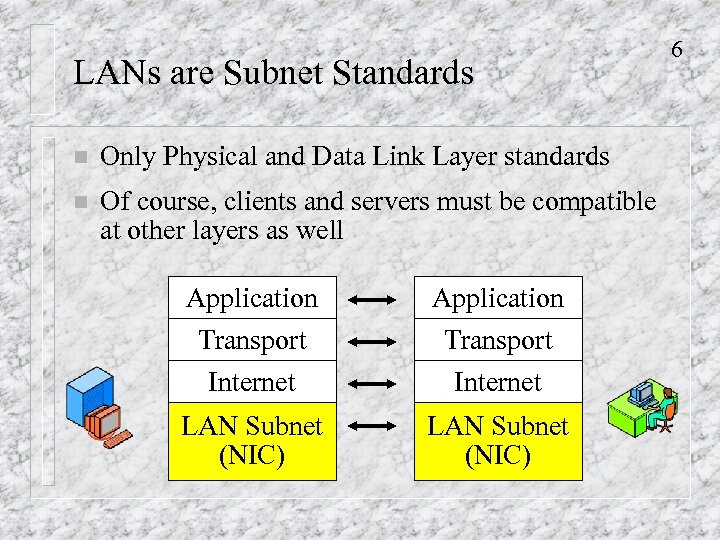 LANs are Subnet Standards n Only Physical and Data Link Layer standards n Of course, clients and servers must be compatible at other layers as well Application Transport Internet LAN Subnet (NIC) 6
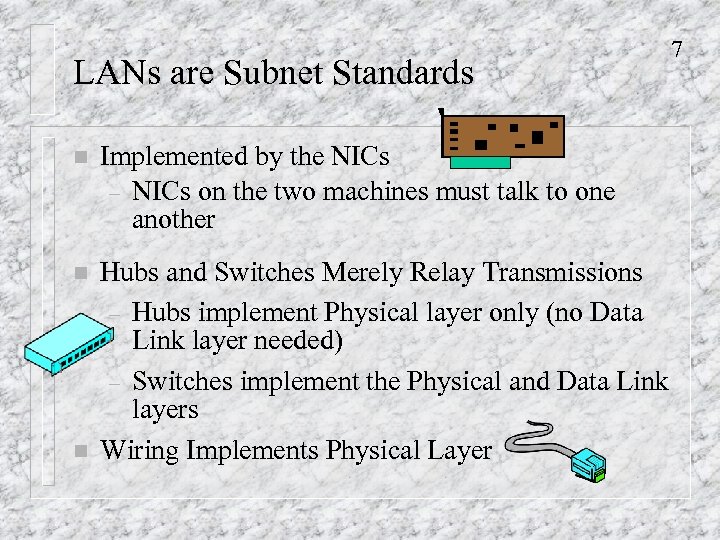 LANs are Subnet Standards n Implemented by the NICs – NICs on the two machines must talk to one another n Hubs and Switches Merely Relay Transmissions – Hubs implement Physical layer only (no Data Link layer needed) – Switches implement the Physical and Data Link layers Wiring Implements Physical Layer n 7
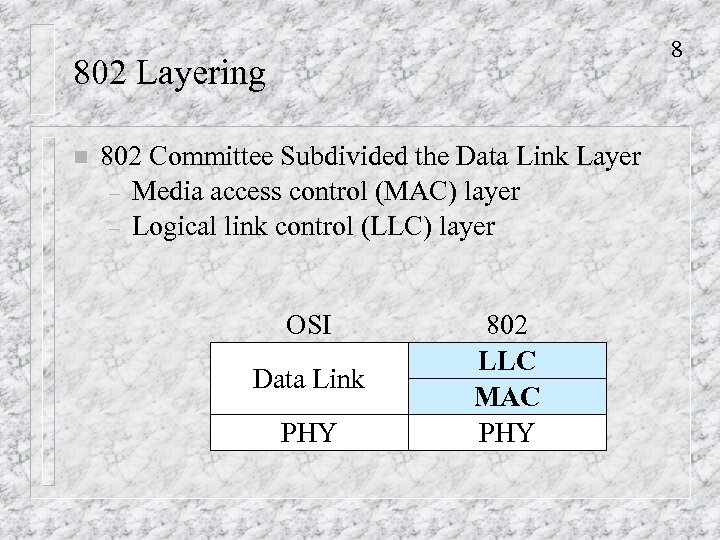 8 802 Layering n 802 Committee Subdivided the Data Link Layer – Media access control (MAC) layer – Logical link control (LLC) layer OSI Data Link PHY 802 LLC MAC PHY
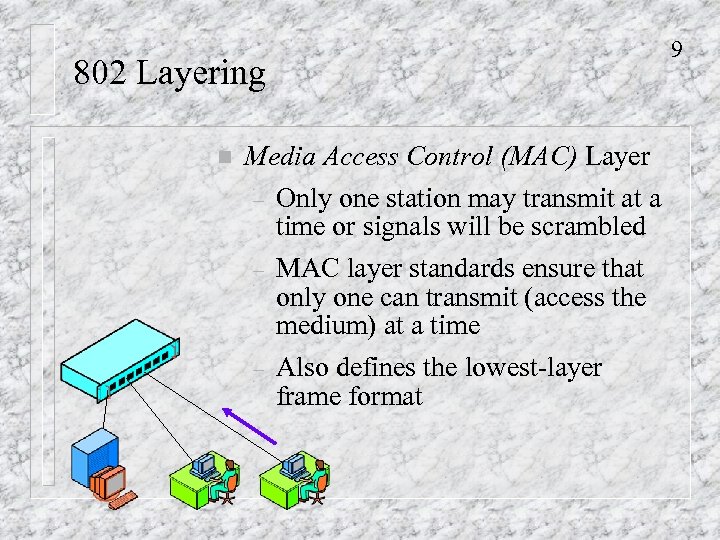 9 802 Layering n Media Access Control (MAC) Layer – Only one station may transmit at a time or signals will be scrambled – MAC layer standards ensure that only one can transmit (access the medium) at a time Also defines the lowest-layer frame format –
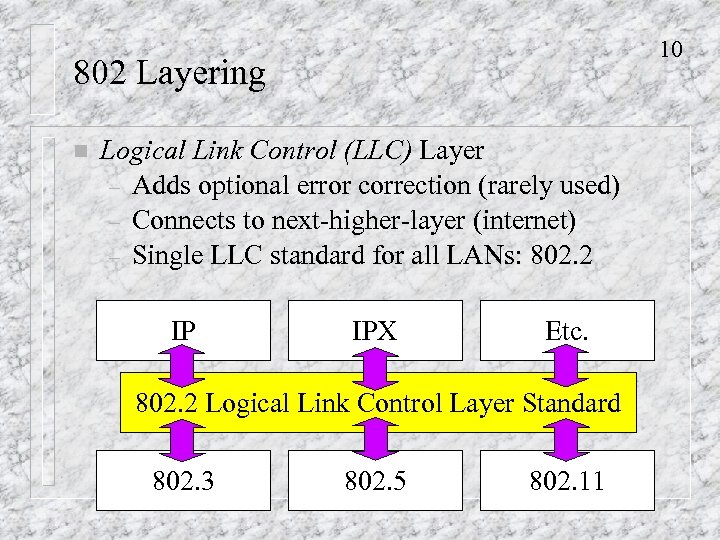 10 802 Layering n Logical Link Control (LLC) Layer – Adds optional error correction (rarely used) – Connects to next-higher-layer (internet) – Single LLC standard for all LANs: 802. 2 IP IPX Etc. 802. 2 Logical Link Control Layer Standard 802. 3 802. 5 802. 11
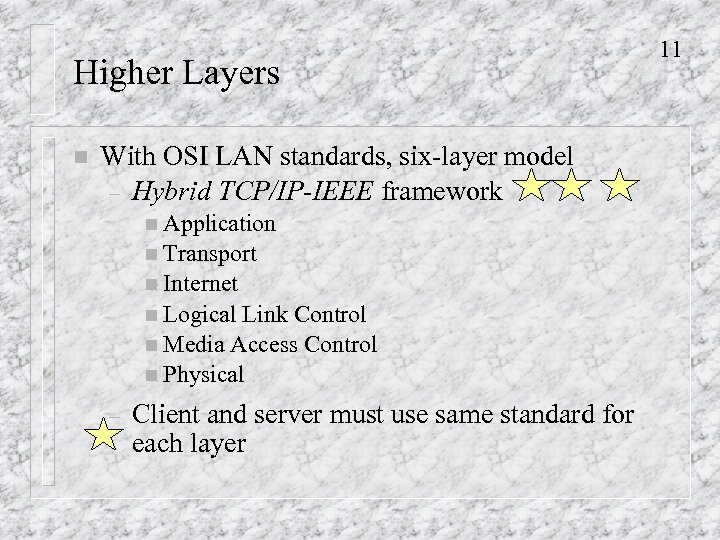 Higher Layers n With OSI LAN standards, six-layer model – Hybrid TCP/IP-IEEE framework n Application n Transport n Internet n Logical Link Control n Media Access Control n Physical – Client and server must use same standard for each layer 11
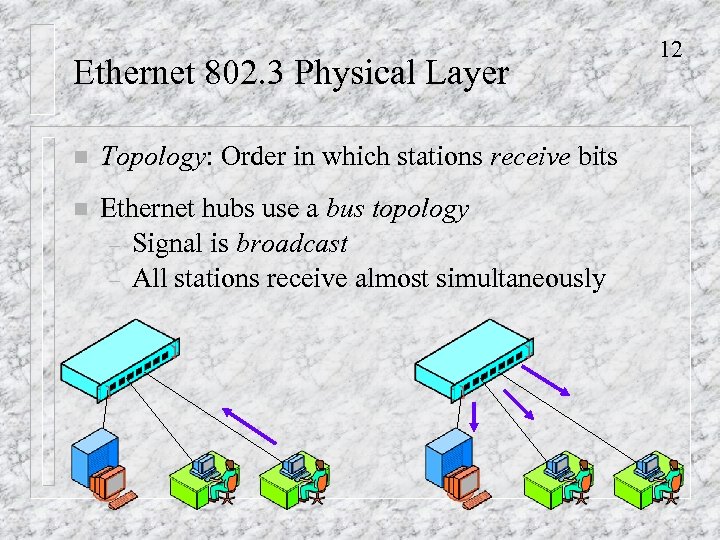 Ethernet 802. 3 Physical Layer n Topology: Order in which stations receive bits n Ethernet hubs use a bus topology – Signal is broadcast – All stations receive almost simultaneously 12
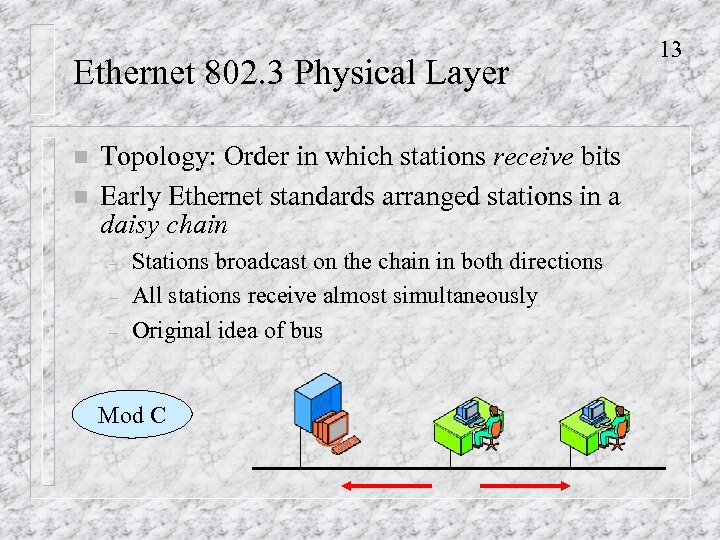 Ethernet 802. 3 Physical Layer n n Topology: Order in which stations receive bits Early Ethernet standards arranged stations in a daisy chain – – – Stations broadcast on the chain in both directions All stations receive almost simultaneously Original idea of bus Mod C 13
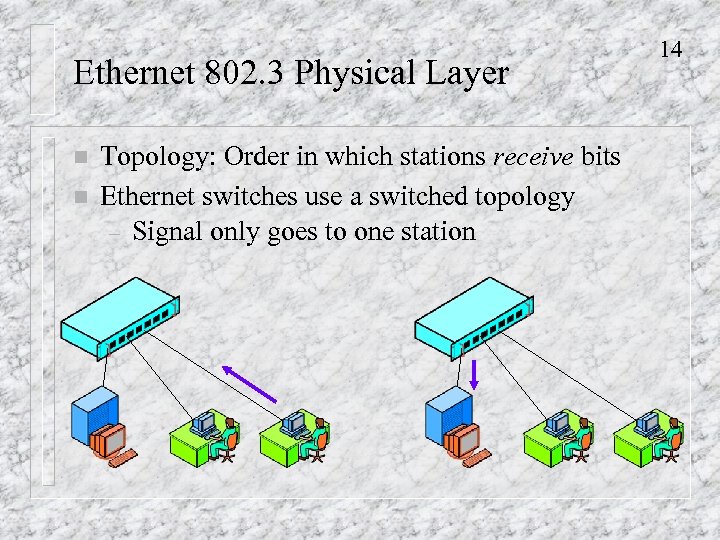 Ethernet 802. 3 Physical Layer n n Topology: Order in which stations receive bits Ethernet switches use a switched topology – Signal only goes to one station 14
 Ethernet 802. 3 Physical Layer 15 n Ethernet began as a bus network n Some question whether Ethernet switching is really Ethernet n However, hubs will be disappearing in the next few years, and almost all Ethernet will be switched
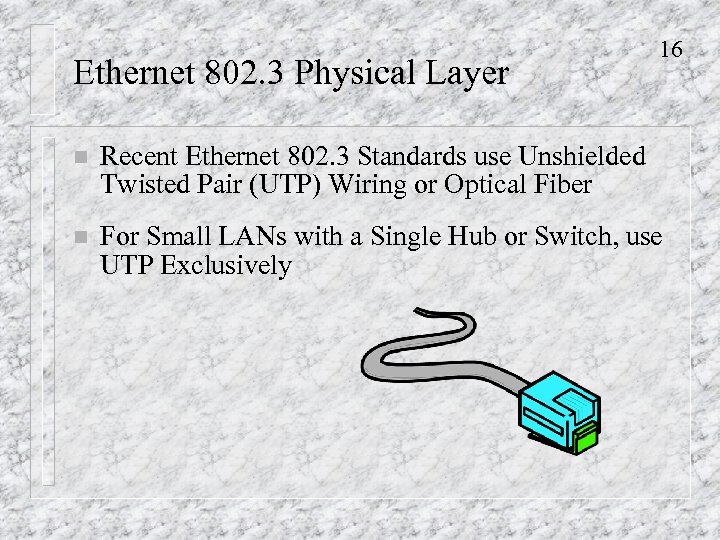 Ethernet 802. 3 Physical Layer 16 n Recent Ethernet 802. 3 Standards use Unshielded Twisted Pair (UTP) Wiring or Optical Fiber n For Small LANs with a Single Hub or Switch, use UTP Exclusively
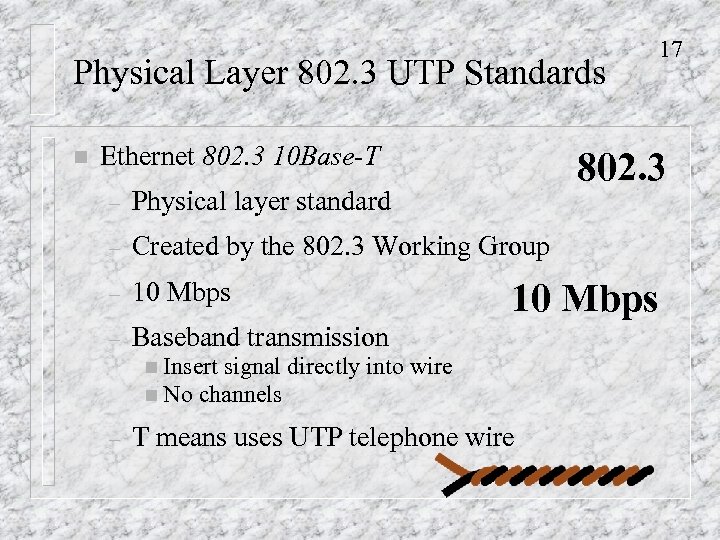 Physical Layer 802. 3 UTP Standards n Ethernet 802. 3 10 Base-T 802. 3 – Physical layer standard – Created by the 802. 3 Working Group – 10 Mbps – Baseband transmission n Insert signal directly n No channels – 17 10 Mbps into wire T means uses UTP telephone wire
 Physical Layer 802. 3 UTP Standards n 18 Ethernet 802. 3 100 Base-TX – – n 100 Mbps 100 Base-TX: Not just 100 Base-T because other 100 Mbps UTP standards were created but were not used significantly Ethernet 802. 3 1000 Base-T – Gigabit Ethernet – Overkill for small LANs
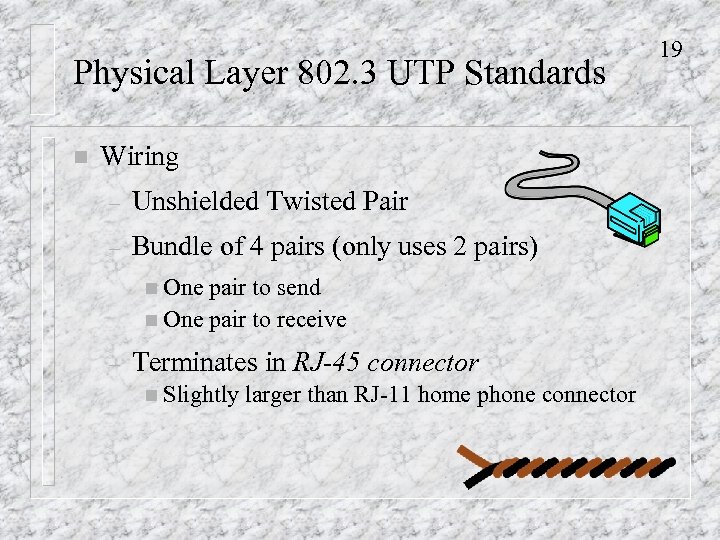 Physical Layer 802. 3 UTP Standards n Wiring – Unshielded Twisted Pair – Bundle of 4 pairs (only uses 2 pairs) n One pair to send n One pair to receive – Terminates in RJ-45 connector n Slightly larger than RJ-11 home phone connector 19
 Physical Layer 802. 3 UTP Standards n Categories of UTP Wiring n For 10 Base-T – Categories 3, 4, or 5 are OK – However, most installed wiring is Cat 5 n For 100 Base-TX, Cat 5 is required n For Gigabit Ethernet, better to use Enhanced Category 5 (Cat 5 e) n Cat 5 e is now recommended for all new LANs in the TIA/EIA-568 standard New 20
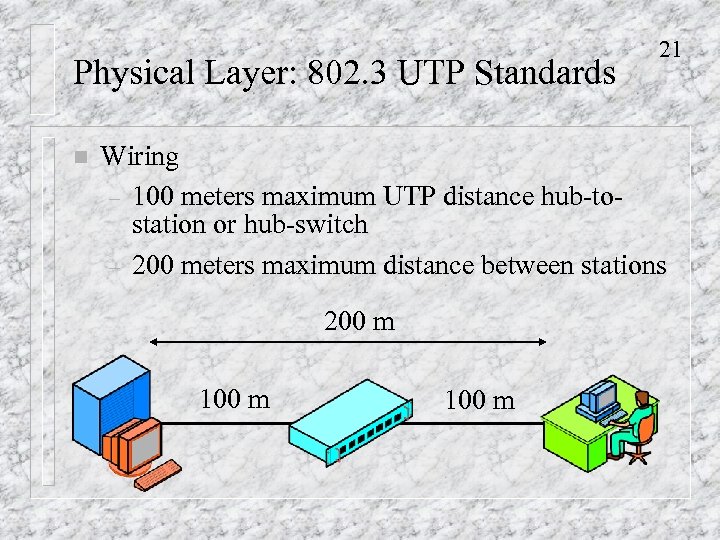 Physical Layer: 802. 3 UTP Standards n 21 Wiring – 100 meters maximum UTP distance hub-tostation or hub-switch – 200 meters maximum distance between stations 200 m 100 m
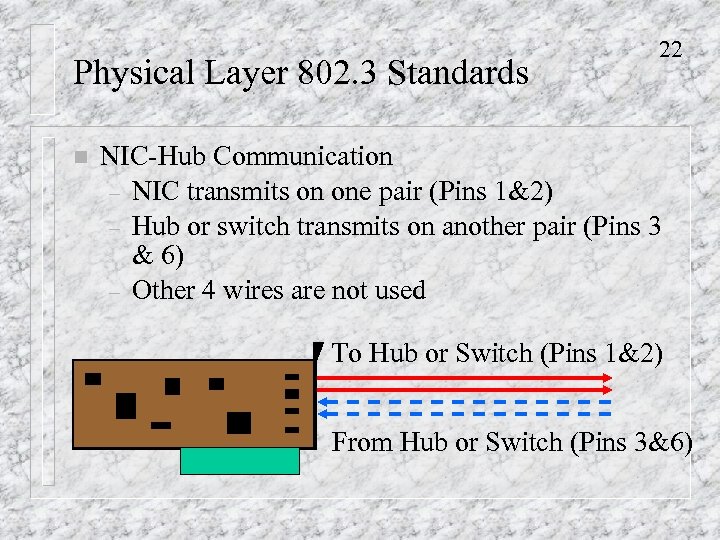 Physical Layer 802. 3 Standards n 22 NIC-Hub Communication – NIC transmits on one pair (Pins 1&2) – Hub or switch transmits on another pair (Pins 3 & 6) – Other 4 wires are not used To Hub or Switch (Pins 1&2) From Hub or Switch (Pins 3&6)
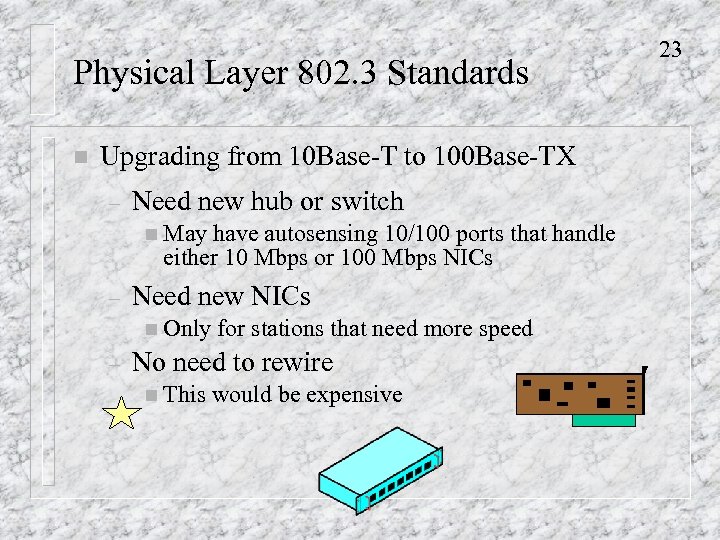 Physical Layer 802. 3 Standards n Upgrading from 10 Base-T to 100 Base-TX – Need new hub or switch n May have autosensing 10/100 ports that handle either 10 Mbps or 100 Mbps NICs – Need new NICs n Only – for stations that need more speed No need to rewire n This would be expensive 23
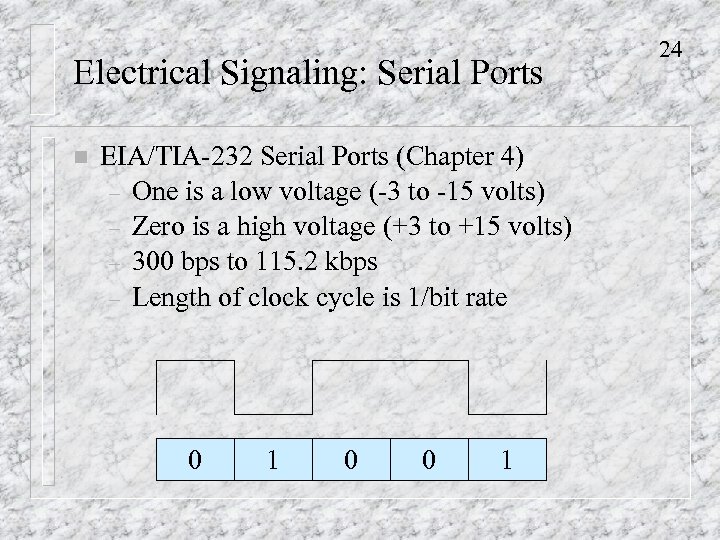 Electrical Signaling: Serial Ports n EIA/TIA-232 Serial Ports (Chapter 4) – One is a low voltage (-3 to -15 volts) – Zero is a high voltage (+3 to +15 volts) – 300 bps to 115. 2 kbps – Length of clock cycle is 1/bit rate 0 1 0 0 1 24
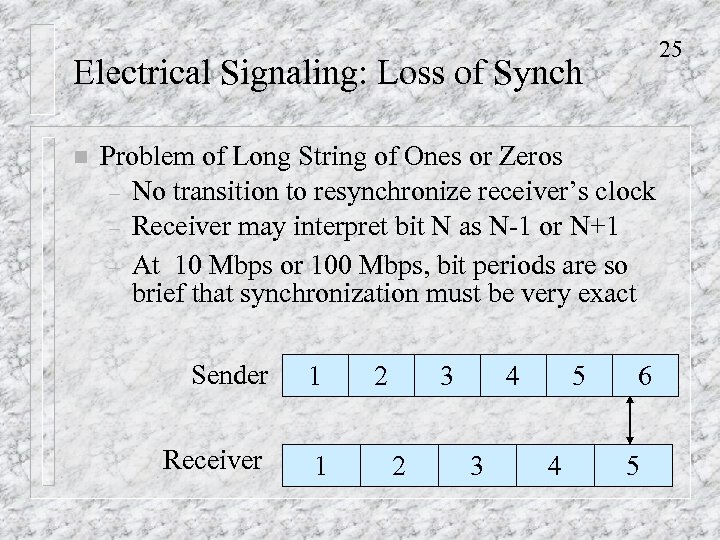 25 Electrical Signaling: Loss of Synch n Problem of Long String of Ones or Zeros – No transition to resynchronize receiver’s clock – Receiver may interpret bit N as N-1 or N+1 – At 10 Mbps or 100 Mbps, bit periods are so brief that synchronization must be very exact Sender 1 Receiver 1 2 3 2 4 3 5 4 6 5
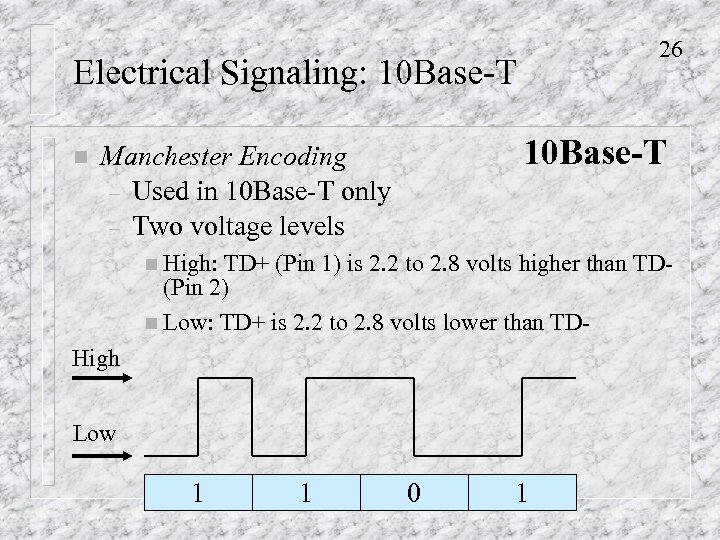 26 Electrical Signaling: 10 Base-T n 10 Base-T Manchester Encoding – Used in 10 Base-T only – Two voltage levels n High: TD+ (Pin 1) is 2. 2 to 2. 8 volts higher than TD(Pin 2) n Low: TD+ is 2. 2 to 2. 8 volts lower than TDHigh Low 1 1 0 1
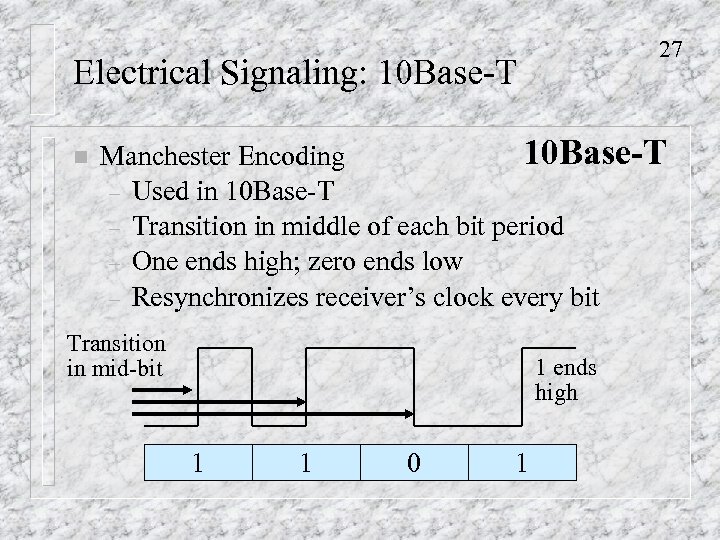 27 Electrical Signaling: 10 Base-T n 10 Base-T Manchester Encoding – Used in 10 Base-T – Transition in middle of each bit period – One ends high; zero ends low – Resynchronizes receiver’s clock every bit Transition in mid-bit 1 ends high 1 1 0 1
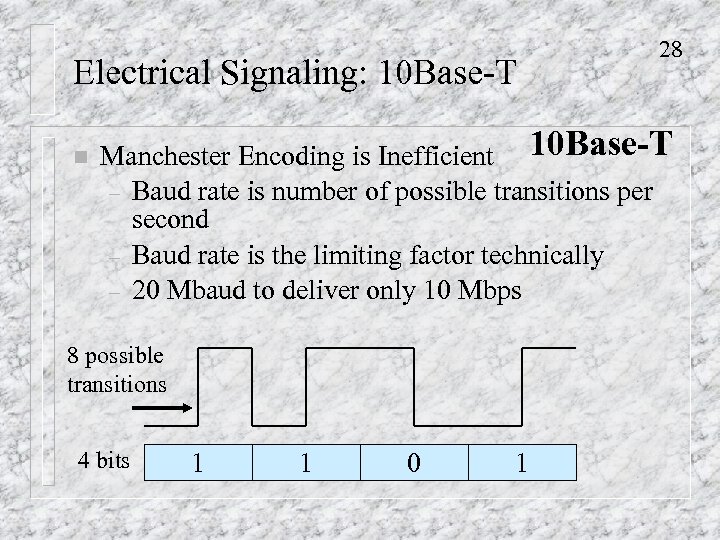 Electrical Signaling: 10 Base-T n 28 Manchester Encoding is Inefficient 10 Base-T – Baud rate is number of possible transitions per second – Baud rate is the limiting factor technically – 20 Mbaud to deliver only 10 Mbps 8 possible transitions 4 bits 1 1 0 1
 29 Older Ethernet Standards Mod C n Do Not Use Hubs or Switches n Daisy-Chain Layouts 10 Base 5 – Uses attachment unit interface (AUI) ports – D connector with 8 holes in top row, 7 holes in bottom row (15 total) – AUI is the normal Ethernet connector in Cisco routers New – Must have an AUI-to-RJ 45 converter to connect UTP to an AUI connector n
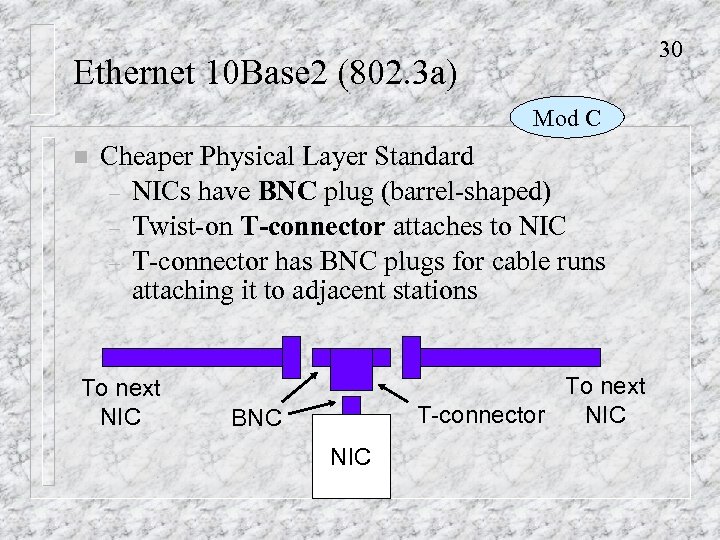 30 Ethernet 10 Base 2 (802. 3 a) Mod C n Cheaper Physical Layer Standard – NICs have BNC plug (barrel-shaped) – Twist-on T-connector attaches to NIC – T-connector has BNC plugs for cable runs attaching it to adjacent stations To next NIC To next T-connector NIC BNC NIC
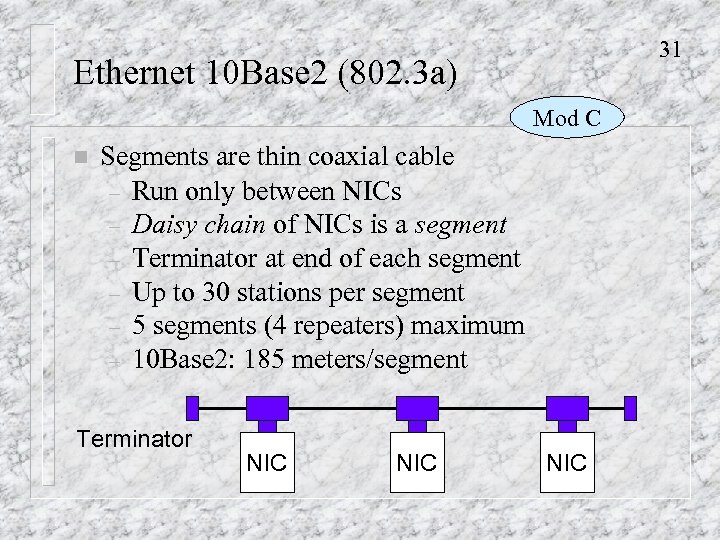 31 Ethernet 10 Base 2 (802. 3 a) Mod C n Segments are thin coaxial cable – Run only between NICs – Daisy chain of NICs is a segment – Terminator at end of each segment – Up to 30 stations per segment – 5 segments (4 repeaters) maximum – 10 Base 2: 185 meters/segment Terminator NIC NIC
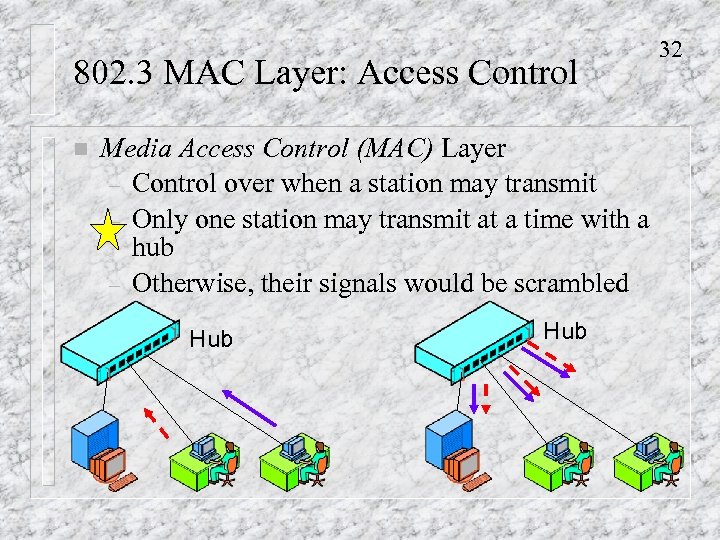 802. 3 MAC Layer: Access Control n Media Access Control (MAC) Layer – Control over when a station may transmit – Only one station may transmit at a time with a hub – Otherwise, their signals would be scrambled Hub 32
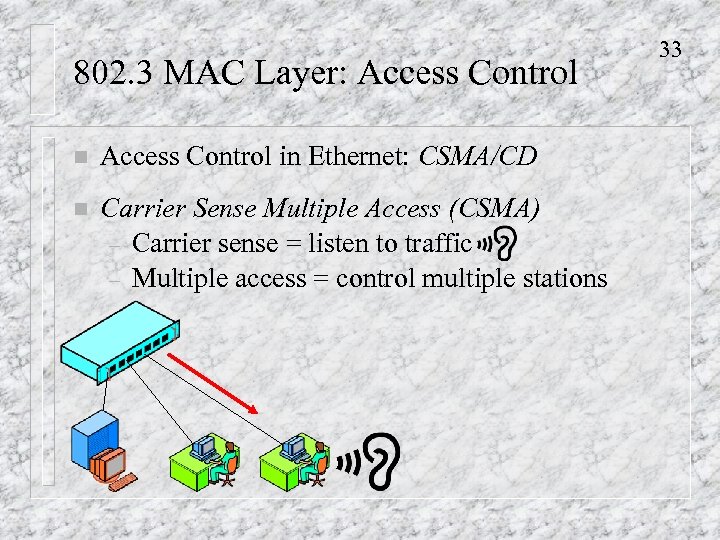 802. 3 MAC Layer: Access Control n Access Control in Ethernet: CSMA/CD n Carrier Sense Multiple Access (CSMA) – Carrier sense = listen to traffic – Multiple access = control multiple stations 33
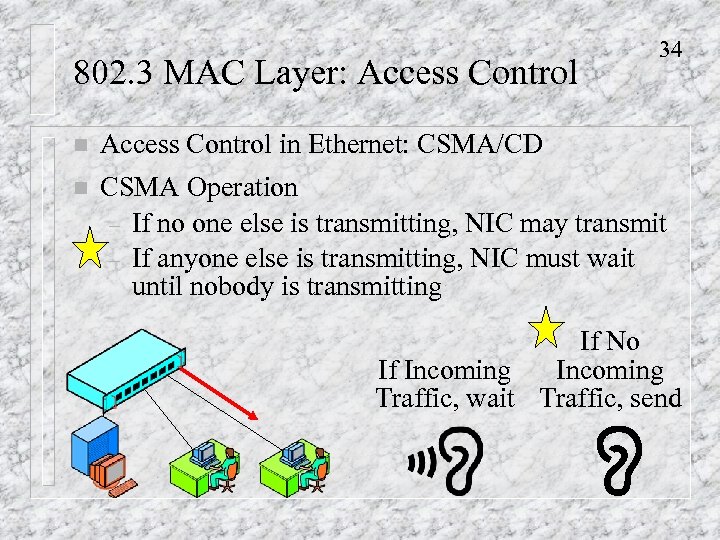 802. 3 MAC Layer: Access Control 34 n Access Control in Ethernet: CSMA/CD n CSMA Operation – If no one else is transmitting, NIC may transmit – If anyone else is transmitting, NIC must wait until nobody is transmitting If No Incoming If Incoming Traffic, wait Traffic, send
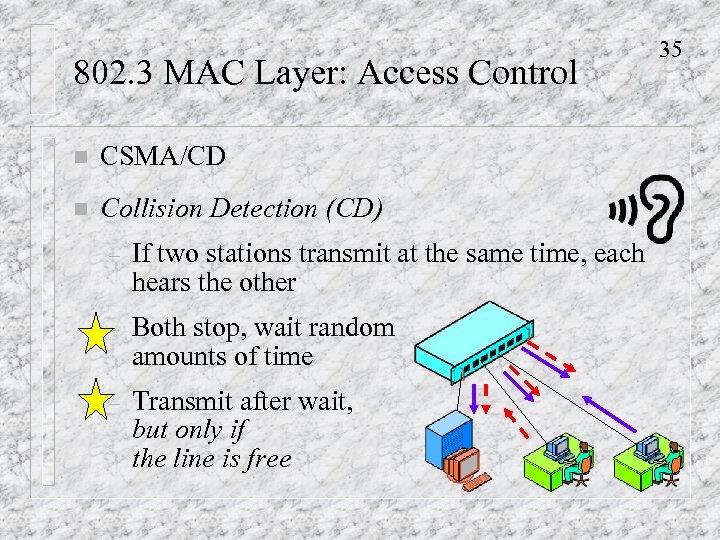 802. 3 MAC Layer: Access Control n CSMA/CD n Collision Detection (CD) – If two stations transmit at the same time, each hears the other – Both stop, wait random amounts of time – Transmit after wait, but only if the line is free 35
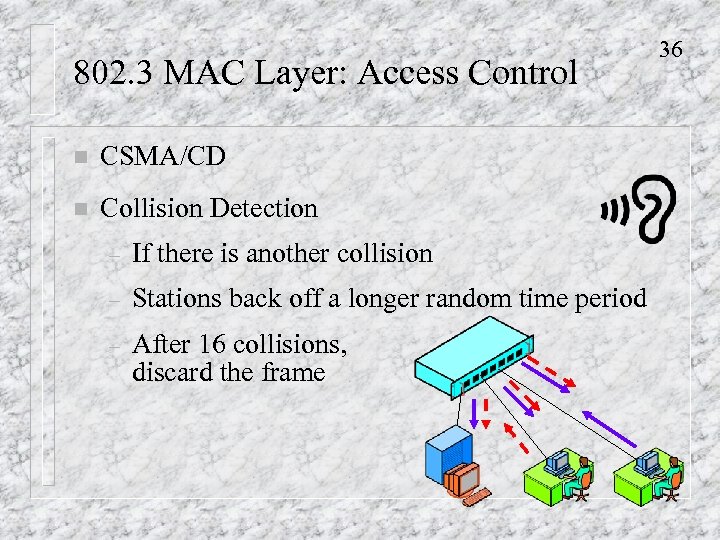 802. 3 MAC Layer: Access Control n CSMA/CD n Collision Detection – If there is another collision – Stations back off a longer random time period – After 16 collisions, discard the frame 36
 802. 3 MAC Layer: Access Control n How to Describe CSMA/CD n 1. First describe CSMA n 2. Second, describe collision detection n 3. Third, describe what happens if there are multiple collisions 37
 802. 3 MAC Layer: Access Control n Switches Do Not Need CSMA/CD – No danger of collision – Can even work in full duplex (802. 3 x), with NICs sending and receiving at the same time n However, Ordinary NICs Can Work With Switches – Only hear other traffic if the traffic is directed at them, so waits to transmit are rare and brief 38
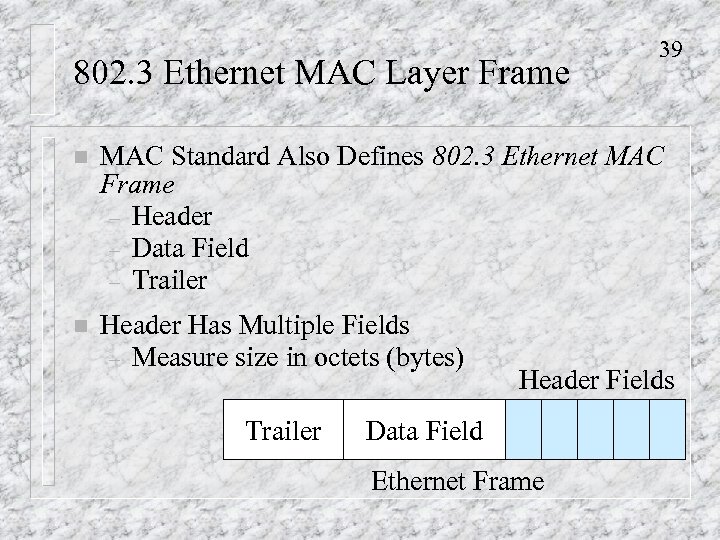 802. 3 Ethernet MAC Layer Frame 39 n MAC Standard Also Defines 802. 3 Ethernet MAC Frame – Header – Data Field – Trailer n Header Has Multiple Fields – Measure size in octets (bytes) Trailer Header Fields Data Field Ethernet Frame
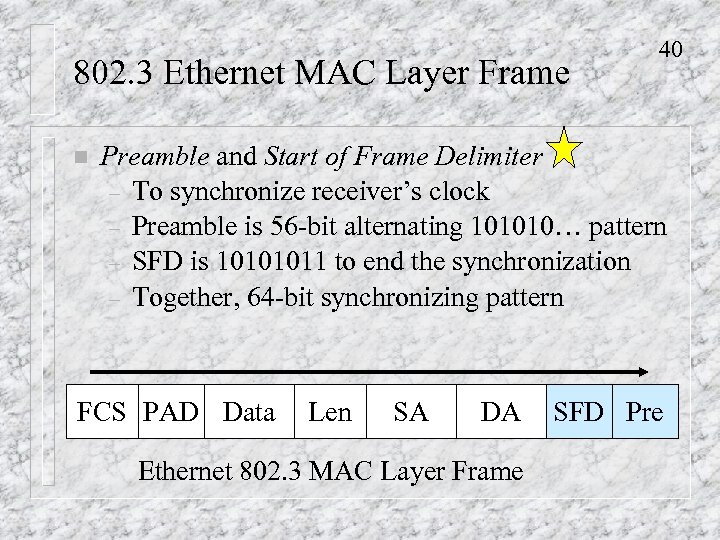 802. 3 Ethernet MAC Layer Frame n 40 Preamble and Start of Frame Delimiter – To synchronize receiver’s clock – Preamble is 56 -bit alternating 101010… pattern – SFD is 10101011 to end the synchronization – Together, 64 -bit synchronizing pattern FCS PAD Data Len SA DA Ethernet 802. 3 MAC Layer Frame SFD Pre
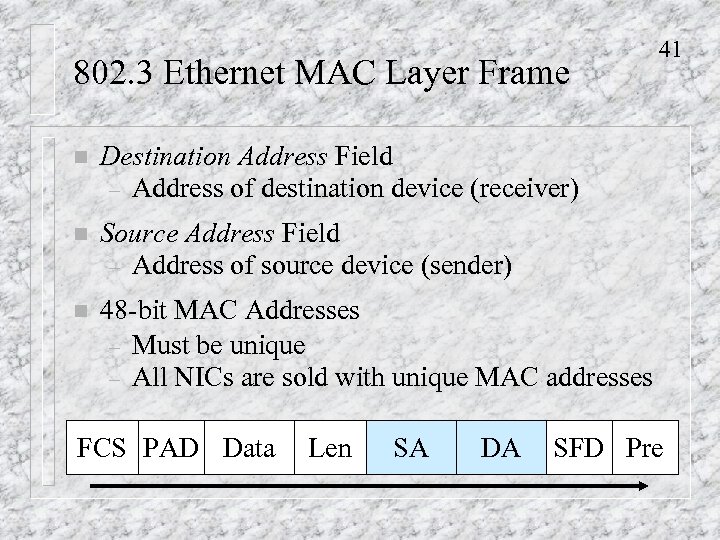 802. 3 Ethernet MAC Layer Frame n Destination Address Field – Address of destination device (receiver) n Source Address Field – Address of source device (sender) n 41 48 -bit MAC Addresses – Must be unique – All NICs are sold with unique MAC addresses FCS PAD Data Len SA DA SFD Pre
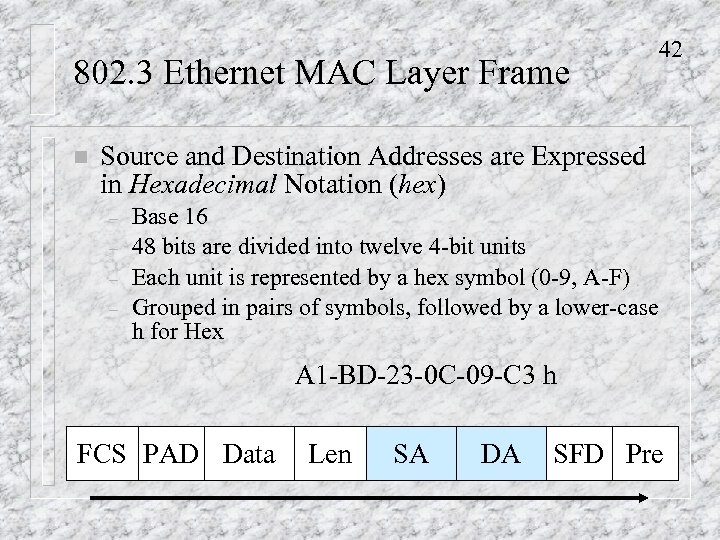 802. 3 Ethernet MAC Layer Frame n 42 Source and Destination Addresses are Expressed in Hexadecimal Notation (hex) – – Base 16 48 bits are divided into twelve 4 -bit units Each unit is represented by a hex symbol (0 -9, A-F) Grouped in pairs of symbols, followed by a lower-case h for Hex A 1 -BD-23 -0 C-09 -C 3 h FCS PAD Data Len SA DA SFD Pre
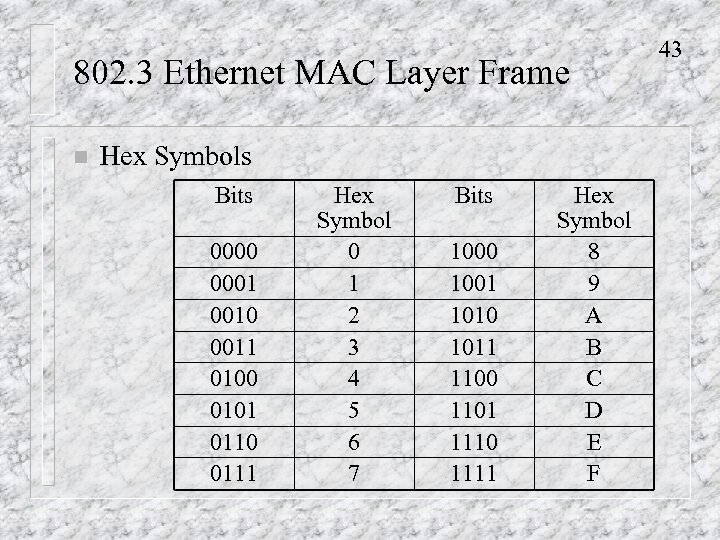 802. 3 Ethernet MAC Layer Frame n Hex Symbols Bits 0000 0001 0010 0011 0100 0101 0110 0111 Hex Symbol 0 1 2 3 4 5 6 7 Bits 1000 1001 1010 1011 1100 1101 1110 1111 Hex Symbol 8 9 A B C D E F 43
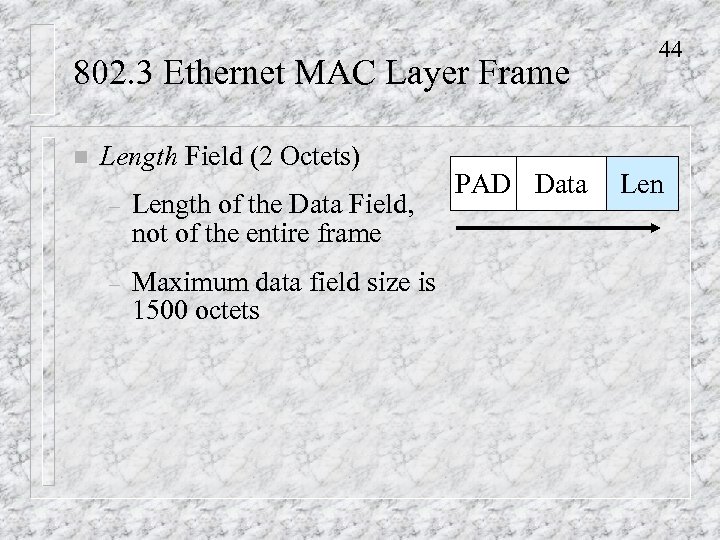 802. 3 Ethernet MAC Layer Frame n Length Field (2 Octets) – Length of the Data Field, not of the entire frame – Maximum data field size is 1500 octets PAD Data 44 Len
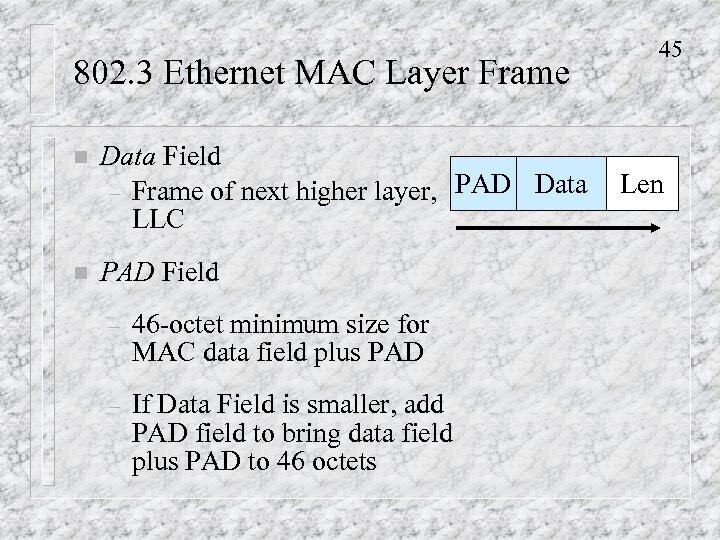 802. 3 Ethernet MAC Layer Frame n Data Field – Frame of next higher layer, PAD Data LLC n PAD Field – 46 -octet minimum size for MAC data field plus PAD – If Data Field is smaller, add PAD field to bring data field plus PAD to 46 octets 45 Len
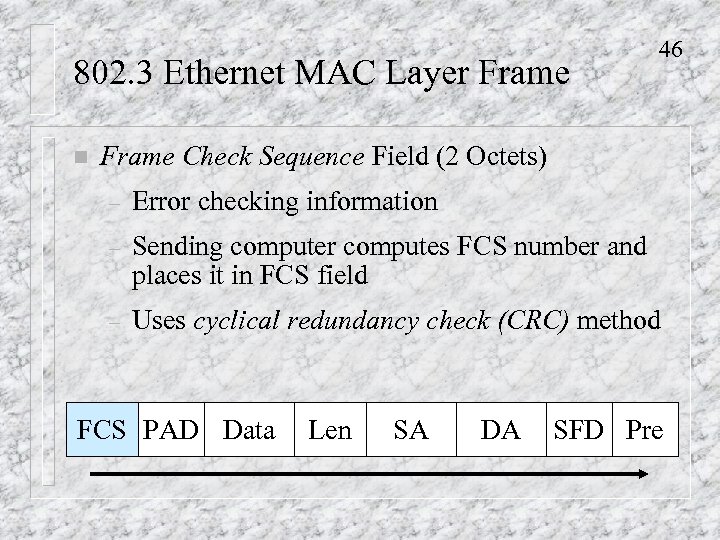 802. 3 Ethernet MAC Layer Frame n 46 Frame Check Sequence Field (2 Octets) – Error checking information – Sending computer computes FCS number and places it in FCS field – Uses cyclical redundancy check (CRC) method FCS PAD Data Len SA DA SFD Pre
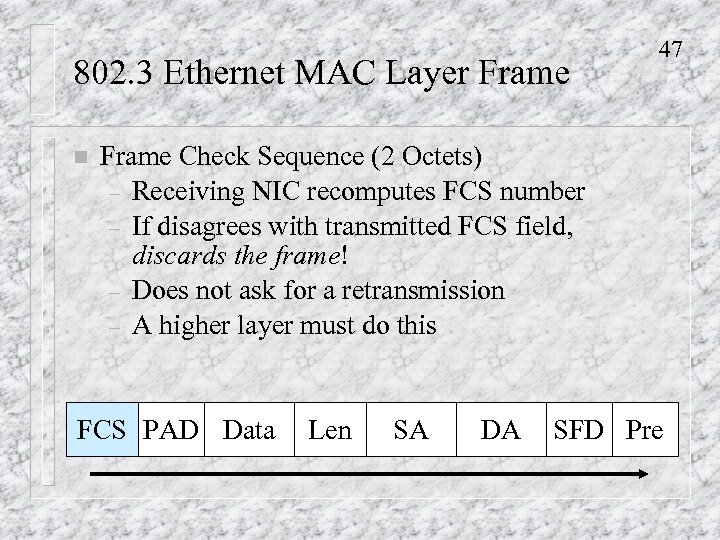 802. 3 Ethernet MAC Layer Frame n 47 Frame Check Sequence (2 Octets) – Receiving NIC recomputes FCS number – If disagrees with transmitted FCS field, discards the frame! – Does not ask for a retransmission – A higher layer must do this FCS PAD Data Len SA DA SFD Pre
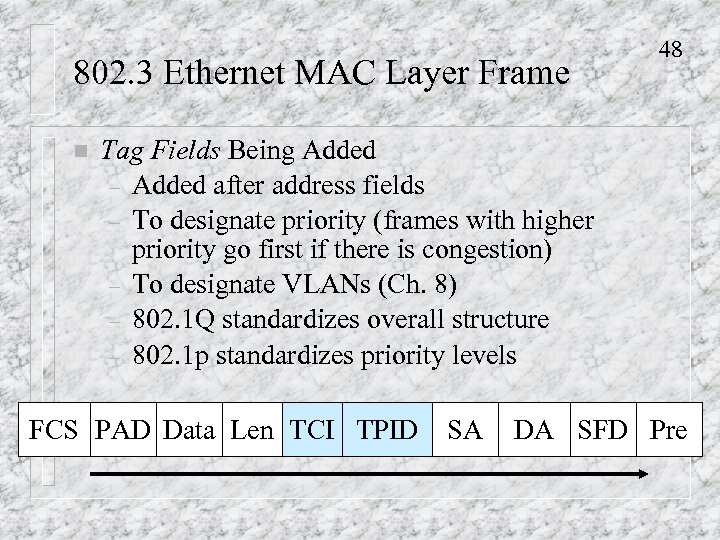 802. 3 Ethernet MAC Layer Frame n 48 Tag Fields Being Added – Added after address fields – To designate priority (frames with higher priority go first if there is congestion) – To designate VLANs (Ch. 8) – 802. 1 Q standardizes overall structure – 802. 1 p standardizes priority levels FCS PAD Data Len TCI TPID SA DA SFD Pre
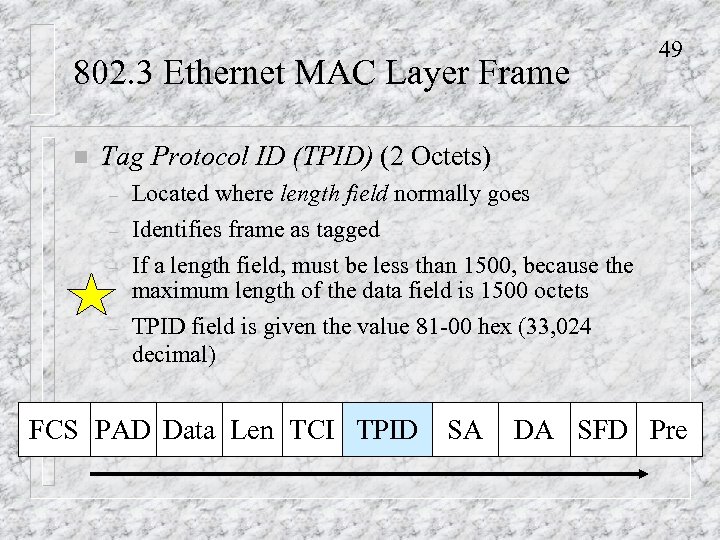 802. 3 Ethernet MAC Layer Frame n 49 Tag Protocol ID (TPID) (2 Octets) – Located where length field normally goes – Identifies frame as tagged If a length field, must be less than 1500, because the maximum length of the data field is 1500 octets TPID field is given the value 81 -00 hex (33, 024 decimal) – – FCS PAD Data Len TCI TPID SA DA SFD Pre
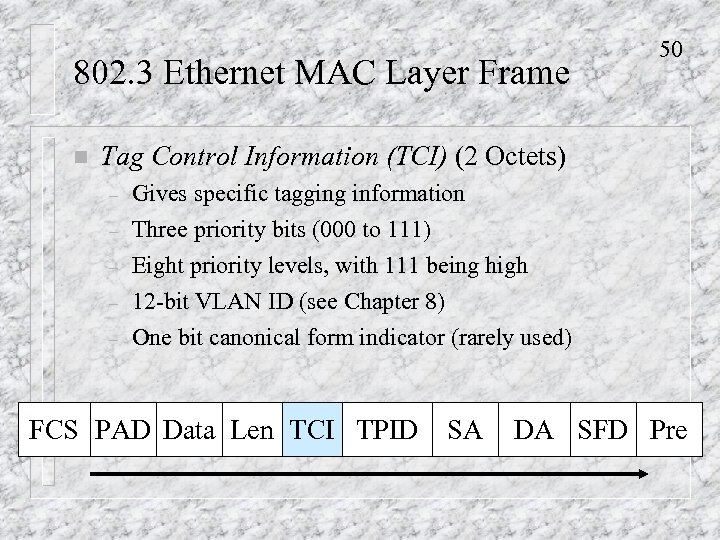 802. 3 Ethernet MAC Layer Frame n 50 Tag Control Information (TCI) (2 Octets) – Gives specific tagging information – Three priority bits (000 to 111) Eight priority levels, with 111 being high 12 -bit VLAN ID (see Chapter 8) One bit canonical form indicator (rarely used) – – – FCS PAD Data Len TCI TPID SA DA SFD Pre
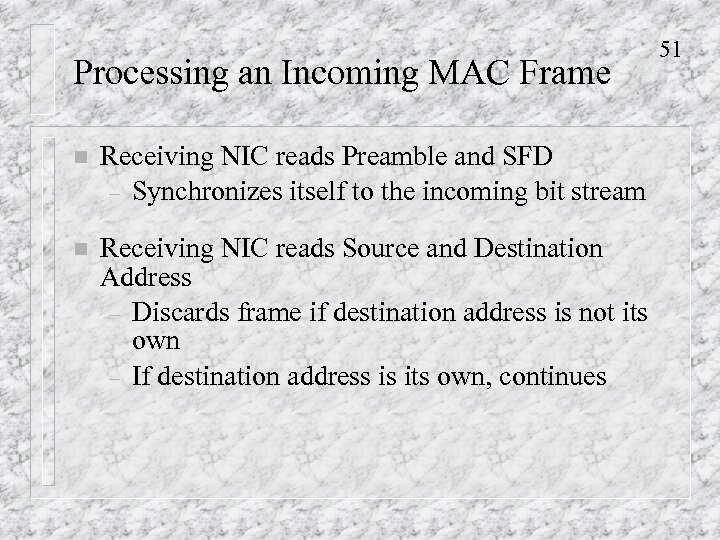 Processing an Incoming MAC Frame n Receiving NIC reads Preamble and SFD – Synchronizes itself to the incoming bit stream n Receiving NIC reads Source and Destination Address – Discards frame if destination address is not its own – If destination address is its own, continues 51
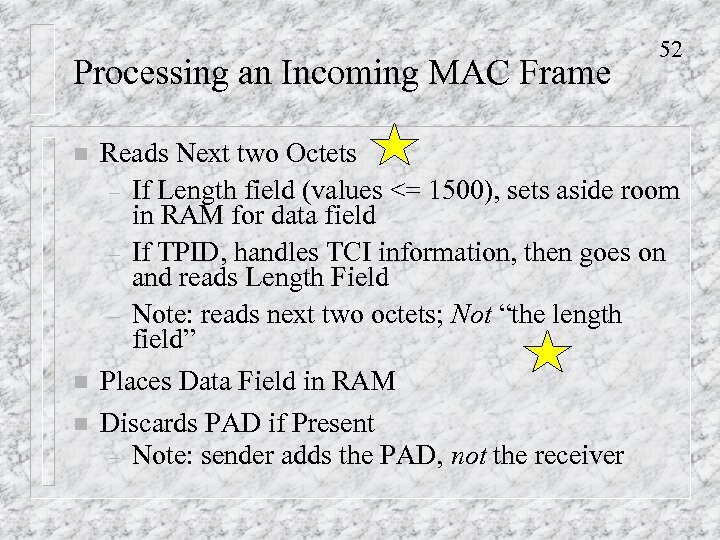 Processing an Incoming MAC Frame 52 n Reads Next two Octets – If Length field (values <= 1500), sets aside room in RAM for data field – If TPID, handles TCI information, then goes on and reads Length Field – Note: reads next two octets; Not “the length field” n Places Data Field in RAM Discards PAD if Present – Note: sender adds the PAD, not the receiver n
 Processing an Incoming MAC Frame n Examines Frame Check Sequence – Recomputes the Value based on bits in other fields n If same value as transmitted, the frame is good – Passes deencapsulated data field to LLC layer n If different value than transmitted, frame is bad – Discards the frame – There is no error correction (retransmission) 53
 Other LAN Standards n 54 Box There are Other Physical and MAC Layer Standards – 802. 11 Wireless LAN standards – 802. 5 Token-Ring Network standards – Etc.
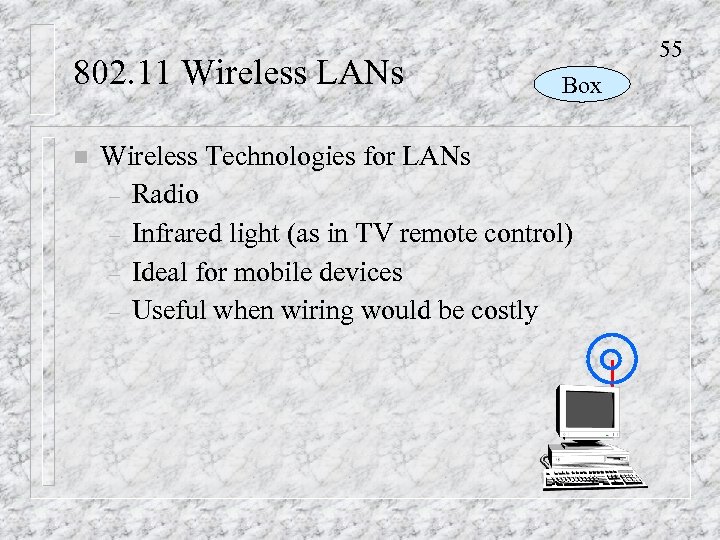 802. 11 Wireless LANs n 55 Box Wireless Technologies for LANs – Radio – Infrared light (as in TV remote control) – Ideal for mobile devices – Useful when wiring would be costly
 56 802. 11 Wireless LAN Standards Box n Standards come from the 802. 11 Working Group – Initially, 1 Mbps and 2 Mbps. Ignored by the market – Now, 11 Mbps (802. 11 b) n Becoming popular n Can only serve a few wireless stations in each area New – 802. 11 a is being finalized n 54 Mbps, so can serve many more stations n Should create an explosion in wireless LAN use n Vendors building products before standard is finalized
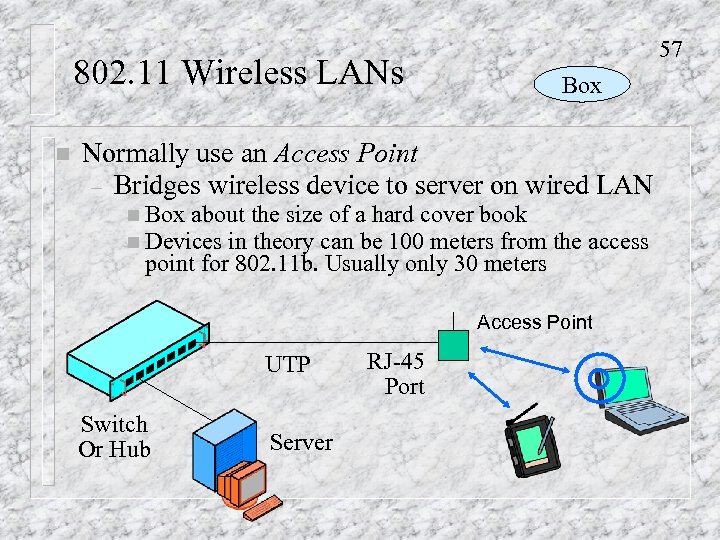 57 802. 11 Wireless LANs n Box Normally use an Access Point – Bridges wireless device to server on wired LAN n Box about the size of a hard cover book n Devices in theory can be 100 meters from point for 802. 11 b. Usually only 30 meters the access Access Point UTP Switch Or Hub Server RJ-45 Port
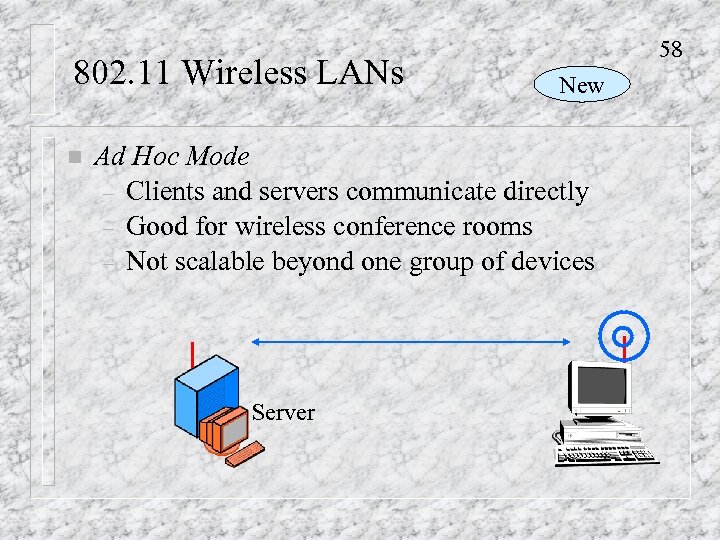 802. 11 Wireless LANs n 58 New Ad Hoc Mode – Clients and servers communicate directly – Good for wireless conference rooms – Not scalable beyond one group of devices Server
 802. 11 Wireless LANs n 59 Mod C Media Access Control (CSMA/CA+ACK) – CSMA/CA – CSMA with Collision Avoidance n Tries – – – to avoid collisions When line is clear, station may send (CSMA), but before it sends, must wait a random amount of time This prevents stations that have been waiting to transmit from all transmitting at once when the currently transmitting station is finished
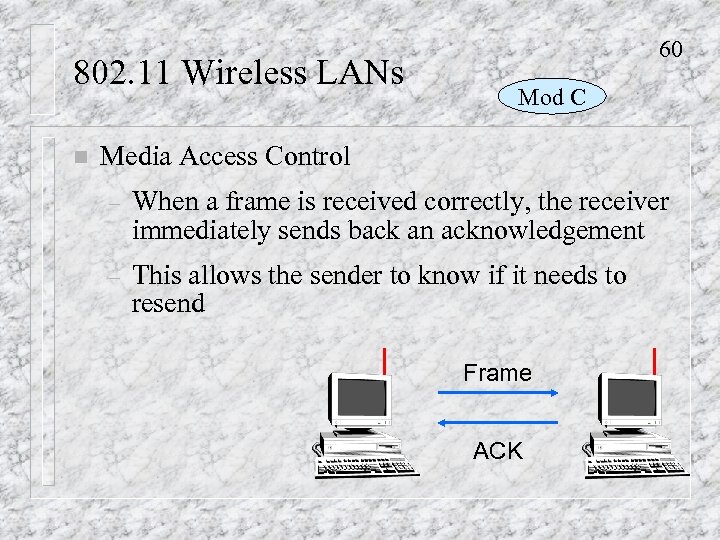 802. 11 Wireless LANs n 60 Mod C Media Access Control – When a frame is received correctly, the receiver immediately sends back an acknowledgement – This allows the sender to know if it needs to resend Frame ACK
 61 802. 11 Versus Bluetooth Box n 802. 11 – Designed for site radio LANs n Bluetooth – Created by an industrial consortium – Designed to link nearby objects (within a few meters) – Personal area networking (cellphone, computer, printer, etc. )
 62 802. 11 Versus Bluetooth New n Bluetooth – Only 721 kbps transmission speed n Only 56 kbps back channel – Up to 10 piconets in an area n Each with a maximum of eight devices – Named for King Harald Bluetooth – Has standard for device synchronization. For instance, PC can use a printer without first loading a print driver for that printer.
 63 802. 11 Versus Bluetooth Box n Possible Interference – New 802. 11 and Bluetooth use the same frequency band n This is the 2. 4 GHz band (2. 4 -2. 485 GHz), which does not require each device to be licensed – May interfere if they are active in the same area – 801. 15 Working Group is working on coexistence methods New
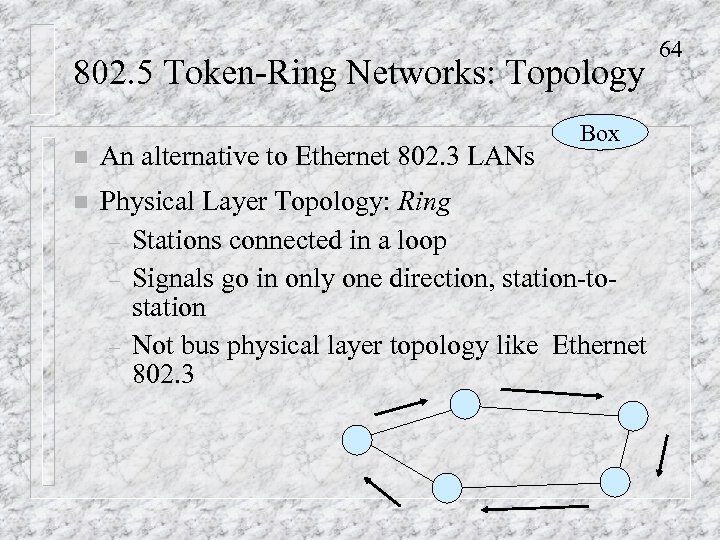 802. 5 Token-Ring Networks: Topology Box n An alternative to Ethernet 802. 3 LANs n Physical Layer Topology: Ring – Stations connected in a loop – Signals go in only one direction, station-tostation – Not bus physical layer topology like Ethernet 802. 3 64
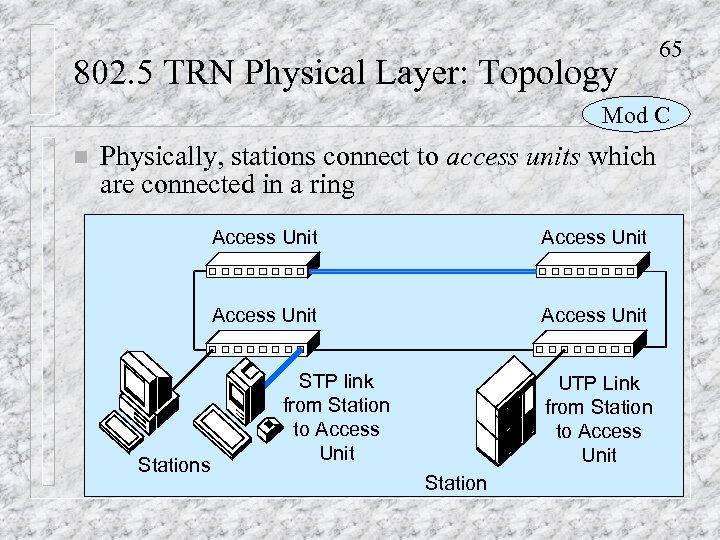 802. 5 TRN Physical Layer: Topology 65 Mod C n Physically, stations connect to access units which are connected in a ring Access Unit Stations Access Unit STP link from Station to Access Unit UTP Link from Station to Access Unit Station
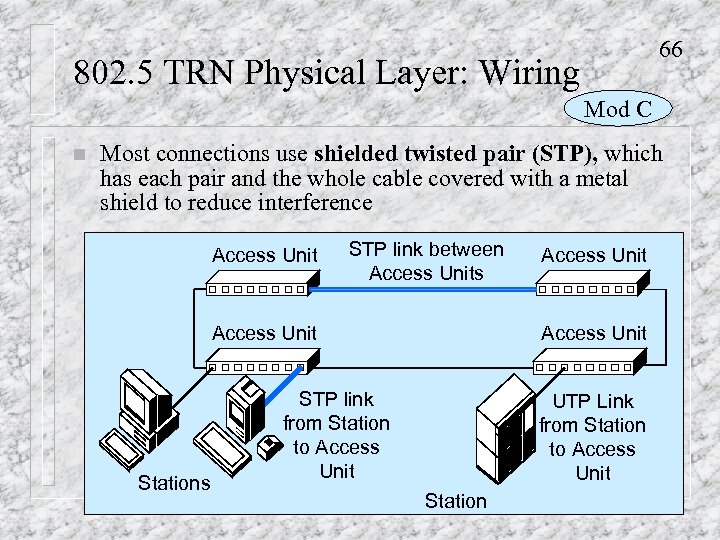 66 802. 5 TRN Physical Layer: Wiring Mod C n Most connections use shielded twisted pair (STP), which has each pair and the whole cable covered with a metal shield to reduce interference Access Unit STP link between Access Units Access Unit Stations Access Unit STP link from Station to Access Unit UTP Link from Station to Access Unit Station
 67 802. 5 TRN: Physical Speed n 802. 5 Speeds Box – Initially, 4 Mbps – Now, mostly 16 Mbps – 100 Mbps is standardized but not widely used
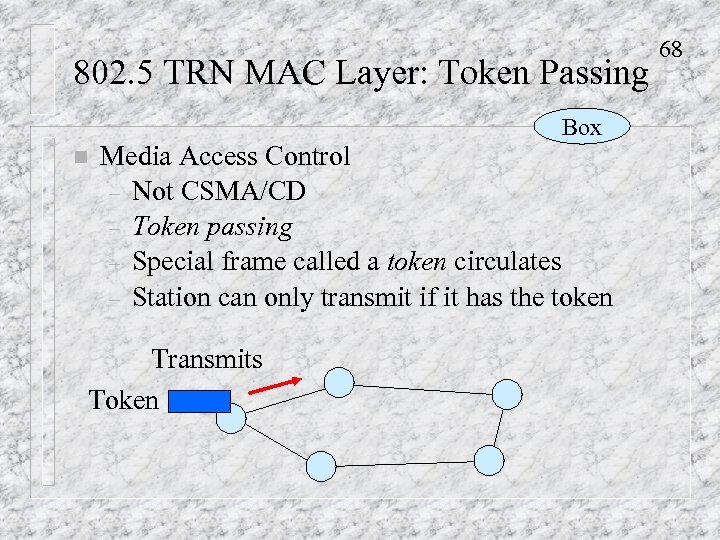 802. 5 TRN MAC Layer: Token Passing Box n Media Access Control – Not CSMA/CD – Token passing – Special frame called a token circulates – Station can only transmit if it has the token Transmits Token 68
 Token-Ring Networks n 69 802. 5 Token-Ring versus 802. 3 CSMA/CD-Bus – Token-Ring is more reliable – Token-Ring is more efficient – Token-Ring is more expensive – Token-Ring has a small market share – Companies buy something good enough to meet requirements, and 802. 3 standards do this
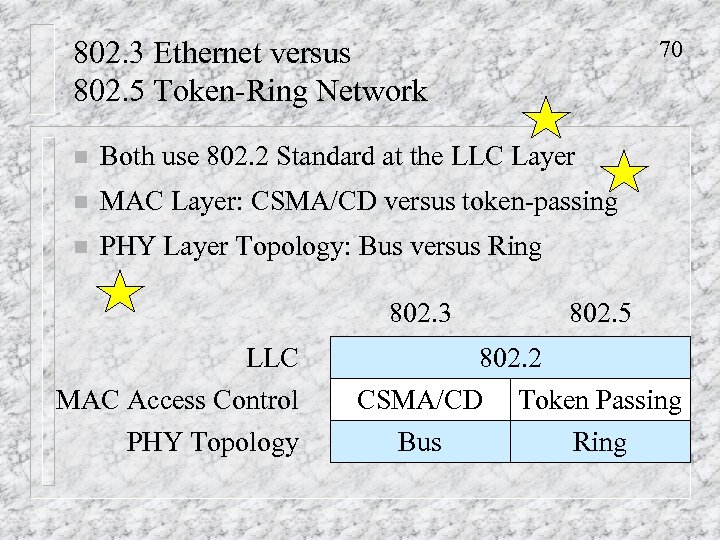 802. 3 Ethernet versus 802. 5 Token-Ring Network 70 n Both use 802. 2 Standard at the LLC Layer n MAC Layer: CSMA/CD versus token-passing n PHY Layer Topology: Bus versus Ring 802. 3 LLC MAC Access Control PHY Topology 802. 5 802. 2 CSMA/CD Token Passing Bus Ring
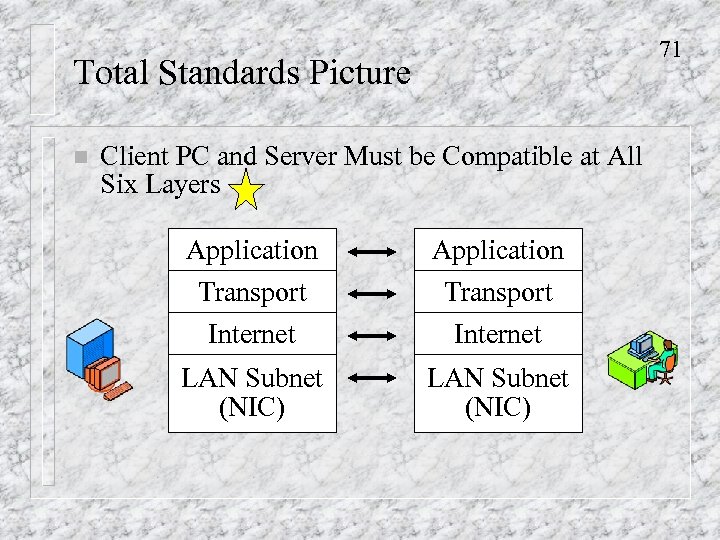 71 Total Standards Picture n Client PC and Server Must be Compatible at All Six Layers Application Transport Internet LAN Subnet (NIC)
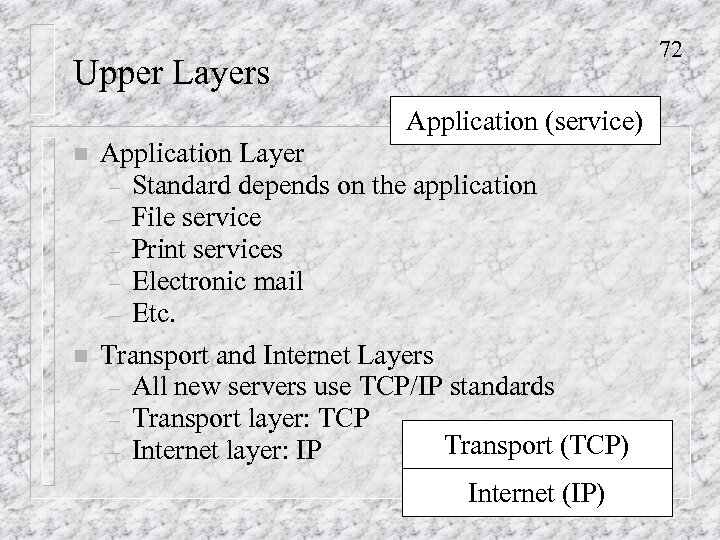 72 Upper Layers Application (service) n Application Layer – Standard depends on the application – File service – Print services – Electronic mail – Etc. n Transport and Internet Layers – All new servers use TCP/IP standards – Transport layer: TCP Transport (TCP) – Internet layer: IP Internet (IP)
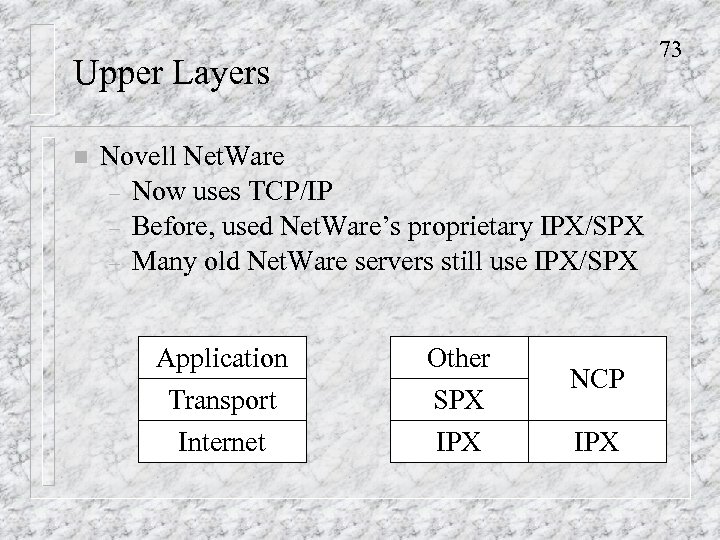 73 Upper Layers n Novell Net. Ware – Now uses TCP/IP – Before, used Net. Ware’s proprietary IPX/SPX – Many old Net. Ware servers still use IPX/SPX Application Transport Internet Other SPX IPX NCP IPX
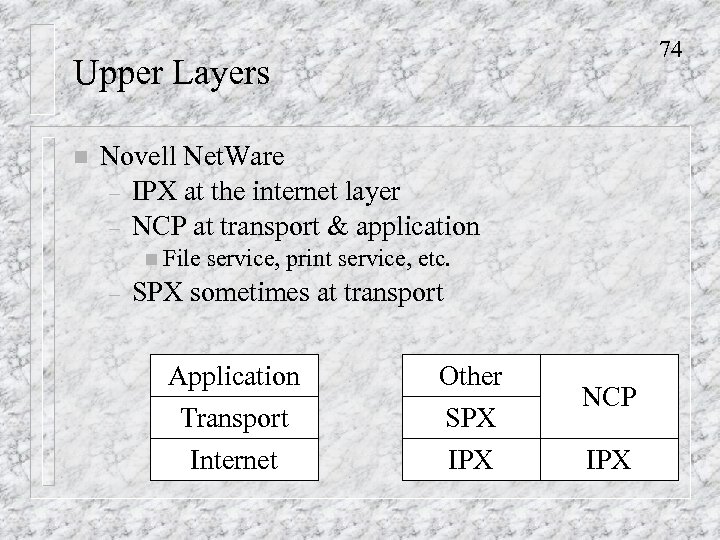 74 Upper Layers n Novell Net. Ware – IPX at the internet layer – NCP at transport & application n File – service, print service, etc. SPX sometimes at transport Application Transport Internet Other SPX IPX NCP IPX
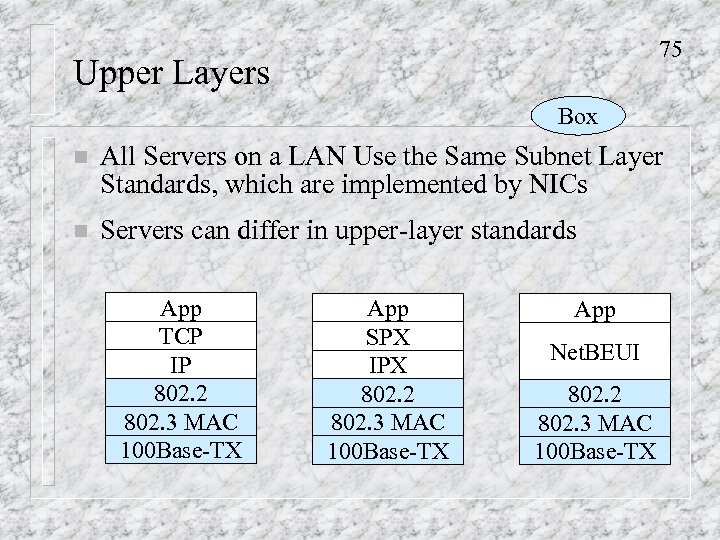 75 Upper Layers Box n All Servers on a LAN Use the Same Subnet Layer Standards, which are implemented by NICs n Servers can differ in upper-layer standards App TCP IP 802. 2 802. 3 MAC 100 Base-TX App SPX IPX 802. 2 802. 3 MAC 100 Base-TX App Net. BEUI 802. 2 802. 3 MAC 100 Base-TX
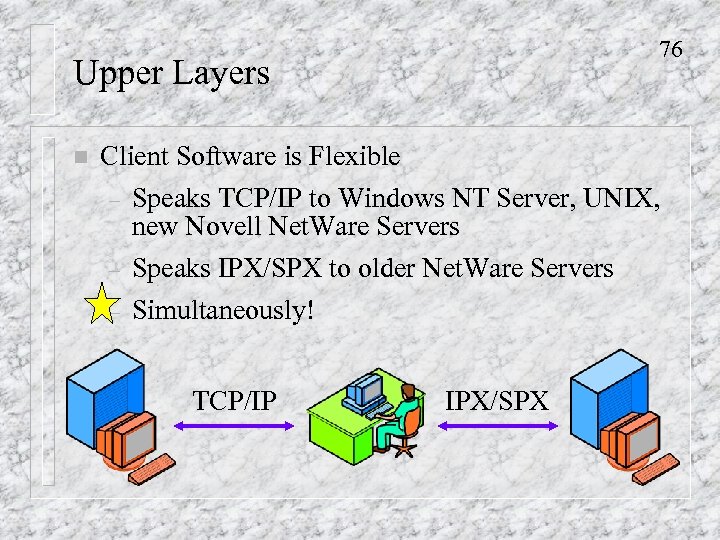 76 Upper Layers n Client Software is Flexible – Speaks TCP/IP to Windows NT Server, UNIX, new Novell Net. Ware Servers – Speaks IPX/SPX to older Net. Ware Servers Simultaneously! – TCP/IP IPX/SPX
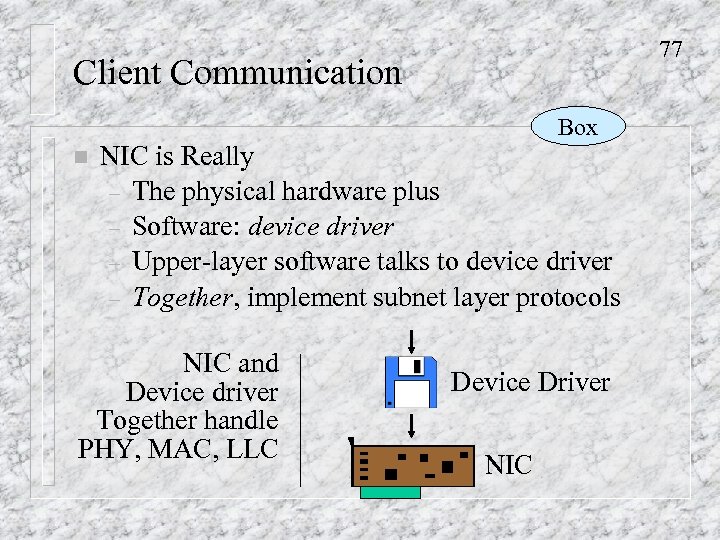 77 Client Communication Box n NIC is Really – The physical hardware plus – Software: device driver – Upper-layer software talks to device driver – Together, implement subnet layer protocols NIC and Device driver Together handle PHY, MAC, LLC Device Driver NIC
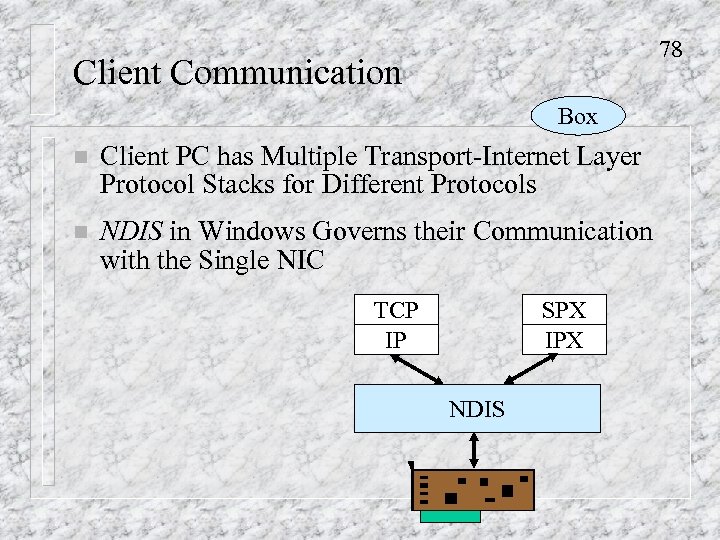 78 Client Communication Box n Client PC has Multiple Transport-Internet Layer Protocol Stacks for Different Protocols n NDIS in Windows Governs their Communication with the Single NIC TCP IP SPX IPX NDIS
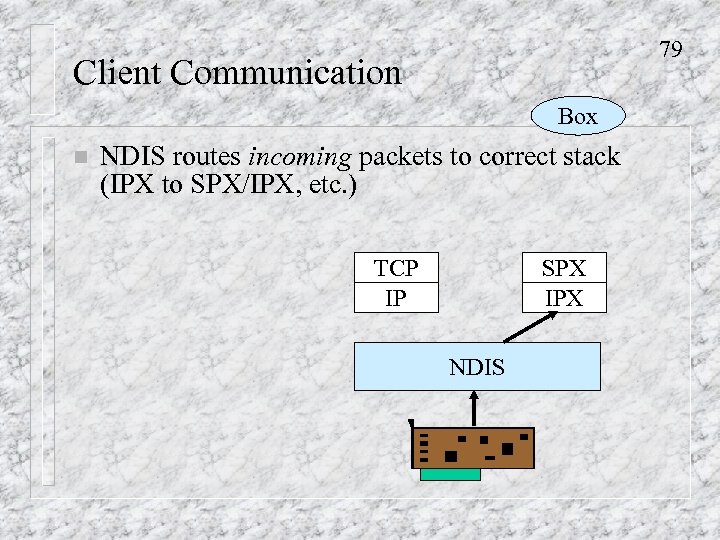 79 Client Communication Box n NDIS routes incoming packets to correct stack (IPX to SPX/IPX, etc. ) TCP IP SPX IPX NDIS
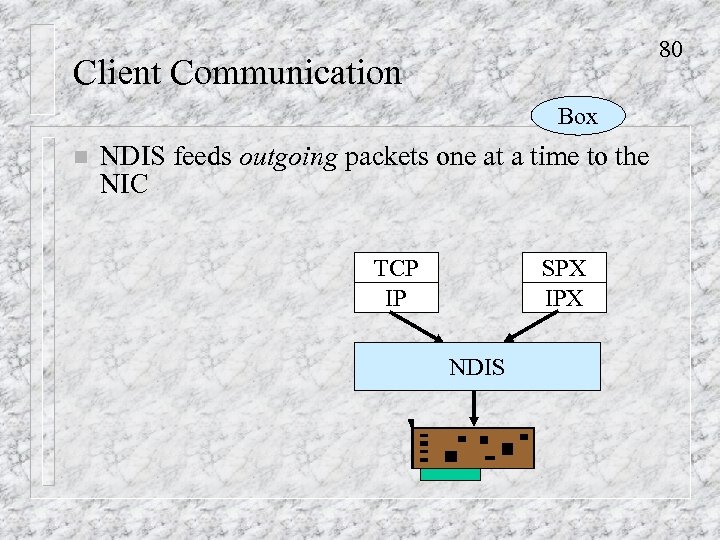 80 Client Communication Box n NDIS feeds outgoing packets one at a time to the NIC TCP IP SPX IPX NDIS