


 Скачать презентацию Slicer 101 IGT Edition Haiying Liu M S
4db661ea60e468a8edb422fe02bb2e9b.ppt
- Количество слайдов: 24
 Slicer 101 IGT Edition Haiying Liu, M. S. Nobuhiko Hata, Ph. D. 1
 Acknowledgements National Center for Image. Guided Therapy NIH 1 U 41 RR 019703 National Alliance for Medical Image Computing NIH U 54 EB 005149 © NIH National Center for Image-Guided Therapy, October 2006 2
 Outline of tutorial 1)Download and install Slicer-IGT 2)Learn Slicer basics 3)Obtain a plastic skull 4)Obtain a tracking device and setup the system 5)Connect Slicer to the tracking device 6)Register the tracking space to Slicer space 7)Perform navigation © NIH National Center for Image-Guided Therapy, October 2006 3
 Disclaimer It is the responsibility of the user of 3 DSlicer to comply with both the terms of the license and with the applicable laws, regulations and rules. © NIH National Center for Image-Guided Therapy, October 2006 4
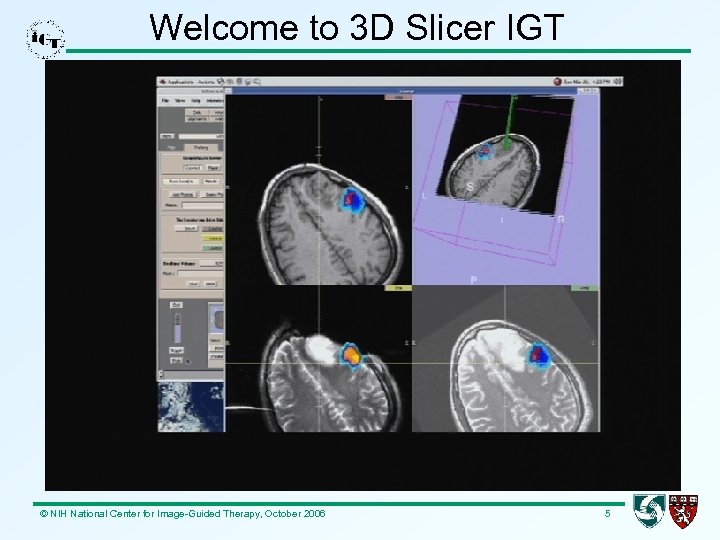 Welcome to 3 D Slicer IGT © NIH National Center for Image-Guided Therapy, October 2006 5
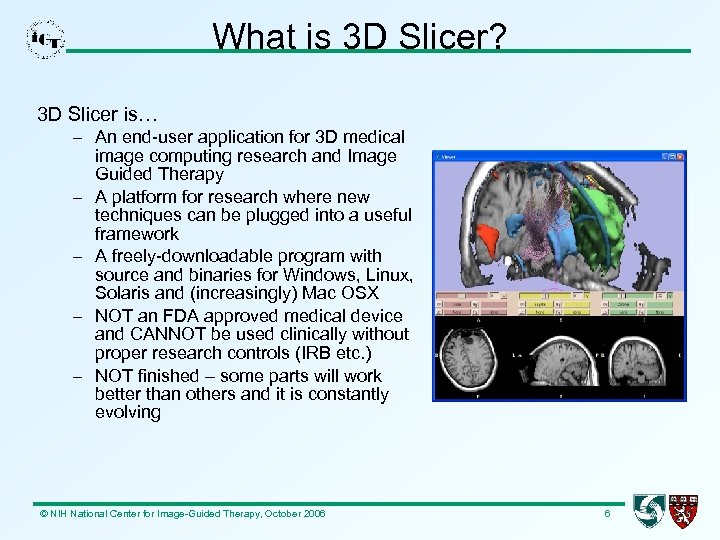 What is 3 D Slicer? 3 D Slicer is… – An end-user application for 3 D medical image computing research and Image Guided Therapy – A platform for research where new techniques can be plugged into a useful framework – A freely-downloadable program with source and binaries for Windows, Linux, Solaris and (increasingly) Mac OSX – NOT an FDA approved medical device and CANNOT be used clinically without proper research controls (IRB etc. ) – NOT finished – some parts will work better than others and it is constantly evolving © NIH National Center for Image-Guided Therapy, October 2006 6
 Slicer background • SPL Image Guided Surgery and Visualization (Kikinis, Westin, Hata, Halle, others) • Slicer Application Pulled Together by Dave Gering 1997 -1999 with VTK and Tcl • Further Development and Architecture by Lauren O’Donnell 1999 -2001 • Ongoing Development of Slicer’s Base Primarily by Steve Pieper and Nicole Aucoin • Many Modules and Contributions by Various Authors – BWH, MIT, MGH, Georgia Tech, UCSD, JHU. . . • Now being used as a reference application platform for NAMIC and NCITG © NIH National Center for Image-Guided Therapy, October 2006 7
 Features • Load Medical Image Data: MR, CT in DICOM, GE, Analyze… • XML-based File Format: MRML (Medical Reality Markup Language) • Interactive Editor: Draw, Threshold, Math Morphology… • Automated Segmenters: EM Segmentation, Fast Marching, Level Sets… • Visualization: Model Building, Stereo Rendering, Animation… • Registration: Manual, ITK… • Measurement: Fiducial-Based, Volumetric, Polyhedral Intersection, Vessel Cross-Section, Osteotomy Planning • IGT: Tracked Probes, Real-Time Images, Robot Control • Additional Application-Specific Features in Modules… © NIH National Center for Image-Guided Therapy, October 2006 8
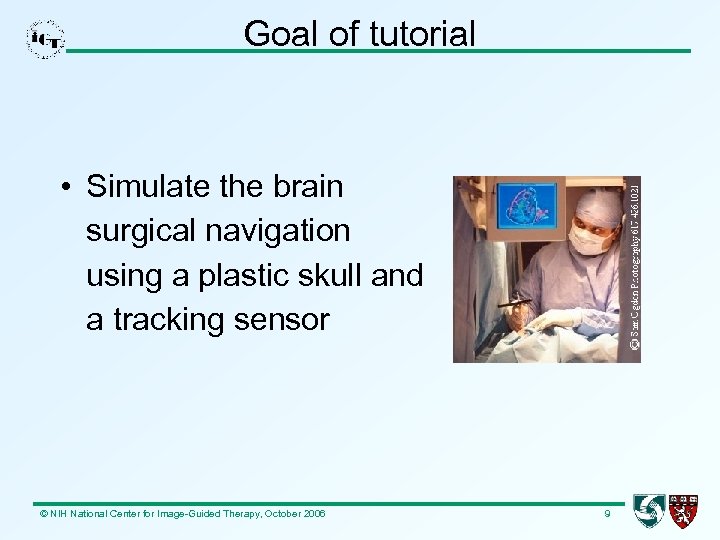 Goal of tutorial • Simulate the brain surgical navigation using a plastic skull and a tracking sensor © NIH National Center for Image-Guided Therapy, October 2006 9
 Download and install Slicer-IGT may be downloaded here: http: //www. na-mic. org/Wiki/index. php/IGT-Tutorials Install the Slicer as follows: 1) The binary is for Windows XP. Be sure you have Win. Zip installed on your computer 2) Unzip the binary to any directory on your computer. A directory named “slicer 2. 6 -opt-win 32 -x 86 -2006 -11 -15” will be created. This is the top directory of the Slicer 3) Change to that directory using Windows Explorer 4) Create a shortcut for “slicer 2 -win 32 -x 86. exe” © NIH National Center for Image-Guided Therapy, October 2006 10
 Learn the basics of Slicer • Slicer-IGT may be run by double-clicking its shortcut on the desktop of your computer • Sample data and tutorials of how to use 3 D Slicer can be found at: http: //wiki. namic. org/Wiki/index. php/Slicer: Workshops: User_Trainin g_101#Slicer_Training. Make sure you are confident to do the following: – Load volumes – Segment – Make models © NIH National Center for Image-Guided Therapy, October 2006 11
 Buy a plastic skull – Budget Life-size Skull ($29. 95), Anatomical Chart Company (anatomical. com) Also available at – Lippincott Williams & Wilkins (lww. com) – Amazon. com and other international Amazon sites © NIH National Center for Image-Guided Therapy, October 2006 12
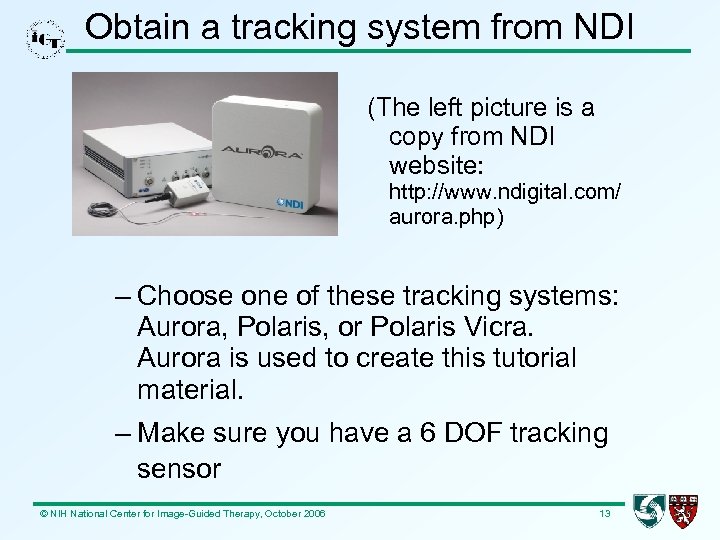 Obtain a tracking system from NDI (The left picture is a copy from NDI website: http: //www. ndigital. com/ aurora. php) – Choose one of these tracking systems: Aurora, Polaris, or Polaris Vicra. Aurora is used to create this tutorial material. – Make sure you have a 6 DOF tracking sensor © NIH National Center for Image-Guided Therapy, October 2006 13
 Set up the NDI tracking system (1) The following steps are valid for Aurora tracking system 1) Set the tracking system up following the documentation coming with the device and connect it by a serial port to the computer where the Slicer is running 2) Download IGT server and data form: http: //www. na-mic. org/Wiki/index. php/IGTTutorials. Unzip the file and you'll find two directories: server and skull_CT. Save skull_CT for later use. 3) Create a command prompt and change directory to “server” © NIH National Center for Image-Guided Therapy, October 2006 14
 Set up the NDI tracking system (2) 4) Install NDI Tool. Viewer on your computer from the CD. Power on the tracking device and run NDI Tool. Viewer. Find the tool ID for the 6 DOF tracking sensor. Put the value into this file “splot. Config. xml” (the tool. ID field) in the server directory. 5) Power off and on the tracking system. Then in the command prompt in the server directory, run this command: opentracker_spl. exe splot. Config. xml Now, move your tracking sensor and you should see the position and orientation values change in the prompt. The server is running! © NIH National Center for Image-Guided Therapy, October 2006 15
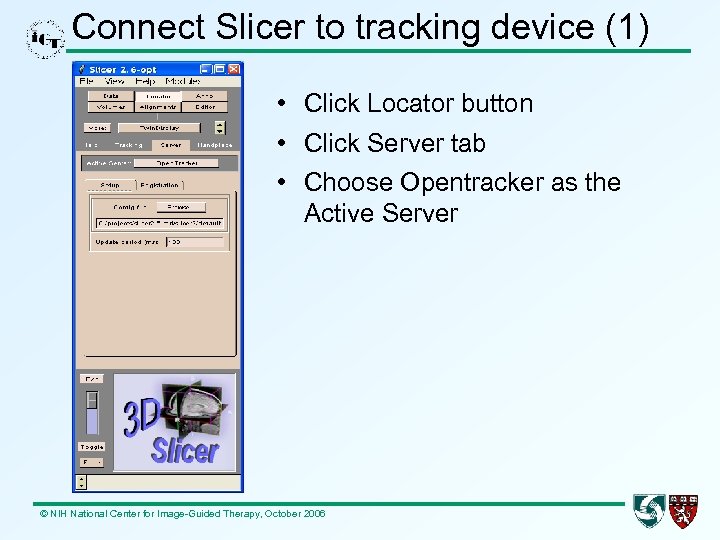 Connect Slicer to tracking device (1) • Click Locator button • Click Server tab • Choose Opentracker as the Active Server © NIH National Center for Image-Guided Therapy, October 2006
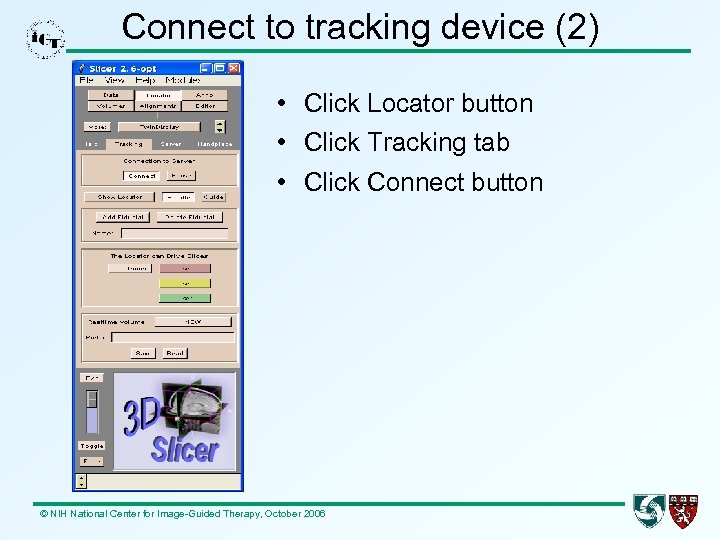 Connect to tracking device (2) • Click Locator button • Click Tracking tab • Click Connect button © NIH National Center for Image-Guided Therapy, October 2006
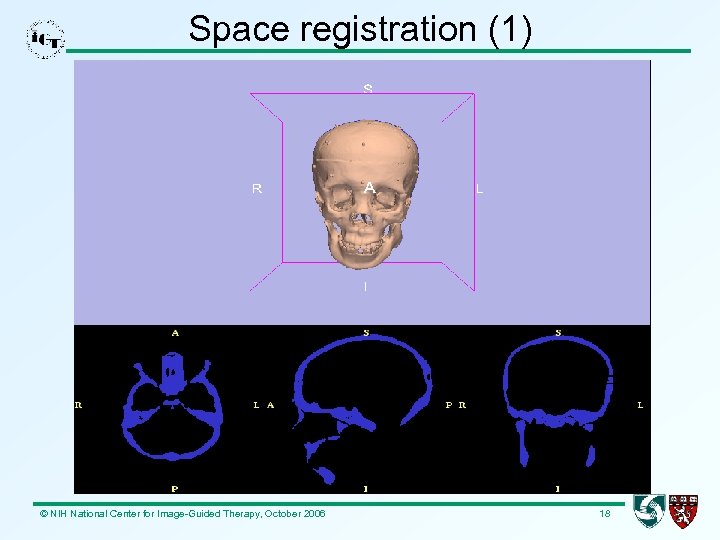 Space registration (1) © NIH National Center for Image-Guided Therapy, October 2006 18
 Space registration (2) • Load the CT scan of plastic skull into Slicer (File>Import Scene->skull. xml) • Adjust window and level to its best view • Create a 3 D model for the skull out of its CT volume. You can see 14 fiducial points on the surface • Put the plastic skull inside the tracking scope of the device (500 x 500 mm) • On the plastic skull, find 4 unique points. Record their coordinates in both device and Slicer spaces. Add them into Locator->Server->Open. Tracker>Registration tab. The skull model helps a lot to match points. © NIH National Center for Image-Guided Therapy, October 2006 19
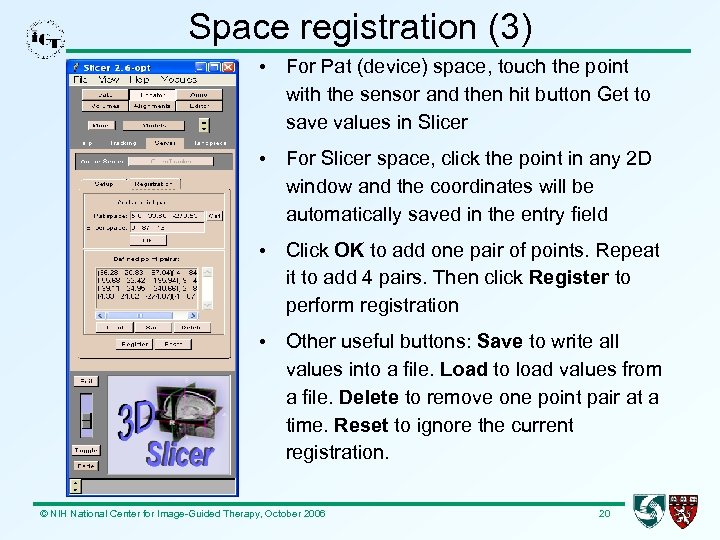 Space registration (3) • For Pat (device) space, touch the point with the sensor and then hit button Get to save values in Slicer • For Slicer space, click the point in any 2 D window and the coordinates will be automatically saved in the entry field • Click OK to add one pair of points. Repeat it to add 4 pairs. Then click Register to perform registration • Other useful buttons: Save to write all values into a file. Load to load values from a file. Delete to remove one point pair at a time. Reset to ignore the current registration. © NIH National Center for Image-Guided Therapy, October 2006 20
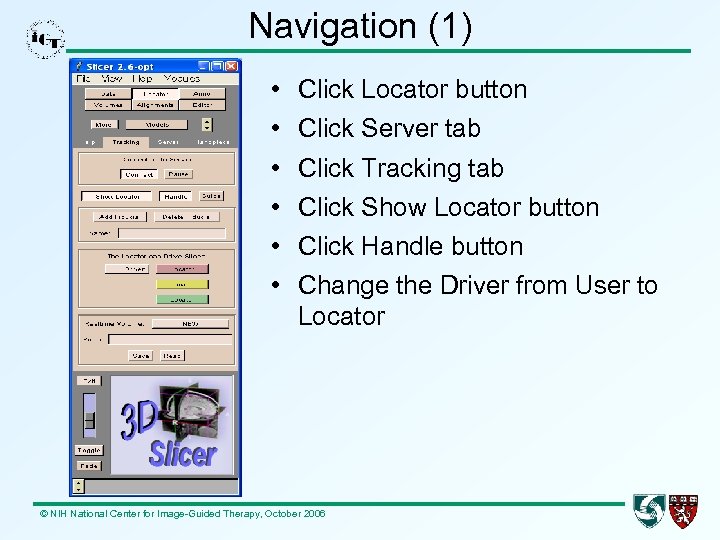 Navigation (1) • • • Click Locator button Click Server tab Click Tracking tab Click Show Locator button Click Handle button Change the Driver from User to Locator © NIH National Center for Image-Guided Therapy, October 2006
 Navigation (2) Now, move the tracking sensor around the skull surface and you are navigating the “brain” in Slicer: ● ● The position and orientation of the sensor (the “needle”) are displayed in the 3 D view. The display updates as you move the “needle. ” The CT images of the plastic skull in 3 D dimensioins also update accordingly © NIH National Center for Image-Guided Therapy, October 2006
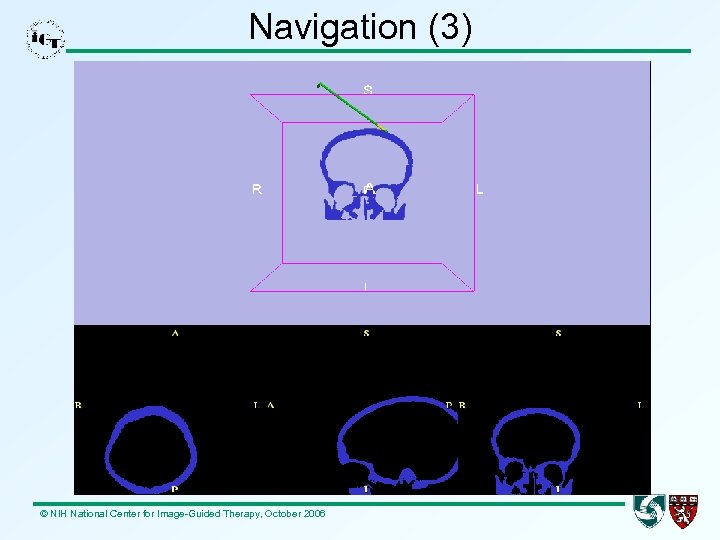 Navigation (3) © NIH National Center for Image-Guided Therapy, October 2006
 Slicer resources • • • www. slicer. org www. na-mic. org/Wiki www. na-mic. org/Bug www. na-mic. org/Testing slicer-devel@bwh. harvard. edu slicer-users@bwh. harvard. edu © NIH National Center for Image-Guided Therapy, October 2006 24