 Скачать презентацию SLAC Windows Infrastructure Brian Scott May 2003
6caf2ee97e595f20c8f2078ec354f1e2.ppt
- Количество слайдов: 43



SLAC Windows Infrastructure Brian Scott May 2003
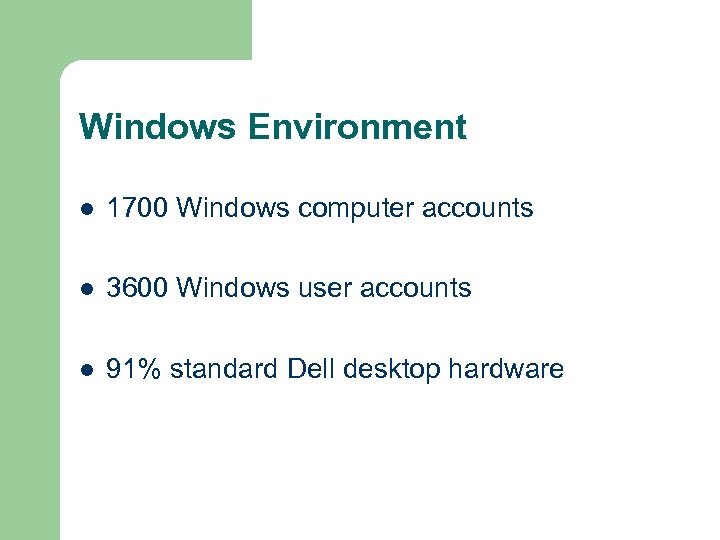
Windows Environment l 1700 Windows computer accounts l 3600 Windows user accounts l 91% standard Dell desktop hardware
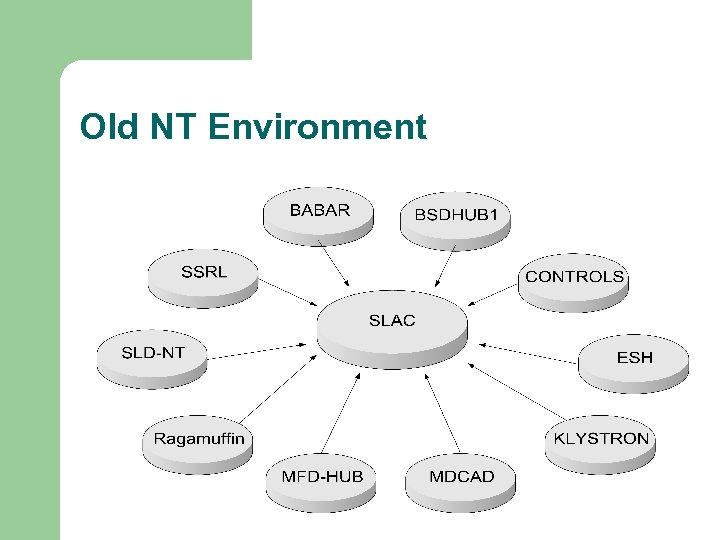
Old NT Environment
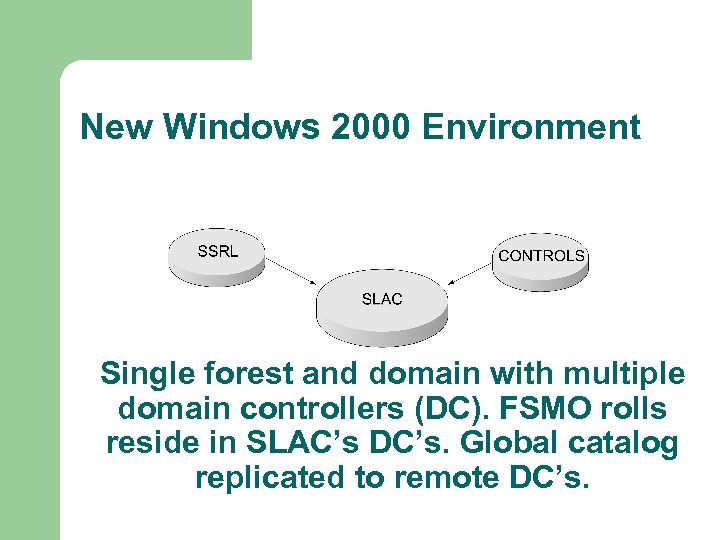
New Windows 2000 Environment Single forest and domain with multiple domain controllers (DC). FSMO rolls reside in SLAC’s DC’s. Global catalog replicated to remote DC’s.
Windows 2000 Active Directory l Finished rollout of Active Directory in September 2002 l Choices – – Migration tools and SID history Double ACL all resources Re-ACL to new domain and cutover In-place Upgrade
Upgrade Path 1: Migration Tools/SID Go to Native Mode l Use migration tools to migrate user and machine accounts (Net. IQ, Quest, ADMT) l Rely on SID history for access to old resources l Log into “SLAC” (NT) and “WIN” (XP) l
Upgrade Path 1: Migration Tools/SID l Pro’s – l Easily reversible Con’s – – Migration tools not working as expected Many migration steps and overhead Things will break Migration spans 1 year
Upgrade Path 2: Double ACL Go to Native Mode l Double ACL all resources with ACL migration tool l Continue to double ACL manually after migration with any addition or change l Log into “SLAC” (NT) and “WIN” (XP) l
Upgrade Path 2: Double ACL l Pro’s – l Easily reversible Con’s – – – Need to re-ACL resource domains Very confusing, things will break Migration spans 1 year
Upgrade Path 3: Re-ACL/Big Bang! Go to Native Mode l Re-ACL for new domain l One day everyone logs into new domain (WIN), NT, W 2 K and XP alike l
Upgrade Path 3: Re-ACL/Big Bang! l Pro’s – l Migrate over a weekend Con’s – – Not easily reversible Re-ACL resource domains Things will break Chaos for a 1 -2 weeks
Upgrade Path 4: In-place Upgrade l Go to mixed-mode after 3 -4 months, upgrade to Native mode l Log into “SLAC” (NT and XP) or use UPN “win. slac. stanford. edu” (XP) l
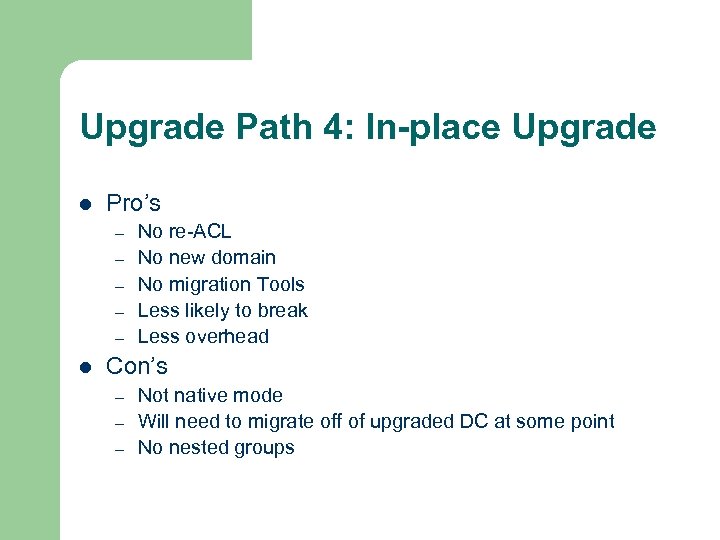
Upgrade Path 4: In-place Upgrade l Pro’s – – – l No re-ACL No new domain No migration Tools Less likely to break Less overhead Con’s – – – Not native mode Will need to migrate off of upgraded DC at some point No nested groups
Windows 2000 Active Directory l l Chose in-place upgrade over going straight to Native Mode Upgrade was fast (few hours) and no accounts needed to be migrated Environment supports XP, Windows 2000 and Windows NT All SLAC Windows accounts are in Active Directory and managed by SCS Help Desk
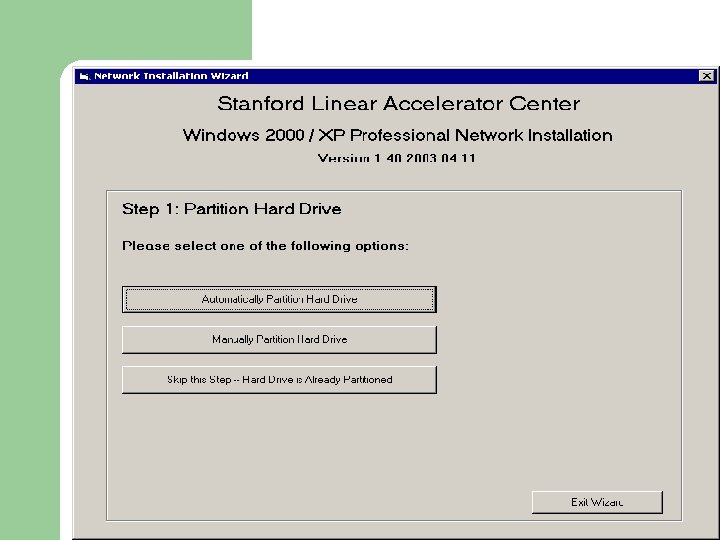
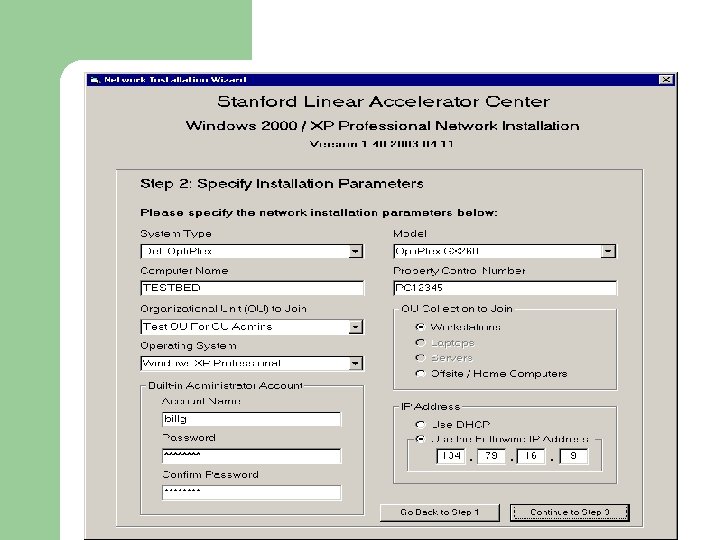
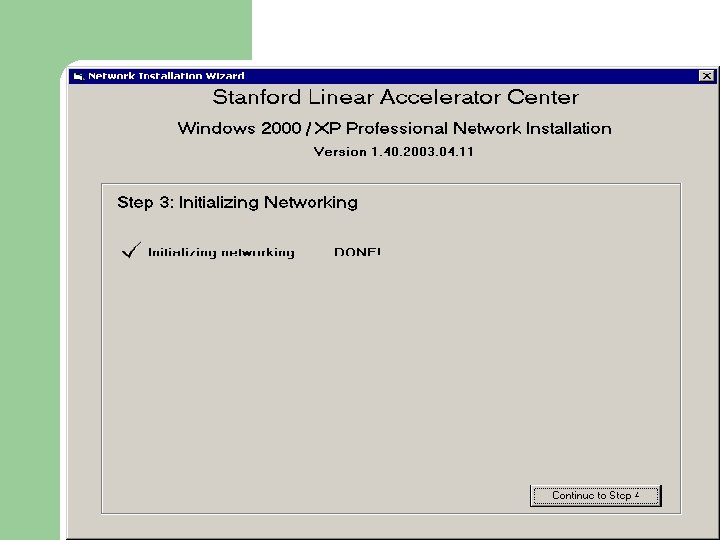
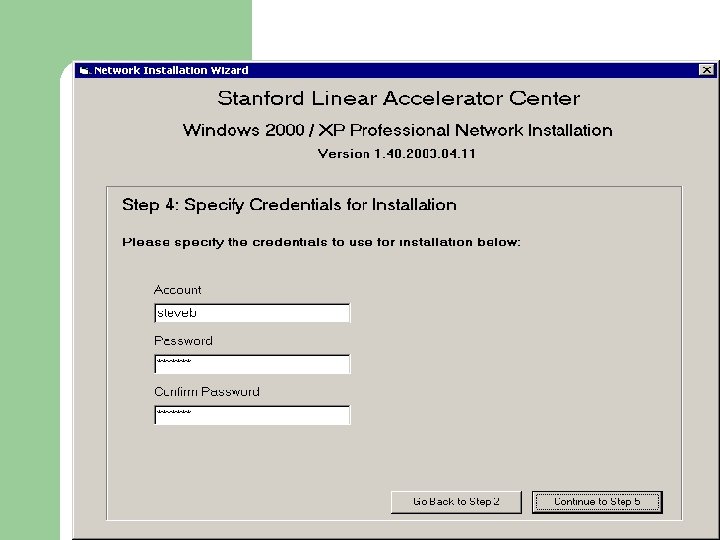
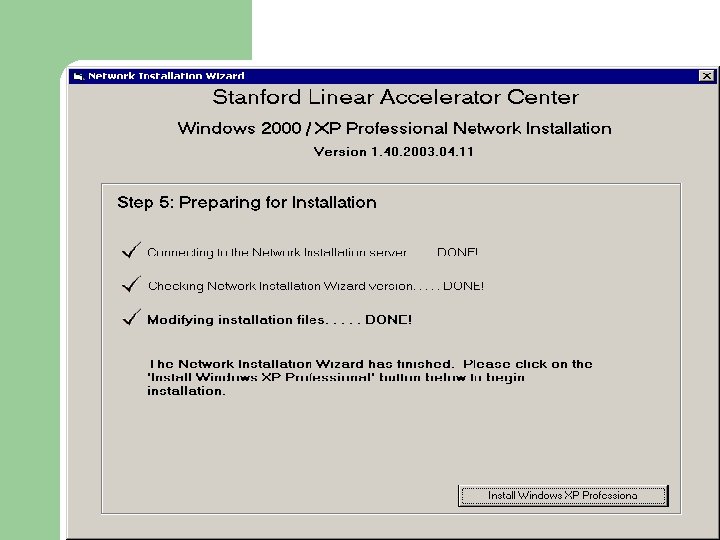
Windows XP and 2000 Server OS l Operating System installation via Boot CD l Boot CD provides automated installation of the OS using Windows Preinstallation Environment (Windows PE) and Visual Basic l Two versions of CD – – OS install files stored on the network OS install files stored on CD
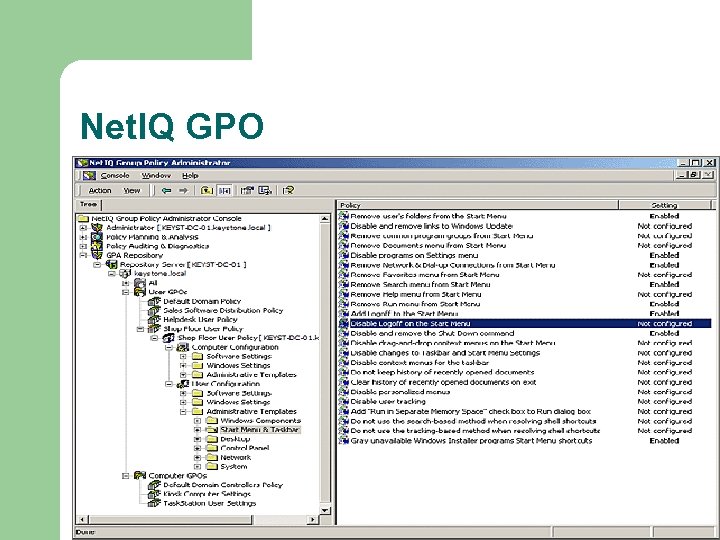
Software Delivery and GPO’s l Software rolled out to workstations via Group Policy Objects (GPO’s) rather than SMS – – – l Software repackaged as MSI’s – l Created MSI wrapper for GPO installs All software that was part of boot-floppy installations now installed via GPO’s – l No clear decision from Microsoft on software delivery Rollout via SMS could take 24 hours or longer Little or no documentation from MS on GPO usage Office XP, SMS, Realplayer, Acrobat, Hypersnap, WS_FTP, Tera. Term, GS Tools and Aladdin Expander, etc… SMS used for software and hardware inventory and remote access to desktops
Minimum Standard for Joining Domain l Software rolled out immediately upon joining SLAC domain via GPO – – – XP Service Pack 1 Inoculate. IT Anti-virus Registry Seed Office XP SMS
SUS Hotfix Delivery l l l Microsoft Windows XP hotfixes rolled out via Microsoft System Update Services (SUS) Rollout schedule is monthly During month users can install themselves Over the last few days of the month for those that have not applied hotfixes themselves, hotfixes are installed automatically Immediate rollout available for urgent hotfixes Servers patched once a month as well
Windows 2000 Environment l l Utilize Dell hardware (1550, 1650, 2550, 2650, 6300) Print services reside on central print servers Central account domain in SLAC User and Machine accounts in department OU’s – l l l Administration delegated to departments Centralized WINS Servers Delegated DNS zone win. slac. stanford. edu running as “Integrated Zone” on DC’s Remote access via PPTP/VPN and ICA/Citrix Anti-virus via CA ETrust Inoculate. IT Recently finished migration of IIS to Windows 2000
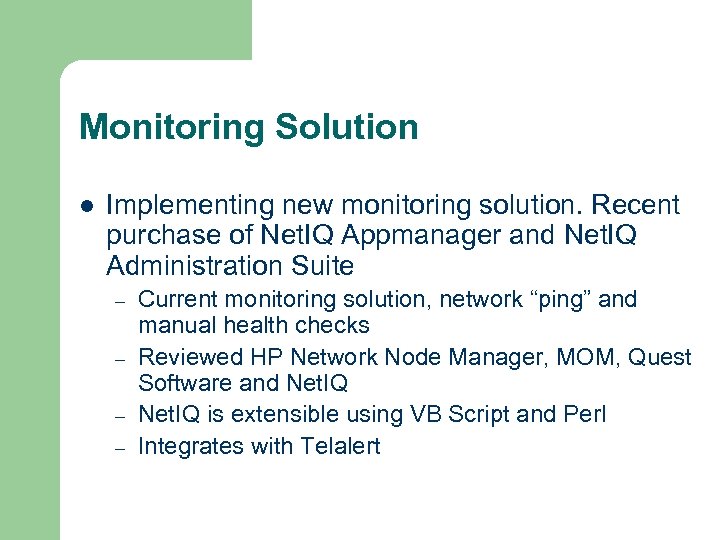
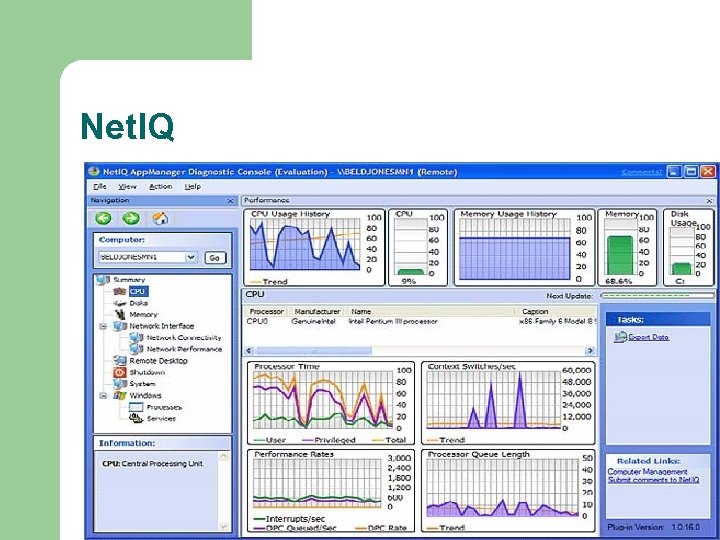
Monitoring Solution l Implementing new monitoring solution. Recent purchase of Net. IQ Appmanager and Net. IQ Administration Suite – – Current monitoring solution, network “ping” and manual health checks Reviewed HP Network Node Manager, MOM, Quest Software and Net. IQ is extensible using VB Script and Perl Integrates with Telalert
Net. IQ
Net. IQ GPO
Net. IQ File and Storage Admin
Windows Environment l Implement new backup solution. – – l Current solution, Veritas Backup Exec Reviewing Legato, Veritas Netbackup, TSM, etc… May look to disk for main backups and off-site storage via tapes Look to implement SAN based backup architecture Upgrade of Citrix Metaframe 1. 8 on NT TSE to Citrix XPe on Windows 2000 underway
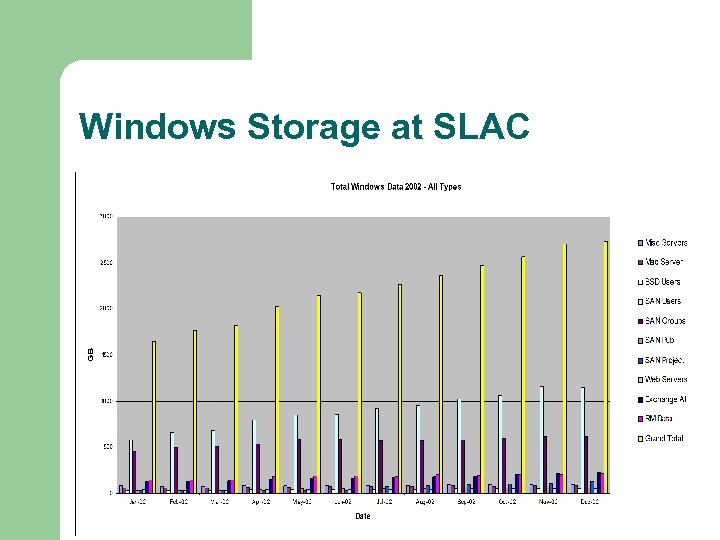
Windows Storage at SLAC
Windows Storage l l Dell SAN solution utilized Storage Outages – 2 Storage outages in 2001 lasted total of 6 days – Recent outage in March 2003 lasted 28 hours
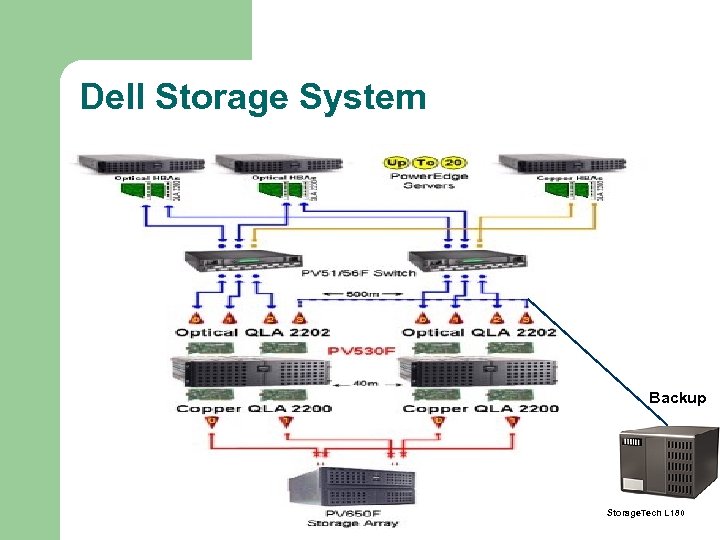
Dell Storage System Backup Storage. Tech L 180
1 st Tier and 2 nd Tier l 1 st Tier Storage – l The 1 st tier storage offering would always be kept small enough that data can be restored within 4 hours after a catastrophic failure. Provide high-end functionality such as non -disruptive upgrades and point-in-time copy. 2 nd Tier Storage – The 2 nd tier storage offering would take full advantage of reliable low-cost storage technology. Recovery times after a major failure may be days rather than hours. 2 nd tier system would be comparable to current storage system.
Quotas l l l In order to help facilitate future storage planning, a quota system will be proposed Increases of storage capacity would be allowed on an as needed basis. Allow regular planning discussions surrounding storage best practices.
Storage Evaluation l l l Completed storage evaluation March 2002 Looked at NAS, SAN and Direct Attached Reviewed – – – – Sun Hitachi EMC IBM Compaq Network Appliance Storage. Tek
Storage l Purchased Hitachi 9980 – l Hitachi 9980 – – l Recently migrated ALL Windows data onto Hitachi solution Brocade 3800 Emulex 2 GB HBA’s Hitachi Dynamic Link Manager Hitachi’s Shadow. Image (point-in-time copy) In the process of purchasing Tier 2 Solution – – Evaluating usual suspects Will migrate most of information onto tier 2
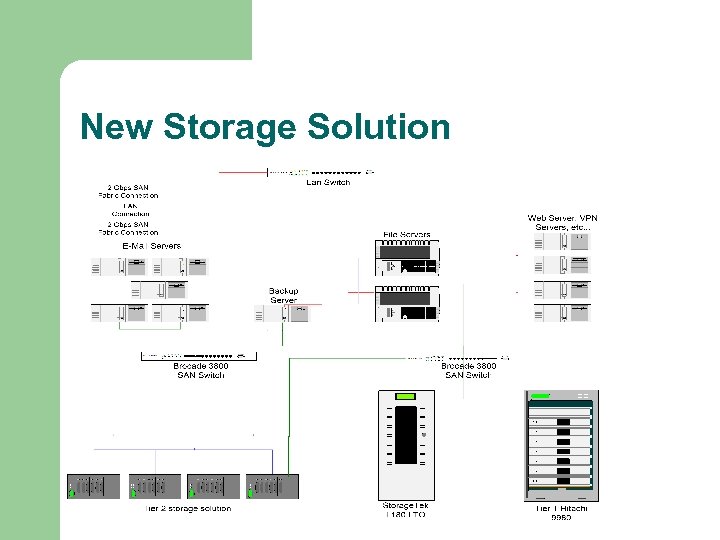
New Storage Solution

Reporting Storage Trends l Purchased Veritas Storage. Central SRM Tools for end-users to better understand control their storage needs – – – l Files being stored Usage of those files Growth of repository Size of repository Active e-mail sent with information Currently being tested for rollout
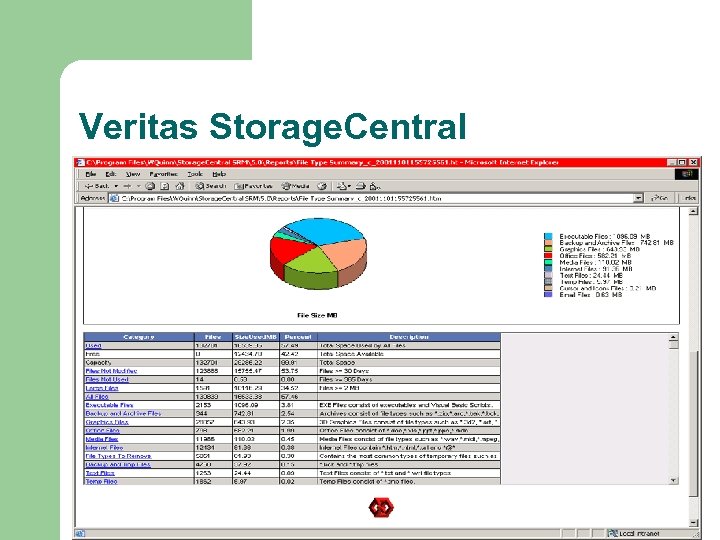
Veritas Storage. Central
Exchange l l Current production system is Exchange 5. 5 Exchange 2000 is production for Windows Administrators Waiting for additional storage before rolling out Exchange 2000 will reside on Hitachi 9980 solution
Exchange 2000 l l l Hitachi solution will take snapshots of the Exchange database every 24 hours In the event of corrupted data, snaphot volume will be mounted and logs played to recover email Anticipated outage less than 4 hours
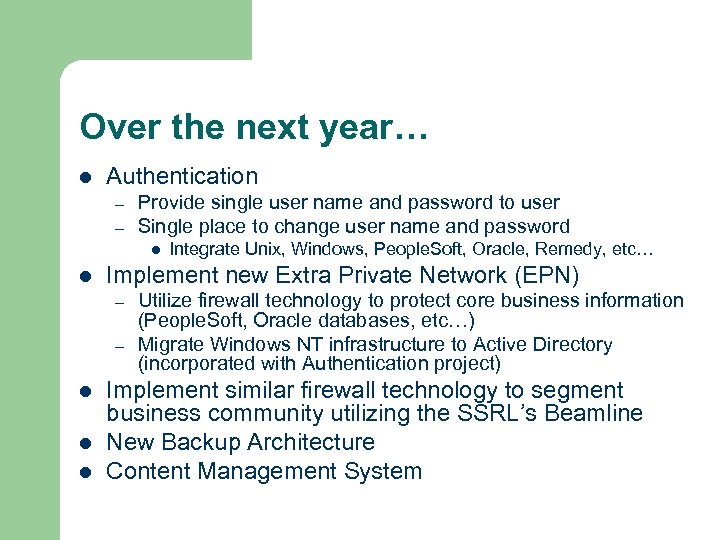
Over the next year… l Authentication – – Provide single user name and password to user Single place to change user name and password l l Implement new Extra Private Network (EPN) – – l l l Integrate Unix, Windows, People. Soft, Oracle, Remedy, etc… Utilize firewall technology to protect core business information (People. Soft, Oracle databases, etc…) Migrate Windows NT infrastructure to Active Directory (incorporated with Authentication project) Implement similar firewall technology to segment business community utilizing the SSRL’s Beamline New Backup Architecture Content Management System
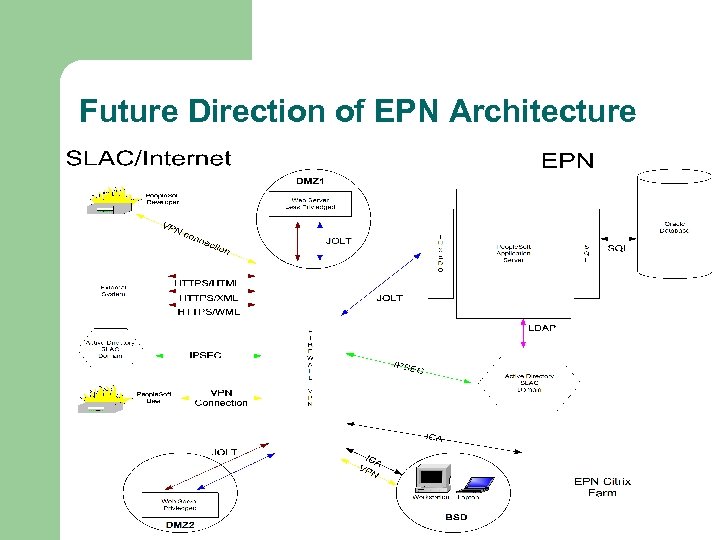
Future Direction of EPN Architecture
Скачать презентацию SLAC Windows Infrastructure Brian Scott May 2003
6caf2ee97e595f20c8f2078ec354f1e2.ppt