


 Скачать презентацию Skill Connect Assessments Industry-driven assessments for the next
bd66641c5609cf135e61f677f545c173.ppt
- Количество слайдов: 37
 Skill Connect Assessments Industry-driven assessments for the next generation 63 rd Annual GACTE Summer Leadership Conference July 19, 2010
 Agenda Today’s discussion: • Skill Connect Assessments – Features – How they look and work – Reporting: what they’ll tell you – Feedback from the market – Schedule – Price • Q&A 2
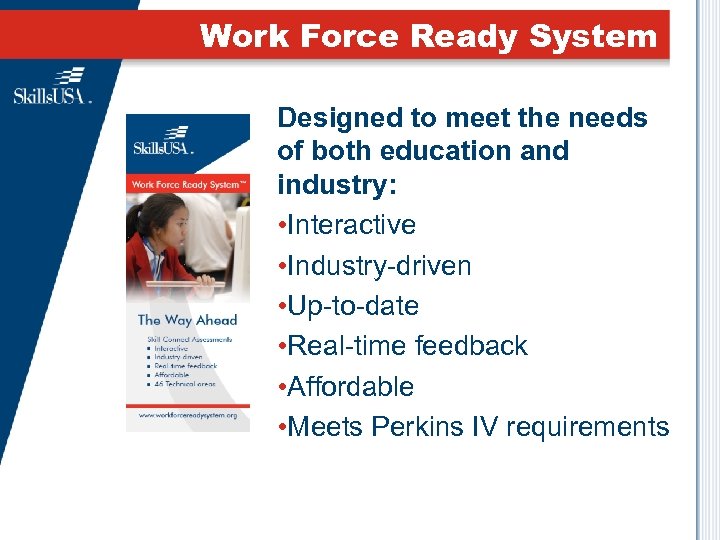 Work Force Ready System Designed to meet the needs of both education and industry: • Interactive • Industry-driven • Up-to-date • Real-time feedback • Affordable • Meets Perkins IV requirements
 The Development Process
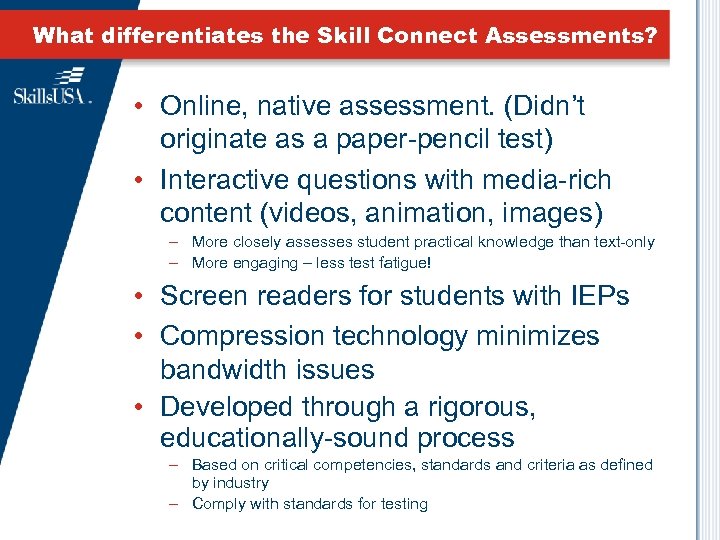 What differentiates the Skill Connect Assessments? • Online, native assessment. (Didn’t originate as a paper-pencil test) • Interactive questions with media-rich content (videos, animation, images) – More closely assesses student practical knowledge than text-only – More engaging – less test fatigue! • Screen readers for students with IEPs • Compression technology minimizes bandwidth issues • Developed through a rigorous, educationally-sound process – Based on critical competencies, standards and criteria as defined by industry – Comply with standards for testing
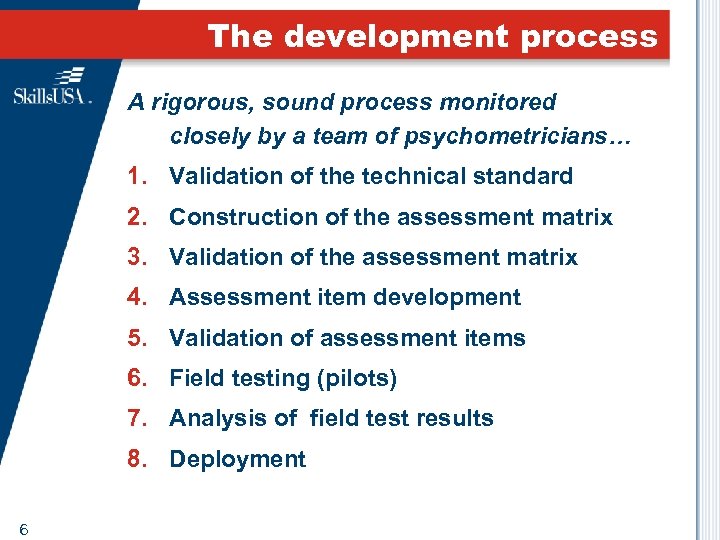 The development process A rigorous, sound process monitored closely by a team of psychometricians… 1. Validation of the technical standard 2. Construction of the assessment matrix 3. Validation of the assessment matrix 4. Assessment item development 5. Validation of assessment items 6. Field testing (pilots) 7. Analysis of field test results 8. Deployment 6
 Assessments Progress
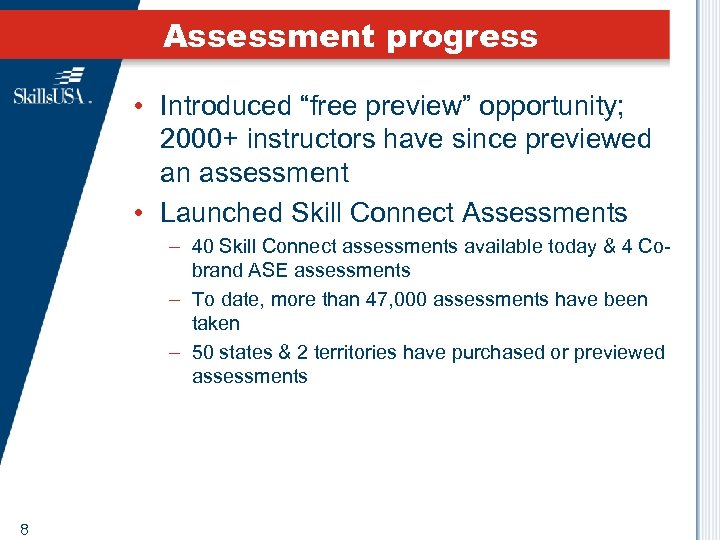 Assessment progress • Introduced “free preview” opportunity; 2000+ instructors have since previewed an assessment • Launched Skill Connect Assessments – 40 Skill Connect assessments available today & 4 Cobrand ASE assessments – To date, more than 47, 000 assessments have been taken – 50 states & 2 territories have purchased or previewed assessments 8
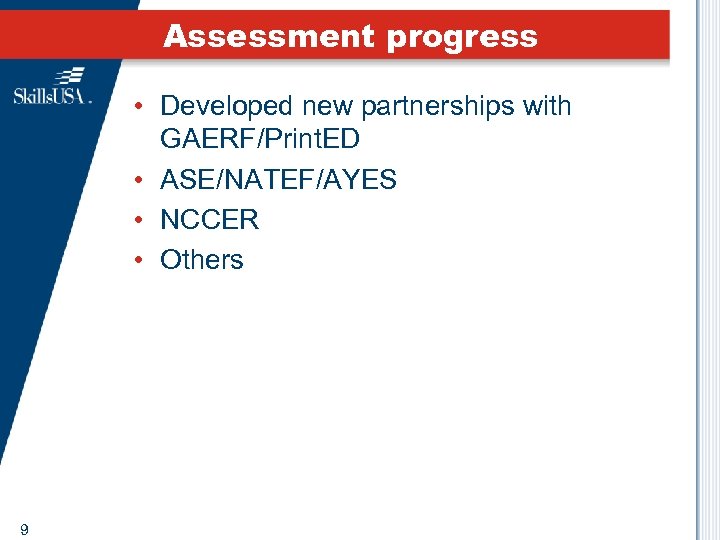 Assessment progress • Developed new partnerships with GAERF/Print. ED • ASE/NATEF/AYES • NCCER • Others 9
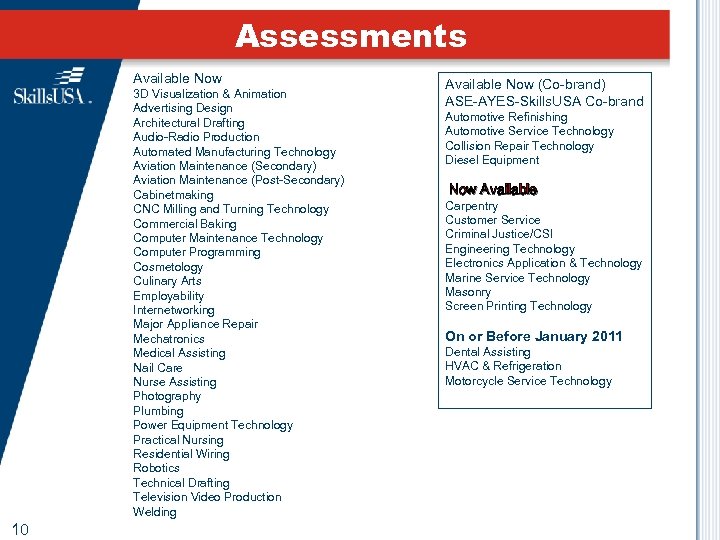 Assessments Available Now 3 D Visualization & Animation Advertising Design Architectural Drafting Audio-Radio Production Automated Manufacturing Technology Aviation Maintenance (Secondary) Aviation Maintenance (Post-Secondary) Cabinetmaking CNC Milling and Turning Technology Commercial Baking Computer Maintenance Technology Computer Programming Cosmetology Culinary Arts Employability Internetworking Major Appliance Repair Mechatronics Medical Assisting Nail Care Nurse Assisting Photography Plumbing Power Equipment Technology Practical Nursing Residential Wiring Robotics Technical Drafting Television Video Production Welding 10 Available Now (Co-brand) ASE-AYES-Skills. USA Co-brand Automotive Refinishing Automotive Service Technology Collision Repair Technology Diesel Equipment Now Available Carpentry Customer Service Criminal Justice/CSI Engineering Technology Electronics Application & Technology Marine Service Technology Masonry Screen Printing Technology On or Before January 2011 Dental Assisting HVAC & Refrigeration Motorcycle Service Technology
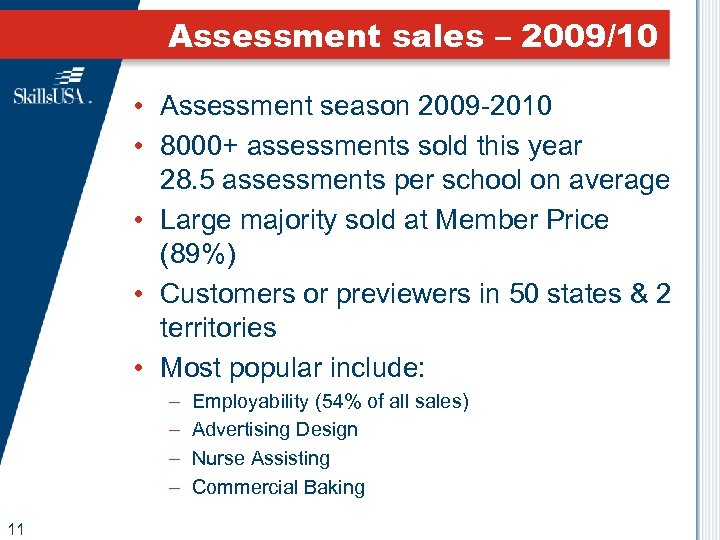 Assessment sales – 2009/10 • Assessment season 2009 -2010 • 8000+ assessments sold this year 28. 5 assessments per school on average • Large majority sold at Member Price (89%) • Customers or previewers in 50 states & 2 territories • Most popular include: – – 11 Employability (54% of all sales) Advertising Design Nurse Assisting Commercial Baking
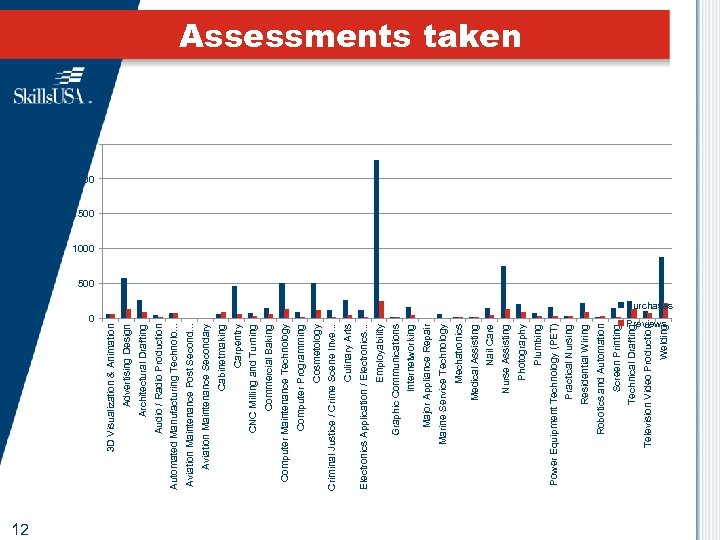 0 12 Screen Printing Robotics and Automation Residential Wiring Practical Nursing Power Equipment Technology (PET) Plumbing Photography Nurse Assisting Nail Care Medical Assisting Mechatronics Marine Service Technology Major Appliance Repair Internetworking Graphic Communications Employability Electronics Application / Electronics. . . Culinary Arts Criminal Justice / Crime Scene Inve. . . Cosmetology Computer Programming Computer Maintenance Technology Commercial Baking CNC Milling and Turning Carpentry Cabinetmaking Aviation Maintenance Secondary Aviation Maintenance Post Second. . . Automated Manufacturing Technolo. . . Audio / Radio Production Architectural Drafting Advertising Design 3 D Visualization & Animation Previews Welding Television Video Production Technical Drafting Assessments taken 2500 2000 1500 1000 500 Purchases
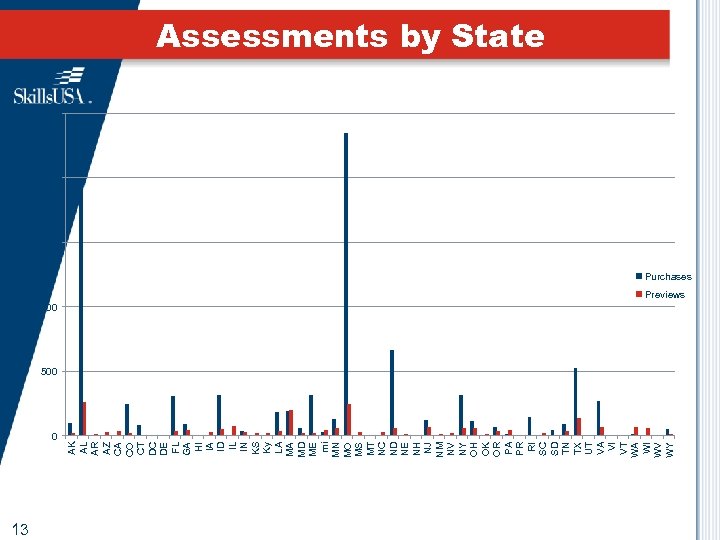 AK AL AR AZ CA CO CT DC DE FL GA HI IA ID IL IN KS Ky LA MA MD ME mi MN MO MS MT NC ND NE NH NJ NM NV NY OH OK OR PA PR RI SC SD TN TX UT VA VI VT WA WI WV WY Assessments by State 2500 2000 1500 Purchases 1000 Previews 500 0 13
 How They Can Be Used
 How they’re used • Focus is on the students • Candidates prove skills and knowledge to instructors and employers • Support instructional programs as – Pre-assessments – End-of-program evaluation – Prepare for industry certification (on-ramp) • Instructors demonstrate the value of their programs
 Feedback
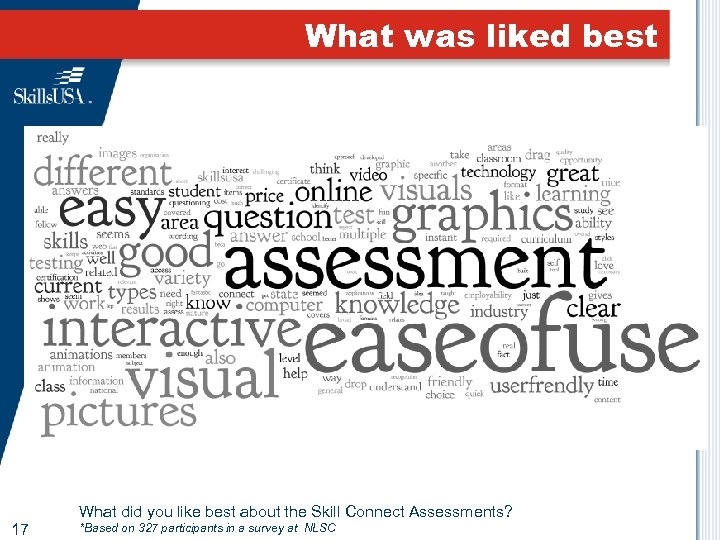 What was liked best 17 What did you like best about the Skill Connect Assessments? *Based on 327 participants in a survey at NLSC
 Students related • “The Skill Connect Assessment is much easier than the assessment we’ve been using. I liked the colors, and it’s just a better assessment. Students related to it better than any other assessments they have taken. It was so nice to have the results in the same day! This seems like the way to go with assessments in the future. ” – Dave Owens Barry Tech, NY 18
 More accurate than written exam • “It was better than taking a written exam. The interactivity made it a more accurate presentation to help me understand the questions and answers. ” – Joshua, Student N. Kansas City School District, MO 19
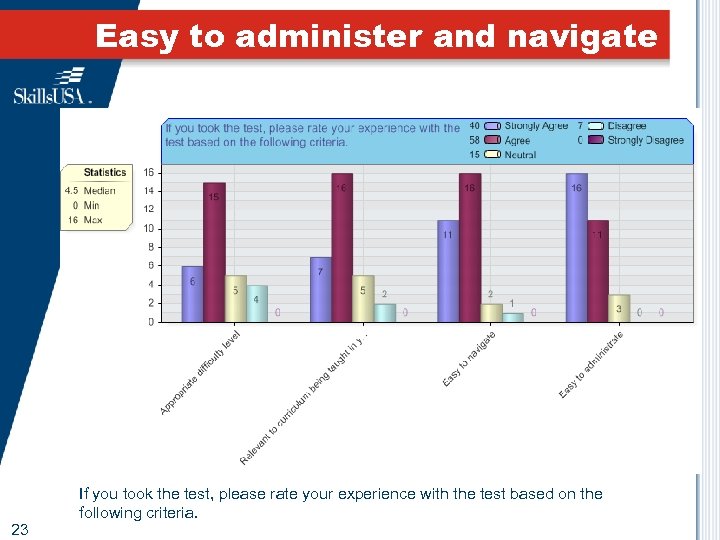 Easy to administer and navigate 23 If you took the test, please rate your experience with the test based on the following criteria.
 How the assessments work…
 How the test works • Each assessment includes approximately 50 questions of different question types – 4 equivalent forms (A, B, C, D) for item security – A student takes only one form • Tests are all online • Approximately one hour to administer • Students and instructors get immediate results • Skill Connect Certificates available immediately for students who achieve industry-defined cut score 23
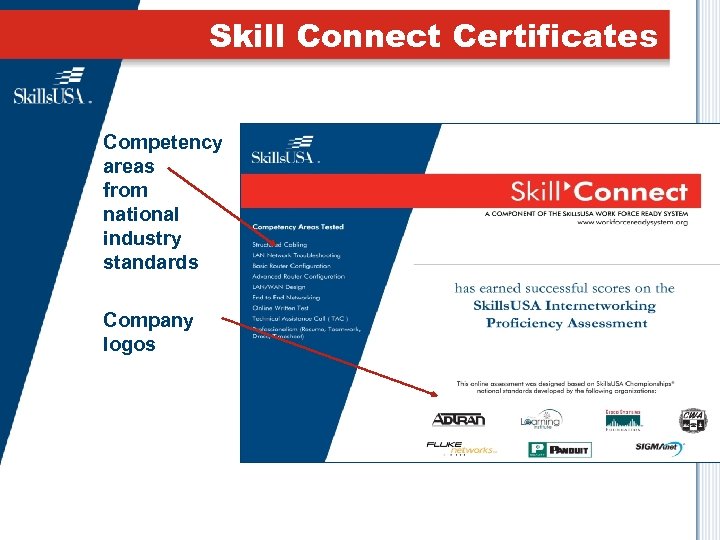 Skill Connect Certificates Competency areas from national industry standards Company logos
 Robust reporting • Robust, real-time and dynamic reporting – reports available immediately after assessments submitted • All reports can be printed AND exported to a CSV file (Excel readable) • Course (school)-specific reports for teachers • Aggregated reports for administrators 28
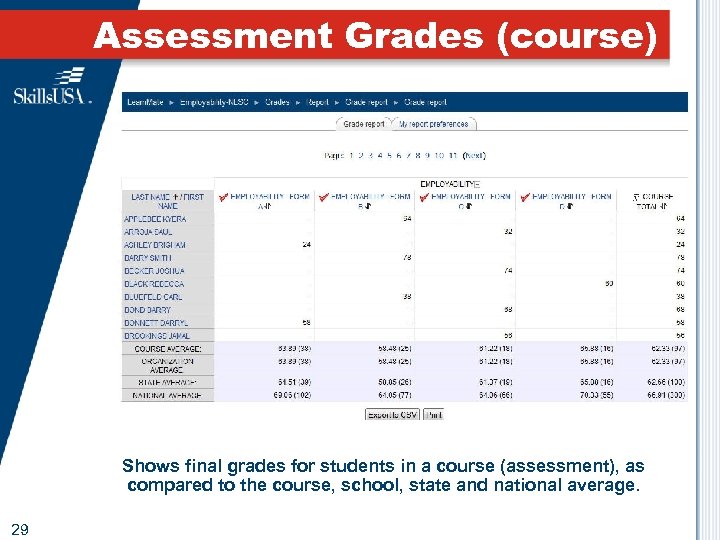 Assessment Grades (course) Shows final grades for students in a course (assessment), as compared to the course, school, state and national average. 29
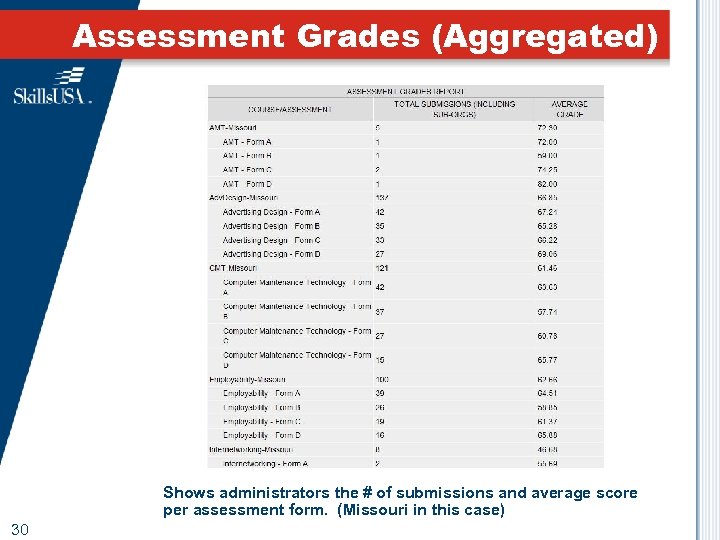 Assessment Grades (Aggregated) Shows administrators the # of submissions and average score per assessment form. (Missouri in this case) 30
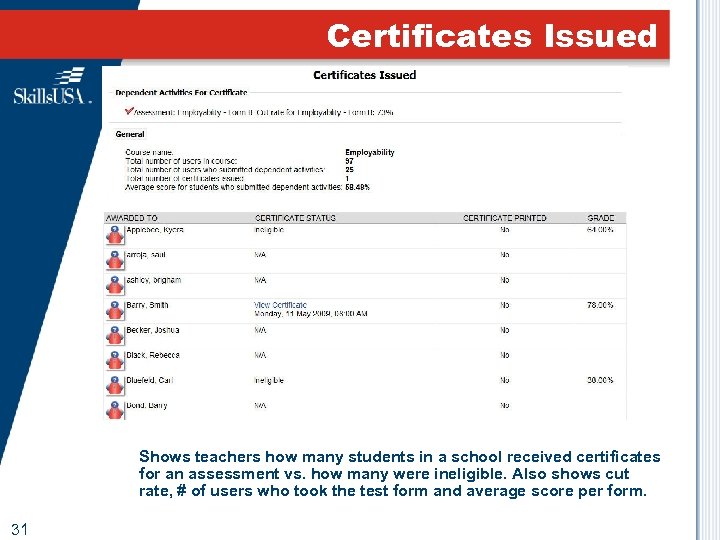 Certificates Issued Shows teachers how many students in a school received certificates for an assessment vs. how many were ineligible. Also shows cut rate, # of users who took the test form and average score per form. 31
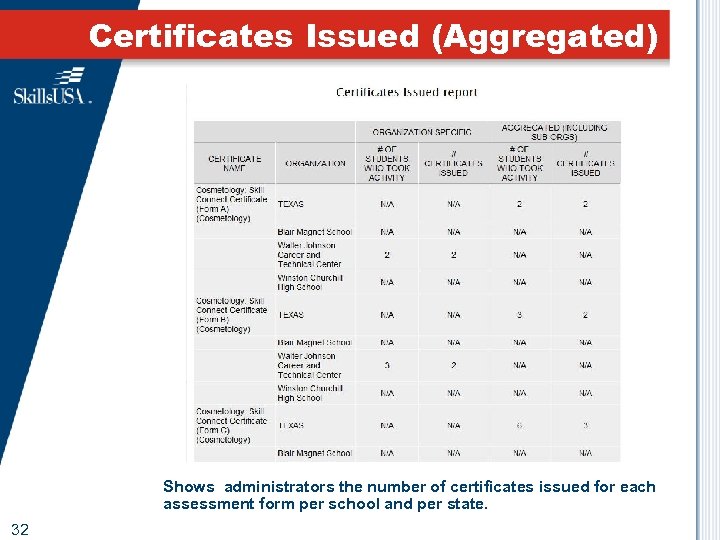 Certificates Issued (Aggregated) Shows administrators the number of certificates issued for each assessment form per school and per state. 32
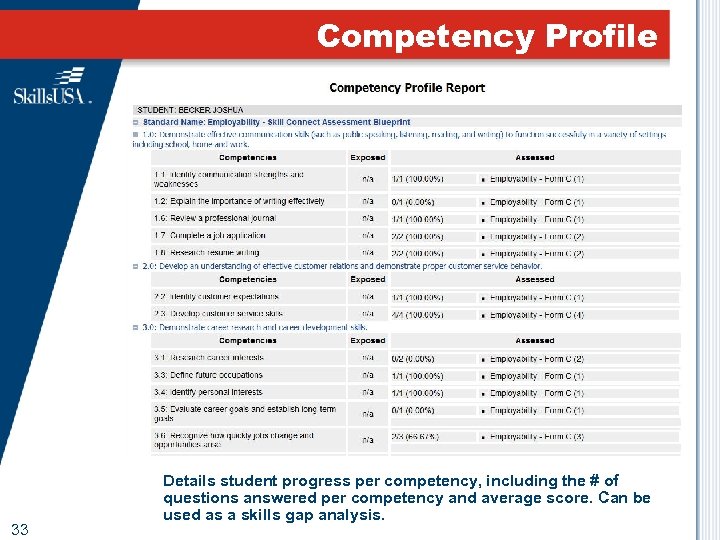 Competency Profile 33 Details student progress per competency, including the # of questions answered per competency and average score. Can be used as a skills gap analysis.
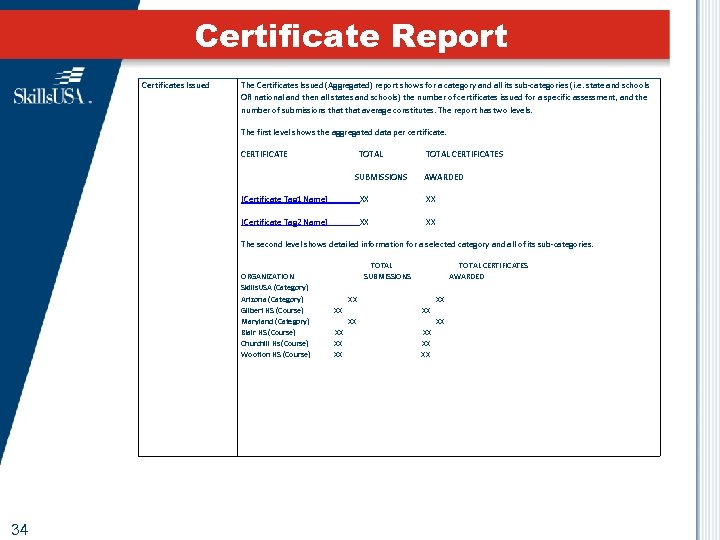 Certificate Report Certificates Issued The Certificates Issued (Aggregated) report shows for a category and all its sub-categories (i. e. state and schools OR national and then all states and schools) the number of certificates issued for a specific assessment, and the number of submissions that average constitutes. The report has two levels. The first level shows the aggregated data per certificate. CERTIFICATE TOTAL CERTIFICATES SUBMISSIONS AWARDED [Certificate Tag 1 Name] XX [Certificate Tag 2 Name] XX The second level shows detailed information for a selected category and all of its sub-categories. TOTAL CERTIFICATES ORGANIZATION SUBMISSIONS AWARDED Skills. USA (Category) Arizona (Category) XX Gilbert HS (Course) XX Maryland (Category) XX Blair HS (Course) XX Churchill Hs (Course) XX Wootton HS (Course) XX 34
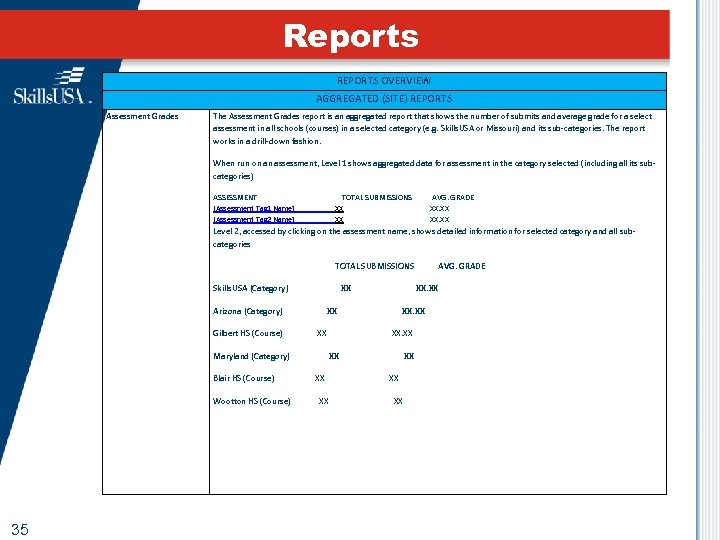 Reports REPORTS OVERVIEW AGGREGATED (SITE) REPORTS Assessment Grades The Assessment Grades report is an aggregated report that shows the number of submits and average grade for a select assessment in all schools (courses) in a selected category (e. g. Skills. USA or Missouri) and its sub-categories. The report works in a drill-down fashion. When run on an assessment, Level 1 shows aggregated data for assessment in the category selected (including all its subcategories) ASSESSMENT TOTAL SUBMISSIONS AVG. GRADE [Assessment Tag 1 Name] XX. XX [Assessment Tag 2 Name] XX. XX Level 2, accessed by clicking on the assessment name, shows detailed information for selected category and all subcategories TOTAL SUBMISSIONS AVG. GRADE Skills. USA (Category) XX. XX Arizona (Category) XX. XX Gilbert HS (Course) XX XX. XX Maryland (Category) XX Blair HS (Course) XX Wootton HS (Course) XX XX 35
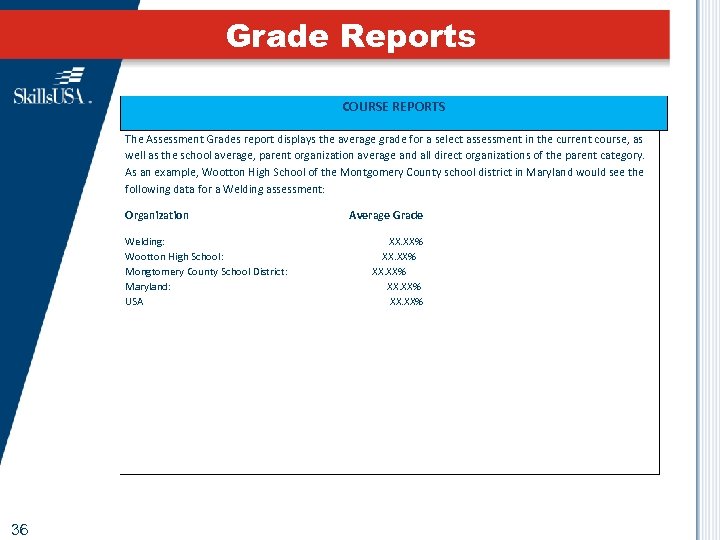 Grade Reports COURSE REPORTS The Assessment Grades report displays the average grade for a select assessment in the current course, as well as the school average, parent organization average and all direct organizations of the parent category. As an example, Wootton High School of the Montgomery County school district in Maryland would see the following data for a Welding assessment: Organization Average Grade Welding: XX. XX% Wootton High School: XX. XX% Mongtomery County School District: XX. XX% Maryland: XX. XX% USA XX. XX% 36
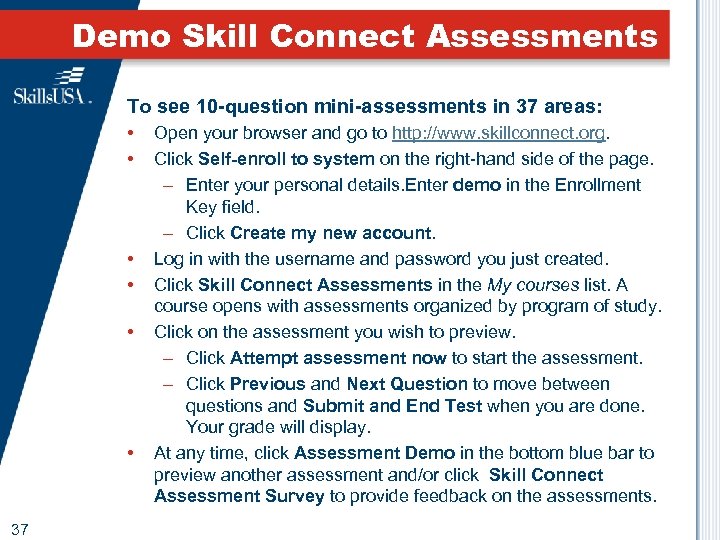 Demo Skill Connect Assessments To see 10 -question mini-assessments in 37 areas: • • • 37 Open your browser and go to http: //www. skillconnect. org. Click Self-enroll to system on the right-hand side of the page. – Enter your personal details. Enter demo in the Enrollment Key field. – Click Create my new account. Log in with the username and password you just created. Click Skill Connect Assessments in the My courses list. A course opens with assessments organized by program of study. Click on the assessment you wish to preview. – Click Attempt assessment now to start the assessment. – Click Previous and Next Question to move between questions and Submit and End Test when you are done. Your grade will display. At any time, click Assessment Demo in the bottom blue bar to preview another assessment and/or click Skill Connect Assessment Survey to provide feedback on the assessments.
 Thank you GACTE for your interest in Skill Connect Assessments Industry-driven assessments for the next generation