


 Скачать презентацию SK-ACP Installation Overview Agenda üOverview üSK-ACP Access
6a65f03b9cb05bb3f39ed15810b02370.ppt
- Количество слайдов: 44
 SK-ACP Installation Overview
 Agenda üOverview üSK-ACP (Access Control Panel) üResources Available üSK-NET (Software) üDemo
 Secura. Key Take Away üAccess Control System: üEasy to Learn (Installers, End User) üWhere to Locate Resources üFull Featured Robust Software üScalable üAffordable
 Secura Key ACP üAccess Control Panel üNetwork Modules
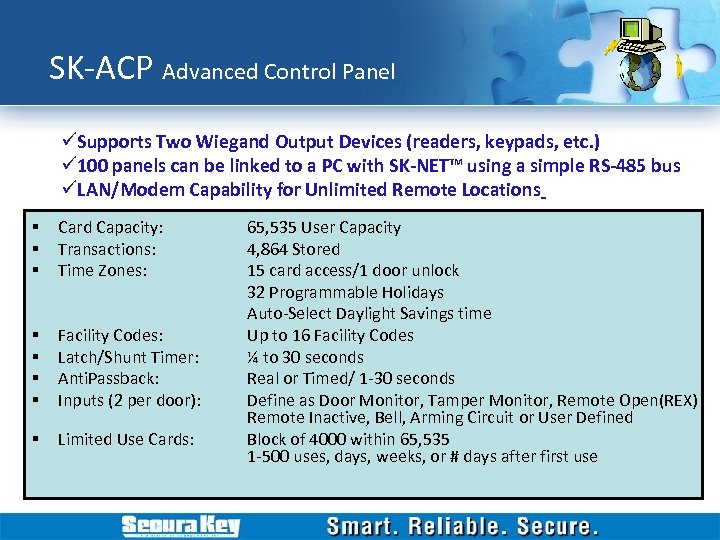 SK-ACP Advanced Control Panel üSupports Two Wiegand Output Devices (readers, keypads, etc. ) ü 100 panels can be linked to a PC with SK-NET™ using a simple RS-485 bus üLAN/Modem Capability for Unlimited Remote Locations § § § Card Capacity: Transactions: Time Zones: § § Facility Codes: Latch/Shunt Timer: Anti. Passback: Inputs (2 per door): § Limited Use Cards: 65, 535 User Capacity 4, 864 Stored 15 card access/1 door unlock 32 Programmable Holidays Auto-Select Daylight Savings time Up to 16 Facility Codes ¼ to 30 seconds Real or Timed/ 1 -30 seconds Define as Door Monitor, Tamper Monitor, Remote Open(REX) Remote Inactive, Bell, Arming Circuit or User Defined Block of 4000 within 65, 535 1 -500 uses, days, weeks, or # days after first use
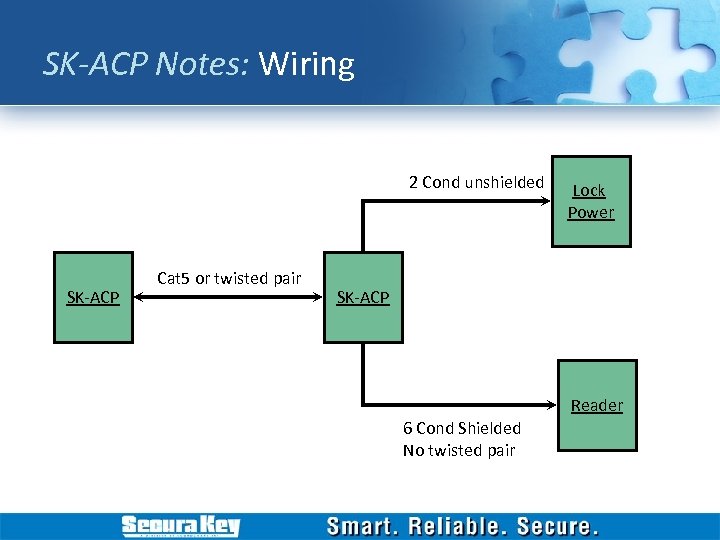 SK-ACP Notes: Wiring 2 Cond unshielded SK-ACP Cat 5 or twisted pair Lock Power SK-ACP Reader 6 Cond Shielded No twisted pair
 Connect 1…
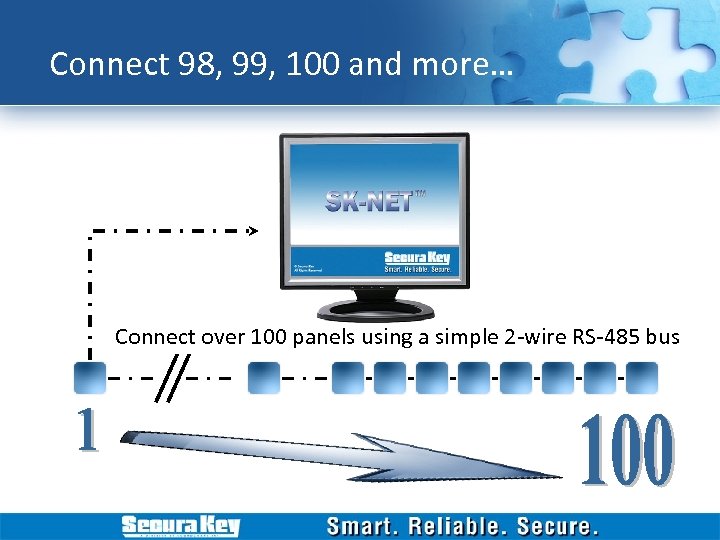 Connect 98, 99, 100 and more… Connect over 100 panels using a simple 2 -wire RS-485 bus
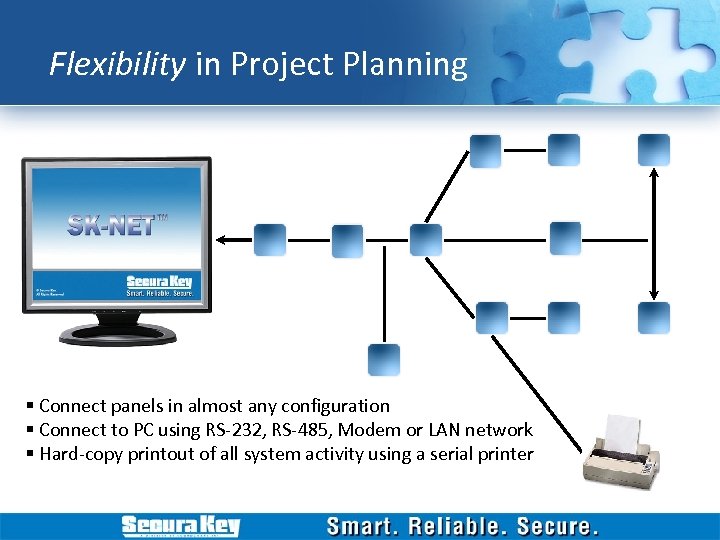 Flexibility in Project Planning § Connect panels in almost any configuration § Connect to PC using RS-232, RS-485, Modem or LAN network § Hard-copy printout of all system activity using a serial printer
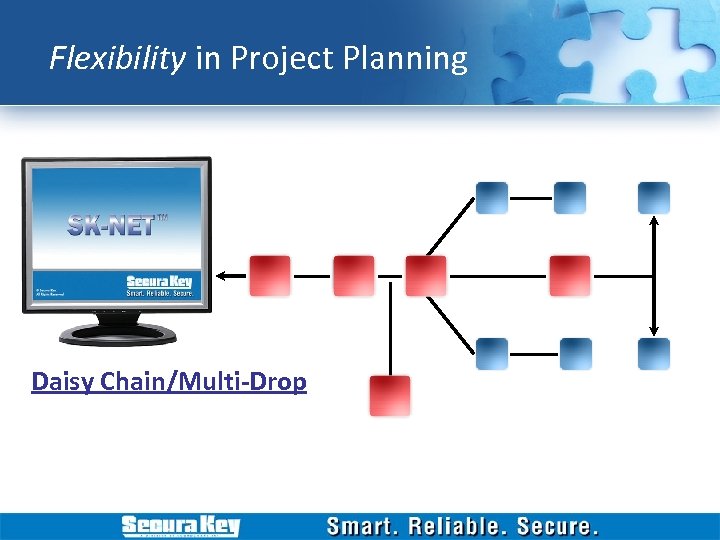 Flexibility in Project Planning Daisy Chain/Multi-Drop
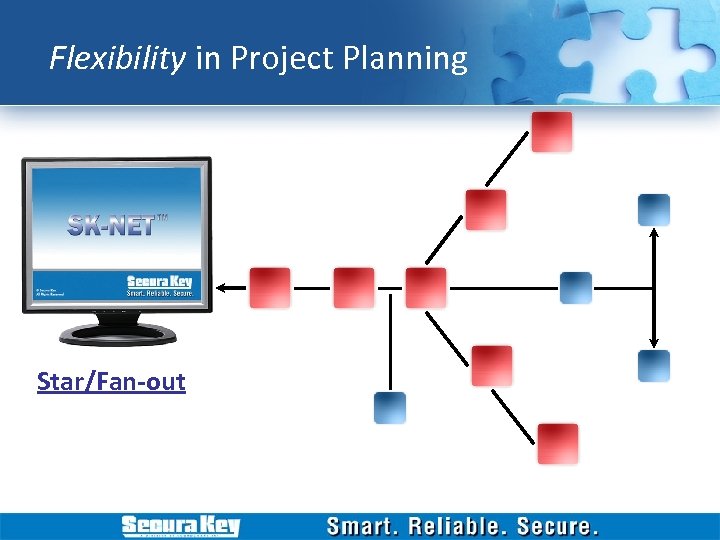 Flexibility in Project Planning Star/Fan-out
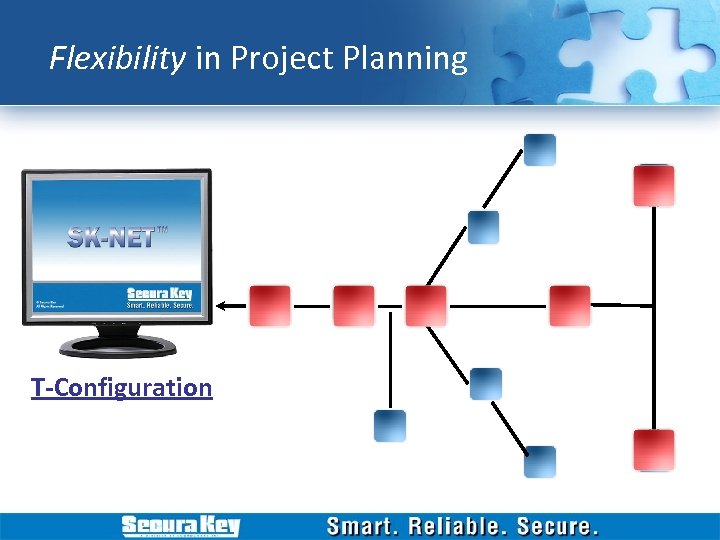 Flexibility in Project Planning T-Configuration
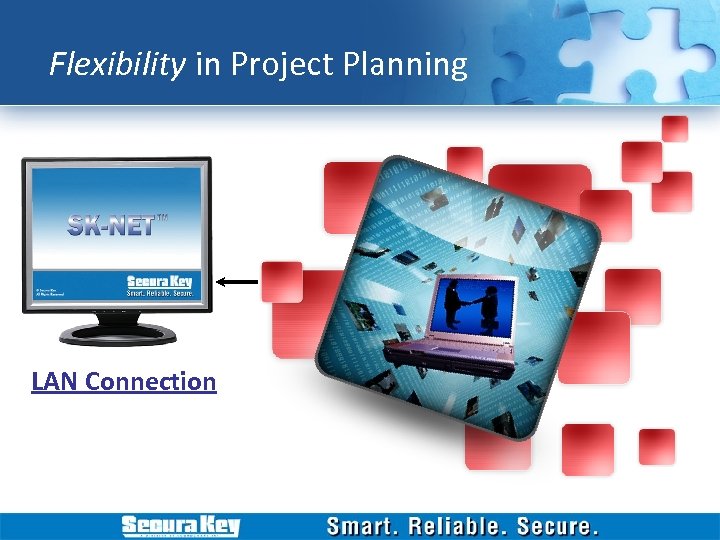 Flexibility in Project Planning LAN Connection
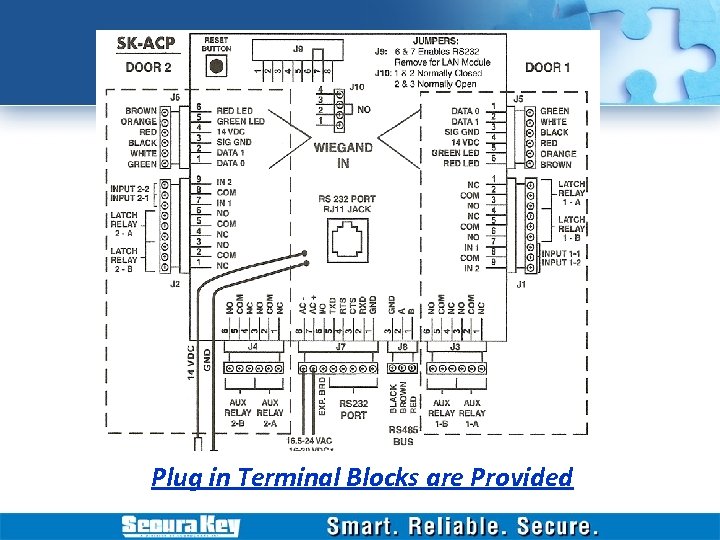 Plug in Terminal Blocks are Provided
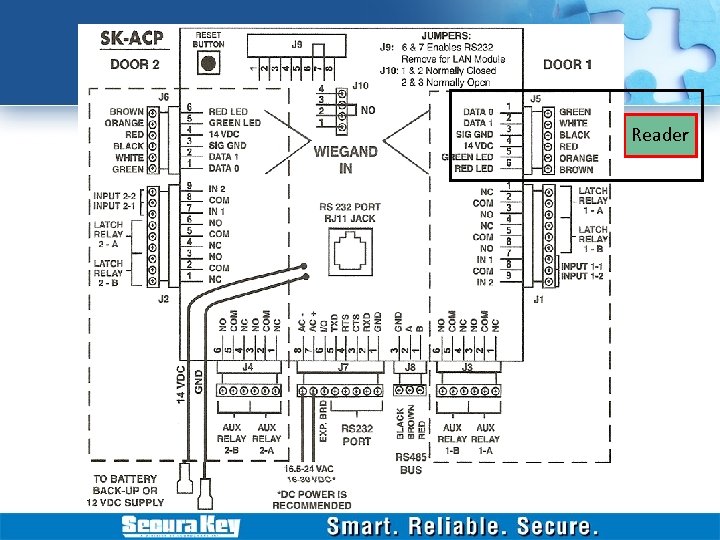 Reader
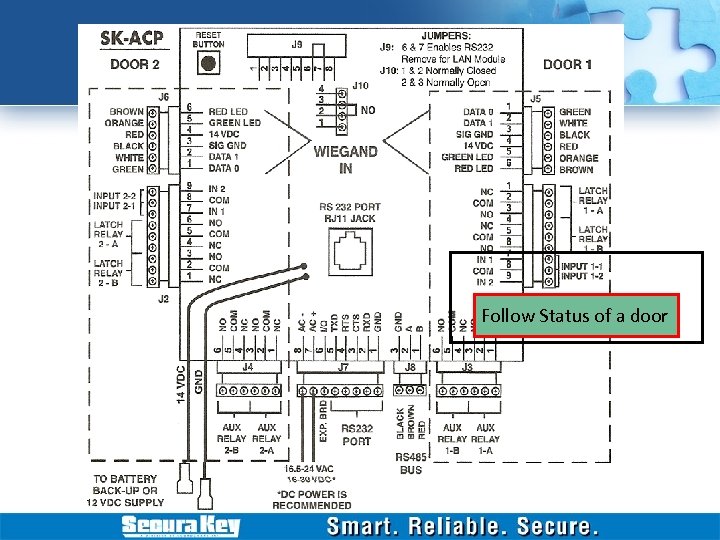 Follow Status of a door
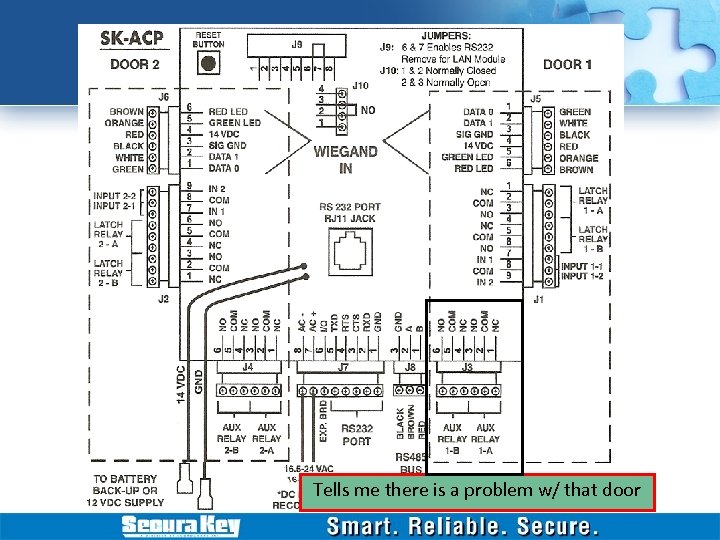 Tells me there is a problem w/ that door
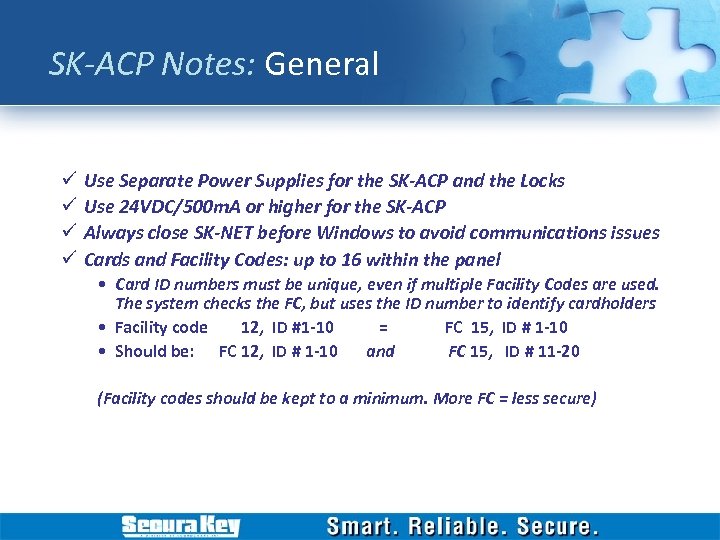 SK-ACP Notes: General ü ü Use Separate Power Supplies for the SK-ACP and the Locks Use 24 VDC/500 m. A or higher for the SK-ACP Always close SK-NET before Windows to avoid communications issues Cards and Facility Codes: up to 16 within the panel • Card ID numbers must be unique, even if multiple Facility Codes are used. The system checks the FC, but uses the ID number to identify cardholders • Facility code 12, ID #1 -10 = FC 15, ID # 1 -10 • Should be: FC 12, ID # 1 -10 and FC 15, ID # 11 -20 (Facility codes should be kept to a minimum. More FC = less secure)
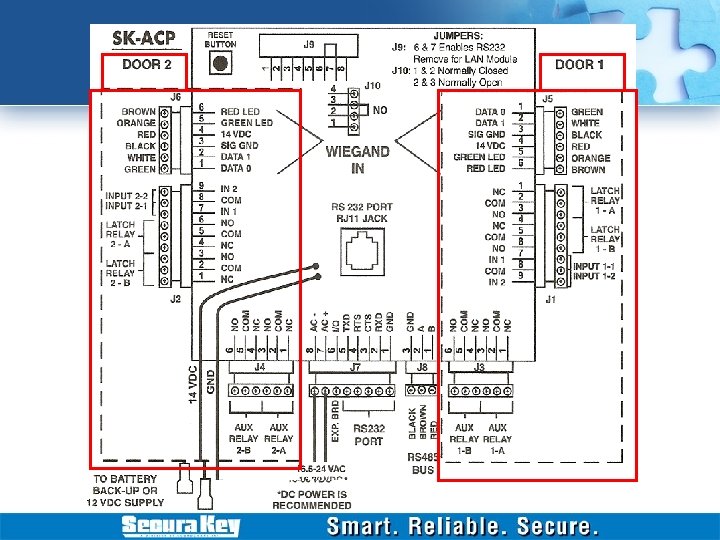
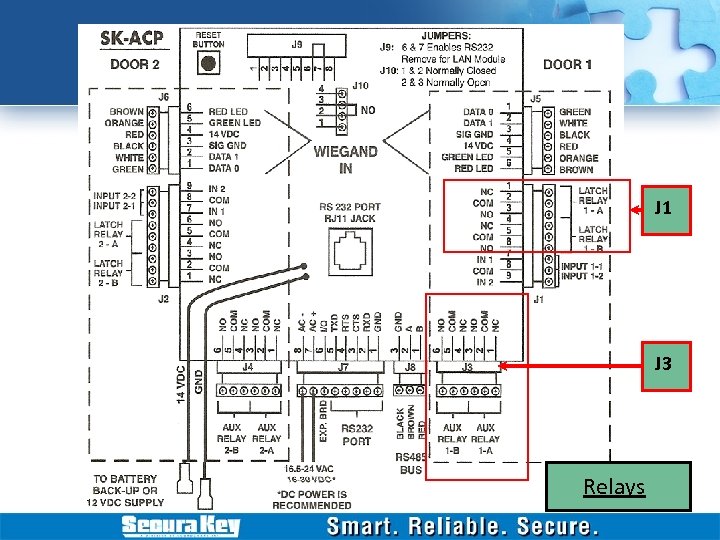
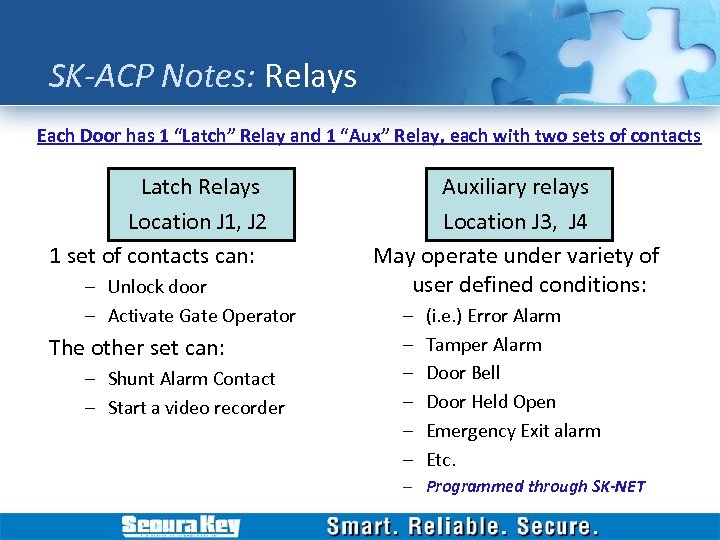 SK-ACP Notes: Relays Each Door has 1 “Latch” Relay and 1 “Aux” Relay, each with two sets of contacts Latch Relays Location J 1, J 2 1 set of contacts can: – Unlock door – Activate Gate Operator The other set can: – Shunt Alarm Contact – Start a video recorder Auxiliary relays Location J 3, J 4 May operate under variety of user defined conditions: – – – (i. e. ) Error Alarm Tamper Alarm Door Bell Door Held Open Emergency Exit alarm Etc. – Programmed through SK-NET
 J 1 J 3 Relays
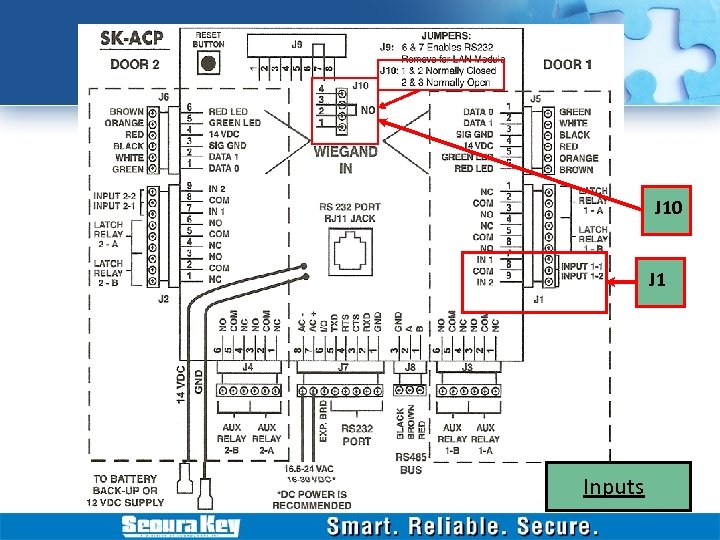
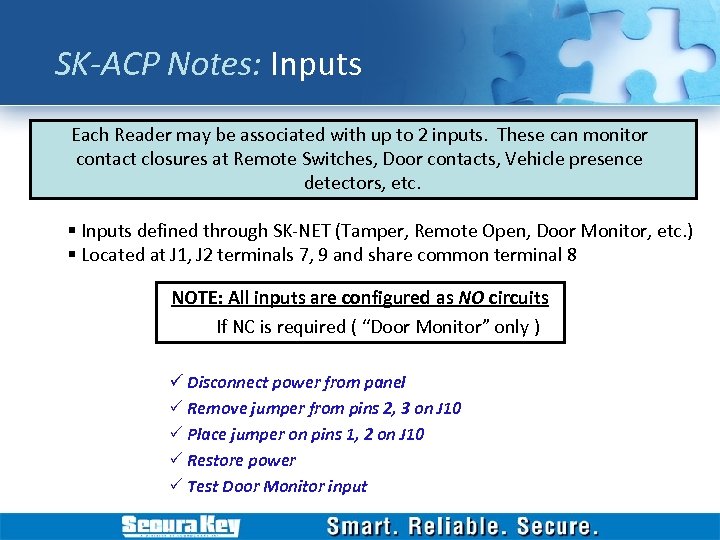 SK-ACP Notes: Inputs Each Reader may be associated with up to 2 inputs. These can monitor contact closures at Remote Switches, Door contacts, Vehicle presence detectors, etc. § Inputs defined through SK-NET (Tamper, Remote Open, Door Monitor, etc. ) § Located at J 1, J 2 terminals 7, 9 and share common terminal 8 NOTE: All inputs are configured as NO circuits If NC is required ( “Door Monitor” only ) ü Disconnect power from panel P Remove jumper from pins 2, 3 on J 10 P Place jumper on pins 1, 2 on J 10 P Restore power P Test Door Monitor input
 J 10 J 1 Inputs
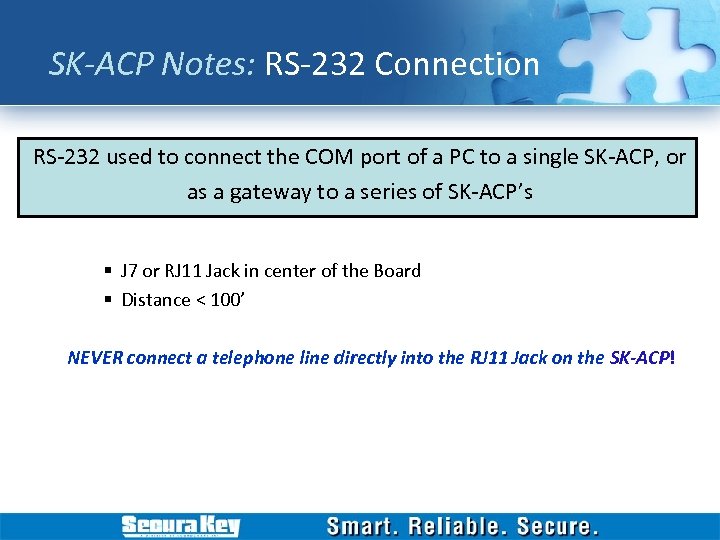 SK-ACP Notes: RS-232 Connection RS-232 used to connect the COM port of a PC to a single SK-ACP, or as a gateway to a series of SK-ACP’s § J 7 or RJ 11 Jack in center of the Board § Distance < 100’ NEVER connect a telephone line directly into the RJ 11 Jack on the SK-ACP!
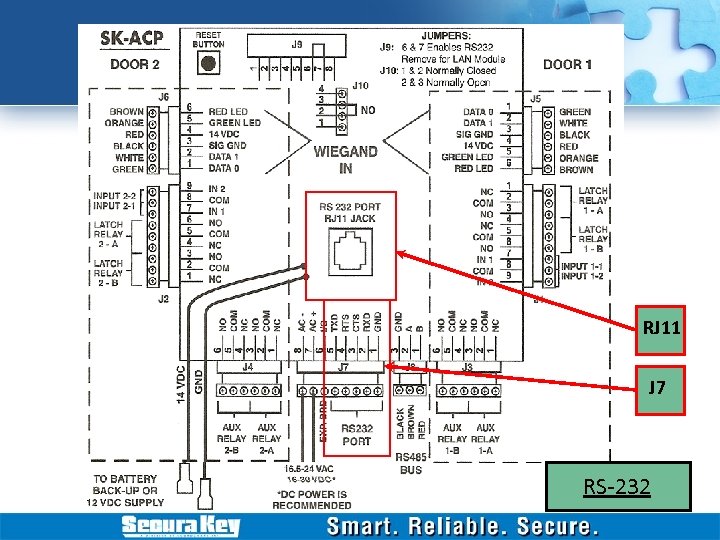 RJ 11 J 7 RS-232
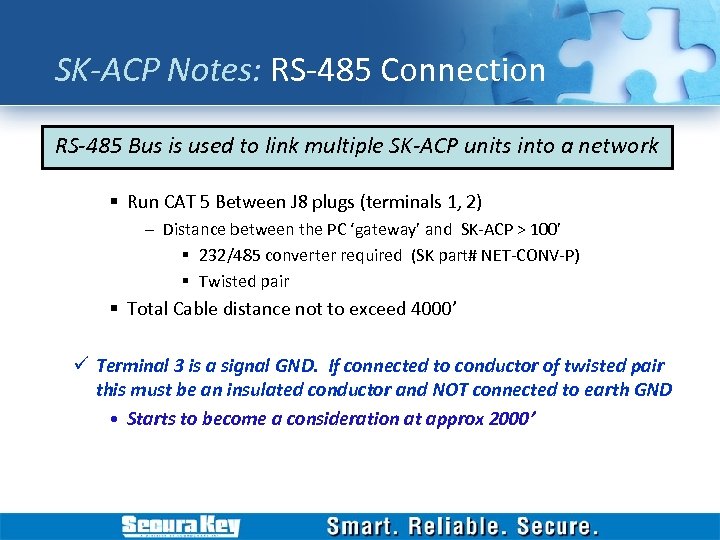 SK-ACP Notes: RS-485 Connection RS-485 Bus is used to link multiple SK-ACP units into a network § Run CAT 5 Between J 8 plugs (terminals 1, 2) – Distance between the PC ‘gateway’ and SK-ACP > 100’ § 232/485 converter required (SK part# NET-CONV-P) § Twisted pair § Total Cable distance not to exceed 4000’ ü Terminal 3 is a signal GND. If connected to conductor of twisted pair this must be an insulated conductor and NOT connected to earth GND • Starts to become a consideration at approx 2000’
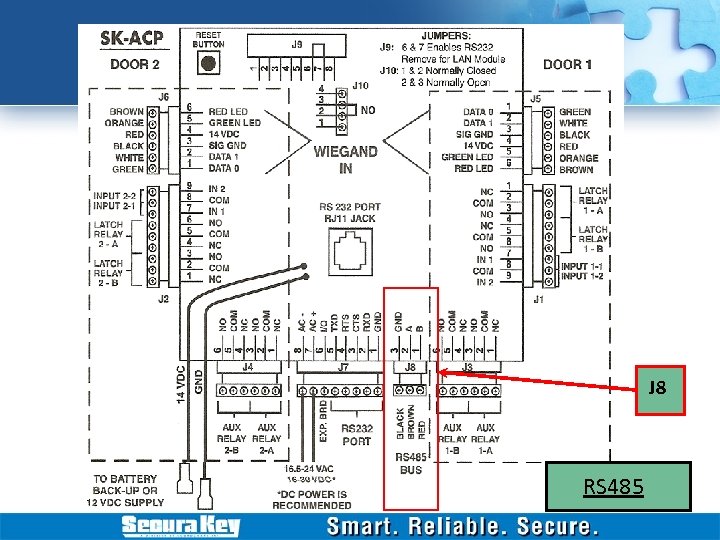 J 8 RS 485
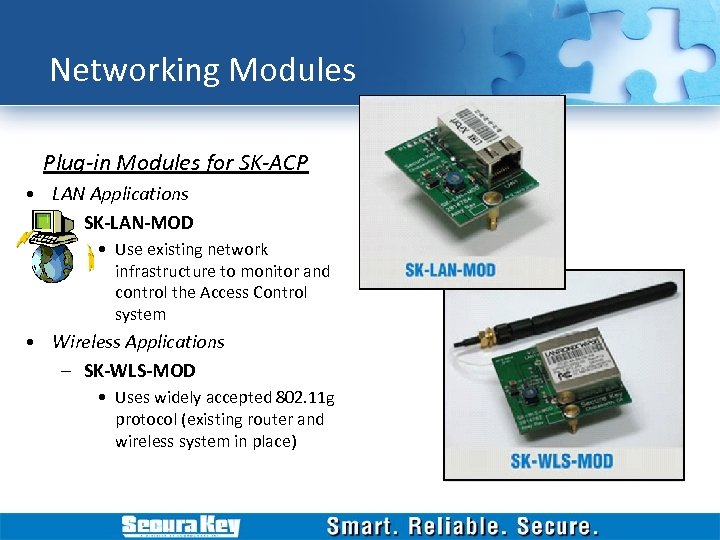 Networking Modules Plug-in Modules for SK-ACP • LAN Applications – SK-LAN-MOD • Use existing network infrastructure to monitor and control the Access Control system • Wireless Applications – SK-WLS-MOD • Uses widely accepted 802. 11 g protocol (existing router and wireless system in place)
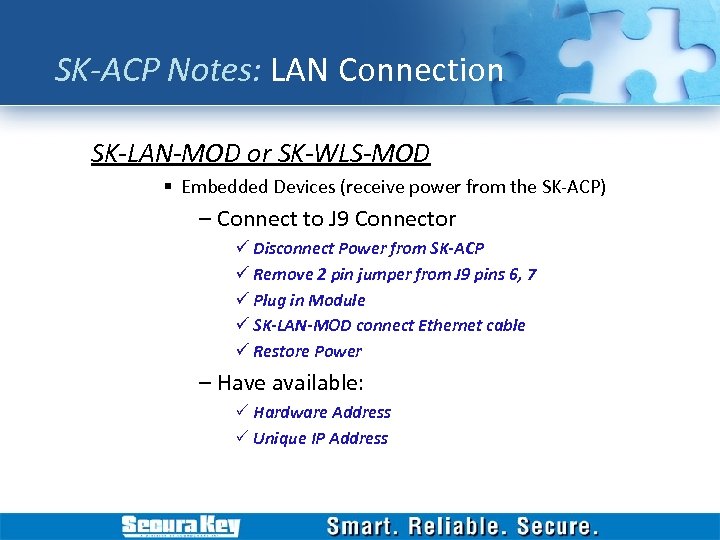 SK-ACP Notes: LAN Connection SK-LAN-MOD or SK-WLS-MOD § Embedded Devices (receive power from the SK-ACP) – Connect to J 9 Connector ü Disconnect Power from SK-ACP ü Remove 2 pin jumper from J 9 pins 6, 7 ü Plug in Module ü SK-LAN-MOD connect Ethernet cable ü Restore Power – Have available: P Hardware Address P Unique IP Address
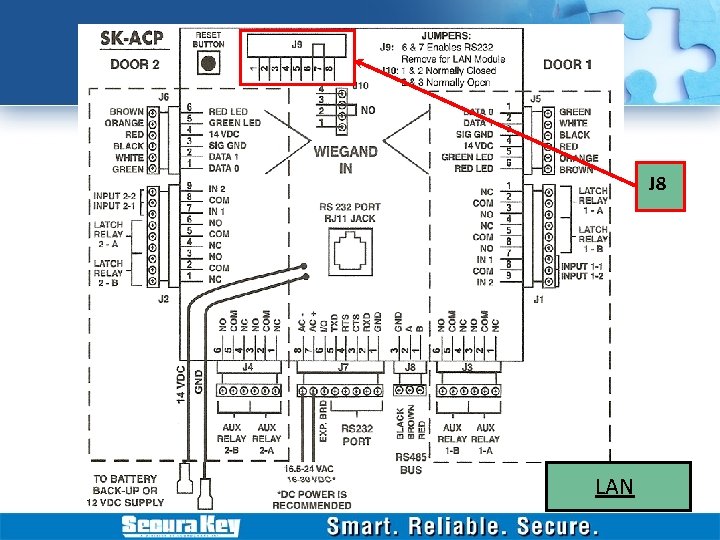 J 8 LAN
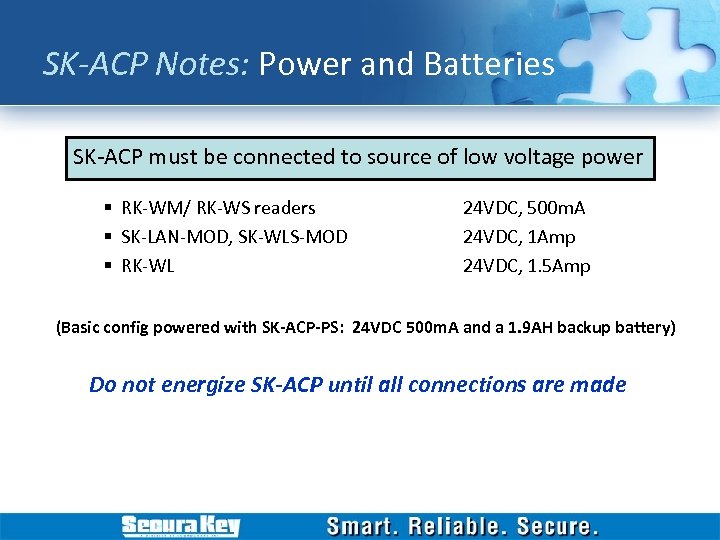 SK-ACP Notes: Power and Batteries SK-ACP must be connected to source of low voltage power § RK-WM/ RK-WS readers § SK-LAN-MOD, SK-WLS-MOD § RK-WL 24 VDC, 500 m. A 24 VDC, 1 Amp 24 VDC, 1. 5 Amp (Basic config powered with SK-ACP-PS: 24 VDC 500 m. A and a 1. 9 AH backup battery) Do not energize SK-ACP until all connections are made
 SK-ACP Notes: General 99% of technical ‘issues’ are addressed by: üReferring to: üThe Manual üTroubleshooting Guide üFollowing the Installation Instructions üReferring to the Web Site www. securakey. com
 SK-Net Software § Basic § RS 232 Direct Connect § RS 485 Direct Connect w/ RS-232 to RS-485 converter § Single LAN TCP/IP connection § Multi-Location (Remote Access) § Multiple LAN TCP/IP Connections § Modem Dial-up § Multi-User § Client Server license for 2, 5, 10 or 15 workstations
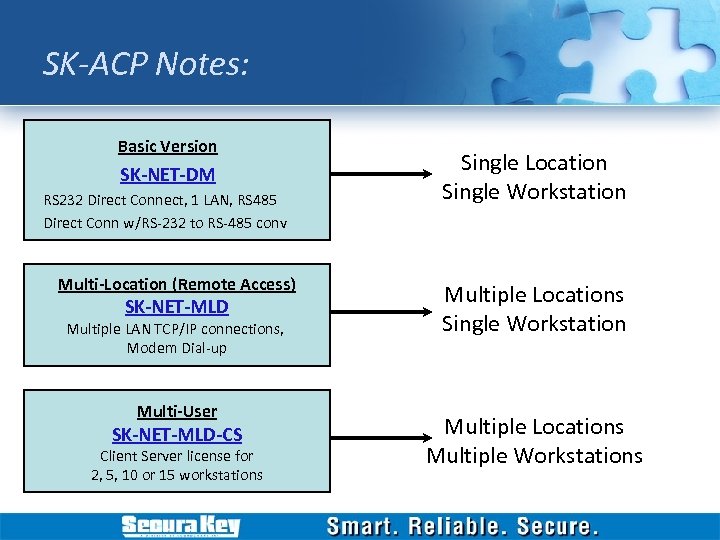 SK-ACP Notes: Basic Version SK-NET-DM RS 232 Direct Connect, 1 LAN, RS 485 Direct Conn w/RS-232 to RS-485 conv Multi-Location (Remote Access) SK-NET-MLD Multiple LAN TCP/IP connections, Modem Dial-up Multi-User SK-NET-MLD-CS Client Server license for 2, 5, 10 or 15 workstations Single Location Single Workstation Multiple Locations Multiple Workstations
 Features of SK-NET • Multiple Locations (adding) • Customize the System – Location Time Zones (editing, limiting, etc) – Antipassback (Timed, Real, Soft and Hard) – Single Reader Time Zone Editing – Creating Access Groups – Changing Reader icons – Setting Door Schedules – Changing Latch timer for a single reader – Holidays – Daylight savings time – IN and OUT Readers (programming) – Reader Groups (creating, editing) – Door Controls (setting and using) – Inputs/Outputs – Programming custom Wiegand formats – Adding Facility Codes
 Features of SK-NET • Managing Users – – – Adding/Deleting Customizing User Data Fields Sorting Filtering Users User Reports Limited Use Cards • Managing Transactions – – Filtering Transactions Viewing Cardholder Photos Archiving Excluding Transaction types for all/ for one reader • Reports – – – Transaction Reports User Information Report List of Readers in a Location List of Readers in an Access Group List of Users in Access Group • Security – – Passwords Assigning Operator Levels System Activity Log Password Protection
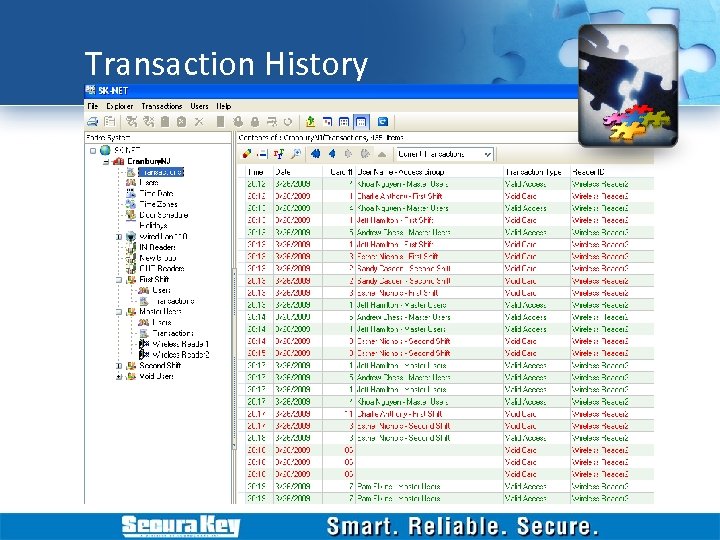 Transaction History
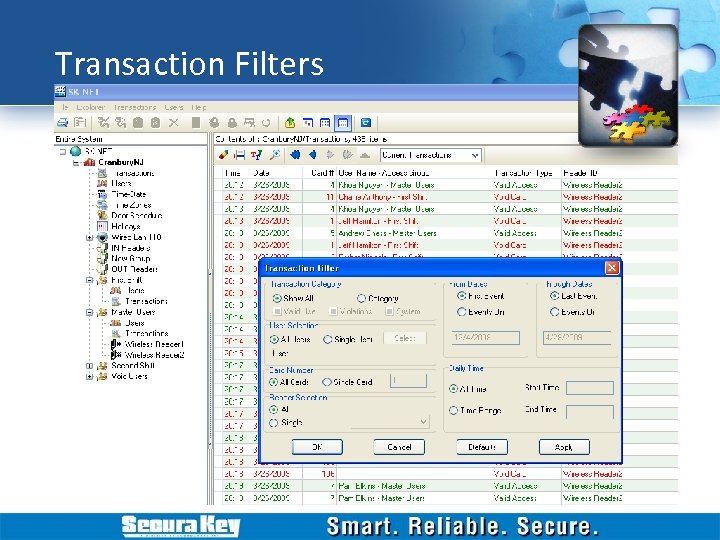 Transaction Filters
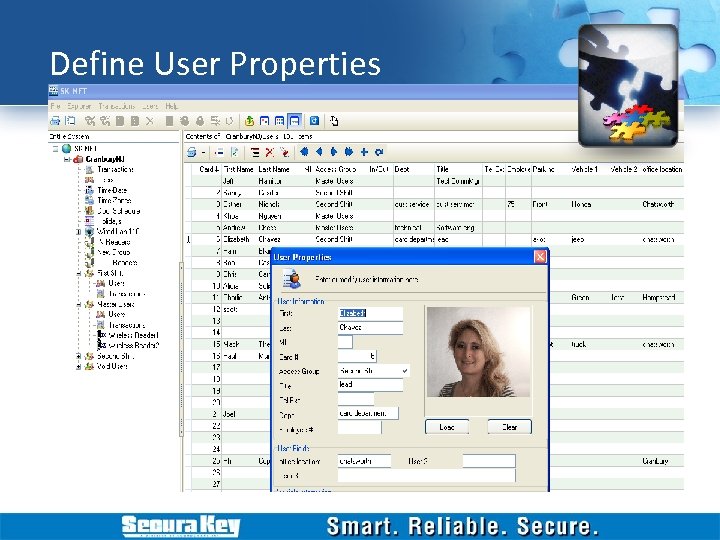 Define User Properties
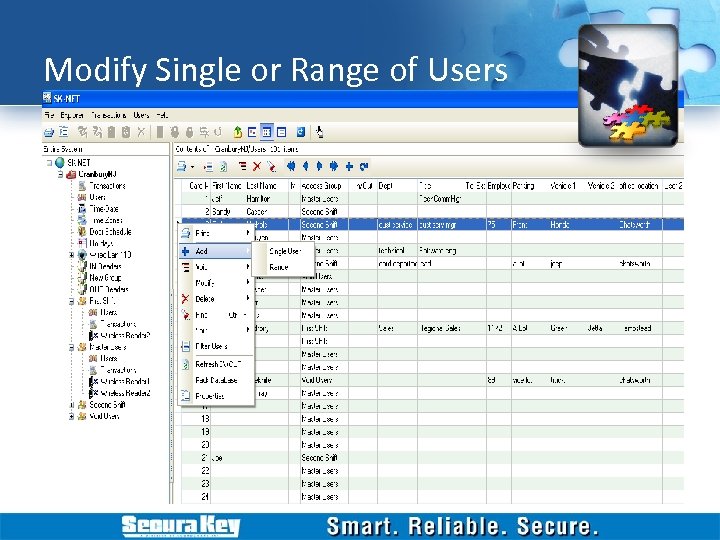 Modify Single or Range of Users
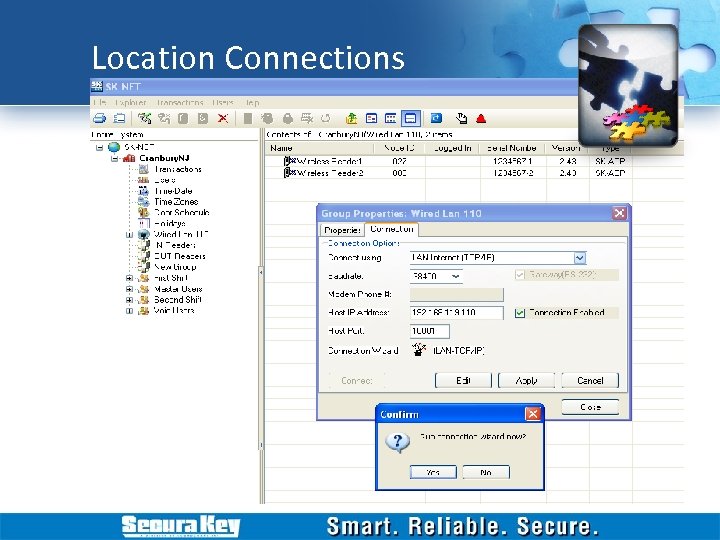 Location Connections
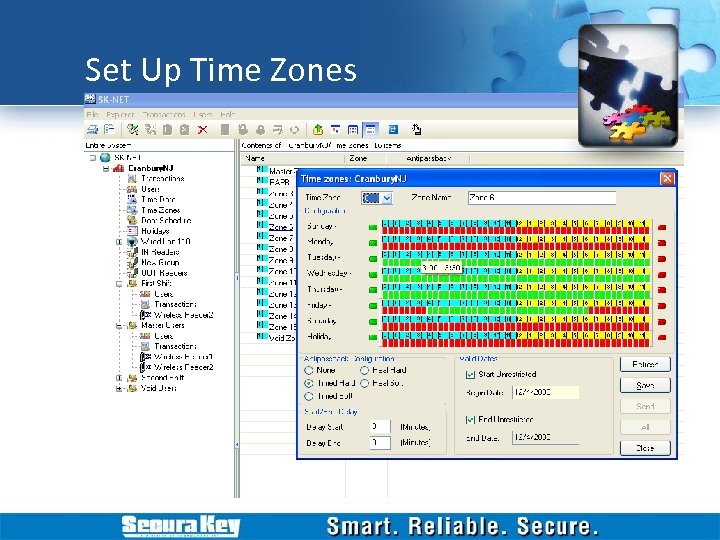 Set Up Time Zones
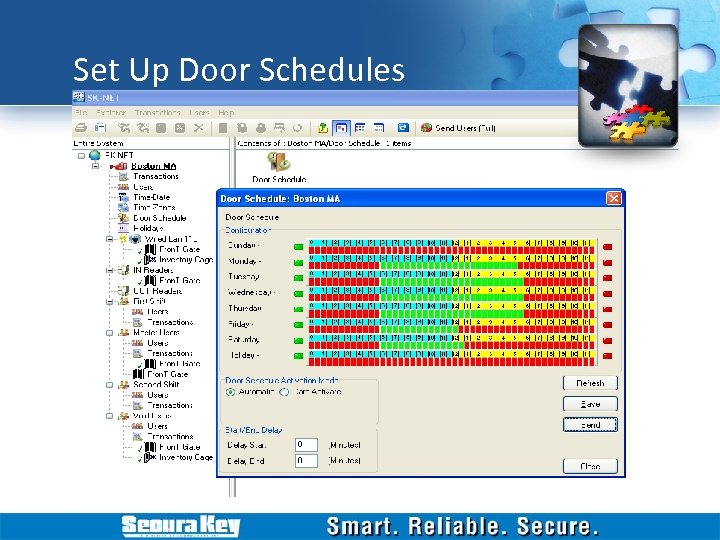 Set Up Door Schedules
 5 Main Steps in System Setup 1. Establish communications to the readers. 2. Setup any or all restrictions for times of access. 3. Assign user with cards numbers for any restrictions necessary. 4. Setup any inputs or outputs for special requirements. 5. Keep track of who uses the reader, time, date, and area of entrance.