


 Скачать презентацию Шоханов Андрій andriish microsoft com DOWNLOAD Windows Server
Windows Server 2012 R2.pptx
- Количество слайдов: 48
 Шоханов Андрій andriish@microsoft. com
 DOWNLOAD Windows Server 2012 R 2 Preview aka. ms/ws 2012 r 2 DOWNLOAD System Center 2012 R 2 Preview aka. ms/sc 2012 r 2 Microsoft Virtual Academy (MVA) http: //www. microsoftvirtualacademy. com
 4
4
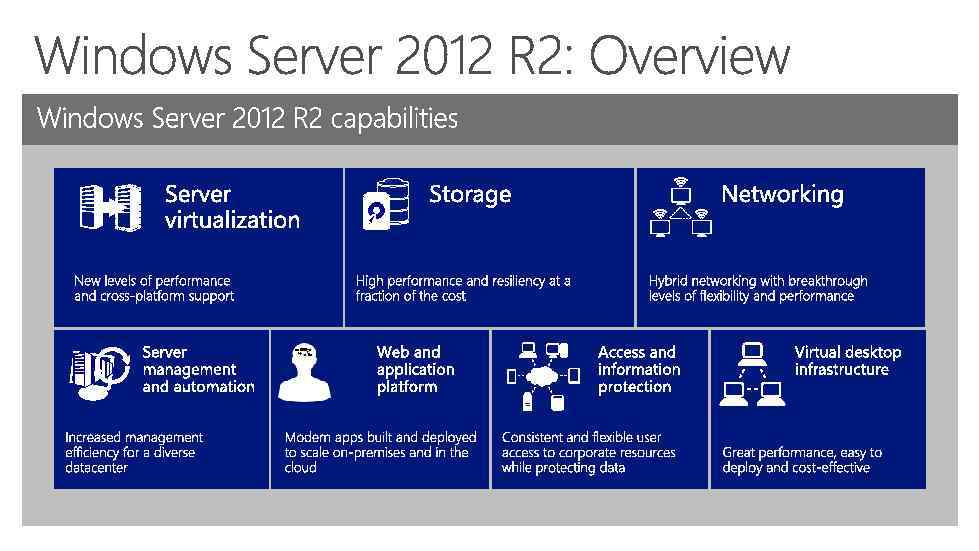
 Agenda
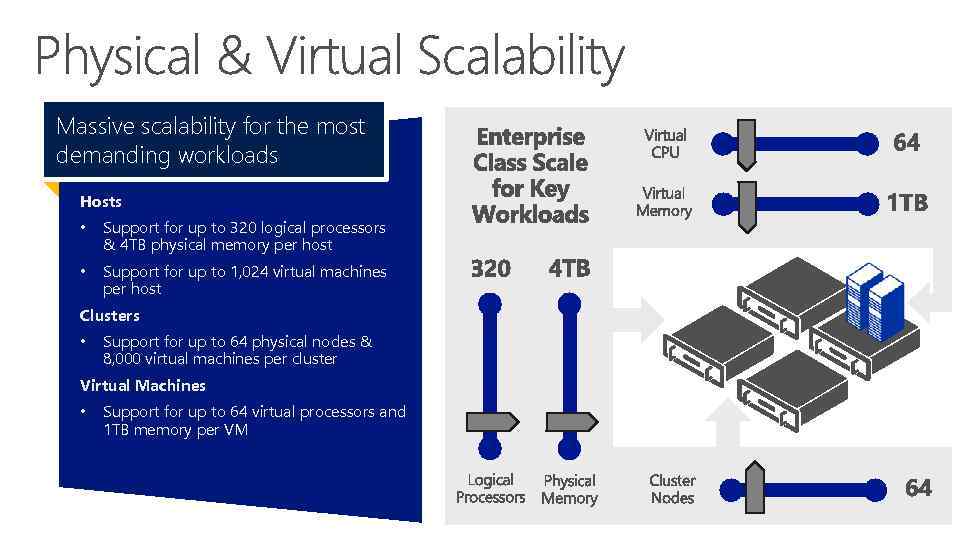 Massive scalability for the most demanding workloads Hosts • Support for up to 320 logical processors & 4 TB physical memory per host • Support for up to 1, 024 virtual machines per host Clusters • Support for up to 64 physical nodes & 8, 000 virtual machines per cluster Virtual Machines • Support for up to 64 virtual processors and 1 TB memory per VM
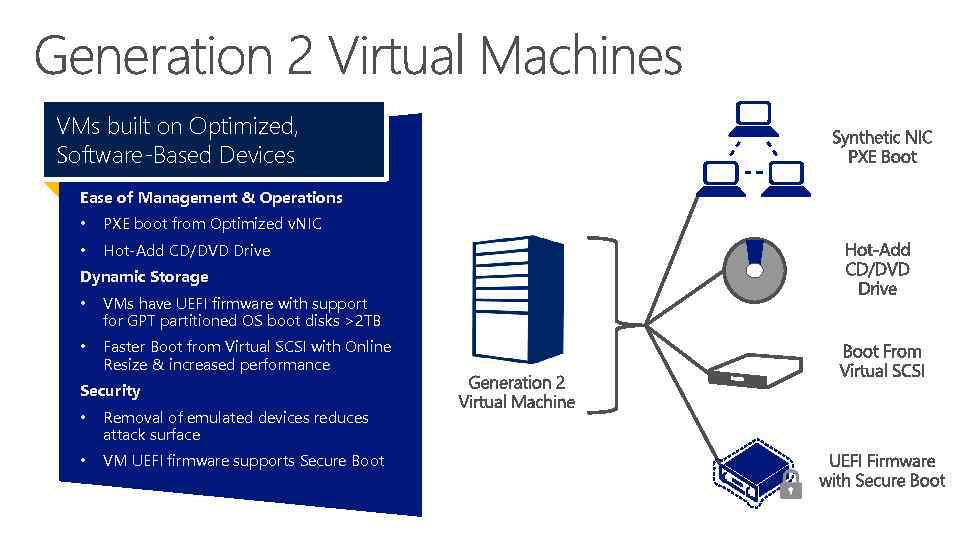 VMs built on Optimized, Software-Based Devices Ease of Management & Operations • PXE boot from Optimized v. NIC • Hot-Add CD/DVD Drive Dynamic Storage • VMs have UEFI firmware with support for GPT partitioned OS boot disks >2 TB • Faster Boot from Virtual SCSI with Online Resize & increased performance Security • Removal of emulated devices reduces attack surface • VM UEFI firmware supports Secure Boot
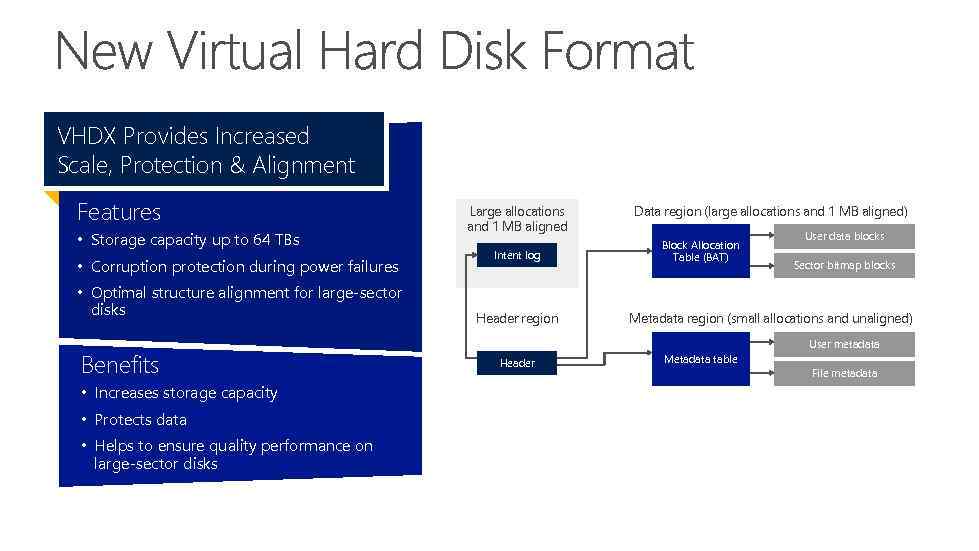 VHDX Provides Increased Scale, Protection & Alignment Features • Storage capacity up to 64 TBs • Corruption protection during power failures • Optimal structure alignment for large-sector disks Benefits • Increases storage capacity • Protects data • Helps to ensure quality performance on large-sector disks Large allocations and 1 MB aligned Intent log Header region Data region (large allocations and 1 MB aligned) Block Allocation Table (BAT) User data blocks Sector bitmap blocks Metadata region (small allocations and unaligned) User metadata Header Metadata table File metadata
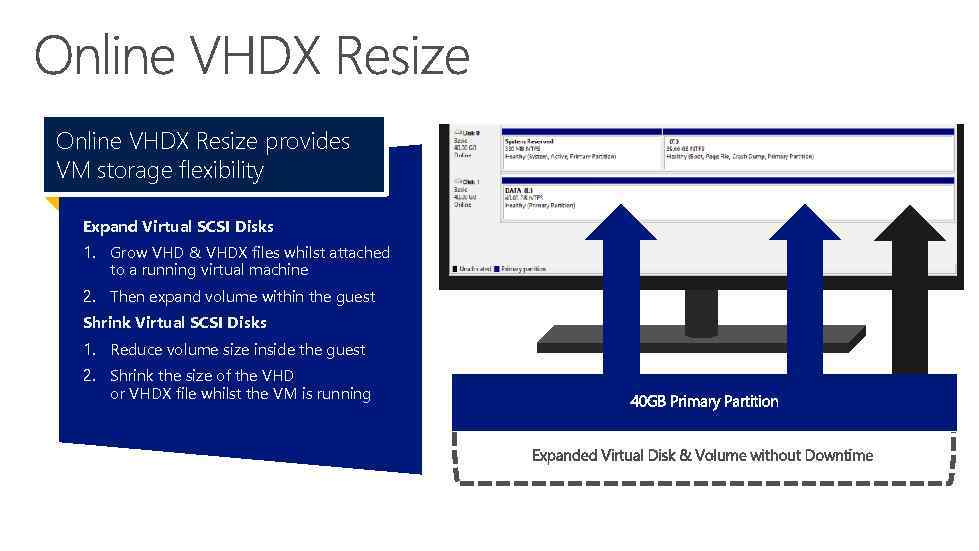 Online VHDX Resize provides VM storage flexibility Expand Virtual SCSI Disks 1. Grow VHD & VHDX files whilst attached to a running virtual machine 2. Then expand volume within the guest Shrink Virtual SCSI Disks 1. Reduce volume size inside the guest 2. Shrink the size of the VHD or VHDX file whilst the VM is running
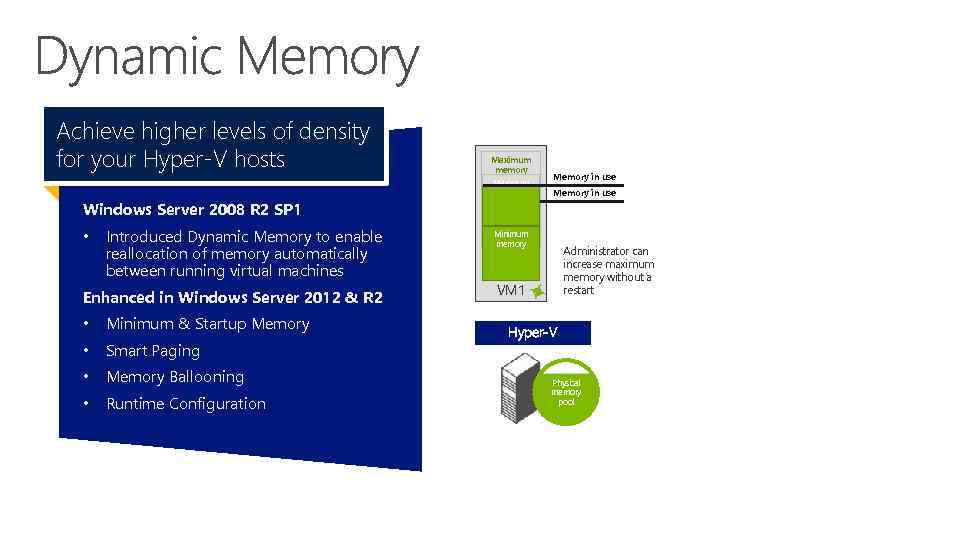 Achieve higher levels of density for your Hyper-V hosts Windows Server 2008 R 2 SP 1 • Introduced Dynamic Memory to enable reallocation of memory automatically between running virtual machines Enhanced in Windows Server 2012 & R 2 • Minimum & Startup Memory • Smart Paging • Memory Ballooning • Runtime Configuration Maximum memory Memory in use Minimum memory Administrator can increase maximum memory without a restart VM 1 Hyper‑V Physical memory pool
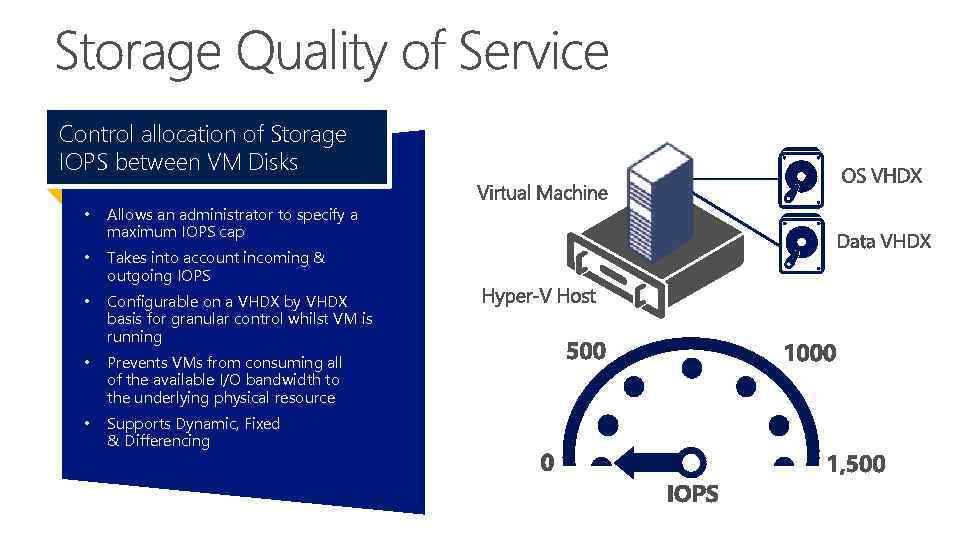 Control allocation of Storage IOPS between VM Disks • Allows an administrator to specify a maximum IOPS cap • Takes into account incoming & outgoing IOPS • Configurable on a VHDX by VHDX basis for granular control whilst VM is running • Prevents VMs from consuming all of the available I/O bandwidth to the underlying physical resource • Supports Dynamic, Fixed & Differencing
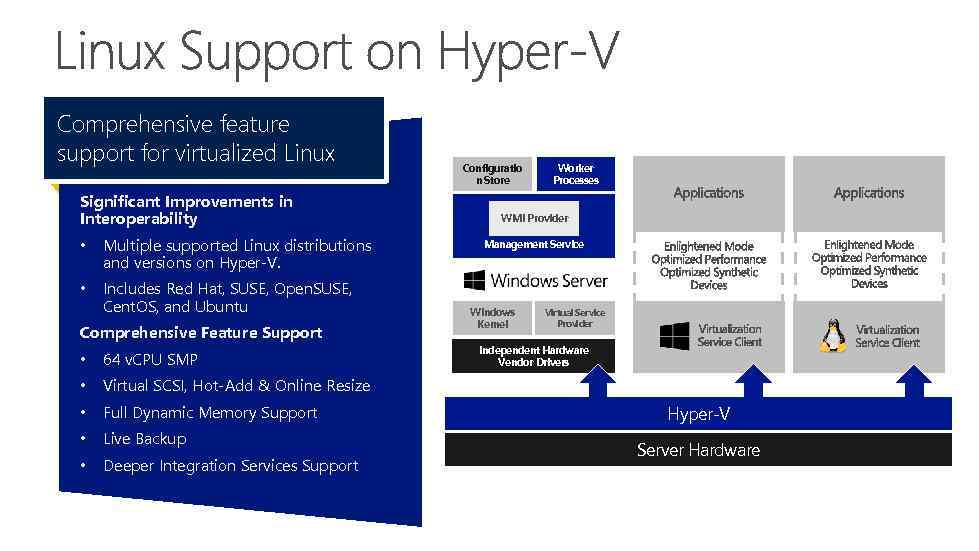 Comprehensive feature support for virtualized Linux Significant Improvements in Interoperability • Multiple supported Linux distributions and versions on Hyper-V. • Includes Red Hat, SUSE, Open. SUSE, Cent. OS, and Ubuntu Comprehensive Feature Support • 64 v. CPU SMP • Full Dynamic Memory Support • Live Backup • Deeper Integration Services Support Worker Processes WMI Provider Management Service Windows Kernel Virtual Service Provider Independent Hardware Vendor Drivers Virtual SCSI, Hot-Add & Online Resize • Configuratio n Store Hyper-V Server Hardware
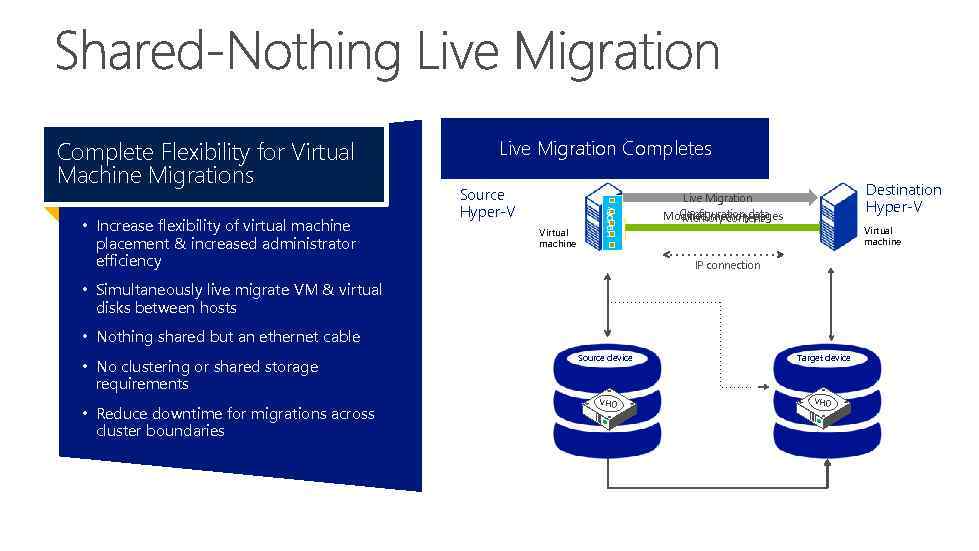 • Increase flexibility of virtual machine placement & increased administrator efficiency Disk writes are mirrored; outstanding Disk contents writes go toto new Reads and are copied the Live Migration Completes Live Migration Continues source VHD. Live Migration Begins changes are VHD destination VHD source replicated Source Hyper‑V Virtual machine MEMORY Complete Flexibility for Virtual Machine Migrations Destination Hyper‑V Live Migration Configuration data Modified memory pages Memory content Virtual machine IP connection • Simultaneously live migrate VM & virtual disks between hosts • Nothing shared but an ethernet cable • No clustering or shared storage requirements • Reduce downtime for migrations across cluster boundaries Source device VHD Target device VHD
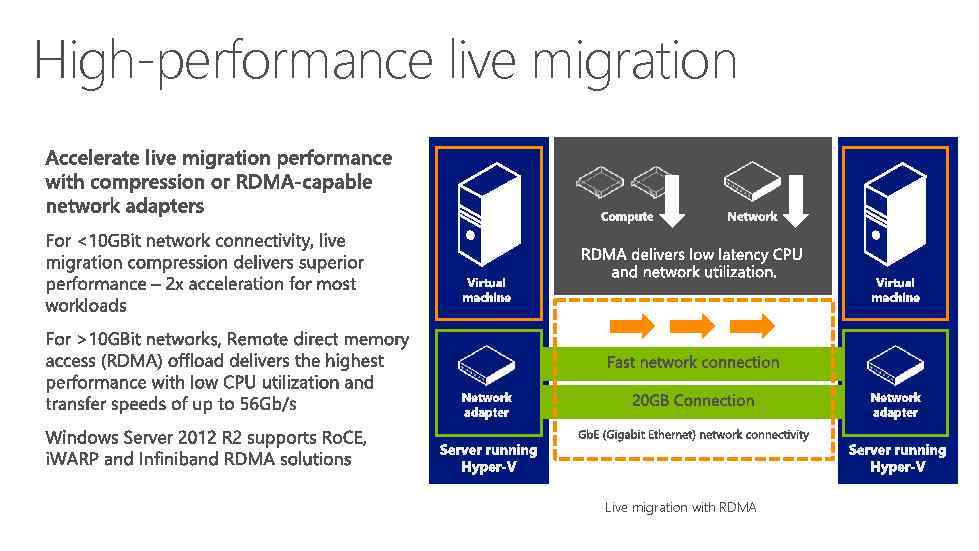 High-performance live migration Live migration with RDMA
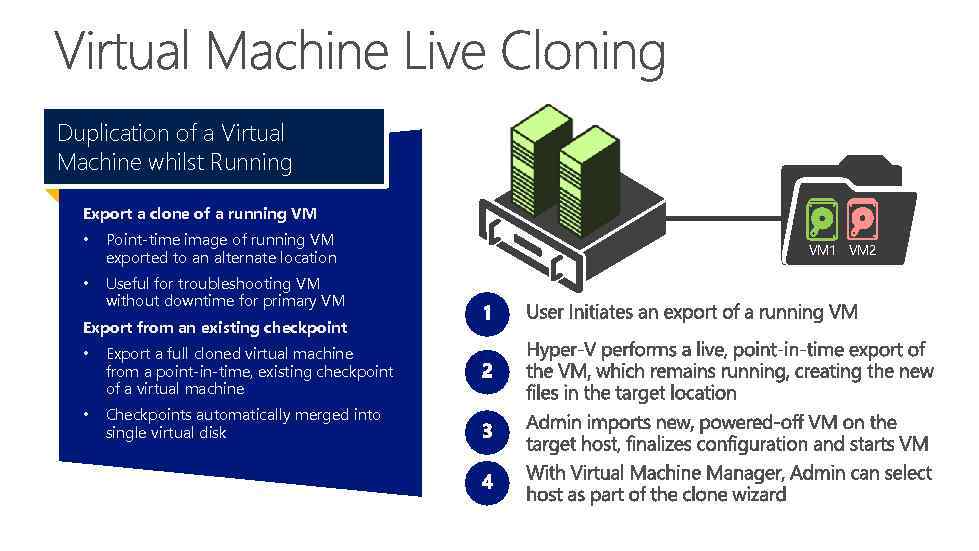 Duplication of a Virtual Machine whilst Running Export a clone of a running VM • Point-time image of running VM exported to an alternate location • Useful for troubleshooting VM without downtime for primary VM Export from an existing checkpoint • Export a full cloned virtual machine from a point-in-time, existing checkpoint of a virtual machine • Checkpoints automatically merged into single virtual disk VM 1 VM 2
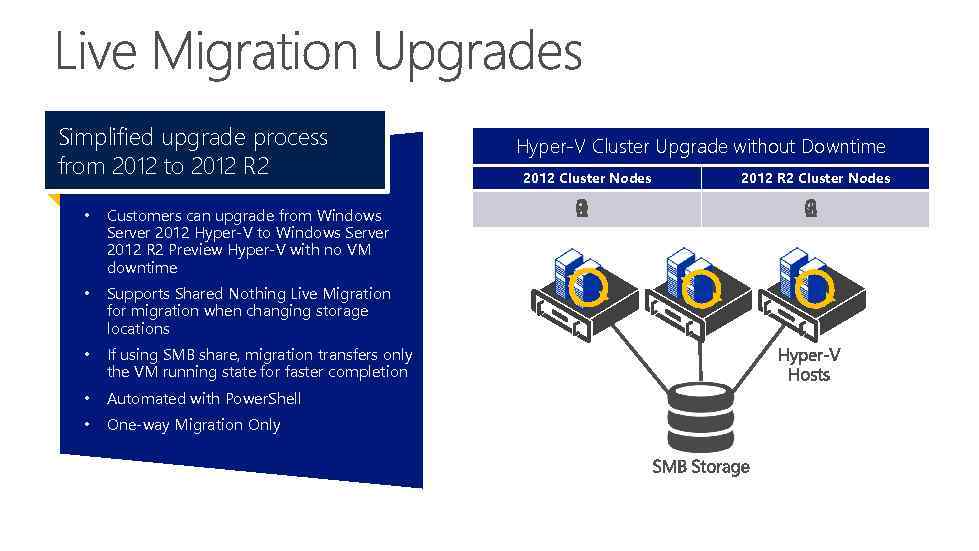 Simplified upgrade process from 2012 to 2012 R 2 • Customers can upgrade from Windows Server 2012 Hyper-V to Windows Server 2012 R 2 Preview Hyper-V with no VM downtime • Supports Shared Nothing Live Migration for migration when changing storage locations • If using SMB share, migration transfers only the VM running state for faster completion • Automated with Power. Shell • One-way Migration Only Hyper-V Cluster Upgrade without Downtime 2012 Cluster Nodes 2012 R 2 Cluster Nodes
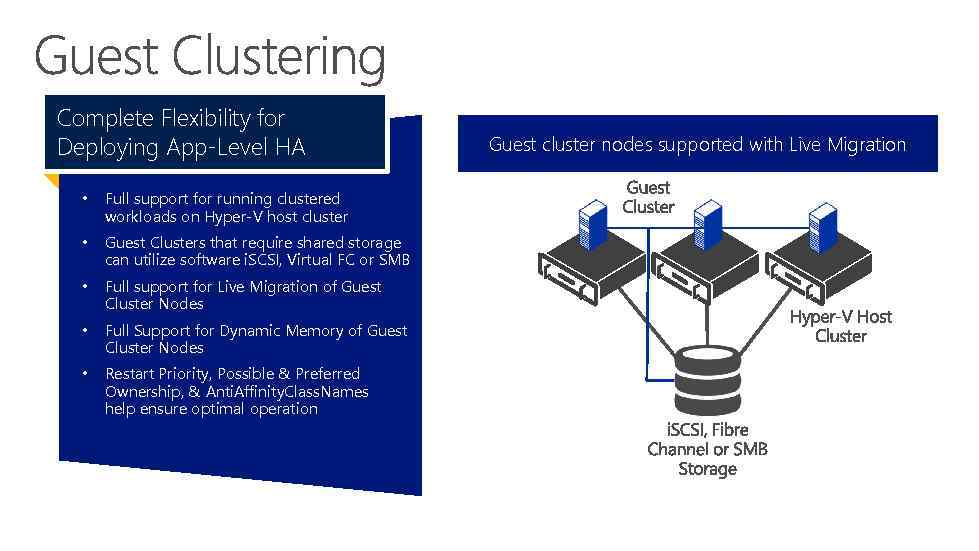 Complete Flexibility for Deploying App-Level HA • Full support for running clustered workloads on Hyper-V host cluster • Guest Clusters that require shared storage can utilize software i. SCSI, Virtual FC or SMB • Full support for Live Migration of Guest Cluster Nodes • Full Support for Dynamic Memory of Guest Cluster Nodes • Restart Priority, Possible & Preferred Ownership, & Anti. Affinity. Class. Names help ensure optimal operation Guest Cluster running on a Hyper-V Cluster node supported with Live Migration Guest cluster nodesrestarts on physical host failure
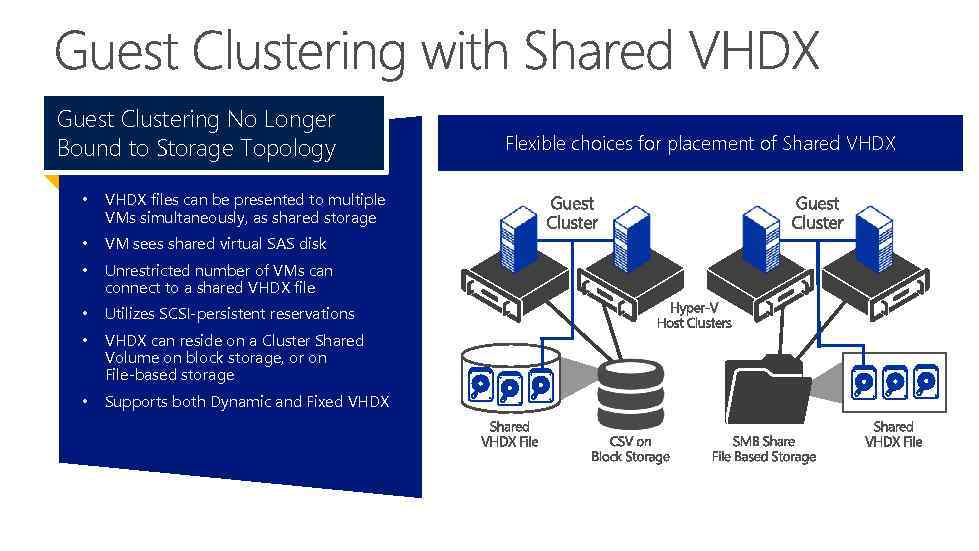 Guest Clustering No Longer Bound to Storage Topology • VHDX files can be presented to multiple VMs simultaneously, as shared storage • VM sees shared virtual SAS disk • Unrestricted number of VMs can connect to a shared VHDX file • Utilizes SCSI-persistent reservations • VHDX can reside on a Cluster Shared Volume on block storage, or on File-based storage • Supports both Dynamic and Fixed VHDX Flexible choices for placement of Shared VHDX
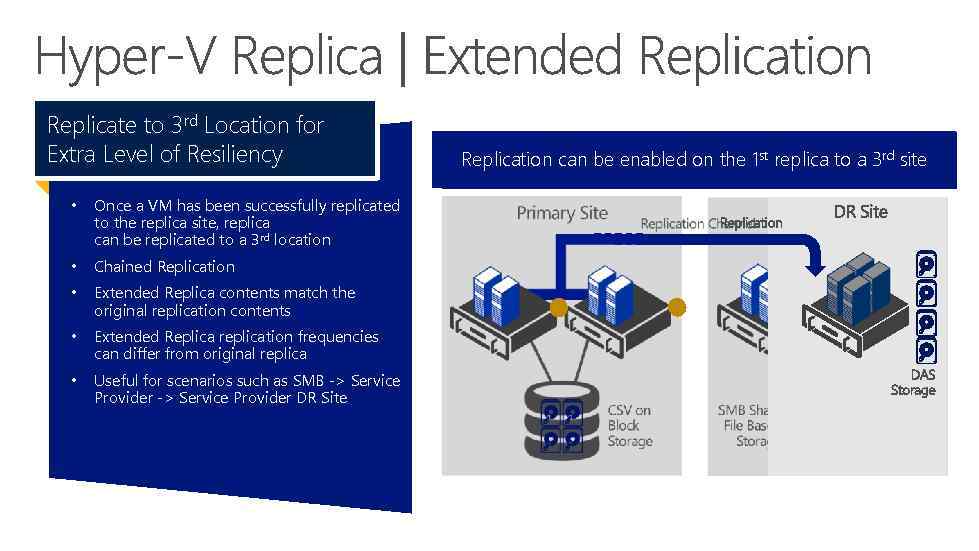 Replicate to 3 rd Location for Extra Level of Resiliency • Once a VM has been successfully replicated to the replica site, replica can be replicated to a 3 rd location • Chained Replication • Extended Replica contents match the original replication contents • Extended Replica replication frequencies can differ from original replica • Useful for scenarios such as SMB -> Service Provider DR Site Replication canconfigured fromthe 1 st replica to a 3 rd site Replication be enabled on primary to secondary
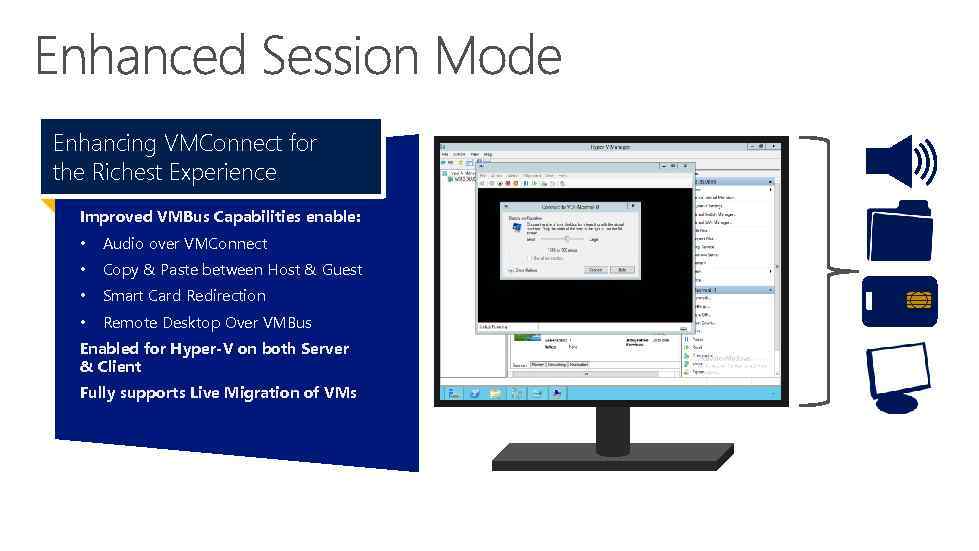 Enhancing VMConnect for the Richest Experience Improved VMBus Capabilities enable: • Audio over VMConnect • Copy & Paste between Host & Guest • Smart Card Redirection • Remote Desktop Over VMBus Enabled for Hyper-V on both Server & Client Fully supports Live Migration of VMs
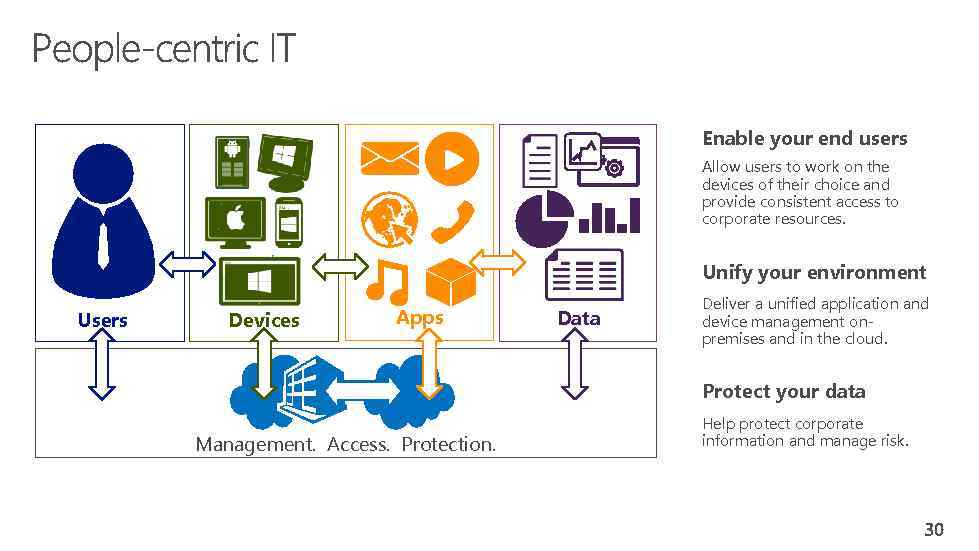 Enable your end users Allow users to work on the devices of their choice and provide consistent access to corporate resources. Unify your environment Users Devices Apps Data Deliver a unified application and device management onpremises and in the cloud. Protect your data Management. Access. Protection. Help protect corporate information and manage risk.
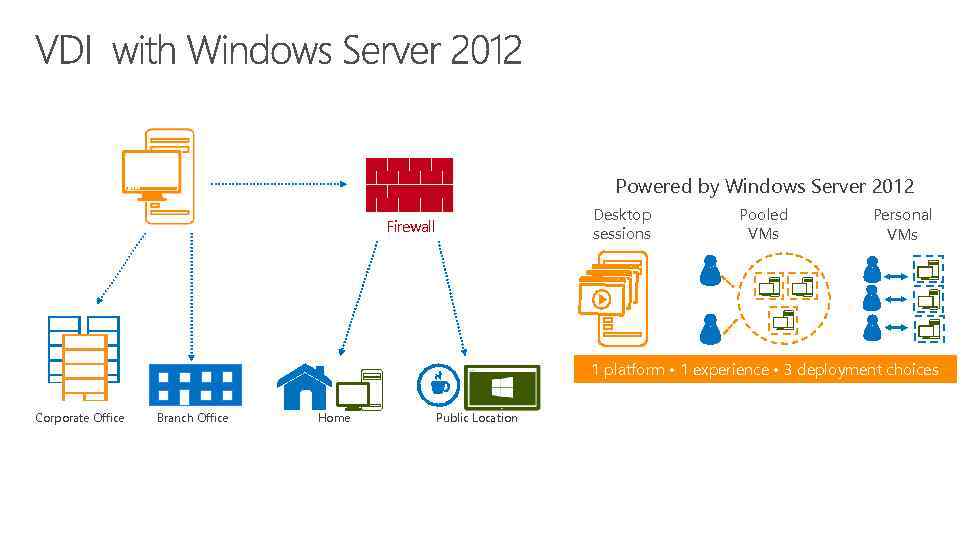 Powered by Windows Server 2012 Desktop sessions Firewall Pooled VMs Personal VMs 1 platform • 1 experience • 3 deployment choices Corporate Office Branch Office Home Public Location
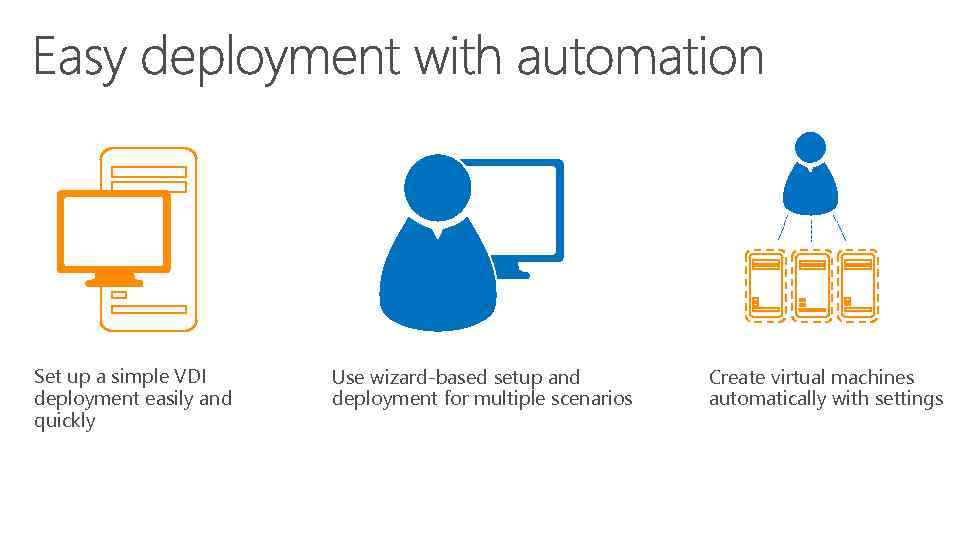 Set up a simple VDI deployment easily and quickly Use wizard-based setup and deployment for multiple scenarios Create virtual machines automatically with settings
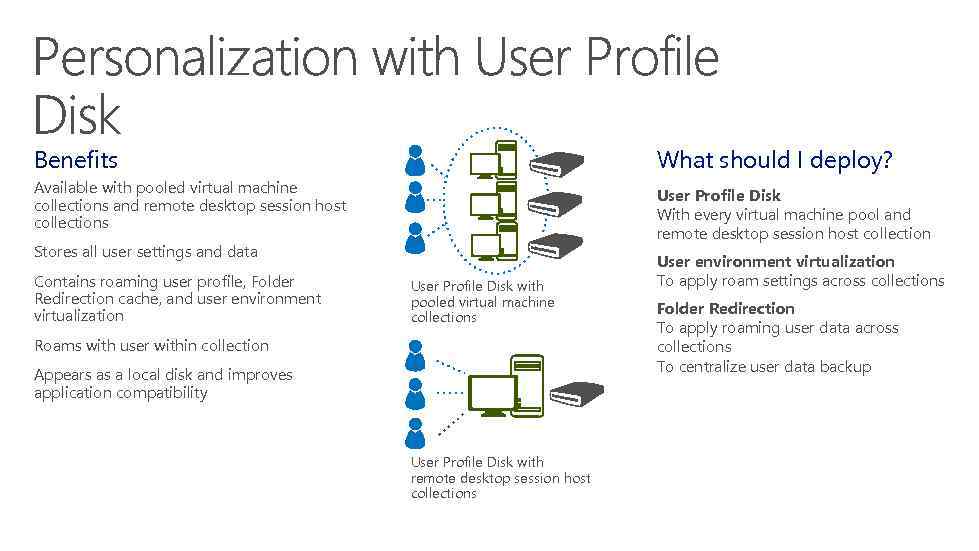 Benefits What should I deploy? Available with pooled virtual machine collections and remote desktop session host collections User Profile Disk With every virtual machine pool and remote desktop session host collection Stores all user settings and data Contains roaming user profile, Folder Redirection cache, and user environment virtualization User Profile Disk with pooled virtual machine collections Roams with user within collection Appears as a local disk and improves application compatibility User Profile Disk with remote desktop session host collections User environment virtualization To apply roam settings across collections Folder Redirection To apply roaming user data across collections To centralize user data backup
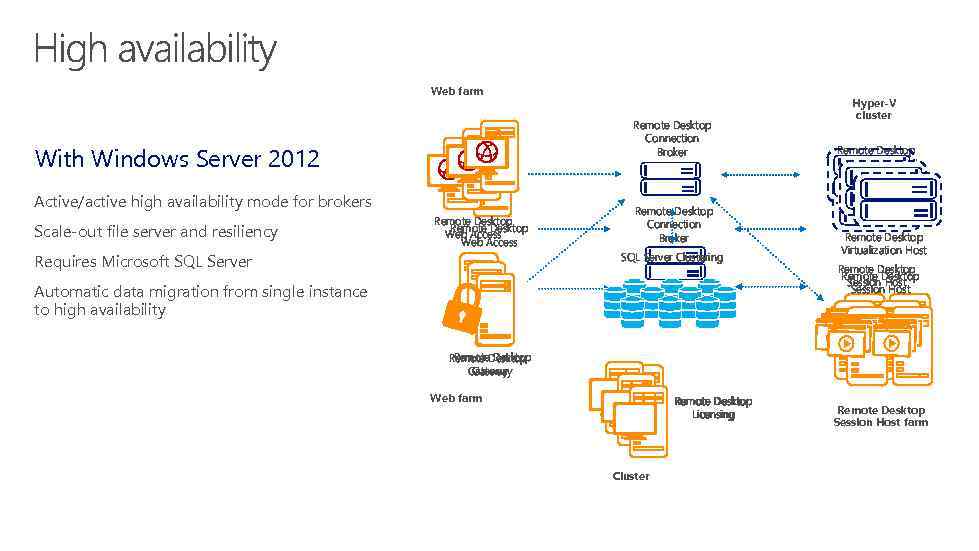 Web farm Remote Desktop Connection Broker With Windows Server 2012 Active/active high availability mode for brokers Scale-out file server and resiliency Remote Desktop Web Access Requires Microsoft SQL Server Remote Desktop Connection Broker SQL Server Clustering Automatic data migration from single instance to high availability Database Hyper-V cluster Remote Desktop Virtualization Host Remote Desktop Session Host Remote Desktop Gateway Web farm Remote Desktop Licensing Cluster Remote Desktop Session Host farm
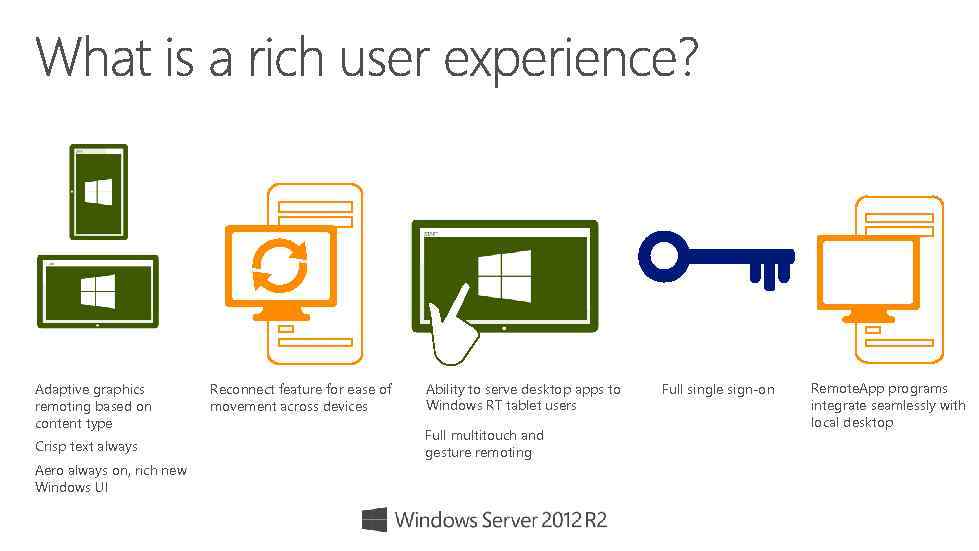 DIRECTACCES Adaptive graphics remoting based on content type Crisp text always Aero always on, rich new Windows UI Reconnect feature for ease of movement across devices Ability to serve desktop apps to Windows RT tablet users Full multitouch and gesture remoting Full single sign-on Remote. App programs integrate seamlessly with local desktop
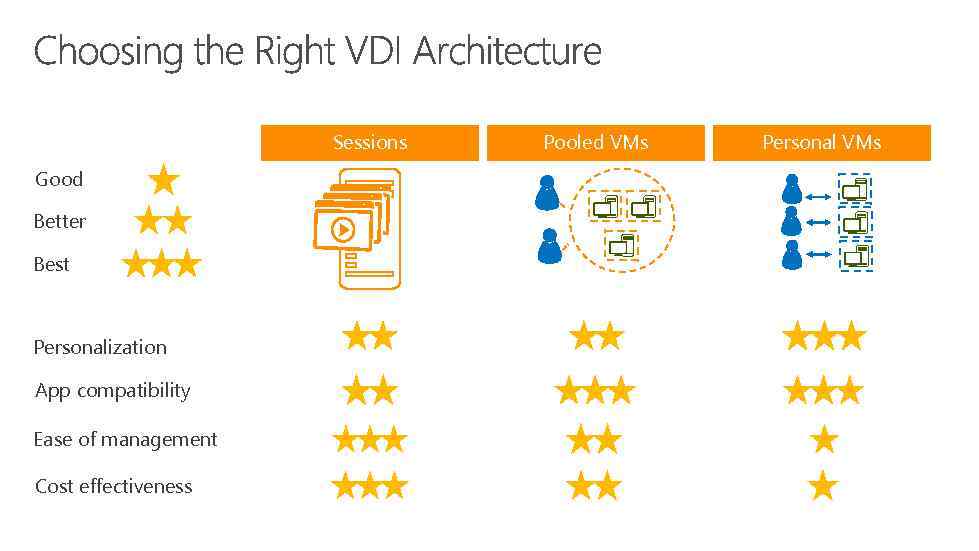 Sessions Good Better Best Personalization App compatibility Ease of management Cost effectiveness Pooled VMs Personal VMs
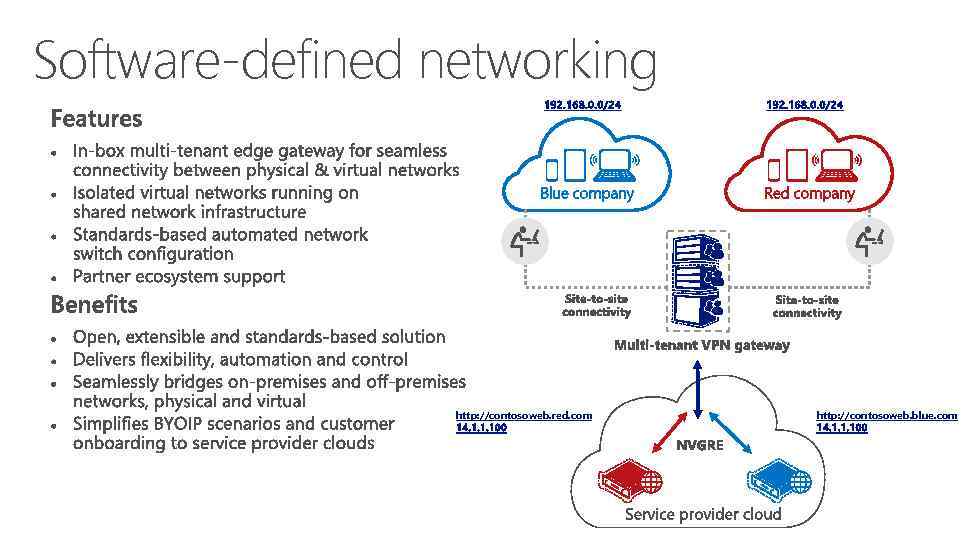 Software-defined networking http: //contosoweb. red. com http: //contosoweb. blue. com
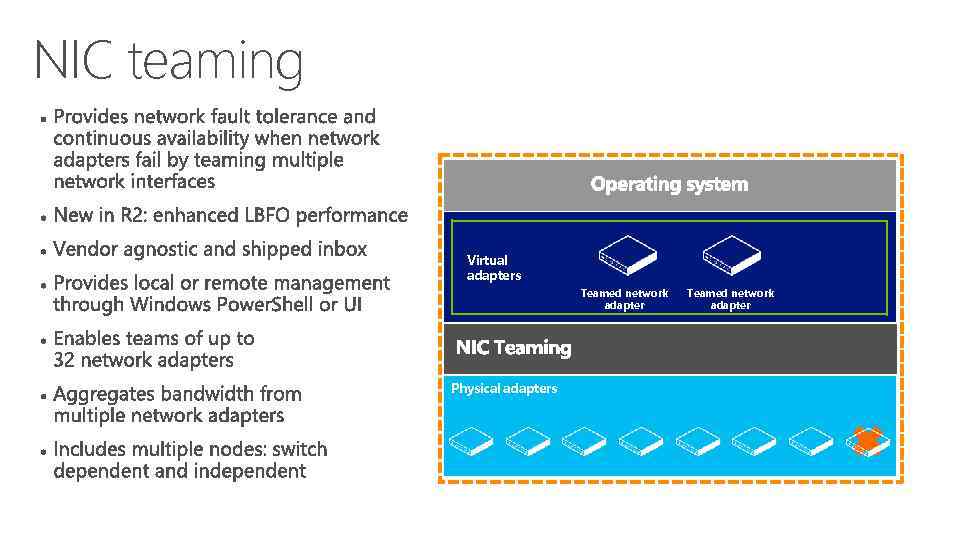 NIC teaming Virtual adapters Teamed network adapter Physical adapters Teamed network adapter
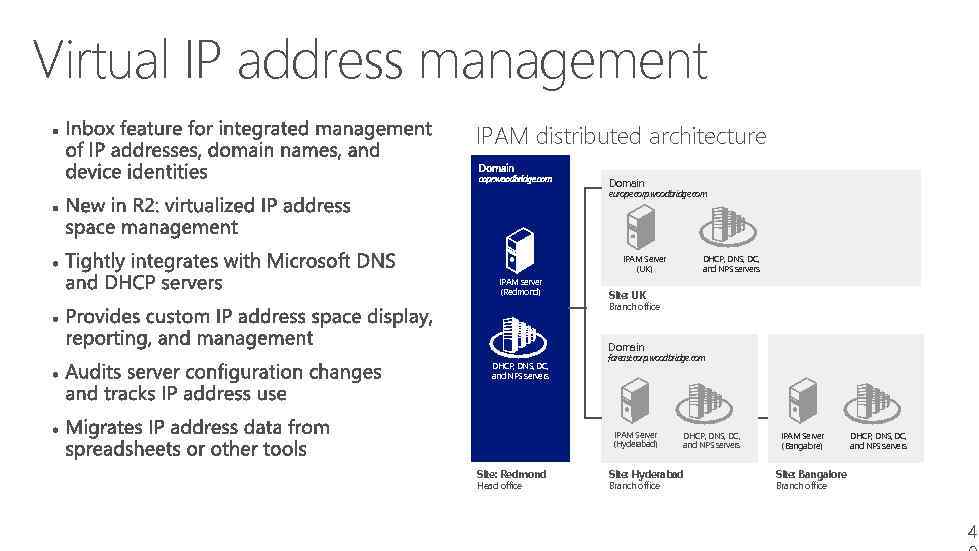 Virtual IP address management • Provides network fault tolerance and continuous availability when network adapters fail by teaming multiple network interfaces. IPAM distributed architecture Domain • New in R 2: Enhanced LBFO performance. europe. corp. woodbridge. com • Vendor agnostic and shipped inbox. • Provides local or remote management through Windows Power. Shell or UI. • Enables teams of up to 32 network adapters. • Aggregates bandwidth from multiple network adapters. IPAM Server (UK) IPAM server (Redmond) DHCP, DNS, DC, and NPS servers Site: UK Branch office Domain DHCP, DNS, DC, and NPS servers fareast. corp. woodbridge. com • Includes multiple nodes: switch dependent and independent. IPAM Server (Hyderabad) Site: Redmond Head office DHCP, DNS, DC, and NPS servers Site: Hyderabad Branch office IPAM Server (Bangalore) DHCP, DNS, DC, and NPS servers Site: Bangalore Branch office 4
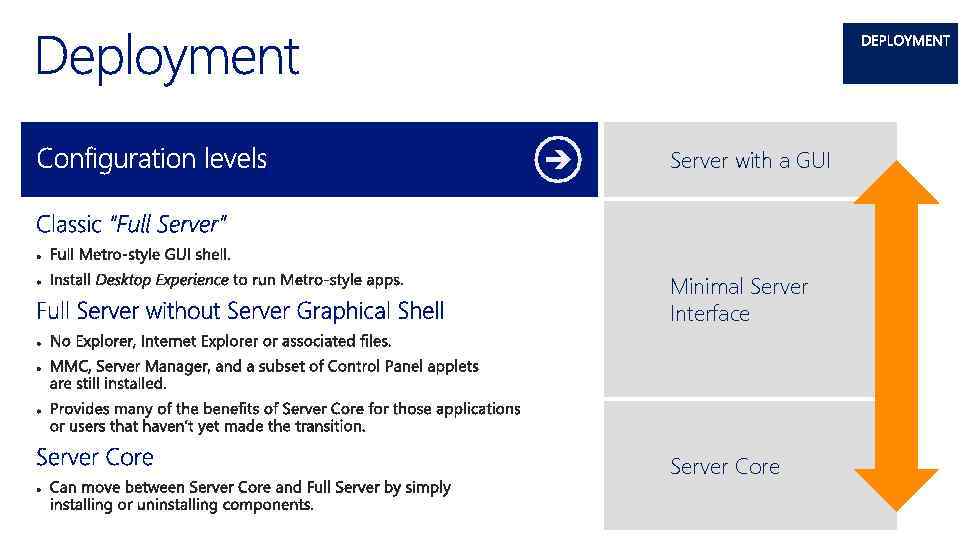 Server with a GUI Minimal Server Interface Server Core
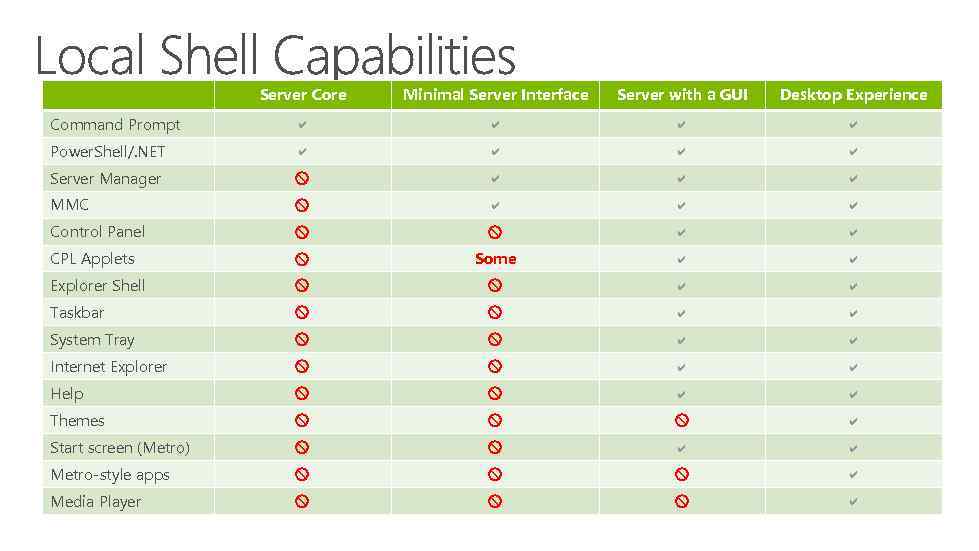 Server Core Minimal Server Interface Server with a GUI Desktop Experience Command Prompt a a Power. Shell/. NET a a Server Manager x a a a MMC x a a a Control Panel x x a a CPL Applets x Some a a Explorer Shell x x a a Taskbar x x a a System Tray x x a a Internet Explorer x x a a Help x x a a Themes x x x a Start screen (Metro) x x a a Metro-style apps x x x a Media Player x x x a
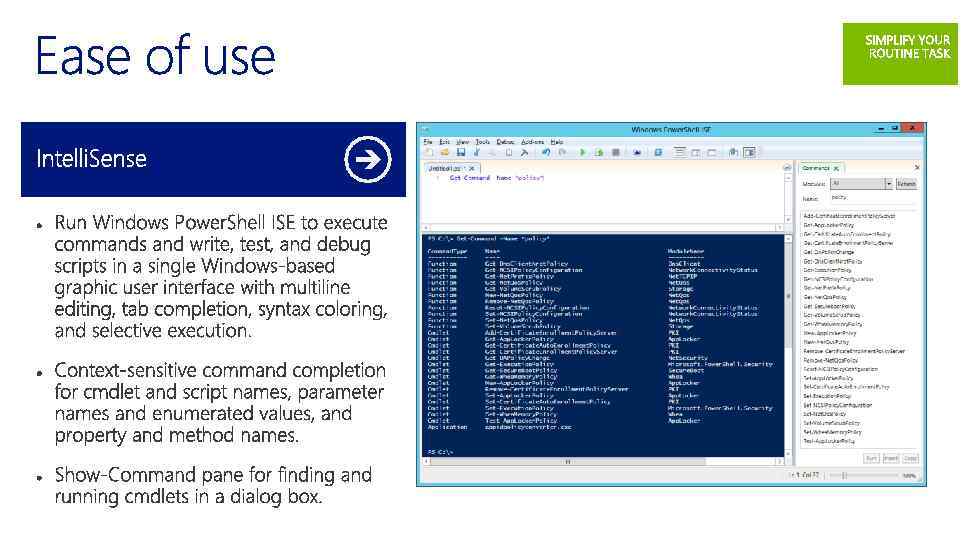
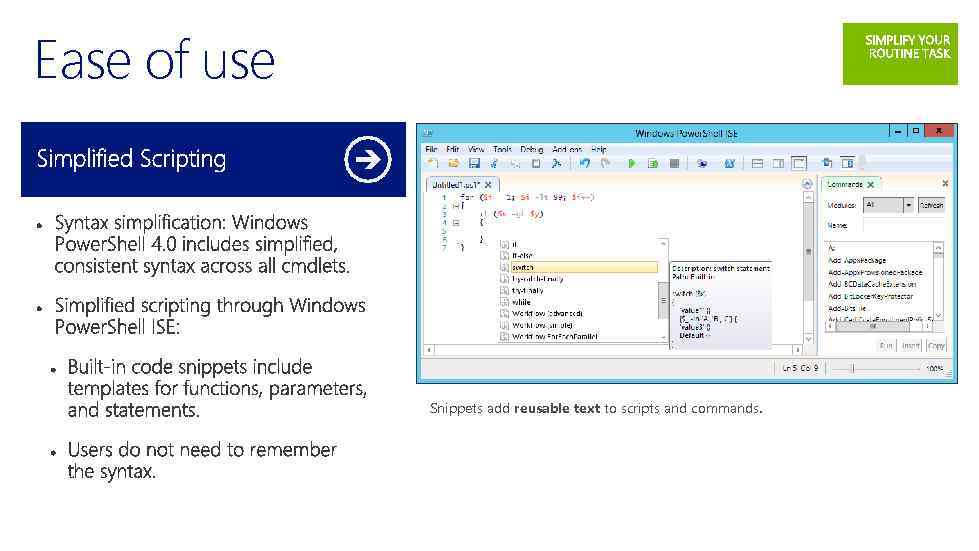 Ease of use Snippets add reusable text to scripts and commands.
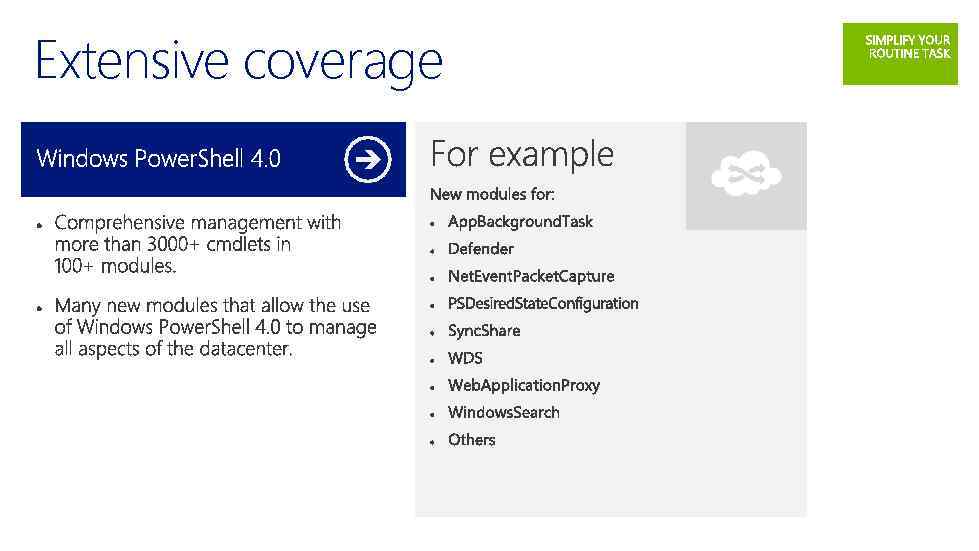 Extensive coverage
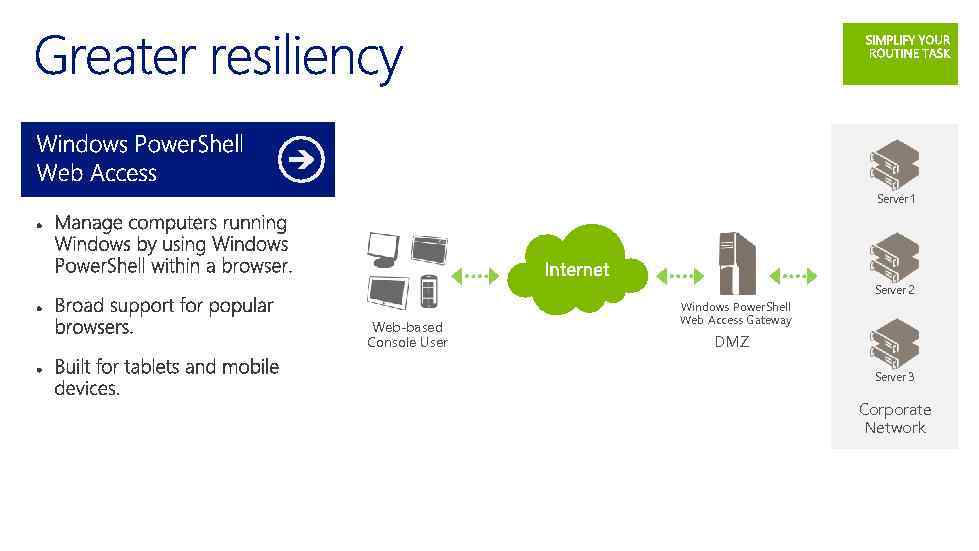 Server 1 Server 2 Web-based Console User Windows Power. Shell Web Access Gateway DMZ Server 3 Corporate Network
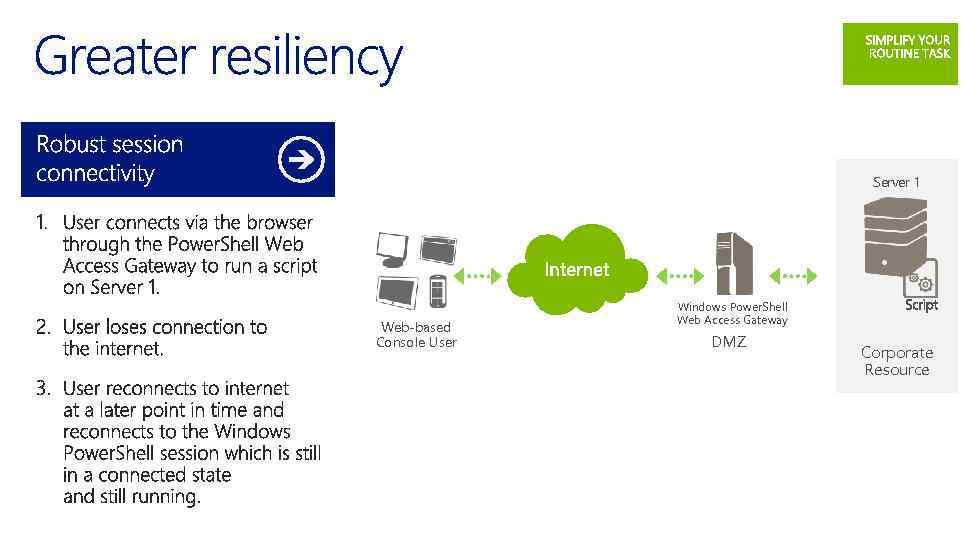 03 Server 1 Web-based Console User Windows Power. Shell Web Access Gateway DMZ Corporate Resource
 DOWNLOAD Windows Server 2012 R 2 Preview aka. ms/ws 2012 r 2 DOWNLOAD System Center 2012 R 2 Preview aka. ms/sc 2012 r 2 Microsoft Virtual Academy (MVA) http: //www. microsoftvirtualacademy. com
 © 2013 Microsoft Corporation. All rights reserved. Microsoft, Windows, Office, Azure, System Center, Dynamics and other product names are or may be registered trademarks and/or trademarks in the U. S. and/or other countries. The information herein is for informational purposes only and represents the current view of Microsoft Corporation as of the date of this presentation. Because Microsoft must respond to changing market conditions, it should not be interpreted to be a commitment on the part of Microsoft, and Microsoft cannot guarantee the accuracy of any information provided after the date of this presentation. MICROSOFT MAKES NO WARRANTIES, EXPRESS, IMPLIED OR STATUTORY, AS TO THE INFORMATION IN THIS PRESENTATION.