


 Скачать презентацию Shared Services Tools and Technologies April 18 2006
12d126a8bbf9839f7347d7aa964019ba.ppt
- Количество слайдов: 38
 Shared Services Tools and Technologies April 18, 2006
 Topics For This Session • Service Oriented Architecture – Service Oriented Architecture is a collection of interconnected services. – SOA is an architecture of standards based web services using a common messaging technology model. (XML, SOAP, UDDI, WSDL etc. . ) • Network Security (NAAS) – SAK -Secure Authentication Keys - Secure encrypted Keys that can replace passwords for machine to machine interactions – XKMS - XML Key Management System • Network Software Developer Kit – A toolkit designed for integrating Network functions directly into applications •
 Topics Continued • QA Services – XML Document Parsing service utilizing the. NET Reader – Extended Business Rule validation service for XML documents • Style sheet Transformation Service – New service that can transform a document based on a style sheet (XSLT) into a new format
 Session 2 (Tomorrow 1 PM) • Open Source - Overview / Tools / Node - An overview of open source tools and the integration of tools into a node implementation based completely on open sources code. • Velocity High Performance Open Source Data Mapper - This tool supports the conversion of practically any format to any format based on a configuration file. It has out performed many other mappers by an order of magnitude based on our tests • Business Process Execution Language (BPEL) in the CDX Node - This technology supports the orchestration and management of complex business processes that require multiple steps and web service calls. CDX has prototyped a BPEL flow for NEI and is working on a pilot. • XML Gateway - a new security service that filters web service messages based on predefined rules such as adherence to the network WSDL and adds an additional security layer for messaging.
 Service Oriented Architecture Background
 Why SOA ? • High Business Adaptability: More applications can use services. • Increased Flexibility: Consumer applications are isolated from internal business changes. • Improved Reusability: Services can be shared by many applications. • Interoperable – Standard format enables consumers to interoperate with service providers. • Cost Effective – Standard based components cost much less than custom-built ones. Sharing also reduces costs.
 SOA Infrastructure • Security Services (NAAS) • Security Services for CDX and the Exchange Network • Integrated with E Authentication services • Universal Description and Discovery Interface • Catalog of web services • Implemented UDDI V 3 • Network Node Services • Standards based web service protocols and XML schemas used • Supports machine-to-machine data exchanges • Quality Assurance server • Parsing Services • Extended Business Rule Validation • XML Firewall • A hardware appliance that validates and filters XML traffic. • Application level security • Orchestration is a standards driven approach to simplifying and automating business process. • BPEL 1. 1 is the leading standard.
 Advanced Security Mechanisms Secure Authentication Key
 What is Secure Authentication Key • An encrypted string that contains subject identity. • Jointly signed using multiple secrets. • Tied directly to a particular machine.
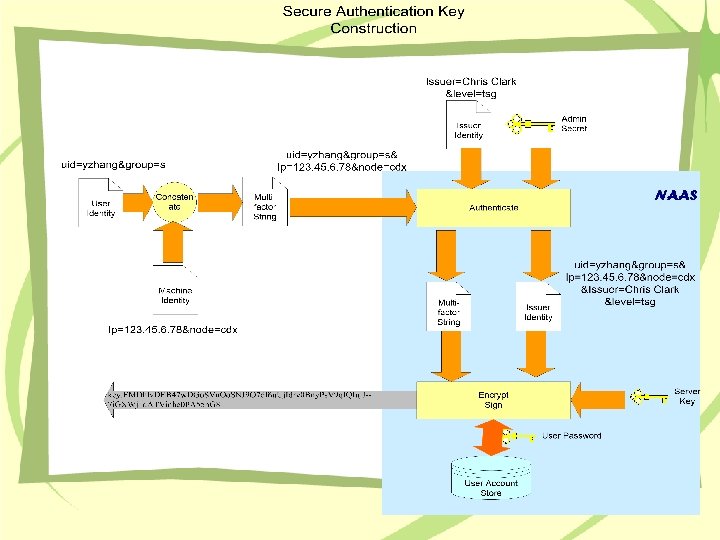
 The SAK Advantages • Multifactor and multi-authentication scheme • Reveal-proof: Disclosure of SAK is not a concern • Strong protection of user privacy • Disable dictionary attacks, brute force attacks and replay attacks
 SAK vs. Security Token • SAK is a credential while a security token is an evidence that the subject has been authenticated. • A security token expires but an SAK doesn’t • Both SAK and security token are encrypted. • Both SAK and security token contains user identity information and they are extensible.
 How to Use SAK • SAK is good for machine to machine authentications. • Users/Developers simply replace password with SAK. No other change is necessary. • SAK can be obtained through the node helpdesk.
 Conclusion • SAK is a safer and stronger authentication scheme than password. • Secure Authentication Key is a lightweight, miniature certificate without the PKI costs. • Deployment of SAK is very simple and straight forward
 Network Service Integration Software Developer Kit
 Background • Need to simplify access to web services • Make integrating public and Exchange Network web services easier • Abstracts messaging complexities to simple scripts
 Exchange Network SDK • • Based on a Microsoft COM object Leverages SQLDATA Web Services Client Simple wizard driven installation Runs in. NET, C/C++ and Microsoft scripting environments. • Sample scripts for Network Services
 Security Support – Authentication • • Bare Key Digest Certificate HMAC – Authorization – XML Encryption • Encrypt and Decrypt – XML Signature • Sign and Verify Signature
 Support for Consuming Services • • • Download Query Notify Submit Solicit
 Potential Uses • Query the Network for Facility Data • Submit Data to CDX • XML Signature and Encryption • Get Data from a Public Web Service
 Advanced Security Mechanisms Encryption, Signature and Authentication
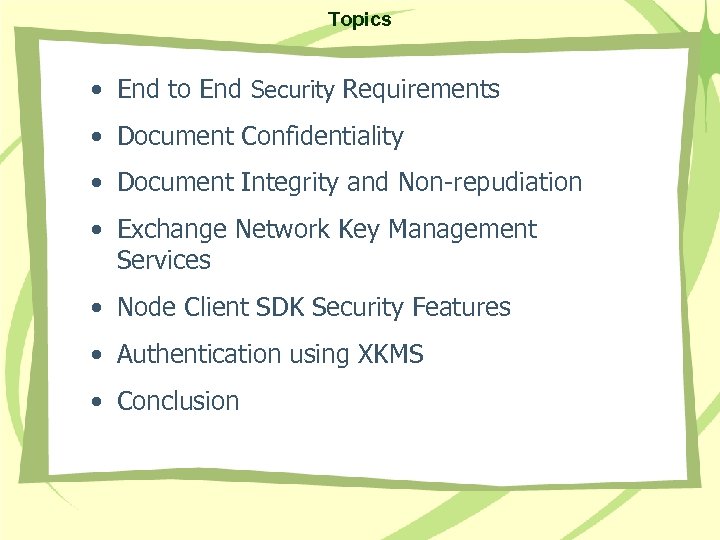 Topics • End to End Security Requirements • Document Confidentiality • Document Integrity and Non-repudiation • Exchange Network Key Management Services • Node Client SDK Security Features • Authentication using XKMS • Conclusion
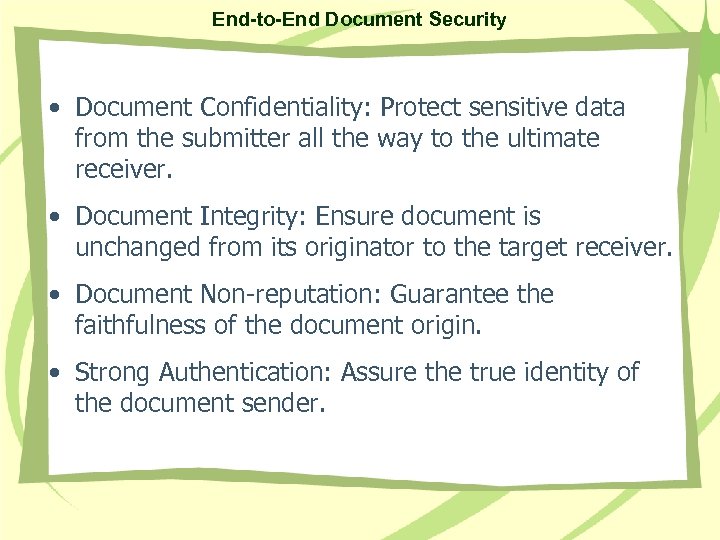 End-to-End Document Security • Document Confidentiality: Protect sensitive data from the submitter all the way to the ultimate receiver. • Document Integrity: Ensure document is unchanged from its originator to the target receiver. • Document Non-reputation: Guarantee the faithfulness of the document origin. • Strong Authentication: Assure the true identity of the document sender.
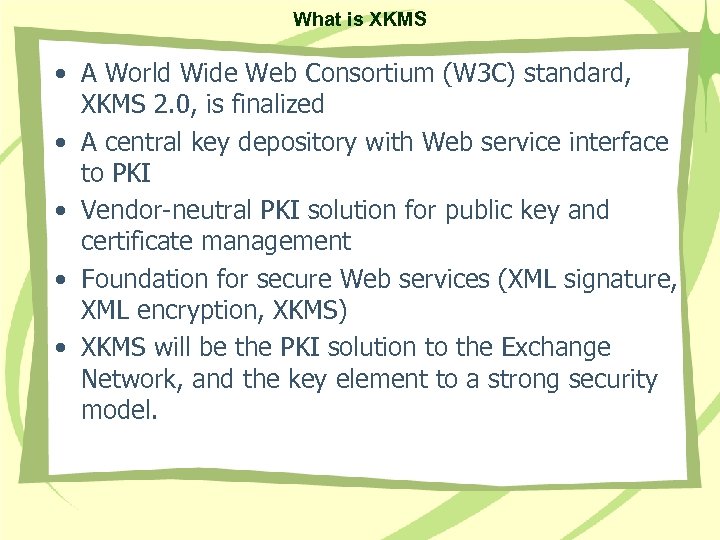 What is XKMS • A World Wide Web Consortium (W 3 C) standard, XKMS 2. 0, is finalized • A central key depository with Web service interface to PKI • Vendor-neutral PKI solution for public key and certificate management • Foundation for secure Web services (XML signature, XML encryption, XKMS) • XKMS will be the PKI solution to the Exchange Network, and the key element to a strong security model.
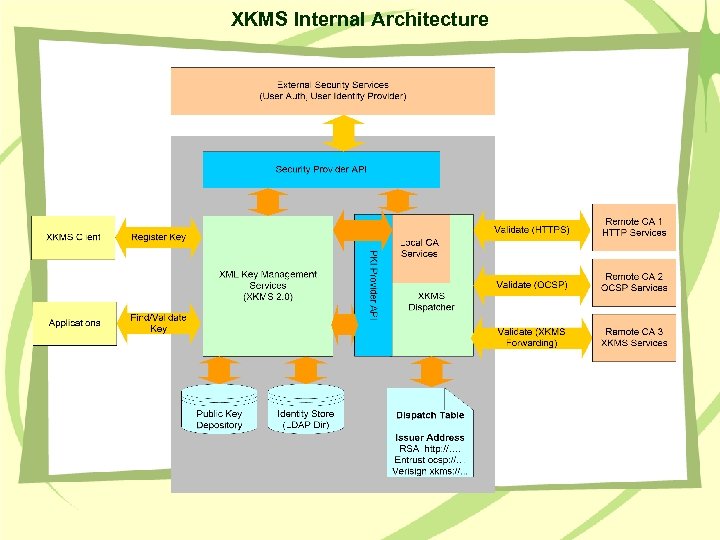 XKMS Internal Architecture
 XML Signature using XKMS • A document is signed using the Private Key and key information (Key. Name, Key. Value) • The receiver locates / validates the Public Key used for the signature from an XKMS server • The receiver verifies the signature using the valid key
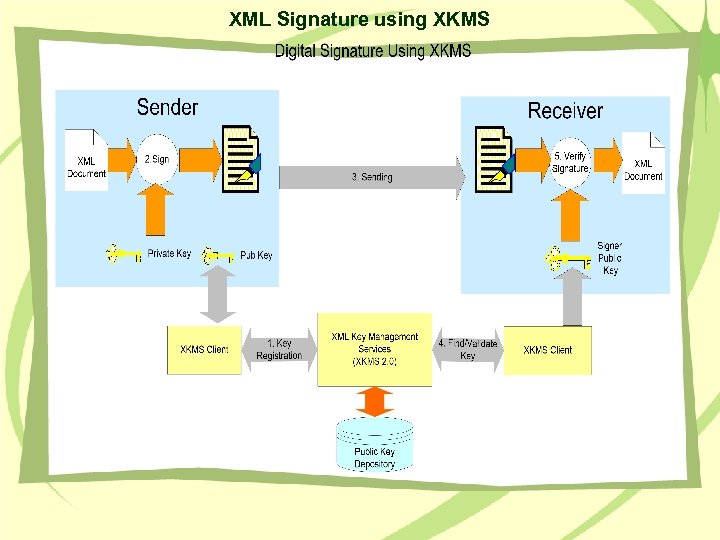 XML Signature using XKMS
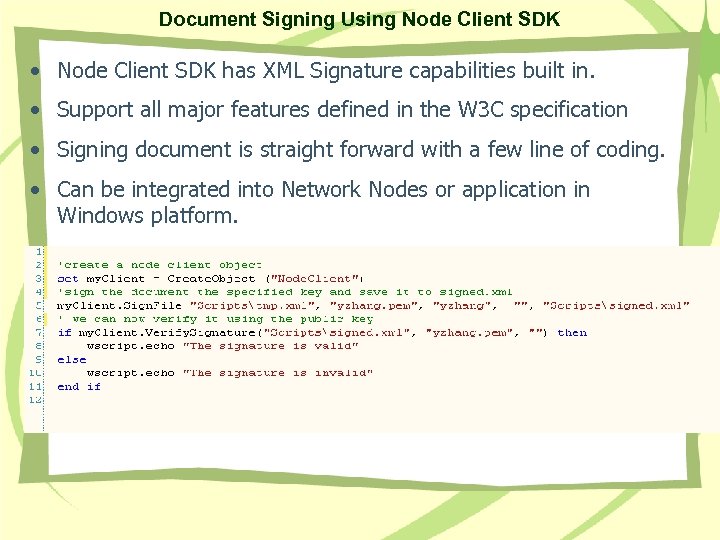 Document Signing Using Node Client SDK • Node Client SDK has XML Signature capabilities built in. • Support all major features defined in the W 3 C specification • Signing document is straight forward with a few line of coding. • Can be integrated into Network Nodes or application in Windows platform.
 XML Encryption Using XKMS • The receiver registers the public key in XKMS. • The sender locates the receiver’s Public Key from an XKMS server • The sender encrypts a document using the receiver’s Public Key • The receiver decrypts the document using the Private Key
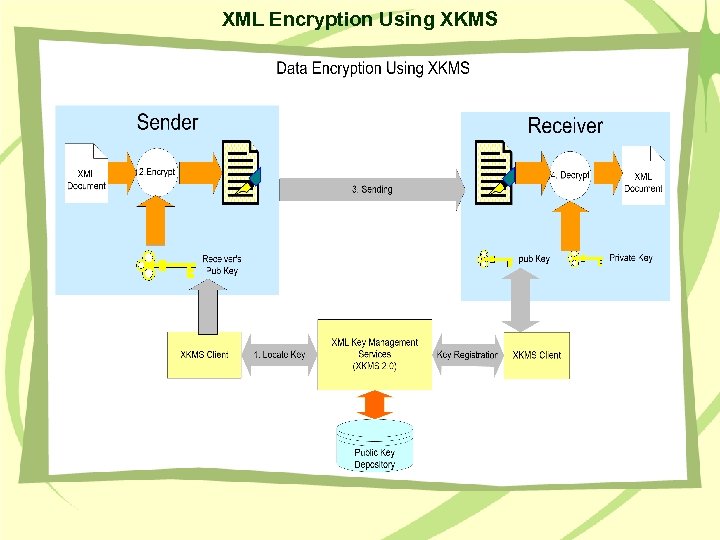 XML Encryption Using XKMS
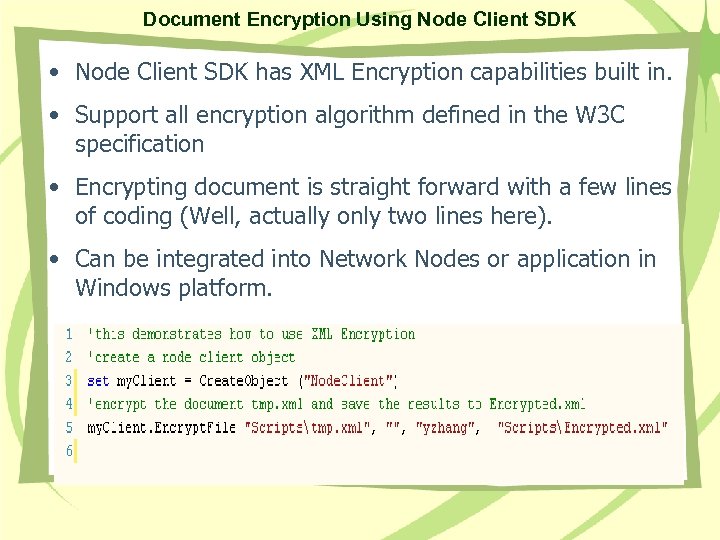 Document Encryption Using Node Client SDK • Node Client SDK has XML Encryption capabilities built in. • Support all encryption algorithm defined in the W 3 C specification • Encrypting document is straight forward with a few lines of coding (Well, actually only two lines here). • Can be integrated into Network Nodes or application in Windows platform.
 Authentication using XKMS • A user registers Public Key in XKMS • The user creates an Authenticate message and signs the message using the Private Key • Security service locates / validates the user’s Public Key from XKMS • Security service verifies the signature. The user is authenticated if the signature is valid – the holder of the Private Key
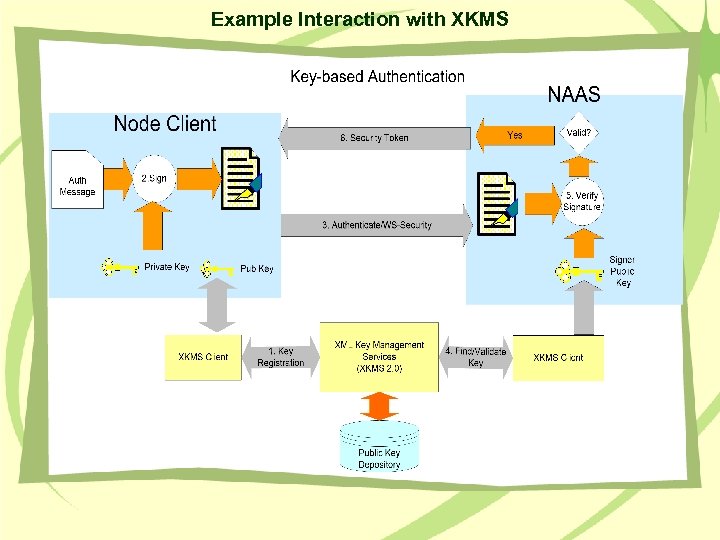 Example Interaction with XKMS
 Quality Assurance and Transformation Services
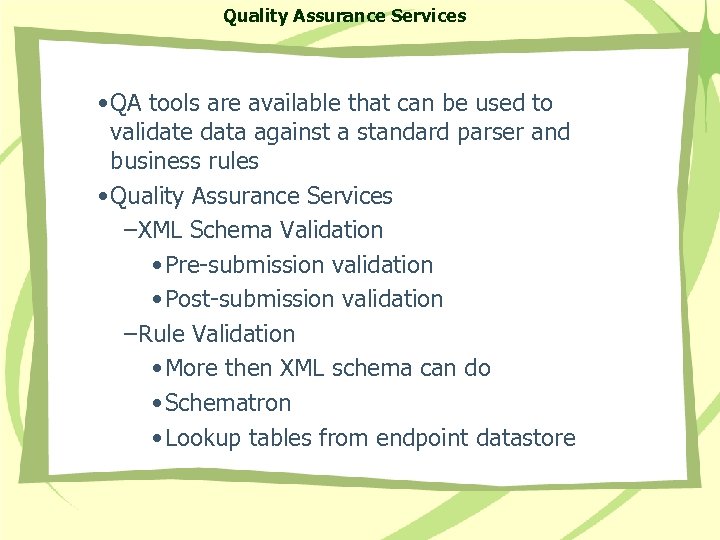 Quality Assurance Services • QA tools are available that can be used to validate data against a standard parser and business rules • Quality Assurance Services –XML Schema Validation • Pre-submission validation • Post-submission validation –Rule Validation • More then XML schema can do • Schematron • Lookup tables from endpoint datastore
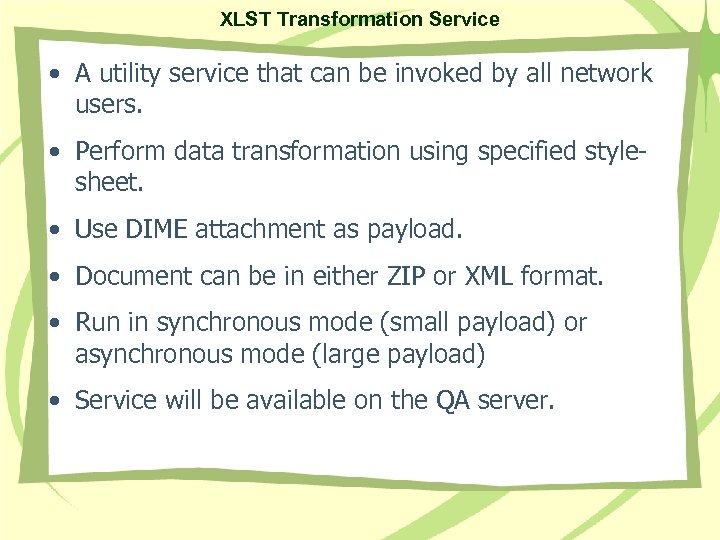 XLST Transformation Service • A utility service that can be invoked by all network users. • Perform data transformation using specified stylesheet. • Use DIME attachment as payload. • Document can be in either ZIP or XML format. • Run in synchronous mode (small payload) or asynchronous mode (large payload) • Service will be available on the QA server.
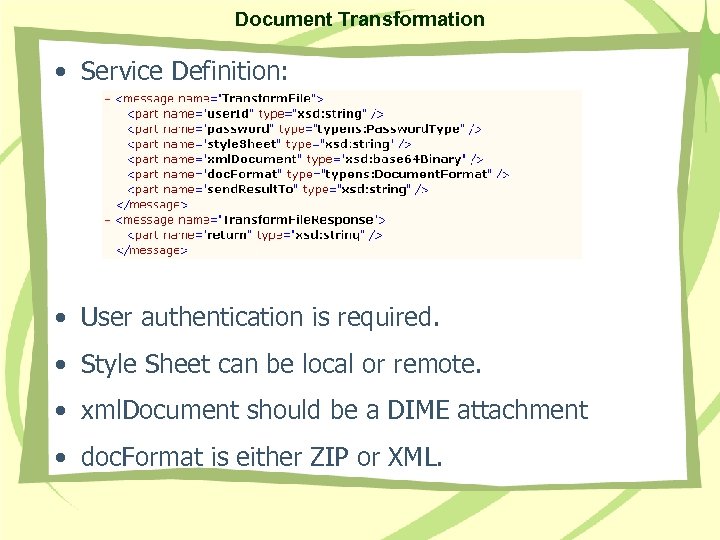 Document Transformation • Service Definition: • User authentication is required. • Style Sheet can be local or remote. • xml. Document should be a DIME attachment • doc. Format is either ZIP or XML.
 Conclusions • SOA is real. • EPA and state partners have built the world largest web service network based on SOA. • SOA changes the way we approach software development.