


 Скачать презентацию Setting up and securing a campus wide WIFI
b068ffd5980f91b43f879a680b8e2fa0.ppt
- Количество слайдов: 22
 Setting up and securing a campus wide WIFI network Lessons Learned @ Georgia Cumberland Academy Ernest Staats erstaats@gcasda. org MCSE, CNA, CWNA, CCNA, Security+, I-Net+, Network+, Server+, A+ and all around Nerd URL http: //www. gcasda. org/tech/index. asp? id=118
 Define your WIFI needs: o Types of connections o Speed of connection o Acceptable uses o Cost and redundancy
 Site Survey: o What types of interference are you going to contend with o What distances do you need to broadcast o What types of data are you going to support over WIFI (data/voice) Network access o Setup worst case scenario for testing o Know what your signal to Noise ratio o You should be expect an interview before any testing is done (how many users, roaming, location of wiring closets)
 Site Survey: Report o Describe survey’s basis, approach and results. o Define all requirements, and assumptions o Describe RF interference found o Identify recommended installations locations and channels for Access Points o Give a map with listing of RF strength, and list any dead spots Adapted from: Certified Wireless Network Administrator certification Course available at: : http: //www. cwnp. com/
 Self Installation: o Do you have the skills/ time for self installation o Software for testing o Equipment for testing—use the same equipment you plan to deploy
 Consultant Installation: o How and what are they using for a site survey o The Ping of Death True load testing S/N o Ask for guarantee of results and be a part of the testing process
 Vendors : o So many choices—which one is right for you? o Standardize on ONE vendor for a given application o The type of network may determine what vendor you choose
 Vendor Relations o Establishing Constructive Relationships o Types of Hardware Support n n n Vendor 3 rd party Self o Two way Problem Resolution Adapted from: MSIA Seminar 2 Week 2 M. E. Kabay, Ph. D, CISSP Program Director, MSIA Norwich University
 Establishing Constructive Relationships o Avoid the bleeding edge o Price should not be the only factor o Evaluate sales contact from vendor o Specify who has what responsibility in the contract o Never buy under pressure (FUD) o Write down details of meetings and distribute to all participants Adapted from: MSIA Seminar 2 Week 2 M. E. Kabay, Ph. D, CISSP Program Director, MSIA Norwich University
 Securing the network: o First, secure your wired network o Then secure your wireless network o Security methods for WIFI n n n Radius Wi Fi Protected Access (WPA) WEP (easier to crack) (Change your Keys) p Airsnort, Airfart, Air. Crack, and others
 A Case study—GCA: o GCA has two separate WIFI networks one is secured and one is open. o Providing wireless ISP services for another school (secured) o Giving access to all staff on campus homes (secured) o The campus WIFI network for student access (not secure) o What went wrong o What was done to solve the issues
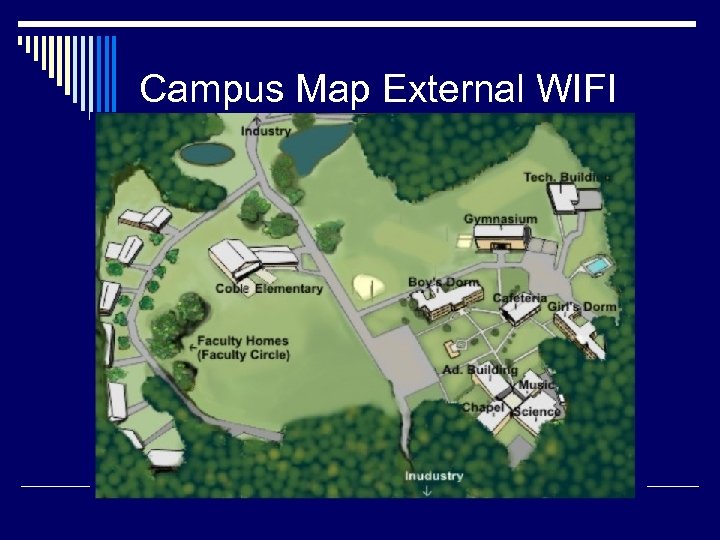 Campus Map External WIFI
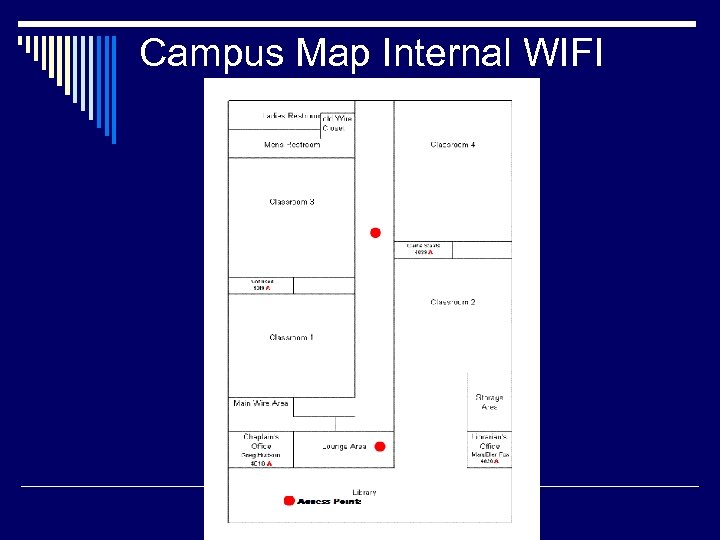 Campus Map Internal WIFI
 Hardware: Used @ GCA o Amplifier (now removed from system) o Bridges 3 COM work o Access Points o Client cards
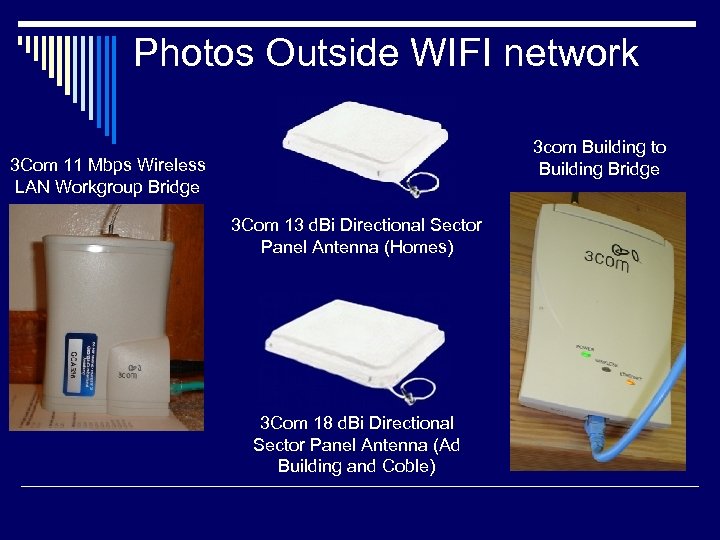 Photos Outside WIFI network 3 com Building to Building Bridge 3 Com 11 Mbps Wireless LAN Workgroup Bridge 3 Com 13 d. Bi Directional Sector Panel Antenna (Homes) 3 Com 18 d. Bi Directional Sector Panel Antenna (Ad Building and Coble)
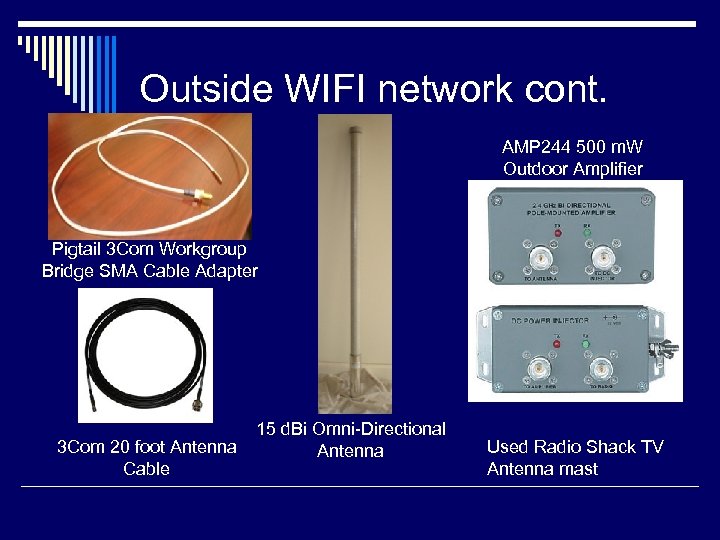 Outside WIFI network cont. AMP 244 500 m. W Outdoor Amplifier Pigtail 3 Com Workgroup Bridge SMA Cable Adapter 15 d. Bi Omni Directional 3 Com 20 foot Antenna Cable Used Radio Shack TV Antenna mast
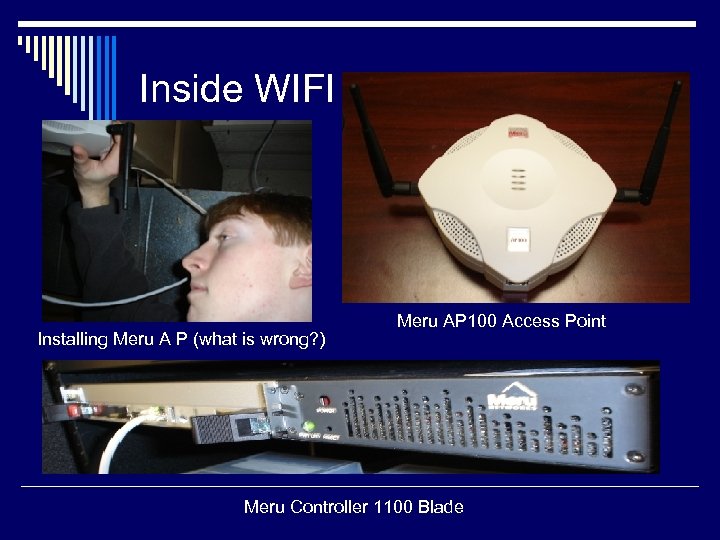 Inside WIFI Installing Meru A P (what is wrong? ) Meru AP 100 Access Point Meru Controller 1100 Blade
 Security: used @ GCA o Building to building Networks n n n Used non WIFI Compatible settings WEP MAC Address Filtering o Campus in the buildings n n n Separate from main school network Open system Radius ?
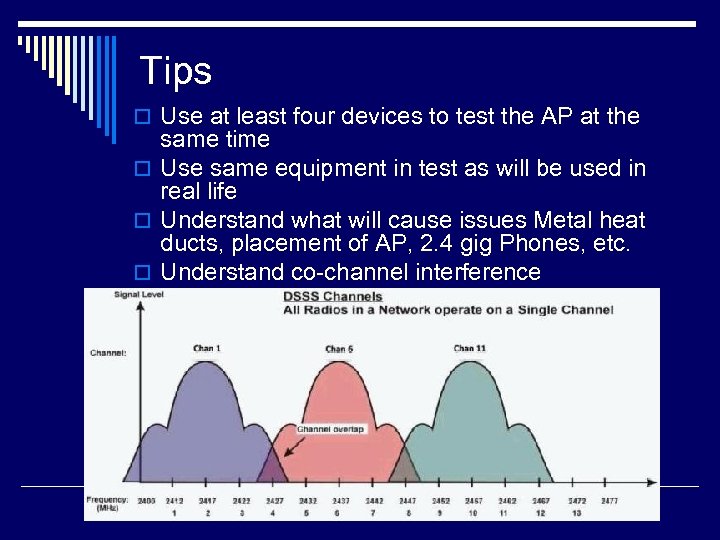 Tips o Use at least four devices to test the AP at the same time o Use same equipment in test as will be used in real life o Understand what will cause issues Metal heat ducts, placement of AP, 2. 4 gig Phones, etc. o Understand co channel interference
 Resources: Software o Air Magnet o o http: //www. airmagnet. com/products/demo download. php Dr. Wi Fi Net Stumbler –Free http: //www. netstumbler. com/downloads/ Mini Stumbler –Free http: //www. netstumbler. com/downloads/ Aircrack 2. 1 802. 11 sniffer and WEP key cracker for Windows and Linux. Free http: //www. cr 0. net: 8040/code/network/
 Resources: Links o CWNP Learning Center has over 1000 free white papers, case studies: http: //www. cwnp. com/learning_center/index. htm l o free electronic site survey forms (excellent): http: //www. cwnp. com/mlist/subscribe. php o GUIDE TO MASTERING NEGOTIATIONS: http: //common. ziffdavisinternet. com/download/0 /2537/whiteboardtoview. pdf o List of Equipment used at GCA: http: //www. gcasda. org/uploaded. Files/tec h/gcaeq. pdf
 Stay away from vendors who use FUD o How FUD is used: The following is a compilation of FUD 101 v 1. 0 by Eric Lee Green and The Newbie's Guide to Fear, Uncertainty, and Doubt by Brian Martin. There are twelve ways in which FUD is used and they are listed in 5 different categories. Urgency get our products today! o o 1) Buy our product now to avoid increased cost tomorrow! 2) Buy our product now because they will have the features you want in an upcoming update. Who endorses this product: 3) No one has endorsed the product. 4) Those who endorse the product are known frauds or charlatans. Technical: 5) Use large or trendy words instead of easily understood technical terms. 6) Hyping currently in use technologies and then claiming that they are such an amazing product or service because they use the common technology. Harm: 7) Only our Products or services can protect you! 8) Your company will lose future contracts without our products since they are becoming the new industry standard. 9) You need our products to save time and money today. Spin Doctoring: 10) ``Spin'' your opponent's strengths as a weaknesses, or Hype your opponent's weaknesses 11) Lie or make up weakness in opponent or for a given network. 12) Associate other vendors or an individual’s current configuration with undesirable elements. o o o o o Adapted from: Paper written for MISA class by Ernest Staats