


 Скачать презентацию Session 62 NSLDS for Financial Partners Valerie Sherrer
5f9794ddecf58567e08d08cc2b584cf6.ppt
- Количество слайдов: 47
 Session #62 NSLDS for Financial Partners Valerie Sherrer Pam Eliadis
 Agenda • NSLDS Access • Security Enhancements • What’s new • What’s coming • Customer Service Reminders • Reengineering 2
 NSLDS Access Gen 05 -06 - Access To and Use of NSLDS Information NSLDS Users must: • Use their access properly • Protect the sensitive data • Not share User IDs and Passwords 3
 Access Suspension Timeline • April 17, 2007 –NSLDS Access allowed only for • Current school users • ED users • Students and Borrowers 4
 Access Suspension Why the shut down – Excessive use by lenders raised concerns: • drain on the system resources • legitimate relationship existing? -Complaints by students/parents about aggressive marketing -Concerns for congress regarding misuse of privacy data 5
 Access Suspension Timeline • April 27, 2007 – SAIG removed on-line registration for NSLDS web access • April 30, 2007 – “CAPTCHA” implemented at log on – All 3 identifiers required to look up student/borrowers: • Social security number • First name • Date of birth 6
 Access Suspension Timeline • May 2, 2007 – GAs notified of steps to restore access – Reminded to only access borrowers: • With whom they have an established relationship • That have “explicitly authorized” access 7
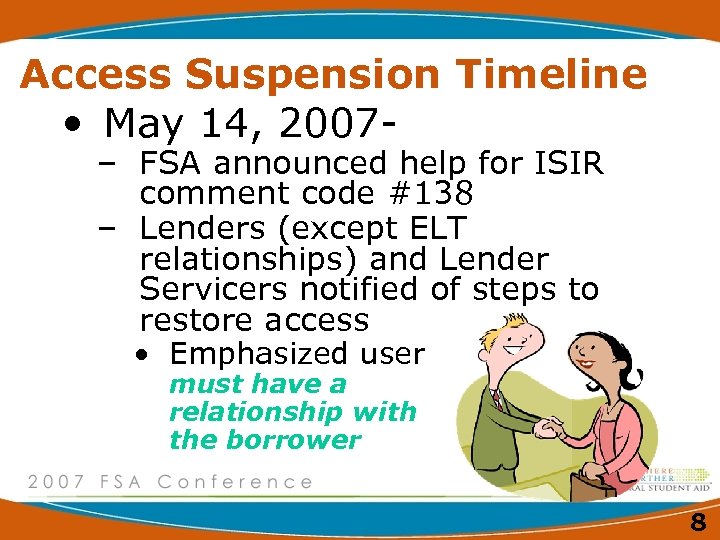 Access Suspension Timeline • May 14, 2007– FSA announced help for ISIR comment code #138 – Lenders (except ELT relationships) and Lender Servicers notified of steps to restore access • Emphasized user must have a relationship with the borrower 8
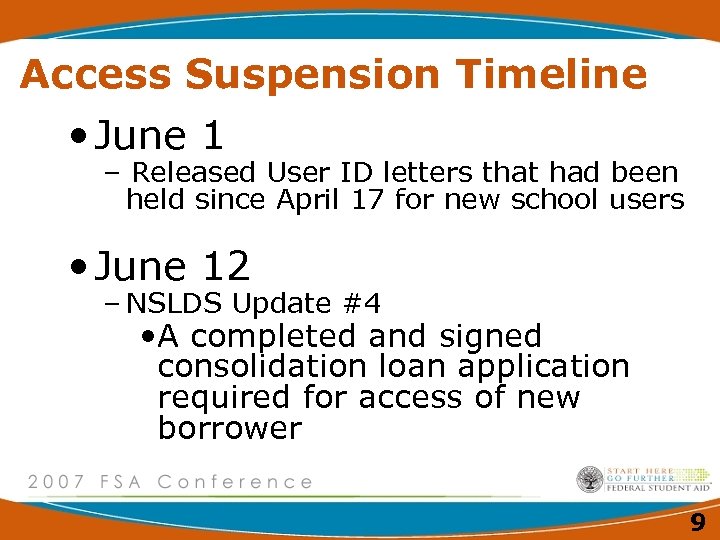 Access Suspension Timeline • June 1 – Released User ID letters that had been held since April 17 for new school users • June 12 – NSLDS Update #4 • A completed and signed consolidation loan application required for access of new borrower 9
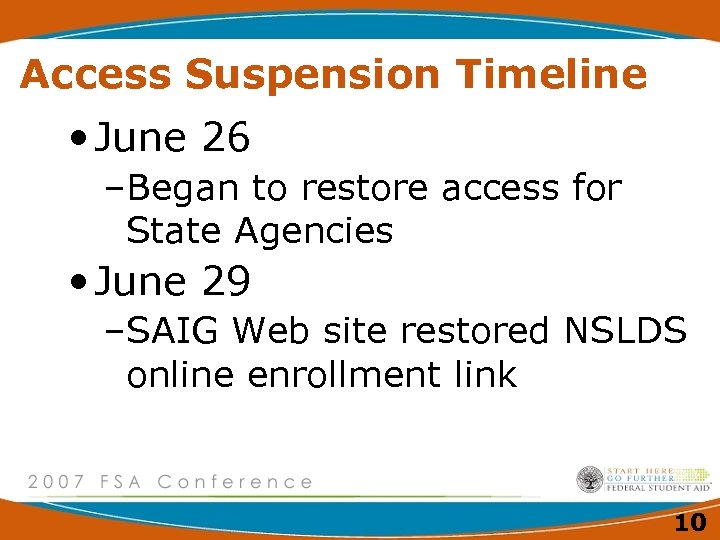 Access Suspension Timeline • June 26 –Began to restore access for State Agencies • June 29 –SAIG Web site restored NSLDS online enrollment link 10
 NSLDS Access Do’s • Recommend students contact FSAIC at 1 -800 -4 FEDAID • Recommend students access the NSLDS student site using their PIN • Report suspected abuse 11
 NSLDS Access Don’ts • Don’t provide your User ID and Password to ANYONE • Don’t ask students to share their PIN • Don’t make 3 rd party calls with student to get data from FSAIC or NSLDS 12
 Reinstatement Process • GAs/Lender Servicers requesting reinstatement: – Provided Spreadsheet to NSLDS • Current User IDs and job functions • New User requests and job functions – Completed paper Applications for new Users until June 29 • Obtain appropriate signatures • Forward to SAIG – Required NSLDS Personnel Approval 13
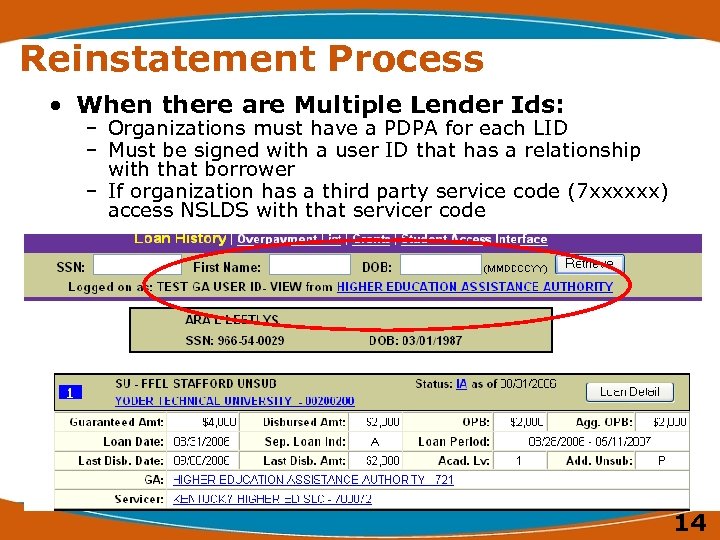 Reinstatement Process • When there are Multiple Lender Ids: – Organizations must have a PDPA for each LID – Must be signed with a user ID that has a relationship with that borrower – If organization has a third party service code (7 xxxxxx) access NSLDS with that servicer code 14
 Resulting Security Measures • CAPTCHA for everyone • Three identifiers to retrieve data • Change in sign up process through SAIG enrollment 15
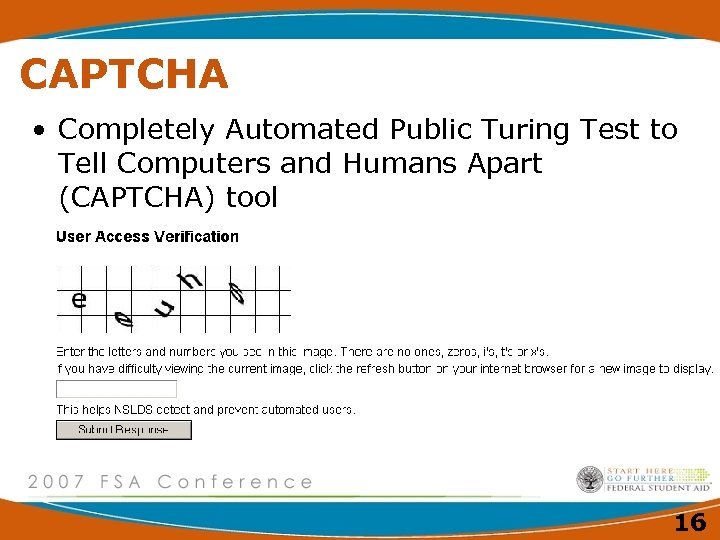 CAPTCHA • Completely Automated Public Turing Test to Tell Computers and Humans Apart (CAPTCHA) tool 16
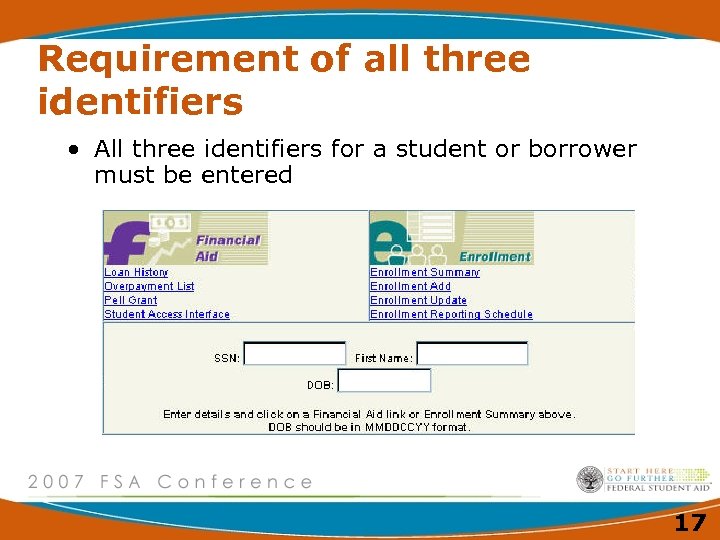 Requirement of all three identifiers • All three identifiers for a student or borrower must be entered 17
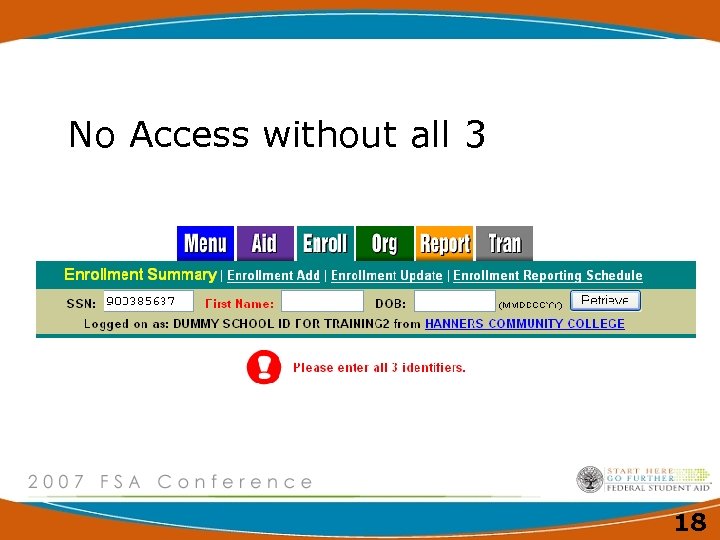 No Access without all 3 18
 SAIG Enrollment Changes • Only ONE Primary DPA per organization • Primary and Secondary DPA allowed to enroll new users • Primary responsible for monitoring access and completing annual report • Signature Page 19
 SAIG Enrollment Changes • SAIG application will include GA and Lender/Lender Servicer functions • Any time a user changes responsibility (reason for accessing NSLDS), the Primary DPA must update SAIG • Reports will assist the PDPA 20
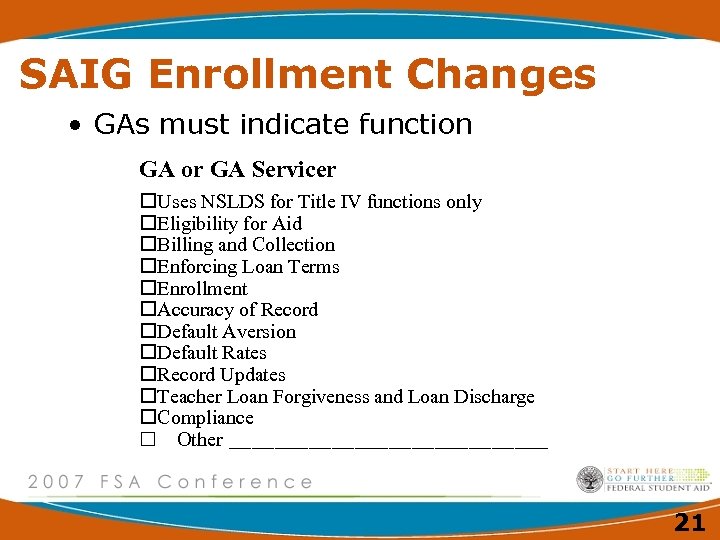 SAIG Enrollment Changes • GAs must indicate function GA or GA Servicer Uses NSLDS for Title IV functions only Eligibility for Aid Billing and Collection Enforcing Loan Terms Enrollment Accuracy of Record Default Aversion Default Rates Record Updates Teacher Loan Forgiveness and Loan Discharge Compliance Other ______________ 21
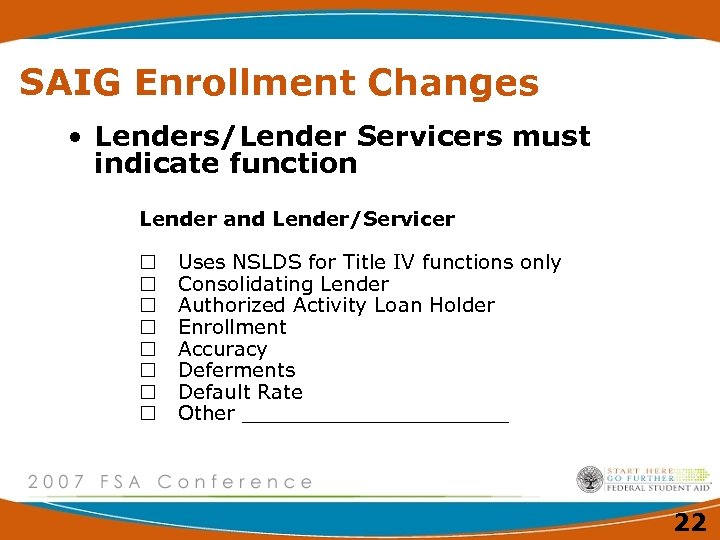 SAIG Enrollment Changes • Lenders/Lender Servicers must indicate function Lender and Lender/Servicer Uses NSLDS for Title IV functions only Consolidating Lender Authorized Activity Loan Holder Enrollment Accuracy Deferments Default Rate Other ___________ 22
 What’s New • Email address change – nslds@ed. gov 23
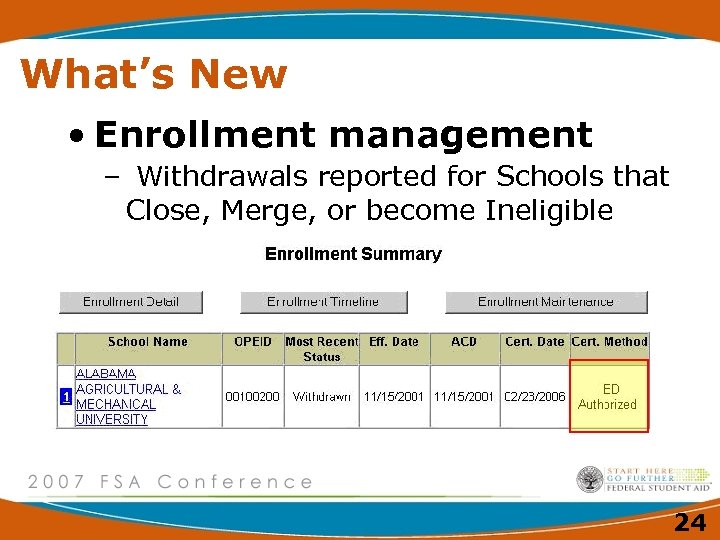 What’s New • Enrollment management – Withdrawals reported for Schools that Close, Merge, or become Ineligible 24
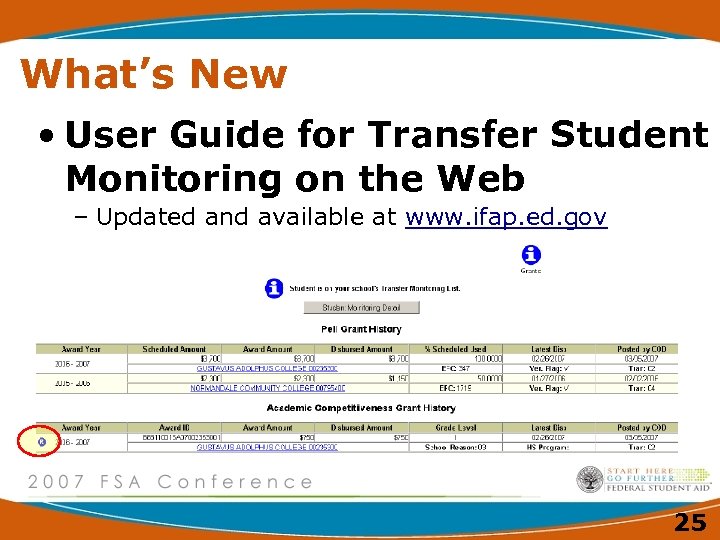 What’s New • User Guide for Transfer Student Monitoring on the Web – Updated and available at www. ifap. ed. gov 25
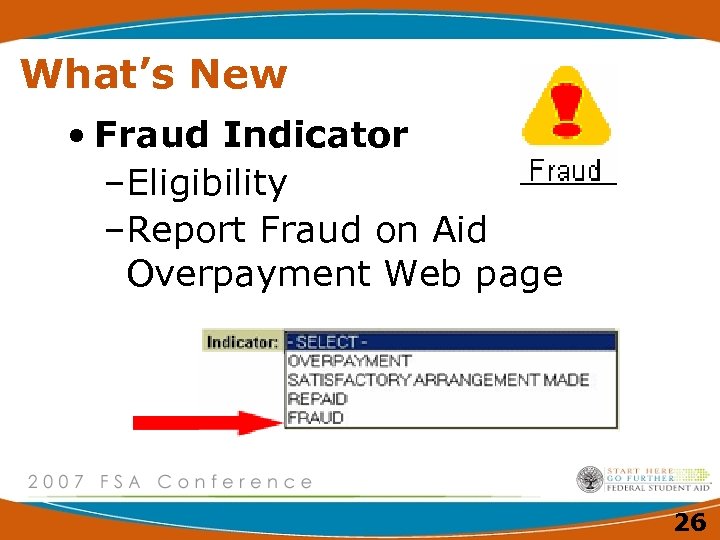 What’s New • Fraud Indicator –Eligibility –Report Fraud on Aid Overpayment Web page 26
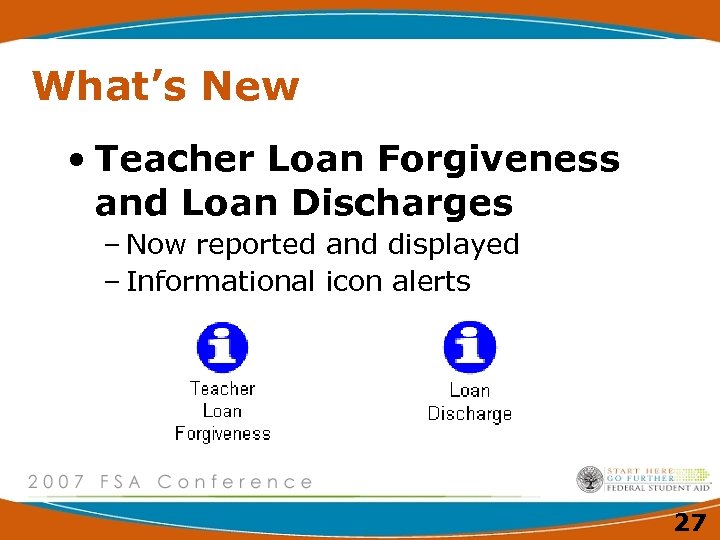 What’s New • Teacher Loan Forgiveness and Loan Discharges – Now reported and displayed – Informational icon alerts 27
 What’s New • Technical Update GA-2007 -04 • TLF and Loan Discharge data submittal –Directly on line –Upload via the web 28
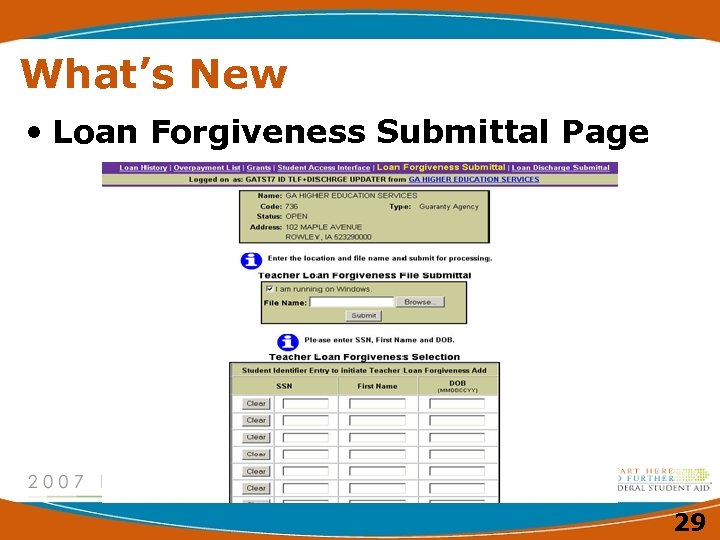 What’s New • Loan Forgiveness Submittal Page 29
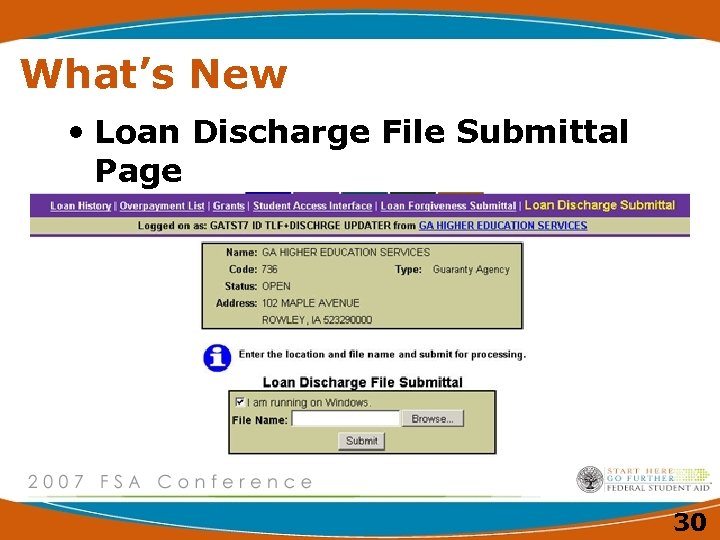 What’s New • Loan Discharge File Submittal Page 30
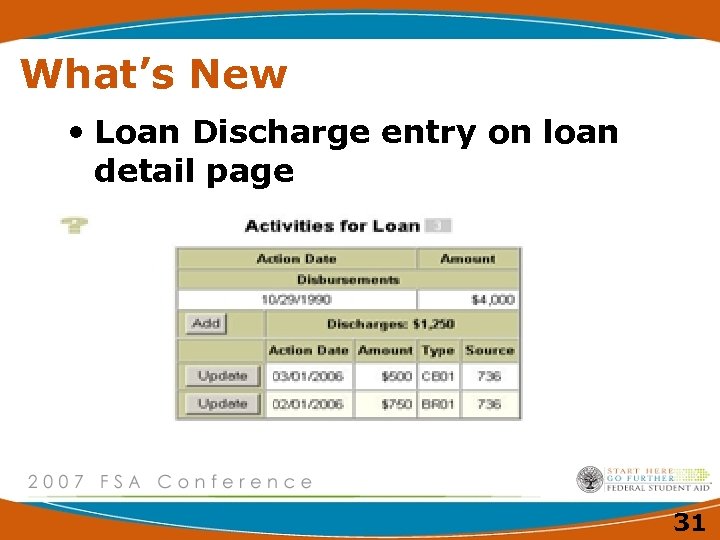 What’s New • Loan Discharge entry on loan detail page 31
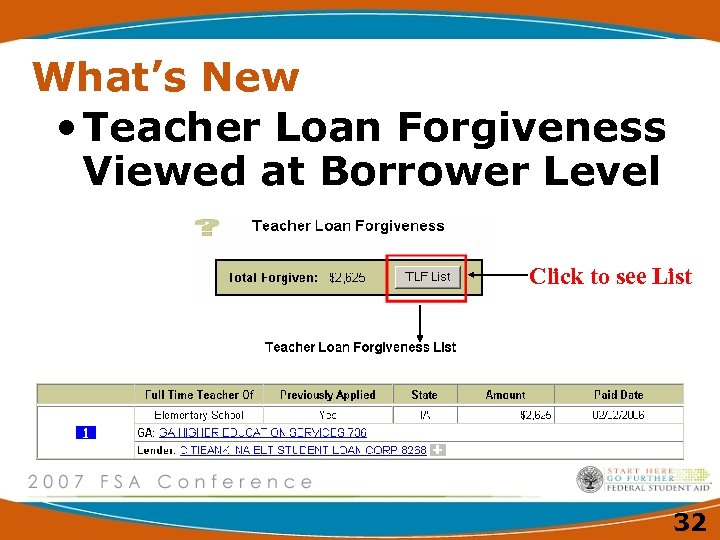 What’s New • Teacher Loan Forgiveness Viewed at Borrower Level Click to see List 32
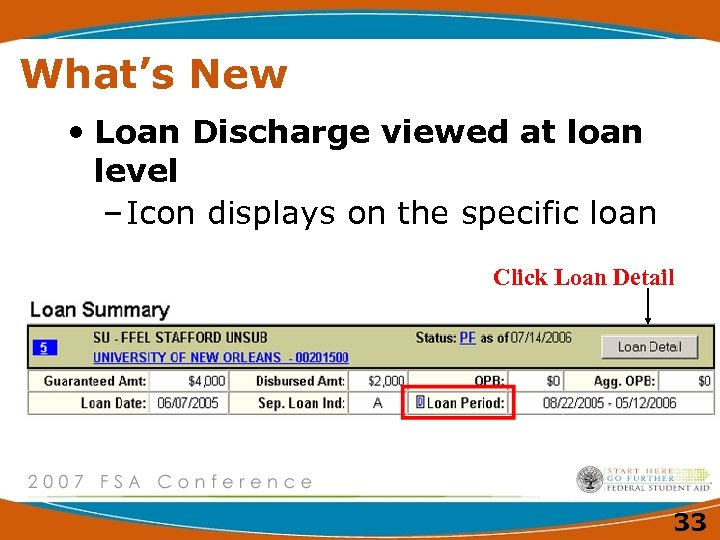 What’s New • Loan Discharge viewed at loan level – Icon displays on the specific loan Click Loan Detail 33
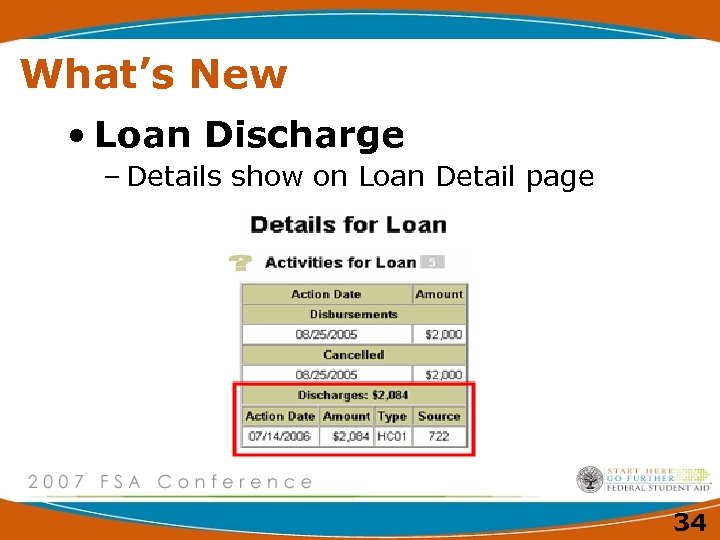 What’s New • Loan Discharge – Details show on Loan Detail page 34
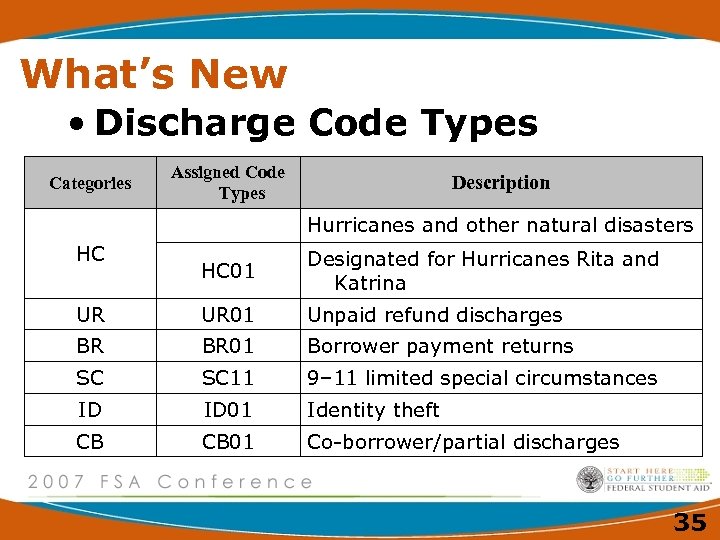 What’s New • Discharge Code Types Categories Assigned Code Types Description Hurricanes and other natural disasters HC HC 01 Designated for Hurricanes Rita and Katrina UR UR 01 Unpaid refund discharges BR BR 01 Borrower payment returns SC SC 11 9– 11 limited special circumstances ID ID 01 Identity theft CB CB 01 Co-borrower/partial discharges 35
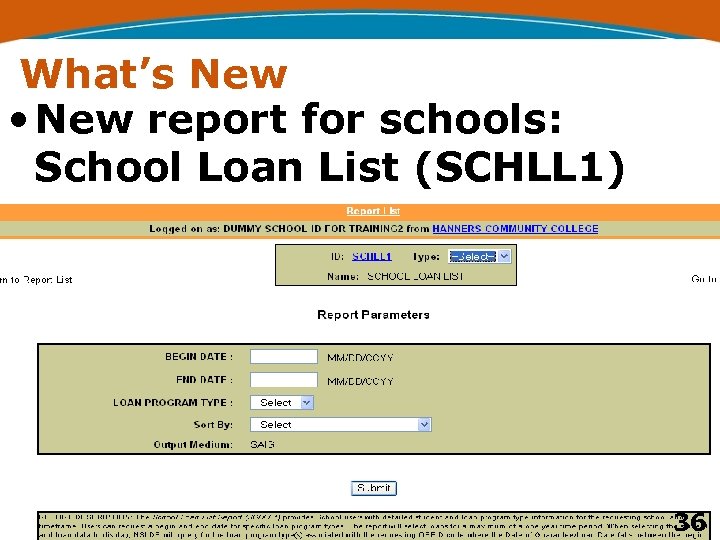 What’s New • New report for schools: School Loan List (SCHLL 1) 36
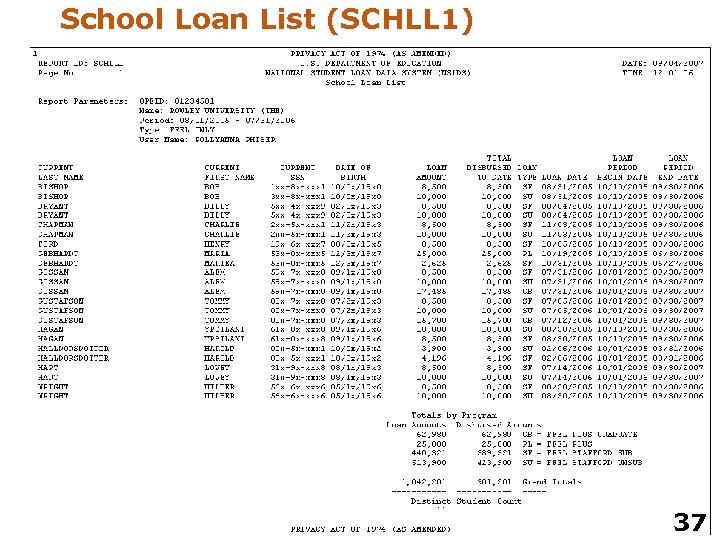 School Loan List (SCHLL 1) 37
 What’s Coming • Additional On Line Update Person for TLF/Discharge • SAIG TG Numbers Changing – Alpha numeric • SAIG Signature Page – User Statement changed – Keep for audit purposes 38
 What’s Coming • NSLDS User Letters replaced with an email notification – To the Primary DPA (make sure SAIG has the PDPA email address) – New user will call NSLDS Customer Service and must answer security questions to receive password 39
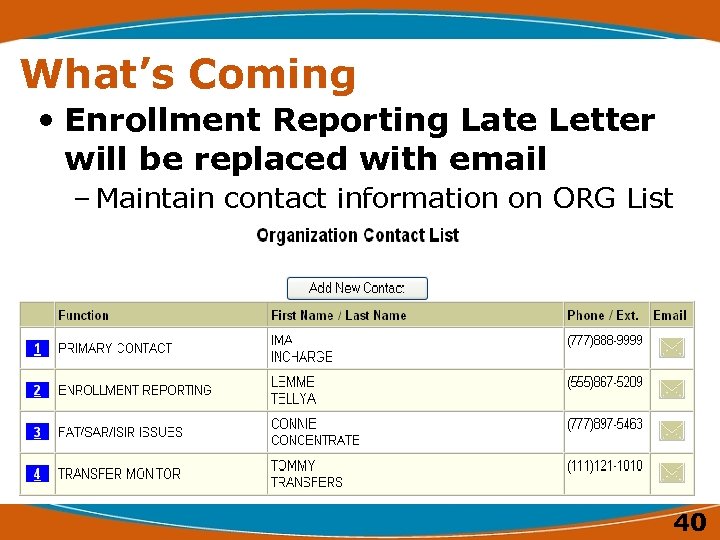 What’s Coming • Enrollment Reporting Late Letter will be replaced with email – Maintain contact information on ORG List 40
 What’s Coming • Perkins Loan Reporting –Requires Perkins Loan data be submitted at an award year level –Effective July 1, 2008 –Technical Update PK-2007 -02 41
 What’s Coming • College Cost Reduction Access Act (H. R. 2669) –Increased Pell Funding –Teacher Education Assistance for College and Higher Education (TEACH) Grant –Income-Based Repayment –Public Service Loan Forgiveness 42
 NSLDS Reminders NEVER Share your NSLDS User ID and Password Protect the Privacy Act Data in NSLDS 43
 NSLDS Reminders • Customer Service Calls to 1 800 -999 -8219 – Only addresses issues for schools and data providers – Does not handle student calls – Will not provide student data to persons who do not have a User ID 44
 NSLDS Reengineering • FFEL Data Flows – Project update – Community involvement – Future meetings 45
 46
46
 Contact Information We appreciate your feedback and comments. We can be reached at: • Phone: Valerie Sherrer 202 377 -3547 • Email: valerie. sherrer@ed. gov 47