


 Скачать презентацию Session 4 Secure Unix Administration 1 TCP IP
9676f895410b123e8a43095b93c8b176.ppt
- Количество слайдов: 38
 Session (4) Secure Unix Administration 1
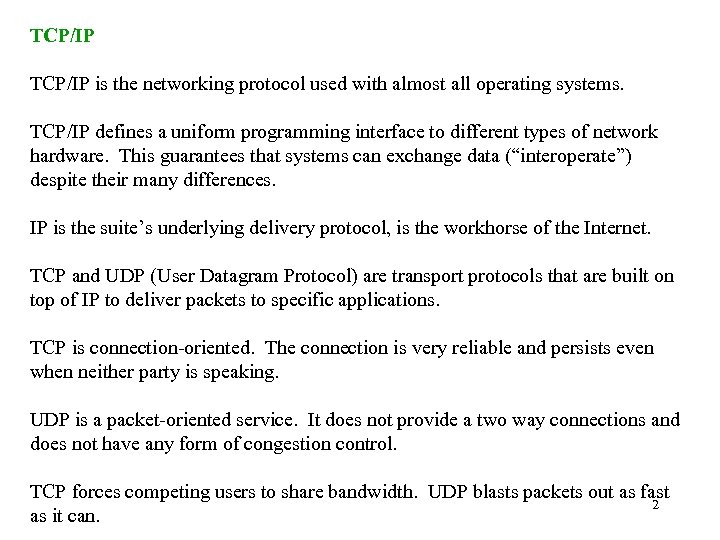 TCP/IP is the networking protocol used with almost all operating systems. TCP/IP defines a uniform programming interface to different types of network hardware. This guarantees that systems can exchange data (“interoperate”) despite their many differences. IP is the suite’s underlying delivery protocol, is the workhorse of the Internet. TCP and UDP (User Datagram Protocol) are transport protocols that are built on top of IP to deliver packets to specific applications. TCP is connection-oriented. The connection is very reliable and persists even when neither party is speaking. UDP is a packet-oriented service. It does not provide a two way connections and does not have any form of congestion control. TCP forces competing users to share bandwidth. UDP blasts packets out as fast 2 as it can.
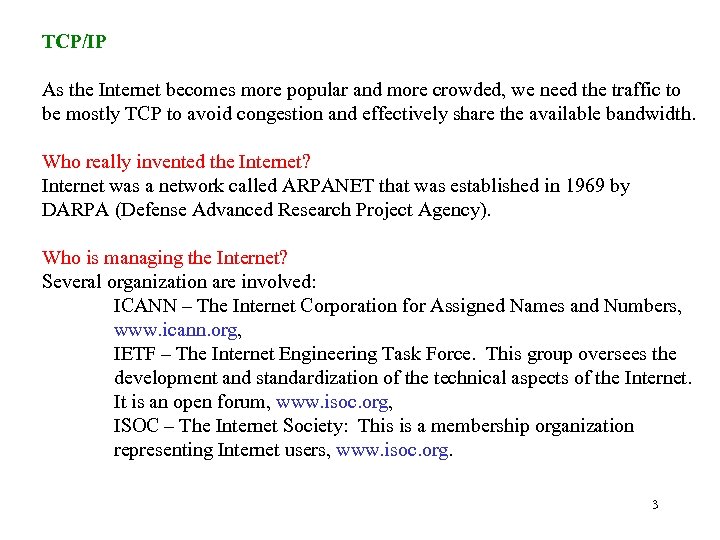 TCP/IP As the Internet becomes more popular and more crowded, we need the traffic to be mostly TCP to avoid congestion and effectively share the available bandwidth. Who really invented the Internet? Internet was a network called ARPANET that was established in 1969 by DARPA (Defense Advanced Research Project Agency). Who is managing the Internet? Several organization are involved: ICANN – The Internet Corporation for Assigned Names and Numbers, www. icann. org, IETF – The Internet Engineering Task Force. This group oversees the development and standardization of the technical aspects of the Internet. It is an open forum, www. isoc. org, ISOC – The Internet Society: This is a membership organization representing Internet users, www. isoc. org. 3
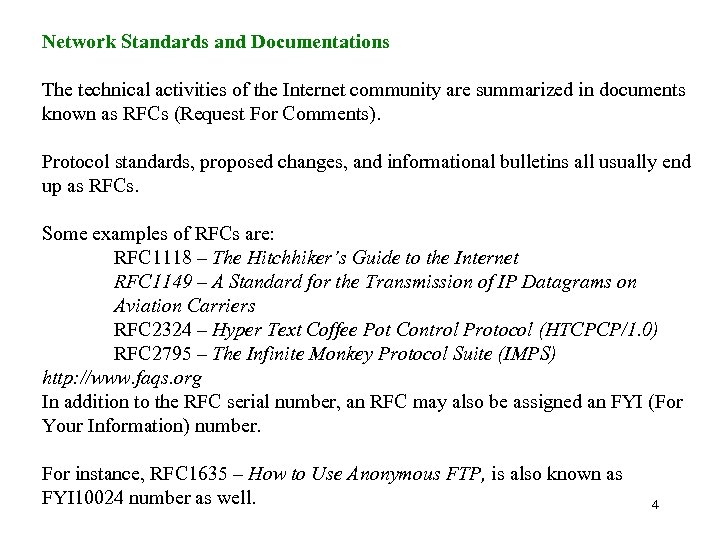 Network Standards and Documentations The technical activities of the Internet community are summarized in documents known as RFCs (Request For Comments). Protocol standards, proposed changes, and informational bulletins all usually end up as RFCs. Some examples of RFCs are: RFC 1118 – The Hitchhiker’s Guide to the Internet RFC 1149 – A Standard for the Transmission of IP Datagrams on Aviation Carriers RFC 2324 – Hyper Text Coffee Pot Control Protocol (HTCPCP/1. 0) RFC 2795 – The Infinite Monkey Protocol Suite (IMPS) http: //www. faqs. org In addition to the RFC serial number, an RFC may also be assigned an FYI (For Your Information) number. For instance, RFC 1635 – How to Use Anonymous FTP, is also known as FYI 10024 number as well. 4
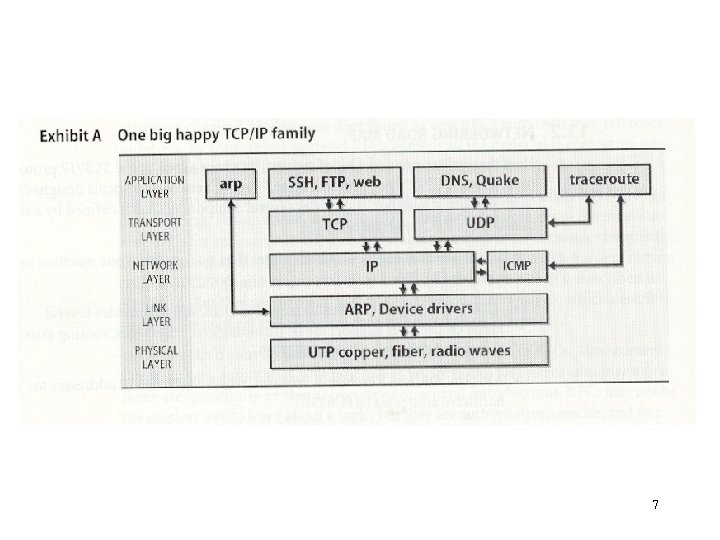
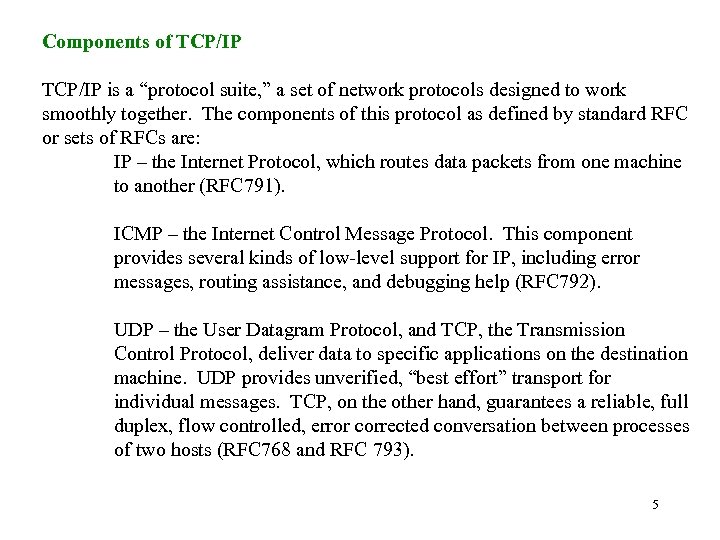 Components of TCP/IP is a “protocol suite, ” a set of network protocols designed to work smoothly together. The components of this protocol as defined by standard RFC or sets of RFCs are: IP – the Internet Protocol, which routes data packets from one machine to another (RFC 791). ICMP – the Internet Control Message Protocol. This component provides several kinds of low-level support for IP, including error messages, routing assistance, and debugging help (RFC 792). UDP – the User Datagram Protocol, and TCP, the Transmission Control Protocol, deliver data to specific applications on the destination machine. UDP provides unverified, “best effort” transport for individual messages. TCP, on the other hand, guarantees a reliable, full duplex, flow controlled, error corrected conversation between processes of two hosts (RFC 768 and RFC 793). 5
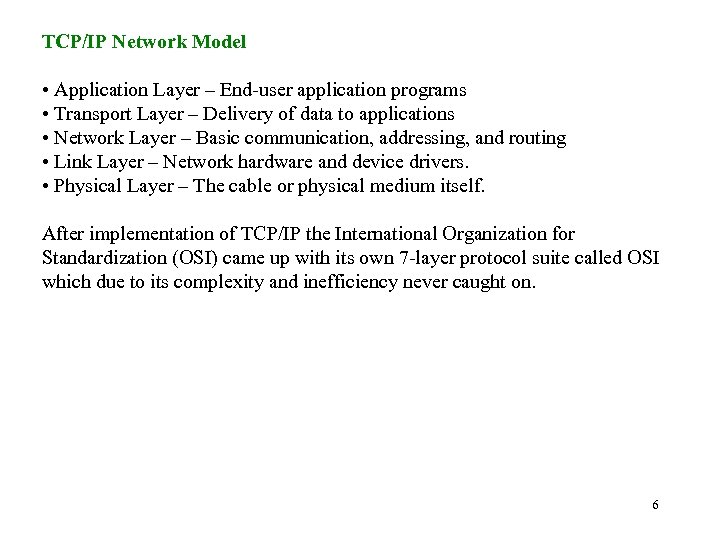 TCP/IP Network Model • Application Layer – End-user application programs • Transport Layer – Delivery of data to applications • Network Layer – Basic communication, addressing, and routing • Link Layer – Network hardware and device drivers. • Physical Layer – The cable or physical medium itself. After implementation of TCP/IP the International Organization for Standardization (OSI) came up with its own 7 -layer protocol suite called OSI which due to its complexity and inefficiency never caught on. 6
 7
7
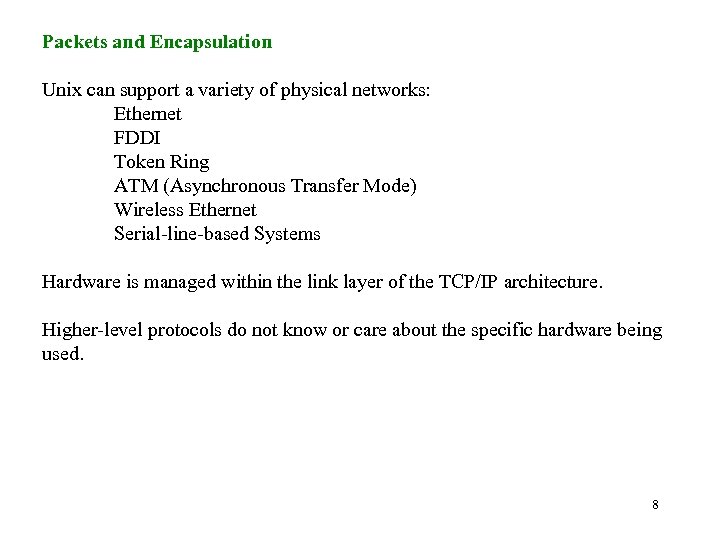 Packets and Encapsulation Unix can support a variety of physical networks: Ethernet FDDI Token Ring ATM (Asynchronous Transfer Mode) Wireless Ethernet Serial-line-based Systems Hardware is managed within the link layer of the TCP/IP architecture. Higher-level protocols do not know or care about the specific hardware being used. 8
 Packets and Encapsulation Data travels in a network in form of: packets – bursts of data with maximum length imposed by the link layer Each packet composed of a header and payload. The header defines the origination and destination of the packet. It may include checksums, protocolspecific information, or other handling instructions. The payload is the data to be transferred. The name of the primitive data unit depends on the layer of protocol: At the link layer it is called frame At the IP layer is called packet At the TCP layer is called a segment. The is usually a generic term that encompasses all of them. 9
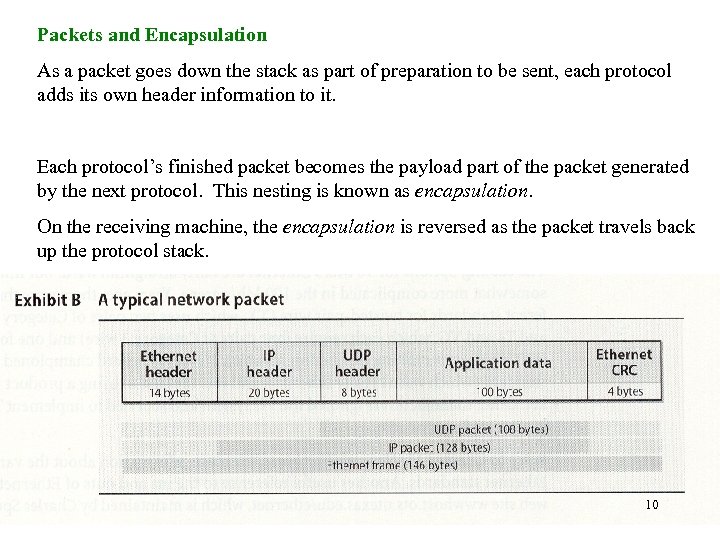 Packets and Encapsulation As a packet goes down the stack as part of preparation to be sent, each protocol adds its own header information to it. Each protocol’s finished packet becomes the payload part of the packet generated by the next protocol. This nesting is known as encapsulation. On the receiving machine, the encapsulation is reversed as the packet travels back up the protocol stack. 10
 The Link Layer To fill the gap between the lowest layers of the networking software and the network hardware itself we discuss the following topics: Ethernet Framing Standards Farming is the process of adding extra bits at the header of the packet which may include: • the packets’ link-layer addressing information and checksums • the separators to ensure that receivers can determine where one packets stops and where the next one begins. Two different standards for 10 MB/s Ethernet framing are: DIX Ethernet II, and IEEE 802. 2 LLC SNAP. Unix machines and Cisco routers usually use: Ethernet II. Novel and IPX networks normally use 802. 2. Ethernet and 802. 2 differ in some fields of the frame header but do not conflict. 11
 Packets and Encapsulation Ethernet Cabling and Standards Cabling for 10 Mb/s Ethernet is fairly straightforward. In 100 Mb/s case, things get more complicated. There use to be 3 standards for twisted-pair wires: TX – uses two pairs of Category 5 wire T 4 and VG – require four pair of Category 3 wires. Today, TX is the most common one. For fiber there is only one: FX – uses multimode fiber optic cable 12
 Packets and Encapsulation Wireless Networking IEEE 802. 11 standards attempts to define framing and signaling standards for wireless links. Due to lack of sufficient specification by 802. 11 standards, there have been some problems with wireless networking. The problems come from the lack of appropriate distinction between “translation” and “encapsulation”. In translation, we convert one packet from one format to another. In encapsulation we wrap the packet with the desired format. Windows systems tend to default on encapsulation while Unix uses translation. While configuring a wireless network, one must ensure that the wireless station and all the workstations are working in the same mode. 13
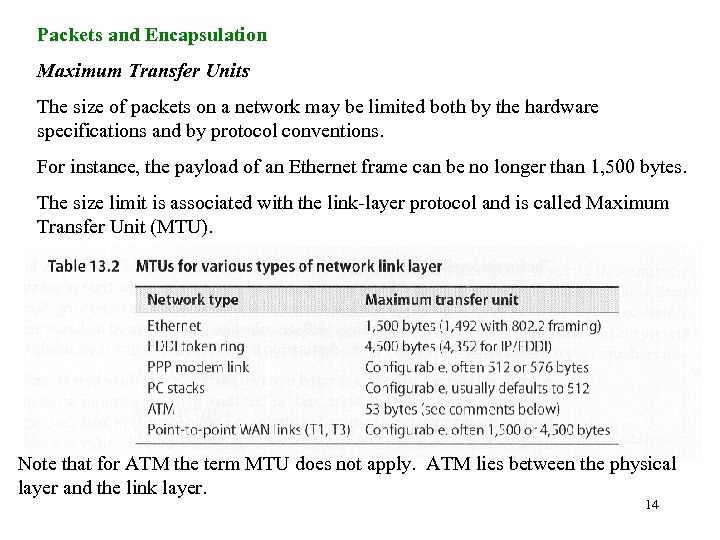 Packets and Encapsulation Maximum Transfer Units The size of packets on a network may be limited both by the hardware specifications and by protocol conventions. For instance, the payload of an Ethernet frame can be no longer than 1, 500 bytes. The size limit is associated with the link-layer protocol and is called Maximum Transfer Unit (MTU). Note that for ATM the term MTU does not apply. ATM lies between the physical layer and the link layer. 14
 Packets and Encapsulation Packet Addressing A network packet must be properly addressed in order to reach its destination. Several addressing schemes are used in combination: • MAC (media access control) addresses for hardware • IP addresses for software • Hostnames for people The MAC address is a 6 byte address that is broken into two parts: • The first 3 bytes identify the vendor, and • The second 3 bytes are unique serial numbers that the manufacturer assigns. The current list of vendors can be found at: http: //www. isi. edu/in-notes/iana/assignments/ethernet-numbers 15
 Packets and Encapsulation Packet Addressing The mapping between IP addresses and hardware address is implemented at the link layer of the TCP/IP model. On networks that support broadcasting (packets to be addressed to “all hosts on the network”), a protocol called ARP allows mapping to be discovered automatically, without the system administrator’s assistance. ARP is a very powerful tool used by system administrators. DESCRIPTION The arp command displays or modifies the current ARP entry for the host specified by hostname. The host may be specified by name or number, using Internet dot notation. With no flags, the program displays the current ARP entry for hostname. The ARP tables can be displayed by any user, but only the superuser can modify them. Specifications: RFC 826 16
![ARP /usr/sbin/arp [-u] [-n] hostname arp -a [-u] [-n] [-i] [system] arp -d hostname](https://present5.com/presentation/9676f895410b123e8a43095b93c8b176/image-17.jpg "ARP /usr/sbin/arp [-u] [-n] hostname arp -a [-u] [-n] [-i] [system] arp -d hostname") ARP /usr/sbin/arp [-u] [-n] hostname arp -a [-u] [-n] [-i] [system] arp -d hostname arp -f filename arp -g hostname arp -s [-u] hostname hardware_addr [temp] [pub] [trail] -a Displays all of the current ARP entries. -d hostname Deletes the entry for hostname if the user issuing the command has superuser authority. -f filename Reads entries from filename and adds those entries to the ARP tables. Use of this flag requires superuser privilege. Entries in the file have the following format: 17
ARP /usr/sbin/arp [-u] [-n] hostname arp -a [-u] [-n] [-i] [system] arp -d hostname arp -f filename arp -g hostname arp -s [-u] hostname hardware_addr [temp] [pub] [trail] -a Displays all of the current ARP entries. -d hostname Deletes the entry for hostname if the user issuing the command has superuser authority. -f filename Reads entries from filename and adds those entries to the ARP tables. Use of this flag requires superuser privilege. Entries in the file have the following format: 17
![hostname hardware_addr [temp] [pub] [trail] Fields in this format are as follows: hostname Specifies](https://present5.com/presentation/9676f895410b123e8a43095b93c8b176/image-18.jpg "hostname hardware_addr [temp] [pub] [trail] Fields in this format are as follows: hostname Specifies") hostname hardware_addr [temp] [pub] [trail] Fields in this format are as follows: hostname Specifies the remote host identified by the entry. hardware_addr Specifies the hardware address of the remote host. The address is given as 6 hexadecimal bytes separated by colons. temp Specifies that this ARP table entry is temporary. When this argument is not used, the table entry is permanent. pub Indicates that the table entry will be published and that the current system will act as an ARP server, responding to requests for hostname even though the host address is not its own. trail Indicates that the trailer encapsulation may be sent to this host. 18
hostname hardware_addr [temp] [pub] [trail] Fields in this format are as follows: hostname Specifies the remote host identified by the entry. hardware_addr Specifies the hardware address of the remote host. The address is given as 6 hexadecimal bytes separated by colons. temp Specifies that this ARP table entry is temporary. When this argument is not used, the table entry is permanent. pub Indicates that the table entry will be published and that the current system will act as an ARP server, responding to requests for hostname even though the host address is not its own. trail Indicates that the trailer encapsulation may be sent to this host. 18
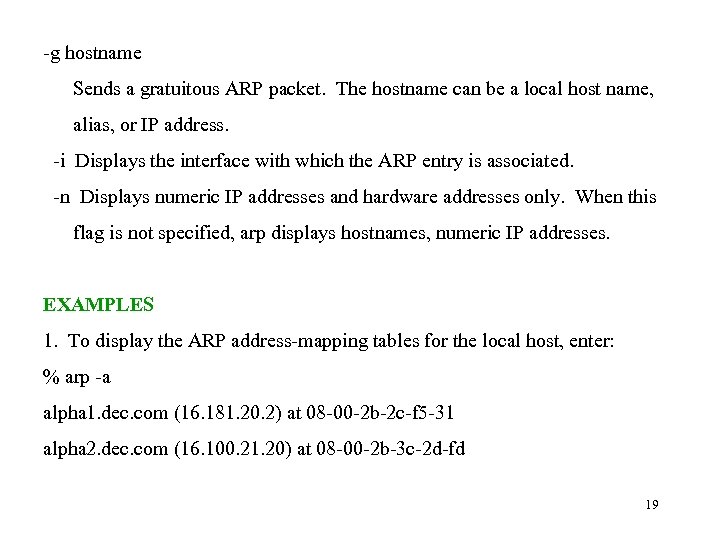 -g hostname Sends a gratuitous ARP packet. The hostname can be a local host name, alias, or IP address. -i Displays the interface with which the ARP entry is associated. -n Displays numeric IP addresses and hardware addresses only. When this flag is not specified, arp displays hostnames, numeric IP addresses. EXAMPLES 1. To display the ARP address-mapping tables for the local host, enter: % arp -a alpha 1. dec. com (16. 181. 20. 2) at 08 -00 -2 b-2 c-f 5 -31 alpha 2. dec. com (16. 100. 21. 20) at 08 -00 -2 b-3 c-2 d-fd 19
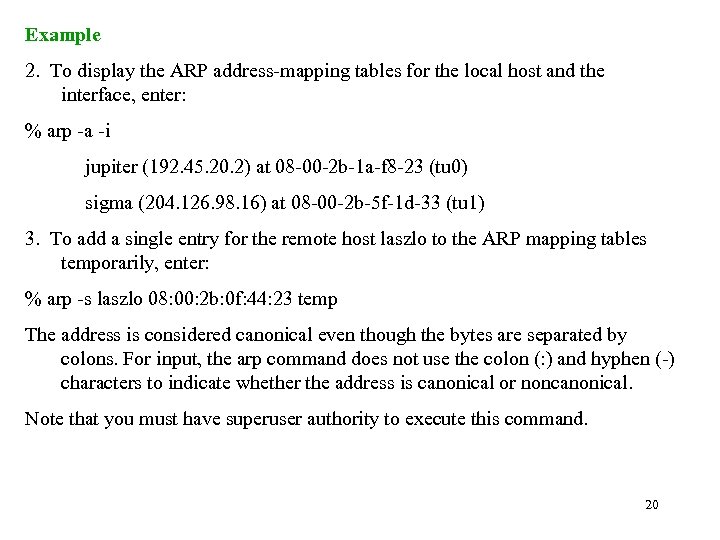 Example 2. To display the ARP address-mapping tables for the local host and the interface, enter: % arp -a -i jupiter (192. 45. 20. 2) at 08 -00 -2 b-1 a-f 8 -23 (tu 0) sigma (204. 126. 98. 16) at 08 -00 -2 b-5 f-1 d-33 (tu 1) 3. To add a single entry for the remote host laszlo to the ARP mapping tables temporarily, enter: % arp -s laszlo 08: 00: 2 b: 0 f: 44: 23 temp The address is considered canonical even though the bytes are separated by colons. For input, the arp command does not use the colon (: ) and hyphen (-) characters to indicate whether the address is canonical or noncanonical. Note that you must have superuser authority to execute this command. 20
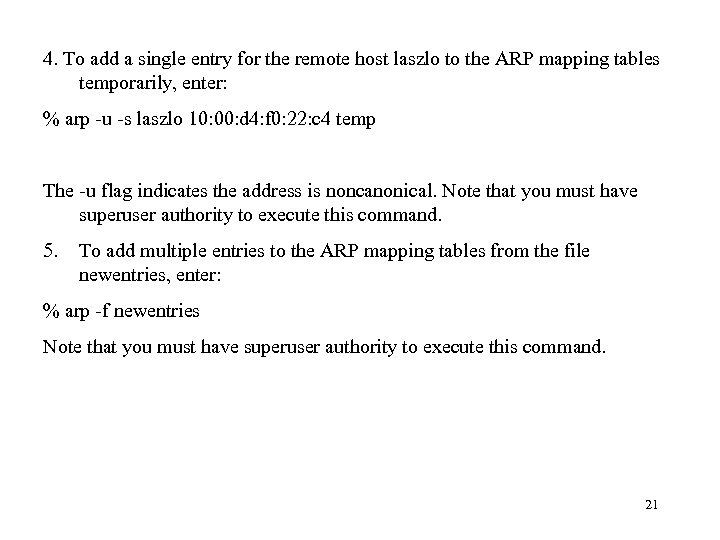 4. To add a single entry for the remote host laszlo to the ARP mapping tables temporarily, enter: % arp -u -s laszlo 10: 00: d 4: f 0: 22: c 4 temp The -u flag indicates the address is noncanonical. Note that you must have superuser authority to execute this command. 5. To add multiple entries to the ARP mapping tables from the file newentries, enter: % arp -f newentries Note that you must have superuser authority to execute this command. 21
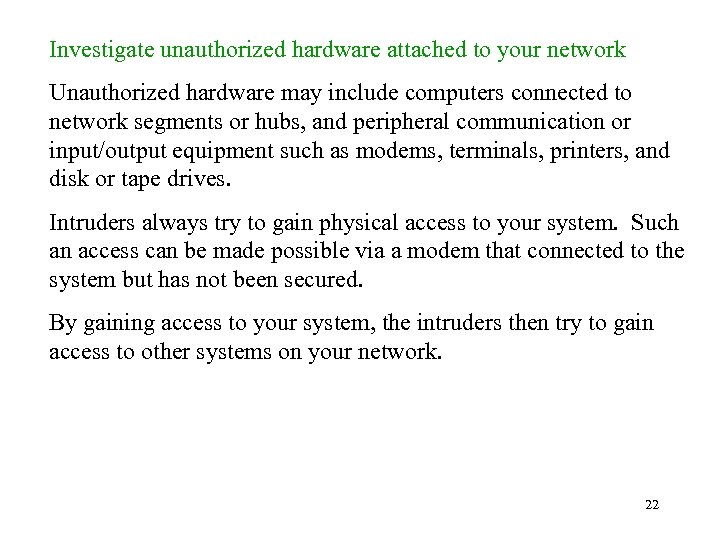 Investigate unauthorized hardware attached to your network Unauthorized hardware may include computers connected to network segments or hubs, and peripheral communication or input/output equipment such as modems, terminals, printers, and disk or tape drives. Intruders always try to gain physical access to your system. Such an access can be made possible via a modem that connected to the system but has not been secured. By gaining access to your system, the intruders then try to gain access to other systems on your network. 22
 What can we do? • Perform a monthly "walkabout" audit of all systems and peripherals attached to the network infrastructure. • On a daily basis, probe for unauthorized modems attached to your organization's telephone lines. • On a daily basis, probe all internal network segments to identify unauthorized hardware attached to your network. Examine unauthorized devices attached to your network any new or unexpected IP or MAC addresses any new or unexpected network ports on switches. You can do this using public domain tools such as ARPWATCH 2 and a variety of commercial network management software packages. • On a daily basis, look for unexpected routes between the organization's network and external networks. reference: http: //www. cert. org/security-improvement/practices/p 097. html ARPWATCH is available at ftp: //ftp. ee. lbl. gov/ 23
 Ports IP addresses identify machines, or more precisely, network interfaces on a machine. They are not specific enough to address particular processes or services. TCP and UDP extend IP addresses with concept known as a “port”. A port is a 16 -bit number that supplement an IP address top specify a particular communication channel. Standard Unix services such as e-mail, FTP, and the remote login server all associate themselves with “well_known” ports defined in /etc/services. Unix restrict access to port numbers under 1, 024 to root. 24
 CERT Advisory CA-1994 -15 NFS Vulnerabilities There are tools being used by intruders to exploit a number of NFS vulnerabilities. These tools are widely available and widely distributed. The impact varies depending on which vulnerabilities are present. In the worst case, intruders gain unauthorized root access from a remote host. Security Measures A. Filter packets at your firewall/router Some sites may run NFS on a port other than 2049. To determine which port is running NFS, enter the following command on the machine in question: rpcinfo -p If NFS is on a different port, then that is the port number to block at the firewall. 25
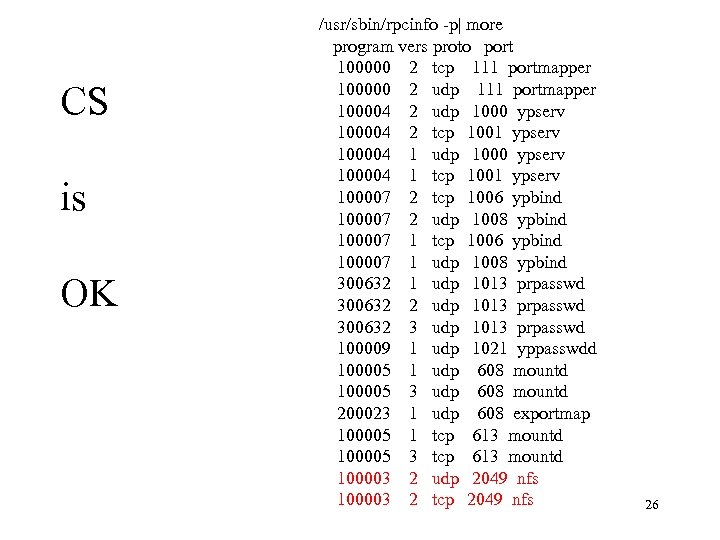 CS is OK /usr/sbin/rpcinfo -p| more program vers proto port 100000 2 tcp 111 portmapper 100000 2 udp 111 portmapper 100004 2 udp 1000 ypserv 100004 2 tcp 1001 ypserv 100004 1 udp 1000 ypserv 100004 1 tcp 1001 ypserv 100007 2 tcp 1006 ypbind 100007 2 udp 1008 ypbind 100007 1 tcp 1006 ypbind 100007 1 udp 1008 ypbind 300632 1 udp 1013 prpasswd 300632 2 udp 1013 prpasswd 300632 3 udp 1013 prpasswd 100009 1 udp 1021 yppasswdd 100005 1 udp 608 mountd 100005 3 udp 608 mountd 200023 1 udp 608 exportmap 100005 1 tcp 613 mountd 100005 3 tcp 613 mountd 100003 2 udp 2049 nfs 100003 2 tcp 2049 nfs 26
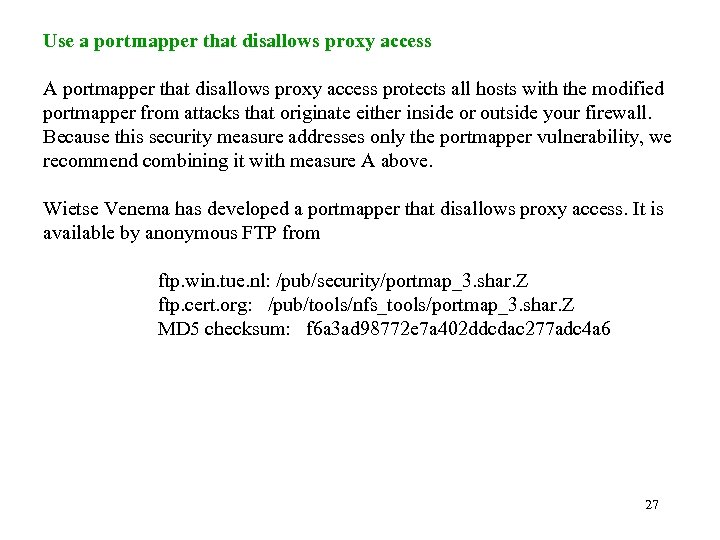 Use a portmapper that disallows proxy access A portmapper that disallows proxy access protects all hosts with the modified portmapper from attacks that originate either inside or outside your firewall. Because this security measure addresses only the portmapper vulnerability, we recommend combining it with measure A above. Wietse Venema has developed a portmapper that disallows proxy access. It is available by anonymous FTP from ftp. win. tue. nl: /pub/security/portmap_3. shar. Z ftp. cert. org: /pub/tools/nfs_tools/portmap_3. shar. Z MD 5 checksum: f 6 a 3 ad 98772 e 7 a 402 ddcdac 277 adc 4 a 6 27
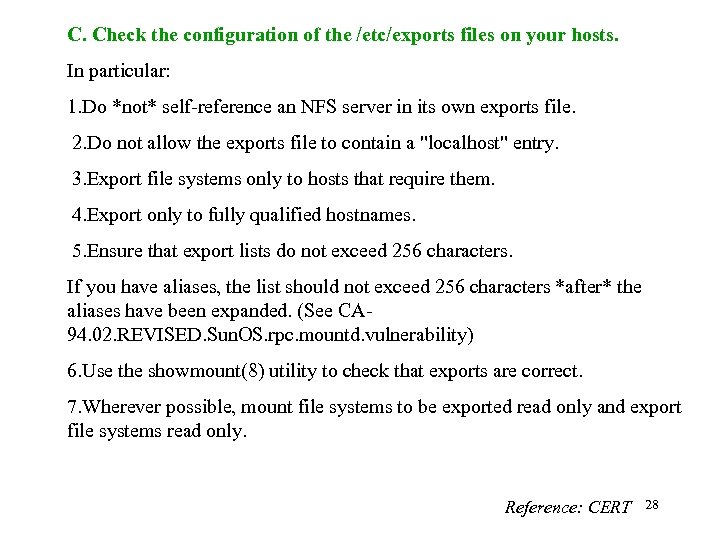 C. Check the configuration of the /etc/exports files on your hosts. In particular: 1. Do *not* self-reference an NFS server in its own exports file. 2. Do not allow the exports file to contain a "localhost" entry. 3. Export file systems only to hosts that require them. 4. Export only to fully qualified hostnames. 5. Ensure that export lists do not exceed 256 characters. If you have aliases, the list should not exceed 256 characters *after* the aliases have been expanded. (See CA 94. 02. REVISED. Sun. OS. rpc. mountd. vulnerability) 6. Use the showmount(8) utility to check that exports are correct. 7. Wherever possible, mount file systems to be exported read only and export file systems read only. Reference: CERT 28
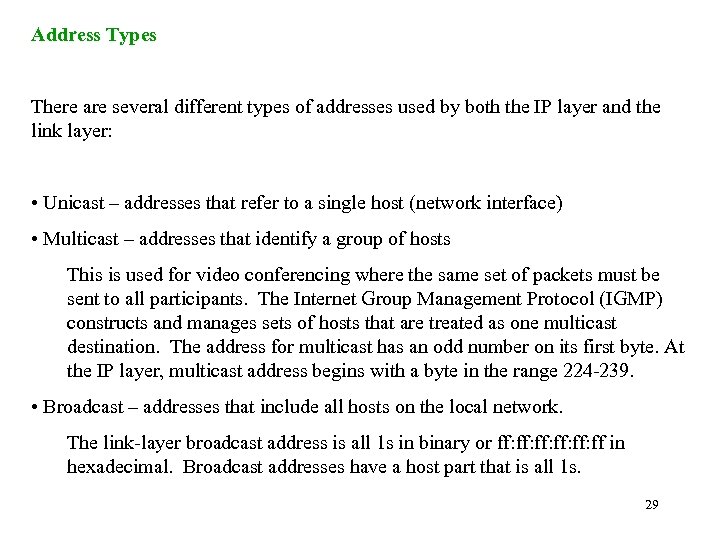 Address Types There are several different types of addresses used by both the IP layer and the link layer: • Unicast – addresses that refer to a single host (network interface) • Multicast – addresses that identify a group of hosts This is used for video conferencing where the same set of packets must be sent to all participants. The Internet Group Management Protocol (IGMP) constructs and manages sets of hosts that are treated as one multicast destination. The address for multicast has an odd number on its first byte. At the IP layer, multicast address begins with a byte in the range 224 -239. • Broadcast – addresses that include all hosts on the local network. The link-layer broadcast address is all 1 s in binary or ff: ff: ff: ff in hexadecimal. Broadcast addresses have a host part that is all 1 s. 29
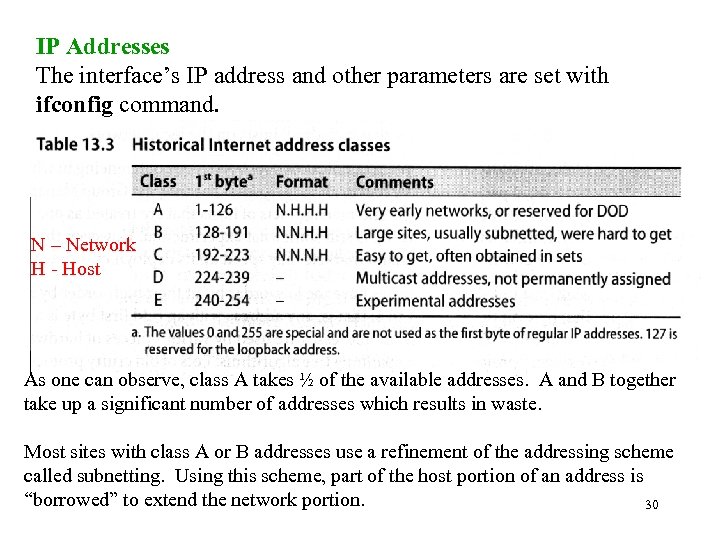 IP Addresses The interface’s IP address and other parameters are set with ifconfig command. N – Network H - Host As one can observe, class A takes ½ of the available addresses. A and B together take up a significant number of addresses which results in waste. Most sites with class A or B addresses use a refinement of the addressing scheme called subnetting. Using this scheme, part of the host portion of an address is “borrowed” to extend the network portion. 30
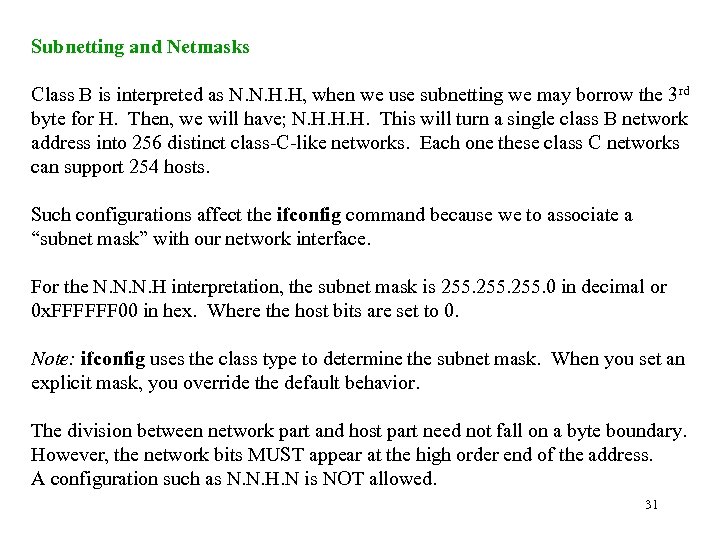 Subnetting and Netmasks Class B is interpreted as N. N. H. H, when we use subnetting we may borrow the 3 rd byte for H. Then, we will have; N. H. H. H. This will turn a single class B network address into 256 distinct class-C-like networks. Each one these class C networks can support 254 hosts. Such configurations affect the ifconfig command because we to associate a “subnet mask” with our network interface. For the N. N. N. H interpretation, the subnet mask is 255. 0 in decimal or 0 x. FFFFFF 00 in hex. Where the host bits are set to 0. Note: ifconfig uses the class type to determine the subnet mask. When you set an explicit mask, you override the default behavior. The division between network part and host part need not fall on a byte boundary. However, the network bits MUST appear at the high order end of the address. A configuration such as N. N. H. N is NOT allowed. 31
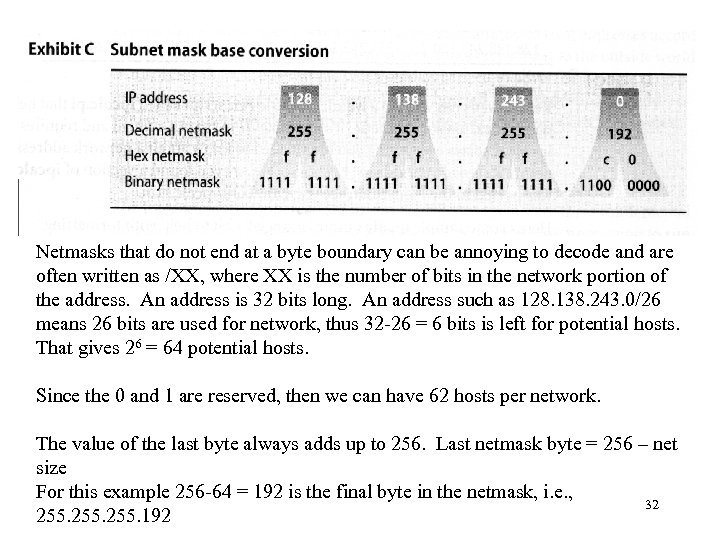 Netmasks that do not end at a byte boundary can be annoying to decode and are often written as /XX, where XX is the number of bits in the network portion of the address. An address is 32 bits long. An address such as 128. 138. 243. 0/26 means 26 bits are used for network, thus 32 -26 = 6 bits is left for potential hosts. That gives 26 = 64 potential hosts. Since the 0 and 1 are reserved, then we can have 62 hosts per network. The value of the last byte always adds up to 256. Last netmask byte = 256 – net size For this example 256 -64 = 192 is the final byte in the netmask, i. e. , 32 255. 192
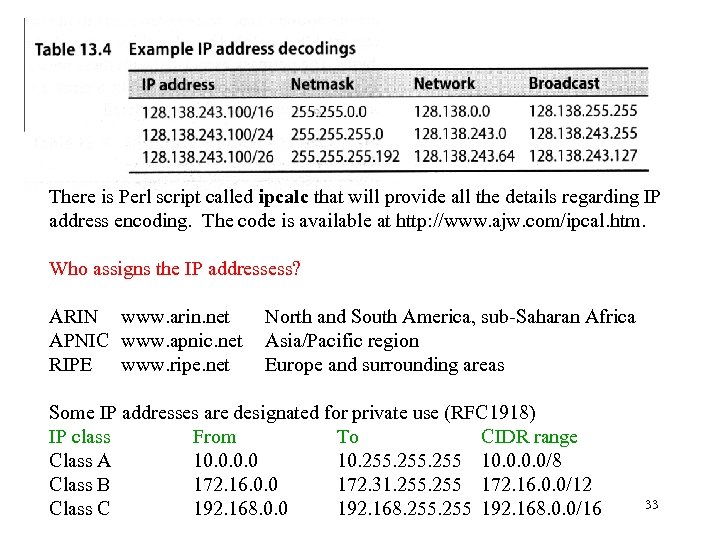 There is Perl script called ipcalc that will provide all the details regarding IP address encoding. The code is available at http: //www. ajw. com/ipcal. htm. Who assigns the IP addressess? ARIN www. arin. net APNIC www. apnic. net RIPE www. ripe. net North and South America, sub-Saharan Africa Asia/Pacific region Europe and surrounding areas Some IP addresses are designated for private use (RFC 1918) IP class From To CIDR range Class A 10. 0 10. 255 10. 0/8 Class B 172. 16. 0. 0 172. 31. 255 172. 16. 0. 0/12 Class C 192. 168. 0. 0 192. 168. 255 192. 168. 0. 0/16 33
 CERT® Advisory CA-2000 -21 Denial-of-Service Vulnerabilities in TCP/IP Stacks Description Denial-of-service attacks are possible whenever an attacker can consume a limited resource on a victim's machine. Examples of the kinds of resources that an attacker can consume are CPU time, network bandwidth, and volatile and non-volatile memory. TCP can be modeled as a finite state machine, consisting of eleven states (CLOSED, LISTEN, SYN RECVD, SYN SENT, ESTABLISHED, CLOSE WAIT, LAST ACK, FIN WAIT-1, FIN WAIT-2, CLOSING, and TIME WAIT) [1]. Implementations of TCP and services that use TCP rely on limited data structures to implement the states of the TCP finite state machine. By attacking specific weaknesses in applications and implementations of TCP, it is possible for an attacker to cause services or systems to crash, refuse service, or otherwise become unstable. 34
 A related attack, called a "syn flood attack, “ exploited a weakness in how many TCP implementations handled a large number of connections in the "SYN RECVD" state. Naptha attacks exploit weaknesses in the way some TCP stacks and applications handle large numbers of connections in states other than "SYN RECVD, " including "ESTABLISHED" and "FIN WAIT-1. “ Solution Apply a patch from your vendor Tune your operating system appropriately Some vendors provide the ability to "tune" your operating system to be more resilient to these types of attacks. In those cases, we encourage you to make the tuning choices appropriate for your requirements and risk tolerance. Prepare for denial-of-service attacks in general, and be a "good citizen" Effectively responding to denial-of-service attacks requires planning prior to the attacks. In the short term, actions include ingress filtering and disabling directed broadcasts. 35
 CERT® Advisory CA-1996 -01 UDP Port Denial-of-Service Attack Description When a connection is established between two UDP services, each of which produces output, these two services can produce a very high number of packets that can lead to a denial of service on the machine(s) where the services are offered. Anyone with network connectivity can launch an attack; no account access is needed. For example, by connecting a host's chargen service to the echo service on the same or another machine, all affected machines may be effectively taken out of service because of the excessively high number of packets produced. In addition, if two or more hosts are so connected, the intervening network may also become congested and deny service to all hosts whose traffic traverses that network. Impact Anyone with network connectivity can cause a denial of service. This attack does not enable them to gain additional access. 36
 Solution • Disable and filter chargen and echo services This attack is most readily exploited using the chargen or echo services, neither of which is generally needed as far as we are aware. We recommend that you disable both services on the host and filter them at the firewall or Internet gateway. 1. Edit the inetd configuration file (e. g. /etc/inetd. conf). 2. Comment out the echo, chargen, and other UDP services not used. 3. Cause the inetd process to reread the configuration file (e. g. , by sending it a HUP signal). 37
 • Disable and filter other unused UDP services To protect against similar attacks against other services, we recommend: - disabling all unused UDP services on hosts and - blocking at firewalls all UDP ports less than 900 with the exception of specific services you require, such as DNS (port 53). • If you must provide external access to some UDP services, consider using a proxy mechanism to protect that service from misuse • Monitor your network • Take steps against IP spoofing. Because IP spoofing is typically involved in UDP port denial-of-service attacks, it is recommended that you follow the guidance in advisory CA-95: 01, available from www. cert. org/advisories/CA-95. 01. IP. spoofing. html 38