 Скачать презентацию Senior Design Team 05910 RMSC Robotics Display Mentor
8284dd69a5a1c33095835d36b46a4d7e.ppt
- Количество слайдов: 27



Senior Design Team 05910 RMSC Robotics Display Mentor: Bill Scarbrough Team Leader: Amy Tatro (ME) Mary Beth Belczak (ME) Matt Boecke (EE) John Byrne (ME) Mike Rhault (ME)
Project Overview • Project Background – The Rochester Museum and Science Center has demonstrated an interest in changing their image. – Recent developments have changed the museum from a place of observation to an interactive learning center. – The Rochester Museum and Science Center would like to increase the amount of hands-on exhibits at the center.
Project Overview • Project Background (cont’d) − The mission of this project is to create an interactive robotics display for the Rochester Museum and Science Center. − RMSC stressed that the project must meet eight basic requirements.
Project Overview • Needs Assessment − The display must be geared towards children ages 8 -14. − The exhibit must carry a high attractor factor. − The display must allow the patron to interact with the exhibit. − People who are not using the exhibit must be able to watch and be entertained.
Project Overview • Needs Assessment (cont’d) – Prototyping will be a necessary step to eliminate the “Human Factor”. – The experience at the exhibit does not have to be entirely educational. – The exhibit should be easy to use without much instruction. – A service manual should be provided for maintenance.
Design Process • Concept Development – Two phase concept development. – Eight initial proposals were delivered to RMSC for review. – After proposal was chosen, more detailed design ideas were discussed.
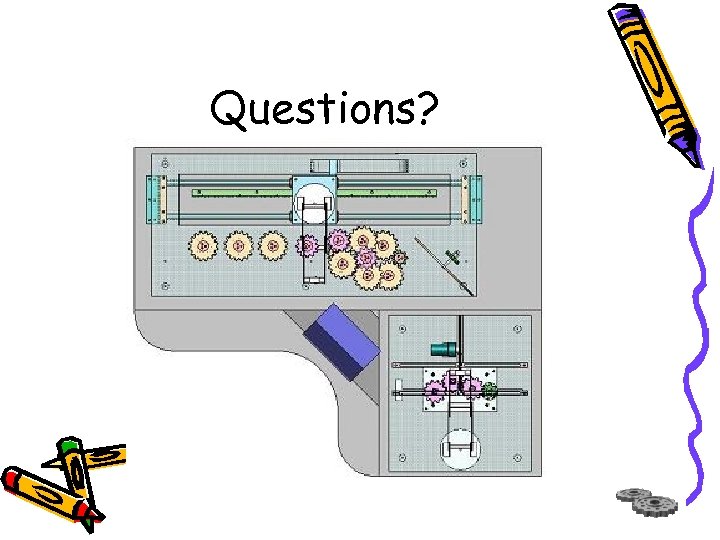
Design Process • Final Design – A small robotic arm assembles a gear train for a clock. – A manually operated arm is available for patron use. – The user can assemble gears with the arm through the use of a control panel. – The user can race the clock by attempting to build a gear train of their own in the allotted time.
Design Process • Project Schedule – Senior Design I • • • Week 1: Project Selection Week 2: Project Assignment Week 3: Brainstorming Week 4: Needs Assessment Week 5: Preliminary Concept Development Week 6: Preliminary Design for Air Hockey Robot Week 7: Final Project Selected, Brainstorming Week 8: Final Concept Development Week 9: Preliminary Design, Feasibility Week 10: Final Proposal Modification, PDR Preparation
Design Process • Project Schedule – Winter Quarter • • Design Development Selection of Major Components Robotic arm Acquisition Preliminary Programming – Senior Design II • • Week 1: Final Design, Selection of Most Components Week 2: BOM finalization, component purchasing Week 3: Fabrication and Programming Week 4: Fabrication and Programming Week 5: Fabrication and Programming Week 6: Assembly, Fabrication, and Programming Week 7: Assembly, Fabrication, and Programming Week 8: Assembly, Fabrication, Programming, Conference Paper, Poster, and Website • Week 9: Assembly, Fabrication, Programming, Website, and CDR Preparation • Week 10: Assembly, Fabrication, Programming, Website, and CDR Preparation
Major Design Challenges • Components were tailored made to enhance the visual appeal of the exhibit, resulting in an extensive fabrication phase. • Electrical and Programming demands exceeded the capacity of the team. • Finding robust, inexpensive robotic arms. • Programming exhibit modules to communicate to each other. • Designing a robust exhibit that can withstand many uses without repair.
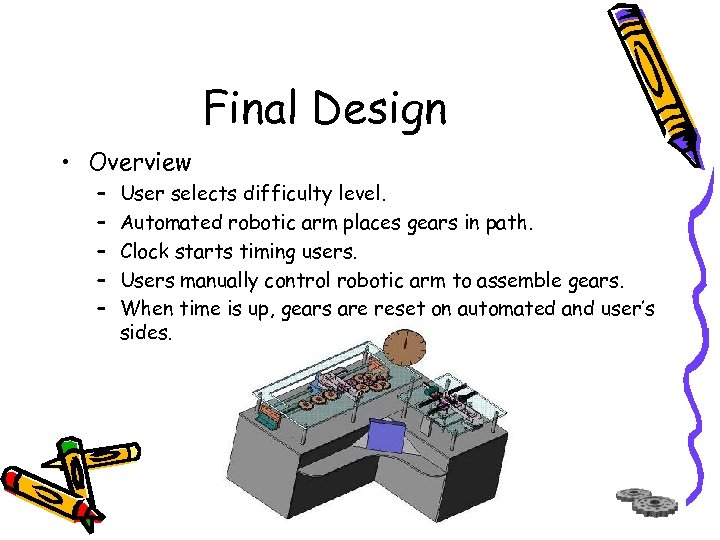
Final Design • Overview – – – User selects difficulty level. Automated robotic arm places gears in path. Clock starts timing users. Users manually control robotic arm to assemble gears. When time is up, gears are reset on automated and user’s sides.
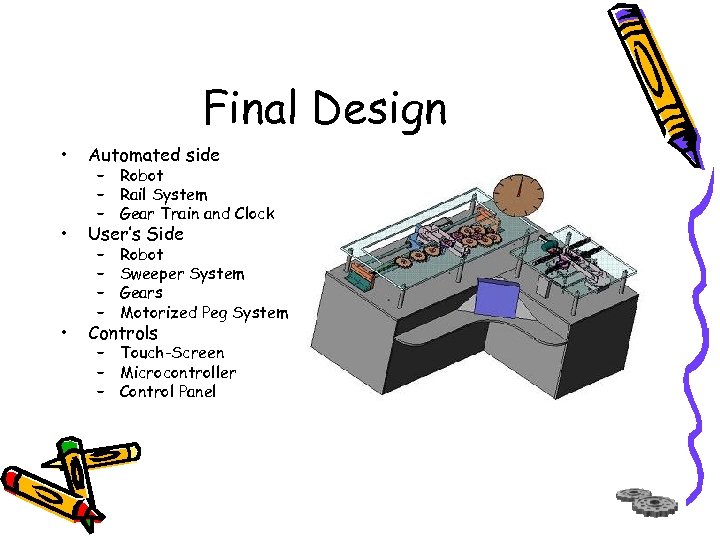
Final Design • Automated side • User’s Side • Controls – Robot – Rail System – Gear Train and Clock – – Robot Sweeper System Gears Motorized Peg System – Touch-Screen – Microcontroller – Control Panel
Final Design • Automated Side – Robot • • • High quality non-industrial robot Max Specs: 12” Reach, 0. 89 lb Payload End-Effector: Electromagnet with 28 lbs of lift Driven by microcontroller Reach extended by Rail System
Final Design • Automated Side – Rail System • Gives automated robot larger reach envelope • Driven by rack and pinion components • Stepper motor used for precise movement along rails
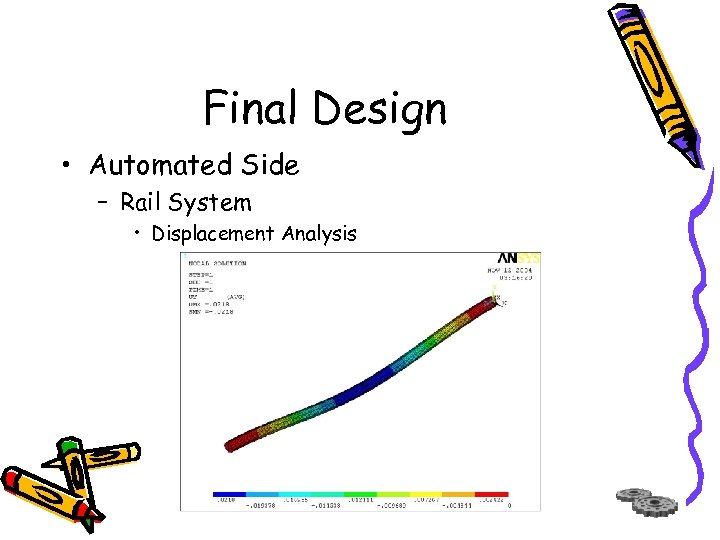
Final Design • Automated Side – Rail System • Displacement Analysis
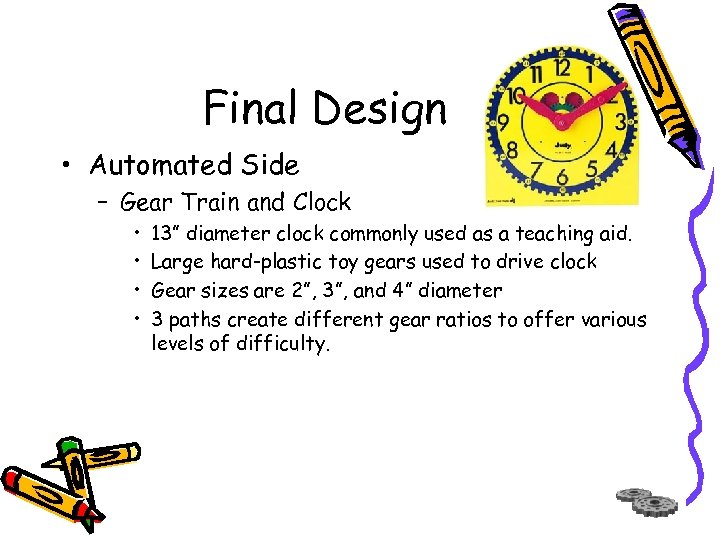
Final Design • Automated Side – Gear Train and Clock • • 13” diameter clock commonly used as a teaching aid. Large hard-plastic toy gears used to drive clock Gear sizes are 2”, 3”, and 4” diameter 3 paths create different gear ratios to offer various levels of difficulty.
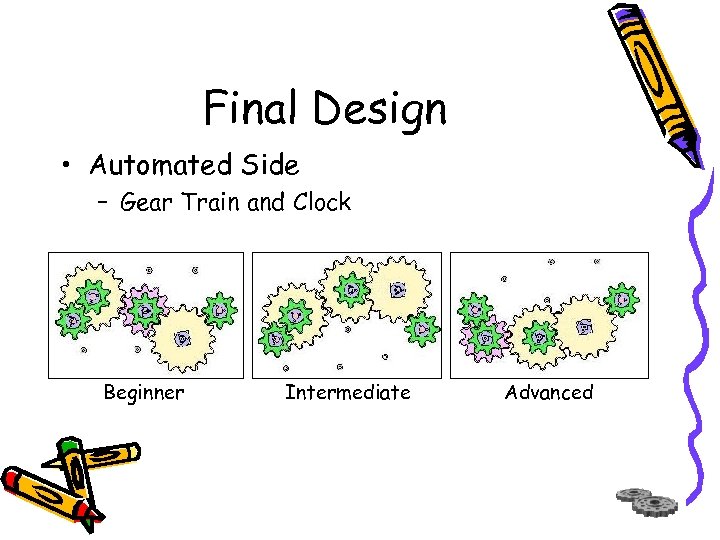
Final Design • Automated Side – Gear Train and Clock Beginner Intermediate Advanced
Final Design • User’s Side – Robot • Physical specifications of the robot are the same as automatic side. • Controlled by the control panel interface. • Base is fixed resulting in no lateral movement, for simplicity.
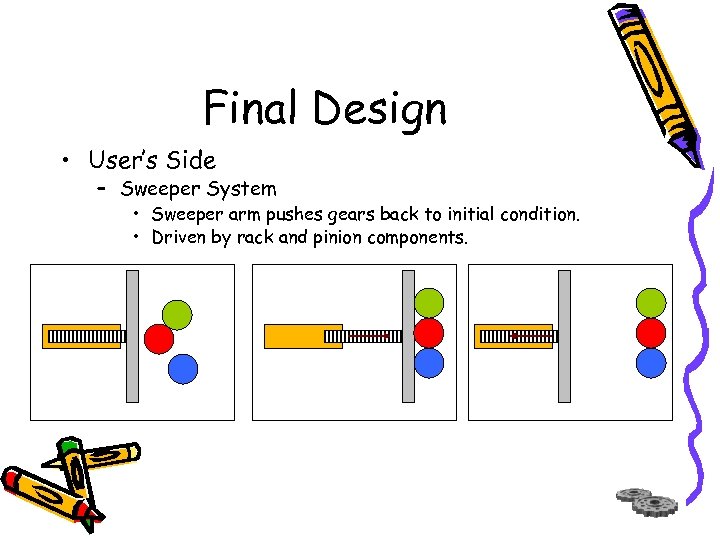
Final Design • User’s Side – Sweeper System • Sweeper arm pushes gears back to initial condition. • Driven by rack and pinion components.
Final Design • User’s Side – Gears • One size gear is used so that they can be placed on any peg. • Gears are within reach of robot and robot does not reach beyond the sweeper arm. • Sensors under each gear determine when a user successfully completes the task. • When task is completed, DC motor driven gear spins gears.
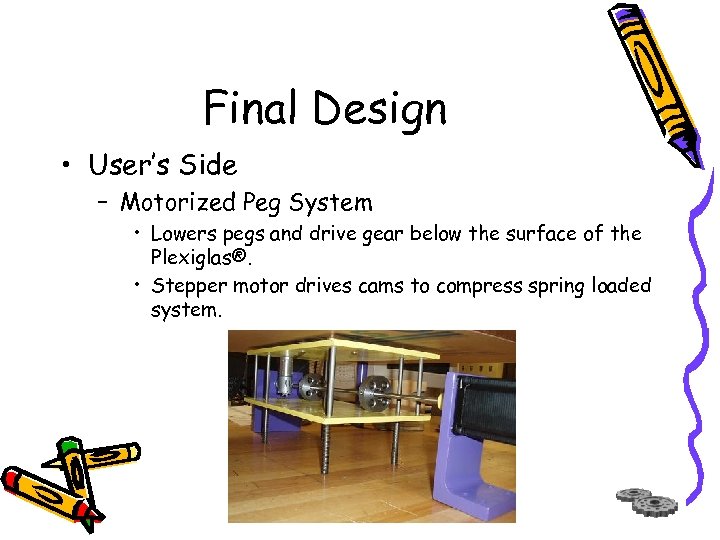
Final Design • User’s Side – Motorized Peg System • Lowers pegs and drive gear below the surface of the Plexiglas®. • Stepper motor drives cams to compress spring loaded system.
Final Design • Controls – Touch-Screen • • • 433 MHz embedded Celeron® Processor 256 MB PC 100 RAM 20 Gig Fujitsu Hard drive 3 Serial COM ports 800 x 600 Screen resolution 2 PC card slot expansions
Final Design • Controls – Microcontroller • • 8051 based architecture 100 MHz processing speed 6 PWM lines 2 UARTS 8 k RAM 64 I/O lines Supports C language
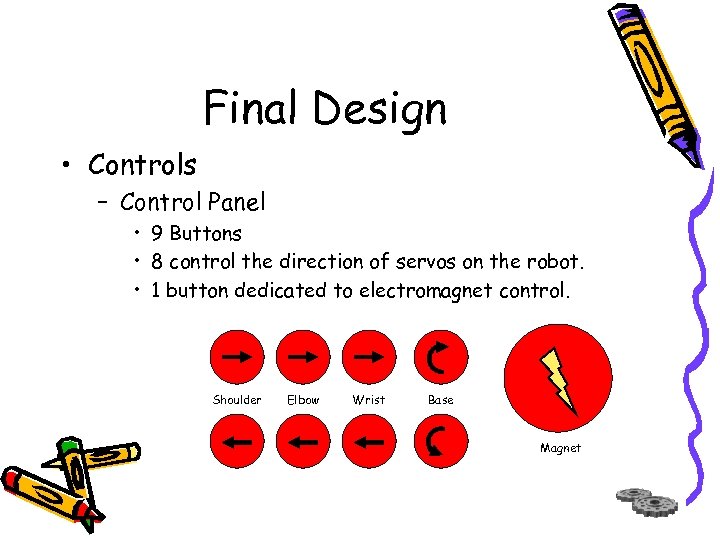
Final Design • Controls – Control Panel • 9 Buttons • 8 control the direction of servos on the robot. • 1 button dedicated to electromagnet control. Shoulder Elbow Wrist Base Magnet
Conclusion • Exhibit draws patrons with bright colors, motion, and mechanical sounds. • Components are heavy duty to withstand continued use. • Exaggerated components appeal to people of all ages. • Patrons nearby the exhibit are entertained along with the user. • Exhibit is safe for user’s since it will be encased with Plexiglas. • Testing phase was not completed due to time constraints.
Acknowledgements • Dave, Steve, and Rob for their help in the machine shop. • Professor Scarbrough for his guidance. • Marc Check, Rich Smith, and RMSC for all their insight and assistance. • Jason Kelly and Eric Schreiber for their support on this project without receiving school credit.
Questions?
Скачать презентацию Senior Design Team 05910 RMSC Robotics Display Mentor
8284dd69a5a1c33095835d36b46a4d7e.ppt