


 Скачать презентацию SELENIUM CI USING OPEN SOURCE TOOL Saranya K
945294b506150d4d6eded9dfa8fd5be8.ppt
- Количество слайдов: 22
 SELENIUM –CI USING OPEN SOURCE TOOL Saranya K (Test Analyst) Gopinath M(Test Manager) Babu VL (Head - Testing) Excelacom Technologies
 Abstract • Selenium is an open source automation tool that supports almost all browsers, languages and Operating Systems. But there are certain limitations that stops us to achieve Continuous Integration using Selenium. ü ü ü Handling desktop applications Locating elements when values are dynamic Publishing reports
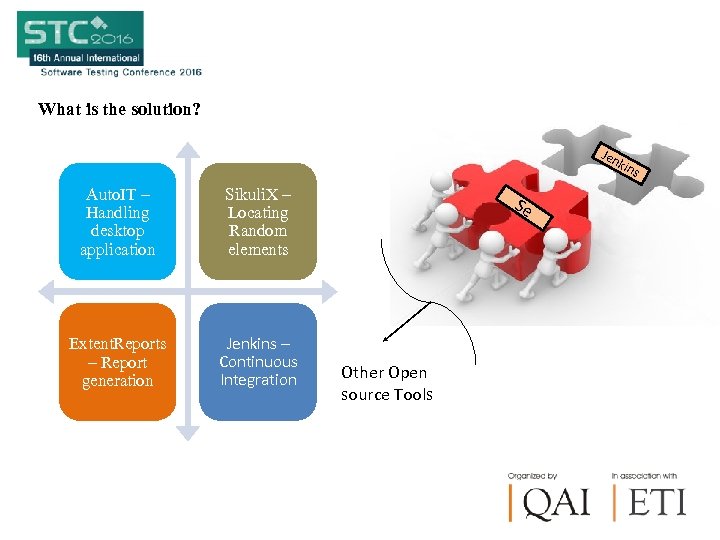 What is the solution? Jen kin Auto. IT – Handling desktop application Sikuli. X – Locating Random elements Extent. Reports – Report generation Jenkins – Continuous Integration Se Other Open source Tools s
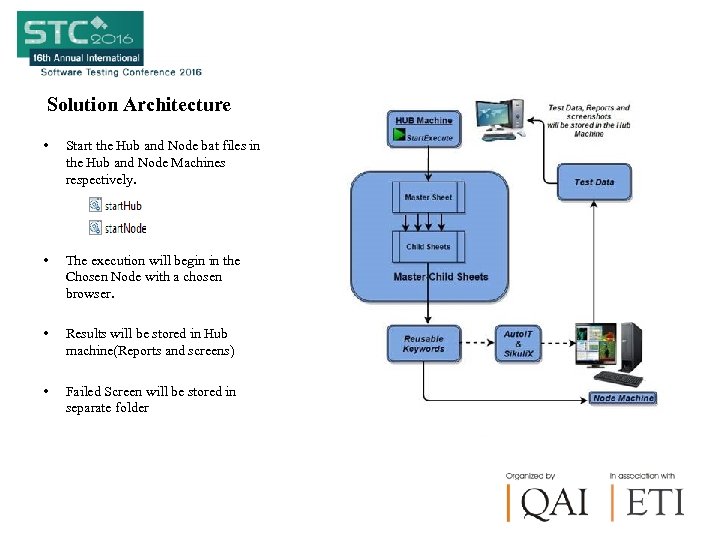 Solution Architecture • Start the Hub and Node bat files in the Hub and Node Machines respectively. • The execution will begin in the Chosen Node with a chosen browser. • Results will be stored in Hub machine(Reports and screens) • Failed Screen will be stored in separate folder
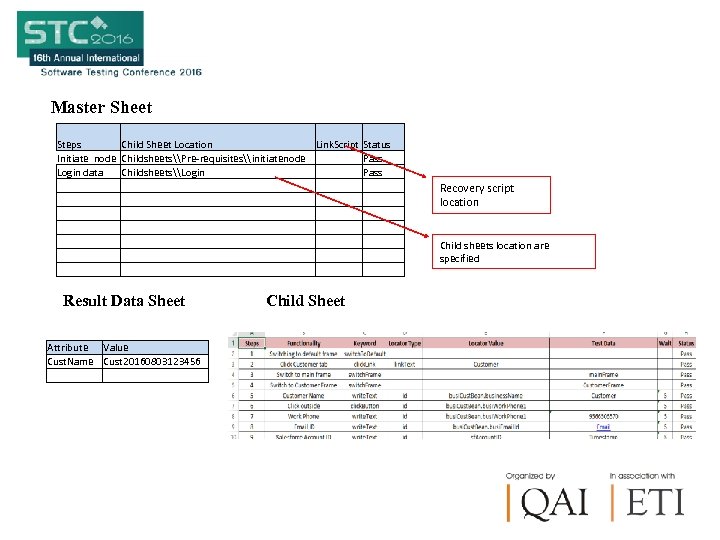 Master Sheet Steps Initiate node Login data Child Sheet Location Childsheets\Pre-requisites\initiatenode Childsheets\Login Result Data Sheet Attribute Value Cust. Name Cust 20160803123456 Link. Script Child Sheet Status Pass Recovery script location Child sheets location are specified
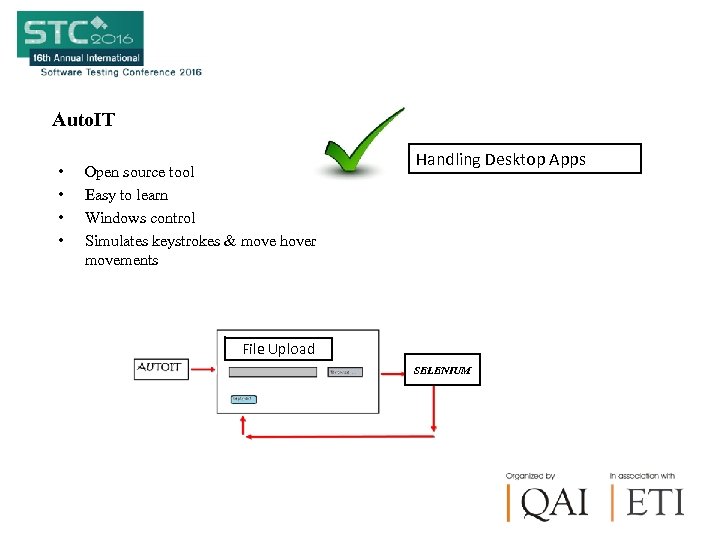 Auto. IT • • Open source tool Easy to learn Windows control Simulates keystrokes & move hover movements Handling Desktop Apps File Upload SELENIUM
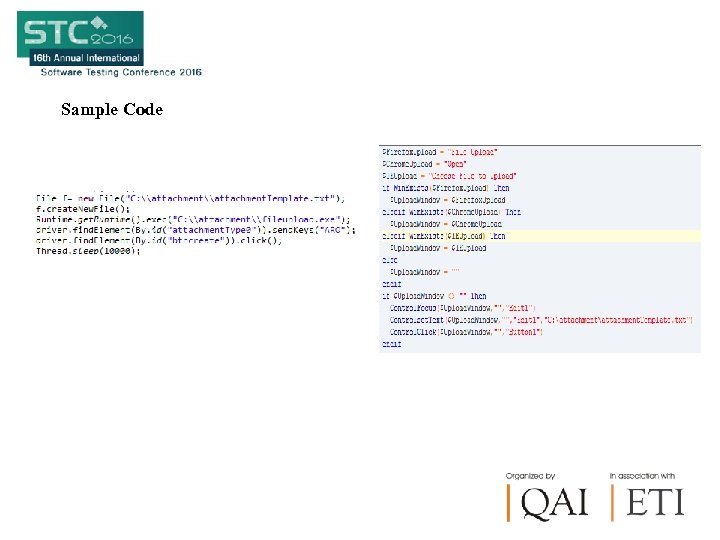 Sample Code
 How to Handle Randomly changing web elements? ?
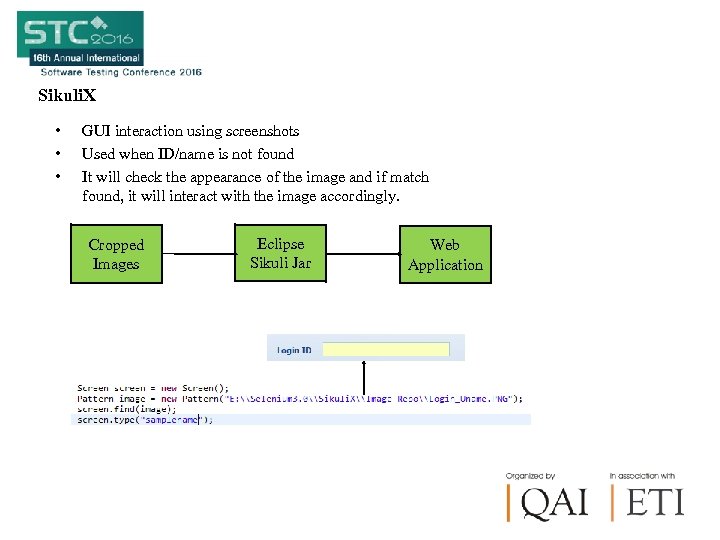 Sikuli. X • • • GUI interaction using screenshots Used when ID/name is not found It will check the appearance of the image and if match found, it will interact with the image accordingly. Cropped Images Eclipse Sikuli Jar Web Application
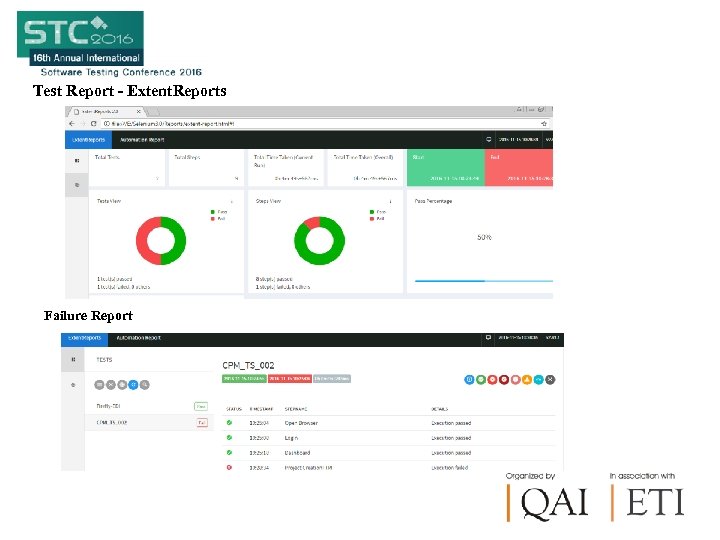 Test Report - Extent. Reports Failure Report
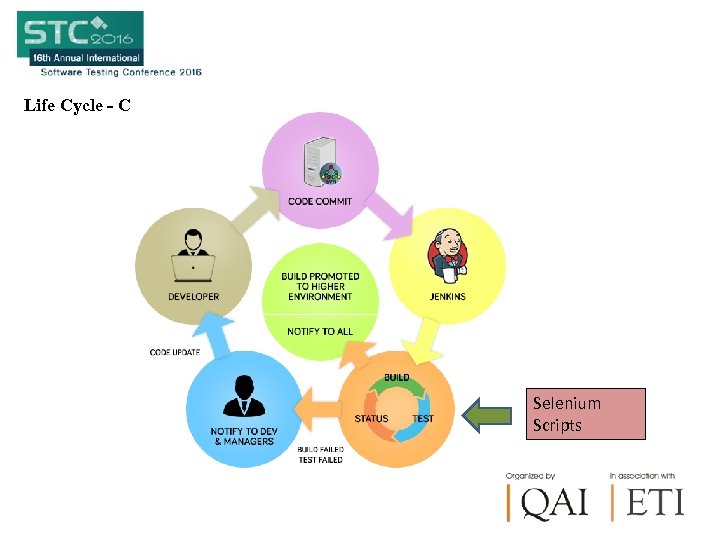 Life Cycle - CI Selenium Scripts
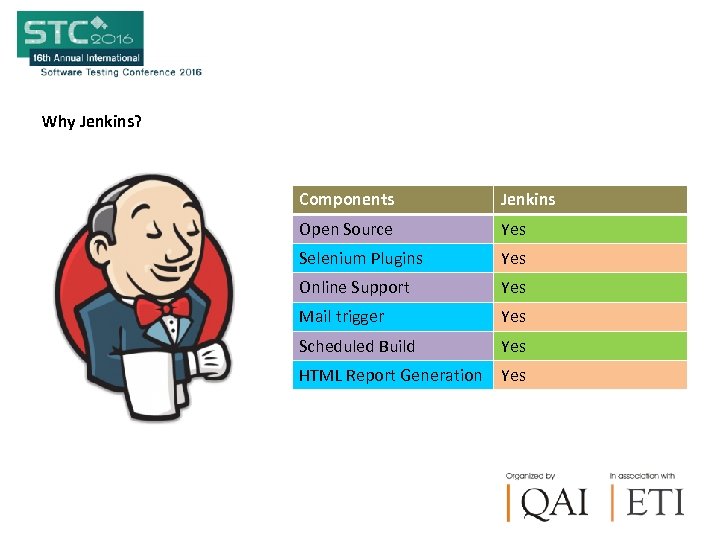 Why Jenkins? Components Jenkins Open Source Yes Selenium Plugins Yes Online Support Yes Mail trigger Yes Scheduled Build Yes HTML Report Generation Yes
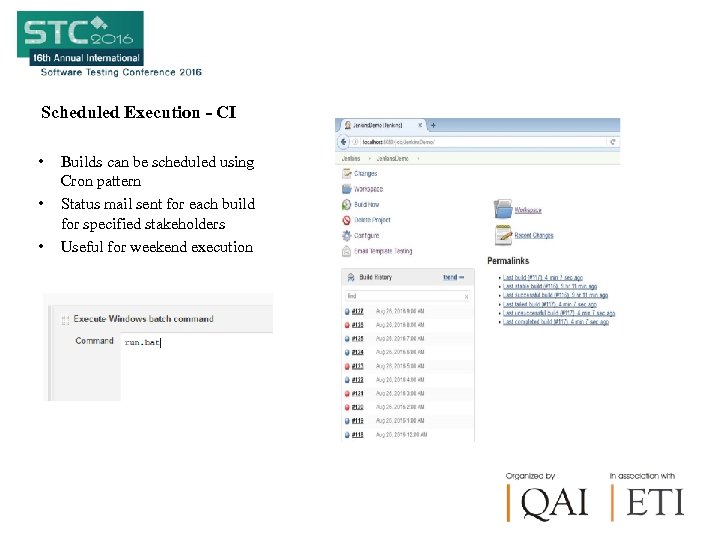 Scheduled Execution - CI • • • Builds can be scheduled using Cron pattern Status mail sent for each build for specified stakeholders Useful for weekend execution
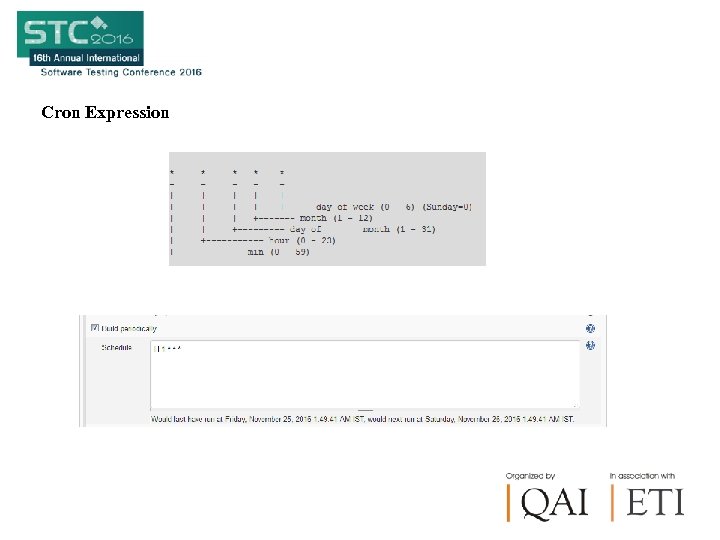 Cron Expression
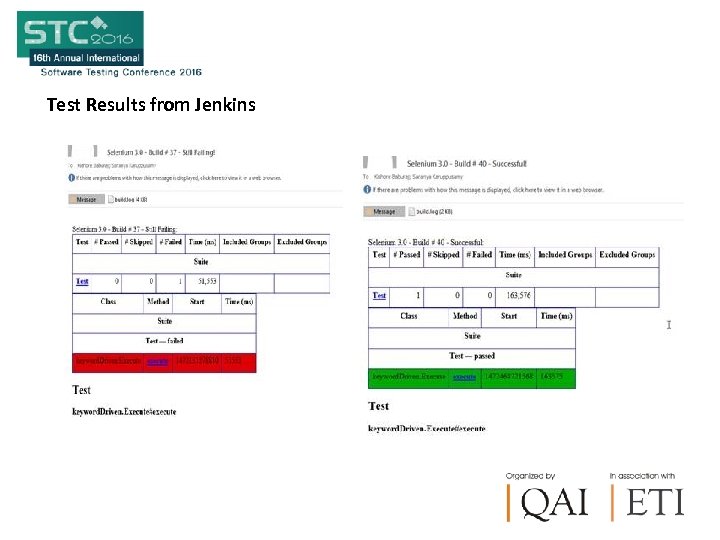 Test Results from Jenkins
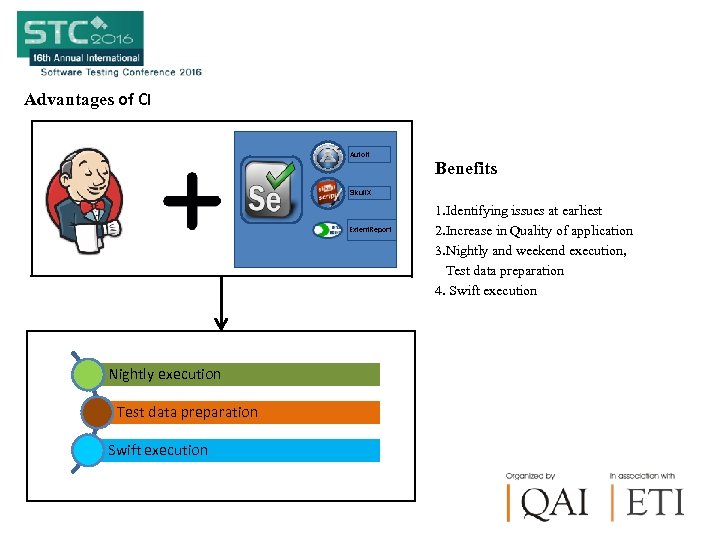 Advantages of CI Auto. It Benefits Sikuli. X Extent. Report Nightly execution Test data preparation Swift execution 1. Identifying issues at earliest 2. Increase in Quality of application 3. Nightly and weekend execution, Test data preparation 4. Swift execution
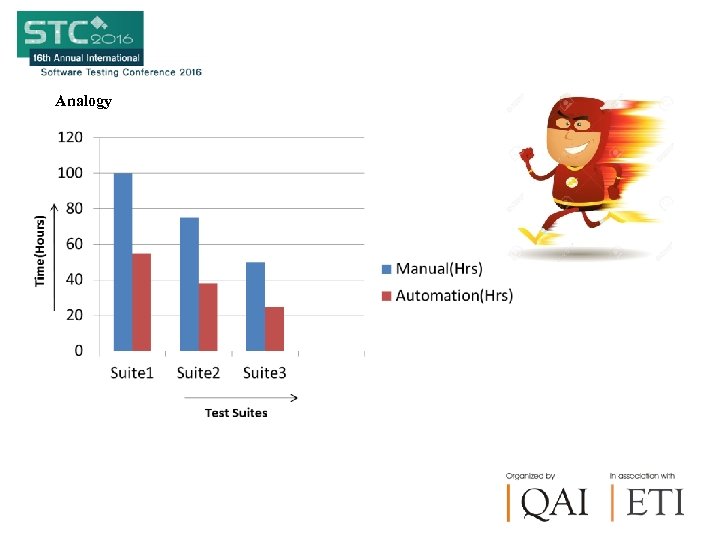 Analogy
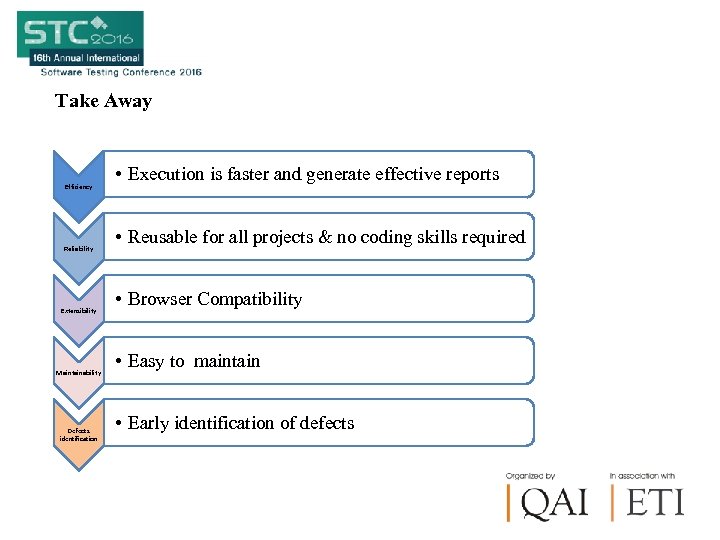 Take Away Efficiency Reliability Extensibility Maintainability Defects identification • Execution is faster and generate effective reports • Reusable for all projects & no coding skills required • Browser Compatibility • Easy to maintain • Early identification of defects
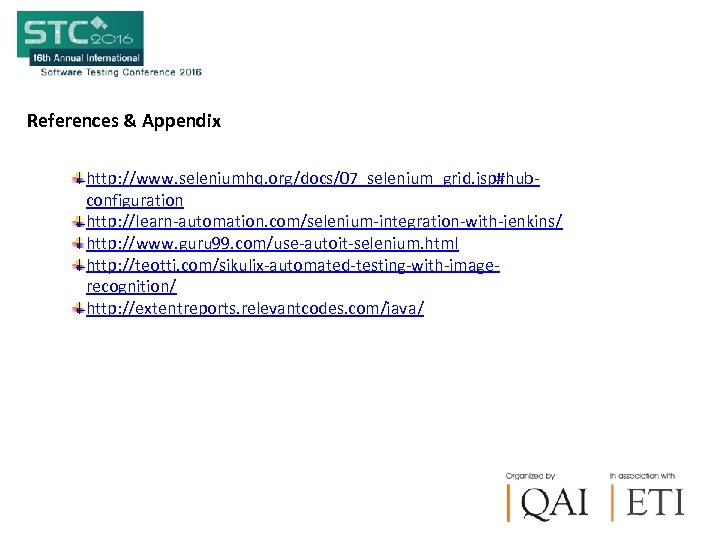 References & Appendix http: //www. seleniumhq. org/docs/07_selenium_grid. jsp#hubconfiguration http: //learn-automation. com/selenium-integration-with-jenkins/ http: //www. guru 99. com/use-autoit-selenium. html http: //teotti. com/sikulix-automated-testing-with-imagerecognition/ http: //extentreports. relevantcodes. com/java/
 Author Biography • Saranya Karuppusamy – Test Analyst Saranya has 3 + Years of Experience in Automation Testing involved in all the phases of Test Automation Life Cycle. • Gopinath Mohanraj - Test Manager Has 10 + Years of Experience in Functional & Automation Testing in Telecom Domain and has knowledge in CRM, Billing Systems and Provisioning system. Also, managed and implemented Open source Tools / Commercial Tools to the organization requirements • Babu VL – Head - Testing Has 20+ Years of experience in Testing Services Professional with expertise in heading product/project based testing services across Telecom, Mobile apps, Cloud , Enterprise and Infra verticals.
 Questions & Answers
 Thank You!!!