


 Скачать презентацию SEDDAS SED Delegated Account System Fall 2008 A
7dd5ad9e893f1632bbee23975cf7cce5.ppt
- Количество слайдов: 30
 SEDDAS SED Delegated Account System Fall 2008 A copy of this presentation can be printed by clicking on the “printer” icon on the tool bar at the top of this page.
 Background n SED has a number of web based applications that are accessed by schools through the NYSED Web Portal n n Access must be protected from unauthorized users Currently, SED administers the security process through a complex system of requesting and distributing User IDs and passwords 2
 New System - SEDDAS n Fall 2008 – SED will be implementing a new automated system that will give schools the ability to: n n Create User IDs and passwords for their own employees Entitle users access to one or more of the protected computer application systems available through the NYSED Web Portal 3
 What does SEDDAS do? n Account Administration n Creates, updates, disable and re-enables authorized users Manages User IDs and passwords Entitlement Administration n Grants access to protected web applications found on SED portal 4
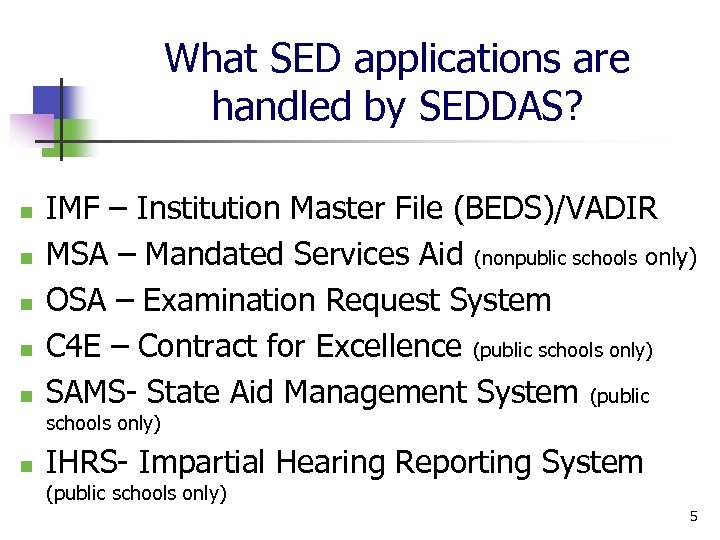 What SED applications are handled by SEDDAS? n n n IMF – Institution Master File (BEDS)/VADIR MSA – Mandated Services Aid (nonpublic schools only) OSA – Examination Request System C 4 E – Contract for Excellence (public schools only) SAMS- State Aid Management System (public schools only) n IHRS- Impartial Hearing Reporting System (public schools only) 5
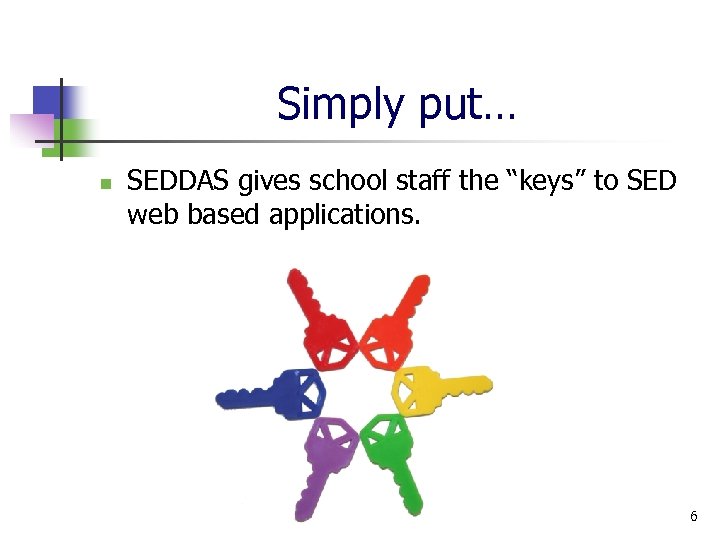 Simply put… n SEDDAS gives school staff the “keys” to SED web based applications. 6
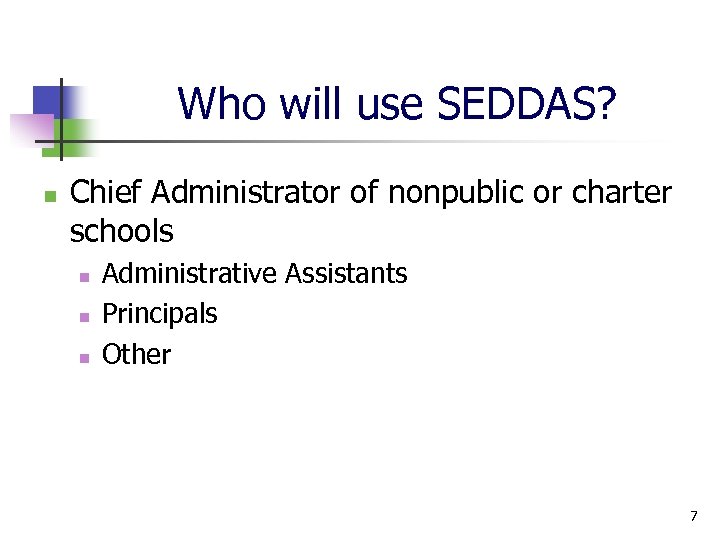 Who will use SEDDAS? n Chief Administrator of nonpublic or charter schools n n n Administrative Assistants Principals Other 7
 Roles for SEDDAS n Delegated Administrator (DA) n Entitlement Administrator (EA) n DA/EA Combined Role 8
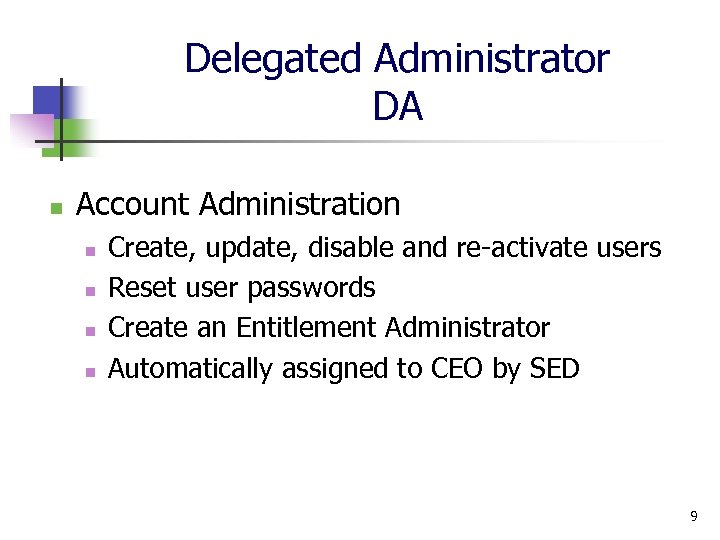 Delegated Administrator DA n Account Administration n n Create, update, disable and re-activate users Reset user passwords Create an Entitlement Administrator Automatically assigned to CEO by SED 9
 Entitlement Administrator EA n Entitlement Administration n n Entitles school staff access to applications Does not have any authority over account administration (User IDs and passwords) 10
 Before Getting Started… n n Browser should be Internet Explorer 6. 0 or higher PC (no Macs!) Pop up blockers must be disabled DO NOT use browser Back arrow n n If you use by mistake, hit Refresh Use menu options on left side of screen instead Password must be alpha-numeric at least 8 characters in length and case sensitive User guide will contain more detailed technical requirements 11
 Let’s Go to SED’s Portal… http: //portal. nysed. gov 12
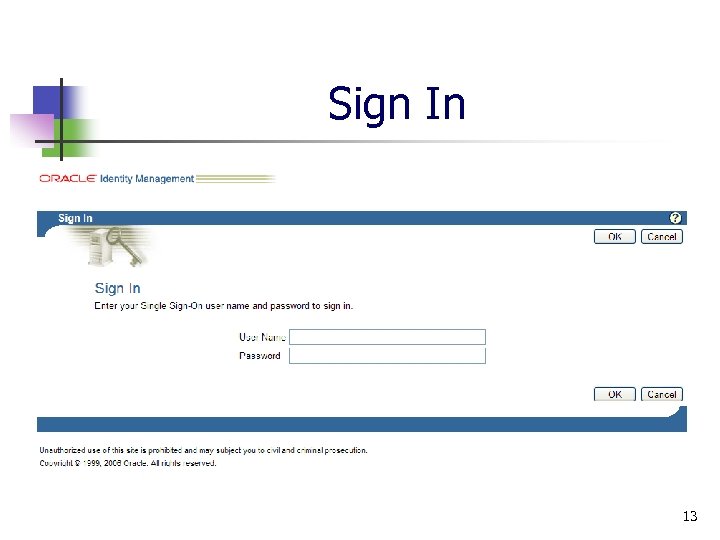 Sign In 13
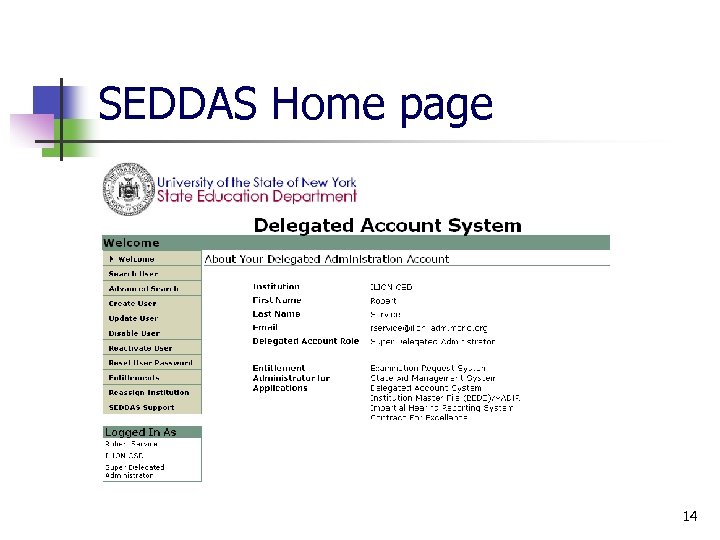 SEDDAS Home page 14
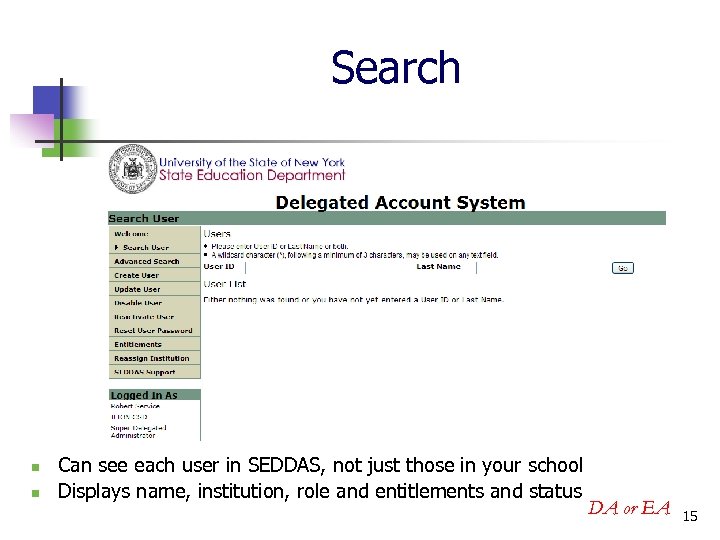 Search n n Can see each user in SEDDAS, not just those in your school Displays name, institution, role and entitlements and status DA or EA 15
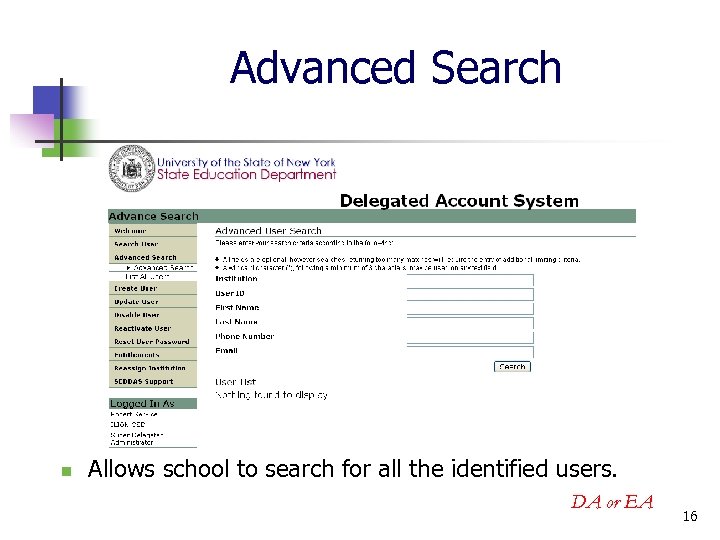 Advanced Search n Allows school to search for all the identified users. DA or EA 16
 Create User n n Used to create a NEW User ID Only for a person who has never had a NYSED User ID either within the current school or a previous school DA 17
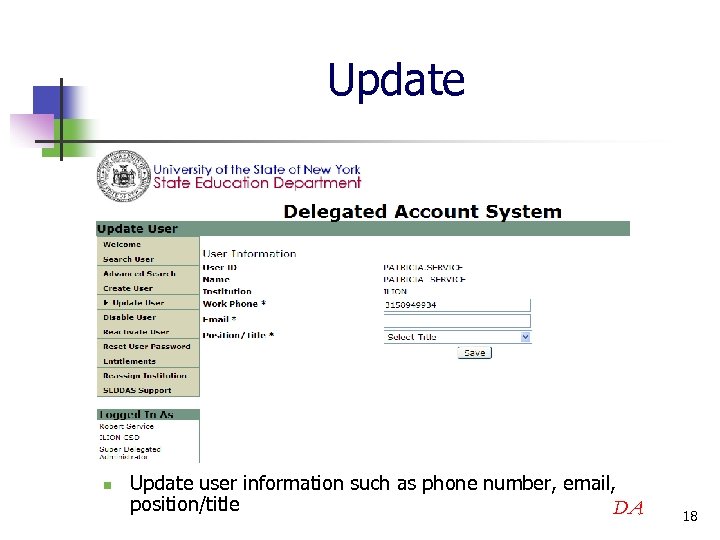 Update n Update user information such as phone number, email, position/title DA 18
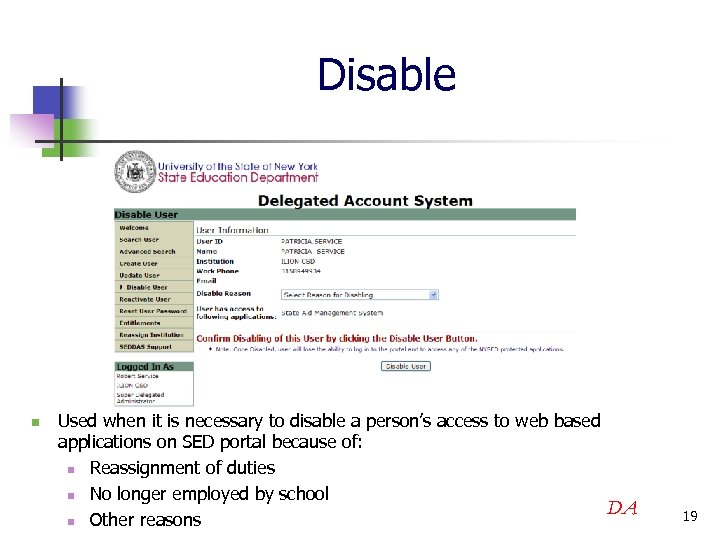 Disable n Used when it is necessary to disable a person’s access to web based applications on SED portal because of: n Reassignment of duties n No longer employed by school DA n Other reasons 19
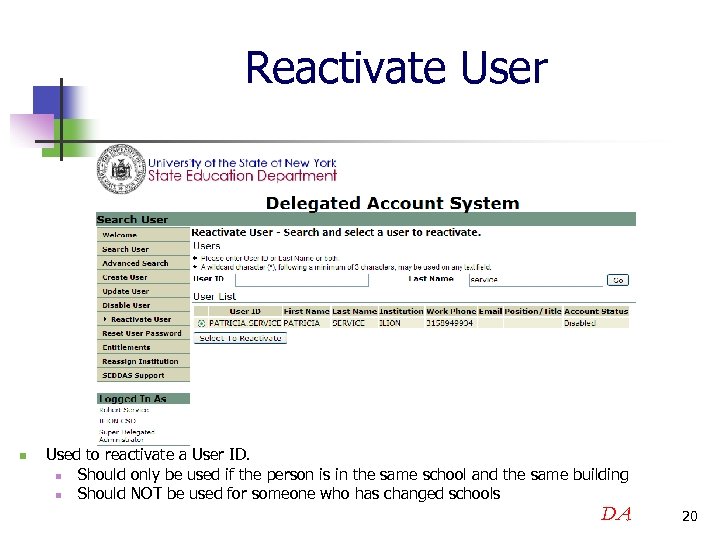 Reactivate User n Used to reactivate a User ID. n Should only be used if the person is in the same school and the same building n Should NOT be used for someone who has changed schools DA 20
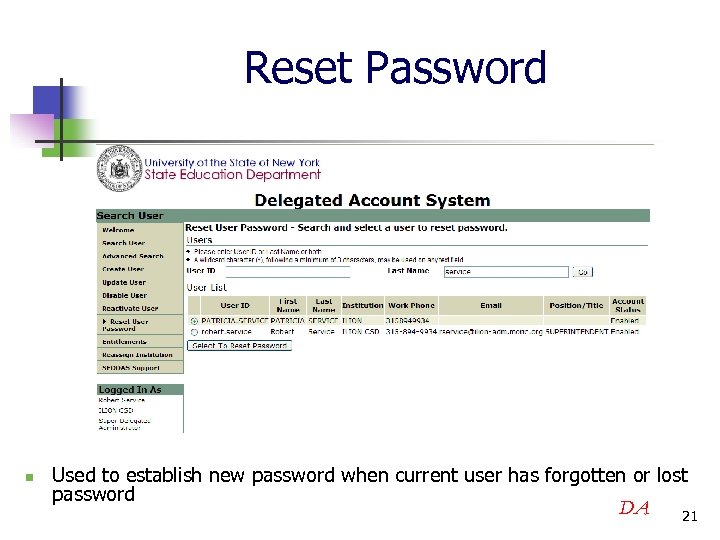 Reset Password n Used to establish new password when current user has forgotten or lost password DA 21
 Entitlements n Assigns/removes access to SED protected web applications DA or EA 22
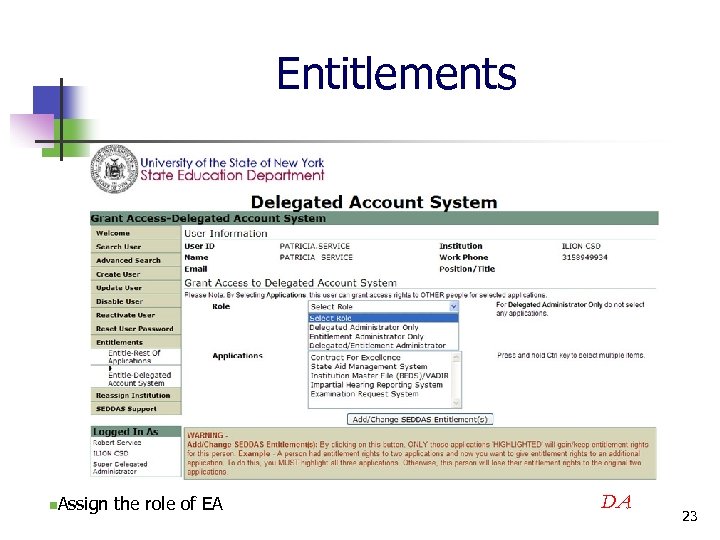 Entitlements n. Assign the role of EA DA 23
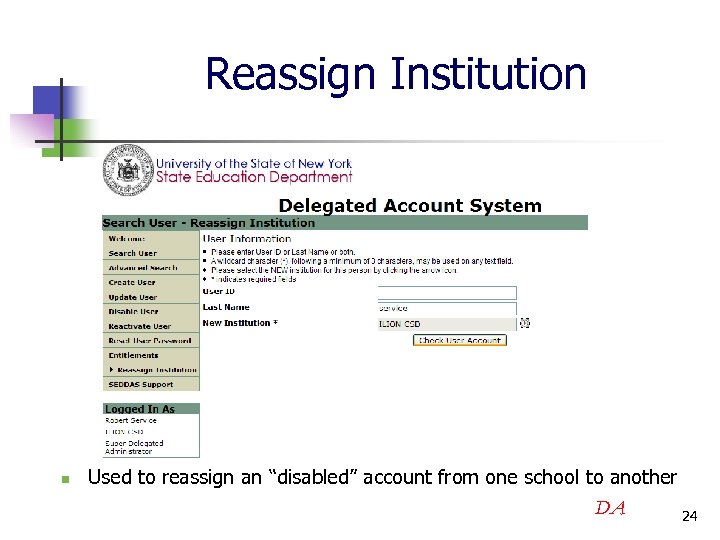 Reassign Institution n Used to reassign an “disabled” account from one school to another DA 24
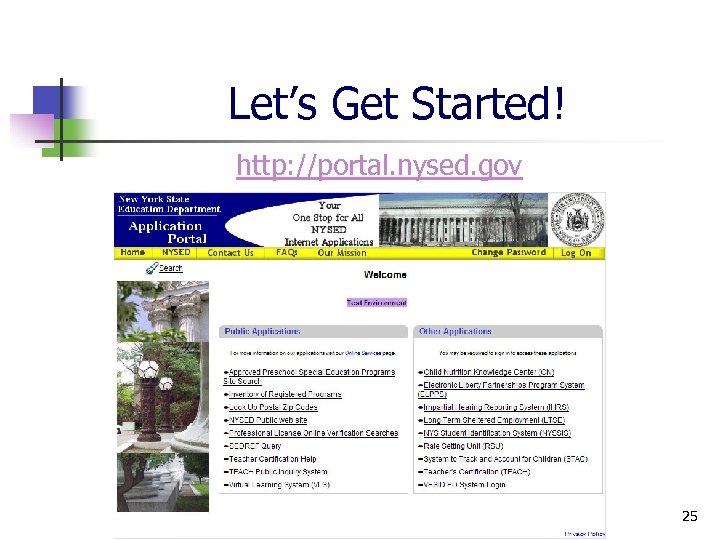 Let’s Get Started! http: //portal. nysed. gov 25
 What is SEDREF? ? ? n n n SEDDREF is the system that maintains all of the vital information for every school district, school building, nonpublic and charter school and BOCES. n Administrative positions n Contacts (phones, fax, etc) SEDDAS links to SEDREF for contact information at the district, school and building level If you are a representative from a School District, Public School, Nonpublic School, Charter School, or BOCES and you need to contact SED for a change in your contact information, changes can be sent via regular mail to IRS, Rm 865 EBA, NYSED, 89 Washington Ave. 12234, faxed to (518)474 -4351, or as an email attachment to SEDREF@mail. nysed. gov 26
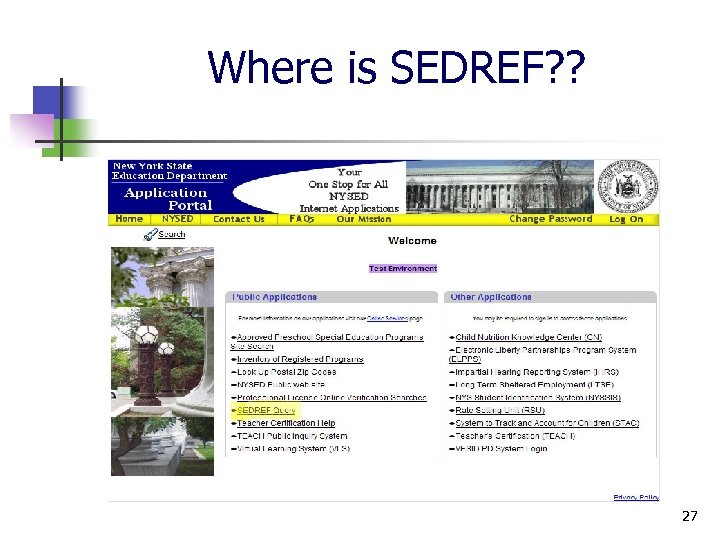 Where is SEDREF? ? 27
 Suggestions for Success n Make SEDDAS part of Employee Enter and Exit process n n n Create new Accounts and Entitlements for new employees when applicable Disable exiting employees Notify SED to update SEDREF of new CEO and new or reassigned principals 28
 Where to go for help… n SEDDAS Support n n User Guide Contact Us (NYSED) n n Help Desk: 518 -473 -8832 Email: seddas_help@mail. nysed. gov 29
 Questions? ? 30