 Скачать презентацию Security on the Internet Today commercially available routers
ea911ce02e71d67d51f128f86ff62afe.ppt
- Количество слайдов: 17



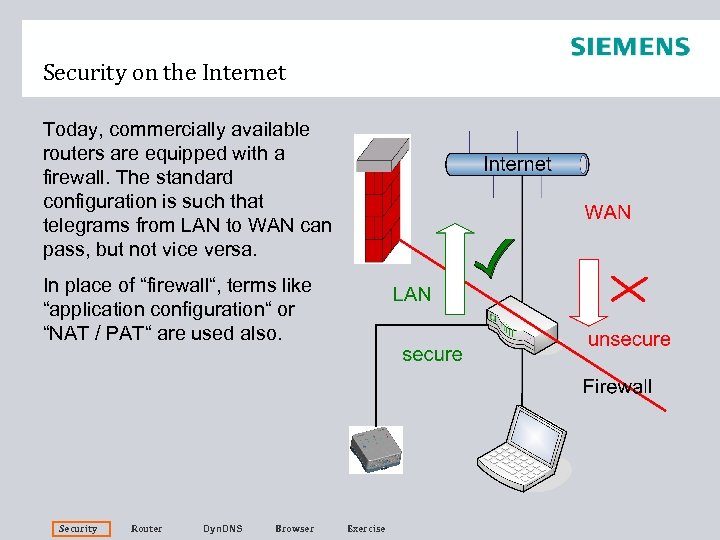
Security on the Internet Today, commercially available routers are equipped with a firewall. The standard configuration is such that telegrams from LAN to WAN can pass, but not vice versa. In place of “firewall“, terms like “application configuration“ or “NAT / PAT“ are used also. Security Router Dyn. DNS Browser Exercise
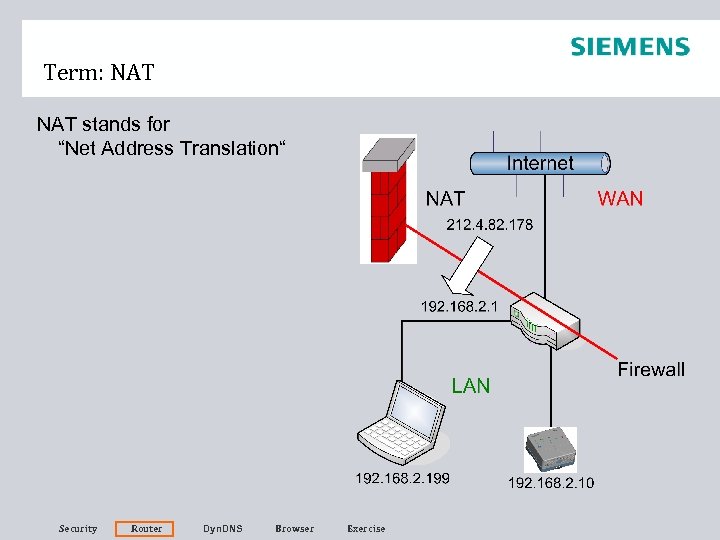
Term: NAT stands for “Net Address Translation“ Security Router Dyn. DNS Browser Exercise
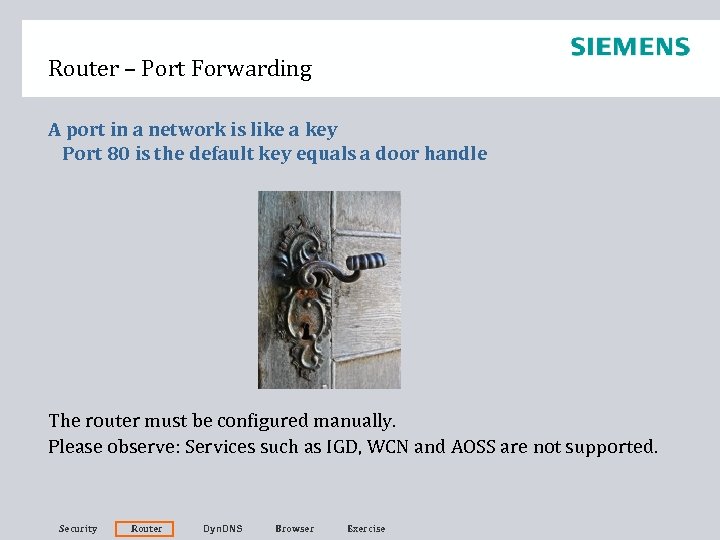
Router – Port Forwarding A port in a network is like a key Port 80 is the default key equals a door handle The router must be configured manually. Please observe: Services such as IGD, WCN and AOSS are not supported. Security Router Dyn. DNS Browser Exercise
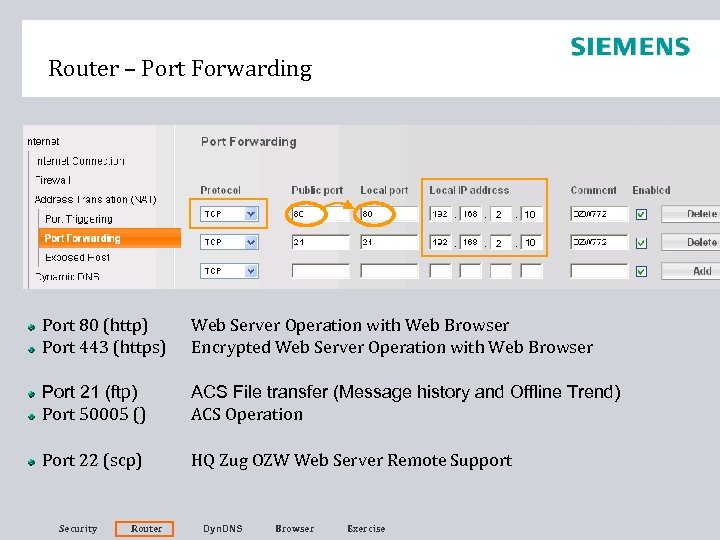
Router – Port Forwarding 2 10 Port 80 (http) Port 443 (https) Web Server Operation with Web Browser Encrypted Web Server Operation with Web Browser Port 21 (ftp) Port 50005 () ACS File transfer (Message history and Offline Trend) ACS Operation Port 22 (scp) HQ Zug OZW Web Server Remote Support Security Router Dyn. DNS Browser Exercise
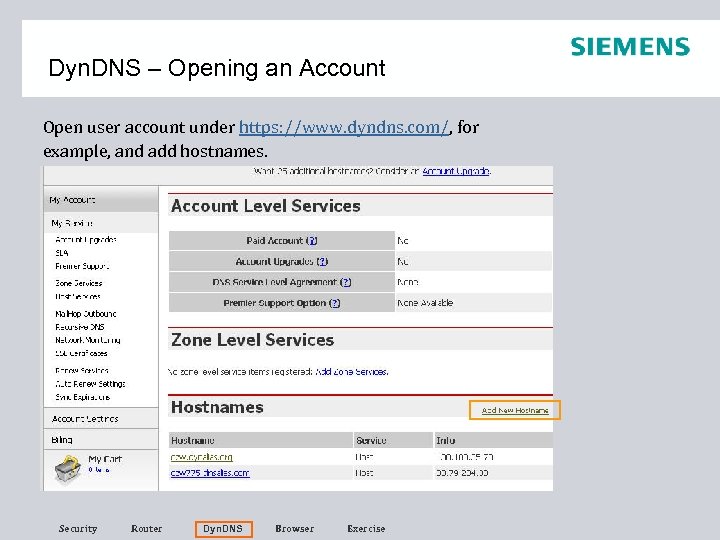
Dyn. DNS – Opening an Account Open user account under https: //www. dyndns. com/, for example, and add hostnames. Security Router Dyn. DNS Browser Exercise
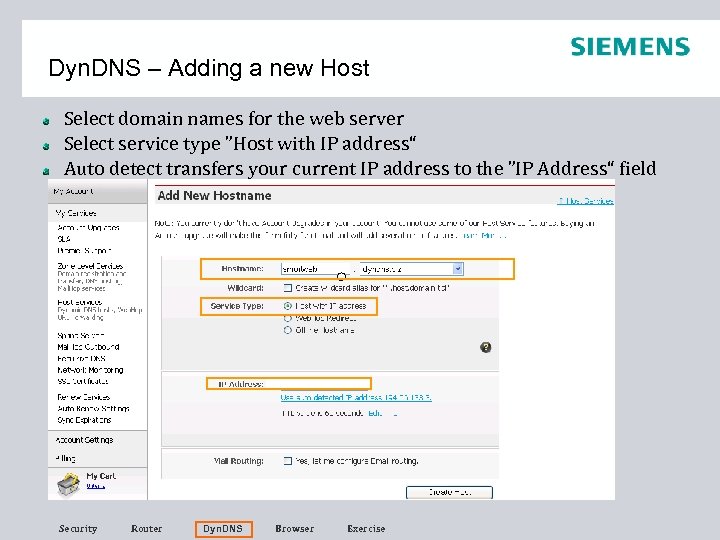
Dyn. DNS – Adding a new Host Select domain names for the web server Select service type ”Host with IP address“ Auto detect transfers your current IP address to the ”IP Address“ field Security Router Dyn. DNS Browser Exercise
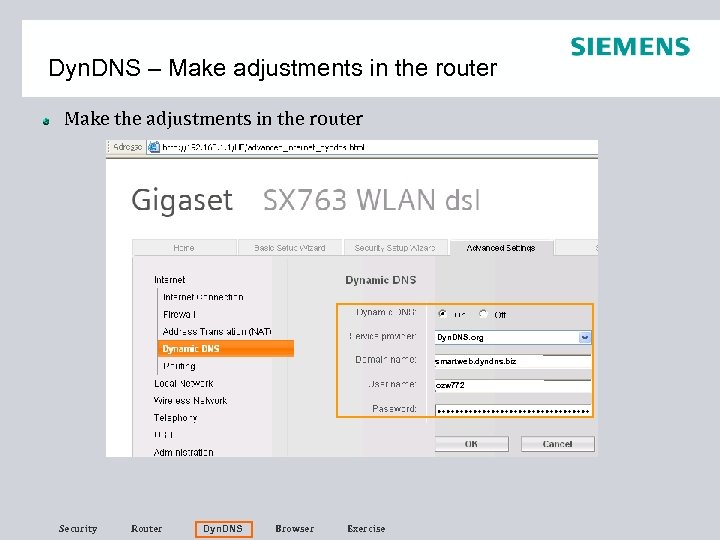
Dyn. DNS – Make adjustments in the router Make the adjustments in the router Dyn. DNS. org smartweb. dyndns. biz ozw 772 Security Router Dyn. DNS Browser Exercise
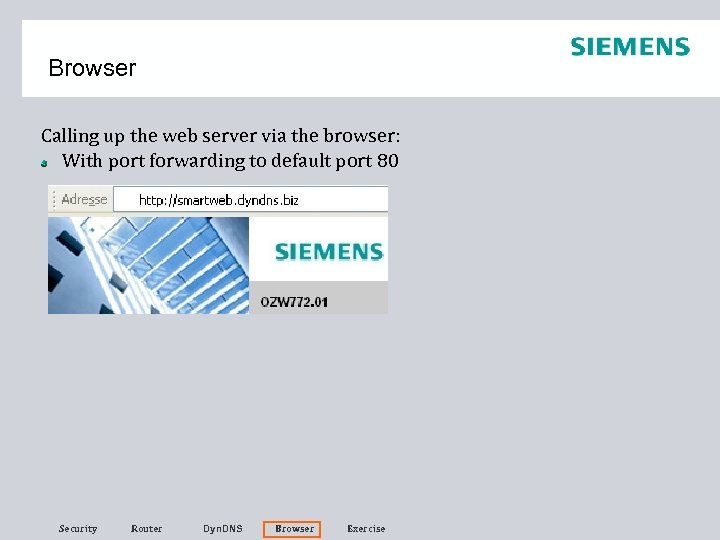
Browser Calling up the web server via the browser: With port forwarding to default port 80 Security Router Dyn. DNS Browser Exercise
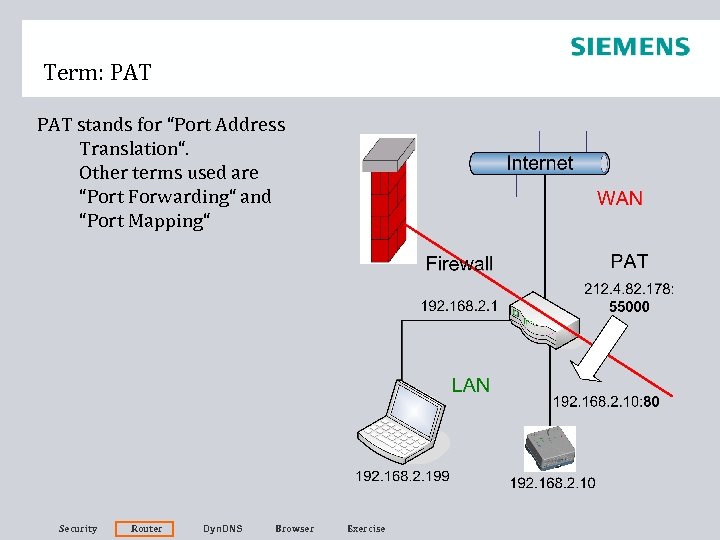
Term: PAT stands for “Port Address Translation“. Other terms used are “Port Forwarding“ and “Port Mapping“ Security Router Dyn. DNS Browser Exercise
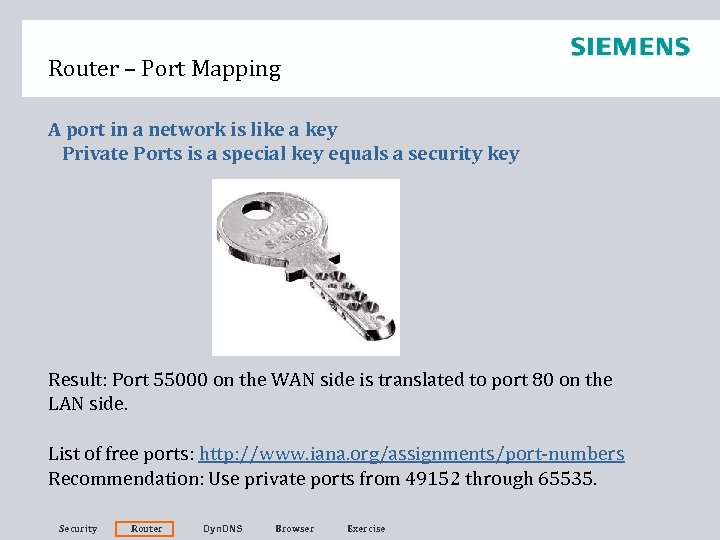
Router – Port Mapping A port in a network is like a key Private Ports is a special key equals a security key Result: Port 55000 on the WAN side is translated to port 80 on the LAN side. List of free ports: http: //www. iana. org/assignments/port-numbers Recommendation: Use private ports from 49152 through 65535. Security Router Dyn. DNS Browser Exercise
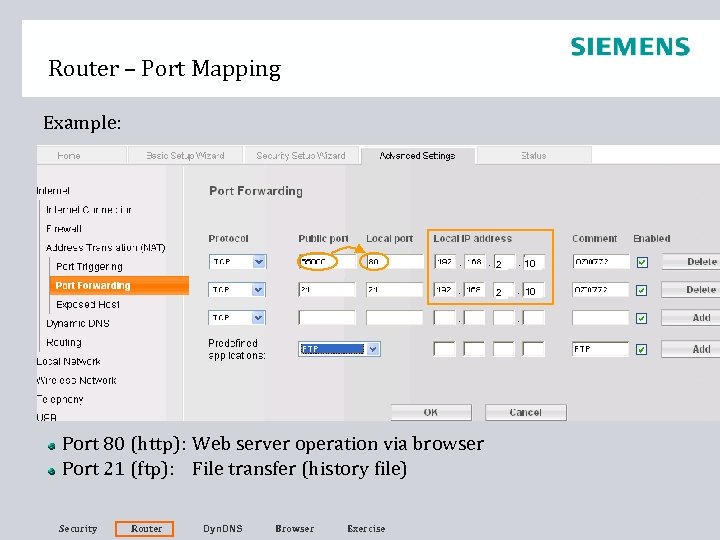
Router – Port Mapping Example: 2 2 Port 80 (http): Web server operation via browser Port 21 (ftp): File transfer (history file) Security Router Dyn. DNS Browser Exercise 10 10
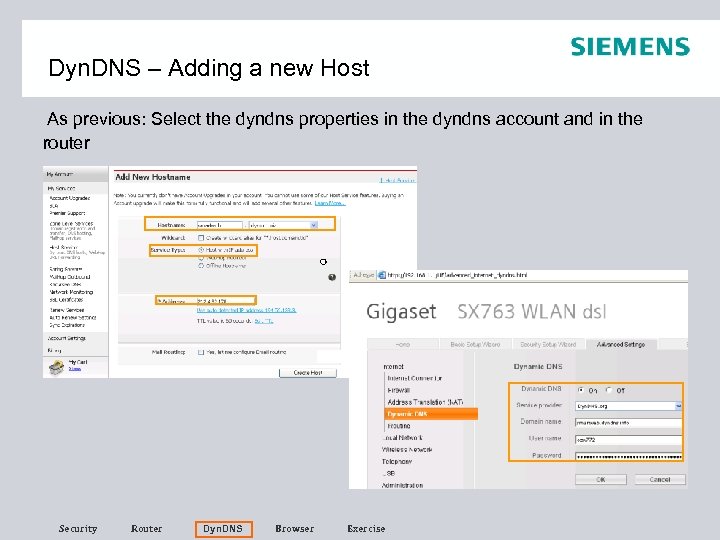
Dyn. DNS – Adding a new Host As previous: Select the dyndns properties in the dyndns account and in the router Security Router Dyn. DNS Browser Exercise
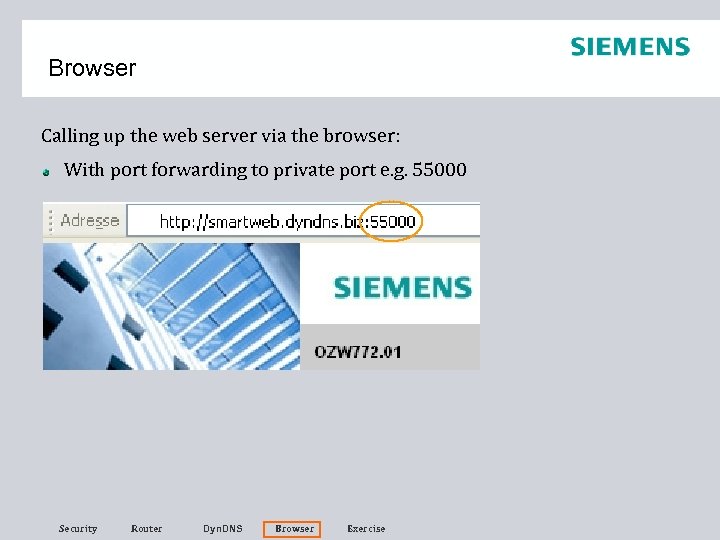
Browser Calling up the web server via the browser: With port forwarding to private port e. g. 55000 Security Router Dyn. DNS Browser Exercise
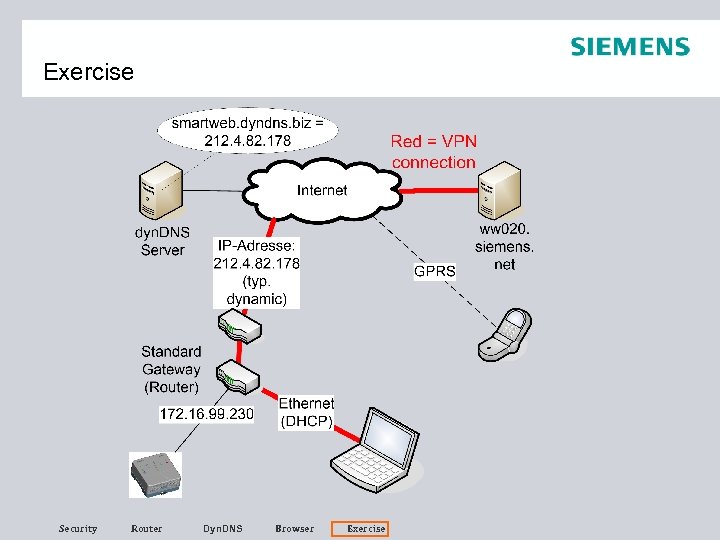
Exercise 6 Commissioning WAN Configure your router at your workplace such that the following actions will be possible: • Access to the web server via http protocol. For security reasons, the WAN port shall be translated to 55000 • Access to the message history via ftp protocol • Access via dyndns from a remote location : smartweb. dyndns. biz Security Router Dyn. DNS Browser Exercise
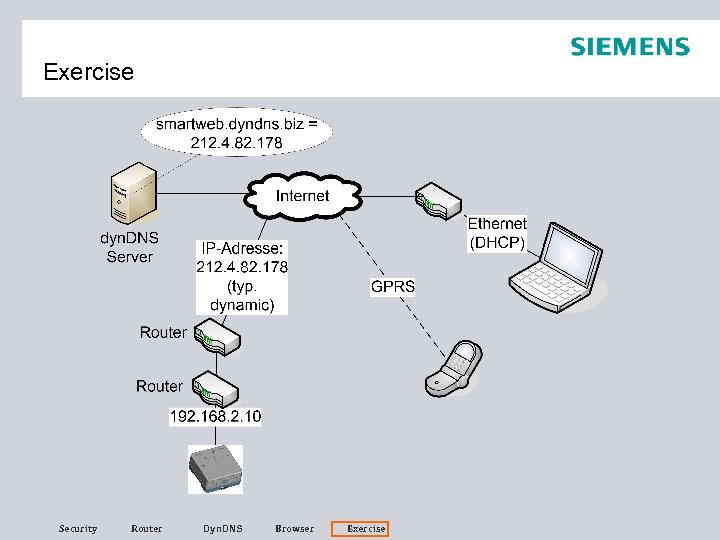
Exercise Security Router Dyn. DNS Browser Exercise
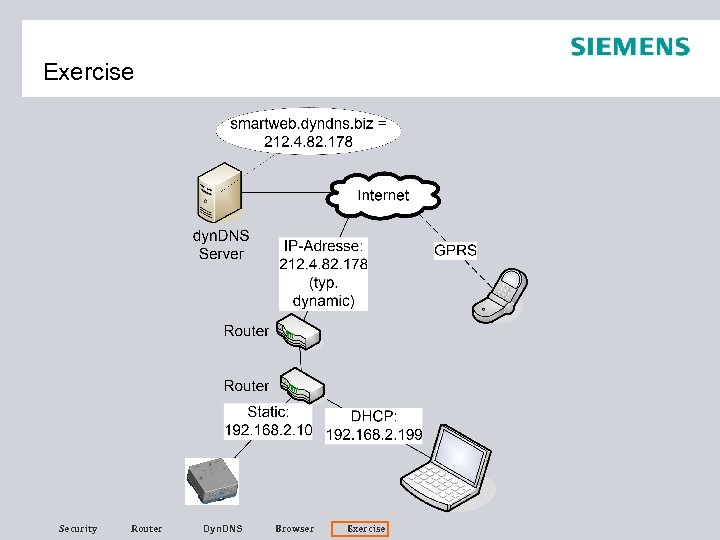
Exercise Security Router Dyn. DNS Browser Exercise
Exercise Security Router Dyn. DNS Browser Exercise
Скачать презентацию Security on the Internet Today commercially available routers
ea911ce02e71d67d51f128f86ff62afe.ppt