


 Скачать презентацию Security Cryptographic Methods Pac NOG 6 Hervey
fff35104c73a2abe3946125cca2ae563.ppt
- Количество слайдов: 28
 Security & Cryptographic Methods Pac. NOG 6 Hervey Allen
 Reminder: Core Security Principals What are they? (1)-- Confidentiality (2)-- Integrity (3)-- Authentication - Access Control - Verification (4)-- Availability NSRC@Pac. NOG 6 Nadi, Fiji
 What We'll Cover Digital signatures TLS/SSL SSH PGP NSRC@Pac. NOG 6 Nadi, Fiji
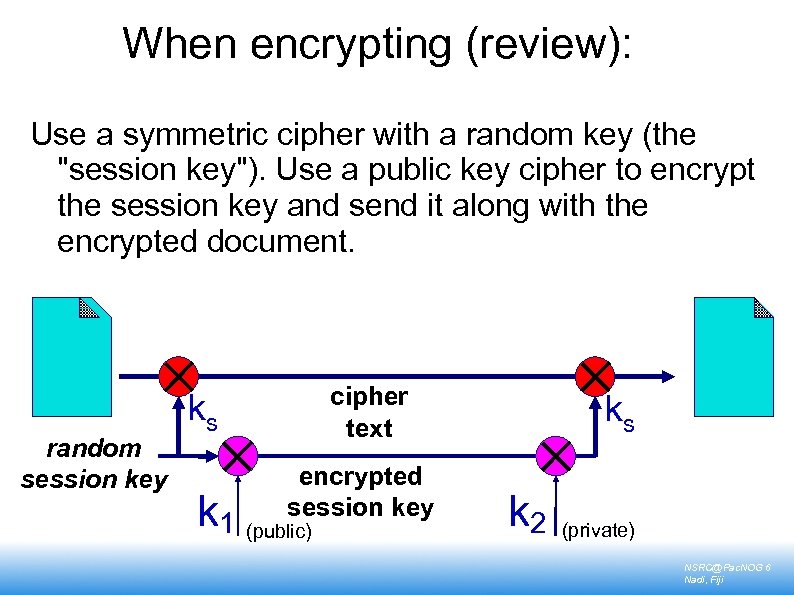 When encrypting (review): Use a symmetric cipher with a random key (the "session key"). Use a public key cipher to encrypt the session key and send it along with the encrypted document. random session key cipher text ks encrypted session key k 1 (public) ks k 2 (private) NSRC@Pac. NOG 6 Nadi, Fiji
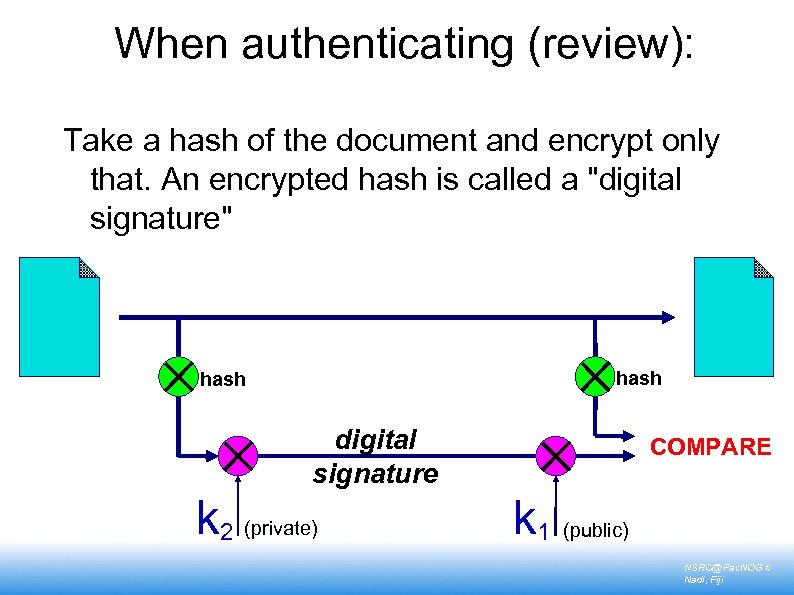 When authenticating (review): Take a hash of the document and encrypt only that. An encrypted hash is called a "digital signature" hash digital signature k 2 (private) COMPARE k 1 (public) NSRC@Pac. NOG 6 Nadi, Fiji
 Digital Signatures have many uses, for example: E-commerce. An instruction to your bank to transfer money can be authenticated with a digital signature. Legislative regimes are slow to catch up A trusted third party can issue declarations such as "the holder of this key is a person who is legally known as Alice Hacker" Like a passport binds your identity to your face Such a declaration is called a "certificate" You only need the third-party's public key to check the signature NSRC@Pac. NOG 6 Nadi, Fiji
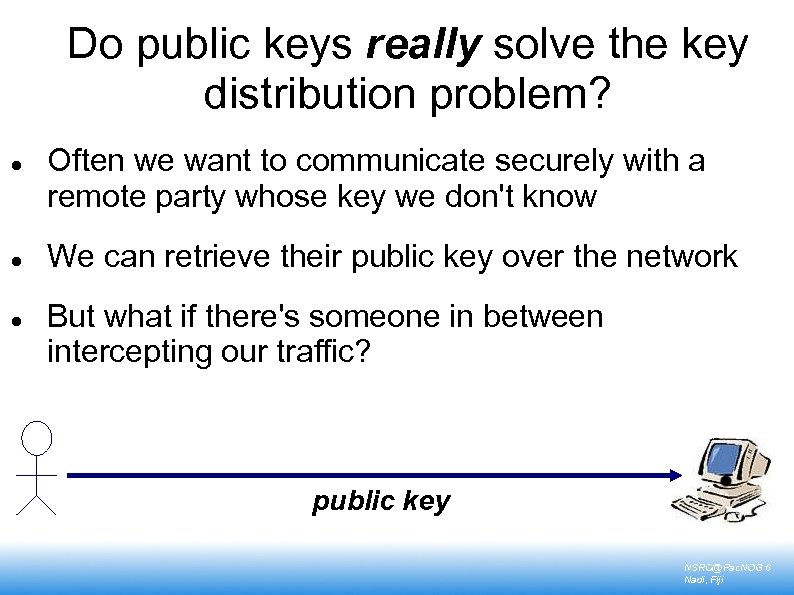 Do public keys really solve the key distribution problem? Often we want to communicate securely with a remote party whose key we don't know We can retrieve their public key over the network But what if there's someone in between intercepting our traffic? public key NSRC@Pac. NOG 6 Nadi, Fiji
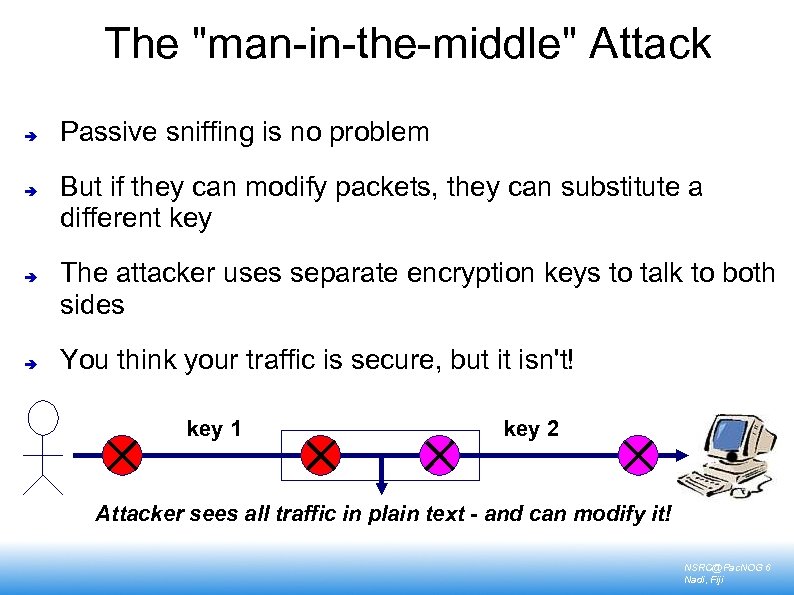 The "man-in-the-middle" Attack Passive sniffing is no problem But if they can modify packets, they can substitute a different key The attacker uses separate encryption keys to talk to both sides You think your traffic is secure, but it isn't! key 1 key 2 Attacker sees all traffic in plain text - and can modify it! NSRC@Pac. NOG 6 Nadi, Fiji
 TLS/SSL – Digital Certificates NSRC@Pac. NOG 6 Nadi, Fiji
 Digital Certificates can solve the man-inthe-middle problem Problem: I have no prior knowledge of the remote side's key, so cannot tell if a different one has been substituted But maybe someone else does A trusted third party can vouch for the remote side by signing a certificate which contains the remote side's name & public key I can check the validity of the certificate using the trusted third party's public key NSRC@Pac. NOG 6 Nadi, Fiji
 Example: TLS (SSL) web server with digital certificate I generate a private key on my webserver I send my public key plus my identity (my webserver's domain name) to a certificate authority (CA) The CA manually checks that I am who I say I am, i. e. I own the domain They sign a certificate containing my public key, my domain name, and an expiration date I install the certificate on my web server NSRC@Pac. NOG 6 Nadi, Fiji
 When a client's web browser connects to me using HTTPS: They negotiate an encrypted session with me, during which they learn my public key I send them the certificate They verify the certificate using the CA's public key, which is built-in to the browser If the signature is valid, the domain name in the URL matches the domain name in the certificate, and the expiration date has not passed, they know the connection is secure (Q: why is there an expiration date? ) NSRC@Pac. NOG 6 Nadi, Fiji
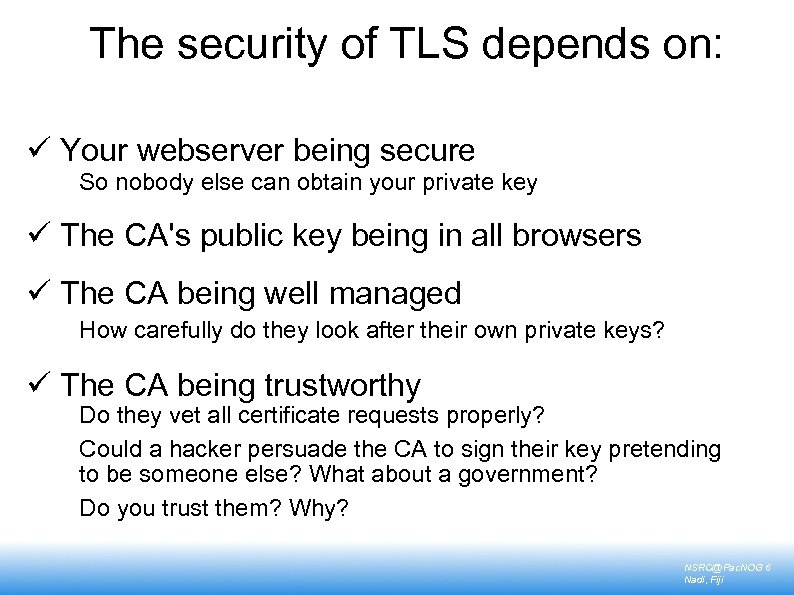 The security of TLS depends on: ü Your webserver being secure So nobody else can obtain your private key ü The CA's public key being in all browsers ü The CA being well managed How carefully do they look after their own private keys? ü The CA being trustworthy Do they vet all certificate requests properly? Could a hacker persuade the CA to sign their key pretending to be someone else? What about a government? Do you trust them? Why? NSRC@Pac. NOG 6 Nadi, Fiji
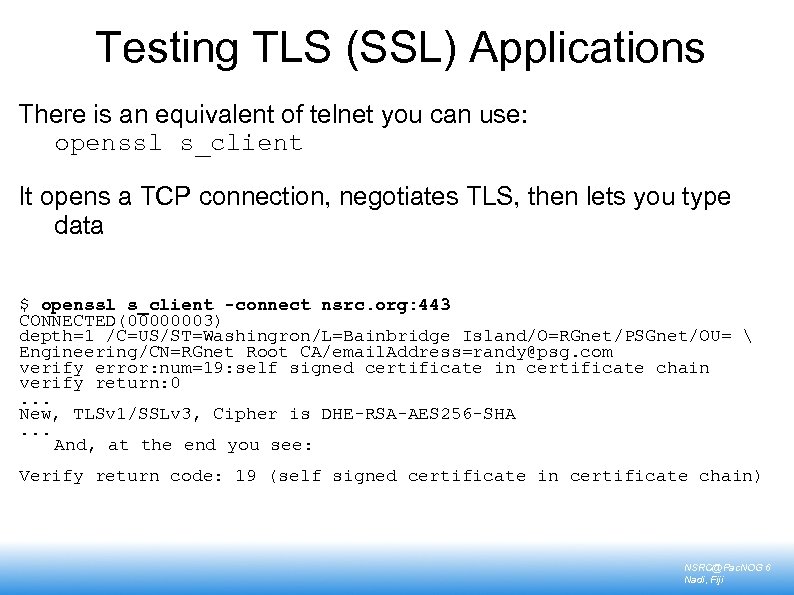 Testing TLS (SSL) Applications There is an equivalent of telnet you can use: openssl s_client It opens a TCP connection, negotiates TLS, then lets you type data $ openssl s_client -connect nsrc. org: 443 CONNECTED(00000003) depth=1 /C=US/ST=Washingron/L=Bainbridge Island/O=RGnet/PSGnet/OU= Engineering/CN=RGnet Root CA/email. Address=randy@psg. com verify error: num=19: self signed certificate in certificate chain verify return: 0. . . New, TLSv 1/SSLv 3, Cipher is DHE-RSA-AES 256 -SHA. . . And, at the end you see: Verify return code: 19 (self signed certificate in certificate chain) NSRC@Pac. NOG 6 Nadi, Fiji
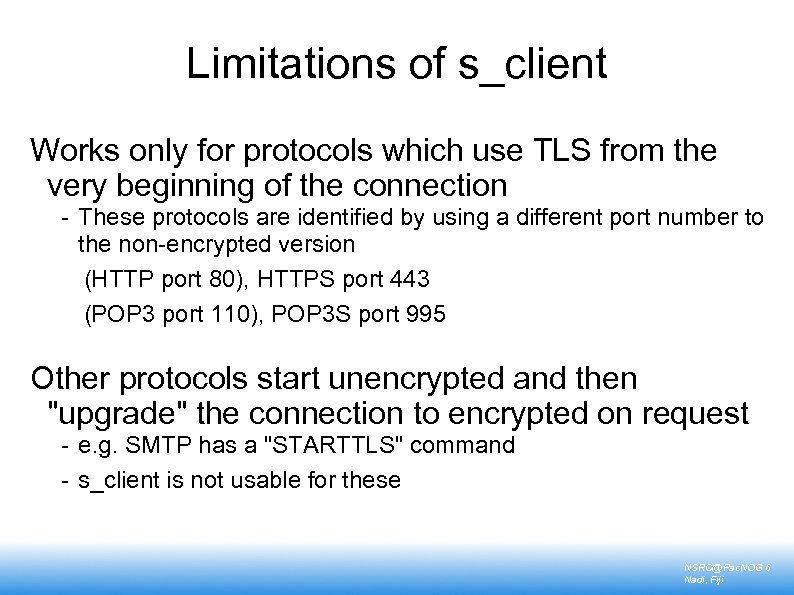 Limitations of s_client Works only for protocols which use TLS from the very beginning of the connection - These protocols are identified by using a different port number to the non-encrypted version (HTTP port 80), HTTPS port 443 (POP 3 port 110), POP 3 S port 995 Other protocols start unencrypted and then "upgrade" the connection to encrypted on request - e. g. SMTP has a "STARTTLS" command - s_client is not usable for these NSRC@Pac. NOG 6 Nadi, Fiji
 SSH NSRC@Pac. NOG 6 Nadi, Fiji
 SSH Uses a Simple Solution to man-in-the-middle The first time you connect to a remote host, remember its public key Stored in ~/. ssh/known_hosts The next time you connect, if the remote key is different, then maybe an attacker is intercepting the connection! - Or maybe the remote host has just got a new key, e. g. after a reinstall. But it's up to you to resolve the problem Relies on there being no attack in progress the first time you connect to a machine Connect on LAN before travelling with laptop NSRC@Pac. NOG 6 Nadi, Fiji
 SSH Can Eliminate Passwords Use public-key cryptography to prove who you are Generate a public/private key pair locally Install your PUBLIC key on remote hosts Login! ssh-keygen -t rsa Private key is ~/. ssh/id_rsa Public key is ~/. ssh/id_rsa. pub mkdir ~/. ssh chmod 755 ~/. ssh Copy public key into ~/. ssh/authorized_keys NSRC@Pac. NOG 6 Nadi, Fiji
 Notes on SSH Authentication Private key is protected by a passphrase - So you have to give it each time you log in - Or use "ssh-agent" which holds a copy of your passphrase in RAM No need to change passwords across dozens of machines Disable passwords entirely! - /etc/sshd_config There are currently two different types of SSH keys in use: - SSH 2 DSA, SSH 2 RSA - (SSH 1 RSA is deprecated) NSRC@Pac. NOG 6 Nadi, Fiji
 PGP/GPG – Pretty Good Privacy NSRC@Pac. NOG 6 Nadi, Fiji
 PGP Takes a Different View We don't trust anyone except our friends (especially not big corporate monopolies) You sign your friends' keys to vouch for them Other people can choose to trust your signature as much as they trust you Generates a distributed "web of trust" Sign someone's key when you meet them face to face - "PGP key signing parties" NSRC@Pac. NOG 6 Nadi, Fiji
 Summary NSRC@Pac. NOG 6 Nadi, Fiji
 Designing a Good Cryptosystem is Very Difficult Many possible weaknesses and types of attack, often not obvious DON'T design your own! DO use expertly-designed cryptosystems which have been subject to widespread scrutiny Understand how they work and where the potential weaknesses are Remember the other weaknesses in your systems, especially the human ones, speaking of which. . . NSRC@Pac. NOG 6 Nadi, Fiji
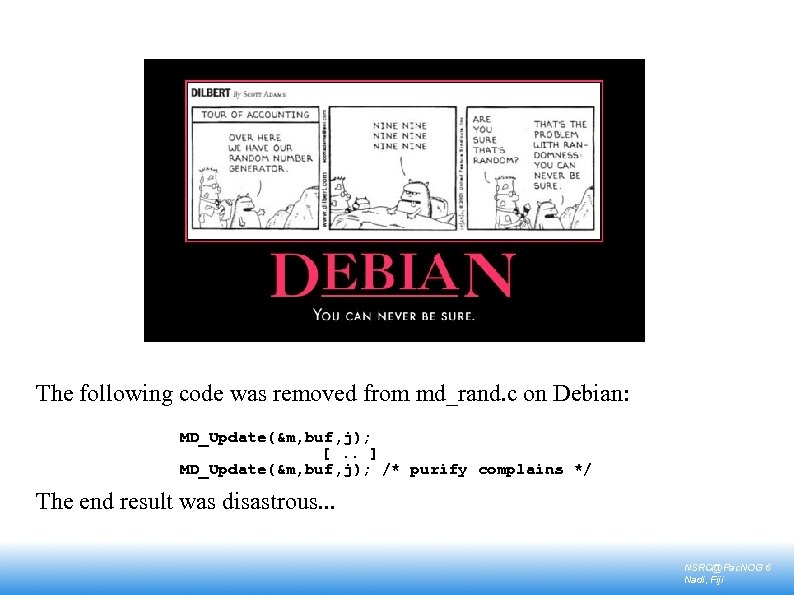 The following code was removed from md_rand. c on Debian: MD_Update(&m, buf, j); [. . ] MD_Update(&m, buf, j); /* purify complains */ The end result was disastrous. . . NSRC@Pac. NOG 6 Nadi, Fiji
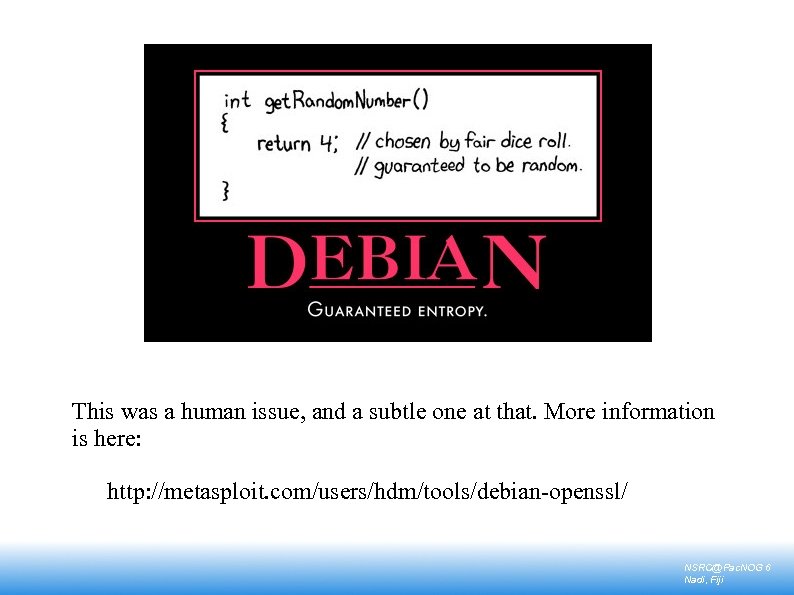 This was a human issue, and a subtle one at that. More information is here: http: //metasploit. com/users/hdm/tools/debian-openssl/ NSRC@Pac. NOG 6 Nadi, Fiji
 Where can you apply these cryptographic methods? At the link layer PPP encryption At the network layer IPSEC, IPv 6 At the transport layer TLS (SSL): many applications support it At the application layer SSH: system administration, file transfers PGP/GPG: for securing E-mail messages, stand-alone documents, software packages etc. Tripwire (and others): system integrity checks NSRC@Pac. NOG 6 Nadi, Fiji
 Start Using Cryptography Now! Use ssh for remote administration. Use scp/sftp for files transfer (except public ftp repositories). Install pop 3/imap/smtp servers with tls support. Phase out the use of non-tls version. Use https for any web application where users enter passwords or confidential data - e. g. webmail, databases, wikis, nagios, cacti NSRC@Pac. NOG 6 Nadi, Fiji
 Any questions? NSRC@Pac. NOG 6 Nadi, Fiji