 Скачать презентацию Security After Blaster what we have been able
e1ff38cb03bcfbb6ee8d971215b94a3b.ppt
- Количество слайдов: 57



Security After Blaster (what we have been able to do that we could not have imagined beforehand) Angel Cruz, CISSP Director & University ISO The University of Texas at Austin ------------------------- Calvin Weeks, CISSP, CISM Director, IT Security The University of Oklahoma
Higher Education’s Information Security Risk Landscape (the sky is falling!)
Higher Education In The News • • Hackers Steal Vital Data Credit Card Numbers Stolen from University Hackers Access Medical Database Hacker Steals SSNs from Database Worm cripples University email Data on 59, 000 People Stolen Virus may damage personal data
Our Technology at Risk • • High-performance computers Desktops & laptops LANS: wired & wireless pipes Residential Networks: processing power, networks • Home computers via high speed access • Internet & Internet 2 gateways
Our Data at Risk • Confidential, Sensitive, & Private Data – – – – Credit Card #s, ACH (NACHA) bank #s Student & Employee Records (SSN) Patient Records (SSN) Institutional Financial Records Investment Records Donor Records Research Data, Other Intellectual Property Homeland Security Data
Info Security Threats • • Distributed denial of service & enumerations Viruses and worms SPAM Vendor shipped insecure systems (Windows, Linux, Unix, IIS, SQL) • Software project practices • Naïve or untrained/under-trained users
More Info Security Threats • Massive CPU power & bandwidth available to crackers as well as HE, e-commerce • New concerns about cyber-terrorism • Bandwidth hogging applications - File Sharing • Improperly managed security devices • User activities
Environmental Security Challenges • Perimeter difficult to define • Diverse HW/SW with wide range of ownership • System administrators distributed, autonomous; many lack formal training • Increasing demands for distributed computing, mobile/wireless • Lack of central authority • Grants rarely buy IT support • Few clearly-defined security goals
Cultural Security Challenges • • • Tolerance, experimentation, & anonymity valued Top-down regulations generally resisted Faculty independence Fear of change Many theoretical & technical experts Persistent belief that security is counter to academic freedom
Campuses especially vulnerable • We operate open networks with weak firewalls at the Internet border • We welcome personally-owned computers on the campus network • We resist standards • We run “thin” on technical staff in many depts • We value innovation over stability • Many of our users are especially naïve
How to survive – risk protection • Identify high value information resources; • Assess risk and countermeasures; • Select and implement balanced protection; • Maintain and support your protections.
How to survive - resources • Provide resources for: – Computer systems administration – System administrator training – End-user training: faculty, staff, students • Assign an Info Security Officer/Liaison; • Know your ISAC contacts.
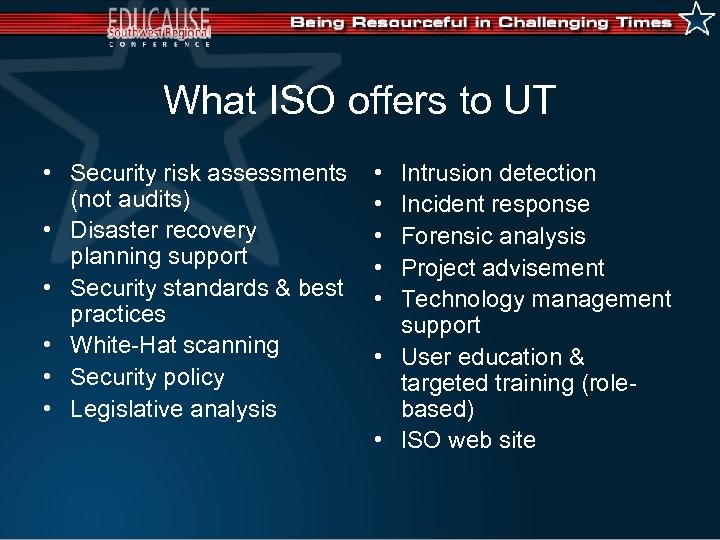
What ISO offers to UT • Security risk assessments (not audits) • Disaster recovery planning support • Security standards & best practices • White-Hat scanning • Security policy • Legislative analysis • • • Intrusion detection Incident response Forensic analysis Project advisement Technology management support • User education & targeted training (rolebased) • ISO web site
The Threat Landscape (the sky HAS fallen!)
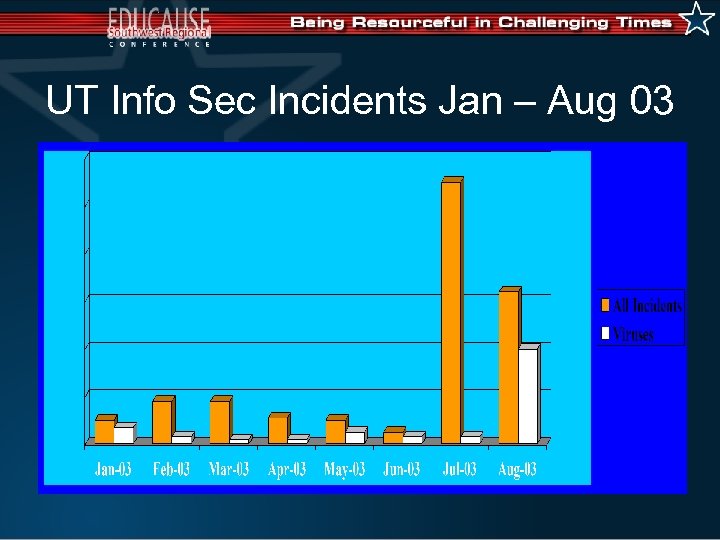
UT Info Sec Incidents Jan – Aug 03
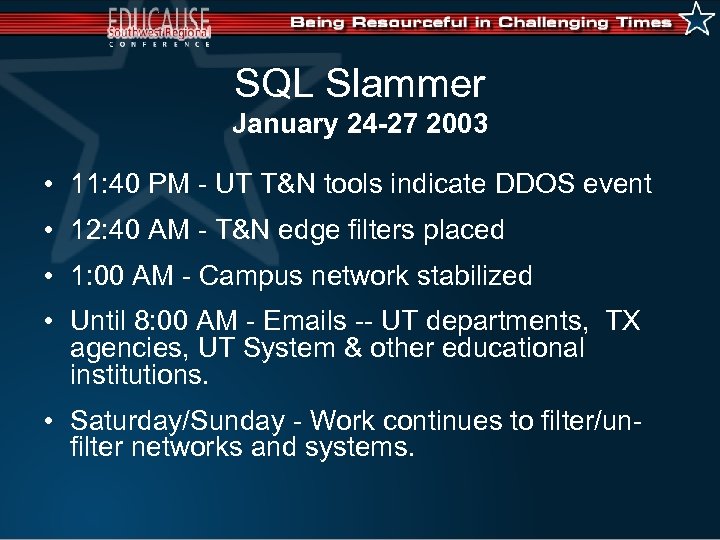
SQL Slammer January 24 -27 2003 • 11: 40 PM - UT T&N tools indicate DDOS event • 12: 40 AM - T&N edge filters placed • 1: 00 AM - Campus network stabilized • Until 8: 00 AM - Emails -- UT departments, TX agencies, UT System & other educational institutions. • Saturday/Sunday - Work continues to filter/unfilter networks and systems.
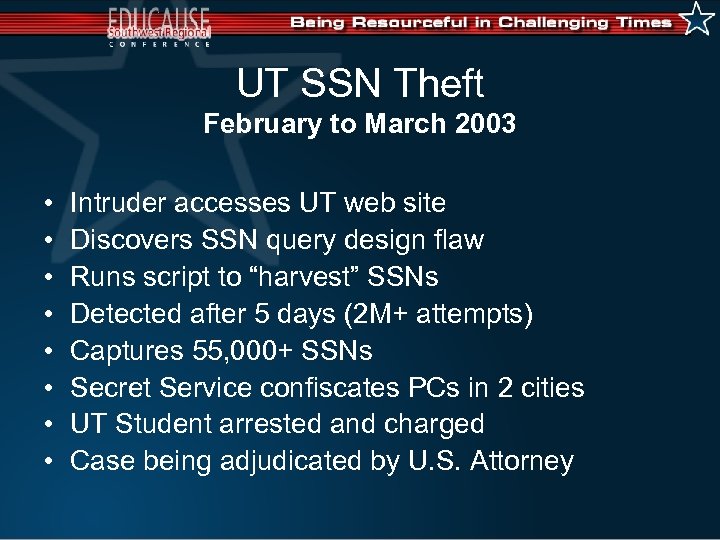
UT SSN Theft February to March 2003 • • Intruder accesses UT web site Discovers SSN query design flaw Runs script to “harvest” SSNs Detected after 5 days (2 M+ attempts) Captures 55, 000+ SSNs Secret Service confiscates PCs in 2 cities UT Student arrested and charged Case being adjudicated by U. S. Attorney
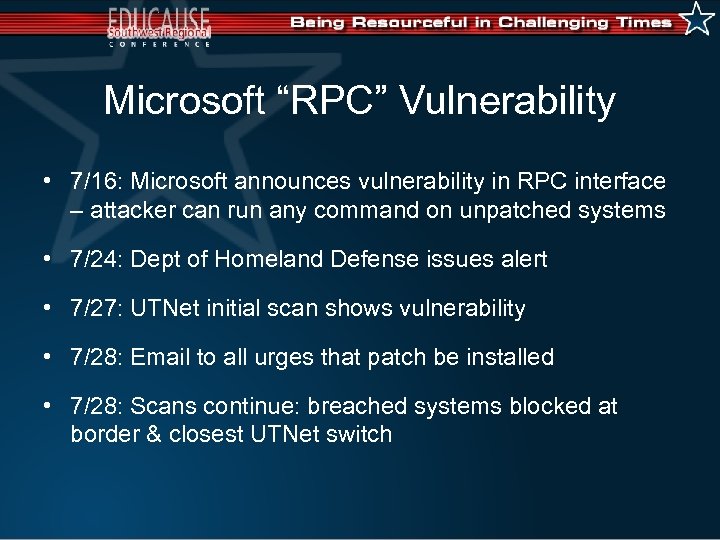
Microsoft “RPC” Vulnerability • 7/16: Microsoft announces vulnerability in RPC interface – attacker can run any command on unpatched systems • 7/24: Dept of Homeland Defense issues alert • 7/27: UTNet initial scan shows vulnerability • 7/28: Email to all urges that patch be installed • 7/28: Scans continue: breached systems blocked at border & closest UTNet switch
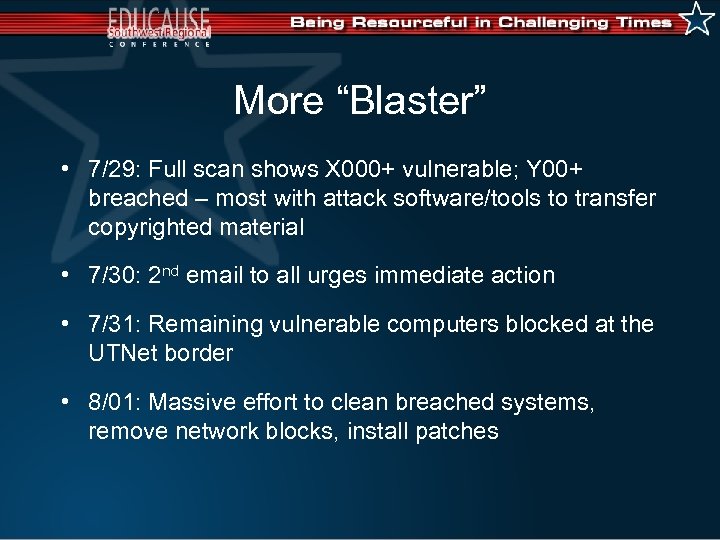
More “Blaster” • 7/29: Full scan shows X 000+ vulnerable; Y 00+ breached – most with attack software/tools to transfer copyrighted material • 7/30: 2 nd email to all urges immediate action • 7/31: Remaining vulnerable computers blocked at the UTNet border • 8/01: Massive effort to clean breached systems, remove network blocks, install patches
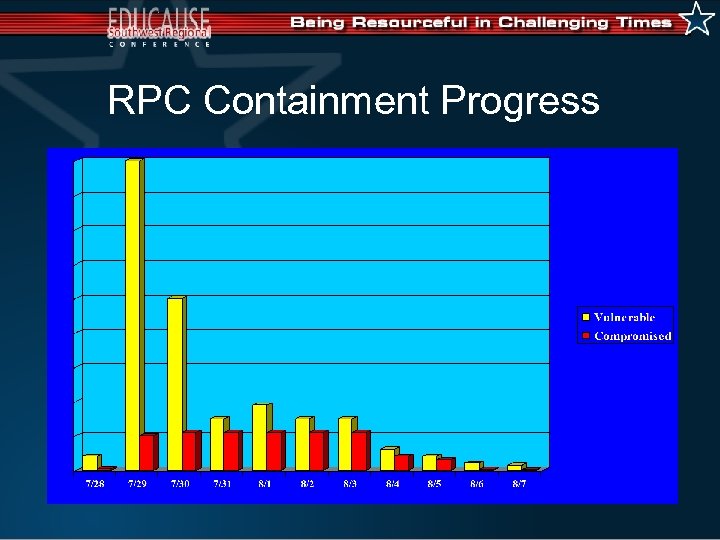
RPC Containment Progress
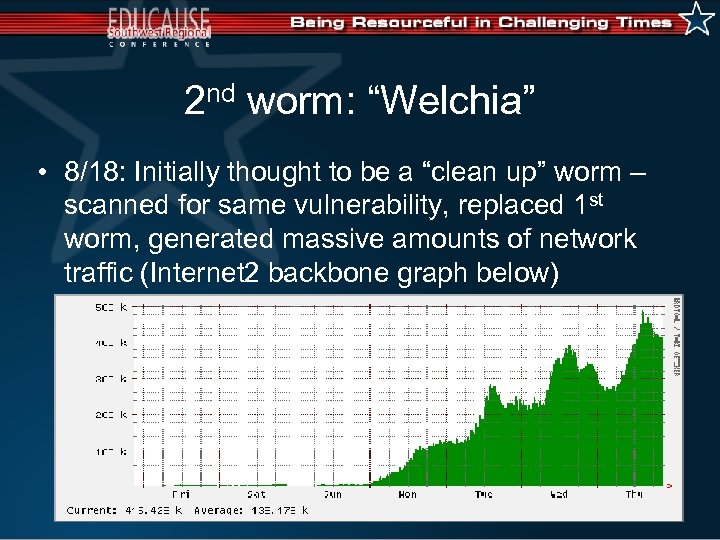
2 nd worm: “Welchia” • 8/18: Initially thought to be a “clean up” worm – scanned for same vulnerability, replaced 1 st worm, generated massive amounts of network traffic (Internet 2 backbone graph below)
Then “Sobig. F” • 8/19: “A mass-mailing, network-aware virus that sends itself to all email addresses it finds …” • Subject: Re: Details … Re: Approved … Re: My details … Re: Thank you! … Re: That movie … Re: Wicked screensaver … Re: Your application … Thank you! • Body: See the attached file for details • Many (!) email users clicked on the attached file • Also installed a “trojan horse” program • Most virulent email virus up to that time
Sobig. F (cont’d) • One UT user received 5, 000 copies! • Filter on <mail. utexas. edu> stopped 30, 000 copies in the first hour; 4. 6 million from 8/20 through 9/1 – 32% of msg traffic • (And there are 150+ email servers at UT) • Scheduled to cease propagation 9/10 • When will we see Sobig. G?
Our Response • Scan for vulnerabilities, breached systems • Only works with active machines, must keep scanning • Patch impacted systems by the thousands • Filter problem hosts & block “at risk” ports • Breached machines are removed from UT-Net until fully rebuilt • Vulnerable machines are later removed from UT-Net • Net. BIOS port blocked -- ITS “white list” created • Communicate to internal/external communities • Lessons learned from SQL Slammer last January
Then Students & Faculty Returned • High proportion of Windows computers not patched vs. RPC; no anti-virus vs. Sobig. F • Immediate impact in Res. Net • Also evident in UTNet wireless & Telesys • Any laptop brought to campus is a risk • Help desk working overtime; CDs available • How to assist students off campus?
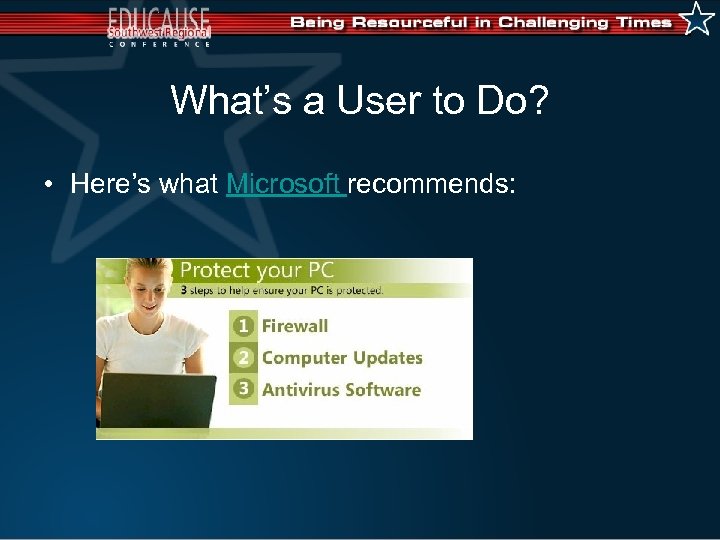
What’s a User to Do? • Here’s what Microsoft recommends:
Our Desktop Recommendation • Anti. Virus – Symantec avail at no charge on “Bevoware” web site – should set “auto update” • Windows “critical” security patches – available from Microsoft. com – should set “auto update” • Firewall – Symantec now recommended, also available in “Bevoware” suite • Backup frequently • Similar advice for Macintosh users
How Easy? How Realistic? • Not only all computers on campus, but also – – – UT-owned laptops All faculty/staff computers used at home for UT work All student computers in Res. Net All student laptops that are ever brought to campus All student computers connected to Telesys • How much effort to comply? To audit? Any penalties for non-compliance? • ITS is the test case
What can be done? • Firewall protection at the Internet border • Better tools to detect vulnerabilities & intrusions • More systematic approach, professional mgmt for UT-owned end-user systems: – Administrative staff – Non-technical faculty – Research projects • Required training for all users • Security campaign w/ Microsoft & h/w partners
Cultural changes • • UTNet & the Internet are mission-critical. No systems can be allowed to threaten UTNet. UT has an obligation to the Internet, too. UT must provide minimum standards for all IT resources PLUS higher standards for “islands of protection”. • Many users do not need/want technical responsibility; we need to develop programs to assist them. • Connecting a computer to the network is like taking a car on the highway: machine & user must meet minimum standards, owner & user must accept responsibility for any problems they cause.
University Leadership Response • We want you to take a strong leadership role in university security! • We want you to create a plan for improving information security. • We want you to coordinate the university’s information security planning.
The Information Security Improvement Plan (the sales pitch)
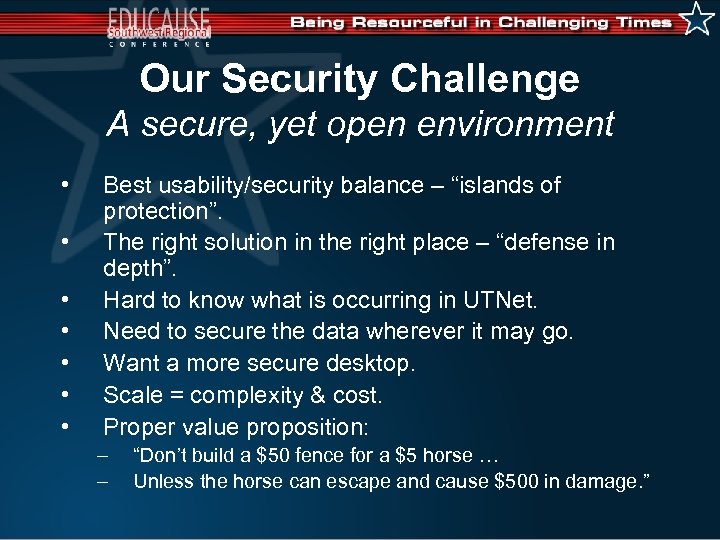
Our Security Challenge A secure, yet open environment • • Best usability/security balance – “islands of protection”. The right solution in the right place – “defense in depth”. Hard to know what is occurring in UTNet. Need to secure the data wherever it may go. Want a more secure desktop. Scale = complexity & cost. Proper value proposition: – – “Don’t build a $50 fence for a $5 horse … Unless the horse can escape and cause $500 in damage. ”
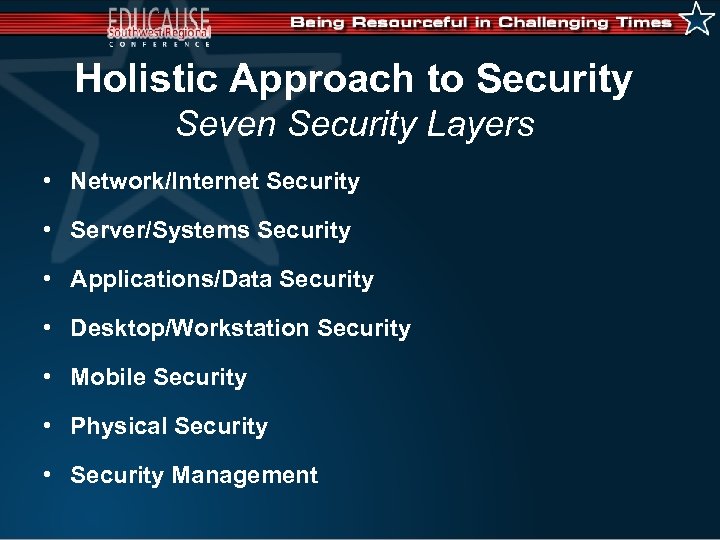
Holistic Approach to Security Seven Security Layers • Network/Internet Security • Server/Systems Security • Applications/Data Security • Desktop/Workstation Security • Mobile Security • Physical Security • Security Management
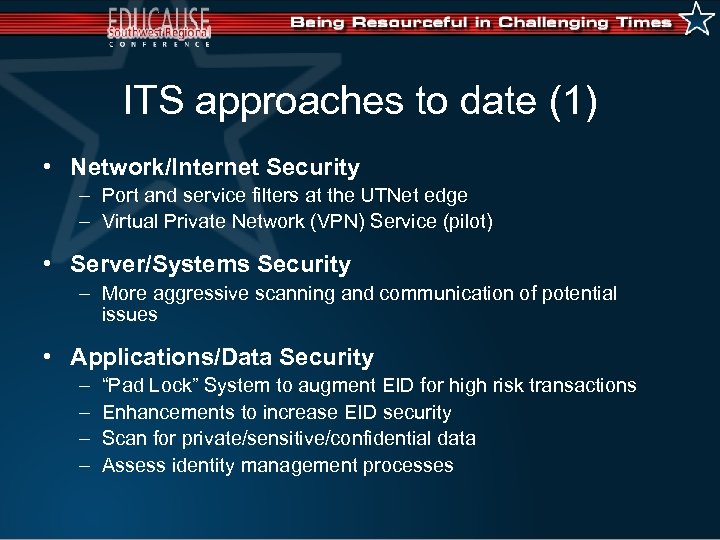
ITS approaches to date (1) • Network/Internet Security – Port and service filters at the UTNet edge – Virtual Private Network (VPN) Service (pilot) • Server/Systems Security – More aggressive scanning and communication of potential issues • Applications/Data Security – – “Pad Lock” System to augment EID for high risk transactions Enhancements to increase EID security Scan for private/sensitive/confidential data Assess identity management processes
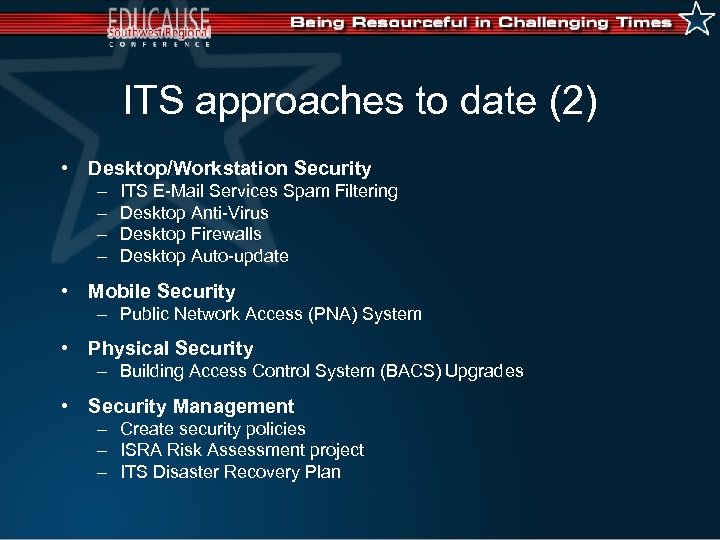
ITS approaches to date (2) • Desktop/Workstation Security – – ITS E-Mail Services Spam Filtering Desktop Anti-Virus Desktop Firewalls Desktop Auto-update • Mobile Security – Public Network Access (PNA) System • Physical Security – Building Access Control System (BACS) Upgrades • Security Management – Create security policies – ISRA Risk Assessment project – ITS Disaster Recovery Plan
New strategies (1) Network/Internet Security • Improve internet and network filtering • Provide secure outside access to UTNet by approved offcampus users. • Enhance detection/prevention of intrusions & malicious activity. Server/Systems Security • Better identify and disable/re-enable “problem” hosts. • Minimum standards for ALL IT resources.
New strategies (2) Applications/Data Security • Secure the external and internal transfer of confidential/sensitive/private data. • Improve web user access controls. • Create identity management goals. Desktop/Workstation Security • Provide unobtrusive desktop security. Security Management • Security Awareness and Training • IT Security Policies, Guidelines, Procedures (better standards)
Network/Internet Security Improve internet and network filtering • FIREWALLS – – – • Special purpose software/hardware for separating un-trusted networks from trusted networks (automated pass/block). Flexible rule sets to accommodate various department missions. Several firewalls in use on campus. Deployment – – – Phased Approach • High Bandwidth Segments to Buildings/Depts. Lifecycle Support • Firewall Administrators, Firewall Management System Implementation • 2 + year project with 1 to 2? additional ITS FTEs
Network/Internet Security Provide secure outside access • VIRTUAL PRIVATE NETWORKS – – • Special purpose software/hardware for permitting trusted outside users to safely access resources inside UTNet. ITS TN is piloting VPN Services. Deployment – – – Special Purpose Hardware/Software or Part of Firewall VPN Clients to support campus user platforms Lifecycle Support • Helpdesk Support & User Training
Network/Internet Security Enhance detection/prevention • INTRUSION SYSTEMS – – – • Software/hardware to identify real-time security events. Some only alerts, new systems alert AND block intrusions. ISO has been testing Intrusion products. Deployment – – – Phased Approach • High Bandwidth Segments to Buildings/Depts. Lifecycle Support • Intrusion Event Correlation System Implementation • 2 + year project with 1 to 2? additional ITS FTEs • Outsource?
Server/Systems Security Better identify “problem” hosts • DISTRIBUTED VULNERABILITY TESTING – – – Software/hardware to improve proactive testing capability. ISO has campus scanning tools, few tools used by departments. Near future goals include: • • • Scanning users upon connection for compliance. Automatically blocking & unblocking problem hosts. Deployment – Phased Approach • • – Lifecycle Support • – Central Distributed Scanning Critical/Other Departments Vulnerability Correlation System Implementation • 1 + year project with 1 additional ITS FTE
Applications/Data Security Improve web user access controls • APPLICATION FIREWALL – Protects web-enabled services – Identifies suspicious activity – Can take automated actions • Alert, Log, Block • Deployment – Central Web Services – Lifecycle Support • Coordination with firewall management systems – Implementation • 1 year project with 1 additional ITS FTE
Applications/Data Security Secure transfer of data • Identify best methods to achieve in our environment – Improve data transmission security for sensitive and confidential data. – Replace insecure protocols with secure methods for transmission of sensitive data. – Identify methods and technology to eliminate “clear-text’ passwords. – Reduce compliance risk from privacy regulations (emerging HIPAA/GLB/SOX requirements).
Desktop Environment • Computer vendors aim for easy “out of the box” experience – no need for manuals, security info. • No effective market pressure on Microsoft – risk of a worldwide, technical “monoculture”. • Dark side of the “always-connected” Internet – Home broadband is a new, serious security risk – So is wireless, at home, in kiosks, in enterprises – Laptops can bring worms, viruses with them – Worm & virus creators are more sophisticated
Desktop/Workstation Security Unobtrusive desktop security • Identify best ways to improve desktop management – Configuration standards -- lower costs? – Better training for TSCs/users – Tools for ITS and TSC management • • – Patch automation Desktop security and A/V management Remote administration of campus computers Backups Personally-owned computers that use UTNet need some level of management/control (Concern is 45, 000 universityowned plus 75, 000? personally-owned computers)
Security Management • Improve Security Awareness and Training – User based on their role(s) – Technical Staff • Create Appropriate IT Security Standards – – – Top-level policies Operational policies and guidelines Security procedures Measures for risk management Materials for awareness and training
Sample Security Standards • Top Level Policies – – – IT Security Appropriate Use Privacy Internet/Network Use Email Use • Operational Policies – – Security Management Incident Management Security Awareness Disaster Recovery • Procedures/Standards – – – – – Minimum Platform Standards Server Security Password Policy Account Management Back-up & Recovery Patch/Change Management Authorized Software System Blocking System Monitoring Software Development
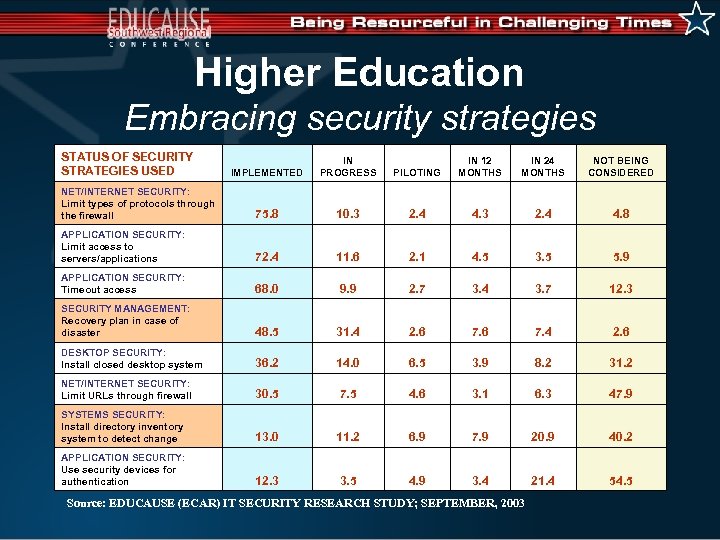
Higher Education Embracing security strategies STATUS OF SECURITY STRATEGIES USED IMPLEMENTED IN PROGRESS PILOTING IN 12 MONTHS IN 24 MONTHS NOT BEING CONSIDERED NET/INTERNET SECURITY: Limit types of protocols through the firewall 75. 8 10. 3 2. 4 4. 8 APPLICATION SECURITY: Limit access to servers/applications 72. 4 11. 6 2. 1 4. 5 3. 5 5. 9 APPLICATION SECURITY: Timeout access 68. 0 9. 9 2. 7 3. 4 3. 7 12. 3 SECURITY MANAGEMENT: Recovery plan in case of disaster 48. 5 31. 4 2. 6 7. 4 2. 6 DESKTOP SECURITY: Install closed desktop system 36. 2 14. 0 6. 5 3. 9 8. 2 31. 2 NET/INTERNET SECURITY: Limit URLs through firewall 30. 5 7. 5 4. 6 3. 1 6. 3 47. 9 SYSTEMS SECURITY: Install directory inventory system to detect change 13. 0 11. 2 6. 9 7. 9 20. 9 40. 2 APPLICATION SECURITY: Use security devices for authentication 12. 3 3. 5 4. 9 3. 4 21. 4 54. 5 Source: EDUCAUSE (ECAR) IT SECURITY RESEARCH STUDY; SEPTEMBER, 2003
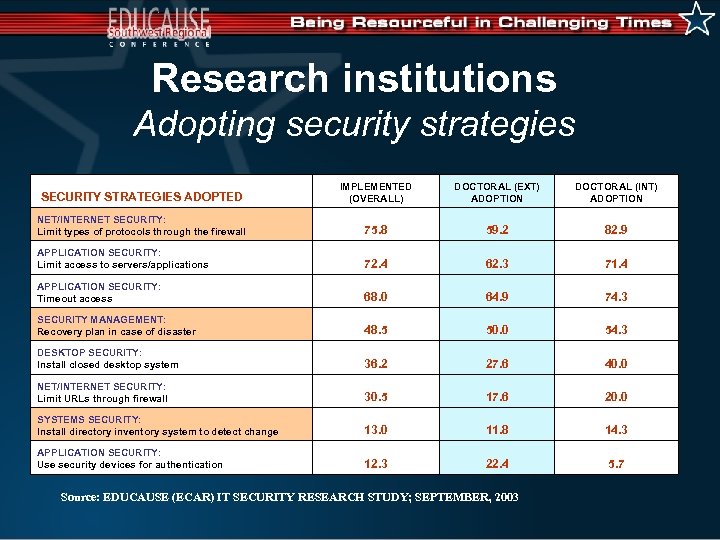
Research institutions Adopting security strategies SECURITY STRATEGIES ADOPTED IMPLEMENTED (OVERALL) DOCTORAL (EXT) ADOPTION DOCTORAL (INT) ADOPTION NET/INTERNET SECURITY: Limit types of protocols through the firewall 75. 8 59. 2 82. 9 APPLICATION SECURITY: Limit access to servers/applications 72. 4 62. 3 71. 4 APPLICATION SECURITY: Timeout access 68. 0 64. 9 74. 3 SECURITY MANAGEMENT: Recovery plan in case of disaster 48. 5 50. 0 54. 3 DESKTOP SECURITY: Install closed desktop system 36. 2 27. 6 40. 0 NET/INTERNET SECURITY: Limit URLs through firewall 30. 5 17. 6 20. 0 SYSTEMS SECURITY: Install directory inventory system to detect change 13. 0 11. 8 14. 3 APPLICATION SECURITY: Use security devices for authentication 12. 3 22. 4 5. 7 Source: EDUCAUSE (ECAR) IT SECURITY RESEARCH STUDY; SEPTEMBER, 2003
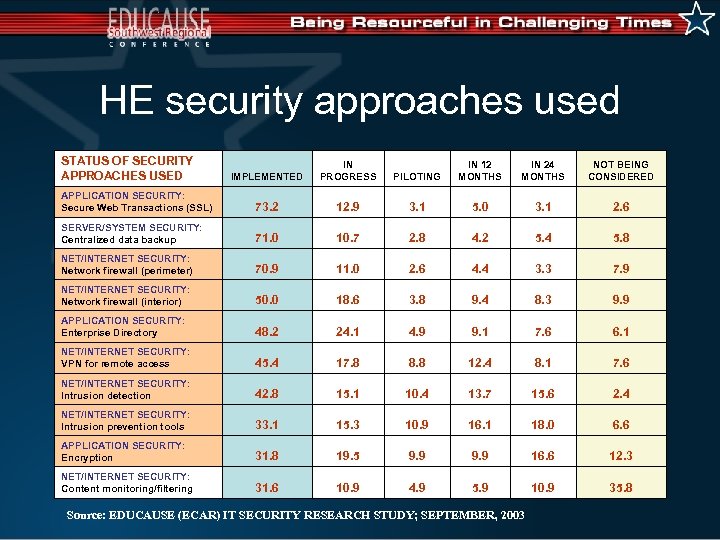
HE security approaches used STATUS OF SECURITY APPROACHES USED IMPLEMENTED IN PROGRESS PILOTING IN 12 MONTHS IN 24 MONTHS NOT BEING CONSIDERED APPLICATION SECURITY: Secure Web Transactions (SSL) 73. 2 12. 9 3. 1 5. 0 3. 1 2. 6 SERVER/SYSTEM SECURITY: Centralized data backup 71. 0 10. 7 2. 8 4. 2 5. 4 5. 8 NET/INTERNET SECURITY: Network firewall (perimeter) 70. 9 11. 0 2. 6 4. 4 3. 3 7. 9 NET/INTERNET SECURITY: Network firewall (interior) 50. 0 18. 6 3. 8 9. 4 8. 3 9. 9 APPLICATION SECURITY: Enterprise Directory 48. 2 24. 1 4. 9 9. 1 7. 6 6. 1 NET/INTERNET SECURITY: VPN for remote access 45. 4 17. 8 8. 8 12. 4 8. 1 7. 6 NET/INTERNET SECURITY: Intrusion detection 42. 8 15. 1 10. 4 13. 7 15. 6 2. 4 NET/INTERNET SECURITY: Intrusion prevention tools 33. 1 15. 3 10. 9 16. 1 18. 0 6. 6 APPLICATION SECURITY: Encryption 31. 8 19. 5 9. 9 16. 6 12. 3 NET/INTERNET SECURITY: Content monitoring/filtering 31. 6 10. 9 4. 9 5. 9 10. 9 35. 8 Source: EDUCAUSE (ECAR) IT SECURITY RESEARCH STUDY; SEPTEMBER, 2003
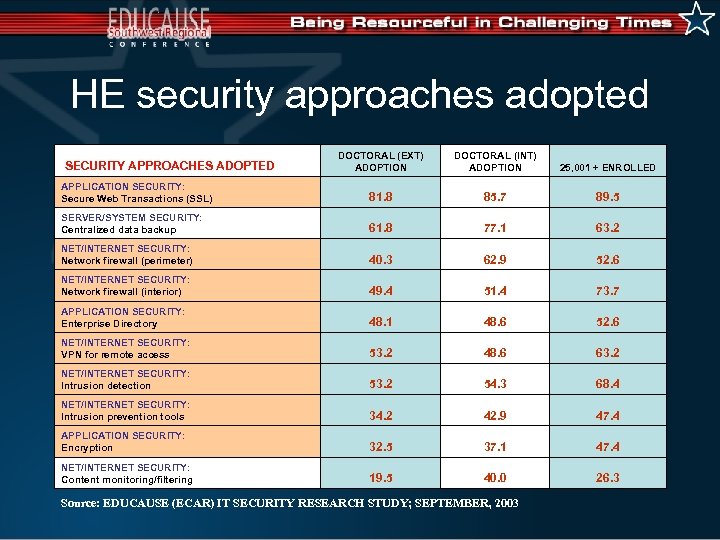
HE security approaches adopted DOCTORAL (EXT) ADOPTION DOCTORAL (INT) ADOPTION 25, 001 + ENROLLED APPLICATION SECURITY: Secure Web Transactions (SSL) 81. 8 85. 7 89. 5 SERVER/SYSTEM SECURITY: Centralized data backup 61. 8 77. 1 63. 2 NET/INTERNET SECURITY: Network firewall (perimeter) 40. 3 62. 9 52. 6 NET/INTERNET SECURITY: Network firewall (interior) 49. 4 51. 4 73. 7 APPLICATION SECURITY: Enterprise Directory 48. 1 48. 6 52. 6 NET/INTERNET SECURITY: VPN for remote access 53. 2 48. 6 63. 2 NET/INTERNET SECURITY: Intrusion detection 53. 2 54. 3 68. 4 NET/INTERNET SECURITY: Intrusion prevention tools 34. 2 42. 9 47. 4 APPLICATION SECURITY: Encryption 32. 5 37. 1 47. 4 NET/INTERNET SECURITY: Content monitoring/filtering 19. 5 40. 0 26. 3 SECURITY APPROACHES ADOPTED Source: EDUCAUSE (ECAR) IT SECURITY RESEARCH STUDY; SEPTEMBER, 2003
Security Planning Committee • Identify and propose strategies. • Analyze the operational and technical environment. • Recommend appropriate security initiatives and make the business case. • Committee Co-Chairs – ISO/Networking Director (soon) – Committee membership from ITS, OTS, College of Engineering, School of Business, General Libraries, Department of Computer Science, Campus Planning & Facilities Mgmt, Office of the VP and CFO, Office of the VP for Research. • Desktop Management – User Services
The Constituent Group Role • • • Sounding Board Counsel Support for budget needs Ombudsman Reality Check
The Next Step • • Create the plan Put it before executive management Get their approval for funding Prioritize the projects Do the work Create the policies Plan – Do – Check – Act Cycle
Questions?
Contact Information • Angel Cruz, CISSP, Director & University ISO – The University of Texas at Austin – (512) 475 -9462 – e-mail a. cruz@its. utexas. edu • Calvin Weeks, CISSP, CISM, Director of IT Security – The University of Oklahoma – (405) 325 -8334 – e-mail cweeks@ou. edu
Скачать презентацию Security After Blaster what we have been able
e1ff38cb03bcfbb6ee8d971215b94a3b.ppt