 Скачать презентацию Securing Your Android Device Terry Labach Information Security
4e82869d437c666b7d1c816e41c72d3f.ppt
- Количество слайдов: 51



Securing Your Android Device Terry Labach Information Security Services, IST

"To see everything without being seen is, needless to say, the prerogative of the biblical God whose eyes run everywhere, as well as the labor of spies and surveillance agencies, and the fondest desire of the voyeur. “ - Margaret Atwood #watitis 2013
Android • mobile device operating system • market share 43% in Canada, 52% in the US, 80% worldwide • 2013 DHS/FBI report stated Android attracted 79 per cent of all malware attacks because of “market share and open source architecture” #watitis 2013
Android risks • open architecture offers more opportunities for attack • many vendor and developer-tweaked versions, harder to patch • “rooted” phones can use wider range of features but lose protection • no magic bullet to mitigate risks #watitis 2013
What's on your phone? • • • social media apps financial/banking apps photos address book usernames, passwords … #watitis 2013
What are bad guys looking for? • • • $$$ steal phone for resale banking information texts to premium SMS in-app purchases … #watitis 2013
Steps to securing your device • • Physical security Access security File security App security Network security System security Usage security Software #watitis 2013
Physical security • Hang on to phone • Don't leave it unattended #watitis 2013
Access security • Screen lock phone with – swipe code – PIN – password #watitis 2013
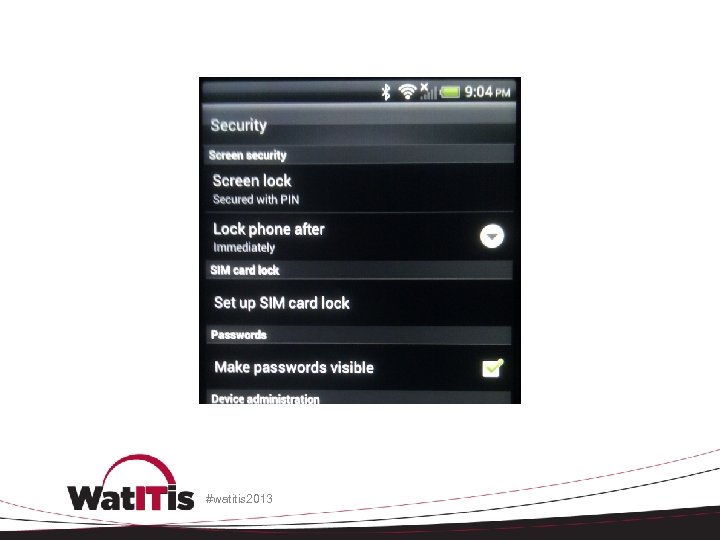
#watitis 2013
File security • Back up files • Encrypt files #watitis 2013
Encrypt files • individually – simplest method but onerous • APG - Open. PGP implementation for Android • https: //play. google. com/store/apps/details? id=org. thialfihar. android. apg #watitis 2013
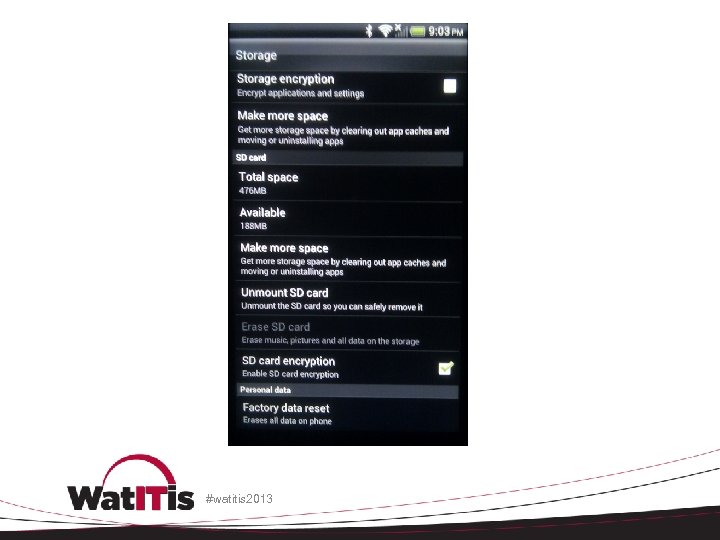
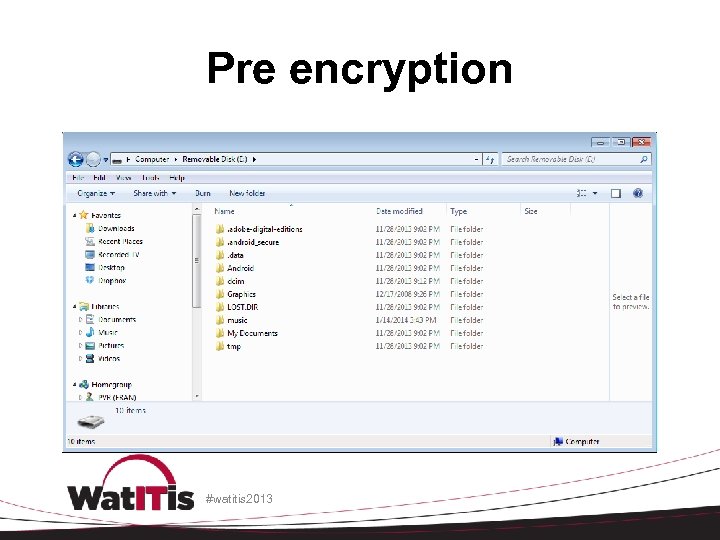
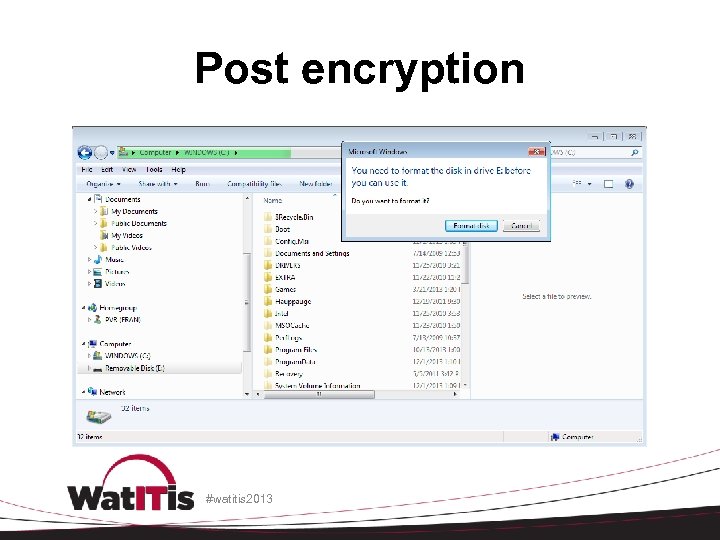
Encrypt SD card • Depending on device, select one of – Settings > Security – Settings > Storage • Select SD card encryption checkbox • Encrypt before adding data! • Once set, any non-encrypted SD card placed in phone will be read only. #watitis 2013
#watitis 2013
Pre encryption #watitis 2013
Post encryption #watitis 2013
Encrypt phone storage • protects internal phone memory • slows phone operations • fully charge phone first, keep plugged in during encryption #watitis 2013
Encrypt phone storage • Depending on device, select one of – Settings > Security – Settings > Storage • select Storage encryption checkbox • storage will be encrypted • can’t undo encryption, factory reset only way to unencrypt, causing data loss #watitis 2013
Network security • Turn off Wi. Fi/Bluetooth/NFC when not needed • Wi. Fi – avoid joining unknown networks and using public hotspots • Don't use unencrypted communications – VPN (Any. Connect) – Web (https) #watitis 2013
Near field communication (NFC) • NFC tags are chips that will share digital information • on some Android devices, NFC is allowed to automatically launch the web browser • could download malware • villain creates malicious NFC tags and places them near legitimate ones #watitis 2013
Controlling network access • Juice. Defender • https: //play. google. com/store/apps/details? id=com. latedroid. juicedefender&hl=en • location-aware Wi. Fi Control (e. g. enable Wi. Fi only at home/work, disable it otherwise) #watitis 2013
Usage security • phishing • vishing • smishing #watitis 2013
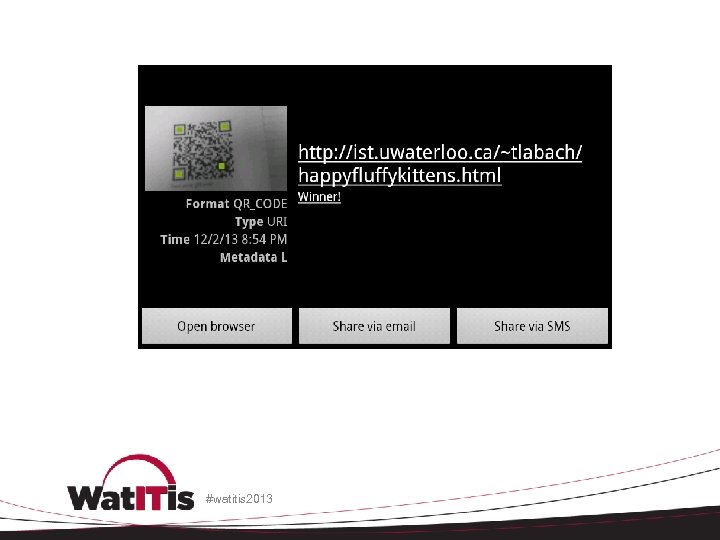
QR codes • encode URLS as bar code • used to disguise malware #watitis 2013
#watitis 2013
App security • some apps, even from the Google Play store, have malicious features – keyloggers – contact snooping – data theft – malware downloads more malware – root attacks #watitis 2013
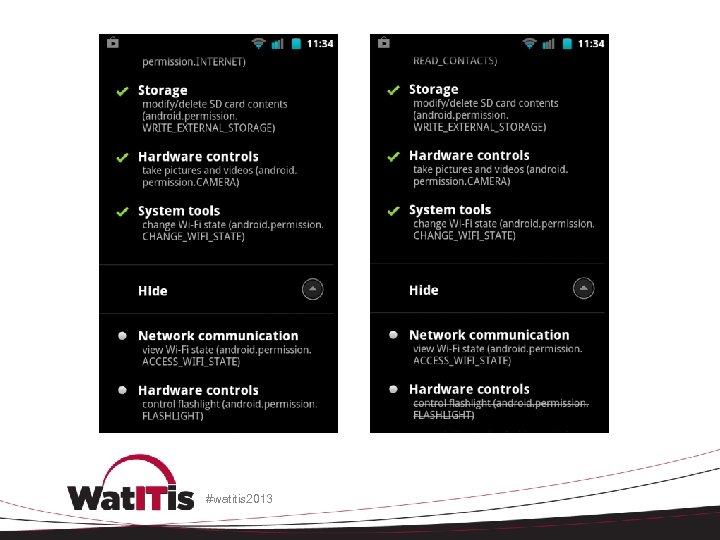
Limit the apps you install • limit the number • don't automatically install apps if website/message/popup tells you to do so • don’t install if permissions are suspicious • limit app permissions • buy your apps instead of installing free cracked versions #watitis 2013
#watitis 2013
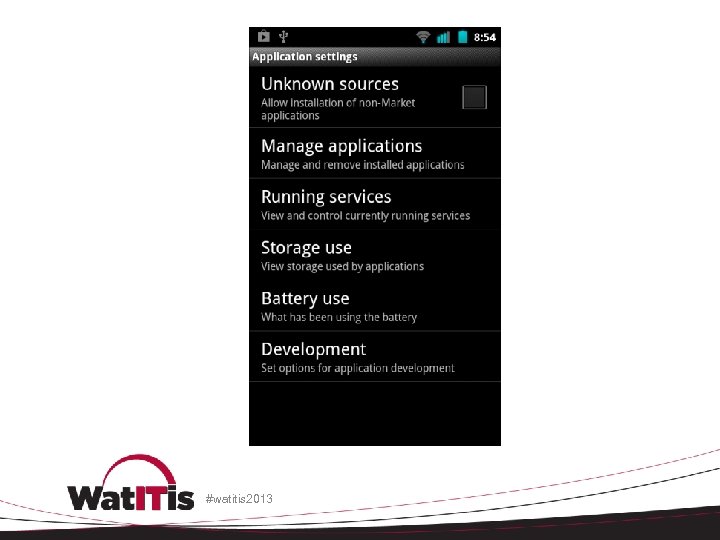
App security • disable untrusted app stores • open one of – Settings>Applications – Settings>Security • locate the Unknown sources • ensure it is unchecked #watitis 2013
#watitis 2013
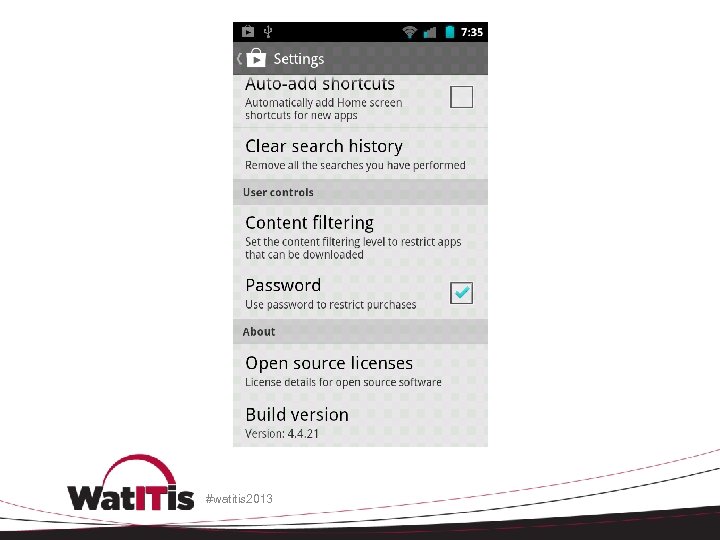
Maintain your apps • Prevent accidental app purchases • Update your apps • Remove old apps #watitis 2013
#watitis 2013
System security • patch and update Android • vendor updates • reliable third-party distributions – Cyanogenmod • http: //www. cyanogenmod. org/ – Replicant • http: //replicant. us #watitis 2013
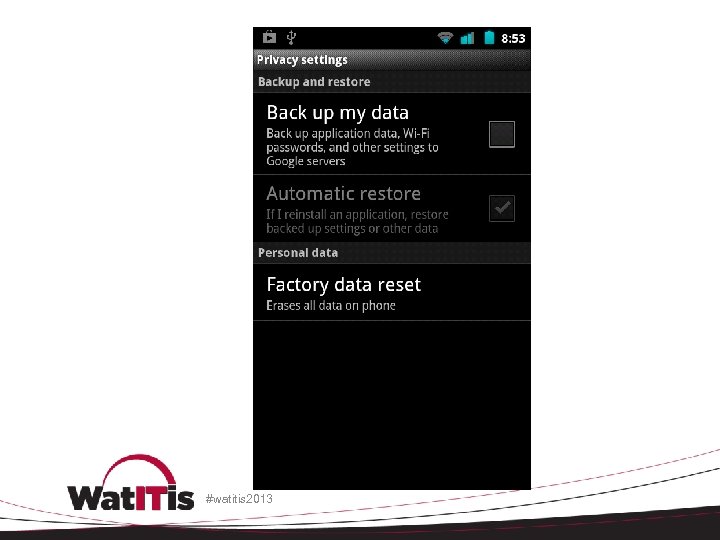
System security • disable Google sync of Wi. Fi passwords, settings, etc. #watitis 2013
#watitis 2013
Security software • Software suites • Avast! Mobile Security – antivirus, firewall, phone tracker, privacy, etc. • Lookout Security & Antivirus – antivirus, phone tracker, privacy, etc. • 360 Mobile Security – antivirus, privacy, etc. #watitis 2013
Security software • Kaspersky Internet Security for Android – antivirus, phone tracker, privacy, etc. • Norton Security antivirus – antivirus, phone tracker, privacy, etc. #watitis 2013
Privacy software • Wickr - Top Secret Messenger – self-destructing, encrypted messages • Clueful for Android – shows you how installed apps use your personal information #watitis 2013
My phone’s been stolen! • report to campus police • change passwords on accounts used by the device immediately • attempt to locate using a software suite mentioned above, or • Where's My Droid • Android Device Manager #watitis 2013
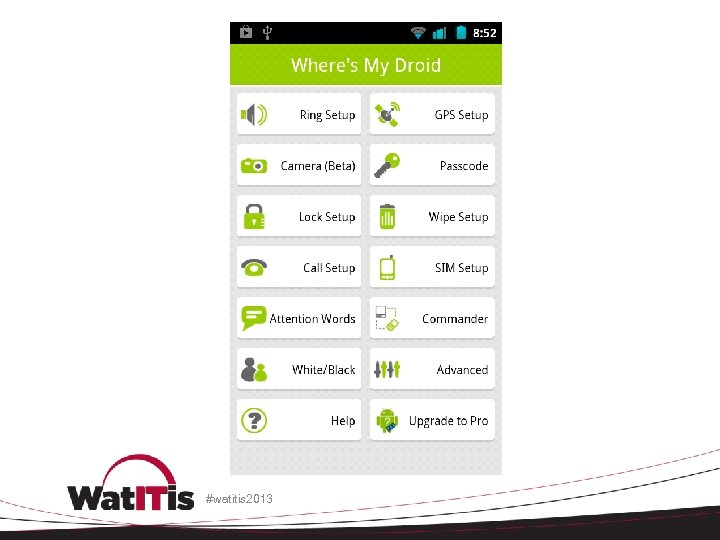
Where's My Droid • special text message to phone will cause it to respond • in some cases, can install from Play Store after phone is lost or stolen • risk of misuse if someone knows you use this app #watitis 2013
Android Device Manager • https: //www. google. com/android/devicema nager • Remotely locate and factory reset your device #watitis 2013
#watitis 2013
References - Canada • Public Safety Canada – Using mobile devices • http: //www. getcybersafe. gc. ca/cnt/rsks/nlnctvts/mbl-eng. aspx – Using web-enabled devices safely • http: //www. getcybersafe. gc. ca/cnt/prtct-dvcs/mbldvcs/index-eng. aspx #watitis 2013
References - US • United States Computer Emergency Readiness Team – http: //www. us-cert. gov – Technical Information Paper: Cyber Threats to Mobile Devices – http: //www. us-cert. gov/reading_room/TIP 10105 -01. pdf #watitis 2013
References - US • CERT (Computer Emergency Response Team) – http: //www. cert. org – Mobile Device Security: Threats, Risks, and Actions to Take – http: //www. cert. org/podcast/show/20100831 fr ederick. html #watitis 2013
References - technical • XDA Developers – http: //www. xda-developers. com/ • XDA Android Developers forum – http: //forum. xda-developers. com/android • 20 security and privacy apps for Androids and i. Phones – http: //www. csoonline. com/slideshow/detail/66 493 #watitis 2013
References - UW • University of Waterloo Information Security Services (ISS) team – https: //uwaterloo. ca/information-systemstechnology/about/organizationalstructure/information-security-services • University of Waterloo Security Operations Centre (SOC) – soc@uwaterloo. ca #watitis 2013
References - UW • Terry Labach – tlabach@uwaterloo. ca • User education • Developer and project consulting • Web application scanning #watitis 2013
Questions? #watitis 2013

#watitis 2013

#watitis 2013

#watitis 2013
Скачать презентацию Securing Your Android Device Terry Labach Information Security
4e82869d437c666b7d1c816e41c72d3f.ppt