 Скачать презентацию Section title ID B 33 C Developing Rich
ab0553475948b1a59e6d2e6662905435.ppt
- Количество слайдов: 48



Section title ID B 33 C: Developing Rich Graphical User Interfaces Optimized for Embedded Systems Jason Clarke Co-Founder Crank Software Inc. 13 October 2010 Version: 1. 0
Jason Clarke • Co-Founder Crank Software – V. P. Sales and Marketing • Education – Computer Engineer Technology Degree from St. Lawrence College • Work Experience – 13 years experience with embedded systems – 10 years developing and selling real time operating systems at QNX – Worked devloping BSPs, drivers, flash filesystems, and various upper level servers before moving to Field Engineer – Co-Founded Crank Software Inc. 3 years ago and focused on providing customers with rich user interface for embedded systems. Section title
Agenda Section title • Overview of Crank Software • The changing market for graphical displays • UI Designer, the new member of the embedded team • How does it all come together on my end target • Live Demonstration – Import of graphical content – UI development – Prototype and Simulation – Embedding on target • Q&A 3
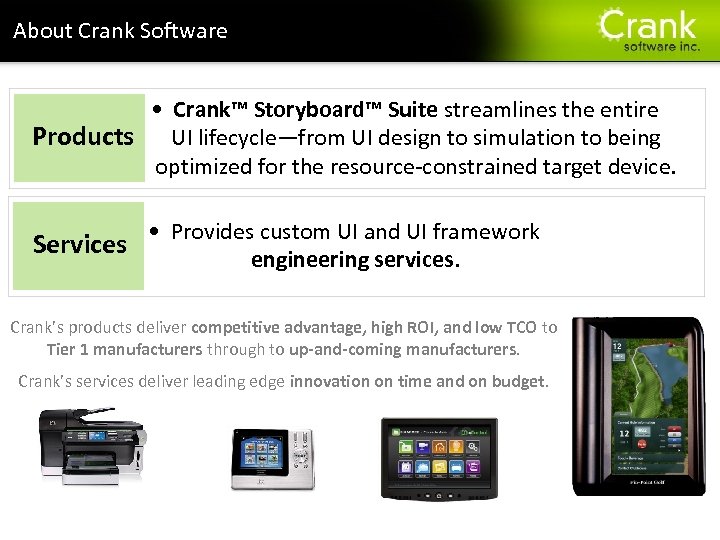
About Crank Software Section title • Crank™ Storyboard™ Suite streamlines the entire Products UI lifecycle—from UI design to simulation to being optimized for the resource-constrained target device. • Provides custom UI and UI framework Services engineering services. Crank’s products deliver competitive advantage, high ROI, and low TCO to Tier 1 manufacturers through to up-and-coming manufacturers. Crank’s services deliver leading edge innovation on time and on budget.
Section title Renesas & Crank Software 3/19/2018 5 5
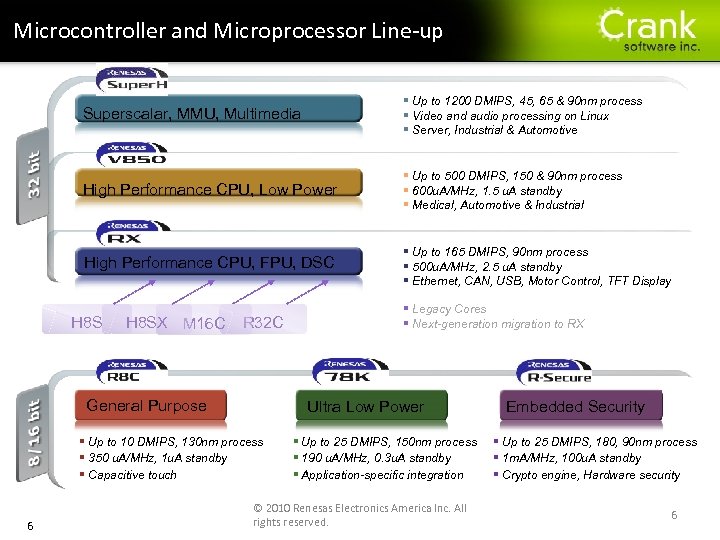
Section title Microcontroller and Microprocessor Line-up Superscalar, MMU, Multimedia § Up to 1200 DMIPS, 45, 65 & 90 nm process § Video and audio processing on Linux § Server, Industrial & Automotive High Performance CPU, Low Power § Up to 500 DMIPS, 150 & 90 nm process § 600 u. A/MHz, 1. 5 u. A standby § Medical, Automotive & Industrial High Performance CPU, FPU, DSC § Up to 165 DMIPS, 90 nm process § 500 u. A/MHz, 2. 5 u. A standby § Ethernet, CAN, USB, Motor Control, TFT Display H 8 SX M 16 C R 32 C General Purpose Ultra Low Power § Up to 10 DMIPS, 130 nm process § 350 u. A/MHz, 1 u. A standby § Capacitive touch 6 § Legacy Cores § Next-generation migration to RX § Up to 25 DMIPS, 150 nm process § 190 u. A/MHz, 0. 3 u. A standby § Application-specific integration © 2010 Renesas Electronics America Inc. All rights reserved. Embedded Security § Up to 25 DMIPS, 180, 90 nm process § 1 m. A/MHz, 100 u. A standby § Crypto engine, Hardware security 6
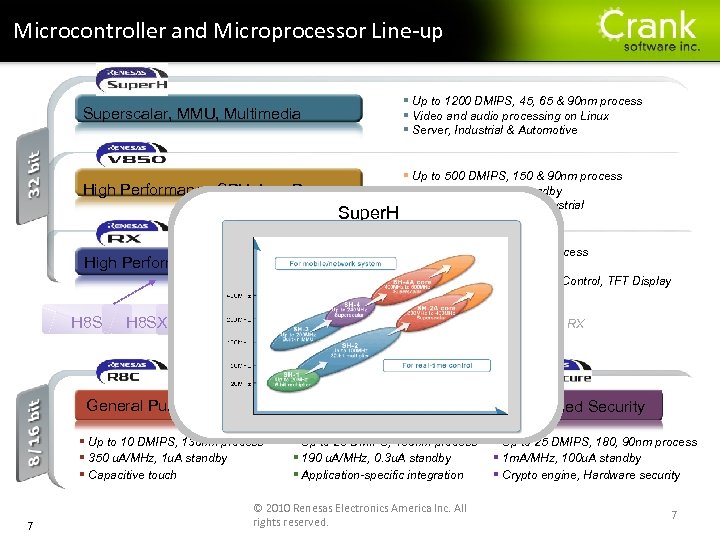
Section title Microcontroller and Microprocessor Line-up Superscalar, MMU, Multimedia § Up to 1200 DMIPS, 45, 65 & 90 nm process § Video and audio processing on Linux § Server, Industrial & Automotive High Performance CPU, Low Power § Up to 500 DMIPS, 150 & 90 nm process § 600 u. A/MHz, 1. 5 u. A standby § Medical, Automotive & Industrial Super. H High Performance CPU, FPU, DSC H 8 SX M 16 C R 32 C General Purpose § Legacy Cores § Next-generation migration to RX Ultra Low Power § Up to 10 DMIPS, 130 nm process § 350 u. A/MHz, 1 u. A standby § Capacitive touch 7 § Up to 165 DMIPS, 90 nm process § 500 u. A/MHz, 2. 5 u. A standby § Ethernet, CAN, USB, Motor Control, TFT Display § Up to 25 DMIPS, 150 nm process § 190 u. A/MHz, 0. 3 u. A standby § Application-specific integration © 2010 Renesas Electronics America Inc. All rights reserved. Embedded Security § Up to 25 DMIPS, 180, 90 nm process § 1 m. A/MHz, 100 u. A standby § Crypto engine, Hardware security 7
Section title The Growing Demand for LCD Cleaner 3/19/2018 8 8
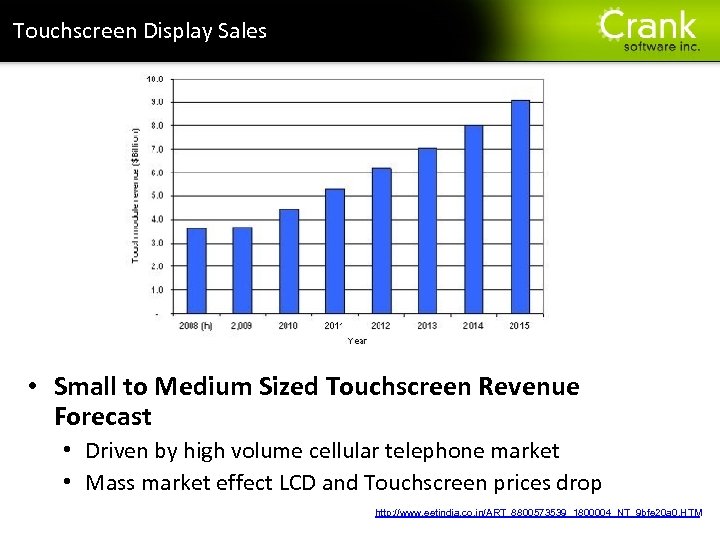
Section title Touchscreen Display Sales • Small to Medium Sized Touchscreen Revenue Forecast • Driven by high volume cellular telephone market • Mass market effect LCD and Touchscreen prices drop http: //www. eetindia. co. in/ART_8800573539_1800004_NT_9 bfe 20 a 0. HTM
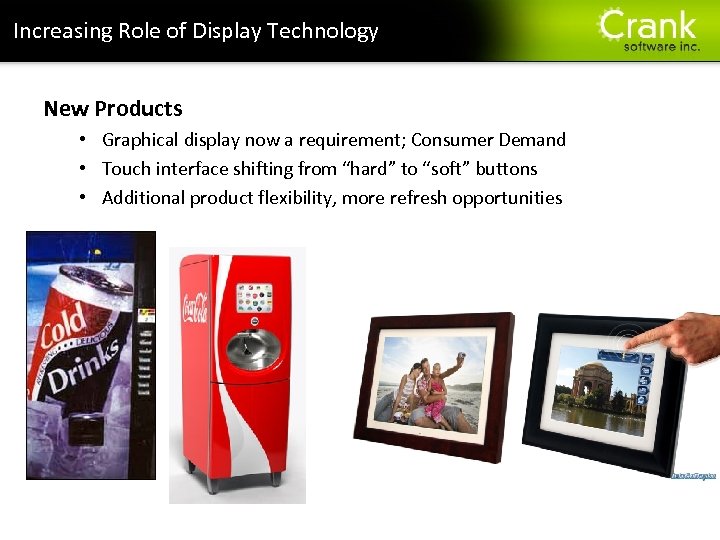
Increasing Role of Display Technology New Products • Graphical display now a requirement; Consumer Demand • Touch interface shifting from “hard” to “soft” buttons • Additional product flexibility, more refresh opportunities Section title
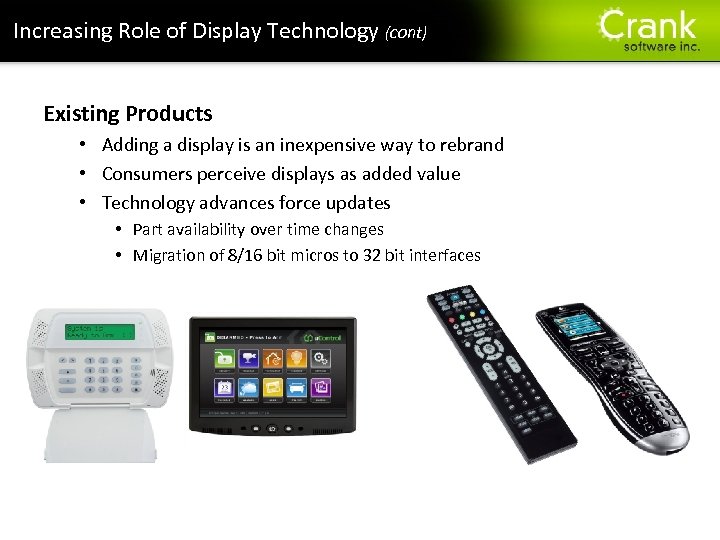
Increasing Role of Display Technology (cont) Existing Products • Adding a display is an inexpensive way to rebrand • Consumers perceive displays as added value • Technology advances force updates • Part availability over time changes • Migration of 8/16 bit micros to 32 bit interfaces Section title
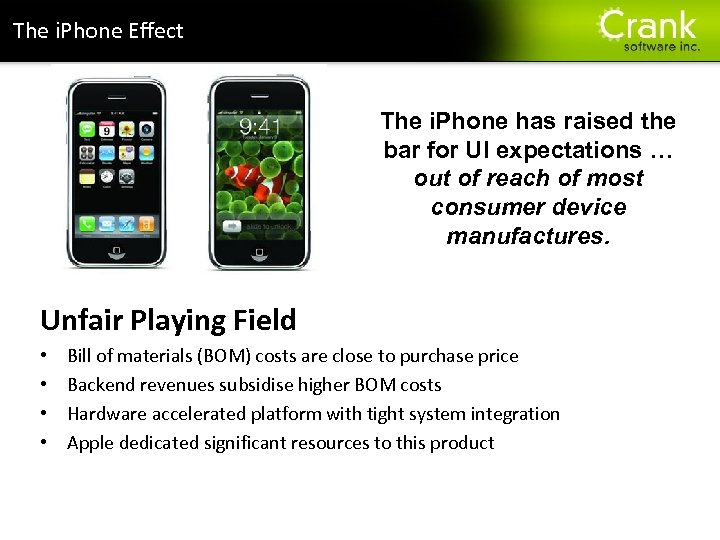
Section title The i. Phone Effect The i. Phone has raised the bar for UI expectations … out of reach of most consumer device manufactures. Unfair Playing Field • • Bill of materials (BOM) costs are close to purchase price Backend revenues subsidise higher BOM costs Hardware accelerated platform with tight system integration Apple dedicated significant resources to this product
Technology Requirements • Support rich visual content • Blending, animations and transparencies • Mostly 2 D, but demand for 3 D effects growing • Integrate and align with embedded systems • Constrained CPU and memory resources • Efficiently leverage hardware capabilities • Communicating with the system • Scalable and Portable technology • Single source solution across product lines • Operating System, Main Processor, Graphics hardware Section title
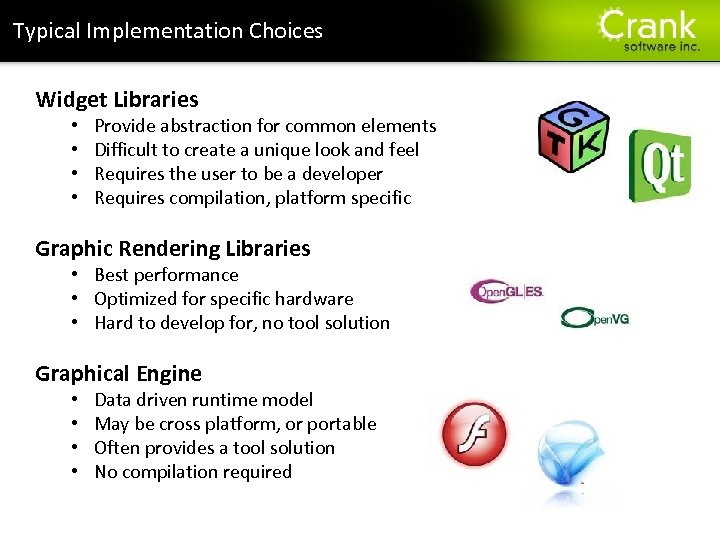
Typical Implementation Choices Widget Libraries • • Provide abstraction for common elements Difficult to create a unique look and feel Requires the user to be a developer Requires compilation, platform specific Graphic Rendering Libraries • Best performance • Optimized for specific hardware • Hard to develop for, no tool solution Graphical Engine • • Data driven runtime model May be cross platform, or portable Often provides a tool solution No compilation required Section title
Section title Who’s the new guy? 3/19/2018 15 15
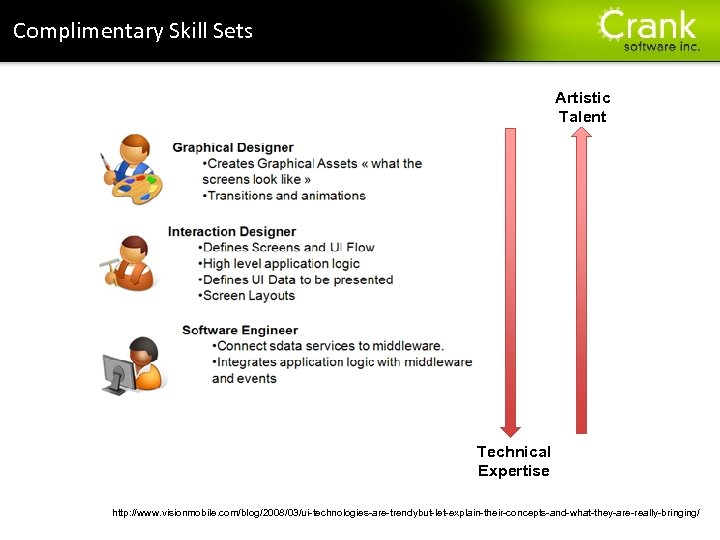
Section title Complimentary Skill Sets Artistic Talent Technical Expertise http: //www. visionmobile. com/blog/2008/03/ui-technologies-are-trendybut-let-explain-their-concepts-and-what-they-are-really-bringing/
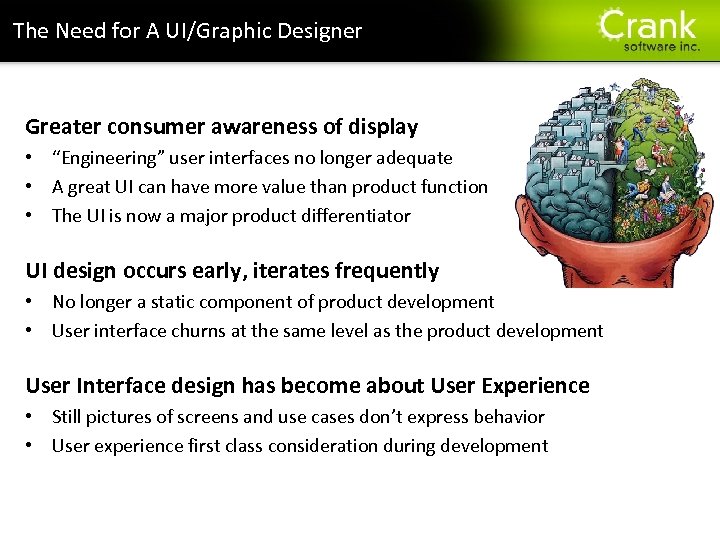
The Need for A UI/Graphic Designer Greater consumer awareness of display • “Engineering” user interfaces no longer adequate • A great UI can have more value than product function • The UI is now a major product differentiator UI design occurs early, iterates frequently • No longer a static component of product development • User interface churns at the same level as the product development User Interface design has become about User Experience • Still pictures of screens and use cases don’t express behavior • User experience first class consideration during development Section title
Section title UI Designer in the Embedded Lifecycle 3/19/2018 18
Integration of the UI Designer – Handoff Process • User interface design elements created • Initial content comes from a prototype, beta or mock-up • Prototype elements provided to SW developers • Graphic Designer ‘hands-off’ images, wireframes and storyboard • SW developers incorporate them into product • Transform graphic assets into implementation compatible • assets • Implement associated behaviour, often unspecified or assumed • Product approaches release • Churn and cycle through labour intensive adjustments Section title
Integration of the UI Designer – Handoff Challenges • More resources used than required • Designer employed part-time, not fully engaged • Software developer serves as technology interpreter • Designer doesn’t control of final product • User experience is often not what was intended • Many cycles wasted iterating back and forth • Team burnout and weariness of change cycles • Substandard end product results Section title
Integration of the UI Designer – Square Peg Process • User Interface design elements created • Same artifacts generated as in hand-off • Parallel development enabled • Graphic designer builds UI using tools • Desktop technologies Photoshop and Flash • Software developer incorporates technology • Porting effort to embedded platform • Integrate ported technology and content • Tune embedded display to match desktop Section title
Integration of the UI Designer – Square Peg Challenges • Downstream work effort • Future ports to new systems • Wasted in house expertise • Interface challenges • How to communicate with target system • Abstraction layer to isolate technology • Incompatible technology fit • Designed for desktop; infinite resources • Needs to be customized for embedded Section title
Section title Integration into the Embedded System 3/19/2018 23 23
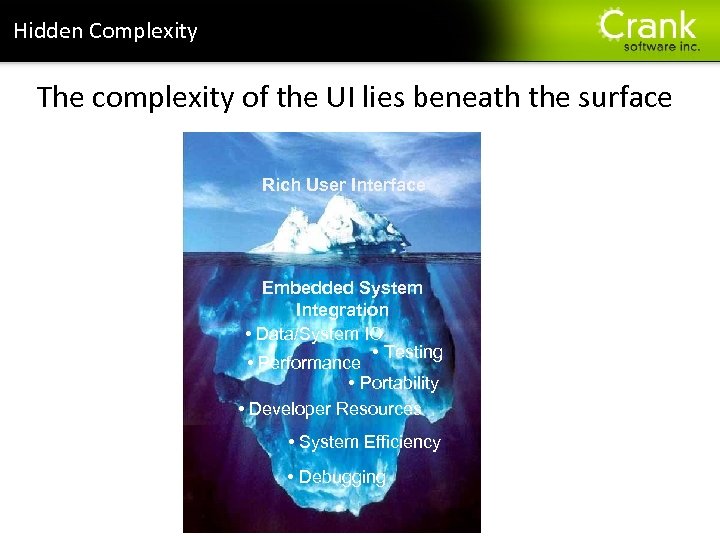
Section title Hidden Complexity The complexity of the UI lies beneath the surface Rich User Interface Embedded System Integration • Data/System IO • Testing • Performance • Portability • Developer Resources • System Efficiency • Debugging
Section title Embedded System Integration Rich Displays and Animations v. s. Resource Constrained System Two concepts at odds with each other • Rich Displays Memory consuming graphics/fonts • Animations CPU cycles for compositing Few developers understand full picture • Minimize resource consumption, maintain quality • Concurrent development support: System & UI
Leverage Hardware Capabilities Multiple levels of hardware acceleration • • Optimized blit Filled rectangle Alpha blending and chroma keying Polygon routines Matrix transformations Multi-layer and drawing surface support Language support: Open. VG Open. GL (ES) Section title
Leverage Hardware Capabilities (cont) Section title Hardware offload challenges • Many solutions abstract HW details • Too much abstraction leaves untapped potential More than just dedicated GPU support • Language support, processor optimizations etc Plan a scalability roadmap • Leverage all flavours of hardware support throughout an entire product line • Technology constantly evolving and improving
System Communication Performance is only one consideration • • How to integrate with the overall system? How does data enter/exit the interface? How much effect on your design? Is migration between platforms seamless? Flash as a case study • Sandboxed technology, difficult to extend • Designed for desktop with network stack Section title
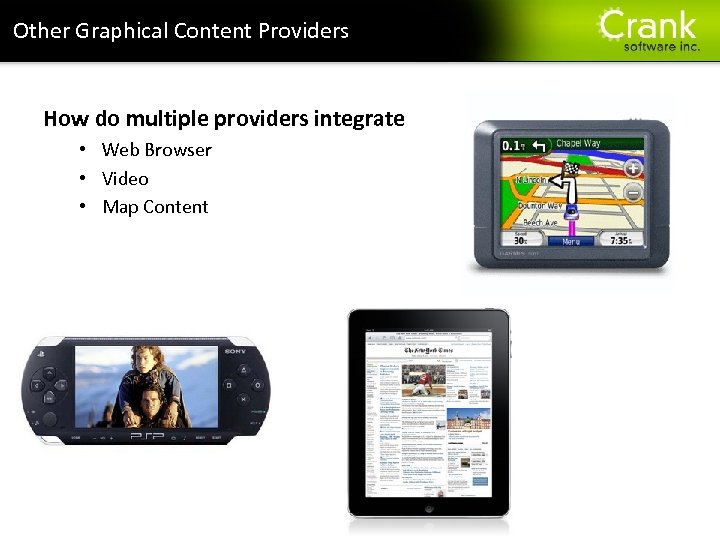
Other Graphical Content Providers How do multiple providers integrate • Web Browser • Video • Map Content Section title
Portability. . . Cost Savings tomorrow Consumer products are fickle • Often extends to many embedded products • Any reasonable measure to drop HW BOM cost UI should be as portable as code, but not code • UI costs often negated in porting estimates • OS support may not include graphics support Scalable solutions often leveraged • Consideration for evolution of the technology • Trend towards integration direct to core Section title
Testing and Verification Testing rarely a design decision concern • Testing is a challenge, UI testing even more so Testing less likely if no framework support • Can UI be exercised and validated? • Can it be automated or is it a manual process? • How to monitor quality and progress? Desktop tools generally not applicable • Most do not consider remote targets Section title
Utopia: A Lofty Goal Development Environment • Support efficient prototype-to-product development • Targeted at running inside embedded systems • Enable parallel and collaborative development Runtime Environment • Scalable, modern and efficient feature set • Portable technology, easy to migrate systems • Facilitates design testing, debugging performance Section title
Prototype To Product Development Create a familiar development environment • Desktop systems, Mac and Windows OS Allow graphic designers to work with their tools • Photoshop, Flash for content development Avoid duplication and redundant activities • Deploy what you build • Focus individuals on their core competencies Section title
Section title Demonstration of Crank’s Storyboard Suite targeting MS 7724 3/19/2018 34 34
Questions? Section title 35
Section title Thank You 3/19/2018 36
Section title Appendix 3/19/2018 37 37
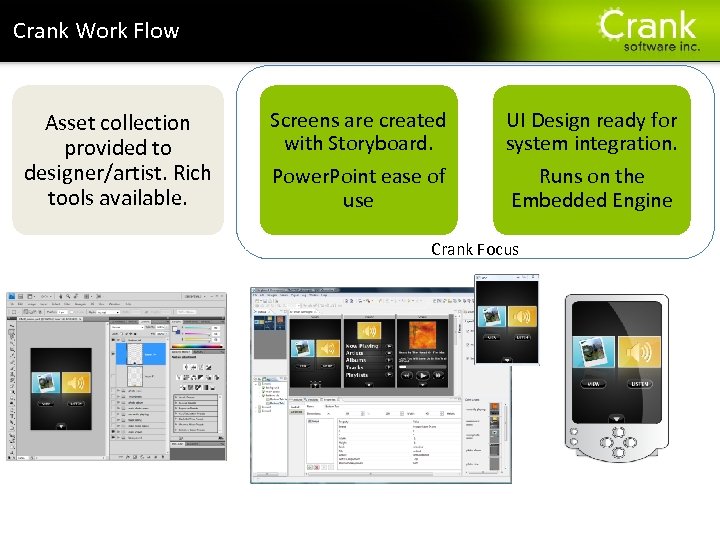
Section title Crank Work Flow Asset collection provided to designer/artist. Rich tools available. Screens are created with Storyboard. Power. Point ease of use UI Design ready for system integration. Runs on the Embedded Engine Crank Focus
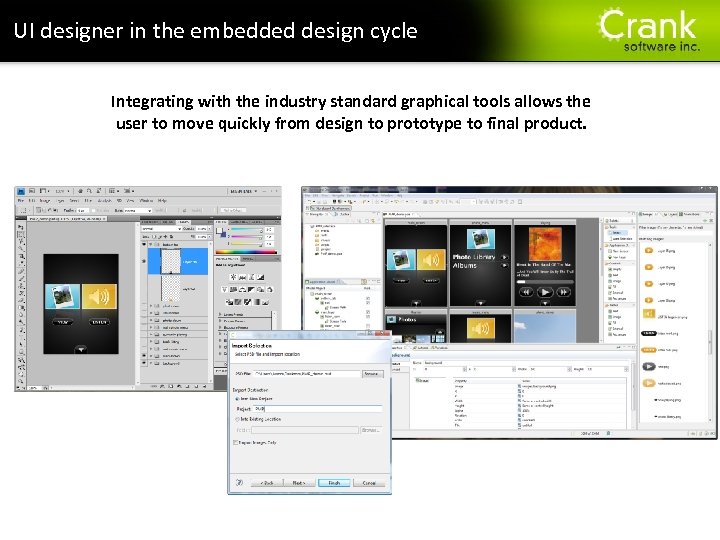
UI designer in the embedded design cycle Integrating with the industry standard graphical tools allows the user to move quickly from design to prototype to final product. Section title
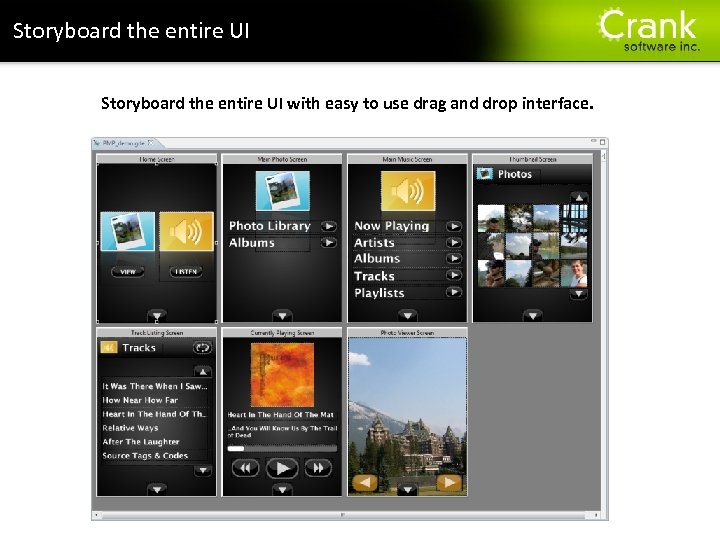
Storyboard the entire UI with easy to use drag and drop interface. Section title
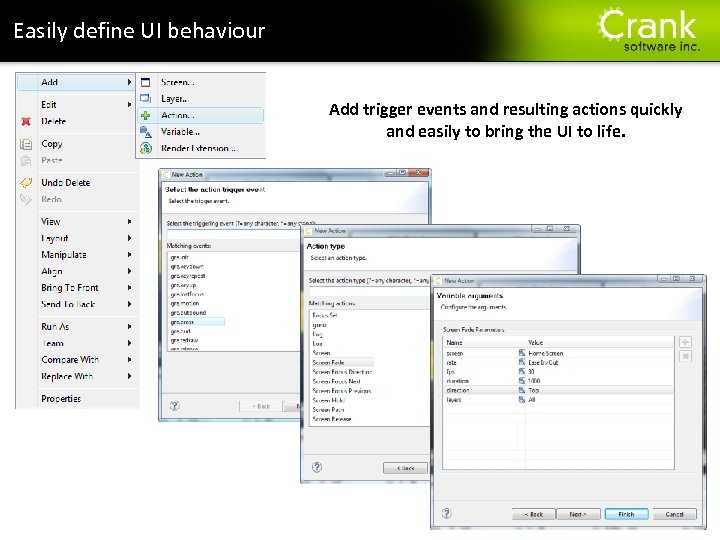
Easily define UI behaviour Section title Add trigger events and resulting actions quickly and easily to bring the UI to life.
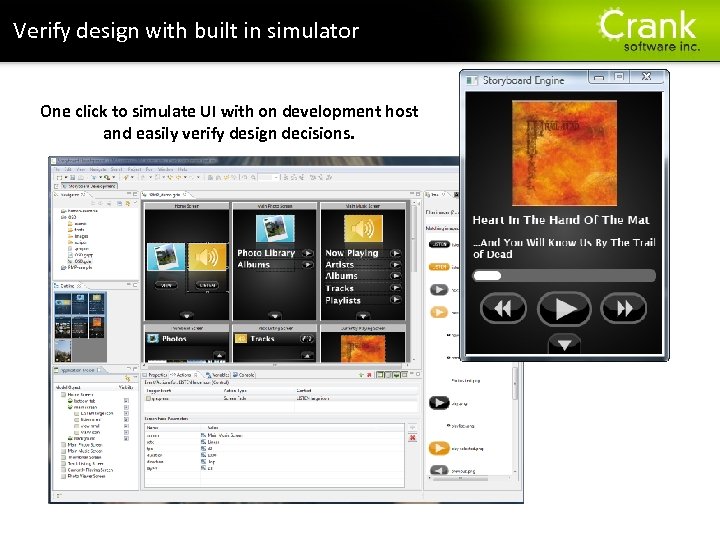
Verify design with built in simulator One click to simulate UI with on development host and easily verify design decisions. Section title
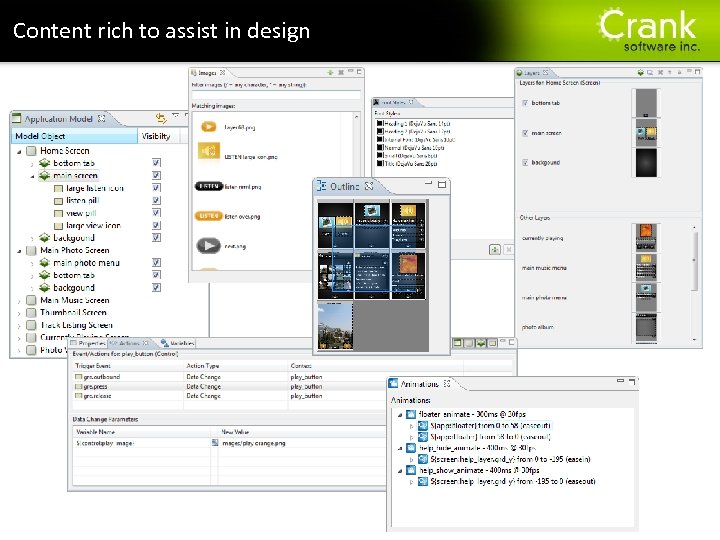
Content rich to assist in design Section title
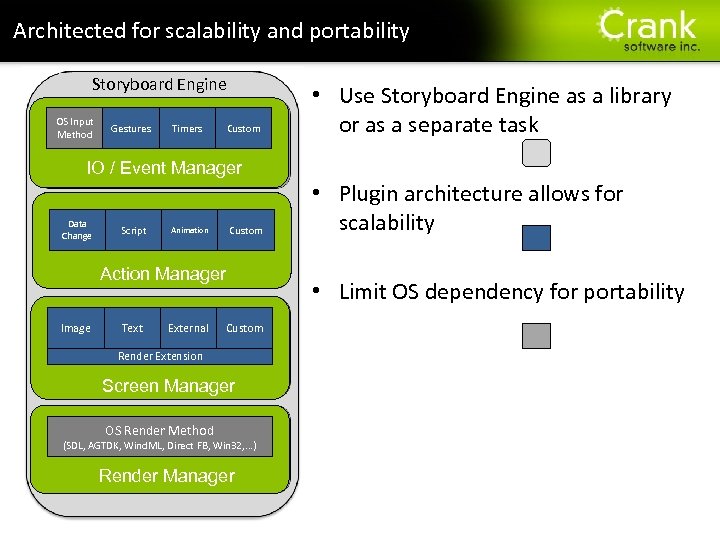
Architected for scalability and portability Storyboard Engine OS Input Method Gestures Timers Custom Section title • Use Storyboard Engine as a library or as a separate task IO / Event Manager Data Change Script Animation Custom Action Manager Image Text External • Plugin architecture allows for scalability • Limit OS dependency for portability Custom Render Extension Screen Manager OS Render Method (SDL, AGTDK, Wind. ML, Direct FB, Win 32, . . . ) Render Manager
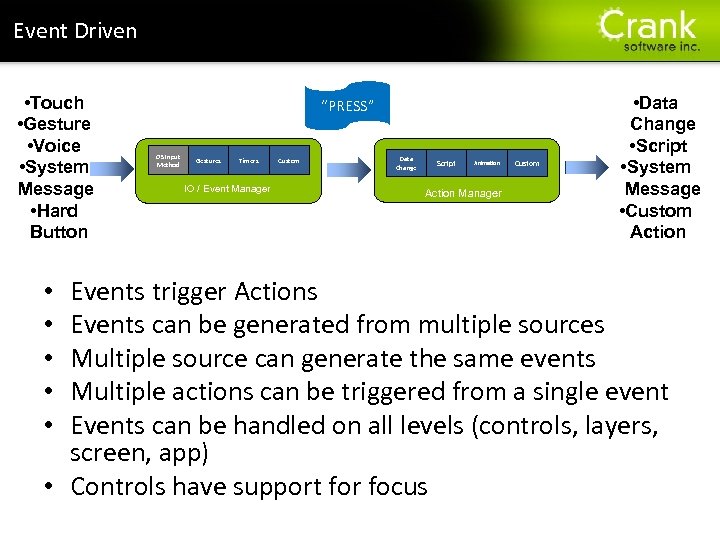
Section title Event Driven • Touch • Gesture • Voice • System Message • Hard Button “PRESS” OS Input Method Gestures Timers IO / Event Manager Custom Data Change Script Animation Action Manager Custom • Data Change • Script • System Message • Custom Action Events trigger Actions Events can be generated from multiple sources Multiple source can generate the same events Multiple actions can be triggered from a single event Events can be handled on all levels (controls, layers, screen, app) • Controls have support for focus • • •
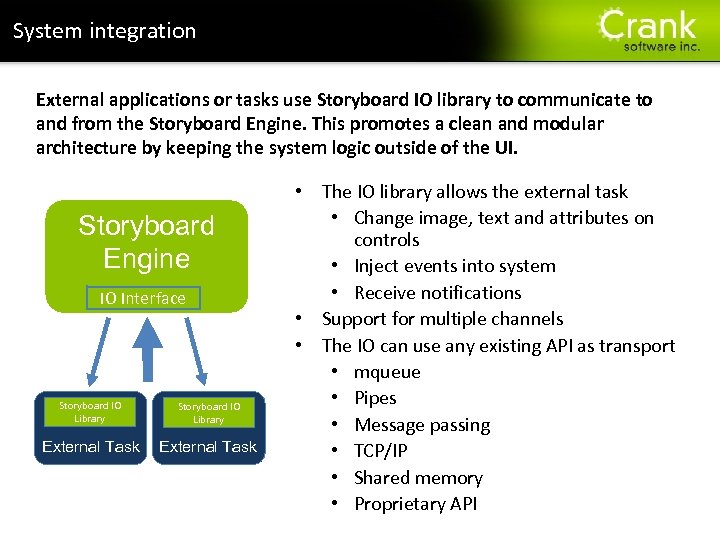
System integration Section title External applications or tasks use Storyboard IO library to communicate to and from the Storyboard Engine. This promotes a clean and modular architecture by keeping the system logic outside of the UI. Storyboard Engine IO Interface Storyboard IO Library External Task • The IO library allows the external task • Change image, text and attributes on controls • Inject events into system • Receive notifications • Support for multiple channels • The IO can use any existing API as transport • mqueue • Pipes • Message passing • TCP/IP • Shared memory • Proprietary API
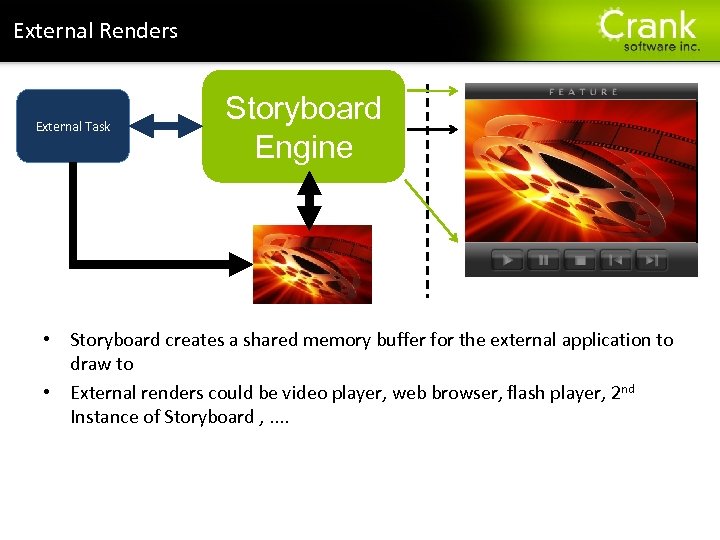
Section title External Renders External Task Storyboard Engine External Render Buffer • Storyboard creates a shared memory buffer for the external application to draw to • External renders could be video player, web browser, flash player, 2 nd Instance of Storyboard , . .
Renesas Electronics America Inc.
Скачать презентацию Section title ID B 33 C Developing Rich
ab0553475948b1a59e6d2e6662905435.ppt