


 Скачать презентацию SE 325 425 Principles and Practices of Software Engineering
c7a35fcc342fad0b0295f3068bbc13d1.ppt
- Количество слайдов: 98
 SE 325/425 Principles and Practices of Software Engineering Autumn 2008 James Nowotarski 18 September 2008
 Today’s Agenda Topic Duration ¢ Key models/frameworks (cont. ) 60 minutes ¢ Requirements process 30 minutes *** Break ¢ Requirements process (cont. ) ¢ 90 minutes Wrap up 2
 Does SE Matter? ¢ “Why write your own application for word processing or e mail or, for that matter, supply chain management when you can buy a ready made, state of the art application for a fraction of the cost? ” ¢ “…more companies [are] replac[ing] customized applications with standardized ones” 3 Source: Carr, N. (2003, May). IT doesn’t matter. Harvard Business Review, 81(5), 41 -49.
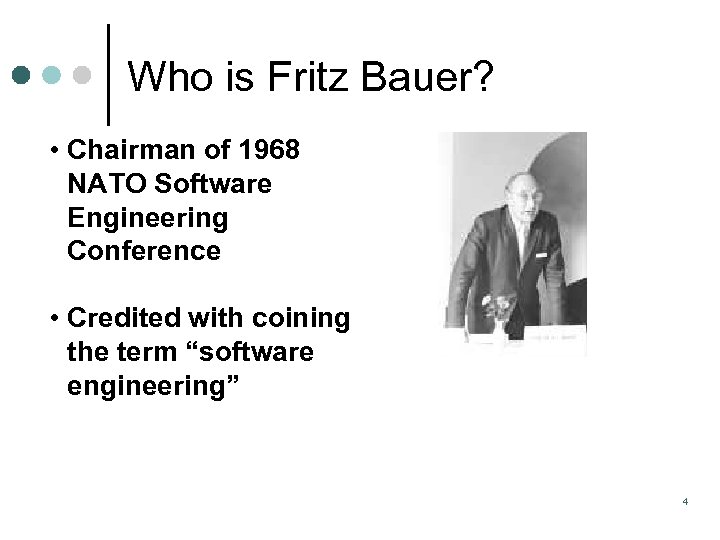 Who is Fritz Bauer? • Chairman of 1968 NATO Software Engineering Conference • Credited with coining the term “software engineering” 4
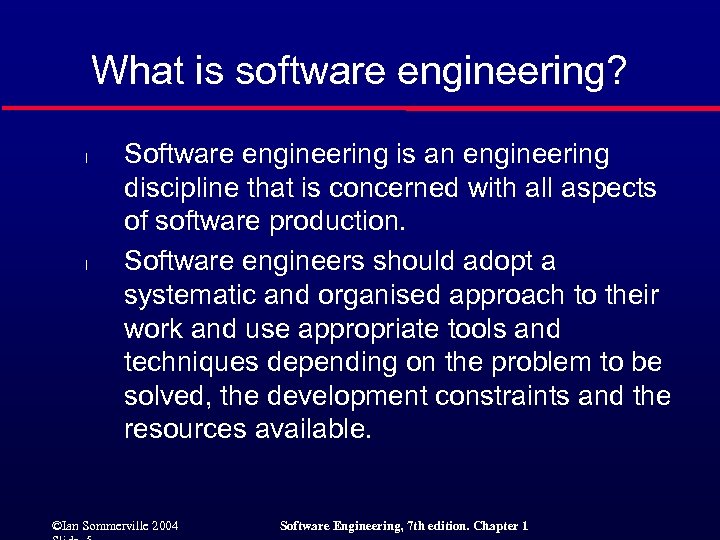 What is software engineering? l l Software engineering is an engineering discipline that is concerned with all aspects of software production. Software engineers should adopt a systematic and organised approach to their work and use appropriate tools and techniques depending on the problem to be solved, the development constraints and the resources available. ©Ian Sommerville 2004 Software Engineering, 7 th edition. Chapter 1
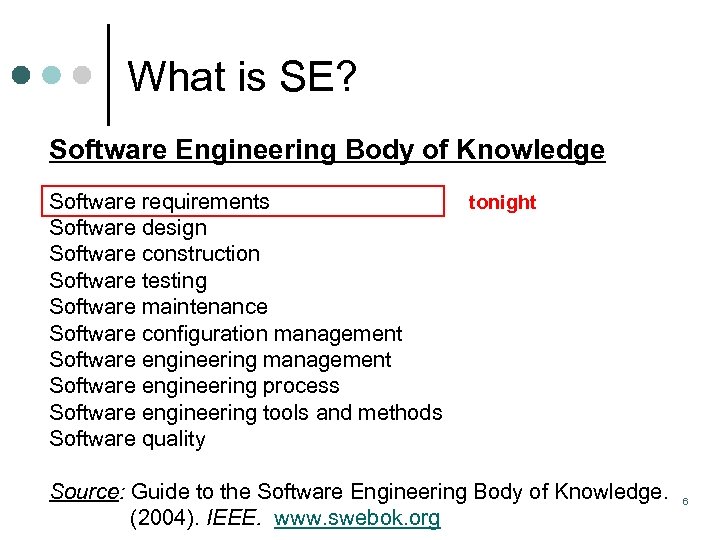 What is SE? Software Engineering Body of Knowledge Software requirements Software design Software construction Software testing Software maintenance Software configuration management Software engineering process Software engineering tools and methods Software quality tonight Source: Guide to the Software Engineering Body of Knowledge. (2004). IEEE. www. swebok. org 6
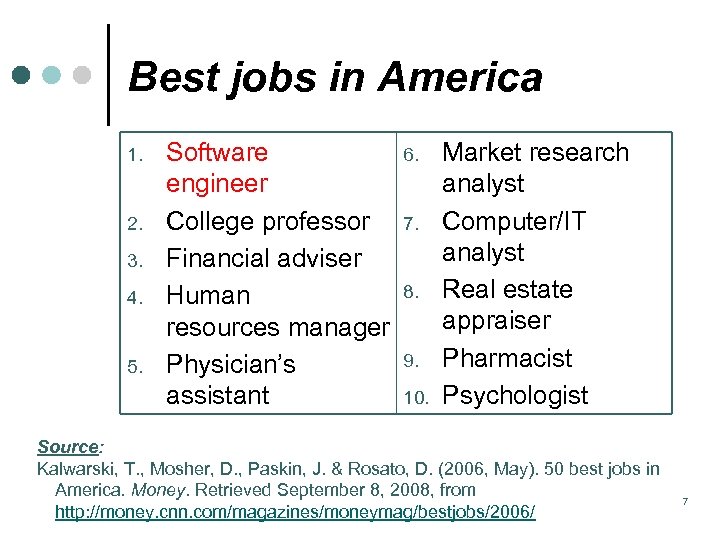 IT Outsourcing Best jobs in America 1. 2. 3. 4. 5. Software engineer College professor Financial adviser Human resources manager Physician’s assistant 6. 7. 8. 9. 10. Market research analyst Computer/IT analyst Real estate appraiser Pharmacist Psychologist Source: Kalwarski, T. , Mosher, D. , Paskin, J. & Rosato, D. (2006, May). 50 best jobs in America. Money. Retrieved September 8, 2008, from http: //money. cnn. com/magazines/moneymag/bestjobs/2006/ 7
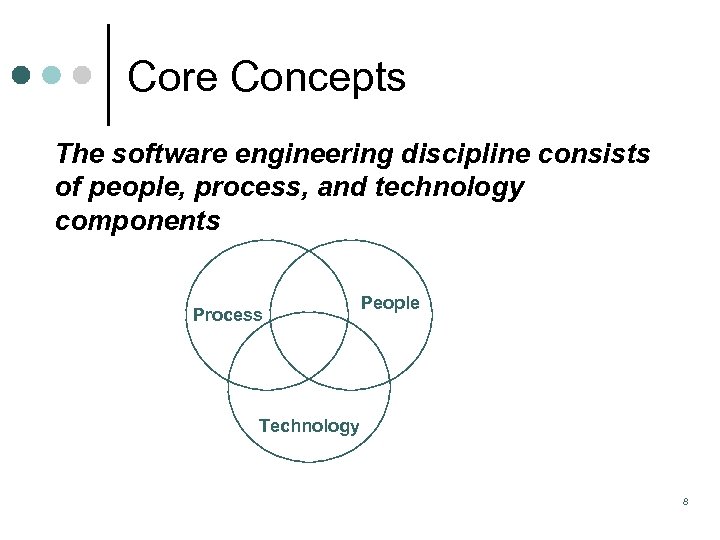 Core Concepts The software engineering discipline consists of people, process, and technology components Process People Technology 8
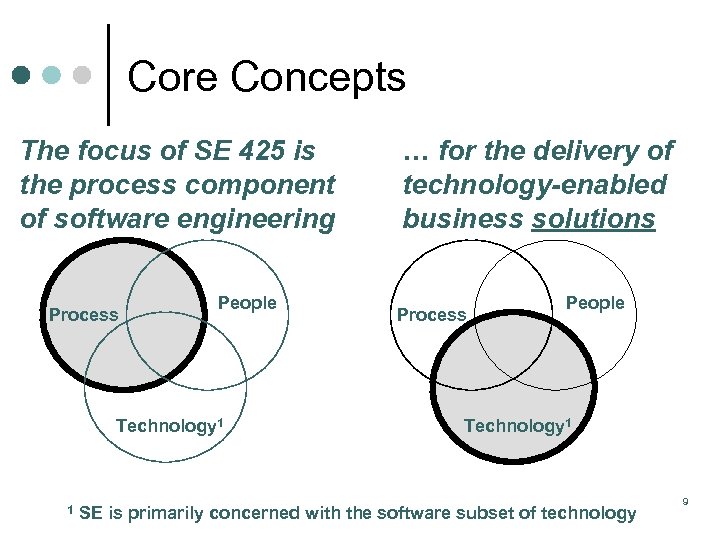 Core Concepts The focus of SE 425 is the process component of software engineering Process People Technology 1 … for the delivery of technology-enabled business solutions Process People Technology 1 1 SE is primarily concerned with the software subset of technology 9
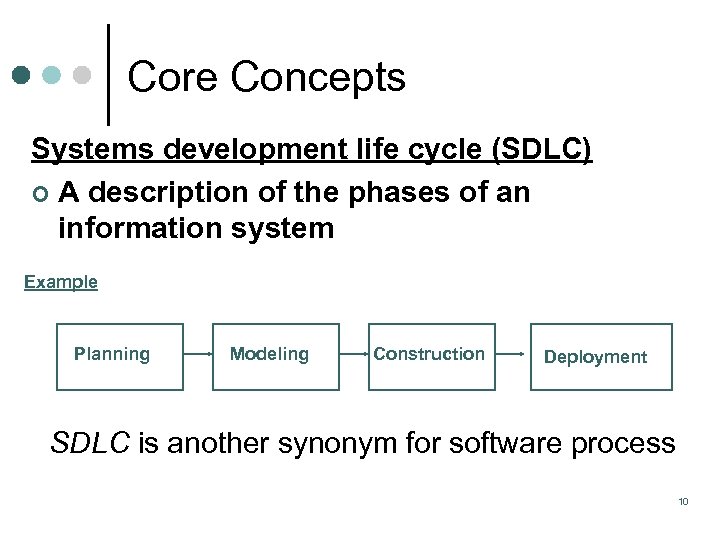 Core Concepts Systems development life cycle (SDLC) ¢ A description of the phases of an information system Example Planning Modeling Construction Deployment SDLC is another synonym for software process 10
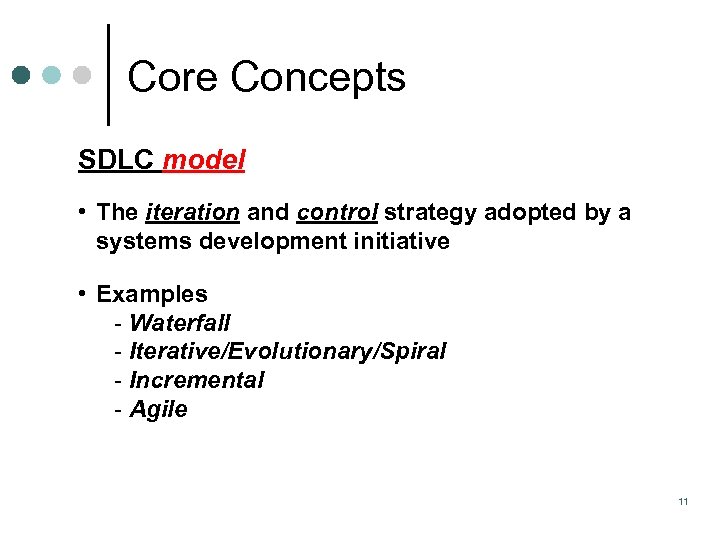 Core Concepts SDLC model • The iteration and control strategy adopted by a systems development initiative • Examples Waterfall Iterative/Evolutionary/Spiral Incremental Agile 11
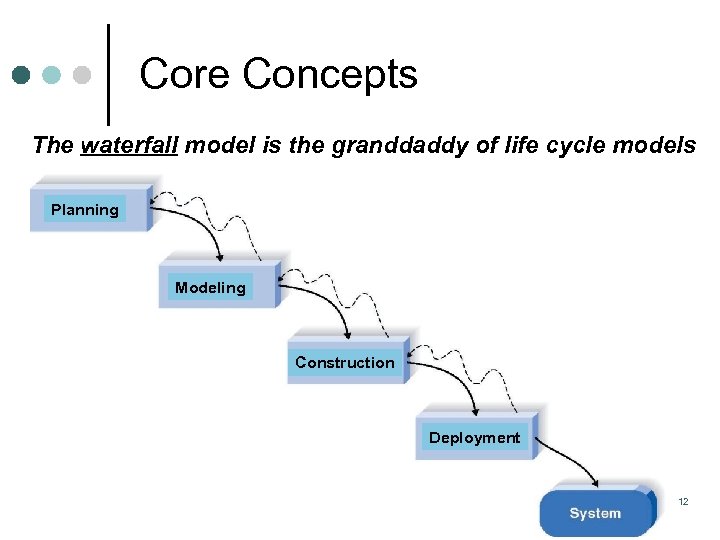 Core Concepts The waterfall model is the granddaddy of life cycle models Planning Modeling Construction Deployment 12
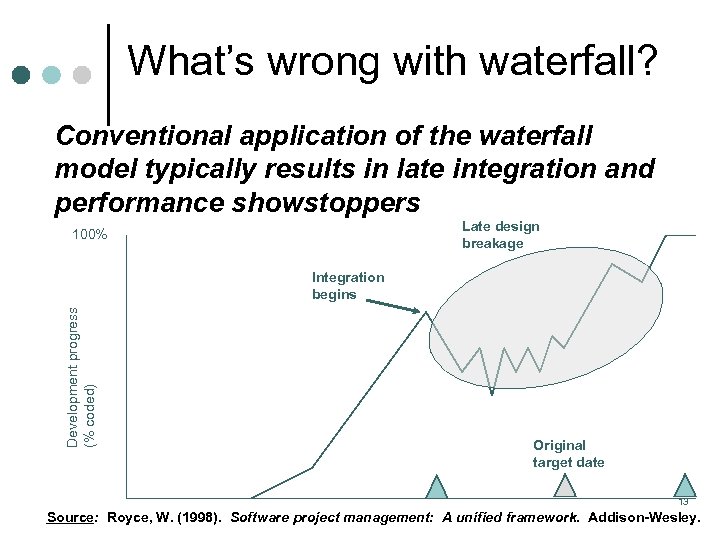 What’s Protracted integration and late breakage wrong with waterfall? Conventional application of the waterfall model typically results in late integration and performance showstoppers Late design breakage 100% Development progress (% coded) Integration begins Original target date 13 Source: Royce, W. (1998). Software project management: A unified framework. Addison-Wesley.
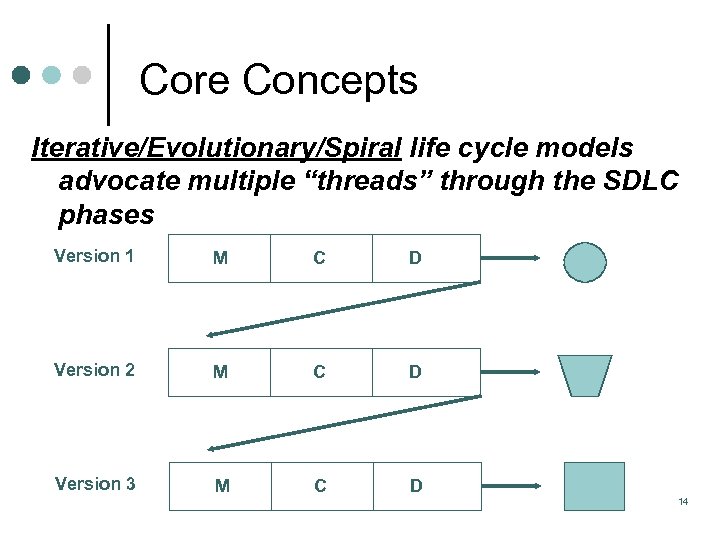 Core Concepts Iterative/Evolutionary/Spiral life cycle models advocate multiple “threads” through the SDLC phases Version 1 M C D Version 2 M C D Version 3 M C D 14
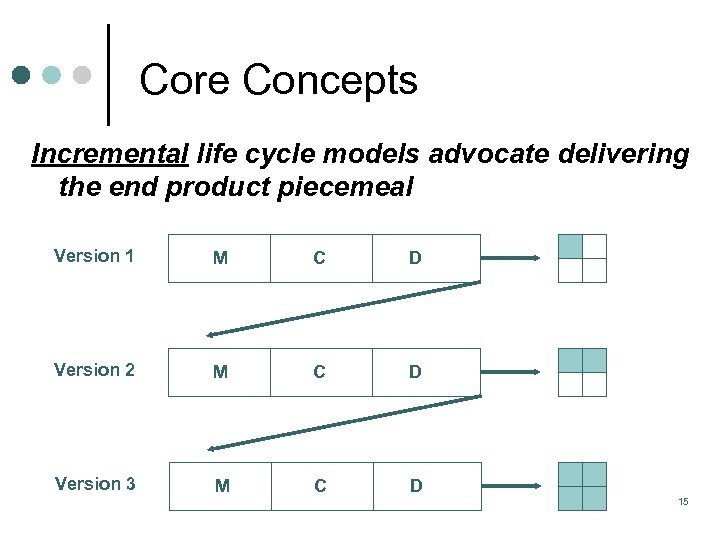 Core Concepts Incremental life cycle models advocate delivering the end product piecemeal Version 1 M C D Version 2 M C D Version 3 M C D 15
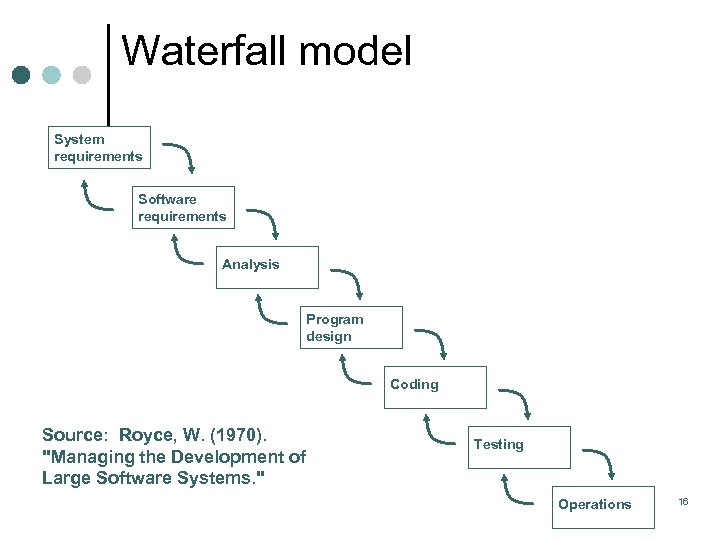 Waterfall model System requirements Software requirements Analysis Program design Coding Source: Royce, W. (1970). "Managing the Development of Large Software Systems. " Testing Operations 16
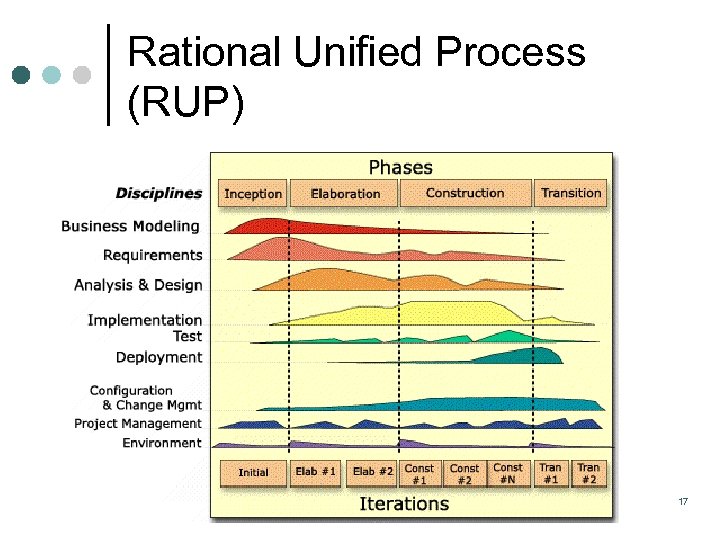 Rational Unified Process (RUP) 17
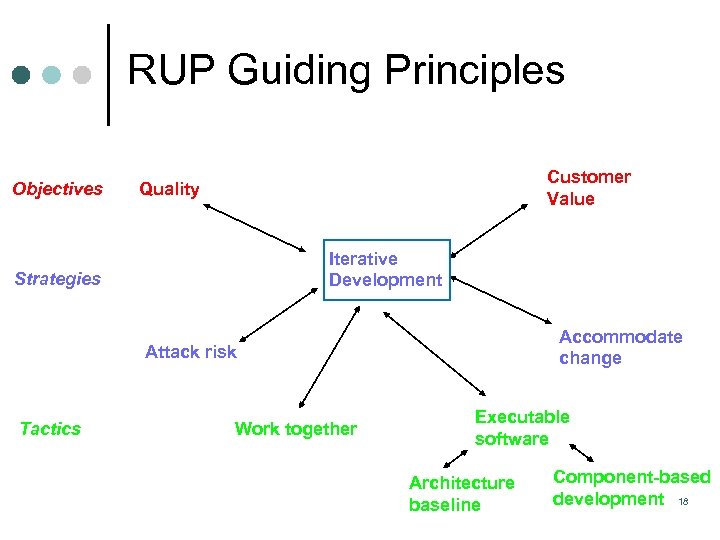 RUP Guiding Principles Objectives Customer Value Quality Iterative Development Strategies Accommodate change Attack risk Tactics Work together Executable software Architecture baseline Component-based development 18
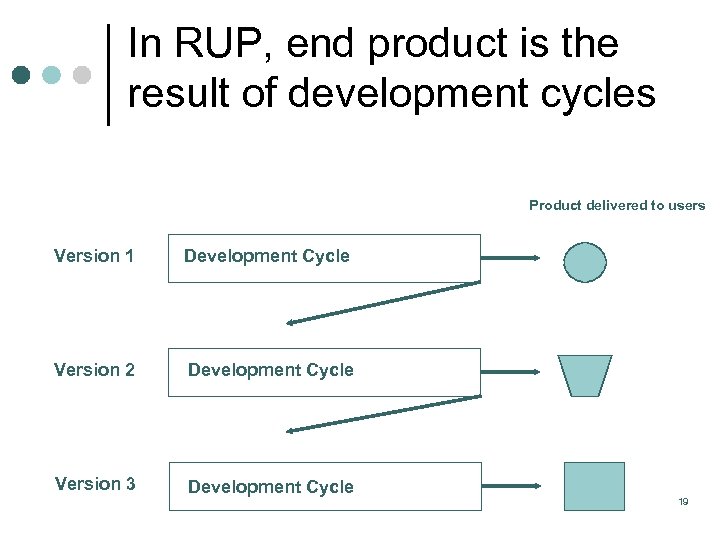 In RUP, end product is the result of development cycles Product delivered to users Version 1 Development Cycle Version 2 Development Cycle Version 3 Development Cycle 19
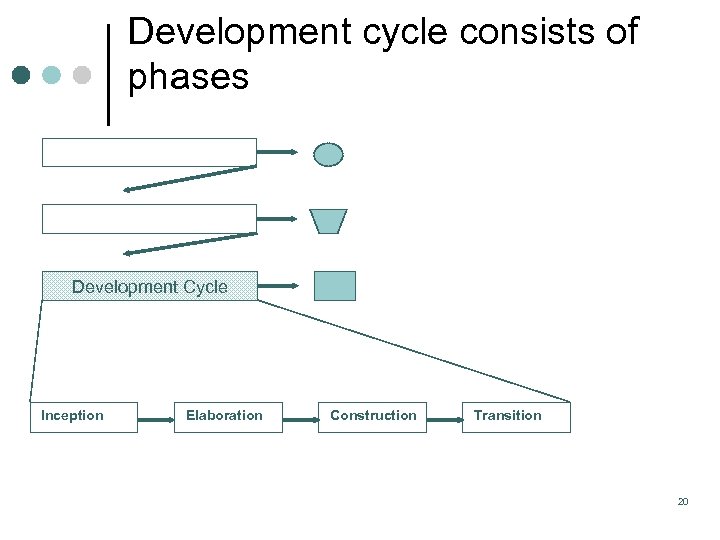 Development cycle consists of phases Development Cycle Inception Elaboration Construction Transition 20
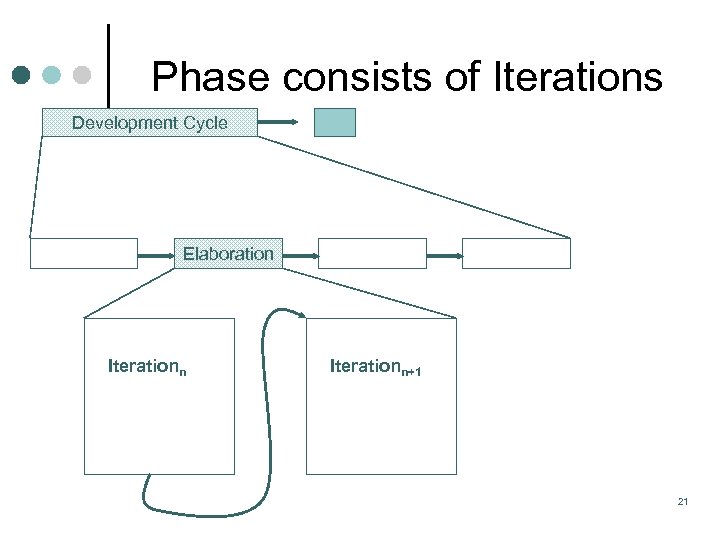 Phase consists of Iterations Development Cycle Elaboration Iterationn+1 21
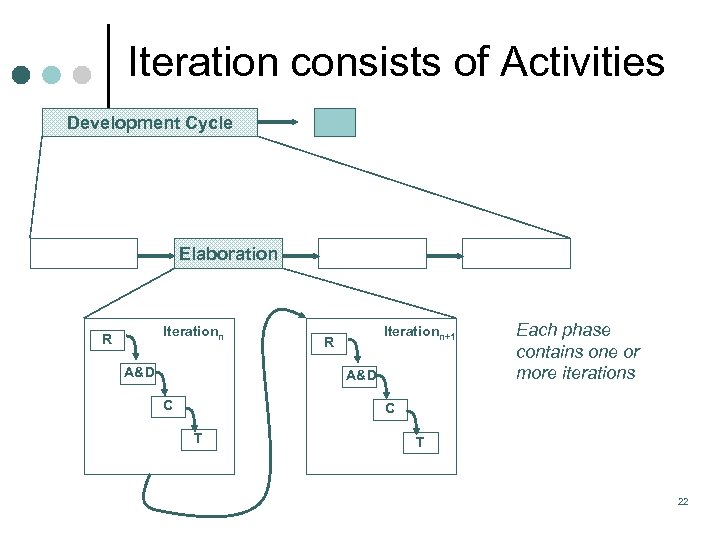 Iteration consists of Activities Development Cycle Elaboration Iterationn R A&D Iterationn+1 R A&D C Each phase contains one or more iterations C T T 22
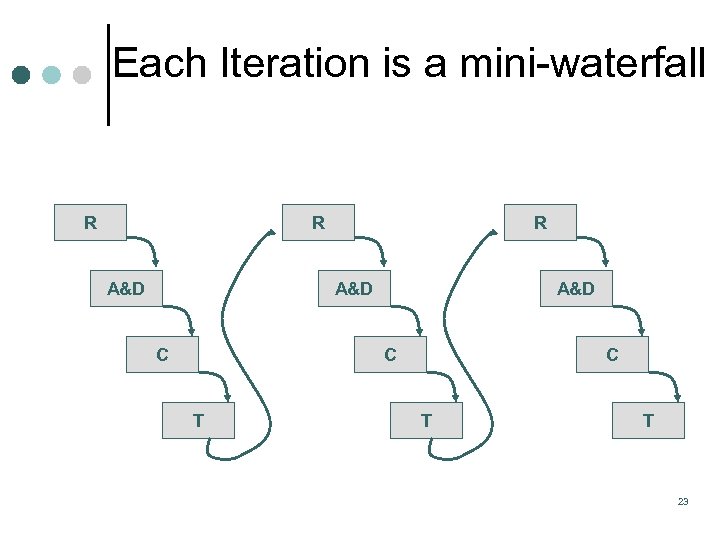 Each Iteration is a mini waterfall R R A&D C T T 23
 Iterative Advantages/Disadvantages Advantages Disadvantages ¢ ¢ 24
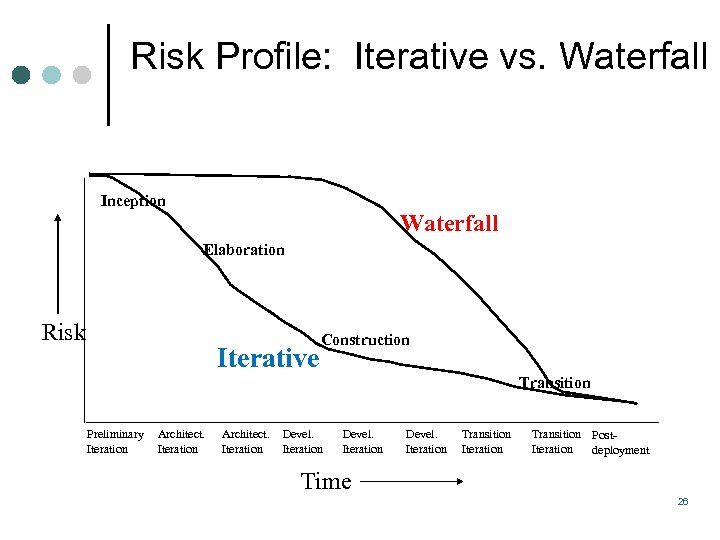 Risk Profile: Iterative vs. Waterfall Inception Waterfall Elaboration Risk Iterative Construction Transition Preliminary Iteration Architect. Iteration Devel. Iteration Transition Post. Iteration deployment Time Copyright © 1997 by Rational Software Corporation 26
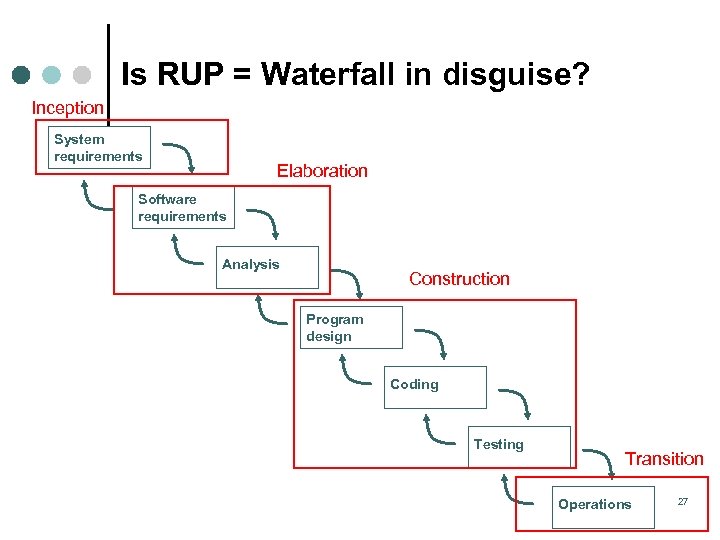 Is RUP = Waterfall in disguise? Inception System requirements Elaboration Software requirements Analysis Construction Program design Coding Testing Transition Operations 27
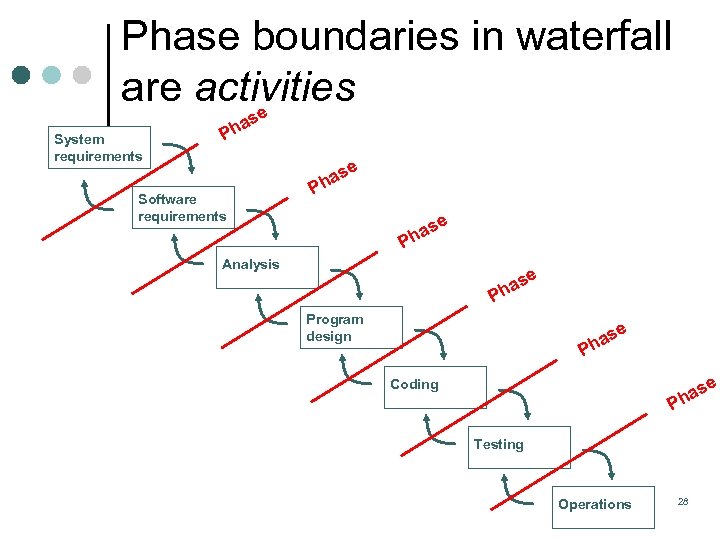 Phase boundaries in waterfall are activities e s System requirements a Ph e Software requirements s ha P se a Ph Analysis e as h P Program design se ha P e as h Coding P Testing Operations 28
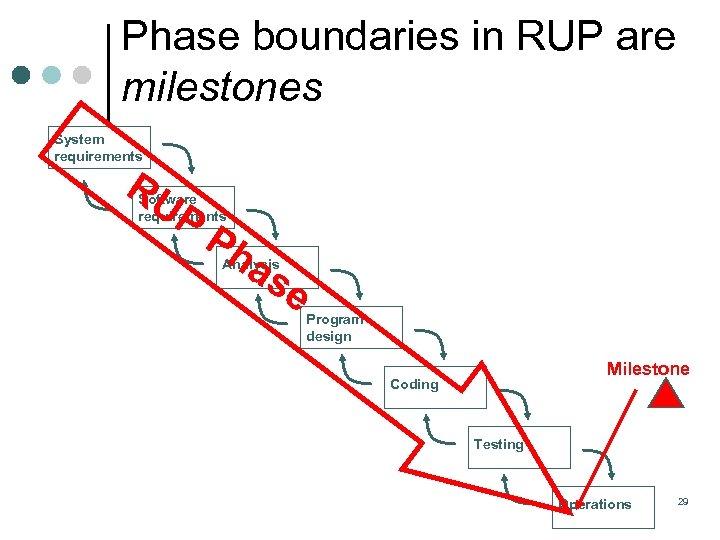 Phase boundaries in RUP are milestones System requirements RU P Software requirements Ph as Analysis e Program design Milestone Coding Testing Operations 29
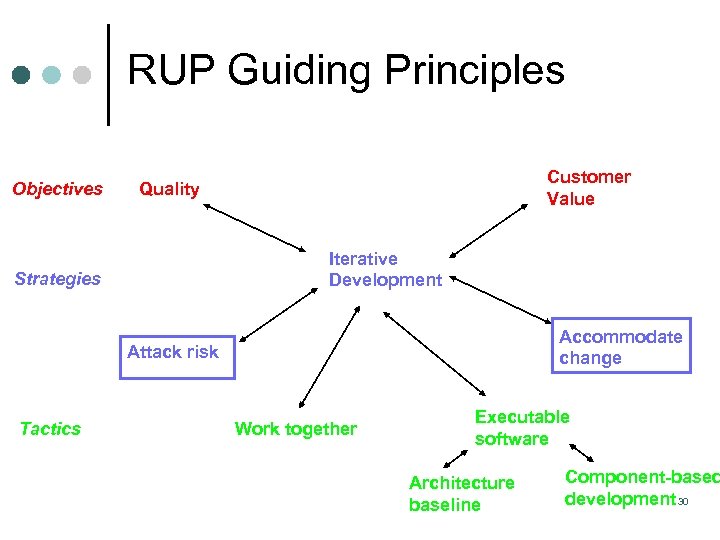 RUP Guiding Principles Objectives Customer Value Quality Iterative Development Strategies Accommodate change Attack risk Tactics Work together Executable software Architecture baseline Component-based development 30
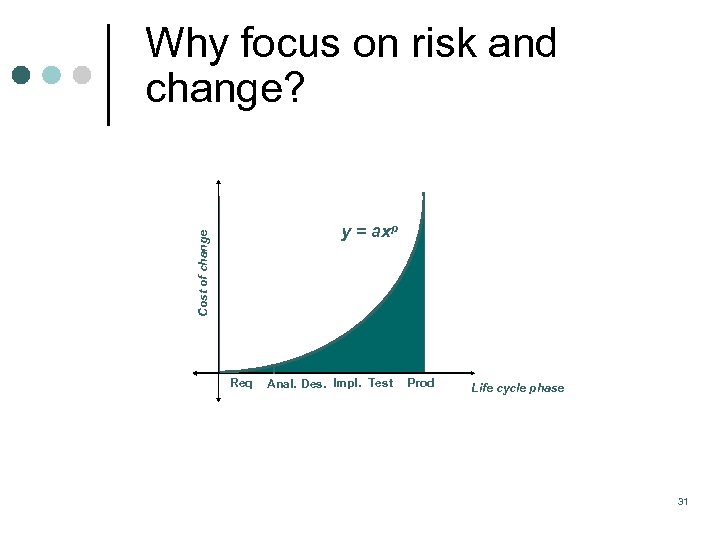 Why focus on risk and change? Cost of change y = axp Req Anal. Des. Impl. Test Prod Life cycle phase 31
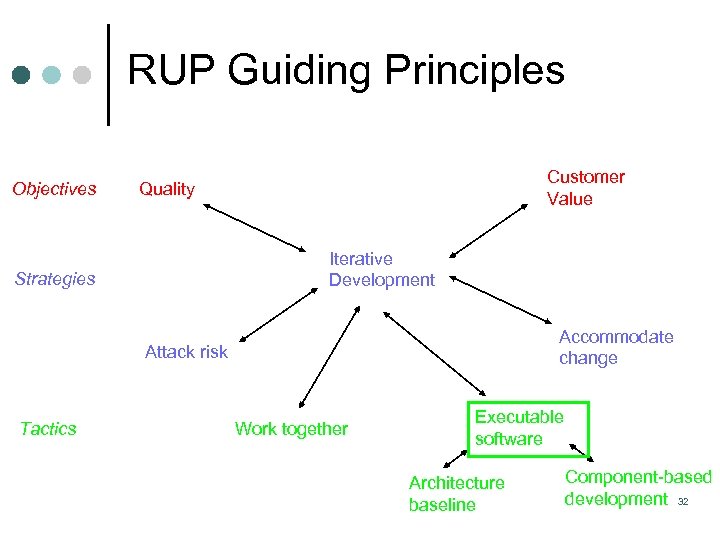 RUP Guiding Principles Objectives Customer Value Quality Iterative Development Strategies Accommodate change Attack risk Tactics Work together Executable software Architecture baseline Component based development 32
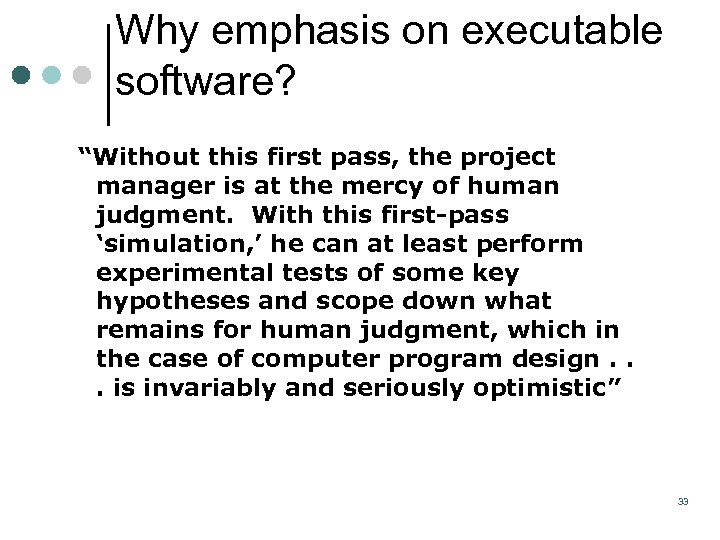 Why emphasis on executable software? “Without this first pass, the project manager is at the mercy of human judgment. With this first-pass ‘simulation, ’ he can at least perform experimental tests of some key hypotheses and scope down what remains for human judgment, which in the case of computer program design. . . is invariably and seriously optimistic” 33
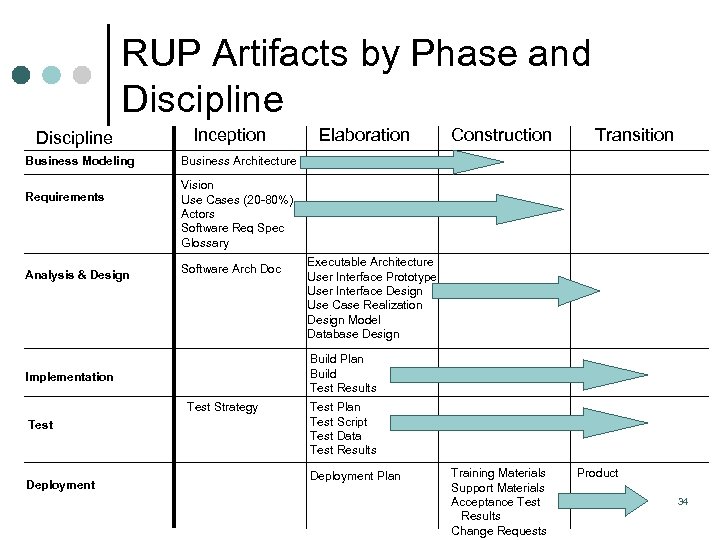 RUP Artifacts by Phase and Discipline Business Modeling Requirements Analysis & Design Inception Transition Vision Use Cases (20 80%) Actors Software Req Spec Glossary Software Arch Doc Executable Architecture User Interface Prototype User Interface Design Use Case Realization Design Model Database Design Build Plan Build Test Results Test Strategy Deployment Construction Business Architecture Implementation Test Elaboration Test Plan Test Script Test Data Test Results Deployment Plan Training Materials Support Materials Acceptance Test Results Change Requests Product 34
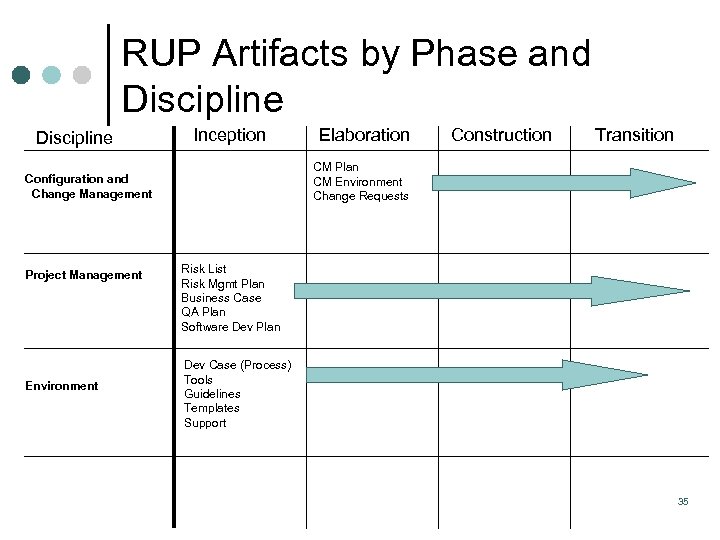 RUP Artifacts by Phase and Discipline Inception Environment Construction Transition CM Plan CM Environment Change Requests Configuration and Change Management Project Management Elaboration Risk List Risk Mgmt Plan Business Case QA Plan Software Dev Plan Dev Case (Process) Tools Guidelines Templates Support 35
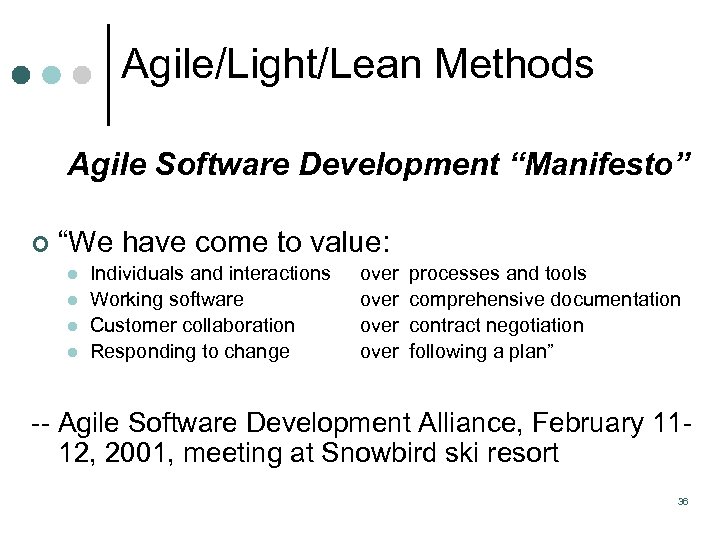 Agile/Light/Lean Methods Agile Software Development “Manifesto” ¢ “We have come to value: l l Individuals and interactions Working software Customer collaboration Responding to change over processes and tools comprehensive documentation contract negotiation following a plan” Agile Software Development Alliance, February 11 12, 2001, meeting at Snowbird ski resort 36
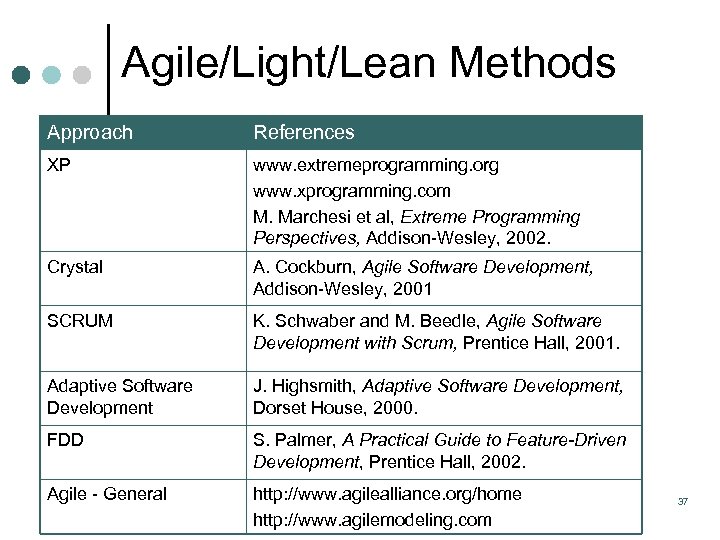 Agile/Light/Lean Methods Approach References XP www. extremeprogramming. org www. xprogramming. com M. Marchesi et al, Extreme Programming Perspectives, Addison Wesley, 2002. Crystal A. Cockburn, Agile Software Development, Addison Wesley, 2001 SCRUM K. Schwaber and M. Beedle, Agile Software Development with Scrum, Prentice Hall, 2001. Adaptive Software Development J. Highsmith, Adaptive Software Development, Dorset House, 2000. FDD S. Palmer, A Practical Guide to Feature-Driven Development, Prentice Hall, 2002. Agile General http: //www. agilealliance. org/home http: //www. agilemodeling. com 37
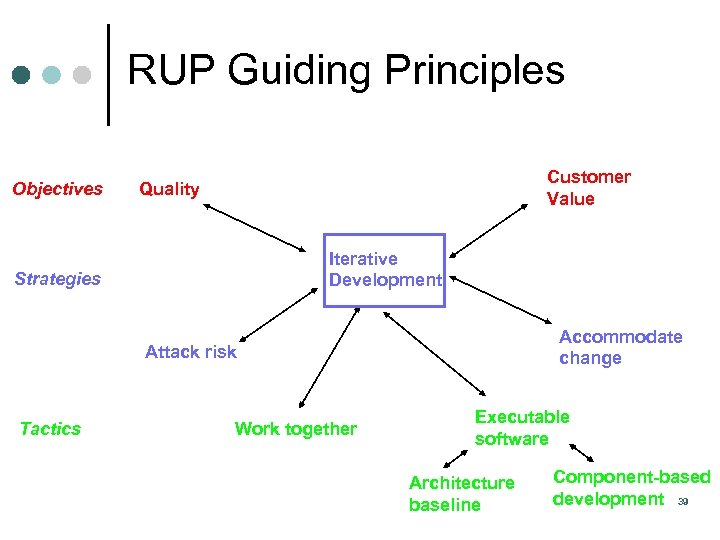 RUP Guiding Principles Objectives Customer Value Quality Iterative Development Strategies Accommodate change Attack risk Tactics Work together Executable software Architecture baseline Component-based development 39
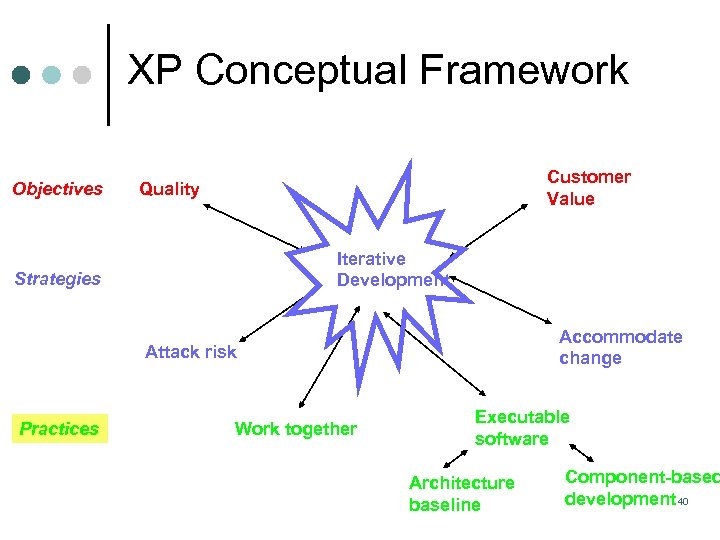 XP Conceptual Framework Objectives Customer Value Quality Iterative Development Strategies Accommodate change Attack risk Practices Work together Executable software Architecture baseline Component-based development 40
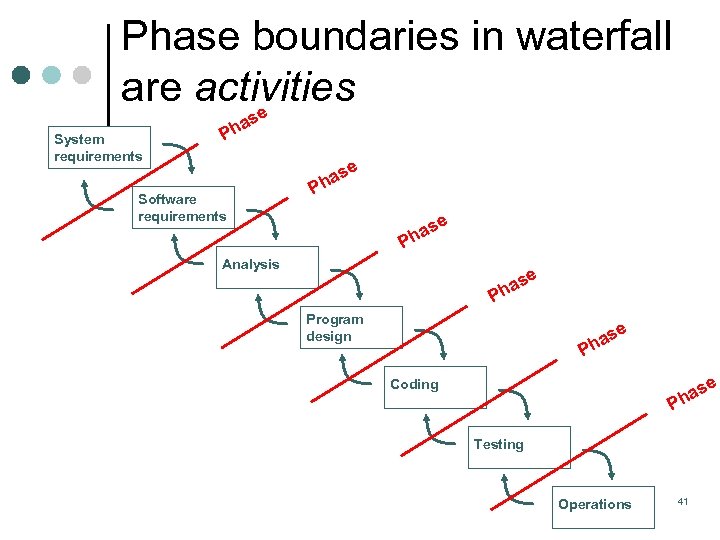 Phase boundaries in waterfall are activities e s System requirements a Ph e Software requirements s ha P se a Ph Analysis e as h P Program design se ha P e as h Coding P Testing Operations 41
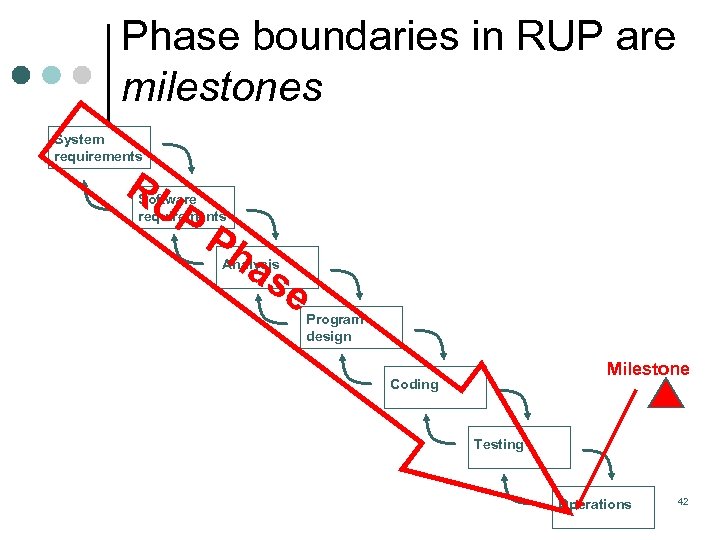 Phase boundaries in RUP are milestones System requirements RU P Software requirements Ph as Analysis e Program design Milestone Coding Testing Operations 42
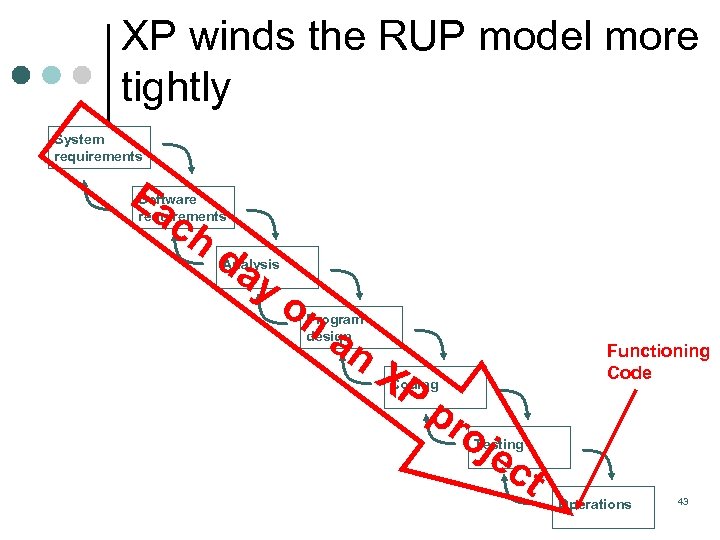 XP winds the RUP model more tightly System requirements Ea c Software requirements h da Analysis y o n Program design an X P Functioning Code Coding p r oj ec t Testing Operations 43
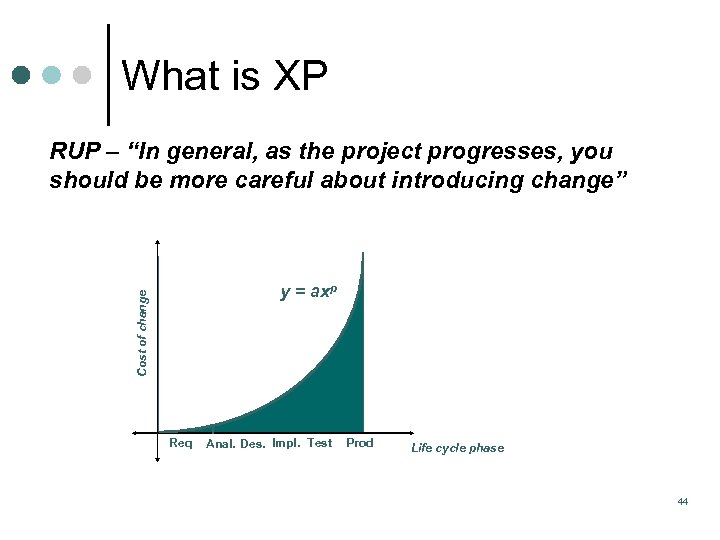 What is XP RUP – “In general, as the project progresses, you should be more careful about introducing change” Cost of change y = axp Req Anal. Des. Impl. Test Prod Life cycle phase 44
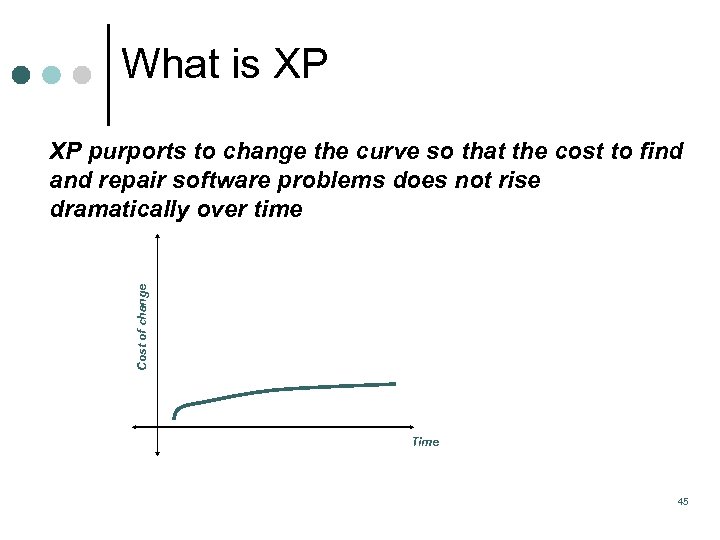 What is XP Cost of change XP purports to change the curve so that the cost to find and repair software problems does not rise dramatically over time Time 45
 What is XP Quality Work ¢ Quality is assumed Excellent, or l Insanely excellent l 46
 What is XP Key Practices/Features ¢ ¢ ¢ Test all the time Continuous integration Pair programming Coding standards Collective ownership Do simplest thing that will work today l ¢ ¢ “design tomorrow for tomorrow’s problems” Metaphor to aid in understanding the architecture Refactoring and evolutionary design 47
 What is XP Key Practices/Features (cont. ) Customer on site as integral part of team ¢ Incremental planning ¢ learning to drive l programmers provide estimates l ¢ Short iterations, small releases l ¢ 2 month releases, 2 week iterations 40 hour week 48
 What is XP Begin with the end in mind. . . Start design with a test ¢ Start coding with a test ¢ Test things that might break ¢ Testing is isolated ¢ Testing is integrated ¢ Testing is automated ¢ At least one dedicated tester ¢ 49
 “Cruft is not allowed to accumulate” ¢ Definition An unpleasant substance, e. g. , the dust that accumulates under your bed l Results of shoddy construction l Excess, superfluous junk, e. g. , redundant or superseded code l ¢ Which XP practice(s) does this pertain to? 50
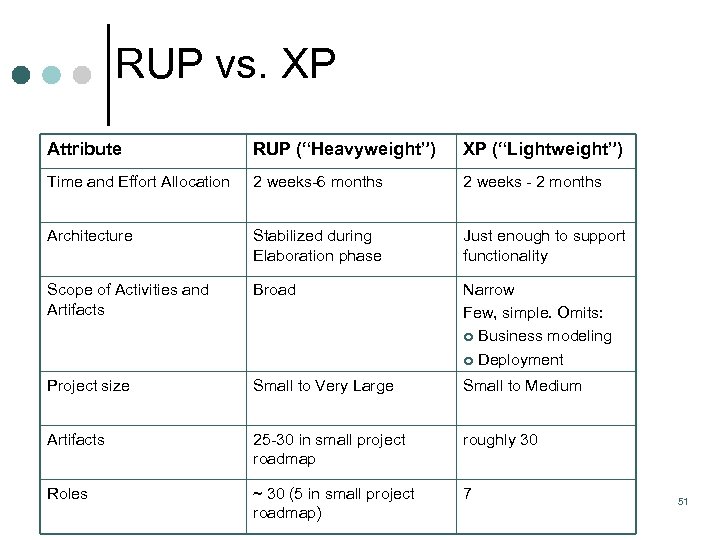 RUP vs. XP Attribute RUP (“Heavyweight”) XP (“Lightweight”) Time and Effort Allocation 2 weeks 6 months 2 weeks 2 months Architecture Stabilized during Elaboration phase Just enough to support functionality Scope of Activities and Artifacts Broad Narrow Few, simple. Omits: ¢ Business modeling ¢ Deployment Project size Small to Very Large Small to Medium Artifacts 25 30 in small project roadmap roughly 30 Roles ~ 30 (5 in small project roadmap) 7 51
 Today’s Agenda Topic Duration ¢ Key models/frameworks (cont. ) 60 minutes ¢ Requirements process 30 minutes *** Break ¢ Requirements process (cont. ) ¢ 90 minutes Wrap up 52
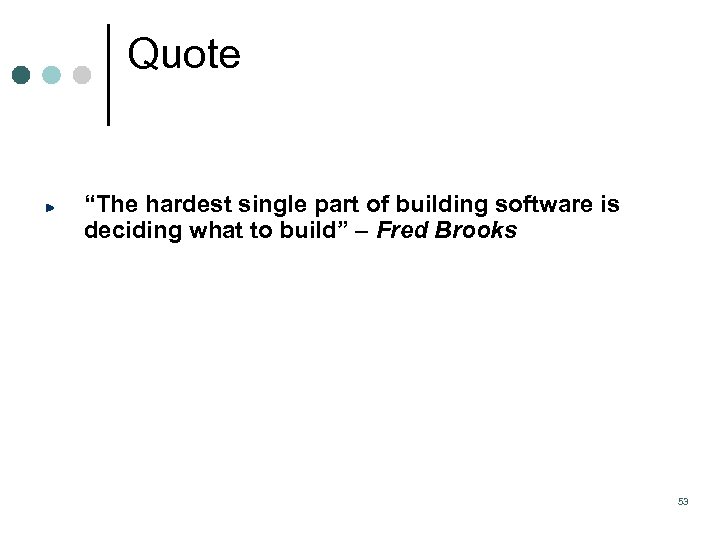 Quote “The hardest single part of building software is deciding what to build” – Fred Brooks 53
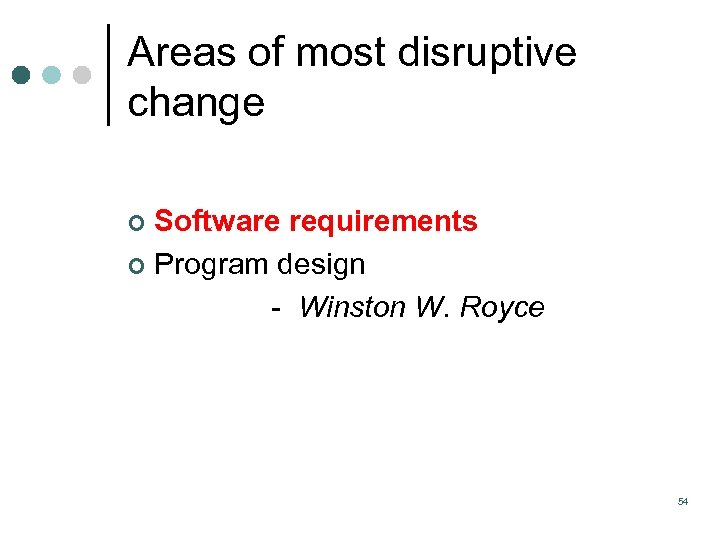 Areas of most disruptive change Software requirements ¢ Program design Winston W. Royce ¢ 54
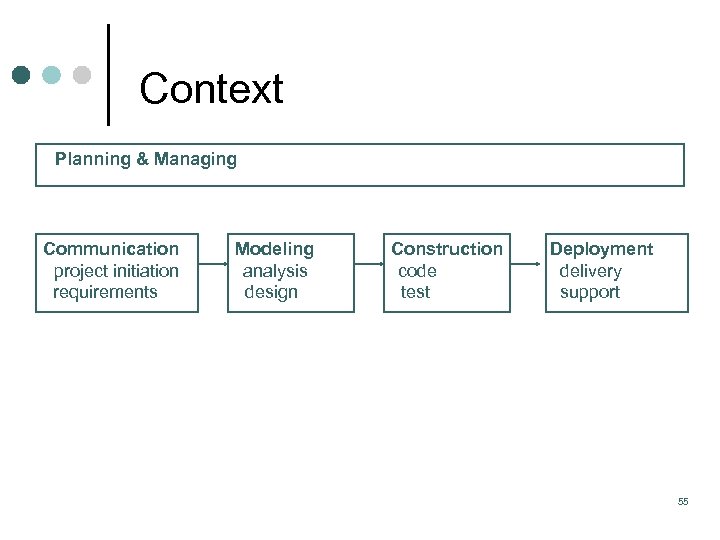 Context Planning & Managing Communication project initiation requirements Modeling analysis design Construction code test Deployment delivery support 55
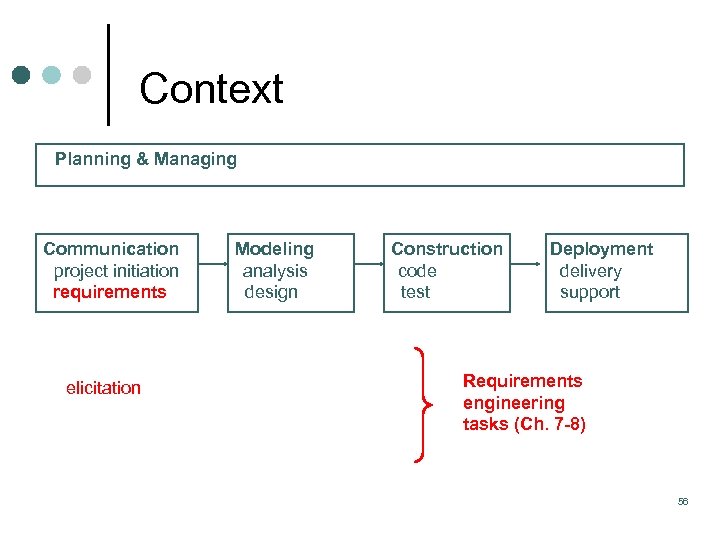 Context Planning & Managing Communication project initiation requirements elicitation Modeling analysis design Construction code test Deployment delivery support Requirements engineering tasks (Ch. 7 -8) 56
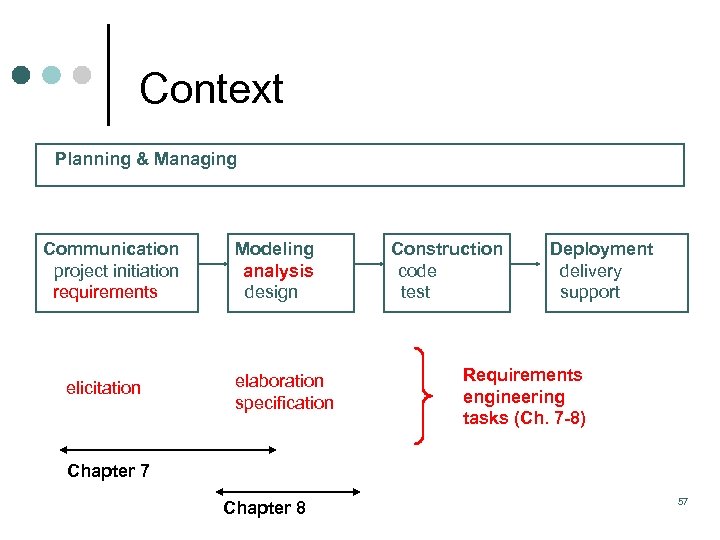 Context Planning & Managing Communication project initiation requirements elicitation Modeling analysis design elaboration specification Construction code test Deployment delivery support Requirements engineering tasks (Ch. 7 -8) Chapter 7 Chapter 8 57
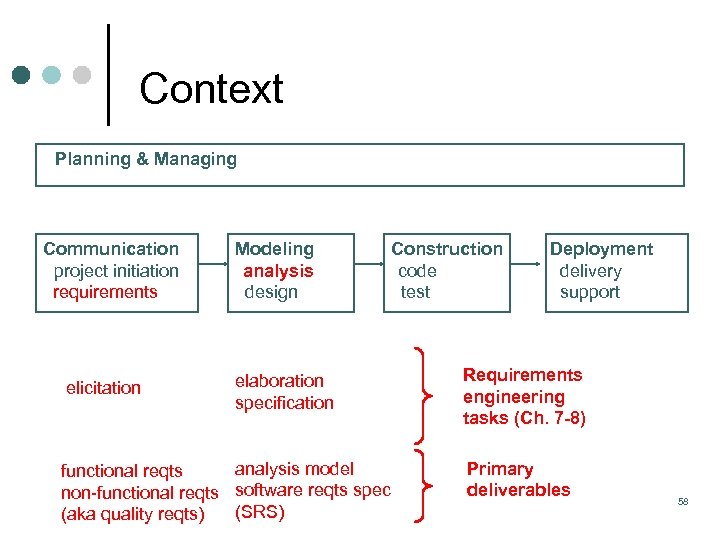 Context Planning & Managing Communication project initiation requirements elicitation Modeling analysis design Construction code test elaboration specification analysis model functional reqts non functional reqts software reqts spec (SRS) (aka quality reqts) Deployment delivery support Requirements engineering tasks (Ch. 7 -8) Primary deliverables 58
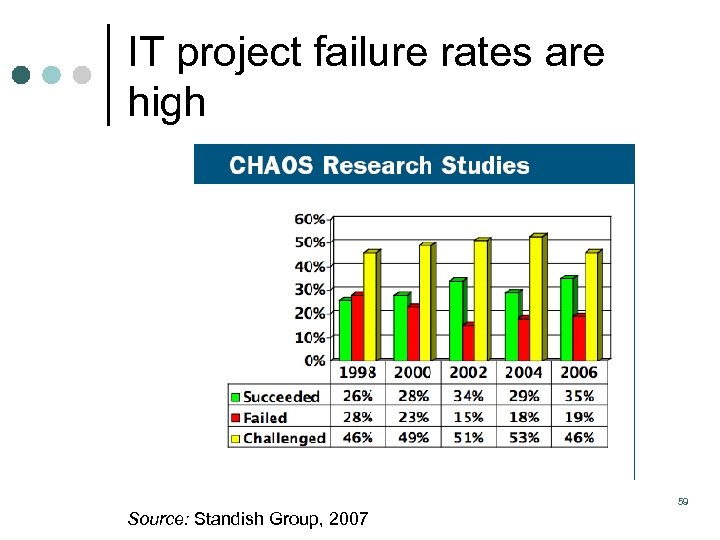 IT project failure rates are high 59 Source: Standish Group, 2007
 Requirements failures #1 root cause (missing and incomplete) ¢ Dr. Dobb’s Portal (www. ddj. com) l Users expect functionality they did not initially ask for (93%) l Requirements are incomplete (89%) l Requirements are unclear or ambiguous (85%) 60
![Requirements failures #1 root cause (missing and incomplete) ¢ “[t]he focus on—and availability of—tools](https://present5.com/presentation/c7a35fcc342fad0b0295f3068bbc13d1/image-59.jpg "Requirements failures #1 root cause (missing and incomplete) ¢ “[t]he focus on—and availability of—tools") Requirements failures #1 root cause (missing and incomplete) ¢ “[t]he focus on—and availability of—tools that manage requirements during the software development process is detracting attention from the far larger problem of whether or not requirements are accurate in the first place. ” Schwaber, C. & Leganza, G. (2006, September 1). The root of the problem: Poor requirements. Forrester ¢ Corroborated by other sources: Gartner, SEI, Standish 61
Requirements failures #1 root cause (missing and incomplete) ¢ “[t]he focus on—and availability of—tools that manage requirements during the software development process is detracting attention from the far larger problem of whether or not requirements are accurate in the first place. ” Schwaber, C. & Leganza, G. (2006, September 1). The root of the problem: Poor requirements. Forrester ¢ Corroborated by other sources: Gartner, SEI, Standish 61
 What is a requirement? ¢ A requirement can be defined simply as a property of a system, or a constraint upon the product or process by which the system is to be created ¢ IEEE Std 610. 12 1990 defines a requirement as A condition or capability needed by a user to solve a problem or achieve an objective. A condition or capability that must be met or possessed by a system or system component to satisfy a contract, standard, specification, or other formally imposed documents. 62
 Functional vs. Quality Requirements A functional requirement (FR) describes what the system needs to do. Example: ‘The system shall display the current customer balance’. 63
 Functional vs. Quality Requirements A quality requirement describes a constraint upon the solution space. Examples: Performance, flexibility, reliability, usability, portability, maintainability, safety, and security. Also called “non functional” requirements, “ilities”, or even “systemic” requirements. Emergent Properties: A quality requirement that is realized through the careful implementation of other requirements on which it depends. Example: “The query must return its results in less than three seconds” is only realizable once the architecture and much of the system functionality has been implemented. 64
 Quote “It’s not enough to do good. It must be done well” – St. Vincent de Paul 65
 The Requirements Process Elicitation: Proactively working with stakeholders to discover their needs, identify potential conflicts, and establish a clear scope and boundaries for the project. Elaboration (Analysis): Gaining a deeper understanding of the product and its interactions. Specification: Production of a series of documents that capture the system and software requirements in order to support their systematic review, evaluation, and approval. Validation: Inspecting requirements to ensure their correctness. Management: Issues such as software configuration management, traceability, impact analysis, and version control. 66
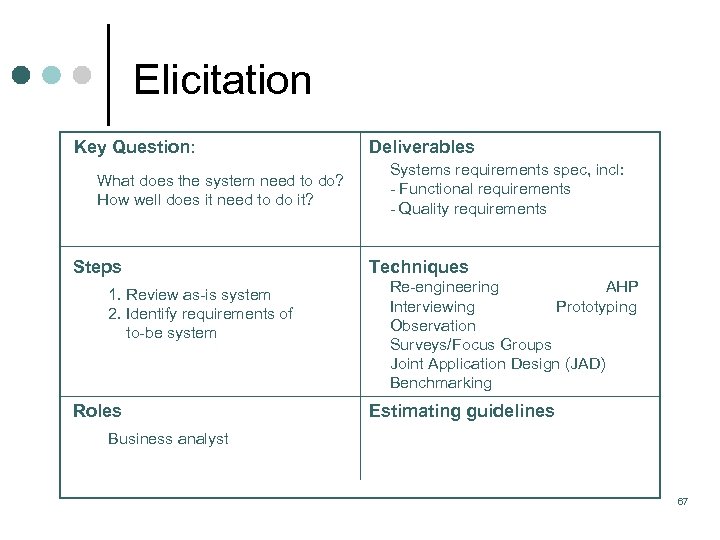 Elicitation Key Question: What does the system need to do? How well does it need to do it? Steps 1. Review as is system 2. Identify requirements of to be system Roles Deliverables Systems requirements spec, incl: Functional requirements Quality requirements Techniques Re engineering AHP Interviewing Prototyping Observation Surveys/Focus Groups Joint Application Design (JAD) Benchmarking Estimating guidelines Business analyst 67
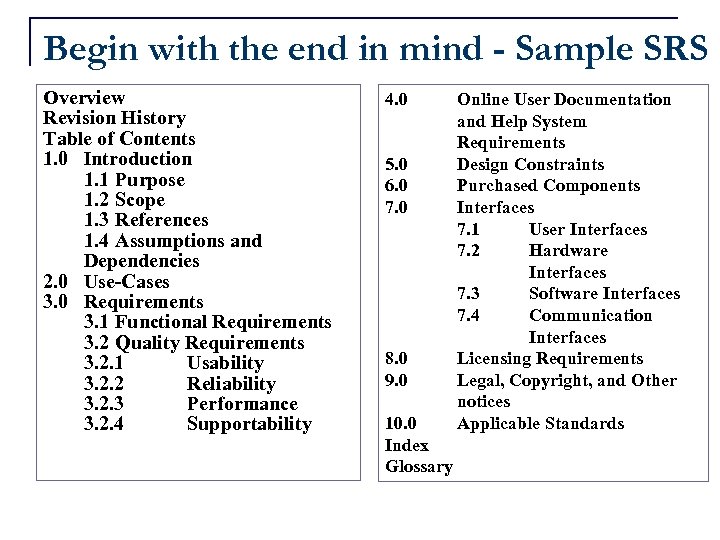 Begin with the end in mind - Sample SRS Overview Revision History Table of Contents 1. 0 Introduction 1. 1 Purpose 1. 2 Scope 1. 3 References 1. 4 Assumptions and Dependencies 2. 0 Use-Cases 3. 0 Requirements 3. 1 Functional Requirements 3. 2 Quality Requirements 3. 2. 1 Usability 3. 2. 2 Reliability 3. 2. 3 Performance 3. 2. 4 Supportability 4. 0 5. 0 6. 0 7. 0 8. 0 9. 0 10. 0 Index Glossary Online User Documentation and Help System Requirements Design Constraints Purchased Components Interfaces 7. 1 User Interfaces 7. 2 Hardware Interfaces 7. 3 Software Interfaces 7. 4 Communication Interfaces Licensing Requirements Legal, Copyright, and Other notices Applicable Standards
 Elicitation Techniques Collaborative sessions are useful for brainstorming and problem solving activities. A Joint Application Design (JAD) can bring together a small group of stakeholders to form initial goals and requirements. Helps to avoid ambiguity Helps to reduce scope creep 69
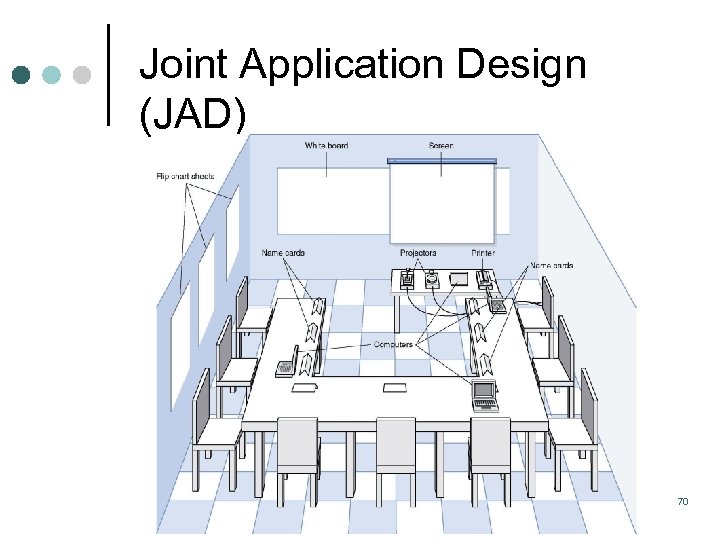 Joint Application Design (JAD) 70
 Elicitation Techniques Interviewing techniques are simple yet effective. Structured around a specific set of questions Closed ended Open ended Can be conducted in stages, so that responses from the first round can be used to generate a deeper set of more focused questions for the second round. Can be expensive 71
 Elicitation Techniques Observation involves observing the way users interact with an existing system. Useful when users are unable to fully articulate their needs, or are too busy to attend other types of elicitation meetings. Observe how tasks are executed, problems, shortcuts, & areas for improvement. Sometimes referred to as “going to the gemba” Especially good for uncovering unstated requirements “Exciting requirements” – Exceed user’s initial expectations 72
 Elicitation Techniques Prototyping – taking an early set of requirements and using them to elicit further requirements. Low fidelity models useful because for very little cost you can obtain useful feedback from the user. Higher fidelity prototypes enable the user to interact with something closer to the finished product. 73
 Elicitation Techniques Analytic Hierarchy Process (AHP) – a mathematically based prioritization technique Represents the elements of any problem hierarchically Guides decision makers through a series of pairwise comparisons Results in quantitative assessment of relative strength of requirements Developed by Dr. Thomas Saaty of the University of Pittsburgh 74
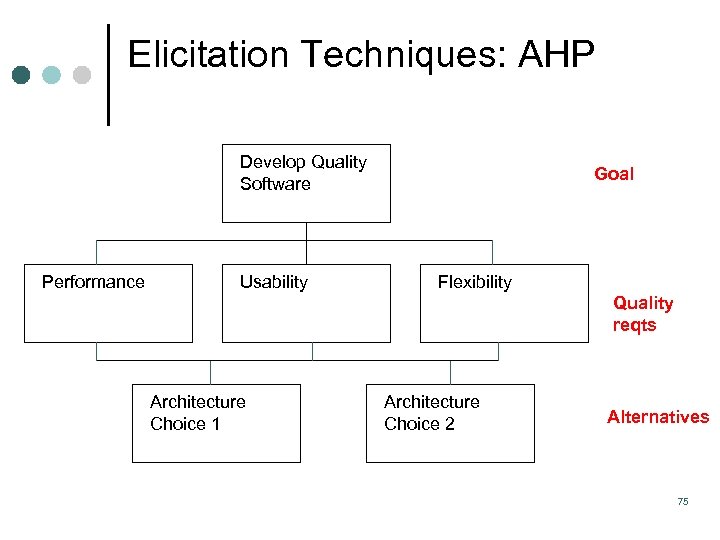 Elicitation Techniques: AHP Develop Quality Software Performance Usability Goal Flexibility Quality reqts Architecture Choice 1 Architecture Choice 2 Alternatives 75
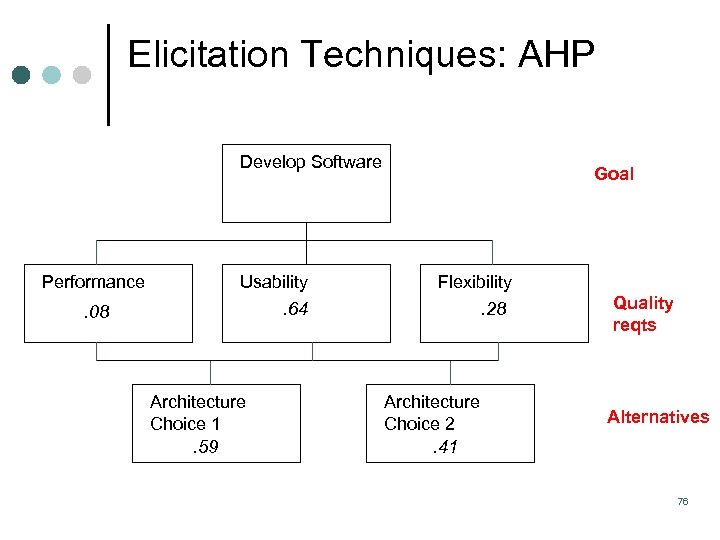 Elicitation Techniques: AHP Develop Software Performance Usability Goal Flexibility . 64 . 08 Architecture Choice 1. 59 . 28 Architecture Choice 2. 41 Quality reqts Alternatives 76
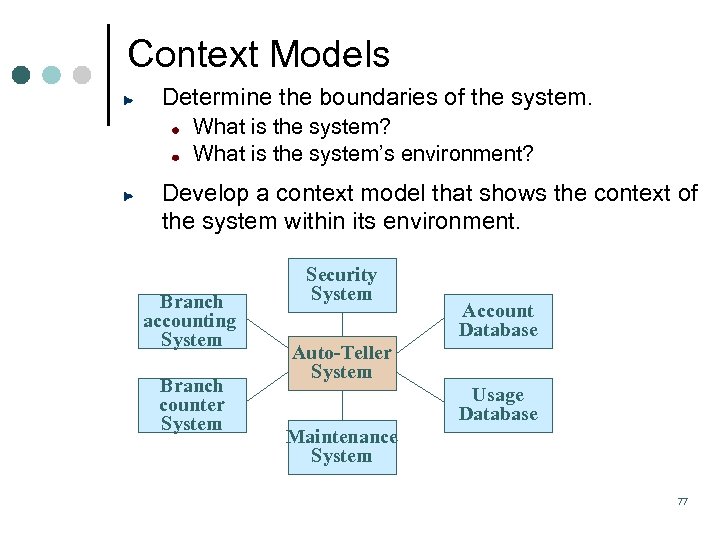 Context Models Determine the boundaries of the system. What is the system? What is the system’s environment? Develop a context model that shows the context of the system within its environment. Branch accounting System Branch counter System Security System Account Database Auto-Teller System Usage Database Maintenance System 77
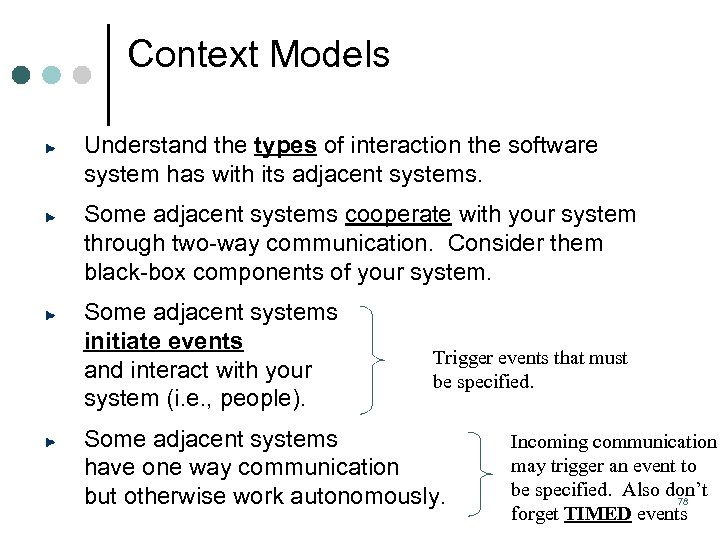 Context Models Understand the types of interaction the software system has with its adjacent systems. Some adjacent systems cooperate with your system through two way communication. Consider them black box components of your system. Some adjacent systems initiate events and interact with your system (i. e. , people). Trigger events that must be specified. Some adjacent systems have one way communication but otherwise work autonomously. Incoming communication may trigger an event to be specified. Also don’t 78 forget TIMED events
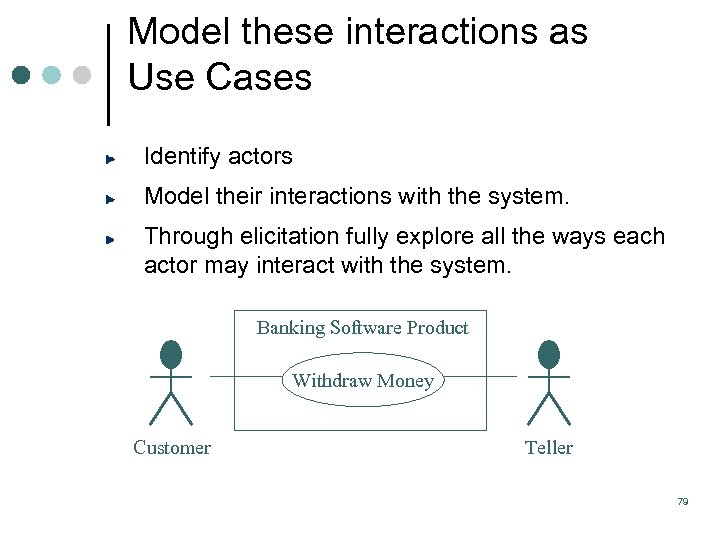 Model these interactions as Use Cases Identify actors Model their interactions with the system. Through elicitation fully explore all the ways each actor may interact with the system. Banking Software Product Withdraw Money Customer Teller 79
 Use Cases ¢ ¢ Typical interaction between a user and a computer system Example: Word use cases l l ¢ ¢ ¢ Make some text bold Create an index Content: A few paragraphs of description Essential tool in requirements capture during Inception and (mostly) during Elaboration Characteristics l Captures some user visible function l May be small or large l Achieves a discrete goal for the user 80
 Requirement Qualities Each individual requirement should be: ¢ Concise ¢ Correct ¢ Non ambiguous ¢ Feasible ¢ Verifiable ¢ Traceable ¢ Manageable 81
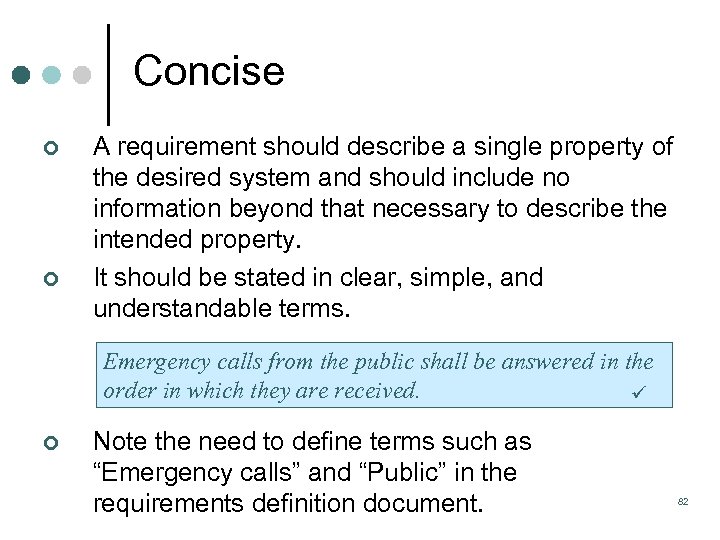 Concise ¢ ¢ A requirement should describe a single property of the desired system and should include no information beyond that necessary to describe the intended property. It should be stated in clear, simple, and understandable terms. Emergency calls from the public shall be answered in the order in which they are received. ¢ Note the need to define terms such as “Emergency calls” and “Public” in the requirements definition document. 82
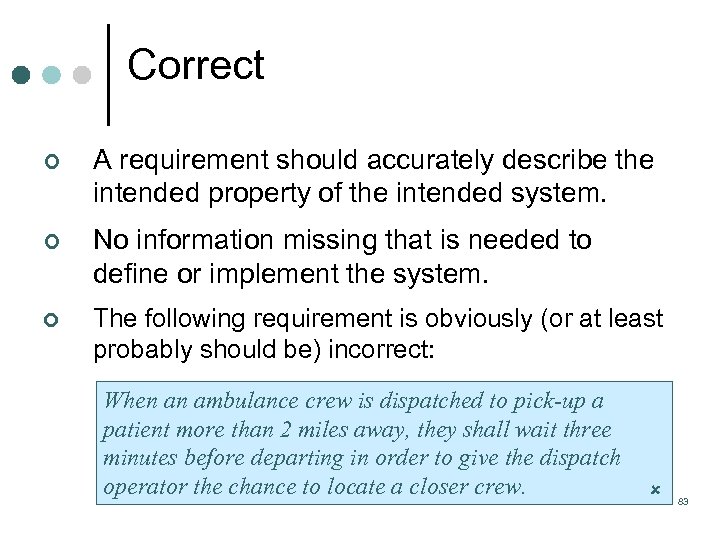 Correct ¢ A requirement should accurately describe the intended property of the intended system. ¢ No information missing that is needed to define or implement the system. ¢ The following requirement is obviously (or at least probably should be) incorrect: When an ambulance crew is dispatched to pick-up a patient more than 2 miles away, they shall wait three minutes before departing in order to give the dispatch operator the chance to locate a closer crew. 83
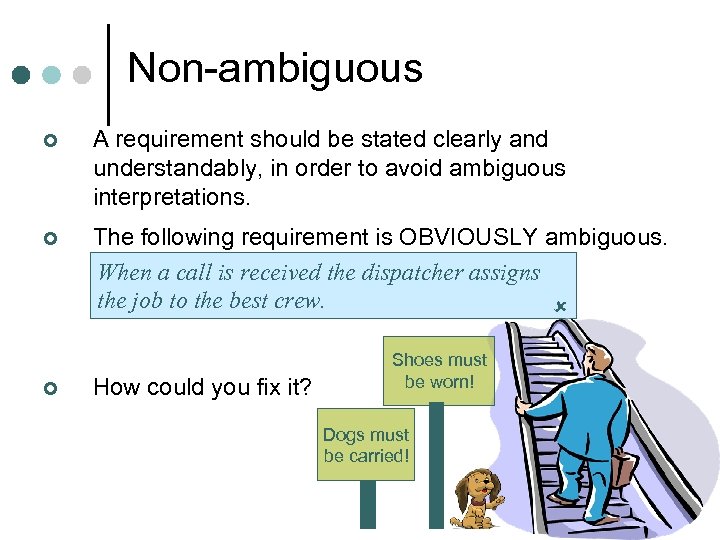 Non ambiguous ¢ A requirement should be stated clearly and understandably, in order to avoid ambiguous interpretations. ¢ The following requirement is OBVIOUSLY ambiguous. Why? a call is received the dispatcher assigns When the job to the best crew. ¢ How could you fix it? Shoes must be worn! Dogs must be carried! 84
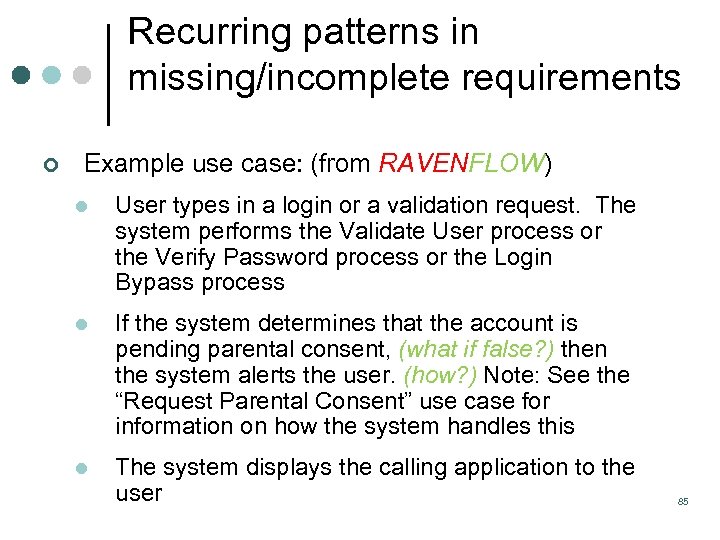 Recurring patterns in missing/incomplete requirements ¢ Example use case: (from RAVENFLOW) l User types in a login or a validation request. The system performs the Validate User process or the Verify Password process or the Login Bypass process l If the system determines that the account is pending parental consent, (what if false? ) then the system alerts the user. (how? ) Note: See the “Request Parental Consent” use case for information on how the system handles this l The system displays the calling application to the user 85
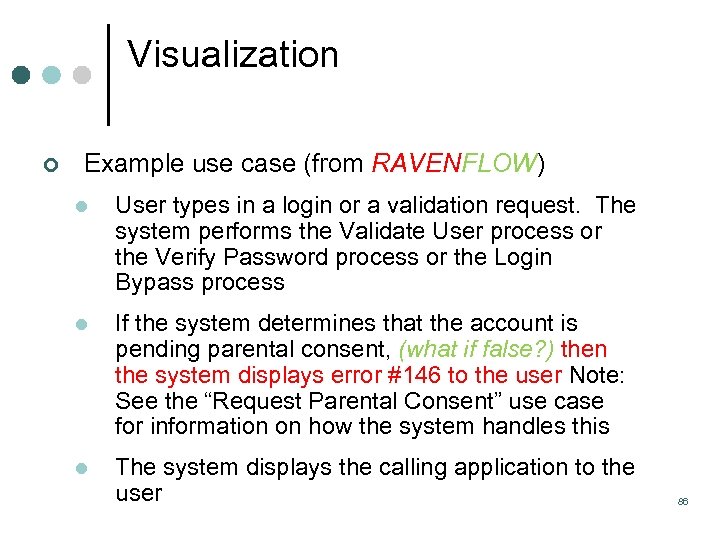 Visualization ¢ Example use case (from RAVENFLOW) l User types in a login or a validation request. The system performs the Validate User process or the Verify Password process or the Login Bypass process l If the system determines that the account is pending parental consent, (what if false? ) then the system displays error #146 to the user Note: See the “Request Parental Consent” use case for information on how the system handles this l The system displays the calling application to the user 86
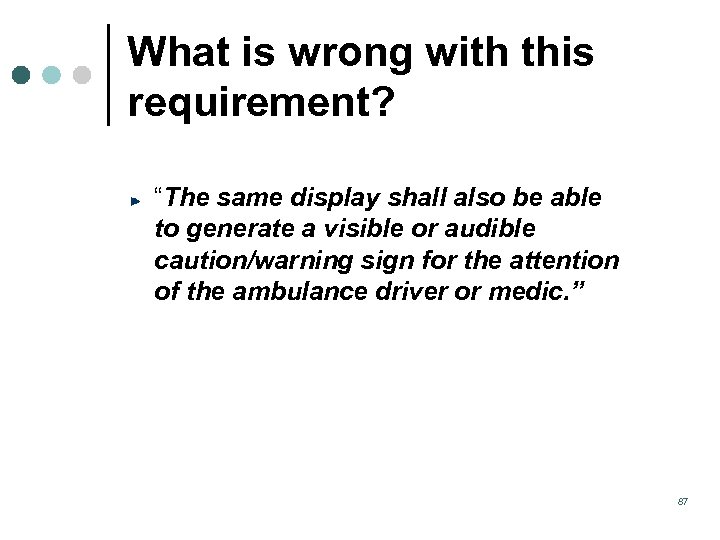 What is wrong with this requirement? “The same display shall also be able to generate a visible or audible caution/warning sign for the attention of the ambulance driver or medic. ” 87
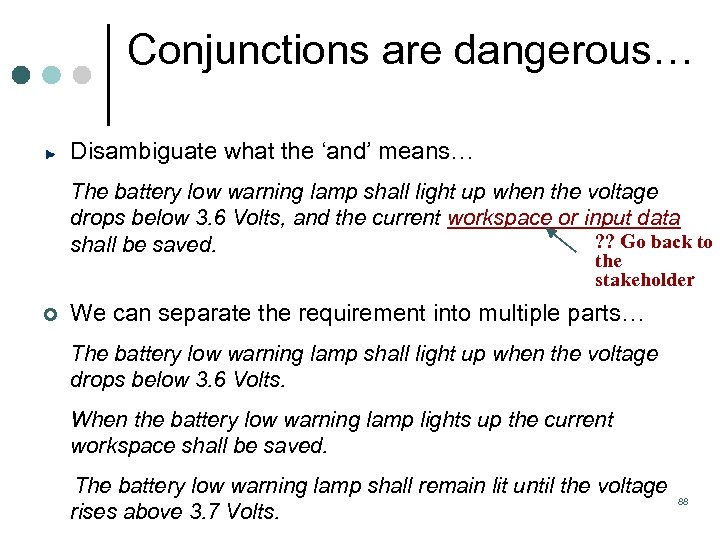 Conjunctions are dangerous… Disambiguate what the ‘and’ means… The battery low warning lamp shall light up when the voltage drops below 3. 6 Volts, and the current workspace or input data ? ? Go back to shall be saved. the stakeholder ¢ We can separate the requirement into multiple parts… The battery low warning lamp shall light up when the voltage drops below 3. 6 Volts. When the battery low warning lamp lights up the current workspace shall be saved. The battery low warning lamp shall remain lit until the voltage rises above 3. 7 Volts. 88
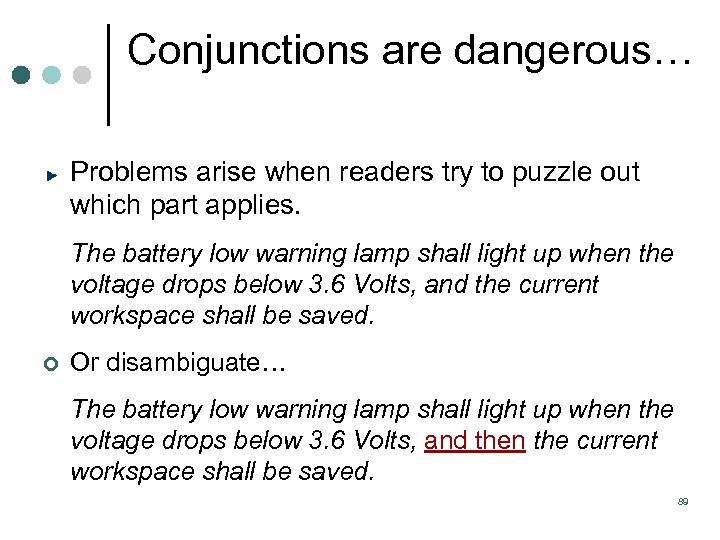 Conjunctions are dangerous… Problems arise when readers try to puzzle out which part applies. The battery low warning lamp shall light up when the voltage drops below 3. 6 Volts, and the current workspace shall be saved. ¢ Or disambiguate… The battery low warning lamp shall light up when the voltage drops below 3. 6 Volts, and then the current workspace shall be saved. 89
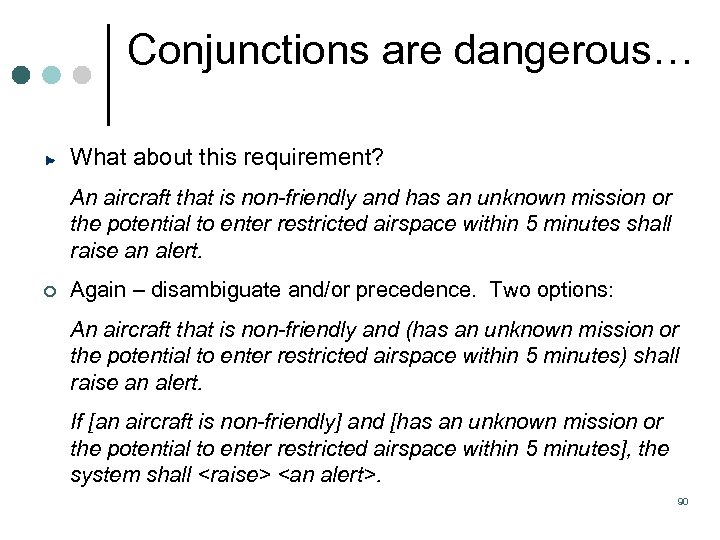 Conjunctions are dangerous… What about this requirement? An aircraft that is non-friendly and has an unknown mission or the potential to enter restricted airspace within 5 minutes shall raise an alert. ¢ Again – disambiguate and/or precedence. Two options: An aircraft that is non-friendly and (has an unknown mission or the potential to enter restricted airspace within 5 minutes) shall raise an alert. If [an aircraft is non-friendly] and [has an unknown mission or the potential to enter restricted airspace within 5 minutes], the system shall
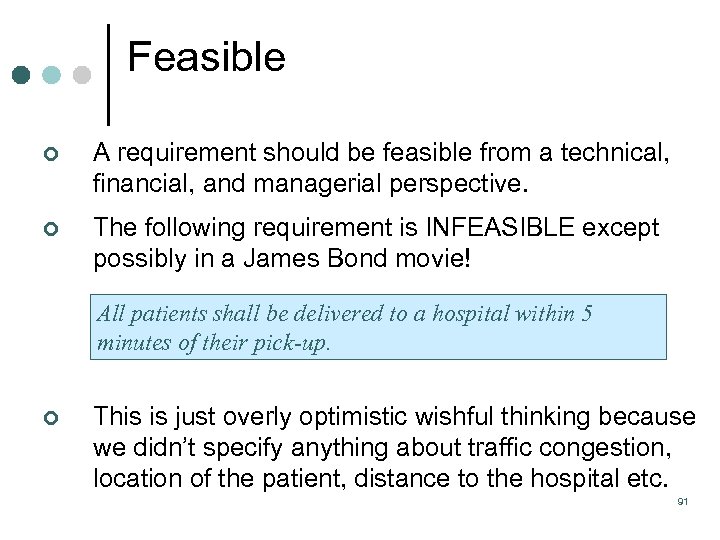 Feasible ¢ A requirement should be feasible from a technical, financial, and managerial perspective. ¢ The following requirement is INFEASIBLE except possibly in a James Bond movie! All patients shall be delivered to a hospital within 5 minutes of their pick-up. ¢ This is just overly optimistic wishful thinking because we didn’t specify anything about traffic congestion, location of the patient, distance to the hospital etc. 91
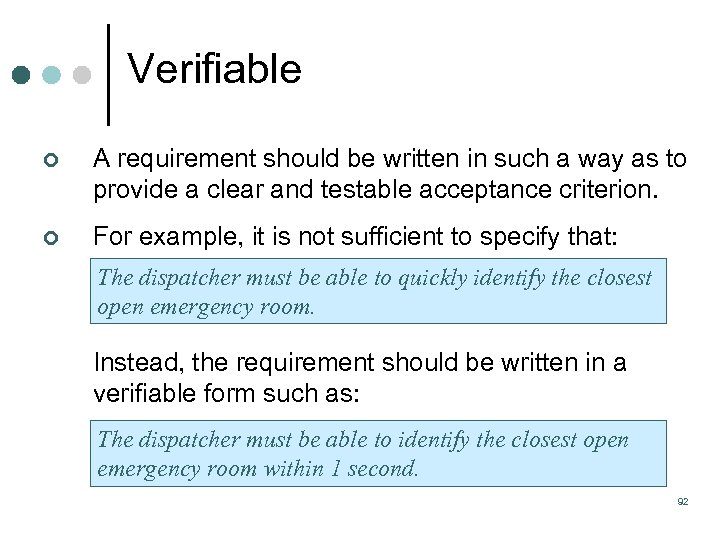 Verifiable ¢ A requirement should be written in such a way as to provide a clear and testable acceptance criterion. ¢ For example, it is not sufficient to specify that: The dispatcher must be able to quickly identify the closest open emergency room. Instead, the requirement should be written in a verifiable form such as: The dispatcher must be able to identify the closest open emergency room within 1 second. 92
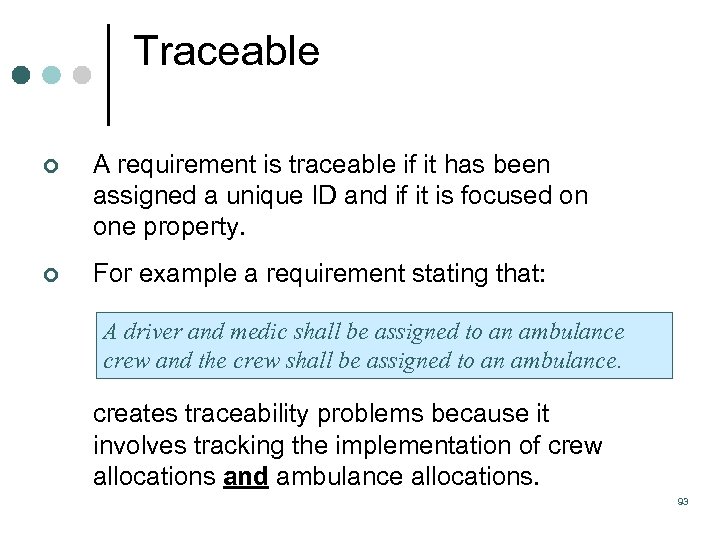 Traceable ¢ A requirement is traceable if it has been assigned a unique ID and if it is focused on one property. ¢ For example a requirement stating that: A driver and medic shall be assigned to an ambulance crew and the crew shall be assigned to an ambulance. creates traceability problems because it involves tracking the implementation of crew allocations and ambulance allocations. 93
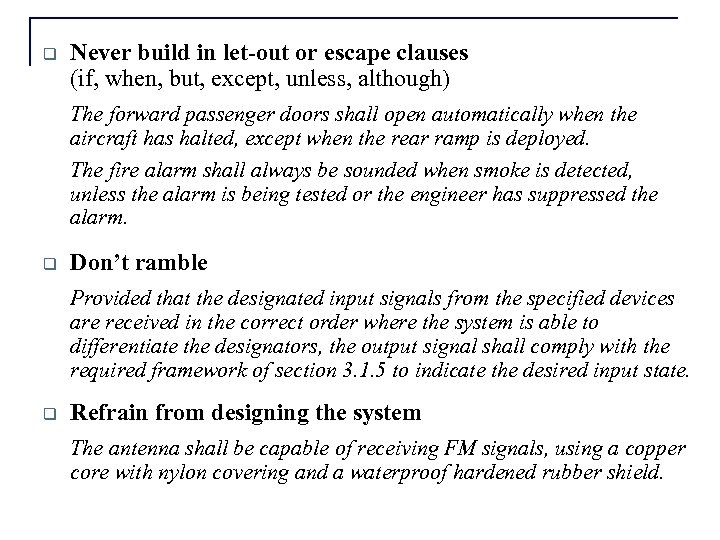 q Never build in let-out or escape clauses (if, when, but, except, unless, although) The forward passenger doors shall open automatically when the aircraft has halted, except when the rear ramp is deployed. The fire alarm shall always be sounded when smoke is detected, unless the alarm is being tested or the engineer has suppressed the alarm. q Don’t ramble Provided that the designated input signals from the specified devices are received in the correct order where the system is able to differentiate the designators, the output signal shall comply with the required framework of section 3. 1. 5 to indicate the desired input state. q Refrain from designing the system The antenna shall be capable of receiving FM signals, using a copper core with nylon covering and a waterproof hardened rubber shield.
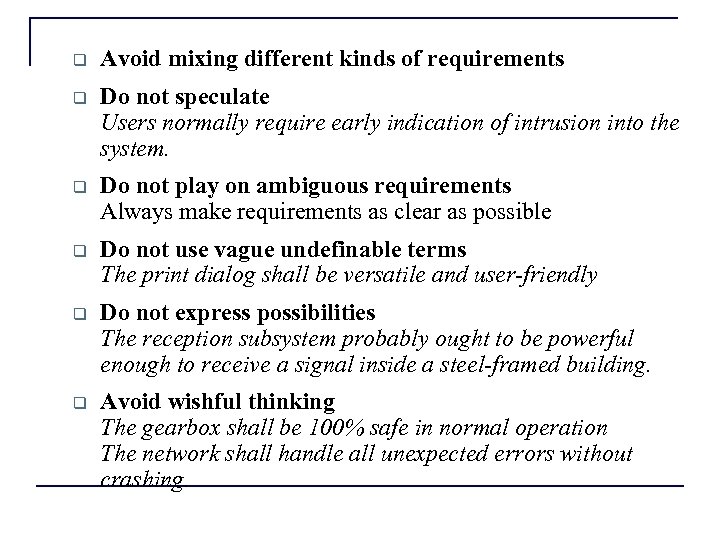 q Avoid mixing different kinds of requirements q Do not speculate Users normally require early indication of intrusion into the system. q Do not play on ambiguous requirements Always make requirements as clear as possible q Do not use vague undefinable terms The print dialog shall be versatile and user-friendly q Do not express possibilities The reception subsystem probably ought to be powerful enough to receive a signal inside a steel-framed building. q Avoid wishful thinking The gearbox shall be 100% safe in normal operation The network shall handle all unexpected errors without crashing.
 Manageable ¢ Attributes should be used to support requirements management. ¢ For example: Date created Date last edited Priority (High, Mid, Low etc) Status (Completed, Undergoing Change, Scheduled, Unassigned). 96
 Qualities of a Good Set of Requirements ¢ Realistic: The requirements should represent realistic goals at both the product and project level. ¢ Concise: The requirements as a whole should concisely describe the system that is to be developed. Long winded requirements create greater opportunity for ambiguity and errors. ¢ Complete: The requirements should collectively describe the entire system to be implemented with no information missing. ¢ Consistent: Inconsistencies between requirements lead to conflicts that prohibit all of the requirements being implemented successfully. Inconsistencies should be identified and conflicts negotiated. 97
 Short demo ¢ RAVEN (from RAVENFLOW) ¢ Acts as central repository ¢ Recorded demonstrations l www. ravenflow. com l www. requirementsdevelopment. com 98
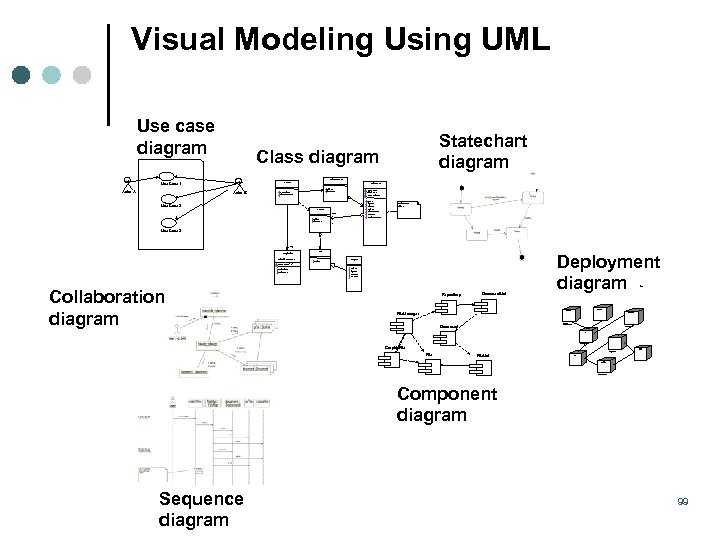 Visual Modeling Using UML Use case diagram Statechart diagram Class diagram Document. List Use Case 1 Actor A File. Mgr Actor B Document add( ) delete( ) fetch. Doc( ) sort. By. Name( ) name : int docid : int num. Field : int get( ) open( ) close( ) read( ) sort. File. List( ) create( ) fill. Document( ) Use Case 2 File. List f. List add( ) delete( ) read() fill the code. . 1 Use Case 3 rep Repository (from Persistence) File read( ) Grp. File name : char * = 0 read. Doc( ) read. File( ) Collaboration diagram read( ) open( ) create( ) fill. File( ) Repository Document. List Deployment diagram Windows 95 Window 95 File. Manager Windows 95 ¹®¼ °ü¸® Ŭ¶óÀ̾ðÆ®. EXE Document ¹®¼ °ü¸® ¾ÖÇø´ Windows NT Solaris ¹®¼ °ü¸® ¿£Áø. EXE Graphic. File Alpha UNIX ÀÀ¿ë¼ ¹ö. EXE File. List Windows NT IBM Mainframe µ¥ÀÌŸº£À̽º¼ ¹ö Component diagram Sequence diagram 99
 For September 25 ¢ ¢ Read Pressman Chapter 9 Assignment 5 – First presenters 100