


 Скачать презентацию School of Computer Science 15 -415 615 Spring 2013
9e6b17c5b54fdd35380e9c681be9b162.ppt
- Количество слайдов: 36
 School of Computer Science 15 -415/615 Spring 2013 Homework 7 Building A Web Application 03/27/2012
 HW 7 Outline Building a simple Web application (“CMUFlix”) using JSP 2 phases Phase I : design and documentation due 4/2 hard copy in class Phase II : implementation due 4/11 both hard copy in class and electronically. Start early!
![Database Design Methodology [N. Roussopoulos and R. T. Yeh] description req. anal. top level](https://present5.com/presentation/9e6b17c5b54fdd35380e9c681be9b162/image-3.jpg "Database Design Methodology [N. Roussopoulos and R. T. Yeh] description req. anal. top level") Database Design Methodology [N. Roussopoulos and R. T. Yeh] description req. anal. top level I. F. D. conc. mod. schema. impl. +test. code. tests user’s man. sys. anal. task + doc forms. task emul. pseudo-code Phase-II
Database Design Methodology [N. Roussopoulos and R. T. Yeh] description req. anal. top level I. F. D. conc. mod. schema. impl. +test. code. tests user’s man. sys. anal. task + doc forms. task emul. pseudo-code Phase-II
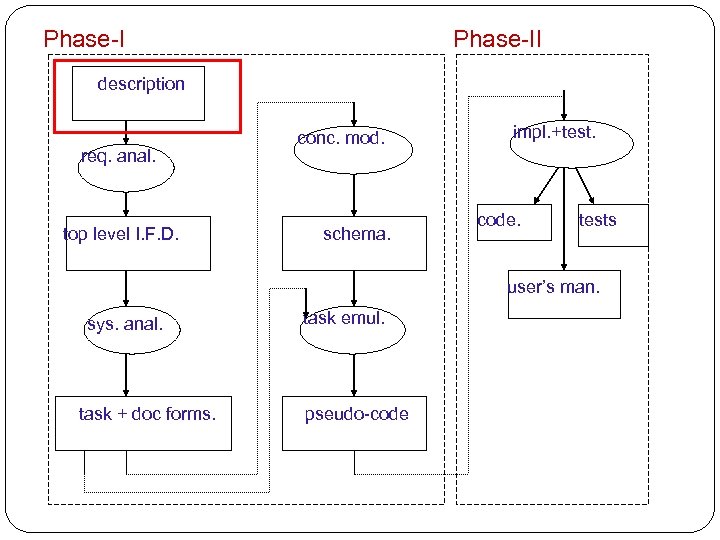 Phase-II description req. anal. top level I. F. D. conc. mod. schema. impl. +test. code. tests user’s man. sys. anal. task + doc forms. task emul. pseudo-code
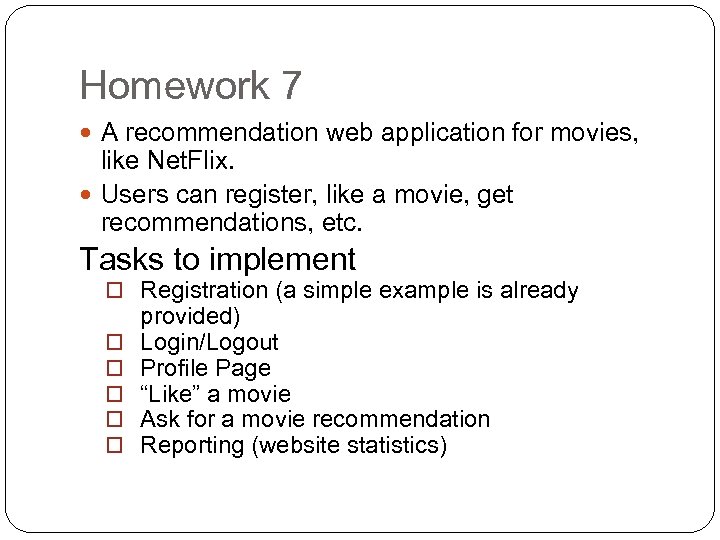 Homework 7 A recommendation web application for movies, like Net. Flix. Users can register, like a movie, get recommendations, etc. Tasks to implement Registration (a simple example is already provided) Login/Logout Profile Page “Like” a movie Ask for a movie recommendation Reporting (website statistics)
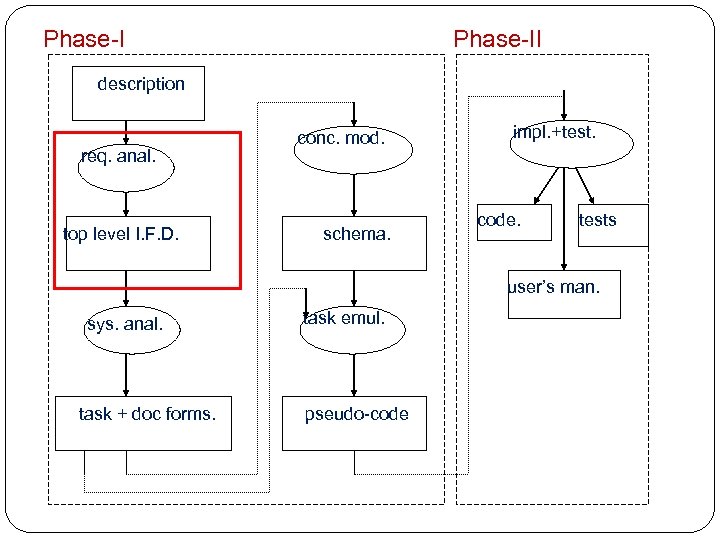 Phase-II description req. anal. top level I. F. D. conc. mod. schema. impl. +test. code. tests user’s man. sys. anal. task + doc forms. task emul. pseudo-code
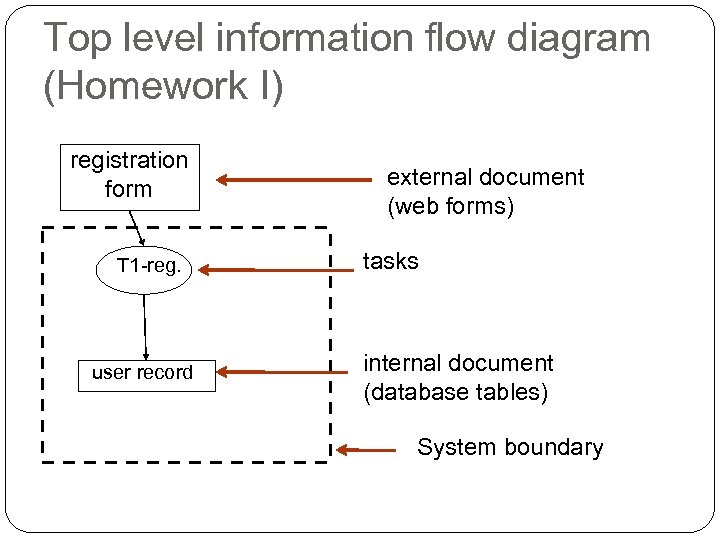 Top level information flow diagram (Homework I) registration form T 1 -reg. user record external document (web forms) tasks internal document (database tables) System boundary
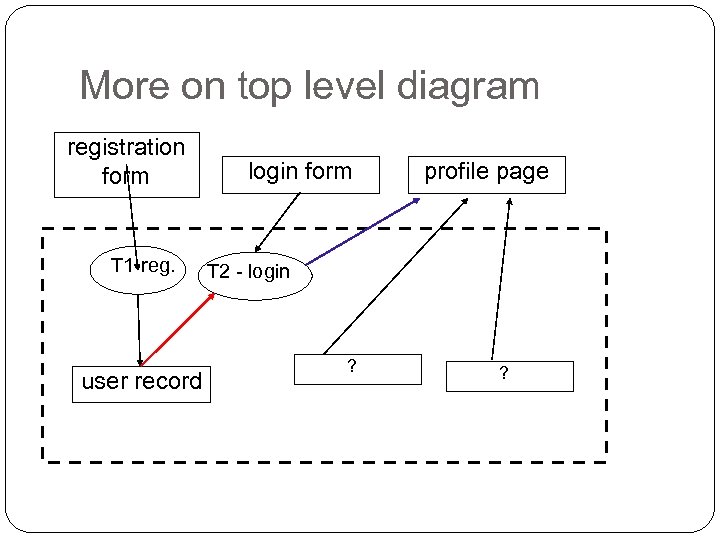 More on top level diagram registration form T 1 -reg. user record login form profile page T 2 - login ?
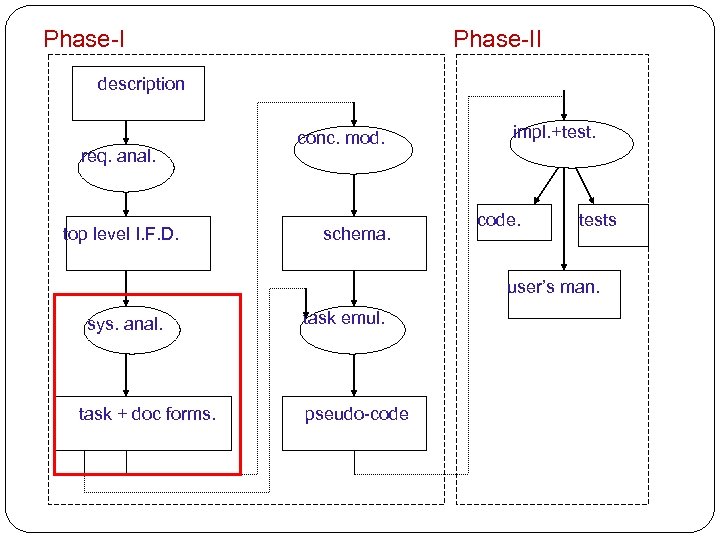 Phase-II description req. anal. top level I. F. D. conc. mod. schema. impl. +test. code. tests user’s man. sys. anal. task + doc forms. task emul. pseudo-code
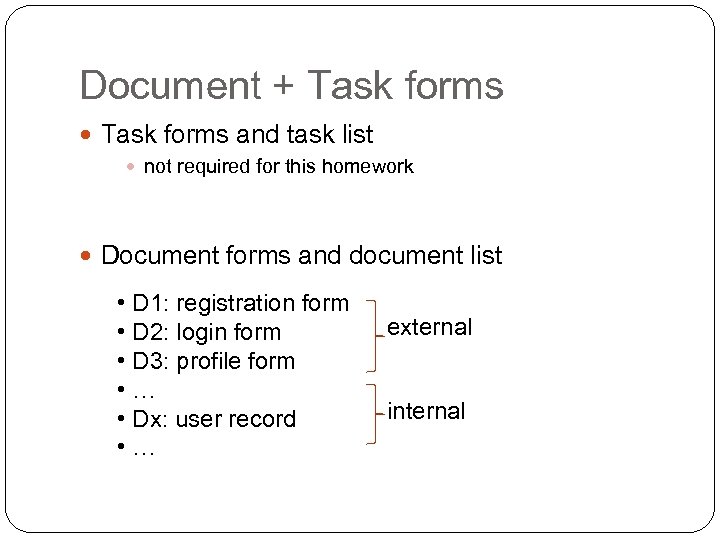 Document + Task forms and task list not required for this homework Document forms and document list • D 1: registration form • D 2: login form • D 3: profile form • … • Dx: user record • … external internal
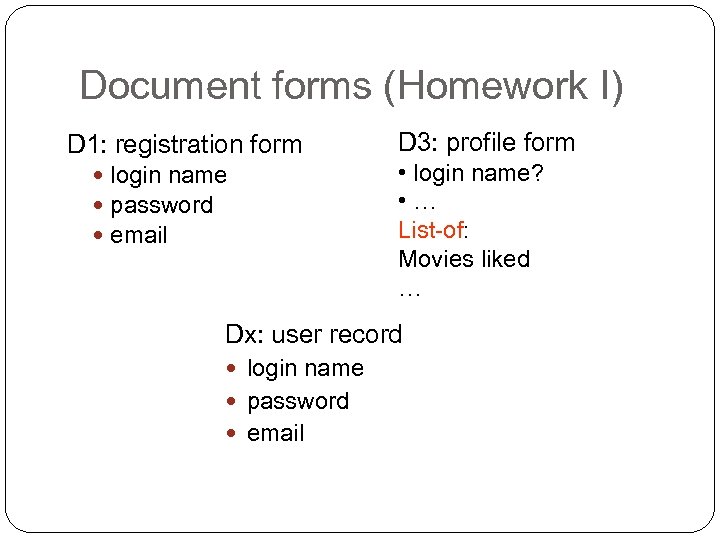 Document forms (Homework I) D 1: registration form login name password email D 3: profile form • login name? • … List-of: Movies liked … Dx: user record login name password email
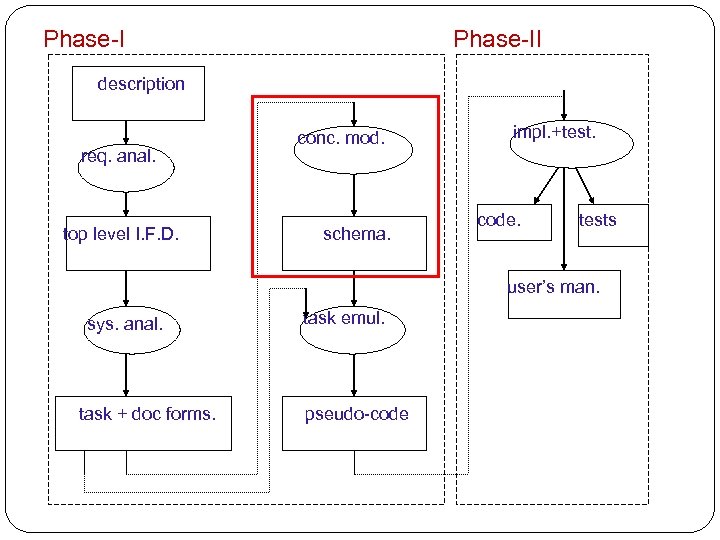 Phase-II description req. anal. top level I. F. D. conc. mod. schema. impl. +test. code. tests user’s man. sys. anal. task + doc forms. task emul. pseudo-code
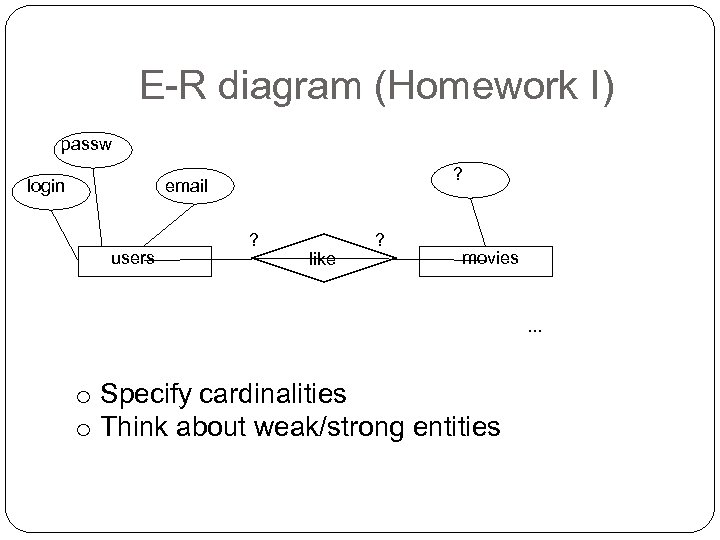 E-R diagram (Homework I) passw login ? email users ? like ? movies . . . o Specify cardinalities o Think about weak/strong entities
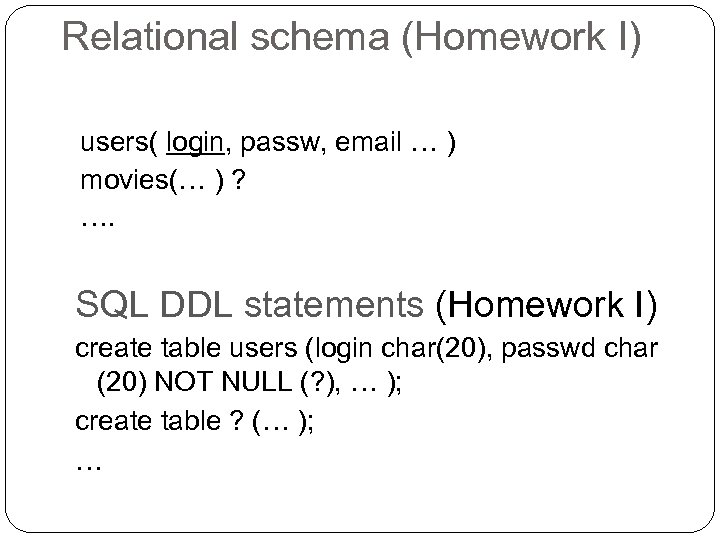 Relational schema (Homework I) users( login, passw, email … ) movies(… ) ? …. SQL DDL statements (Homework I) create table users (login char(20), passwd char (20) NOT NULL (? ), … ); create table ? (… ); …
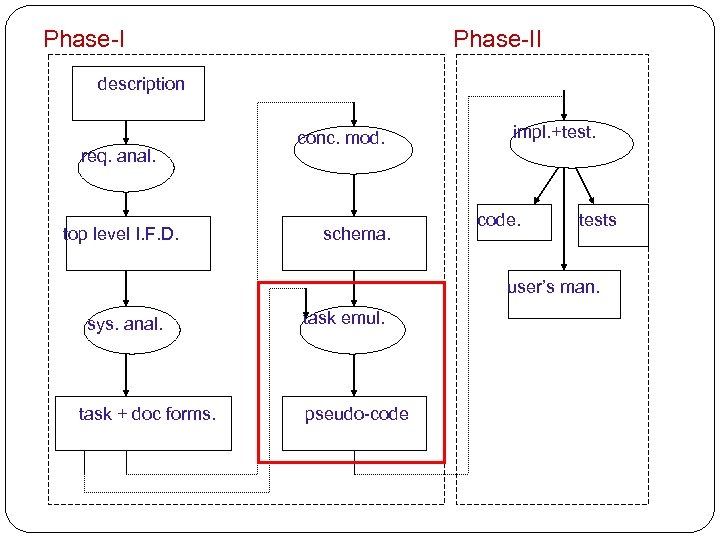 Phase-II description req. anal. top level I. F. D. conc. mod. schema. impl. +test. code. tests user’s man. sys. anal. task + doc forms. task emul. pseudo-code
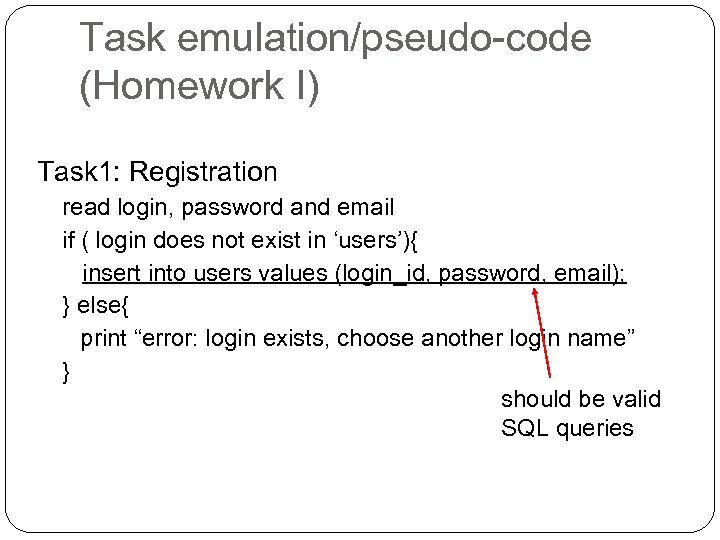 Task emulation/pseudo-code (Homework I) Task 1: Registration read login, password and email if ( login does not exist in ‘users’){ insert into users values (login_id, password, email); } else{ print “error: login exists, choose another login name” } should be valid SQL queries
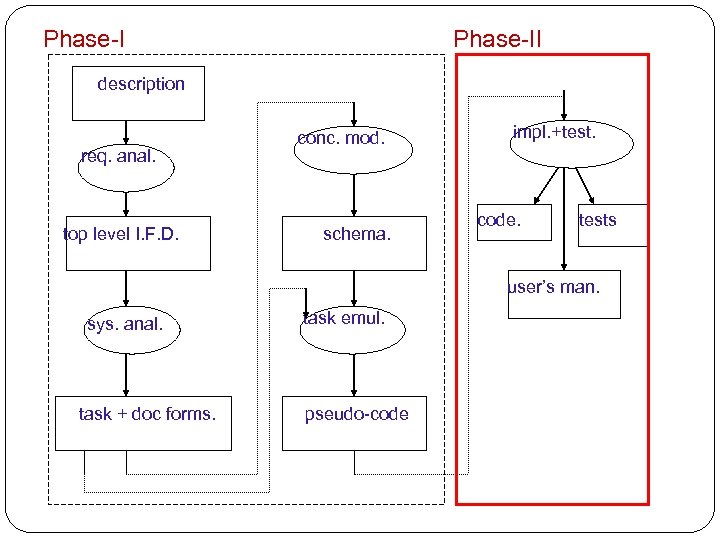 Phase-II description req. anal. top level I. F. D. conc. mod. schema. impl. +test. code. tests user’s man. sys. anal. task + doc forms. task emul. pseudo-code
 Phase II You will develop JSP pages that handle user interactions Processing logic written in Java class Manipulating data in database, connect from JSP to database using JDBC
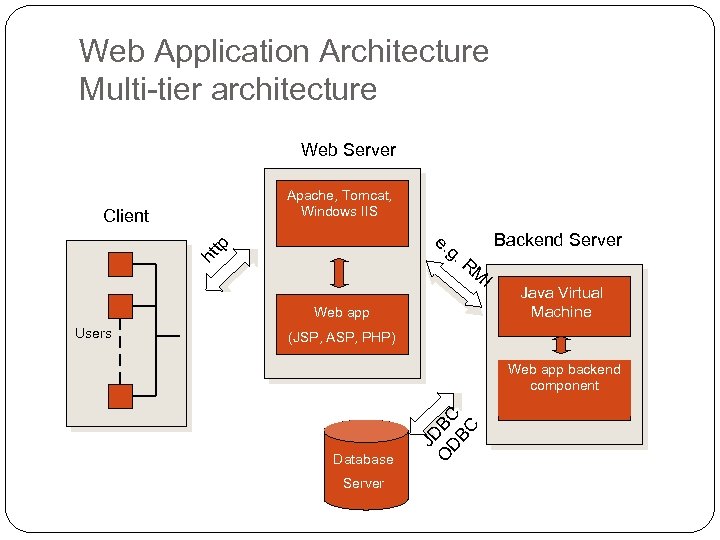 Web Application Architecture Multi-tier architecture Web Server Apache, Tomcat, Windows IIS e. g. R ht tp Client Backend Server M I Web app (JSP, ASP, PHP) Web app backend component Database Server JD O BC DB C Users Java Virtual Machine
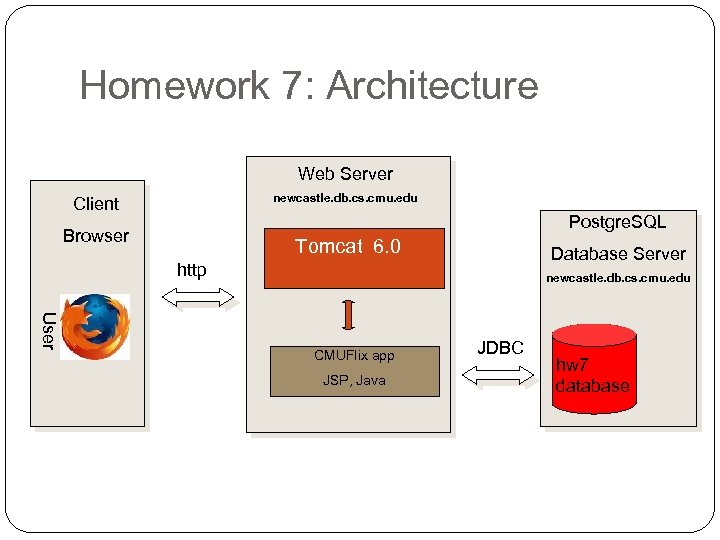 Homework 7: Architecture Web Server newcastle. db. cs. cmu. edu Client Postgre. SQL Browser Tomcat 6. 0 Database Server http newcastle. db. cs. cmu. edu User CMUFlix app JSP, Java JDBC hw 7 database
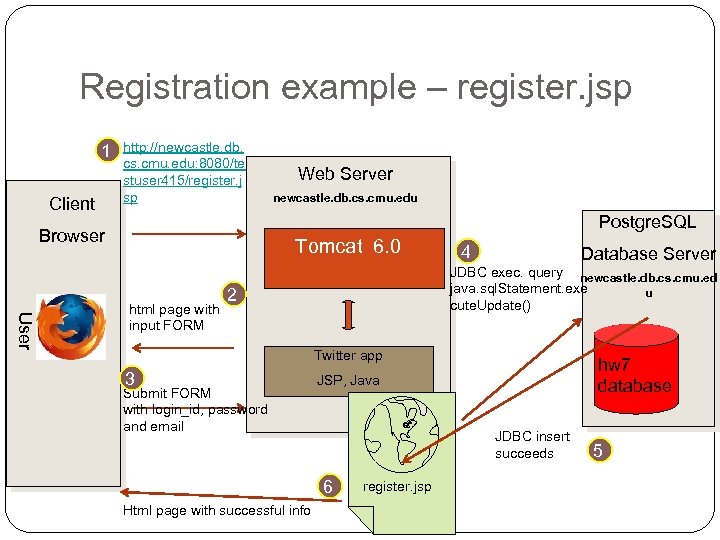 Registration example – register. jsp 1 Client http: //newcastle. db. cs. cmu. edu: 8080/te stuser 415/register. j sp Web Server newcastle. db. cs. cmu. edu Postgre. SQL Browser Tomcat 6. 0 User html page with input FORM 4 Database Server JDBC exec. query newcastle. db. cs. cmu. ed java. sql. Statement. exe u cute. Update() 2 Twitter app 3 Submit FORM with login_id, password and email JSP, Java JDBC insert succeeds 6 Html page with successful info hw 7 database register. jsp 5
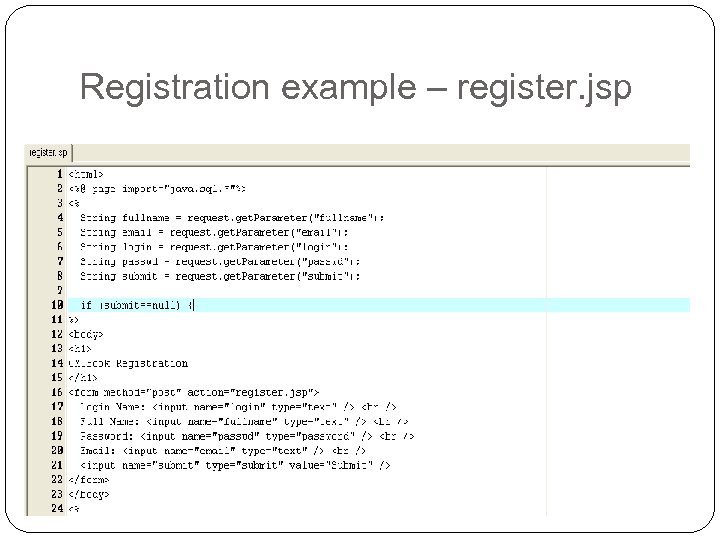 Registration example – register. jsp
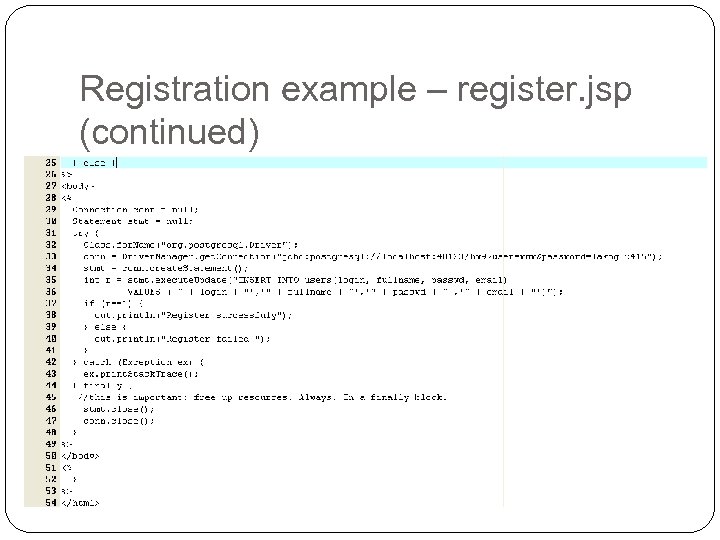 Registration example – register. jsp (continued)
 JSP Basics JSP is a technology that helps software developers serve dynamically generated web pages Similar to PHP and ASP (Microsoft), but using Java: It simply “put Java inside HTML”.
 JSP Basics Three primitives – expressions – directives – declarations
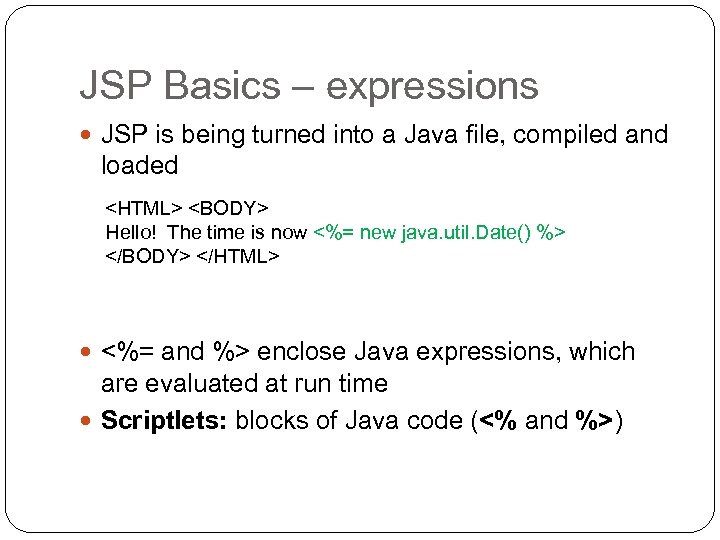 JSP Basics – expressions JSP is being turned into a Java file, compiled and loaded
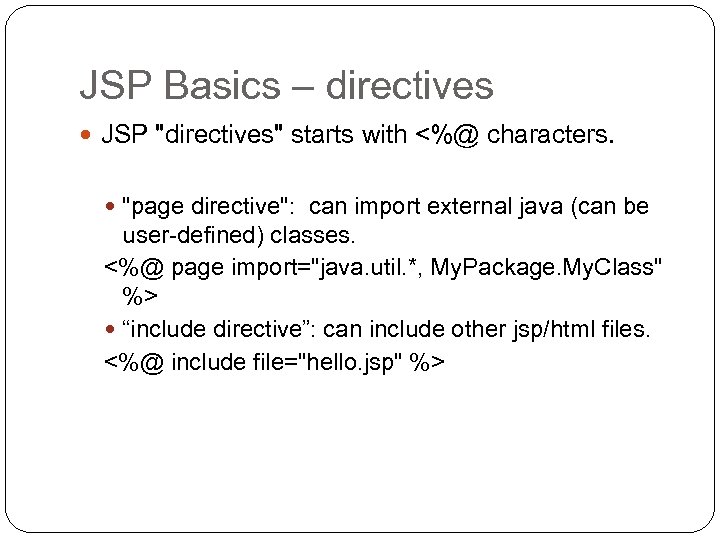 JSP Basics – directives JSP "directives" starts with <%@ characters. "page directive": can import external java (can be user-defined) classes. <%@ page import="java. util. *, My. Package. My. Class" %> “include directive”: can include other jsp/html files. <%@ include file="hello. jsp" %>
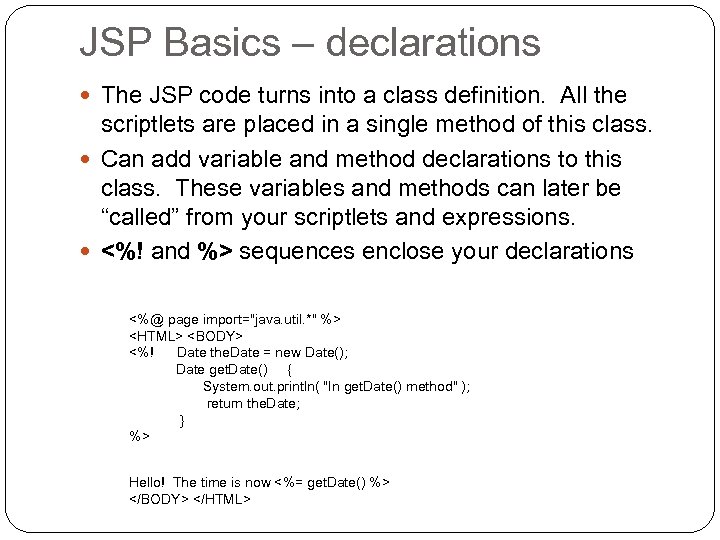 JSP Basics – declarations The JSP code turns into a class definition. All the scriptlets are placed in a single method of this class. Can add variable and method declarations to this class. These variables and methods can later be “called” from your scriptlets and expressions. <%! and %> sequences enclose your declarations <%@ page import="java. util. *" %>
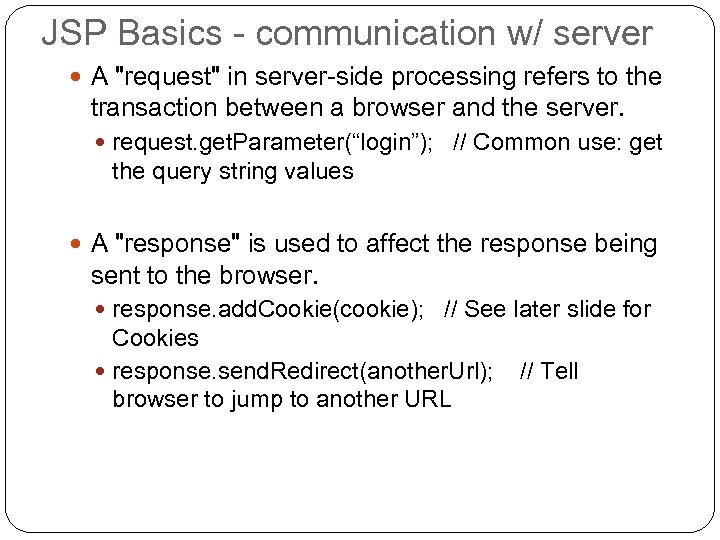 JSP Basics - communication w/ server A "request" in server-side processing refers to the transaction between a browser and the server. request. get. Parameter(“login”); // Common use: get the query string values A "response" is used to affect the response being sent to the browser. response. add. Cookie(cookie); // See later slide for Cookies response. send. Redirect(another. Url); // Tell browser to jump to another URL
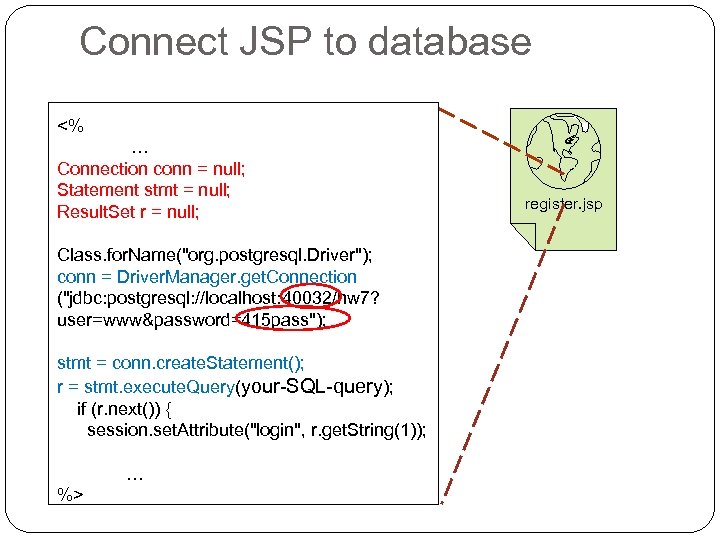 Connect JSP to database <% … Connection conn = null; Statement stmt = null; Result. Set r = null; Class. for. Name("org. postgresql. Driver"); conn = Driver. Manager. get. Connection ("jdbc: postgresql: //localhost: 40032/hw 7? user=www&password=415 pass"); stmt = conn. create. Statement(); r = stmt. execute. Query(your-SQL-query); if (r. next()) { session. set. Attribute("login", r. get. String(1)); … %> register. jsp
 JSP Basics – Session management On a typical web site, a visitor might visit several pages and perform several interactions. If you are programming the site, it is very helpful to be able to associate some data with each visitor. For example, after a user logs in, you might want to keep the login name and/or other information of the user to maintain his/her credential. Two ways to implement in JSP: session, and cookies (optional).
 JSP Basics – sessions (method#1) A session is an object associated with a visitor. If you open different browsers, or use different IPs, you are essentially use multiple sessions. Data can be put in the session and retrieved from it, much like a Hashtable. session. set. Attribute( "the. Name", name ); session. get. Attribute( "the. Name" ) Default expiration time: 30 minutes. You don’t need to change it in the homework.
 (Optional) JSP Basics – cookies (method#2) Cookies are commonly used for session management. short pieces of data sent by web servers to the client browser saved to clients hard disk in the form of a small text file helps the web servers to identify web users, by this way server tracks the user.
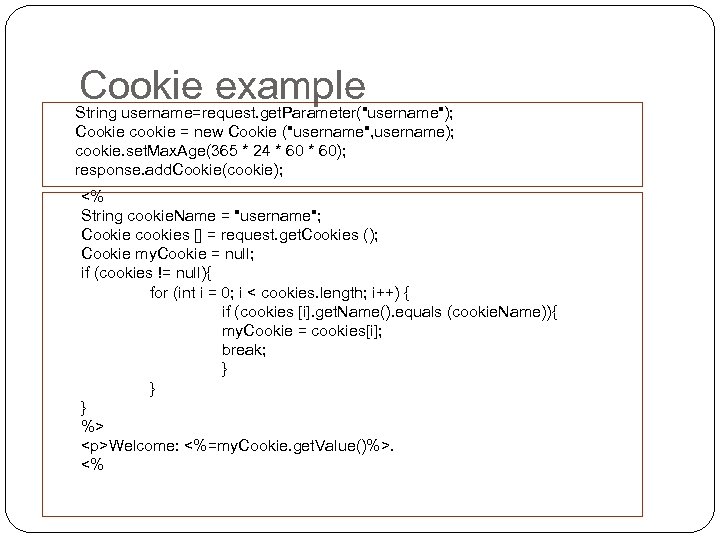 Cookie example String username=request. get. Parameter("username"); Cookie cookie = new Cookie ("username", username); cookie. set. Max. Age(365 * 24 * 60); response. add. Cookie(cookie); <% String cookie. Name = "username"; Cookie cookies [] = request. get. Cookies (); Cookie my. Cookie = null; if (cookies != null){ for (int i = 0; i < cookies. length; i++) { if (cookies [i]. get. Name(). equals (cookie. Name)){ my. Cookie = cookies[i]; break; } } } %>
Welcome: <%=my. Cookie. get. Value()%>. <%
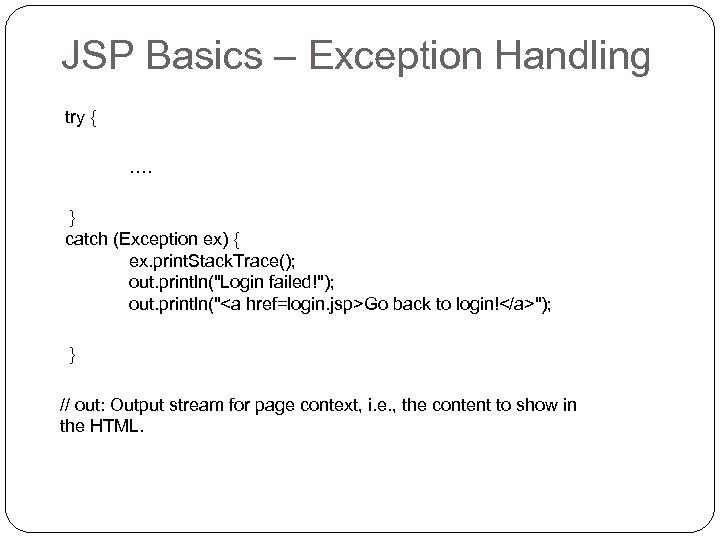 JSP Basics – Exception Handling try { …. } catch (Exception ex) { ex. print. Stack. Trace(); out. println("Login failed!"); out. println("Go back to login!"); } // out: Output stream for page context, i. e. , the content to show in the HTML.
 (Optional) Better Software Design? Design Patterns: Elements of Reusable Object- Oriented Software, Gamma, Erich; Richard Helm, Ralph Johnson, and John Vlissides Thinking in Patterns (http: //www. mindviewinc. com/downloads/TIPatterns -0. 9. zip) Design Pattern for Web App: MVC pattern (Model – View – Controller) Basic idea: break software functionalities and interfaces Tool: struts