Скачать презентацию SCDF Online Application OASIS Introduction to OASIS
84490a092febeaf4cd6c66357c6fa344.ppt
- Количество слайдов: 26
 SCDF Online Application (OASIS)
 Introduction to OASIS • Online Application System for Integrated Services – Provides one stop portal for integrated application of business licences • Spearheaded by MTI with OASIS Core Team
 Introduction to OASIS • Benefits To Businesses: - One-stop convenience - Time savings - Round-the-clock service - No more running to different agencies - No more multiple form filling - No more long queues at counters To Agencies: - Better service - Efficiency gains
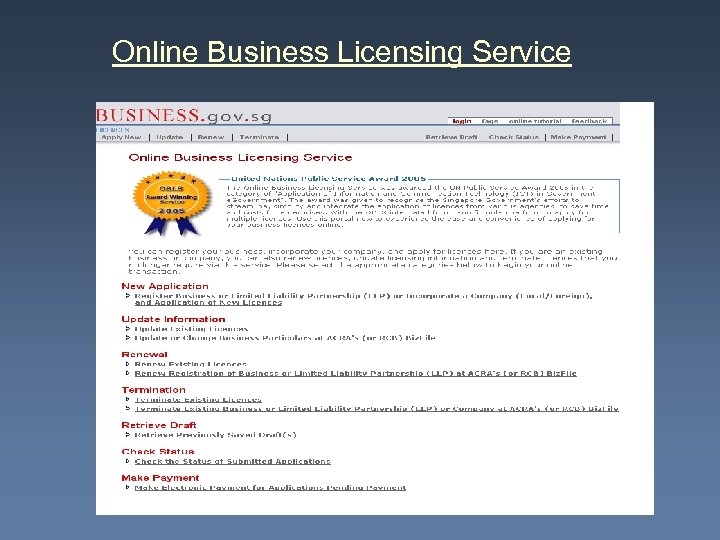 Online Business Licensing Service
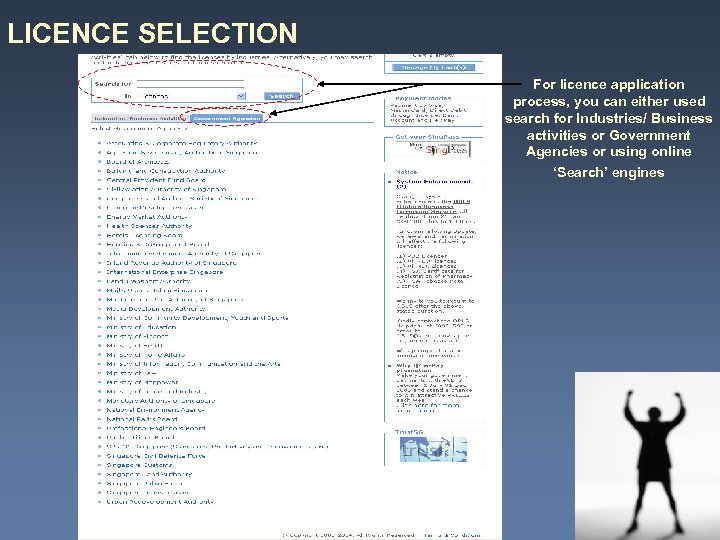 LICENCE SELECTION For licence application process, you can either used search for Industries/ Business activities or Government Agencies or using online ‘Search’ engines
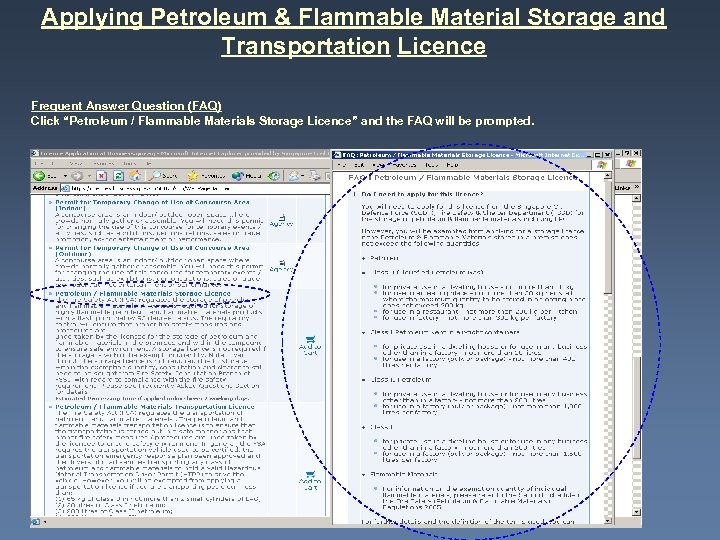 Applying Petroleum & Flammable Material Storage and Transportation Licence Frequent Answer Question (FAQ) Click “Petroleum / Flammable Materials Storage Licence” and the FAQ will be prompted.
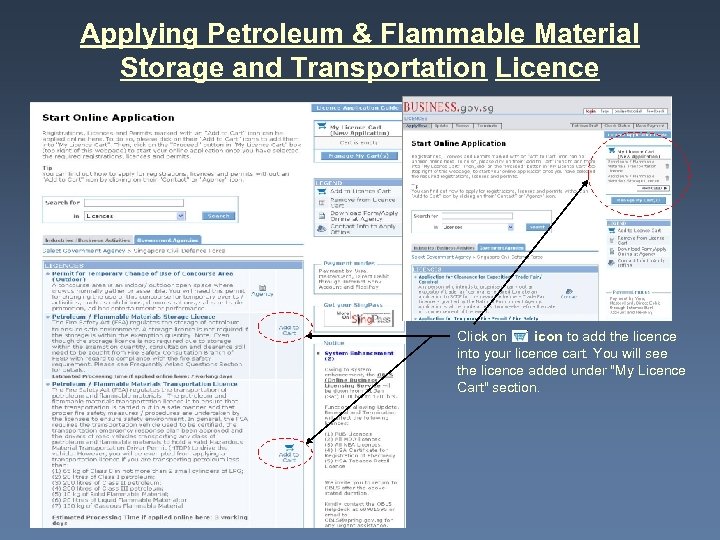 Applying Petroleum & Flammable Material Storage and Transportation Licence Click on icon to add the licence into your licence cart. You will see the licence added under "My Licence Cart" section.
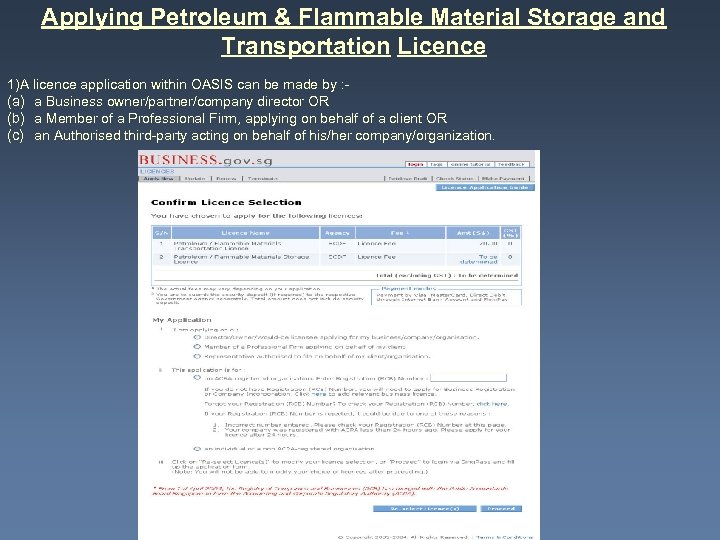 Applying Petroleum & Flammable Material Storage and Transportation Licence 1)A licence application within OASIS can be made by : (a) a Business owner/partner/company director OR (b) a Member of a Professional Firm, applying on behalf of a client OR (c) an Authorised third-party acting on behalf of his/her company/organization.
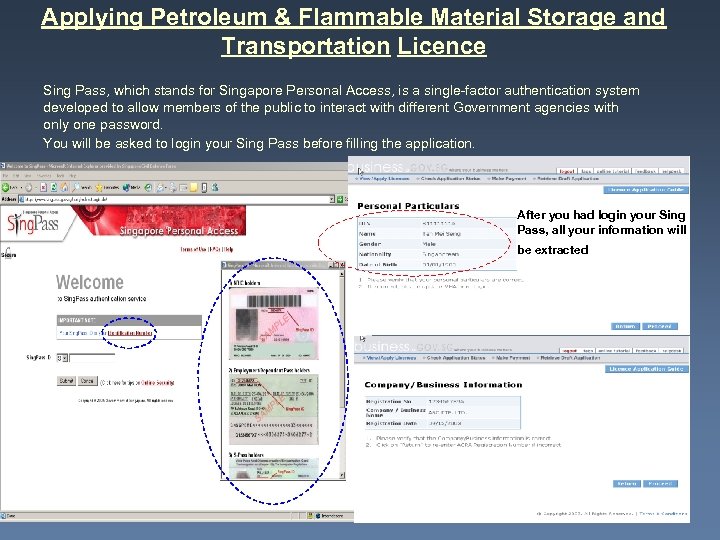 Applying Petroleum & Flammable Material Storage and Transportation Licence Sing Pass, which stands for Singapore Personal Access, is a single-factor authentication system developed to allow members of the public to interact with different Government agencies with only one password. You will be asked to login your Sing Pass before filling the application. After you had login your Sing Pass, all your information will be extracted
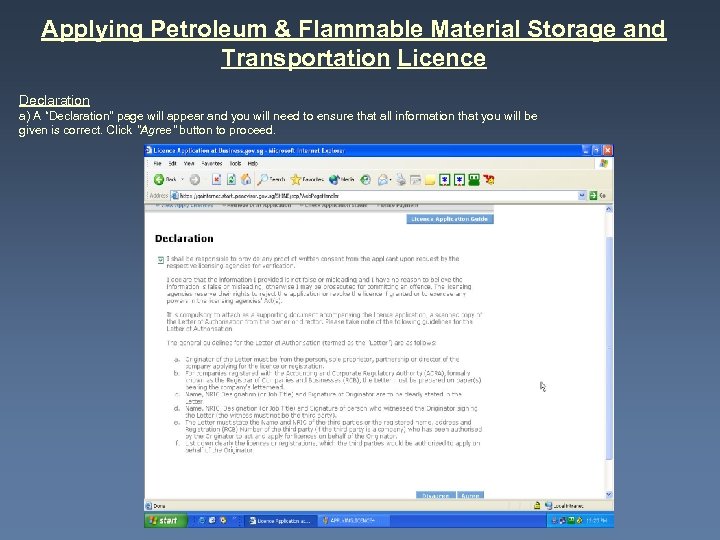 Applying Petroleum & Flammable Material Storage and Transportation Licence Declaration a) A “Declaration" page will appear and you will need to ensure that all information that you will be given is correct. Click "Agree" button to proceed.
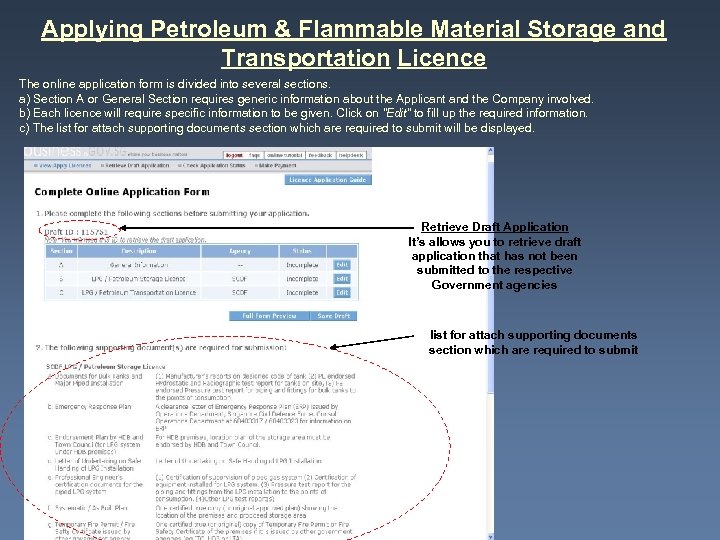 Applying Petroleum & Flammable Material Storage and Transportation Licence The online application form is divided into several sections. a) Section A or General Section requires generic information about the Applicant and the Company involved. b) Each licence will require specific information to be given. Click on "Edit" to fill up the required information. c) The list for attach supporting documents section which are required to submit will be displayed. Retrieve Draft Application It’s allows you to retrieve draft application that has not been submitted to the respective Government agencies list for attach supporting documents section which are required to submit
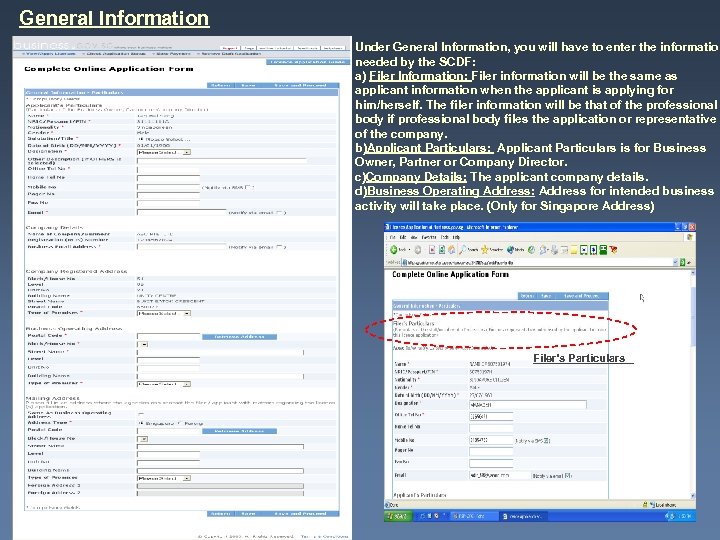 General Information Under General Information, you will have to enter the information needed by the SCDF: a) Filer Information: Filer information will be the same as applicant information when the applicant is applying for him/herself. The filer information will be that of the professional body if professional body files the application or representative of the company. b)Applicant Particulars: Applicant Particulars is for Business Owner, Partner or Company Director. c)Company Details: The applicant company details. d)Business Operating Address: Address for intended business activity will take place. (Only for Singapore Address) Filer’s Particulars
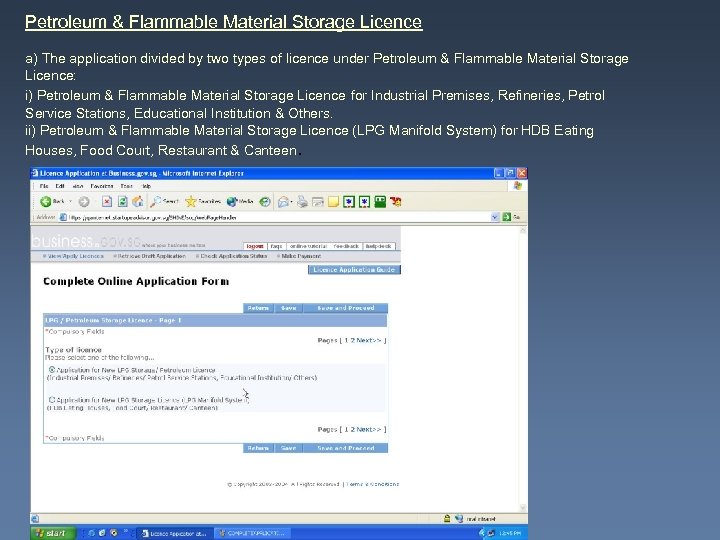 Petroleum & Flammable Material Storage Licence a) The application divided by two types of licence under Petroleum & Flammable Material Storage Licence: i) Petroleum & Flammable Material Storage Licence for Industrial Premises, Refineries, Petrol Service Stations, Educational Institution & Others. ii) Petroleum & Flammable Material Storage Licence (LPG Manifold System) for HDB Eating Houses, Food Court, Restaurant & Canteen.
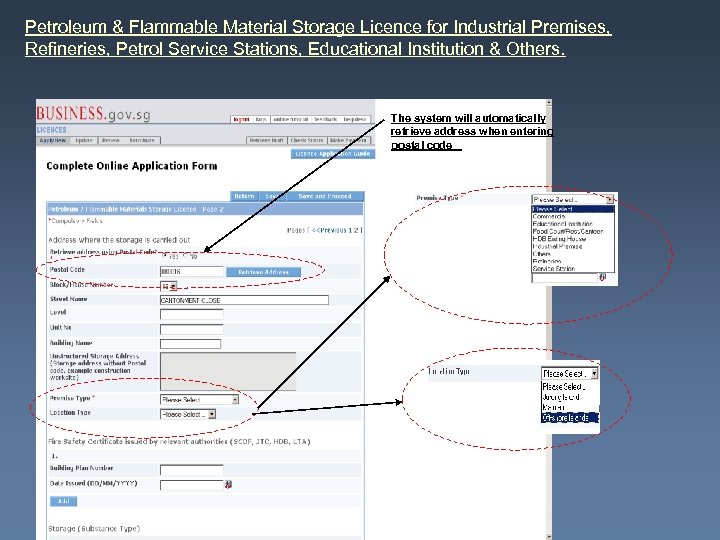 Petroleum & Flammable Material Storage Licence for Industrial Premises, Refineries, Petrol Service Stations, Educational Institution & Others. The system will automatically retrieve address when entering postal code
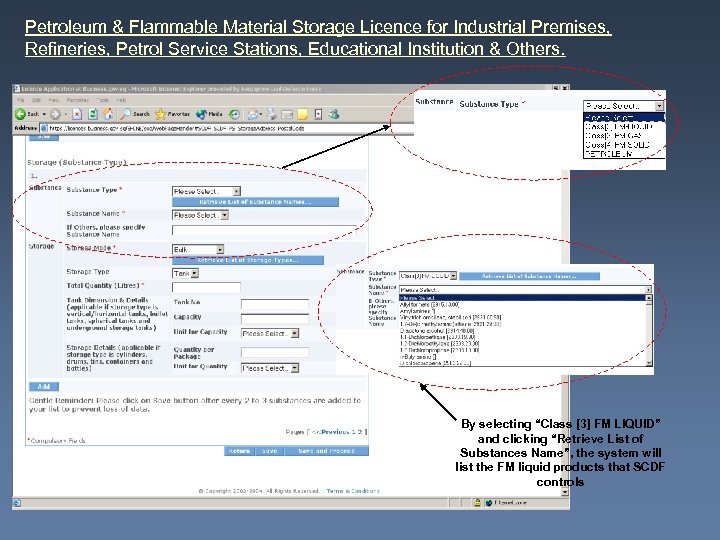 Petroleum & Flammable Material Storage Licence for Industrial Premises, Refineries, Petrol Service Stations, Educational Institution & Others. By selecting “Class [3] FM LIQUID” and clicking “Retrieve List of Substances Name”, the system will list the FM liquid products that SCDF controls
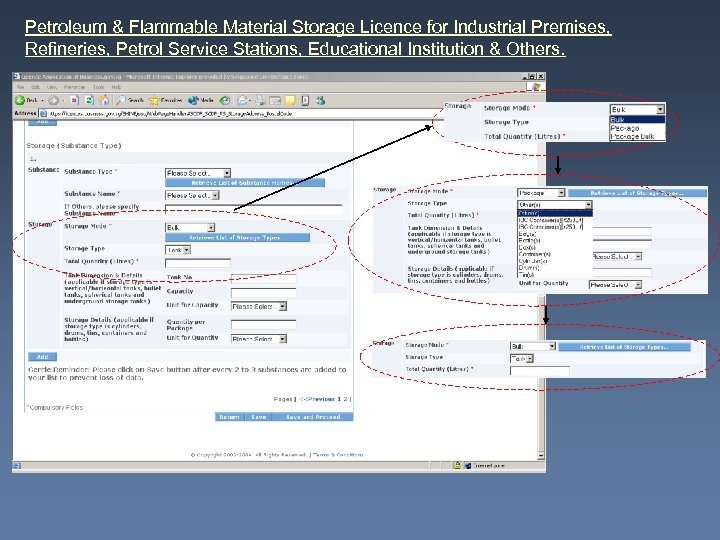 Petroleum & Flammable Material Storage Licence for Industrial Premises, Refineries, Petrol Service Stations, Educational Institution & Others.
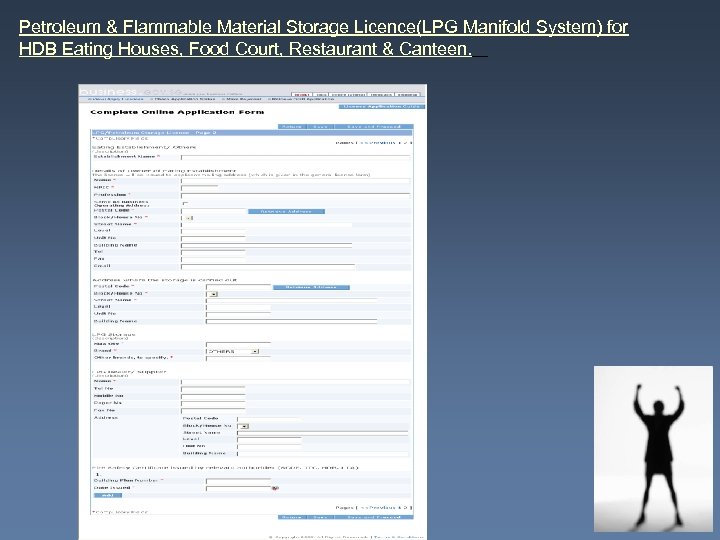 Petroleum & Flammable Material Storage Licence(LPG Manifold System) for HDB Eating Houses, Food Court, Restaurant & Canteen.
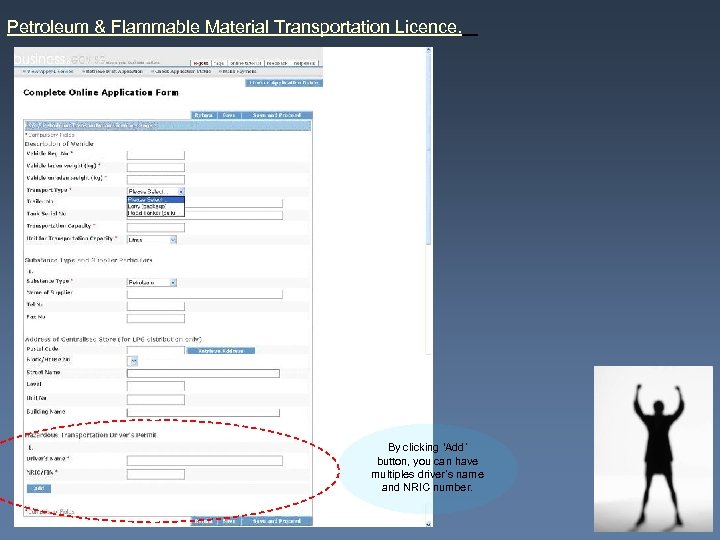 Petroleum & Flammable Material Transportation Licence. By clicking ‘Add’ button, you can have multiples driver’s name and NRIC number.
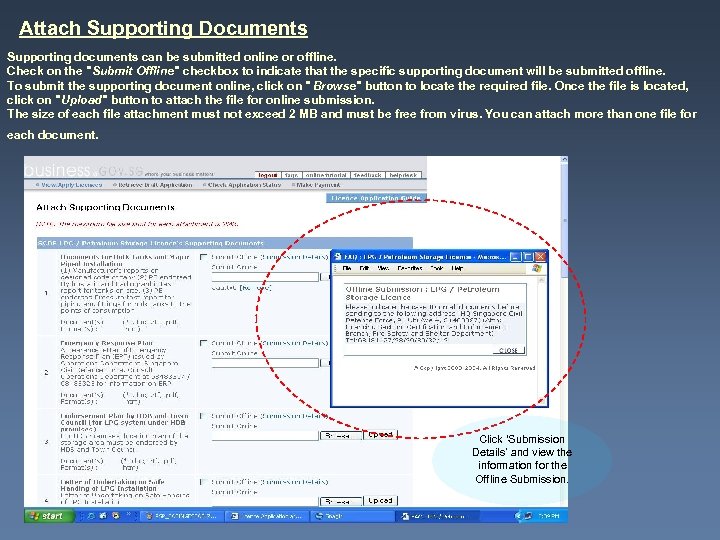 Attach Supporting Documents Supporting documents can be submitted online or offline. Check on the "Submit Offline" checkbox to indicate that the specific supporting document will be submitted offline. To submit the supporting document online, click on " Browse" button to locate the required file. Once the file is located, click on "Upload" button to attach the file for online submission. The size of each file attachment must not exceed 2 MB and must be free from virus. You can attach more than one file for each document. Click ‘Submission Details’ and view the information for the Offline Submission.
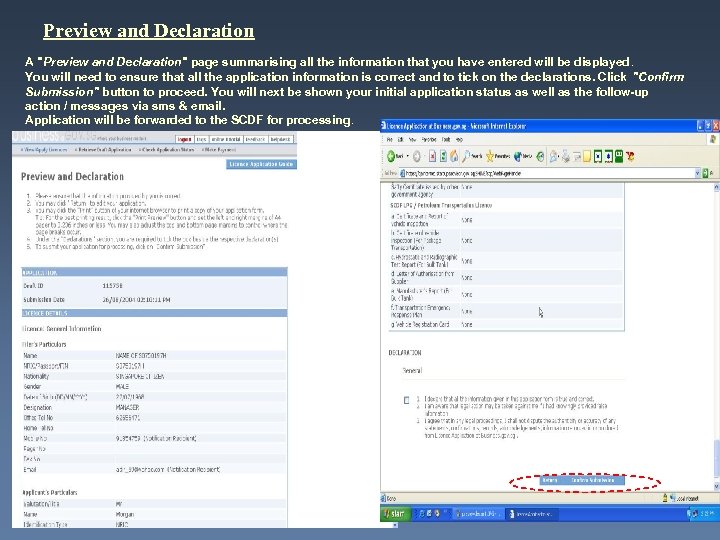 Preview and Declaration A "Preview and Declaration" page summarising all the information that you have entered will be displayed. You will need to ensure that all the application information is correct and to tick on the declarations. Click "Confirm Submission" button to proceed. You will next be shown your initial application status as well as the follow-up action / messages via sms & email. Application will be forwarded to the SCDF for processing.
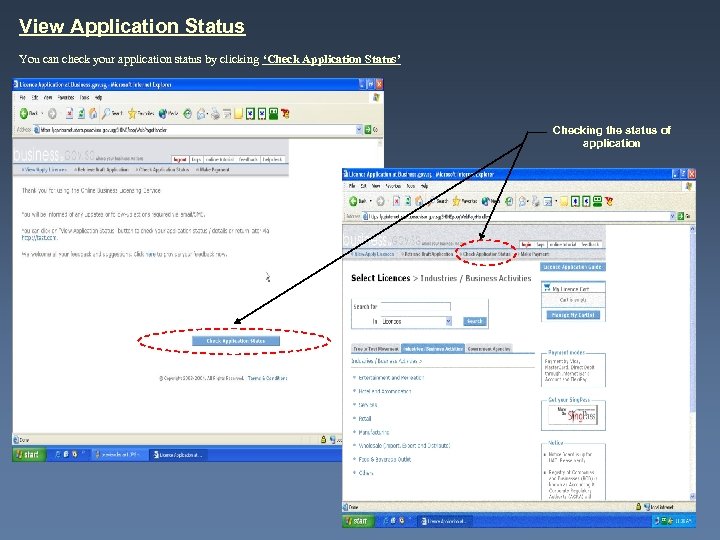 View Application Status You can check your application status by clicking ‘Check Application Status’ Checking the status of application
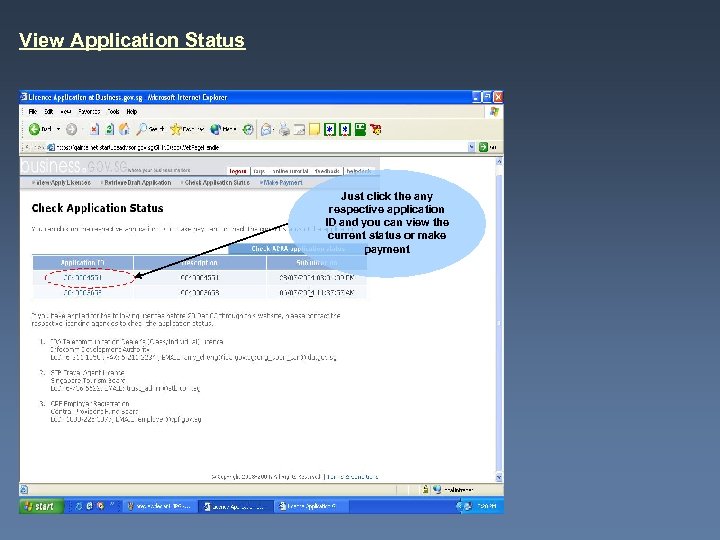 View Application Status Just click the any respective application ID and you can view the current status or make payment
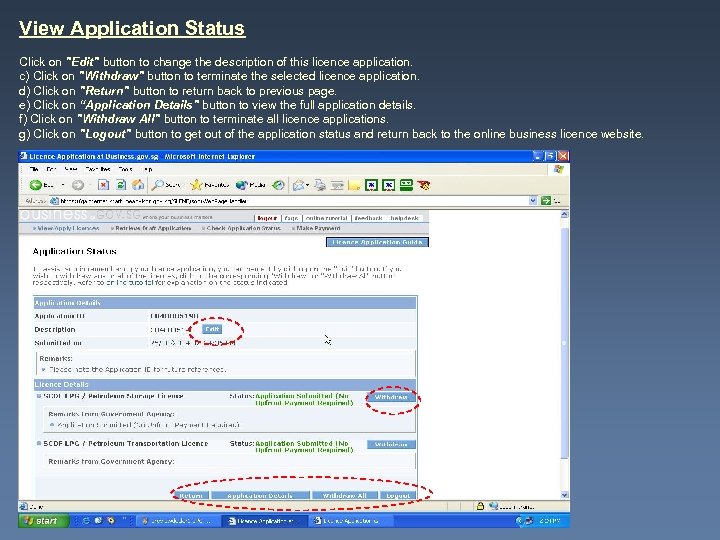 View Application Status Click on "Edit" button to change the description of this licence application. c) Click on "Withdraw" button to terminate the selected licence application. d) Click on "Return" button to return back to previous page. e) Click on “Application Details" button to view the full application details. f) Click on "Withdraw All" button to terminate all licence applications. g) Click on "Logout" button to get out of the application status and return back to the online business licence website.
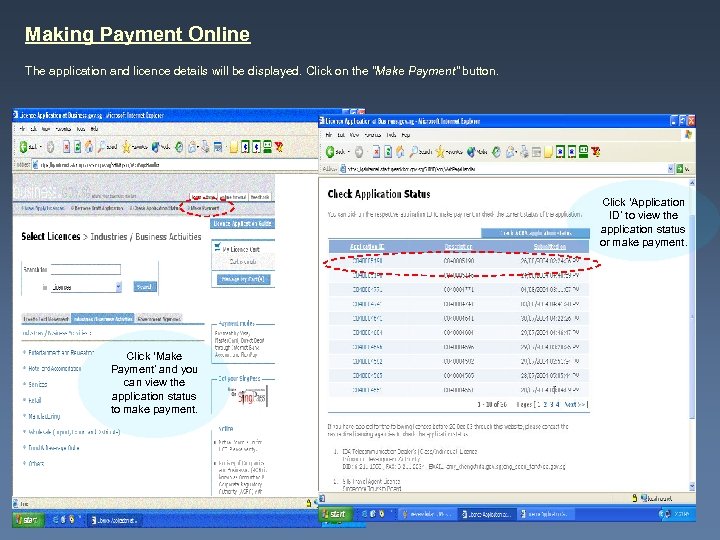 Making Payment Online The application and licence details will be displayed. Click on the "Make Payment" button. Click ‘Application ID’ to view the application status or make payment. Click ‘Make Payment’ and you can view the application status to make payment.
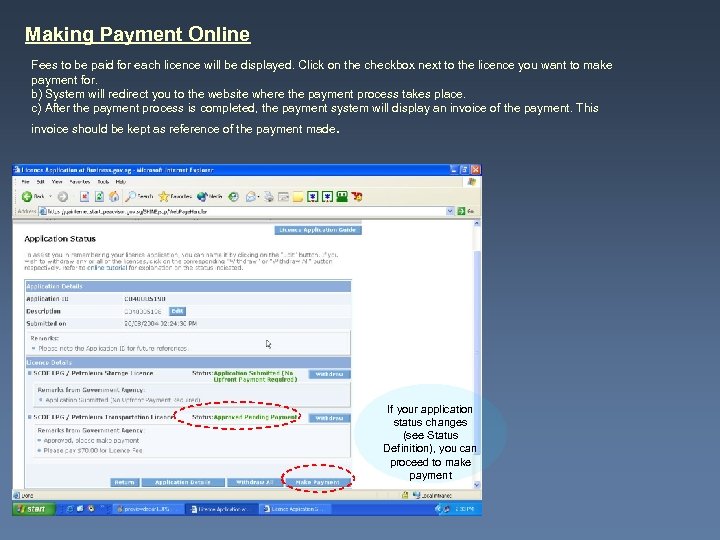 Making Payment Online Fees to be paid for each licence will be displayed. Click on the checkbox next to the licence you want to make payment for. b) System will redirect you to the website where the payment process takes place. c) After the payment process is completed, the payment system will display an invoice of the payment. This invoice should be kept as reference of the payment made. If your application status changes (see Status Definition), you can proceed to make payment